AI Chatbots in Healthcare: UX Research

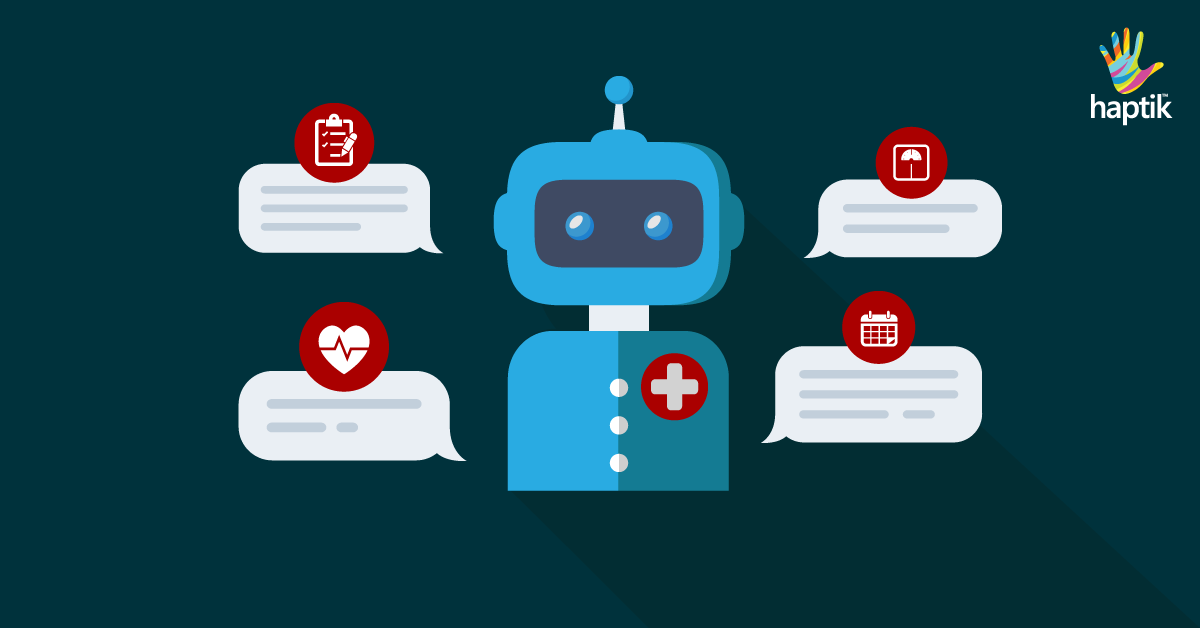
Designing conversational UI is a challenging task. I say this from my experience of designing a conversational AI chatbot in healthcare. From the moment I began working on it, I knew it wouldn’t be an easy feat. Questions like what kind of visual elements would I use, how can I reduce the user’s cognitive load in effort-intensive activities, were always on my mind. Prior to this, I had worked on UI design of many web and mobile apps. But none of them was as challenging as this one.How A Chatbot Can Help Your Healthcare Business | by Michelle Parayil | Chatbots LifeThe most challenging part for me was designing to handle the human-machine interaction. Each user is different. Unlike in websites/apps, where users can simply browse and leave, the chatbot users open the chat window to interact. They come with all sorts of questions- vague /smart /genuine /rogue /irrelevant and (sometimes) absurd. When they type a query, they expect the conversational UI to adapt to their needs–digest questions and construct intelligent answers/follow up questions.

The uncertainty of the usage makes the design process complex. Unlike websites/applications, there are no specific UI design principles for designing conversational interfaces. It might appear as a small thing but the limited knowledge on the UI design patterns for healthcare chatbots ultimately affects the customer experience.

So, what can a designer do to make sure that the conversational AI solution caters to most, if not every, user persona? I can share a few suggestions. Since I worked on a healthcare chatbot, most of my suggestions would be about best design practices for healthcare conversational user interface.

Chatbots are now making their way into healthcare solutions like patient engagement solutions, handling emergency situations or first aid, medication management, and so on. To create a great user experience, it’s crucial to pay attention to the process of designing the chatbot. One of the ways to do this is streamlining the process of UI design through UX research.

When I started working on UX research, I borrowed a few tried-and-tested methods applied in web and mobile apps. However, healthcare is a complex domain where data security is a major concern. Therefore, I modified a few of them to suit my needs.

Let’s talk about a few UX research methods which are important to conduct before deep-diving into UI design of a healthcare chatbot.
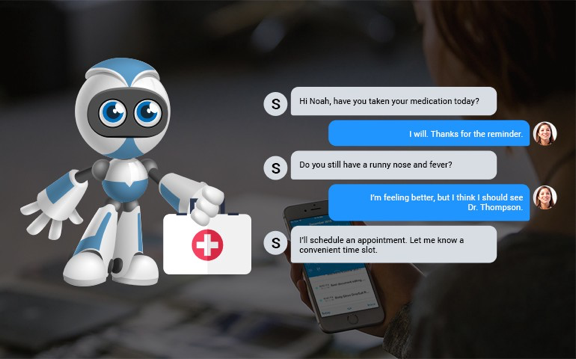
AI in healthcare | Artificial Intelligence in the healthcare industry

Discover users’ pain points

To discover users’ pain points, you must first know who your users are. So, the first step to any good UX research is defining your user persona. Your user persona should include demographics profiles, health profiles and task profiles.

The persona diagram must include needs, difficulties, frustrations, motivations, aspirations of your end users. For instance, a 56-year old woman’s persona should include pain points like– “I’m an old woman, I don’t have the patience to repeat the same thing over and over again” or “I am ageing towards dyslexia, I forget conversations I had 15 minutes ago.”

After you’ve defined your user persona, the next step is to figure out how they will interact with the chatbot. For that you can invest in any of the below attitudinal approaches-

  • Gather inputs by rolling out surveys to your target audience and asking them related questions.
  • Conduct interviews and listen to what users say.

Depending on the kind of healthcare chatbot, your choice of the method will change.

For example- if you’re doing UX research for a chatbot that guides people towards better mental health, then you can do anonymous email surveys as people don’t openly talk about issues like depression and anxiety.

How Chatbots Can Help Your Healthcare Industry? | BCC Healthcare

Observe users in their natural environment

Direct observation (a primary research method) is the key to understanding user needs and preferences for a new product. During observations, record verbal comments and the time spent on various tasks.

For example, if you’re designing a chatbot for surgeons, then observe them when they plan the pre and post surgical procedure. If the patient has a lot of complications, what dietary guidance do they offer? How do they perform the surgery? What instruments they use and how its usage differs from surgery to surgery?

By conducting interviews with people while they perform tasks, you can collect valuable inputs from them and use it to recreate a similar experience in a conversational chatbot.

You can also create interactive mock-ups to show artificial interactions. This gives sufficient scope to test the chatbot with users without requiring the engineers to actually build it. This helps in quick iterations with the users after validating the user experience and understanding their perception of the chatbot.

Research through complementary data gathering techniques

A quick and rewarding UX research method is secondary research. This is done by doing competitor analysis to see how others are solving the same problem. This approach isn’t useful if you’re developing something unique. But, if it’s something you are trying to improve, this method is easy and gives quick results.

You can experience real conversations, access failure threads and use data to improve your chatbot’s experience. Secondary research also includes searching through customer service logs, FAQs, online reviews or comments on blogs.

For example- if you’re building a patient registration chatbot, look at other chatbots available in the market. What is the tone and personality of chatbot? How much time does it take to book an appointment on the chatbot? What are the demographics that the chatbot covers?

Study the chatbot as a user and find out things that they are doing right or things where the experience could be improved. You will find some unsolved problems that could become a major feature in your chatbot.

Get help from stakeholders

There may be situations where you wouldn’t get time to do surveys and interviews with end users. In such cases, ask for help from people who want to build this chatbot. Get to the behind-the-scenes of the problem. Go to their sales and marketing calls. Understand the ‘why’ behind building a chatbot and what problems they are trying to solve.

Talk to the sales team to understand what kind of customer support calls/tickets they receive frequently. Interview their marketing team to understand what vision they have for their end users. What motivates their users? What do they need in order to be happy? What’s their idea of a good chatbot?

Gather real quotes/statements from the end users and use them to draw an empathy map and user journeys. This will help you identify major pitfalls and crucial moments.

The UX research phase is a crucial part of developing a great customer experience. When it’s given its fair share of time and effort, UX research helps discover important insights and reduces the number of iterations required to build the chatbot.

However, there’s no surety that your research findings will translate into a flawless user experience. All the research findings must be implemented and tested in real-time for you to discover if your research was right or not. Sometimes, a wrong method of research or the timing of the research may give you erroneous information.

I hope you figure out the right UX research method for your chatbot. If you have worked on a healthcare chatbot, I would love to hear the UX research methods you used.

JS Developer: Learn Python

Python and JS are the two most popular programming languages. I was working as a MEAN/MERN Stack Software Engineer where I used Javascript as a coding language. Recently I switched to Python for a second project.
JavaScript vs Python : Can Python Overtop JavaScript by 2020? - GeeksforGeeks

In this blog, I will share my experience of working on both languages at the same time. Let’s get started.

Below are the code snippets which describe the major syntax differences. Can you observe how different they are?

The syntax b/w Javascript and Python are very different as shown in the above sample blocks. Sometimes I make mistakes by using one’s syntax in another. To avoid this these IDE’s are really helpful– IntelliJ (Python) and Vscode (Javascript).

Below are the major differences that I came across:-

  1. Python code uses tabs for a code block whereas JS uses { }
  2. Python uses ‘#’ for comment while JS use ‘//’
  3. Python uses the ‘print’ keyword whereas JS uses ‘console’ keyword to debug anything in the console panel.
  4. Python Function uses a ‘def’ keyword to define function whereas JS uses ‘function’ keyword
  5. The constructor of the Python class is defined by ‘__init__’ whereas JS uses a normal constructor.
  6. The semicolon is not mandatory in both languages to define the end of a statement. But we use it in JS because if we don’t apply it, JS engine will apply it automatically and create unnecessary bugs in the code.


Python VS JavaScript – What are the Key Differences Between The Two Popular Programming Languages?

Approaches to implement task in different languages

Every language has its own beauty. While solving any task with NodeJS I need to think in a different way than implementing them in Python. In some scenarios, Python wins and in some NodeJS.

Just a small example-

To create a Task manager backend in NodeJS, I need to use Express. To replicate the same functionality in Python, I need to use Flask.

Checkout repo for basic task manager https://github.com/agarwalparas/task-manager

However, later on, if my backend needs a functionality of Machine learning to manage tasks and prioritize them on the basis of users’ behaviour, then I will surely use Python.

Whereas if my backend needs high speed to list tasks or to search from tasks or for faster real time updates of tasks within the team, then I will surely use NodeJS.

So, it is really tough to decide which language to use in which project. But it is fairly straightforward to say which language can be used for a particular task.

After some experience, I have figured out a way to decide which language is better for a project.

NodeJS for Chat Applications and Realtime Apps whereas Python for Analytics, Machine Learning, Command Line Utilities.

Some important concepts

F String in Python and Template literals in Javascript

The F string and template literals are great new ways to format strings. Not only are they more readable, more concise, and less prone to error than other ways of formatting, they are also faster!

Decorators in Python and Callback Function in Javascript

Decorators and Callback Function are very powerful and useful tools since they allow programmers to modify the behavior of function or class. In Decorators, functions are taken as the argument into another function and then called inside the wrapper function whereas in Javascript the function passed as argument is called callback function.

Async/Await in NodeJS 

Before async/await, JS used promises but its code was a little complex to debug and caused callback problems.

Then JS introduced a neat syntax to work with promises in a more comfortable fashion. It’s called “async/await” and is relatively easy to understand and use.

Conclusion

So all in all it’s a very exciting journey. Both languages have some pros and cons. But isn’t it the same with everything. Different languages exist because there is no one-size fits all approach to programming. In fact, their existence gives us tools to help create more robust products. My experience of working with Python and JS simultaneously has helped me gain more exposure to the world of programming languages and I now look forward to learning more about other unknown languages.


Healthcare solutions with Agile software

Two things that define today’s startup ecosystem are innovation and speed to market. If you’ve a unique idea and if you can get to the market fast, before everyone else, chances are your product will be a success. I don’t imply that these are the only two things that matter. But they play an important role in defining product success.

While some may argue that innovation and speed to market don’t go hand in hand, I heartily disagree. Agile project management is one of the ways that allows innovation without compromising on the delivery timelines.

I have been an agile practitioner for nearly a decade now. I’ve worked in different kinds of projects with different SDLC methodologies. Among them, I find Agile to be one of the best methodologies for project development. Especially in managing those projects where new solutions are required to meet rapidly changing customer needs.

Hospital Information System | Agile Health | Hospital Solutions

Let me share an example. One of our partners, Phritz, began their journey in December 2019. They started building a personal health record chatbot. At that time, they envisioned the chatbot to behave like a personal healthcare assistant that users can chat with anytime. The chatbot would even help users when they change doctors or health insurance.

However, as COVID-19 pandemic started spreading, we began to think of ways in which Phritz could offer extended support. There was a lot of hysteria among people regarding the information available about the virus. We began by thinking of ways to offer a feature in the chatbot where users could add their symptoms and the chatbot would offer answers. For instance, if you have a sore throat, the bot would give advice to take necessary medications. However, if you’ve sore throat, cold, and fever, the bot would suggest you to get a COVID test. If your test comes out to be positive, the bot also offers to inform people whom you’ve met in the past one week.

We couldn’t have imagined adding all these new features if we had chosen waterfall as a project development methodology.

Another example is from one of my recent projects. Our partners wanted to go for HIPAA compliance and secure all the protected health information (PHI) in the project. Securing PHI is an essential in a healthcare setup, so it’s critical to get this step right. This involved creating non-functional stories for securing PHI requirements, ensuring that it covers what has already been built and what will be built in upcoming features.

Since the stakeholders were in full gear with their marketing strategies and were getting the product familiar with the public, it was important for them to get the product to be HIPAA compliant faster.

Evon's Experience of Building HIPAA Compliant Healthcare Solutions

With Agile, it was easier to accommodate this new requirement. In the Waterfall way, our stakeholders couldn’t have thought about implementing this until upon reaching the first milestone.

Implementing agile not only helped us in accommodating the PHI requirements but also helped us with process improvements and clear communication with stakeholders.

These examples show that agile development helps in incremental development of the product– one that conforms to the needs of the users and solves their problems.

Agile can be beneficial to implement in healthcare projects under the below scenarios as well–

When you’re not sure about the entire solution

All great products are built on ideas that first appear on a piece of paper. It’s not necessary to flesh out an idea completely before jumping in to develop it. Strategy and execution are important but getting to the market fast is more important.

Consider Agile in healthcare as a peer to Waterfall

In such cases, agile development helps in validating the idea. You can start with just a goal in mind. Something that’s specific and measurable. For example: “The claim management software will reduce the claims processing time by 70% and improve efficiency of providers by 90%”

Once you develop a solution to this problem, put it out in the market and get customers to use it. After they start using it, collect feedback from them and improve your solution as per their needs.

When you’re navigating a complex domain

The world of healthcare is constantly shifting and innovating. Therefore, if you’re in the race to build the best product, it would no longer help you win. Instead, you ought to focus on  innovating in the services, and improving the customer experience of the product.

One of the best examples is Practo. Before the COVID-19 pandemic, Practo was subliminally known as an online consultation and medicine delivery platform. When the pandemic striked, they quickly pivoted as a telemedicine solution. Within a short span of four weeks, Practo created an ‘Artificial Intelligence’ tool that guided patients after collecting their basic information. The tool leveraged WHO protocols to profile high-risk people by asking them to share their travel and contact history.

This is just one of the many examples. In other healthcare products, you might be dealing with other regulatory guidelines like HIPAA. They make healthcare a complex domain. But with agile development, you can tackle them one at a time.

When there are multiple stakeholders/decision-makers

Healthcare product development might involve many stakeholders and decision makers. Each stakeholder might have a different perspective and goals for the product’s adoption in the market. This might cause a lot of feedback cycles that go in loops and a lot of incremental changes in the product’s features.

Agile teams are equipped to take up new changes, prioritize the needs of all stakeholders, and help you stay on track with rapidly changing requirements.

When you want to improve quality and reduce costs

In healthcare products, there is an unwavering focus on doing things quickly and shipping out features for the world to use and give feedback. Innovation matters the most, along with agility. But funding is limited and you can’t wrap yourself under the garb of innovation. Therefore, features must be rapidly tested. The focus is on failing fast and adapting to the users’ feedback.

In this scenario, agile proves to be the best method. The 2-week/4-week sprint works best in shipping out features that can be tested with the real users.

When product’s scope is variable

In the waterfall approach of product development, the scope of the project is fixed while team members and time can be varied. That is, if you’re halfway through a project when you realize you’re going to miss the timelines, then you either add more team members or extend the timelines. This increases the cost of development and causes delays in reaching the market.

One of the best things about agile development is that here time and people (team members) are fixed whereas the scope can vary as per requirements. It means that once the scope is defined, it’s not the dead-end of discovery.

Is your Healthcare App HIPAA compliant? | Hacker Noon

If after the first sprint’s release you get feedback for adding/removing/improvising features, agile accommodates it. It might impact your final deadlines, but it would still be somewhat near to what you had planned.

Some other advantages of agile teams is that they are more capable of making day-to-day decisions, independently. With a defined and structured process, they can also thrive in different geographical areas.

However, the agile processes are not easy to imbibe. Ceremonies like backlog grooming, sprint planning, need a lot of discipline to execute. I learnt it on the job with the help of my leaders. If you’re a new product manager, I would suggest you to read some good books on agile project management. The Lean Startup by Eric Ries and Sprint: How to Solve Big Problems and Test New Ideas in Just Five Days are two of my favorite books that can help you get married to the idea of agile development.

UX Design of data-intensive applications

We’re living in an age where data is the most precious thing. Data has the power to distort or empower people’s perception and individual decision making capabilities. As a UX designer, it’s on us to design applications that convey the right kind of data in the right way to help make correct decisions.The Visual Display of Quantitative Information by Edward Tufte is a book that talks about the same thing. Jeff Hale shared an interesting story in his book review.“A good chart can inspire action. Early epidemiologist John Snow’s 1854 map with data appears to have saved many lives. Snow showed the location of London’s 13 public wells and 578 cholera deaths by stacked bars perpendicular to their location. His graphic, in part, appears to have helped convince the city to shut down the infected well.”

UX Design of data-intensive applications | Humble Bits

We’re in the 21st century now and I feel we still have a long way to go when it comes to designing data-intensive applications. A data-intensive application is driven by the huge amount of data it consumes. Working with this overwhelmingly huge amount of data has just one problem. It creates various problems for the application because now one has to take care of various aspects such as consistency/standards, usability, scalability and maintainability of the application.

Scalability and maintainability are something that require good application architecture and quality code. But for the scope of this blog, let’s skip that part and talk only about the design.

As designers, we first need to understand that data visualization plays an important role in defining the user experience. The way data is represented on the UI defines how the users are going to interpret and use it. Only when we understand the ‘why’, we’ll be in a position to empower the end users of the application in making informed decisions.

How to design compelling data-intensive applications?

Designing Data-Intensive Applications: The Big Ideas Behind Reliable, Scalable, and Maintainable Systems: Kleppmann, Martin: 9781449373320: Amazon.com: Books

The first step in designing data-intensive applications is determining the mode of representation of data. One can represent data through charts, tables, maps or a combination of these. One of the most common ways to represent data is through dashboards which give a bird’s eye overview of data and share insights that allow users to quickly make decisions or iterate on their current implementation.

For now, let’s talk just about these dashboards and how designers can pay attention to the little details of designing dashboards. Although, different products demand different approach to designing dashboards, but I feel that one can keep a check on the below points to make sure that whatever you design is useful and reliable.

Choose the right visualization method

Future according to Designing Data-Intensive Applications | nexocode

One of my friends recently recommended me an app for managing my finances. She raved about the mobile app so much that I had to download it. I realized it later why she was all praises. The app gave me so much information just at one glance. I could look at my monthly expenditure as well the breakdown of money spent on food, movies, travel etc.

Looking at it from a designer’s perspective, I now know why it clicked for me. For different data sets, they have used an appropriate visualization method.

For example, the monthly report used the line graph so that user can easily identify spikes in expenditure at one glance. Similarly, expense categories are shown in a pie-chart and color coded, so that it’s easier to identify in which category the person spent the most.

So, just before you begin the design of the dashboard, start with an initial understanding of what kind of data you have and what’s the most suitable data visualization method that you can use.

Here are a few data visualizations methods that you can frequently use in dashboards of digital apps-

Line Chart– Line chart is great for showing data trends.

Bar Chart– Bar chart helps in comparing data values of related categories quickly.

Pie Chart– It divides a circle into proportional segments to show percentages between categories.

Gauge Diagram– It’s not a very popular choice, but it can be used in situations where you want to take a different spin on data visualization. For example, in showing the voter’s opinion during the elections, or a client’s opinion on product’s feedback.

UX Design of data-intensive applications | Humble Bits

Plan your layout keeping in mind your end users

A good layout keeps things in place and makes navigation easier for users. Think in terms of the physical space in your house. How do you know which utensils are kept where in the kitchen? How do you wade through the pile of clothes in your closet? It’s because of the layout and the place you’ve fixed for everything.

In the same way, for websites and mobile apps, layout plays an important role. It takes a greater precedence if the application is data-intensive. This is because when you have lots of data, understanding and deriving insights from it is time-consuming.

Therefore, it’s a good practice to keep below practices in mind-

Cut down on extra options

The more choices you give people, the more confused they’ll be. And the more time they’ll take in picking their choice. By the way, that’s not my personal opinion, it’s what the Hick’s law states.

No wonder, why do we take so much time in shopping malls.

But, as a designer, you can be the change you wish to see in the world. All we have to do is resist the temptation to show everything in one single interaction. Not every piece of information can be useful as well as critical. Even if it is, show only that information which is urgent and important for them and which motivates them to take action.

Use progressive disclosure technique to reveal the rest of the information. This way, the users can digest the information quicker and accomplish tasks faster.

An example could be from a news reading website. Showing the entire news could be a little straining for readers. On the other hand, if you just show them the snippets, the readers feel far less cognitively strained.

Do more with less

Some people think that simplicity ruins creativity. But it’s the other way round. Simplicity empowers you to do more with less. It reduces the cognitive load on the users and helps attract attention on the most relevant details.

Be consistent

Consistency is important to help users retain and understand information. We see consistency in almost every aspect of our life.

Consider this as an example- Imagine the chaos in your life if you discovered that the state/country you are visiting has different signals at traffic intersections. In that fictional state, Red no more means stop, Green no more means GO, and yellow is replaced by purple. Now, you have to learn these conventions all over again. Wouldn’t that be messy?

Similarly, in web and mobile applications, it becomes difficult for the user if you keep changing icons, colors, layout, CTAs, etc. An ideal approach that you can take is to make users learn once, use anywhere. 

Select an appropriate color palette


Every color tells a story and that’s why finding the right color palette for data visualization is probably the most crucial step. Choosing appropriate colors also impacts the accessibility of your applications as people who are visually impaired can benefit from your color selection.

There are a few things that you need to remember while choosing your color palette-

Be consistent with colors

If you are using two color variables in a chart, don’t confuse your users with different representation of colors for the same variable.


The Do's And Don'ts of Infographic Color Selection - Venngage

Use desaturated colors for visualization

Desaturated colors like white, black and shades of grey work the best as they do not attract unnecessary attention from the user, rather they convey the information subtly. The more colors you use in your visual representation, the more difficult it becomes for the user to decode the information.

UX Design of data-intensive applications | Humble Bits

Use saturated colors only to draw attention to changes (state) 

If you want to highlight the most important aspects of your chart, use a saturated color instead of throwing all colors together. Make grey your best friend and use it as a base to make sure you neither miss showing the important data points, nor do you overdo with too many colors.

The reason why data-intensive applications deserve more attention while designing is because these applications are complex. Moreover, there are multiple touch-points in such applications which need a touch of innovation so that users interactions become smooth and useful.


Product Development: User research methods

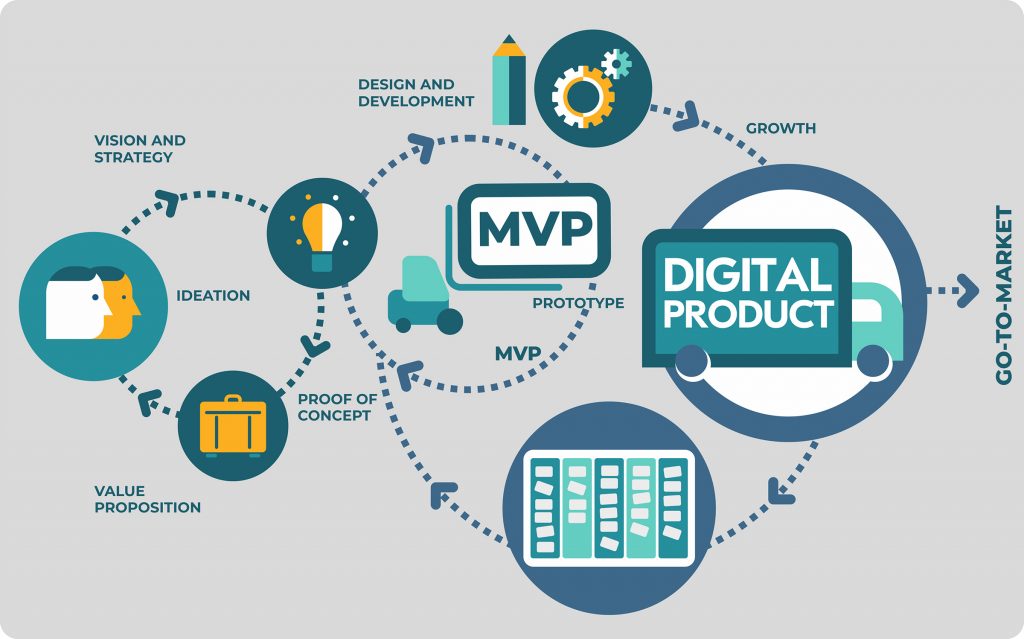
User research is one of the best ways to know what users want and how they interact with your product. It’s performed in order to improve the product as per the feedback gathered at different stages of product development.One of the mistakes that designers and PMs make is that they assume user research needs to be done only in the beginning. However, if you want to build a product that conforms to the needs of the user, research must be a continuous process. At the onset of the product development, user research is required to validate the idea. But when a product is out in the market, user research is needed to understand if users are liking it or not. It’s important to understand users’ needs and their pain points. It’s important to know how they interact and use your products/services, and what kind of challenges they experience while using them.Digital Product Development | Railsware Blog

For this reason, different user research methods are used at different stages of product development. In this blog, I’ll talk about the research methods in detail. But first, let’s see the various stages of product development


Discovery stage (from an idea to an MVP)

Discovery stage starts with an idea. You have a picture in mind about what you want, and the problems you want to solve. But you need to validate your hypothesis.

You need to collect and analyze information about your end users, and their problem areas. You need to get an in-depth understanding of their goals, and challenges that might arise in implementation.

User research in this phase is required to validate those product ideas/hypotheses. When user research is done right, it helps in gathering valuable feedback on the ideas and saves precious time from building unwanted features.

Growth and maturity stage (from MVP to a full-fledged product)  

The growth/maturity stage of the product is when the MVP is already launched in the market and people have already started using the product. The product/service has got enough traction and is on the verge of getting popular.

At this stage, user research is required to understand how users are interacting with the product– are they satisfied with the product, what more would they like to be included, how would they rate the product, where do they feel stuck while using the product, etc.

Good user research helps in iterating over the existing product to build new features, improve existing ones or remove unpopular features. It also helps in getting feedback on the existing features on the product.

Implementing user research in the discovery stage, one can visualize the real pain points of users and build a product that solves users’ problems.

In post-launch user research, one can see how users use a product and what are the gaps that prevent them from accomplishing their goals.

There are different user research methods for each stage. So, first, let’s see the whole spectrum of methods that are available.

A landscape of user research methods

Nielsen Norman Group has conceptualized a variety of user research methods. I’ll be talking about the most common ones used by Product Managers/Design Leaders.

If you want to understand user’s attitude or what users say, then most common methods are-

Surveys :- They consist of a series of questions which give you quantitative information from a large sample set.  It can be used for both validating a hypothesis or gathering feedback from users. Therefore, surveys can be used in both discovery and post launch stages.

User interviews:- They are one-on-one discussions with users to gather qualitative information. Interviews are usually conducted in a small sample set.

They can be used in various ways – exploration to discover the pain points of the users, discovering new ideas for products/features, to test a hypothesis or to know the likes or dislikes of a user.

User interviews can also be used in both discovery and post launch stages.

Contextual inquiries:- In these sessions, users are observed as they perform tasks in their natural environment. This is a method to gather first hand information from the users. In other methods, you only listen as the user tells how he/she performs a certain task. In this, you can observe the user doing these tasks.

This method can also be used in both discovery and post launch stages.

In the discovery phase, one can observe the end users of the product in their environment while they work. This could give insights on what is repetitive in nature and how technology can remove those brainless iterations.

In the post launch stage, we can observe the end user using the MVP and observe where users get stuck or what are the blockers for them. Is there something which is manual and can be easily automated to make users’ life easy?

User feedback:- In user feedback, users give their opinion on the product. This is typically gathered through a link, feedback form, recommend button, etc. One example of gathering user feedback is through Net Promoter Score (NPS) which is a form of user feedback used to know whether a user would want to recommend the product to others.

This is done in the post launch stage of the product in order to improve the existing features.

All of the above methods help build empathy with the users and understand their attitude, likes/dislikes towards product usage.

If you want to understand what people do or how people use your product (also called as usability of the product), then most common research methods are-

A/B Testing :- It’s a quantitative method that allows you to compare two versions of a product and figure out which one works better. It’s used in making incremental changes in a product. There are tools available that allow you to run 2 versions of the same thing. 50% of the users will see one version and another 50% will see another version. Therefore, with A/B testing you could experiment with headlines, button texts or two layouts of the same page.

A/B testing can be used only in the post launch stage of the product.

Eye tracking/Heat maps:- Heat maps allow you to evaluate which sections of the website or app users engage with the most. There are many tools available that allow you to track how users engage with a hyperlink, button, or in what pattern they read the content. This kind of study is very critical to understand what users really care about and what attracts their attention.

It can also be used for the post launch stage of the product.

A case study

To help you understand how research methods vary in different product development stages, let’s take an example of a hypothetical product.

We want to build a virtual mental-health helpline that would help people seek support for disorders like anxiety, depression, etc. This helpline is especially targeted for those who are bearing the brunt of the pandemic and are unable to go out and seek clinical help. Let’s call our hypothetical product –  “Lumos Solem”. (Lumos Solem is the incantation of a Harry Potter spell that produces a blinding flash of sunlight)

In the discovery stage

As a product owner/manager, we would first need answers to some basic questions to validate the idea.

  • Would users be comfortable in using SMS/video to share their problems?
  • How comfortable would the users be in a virtual setup?
  • Who would be my target audience? What age, demographics?
  • What are the most common mental health problems that the helpline would address?
  • Should we get experts on onboard? Who would talk to the people seeking help?
  • Would people get a choice on who they want to talk to? Or will there be an automatic redirection to the first available person?

Digital Product Development | Railsware Blog

At this stage the user research methods that one can use to get answers to above questions can be–

  1. Surveys
  2. Interviews

For conducting the survey–

  1. Define the objective of the survey
    • In our case, it could be “To understand the user behaviour towards a virtual mental health platform”
  2. Identify the target audience and the sample size you need
    • In our case, an example of the target audience could be the most vulnerable  age group – 30- 80 age group and living in metro cities. Sample size can be a mix of middle aged and senior citizens.
  3. Frame the questions in an open and non-leading manner to gather the maximum insights without bias. Questions for Lumos Solem could be –
    • What does mental and emotional health mean to you in your everyday dialogue?
    • Do you feel the urge to talk to someone and just blurt things out to lighten your head? If yes, then what kind of communication could help you in expressing your thoughts?
    • What kind of answers do you seek in your daily routine which affects your mental or emotional wellbeing?Make the answers as multi-choice so that analysis is easier.

After that carry out the survey using any available tool like Google Forms and analyze the data to derive insights. This will help validate the hypothesis we assumed.

For interviews, follow the same steps as above. The only difference here would be to make a rough script, inform the participants the purpose of the discussion.

In growth and maturity stage

Let’s suppose Lumos Solem is in the market and we’ve started getting our innovators & early adopters on the platform.

Now it’s the time to build/remove features and collect analytical data using usability tests. In the post-MVP stage you can ask questions like-

  1. Analytics shows that users are dropping at the onboarding. Why?
  2. Those users who get past user-onboarding, drop off at the payment link. What can we do to retain them?

The user research methods that one can use to get answers to above questions can be–

Feedback form:- Feedback form after every virtual session can help you collect useful information about the quality of interaction. It can be for both mental-health experts as well as the users. This will give users a chance to share what they like or dislike about the service. You are also likely to discover blind spots like technical glitches hampering the quality of conversations, etc.

A/B testing:- If consultation with health experts is paid, you can experiment with the wording of the payment link. The idea is to make users trust in the process. If users are dropping off at the payment link, then you can A/B test the features of Pay now/Pay Later and see if they stay when given an option to pay later.

Heatmaps:- Heatmaps can be used to see what common problems people look for in FAQs. The area where heatmap is densely colored will indicate that users are most interested in reading about a particular topic. This data will help you refine your features so that users can find it easier to accomplish their tasks.

User interviews:- Conducting 1:1 user interviews with experts and users can also help in understanding the problems they are facing in a virtual helpline. At times, people hesitate in sharing their opinion in written format but are more vocal about sharing it in person. In such cases, user interviews come handy.

To conclude,  each user research method has its advantages and disadvantages. The choice of the method will be based on the nature of the product, stage of the product, the users and the answers you’re looking for.

There is a difference between what users say/think and what users do. If you want to know what users say then surveys, interviews and contextual inquiries are suitable to get the information. But if you want to know what users actually do then methods like A/B testing and heat maps are helpful.

I hope I was able to pass on some clarity of which methods to use during a particular product development stage.


The ‘When’ of Unit Testing & GUI Testing

Software Testing is the process of verifying and validating if the software which we have built is working as per expectations. A software tester should have the intent to find defects and make sure that the application is working properly. In order to achieve this, different test techniques such as automation testing, performance testing, unit testing are used. As GUIs are critical components of today’s software, there is more emphasis on GUI testing.
Unit Testing or GUI Testing- When should you use what? | Humble Bits

A lot of people are automating their web applications. This is definitely a good thing for testing per se. But what happens is that they focus more on the tools rather than the testing.

Why is that a problem? Because testing of a web application shouldn’t be done through just the graphic user interface (GUI). Instead, the application should be thoroughly tested using unit testing as well. GUI tests tend to be slower and more fragile. Through unit testing, we can reduce the time effectively both in writing and execution of test cases. Also, there will be less chance of missing functional test cases which are to be executed as the focus will only be on the functionality in Unit Tests, whereas in GUI testing the focus is more on the integration of the functionalities.

An example of something that could be tested using unit tests is the Textbox validation. Data is entered in String format in the application. The logic that validates whether it is following all the validation applied should probably be a unit test. There will be some code that receives a String or something similar and returns true or false. There will be another unit test which will receive some numerical value and return true or false.

Unit testing aims to test small portions of your code (individual classes/methods) in isolation from the rest of the application which provides more focus on the functionality testing.

The concat method below accepts a boolean value as input and appends the two strings passed in only if the boolean value is true:

Here, if I try to test the same functionality by GUI, I would need to enter two different Strings in different text boxes e.g. text boxes for First Name and Last Name in any application and verify on some other page after navigating that the name after concatenation is displayed correctly. With a tool such as selenium, it would take much longer to write a simple test case to verify the above scenario.

However, some functionalities should only be tested through the user interface. GUI testing may consist of system/ functional/acceptance testing, where the whole system can be tested together to ensure it does what it is supposed to do under real-life circumstances.

In such cases, it is valuable to separate responsibilities. Selenium is not just a tool for verification but also allows navigation using an actual browser. Verification should be done using other tools. They include unit testing frameworks or BDD frameworks. Being a Quality Engineer I prefer to use Cucumber. It depends on the application and its usability.

Separating navigation from verification is one way to understand the problem. It leads to a methodology known as the Page Object Pattern. This means that using that page object makes it easier to adhere to the Single Responsibility Principle, SRP. Using page objects save a lot of problems when the layout, not the logic, is changed in a web application.

What is a page object?

It is a class that abstracts away interaction with a web page. An example could be entering values in a form and submitting it. The methods in the page object know the name of different widgets so the user can work at a higher abstraction level. Instead of working on the level send-keys to web element, the user can say, “buy three different types of Headphones” and not care about how the widget that is used is located in the code.

Instead of mixing the verification code and navigation code, the test writer is able to focus on the expected behavior and nothing else.

Unit tests are meant to be small, fast, encapsulated tools to test classes and methods in isolation. They don’t test what happens to your application under real-world conditions. How does your app behave under Windows 2000, Windows 8, Windows 10, Mac, Linux? What happens to your server when 10 or 1000 users access it simultaneously? How about the same test with 6 years of data on 70,000 accounts?

You know the answer- functional testing via the user interface is usually the most effective way to broaden the scope and depth of your testing to include real-world scenarios which integrate all the components of your application system, while unit tests are used to check whether units of applications are working as per design and handling error and exception more neatly. Both positive and negative conditions should handle properly.

Design ‘THE’ Patient Engagement

If you ask patients what is their biggest gripe with healthcare services, you’ll hear a lot of common responses– doctors’ indifference to patient’s problems, privacy during illness and treatment, more waiting times during hospital visits, and so on. But if you turn the tables on doctors and ask their biggest gripe with patients, you’ll get answers like lack of adherence to medication, failure to understand the implications of not following medical advice, missing regular checkups, and so on.

Digital healthcare applications that try to solve these problems (and fail) fall behind in understanding that they’re missing an important link- effective patient engagement.

When patients lack an understanding of ‘why’ of the treatment, they are less likely to follow it. They underestimate their own role in the recovery process which ultimately jeopardizes their health. For instance– if a person is on his weight-loss journey, then lack of information around how long will the program run, when would he start seeing results, how often he has to measure his vital stats, what would he achieve after 3-months of rigorous diet, prove to be demotivating.

Engaging actively with the patients is the only way to keep them motivated through the journey– whether it’s healing from a chronic illness or transformation into a new lifestyle. This is where we need to take action and design a holistic patient engagement solution.

So, what is patient engagement and how can we make it better?

Patient engagement is the communication that happens between the patients/users and healthcare services providers (doctors, insurance providers, pharmacy). To make patient engagement better, we need to design the app in a way that there is an active indulgence from patients’ side. We need to transform their experience in a manner so that they can take the leap from a passive care recipient to an active participant. We need to engage them with defined roles and responsibilities.

Don’t get me wrong. I don’t intend to say that we should offload all the responsibilities from the provider. My point is that we need to hold patients accountable for the outcomes and empower them to have the best health outcomes possible. To make patients adhere to the treatment and keep them engaged during the interactions certain aspects need to be kept in mind while designing the UI.

Invest time in user research


10 Signs It's Time to Invest in UX Research in 2021 | PlaybookUX

Healthcare is a vast and complex domain. There are many diseases and multiple ways to treat those diseases. The challenges are a mix of known unknowns and unknown unknowns. So, it is important to understand the market and the users.

To design a great patient experience, start at the beginning. Invest time in the discovery phase. Research various aspects of the problem statement. Understand the user demographics, what problems they face, and what solutions they imagine. After you have a first version ready, roll it out in the market to a limited target audience. Observe how the innovators and the early adopters receive it and gradually start including the rest of the audience.

Go beyond the happy scenarios

8 Best Customer Service Practices Every Company Should Adopt | CommBox

Healthcare organizations/service providers collect feedback from patients in the form of surveys and interviews and use them to form opinions– how was their experience with the doctor, how satisfied they feel with the treatment, and so on.

But often they miss out on collecting feedback on other aspects, such as– how much time did they spend in the waiting room, how easy/difficult it was for them to book an appointment, did they receive the right information on appointment rescheduling and so on.

To design a better patient engagement, think holistically and include all the touchpoints where the patients can get stuck or feel helpless. We need to design an experience that holds patients’ hands throughout their user journey.

The earlier example I shared is for an appointment booking system, but you can apply it to any healthcare product– be it pharmacy management or insurance management. Look for areas where your users face resistance in sharing their problems.

For instance- consider an insurance management application that allows people to purchase and renew their insurance. The happy scenario would be users buying the insurance as per their requirement. But we can think beyond that. What if we can inform and motivate users to fill in as much details about their health to book an insurance that suits their requirements.

 Make data security a priority

Data protection priorities differ, only 46% of leaders review cybersecurity: Study - The Economic Times


Technology is changing the way people perceive healthcare. But one thing hasn’t changed– concern over data protection and privacy. Healthcare products and digital apps carry lots of sensitive and confidential information that is prone to theft and misuse. This is why designing healthcare products is more complex than other digital applications.

But designing with an extra layer of security and privacy regulations makes products difficult to use and complex to understand. To design better patient engagement, think about the concerns of your users. Design your solutions while following safety protocols and compliance standards.

In addition to that, convey the security measures you’ve implemented to the users. When users understand that the application is safe and trustworthy, their engagement levels improve.

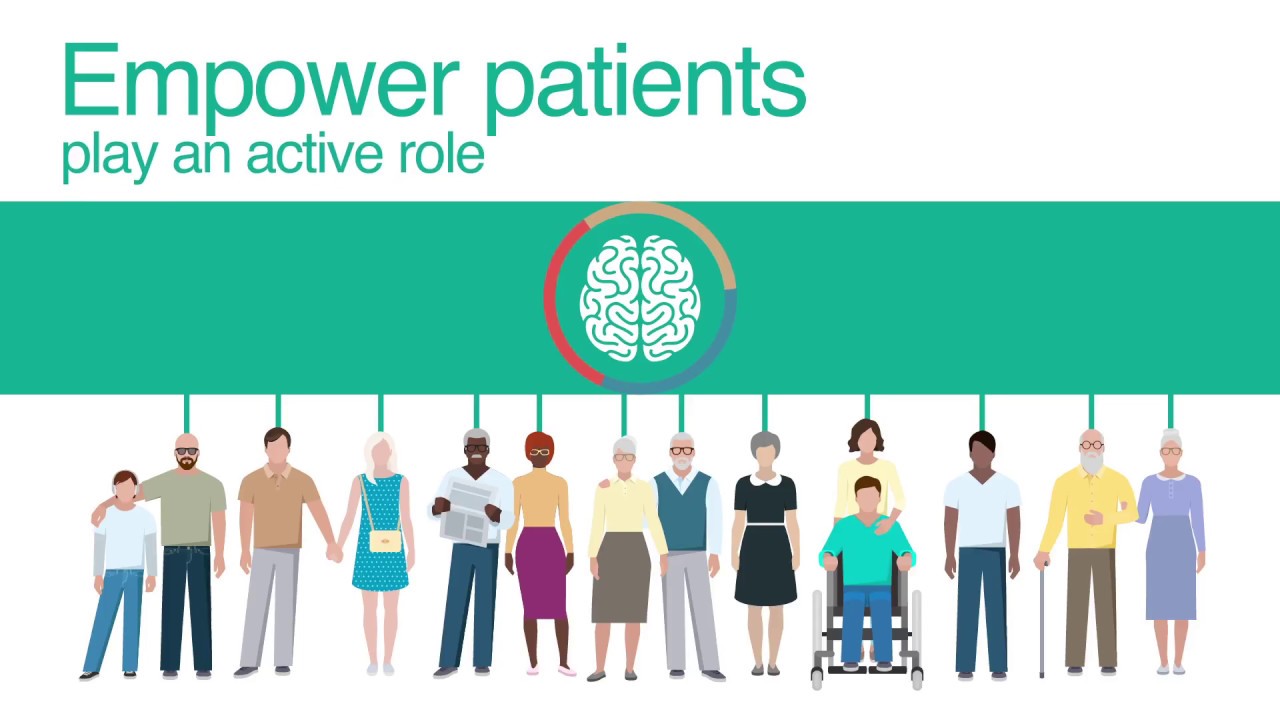
Empower patients to play an active role

i-PROGNOSIS: Intelligent Parkinson's early detection guiding novel supportive interventions - YouTube

Most patients lack understanding of their ailments which reduces their involvement in the treatment and decision-making process. The solution is effective patient education through multiple mediums so that they can select the medium as per their convenience and get a better understanding about their disease and the ongoing treatment.

Whether it’s patients or caregivers, empower them to play a key role in helping themselves/their family members, by teaching them how a given treatment is relevant. Patient engagement improves when users are educated, informed and onboarded in the process. This helps patients to be at the driver seat of their treatment.

Another way to empower patients is to provide them coordinated, accessible and customized information that suits their requirements. An example of this could  be- if they receive a push notification of reminder about renewal of their insurance policy, integrate it with the system that allows them to renew it right at that moment.

Practice empathy

How to Be More Empathetic - A Year of Living Better Guides - The New York Times

Every patient is different. Some are happy with new advancements in healthcare and are ready to try emerging technologies like AI, robotics to take charge of their health. Whereas, others are still hesitant in adopting new ways of treatment. Especially elderly and people with disabilities.

To offer better patient engagement to them, indulge with them in the traditional way. For example- an elderly having early signs of Parkinson’s disease might not feel comfortable in interacting with a virtual nurse assistant. There are two ways to help them- either you find a way to help them come out of their comfort zone or you offer help the traditional way, i.e. setting up an in-house visit.

Practice empathy to experience what they feel and go through every day. Support them in their journeys to enable better long-term treatment outcomes.

Enable communication

Using Shared Decision-Making to Improve Patient Engagement

Communication is a very important aspect to keep the patient adhere to the treatment. When patients go through a treatment, they have numerous questions in their mind. A good patient experience is when every question is answered. So, there should be a way where users can ask their questions and get answers.
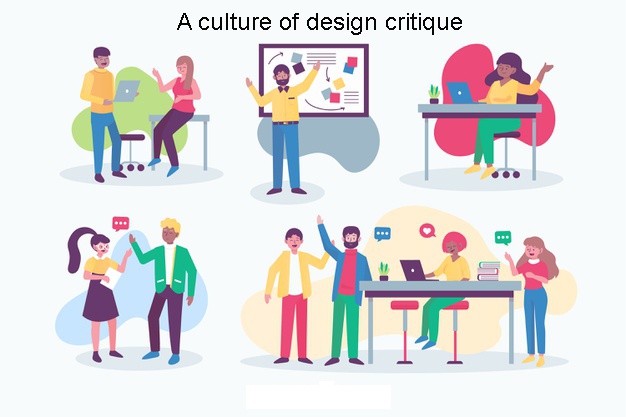
To enable unhindered communication, an application must have a community where everyone keeps posting their queries and gets motivated by each other. In urgency, the patient should be able to connect with the support staff too for any assistance.

Make information accessible

The Technology of Making Your Business More Accessible - InfiniGEEK

It is very challenging for the patient and doctors to manage and remember every detail of the patient. So the system should be designed in such a way that it makes managing the clinical history of the patient easier. The doctor should be easily able to access the information from different patient care-related venues.

Deep dive into analytics

Adopting AI: Telecom industry takes a deep dive into data analytics -

Launching an application is never enough. One must look at the data and understand what’s working, what can be improved and what has failed. Patient engagement can be greatly improved if we care enough for the data and take action on improving the shortcomings. For example- analytics shows that most users drop at the payment CTA for booking an online appointment. This information can help us improve the payment flow. We can ask questions like- can we reduce the number of steps for payment, what security measures can we add in the payment gateway so that users can trust it, and so on.
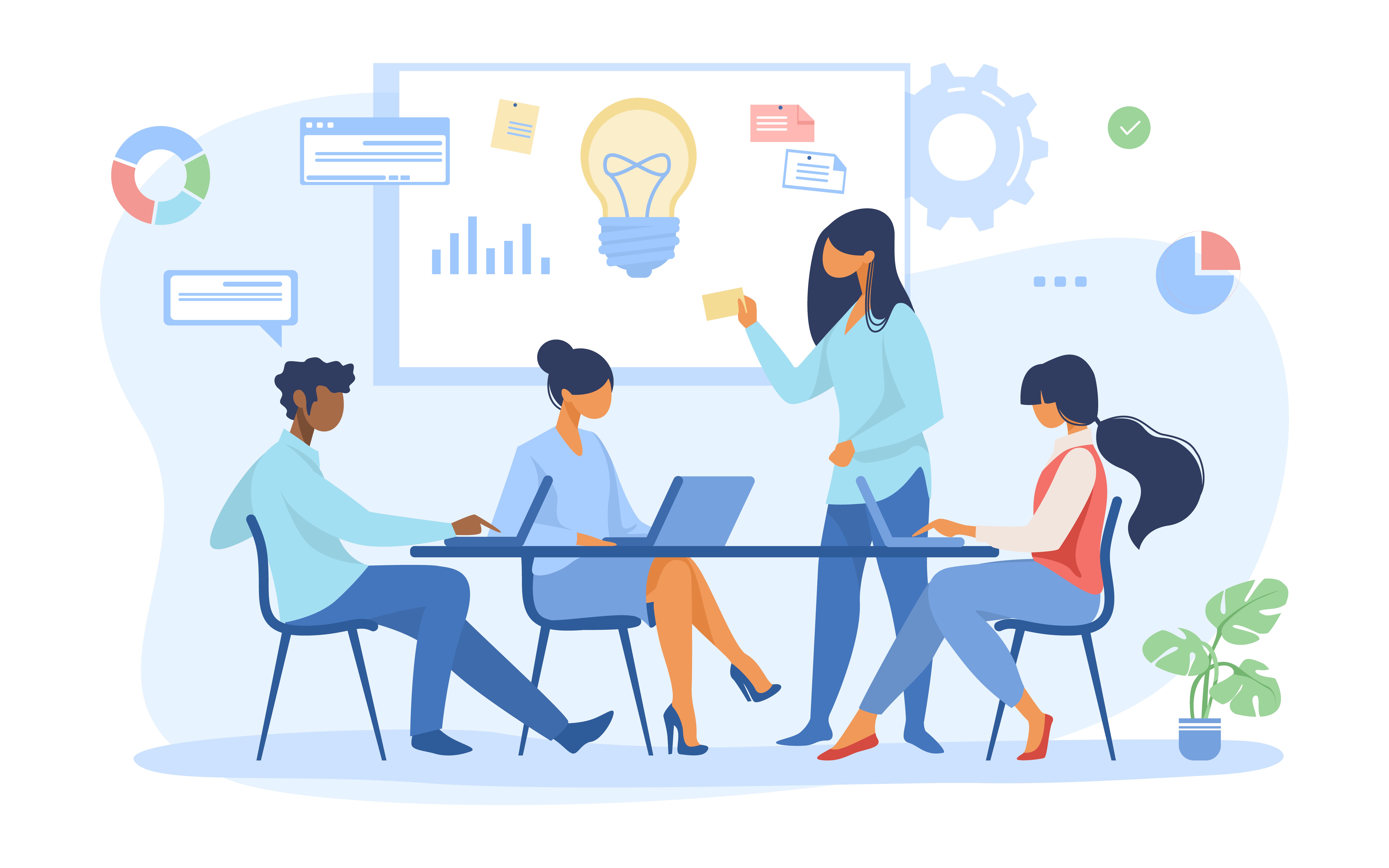
Google’s HEART framework can also be used to measure task success in healthcare products.

H defines happiness which indicates if the patients and physicians are finding the app useful and easy to use.

defines engagement which shows if the patients and doctors are using the application to its fullest and are adhering to the treatment.

A defines adoption which shows how many users are signing-up for it and adopting the new features.

R defines retention which indicates if users are coming back to manage their appointments, refills, reminders, schedule.

T defines task completion which shows if patients and doctors are able to complete their tasks easily.

Using all these parameters, one can extract valuable information and use it to improve patient engagement.


Improving patient engagement is not a quick fix that one can do merely by desiring it. You have to do the hard work to understand the patient, interact with them and have an empathetic approach to understand their world view. A good patient experience improves engagement levels and is directly linked to the success of the application.

Massive Cyber Attacks of 2020

The year 2020 has become remarkable in many ways, especially when it comes to the surge in cyber attacks. The Covid-19 pandemic has given an unprecedented opportunity to cyber attackers to hack and break down the organizations’ IT infrastructure. The work-from-home working module adopted by such organizations has been attributed to the rise of cyber attacks.

The security gap between the home and office network has played a key role to make way for the data breaches in 2020. This issue has resulted in the theft of confidential information, leading to the loss of millions of dollars for breached organizations.


Today, cyber attackers have come up with more innovative ideas to set a new trend in phishing, cryptojacking, ransomware attack, IoT attack, etc. According to a security research firm, 81 global firms from 81 countries reported data breaches in the first half of 2020 alone.


In fact, 80% of firms have seen an increase in cyber attacks this year. Coronavirus is alone blamed for a 238% rise in cyber attacks on banks. Phishing attacks have seen a dramatic increase of 600% since the end of February.


Whereas due to pandemic, ransomware attacks rose 148% in March and the average ransomware payment rose by 33% to $111,605 as compared to Q4 2019. (Source: Fintech News)

What is a cyber attack? Recent examples show disturbing trends | CSO Online


The Top 5 Cyber Attacks of 2020

We discussed how cyber attacks have dramatically increased today. Let us walk you through the five major cyber attacks that have happened in 2020 till now. These staggering cyber attacks have crippled some famous organizations across the world.


Software AG Ransomware Attack

German tech firm Software AG hit with $23mn ransomware attack | Greater  Kashmir

The second-largest software vendor in Germany and the seventh-largest in Europe, Software AG has been reportedly hit by a ransomware attack in October 2020. ZDNet reported that the German tech firm has been attacked by the Clop ransomware and the cyber-criminal gang has demanded more than $20 million ransom.

The report also says that the company has still not recovered from the attack completely. The company disclosed that the ransomware attack disrupted a part of its internal network. But services to its customers, including cloud-based services, remained unaffected. The company also tried to negotiate with the attackers but it all went in vain.

As per the statement released by Software AG, the company is in the process of restoring its system and database for resuming orderly operation.


Sopra Steria Ransomware Attack

Sopra Steria hit by new version of Ryuk ransomware

French IT service giant Sopra Steria was attacked by ransomware on the evening of 20th October, as confirmed by the company. Its fintech business, Sopra Banking Software, identified the virus which is a new version of the Ryuk ransomware and previously unknown to cyber security providers.


Sopra Steria claimed that it was able to confine the attack to a limited part of its IT framework, even though it caught the attack after a few days. However, following an in-depth investigation, the company did not identify any leaked data or damage caused to its customers.


Ryuk is one of the most inventive ransomware which has already targeted organizations like EWA, a US defense contractor, and Prosegur, a Spanish logistics firm.


Telegram Hijack

Telegram Hacked? Here is how to know and how to get it back

In September 2020, hackers gained access to Telegram messenger and email data of some big names in the cryptocurrency business. Hackers used Signaling System 7 (SS7), which is used for connecting mobile networks across the world, to hack the data.


According to cyber security experts, the hackers were most probably after two-factor authentication (2FA) login codes. They spoofed the short message service center (SMSC) of mobile network operators to send a request on location updates to at least 20 targeted high-profile victims.


This attack is believed to have occurred to obtain cryptocurrency. This type of cyber attack is well known in the cryptocurrency community but the users are generally aware of such requests.


Therefore, there are better authentication methods than just SMS or call-based 2FA in the cryptocurrency community. Cyber security experts think telecom standards must move away from using protocols like SS7, which cannot resolve modern issues.


Seyfarth Shaw Malware Attack

Legal Firm Seyfarth Shaw Suffered Ransomware Attack

The chicago-based leading global legal firm, Seyfarth Shaw LLP became a victim of an “aggressive malware” attack. This attack was later confirmed by the firm as a ransomware attack. The cyber attack reportedly took place on October 10, 2020, and downed the firm’s email system completely, as per a statement published by the company.


The firm claimed in its statement that there was no evidence of client data or firm data unauthorized access or removal. However, many of its systems were found encrypted, following which the firm shut down all of those as a precautionary measure.


The global legal firm notified law enforcement and the FBI has already started an investigation. Apart from this, no further information was revealed on how the attack occurred and what family of ransomware hit the firm.


Carnival Corporation Data Breach: 

Carnival Corporation Confirms Cyber Attack and Ransomware on Costa and AIDA  IT Systems | Crew Center

The world’s largest cruise line operator, Carnival Corporation reported a data breach due to a ransomware attack that took place in the month of August 2020. Hackers stole confidential information from customers, employees, and crew members at the time of the attack.


On August 15, 2020, the company detected a ransomware attack that breached and encrypted one of its brand’s IT infrastructure. Following the attack, the cruise line operator notified law enforcement and hired legal counsel and cyber security experts and launched an investigation.


Though the company claimed that no misuse of exposed personal data has come to light, the type of ransomware and how the attack happened have remained unrevealed.


How to Secure Your Organization Against Cyber Attacks?

The global transition to the work-from-home culture has made a way for cyber-criminals to execute incredibly advanced cyber attacks. Moreover, ransomware, phishing, DDoS, malware, etc., are amongst the most prominent forms of cyber attacks that we have experienced this year, till now.


Here are some of the “must follow” measures to secure your organization against emerging cyber attacks:


  1. Conduct VAPT periodically to check for exploitable security vulnerabilities in the IT infrastructure of your organization.
  2. Back up all the sensitive or confidential data and store it separately from time to time.
  3. Keep all the systems, software, and applications up to date with the latest security patches. 
  4. Restrict employees from sharing passwords at work openly and encourage them to use unique and strong passwords.
  5. Block email spoofing, spam, and BEC attack by securing your email domain with email authentication protocols like DMARC, SPF and DKIM.
  6. Run a cyber attack simulation campaign to assess the level of cyber awareness among employees. Then train them accordingly with the best-in-class security awareness training tool
  7. Make sure to implement the practice of using multi-factor authentication to maintain security and privacy.
  8. Restrict IT admin and access rights to limited employees. Ensure that they are adequately trained on the safe usage and encrypted storage of sensitive data.

creating-a-culture-of-design-critique-within-the-team

One of my friends and mentor once shared the secret behind his success- I’ll always be grateful for my struggles and the criticism I received because if not for them, I would have never been where I am today.When I asked him what kind of criticism– positive or negative– was most helpful, he replied – “This is where all problems begin. We weigh feedback as positive or negative criticism. Instead, we must think of feedback as one of the ways to accelerate learning and do better next time.”This made me remember a quote from Norman Vincent Peale- “The trouble with most of us is that we would rather be ruined by praise than saved by criticism.” 

We all have done that at some point in our life. We want to hear more praises to validate our talent. But we associate criticism with negativity. The moment we hear criticism, we let our guards up.

What we need is a mindset shift that allows us to look at criticism as a tool to improve our work.

Why is critique culture so important?

How to run a productive design critique | by Nilroy Packiyarajah | UX Collective


Short answer– to create better ideas, build better products and become a better designer/developer/leader.

Long answer– The answer lies in C. S. Lewis’s quote that says “Two heads are better than one, not because either is infallible, but because they are unlikely to go wrong in the same direction.”

Consider this example- while designing a healthcare application, a designer oversees the usage of colors and letter casing in designs. Another designer, who has past experience in working on healthcare apps shares why letter casing is important to consider during design decisions.

This is just one of the many examples. I’m sure you can think of one from your own experience where, upon receiving feedback, you were happily surprised- “Wow! That’s a great suggestion. Why didn’t I think of that?”

What should critique givers keep in mind?

Critique-givers have a defining role in the success of a product.

Pixar co-founder Ed Catmull credits the success of Toy Story to the honest and candid feedback that everyone in the team shared when they saw the first screening of the movie. He admits that “Early on, all of our movies suck.” and goes on to say that it’s the critique that brings out the best in their movies.

What should critique-seekers keep in mind?

Theodore Roosevelt once said- “It is not the critic who counts; not the man who points out how the strong man stumbles, or where the doer of deeds could have done them better. The credit belongs to the man who is actually in the arena, whose face is marred by dust and sweat and blood; who strives valiantly; who errs, who comes short again and again, because there is no effort without error and shortcoming.”

If you’re a critique receiver, one thing to keep in mind is that criticism is not for you, but for your work. So, even if there are any harsh words, take them in your stride.

How to run critique sessions?

For critique seekers

Before beginning the critique sessions, set the context for everyone who is going to share their feedback. Send an email to your team with the time and location details of the session. Mention the subject of the critique and include a short summary of the design you will be presenting.

For example- always tell your team about the user personas for whom you’ve designed the application. It helps them understand the rationale behind your decisions.

During the session, listen to everyone’s feedback with an intent to improve your designs. Explain everything that must be explained. Remember, you’re the only person in the room who has the entire picture in your mind. Everyone else is seeing the project for the first time, so it’s okay if they question your choices (By the way, they won’t if you share the context beforehand.)

Be present in the discussion. Listen with utmost attention. Capture everything; even the harsh feedback. You can always decide later which ones you wish to implement. And when the session ends, thank everyone for their time and feedback. You really must do that.

Most importantly, avoid contradicting the critique by getting into an argument with critique-giver. Getting defensive or angry or taking criticism personally (even if it’s hurled at you in your face) means that you are not ready to hear the truth about your work.

After the session, take time to reflect upon every feedback. Not everything would be worthy of action. So don’t fret over implementing every single feedback. In case you need any clarification, reach out to the person who gave you feedback. Don’t stop before you implement, showcase, iterate on the feedback and present a better solution than before.

For critique givers

Before the critique sessions, understand every detail about the project you’re going to see. If it’s not already provided, ask for related information about the project’s goals, the user personas, their pain points, so that you’re in a better position to suggest improvements.

During the critique session, make sure that you are criticizing the work, not the person. Put aside all biases and prejudices and focus on solving the problem. Empathize with the end user (not the designer), and keep your target audience in mind. Ask genuine and thoughtful questions that help you uncover the intent and rationale of the designs. The designer has worked hard to design the project, they deserve your patience and respect.

If you like something, praise lavishly. If you don’t like something, be critical. But avoid being harsh or rude. Offer constructive feedback, something that can inspire the designer to think in a different way. Listen attentively to what others have to say and provide inputs in case you want to add something to it.

After the critique session, follow-up with the designer to check if he/she needs further help. If the person comes back to you with iterations, share your candid feedback (once again!) without shit-sandwiching it.


When two people discuss and take feedback from each other, they build on each others’ suggestions and make the product twice better. When more people get involved, it takes an exponential form where each member builds on others’ opinion, or suggestion. This is why critique sessions, as a cultural practice, are far more effective than peer-to-peer feedback.

Another reason to create a culture of design critique is that it creates an atmosphere of psychological safety in the team where everyone knows they’ll get honest, candid feedback from their peers and leaders. In such teams, learning and growth happens organically, not forcefully. Passion to do more, be more, drives people, rather than appreciation or promotions. And when that happens, people don’t feel an iota of hesitation in sharing their thoughts. They  openly talk about what’s on their minds. They share ideas, opinions, and criticize when things don’t go right.

Isn’t that enough reason to create a culture of criticism?

Your Guide to API testing: Postman, Newman & Jenkins

API testing is a type of software testing wherein an engineer tests not just the functionality but performance, reliability and security for an application. APIs are tested to examine if the application would work the way it is expected to, as APIs are the core of an application’s functionalities.

What Is API Testing?

API testing during development can reveal issues with API, server, other services, network and more, those which one may not discover or solve easily after deployment.

However, testing APIs is difficult. Instead of just verifying an endpoint’s response, one can have integration tests with Postman to examine and validate the responses. Teams these days may also want to automate running these tests as soon as a deployment is done. One approach we can take is to have our integration tests run every time a developer checks in code to the repo.

Adding this layer of Quality check, can ensure that the existing functionalities still work the way they were expected to, with an additional benefit for the developers to validate that their code is doing exactly what it was intended to.

Tools for API test automation in CI

CI refers to continuous integration. Integration of test scripts and a test tool with the continuous build system where the test scripts can be run along with every new deployment or on a regular basis (daily, weekly or fortnightly)

  1. Postman: Integration tests with Postman.
  2. Newman: Create a PowerShell file that runs these integration tests via command line.
  3. Jenkins: Add a Post Build step in Jenkins to execute the PowerShell script whenever a build is initiated.

How to use Postman with Newman & Jenkins for Continuous Integration


API Selection

I have implemented this procedure in our Project using the GPS APIs, but for instantiating here, let’s take up the following APIs:

Open Weather Map: Free public APIs.

I chose this as it is a free collection of APIs that anyone can subscribe to and have their own API keys to operate with.

Create Integration Tests

For the first test, let’s take up a simple GET request to get Weather by ID. To interact through the APIs, make sure to use the API key received on subscribing to the OWM services.

Steps to First Integration Test

Make an environment on Postman say, ‘Weather Map’ and define the environment variables in it. [Refer ‘Managing environments’].

Add the Prerequisites in the Pre-Req tab to set up the test.

Collections

Like the above API tests, one can have multiple test scripts for multiple endpoints. And these multiple test scripts can be run in sequence to have an end to end test suite. The way to have a test suite is to keep multiple test scripts in a place holder called as a Collection in Postman.

These collections can then further be executed through the collection runner in the tool.

Collection Runner

A collection runner can be used to have a collection of API endpoints with their test scripts at one place and therefore run them one by one in a sequential manner. The user just needs to run the collection just once with all the required test data, test scripts and for as many iterations one may want. The result of the collection run is a test report, comprehensive enough to monitor the performance of the APIs and also to re-try running the failed test scripts.

For elaborate study on Collection Runners, refer Link.

Though the user interface of Postman’s collection runner is good enough, yet, to integrate the system with Jenkins, we need to run our collections via command line. So, a way to run collections via the command line is through Newman.

Newman

Newman is a Node Package Manager (NPM) package that permits us to run and test collections directly from the command line.

Pre-requisites:

  • NodeJS and
  • NPM already installed.

Commands to be run on Windows Powershell

  • node -v [to verify the version of NodeJs installed]
  • npm -v [to verify the version of NPM installed]
  • $npm install -g newman [to install Newman]

Once the required installations are done, one needs to have his collections and Environment exported to JSON files in the local system. These files can then be passed as arguments to Newman.

Steps to get the environment and collections on the local system:

  • Click on the Download and Export button in Postman.
  • Download the collection
  • Download the environment
  • Open command prompt and raise your privileges. This is important for you to execute the script.

Adding Postman Tests to Jenkins

Testing REST APIs with Newman | R-bloggers

We first need to export our Postman files (Environment and Collections) and add them to GIT, along with our Powershell script to run the tests through Jenkins build.

“Add the Postman files to the root of the project.”

Telling Jenkins to run Newman

For this we write a script that calls Newman and passes it the Environment and Collection JSON files.

–  ‘exit $LASTEXITCODE’: On typing this command, you will see the result of the last command. We do this to make sure that on every loop, the Newman command is successful. If any of the tests fail, we have to stop the script and exit 1. It will result in a failed build on Jenkins.

Adding Script to Jenkins

Steps:

  • Login to Jenkins and create a Freestyle Project.
  • Start by configuring this project to pull your repo code from Git.
  • In the General Tab, go to build section

Running the build and monitoring Results

Try running the project and examine the results.

One can make out successful entrance into the powershell script with the statement ‘Inside Powershell script’ in the Jenkins output.

Conclusion

Improving continuous integration utilizing Postman, Newman and Jenkins adds another layer of quality assurance into our development life cycle. While this is a huge step in automation, we need to emphasize on the fact that our test coverage depends on the quality of our test scripts.

error: Content is protected !!