Mobile App: 7 Common UX Design Mistakes To Avoid

9 Common UI UX Design Mistakes to Avoid

Today, there is an app for everything, be it games, shopping, news, logistics, travel and many more things. As smartphones have become extremely affordable, mobile application development industry is booming and perhaps is one of the fastest growing industries. Analysts estimate that app revenues would triple by 2017. However, most of the apps go unnoticed and only a few of the apps are able to make their mark. So what’s the reason behind this? Well, there are a number of theories regarding this, but in this article, we would focus on UX design for mobile apps. Here are a few of the common hurdles that come in the way of success of any app:

1. Compromising UX to maintain consistency with web

What is UI UX Design? Why Should You Learn Them Together? | Springboard Blog

Remember, mobile UX is unique and needs special attention and ux review when it comes to design. You just can’t implement your website design in the mobile application. It is true that branding is important, but putting all web UI elements into a mobile experience won’t be a good idea as it will confuse the users and put adverse effect on your mobile app.

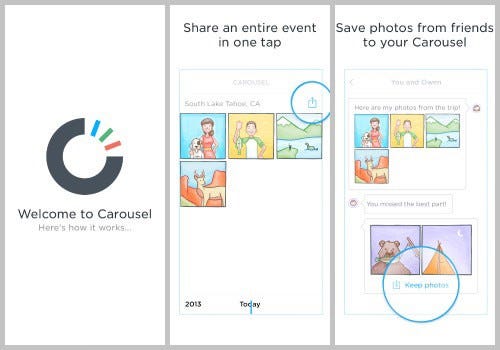
2. User bombarded with tutorials

Tutorial & Walkthrough System | iPhone, iPad, & Android Mobile App Development

One thing that most of the mobile app developers do is – they provide detailed tutorials that mention each and every thing about the app on the first time itself. While it can’t be denied that user tutorials are important, but the written information should be kept at minimum. Rather, you should focus on the navigation of your app, and if the user of your app need to go through the extensive tutorials in order to acquaint him or herself with the functionality, then I must say that your app is a complete UI failure.

3. Apps that slow down

Why iOS 14 is a big deal for Apple iPhone users - cnbctv18.com

Speed of the app is one thing that certainly should not be compromised at any cost. Mobile users these days, multitask while using your apps. They want lightening fast speed and if your app does not match up to their expectations and is slow in speed, then they would go ahead with better options. You are suggested to avoid elements such as videos, heavy images that take time to download.

4. Apps that are confusing

Finding Apps on Google Play

App Stores are full of thousands of apps and the apps that are confusing in nature don’t attract much attention. Therefore, we would suggest you to use tried and tested methods and not to experiment unless and until it is extremely important. It is important to rigorously test design elements that are likely to confuse users.

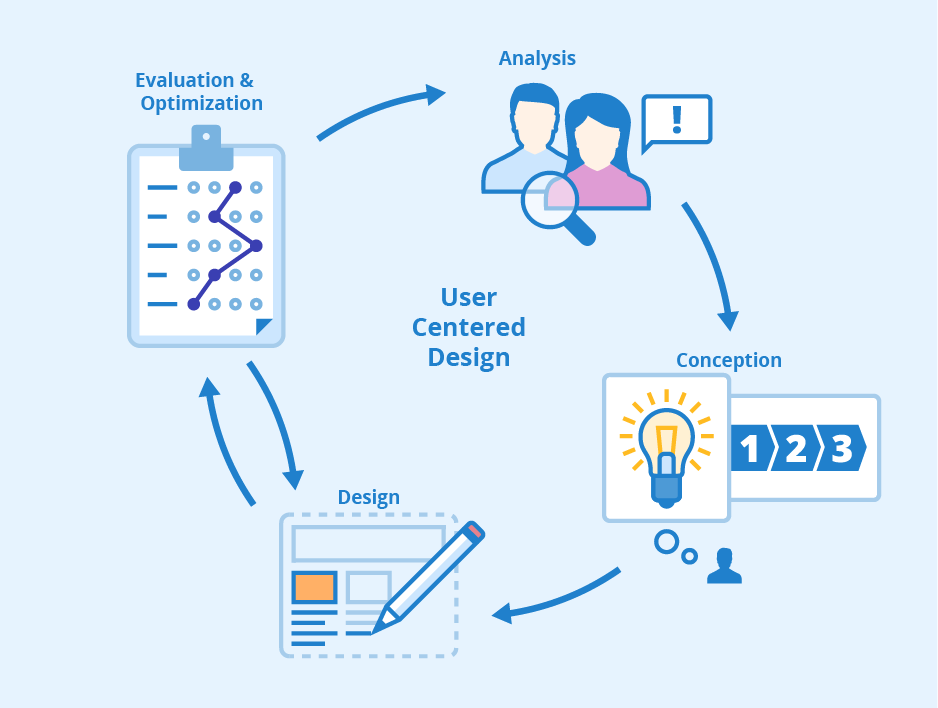
5. Develop user centric apps

User-Centered Design - Phases and Benefits - Seobility Wiki

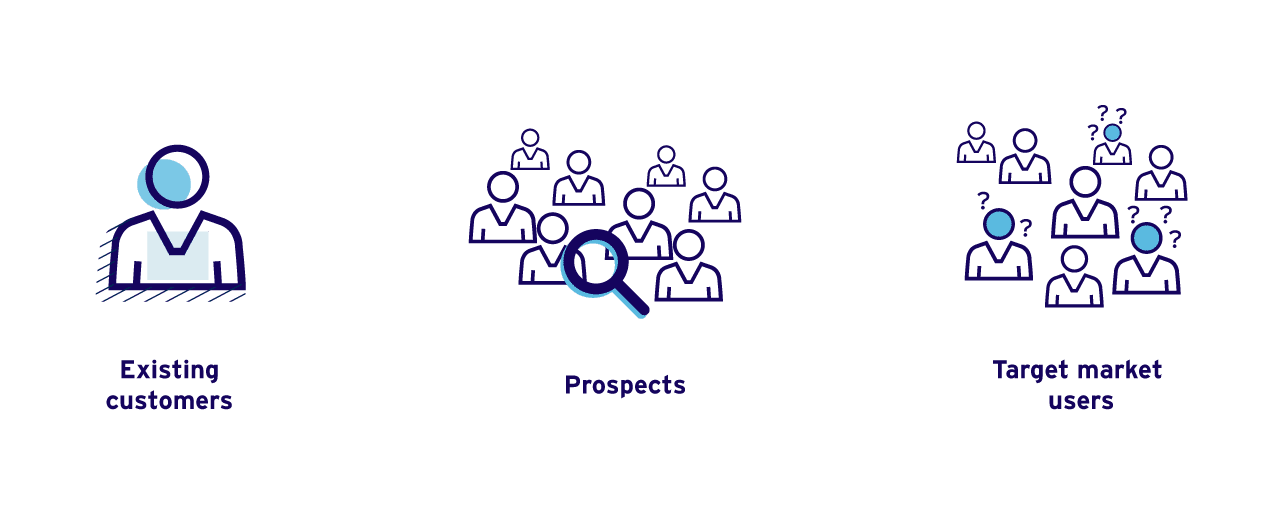
You are designing an app for your users and not for yourself. Choose designs keeping in mind your target audience. Try to know the user psyche and create a design based on your market research. Show your users what they want to and what they love to see. Consider feedback as one of the most effective methods in order to bring improvement in your app.

6. Forced sign-up

Explore More, Signup Now - SMSala.com

I would repeat this again, but there are thousands of apps available and one of the things that most of the developers do is they make the user go through a sign-up registration process or ask for other credentials in the beginning itself. Unless and until, you haven’t shown the benefits of your app, any user won’t put his or her credentials and ultimately it would lead to the abandonment of your app. Therefore, it is advisable to have the option of guest users in your app. You can keep sign-up for later stage when users begin to take interest in your app.

7. Industry Standard Guidelines

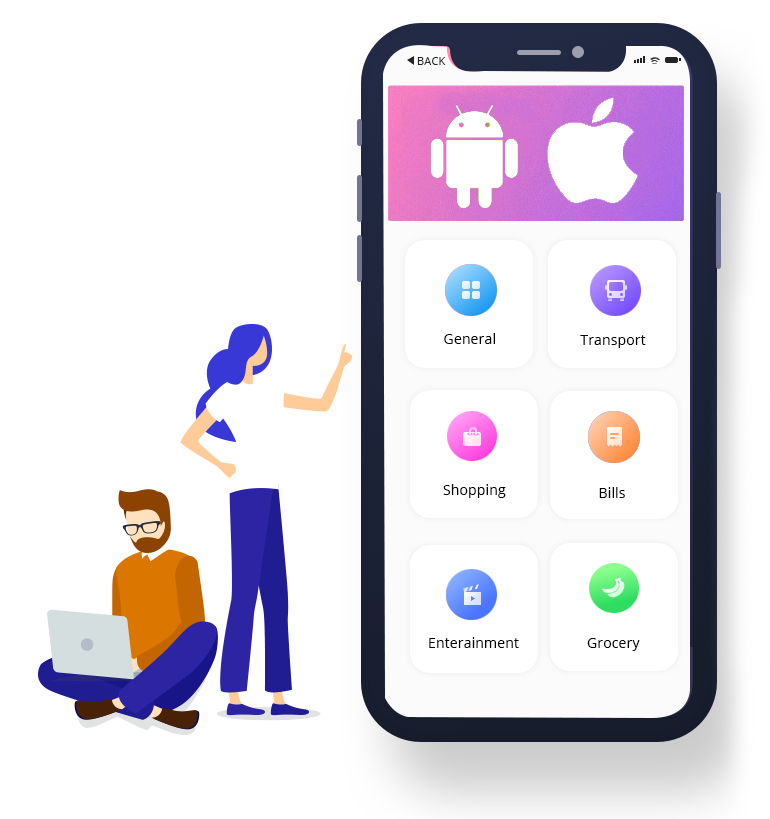
Both Google and Apple  have laid down guidelines for app makers. Those guidelines are enough  for any designer to follow and make a decent app. However, in the flow of creativity, designers tend to ignore the industry standards and end up making an app with overuse of hidden menus and unknown gestures. UX designers often compromise and get the basics of app design wrong. Designers need to do rigorous testing in order to avoid huge losses.

Anteelo is one of the most sought after app development companies in India providing top grade product design services across the globe. Anteelo boasts of the best UI and UX designers who create captivating designs and are well versed with latest guidelines of all the leading App stores as well.

Choosing a descent pricing strategy for your Mobile App

5 Easy Steps to Creating the Right Pricing Strategy | Inc.com

For every Apprenuer, building a great mobile application takes center stage. Since the startup app development process has been repeatedly talked about, a considerable amount of time and effort is spent on discovery, design, and development.

Sure, providing value to the end-users is the prime goal behind any app but pricing a digital product is an equally important aspect, one that should not be overlooked. It should be carefully determined to build a profitable and scalable mobile app business.

Product pricing strategy in marketing plays an instrumental role in getting your app the initial traction and visibility in the app store. How you determine the price of your product decides the success of your app in terms of the number of downloads and user retention in the long run.

But it is like walking on a tightrope-  apps that are offered for free or at a relatively lower price gather greater market share and can penetrate in the market seamlessly while apps that are offered for a higher price have the potential to garner a good ROI.

So, how do you decide the right product pricing strategy? A lot of factors come into play when ascertaining the price for your app- market research, the value and functionality of your app, and the market competition. All this coupled with an understanding of consumer psychology is a must to run a successful mobile app business.

If you plan on building an app, or your product is in the development pipeline and you have not given much of an afterthought to this equally essential aspect, do not worry, we will break down what is a product pricing strategy, the popular pricing models for mobile apps and help you strategically determine the right price for your application.

What is a product pricing strategy? 

Webinar "The art of pricing" | SKIM

Pricing strategy is how you make money from your mobile application. Every breakthrough idea has some business model behind it. While initially, you may only be concerned about rapidly launching a Minimum Viable Product, having a pricing strategy in place will only help you build a robust product.

Pricing a digital product may seem like an easy task, but it certainly isn’t. Play Store and App store are sprawling with millions of mobile applications and the types of pricing models for apps have evolved over time. But before we delve too deep into the types of mobile app pricing strategies and discuss their pros and cons, we would like to share some valuable insights that will help you make the right choice.

Product Pricing Strategy for Mobile Apps

1. Human Behaviour and psychology

Brain,Organ,Human Behavior PNG Clipart - Royalty Free SVG / PNG

Human psychology plays a fundamental role in determining the price of your product.

Consumers are keeping up with the rapid strides in technology. It is the growing rise in consumerism that steers the scope of advancements. Customers today are well-read, well informed and they always strive to make a conscious decision.

For every product, there are ten other alternatives available in the market, so how do you assure a customer will choose your product?

Simple, you must ensure that the perceived value of your product is greater than its price.

A customer should always feel that the price of your product is right and tapping into this segment becomes all the more easy when they do not have a reference point to begin with.

Before taking a decision, we humans tend to compare products with the alternatives available in the market and assess them for their pros and cons.

So, when determining the mobile app pricing strategy you must take into account other products available in the market, characterize your value proposition and ensure you are offering a greater value than your competitors.

2. What the market is willing to pay

What is Willingness to pay and its role in business or marketing?

The right pricing strategy should revolve around what the market is willing to pay. And to determine that, you must test your product at different price levels and see how the market responds.

An application has a recurring revenue stream. To stay competitive you need to tap on new functionality and offer regular updates. So it is essential to holistically view the recurring revenue model and not worry about the revenue per price point.

More often than not, mobile app developers offer a product for free to garner a huge user base and generate revenue from advertisements. But later on, when you offer an upgraded product for a certain price you had already devalued the product and can’t really sell it for more because the perceived value is low.

So, the ideal approach is to test your product at various price levels and see how the market reacts to it.

3. Build a product that users want

How to build products with expert users | by Donna Choi | UX Collective

A product should be built with an aim to address user concerns and it must solve their problem. When you build something that users truly want, it is easy to decide the price. Look for factors that can enhance the value of your app- a stellar design, a splendid user journey.

To determine the mobile app pricing models you need to know the app development cost, which involves factors like the actual cost, the value the product offers and the money required to thrive it.

Having a sound knowledge of the current market trends is equally crucial and rolling out new updates and enhanced functionality is the key when opting for a penetrative pricing model.

4. Study the market and competitive landscape

Market Analysis for Startups : Step by Step - Ingenious Zone

Market-driven pricing is a great approach to arrive at an optimum price point for your mobile application. Studying the competitive landscape and analyzing your user base can help you discover opportunities where the competition is lacking.

For instance, launching your app at a relatively lower price than your competitors gives you an advantage in the market.

Understanding the market demand for a product and viewing it from the customer’s perspective helps a great deal in deciding the right price.

It is crucial to establish early on what makes your product special and what value does the competition in the market demand from your app.

5. Robust marketing strategy

The New Era of Marketing Strategy

In today’s fast-paced environment, the power and reach of social media is expanding every day. In such a scenario, backing your pricing strategy with a robust marketing strategy is more like a necessity. Having an understanding of the current market trends along with a marketing strategy in place helps in maximum user acquisition. To retain users in the long run, rolling out enhancements in every quarter is a good strategy.

So, leverage the power of social media to create the buzz around your product and gain initial traction. Don’t be fixated on the top of the funnel, it is ideal to look at things holistically. Curating rich content for social media platforms ensures the word about your app reaches far and wide and generates the maximum number of downloads.

6. Affordability

What do we mean by affordability? - GamCare

Besides offering the desired functionality, your app should be affordable for customers. It is only fair to offer value to your customers at a decent price.

Penetration pricing strategy helps businesses attract new customers due to the low cost. It is considered a classic strategy because it uses behavioural psychology to drive customers to purchase the product. The pricing for any digital product should also take into account the sustainability of your business.

7. Understand what your product and target customers demand

Identify market problems | Products & customers' needs

It is crucial to realize early on that no one size fits all. What may have worked for someone else, would not necessarily work for you. There will be new opportunities that you can tap into to app development for startup.

Think out of the box, be unconventional in your ways, and look out for alternate models to generate revenue.

For instance, the wide pool of data generated from your app could be of value to someone. Healthcare apps generate a huge amount of data that is useful for doctors and researchers.

8. Paid vs free

Bitdefender Free vs Paid 2020 Edition Comparison

Deciding, whether to launch an app for free or paid, involves a couple of factors, like the required amount of users. If you want to gather a huge user base at once, free is the go-to choice.

With paid apps, users expect more features and functionalities. They certainly do not like paying each and every time a new enhancement is rolled out.

Also, when the customers pay to avail in-app purchases, you must ensure it offers sufficient value.

Taking cues from what the competition is doing is a good practice to establish yourself in the market. You cannot choose a paid pricing model when others in your niche are offering similar functional apps for free. However, if your app has advanced functionality and a unique proposition which is not found in similar apps, users can be willing to pay more.

Types of Pricing Strategies for Apps

1. Free

Free Rider - Overview, Examples, Prisoner's Dilemma

We don’t usually get a lot of things for free. The ‘Free’ tag is not just a pleasant surprise but also a great tool to attract a large pool of customers. The same applies to the free app pricing model.

As the name suggests, these apps are free to download, and in most cases, the primary source of income is through advertisements. Free apps are often seen as a great tool to attract a large pool of users and retain them in the long run. They are meant to facilitate communication and customer service.

Depending on the purpose of your application, there are two types of free pricing strategies to choose from. The former is a Completely free strategy, which is used when you already have a well-established product or a service in place. In such a scenario, the app is an add- on tool for the users. The goal behind completely free apps is not to make money directly from the app but redirect potential customers to other revenue streams.

For instance, free apps involve features like coupons, discount notices and other pertinent information which encourages users to take action. The app is used to spark interest, support the marketing strategy and drive users to other revenue channels.

The latter is an In-app advertisement strategy. In this strategy, the apps are offered for free but users see adds while using the app. Primarily, gaming apps use this strategy to generate ad revenue. With in-app advertisements, the key is to ensure that the advertisements that are being displayed are relevant to the users.

There are services through which you can easily filter the ads by user relevance and format and ensure the ads in your app actually pique the users’ interest.

According to Statista, mobile app pricing statistics indicate that the distribution of free and paid apps is such that 96 percent of apps in the Google Play store are freely available whereas in iOS 90.3%  apps are free.

2. Freemium

Freemium conversion issues? Why you need to address the penny gap - GoSquared Blog

The freemium pricing model is a modified version of the free pricing strategy. This model is highly popular and widely used by businesses. Freemium apps can be downloaded for free but include limited functionality and features. To generate money from these apps, in-app purchase opportunities are created. There are three freemium strategies to choose from depending on the tiers, features, and incentives.

  • Two-tiered approach – It includes apps that customers can download and use for free but there is a premium functionality that can only be availed upon payment. This strategy is widely used in gaming apps where users have to buy in-app currencies, extra lives or upgrade to additional levels.
  • The second model includes apps which offer full functionality but only for a limited period of time. The idea behind this strategy is that users can see the vision and get familiar with the app’s utility, and after a while, they will be willing to avail the services.
  • The last model includes apps where all the features and functionalities are free except it comes with built-in advertisements. The catch here is that a small amount is charged from users to offer an advertisement free app.

3. Paid

8,726 Paid Stock Photos, Pictures & Royalty-Free Images

The name clearly gives it away, for paid apps, customers have to pay to download the app. Due to the huge popularity of free and freemium apps, the paid model is considered least effective.

In case you opt for a paid pricing model, it is essential to back it up with a compelling marketing effort. To drive users to purchase your app over a free equivalent, you should have an effective marketing strategy in place. Besides the description of the app in the app store, a potential customer must be equipped with the value you are offering with your product.

With a paid app, users tend to have higher expectations. But once you manage to attract a user, they will turn into a loyal customer if your app offers the perceived value.

To leverage the paid pricing strategy, many brands opt for a week free trial. It is a good tactic to approach potential long-term users by showcasing what your app is all about and giving them the opportunity to make a choice.

4. Paymium

BCIO by Paymium | Your Gateway to the Internet of Value

Paymium is the amalgamation of freemium and paid model. For paymium apps, the users not only pay for the app but also pay an additional cost to avail an added functionality. Although it is not a widely used strategy, it does have the potential to generate great revenue streams.

This pricing model works well for music and social networking apps. This strategy can rapidly gain traction if exciting content, unique functionality, and useful features are introduced on a regular basis.

Conclusion 

The app market is growing by leaps and bounds. To penetrate in the market with ease and carve a niche, you must choose the right pricing strategy for your mobile app and take the aforementioned insights into due consideration. Pricing model plays a fundamental role in determining an app’s success. It is essential to choose the right monetization strategy as early as possible. Your product pricing strategy should meet market and user expectations, offer the perceived value and help you accomplish business goals.

Mobile App Development Guide for the Insurtech Sector

Mobile App Development Guide for the Insurtech (Insurance and Technology) Sector | Pixeled Apps | iOS & Android Mobile App Development

The insurance sector is known to maintain multiple touchpoints with its clientele. Thanks to business models that safeguard people from unexpected circumstances, they are detail-oriented and require heavy paperwork at most stages of customer enrollment. But the rapid, and recent, technological advancement has seen the finance sector introduce fleets of new digital solutions that place them right at the fingertips of people. As a result of this wave of digital transformation, pre-existing companies and startups in the insurance sector, are exploring the prospect of mobile applications. Lest we forget to stress, aggressively. The new insurance applications, if we can call them that, would need a touch of finesse considering the diversified nature of operations. So what should software developers concentrate on when it comes to Insurtech app.

It is to answer this throbbing question that we have this mini mobile application guide ready for you to take your first steps towards creating innovation in your insurance business.

Why Does An Insurance Company Need a Mobile App? 

Best Car Insurance Company Mobile Apps – Forbes Advisor

Insurance, by tradition, has been powered by middlemen. Although taking them entirely out of the picture may not be plausible, mitigating their involvement will grow profit margins, naturally.

Mobile apps allow real-time B2C interaction, without intermediaries. The positivity also flows down to the customer experience, which can never be exaggerated. And insurtech would be too smart for its own good, not to explore this option.

There are three main components that play a vital role in formulating the proverbial pyramid of an insurance company. The pyramid. which had played a major role in helping Wefox raise $110M in 2019.

This includes first the insurer that incorporates and markets financial products. Second, are the third-party entities that provide the services covered by the insurer. And the third is the end-user, the customer who has opted in to be insured.

Mobile insurance solutions offer the following advantages to insurance companies at the top of the pyramid:

Establish Customer Contact 

8 Steps to Develop an Effective Customer Service Strategy Today

Buyers are more conscious of spending than before. As per stats, 85% of the customers conduct online research before placing their purchase order. Insurance mobile apps make a fine impression in convincing people of instant support in dire need. A study discovered that up to 63% of its sample population was inclined to communicate with a chatbot. Therefore we have reason to believe registered policy-holders will favor to download and track policies over mobile. Building on this, they can draw a comparison between multiple products and shortlist the ones with better benefits.

Increase User Reach

How to find Instagram engagement pods in 2020? - Instarabbit blog

Provide good customer service and turn clients into business affiliates. Referral programs can get you more buyers to loop in provided your mobile insurance solutions are state of the art. There are dual benefits to this. First, optimizing customer recruitment cycles would free up time for insurance agents to target bigger, better clients. And second, you can advertise your mobile insurance platform in related apps to target more customers with semantics marketing.

Study Customer Data 

Customer data strategies failing to support business goals, says study

The insurance industry can tap into mobile analytics which they can analyse to an extent like never before. Insurance applications can easily gather the following types of structured data:

Identity Data – This includes name, D.O.B, physical address, telephone information, email Id, and or links to social media profiles such as Facebook, Twitter, LinkedIn, etc.

Quantitative Data – This is transactional data such as bank account details, credit score, frequency of payments, etc.

Descriptive Data – Insurers may need their customers to disclose property details, car ownerships. professional standing, educational background, along with the family tree.

Qualitative data – This includes subjective/behavioral details such as favorite color, hobbies, etc.

Collecting such vivid information, companies operating in the insurance market can subsequently filter the best-fit prospects for upselling.

Facilitate Convenient Services 

Does The eSIM Spell The Beginning Of The End For SIM Card Revenue?

One of the most common KRAs of those in the finance-frontline is client visits. This could be either for background checks or personal form submission or a routine update of information. Be that as it may, the current COVID-19 crisis does not permit face-to-face screenings. Moreover, the coronavirus onset has led to a rise in demand for insurance applications. As per a study by Lincoln Financial Group, digital alternatives increase the likelihood of people opting in for life insurance. Make hay while the sun shines.

Universal Features for Insurance Apps

Anteelo, as one of the renowned financial app development company, has appreciable experience in creating cutting edge on-demand digital products. Coupling experience with client feedback, we recommend against loading an app with features just to make it look fab. There has to be synergy between the color palettes, smart use of white spaces, typographic fonts, and strategic positioning of icons and images. Only then does an app have a life of its own. After taking care of such design elements we can refocus our aim towards integrating the right feature sets.

To give you an overview of the Fintech sector that is attracting investors’ attention,  there are four categories of apps that can be developed in the insurtech domain:

  • Life Insurance
  • Car Insurance
  • Travel Insurance
  • Health Insurance

Apps must have a strong backend. They should be able to withstand peak rises in traffic, or if the company decides to implement a new software system without many amendments to the architecture.

Based on our experience, we will first list the mutual features that can be found in all of the above categories. These features formulate the kernel of a general application guide for Fintech app ideas. Barring few niche specifications, the following features remain steady and ever-present especially during a fintech app development of any kind:

1.  Admin Panel

What is the admin panel on a website? - Quora

This is the introductory page where the basic information about the insured person is displayed. Make sure it is lean, clean along with clear call to action buttons. Take the Geico insurance app for instance. It’s a car insurance app and hence the profile page displays information related to vehicle IDs, roadside assistance, payment buttons and an option to switch policies. Pretty simplistic.

2.  Policy Details 

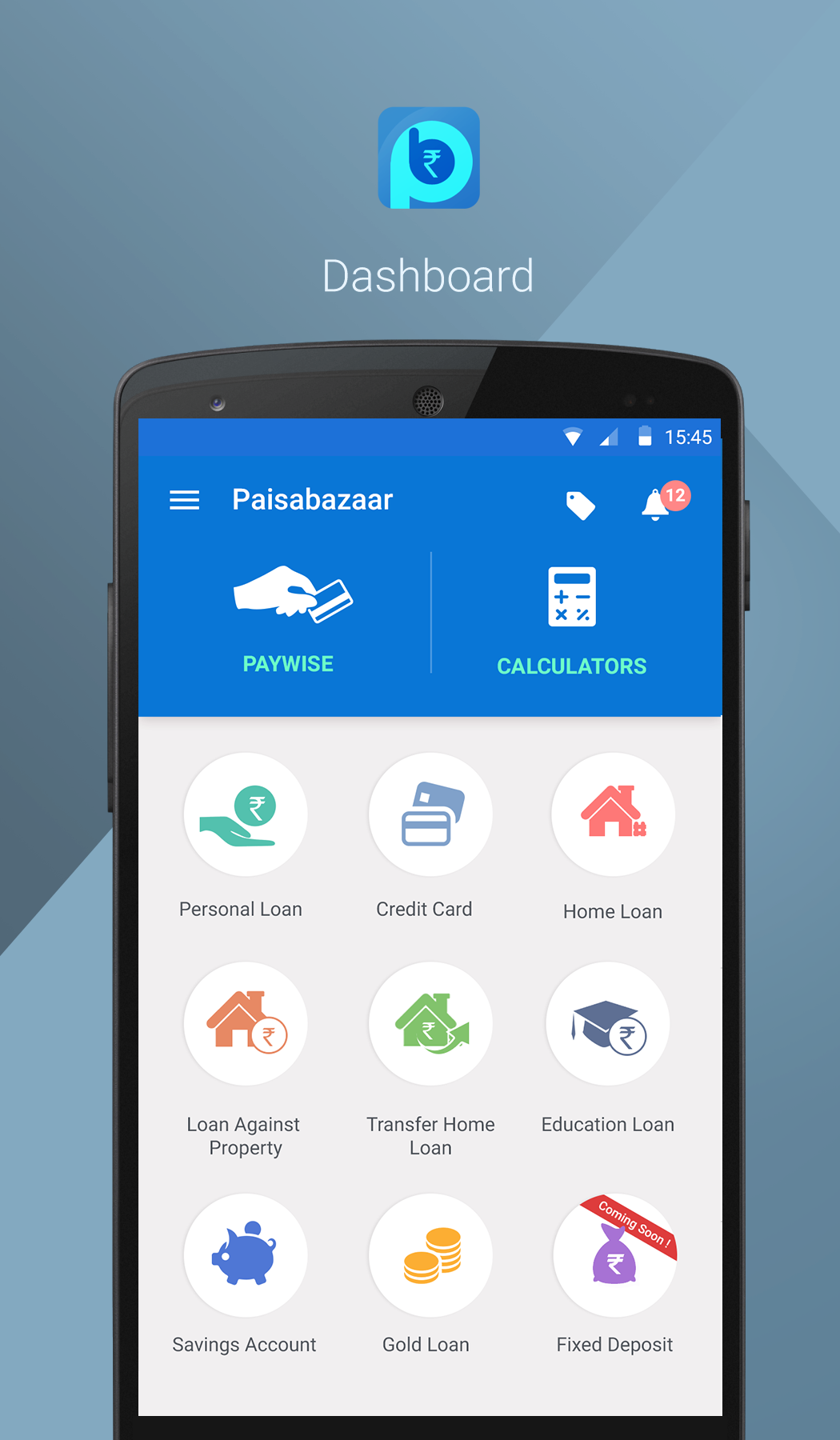
Paisabazaar.com | Free Credit Score and Report | Free Monthly Credit Check

This page displays the details of the policy, the manner, and the extent of your benefits. Continuing the same example, since Geico is an auto insurance app, it displays information about several policies that a single user could be enrolled into such as one for the car, the other for a bike, and so on.

3.  Quote & Filters

Paisabazaar Mobile UI UX on Behance

A very useful feature particularly in finance app development. In the previous section, we listed the kind of data that an insurer could collect through a mobile app. The Quote-tab offers a feature where the app can fetch your data from its records and either connect you to an insurance agent or directly state the price of a policy. Assuming the company has the resources to work with Big Data, it can pitch discounted prices or more benefits to customers based on their frequency of asking/exploring new policies.

4.  File a Claim

How to File, Track or Cancel a Phone Claim | Asurion

Integrating a claims-filing section remains the most prioritized stage of financial application development. The run-around days to lodge claims are a thing of the past. Submitting proofs should be as simple as clicking a picture, be it from the scanner of the app or the camera of the phone. If the entire process can be concluded on a single page, all the better.

5.  Payment Gateway

How to Choose the Right Payment Gateway for Your Business

No points for guessing, integration of payment gateway is super necessary for any form of finance mobile app development. The gateway should accept payments from all major network providers such as Visa, Master Card, etc. In addition to that automated billing for EMIs or a single click payment process should be integrated.

6.  Customer Support 

The Importance of 24×7 Customer Service for Your Business

Chatbots are not extraordinary anymore. Automated responses act as a quick-fix for run of the mill questions. But what about accidental circumstances. You can’t expect a user who’s stranded with a broken vehicle to rely on pre-feeded answers. As a result, integrate a Request a Call Back or Connect with a Representative option. Such in-app call functionality will serve to make the app what it actually is, a disaster averting, quick response machinery.

7.  Push Notifications

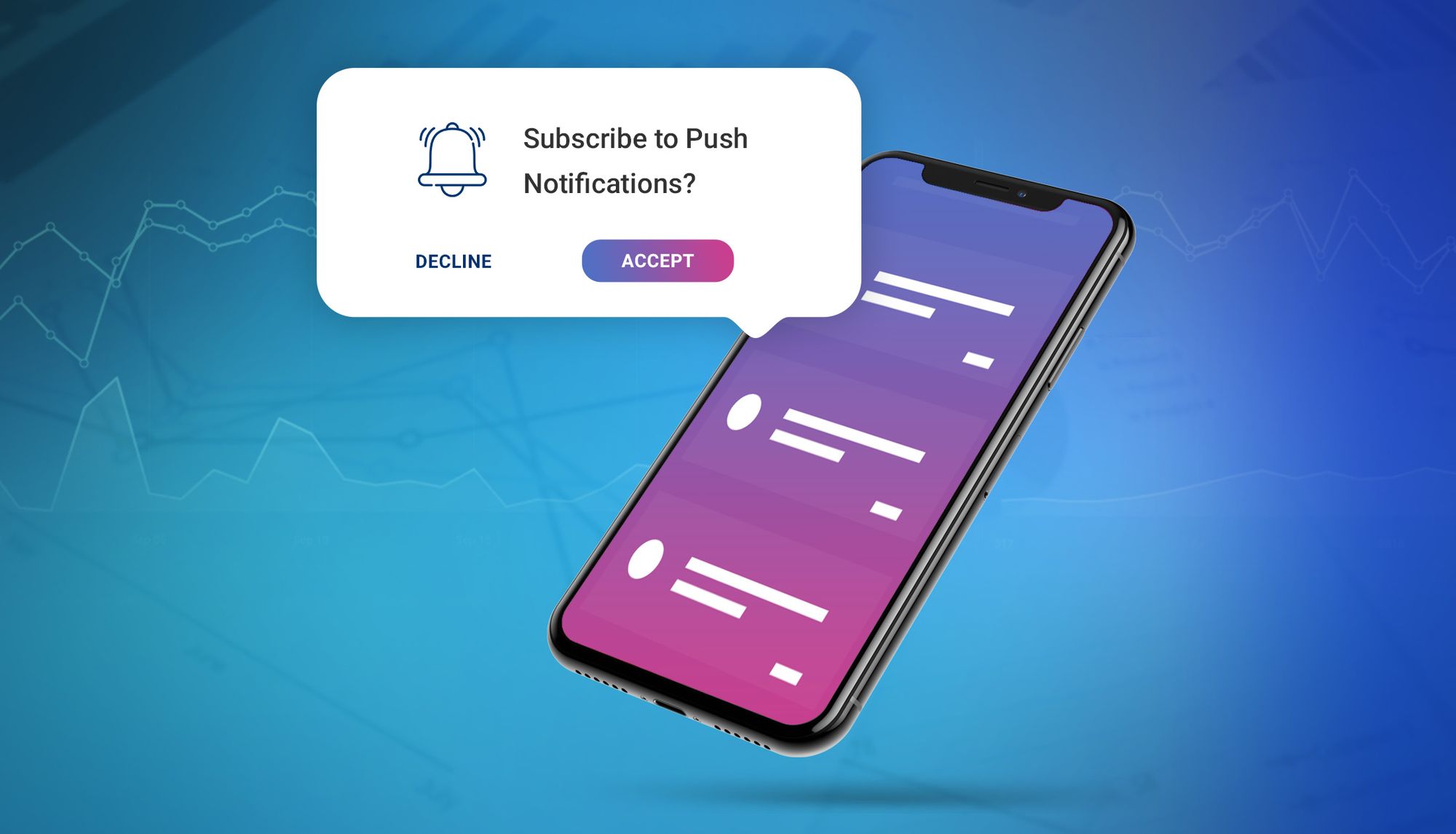
Increase push notifications opt-in rate with these tips

Businesses, in general, don’t miss opportunities to enter a new market segment, let alone insurance companies. The latter might even tweak its business models, should the need present itself. Whereas seasonal offers are heard of, the idea of a flash sale was experimented with by Liberty Insurance in the not quite distant past. You need an excuse for giveaways and so do the customers for buying your products. Therefore, send regular push notifications informing people of their outstanding sum and any upcoming policies they can swap their current ones with.

8.  Document Upload/Storage

The Best Cloud Storage and File-Sharing Services for 2021 | PCMag

How would the customer upload their documents, let alone a photo, if the Fintech application development did not incorporate it? Not only must the mobile app allow document upload from local file directories but also import, if need be, from third party servers as in the case of emails.

In our lifetime, and we’ve only just begun, Anteelo – the Clutch backed top Fintech app development company – has worked with over 12 Fintech companies whose solutions facilitate a user base of over 5 million people.

Where Does Your Business Go From Here?

To the stratosphere if you shake hands with one of the most promising Fintech app development companies. We don’t like self-glorification. It would suit you more to go through our comprehensive product suit and decide for yourself. But just so we know we did our bit, if there is anything under the sun in Fintech/insurtech, that you’re interested in, we’d be happy to burn our night lamp for you.

Lower Frontend Maintenance Cost Of The Mobile App

Front-End Development & User Experience | WebeMax

There are two types of software projects that come to any app development agency. One which is brand new and has to be developed from scratch and another is one which already exists in the market and has to be updated. In both cases, the benefits of mobile app maintenance are manifold.

While in the case of the former, you will have to spend little time in the whole update and maintenance process, the latter would require your frontend and back end team to come together and understand the product to its entirety before moving on to its updation. Either way, maintenance is a part of the overall mobile app development cost estimate.

In this article, we are going to look into the factors that make mobile app frontend maintenance cost expensive, how can the cost be lowered and ultimately move on to the steps of lowering of maintenance cost in case of Node.js, Angular, and React.js projects.

Table of Content

  1. Why is App Maintenance Process Important?
  2. What Makes App Frontend Maintenance Cost Expensive?
  3. How Can Developers Lower App Maintenance Cost in Angular, ReactJS, and Node.js?
  4. How can Project Managers Lower App Frontend Maintenance Cost?

Why is App Maintenance Process Important? 

Mobile App Maintenance: A Critical Element In Any App's Success

Improper mobile app maintenance plan leads to challenges in flexibility and stability, which sooner or later translates into application failure. When the code lacks quality or when developers use outdated tools, the app performance suffers and the users experience more app crashes and bugs. Moreover, it hampers app’s scalability capability and the overall next phases of app development.

In business terms, this means more technology and resources inclusion, greater cost, and delayed launch time.

Efficient maintenance, on the other hand, makes apps flexible and stable, enabling you to create new functionalities and improving the present ones. And thus, knowing when to update your app is extremely important.

What Makes App Frontend Maintenance Cost Expensive?

Besides the obvious – multiple types of frontend app maintenance, lesser app tests and absence of continuous maintenance, there are some other prevalent reasons that bring the cost of frontend maintenance up.

A. Non-Structured JavaScript 

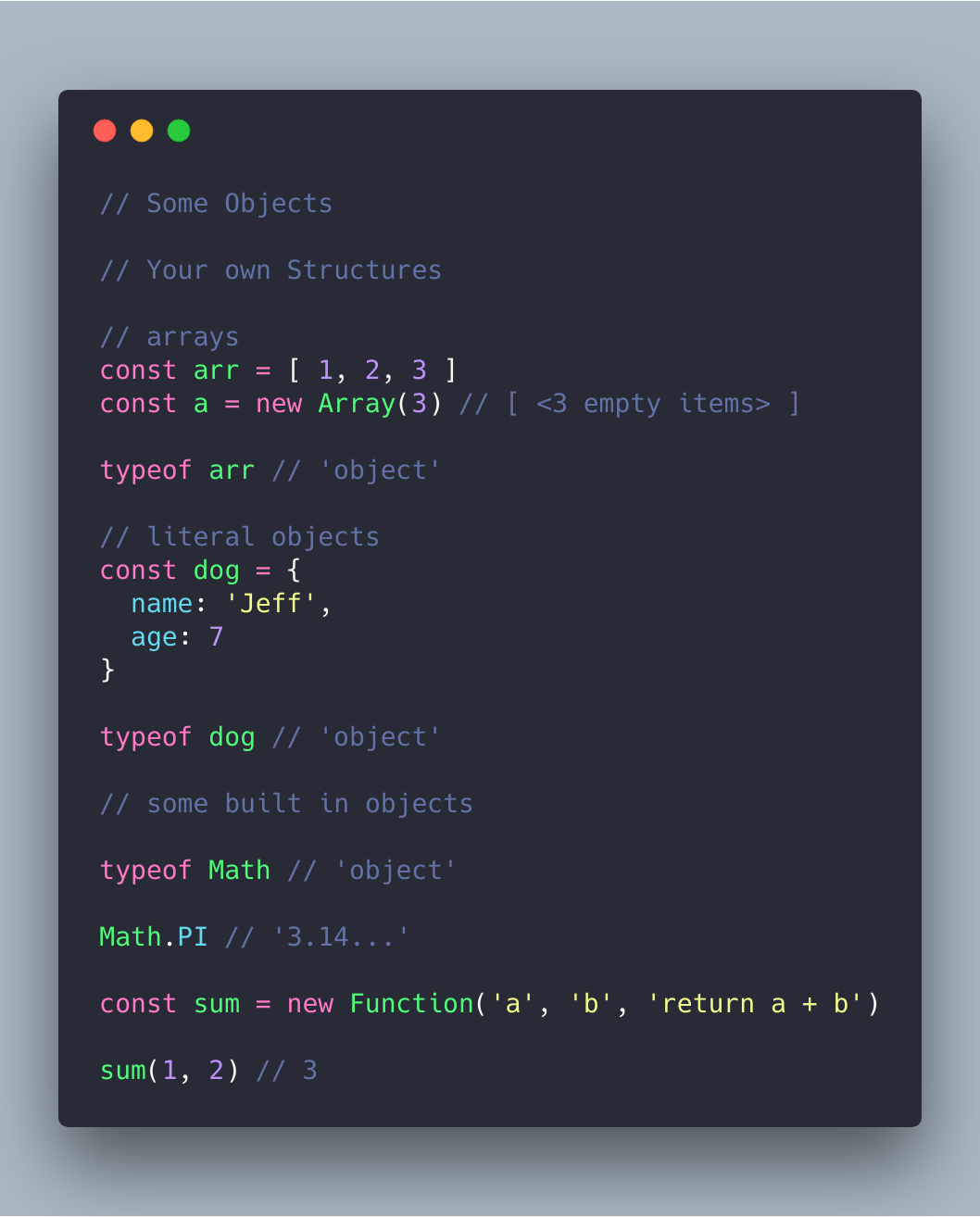
JavaScript Essentials: Types & Data Structures | by CodeDraken | codeburst

There are many ways of structuring a JavaScript project, keeping it consistent is the most important part of Android app maintenance. A well defined structure enables developers to understand what is going on in the project at the first glance without making them search a particular file for hours on end. Even when the product is based on famous libraries like Vue or React, it has the probability of becoming chaotic as it grows.

In preparation of lowering the frontend maintenance cost, you should consider defining the style guide for project structure to use as a reference for the development team.

B.  Poor Code Quality

Premium Vector | Technology information programming system code

The quality of your code is very essential for defining your project’s success, even when keep aside the fact that it is a part of the list of OWASP Mobile Top 10 Risks. While things like identical file structure, consistent incidents, and semicolons are insignificant for a non-technical person, they hold great value when it comes to defining the project’s success.

This, in turn, tends to increase the app frontend maintenance cost in the future.

C. Back-Dated Third Party Packages

Programmers Team Code The Website From The Command Line Flat Vector Illustration, Digital, Illustration, Young PNG and Vector with Transparent Background for Fr… in 2021 | Website template design, App background, Data design

There is a high probability that your product uses open source libraries and third party packages. Since these external resources are updated rapidly, it is important that you too update their versions in your app in order to remove project dependencies’ problems because of vulnerabilities and issues. The new versions contain performance improvements, bug fixes, security enhancements, etc which ensures that the app is working up to its fullest potential.

D.  Non Automated Build Process and Deployment

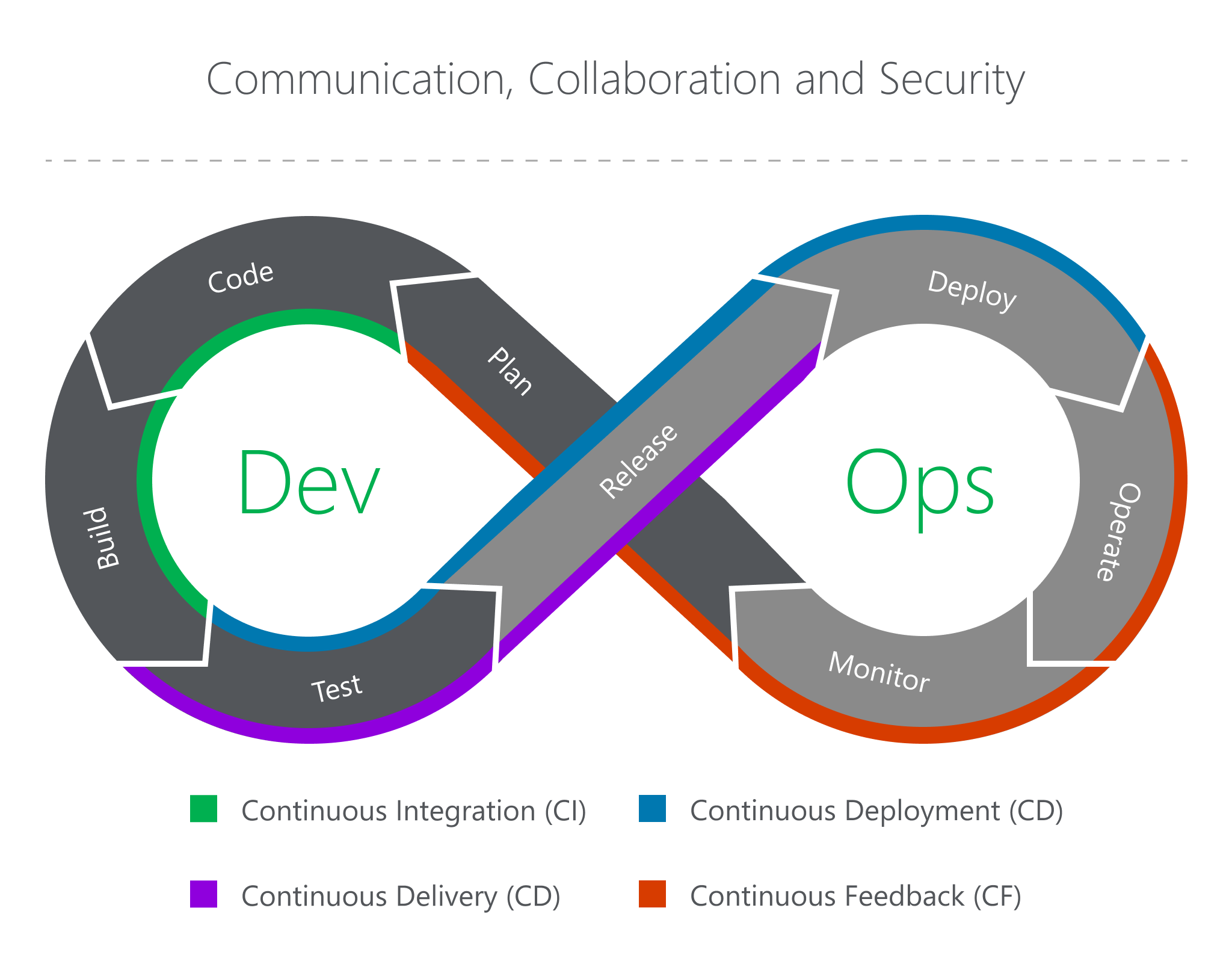
The Eight Phases of a DevOps Pipeline | by JakobTheDev | Taptu | Medium

Build and deployment are the last stages before the app gets live. When they are not developed in an error proof manner, it might get expensive to kill the bug later. The absence of automated build and deployment pipeline slows down development to a great extent, while lowering the team efficiency. You should go with the implementation of a continuous integration which includes running automated tests for all the new commits. Doing this, enables you to identify bugs and solve them in real-time.

E.  Absence of Readme

Readme is one the most important files of a project. It makes the project requirement, its usage, and the development, deployment process clear. If you fail to keep it updated, your development team might end up spending multiple hours in solving issues that have been solved earlier.

How Can Developers Lower App Maintenance Cost in Angular, ReactJS, and Node.js?

  • Use the latest versions

Why You Should Always Use the Latest Version of WordPress | FastComet

All the three frameworks keep introducing new versions from time to time. Ensuring that you are using the most recent ones gives you a number of benefits – increased app efficiency, long term support from the parent team, access to all the latest functionalities and features – some of the key reasons for maintaining the frontend of an app.

  • Ask for clear documentation

Document Writing, Step by Step (with Templates) - Focus

Very few projects lasts with the same developers working on it till the end. Documentation plays a significant role here in the application development services for mobile as the developer who is new to the project has a clear understanding of the project and the work status, pipeline tasks are clear to them.

  • Ensure compatibility with third-party modules

10 best practices for implementing the Drupal coding standards | Anubavam

Making a list of third-party modules which are compatible with the chosen frontend framework can be a great start.You will have to proactively ensure that there is a plan B for the future where the modules will get a major update and it fails to be compatible with your chosen frontend.

  • Test before implementing new features

Bendigo Bank testing chart support after rating downgrade | CMC Markets

If you have to implement or rewrite some functionalities, first ensure that the app’s behaviour is tested in advance. For instance, if you have to rewrite a logic in your app, it’ll be easier to implement the changes when you are sure that the present functionality has been tested. This way, in case something stops working, you will know it instantly.

  • Use microservices

Introduction to Microservices - Comunytek

If the issue lies in the monolithic structure, you must extract microservices out of the app so that it can work separately. Every mini-app should serve its purpose right. It will, in turn, streamline scalability for you will be able to move the services around different machines and dev teams – a microservice benefit that is not possible in monolithic.

  • Improve the code quality

What Is Code Quality? How to Measure & Improve Code Quality | Perforce

If the app works fine but the code quality seems inconsistent or low, you must start with introducing conventions. Start by clearing the file structure by dividing it into logical units. It will be good to implement the static code analysis tools and use type systems. There are other things that you should follow to ensure a sound code quality:

  • A properly configured Continuous Integration and Continuous Deployment
  • Addition of linters in pipeline for ensuring poor/inconsistent codes are not put in production.
  • Code refactoring should be a must-have development process.

How can Project Managers Lower App Frontend Maintenance Cost?

As a non-technical project manager, you can majorly take only one step to avoid high maintenance cost in frontend – Hire an experienced frontend team which has the skillset to give you the desired quality and understand the importance of not delaying tests just for meeting deadlines. Even if you don’t have the necessary monetary resources to employ an entire team of frontend developers, you will have to at least employ one skilled resource for the task.

The other strategy to reduce frontend maintenance cost, while not so common, is building single page application.

Tips & Trends to Follow For Mobile App UI Design in 2021

Third year students UI Design Systems Project—Designing a Finance App for Teens — IDEA School of Design Blog | Capilano University Illustration and Design School

UI design has proven to play a crucial role in mobile app success. It has positioned itself as a ladder to reach the hearts and minds of the users and customers by displaying engaging visual content and more.

But, is everyone able to relish its benefits? Do all the designers and entrepreneurs know about the best mobile app UI design tips that work in the customer-centric world?

Sadly, no.

So, with the intention to simplify their journey of figuring out what the UI of future apps look like, we have prepared a list of tips and trends that will be popular in the mobile world in 2021.

But first, let’s take a recap of the benefits of UI design.

Now that we have taken a visual walkthrough of the importance of good user interface design during app development, let’s peep into a few mobile apps that are giving serious UI designing goals to others in the industry.

Best Apps That You Can Get Inspiration From

1. Netflix

Netflix Has 45% Fewer Movies (and 400% More TV Shows) Than it Did in 2010 - TV[R]EV

Netflix app – the one that has changed the landscape of the movie streaming industry – tops the list with its breathtaking UI design.

The application introduced incredible layout and color options to the mobile domain. It has not just worked on simplifying the navigation process but also ensured that all the reported bugs are solved in real-time. In this way, it has increased the chances of offering a positive experience to their audience.

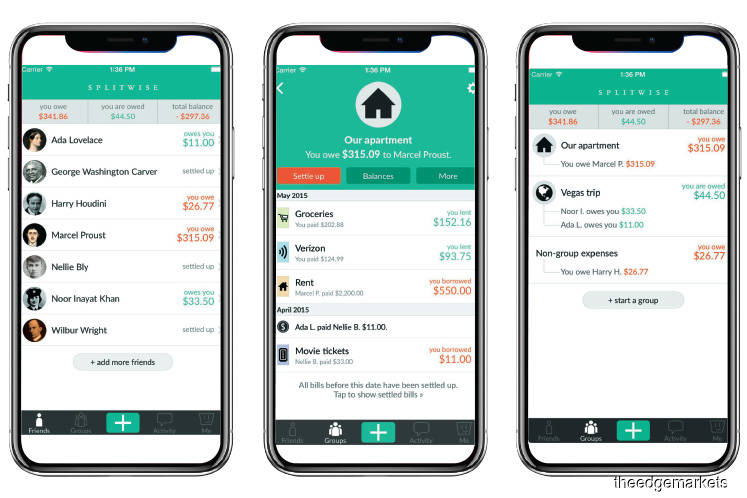
2. Splitwise

Financial Hacks: Splitwise makes it easy to go Dutch | The Edge Markets

The UI design of the application is simple, sophisticated, and pleasant. The color scheme is chosen in a way that it complements app elements as well as employs the center of the device effectively.

3. Spring

The Introduction: Spring Shopping App - The American Edit

Spring, the popular shopping app, is also a good option to consider while looking for design tips for mobile apps.

The mobile application offers a simple and interactive experience – using icons to give a hint of the functionality of each element. The app uses different font styles and sizes along with a card layout to deliver an enhanced UI experience.

4. Trello

Trello

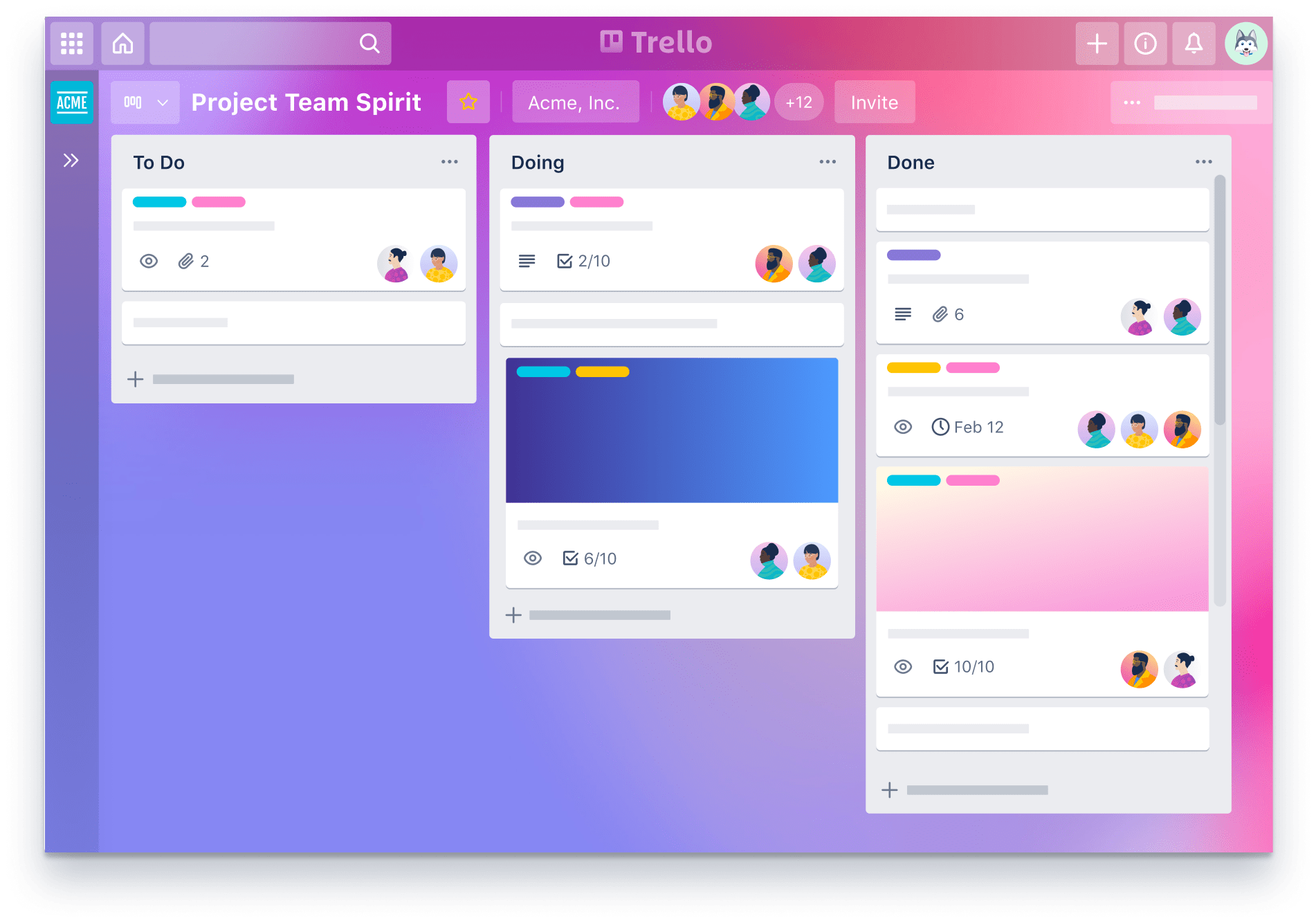
Trello is yet another application you can consider for deciding the type of UI design to create.

This productivity app is easy to use and gives the facility of creating boards for managing their tasks. It comes with a clean and sophisticated look and feels along with its tactics of arranging all the pins in a ‘pipeline’ manner. Also, it offers tons of cool backgrounds and labels colors to amp users’ experience.

5. Shine

Another application that has enhanced its customer experience via the user interface is Shine.

The mobile app uses custom and abstract aesthetics to match the mood of users. It also relies on soft shapes and calm colors to make them experience some peaceful moments.

6. Coursera

Coursera | Build Skills with Online Courses from Top Institutions

Coursera is yet another mobile application whose User interface offers some real goals in the design world.

The app design is simple and smooth, offering the ease to navigate from a well-organized syllabus. It uses different font styles and colors to give users an idea of what they have covered, what they are interacting with, and what’s next.

Now that we have taken inspiration from different mobile applications, let’s turn towards the main part of the article, i.e, best mobile app UI design tips to follow in 2021.

Mobile app UI Design Tips To Follow While Designing Your App

Keep It Simple

The foremost tip for designing a better mobile app is to keep the UI simple.

When you restrict the number of app UI elements, users do not get drifted by unnecessary details. They find it easier to focus on the prime elements of the application, which eventually improves the user retention rate.

Make it Responsive

HTML Responsive Web Design

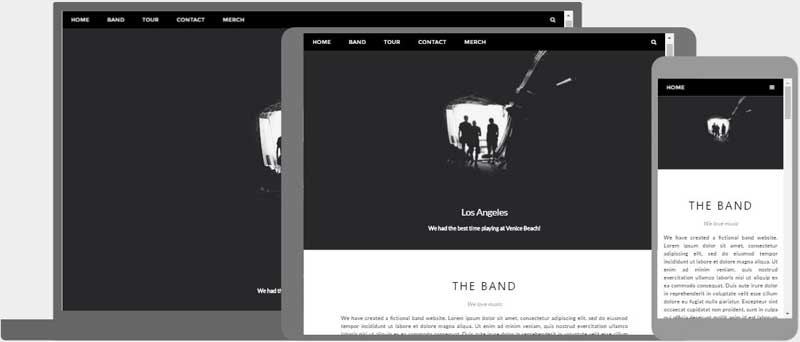
Concentrating on responsiveness is also one of the proven tips to enhance mobile app design by improving its UI.

This is because when you design elements that fit the screens, regardless of the device users are using, they find ease in performing actions. This, in turn, encourages them to spend more time on your platform and add higher value.

Use Popular Icons

Download Free Social Media Icons | Picons

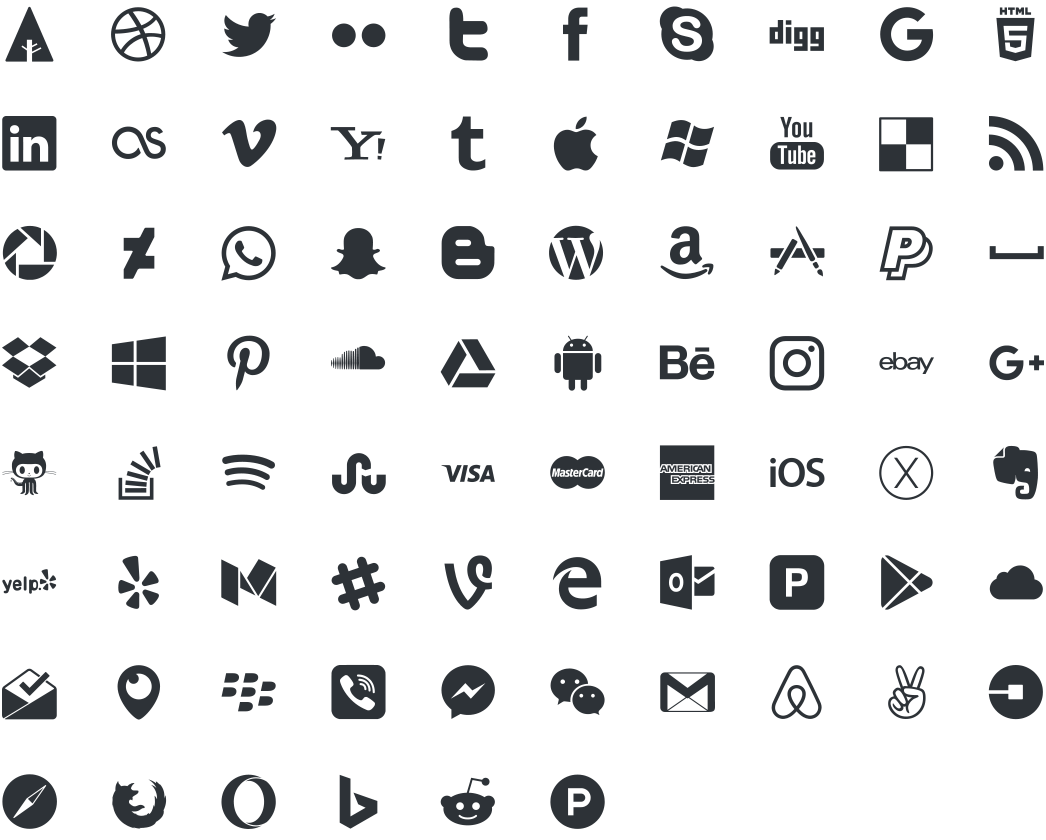
Users, when interacting with various mobile apps on a daily basis, become familiar with certain icons. They can easily relate those icons to particular functionalities without even reading the label.

In such a scenario, using those icons can cut down the hassle of making users understand what an app element is for. This eventually enhances customer engagement and delivers higher ROI. So, introduce popular and similar icons in your UI designing strategy.

Maintain Consistency

Another best practice for app designing that  UI mobility experts follow is showing consistency. That implies using the same font style, color, design, and icons throughout the app screens – and that too in the same order.

This simplifies the user journey and helps them make an action without getting a feel of being on some other platform. So, keep it into consideration while planning the app UI design.

Follow Platform-Based Rules

Which Phone is Best? Android vs Apple iOS vs Windows 8

Both Apple and Google have set guidelines for mobile app design for iOS and Android platforms

. Following those guidelines improves the look and feel of your application on the respective platform.

So, do not overlook these Google and Apple UI design guidelines while crafting your app design.

Do not Forget about Loading Speed

Average Page Load Times for 2018 - How does yours compare? - MachMetrics Speed Blog

Focusing on speed is also one of the best design tips for enhancing user interaction. This is because when UI elements take too much time to load, users get frustrated. They decide to exit the platform soon, because of which all of your efforts could go in vain.

So, think about optimizing your app speed frequently.

Invest in Testing

Many times, the elements you introduce in your app UI design do not work effectively. In such cases, they ruin the user experience instead of adding value to it.

So, it is good to invest your efforts into mobile app UI testing. For when you test your app icons and other elements for different conditions, it ultimately helps bring a positive impact on the users.

When talking about app testing, one thing that UI/UX designers must consider is the depth to which they should test their UI screens.

While educational and commercial apps require thorough UI testing across all the devices and OS versions, business apps can skip investing in extensive testing. This is because their audience, in most cases, is trained to employ the application.

In a nutshell, the depth of UI testing depends on the app’s purpose and the market it will target. However, it is a must to test your app UI on at least three different OS versions.

Iterate Regularly

Since user behavior and market trends keep on changing with time, it is again effective to upgrade your app UI design timely. And eventually, gain higher conversions.

As previously mentioned when talking about the latest mobile UI design trends 2021, changing market trends also influence the success of the user interface you design. So, let’s uncover what are the future mobile design trends 2021 to pay attention to.

The State of UI in 2021: Technologies and Trends That Will Dominate the Industry

1. Conversational Interface

What is a Conversational UI and why does it matter? | by Maruti Techlabs | Chatbots Magazine

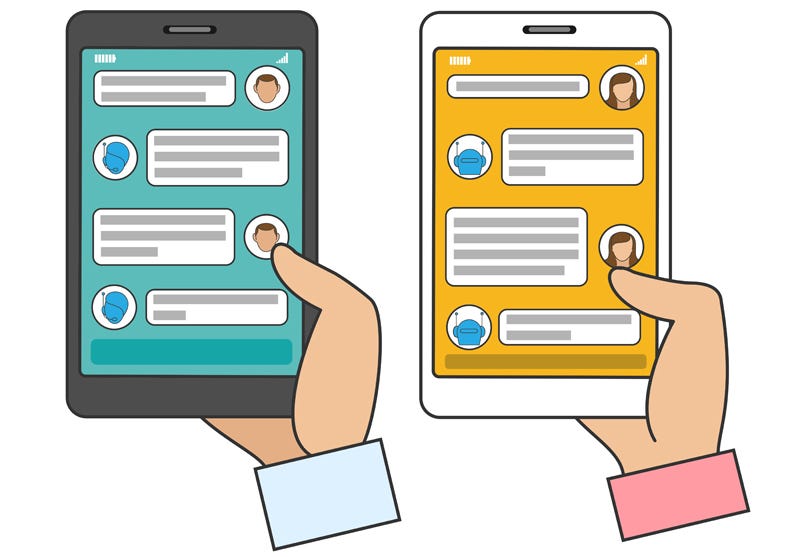
Conversational Interface is one of the leading UI design trends for the future.

Just like Apple, Amazon, Google, Facebook, and Microsoft, various startups, and established brands will invest in Chatbot development to deliver the next level of conversational experience to their user base.

2. The Overlapping Effect

In 2021, UI/UX designers for a mobile app will embrace the idea of overlapping different elements, like text, image, and colors in a single screen.

The concept will help in creating a well-organized interface and create an illusion of space. This will eventually enhance the user experience to a great extent.

3. Typography

Why you should invest in software test automation | by MentorMate | Medium

Just like last year, considering typography in-app UI design will be one of the best mobile app design trends in 2021.

While brands have been applying bold San-Serif fonts and strong typography for some time now, they will now focus more on typography that reflects motion-based and three-dimensional effects.

4. Voice-Powered Interfaces

How Voice User Interface is taking over the world, and why you should care | by Good Rebels | Medium

By 2021, 50% of the search engine queries will be performed via voice. Because of this, voice-governed interfaces will also become one of the popular mobile application design techniques which are poised to deliver higher output.

5. Simple Curves and Geometry

Another UI design trend that will transform our future is the use of simple curves and geometry.

These curves and geometry will lower down confusion that might arise when multiple illustrations, pictures, catches, and animations are present in the design

6. Custom Illustration Interfaces

Illustrations will also be one of the popular mobile application design techniques to follow in the future.

Both brands and designers will turn towards introducing custom illustrations into their application – just like how Uber did.

7. White space

White space will also continue to be one of the core elements of mobile app design strategies.

With white space, designers will be able to deliver an uncomplicated experience to their target user base. They will find ease in making them focus upon the main part of the application over others. And ultimately, add value to their business.

8. Artificial Intelligence (AI)

Information Ethics - Department of Philosophy and Religion

Another technology that will bring a major impact in the field of UI design is Artificial Intelligence.

AI will not just help designers with creating multiple versions of any particular landing page or screen, but would also introduce personalized elements backed by thousands of studies and visual analysis. This, as a whole, will encourage them to look into how to use AI for better user interface design.

9. Contrasting Font Color/Shapes

Using contrasting font colors/shapes for mobile UI design will increase its popularity in 2021.

Mobility experts will infuse contrasting colors and shapes into their design to break the regular flow and add a tint of surprise into user interactions.

10. Animation

Ways To Effectively Use Animation In Enterprise Learning - eLearning Industry

Animation, which was one of the key app UI design trends for 2018 and 2021, will also continue to enjoy the same momentum in the future.

Brands will embrace the technique to introduce micro-interactions in their design process. And, in this way, prompts users to spend more time on their platforms.

11. Opacity

Setting the opacity of different UI elements will be considered among the top key app design trends 2021. The technique will be used to bring more emphasis on certain elements while maintaining smoothness and seamlessness.

12. Augmented Reality (AR)

The Amazing Ways VR And AR Are Transforming The Travel Industry

In 2021, UI/UX design experts will turn towards Augmented Reality (AR) for creating real-world interactions. They will embrace the technology to add immersion effects to their apps and products and help users comprehend the information more efficiently.

Besides, the technology will also be considered for building 3D brand impressions in the coming years.

13. Storytelling

Storytelling, i.e. the art of engaging users by narrating a story, will also be seen as one of the best UI/UX mobile design trends in 2021.

Mobile app designers will put more effort into crafting a story that highlights the purpose of the app and make users feel like a part of it. They will turn towards the best visual storytelling guides, tools, and techniques to make a story that keeps their audience hooked to their platform.

14. 3D Graphics

Art of Volume: Inspiring Examples of 3D Illustrations and Animation

3D graphics will also land on the list of top UI/UX trends to consider in 2021.

Mobile app designers will incorporate sophisticated textures and 3D images into their designs to add a realistic feel. Also, users will demand more 3D designs and marketing content to enjoy a vivid, fresh, and engaging experience.

15. Placement of Navigational Elements
Top 100 Awesome Website Navigation Icon - Techfameplus

Another trend that will change the future of the mobile app design world is the placement of navigational elements.

As we have already seen in our blog upon the impact of Phone X’s new design on mobile apps, the absence of a home screen button will influence the navigation process. This will urge mobility UI experts to discover new ways to deliver a seamless navigational experience to their users.

16. Virtual Reality (VR)

What is VR? The devices and apps that turn the real world virtual

Last but not least, the incorporation of Virtual Reality (VR) in UI design will also be in trend in the coming years.

The technology, after redefining the healthcare, marketing, and gaming industry, is expected to boost interaction levels in-app UI design. It is expected to emerge out as the ‘Internet of experiences’ by spilling out the app elements in the real world and prompting users to feel them.

While these were some of the mobile app design tips and trends that are predicted to revolutionize user interface in 2021, many more are hoping

MOBILE APP: TOP MOCKUP TOOLS

As we’ve said before that now the crossover realm of functionality and aesthetic is truer than ever. Which is why a mobile app mockup is crucial in the early stages of development. People have become accustomed to having apps that make them feel comfortable and are usable with an ease. Mobile mockups help in defining how the user experience and the aesthetics are functioning. Basically, it helps to make your app better, and the better it gets the more user traffic it will drive.When you are in the process of designing a software, a mobile app prototype testing gives your users, investors and the management a visual sense of how the app “feels like”. There are a lot of such apps in the market, but here we’d give you the top ten apps.


Let’s understand: A mobile mockup tool

There are many ways to mock up an app or a website. You can even use MS Paint, if you are not reluctant about using an antiquated tool. Today, there are several such solutions that function as simpler mockup tools and app prototyping.

There are two different kinds of mockup tools; One that mimics the intended functions of your app; And the other that just gives a visual layout of your designed app.


Prototyping Tools for Mobile App

Every prototyping tool available in the market also has mobile mockup features. And there consists features in the prototyping parts where the designer is enabled to add-in features that would let the app ‘flow’ like it originally should. This implies that when you click on a website/link, the app is supposed to work the same way as to how the actual app would work. A lot of mobile mockup tools along with prototyping features also include analytic features. The analytic features take note of how the test group is using the app, this helps the design team to better develop the app taking into consideration the user’s functionality preference.


Let’s look at the top mobile mockup tools;


InVision

InVision | Digital product design, workflow & collaboration

InVision is one of the most immaculate options available in the market. They provide app developers dynamic proficiencies, and that too needs-specific. The tools that are power packed in InVision present you with mobile app- prototyping tools, wireframe tools and mockup solutions. Design teams can create anything from a simple basic layout to an absolutely full-fledged prototype that represents the intended design.


Marvel

Marvel - The design platform for digital products. Get started for free.

Obviously you won’t be able to create the whole Avengers gang with this tool, but, you can create wireframes, design and prototyping with sheer ease. The Marvel system prevents the designers from getting uninhibited by any actual coding and works as WYSIWYG so that designers can create at peace. Marvel automatically takes note of the design’s parameters which makes it easier to pass off the entire properties to speed up the development process. This also relieves you of the guesswork that you would generally do to figure the way to replicate the mobile app mockup. This prototype also shows how users interact with the ensign and further inculcates a more centralized feedback framework.


Principle

Eight Prototyping Tools Compared: Proto.io, Pixate, Framer, Origami, Form, Principle, Flinto for Mac, and Hype - Sketch App Sources Blog

This is another fully packed system that enables creating mobile mockups and prototyping the same. Principle presents designers with animation tools that are created on iOS and macOS engine, Core Animation. This makes it easier to illustrate and to apply the same on a working prototype. Designers can either select transitions from stock features or can simply create custom responses for UI. Users are allowed to import designs from the major tools and then further export animations that could be used by the developing team.


Framer X

This enables designers to quickly prototype their idea in a responsive layout. This is free, and it has one of the most developed digital stores for the purpose of third-party integrations via multi-platform plugins. It’s features and tools are curated by the Framer development community. Since the Framer system is a little advanced, it is not desirable for designers with no coding knowledge. Creating and coding prototypes at a decent level would be only possible for those with at least a little web coding knowledge.


After Effects


From the highest positioned design company Adobe, comes their animation app, After Effects. This app isn’t a prototyping tool in itself, rather it’s key point is that it offers a lot of control for creating motions and animations for media-intensive apps. Users can engage with other files from Adobe and can export their animation for using it in a mockup or prototyping.


Mockup Tools

A mockup tool allows a designer to build synthesised images for a mobile app or website in a short span of time. While mobile app prototyping enables receiving quick feedback, mobile app mockup and wireframe tools allow designers to create visuals for a project much quicker.

Let’s take a look at some top mockup tools;


Sketch

Although Sketch can also be employed for prototyping mobile apps, it’s main ability rests in creating consistent mockups. Like Framer X, this also has a large store for plugins maintained by a developing community. This mobile app mockup tool has a collaborative feature that makes it easy for designers to link with others working with them on the project and to receive feedback.


Figma

The Power of Figma as a Design Tool | Toptal

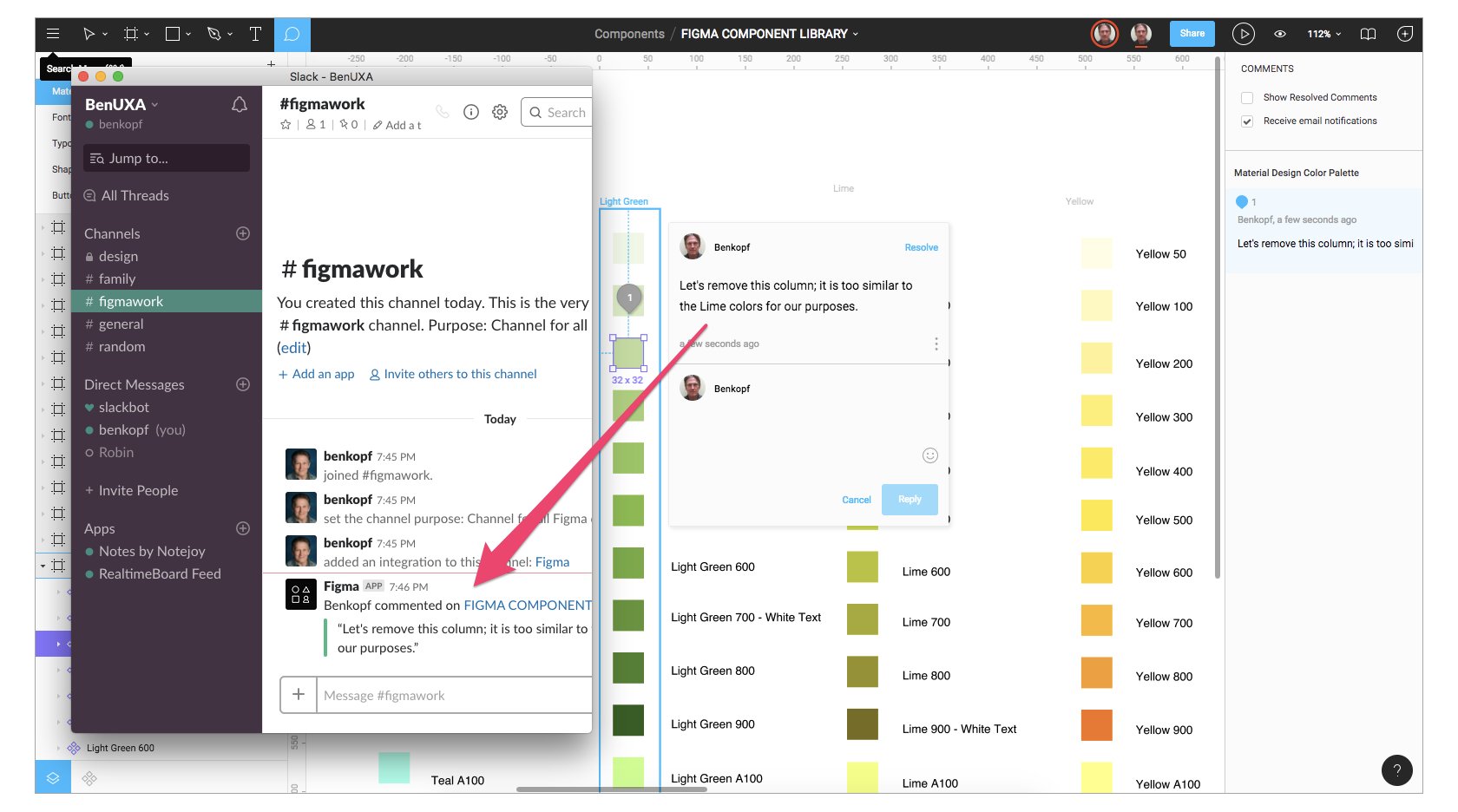
Figma is a cloud-based system, made for the purpose of collaboration between design teams for creating mobile app mockups. This comes with two bonuses, first that it also includes prototyping tools and second, the mobile app wireframing tools are free to use! The collaboration element in Figma is considered one of the best as it allows feedback to be left in the context without any interruptions. It’s almost like working in Google Docs but the difference is that this better accommodates feedback on design keys.


Adobe XD

Adobe XD does collaborative editing now, just like Figma - The Verge

We all know Adobe is the most famous when it comes to creating, designing apps/websites. Adobe XD also has a great collaboration feature that lets you work with other designers and teams on the platform. Since it integrates with other creative cloud softwares, hence, one gets a fine experience when using files from other apps like After Effects or Photoshop.


Proto.io

Proto.io Pricing, Alternatives & More 2021 - Capterra

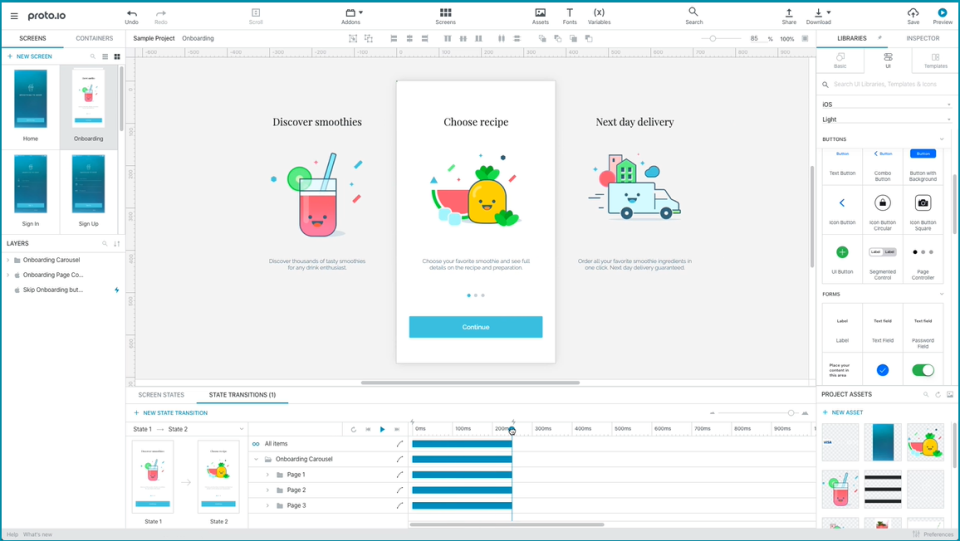
Proto.io is also a web-based mockup software and contains mobile app prototyping tools as well as mobile app wireframing tools. The best part is, it is a no-code solution, so designers that have zero to little knowledge about coding find it easier to work on this platform. This also works well with Sketch and Photoshop.


Simulify

Simulify Platform Online and Windows,

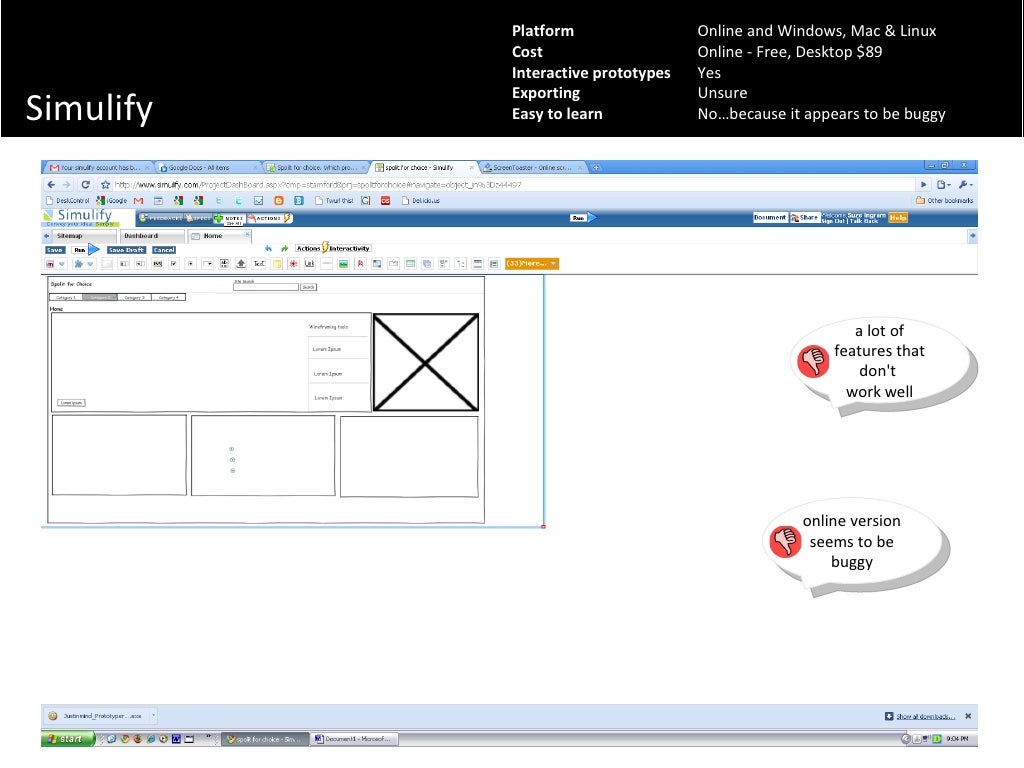
This is designed to assist with visual mockups for sites via JAMstack. For messed and decoupled architectures, where you are constantly pulling data in and out from multiple apps/websites, Simulify is the ideal option. The Simulify system amalgamates with Gatsby which is ideal for using modern development frameworks.


We’ve provided you the top choices and now the ball is in your court. Choose wisely!

Best Practices for Mobile App Onboarding in 2020

Onboarding: User Retention in Mobile Apps | Scandiweb

You might remember the days before the brilliant concept of onboarding was introduced.

How puzzling it was to figure out an app on your own. As if it was a game of guessing about which option directs to where, what it does, how to do certain things, etc. – the list runs long.

In a hurry? Jump directly to –

Table of Content:

  • What is Mobile App Onboarding?
  • How many types of Onboarding are there?
  • Benefits of using App Onboarding
  • Mobile App Onboarding Best Practices Checklist [2020 Updated]
  • Live Examples of App Onboarding Done Right

However, the ordeal was over when mobile app onboarding started to gain momentum. It assisted users in navigating through the app with ease and explored its features and functions. Almost all the industry-giants are having a sip of this elixir of a concept and are obtaining remarkable conversion rates.

Wait, did we just lost you there?

No problem, let’s take it from the top, starting from what is on-boarding to what are the best onboarding practices for 2020.

What is Mobile App Onboarding?

Onboarding designs, themes, templates and downloadable graphic elements on Dribbble

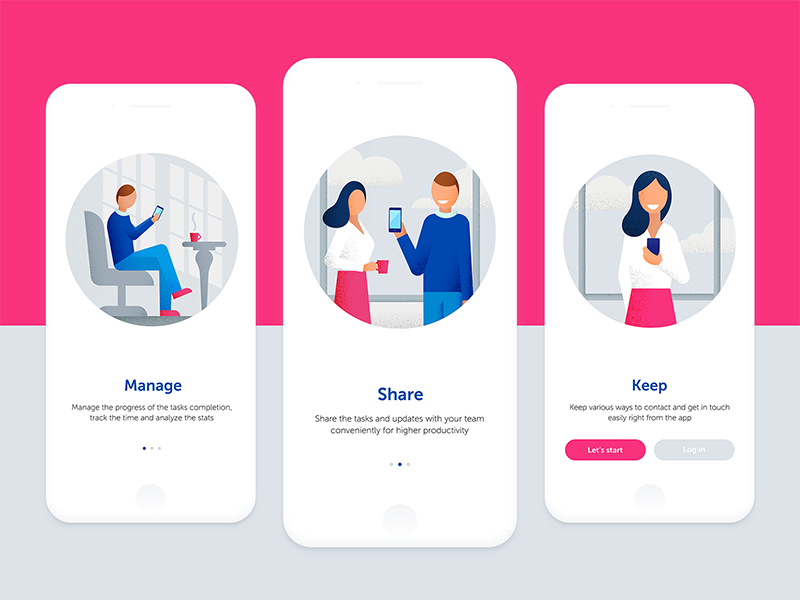
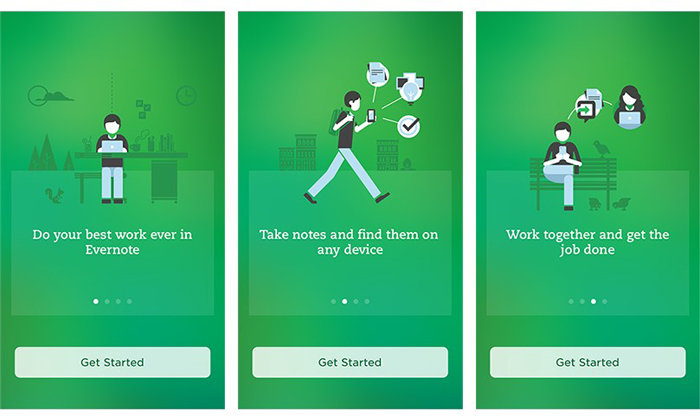
App Onboarding is an efficient method used by organizations to enable users to comprehend your app and its functions. It is a walkthrough process or a tutorial that is meant to help users interact with the app and easily figure out what that particular app does and what they can achieve by continuing to use it.

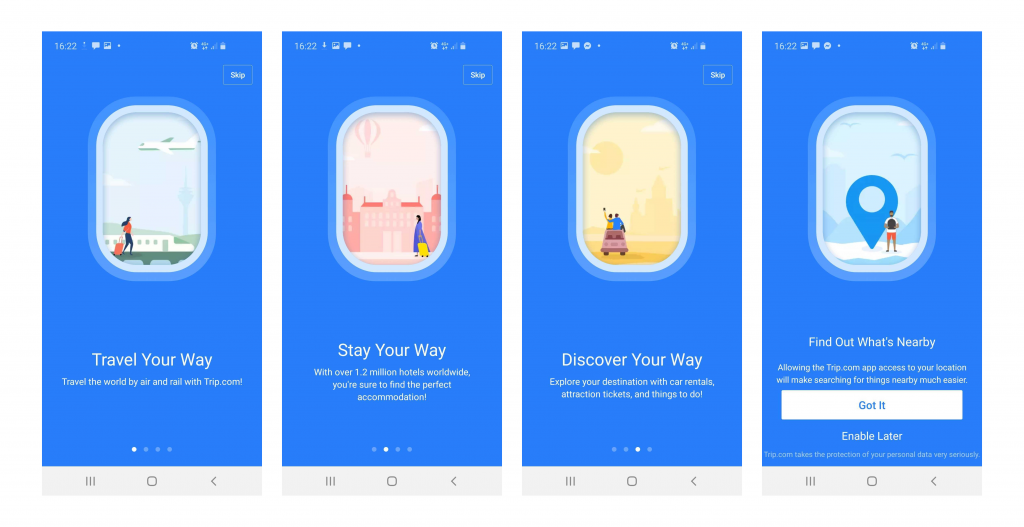
Essentially, it is a series of screens that guide users through the app’s interface. Now, the mobile app onboarding screens typically have three purposes for which they are being used rigorously:

  1. To enlighten the users about the utilitarian functions and benefits of the app.
  2. To enable the users to register on the app via a login option.
  3. It is aimed to gather useful profile data of the users, later used to offer personalized notifications and content.

How many types of Onboarding are there? 

There are essentially three types of best mobile app onboarding that help fulfill these distinct objectives.

1. Progressive

38 Progressive Onboarding ideas | onboarding, customer experience, progress

This is one of the app onboarding best practices that displays new information on the screen while users progressively navigate through the app. It is in a way a step by step process directing and encouraging the users to take actions. The information depicted is relevant to the specific page.

2. Function-oriented

ESSENTIAL ONBOARDING TACTICS — PART 3: FUNCTION-ORIENTED ONBOARDING | by Appsee | The User Onboarding Journal | Medium

It is a mobile application onboarding approach that is typically focused on app functionality and explaining users the ways to operate the app. The function-oriented approach ensures the demonstration of common and rudimentary actions performed in the app to the users.

3. Benefits-oriented

6 User Onboarding Flows for Mobile Apps | by The Manifest | Medium

As the name clearly states, this approach is employed to showcase the benefits of the app or the value the users are expected to gain by using the app. The basic aim of this approach is to increase conversions. It helps in describing what the app does without elaborating on how to use the app.

Now as you know the types of mobile applications onboarding prevailing in the market, let’s take a look at the benefits they offer before moving to the core part of the article. Aka, Mobile application onboarding best practices checklist.

Benefits of using App Onboarding

1. Positive User Experience

User Experience — Mindshare Advantage

You wouldn’t want your app to just lay there in the user’s phone not being used for months, or worse yet, being uninstalled. To ensure active users on your app, onboarding comes in handy. As the first user interaction plays a pivotal role in deciding whether the user will use your app again or not, you need to give them the best app onboarding experiences.

Guiding the users via onboarding on how to use the app and what features it possesses, will help them navigate with ease and they won’t feel lost. They get a fair idea of why they should use the app and most importantly how to use it efficiently.

Once you get this right, you will see how amazing the benefits of onboarding are.

2. Proper utilization of features

How Does Resource Utilization Help To Improve Business Performance?

It is a given that it takes some time for users to get used to your app and figure out their way around it. Sometimes, users are unable to make themselves familiar with certain features on their own, which is a great impediment in our view for your app to increase conversion. Practicing the best onboarding approaches resolves this issue before it has a chance to arise.

3. Increases App Retention

How to increase app retention: 10 strategies | Adjust

Onboarding is highly crucial for making your app an absolute favorite of the users. You ask how it does it? Well, when you provide users with insights into your app and direct them towards effectively using its features and functions, the users are inclined to stay with your app. Hence, it improves the app retention rate by multi-folds.

Mobile App Onboarding Best Practices Checklist [2020 Updated]

Here are the top app user mobile onboarding best practices that will point the scale in your direction.

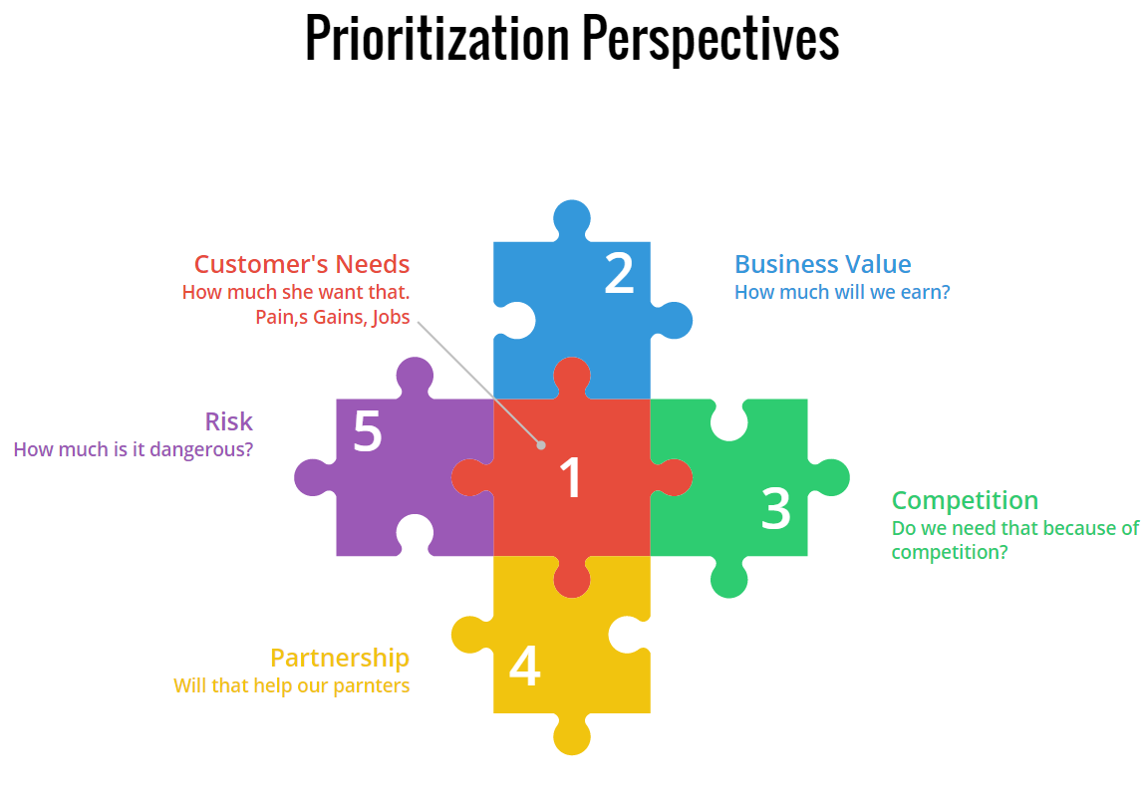
1. Prioritize Value Proposition

Prioritization by Business value | ScrumDesk, Meaningfully Agile

It is a belief that by displaying all the right cards to the users, you can convert them into active users. Meaning, by showing all the best features of your app you can entice users into using your app. However, it will be more effective if you first highlight the value proposition of your app.

Rather than flaunting your app’s features first, start with explaining what the user will gain by using your app. It will not only encourage them to use your app in the future but also will assure them that the app is useful and serves what it claims.

After this, you can go on with showing the prominent features and functionalities of your app that will assist in completing the tasks the users plan to accomplish.

2. Request Only Mandatory Information

request information - Clip Art Library

It wouldn’t make sense if your app is about, say learning languages, and you are asking questions about their favorite books, would it? In this case, you would need to ask for relevant and most crucial information. A report supports this statement as it shows almost 60% of the users do not install an app or uninstall it later once they feel the app is asking for too much personal information.

Also, make sure not to bombard them with excessive questions. In short, try to make your question’s list as concise and precise as possible. This is one of the most effective onboarding techniques to boost app user engagement.

3. Compact Onboarding Screens

10 Mobile App Onboarding Best Practices For Businesses In 2020

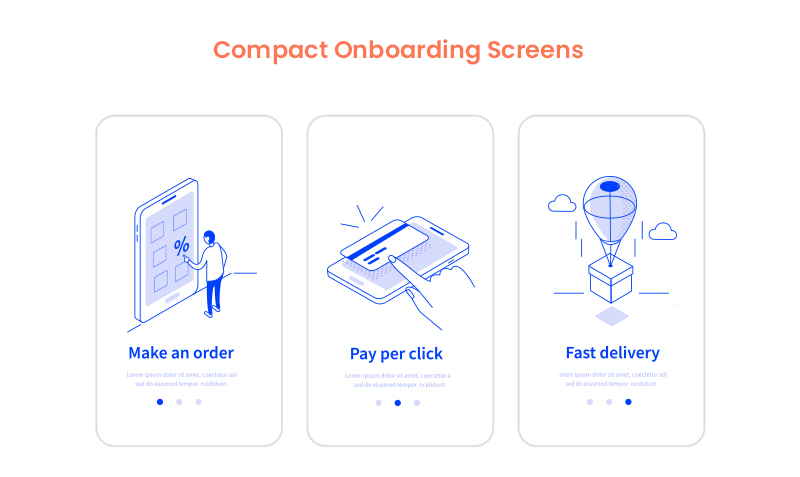
A tediously long and extensive user onboarding process may overwhelm the user to an extent that they might not use your app or end up finding a substitute. You neither should use text-heavy explanations nor add a foray of screens.

What you should do is to employ progressive onboarding approach and use app screenshots and illustrations to convey the message. Also, see the fact that you only introduce a single feature on each screen. In fact, you can use coach marks to help users understand how the app works and how to steer in it.

You can also make this approach more attractive by placing tutorials and gamifying the whole user experience.

4. Concise and Simple Sign-Up Process

How to Make Your Sign Up Process Sing in 8 Steps. | by Ben Luby | Medium

No one likes to spend excess time on the application onboarding process which is also mentioned in the report by The Manifest. So, the more concise your login process, the better.

Providing the options of logging in with other accounts such as Facebook or Google is a major time saver and a popular strategy among the users. It decreases a significant amount of friction in the user onboarding process introduced by the sign-up mandate.

5. Request for Permissions

How to Request Permissions in Android Application? - GeeksforGeeks

Asking for permission is an important part of business ethics, especially when it is about users’ personal data and information. Now, if you have an app that requires a camera or microphone facility, then instead of just taking things into your hand, it should be a mandate to first ask for the consent.

If the user trusts your app or wants to continue using its features, they will agree. Moreover, users are more likely to respond positively to permissions requests if they understand what they will gain by doing so.

6. Promote App Content Preview

What are the Best Ways to Promote an App? | The Branch Blog

Promoting app content preview is also one of the onboarding app best practices to consider in 2020 and beyond. This is because a sign up option can act as a barrier between your app and the user. And therefore, it is always better to give the users access to the features of your app before flatly asking them to sign up.

For instance, if you own an eCommerce app, then let the users go through the products offered on your website, and when they want to make a transaction, they can simply login then. Or, you can enable the login option after the users have discovered your app.

7. Make Use of Empty States

Empty States Design Best Practices | by Cadabra Studio | Medium

Empty states refer to the screens which show when users have not performed any activity or no content has been added yet. You can use these empty states to your advantage by making them encouraging. Instead of leaving a blank space, you can educate, guide, and promote users to take action.

For instance, Instagram displays “No posts yet” instead of just leaving it blank. This way it encourages users to initiate any action and use the app further.

8. Use Visual Hints for Guidance

Instead of hand-holding customers, while helping them explore the app you can employ progressive visual hints. All you have to do is strategically place the hints on the places where you predict users may get stuck while browsing the app. This way, you not only avoid tedious and monotonous instructions but save the time of users in reading them, which can rather be spent on using the app.

9. Preach Personalization

The Path to Personalization | O3 World

Why wait to show your personalization to customers in your app’s features, when you can give them a taste of it in the onboarding process only. Many popular apps personalize the content of their app based on individual preference in the starting.

Let’s take Spotify for instance. No wonder it is huge among the users as

it provides them with choices based on language, genre, artists, etc. to start personalizing the content referred to them since the start.

10. Take advantage of Success States

Remove "You Won Congratulations" Pop-ups (Virus Removal Guide)

Just like the Empty States, Success States prove to be a great leverage for engaging the user on your app. They create a positive impression of your app in the users’ minds. These states refer to the screens or popups that show appreciation after a task is performed.

For example, pop-ups including emoticons or animations congratulating the users once they achieve something in the app or complete an action for the first time.

11. Test before Final Implementation

8 Usability Testing Methods That Work (Types + Examples)

Anything is the sum of its whole. Your app will be considered remarkable when it is perfect overall. How different elements seem together once integrated is what makes an app great and appealing. In which case, it is crucial to test and measure the user onboarding flow for your mobile app on different screens and monitors to make sure the transition to each screen is seamless and smooth.

12. Include A Balanced Mix Of Multiple Channels

Using several channels to enhance the effectiveness of your onboarding procedure is an ideal way to encourage users to come back to your app, especially in the case of Retail apps. You can use channels like emails, push notifications, and in-app messages to remind the users of any incomplete action on the app like an unattended cart or simply send gentle reminders.

13. Monitor and Track (liquid state)

Keeping tabs on app usage and analytics is an incredible way to determine where users are facing problems in the onboarding flow and app.

Tracking these problems will provide you insights on where you need to improve in order to provide a smooth app onboarding experience. One should not ignore it as it is one of the prominent deciding factors whether your app is preferred by the users or not.

14. Provide CTA

Once your onboarding is about to complete, it is recommended to incorporate a CTA at the end. It provides a natural step for users to take the next step. A contextual and well-designed CTA would ensure the involvement of the users in the app.

15. Offer the choice to Skip

Skip, skip button, skip icon, skip symbol icon - Download on Iconfinder

Providing different and alternate choices is what users around the world appreciate the most. Some users might like to skip the whole app onboarding process for some reason, so giving them this choice will instantly improve your app’s reputation and they might continue to use it in the future.

Live Examples of App Onboarding Done Right

1. Slack

Mac | Downloads | Slack

Slack is an app designed specifically to facilitate communication between teams of small and large enterprises alike. It displays its features right when users open the app. Slack practices value-oriented onboarding which can be seen in the four walkthrough screens. It allows users to see how they can establish communication and share data among teams via the app.

2. Reddit

Reddit is experiencing another outage: Here's what we know - SlashGear

Reddit is one of the most famous QnA apps ever. Its onboarding process is exemplary –  the reason why the app is here in our list.

It provides the “Skip for now” option which allows users to skip the process of account creation and login, immediately allowing them to explore the app and have an amazing user experience.

Moreover, Reddit also performs another one of the onboarding process best practices, which is asking for permission for sending notifications.

3. Calm

Calm - Meditate, Sleep, Relax - Apps on Google Play

Calm is a popular meditation app helping users around the world with problems such as stress, irregular sleeping patterns, anxiety and more. The first onboarding screen in the app familiarizes users with its features and value-proposition such as sleep stories, breathing programs, guided meditation and so on.

Then it smoothly takes the user to another screen which allows them to set goals, for instance, choosing the top areas of improving, developing, building, learning, etc. It is after two screens that it asks users to signup via different platforms and asks for permission.

Higher conversion and retention rates of your app are certain once you hone these best app onboarding practices for 2020 and successfully implement them in your app. By imbibing incredible features along with the onboarding flow into the app, you double the chances of your app’s popularity.

A Quick Guide to Successful Mobile App Launch

A Quick Guide to Successful Mobile App Launch

 The mobile market has gone so competitive that there are endless apps offering the same functionality. In such a scenario, waiting for users to come to your application on their own, rather than putting efforts into an app launch strategy is a sin.To ensure that you do not commit this mistake and get no outcome from your investment in terms of cost to make an app, we will be discussing the right way to launch your application here.

1000 downloads, $100 millions of revenue – All such metrics pop in our mind, whenever we think of taking our months of hard work to the final stage, i.e, mobile app launch. We expect some miracle to happen that makes our app go viral, and get into the list of TikTok, Uber, and Pokemon Go.But alas, not everyone lives this moment.

[In case you haven’t decided when to take this big step, check the blog: What is the right time to launch your mobile app? ]

But, before we look into the right way of launching an app, it is necessary to be familiar with the fact that mobile app launch strategy does not come into play when you release your app. Instead, it comes into being right from the day you take the first step to make an app.

So, to get higher success numbers and earn more money from your app, here are the list of steps to take – categorized under Pre-launch and Post-launch strategy.

A Quick Guide to Successful Mobile App Launch

What Pre launch marketing ideas you should consider?

Any application who has not prepared a market for its launch can’t drive higher revenue. So, it’s imperative to invest in pre launch mobile app marketing.  Something that can be possible effectively by following the pointers given below:

1. A thorough mobile app market research

When you launch an app without knowing who your target audience is, it is likely that you end up making an application that no one likes and face other potential threats. So, one thing you need to do before starting with different stages of building an app is market research.

By doing so your app will be prepared for whatever situations arise post-launch.

2. Market your app now

Marketing of the app is done way before the actual launch app. Some app owners start the app promotion even before the mobile app development is finished. Early marketing creates a positive image for the app and also creates awareness about the app.

So, how to market an app successfully? To muster support for your mobile app reach out to friends, communities, influencers, or create product videos and share online. You can also create a blog or a website which will act as the landing page for your app.

[To know other such methods, refer to our comprehensive guide to promote a mobile app.]

3. Create a buzz with social media

Social media can blow up things faster than a bomb. So many apps have gone viral and all the credit goes to social media. Reddit, Facebook and Instagram are great platforms for promotion before you actually launch mobile apps.

4. A press kit

A press kit is basically a resource for journalists and publishing houses to convince them to review your app. The kit includes all the information about the app such as screenshots, images and other details. You can also include videos by uploading it on YouTube.

5. Reach out to beta testers

Beta testers are registered testers for apps on the App Store or Play Store. They can be the best source for honest feedback for your app. Make sure you take the advice from the testers and use it to improve your app further.

Now you may ask how to come across these beta testers to execute a perfect mobile app launch. For that, you can find many websites that provide beta testers. Make a choice as per your requirements.

6. Focus on a better App store listing

Your app store page is also your landing page which means it’s the first place your customers visit.

Including images, videos and screenshots of your app will showcase the app quite well. Getting featured in the Play Store or the App Store is a big hit for any app. The aim is to get more downloads from all these factors. The key focusing points are:

  • The name of the app
  • App description
  • App visuals (images, videos, etc.)
  • Targeted keywords

So this is all about how to prepare your app before you submit an app to the app store.

Now you might be thinking, “What to do once the app is launched?” and the answer follows in the next section which has all the steps of post-mobile app launch.A Quick Guide to Successful Mobile App Launch

How to Plan Post-launch App strategy?

1. Ask for referrals such as word of mouth

The best practices of launching an app involves word of mouth promotion. It is said that word of mouth is the most effective form of promotion and brings in genuine users. Reaching out to your friends, communities, colleagues and family members to spread a good word about the app would create awareness among a large group.

2. Link your app

Vigorously linking your app everywhere is another strategy that you can follow. When you launch an app, link the app on your email, comment sections, other blogs or social media. This way the link will become visible all over the internet and would bring in some curious users who might even stay forever.

3. Go for the paid ads

Once you’ve gone as per the app launch timeline, the next thing to go for is to consider paid ads on Facebook, Instagram or any other online platform. These ads, when reflecting on the news feed of every person present on that platform, increases the chances of getting clicks on the application and drive higher revenue, alongside app awareness.

4. Approach to Apple’s editorial team

If you have partnered with qualified iOS mobile app developers to enter the Apple market, pitching the Apple’s editorial team and that of App review sites will also be helpful. When listed in the Top lists, your application will get more attention from the users looking for such apps, which will ultimately result in better outcomes.

5. Map user journey

Another thing to look for after mobile app launch is to keep an eye on user journey. When you, with the help of some metrics, identify what users are liking the most on your platform, what is irritating them, why and who are abandoning your app, etc., you can easily plan your perfect mobile app retention strategy and drive higher profits.

6. Maintain real-time communication

Communicating with end users is not something that ends up while you reach the final stage of the mobile app release process. It must be continued even after the launch of the application. This is because when you maintain a real-time communication with your customers, they feel heard and share their pain points as well as leisure pointers, which makes it easier for you to plan the next app update.

Now, while these were some of the strategies to consider before and after mobile app launch, let’s wrap up this article by looking into some of the mistakes you should avoid committing.

Pitfalls to avoid when you launch a mobile app

A poor working app can be the cause of the failure of a company. Once the app is launched in the market, there is hardly any chance to undo mistakes immediately. You will have to wait until the first app update is launched but by then the app would have lost too many users.

You can totally prevent this scary situation by avoiding these common mistakes made during app launch.

1. Generalizing

Many businesspeople consider the whole world as their market. They hope that this practice will enable them to get the attention of a wider audience and reap higher benefits. However, the reverse happens.

When your application is installed by the wrong target audience, they feel confused and irritated while using it and leave a negative feedback. This prevents various right users from tapping on the ‘download’ button as well as prompt developers to introduce various unnecessary functionalities.

So, rather than generalizing the market, one should run a survey, accumulate market data, and target potential customers to drive better results.

2. Poor onboarding

Another common mistake made by app enthusiasts while app launch planning is overlooking the essence of an effective onboarding.

A mobile app onboarding is not simply a way of introducing the app to the users, but it is the method to create an unforgettable first impression of the app. Meaning, if you create one without following the right app onboarding practices, you might fail to touch the hearts of the target audience and encourage them to go further.

3. Launch full-fledged app

Last but not the least, launching a complete application at once is yet another mistake that can lower down the benefits of mobile presence.

When you design and launch a full-fledged app at once, it demands higher time, effort, and cost. Also, the risk of failing entertaining the right audience due to change in their needs and market trends is also high.

But, when you develop an MVP(Minimal Viable Product) instead, it not only saves the time and money associated with the development plan. But, also helps in validating your app idea, gather adequate user data, and make the best of the mobile app launch. So, look ahead to it.

error: Content is protected !!