6 stages to adopting a cloud-based digital operating model

An argument against cloud-based applications | TechCrunch

Moving to the cloud was supposed to be simple, right? So why are many IT managers — even those experienced in IT change — finding cloud adoption far more difficult than they expected?

One big reason is that moving to the cloud represents a new and different kind of change. The cloud involves not only IT, but also makes possible business models that were unimaginable or impractical even a few short years ago.

Complicating matters further, many organizations have realized that some enterprise applications may never move to the cloud. Instead, those applications will do best remaining on premises. Even among those that are good candidates for the cloud, there are interesting decisions to be made about what level of transformation is appropriate to potentially drive greater business value out of that application in the cloud, as well as decisions about how to integrate cloud and traditional workloads. In short, it’s complicated.

To help, here are six best practices for moving to hybrid IT

  • Make the cloud a business decision. Digital transformation at its heart provides a new strategy not just for IT, but also for the business. It empowers business leaders to transform processes, improve the customer experience, and more — all with new business models. Getting the technology right is of course vital. But it must be done in alignment with and in the context of serving the entire business. Businesses and IT must align around a product management approach.

4 Reasons Why The Cloud Is A Smart Business Decision

  • Take DevOps to the next level. Moving to a hybrid cloud environment means looking differently across the entire operating model. Smart organizations will use DevOps to explore and use the marketplace of cloud services and change their IT operating model to do so. However, this isn’t an environment where you’re just using a new technology to simply provide the same services with the same controls. In fact, the opportunities to do “new things in new ways” are tremendous but the threat landscape is different, and the compliance opportunities are different, too.

15 Metrics for DevOps Success – Stackify

  • Before moving workloads, collect hard data. Some applications perform best in a public cloud, some in a private cloud, and some by remaining on-premises. How to make this determination? Look for true business value at the outcome level. There are tools available that can analyze performance-utilization data to map workloads to their best possible configuration in the public cloud. Other useful tools can assess performance data for specific workloads.

5 Steps for Moving Big Data Workloads to the Cloud - Big Data Analytics News

  • Get value from your data. Established enterprises have a big advantage over startups: They possess years’ worth of valuable data. However, enabling and extending the value of that data may not be easy, especially if it resides on legacy systems. Once again, a hybrid approach to data management can help, as some legacy systems can be moved to the cloud, while others will need to remain on-prem (though still integrated with cloud environments). Organizations will need to tackle the infrastructure, the applications and the data together. If this is done in a modular “Fix Today and Enable Tomorrow” type approach it can deliver the additional value to the enterprise in small, bite-sized chunks.

How to Measure the Value of Data - 7 Ways to Inform Your Data Strategy | Towards Data Science

  • Create a cloud model that scales. When moving to the hybrid cloud, it can help to think like a restaurant owner. First, have “chefs” come up with recipes (architectural patterns). Then have “cooks” who can repeat those patterns many times at scale to move the workload. Also, start with quick, sure “hits.” That way, you’ll gain confidence and experience, while also amassing a persuasive collection of early successes. Note: These tasks may be outside the scope of most organizations (skills, know-how and scale) and may therefore require the help of a partner model.

What is cloud computing? Everything you need to know now | InfoWorld

  • Regularly update your roadmap. Because every organization is unique, its roadmap to hybrid IT will need to be unique, too. But that roadmap must be able to change and adapt as the organization makes progress and learns new lessons, especially as the marketplace of cloud services is changing so rapidly. Today’s perfect plan won’t be perfect tomorrow when new services have enabled or automated a lot of what you were planning to do.

Should You Share Your Product Roadmap Publicly?

Don’t go it alone

Throughout the process, remember that the days of one-technology solutions are long gone. These are now replaced by a myriad of technology solutions to consider. So you need a partner to help you navigate both the technology and business landscapes, one that isn’t locked into any particular technology stack.

Much of the change will be cultural, as your organization adopts new ways of working, innovating and developing. A good partner can provide you with the baseline for building a hybrid-IT plan that’s effective, innovative and secure. They can also scale, helping you launch, adopt and run the transformation.


8 Facts About CTR That Will Make You Reconsider Your SEO

Click-Through Rate (CTR)

Visitors are the lifeblood of a website. Its why site owners spend a fortune on PPC ads and invest heavily in social media campaigns. The holy grail for websites, however, is organic traffic, that which comes free from search engines. Getting that organic traffic depends on two key things: first, ranking high enough to be seen and, secondly, getting the user to click through to your site. To highlight the importance of ranking and clickthrough rates, here are eight eye-opening facts you might want to consider.

1. Top spot gets over 30% of clicks

Top Google Result Gets 36.4% of Clicks [Study] - Search Engine Watch

When it comes to Google, the world’s most popular search engine, the site which ranks number one in the results gets, on average, a whopping 31.7 percent of all the clickthroughs. That means, if there are 1,000 daily searches for that term, that website will get 317 visitors. Things aren’t too bad for places two and three, either, with the top three results, between them, getting a combined average of 75 percent of all the clickthroughs.

The bad news for all the other sites is that once the lions’ share has been taken away, they are left with only 25 percent of clickthroughs between them – and the share diminishes the further down the results they go.

2. Disparity of clicks on first page

CTR

While getting on the first page might seem like an achievement, the number 10 position is far less lucrative in terms of clickthroughs than the page hitting the top spot. Indeed, it will only receive 10 percent of the traffic that the number one site gets. In this case, 1,000 daily searches will only bring in 31 visitors: a trawl that may need backing up with PPC advertising.

3. Rising one place brings big benefits – most of the time

An All-In-One Guide To Boost Employee Job Satisfaction

The higher your page ranks in search engine results, the more visitors you’ll get. On average, each step up will increase clickthroughs by around a third, however, this isn’t evenly distributed. While jumping from 6th to 5th will boost your CTR by 53 percent, going from 9th to 8th will only bring you a 5 percent increase.

The duff position on Google’s top page is number 9. Moving from 10th to 9th position will actually see your clickthroughs drop by almost 4 percent.

4. A question is the answer to higher rankings

CTR

With searchers often asking questions in their queries, websites that provide the answer are always going to perform better in search results. In addition, pages that include the question in their title get a bigger slice of the visitors – on average, 14 percent more than those which don’t have the question. This may influence how you decide to title your pages.

5. Middling title lengths do better

Hefty history of Cold War middling - Winnipeg Free Press

Google doesn’t stipulate a maximum number of characters in webpage titles and what gets displayed is dependent on the device on which it is viewed. In general, most SEO websites tell you to keep it to a maximum of 60 characters if you want the bulk of your titles displayed in full. The result is that many website owners try to fill up the 60 characters by adding keywords if they have additional room.

Research shows, however, that short to medium length titles perform best for clickthroughs, with those between 15 and 40 characters getting almost 9 percent more visitors than those with longer or shorter titles. It may be worth re-examining your titles and making the overly long ones a little more succinct.

6. URL keywords boost traffic  

CTR

With all the important information in the title and the snippet, it’s likely that the user will only cast a glancing eye over the URL. That said, URLs that contain keywords included in the search query perform 45 percent better than those which don’t when it comes to clickthroughs rates (CTR). This is probably because having a keyword in the URL helps the page rank better.

7. Title wording affects clicks

10 keywords to get more clicks on your titles

The language you use in your titles can have an impact on your CTR. If you want to improve clickthroughs, try adding emotive language. Those with both positive and negative feelings gained a 7 percent increase in traffic. However, those that seek to draw users’ attention through the use of power terms (e.g. 8 Ways to Instantly improve SEO or Amazing new website tool) achieved 14 percent fewer clickthroughs.

8. Meta descriptions give click boost

How to Write High-Converting Meta Descriptions to Boost Rankings

The two advantages of writing a meta description are that search engines use the keywords you place within it to help determine if your page should rank and that, if it does rank, the snippet often displays the information from the meta description.

Careful writing of the meta description so that it appeals to your readers and includes keywords can help it rank better and lead to a 5.8 percent improvement in CTR.

Conclusion

The more organic traffic your website receives from search engines, the less reliant you will need to be on expensive PPC advertising. While ranking highly is important for page visibility, increasing your traffic is entirely dependent on getting users to click on your links. Hopefully, the facts mentioned here will help you improve your CTR.

How to Improve Cloud Cost Management in 7 Easy Steps

Save on cloud spending: Five essential AWS cost management strategies that work - Site24x7 Blog

The economic turmoil following in the wake of the global pandemic means most companies will be looking to cut costs. While migration to the cloud has long been seen as a way for businesses to reduce capital expenditure and overheads, with careful management, it is also possible to minimise cloud expenditure too. Here, we’ll look at seven ways that cloud cost management can save you money.

1. Opt for pay as you go cloud

Pay-As-You-Go Added To VAD Cloud Marketplaces | Oracle PartnerNetwork Blog

Cloud services are available in two pricing models: fixed and scalable. Companies which have a fixed price package will have bought a stated amount of storage, compute and networking resources and committed to a minimum period over which they will pay for them. Like purchasing a dedicated server, this often leaves companies paying for resources that are seldom or never used and means money not being spent cost-effectively.

Scalable models charge for resources on a pay as you go basis, enabling companies to scale up instantly when there are spikes and scale back again when the need is no longer there. This way, companies only pay for the resources they use.

2. Assign a gatekeeper

If individuals or departments within a company have the ability to increase the cloud resources they want to utilise, there is the potential for costs to rise unexpectedly.

Creating the post of a cloud manager, someone who acts as a gatekeeper and who ensures that additional provisioning is only allowed if it follows procedure and meets company criteria, can significantly keep costs under control.

This becomes more complicated if departments can purchase cloud services independent from the IT department. To enable this to work cost-effectively, the cloud manager should have oversight of the ordering and approval process as well as monitoring individual departments’ cloud spend.

3. Monitor, analyse and automate

Process Monitor | Process Automation | Interfacing

Even companies which utilise pay as you go cloud services can save money through monitoring, analysis and automation. Using a combination of application performance and user-experience monitoring, you can know if the application is performing effectively in the cloud environment and if this is providing end-users with a quality experience.

Together, these two forms of monitoring will clearly indicate resource usage, including during peaks, and give a better idea of the cost-effectiveness of running the applications. With insights from cost optimisation tools, companies can quickly find areas to cut spending.

What’s more, with continuous monitoring taking place, the process of both maintaining performance and saving money can be automated. Automation tools can use the data gathered during monitoring to scale up or down when required. This way, the company can always have the resources it needs and keep a tight rein on expenses.

4. Improve storage management

Do You Really Need Storage Management Software? -- Virtualization Review

While companies can easily scale up and down their processing resources, the amount of data collected generally just keeps on growing, leading to ever-larger storage costs. A close inspection of that data often reveals that much of it is duplicated, frequently the result of departments and even individuals keeping siloed versions of files and datasets for their own purposes.

Changing the way the company uses and stores its data can enable these unnecessary duplications to be deleted and thus make a significant dent in storage costs.

5. Remove overprovisioning

When companies migrate applications from dedicated servers to the cloud, they often provision the same resources as were available on the dedicated server, even if these were seldom utilised. Through monitoring, it becomes much easier to understand what resources the application actually needs and then identify and remove incidents of overprovisioning. Not only can this cut costs; the monitoring can also help improve memory and CPU performance.

6. Software efficiency

Maximise efficiency with service management software | Service Geeni

Where software makes more demands on the server, the amount of resources increases and so can the cost of your cloud service. This can be altered by making your software work more efficiently. On websites, for example, minimising scripts, compression, deleting unnecessary plugins – all the things that can speed up loading times, can also reduce network traffic and decrease costs.

7. Check your software licences

Why You Need to Have Your Software Licenses in Check - IT Support Guys

Software licences can be expensive and, in many cases, your cloud vendor can provide them much cheaper than purchasing your own. That said, if you already have a licence for using an application in your datacentre, there are some software developers which will let you continue to use this in the cloud. While this is not always the case, it is worth checking so that you don’t end up paying twice.

Conclusion

While the cloud has proven itself to be a cost-effective IT solution, there are ways to make sure it can be run even more efficiently. Hopefully, the seven points raised here can help your company to cut cloud costs during the current period of economic uncertainty.

The rationale for MRO change from a business standpoint

4 tips to navigating the changing maintenance, repair, and overhaul (MRO) market - Aerospace Manufacturing and Design

Without sophisticated maintenance, repair and overhaul (MRO) systems, airlines couldn’t operate as the global enterprises they are today. Yet recent studies of aircraft IT MRO systems have revealed a long list of shortcomings.

For example, older systems lack the ability to minimize the impact of scheduled and unscheduled maintenance. They maintain a dependence on manual workflows and paper-based systems. But the effects from a forward-looking perspective are even more important. Older systems lack the ability to optimize business processes or drive operational improvements from a growing body of data generated by next-generation aircraft now entering service.

Despite the growing list of limitations, existing MRO systems have continued to hang on because they are highly customized and tightly woven into many other operational areas. Replacement isn’t a point-and-click upgrade. And because migration to a new MRO solution can be a multiyear process, many airlines still choose to bear the growing expense of maintaining existing systems.

That no longer needs to be the case. Airlines can break from the cycle of escalating costs and diminishing returns by adopting a new vision for what an MRO system can be and the value it can deliver.

Digitizing and transforming maintenance operations

What is the Value of Digitization, Digitalization & Digital Transformation (DX) in Manufacturing?

Central to this shift is the transition to a connected transportation platform. Airlines want to analyze data to better predict maintenance events, minimize unplanned maintenance, react more swiftly to scheduling changes, increase resource efficiency, and ultimately become more agile. A platform for MRO services enables airlines to accelerate their business transformation.

Airlines that digitize and transform maintenance operations will be positioned for growth. They can gain visibility into the scheduling needs and compliance of maintenance requirements, maximize aircraft maintenance yields, improve agility to adapt to operational business process changes, increase the productivity and job satisfaction of their workforces, and offer a superior experience for passengers by reducing aircraft delays. A next-generation, connected MRO solution can help airlines achieve this by:

  • Improving connectivity across systems, enabling airlines to make agile decisions based on accurate data
  • Shifting equipment maintenance from scheduled or condition-based maintenance to analytics-based predictive maintenance
  • Delivering productivity gains through automation and digitization of manual maintenance processes
  • Optimizing maintenance execution by enabling just-in-time delivery of materials
  • Improving the ability to gain insight into historical maintenance
  • Offering increased flexibility to swiftly adapt to operational and regulatory compliance process changes
  • Empowering technicians and simplifying their work via mobile applications and virtual assistants
  • Reducing the potential for expensive delays through improved visibility of maintenance variables when making scheduling changes

At the scale airlines operate at today, small changes add up to big savings. For example, shaving a half-percent off the number of daily flight delays due to maintenance results in annual cost savings of $4 million to $18 million for 1,000 to 4,000 flights per day. Or, consider this: a 10 percent staff productivity gain could result in annual savings of $15 million to $70 million.

Want to Know How Digital Transformation in Manufacturing is Driving Interconnection Growth? - Interconnections - The Equinix Blog

A connected transportation platform is the key element that airlines require to develop a deeper understanding of their maintenance needs, while providing the foundation for delivering innovative services. A connected transportation platform enables a forward-looking operation to enhance quality and achieve the level of agility, flexibility, and speed needed to transform capabilities such as long-term planning, staff scheduling and task execution.

As airlines look for ways to grow and deliver new value to customers, success hinges on embracing solutions that lead to their desired business outcomes: maximizing the availability and reliability of aircraft while minimizing maintenance costs.

Three strategies for cybersecurity teams to develop a rapid-response culture

Clipart - Rapid Response | Clipart Panda - Free Clipart Images

The phrase “need for speed” might sound like a catchy one-liner from a Hollywood blockbuster. However, when it comes to information security, they are words to live by. Consider this vital fact: Malware permeates organizations with lightning speed and frequently causes millions of dollars of damage in a relatively short period of time. Because of this, cybersecurity teams should be able to respond speedily when threats happen. Growing your team from an average state into one with a rapid response mindset requires a few key elements:First, there has to be modular structure. What this means is that teams need a set response format to work with. This structure should evolve, adding processes or additional needed components, as a team’s obligations in cybersecurity change.  As Bob Carver, CISSP, CISM, MS, says in a 2017 article, Cybersecurity: The Need for SPEED: “You don’t want to be one of those organizations that gets notified of a compromise by law enforcement before your security teams are aware of the situation.”

What is Modular CSS?

The second element to maintaining a rapid response culture is situational awareness. Is the cybersecurity team “in-the-know” regarding where to find their tools? What type of response to take, who to contact, when to act, and most importantly, how to execute their response — are all questions that should be answered before operating in a production environment.

5 ways to improve your situational awareness | Rapid

Third, encourage drills to promote team agility. Even with cutting-edge skill sets and available resources, response time can still falter if both components are not used frequently. By “going through the motions” of regularly responding to simulated threats, a team can build the physical and mental bite that lessens the chance for mistakes during the execution of an actual incident response. Cybersecurity stakeholders will discover that this practice in fact leaves information ingrained deeper within a team’s psyche, both at the individual and collaborative level.

For Valtech COO, business transformation means agility and access to data

Accelerated response in cybersecurity is a learned practice. However, when a culture is developed, rapid response becomes natural and can increasingly match the hostile landscape created by malicious actors.

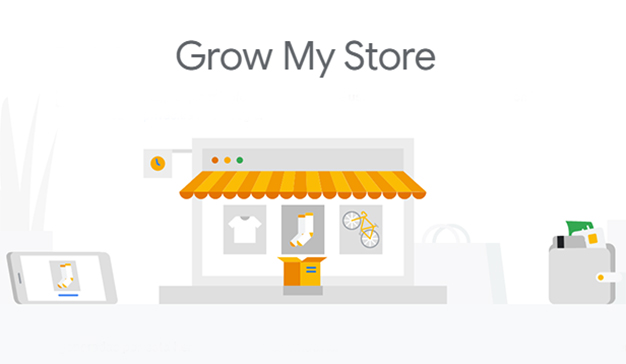
The Benefits of Google’s Grow My Store Tool for eCommerce Websites

How to Increase Ecommerce Sales: 10 Tactics From 53 Experts

As the world’s leading search engine, Google is in a good position to understand what makes online stores successful. Indeed, its influence gives it the power to set the criteria by which eCommerce websites are judged. Its latest tool, Grow My Store, is designed to provide online shop owners with valuable information and site analysis that can help them improve. Here, we’ll take a closer look at what the tool has to offer.

What does Grow My Store do?

Improve Your Retail Website Customer Experience | Grow My Store

Google’s primary objective is to offer its users the best search results. While it constantly works to improve its search algorithm, it also tries to improve the quality of the websites that feature in its search results. Those that follow its guidance generally end up ranking higher. This is why it has so much power and influence. One of the key attributes that Google wants online stores to improve is customer experience. The Grow My Store tool was designed with this in mind and is particularly aimed at small and medium-sized retail sites.

In a nutshell, the Grow My Store tool will scan your online store and provide you with a customer experience report which will point out what you are doing well and areas where you should look to make improvements. The benefits, apart from helping your site to be more Google-friendly, are that improved customer experience can increase your revenue by as much as 15% and also help you cut costs.

What kind of websites can use Grow My Store?

25 Retail News Websites You Can't Afford to Miss

The tool is designed to analyse the websites of all retailers, whether you only sell via a bricks and mortar store, only sell online or sell both online and in store. The feedback you get is tailored to the particular business model that you have. However, while the tool is helpful for retailers who don’t sell directly from their websites, it’s not designed to help businesses that aren’t in the retail sector.

Getting started with Grow My Store

Enhance your ecommerce site with Grow My Store - Think with Google

Like most of Google’s website analysis tools, using Grow My Store is easy. Simply visit the Grow My Store page and paste in your website’s URL and click the ‘Get Started’ Button. You will then be asked to choose your business model (i.e. online only, physical store only or both) so that results can be tailored to your needs.

After this, you are asked to choose the sector which best suits your site. The options are limited to apparel, beauty and personal care, computers and consumer electronics, food and groceries, home and garden and other. If you choose ‘other’, you are able to type in something more specific. Once this information is inputted, the tool will begin analysing your website. To get the full report, you’ll need to sign up or sign in.

What kind of feedback will I receive?

How to Get Customer Feedback (20 Tried & Tested Methods)

Google will analyse your site on 22 areas of customer experience best practice. These include basic things like having a returns policy, clear pricing and adequate product information, as well as website features such as easy site navigation, live chat support and a customer-friendly checkout process.

The tool will analyse site speed, including loading times, how long it takes for customers to be able to interact with the site and the time it takes for the site to respond to interactions – all of which can affect bounce rates and shopping cart abandonment. It will examine mobile friendliness, which is increasingly important as more people shop with smartphones and use them to search for local stores. From a security perspective, it will look to see whether you have an SSL certificate installed that encrypts data sent between the user’s browser and your server, keeping payment details secure.

Other areas the tool will report back on include whether you have product ratings enabled; if you display basic store information (e.g. opening times and location and direction details for physical stores); how well your site offers personalisation; how easy you make it for customers to order, return and collect products; and the quality of your fulfilment and customer service.

When completed, the tool will give your store an overall rating and compare it to the average of similar stores. It will also offer advice and guidance on areas in which it thinks you can improve.

Conclusion

It’s always helpful to get feedback on the quality of your online store. The information provided by Google’s Grow My Store Tool can offer insights that you might not have previously considered or highlight issues that you were unaware of. What’s more, it can show you how well your site performs in relation to your competitors. Hopefully, it can help you improve your customer experience and reap the benefits of doing so.

The 6 Best Free Places To Help Promote Your business

9 Tips on How to Promote Business Online in 2021 | Paldesk

If you want your business to be a success, you need to promote it to as wide an audience as you can. Getting the message out there, however, can be expensive. The cost of pay per click advertising and other forms of paid promotion can soon use up your marketing budget. To help, we’ve put together a list of the top free to use places that can seriously boost your marketing reach.

1. Google My Business

Google My Business – Drive Customer Engagement on Google

Google My Business is a very useful place to list your business as it makes it highly visible on the world’s most used search engine. As Google search is available on Android phones, it’s also great for local businesses. Not only does the listing increase your chances of being found; it also provides searchers with a wide range of information about your business. They can use the listing to visit your website, send messages, read reviews, get directions and call you. You can also upload images, offers and deals, display your opening times and more. It even lets users follow you.

2. Bing Places

Get Your Business Found With Bing Places For Business |

Bing Places is Microsoft’s version of Google My Business and is available on Bing. Though It doesn’t offer all the same features or have the same reach as Google, it still enables you to create a profile with a company description, directions and links to your website and Facebook page. Unlike Google which features its own reviews, Bing lets you display reviews from other sites, like Facebook or Yell.

3. Apple Maps Connect

Apple Maps Connect - Apple's Local Online Business Directory

Apple Maps Connect is the place to list your business for viewing on Apple devices like iPhones, Macs and iPads. With millions of iPhone users, this is also ideal for local businesses. Just like the two examples above, you can display your basic business information, including address, phone number, business category and opening hours, as well as providing links to your website and social media pages. You can’t upload images (yet) and the reviews Apple uses are taken from third-party sites like Trip Advisor.

4. Yell

Yell (company) - Wikipedia

The services mentioned above mean that fewer people need to visit sites like Yell to find businesses. However, quite a lot still do and it can attract visitors and generate new business. As businesses listed on Yell are also indexed by search engines, the link to your website from it can help your website to rank better.

The free listing enables you to display name, address, opening times and photos. Reviews can be made through Yell and these are displayed on your profile page. There is a map, but it doesn’t give directions.

Yell has a paid-for premium service. At some point, its representatives will call you to try and persuade you to upgrade.

5. Facebook

15 Hidden Facebook Features Only Power Users Know | PCMag

With over 2.6 billion active users, Facebook is a place you can’t afford not to promote your business. Setting up a Facebook Business Page is free and easy, though you will need a personal Facebook account first. Facebook business pages give you lots of potential to share company information, contact details, directions, website links, videos, images and blog posts. You can use it to communicate with other users, answer questions and show reviews. What’s more, Facebook is developing a storefront which will enable you to sell products directly from the site and now has a Facebook Manager service which lets you control all aspects of managing your business on the platform.

6. Instagram

What Is Instagram and How It Works: a Beginner's Guide

Owned by Facebook, Instagram Business offers a broadly similar suite of features to those of its parent company. The key difference between the platforms is in the type of content used on the sites and the types of people who use them. Generally speaking, Instagram is very popular with younger people and is mainly used for sharing videos and images. For companies that promote themselves using these forms of media and are targeting younger people, this makes it an ideal choice. The platform even provides tools to enhance the content you create.

Instagram is also developing a storefront to sell products directly from your business page, but this is likely to be launched sometime after the Facebook version.

Conclusion

Savvy businesses need to take every opportunity to promote themselves and the six places listed here offer plenty of opportunities for doing that. They all have large numbers of users and are established places where people go to search for businesses. They provide a range of means to display business details, give directions, provide reviews, get contacted and showcase your products and services. What’s more, they are free and won’t put a dent in your marketing budget.

7 Ways to Make Your Linux VPS More Secure

13 Steps To Increase CentOS Linux VPS Security - OperaVPS

Offering superb performance, greater storage and increased reliability for a minimal increase in costs, Linux VPS has quickly become the go-to hosting solution for those upgrading from shared hosting. Just like with any other hosting solution, it’s vital that you keep your VPS secure. In this post, we’ll provide some important tips on how to do that.

1. Set up and configure a firewall

Firewall configuration with system-config-firewall - TechRepublic

Firewalls are essential to keep your VPS secure. They protect you against cyberattacks by blocking malicious network traffic and prevent malware from accessing your server via the internet. To work effectively, they need to be correctly configured.

Anteelo firewalls provide robust security, offering custom firewall rules and application defence, together with protection against DDoS, intrusion and malware.

2. Disable root logins

How to Disable SSH Root Login in Linux

Hackers love default usernames which is why brute force attacks always begin by trying the username ‘admin’. With a Linux VPS, there’s also the default username ‘root’ which hackers are familiar with. Disabling logins that use the username ‘root’ prevents it from being targeted by a brute force attack. To do this, first create a new admin-level user with a different username and then disable the ‘root’ login.

3. Keep your OS software updated

How to keep your business software up-to-date | Tech Donut

While vulnerabilities in operating systems are usually found and patched very quickly, not everyone updates to the latest version swiftly and this leaves their VPS at risk of attack. Cybercriminals use sophisticated bots to seek out those vulnerable servers so they can be targeted.

Unless your applications require you to run a legacy OS, it is essential that you update your OS as soon as an update or patch is released as this will remove any vulnerability. If you are a customer of Anteelo, our managed service means we’ll take care of this on your behalf. We’ll also update your control panel and the virtualisation software that the VPS runs on, too.

4. Take control of your software

6 Steps To Take Control of Your Software Quality | by Emre Dundar | Devops Türkiye☁️ ? ? ☸️ | Medium

Just as with your operating system, hackers will seek out vulnerabilities in all the software you use. One of the ways to minimise risk is to delete any unnecessary applications that came bundled with your server and only install apps and add-ons that you actually need.

For the software that you do need, setting up automatic updates from within your control panel will ensure that, should a security patch be released by the developer, your server will have the latest, secure version as soon as it is available.

5. Use strong passwords

How to Create Stronger Passwords - businessnewsdaily.com

Brute force hackers now use AI-enabled software that accesses databases of stolen usernames and passwords to help them find the right login credentials. A weak username/password combination can be cracked in seconds. Forcing users to choose strong passwords is the easiest way to prevent these advanced techniques from being successful. Even better, implement two-factor authentication.

It is also worth remembering that this type of hacking will need multiple login attempts before it is successful. A further layer of protection can be achieved by using the ‘faillog’ command to limit the number of attempts a user makes before they are locked out. Hacking software will make continuous and very quick attempts to log in, so setting a limit will prevent this from happening.

6. Partition your server

How to automate Table Partitioning in SQL Server

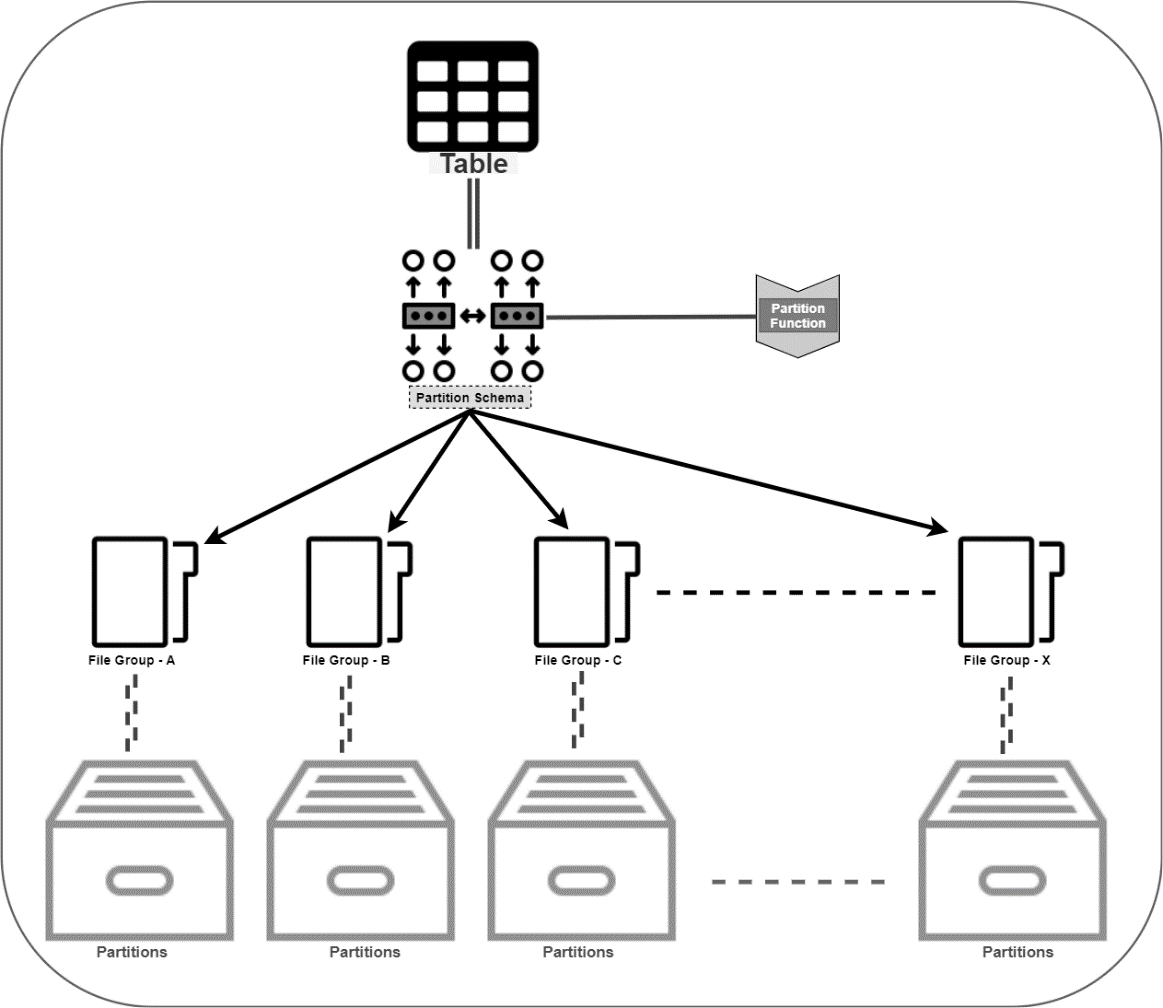
Security can be enhanced by partitioning your server’s SSD. This will enable you to separate the operating system from applications, files and other data. Essentially, this means that if one of your partitions is compromised, the damage that is done is limited. It also means any restoration needed can be carried out quicker.

7. Back up your VPS regularly

How to Backup VPS [5 Tips to Make it Simple] | Liquid Web

Aside from data theft, the other major issue caused by a cyberattack is not the attack itself but how long it keeps your business offline. With your applications down, you will be unable to carry out the operations that your business relies on, such as your website, email, manufacturing or other critical IT processes.

The key to swift recovery is having an up-to-date backup in place which can quickly restore all your affected applications, files and data. Without a backup, some data could be irretrievably lost and restoration of services could take too long for your business to survive.

At Anteelo, we provide a backup solution that stores your data remotely, encrypts it for security and checks it for integrity so you know that it works. What’s more, you can schedule backups to occur automatically so that you always have an up-to-date copy of your files or even your entire server.

Conclusion

A VPS provides exceptional hosting for growing businesses, but like all hosting solutions needs to be protected from the growing number of cyberattacks. The seven tips discussed here should help you make your VPS far more secure. Of course, with the right web host, much of the security will be taken care of on your behalf and you’ll have 24/7 technical support to provide expert assistance if the worst happens.

Which is Better: Cloud or On-Site Servers?

The Pros and Cons of Cloud vs in house servers - Arrow Voice & Data

On-site servers are the traditional way to run business applications. Today, however, they face stiff competition from the cloud, a platform that has revolutionised the way companies operate. While the ultimate decision about which is best depends on the needs of the individual company, here, we’ll examine the pros and cons of both, to give you a more informed understanding.

Costs

Mobile App Development Cost Breakdown: 10 Biggest Hidden Costs

Though on-site servers are exceptional pieces of high-performance equipment and can be built to your own specification, they are very expensive to purchase. What’s more, as technology quickly advances, they can soon become obsolete. The use of more resource-heavy apps and the increasing amount of data being stored means businesses regularly need to upgrade to more powerful servers with bigger drives – a constant burden on budgets, especially when you need to keep redundant backup servers ready to take over in case of a hardware failure or other disaster. In addition, there are all the associated costs of running servers in-house: energy, premises, security, insurance, maintenance and management.

The cloud offers a completely different type of model: Infrastructure as a Service (IaaS). IaaS allows an organisation can dispense with its own datacentre and run its applications on the infrastructure of its service provider. There is no need to buy the hardware, maintain a datacentre or pay any of the associated costs. These are all taken care of by the vendor. Of course, the service isn’t free but the costs are paid monthly making it easier on cash flow.

Furthermore, it’s the cloud vendor who will cover the costs of hardware upgrades and ensure that the hardware is maintained. Unlike on-site servers, the virtualisation used in cloud computing means your applications will remain online for 100% of the time even in the event of hardware failure.

Software

Software 101: A Complete Guide to Different Types of Software

Businesses with on-site servers have complete freedom over their choice of software and this enables them to keep using legacy applications which may not work in a cloud environment. That said, the majority of applications can be migrated to the cloud without issue and there are many cloud-native applications, including advanced tools like artificial intelligence and machine learning that work best in a cloud environment.

Another consideration is accessibility. With the cloud, a business will need internet connectivity to access applications. While this was a drawback many years ago, today, nearly all businesses and their machines have internet connections and users will be able to just log in and go, whether they are in the workplace or working remotely. Applications that run on an on-site server don’t need an internet connection for users to access them. However, users will need to be connected to the business network and this means they won’t be able to access the apps remotely.

Though not every business needs quick deployment, cloud-based applications can be deployed in minutes. With an on-site server, they may need to be installed on the server and, in some instances, on each users’ workstation. For companies that need to move quickly, the cloud can provide accelerated development.

The final thing to consider is software cost. Most applications used in the cloud are open-source and free. When it comes to proprietary software, those with on-site servers will have to pay the full cost of the software licence, while in the cloud, you’ll often find the vendor has purchased a licence that enables them to share the software with clients for a reduced cost and this will be spread over their monthly payments.

Security

Security Policy

While some companies might worry over the security of the cloud, it’s worth remembering that cloud providers have to comply with stringent regulations to keep their infrastructures secure.

The chief security benefit of an on-site server is that its single tenancy offers potentially greater compliance for the storage of sensitive data. Of course, that all depends upon how secure the on-site server is. Implementing advanced security measures comes at a cost that is too high for many businesses. With cloud vendors investing heavily in security expertise and the latest tools, like next-gen firewalls and intrusion and malware prevention, they often provide more robust security than can be implemented in-house.

Scalability

Scalability in Cloud Computing & Why We Love AWS | Logicata

As mentioned earlier, businesses are using more resource-hungry applications and collect more data. Scaling up horizontally in a datacentre can be very expensive, whereas scaling vertically by upgrading your server will mean taking it offline and paying for the new components. Neither of these is ideal, especially when peaks in demand require additional resources to be instantly available.

In the cloud, scaling up just means using more of your vendor’s vast datacentre resources and this can be done at the click of a button. What’s even better is that scaling up and down can be done on demand and is charged for on a pay as you go basis, so there is no long term charge for additional resources which aren’t used. This is far more cost-effective than paying for additional on-site hardware that largely remains redundant.

Conclusion

Cloud and on-site servers are both powerful solutions. On-site dedicated servers are best suited for high-performance applications and single tenancy storage compliance whereas the cloud is ideal for high availability, scalability and swift deployment. Additionally, the cloud is less expensive, offers access to digital transformation technologies and provides internet connectivity for users to access the system remotely.

4 Ways Your Web Host Affects Your Google Ranking

What's the Difference Between Web Hosting and Domain Hosting? | Elegant Themes Blog

During its latest algorithm update in May 2020, Google has tweaked a number of its ranking criteria which are directly related to the quality of your web hosting. Here, we’ll look at what aspects of your hosting can influence your website’s ability to rank and explain how they are important.

1. Site loading speed

9 Ways on How to Improve Your Website's Loading Speed

Site speed is important to search engines because it improves the customer experience. Slow-loading websites have much higher abandonment rates because users just aren’t willing to wait for them to load. For this reason, the slower a site performs, the less likely Google will feature it in its results – it looks bad on them. What’s more, to do well, the site needs to perform quickly on both mobile devices and PCs.

Website loading times are an important web hosting feature for Google. While there are several things you can do to speed up your website that don’t rely on hosting, such as image optimisation, compression, minification, caching and the use of content delivery networks, ultimately, the performance of your server is critical.

Google takes note of a number of timescales when judging performance, such as the time it takes to start loading content on a browser, how quickly the page becomes interactive and how long it takes for your server to respond to an action performed by the user, for example, clicking on a link. If your server performs too slowly on any of these criteria, it will affect your page’s ability to rank.

Choosing a web host that uses high-performance servers, such as those with SSD drives and Intel Xeon processors can speed up performance dramatically. So, too, can upgrading to a more powerful solution, such as VPS, cloud or dedicated server.

2. Server uptime

100% Server uptime – why aren't you achieving it?

While Google doesn’t like sending users to slow loading website’s, it is perhaps even less happy about sending them to sites which are frequently offline. If it keeps supplying links to sites which aren’t there, people will use an alternative search engine. Google, therefore, monitors the amount of time that websites are online and uses this as part of its ranking algorithm.

There are numerous reasons your site can go offline. Some of these are related to things you do on your site, such as putting it into maintenance mode or causing it to crash through installing incompatible software or making coding errors. Other reasons can be due to your web hosting, such as when your server needs its operating system patching and updating.

With some hosting solutions, however, the amount of time your website goes offline can be unacceptable to Google. For example, if the hardware is outdated, unreliable and keeps breaking down or if too few resources are available for shared hosting accounts that the server simply can’t cope with the amount of traffic. In these instances, it can affect the site’s ranking ability.

To protect yourself, ensure your web host offers guaranteed uptime backed by service level agreement (SLA). The minimum you should be looking for is 99.95% uptime. If you require 100% uptime, then you need to choose a cloud hosting solution.

3. Server location

How Server Location Impacts Your Website

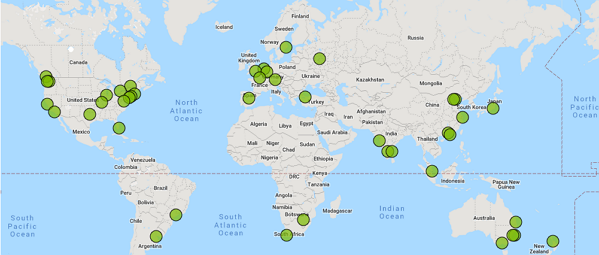
Data needs to travel from A to B and the further it has to go, the longer it takes. This increases latency, making your server respond slower to requests from a user’s browser and, thus, reduces site speed.

While it is possible to speed up global loading times using a Content Delivery Network (CDN), this only works for static website data, i.e. website content that remains the same. For websites that provide lots of dynamic data, i.e. pages that change for individual users or which display things like product search results, the nearer the server to the browser, the better the performance.

Ideally, therefore, you need a server geographically located closer to where most of your traffic comes from. If you are a UK based company, it makes sense to have your website hosted on servers in a UK based datacentre.

Some web hosts, however, store their data all over the planet, much of it in huge US data centres. Even if the company is UK based, its servers may be anywhere. At eukhost, all our datacentres are located within the UK.

4. SSL certificates

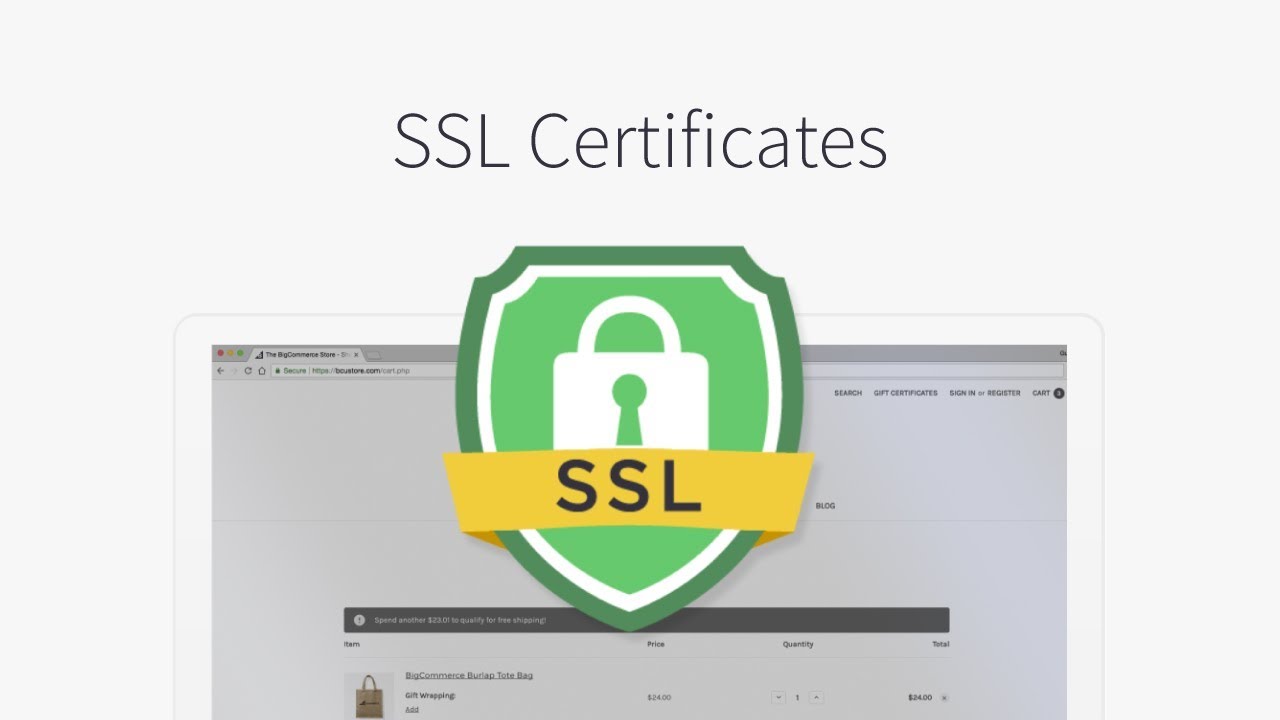
SSL Certificates | BigCommerce Tutorials - YouTube

The padlock icon displayed on browsers is a clear indication of how seriously Google takes security. The last thing it wants is to send its users to sites where their financial data may be at risk of interception because of an insecure connection between the browser and the website.

Today, the security of that connection is key to performing well in search engine results. The only way to obtain a green padlock icon is to install an SSL certificate that will encrypt data travelling between the browser and the server. These are normally obtained via your web host.

There are different types of SSL certificate and the one you need depends on the level of security required for your organisation. A good web host will provide all the different types available and give technical help to install it if required.

Perhaps less well known is that a basic Domain Validated SSL can now be obtained free of charge from the Let’s Encrypt certificate authority. eukhost, which is a sponsor of Let’s Encrypt, enables its customers to install these free Domain validated SSL certificates directly from within your cPanel control panel. Many web hosts, however, prevent this, forcing customers to buy alternate SSLs and pay an annual fee for their use.

Conclusion

In its drive to provide better services to its users, Google is pushing websites to up their game. From a web hosting perspective, this means having a site that loads quickly on all devices, has minimal latency, is reliably online for 99.5% of the time or more and which provides secure, encrypted connections. Websites with these things in place will find themselves better positioned by Google’s algorithm.

error: Content is protected !!