So Here is what Android borrowed from Apple’s iOS

Android vs iOS: Which mobile OS is right for you? | IT PRO

As the mobile world is getting overflowed with new devices and mobile apps, the users’ demand for more innovative features is touching the sky. It has become imperative for all mobile companies to introduce a WOW factor to their operating system for gaining the limelight in the market. In this constant race of engaging their target audience with convenience and innovations, many times Google and Apple have been found to get inspired by each others’ ideas and features. They, in different instances, have shown that they pick the best features of each other and introduce them in their devices. Remember when Tim Cook said he relies on Google Search? This give and take of inspiration is something that is still in practice in the year 2019. While, we have heard a lot about the features Apple copied from Google’s Android, today we will be looking at the other side of the coin. Meaning, the features that Google has cloned from Apple’s iOS in 2019 and earlier. Features that have traditionally played a role in defining the Android mobile app development cost.

Android Features that Have Been Inspired from Apple

1. Fast Sharing Feature

Google Fast Share gets a revamped share sheet and new settings location

Google is introducing a ‘Fast Share’ feature on Android devices that will work similar to AirDrop in Apple. This feature will combine WiFi and Bluetooth functionalities together to send files, URLs, and text snippets to people nearby.

However, there will be a difference. Unlike AirDrop, the transfer functionality will not be confined to your contact list and device. You will be able to share files with anyone using Chromebooks, iOS smartphones and who wear AndroidOS smartwatches.

2. Battery Saving Features
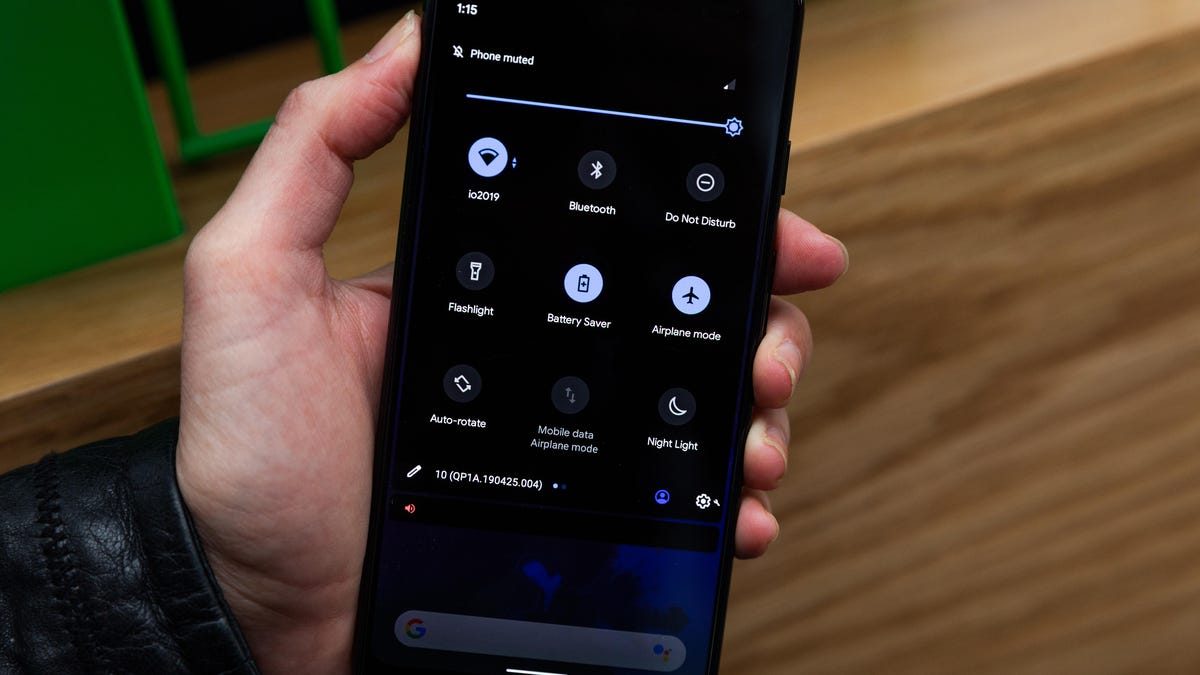
Save battery life by using Android's built-in dark mode - CNET

Google has announced that Battery Saver will be one of the significant Android Q features that will hit the market in 2019. This feature will turn off the battery saver mode automatically when the battery is charged up to 90%. Likewise, it will turn the Battery saver mode ‘on’ again when the charger is unplugged.

It is again a feature that is much like the ‘Low Power Mode’ of iOS, where the battery saving option is turned off automatically when the iPhone is charged to up to 80%.

3. Facial Recognition
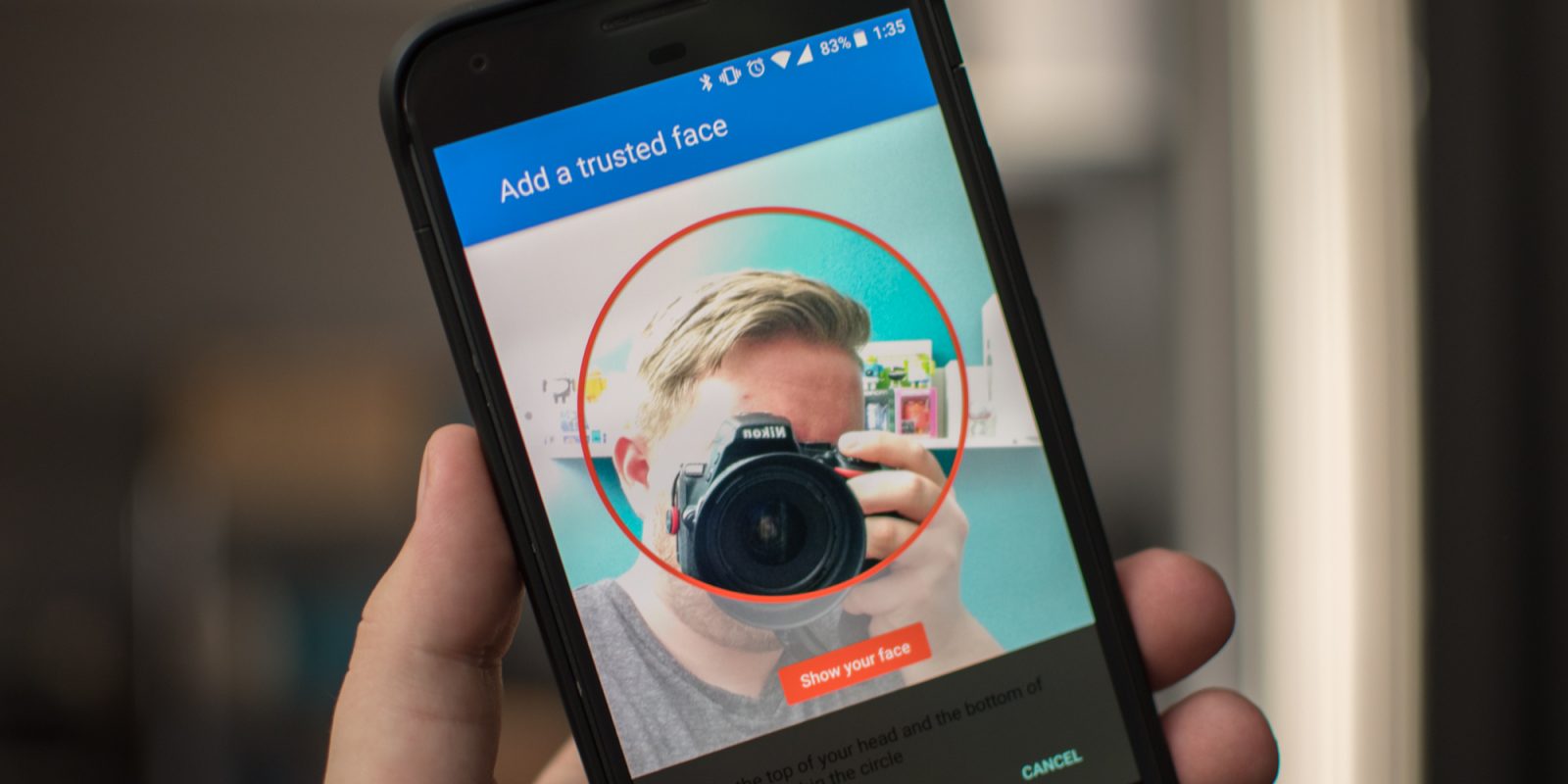
How to unlock your Android device with camera-based face recognition - 9to5Google

The feature of unlocking devices and apps using facial recognition or better say Face ID is again a feature that Apple brought into the market. They first introduced the idea of scanning faces for authentication purposes, which is now considered as the main element for Android devices.

In fact, as per the sources, Android Q is coming up with an advanced level of facial recognition features that will give heads on challenges to Apple’s Face ID feature.

4. Native AR

Augmented Reality & React Native. It all started with Google Glass' and… | by Rody Molenaar | Medium

Google has proven to be the best in the market to try different AR-based features on smartphones and other devices. They have brought various new opportunities in the market with respect to AR technology. A recent proof of this is that Google, as per the sources, is introducing AR effects into their messaging app to make it competitive to Apple’s iMessaging app.

However, it was Apple IOS who took the first step in the direction of integrating Augmented Reality in the mobile world and give us the best of both the real and virtual worlds.

5. DND (Do Not Disturb)

How to Customize Do Not Disturb Settings on Android

Again, Apple introduced the idea of making the process of DND (Do not Disturb) accessible and visible to users. They took the first step of giving users an opportunity to customize the DND activities and manage them. Google just followed the footsteps of Apple to give this freedom to Android users and give them a peace of mind during meetings and in other such situations.

6. Gesture Controls
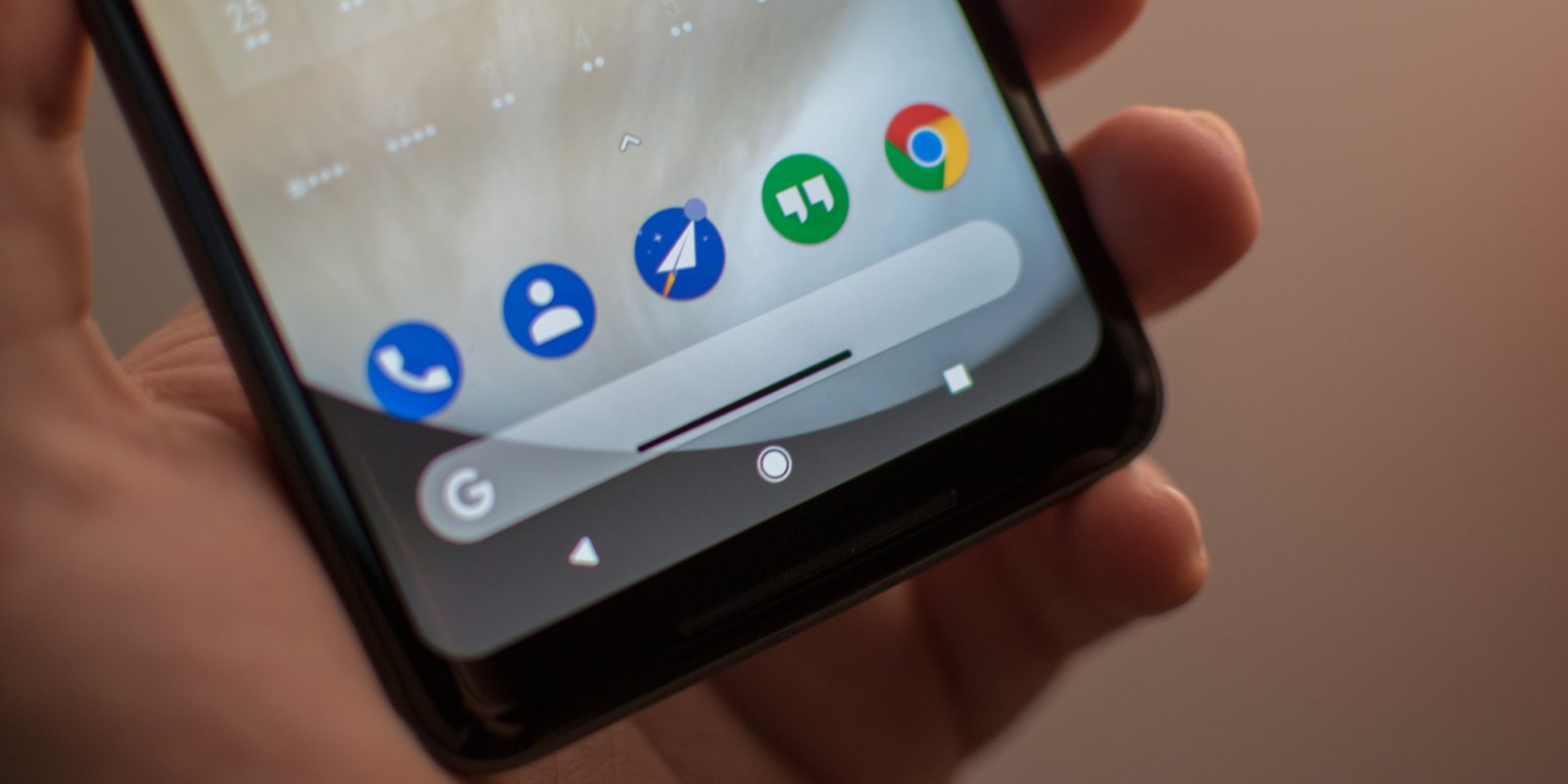
How to set up and use (very hacky) gesture navigation controls on any Android phone - 9to5Google

The gesture control facility that we are enjoying on Android devices is also one of the features copied from Apple devices. It was Apple who ditched the home screen button and introduced the idea of using gestures for operating devices. And now, Google has brought this feature into the Android market.

7. Emojis

Emojis: The Complete History ?? | by Tory Walker | Medium

Not just the technical features, Apple has also proven to be the first in the market for making app experience enjoyable. They have introduced a series of realistic emojis right from the beginning. And Google is known to be trying to bring improvements in their emojis every year to make it aligned to Apple’s emojis.

8. App Store Features

How Will The iOS 11 App Store Affect Your App? | Instabug Blog

Asking users for a one-time and all-or-nothing request before installing any application is an old Apple approach. And now, Google has also introduced Apple’s features of apps asking for users’ permission for the first time for accessing the camera, or other such features.

9. Performance Improvements

Improve Appraisal Reports in 10 Steps | The Appraiser Coach

Google again turned towards Apple for learning how to deliver higher performance and user experience to their target audience.

Just like Apple, Google has also started showing no support for older devices to cut down the efforts of Android app developers to make their app features available for all the devices. And this way, the tech giant has come up with a solution to fight against the challenge of platform fragmentation, while ensuring that the performance is not compromised.

Bonus: Ecosystem

It was Apple that introduced the idea of making an ecosystem where all the Apple products function in sync with each other. They initiated the concept of building a synergy between products and brand services to ensure users never leave the ecosystem and the ROI numbers remain intact.

Google has recently embraced this concept of connecting all of their services to encourage users to leverage their services and thus, add to their profits directly or indirectly.

So, these were some of the significant features that came to Apple’s iOS first before they were applied in the Android market, making both the platforms appear similar to some extent.


Google Local SERPS might be affecting your Business

Google SERP: Meaning, Features, Examples & Preview Tool

Google has changed the way it promotes local businesses in its search results and for many companies, this can have a serious effect on their ability to attract new customers. Here, we’ll look at what these changes are and how they are having an impact.

How things are changing

The World of Sales and How Things are Changing

Until recently, anyone undertaking a Google search for a type of business in their local area would have been provided with a list of ten nearby businesses. Clicking on the links in these results would take the searcher to the business’ website where they could discover the information they required. Those companies that appeared in these lists would have been the recipients of higher rankings, increased traffic, and the consequent conversions.

Recently, however, this list has been reduced, first to seven and now to just three – making it harder for many local businesses to be featured. While this decision might be some way down to making the results more mobile-friendly, there are other changes, beyond this, which show Google to have moved its stance on how it promotes local businesses. Here are three of the main ones.

1. Keeping users on the Google website

Website Tracking: Why and How Do Websites Track You? | Blog | CookiePro

One of the key changes we are seeing is that Google is trying to keep its searchers on its own website rather than sending them to that of the local business. There has been a significant increase in the number of search results, especially on mobile devices, that do not require the user to go beyond the information provided by Google’s interface. With mobile visibility being key to local businesses, as customers search on smartphones while out and about in local areas, this is a cause for concern.

Indeed, even when a search is done for a specific company, the display of the company’s Knowledge Panel means customers can access a wide range of information without the need to click through to the website. For instance, they can find out the basic company details, see images, take a virtual tour, read reviews, make a reservation, phone up, ask questions, see the opening hours and when the place is busy. And as all of this can be done on the Google results page, it means fewer searchers will head to your website. This doesn’t necessarily mean, however, that you will get fewer customers as the information provided by Google might be enough to win them over.

2. Ads appearing in the local search results

Google Local Search Ads: Everything You Need to Know

While it is worrying that the number of businesses being displayed has fallen from ten to three, a further issue is that other businesses are allowed to appear alongside them because they have paid for the listing. In a recent survey of over 10,000 local search results, a third of them also contained ads.

Indeed, with its Local Service Ads scheme, some now consider that Google’s stance is to develop itself as a local lead generation provider.

3. Ads appearing alongside your Knowledge Panel

Google's Knowledge Panel What is it and how to get one?

Another disturbing factor is that when a Google user searches for your specific company, the internet giant now intrudes this space with the paid for content of others. For example, you may see ads above and below it followed by an ‘Other Users Searched For’ list of businesses beneath that.

What do these changes tell us?

Science Says That Travel Changes You - Tell Us Something We Don't Know | Remote Year

Overall, the focus of Google’s local search results has changed. Today, instead of simply providing users with links to local business websites, it’s more concerned with providing information about these businesses which keeps the searcher on Google itself. Indeed, with millions of Google Local Guides contributing to its knowledge about local businesses by answering questions and giving reviews, it can sometimes provide more relevant information that searchers are actually looking for than the company website can. If, for example, a customer wants to know if a business has free parking and Google doesn’t know, it will ask the next Local Guide who visits in order to ensure it can provide the answer in future.

This begs the question of why Google wants to keep users on its own website and the answer to this looks fairly clear –  because it helps it generate more revenue through advertising and in turn, helps its advertisers grow their businesses.

Conclusion

While you may think that this change in focus by Google means that local business websites have become irrelevant, the truth is exactly the opposite. There is a powerful link between the organic performance of your website and your ability to appear in the featured local rankings. So, while there is little you can do about the changes Google is making to keep people on its own site and placing paid ads in local search results, the best way to appear in the three featured local spots is to have the best website that you can. If you are looking for hosting for your local business website, check out our homepage to see our wide range of hosting solutions.

Sure You Can’t Wait to Try Out These 23 iOS 13 Features

iOS 13 Download Available Now for iPhone [IPSW Links] | OSXDaily

WWDC 2019 ended weeks ago with the promise of a lot to offer to the millions of users and the massive developer community. Keeping count of all those everyday announcements and guesstimates is not easy. But knowing the iOS 13 features announced at and after WWDC 2019 event you should be excited about is.

But the rumor mills and sneak peeks into the biggest announcement of the event – iOS 13 is still ongoing.


Like here are the 23 features we are very excited to try our hands on.

1. Performance

Flash running, color marker art, in Chris Marrinan's Comic Art for Sale Comic Art Gallery Room

iOS 13 is an all new fresh, strong take on performance than ever seen before in any OS version. Apple is sending out a number of promises to the users and developers in terms of high app performance like –

  • 30% rise in unlocking the device when using the Face ID
  • Downloads would be 50% smaller and the updates would be 60% smaller
  • The app launch speed would be twice as more compared to the other editions

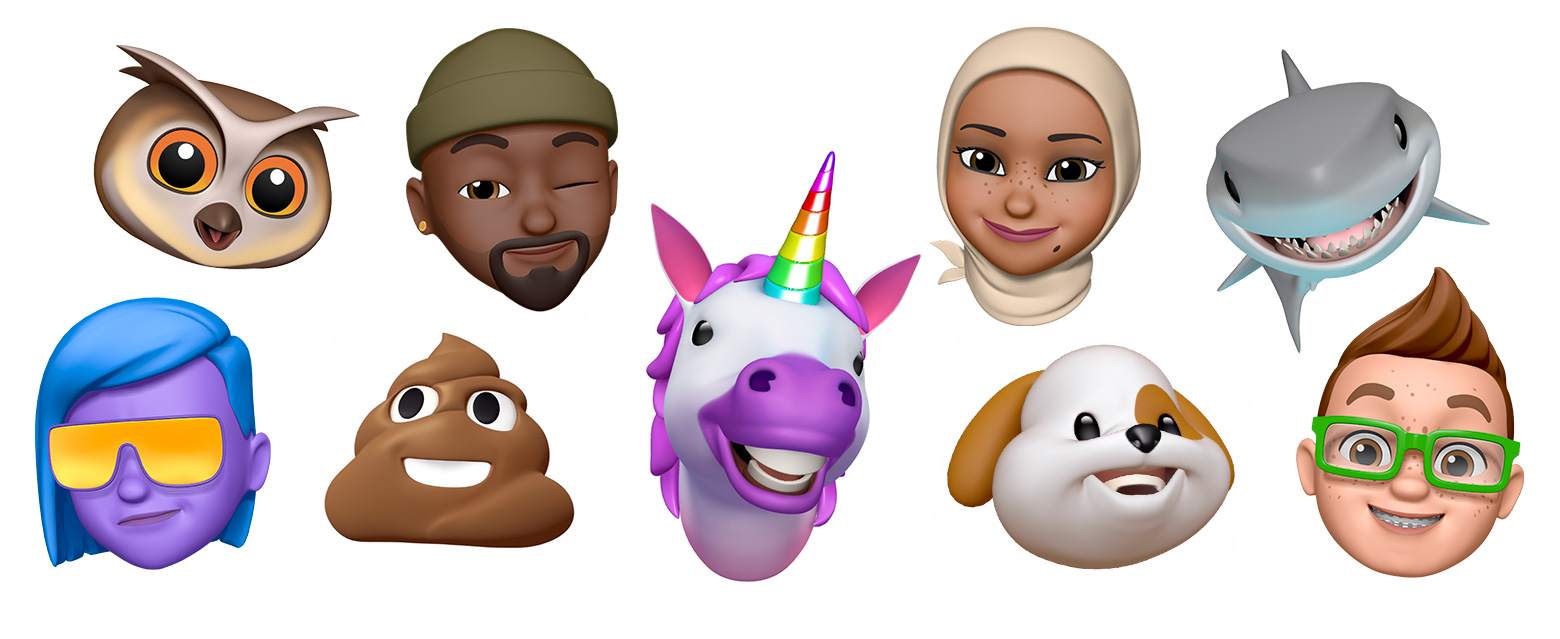
2. New Memoji and Animoji

Use Memoji on your iPhone or iPad Pro - Apple Support

The new class of Animojis and Memojis will get higher customization options including jewellery and hats to new teeth and glasses. You will also be able to give your characters Air Pods.

In addition to this, the new memoji stickers will get created automatically and would be accessed through iOS keyboard – ready to be shared across multiple applications like Messages, Mail, etc.

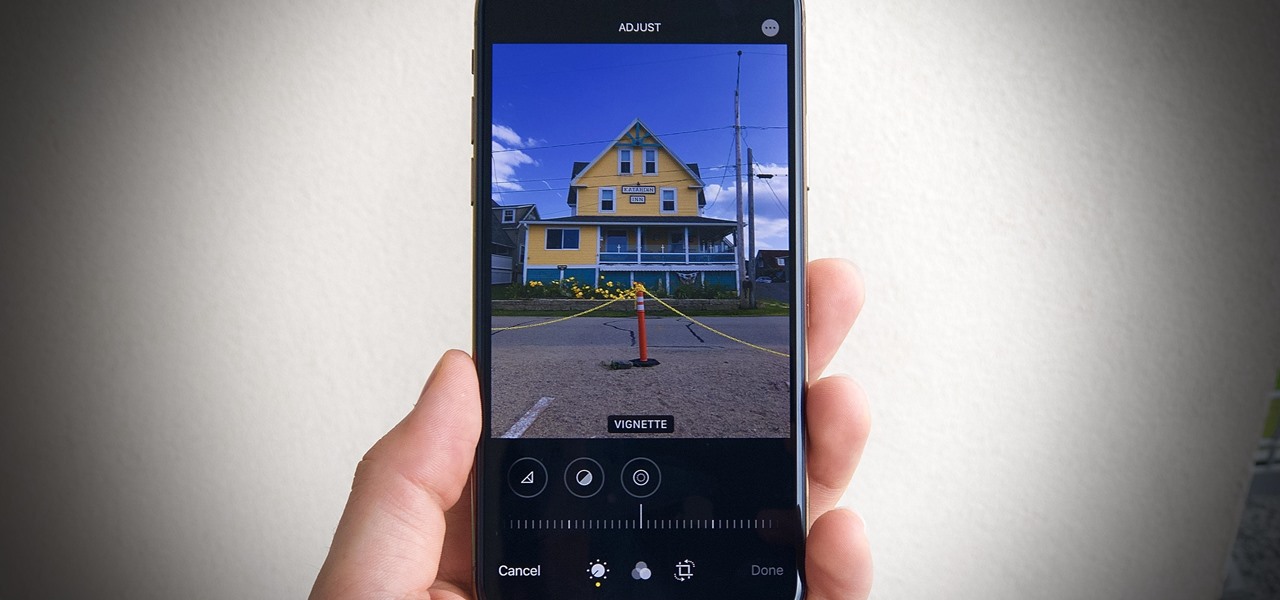
3. Photos and Camera

31 New Features for Camera & Photos in iOS 13 « iOS & iPhone :: Gadget Hacks

The Portrait mode will come with a new light effect known as High-Key Mono and a plethora of editing features which would help you change the light intensity.

The image-edit features of Photos will also get a new design and control based on swipe. The settings which will be used for stills would also be used to edit the videos. You will now be able to add filters and even rotate them.

Lastly, the photo library will see a new organization haul, with pictures getting organized day, month, and year wise.

4. Sign in with Apple

How To Use Sign In With Apple In iOS 13

Apple iOS 13 will give you a new easy and fast way to sign in to services and applications without tracking the associated social logins.

Known as Sign in with Apple, it would authenticate the sign-in using Apple ID without leaking out any personal information.

It would work with TouchID and FaceID and will come with a two-factor authentication mechanism. In case the app requires an email, Apple would create any random email id that would be forwarded to your actual email, thus keeping your real details secure.

5. Apple Maps

Apple Maps in iOS 13: Sights Set on Google - MacStories

The Apple Map has been built with a fresh angle in iOS 13.

A number of alterations have been introduced like the addition of beaches, roads, buildings, and multiple other areas. They have also introduced a new Feature option on the main screen in addition to a new Collections menu for organizing the trips plan and Favorites.

A new ‘Look Around’ feature has also been added which would enable you to see a location before visiting them. You will also get a Label option that would get you details about the specific location.

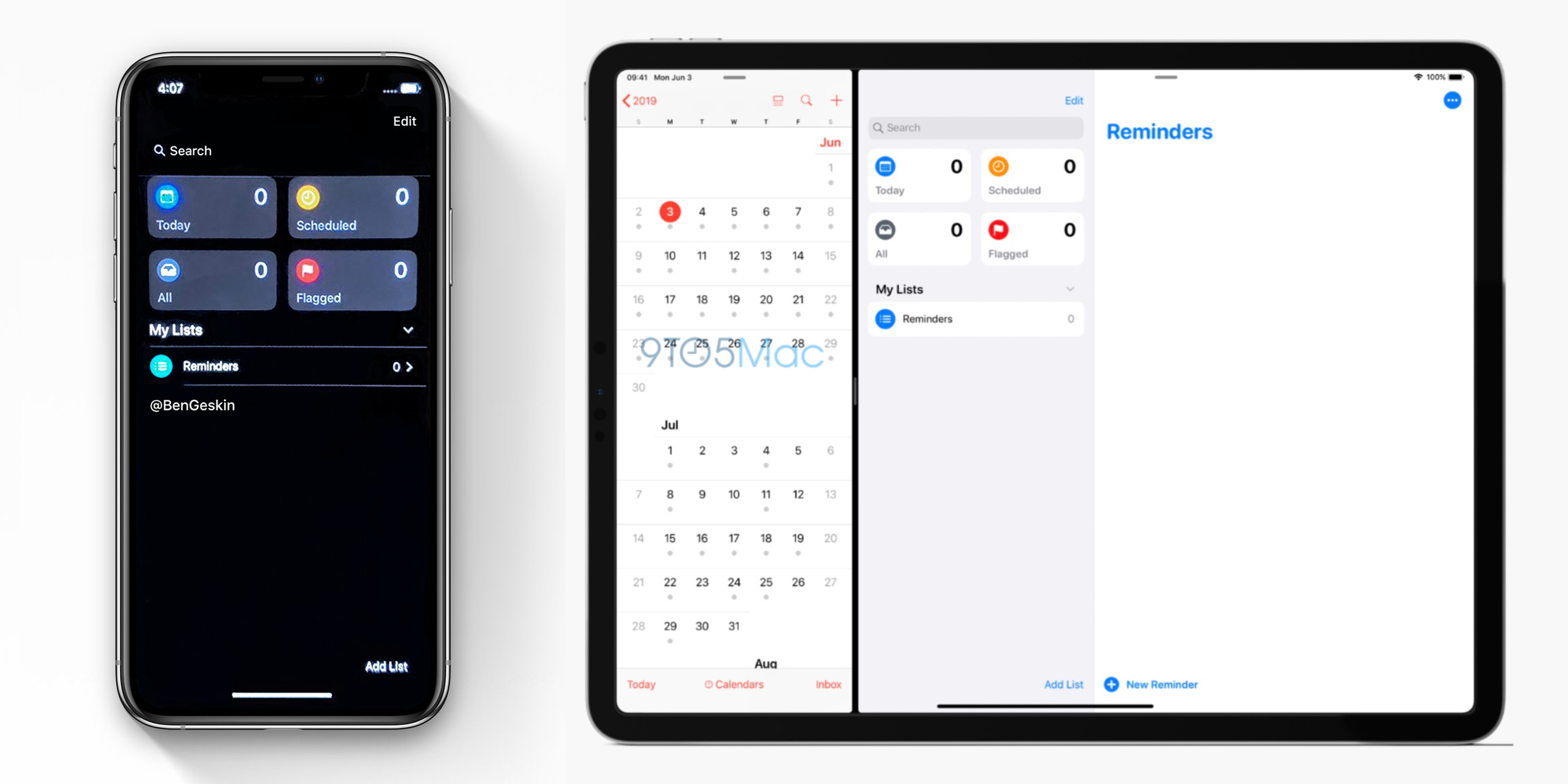
6. Reminder

iOS 13 screenshot: Redesigned Reminders app for iPhone pictured in Dark Mode ahead of WWDC unveiling - 9to5Mac

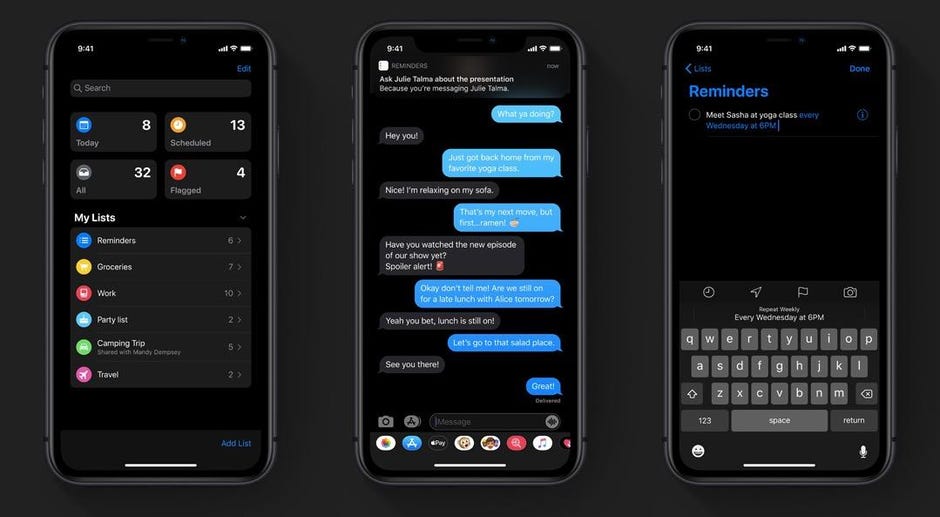
Once the iOS 13 rolls out you will get a new toolbar where you will be able to add times, dates, and attachments. Also, the integration with the Message app has been improved significantly which would enable them to communicate more seamlessly together. It means that a relevant reminder will show up when you message a specific person.

7. Swipe Typing

How to Disable Swipe Typing in Apple's iOS 13 Keyboard « iOS & iPhone :: Gadget Hacks

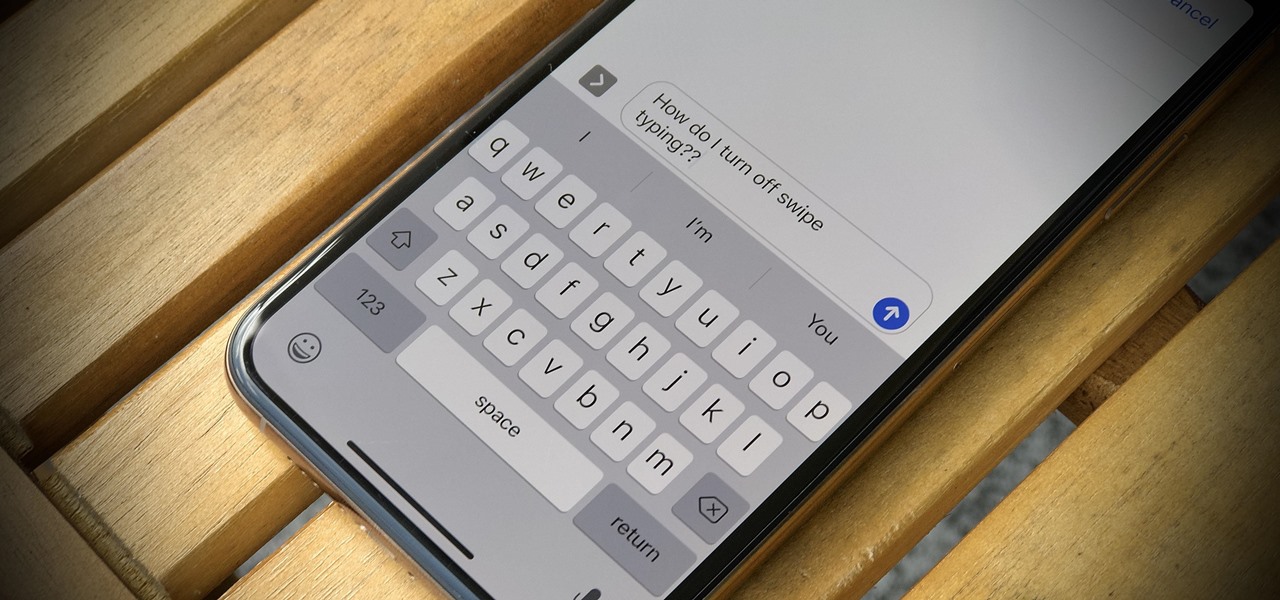
Like Google keyboard, Apple will also give you the functionality of Swipe typing. Meaning you will only have to glide your finger and form words without actually pressing letters in the keyboard – A functionality is poised to strengthen the Android Q vs iOS 13 debate.

8. Health App

A Look at the Health App in iOS 13 - TidBITS

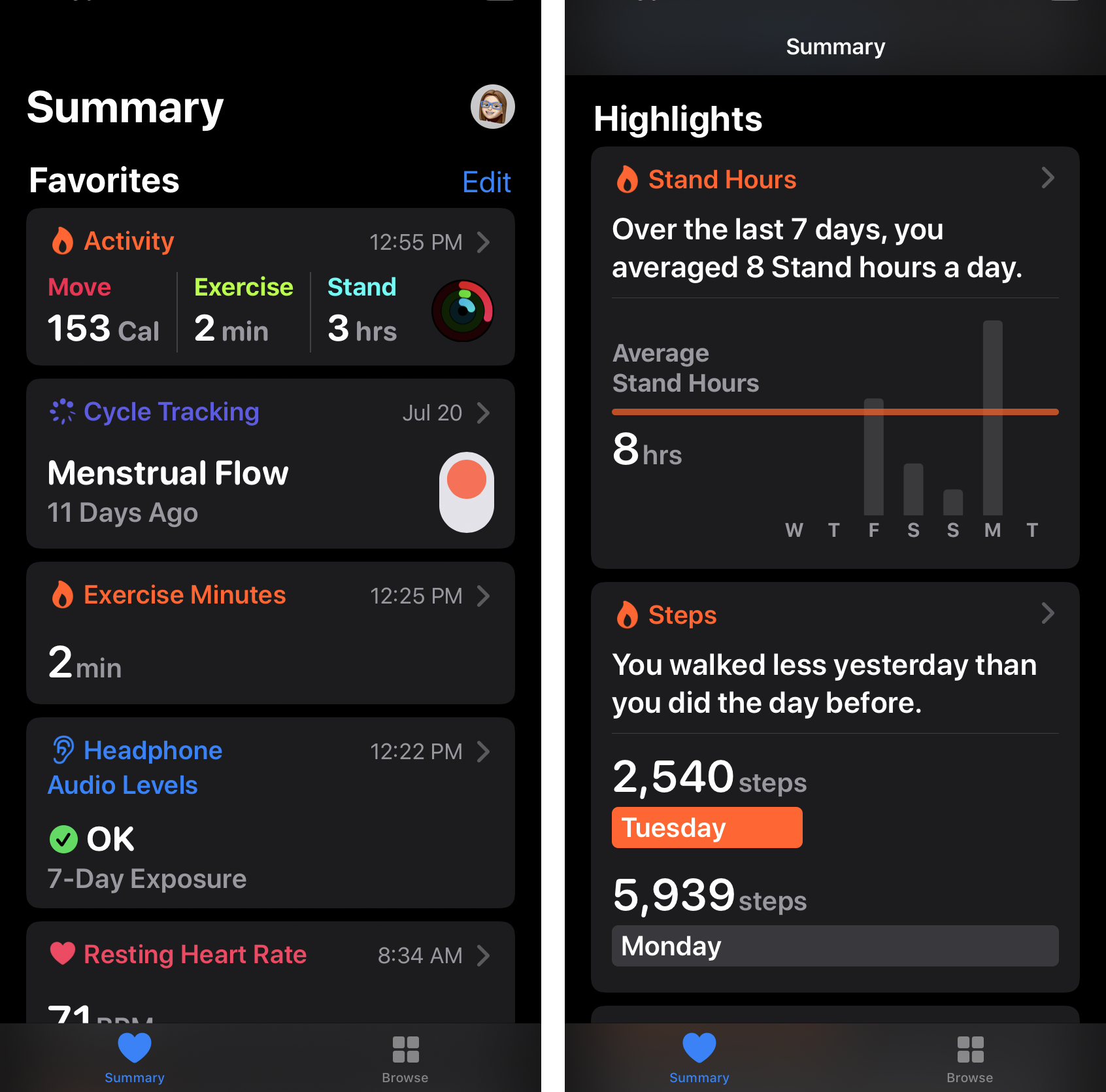
All the different features which are present in the new Apple Watch OS health app will now be present on the iPhone. The Watch OS had added menstrual cycle tracking and activity trends to Apple Watch in addition to two new sections.

The main application will get a new Summary view that would show notifications and a Highlight section that would show the health and fitness data over time. The data will be stored in your iPhone and would be encrypted securely on the iCloud.

9. iPad OS

iPadOS 14: Everything We Know | MacRumors

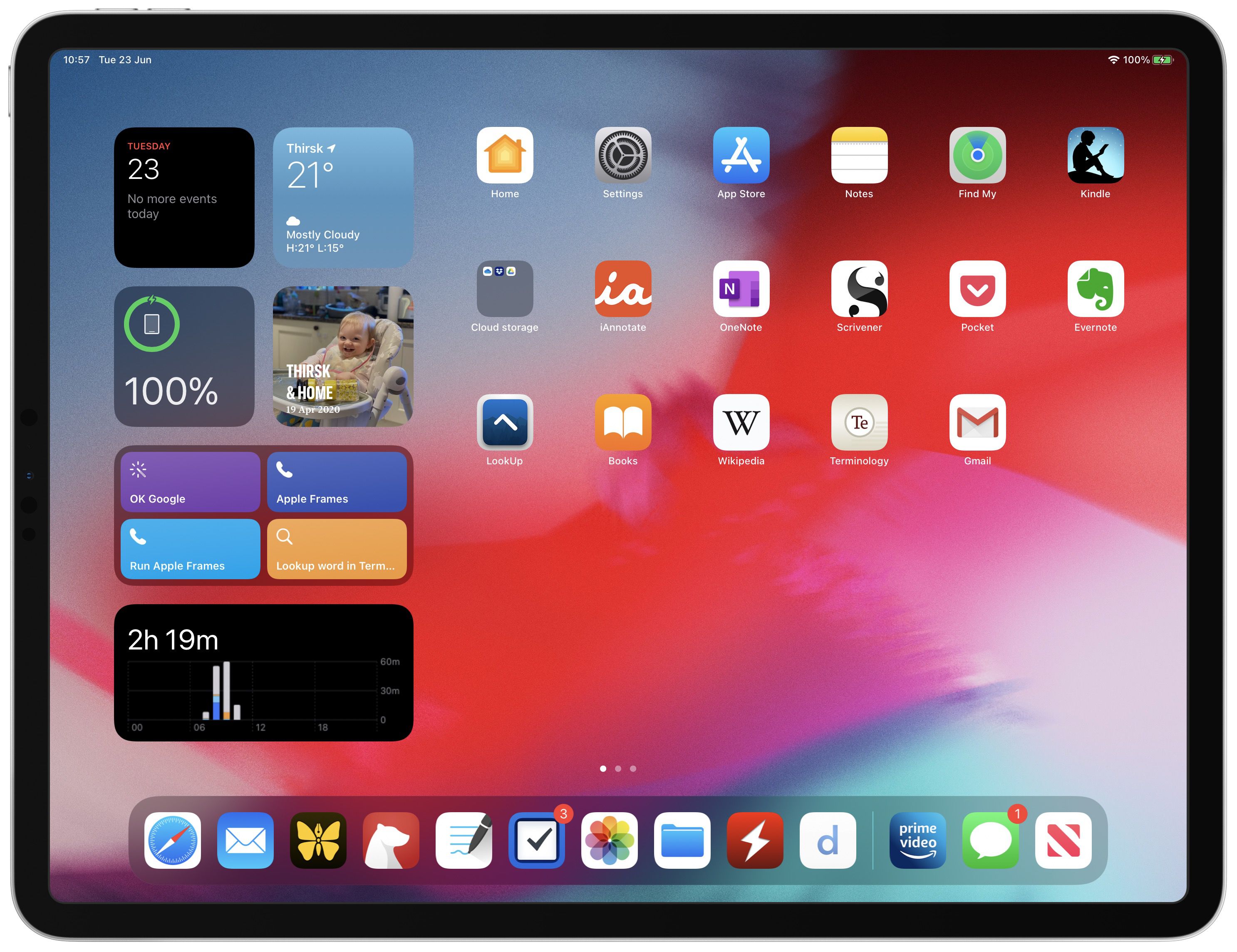
A new version of iPad OS has been announced which would contain everything from the iOS 13 along with newer features which are designed to benefit from the large screen presence.

A string of new features like newer multi-tasking features and Home screen, plus newer split-screen option would be added in the new iPad operating system.

10. Access Wi-Fi and Bluetooth

iOS 13 makes it stupid easy to connect to Wi-Fi and Bluetooth on your iPhone - CNET

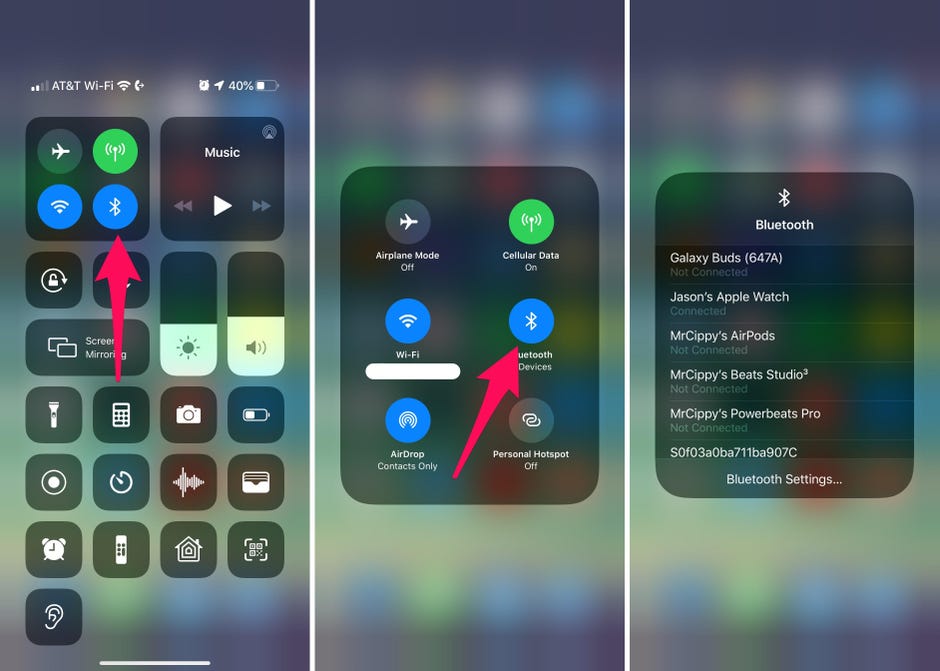
In the earlier versions of the iOS when you had to connect with Bluetooth or Wi-Fi, you had to go to Settings and then access the settings from in there. In case of Apple iOS 13, you will now be able to access the list via Control Center when you long press the icons.

11. Extended Reply Menu

16+ More Hidden Features in iOS 13 You'll Need to Try

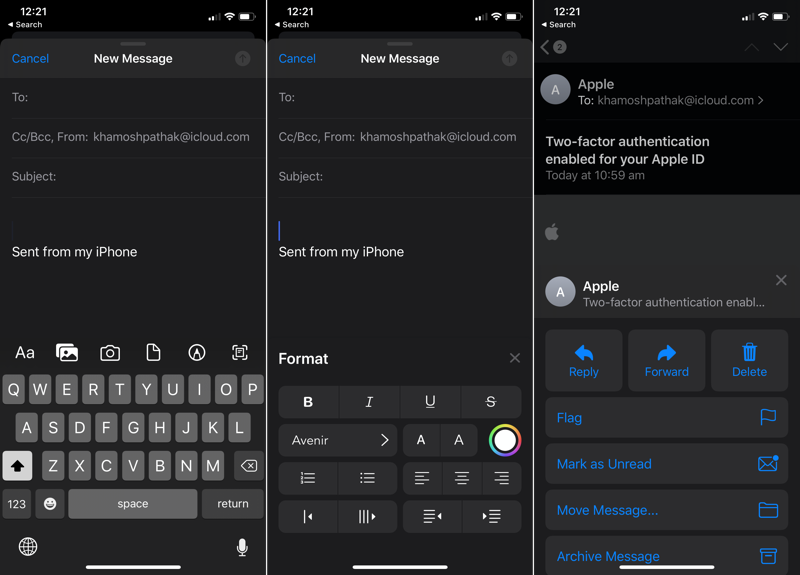
In the stock email app when you reply to any email you will now get an extended reply menu that would give you the option to forward, reply, or delete. It would also give you the ability to mute or notify in case there is a new email from someone.

In addition to it, you will get the option to format the text, giving you the option of changing the font style, increase the text size, shift the alignment, change colors, and even add the bullet points.

12. Full-page Screenshot

How to Take Scrolling Screenshots of Entire Webpages in iOS 13's Safari for iPhone « iOS & iPhone :: Gadget Hacks

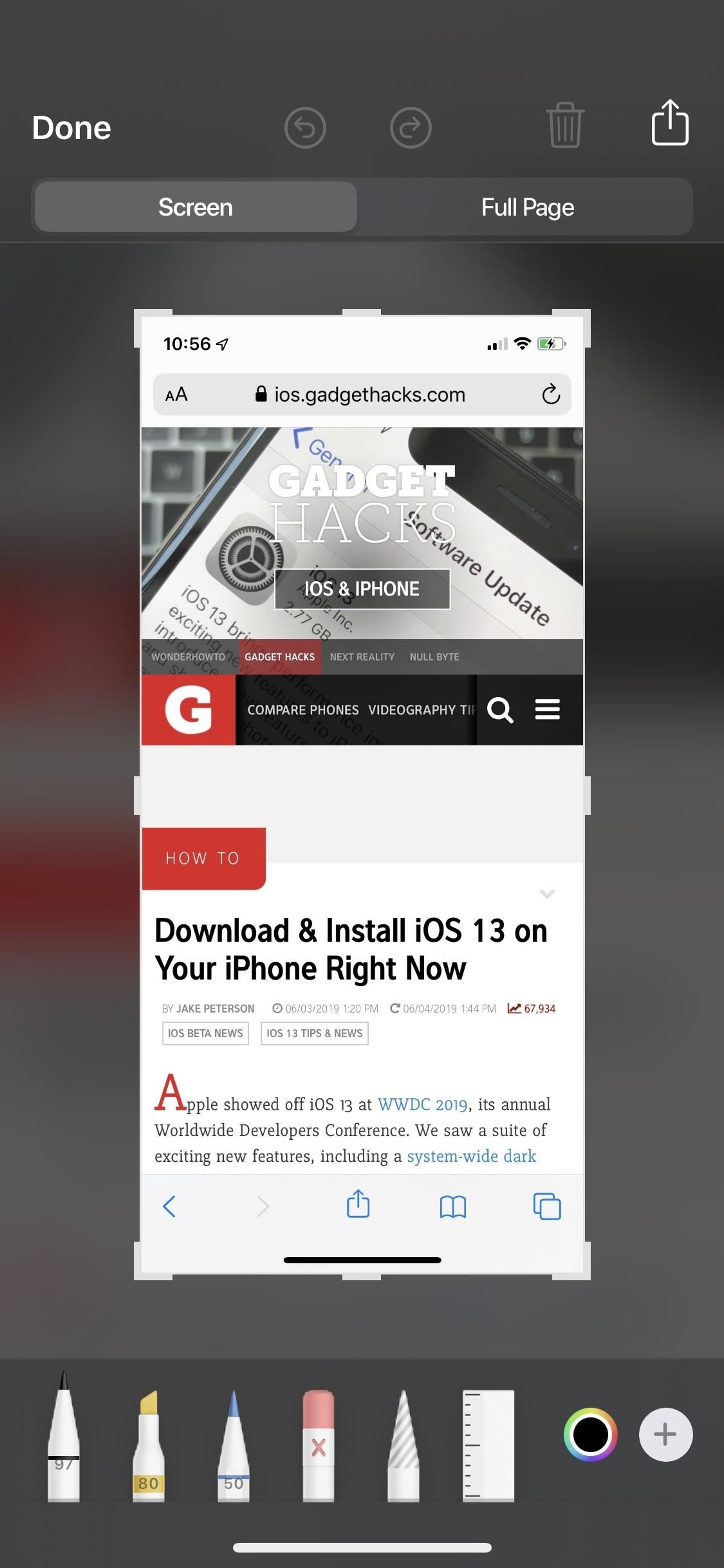
Like iPadOS, iOS 13 also gives iPhone users the option to take a screenshot of the full web page which then can be annotated upon or saved as PDF in Files.

13. Silent Unknown Callers

Silencing unknown callers on iPhone in iOS 13

iOS 13 gives the users an ability which will prevent them from facing nuances coming in from spammy calls. When a robocall comes, the users’ iPhone will automatically silence it and send it to voicemail.

14. Zip and Unzip in Files App

How to Unzip a Zip File With Your iPhone or iPad's Files App

With iOS 13 you get a new Files app which lets you zip and unzip files straight from the iOS device without having to use macOS. And then you can simply Airdrop the files back to the iOS device.

This one comes in very handy for people who only use an iPad and don’t wish to use any third-party application.

15. Safari Download Manager

How to use Safari download manager in iOS 13 | Cult of Mac

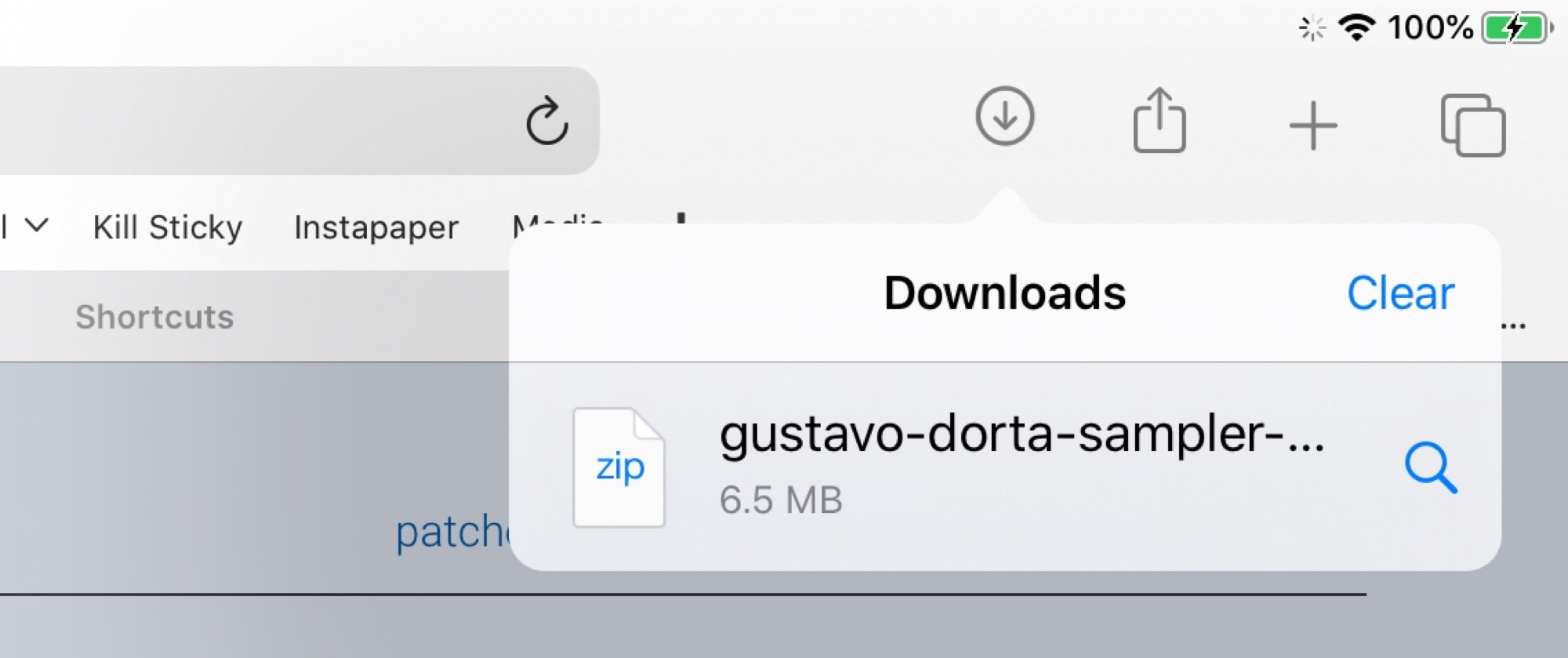
iOS 13 gives you access to download manager when you download any file from Safari. The list of downloaded files is very similar to what Safari macOS gives you.

It also syncs over to new Files application version wherein you will be able to see all the downloaded files.

16. Low Data Mode

In your cellular setting, you will be given the option to toggle the Low Data mode which would make the applications use lesser data. While Apple hasn’t clearly specified how it would work, it is guessed that the background activity will get suspended when you are not connected with the Wi-Fi.

17. Dark Mode

Dark mode for iPhone arrives Sept. 19: How you'll use Apple's new iOS 13 feature - CNET

With iOS 13, Apple has made the creation of Dark mode app design official and mainstream.

Be it text or color or even controls, Apple has it all sorted out for the users. Instead of making the background RGB 000 (black) and the label text RGB 255 255 255, you will now be calling them systemGroupedBackground and Label, respectively.

And the blue icon will not be RGB 10 132 255 anymore, it would be denoted as systemBlue.

Apple has also planned out a hierarchy for the colors. From complete black or white backgrounds to gradually increasing dark shades for a light theme and light shades for their darker versions.

The same is for the text as well. The primary text is kept white on black – the opposite of backgrounds and when you move towards the secondary and the tertiary texts, the color would also move across the gray spectrum.

As for the controls, a white button does not become black, instead, a white button having light gray states turns into a medium Gray button with the dark gray states.

18. New Messaging

Apple is adding a new message feature to the iMessage service which would allow you to add in a profile picture and then change how your name gets displayed in the text messages. It will also now become a lot easier to send emojis and stickers through text.

You will also get a search functionality which would enable you to make searches inside the application – shared links, photos, contact suggestions, etc.

19. New Sleep Mode

iOS 13 features: Dark Mode, app updates, iPad overhaul, more - 9to5Mac

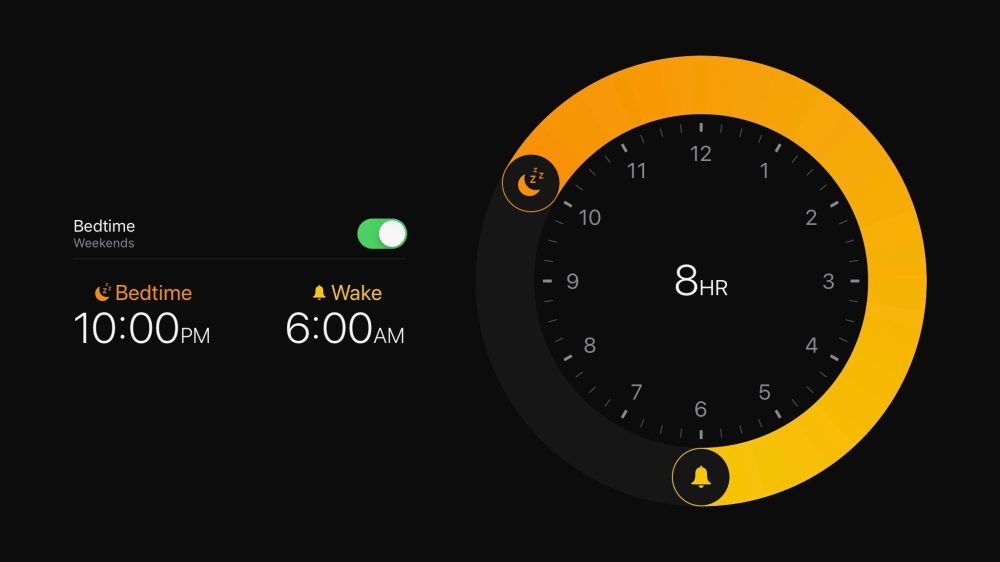
With the new Sleep Mode feature, Apple is doing a great job at tracking sleep patterns and helping you find the right time to set the alarm and be awake in the morning.

If you wish to try out the feature today, you don’t have to wait for the update. All you have to do is install Sleep Score app off the App Store.

20. New Voice Control

How to use Voice Controls on iPhone and iPad | iMore

The accessibility setting Apple had been working around for quite some time is now available system-wide and that too in an extremely comprehensive level.

Users can easily navigate and then type with the help of gestures and voice commands for everything on their screen would have names and numbers to provide easy control.

21. Detection of Headphone Audio Level

Another way that Apple has kept its focus intact on users’ health is through caring about their hearing health. The new Apple iOS 13 version will be warning the users when the ambient noise gets very loud.

The iPhone users will find this new track menu, which looks a lot like the step counter, inside the Health app.

22. Find My

With Apple iOS 13 Apple has combined Find My iPhone and Find My Friends applications in one single application known as Find My.

With this, all the tracking tools of Apple’s have been brought in one place, helping you find what is missing with the help of one interface. It would also help you locate devices which are offline – by sending across a secure Bluetooth beacon to Apple devices and relaying it back to Apple and then you.

23. No more iTunes Store App

RIP, iTunes. This is what happens to your Apple music now - CNET

Apple is finally bidding adieu to iTunes with the launch of three new trio for Mac – Tv, Podcasts, and Music. The users will now be able to manage all of their Apple gadgets through the Music app.

It is now the individual applications that would be used to purchase individual content – Music app that will be used to purchase music, TV app for purchasing shows and likewise.

So here are the 23 iOS 13 features that we are very excited to use. But since it is still time before the version gets launched on devices, there is still a lot of scope for the list to expand. We are very hopeful that we will soon find some more added favourites as well – so bookmark this blog to be updated which new features are getting added in the list.

error: Content is protected !!