UX Designer vs UI Designer vs Web Designer

What Does a UI/UX Designer Do?

To the laymen, digital design can be a puzzling world of systems, acronyms, and programs. Web creation is not just about making a landing page and adding content anymore but a complex world of coding for site function and protection. It is also a fun and artistic adventure to create something visually alluring. If you combine this with the psychology behind all the systems of a webpage, and you have the basics of web development. Sounds simple enough, right? Not for everyone. The software industry has skyrocketed, and many people are still trying to understand key differences in standard terms. Terms like UI design, web design, and UX design are often thrown around and are incorrectly interchanged. However, following the aim of each tool is as simple as knowing the various parts of a house. Web design is the base or the foundation, UI design is the architecture, and the UX design is the electric, plumbing, and other wiring needed.  Before we get into defining these terms, we can say there can be a lot of overlap between them. UX, UI, and Web Designer difference is nothing but a fine line but can have great impacts on your project. However, to excel in any of them, you must have a comprehensive knowledge of all three of them.

UX, UI, and Web Designer differences:
35,084 Ux Design Illustrations & Clip Art

Web Designer UX Designer UI Designer
A web designer is a professional who generates content for a website following the latest trends. They are responsible for designing the layout of the website, along with its aesthetics, utility, and functionality. UX is the abbreviation for User Experience. It brings in creativity. A UX designer handles the whole procedure of obtaining and coordinating a product, including parts of marking, development, convenience, and utility. It is a process that starts before the product reaches the customer. UI stands for User Experience. A UI Designer is responsible for creating the interfaces between the user and the product and ensure that the interaction between the customer and the product is a seamless one.
The role of the web designer is to compile everything, including the UI and UX, and turn it into a highly-functional and efficient website that people can easily interact with using their smartphones or computers. A web designer might emphasize more of the aesthetics of the site rather than how a user might deal with it. UX design is all about having a deep understanding of the customer, which includes their preferences, behaviors, habits, requirements, and feelings. UX designers must comprehensively understand the issue along with the client whom they are working for so as to design an optimal and streamlined solution. The UI design is the complement of UX Design. UI designers work on the point of interaction between the user and the service/device and try to improvise the product in a way that is user-friendly and adds value to the users. UI designers work on the look, design, and especially the feel of the product.
A web designer must have in-depth knowledge of programming languages like HTML and CSS, Scripting languages like JavaScript and PHP, web designing packages like Flash, Photoshop, etc. A good UX designer is expected to have fluent communication, agile and lean development skills, rapid prototyping, revising skills, crowdsourced designing, and relevant soft skills. In contrary to UX designers, UI designers are in charge of making UX designers’ dreams a reality. Numerous UI designers have a decent comprehension of front-end development along with some coding abilities.
Contemporary Web designers are usually modern era graphic designers trained in visual design to be experts in:

  • Color theory
  • Creative conceptualization
  • Diagrams
  • Interactivity, rollovers, drop-down menus, digital slideshows, call-to-action-buttons, and forms.
  • Icon development
  • Info-graphics
  • Typography
A UX Designer plays a very crucial role in an organization. They have to make sure that a customer is having a good time with the brand. They primarily focus on:

  • Understanding user psychology
  • Comprehending product specification
  • Finalizing the right interaction model
  • Create personas through user surveys
  • Collaborate with UI designers to create attractive and useful designs
A UI designer primarily focuses on:

• Color and typeface choices.

• Designing the monotonous but necessary stuff: buttons, icons, sliders, and scrollbars.

• Forming a style guide for the app or website to ensure consistency for the user.

• Responsive designing

• The interactive parts

•  The layout of each screen

Website designers might be visual designers or engineers who have built enough aptitudes to make beautiful and aesthetic websites or applications. Website designers do not tend to adopt the human-focused strategy of UX design. Most website designers don’t dive as deep to consider every element that a UX designer remembers. A website designer will, in general, be less iterative, while UX design is tied in with coordinating persistent enhancements by interacting with users. UX applies to whatever that can be experienced—be it a site, a cup of tea, or a visit to the supermarket. The “client experience” part alludes to the connection between the client and service or product. UX structure, at that point, considers all the various components that shape this experience. A UX designer considers how the experience makes the client feel and how simple it is for the client to achieve their ideal errands. UI design is simply a digital approach. It considers all the visual, intuitive components of a product interface—including buttons, symbols, checkboxes, typography, color scheme, and responsive design. The objective of UI design is to outwardly guide the client through an item’s interface. It’s tied in with making an intuitive encounter that doesn’t require the user to think excessively! UI design delivers the brand’s qualities and visual resources for a product’s interface, ensuring the design is predictable, intelligible, and tastefully satisfying.

CONCLUSION

So a UX designer chooses how the UI functions while the UI designer chooses how the UI looks, and the web designer puts it all together into a cutting-edge website. This is a community-oriented procedure, and these three domains will, in general, work intently together. While the UX group is working on the flow of the application, how buttons guide you through your website, and how the interface effectively presents the data that the client’s need, the UI group is chipping away at how these interface components will show up on the screen and the web designers are integrating it all.

If Web Design is the umbrella, then UX and UI design are specialties and focuses on it. Anyone who regards themselves as a web designer should be well-versed in UX and UI. These terms are also industry-specific. Startups and tech companies mostly hire specifically for UI/UX roles. Every so often, a UX role will focus more on research and information architecture. Occasionally, a UI role will include UX. Sometimes, companies are looking for a web designer who can do it all. It’s all a bit of a mess unless the aim is precise. Whichever direction you take, it’s vital to remember that design is not just about making things look pretty, but it’s about problem-solving communication and people.
Browser specific hacks for Frontend developers

If you are a web developer then it’s unlikely that you haven’t faced this situation-You spent days and weeks writing perfect code. Everything is perfect from the CSS stylesheet to the meta tags. You test it in Google Chrome and it works perfectly fine. You go home and sleep in peace. But when you come back to the office the next day, everything is broken and you find a hundred bugs allocated in your name.Browser specific hacks for Frontend developers | Humble Bits


Culprit? Internet Explorer.

And, Mozilla Firefox.

And, Opera.

Happens to all of us, right?

So, is there a way out of this mess? Well, there isn’t. At least not a full proof one. 100% cross-browser compatibility is a myth. It’s almost impossible to write a code which works perfectly fine in all the internet browsers. It comes with experience and you need a lot of patience to learn that craft.

But you can always start small. I learned some browser specific hacks during my journey and I thought it’s a good idea to share them with fellow developers.

Browser Specific CSS Hacks | W3REIGN

Implementation

It is as simple as you write your simple CSS code, just pick the hack you want. Copy it into your stylesheet. Add the style you want between the braces. Enjoy the new styles for the browser that you’ve targeted!

Google Chrome and Safari Browsers

Google Chrome and Safari browsers are mainly the same as they both use WebKit, but sometimes they behave differently in the case of forms, fonts etc.

Css hacks

@media screen and (-webkit-min-device-pixel-ratio:0){

.selector{

property:Value;

}

}

Media Query Hacks

@media all and (-webkit-min-device-pixel-ratio:0) and (min-resolution: 1280px){

.selector {}

}

Javascript hacks

var isChrome = !!window.chrome && !!window.chrome.webstore; // for Google chrome

var isWebkit = ‘WebkitAppearance’ in document.documentElement.style; // for Chrome and Safari

Firefox (any version)

Css hacks

@-moz-document url-prefix() {

.selector { Property: Value; }

}

Media Query Hacks

@media all and (min–moz-device-pixel-ratio:0) and (min-resolution: 1280px) {

.selector { Property: Value; }

}

Javascript hacks

var isFF = ‘MozAppearance’ in document.documentElement.style;

Opera – Opera 10 and above

Css hacks

@media not all and (-webkit-min-device-pixel-ratio:0) {

.selector { Property: Value; }

}

Media Query Hacks

@media all and(-webkit-min-device-pixel-ratio:0)and(min-resolution: 1280px){

.selector {

Property: Value;

}

}

Javascript hacks

var isOpera = window.opera && window.opera.version() == X;  //replace x y the version

Internet Explorer

Css hacks

:root .selector {

Property: Value\9; color: red\9;

}

Conditional Comments

<!–[if IE 9]> Internet Explorer 9 <![endif]–>

<!–[if lte IE 9]> Internet Explorer 9 or less <![endif]–>

<!–[if gte IE 9]> Internet Explorer 9 or greater <![endif]—>

For example:

<!–[if IE 9]>

<link rel=”stylesheet” type=”text/css” href=”all-ie-only.css” />

<![endif]–>

IE 10 and above

_:-ms-lang(x), .selector { property:value; }

@media screen and (-ms-high-contrast: none), (-ms-high-contrast: active) {

.ie10up {property: value;}

}

@media all and (-ms-high-contrast: none), (-ms-high-contrast: active) {

.ie10up {property: value;}

}

IE 11 and above

_:-ms-fullscreen, :root .ie11up { property:value; }//Works for IE 11 and above

*::-ms-backdrop, :root .selector { property:value; }//Works for IE 11

IE 11+, Microsoft Edge Browser

/* Put this code in external stylesheet: ie11up.css */

@charset “&lt;Any Modern Browser but MSIE 10- or FF 18- &gt;”;  _:-ms-lang(x), .selector { property:value; }

Javascript hacks

var isIE = ‘behavior’ in document.documentElement.style && ‘- ms-user-select’ in document.documentElement.style;

var isIE = window.navigator.msPointerEnabled;

var isIE = document.body.style.msTouchAction !== undefined;

Setting a PHP Project in Jenkins

Continuous Integration (CI) is the process by which a developer makes his/her contribution a part of the whole and ensures that it fits well in the whole, regularly. Using CI, its easy to cross-check all the updates/check-ins into the project automatically with pre-defined validations. Their are number of CI tools available that are either free or very cheap.Most popular CI tools available are Jenkins, Travis CI, Cruise Control, Teamcity etc.After some deliberations and discussion I short-listed Jenkins to use for CI in one of our PHP projects. Here are my experiences for the benefit of any one else trying to accomplish the same.

First time ever when I started evaluating Jenkins, following questions came to my mind:-

A) How to install Jenkins with basic configuration?

B) Plugins used to build a PHP project?

C) How to create a PHP project in Jenkins?

A. Commands used to install Jenkins in Linux:-

  1. yum install -y wget
  2. sudo wget -O /etc/yum.repos.d/jenkins.repo http://pkg.jenkins-ci.org/redhat/jenkins.repo
  3. sudo rpm –import https://jenkins-ci.org/redhat/jenkins-ci.org.key
  4. sudo yum install jenkins
  5. sudo yum install java-1.7.0-openjdk
  6. firewall-cmd –zone=public –add-port=8080/tcp –permanent
  7. firewall-cmd –reload
  8. sudo /etc/init.d/jenkins restart
  9. systemctl restart jenkins.service
  10. Open http://localhost:8080 URL in browser and the below screen will open. It shows Jenkins is installed and running successfully.

B. Their are number of php plugins, the following are the basic ones those can be used:-

  • PHPUnit : – allows running automated tests on code (required).
  • PHP_CodeSniffer : analyse our code and detect errors in the coding standards.
  • PHPLOC : is used to analyse the size and structure of the code.
  • PHP_Depend : does static code analysis and provide metrics to evaluate the quality of code.
  • PHPMD : detects problem in the code. For analysis it use s the PHP_Depend analysis data.
  • PHPCPD : detects the duplicacy or copy/paste instances throughout the code base.
  • Clover PHP Plugin : used to provide code coverage reports from PHPUnit.
  • xUnit Plugin : This tools is used to publish the build execution results into Jenkins tool.

C. Set up PHP job into Jenkins:-

Before doing that, we have to check whether Ant installed on our server or not. If not, please install it.

Commands used to install Ant in Linux:
  1. sudo apt-get install ant
Now, what is ANT?

It helps in automating the software build process. It reads and processes a configuration file (contains tasks to be performed), also defines our project’s dependencies. Most used ANT configuration file name is build.xml. I also created the same and added to our project, so that Ant will work during Jenkins build creation process.

PHPUnit Configuration:

We can also configure the PHPUnit XML details into build.xml. So during the build process, the PHPUnit xml configuration also gets processed and the PHP unit test cases will be executed.

After all these set-ups, lets start creating/configuring our first PHP job in Jenkins.

Step 1: Click on “New Item” from the left menu. Enter the Item Name like “testPHPProject” and select “Freestyle project” option and hit the “OK” button.

Step 2: A new project with name “testPHPProject” created and its configuration page opens. Here we need to configure our PHP project.

In below screen, basic details are shown which has to be filled to configure the project. The details are as follows:-

1: In “Source Code Management” section, we have to provide how would Jenkins fetch the code base. For example, from GIT or the File System. Here, I have shown an example using a File System.

2: In “Build Triggers” section, we specify which method should be used for automatic build creation. If we have used GIT as “Source Code Management” tool, then we can choose an option to create build when anything changes in the repository. But in our example, we selected “Build periodically” and added vaue as “0 14 * * *”, which means everyday at 2 PM the build creation process will be started.

3: In “Build” section, a number of “build step” options are provided. Here since we are using Ant for build process, please choose “Invoke Ant” option and provide the absolute path of the Ant configuration file path in “Build File” textbox.

4: Jenkins also provides an option to add multiple “Post-build Actions”. Using this we can add multiple actions like Publish HTML, JAVADoc, Clover PHP coverage report and many others.

Here, I have chosen “Publish Clover PHP Coverage Report”. To publish it we have to provide the Clover XML Location.

Step 3: Click Save. The project will be configured.

Step 4: Click use Build Now option to create our first project build.

How Do You Make Loyal Customers Out of Website Visitors?

10 Proven Ways to Convert Your Abandoned Cart Website Visitors Into Loyal Customers

In the next 5 minutes, you will gather all the knowledge about repulsing potential customers with the help of your website. But if you continue reading after that, we will let you in the secrets of how not to do that.

Every smart marketer knows what kind of impact a good website can have on a business’s conversion rates – A Big One. And this magic wand becomes an even more crucial key to conversions for startups and small businesses.

There are two major kinds of mistakes that can sum up a Bad website – Design mistakes and Usability mistakes.

Well, the good news is, mistakes can be corrected. However, if you’re one of those businesses who have altogether skipped bringing your business on a website, then it is just bad news for you.

Without procrastinating a day more, you should start working on building a website for your business but before that, read on, to find out the dos and don’ts of business websites and how they make you money.

Mistakes Made in Creating A Website

What is the most basic function of a website? Delighting the visitors What is that the website should not do? Annoy the Visitors.

It is that simple. But only for a more elaborate discussion, let us take into account that what are the mistakes made by developers and designers in creating a website that might end up annoying visitors, aka Potential customers, instead of helping them.

A. Purposeless Pagination

How to Convert Website Visitors into Loyal Customers?

Pagination is the process of splitting up the contents of a web page into multiple pages because displaying too many articles and images on a single page make it bulky and hard to load. It is often done for web pages with a long list of articles or items and it makes sense.

Although, there is another reason for which the process of Pagination is being used for a purpose which is plain annoying for users. Some websites divide a single article into multiple pages in order to increase page views. More than a few websites and blogs earn their revenues with the help of advertising and getting page views.

While this may look like an easy way to earn extra bucks but besides being irksome for users, it also poses a serious problem. That is, search engines analyse the content of each of your website pages and indexes these pages according to the content of those pages along with keywords. If each page is divided into multiple pages, it dilutes the content and thus it will negatively affect the page ranking of your website.

B. Broken Links

Finding (and Fixing!) Broken Links to Prevent 404 Errors

One of the most annoying things on any website is seeing the “404” error pages. These are the hyperlinks that lead nowhere. For the best way to avoid these best links, you need to thoroughly test your website as regularly as possible. For a little help, you can even include a “contact the webmaster” link at the end of your web pages so that if a user finds a broken link, they can quickly inform you and they can be fixed immediately.

C. Having Multiple Font Styles

10 Beautiful Font Combinations For Your Design In 2021

Any web page or all the web pages of a single website need to have a uniformity in terms of style, colour theme and typography. This helps the website in having an acquired consistency but what most novice website developers do not understand is that using multiple font styles does not add to the site aesthetics, instead, they make it look like a mash-up of an immature website.

Your website should be able to ensure the visitors of your stability, maturity and reliability and not otherwise. It is also important to test your aesthetics over a number of devices and learn how to create a high conversion website.

D. Bad Navigation

6 Ways Bad Website Navigation Can Tank Your Marketing

A website should allow the users to seamlessly navigate through the website without the need to ask another person about the whereabouts of any particular section. Users must be able to find their way around as easily as possible and not struggle to find a certain information on the website.

For getting over a bad navigation, textual descriptions can be used for all the links. Always remember that users are impatient for any new website and if they cannot find their way around in 3 clicks or less, they will leave immediately.

E. Complicated Registration Process

30 tips for signup flows (so that users stop cursing you) | by Maxim Stepanov | UX Collective

Registration pages are a tricky business. Many a time, websites ask for information that they do not need and it becomes a hassle for the users to fill in the entire form and not to mention if they mistakenly reload the page and then are asked to fill in the whole information again. This is a recipe for driving users away at first glance. Gone are the days when users used to fill out a long form for every registration process.

SO even though you make your registration process mandatory, you need to do a research on the form details and choose the mandatory details only. After all, for signing up for a newsletter, users do not need to fill their Father’s name.

After going through the major mistakes most website designers end up making, we ought to learn about the corrections of these mistakes which do nothing other than driving the users away. Therefore, let us take a look at how to convert website visitors into customers.

Ways to Make Your Website A Conversion Magnet

In order to build a conversion focused web design, there are certain things to take care of and not to let the big mistakes of website design come into your way to convert traffic into sales. In fact, let us move forward and see how to make your website a customer generating machine.

In order to attract more traffic in a way that they’ll be interested in doing business with you and your company, you need to take care of the following things with the utmost importance.

1. Work Upon the Readability

Clarity and Readability Checklist for Content Creators | Meet Content

There are very simple ways to enhance user experience with the readability for your website visitors. It can be done in two ways: Always compare your website’s colour schemes with that of other websites of the same business domain as yours and understand how they are able to portray their seriousness and maturity through their website. And also, how can you apply their methods to improve the readability of your website.

Use a more readable and clear font for your website typography. The best to use is Sans serif typeface since it allows easy reading on the web.

2. Work Upon an Organized Content Layout

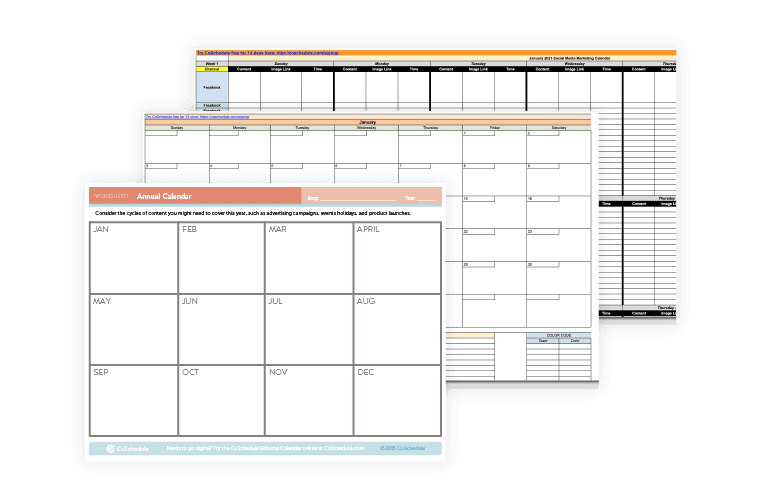
The Best Content Calendar Template to Get Organized All Year

Let’s face it – any website’s content is the driving force of traffic. Therefore to increase website conversions, paying extra attention to the content is what is required of the website developer and designer. It is highly crucial to know that the structure of website content can either make it a success or a failure.

In order to organise content on your website, use HTML and CSS while designing the paged of your website. Apart from that, there should be enough whitespace between the images and text with the use of margins.

Also, it is very important to regularly update your content and website pages. And updating the content does not mean adding more content but rather to find out and correct past mistakes.

You can also look forward to hiring a “web gardener” in your content team who will basically root out old mistakes and keep the web content up to date.

3. Consistency in UI Design

Why Design Consistency Matters for Your Website | Web Design MI : build/create

Some new designers take the UI design to the next level and put excessive elements of design without a theme to work with. Sometimes they even go far enough to apply a different theme for every page of the website. It does not matter how wonderful the individual design elements are if the overall consistency of the website is missed, converting the website visitors to leads can turn into an unachievable dream.

For avoiding this inaccuracy, the website designers should use a consistent design template for every one of the web pages along with embedding the links to the main page of the site.

Aesthetically, simple design is the key to creating a conversion focussed web design.

4. Having a User-Friendly Screen Resolution

I can say with certainty that we all have, at some point of the other, visited a website where we had to scroll horizontally or zoom out to get a full look of the page. This happens because the screen resolution is not tested among multiple devices.

A good website designer will always take care of the fact that his/her website should fit the devices and screens of all sizes and resolutions. Unarguably, this is a difficult task to include all the different devices in the design but still, we can use different tools that can help the designers to learn how to optimise your website for more conversions for the majority of the devices.

Services such as Google Analytics can help you in gathering information about the various monitor resolutions of your users and this information can be used in the design update of your website.

5. Careful Usage of Graphics

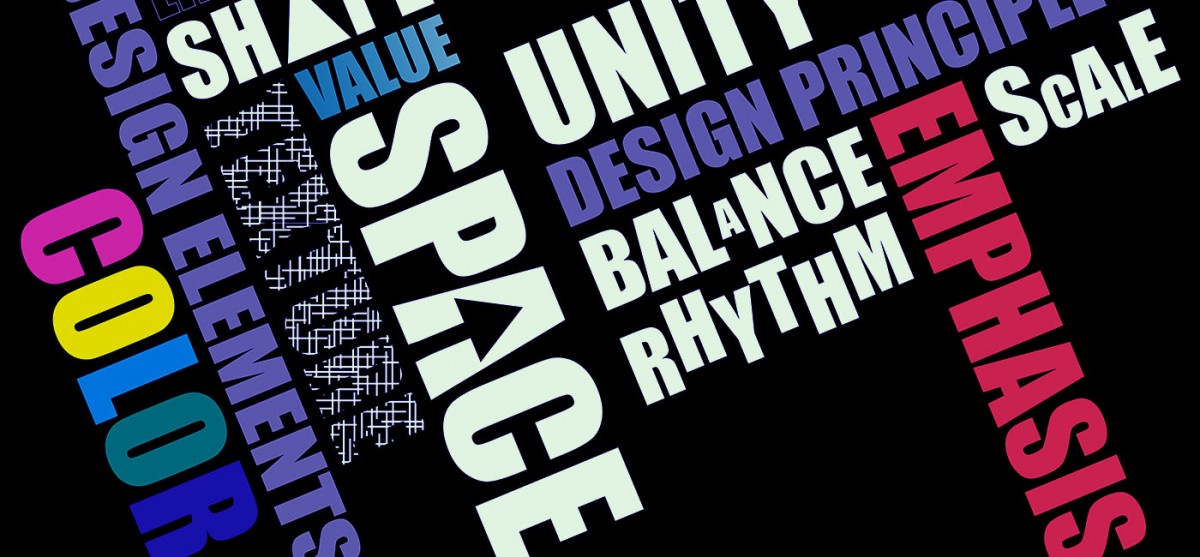
The 7 Elements of Good Graphic Design

For a big customer conversion Idea – Never use too many graphics/images/animations on your web pages. Although, it is true that images can gain the user’s attention but it can also work as a distraction from the main content of the website. Instead of stuffing the website with as many images as possible, they should be used at subtle guides for helping the user to understand the content and navigate through the website.

The appropriate use of Graphics and animation is how to boost conversions on your website, so use them wisely.

To sum up, the above-mentioned mistakes and the ways to correct them are not limited to these elements. All the good website designers and developers are aware of the power a website holds over the conversion rate of deals and that’s why, we, at Anteelo, build a website as an extension of the mobile app for our clients.

There are delicate methods that we apply to the websites that we build to ensure converting website visitors to leads as much as possible.

To know how you can improve your website and get more customers, head on to our Product Design service section to know what we do to make websites a conversion magnet.

Most Valuable Person? Nope, find out the reality!

MVP in the field of Software Development stands for Minimum Viable Product. It is a concept developed by Eric Ries as a part of the Lean Start Up method. According to his definition:

 “The Minimum Viable Product is that version of the new product which allows a team to collect the maximum amount of validated learning about the customer with the least efforts.”

It is based on the idea of Incremental Software Development that renders a product more efficient which is complete on its own with each iteration. A Minimum Viable Product is developed as a core unit of an experimentation strategy. It consists of a basic set of solutions for testing the viability of a business idea and how the customers react to it.

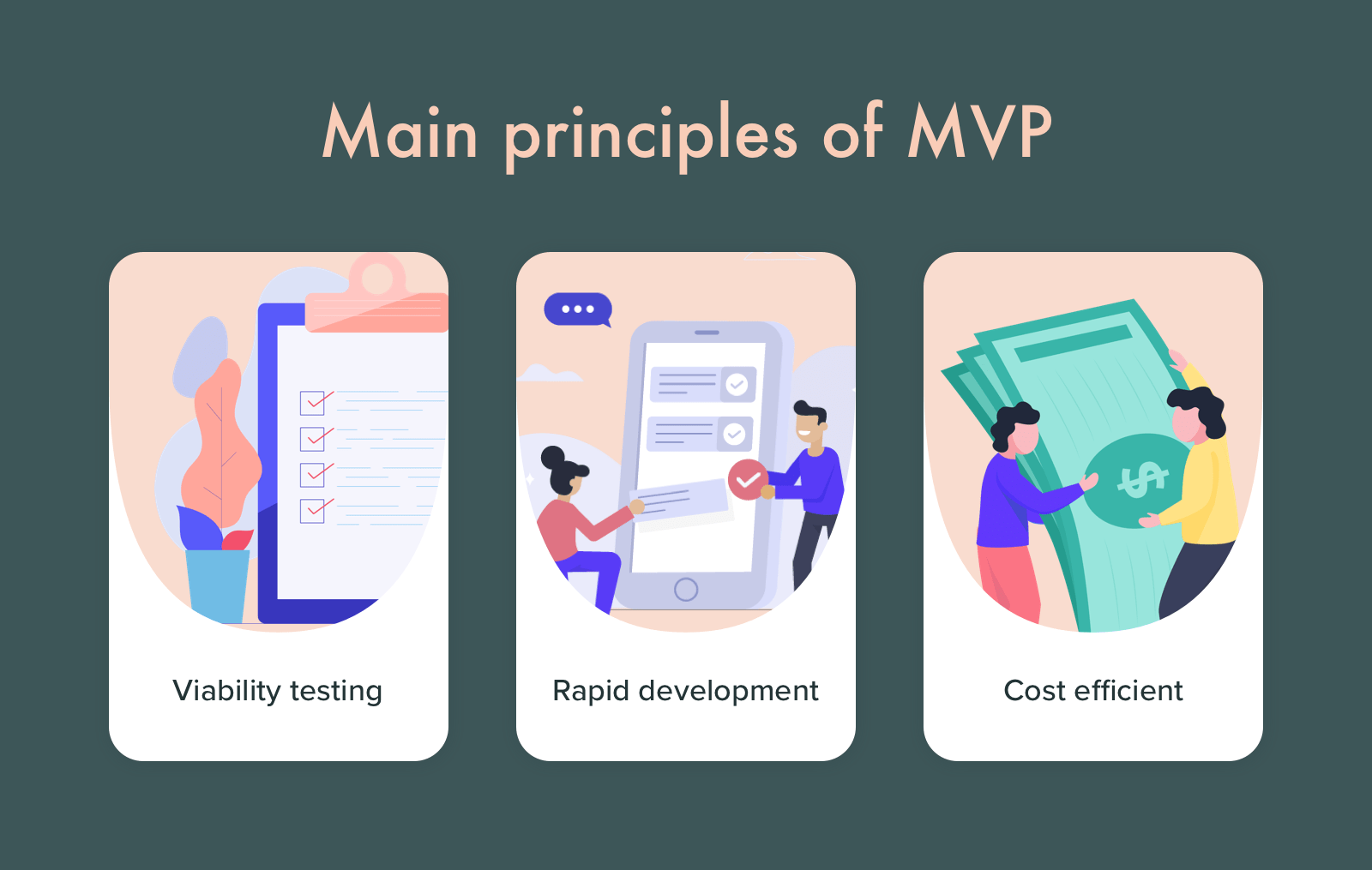
The main purpose of building an MVP :

How to build an MVP: Steps, Examples, and Benefits

  • Deliver a working product that provides immediate value with minimum resources be it money, time or infrastructure.
  • Create a baseline for future development and clarify the next steps to be taken in the project.
  • Earliest possible product release.
  • Minimum implementation costs.
  • Test the viability of the product before investing large capital and manpower into it.
  • Identify potential features and failures.
  • Identify and understand its user base and its preferences.

After receiving feedback, more features can be added. Every new release of the MVP should ensure a better solution for the customers and should be completed rather than a ‘work in progress’ solution.  This can be understood better through an illustration by John Mayo in his article ‘Two Ways to Build a Pyramid’.

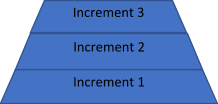
In a traditional approach, building the pyramid can be started from the base, and a new level can be added on top with each increment. Although this is an incremental process, until the last iteration it is only a ‘work in progress’, as in the image below.

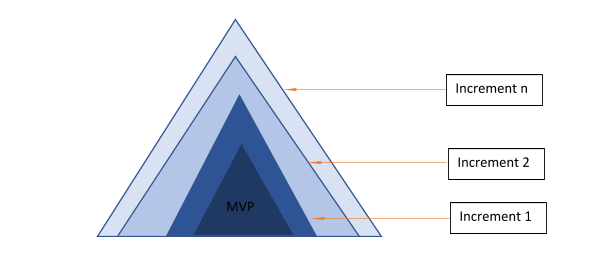
The other approach is to start with a small pyramid. With each iteration, components can be added to increase its size or extend its functionality. Thus, after each increment, you will have a complete pyramid which can be further extended. 

The rule here is to add new features gradually with each release of the MVP being a better and faster solution for the agenda under consideration.

Types of MVP

There are two categories of MVPs. Low Fidelity MVPs help you to get an insight into your customer’s problems and the kind of solution that will be most effective for the customer. High Fidelity MVPs are used to find out how much the customers will be willing to pay for the solution. Furthermore, it helps you to optimize your marketing strategy and communication channels along with the best potential growth strategies.

In today’s market where a wide range of services and products are in demand, minimum viable products differ accordingly. The different types of MVPs which can be categorized under Low-Fidelity and High-Fidelity MVPs are as follows:

Low Fidelity MVPs High Fidelity MVPs
An Honest Customer Interview Digital Prototypes like wireframes and mock-ups
Blogs and their Comments 3D Models for manufacturing products.
Subject Matter Forums The Wizard of Oz
Website or an Application Landing Page The Concierge MVP
Split Testing to measure user reaction to changes The Piecemeal MVP
Videos Crowdfunding helps generate funding for the product creations as well as testing its future demand in the market.
UX Prototypes. Single Featured MVP in order to focus on the most essential solutions that will be provided by the product.
Ad Campaigns for market surveys Email MVP
User SignUp for an Upcoming Product
Audience building via tests, interviews and questionnaires.
Micro-Surveys

Out of the above MVPs, most of which are self-explanatory, let us elaborate on the following few.

  • Concierge MVP: Here building a product is not necessary. Here you provide the services manually and analyze your customer interaction. This helps to understand if the customers will use your product or they need an entirely different product.
  • Wizard of Oz MVP: Here a fully functional product prototype is presented before the user while you are at work behind the scenes providing all that is necessary. Through this type of MVC, you are able to interact directly with your customers and review their preferences.
  • Piecemeal MVP: Here existing tools and solutions are used to create your product. This involves a minimum or no investment. A piecemeal MVP consists of existing components from multiple third-party sources that are put together to create the product or service.
  • Email MVP: Here you begin by sending emails with the business proposition to your existing customers. If the feedback is positive, the business idea is worth pursuing, however, if the feedback is bleak, either the proposal is missing something or it does not solve any problem.

Pitfalls


The main pitfall of an MVP is its lack of understanding. More often teams tend to believe it is the smallest amount of functionality that needs to be presented to the consumers in order to understand its viability. It might also be confused with minimum market earning. MVP is more focused on learning from customer feedback. It is very important to identify the set of features that needs to be included for an MVP. Including too many features will overload the MVP, incur cost and time and may fail to succeed. However, filtering features may cut out its key functions. The basic set of solution repeatedly mentioned here, refers to developing a deployable product with the key features which allows customers to access the solution and complete their entire journey towards their goal. Hence, it is essential that before releasing an MVP teams correlate the terms ‘minimum’ and ‘viable’ correctly. Finally, always keep in mind the metrics – Daily active users, maintenance rate and the average time spent with the product in order to quantify the success of your MVP.

Conclusion 

Developing an MVP is a strategy to avoid developing products that are liable to be rejected by consumers. It is basically built to test a specific set of assumptions and prove that the product will provide an effective solution. MVPs are effective only when you take into account market feedback. This will help you to understand which features are to be developed and which to be discarded. While developing an MVP always keep in mind the most accurate but least features of the product but not the complete product.

Emacs vs. Webstorm for Node.js development

If you are a developer, you know the struggle of choosing the right tools for your projects. Opting for the right editor or IDE is a great hassle if you don’t have your facts right. In software development, Emacs and WebStorm are two very common names, both of them being tools that support Node.js Development. However, the question arises that which of these two tools should you consider while starting your Node.js project.

Emacs vs. WebStorm for Node.js Development

Node JS Development Services in Hyderabad | Creo Tech Solutions

In this article, I shall guide you through all the details, from big to small, regarding Emacs and Webstorm to help you choose which of these two might be better for your project.

Similarities

There are a few features that are shared by both Emacs and WebStorm. Firstly, both of them are capable of connecting to external code quality tools such as ESLint. Both of them can connect to these tools and provide real-time code analysis and bug spotting. Secondly, either one of the tools can provide a deep analysis of JavaScript mode. WebStorm has its exclusive JavaScript analysis engine whereas Emacs has its own js2 mode. Both aid in finding the bugs and issues in the code like finding a function that does not return a value and can perform minor tasks such as extracting variables too. Lastly, both the tools greatly support smart auto-completion.  Where Emacs does this through Tern, which is an open-source JS code analyzer that various editors can connect with. On the other hand, WebStorm does it using its own engine which, in addition, parses JSDoc comments and TypeScript descriptor documents.

Why WebStorm?

WebStorm Logo " Sticker by SuperJellyfish | Redbubble

Although Emacs is great yet there are a few things that lie out of its scope and just cannot be done right with it. Disparagingly, few of the peskiest things that Emacs can not do, can be done by WebStorm, making it a great choice for developers.  One of the major aspects of this domain is debugging. The basic debugger in the Node.js is terribly slow. WebStorm emerges as a great alternative in this case. It wouldn’t be wrong to say that this debugger in itself enough to make a developer opt for it over anything else for major JavaScript Development. Though Emacs does have an inbuilt editor for debugging, it fails to work with the default Node.js debugger. Even if it did work, it would’ve been taken back by the utterly sluggish performance of the default debugger.

Definition and Symbol lookup is another incredible component of WebStorm. While Emacs can discover definitions and symbols in a solitary document by means of Tern, WebStorm can really review your entire task and discover a definition, or if nothing else give you a very pruned rundown of contenders to look over. This makes exploring through code exponentially quicker, and it truly diminishes the strain of setting exchanging between documents.

Testing integration is the last enormous success for WebStorm. When utilizing the most well-known JavaScript testing systems, Jasmine and Mocha, WebStorm removes the need for running individual tests, entire test files, and entire test suites with only a couple of keyboard shortcuts.

If we join this last component with debugging and code navigation between documents, WebStorm turns into an astounding TDD tool. Emacs can be inconsequentially set up to run an entire test suite, however not to run individual tests for any of the regular JavaScript testing frameworks. While this is possible in Emacs too, (such integration exists for Ruby’s RSpec tools), nobody has contributed to the opportunity to make it work.

Why Emacs?

Laravel & Emacs - Part 1 | Grok Interactive

Regardless of the considerable number of pros WebStorm has, there are still various things Emacs is better at. One of the most significant of those is auto-completion. I have already mentioned above that both Emacs and WebStorm can do some degree of smart, context-aware completion. The truth of a dynamic scripting language like JavaScrip is that on multiple occasions, there is no relevant completion accessible as there is an excessive vagueness or the code has improper structure.

In these cases, WebStorm simply doesn’t offer any completion, compelling you to type everything physically. Emacs accomplishes something amazing in this case. It basically tokenizes the majority of the words in each buffer of a similar kind, for example, each JavaScript buffer, and takes a gander at the characters you have begun to type and attempts to discover a match. It is nothing but a fact that often in the event that you type around three characters of a word, it will offer you around 3-5 choices of words starting from those three characters. This radically improves the speed as you don’t need to type the whole words to get going.

Something else Emacs is commendable at is Vim emulation. While WebStorm’s Vim copying is good too, but it does encounter bugs frequently. These incorporate bugs like keys not enlisting, getting into abnormal states where you seem to be somewhere between the normal and insert mode, and a peculiarly delicate mouse choice that consistently appears to place you in visual when you didn’t ask it to. Also, some propelled highlights like macros once in a while work directly for rarely work. It also fails to copy things on the system clipboard, which Emacs does as a matter of course. Also, large file editing or micro-driven refactoring is also better done in Emacs.

Summary

Like every other app development tool, Emacs and Webstorm too, have their own advantages and disadvantages. A significant disadvantage is automated refactoring. Automated refactoring is an incredibly tricky problem in a dynamic language. Neither Emacs or WebStorm is capable of going beyond extractions or simple variable renames. It can make refactoring across files a wearisome, error-prone process. Similarly, both tools lack at generating code for JavaScript. Either of the tools supports expanding developer-defined templates, but nothing else. WebStorm appears to be at least trying a bit in this regard. Presently, it can generate a method that you call in code, but only into the same file you are in, and it will often call the method wrong. A developer must consider all the points before choosing the right tool and beginning the development so as to utilize the features to their utmost capacity.

Big Brands Making Use of PWAs to Improve Their Business

What are Progressive Web Apps? - Ionic BlogAs the technology industry continues to make more and more investment in innovative web solutions, the progressive web apps aka PWAs are becoming more prevalent. Today, PWAs are fully supported by Chrome, Opera, Firefox, Microsoft Edge and iOS, making great progress in providing benefits of PWA for businesses.
This growing support for PWAs is driven by demands from leading brands seeking to take full advantage of their capabilities. Listing some progressive web app examples below to provide you the growing importance of progressive web apps:

Twitter invested heavily in making its main site a responsive PWA to create a faster user experience with an enhanced interface, joining the likes of Facebook and Pinterest which both use PWA features.

Similarly, media powerhouses like the BBC, The Washington Post, and Forbes have also launched progressive web app for business to distribute their content more seamlessly across consumers and various types of devices, from desktops to cell phones.

The PWA landscape is rapidly changing the e-commerce vertical and big businesses like Twitter, Starbucks, Washington Post, Pinterest, the Weather channel and much more have launched their PWAs in the last six months.

So why are top brands making the switch towards the technology and reaching out to PWA development experts? To get the answers, let’s read and find out.

What are Progressive Web Apps?

What are Progressive Web Apps and How Do They Work?

PWA stands for progressive web app that you can install on your system. It uses the cached data from your previous interactions to enable it to operate offline or without a stable internet connection.

A progressive web app is a website that functions just like a native app. It has all the functionality of a native app and still manages to deliver the usability of a website. PWAs are intended to address a range of problems ranging from inadequate networks to data obstruction or total lack of connectivity.

Google describes PWA’s as web experiences that are:

  • Reliable: Loads instantly and never shows a website to be down, even under unpredictable network conditions.
  • Fast: Responds easily to user interactions, with silky smooth animations and without janky scrolling
  • Engaging: Feels like a normal app, with an intuitive user experience.

Progressive web apps use the latest technologies to blend the best of both online and mobile applications. Progressive web application development is increasingly becoming the norm for the future. For businesses trying to optimise user experiences, PWAs fit right in the requirements in terms of budget, feature, development time and more.

Progressive web app benefits companies by offering an enhanced user experience through progressive enhancement. Robust PWA solutions are useful in accelerating the technological capabilities, empower companies and add the right balance to the business.

Since the advent of PWAs, many businesses have leveraged the power of this platform to reach new markets and enhance their user experience. After all, the Progressive web app framework is simple to develop, test and maintain, post-deployment.

How are Brands Using PWAs to Connect With Users?

The ease of access, cross-browser compatibility, and faster page load times help companies render a higher-level user experience that impresses consumers and gets them hooked.

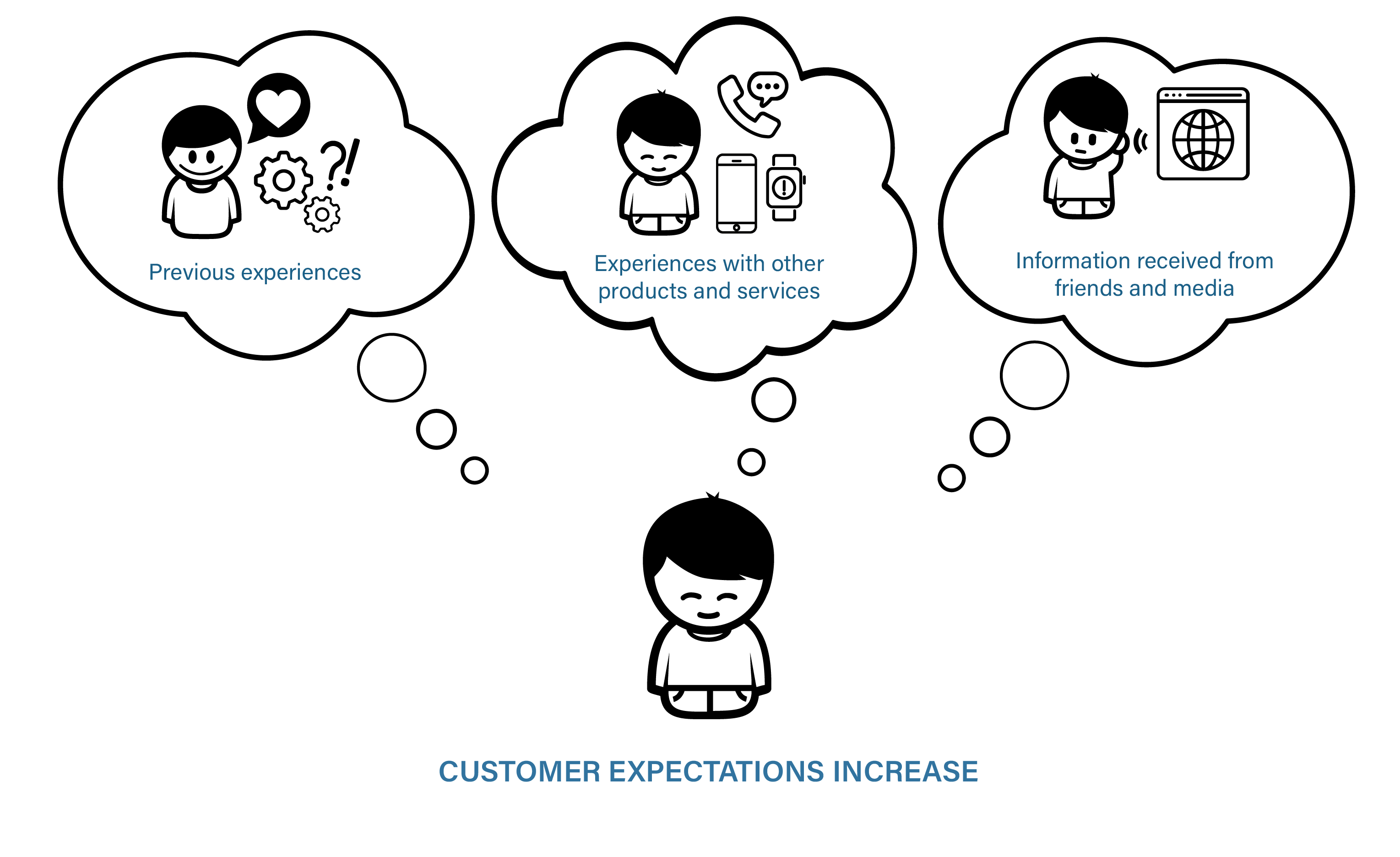
1. Rising consumer expectations

How technology is changing customer expectations. | by Deborah Nas | The Startup | Medium

Customers have little tolerance for brands that have poor digital experiences. With plenty of choices at their disposal, consumers can easily move on to another brand if they have an underwhelming experience. When Pinterest and Starbucks launched their PWAs, they both saw a noticeable increase in interaction metrics. Pinterest saw a 60 percent rise in mobile interaction with quicker page loads, while Starbucks’ PWA was designed for web-based order management, and is now preferred by consumers over the native app for the coffee company.

 2. Native-like appeal

7 key principles of designing visually appealing websites | The JotForm Blog

PWAs provide a consistent and adaptive interface across all devices. It loads like a standard website but has many advanced native mobile app features, including the ability to add one touch to device home screens, to operate offline, and to allow push notifications. They also offer website benefits, such as search engine discoverability and the ability to be available from all modern web browsers. Additionally, PWAs can appear in the App Store and Google Play alongside native mobile apps.

3. Resource use and decrease in expenses

Maximise savings with cost cutting measures - Bizmag.co.za

PWAs need only one code base to provide website and mobile app-like experience across devices and browsers, which implies it needs only one team, one software platform, one test approach, and one digital product roadmap to plan, design, create and manage both a website and a mobile app-like experience. PWAs not only reduce the cost of product design, development, and maintenance, they also save money for organizations by allowing for quicker delivery of new features and bug fixes.

4. Adaptive

Adaptive thinking in practice

Innovative brands understand that technology is changing at an incredible speed, and they need to implement more forward-looking technologies to avoid rapid cycles of strategy, design, production and re-construct for digital solutions. Progressive Web Apps are fundamentally versatile and continually changing to meet the new functionality improvements. If you are rewriting a legacy website or native mobile application as a PWA today, it will work for years to come as expected. PWAs are built for transition, ensuring that companies should avoid investing in one-off websites and mobile apps that eventually need redesigns to meet evolving demands and technologies from the audience.

9 Best Examples of Companies Using PWAs

1. Forbes

Inside The 2013 Forbes 400: Facts And Figures On America's Richest

Forbes, a multinational media company, turned to Progressive Web Apps for their new mobile experience in order to improve loading times for their readers. The previous Forbes site took about 3-12 seconds to load.

The new site grounded in progressive web app technology is capable of loading in 0.8 seconds. As a result, Forbes saw a 43% increase in sessions and a 100% increase in engagement.

2. Flipkart

Flipkart strengthens fashion business; acquires stake in Flying Machine's owner Arvind Youth Brands - The Financial Express

Flipkart, India’s biggest e-commerce site, adopted a mobile-only strategy in 2015. After shutting down their mobile site and focusing only on their native app, the company was not seeing the desired results. They decided to combine their web presence and native app into a PWA to allow their current and prospective customers to have instant access to their store.

Compared to their previous mobile presence, Flipkart has tripled time-on-site with their Progressive Web App. Users spend an average of 3.5 minutes on Flipkart Lite versus 70 seconds on the predecessor.

Flipkart has also generated a 40% higher re-engagement rate among first-time visitors and a 70% higher conversion rate due to the “Add to Homescreen” icon, because customers have instant access to Flipkart whenever they want.

3. MakeMyTrip

According to the MakeMyTrip Survey, 1 in every 2 Indian traveller is looking to book an alternative accommodation for their next trip | Travel Trade News | Online Travel News | Travel Magazine

MakeMyTrip is India’s leading travel company with 8 million visitors monthly. After the addition of PWA, the major changes in the site such as improvement in conversion rate is 3X, the loading time of the page has increased by 38% and shopper sessions have increased up to 160%.

4. TwitterLite

Twitter Lite is now available in 21 more countries | Engadget

Twitter wished their mobile web to be faster and more attractive. In addition to PWA, Twitter launched TwitterLite which becomes the fastest and easiest way to use Twitter. With lower data consumption, TwitterLite also gives benefits such as reduced Bounce Rate up to 20%, and the page per session increased up to 65%, 75% in Tweets.

5. Alibaba

Alibaba.com | LinkedIn

Alibaba.com is the world’s largest marketplace for suppliers, buyers, and manufactures. It is the biggest E-commerce platform that recently adopted PWA and witnessed a significant increase in interaction rate up to 4X, and a huge rise in the conversion rate by up to 76%.

6. Starbucks Coffee

Menu of Starbucks Coffee, Connaught Place (CP), New Delhi - magicpin

Starbucks allows its customers to check the menu, create the orders and add the orders to the cart even when there is no signal or poor connection. With the addition of PWA, Starbucks improved its performance and rendered a highly responsive and fast performance.

7. Trivago

Trivago - one of the largest hotel search engine

Trivago is a big name in Hotel Search Engine Marketing. The availability of Trivago’s PWA is in 55 countries worldwide with 33 languages. After the adoption of PWA, the percentage of user engagement has increased by up to 50% and Click rate has increased by 97%.

8. Instagram

What Is Instagram and How It Works: a Beginner's Guide

We all use Instagram, but are not aware about its working. When you access Instagram on the mobile browser, you are accessing it through PWA. Presently the PWA looks very much like the traditional application and gives you some additional features like you can now upload images.

9. Pinterest

Pinterest - India

When you consider Pinterest’s UI and its design, it is totally fit to take advantage of Progressive Web App technology, thus they have. Their PWA gives them a lot quicker loading times and the capacity for clients to add it directly to their landing page with no download or installation. They’ve seen a 40% rise in time spent on the mobile site, just as a 44% increment in client generated ad revenue.

Advantages and Disadvantages of Progressive Web Apps

Advantages of a PWA

Smaller and faster

Sonic Running Wallpapers - Wallpaper Cave

Many individuals, despite the fact that native apps take a lot of space, would utilize these applications but they need more space on their smartphones so they can’t install them. But that is not an issue with PWAs, which only take space for what they need, making them quicker to download and saving space.

Offline capabilities

Lot of people realize the advantages of progressive web apps and that’s why they are downloading PWAs in light of the fact that it can be utilized even without an Internet connection. Also, these applications even work when the server is dead, making users not lose anything, and this is all such a great deal for conversions.

Cost-friendly than other apps

12 Time- And Budget-Friendly Tips For Updating Your Business' Mobile App

Since content just needs to be delivered once, PWA saves time and money in contrast to making content independently for iOS, Android, and a site. Also, PWAs don’t need to be updated very often. Clients don’t need to download new data. If PWA works, you presently don’t need to stress over its development, which makes it a financially alluring option, similarly to Flutter, for instance.

Independent app

Top 7 eLearning Apps: Check out Which One is on Your List

PWAs can be found by means of search engines and other platforms. PWAs can also be offered through social media, home page, or by another means. You are not required to be reliant upon application stores.

Disadvantages of a PWA

Limited browser support

Empoprise-BI: Revisiting my nine year old rant on sites that support limited browsers

PWAs are Android-driven and don’t work on popular browsers, including Safari, IE, and Edge. Since Safari overwhelms 51% of the browser market in the U.S., thus implying that a huge percentage of mobile clients will be unable to access PWAs.

But on the positive side, fresh browser versions of Opera, Chrome, and Firefox support PWAs, making other browsers to support this in the coming future.

 Limited Hardware and Software Support

Hardware & Software Support

PWAs are generally new and not yet upheld by many device hardware and software. For instance, iOS doesn’t support PWA’s notification and home screen shortcuts.

Also, PWAs don’t support the utilization of GPS, finger impression scanners, smartphone cameras, and other device features.

No download store

36 Best New Android Apps And Live Wallpapers From The Last 2 Weeks (11/6/14 - 11/19/14)

PWA don’t appear in popular application stores, for example, Google Play and the Apple App Store, which may delegitimize them.

Application stores not just give authenticity and social evidence of applications to likely users through reviews, however they additionally go about as a list that allows users to look for and find relevant applications.

Since most clients directly look for apps in application stores rather than in search engines, thus your audience may miss your PWA app.

No access to innovations

You Need an Innovation Strategy

Not every technical choice, like Bluetooth or Near Field Communication (NFC), can be applied to PWAs. This implies that you are restricted in the potential applications for your application. The inquiry is whether other future developments can likewise be utilized by PWAs.

Progressive Web Apps and The Future of Mobile Web

If you need a steady and consistent mobile app experience, then progressive apps are the best choice applications. PWA development company like Anteelo can offer interactive user experience similar to a native app without any high development expenses. The benefits of PWAs have been leveraged by many big brands, now it is your time to take up progressive web apps agency in USA and increase your conversions and revenue figures.

Why Use WordPress? An in-depth look at 7 compelling reasons

What Is the WordPress Admin Dashboard? (Overview and Tips)

WordPress remains the single most popular way to build websites and for business owners, it offers a multitude of highly useful tools to improve the way your website functions. What’s more, it’s free to use, easy to manage and its popularity means there’s an encyclopaedic knowledgebase online to help you with every aspect. Here are the reasons why it is the number one choice for business.
1. Easy setup

What is WordPress? What Can it do &amp; Is it Right for You? A Beginner&#39;s Guide

Business owners don’t want to waste time getting their website set up, there are much more important business-focused tasks to achieve. If you are looking to get to market quickly and without the need for technical know-how, WordPress is ideal. Setting it up is usually just a simple, 3-step process: open a hosting account with a reliable web host, register your domain name (i.e. your website name) through your host, log into your hosting account’s control panel and install WordPress.

Once you’ve done that, your website is created – all you’ll need to do then is pick the best theme and create the pages you want on your site. All of this can be done in a user-friendly interface and there’s no need to know any coding.

2. Versatile WordPress is suitable for all business sites

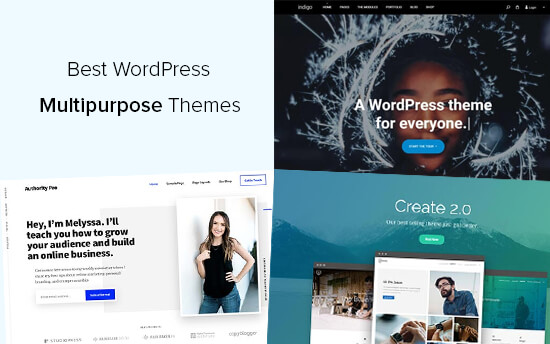
29 Best WordPress Multipurpose Themes (2021)

Unlike Magento, which is purposely created for eCommerce, WordPress is highly versatile and can be used to create websites for any kind of business: online stores, estate agencies, membership sites, professional services, building and other trade sites, venues and events, blogs, wholesale, you name it.

Indeed, there are plugins available that can help you add the specific features you need to create specialist types of website, such as the free and very useful WooCommerce plugin which is used to create online shops and other eCommerce stores.

3. Dedicated WordPress hosting

Shared vs Dedicated vs Cloud Hosting for Faster Websites

For your WordPress site to perform at its best you need high-performance, reliable and secure web hosting. However, as WordPress has its own quirks, not all hosting packages are configured to provide optimal performance. For this reason, many businesses opt for dedicated WordPress hosting where the hosting set up is designed around the specific needs of the WordPress platform. This helps it load faster, handle more traffic, prevents issues that cause downtime and makes it less vulnerable to intrusion. It often has WordPress preinstalled too, so you have everything you need to get going the first time you log in. Few other platforms have their own, dedicated hosting solutions and this makes it another reason to choose WordPress.

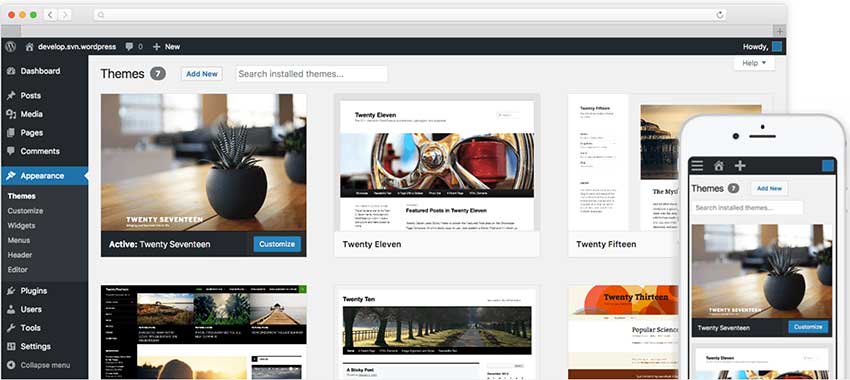
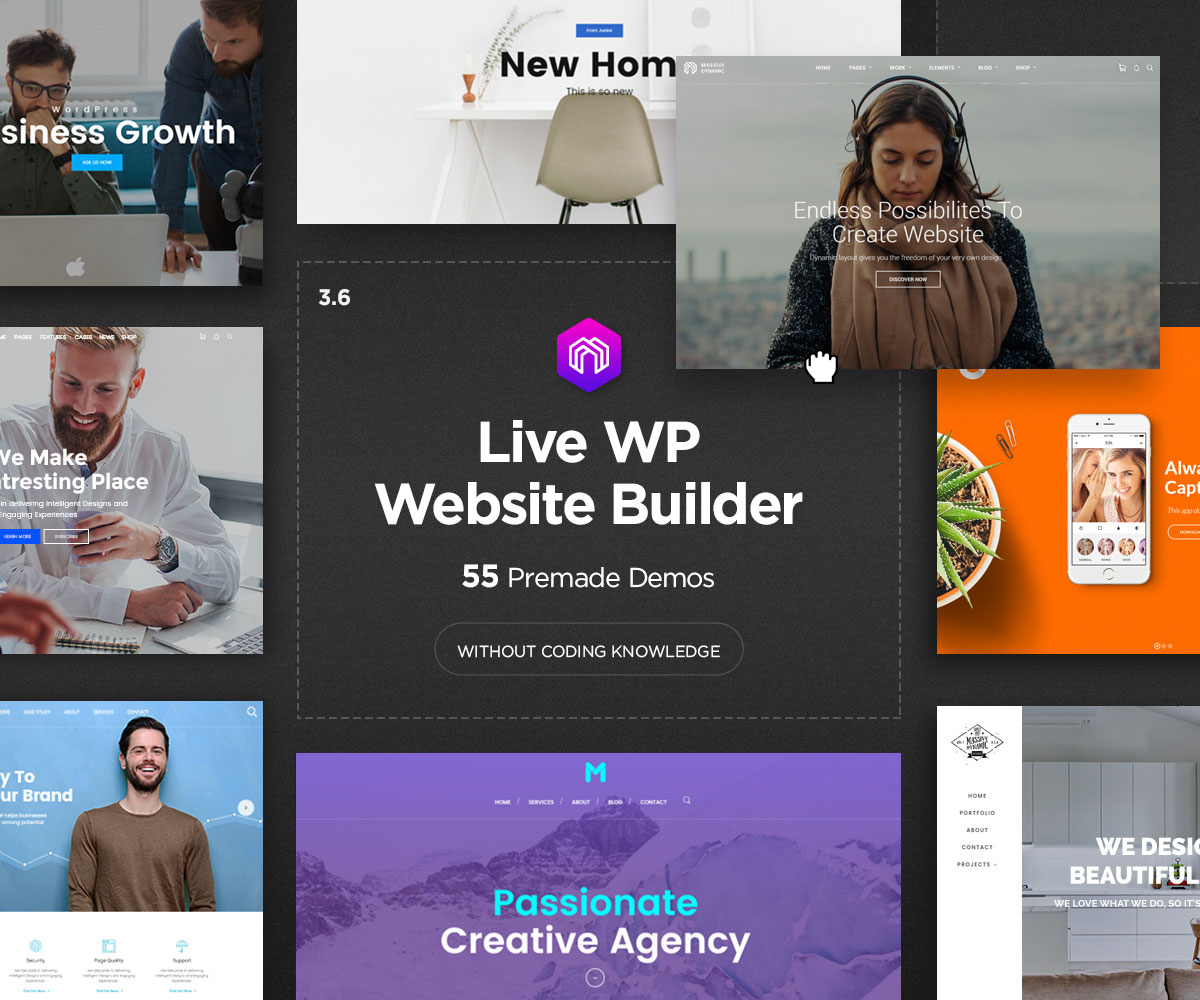
4. Huge range of website themes

44 Popular Multipurpose WordPress Themes 2021 - Colorlib

Being unique is what will set your brand apart from your competitors and so having a website that has your own identity clearly stamped upon it is key to attracting and retaining customers. One of the very best things about WordPress is the thousands of free themes you can choose from to create different types of website. For many, the problem is not that you can’t find the right theme but that you are spoiled for choice when it comes to making the final decision. If you are still stuck, there are thousands of paid-for themes available from developers across the internet.

Themes come with a wide range of colour schemes, fonts and layouts to help you create the perfect site and each individual theme has its own range of options and special features. You can also customise your themes to make them work better for your business.

5. An SEO-friendly platform

WordPress SEO Made Simple - A Step-by-Step Guide (UPDATED)

Search engine optimisation (SEO) is key if you want your website to perform well in search engine results. While SEO is an ongoing task, WordPress has many built-in features, such as the way it structures websites, which help your pages to perform better. Additionally, there are some professional standard SEO plugins that can help you implement highly effective SEO strategies. One of the most popular and highly regarded is the free Yoast SEO plugin that can help with both on-site and on-page aspects of SEO.

6. Unparalleled functionality

Achieving Unparalleled Business Growth, WP Engine, and HubSpot

A plugin is a piece of software which provides additional functionality to your WordPress website. With nearly 55,000 free plugins available directly from your website’s dashboard, you can add every conceivable type of feature to your website – whether that’s analytics, security, email marketing, sales features, eCommerce, SEO, image optimisation, the list goes on.

No other platform comes anywhere close in regard to the number of plugins on offer, and perhaps even better, you can install them with a single click.

7. Built-in and bolt-on security

Data centre security: from bolt-on to built-in - The Digital Transformation People

Having a secure website is essential, not just to prevent your site from being hacked or infected but to protect the data your customers share with you and to help you stay compliant with the many regulations that website owners have to follow, such as PCI DSS or GDPR. It is good news, therefore, that WordPress has plenty of security features to help your site stay safe – some which are built-in and some which you can bolt on through the use of a plugin.

You’ll find that the WordPress core is regularly and automatically updated whenever a patch has been created to deal with newly discovered threats and that plugins are updated regularly for the same purpose. It is also possible to set up automatic plugin updates so you don’t leave your site vulnerable.

Conclusion

34% of the world’s websites are built with WordPress and it’s used by brands such as Facebook, Microsoft, Mercedes-Benz, BBC and Bloomberg –  just to name a few. Why do these leading companies use it? Certainly not just because it is free. Far more important are the amazing things that WordPress is capable of and this is why it is still the number one choice for businesses, large and small.

The 10 Steps to a Painless Website Migration

5 Website Migration Tips | Octiv Digital

Migrating your website can be a technically challenging process and not without risk. Here, we’ll look at the potential risks involved and explain the process you need to go through to make sure everything goes smoothly.

Why migrate a website?

There are several reasons for migrating a website, the main ones being that you are upgrading to a better form of hosting, for example from shared hosting to VPS, or that you are moving to a new web host. Regardless of the reason, it will mean moving your website from one server to another and this is where the challenges and risks are to be found.

What are the risks of website migration?

The biggest risk is that the migration will not be carried out properly and that the website won’t function correctly after the move. There’s also the risk of losing data during the move so that elements of the website are missing. Moving to a different server can also affect your performance on search engines if not handled correctly and there’s the potential for your site to be offline while you fix any issues.

Here are the steps to ensure your migration goes smoothly.

1. Do not take down your existing website

What to do when you no longer need your website - Sumy Designs

Until you are 100% sure your new site is working, keep your existing site online. This way, if there are any issues, they won’t affect your users.

2. Make a copy of your website

How to Clone a Website Like a Pro (3 Easiest Ways to Do It)

The first stage of the migration is to copy your existing website and upload it to your new server. This will enable you to test how well it performs in its new hosting environment and give you an indication of any changes you will need to make.

As you will want to keep your existing website in operation during this time, you’ll need to do this on a different domain or subdomain.

3. Block search engines from indexing your test site

How to Discourage Search Engines from Indexing Your Site in 2021

You don’t want the test site to be accessed by users until its finished and this means preventing it from appearing in search engine results. You can block search engine crawlers in a number of ways, for example, using a robots.txt file, password protecting your site or by using a no-indexing tag.

4. Test the new site

Our New Website is Now Responsive | Roctest

Once you have reached this stage, you are in a position to test your website on the new server to make sure it does not have any technical errors and performs as expected. Testing should make sure that users can carry out all the interactions offered by the site, including searches, navigation, signing into user areas and making purchases. You should also make sure that all pages, posts, links, etc., display and perform properly. These tests should be carried out on both desktop and mobile versions of the website and on different types of browser.

5. Test if your new site can be crawled by Google

10 Ways to Get Google to Index Your Site (That Actually Work)

Although you blocked access to search engines earlier on in the process, you will need to give it temporary access just to make sure that once the new site goes live, it can still be indexed. If it can’t, then post-migration, you will lose your website ranking. To do this, temporarily add the test site to Google Search Console and check the site can be found. Once this has been successfully achieved, you can block the access once again.

6. Check site speed

How to Properly Run a Website Speed Test (You&#39;re Doing it Wrong)

It’s a good job to test the speed of the new site in comparison with the existing site before launch. You want your new site to be crawled and indexed quickly by Google and this will happen swifter if the server is performing well. It will also enable you to implement other speed enhancements, such as compression, CDN, minification and image optimisation. All of these can accelerate site speed, giving a better user experience and improving overall website ranking. You can check the speed of both the mobile and desktop versions of your site using Google’s PageSpeed Insight’s tool.

7. Update DNS settings

How to change DNS settings on your PC running Windows 10 | Windows Central

Once you are happy with the performance of your new website, it will be time to start sending users to it. To do this, you will need to change your DNS settings so that they point to your new IP address. You will need to contact your hosting company to ask for this change.

8. Unblock search engines

How to Block or Unblock Search Engines in WordPress 3.0

As soon as the DNS settings have been changed, it is important that you remove the blocks that prevent search engine crawlers accessing your site. This will enable search engines to continue to crawl and index all your pages and ensure that they don’t go missing in search queries. Double-check this is working by using the Google Search Console Coverage report.

9. Test redirects

301 Redirects for SEO: Everything You Need to Know

If you have any redirects enabled on your website, test they are still working on the new server and that there are no 404 errors.

10. Retest

ReTest GmbH | LinkedIn

Finally, carry out all the steps in point 4 above, once again. This will ensure that now the site is live, it is still working as expected.

Conclusion

Migration from one server to another can be a daunting experience for many. Hopefully, the steps discussed here will make it less traumatic and help ensure that things go smoothly.

Reasons Home Improvement Service Firms Need a Website

Web Design for Home Service Companies | Contractor Websites

The home improvement service sector provides essential services to homeowners and landlords, covering everything from building and gardening to bathroom and kitchen installations. It’s a sector that includes interior design, decorating, window replacement, flooring installation and more. The demand for home improvement service also means that there is considerable competition, not just from other local companies but from national DIY chains that are adding design and installation to their retail services. This, together with the change in how consumers now shop for home improvements means its more important than ever for local suppliers to have a website. Here, we’ll explain why.

Online convenience

Complete Guide to Starting an Online Convenience Store Selling Groceries

The reality of the modern market is that everyone looking for a home improvement service wants a convenient way to find it. This means they will begin by looking online. Some may find you in local printed directories or the classifieds, however, even if they do, they’ll want more information than the ad can deliver. The most convenient way to find out more is to visit your website and they will expect you to have one.

Having a website, first and foremost, means your business will appear in search results so more new customers can find you. From here, they can visit your site where they can easily access all the information they need to decide whether you are the right company for their project. Without a website, you make finding this information inconvenient, increasing the likelihood that customers will simply find a competitor that does provide that information.

An online showroom

The Virtual Showroom: The New Normal of Customer Engagement

Customers with home improvement projects want to be able to visualise the finished product and see the standard of installation work that your company can deliver. What’s more, they want to see this from the comfort of their own homes and before getting in touch.

A website enables you to provide a portfolio of your previous work and if you sell products like kitchens and bathrooms, a gallery of the items you offer. This will give them a clear idea of the standard of your services and the quality and design of your products. Such portfolios play a vital role in establishing leads with potential customers or in convincing them to visit your physical showroom.

Offer other online services

online: 6 online services that are worth paying for - The Economic Times

The modern website can do so much more than provide information about your products and services. There is now a multitude of website tools and add-ons that can be installed to provide exceptional customer experiences, such as price calculators, design and measurement tools and virtual tours of previous work. Indeed, virtual and augmented reality tools are increasingly used to help customers create the designs they want to achieve.

Customers also want the ability to book services online, such as reserving a slot for you to visit their homes or schedule the delivery of products. They also want the convenience of being able to pay online and have access to user accounts where they can see the progress of their order.

All these things can be achieved with a modern website. What’s more, they are available 24 hours a day, even when your physical business is closed, so that regardless of when a customer is looking, everything they need is always there.

These additional online services can make your business far more competitive in today’s market where 82% of consumers are willing to pay more for a better customer experience.

Build your company’s reputation

How a Business Can Create and Maintain a Good Reputation

Online reputations play a critical role in purchasing decisions. Customers no longer take a company’s marketing at face value and will look to verify what they say by checking out reviews and asking for recommendations on social media.

The star ratings, reviews and recommendations you receive are solely down to what your previous customers think. However, many companies getting excellent feedback fail to take full advantage of it. Although they can be found on Google, Facebook and sites like Trustpilot, these independent reviews that have so much influence on customers can also be linked to and displayed directly on your website.

If you have great reviews, let your visitors know by displaying them prominently on your site and providing a link to the independent site where they can read them for themselves. Here’s what we display on our website.

Such a move can immediately put cautious customers at ease and ensure them that your company and the work it does is highly regarded by its previous and existing customers.

Dispelling myths about websites

Dispelling 5 Common Myths About MS - Multiple Sclerosis News Today

Some of the reasons business owners don’t have a website include the expense of building and running a site and the belief that they need highly technical skills to run one. This, however, is definitely not the case.

A business domain name (e.g. yourbusiness.co.uk) can be registered for around £10 – £20 a year, web hosting can cost from just a few pounds a month and the software used by the vast majority of the world’s websites is free. Such software, like WordPress, has been created to be used by those with only basic computer skills. Indeed, building a professional website is no more difficult than creating a PowerPoint presentation.

What’s more, at eukhost, you’ll be able to install WordPress with a single click and our 24/7 technical support team, knowledgebase and customer forum provide all the help you need to overcome any challenges. Our cPanel control panel also means you’ll be easily able to carry out any website management tasks and even automate many of them.

Conclusion

In the digital economy of the 2020s, having a website is essential for home improvement service businesses that want to stay relevant to today’s consumers and remain competitive. Hopefully, the points raised here will have convinced you of the benefits of creating a site and shown you that doing so is not an overly difficult or expensive process.

error: Content is protected !!