How Much Does It Cost To Create a Mobile App Design?

How Much Does It Cost To Create a Mobile App Design?

In the mobile app sector, every effort you take to make your application disruptive and innovative ultimately boils down to its design.

There is a lot that rides on the all-encompassing term “mobile app design”. It single-handedly decides whether users would spend any time in the application and if at all your months long efforts would result into a profitable solution that the world would interact with.

For a process that the entire soon to be $311,249 million industry is dependent on, there are a number of things that a design-centric mobile app development company has to consider:

  • User research
  • Competitor analysis
  • User Experience design
  • Interaction design
  • Graphics design
  • Logo and app icons designs, etc.

These considerations, in turn, come with a cost. The cost of app design.

While lower than the engineering cost, the mobile app design cost nonetheless hold a good portion in the detailing of the overall mobile app cost.

In this article, we are going to look into the elements that make up for the mobile app design cost in detail.

Table Of Content:

  1. The Importance of App Design in Mobile App Development Process
  2. Phases of App Design Process
  3. How Much Does it Cost to Design a Mobile App?
  4. How to Optimize the Mobile App Design Cost
  5. FAQs About Mobile App Design Cost

The Importance of App Design in Mobile App Development Process

Every design element is devised to solve specific issues. It doesn’t matter whether you are developing an application from scratch or redesigning an app, the end goal of every single process of your designing efforts should remain the same – solving an issue in the most minimal manner as possible.

A well-crafted mobile application UI and UX design usually provides the following benefits:

  • Simplifies the interaction with the interface
  • Converts users into consumers
  • Enables users to reach their objective faster
  • Streamlines the development part of the application

Phases of App Design Process 

Idea Evaluation

How Much Does It Cost To Create a Mobile App Design?

This part of the mobile app design process deals with understanding the project to its entirety – what issues does the customers face and how would the app solve those issues for them. One method through which the idea can be evaluated is through the creation of a lean model canvas.

Problem: This part of the model defines the issues which the app solves.

Customer Segments: This is where you enter the details of your prospective users and create a segmentation.

USP: This is where you will have to fill in the details of what your application does best and most uniquely compared to the competitors.

Solutions: Here the probable solutions that the app can offer to the best of problem, customer type, and USP combination are identified.

Channels: this is where you should enlist the platforms where your users will be present

Revenue Streams:  The goal of this section is to create a business model that seems to be an answer to your question around how much money you can earn money through an app.

Expense structure: Here, the expenses you will have to incur to develop the application are enlisted.

Key Metrics: These are the KPIs you will measure your app’s success against.

Unfair Advantage: This is the detail of advantages that your app has but not your competitors – a disruptive technology, financial aid, partnership, or something else.

Market Research 

How Much Does It Cost To Create a Mobile App Design?

Analysis of the market your application is a three tier process – competitive research, market trends analysis, and customer analysis.

We start the market research process by first analyzing the competitors – not to copy them but to find out the opportunities in the market. Doing this gives a benchmark that we have to cross, on the features and design grounds.

Next, we study the market and find out what is in trend and what elements are users interacting with most.

Deliverables: Use case, user stories, and behavioral sciences

Tools: A/B tests, user persona, interviews

Mind map 

How Much Does It Cost To Create a Mobile App Design?

This part of the mobile app design process takes you back to the lean model canvas components. It takes into account all the different requirements of your application to help you visualize the logical structure or connection between the main parts of the app.

When we create mind maps, we place the goal of the app at the center and create segments of the goal around it. Then, we create requirements/features for all these segments

User Persona 
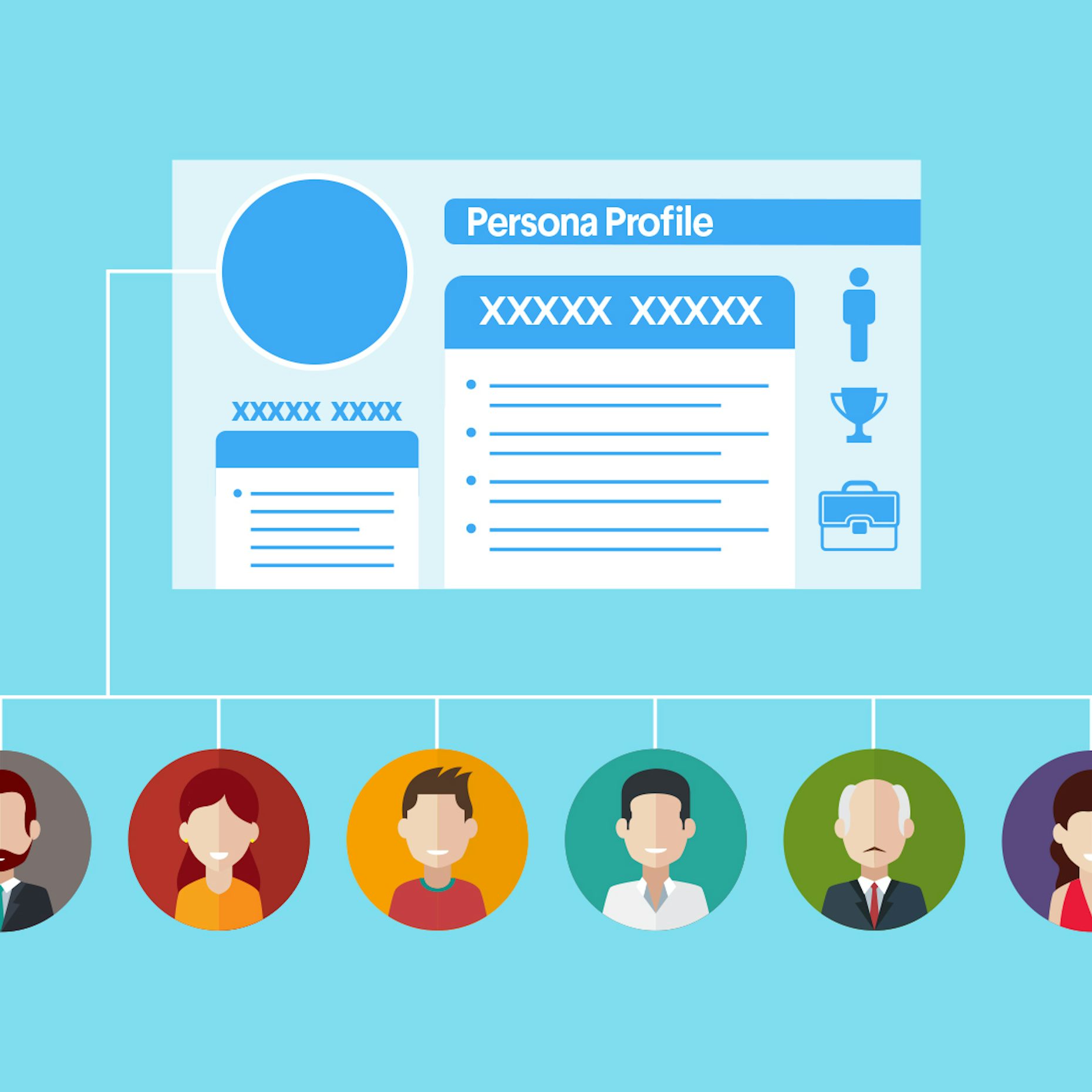
How to create a user persona - 99designs

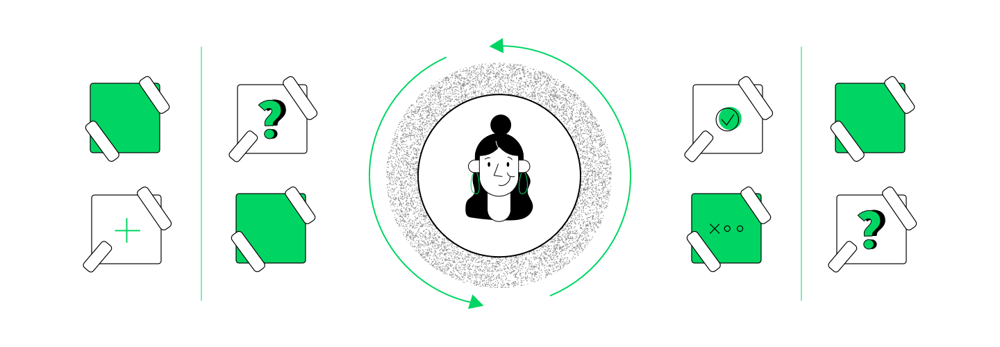
The next step of our mobile app design process is the creation of user persona. This section of the design details who you are designing the app for.

Ideally, the user persona portrait should be made of:

  • Their demographics
  • The social stature
  • Their behavioral model

This part of the mobile app design process have helped our development team numerous times to gather an understanding of who they are developing the app for and what all they would appreciate/ not appreciate.

User Journey Mapping 

How to build a customer journey map | by Andreea Popescu | UX Collective

Once you have identified who your users are, you will have to gather the understanding of how will they use the application. This is where the user journey mapping element of the app design comes into the picture.

This app design deliverable deals with the creation of how users would move inside the app – the features they would interact with, where it would lead them, and the steps they would take if they hit a wall.

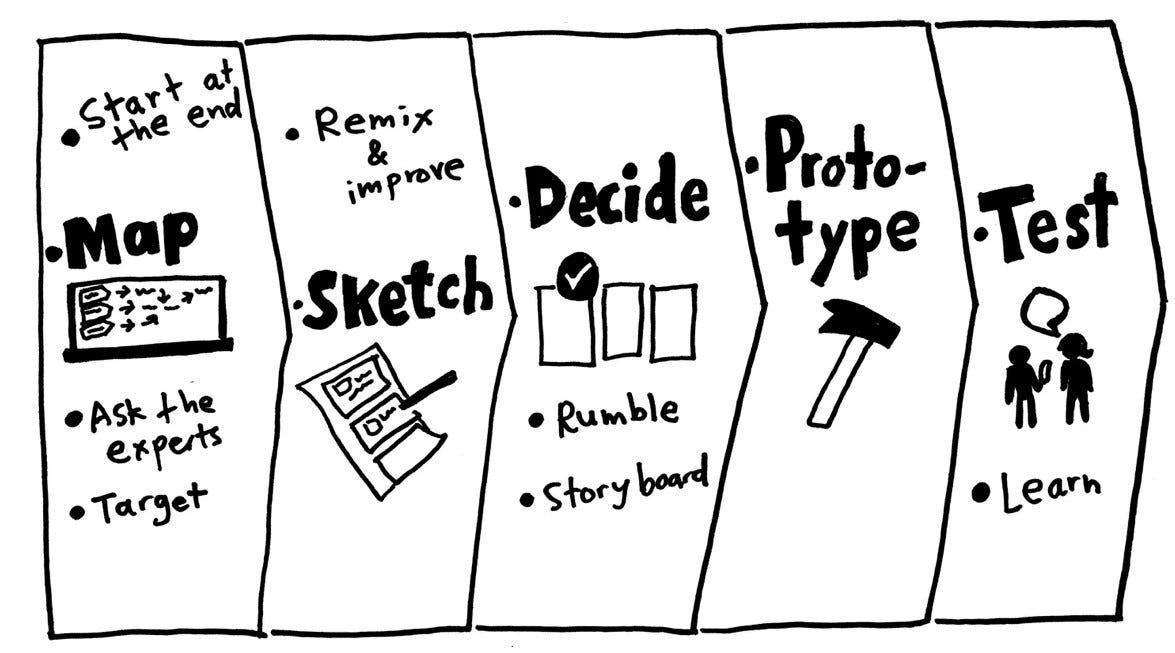
Prototype 
Prototype

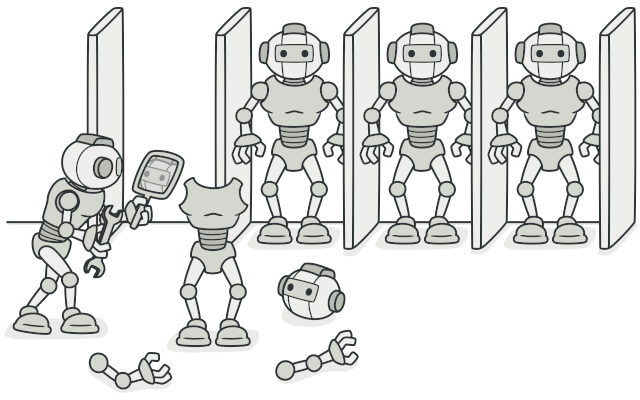
The next part of the process is app prototype. Here, we structure the ideas into delightful experiences for users who would interact with the application. At this stage, it is ensured that the flow between features and screens should be so natural that users should not even notice.

In order to create an ideal prototype, it is very important that iterations are made until the flow is nailed on the basis of the feedback. The level of iterations is what defines the app prototype cost.

At Anteelo, our teams work on the prototypes collectively. Everyone: Developers, Business Analysts, and Clients work together to create an application which everyone can agree on. This, in turn, helps in identifying issues and confusions that could occur at the development stage.

Deliverables: App screen wireframe, interactive prototypes

User Interface Design 

User interface design - Wikipedia

User Interface design is all about telling a story of how the user would feel as they move from one screen to another.

This is where the look and feel of the app is created – its colours, shapes, typography, elements, etc. Our mobile app developers do not just look into what the users will see when they use the app but also what they would feel. Thus, we concentrate our efforts on not just static design but also animated versions. User interface design primarily encompasses three elements – Logo, App Icons, and Screens. These are the elements which then get added into the numeric value of mobile app design cost.

Deliverables: App logo, app icons, screenshots for the stores, and animations.

How Much Does it Cost to Design a Mobile App?

With the need and stages of mobile app design part covered, let’s talk about the monetary part of mobile app design, a.k.a The App Designing Cost Breakdown.

The cost of app design is majorly dependent on three factors – Complexity of the app, the country wise app design cost, and the platforms on which it would be made live on. Let us dissect every part of what goes into app design cost in detail.

A. Cost of Mobile App Design on the Basis of Platforms

Platforms like Android and iOS differ in how they look and operate. While on one side, Android application has to be matched with different resolutions and formats, the same is not the case with iOS for everything is finalized. This is the reason why Android app design is more expensive than iOS app design cost.

Android vs iOS App Design Cost

iOS vs Android: 2021 Security Comparison [+Video] | NordVPN

Although the app design cost might not vary greatly between iOS and Android apps, there are some points’ difference.

There was a time when iOS app UI and UX designers used to charge because of the stringent store guidelines, the situation has changed. Google too has come strives ahead to ensure high quality in terms of what goes into the store and thus, they too have started following a stringent approval process.

So the comparison between iOS and Android application design cost has come down to the number of platforms and the device type.

Let us look at it from iOS App Design Cost front first:

iPhone only – The entry models doesn’t require designers to create images specifically for retina display. So, the approximate designing cost falls in the range of $3,000 to $10,000.

iPhone 6 Plus and ahead – Designing apps for iPhone 6 and ahead adds 25% to the cost. These devices come with retina display which call for high resolution files, which in turn, comes with an attached cost.

iPad – iPad app design adds 50% to the cost. They don’t just require high resolution but also product designing solution to meet the speed and size of the iPads.

Now talking of Android app design cost:

The Android devices are constantly changing and changing with them are the rules of designing in the Google Material Design process. The Android app designers constantly have to adapt to new frameworks and design ideologies to keep up with the changes, which comes attached with a cost.

Additionally, since the number of platforms that a designer has to work on is much greater than iOS, the Android app design cost automatically increases.

B. Mobile App Design Cost by App Complexity

What Factors Affects Deciding Cost To Design A Mobile App?

Whether we talk about the mobile app design cost or the cost of mobile app development, there are three complexity levels that are considered when the app design cost estimate has to be drawn.

Simple Apps:

These are the applications which are maximum 3 screens long and use next to zero animations and interactive design elements. Apps like Calculators and Alarm fall under this category. These apps usually are not designed to meet the requirement of individual platforms for they look alike on all screens.

Medium Complexity Apps:

These apps are the one which make use of multiple interactive elements and animations along with several screens. They are usually designed individually for Android and iOS platforms and are made to meet the native look and feel of the platform and heavily relies on Human Interface design guidelines and Google Material design principles.

Most of the apps that you use on an everyday basis like WhatsApp and Uber etc are examples of what a medium complexity app looks like.

High Complexity Apps:

These are the applications which are highly dependent on designs to serve their purpose. Here, a lot of animations and transitions are used to help users move from one screen to another and ultimately convert into a regular user.

These apps make use of a huge number of screens and usually work on multiple screens – all demanding a device centric native UI design.

c. Mobile App Design Cost by Country

The work performed keeping the same quality intact might vary greatly between a designer in the USA and a designer in India.

For example, a USA based UI/User Experience designer might charge $200 per hour, while an eastern nation design might charge around $80 – $100 on average per hour.

How to Optimize the Mobile App Design Cost

There are a number of proven strategies we use for our startup clients, who are particular about quality but work with limited budget.

  • Work around a strategy – a set strategy can be a great way to cut back the app design cost.
  • Concentrate on the must-have features – we always recommend our clients to work on the must-have feature set of the application to start with instead of designing a full-fledged application which could be kept for the phase two of the project.
  • Use templates – while not ideal, using templates can be a great way to cut back high app designing cost for very minimal efforts are required from the designers’ end.

In-Depth Detail About Logistics App Development Cost

How Much Does It to Develop an on-Demand Logistics App? - TekGeekers

We’ve come a long way, haven’t we?

From standing in long queues just to send a parcel to doing so with a click on our smartphone’s screen. And from the operators’ point of view, they are saved from the pain of monitoring all the logistics and transportation operations – all the time.

It’s all a result of the fusion of the transportation and logistics industry with the mobile app development domain.

But how?

How do these mobile applications perform a multitude of tasks single-handedly and efficiently? What features make them so great?

Well, this is something that we will discuss here.

Don’t get anxious, since I know what you are here for – the most-awaited answer to “how much does it cost to develop an on-demand logistics ( or management) app?” But before we dive straight into the answer, how about a little detour?

Let’s back up to gain a little perspective on the current condition of the market and analyze how beneficial it is going to be for you if you blend in on-demand with logistics app development.

Table of Content

  1. Transport and logistics industry market statistics
  2. Top players of the Logistics market
  3. Types of mobile apps for logistics companies
  4. Logistics mobile apps in the news
  5. Benefits of Having an app like Uber Freight
  6. Must-have features of an app like DHL
  7. Technology stack used for logistics app
  8. What does the Logistics app development cost?
  9. Future of Logistics app development

Transport and logistics industry market statistics

“It’s all about numbers”

I have always found numbers to be the most convincing factor in business. And the logistics domain possesses some promising ones as well.

According to MarketWatch, the global logistics market is predicted to grow by $287.1 million between the years 2020 to 2024. This is equivalent to the increasing CAGR of 5%. In fact, the year-over-year growth rate for 2020 is projected at 4.13% by the end of the forecast period. Moreover, this CAGR is considered to be the highest during the 2019-2023.

In fact, a report by Transparency Market Research, it was mentioned that the logistics industry is expected to be worth $15.5 trillion by the year 2023 – something that paints the future of on-demand logistics app development in a positive light.

Moreover, upon analyzing the transport and logistics industry stats, we found that logistics/trucking holds the highest market share of 35%.

Top players of the Logistics market

Carriers - Find Truck Loads Faster and Easier | Uber Freight

In-Depth Detail About Logistics App Development CostDHL Express shipping - nopCommerce

United Parcel Service - WikipediaIn-Depth Detail About Logistics App Development CostTruckTrack | AngelList Talent

Types of mobile apps for logistics companies

1. Fleet Management

In-Depth Detail About Logistics App Development Cost

This type of logistics application caters for recording the data and information related to vehicles and fleets. As a result, these apps must help in organizing, managing and coordinating vehicles from the central information system in order to keep the overall fleet operation hassle-free and running. Applications like these are also known to reduce costs, boost performance while providing compliance with government regulations.

2. Logistics on-demand

In-Depth Detail About Logistics App Development Cost

Applications that fall under this category are all about goods delivery as per the users’ requirements. These apps not only fulfill users’ needs instantly but also help in building connections.

3. Warehouse mobile apps

In-Depth Detail About Logistics App Development Cost

Warehouse mobile apps are designed to store a huge amount of data related to the products stored in the warehouse. It does it in such a simplified way as to make it easy to access any data any time.

4. Tracking and forwarding applications

In-Depth Detail About Logistics App Development Cost

These applications target to deliver information related to real-time concerning routes and delivery of the goods and products. This means that it also displays drivers’ location which is a rather prominent feature.

Logistics mobile apps in the news

  • Airbnb has expanded its reach to warehousing by introducing the “Flexe” app. In May 2019, the application raised $43 million in fundings in order to help online retailers take on Amazon.
  • Uber announced in Sept’2019 that it will spend $200 million to expand its Uber Freight trucking venture – Another reason to believe this is a growing field.
  • In January 2020, a Kenyan logistics startup called ‘Sendy’ with an on-demand platform raised around $20 million in a funding round backed by Toyota.

Benefits of Having an app like Uber Freight

Knowing why one should even invest in logistics mobile apps is as important as it is for a business to know the cost of logistic mobile app development. Let’s shed some light on the benefits first.

1. Vehicle tracking

In-Depth Detail About Logistics App Development Cost

Accuracy plays a pivotal role in determining the quality of the services – delivering goods at the right places and time. In this case, geolocation poses as one of the important features of the logistics app. The admin or users would be able to track the real-time location of the vehicle while simultaneously notifying the customer as well. In the case of emergencies, GPS could also be used.

2. Fleet and warehouse management

In-Depth Detail About Logistics App Development Cost

Effective management of fleets and warehouses is an ideal way to prosperity for any business operating in this domain. It can help with improved productivity and functioning. Such applications can store data way more effectively than the manual process, with low chances of data loss or misplacement. All in all, developing a transport and logistics app will eliminate inaccuracies and errors that come with manual processes.

3. Easy online booking

Easy Booking - Videos | Facebook

Since everything is on mobile now,  providing your customers with the facility to do everything on their tiny screen what they used to do on their desktop/laptop is the need of the hour. Booking cargo or a parcel is something that can be done online with the help of on-demand logistics app development.

4. No paperwork

No Paperwork by Amanda ☻rtiz on Dribbble

As pointed out before in the second point, managing and handling the paperwork is such a pain, especially, in the transportation and logistics business. Having a dedicated mobile application for this purpose solves this issue entirely and streamlines everything.

5. Helps in confirming the whole process

In-Depth Detail About Logistics App Development Cost

Probably one of the prominent uses of such applications is the real-time confirmation of the delivery process. While using an on-demand delivery app, the company and the customers, both can confirm if the product was delivered on time or delivered at all.

6. Promotes professionalism

Why Professionalism Matters ~ By Richard L. Gabriel - The Docket

If something that should matter the most to a company is its brand image. Having an on-demand logistics app not only facilitates your users but builds their trust in your company.

Must-have features of an app like DHL

There are three panels that need to be designed and developed in the logistics app development. Let’s look at each one of them while discussing the must-have features.

Note: These three panels are essentially three applications, which when combined work as one whole product. Consequently, it is a prominent factor when it comes to calculating transportation and logistics app development costs.

User Panel 

Customer registration – Registration can be done in two ways – A. By creating a new account altogether and B. By registering with existing social media accounts. Giving this option to the users will impart a good impression.

Customer Attributes & Registration: The Perfect Combo For B2B

Vehicle selection – It is an important feature to integrate into the on-demand logistics apps. This helps users in selecting the vehicle as per their requirements, i.e., be it a van, truck, trailer, container truck, and so on.

5 things to keep in mind when selecting a vehicle

Scheduling and managing booking – Here users will be able to book a vehicle to avail of services immediately and can also pre-book by mentioning the date, time and location of pick-up.

10 Best Free Appointment Scheduling Software for Salons & Clinics

Multiple payment gateways – The more options you give, the better experience you are likely to provide your users. This is also true in this instance.  Providing users the choice to pay for the services via Credit/Debit card, online wallets, etc. will encourage them to use your app more often.

Multiple payment gateways on your site - Time to switch?

Tracking shipment – Rather a crucial feature, tracking facility is something your users are already expecting from your app. So, make sure to implement it in your end product.

Shipment Tracking Docs | Zenkraft


Drop-off location – Always allow users to enter the drop-off location of their parcel either manually or with the help of GPS.

Jpg Download Maps Locations By Icon Direction Location - Icon - Free Transparent PNG Clipart Images Download

Real-time alerts – Push notifications are a great way to inform users about useful and important information while engaging them on your application.

Real-Time Tags & Alerts - Log Management Made Easy | Logentries


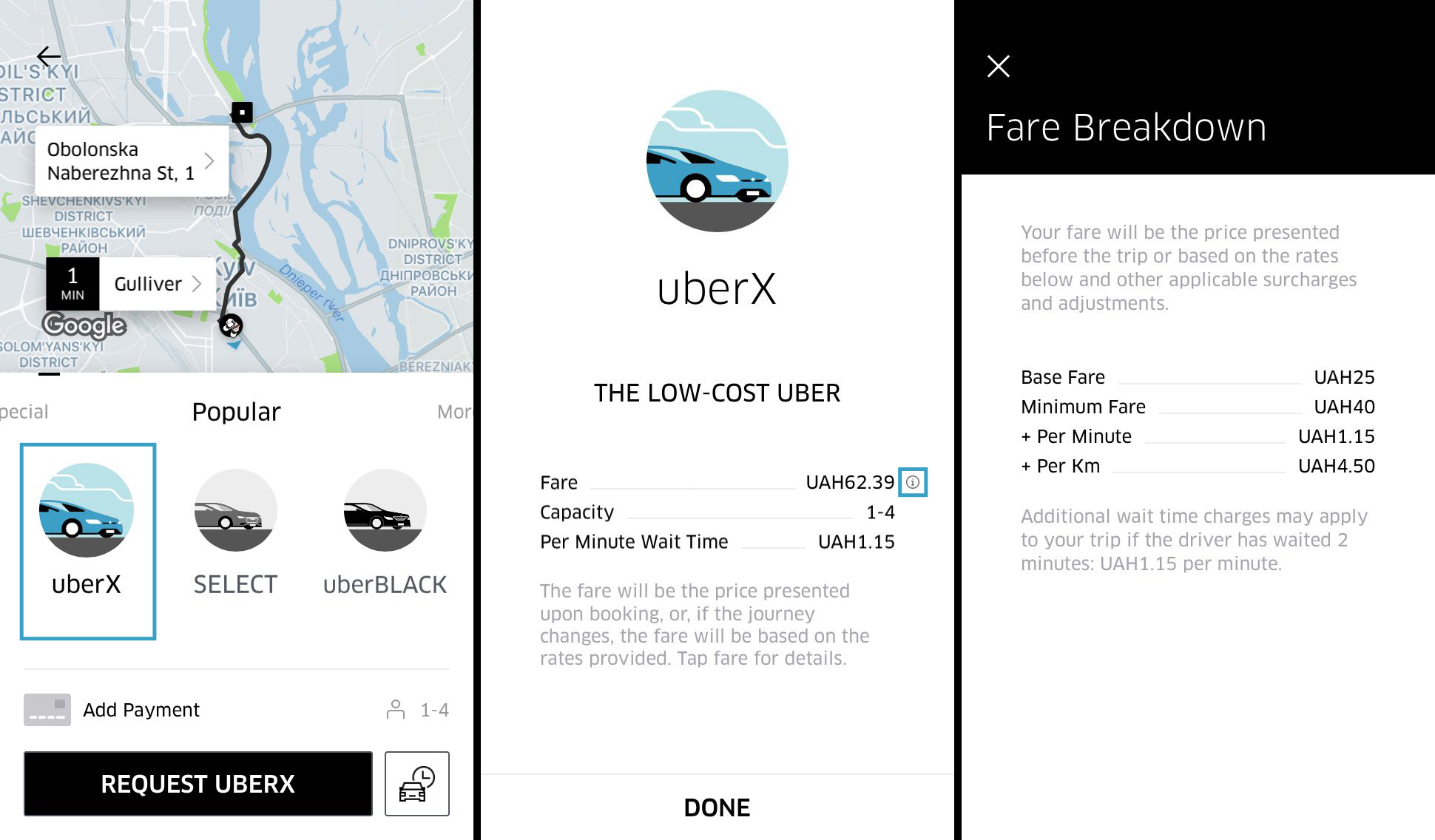
Estimate fare charges – It is important for users to know beforehand the value they are expected to pay for the services. In this case, employing an in-build fare calculator will prove immensely useful. It will calculate the cost of services based on the size and weight of the package.

Trip fare: Know Before You Go | Uber Blog

Access to history – This feature will allow users to revisit their previous transactions and invoices to keep everything on track and record.

Viewing Transaction History- Classic Account Management


Ratings and reviews – It would help customers if they find this feature in your app. This way, users can rate and review the services and give feedback that can help other users.

Understanding Online Doctor Reviews and Ratings | Beaumont Health


Driver/Dispatcher Panel

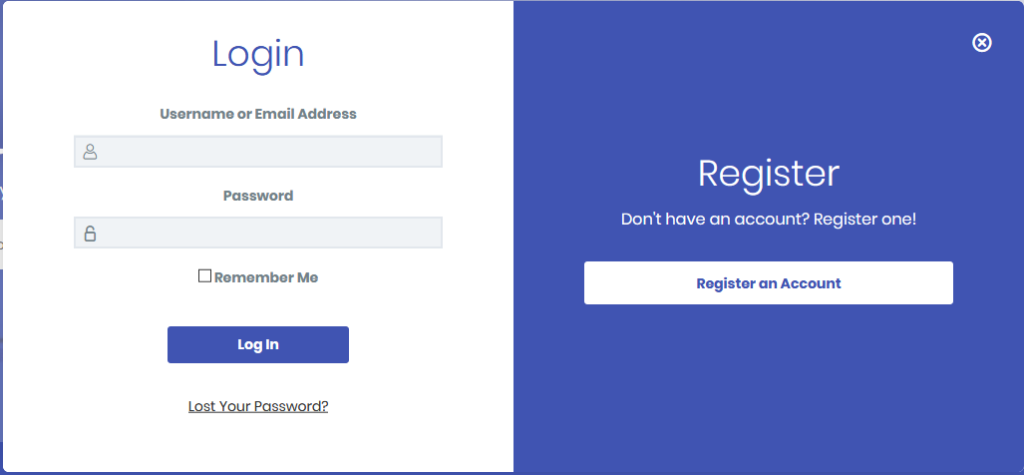
Login/Register – Like users, drivers can also signup using existing email IDs or social media accounts.

Setting custom LearnDash Login & Registration redirection pages - Theme Spirit

Manage requests –This feature allows drivers/dispatchers to accept or reject any request or order based on their preferences.

Start managing your incoming requests like a pro by taking these 4 steps - Corrus

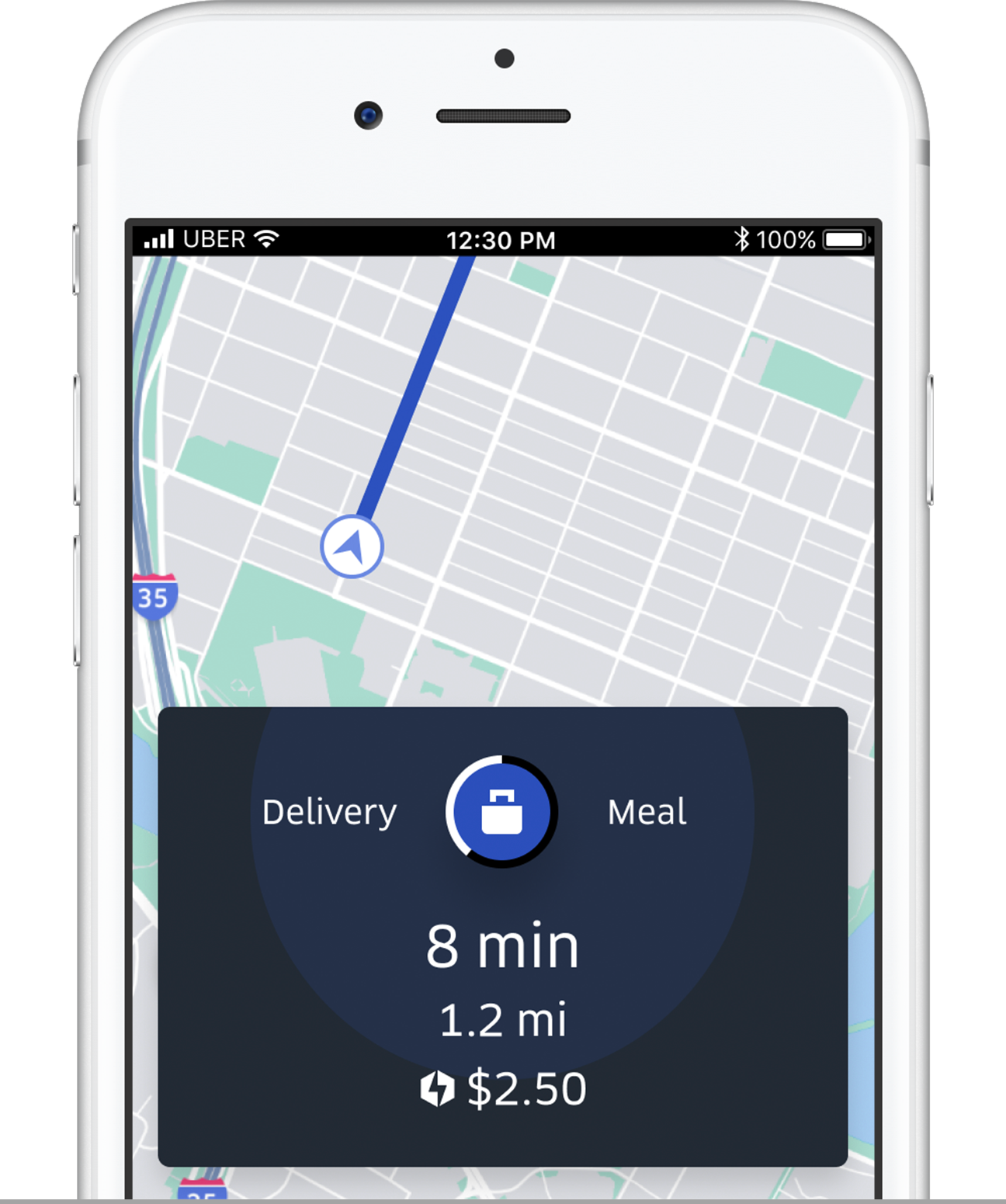
Make available or busy –Just like a DND feature, this will help the drivers or dispatchers show their availability/ unavailability for services using many options like marking self available, etc.

Surge: Couriers can more money when it's busy | Uber Blog

Consignment details – Getting insights of the consignment to be delivered is a crucial element that would help your app become popular if you employ.

Tracking & Tracing

Manage profile – Probably one of the most basic features is to enable the drivers to update the information on their profiles.

Manage Your Customer Profiles for Better Sales and Support | Acquire

Navigation –This is a crucial feature for the driver/distributor side of the logistic application. It gives information regarding the best route to the customers’ addresses to facilitate on-time delivery.

5 Best Offline GPS Navigation Apps For Android - Gizbot News

Mark delivery –Allowing the dispatcher this feature will enable them to send alerts to both the parties (customer and admin) regarding the delivery of the parcel.

Delivery Mark Reviews 2021: Details, Pricing, & Features | G2

Freight/shipping details –All the details related to freight (weight of goods, fuel consumption, distance covered, toll charges) and shipping (name, address, contact number, destination) all can be accessed by the dispatcher/driver via this feature easily.

Sea Freight Shipping Services | Ocean Transportation

Access to history – It would be best to offer this feature since it will help them revisit past transactions and invoices.

Admin Panel

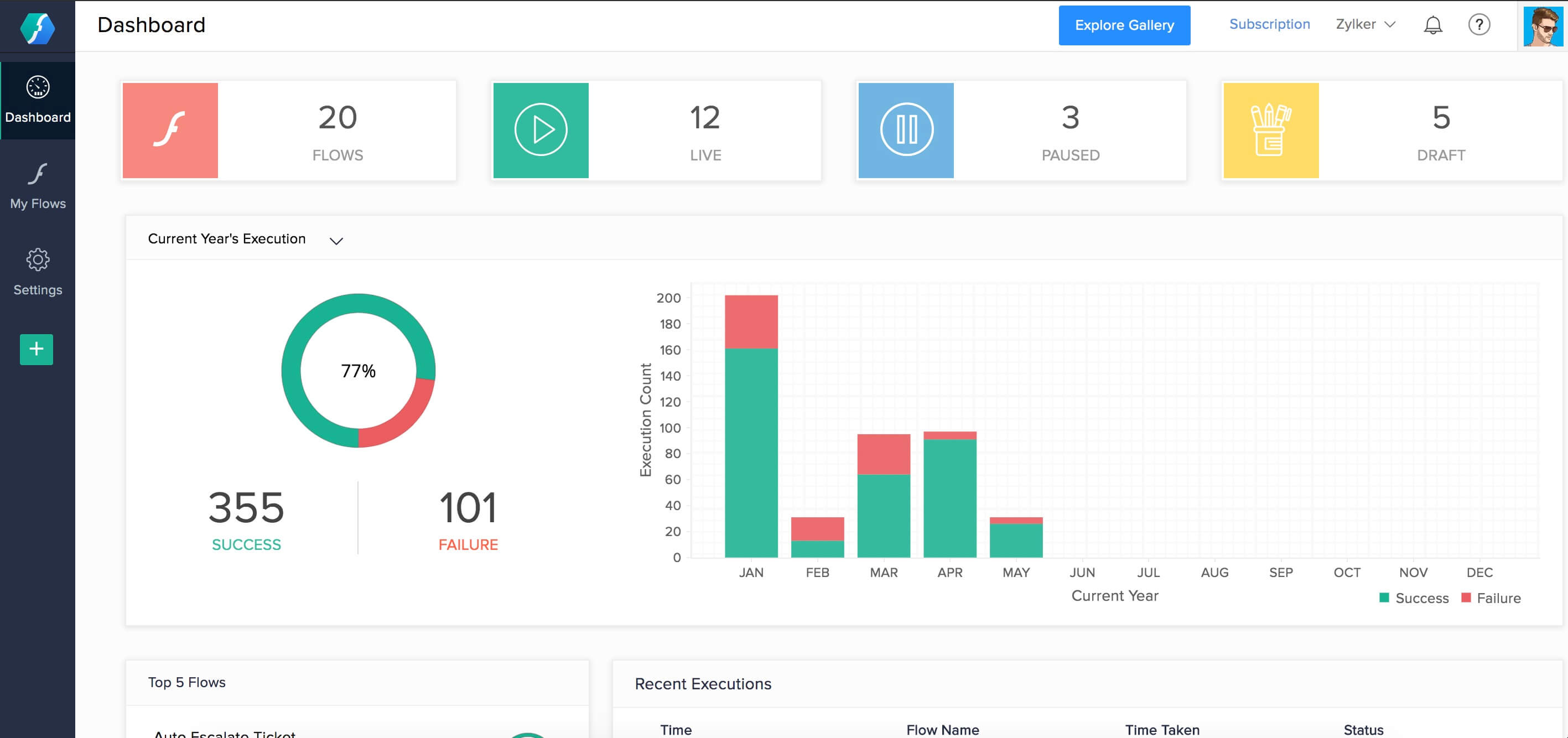
Dashboard –It displays every critical information related to the users and drivers. The admin is able to also see pending and completed orders with real-time data.

Zoho Flow dashboard

Fleet/Vehicle management –With this feature, it will become possible for the admin to introduce new vehicles for the shipment and even update the existing ones details with image, etc.

Car Fleet Management Template » EXCELTEMPLATES.org

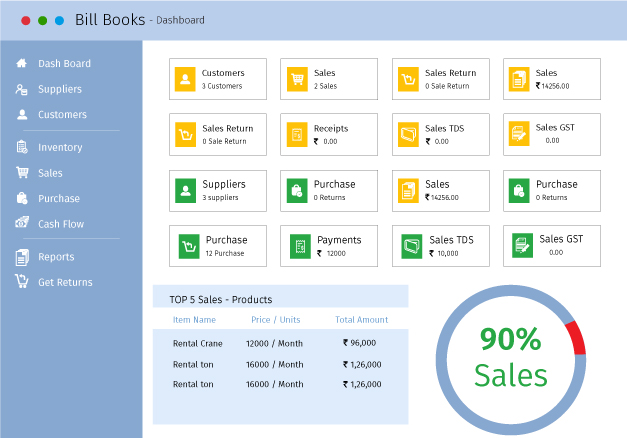
Manage invoices and payments –With this invoice management feature, the admin will be able to generate and update invoices.  Moreover, admin can also manage payments, i.e, approve the payments received by the drivers and analyze other similar transactions.

Bill Books - Billing Management Software - Manage your business sales, purchases, payments and customers

Drivers monitoring –This feature helps in managing and assigning tasks to the drivers/dispatchers and monitor their on-road time, activities, and pending requests.

Jaguar Land Rover tech has car monitoring driver's concentration

MS features –Under this feature, all the user queries related to the services or drivers, and any improvements required by the users are recorded and handled by the admin.

Additional features

Get a quote –According to the available deals and services, customers can request a quote from the service provider in order to get an idea for the cost and time of the services.

In-app Chat –This might be an additional feature but it is a crucial one as well. This will facilitate your users since they will not have to seek another resort for the purpose of contacting the service provider.

Chat support –Chatbots now play a huge role in the B2B and B2C sectors. Most of the applications providing any kind of service or products are equipped with chatbot app development. This is something that we at Anteelo highly recommend.
Multilingual Support –Popularly known as a practice related to the localization of mobile applications, providing multilingual support can boost the popularity of your application globally.

Link and upload documents –For dispatchers, this feature will be a big hit since they will be able to upload important documents related to shipping such as insurance documents, etc.

Note: All these additional features incur higher logistics app development costs.

Technology stack used for logistics app

One of the challenges of developing a logistics mobile app is determining which tools are essential and will render impeccable results, something which an on-demand app development company like Anteelo knows best.

Starting from the top, in order to create a robust Frontend development, many mobile app developers prefer to use Swift, Java, CSS, Bootstrap as their programming languages. Whereas, for the backend development languages like JavaScript, Ruby, AngularJS, and Python with their impeccable mobile development frameworks are used.

As for the database, HBase, Mail Chip Integration and MongoDb are used, while Azure, Google, and similar technologies are used for Cloud facility. Speaking of Application and data, development tools such as jQuery, Groovy, and AngularJS are employed.

Now that we are done with getting familiarized with crucial aspects surrounding the logistics industry and app development, let’s get down to business – getting the answer to the cost to build logistic apps.

What does the Logistics app development cost?

As I had mentioned above, the ultimate cost of app development relies on the factors related to the on-demand logistics app development process of the application.

Along with an answer in digits, we will encounter a detained account of the factors contributing to the final cost.

Backend and frontend development

In-Depth Detail About Logistics App Development Cost

The choices you make for Backend and frontend development will play a pivotal role in determining the cost of your logistics application. To be more specific, it all depends on your choice of frameworks, tools, and technologies.

You can either go with Monolithic or Microservices. However, let me put it out there that the cost of frameworks for microservices tends to be higher than monolithic. Nevertheless, it is all worth it since it is more efficacious in providing highly scalable logistics applications.

Choice of the tech stack

In-Depth Detail About Logistics App Development Cost

You might already know that the tech stack you choose for development is going to affect the cost. Speaking of programming languages, hiring developers for some languages like Swift, Golang, and R is quite expensive. Similarly, those languages that are new will have fewer libraries and frameworks, adding to the overall tasks of the development.

 Type of application

Since it is an on-demand application, the development cost for it also tends to be higher than any other category, say social media, m-commerce, etc. It is because this single application consists of three whole separate panels, which require a number of resources equal to three applications. So, evidently an on-demand logistics app is going to cost more than other non-on-demand applications.

Platform (Android or iOS)

In-Depth Detail About Logistics App Development Cost

The choice of platform you choose would fall either for Android or iOS. Strictly speaking, developing for the Android platform can be a little more costly as compared to iOS due to the amount of fragmentation Android is subjected to.

There is a third option available now – cross-platform app development. By choosing this, your application will be able to work incredible on both the platforms rending performance falling no shorter than a native app. Plus, it is cost-effective as compared to developing the app separately for both platforms.

Development Team Size

How to Determine the Right Size of Your Software Development Team | Customer-centric product development and innovation

There is no need to tell you that the cost of development will be lower when you choose a team of freelancer developers as compared to an established on demand mobile app development company.

However, established companies have an edge over freelance developers – the assurance of the prolific quality of mobility and digital solutions.

Location of the company

In-Depth Detail About Logistics App Development Cost

The location plays a pivotal role in deciding the ultimate cost of logistics app development. It is an established fact that the hourly rates of development tend to get higher when moving from east to west.

In light of the above statement, there are few countries such as India that are home to some prestigious and insanely efficient mobile app development companies that offer their services at reasonable prices.

Now comes the most-awaited part. The estimated cost of logistics mobile app development can range between USD 70k to USD 80k.

Future of Logistics app development

The future of the logistics industry

All the current statistics and predictions on logistics app development only paint a positive picture of the future of on-demand logistics app development. Since the advent of mobile app development in the logistics industry, things have become smooth-sailing and processes have become streamlined.

In fact, the next big thing for this industry is the extension of AI into it, as per the AI technology trends. We can expect AI-induced logistics applications that will further facilitate the logistics and warehouse management while being equally helpful in transportation. Another next-gen tech that will disrupt the logistics domain is none other than IoT.

Going forward, the emergence of numerous types of on-demand logistics applications will eventually make the logistics industry prosperous. If there was ever the right time to invest in the logistics app development, it is Now. So, with the estimated cost to build the logistic app, it would become easier to make a firm and well-contemplated decision.

Minimal Apps Design: A Complete Guide For Beginner’s

A Beginner's Guide to Designing Minimal Apps - Appinventiv | Android app design, App development, Mobile app development companies

Perfection is achieved, not when there is nothing more to add, but when there is nothing left to take away.

– Antoine de Saint-Exupéry

There was a time when adding too many elements into the mobile app was a norm. But, with time, user behavior has changed.

Users have started inclining towards minimal interactions and elements; hoping to interact with limited things while enjoying the same level of services.

This changed need in turn has made it imperative for app designers and UI UX design agencies to incorporate the concept of minimal app design and build engaging designs with limited elements.

In this article, we will talk about the much talked about designing concept starting with the simplified definition to what is minimalism.

What is Minimalism?

Minimalism in app design, as depicted from the name, is described as a process that operates on the ‘less is more’ principle. Here, the least possible elements are added to your app design, such that it forms the most atomic form of the application. Meaning, you cannot achieve the core functionality of the application on removing elements further.

The concept has gained a huge momentum in the UI/UX design world because of the number of benefits it offers.

What Should Minimal UI Design Look Like?

Minimal UI for maximum impact. How Minimalist Design Can Power Your… | by CanvasFlip | UX Planet

Minimalist web and mobile UI UX app design should be brief, clear, and consistent. The communication of the program’s segments should be pointed toward solving the customer’s problem, be it texting, online shopping or something else, which infers user convenience.

Generally, minimalism powers UI/UX professionals to track down a legitimate method to say more with fewer means. To accomplish such an outcome, you need to follow certain minimalist UI design principles. They’re direct, simple, and consistent.

Benefits of Minimal Design in App Design Process

Pastel Photo App | Photo apps, Mobile app design inspiration, App design inspiration

Delivers a polished message

When multiple elements are added to a screen, it is likely to confuse users and make  it hard for them to understand the core value you wish to deliver. But, on the flip side, minimalism, when added to the mobile app interface makes it nearly impossible for users to not be able to understand what message you wish to deliver.

Fast load of app screens

Naturally, when unnecessary components are eliminated, an application turns out to be quicker. This brings the advantage of minimum to zero instances of application crashes. When the performance of an application is improved, the experience improves, eventually expanding the timeframe of usability of applications on consumer’s devices.

Eases navigation process

Another reason why minimalist web and mobile app design is going viral is that it enhances app navigation.

Users interact with less elements on a screen. So, there’s less chances of them finding an alternate navigation path and get distracted.

Requires less maintenance

Since the time, effort, and cost required for app maintenance varies with the no. of elements available on the screen, the value gets lowered in the case of minimalist UX design.

Enhances brand value

Last but not least, a minimalist app design helps brands increase their app stickiness. Through the design concept, users are able to stick to the interface for long, and all the while, their interest keeps spiking.

Concise call to action

On account of the moderate plan technique, any accentuation will be striking. The conciseness and simplicity of the interface permit you to take the user’s attention to what you truly need them to see.

Need your users to utilize your application for any reason? Or do you need them to subscribe to your top video? Whatever be your activity, its call would project itself delightfully onto the application.

Knowing the benefits of using minimal UI design, I am sure you would be keen to get started with the implementation of it in your app design.

But, wait!

Before asking your hired mobile app design and development company to follow the Minimal Design approach, it will be useful to get a head start by looking into how different apps are leveraging advantages from it.

Popular Apps Using Minimal Design Concept

Google Calendar

Calendar | Google Blog

Google calendar uses the grid layout to show all the information in a simplified and organized style. Also, an analogous color scheme is opted to give a fresh and positive look to the interface.

Instagram

What Is Instagram and How It Works: a Beginner's Guide

Instagram embraces the concept of white space and added the simplest form of icons to give a pleasant feel to the target user base.

Airbnb

pngkey.com-airbnb-logo-png-605967 - TheRiver.Asia

In Airbnb, a single typography is being used to make the app interface look clutter-less. Also, icons are used smartly to define a purpose.

Medium

The typography, photos, and every element are used in a grid format in the Medium application.

Lyft

Lyft - Wikipedia

Lyft is an apt example of how to add an analogous color scheme into your app design plan to bring out the best outcomes without investing heavily in terms of app design cost.

With this covered, let’s dive deeper into the technicalities of Minimal designing – starting with the core features of Minimalism design concept to keep an eye on.

Characteristics of Minimal App Design

The Rise of Minimalism in App Design | by Austin Mikael | Prototypr

1. Simplicity

A minimal app design uses less and not complicated elements, which gives a simple and clean look to the application.

2. Clarity

It not only looks simple, but also simplifies the process of getting an understanding of the core app purpose.

3. Functionality of each element

Every element on the app screen performs some action, and not just makes the app look attractive.

4. Expressive visual hierarchy

The elements in the case of minimal app design are placed such that they showcase a visual hierarchical structure.

5. Higher attention ratio to proportions and composition

The UI/UX design is created by keeping The Golden Ratio into consideration.

While these are the traits that an application designing through Minimal design approach shows, let’s turn towards the elements it compose of.

Elements of Minimal Design to Watch Out for While App Development

Color scheme

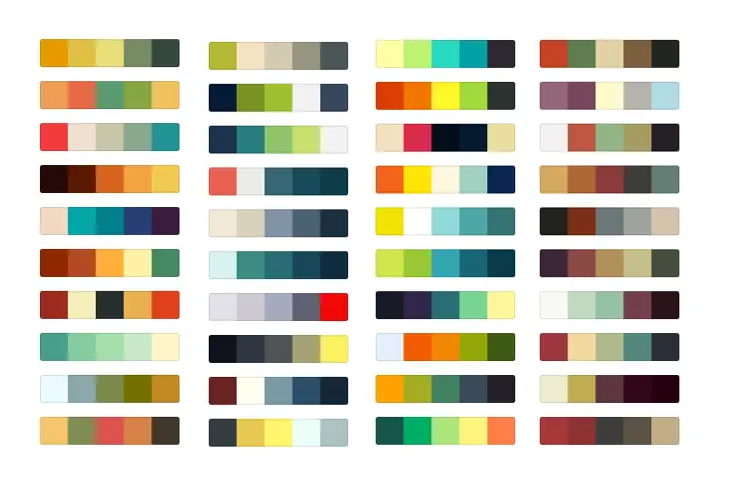
Generate Free Color Palettes for Your Images & Pick Your Color Scheme | Adobe Spark

One of the primitive elements of minimal design is the color scheme.

The type and quantity of colors you pick for your app’s interface leaves a major impact on the target user base, on the emotional front. If your application has too bold or too many colors at the same place, the app might seem cluttered and confusing. While, on the flip side, calm colors or a single color on the interface might make the app appear boring and affect user retention rate.

In such a scenario, the two ways you can build engaging app interface are:-

  • Use Monochromatic Colors Scheme – Multiple colors are created from changing the hue brightness and saturation of the same color; making it easy on the eyes.
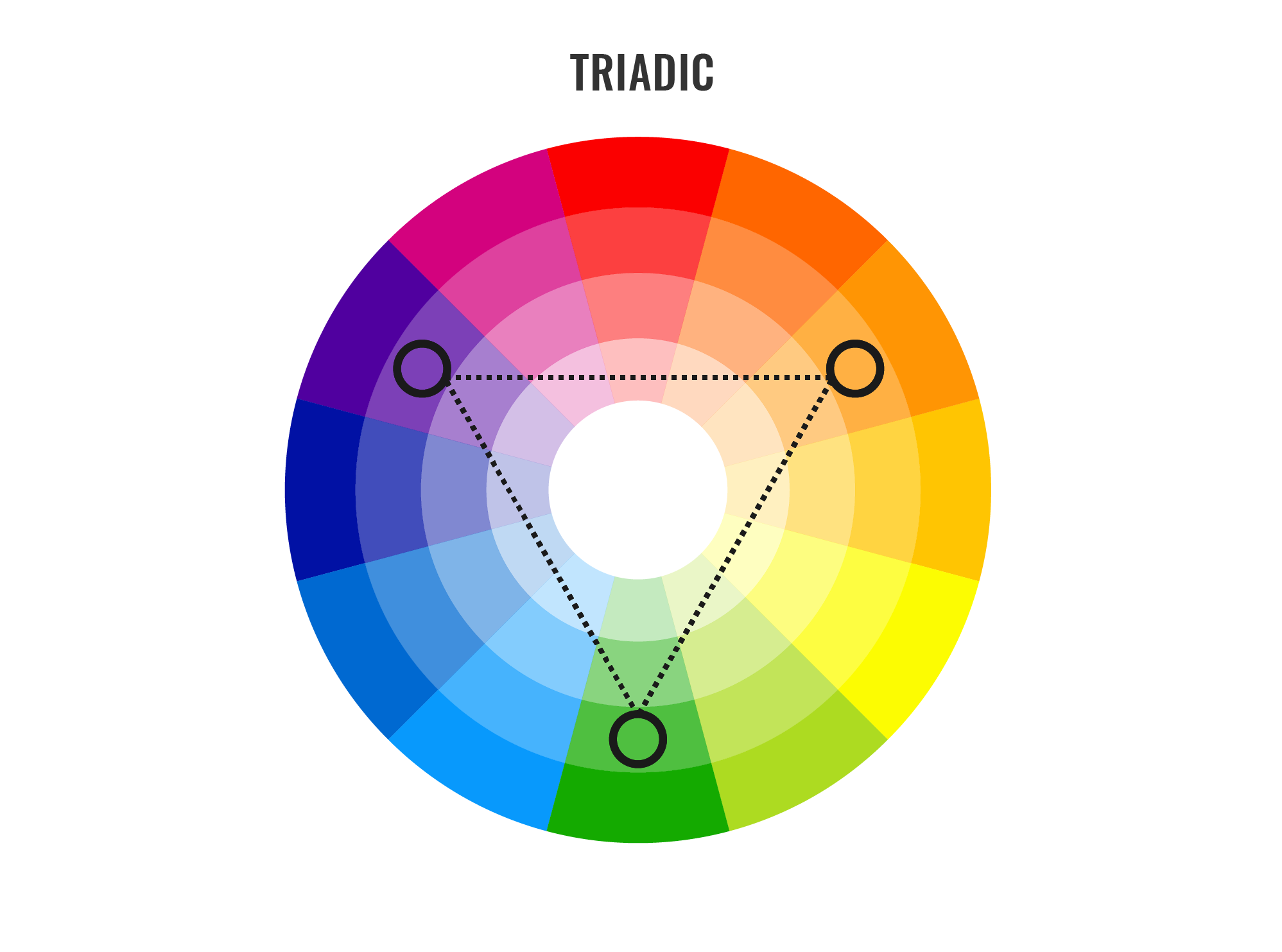
  • Opt Analogous Colors Scheme – Three adjacent colors on the color wheel are used to create different aspects of the application.

Typography

A beautifully illustrated glossary of typographic terms you should know

Another element that gives a different aspect to minimal designs is Typography. Defined as the technique of representing written words, it improves communication between users and the app interface.

If picked wisely, it can bring more eyeballs on your app screen. While, on the other side, it can give a disorganized and negative feel to the users, especially when going with multiple typography fonts.

In such a scenario, having knowledge of the best typography tools as well as the idea of how many typography one should consider for building a sophisticated look is necessary.

White Space

When talking about implementing minimal design in apps world, another element that designers and developers need to focus upon is the white space. Considered as the space between text lines, it gives a clear and clutterless impression to the app interface; making users feel positive about interacting with the page.

 Icons

Get Pichon - Free Icons - Microsoft Store

Iconography is a visual language used to address functionality and content. A good icon is simple with visual components that are easy to spot and comprehend. Since bar symbols fill in as navigation to different sections of the application, it’s essential to indicate which section is active by highlighting the icon.

Enhancement

Enhancement is yet another mobile app UI design tool element that builds up minimalistic design in the mobile app world. That means, the way you bring more focus on a particular image or text while multiple being present on the page.

Now as to what exactly Minimal design in app means and which and how apps are introducing it into their app design, let’s look into some tips and practices you can consider to create minimalistic interfaces of your application.

Best Practices to Build Minimal Design for Your App Effortlessly

Go for flat design

Working while on-the-go | Illustration character design, Character flat design, Outline illustration

Following Flat Design in your app design is the foremost method to introduce minimal design in your application.

A Flat design, unlike other designing styles, focuses on using limited 2D elements and avoiding shadows, textures, or gradients. This makes it easier for the designed images and other visual elements to look neat, take less space, and enhance usability in the interface.

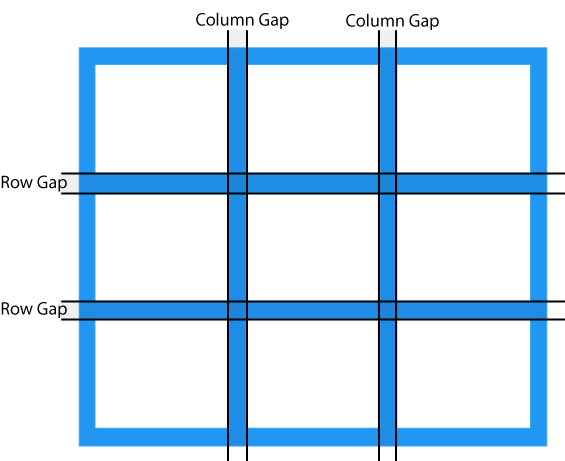
Make a grid layout

CSS Grid Layout

Another factor that every UI/UX app designer must consider while creating minimal app UI designs is Grid layout.

The layout not just adds convenience to the app interface, but also highlights the visual elements. It also serves designers with an ease of maintaining the same feel throughout the page in case of responsive design.

Remove extra elements

One of the best practices for minimalist design is to ensure that no unnecessary element is added to the screen. Meaning, only those elements are introduced to a screen that serves a purpose there.

Now, when it comes to deciding which elements to keep in the design and which one to remove, here are the two tips to keep an eye on:-

  • Do not add images unless they aid in making your message clear to others.
  • Use simple and limited words to communicate, such that meaningful information is being served to the audience.

Do not oversimplify design elements

Simplicity leads to minimalism. However, this does not mean that you have to oversimplify your app design.

This is because an over-simplified user interface can make it difficult for users to understand the purpose of your application. Also, it can break the navigation flow, which can further result in lower app engagement and retention rate.

So, it is a must for UI/UX designers to ensure that they keep a balance between simplicity and minimalism while designing their mobile application.

Employ negative space

Negative space, i.e., the white space created due to removal of extra elements from the interface, is the backbone of the minimal design.

This element, when employed smartly, plays a crucial role in preventing distraction, increasing engagement, and delivering the right message to customers. However, this is possible only when you focus on the following requisites:-

  • Content to be on the left side.
  • Focus on Hierarchy of elements.
  • Interaction made simple, without compromising on information.
  • Variations in negative space maintained for different resolutions.

Pick the right icons

Icons, when employed wisely, help designers cut down the need for content, enhance the visual appearance of the application, and add to the accessibility.

So, designing the right app icons and implementing them at the right places in your app design is also an effective way to get higher profits.

Write crisp content

Content Writing Tips: Create and Curate Quality Content Seamlessly - Crisp Results

As already shared in the ‘Negative space’ pointer, writing simple and succinct text copy improves the app metrics. An extension of it would be to express your thoughts with limited yet meaningful and catchy words.

Go for bold typography

Typography in app UI design, just like icons and other visual elements, also helps in enjoying minimalism in app design. Especially in the form of bold typography.

The bold typography shifts users’ attention to the focused words and helps in crafting a high visual experience. So, do not forget to introduce them into your app design plan.

Embrace the idea of contrast

Using contrast elements helps designers create a visual hierarchy and bring attention on particular design elements. So, it is again a good practice to invest your time and effort into building a contrast interface.

When talking about embracing the power of contrast, it is good to introduce black, white, or dark backgrounds with bright and colored typography and pictures. It is important to note here that if you are thinking of incorporating dark mode design theme, the contrast rules would be entirely different.

Use limited colors

Using Color Schemes in Mobile UI Design - SitePoint

Using too many colors on the same app screen leaves a negative impact on users. So, to ensure that your design imparts a positive vibe and engages a wider audience, use limited colors. The best way of which is to use different shades of the same color.

Likewise, using bright colors alongside soothing and complementary hues, simple typography, and less-complicated animations can also help you achieve minimalism in app design.

Focus on concise and intuitive navigation

When it comes to working upon the navigation element, many designers often turn towards techniques like hiding some part of the navigation. This might help to keep the design minimal but reduces the discoverability of menu elements. This makes users confused somewhere in their journey and fail to experience the kind of user experience you wish to offer after ux reviewing process.

So, it is necessary to go with the philosophy, “measure thrice, cut once” while designing your app navigation.

Embrace functional animation

Importance of Functional Animation in UX - Qode Interactive

Another factor to watch out for while ensuring minimal design in the app is to embrace the idea of functional animation.

This element of motion design is added to the user interface as a part of any functionality. And is focused on improving discoverability and delivering a meaningful purpose, without asking for more space.

Follow operating system design guidelines

The Official UI Design Guidelines & Patterns for Each OS - 2018 | by Sam Bible | Medium

Both Apple and Google have set rules around the type of design that a standard application should have. Considering those design guidelines while introducing minimalism in your application can also be an effective way to ensure higher success rate.

Ditch some rules

Last but not the least, bending some rules of minimalism design is also a good practice. This is so because when you break some rules, you get the freedom to experiment with your design and add creativity to it, aiding in bringing more eyeballs on your app page.

10 Quick & Actionable UI UX Tips for Mobile App Design

Blur effects

The blur effect emerges as a logical answer for a minimal product design UI, permitting a specific measure of play with the layers and hierarchy of the interface. Blur makes it simpler to make layers of data in the UI. This likewise offers minimal designers an ideal chance to explore different overlay solutions.

One app, one typeface

Guide for designing better mobile apps typography | by Andrey Zhulidin | UX Collective

More typefaces seldom bring about better client experience. Actually, blending several different fonts can make your application appear to be fragmented. Decreasing the quantity of font styles on a screen can uncover the power of typography. One of the mobile app design tips is that when designing an application consider how you might make the typography amazing by playing with weight, style and size.

Simple background

Web designers some of the time create complex background themes, like those including photograph pictures. However mobile app design service providers have long deserted such a training in favour of simple and monotonicity. Very bright background under restricted space confounds the way toward exploring the application and slows down the loading stage, which isn’t acceptable.

Simple navigation

Simple Steps for Creating a Fixed Navigation Bar | Design Shack

There are no intricate patterns of features, pages, or functionalities however just conveniently arranges experiences. Thus, through this clients will get to explore from one module onto the next flawlessly and complete things quicker than they would otherwise.

Declutter UI

It is wise to keep best app UI design mess free. Clarity is a significant attribute of a mobile design. An excessive amount of design components like buttons, text, images, etc. can make any mobile application complicated and incapable to utilize. Keep it basic and minimal, or else you will not be able to convey the message to the user in a clear and concise way.

Accessibility

Why Web Accessibility Is Important and How You Can Accomplish It | by Oyetoke Tobi Emmanuel | Facebook Developer Circles Lagos | Medium

With organizations taking measures to make products accessible for everybody, minimal designers need to have sympathy and provide different experiences to various individuals through the similar mobile plan. A well planned item ought to be accessible to various users like users with low vision, any sort of visual deficiency, motor and hearing impairments. With comprehensive app design features, individuals with disabilities can explore and interact with your product.

Thumb zone

With each new mobile release, the screen size has expanded, holding the gadget with one hand and browsing the application is getting troublesome. Thus, the mobile application design ought not be aesthetically planned but additionally should focus on the movement of the fingers and thumb.

Remember all zones when mobile application design is being made. Wider the phone, more hard for the user to hold the phone with one hand and tapping on targets if they are out of reach zone.

Set expectations

Set High Expectations with Your Employees in These Three Areas - MAP

Numerous associations with a webpage or application have outcomes: clicking a button can mean spending cash, erasing a website, or making a disapproving remark. What’s more, is that with clicking a button there are ramifications, there’s additionally anxiety.

Thus make sure to tell users what will happen after they click that button before they do it. You can do this through a nice design plan.

No extra details

All components of the minimal design play out specific functions: a circumstance where each UI detail fills a particular need. It implies you can securely dispose of application segments with no direct undertakings. They’re unnecessary.

This additionally applies to the content, i.e. decrease the quantity of words utilized and communicate as briefly as possible.

Intuitive app interface

Top UI/UX Trends to Make your App more Intuitive

The entire issue boils down to the last important point that is the making of an easy to use interface.

Eventually, no one needs to feel dull and moronic, and unplanned usability would provide the user with simply unwanted impressions. In this manner, your application interface ought to be intuitive, working on all devices in a comparable coherent manner. What’s more, is that accomplishing responsiveness in planning minimal applications isn’t so difficult.

Conclusion

Minimal app design has been a popular approach for some years now and is likely to be one of the UI/UX trends as well. So, it is advisable for everyone who wishes to enter into the UX/UI domain or are getting their application designed to focus on this concept and elevate the chances of success. Something for which you can refer to the rules and practices shared in this article. Or simply, connect with our UI/UX design company in USA.

What can M-Commerce Apps do to Reduce Cart Abandonment Rate?

M-Commerce and Mobile Apps: Opportunities for SMEs

User privacy concerns and lengthy checkout processes often partake the accusation for high shopping cart abandonment rate of m-commerce apps. Whereas, the metrics on users consideration at different stages of virtual shopping, often skips the bare eye. In this read we will narrow down upon- What are the main reasons and how can m-commerce apps lower their cart abandonment rate?

Imagine you are at a shopping store. You pick all the stuff that you intend to buy, place it in your cart when suddenly your phone starts buzzing. It’s a call from your longtime friend. You lose focus from shopping, or rather forget about the shopping bucket altogether before you leave the store.

We all know that is very unlikely to happen in a brick and mortar store.

But for virtual shopping carts on mobile and web, this scenario is recurring,  common and obvious.

Even the slightest of interruption from calls, messages, notifications, or environment can make your buyers leave the cart without making an actual purchase.

Marketers must know that there is a reason for every cart abandoned!

13 Reasons for Shopping Cart Abandonment, and How to Fix Them

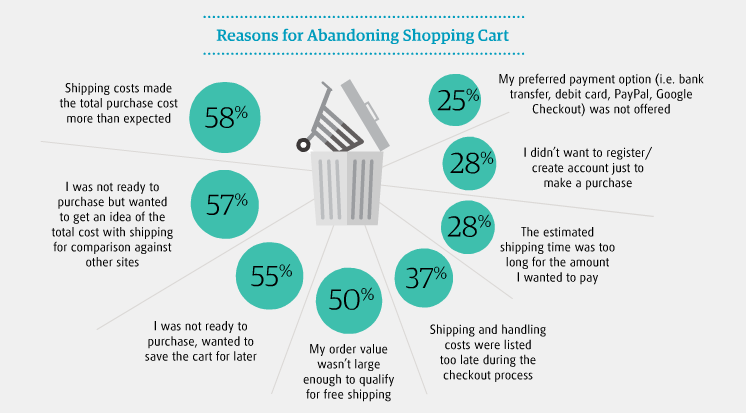
What are the major shopping cart abandonment reasons?  In an empirical study by Research Gate, we find the following cognitive and behavioral reasons for high shopping cart abandonment rate in 2019:

Fact: MasterCard and University of Oxford came together to hold a study in 2017 that reveals a drop in one-third of purchases is due to users forgetting their passwords. This leads to a common user preference of biometrics over passwords.

Statista Shopping Cart Abandonment Statistics:

Cart Abandonment Stats: Tackling Shopping Cart Abandonment in 2021

Shopping cart abandonment is the pain in the foot of every m-commerce or online retail store today. For vigilant marketers, they bring meaningful learnings about user behavior. You can try and turn your cart abandonment into key insights to restabilize all that is wrong with your marketing plan.

Let us look at the shopping cart abandonment Statistics 2019to see if there is a silver lining to this problem- A technique for every m-commerce app that needs shopping cart abandonment optimization.

So how to fix cart abandonment? One thing that is fairly evident is that a good conversion rate optimization approach can sustain and re-engage your audience to lower your cart abandonment rate.

How to convert abandoned carts? The Conversion rate Optimisation Approach

What if you choose to do nothing about the high cart abandonment rate?

You miss a lot of revenue and fail in conversions as your users continue to jump off the ship. On an average rate of cart abandonment is 68% for ecommerce retailers.

Everyone is looking for a quick fix to develop a customer base that keeps returning for more. The quest to recapture the lost value has become the food for thought, for many bloggers, marketers, entrepreneurs, and agencies.

We all are users at some point in our day.

Think like one! One technique to reduce shopping cart abandonment is to get the knack of your customer’s mind is to step in their shoes and generate your own perspective. What makes you snap back before you enter your cart details?

Make a list of these points just like we did to arrive at the main causes for effective abandonment cart strategy. While we took a generalists approach, you need the one specific to your business needs.

Many think of their mobile apps as currency vending machines, which they are not. Your mobile app is a platform that brings you an opportunity to develop a relationship with your customer, promote loyalty and leave a lasting impression in your heads.

1. Guest Checkout

Overview | Amazon Pay

Save your shoppers from new account fatigue. Allow them to make a purchase without creating and signing in to their user accounts.

Remember all those times when a paywall or overbearing request kept you from accessing the products on an app. Enabling guest checkout will let your customers browse through the products and share their details only when they are ready.

Understand and accept that the user wants to compare, assess and evaluate the value you offer against the purchase. Encourage users to sign up and log in once they ensure that you offer the maximum value.

In fact, the e-commerce market leaders like Amazon, Walmart, and others are already doing it. They all have a one-step checkout implementation option on their mobile apps.

2. Device optimization

The Complete Guide to YouTube Ads for Marketers

With smartphones taking over the internet, another thing you will like to consider is the device your customers are using to access your website.  Users spend about 15 hours a week on their smartphone browsing products on different m-commerce applications. Once the users set their eyes on a product about 45% switch to their laptops or tablets to make the purchase.

Make the mobile-responsive design your first priority. This approach is a great value add to your competitive growth. Optimize your website for mobile shoppers.

Come to think of it from a users point of view. A user who comes to your site has already been there through a smartphone.

Mobile shopping cart abandonment rates are high pertaining to casual browsers. Carts abandoned on mobiles are reopened on websites. So if you let them save the products that they like, you can seal the deal. Later they will come to your site with their visa and keyboards.

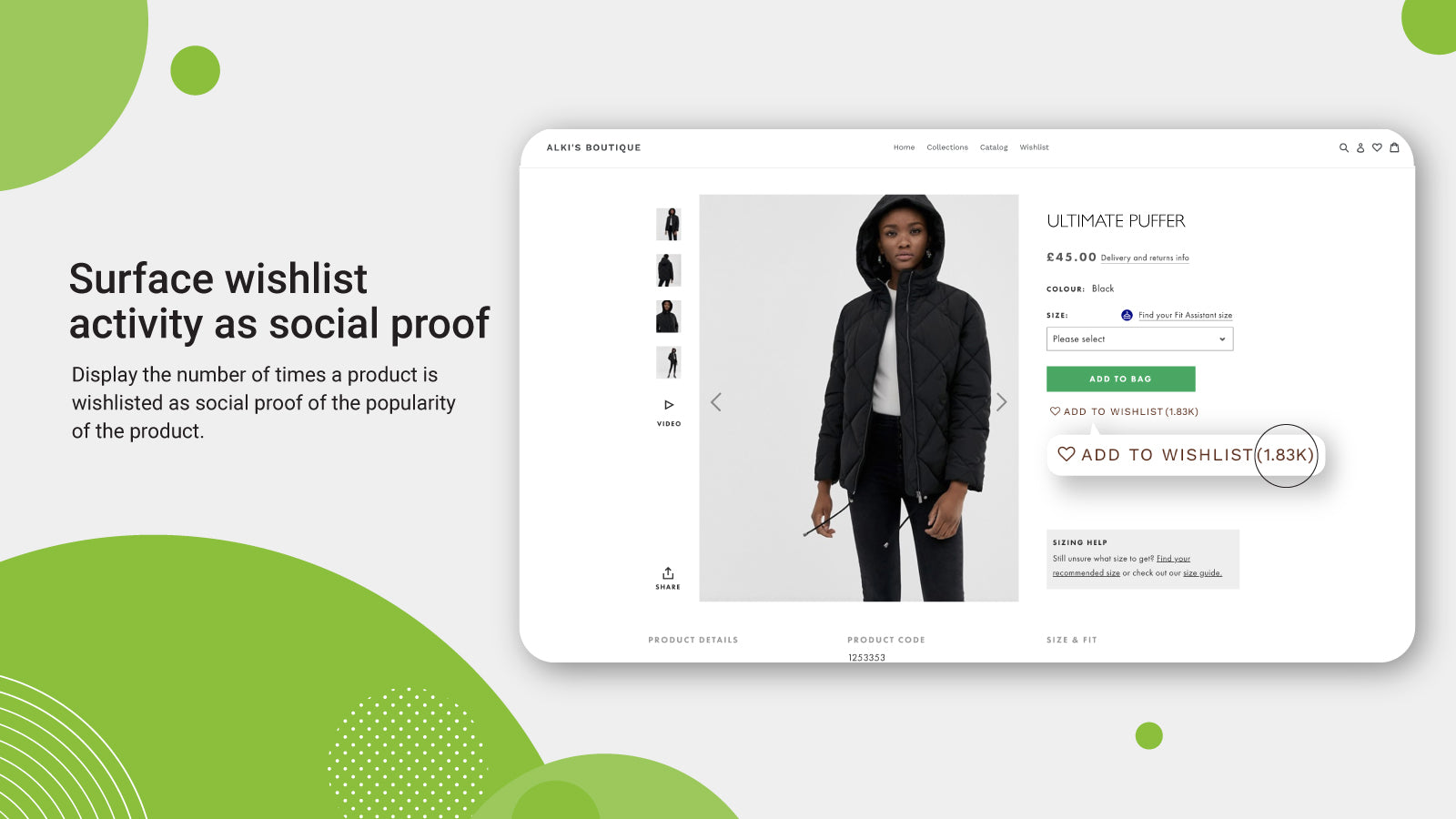
3. Add to Smart Wish List

Wishlist Plus – Ecommerce Plugins for Online Stores – Shopify App Store

We all have a long list of items that we want to purchase. A wish list lets your user bundle all on that list. With emerging technologies, Smart Wish List can make you stand out and nurture your audience.

The basket works and that is why the cart format has stuck. But very few have the Wish List feature.

Taking an example of an m-commerce app that deals in clothes. Suppose a user really likes a scarf but can’t find a matching pullover with it. Wishlist helps your customers to make a bundle of items in their own time.

Another scenario can be that you are out of stock and running low on the inventory of the pullover. The user can simply add it to the wish list. Once the stock is in the inventory the user gets automatically notified.

Wish least can also help manufacturers make pre-launch bookings, like on new gadgets before the price is disclosed. This brings a lot of customer feedback to the retailers and manufacturers to devise combos, offers, and discounts on selective merchandise. These are all part of the Shopping cart page best practices.

Now make the wish list feature smart. Add options to categorize the wish list for birthdays, anniversaries, paydays and others. Allow users to share the wish lists with each other.

A little push can add the right spices and increase sales revenue. Add a ‘buy before’ criteria to the wish list to bring a sense of urgency.  Suppose an expiry time of 60 days can bring the shoppers back before their itinerary disappears into the black hole forever.

4. Quick sign-ups

6 steps to get started on the Flipkart mobile app [Flipkart Stories]

It’s good if you are not forcing user registration. But it does more harm if you do not remind your shoppers to log in before they go. Keeping it simple and subtle, can capture the user’s attention.

‘Sign up with Google’ is a simple yet strong call to action. Users recognize google in a blink. It is secure, familiar and ideal. Give users the perception of choice, with a quick sign up.

This also tells you about when, where and how users prefer to communicate with you. So strive to secure your m-commerce app using best practices of network encryption.

5. Email reminders and Push notifications

What is a Push Notification and Why It Is Important

Communicate with your customers to re-stimulate their interest. One of the wise old tricks of marketing is direct communication with your user. Workaround a great email reminder campaign. Being too zealous won’t put you at the right foot here, like bombarding the inboxes with a streak of reminders. By rule of thumb, here is a list of what a good reminder email encloses:

  • Vibrant images of the product- To remind the buyer
  • A strong call to action- To stimulate decision making
  • Brief service guarantee or refund policy- To alleviate any concerns

Another alternative you have is of smart push notifications. If you make good offers the ones that bring a sense of cost incentive to the users, you will hit the jackpot.

6. Short-lived discounts

Ajio First Order Coupon Codes | May 2021 | Ajio Offers on First Order Rs.500 Off + FREE Shipping| Ajio Coupons Codes

Cutting down prices may critically affect your bottom line. But it’s a good bait to drive in the shoppers waiting on the fence.

A study of the effect on price discounts and bonus packs on online impulse buying speaks of the impact on users. Percentage discounts make the best detours for items bought for pleasure, while combos and bonus packs work best for utilitarian items.

Time-bound discount offers on items with elastic prices can show your intent that you value your customers. And to a customer that is a great feeling.

7. Brand Familiarity is not a myth

The Importance of Brand Awareness - KOBBA

Google Trusted Store badge is one heck of a tag that ensures certainty, reliability and trust factor through visual representations.

A name that your buyer has not heard before is bound to add skepticism about your credibility and offerings. Promote your brand to raise familiarity with your audience. Showing up in google search or social media advertisements will not bring you great returns.

8. Eliminate surprise costs

How Amazon became a pandemic giant – and why that could be a threat to us all | Amazon | The Guardian

High shipping costs and taxes often switch off the buying intent in customers. Free shipping on orders above a certain value is not a new idea but the one that makes magic happen. Disclose the additional costs early in the buying funnel.

A Forrester study confirms that surprise costs make 44 percent of online shoppers drift away and uninstall the apps.

Make a serious attempt to reduce all potential barriers between you and the wallet of your users. An active, persistent approach to curb the checkout leaks, navigation and performance issues are a few other things to spot.

Ecommerce shopping cart abandonment solutions are easy to implement if you understand their customers. Implementing the Techniques to Reduce Shopping Cart Abandonment as discussed above will soon make the bounce rates wind down and conversions ramp up.

The top 8 considerations for a successful Application Development

Why you don't need to develop a mobile app - Perfect Pixel Marketing LLC

Application development can be a little overwhelming for some people since it involves so many decisions and choices. If it’s your first time then we sure can understand the questions you might be asking yourself. With technology advancing so rapidly apps have to be developed in a way that it matches the latest technological trends.

Going for application development will be the best decision for your business especially if you are a startup. Startups need to gather an audience and convert them into becoming their regular customers. This can be achieved with the help of mobile apps as it will give the audience a platform to engage, interact and gather information about the startup.

An app must be developed in a way that there is no waste in the application development process, every opportunity is explored and the end result is worth all the effort and costs. To make this happen, we are writing this blog about things to consider when developing mobile apps for startups.

Let us begin with why should you get an app for your startup.

Why build a great mobile app for your business?

The fact that by 2020, there will be 20 billion mobile devices makes building an app that can profit your business is very important. Majority of the mobile users are preferring mobile apps to get things done and apps are more of a lifestyle than just a technological solution.

Here are some compelling reasons why businesses should have an app.

Additional sales

4 Ways You Can Generate Additional Hot Online Sales Leads Today

With a mobile app in your customer’s pocket, you have a lot of things to use to increase your sales. The simplicity and convenience of using an app to buy a product encourage users to buy repeatedly. When compared to websites, apps have more accessibility and people can make a purchase on the go. Another way to gain revenue is by showing ads on the apps. You can also charge users for your app. If the app is worth paying for, customers will buy it.

Reduces marketing cost

How to Reduce Marketing Costs Without Impacting Your Business?

Marketing costs are huge and not every startup can afford it. With apps, you get a free marketing tool which reduces the cost of marketing, unlike traditional marketing. Mobile apps are low-cost marketing tools where push notifications can be used to market new products, inform about offers and re-invite users to increase the activity of the app. Not to forget that it takes less time, low cost and reaches a large audience at the same time.

Customer experience

What is Customer Experience: Strategy, Examples, Tips | Hotjar

A business runs because of its customers and impressing them is the biggest job. Mobile apps are no doubt a great way of enhancing the customer experience. Websites are great to reach a larger audience but it cannot give the same feel as an app. Apps are deliberately designed such that it fits small screens while giving visual satisfaction to users. Apps have quick access to the device features like calling, camera, GPS, etc. which makes them more likable.

Edge over competitors

Competitive Edge: How to Gain an Edge Over the Competition - PR News

Even though most companies have got an app, there still might be a chance for you to flourish. There are two possibilities that make your chance to succeed with an app possible. First, there might be companies in your niche that haven’t gone mobile which gives an edge. Second, even if some businesses have, they might not a great app. A poorly developed app is of no good use and you get a chance there.

Broader Reach

Top 5 Reasons Why Mobile Apps are imperative for Businesses in 2015

There is a population that only operates its business through mobile apps. If you don’t have an app, you are missing out on that particular population. A large number of users prefer a mobile app over the website as seen in the statistics above. To know what percentage of your users are mobile-driven, check out the percentage of website visitors that access it through mobile phones. Also, younger users are more likely to use mobile apps as compared to adults.

Feedback from customers

Customer Feedback - Why is it important & 5 ways to collect it

If a business doesn’t meet the needs of its customers, it’s hampering its own growth. Most businesses take the smart route and consider the customer feedback a serious benefit. With feedback from your customers, you can reshape the business or make necessary changes. A great way to gather feedback is through reviews from the app store or from the in-app feedback section. You can also run in-app surveys from time to time.

Stickiness

App Retention: 5 Tips for Built-in Stickiness | Phunware

Mobile apps are a strategy to get into the customer’s pocket. The convenience it brings for the users is very much appreciated by them. Having an app in their pockets and being able to access it anytime and anywhere creates stickiness with your brand. Unlike websites, apps are always a click or a tap away and that encourages repeated interaction with the business. There are also high chances that mobile apps can bring your business a great percentage of loyal customers.

Now that we have seen why you should get an app for your startup, here are some tips for creating an app that is profitable.

What are the main points to consider when developing a mobile application?

It’s easier to decide to get an app than actually planning to build a good one. Mobile app development is a process that needs proper consideration. It requires one to look into tips for bringing success to app business, implement them, and much more. In this section, we will state some things to consider when developing mobile apps.

Solidify the app idea

Ensure a Smooth and Successful Mobile App Start-Up with these Guidelines - SPEC INDIA

One of the mobile application development tips for beginners is the app ideation. Before you even think about the application development process, make sure your app idea is great. The entire base of the app is the ideation and you need to make sure you have everything it takes to make the app a success. You have to ask yourself whether the app idea is strong enough to survive the cut-throat competition or not. The app should also have an edge over the competition and should be able to solve problems on a business level.

Define your elevator pitch

One of the things to consider when developing mobile apps is the elevator pitch. You get a short time to present your business in front of investors and that’s why having a perfect elevator pitch is important. This also helps in finding the clarity in your app idea and business model. You should be prompt about your business, the problems it is going to solve, the funding it will need and the audience it’s going to target.

Identify the target audience

Exploring your Target Audiences for Mobile App: How to Go About it

People think that the entire app using population is their target audience since they all can use an app. But there is a huge difference between someone who can use an app and someone who wants to use an app. Defining your target audience will bring more traction to the business. Knowing your target audience helps in building an app as per their liking. An app that satisfies the customer needs is going to become successful.

Consider the app platform

Android vs iOS, Which One Do You Actually Need? | Cashify Blog

Factors in developing mobile applications also include the app platform. It is actually one of the most important things to consider when developing mobile apps. In the world of mobile apps, iOS and Android have become the top platforms for application development. There is an ongoing debate between Android vs iOS for startups and it isn’t going to end any time soon. Some find iOS to be the right platform for them and some find Android is the way to go. Both platforms are great in reality and have their pros and cons. iOS uses the Swift or Objective-C language whereas Android uses Java or Kotlin.

However, there is an option to select both platforms at the same time. Cross-platform apps are developed to be accessible on multiple platforms. The cross-platform frameworks that we use today are Ionic, Xamarin, etc. A simpler name for cross-platform apps is hybrid apps.

App store optimization

App Store Optimization — Part I: What and Why ASO ? | by SHISHIR | PROGRAMMING LITE | Medium

So far you have seen many things to think about when building an app. App Store and Play Store optimization are other crucial factors for consideration. Your app store page is a way of creating a good impression in front of users. 60% of apps are found through organic search and they are directed to the app store page of your app. You need to make the app look as appealing as possible while following the app store optimization guidelines.

Monetization options

Android App Monetization Options - Chiconomise - Our Knowledge is Your Life

One of the things to keep in mind while developing a mobile app is the way of monetization. As good as earning money off of the app directly is, there are other ways to earn money from the app.

If your app is good enough then you can earn from different ways using your app. You can earn money directly from your app in the following ways:

  • Freemium apps: These apps are the most common types of apps. The apps can be download for free, however, to access some features users have to buy it from the app.
  • Paid apps: The paid apps have to be bought by the users in order to use them. But for this to work, the marketing of the app needs to be strong so that the true value and unique features of the app are displayed.
  • In-app purchases: Apps can have special features that the users can pay for. These features are only accessible to those who have made the in-app purchases.
  • Subscription: Subscription is a way of earning on a regular basis. Users can subscribe to an app on a monthly basis and enjoy the best version of the app. Most apps have freemium for the simple version and subscription for a premium version of the app.
  • In-app ads: Earning revenue from the ads is quite common these days. There are no barriers for users since watching ads don’t cost anything. The app can have a section to display ads or can add video ads to the app. However, user experience should not be compromised with when going for in-app ads.
  • Sponsorships: This method of earning money is possible when you have generated a good user base. You can partner with some brands and advertise their products on the app. There is a two-way benefit in sponsorship for you. First, the brands will pay you for the user actions and second, users will increase the in-app engagement.

App security measures

Significant Security Measures for Android App Development | Mobile App Development Blog | Pyramidion Solutions

If your app is not secure then your app is not for the users. With so much advancement in technology, there comes a great risk of security breach and hacking. This is why you need to make sure you follow security practices for a hack-proof app to protect your users’ data. Most users are naive with the concept of hacking and need an app they don’t have to worry about.

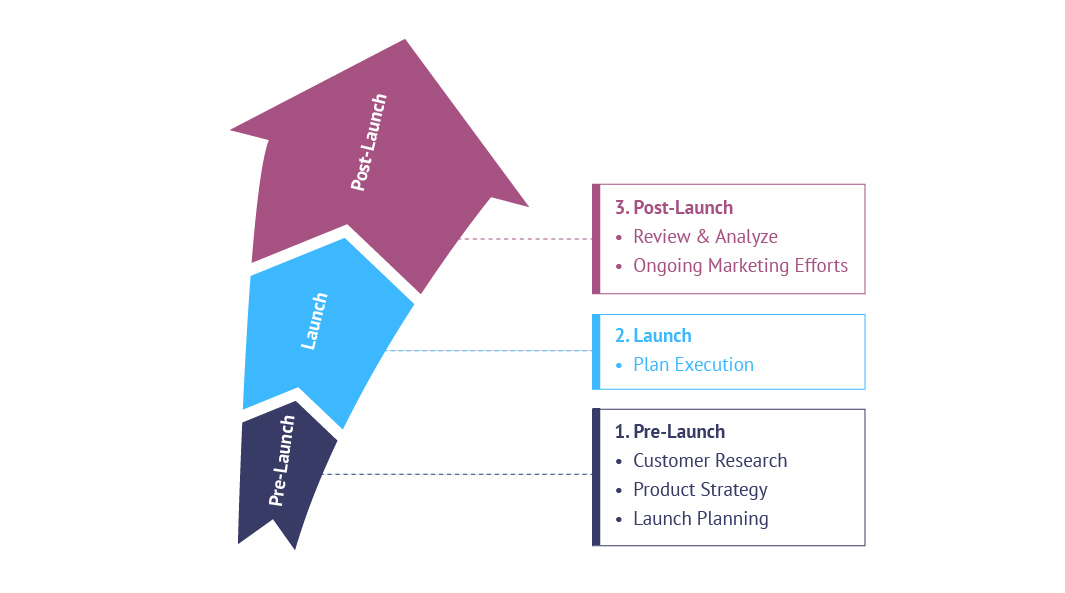
Marketing strategies for pre-launch and post-launch

Are You "GO" For a Product Launch?

The marketing strategy of the app is one of the things to consider when developing mobile apps. Before the app is launched, proper awareness should be created about the app. This will help in boosting the app downloads once the app is launched. The pre-launch is as important as post-launch and the marketing strategies for both should be ready.

This was our take on tips for mobile application development. Have an app idea? Contact our team of developers today.

How Do We Assist Our Clients in Picking a Mobile App Name?

How To Choose A Business Name That's Right For You

There is a very famous saying in the marketing world that the first thing that subconsciously connects your brand to the customers is your business name.

And now with the world moving to mobile, the saying that once majorly revolved around brick and mortar business has moved to the mobile domain as well – making it completely unignorable for mobile app entrepreneurs to not pay attention to their Mobile App name.

Now the importance of giving a lot of time in deciding how to name an app was as true some two-three years back as it is today – something that made us curate an article around tips for naming your mobile application, two years back.

But with the changing time, there are a few things like example – Camel Case – that has come into prominence. Something that has made us relook at the whole mobile app naming process yet again.

Only this time, we are looking at it from a different and more personal level – How we help our partners know the steps to find an app name.

While on the journey of finding how to name an app, it does help to know what name type, word, and character count are working in the industry, let us nonetheless share the tips that we share and operate on when trying to finalize a mobile app name for our clients.

But before we move on to the tips that might help you name your mobile application better, let us first touch the basics with what all things you need to keep into consideration when starting with the brainstorming session of how to come up with the right name for your app.

A look back at the factors to be considered when answering how to name your app

A. Aim for Zero Confusion

Aiming for Zero

If you don’t want what happened in the Surf Excel row where a user accidentally tweeted a backlash on MS Excel’s Twitter thinking it’s Surf Excel, it would be better to stay away from keeping names that sound too similar to other apps or brand’s name. In fact, when you try to find the answer to how famous app names were created, there is a high probability that you will come across to the point that they didn’t copy. While both Play Store and App Store are pretty slow and ignorant when it comes to verifying the similarity in names, it is only right to not take a shortcut and take advantage of the name of famous brands by piling on to their brand image.

B. Create Familiarity

Dialects Create Familiarity and Softens Speech | Global Skills Project

In case yours is a case of an existing chain of business, with one business going mobile, it is recommended that you aim for creating a sense of familiarity. So, for you the ideas to choose the right name for the app should help you ensure that there is some familiarity in the name of your app and your parent company, simply to present your app as an extension of the brand. When we talk about familiarity, there is one other way to look at it – seeing that the app name is the best representation of the app’s aim. So, look into both the points when looking to create familiarity.

C. Understand the Stores’ Difference

Amazon App Store Vs. Google Play Store: What are the differences?

When finding the answer to How to Name an App, it helps to understand the difference between the required characters limit accepted by the App Store and Play Store. While both the stores come with a character limit of 50 characters, an optimal amount in case of App Store is 23 character while in case of Play Store is 30 characters. Knowing the scope of innovation you can work around helps in leveling your field of search for the right app name brainstorming ideas.

D. Global Appeal

Global Appeal | International

One of the most important things that brands generally ignore when deciding on the apps’ name is looking at it from a global perspective. Assuming that your business will not be restricted to any one geographical location, it helps to go with a name that when translates to another language is something that is culturally appropriate in the geographical location.

Well, here were the four most commonly ignored but must consider factors that you must, at all cost attend to, at the end of the day when you pick a name for an app. Now with that attended to, let us now look at how we go about naming the application for our clients’ apps.

How Do We answer How to Name an App?

A. Look at the Top Apps in the Category

Finding Apps on Google Play

We start by looking at the top apps in the category in which our clients’ app would function. The aim of this is to get the idea of what elements are the competitors choosing – is it emotions of the users they are after or are they ensuring that the app category name is mentioned somewhere when they choose an app name? Doing this gives us a head start in terms of what line we should also brainstorm in.

B. Easy to Pronounce

Are you able to pronounce all the words correctly

The second thing that we look after when deciding on how to name an app is if it is easy for the world to pronounce, especially for the user demographic who would be interacting with the application. What happens is that sometimes brands use a foreign word like suppose French or Japanese (commonly) to name their application.But, they forget a crucial thing that the internet is filled with questions asking how to pronounce French, Italian, or Japanese words – meaning, not a lot of people understand the right pronunciation. And, in the fear of being seen as a noob, they refrain from taking it altogether.

C. Talks About the Main App’s Feature

Bringing it all together with Google Pay

In line with the relevancy factor that we discussed above, we try to ensure that the app’s name is in line with the functionality that the application comes with – as much as possible when looking to answer the question of how to pick the perfect app name for you.After all, keeping the users confused as to what the application does, while seems like a titillating idea can backfire real quick, knowing that the patience of users who are given with n number of options is very low. So, like WhatsApp which has the word App in it or even Candy Crush, the name that tells that the users would have to crush candies, we try to include the features of our clients’ app in the name as well.

D. A Name that Users Search

How to Dominate Your Branded Search in Google | DigitalMarketer

Ever since we have gotten our hands on the statistics that more than half of the searches happen out of the Play and App Store, we have been taking advantage of the occurrence that people search for applications on the SERPs and then on the stores. One way we achieve that is through search engine traffic suggestions. Our team of SEO experts looks at the terms that people are using to search for the category your app is looking to master and then work it around in a way that it is present in the application’s name.

E. Match With a Domain Name

One thing that is easily missable by you as an entrepreneur is you not thinking beyond the naming your next app or startup. You might forget that mobile apps, most often than not, comes with the plan of expansion into a website as well. Now, imagine you have got a brilliant name that is just perfect and your prospective users are also in love with it but when you search it online, you find that it is already taken by a website online. Disappointing, isn’t it? Well, that is why we make sure that the name we are searching for the application is available in the website domain world as well.

F. Mix Words

16 Words People Often Mix Up That Can Make You Look Foolish | Inc.com

Mixing words and then showing them in camel case is not just something that WhatsApp loves but we do too. Along with being an extremely fun thing to do, mixing two words together to form single flow word that describes not just the essence of the app but also the creative side of the application – can come in very handy to show a brand image as well.

So here were the six approaches that we have followed in over 70+ applications that we have named for our clients across different industries.

But after everything said and done, the crux of the matter when it comes to the Tips on How to Choose a Successful Name for Your App lies in two things – A. The name should be culturally appropriate and easy to remember, pronounce and B. No matter how well you name your app or how much time you put behind it, it is equally important to make sure that the experience you give to the users the moment they enter the app is something that is very similar to the emotion that they felt when they read the name – pure bliss.

Both the things, while being equally challenging are also the things that we are prepared to help you with. So, get in touch with our team of mobile app developers and marketers today.

How Much Time Does It Take for Development of a Mobile App?

How To Build A Mobile App In 10 Easy Steps - The Appineers

  1. All the different app development processes take their individual development time.
  2. Although research stages take up around 2 to 3 weeks of development time, when done right, they can not just save time on a later stage but also aid the smooth sailing of processes.
  3. Factors that slow down the mobile app development timeline are changes made mid-project inexperienced developers and  use of complex technologies
  4. RFPs, MVPs, and Cross-platform development tend to speed up the app development process.

There is no doubt about the fact that with 350 billion app downloads worldwide, businesses are looking to get the same attention. It’s very normal for a business to inquire about the app development process and the mobile app development cost.

Usually, businesses and clients are interested in knowing how long does it take to create an app, the cost of app development, and all the efforts involved. As soon as they learn the benefits of having a mobile application for their business, they wish to get on with it. Hence, the question how long does it take to develop an app.

{Also read our article on – How much Does it Cost to Develop an App Like Careem & Uber}

Now, usually, the average time to develop an app looks like the below image. But there is no definite time as it depend on person to person and company to company

But there is no definitive-ness. And thus this article.

In this blog, we will not only look at the mobile app development process, factors affecting the average time to build an app but also will determine how long it takes to mobile app development.

Key Stages of The Mobile App Development Process

The app development process has different stages and all of these stages require different time slots. From the planning process until the launch of the application, the entire process is interdependent on each other and requires proper attendance. It is quite obvious that apps with different sizes and different features have different app development time.

Each development stage is discussed below to answer the question ‘how much time does it take to build an app?’

This is one of the main documents that entrepreneurs and app developers often miss out on. Ideally, the better the brief the lesser time it would take to understand the software project and the requirements. In fact, this one step can have a HUGE impact on the time required to develop an app.

There are some things that you have to include in the brief which you are working with such as the company information. But to help give your app development agency a detailed understanding of the project and the mobile app development services they will have to deploy.

The outcome of this stage is usually: The Brief of an App Development Before we look into the different design and development related phases, let us first look into the time it takes to set the basis of all the design and development processes that follow.

Project

  1. Project goals and the success metrics
  2. RFP
  3. NDA
  4. The budget range
  5. Delivery date

Stage 1: Forming ideas and research

What is Research? - Purpose of Research

It’s easy to get great ideas but it’s not necessary that everyone will agree to it being great. The idea formation and research part very much affect how long it takes to build an app. This stage involves starting with an idea and then researching it for more improvements.

Even if the idea of the app seems right, a test must be run to keep things as real as possible. This can prove to be a very important step taken in the initial stage. Testing application ideas also ensure that when the app is launched in the market, the users are going to love it.

Another thing that this stage involves is targeting the right audience. It is in this initial stage that the right audience is targeted for the app. Defining the target audience not only helps in boosting the app after its launch but also in shaping the app in the right direction.

Different apps have different size and ages of the target audience. For instance, Facebook has all ages of people on its platform whereas Tinder has a younger target audience. Targeting has made these apps so successful therefore is suggested that proper targeting and research should be done.

Analyzing the competitiveness of the market and the app is also necessary. During the research about the app, one should also gather information about the competitors and potential threats. This will prepare the app owners for any difficulties after the app launch.

The entire research takes several weeks. By the end of the research, you should know all the strengths and weaknesses of the competitors, the app strategies and defined target audience.

By the end of this stage, you should get these outcomes:

  1. Minimum Viable Product
  2. User Stories
  3. App Prototypes

Stage 2: Planning it all out

All About the New Goal Action Plan Pages

The next stage is the planning stage. Once you know all about your market, its time to plan out the app development process. The planning stage involves decisions regarding the configuration of the app. These decisions include making a choice between iOS and Android, native or hybrid, cross-platform or not, web-based app or mobile app, etc.

Once these plans are made, its time to add on the features. Now the features of an app should be such that neither does it complicate the app nor slows it down. There are many basic features that an app should have such as search bar, social media sharing buttons, profile building, login option, etc. These features make a basic app much convenient for users.

As the app size increases, the features are more and more directed towards the type of app. For instance, any e-commerce app will have the ‘Add to cart’ feature. Similarly, social media apps have the option of media sharing and various other features for engagement on the app.

All these planning is quite complex and will require a month or so.

Stage 3: Design Sprints and Idea Validation 

Design Sprints - Validate New Product Ideas in 1 Week

Design sprints processes are being used for testing different aspects of an application. It takes around a week to complete the whole design sprint. The idea of the stage is to test different aspects of the idea and get them validated by a pool of prospective users.

Design Sprint helps businesses understand if users value a feature, how they use it, when they would be using it, how easy or difficult do they think it is to navigate the application, etc.

Stage 4: Development stage

In the development stage, there are three elements that need to be built: the UI, Front End and Back End. Once all the planning is done, the developers and designers will work their magic and start building the app. So how long does it take to build an app? Well, the development and designing stage takes about six weeks.

The UI of an app is taken care of by graphic designers. This gives the apps an appearance to enhance the user experience. UI is important for any app to flourish in the market because the users seem to like visually appealing apps more.

The Frontend and the Backend are also very important components of the app development process. The Front End is what users see and how they act in an app but nothing will make sense until the Back End is developed. The Backend connects the UI with the system and allows the proper functioning of the app. So, how to make a mobile app without either of these? Well, you cannot.

Let us deep dive a little to know what both the engineering processes consist of:

Front End Development, Back End Development, and Full Stack Developers

Backend Engineering

  1. Data storage
  2. Users management
  3. Server-side logic
  4. Data Integration
  5. Versioning

Frontend Engineering:

  1. Frontend logic
  2. Caching
  3. Synchronization
  4. Wireframing
  5. UI Design
  6. UI development

Stage 5: Developer and QA Team

Introducing QA to Agile team

Picking the best development team is never simple, even when you have the best team you are in constant search of more. To help you with the hunt, you can either look for them locally, which is quite difficult or outsource the task to either app development companies or to freelancers that will turn into a team under your influence.  Or if you want, you can opt for companies in your area like mobile app development company in USA if you live in the US or any other area where you reside.

Obviously, the most ideal alternative is to find a current development team with demonstrated experience in the industry and direct all the requirements to them. There are a few reasons behind that:

  • Having a team means that they know each other and are strong as a group.
  • As the developers know each other thus, their work timings and pace are similar minimizing any sort of delays.
  • Having a strong team with a project manager will help you to place all your requests to an individual (project lead/manager).

Another incredible benefit of selecting a ready to work development team is that, they will give you the end result and will handle all the application development stages themselves. In addition, proficient groups can provide you with a good understanding of the process of developing apps, guide on improving the work process, and assist you with picking a native or a hybrid app, based on your objectives.

Stage 6: Testing

Top 25+ API Testing Tools | Nordic APIs |

What does it take to run an app? To know whether the app is even going to run after the development is finished, we need to do test runs. We cannot deny the fact that the app will have some or the other bugs that need to be fixed before the final launch. These bugs can be identified with the help of tests.

There are many ways to test a mobile app’s performance and functioning. We, at Anteelo, have our own strategies for testing mobile apps. The quality assurance tests are run so that users don’t find any issues when they first use the app making the app more likable.

Alpha and Beta testing are done on the app to make the app error-free. After the testing, the app is launched. Post-launch whatever feedback is gathered from the users, the necessary changes are made.

Stage 7: Deployment on Stores

Retailer bridges the digital and physical gap with touch screen deployment in stores – with instant sales growth

The time that it takes to deploy the app can be divided in two sections: submission & review. When you submit an application, either on the Apple App Store or on the Google Play Store, there are some guidelines you will have to follow, such as:

  1. Screenshots
  2. App Descriptions
  3. Icons
  4. Video or Image demonstration
  5. App Store Optimization

The time stores take for deploying your applications.

When you compare the time it takes to launch apps on App Store compared to publishing them on Play Store, Apple follows a very detailed reviewing process – which increases the launch time to some extent. On the other hand, Google makes use of algorithms for pre-analyzing your apps, thus lowering the app launch time.

What Slows Down The App Development Process?

As seen in the section before, the app development process usually takes about 2-3 months. But there are some things that delay the overall process and the answer of how long it takes to create a mobile app.

Mid-project changes

Types of Project and Managing Changes to Control Project Quality

Developing apps is a continuous process where all the stages are connected to each other in some ways. If there are sudden changes in the plan in the middle then the process is bound to get slower. These mid-project changes can also affect the app’s performance since too many changes in an already built code base can do that to the app.

Unexperienced developers

How to effectively lead an inexperienced team of junior developers | Programming Pearls

What does it take to build an app that is successful? Great ideas, proper budget and a good developer, for sure. Often business especially start-ups make the mistake of hiring developers that aren’t up to the mark with the work. This results in slowing down the process as well as a poor app for the business. Our team of app developers is highly skilled with good experience at hand which has allowed us to launch high performing apps one after another. We also have helped our clients with their app ideas so that they get the best outcome for their business.

Complex technologies

Cyber Security | Complex Technologies

Technologies like machine learning, artificial intelligence, VR, AR, etc. cause the slow down of the mobile app development process. There’s no doubt that these technologies make the app a better experience but everything good comes at a price. And the price of using the latest technology is that they might slow down the app development process.

The reason why this happens is that the technologies are a bit complex and takes time to fit in the app.

Industry-wise difference

The industry for which the app is being built also plays an important role in the average app development time. The answer to the question of how long does it take to make a social media app is 1-2 month(s). Whereas on-demand apps take more time to be developed. Therefore, the industry is another factor that affects the time required to make an app.

How to Speed Up The Time of Application Development?

With the fast growth of mobile apps, one cannot afford to slow down in the development process. Businesses, be it startups or enterprises, are looking for mobile app developers who can develop apps faster without compromising the quality of the app.

There are no problems without solutions and the same goes with time required to develop an app. When it comes to startups, then gathering a massive crowd is a survival goal and for that mobile apps are the solution.

By now we know how to create an app and what does it take to make an app? We have also known what factors affect the time to make an app. It’s time to see how we can reduce the time of application development.

MVPs and prototyping

The Benefits of Prototyping - UX24/7

MVPs or prototypes are a great way to save time. They can be built easily and resemble the original idea of the application. Once the MVPs are out in public, the actual app can be built by adding features and making improvements.  Many businesses like Airbnb, MailChimp, etc. started as MVPs before the actual implementation.

Go for cross-platform

Go! Cross Platform for developing Mobile Application – iphone, Andriod Mobile Apps Developer & Programmer

Android vs iOS is the biggest debate of all times and sometimes people get so confused that they don’t know which to choose. The timeline and cost of app development of both the platforms individually are relatively high. But cross-platform app development is a solution for this. With tools like Xamarin and PhoneGap, great multi-platform apps can be built which take less time.

Hire a professional developer

7 Undeniable Reasons to Hire a Professional Front End Developer - iPraxa

A professional app developer for your app is the best you can do. Not only will the app have amazing UI/UX design but also will take less time to develop. In fact, the hours will only lower if you choose to outsource. Being one of the top reasons why you should outsource, when you choose a professional app development company off-shore, you’ll not just get a good experience but will basically make your work easier. Appinventiv is also a professional app development company that has developed several successful apps for clients.

Agile development

There are numerous app development organizations that follow agile development as it accelerates the development cycle. The main purpose behind agile app development is that the organizations can’t face the challenge of starting all over again. It has a flexible and adaptable programming structure that is ideal for open-ended communication between app owners and developers. To put it plainly, it speeds up the development process and guarantees that the application is developed on time.

White label solutions

White label solutions are products that were produced by one company and then is rebranded and made to look like other company’s. This will save a lot of time since there will be no need to build anything from scratch. However, this will not result in a good application especially not the one that generates huge traffic or sales.

Automated testing

Top Tools Needed for Automation in Testing: Automated Testing Execution, Data Generation, Test Management and More

Automated testing, although it sounds a quite obvious thing but this is ignored by many. This type of testing is one of the significant periods of development that reduces the mobile app development cycle. The best thing about automated testing is that it can run a whole set of tests all at once. This decreases the time spent on manual testing and helps in improving the security of the application. Automated testing involves several testing methods that are applied to save time. As the testing process becomes quicker, the development process also aces its speed. Executing more than one testing strategy can offer error free code.

This was our take on the mobile app development process timelines and some ways to reduce app development timeframe. Feel free to contact our app developers at Anteelo for any further queries on how to reduce yours.

From a Startup’s Perspective: Mobile Web vs. Mobile App

Mobile Web vs. Mobile App: Which Is Right for Your Business? | by Igor Izraylevych | Medium

Mobile apps have to be built from scratch whereas mobile web are an adaptation of the website version. There is no denying that both the ways of mobility is great but there are some extraordinary factors that differentiate one from another.

If we stop and look around we will notice that the world is turning into a giant mobile strategy stopping at nothing. Every business, every corporation and every institution has come to use mobile in some way or the other for its functioning.

Earlier, the debates used to be between offline and online media but now the case is different. These debates have turned into one online media vs the other online media. For mobiles, there are two strong terms: mobile apps and mobile web. This app vs website discussion has not settled yet and the question of ‘Is it better to use an app or the website?’ always looms.

Many say that it’s better to have a mobile web than a mobile app but then there are advantages of the mole app over a website that proves them wrong. And, the same can be said of mobile websites.

In the end, the most important factor that decides is it better to use an or the website is the purpose. The aim with which the development is done is how the decision should be made.

With statistics hinting at the fact that by 2019 mobile users will grow to 5.07 billion, both website and mobile app seem to be a great option as both are mobile-driven. In a case like that, the only thing that will help make the choice is an understanding of both the elements.

How Are Mobile Apps Different From Mobile Websites?

8 Differences between Mobile Apps and Mobile Websites - Bizness Apps

It is often misunderstood that the mobile website and mobile app is the same. Since both are used on one media, i.e. mobile or smartphone, it does not mean both are same. There are differences between a mobile web and a mobile app which helps in deciding which option would be better for any web and mobile app development company. Developers must know which option to choose for which project to achieve the desired result.

Coming back to the difference between a mobile website and mobile app, let us look at the following points.

  • A mobile website does not need any separate downloading from the app store. It is simply the mobile view of the website version which is accessible from any mobile device. Whereas mobile apps need to be downloaded from the app store and are developed by mobile app development companies.
  • Mobile app vs mobile website has another difference of user convenience. In a mobile website, the original website content is composed within the screen of the device whereas mobile apps are built to provide a far better version of the website.
  • The chances of regular visits are higher on mobile apps than on mobile websites. As mobile apps are stored in the smart devices it can be reopened and used whenever one wishes to. However, mobile websites are used to announce events or programmes to a larger audience.
  • Because of difference in websites vs app development process, the updating process becomes different on app vs website. Websites update automatically whereas app users have to download and install an update of the app. Sometimes users delay the update of the apps which is not possible on mobile websites.
  • The data storage location differs in a mobile app vs mobile website. All the data stored in the mobile app is stored on the mobile device itself. And in the case of websites, the data is stored on the website servers.
  • The app vs website security is another major concern for users as well as developers. It is seen that mobile apps are more secure than mobile websites and are protected by various security tools. Mobile app development vs web development involves a different approach to security which in the end affects the overall mobile security.

Pros and Cons of Mobile Apps vs Mobile Websites from a Startup Viewpoint

The app vs website debate has some valid points and each has its own pros and cons which we will discuss in this section. The benefits of a mobile website vs an app are enough to determine which must be chosen.

Mobile websites

Pros of Mobile Websites

  • Compatibility Mobile websites give more compatibility to users. The reason being mobile websites improve the user experience across multiple devices. Whereas mobile apps have to be built separately for different devices which affects the overall user experience.
  • Reach Websites have more reach than mobile apps because of its multi-device support feature. Reaching a large audience does not require much effort in case of mobile websites. When it comes to reaching the potential audience, mobile websites take the win.
  • Maintainance and support Mobile websites don’t need the regular download-install-update process which mobile apps follow. It is easy to implement the update without users having to download it separately. Once all the updates are active, it is visible on all devices.

Cons of Mobile Website

  • Convenience Mobile websites don’t match the convenience level of mobile apps. Mobile websites cannot use features that a smart device offers. Features such as camera, GPS, calling, etc. may not work with most of the mobile websites which add to the inefficiency to convenience.
  • User experience Fitting one giant website page within a small device screen seems to be impossible. And even if it is made possible, it will affect the UI of the website. Mobile apps provide a far better user experience by allowing personalization and interaction.
  • Offline accessibility Websites cannot be accessed offline and do need a network connection. This is not a problem until a user is unable to find the network and needs to access the website. Mobile apps have the option to be used offline without any problems.

Reasons To Go For Mobile App Development For Your Business

Pros of Mobile Apps

  • Convenience Mobile apps have been ruling the world for a decade now and focus on user experience. By providing fast loading time, high-end performance and ease of use, apps have become a part of human life. Apps are revolutionizing the entertainment world, the healthcare sector, the political sector, etc.
  • Personalization Personalization is one of the best advantages of a mobile app over the website. Mobile applications are built in such a manner that users can make changes in the way they want to use the app. Apps allow setting preferences, saving useful information and even sharing media on social networks. All these features enhance the overall user experience.
  • Offline and online Mobile apps can be used offline without any issues. Since the apps are not an adaptation but rather a completely new product developed by app developers, it can work offline. This means that mobile apps can be used in places where there are no networks and gives apps an upper hand in the app vs website security. AI technology is also being implemented in mobile apps for a better future. 

Cons of Mobile Apps

  • Maintenance and support Regular update and bug fixes are required in the mobile app or a mobile website. In the case of mobile apps, a new update has to be downloaded and installed which is the extra task for users. In mobile websites, updates are automatically implemented without requiring any action from users.
  • Compatibility As we know mobile apps are built from scratch which makes the whole mobile app development a huge process. But even after the efforts, some devices may not support the mobile app due to a different version or different platform.

Mobile App vs Website: Stats That Speak in Support of Both

Mobile App Vs Mobile Website: Who Wins The Race?

  • The mobile app vs mobile website statistics shows that the app industry may be worth $190 billion by the year 2020.
  • In the above pie chart, it is seen that maximum users like to use a mobile website or application at different times as per the need.
  • The USA mobile users spend most of their time on mobile apps than on mobile websites on a daily basis. This app vs website usage shows the preference for mobile apps among US citizens in the app vs website debate.
  • These stats show some famous social media networks that have become mobile-first. Ever since these turned into apps, the engagement has risen two times more than it used to be.
  • Another mobile app vs mobile website statistics shows that website’s reach a larger audience as compared to mobile apps. However, mobile apps have 2X more usage time than mobile websites.

When To Use Which: Mobile Apps Vs Mobile Websites

The battle of mobile app vs mobile website has another interesting aspect: when to use which? This question can have many answers based on what you are trying to achieve. For a startup, gaining customers is more important so a website will be the way to go. However, this cannot be said for a startup looking for more engagement.

Here are some pointers that will help you find the best choice based on your need.

Want To Reach More Users?

User Research: is more the merrier? | by Shrut Kirti, User Experience Researcher @Adobe | UX Collective

When it comes to reaching more users then websites are always the better choice. Analysing the Google search traffic data, around 21% of the total traffic comes from mobile devices whereas the rest comes from a desktop. It was also seen that iOS apps have more reach than Android apps in 21% of mobile users traffic. So, for reaching a larger audience whether you are a business or a startup, websites would be the right choice.

Have App Visits that are More than 5 times A Day?

If your app has the ability to get multiple user visits in a day then you should definitely go for a mobile app. To maintain regular visits, the app must be fast and high performing. If you want users to ditch the website then make sure the apps have more to give.

Need to Use Device Features?

Six additional features you can easily add to your smartphone - The Economic Times

Features like GPS, Camera or Calling cannot be used in a web app. A dedicated mobile app will give a totally different experience when it comes to using such features. However, you can access these features on a web app with the help of HTML5, NodeJS, Geolocation API, etc. But then again the question lies about the user experience. To be honest, both the options are good for using features like these if the user experience does not matter much.

Need Fast Operational Speed?

Mobile apps are no doubt faster than web apps because of local storage of data. Unlike web apps, mobile apps don’t need to transfer data to the server or download data from the server which makes the app a faster experience. So when speed is the concern, mobile apps are the favourite choice.

Want to Work in an Offline Mode?

How to Make Your App Available in Offline Mode

Sometimes network is not available in certain places and that’s when offline mode comes into the picture. The mobile app, hands down, wins in this argument. A mobile app can be built in such a way that it can be used offline or be able to download data for offline usage.

Can You Spend $10K+ on Your Project?

If the answer to this question is no then you might want to go for web apps. Mobile app development costs can range between $10K- $100K for Android and iOS which is a lot, especially for a startup. Also, the prices differ depending on the demography, type of app and other factors. It may cost you $10K for a simple app but a cheap app is not worth it. So, if you can’t spend a ton of money then a web app is your wisest choice.

Will You Update Your Offering Very Often?

If so, then go for web apps first and later you can go for a hybrid app. A hybrid app makes launching updates easier since the users will not have to go and update the app. Apps like Twitter, Instagram, Gmail, etc are all well performing hybrid apps. The benefits of going for hybrid apps are there is no waiting time, one platform needed to build more features and real-time updates.

For a Startup, Is it better to Use a Mobile App or Website?

Why Mobile App Needs Website and What It Should Be Like

When it comes to deciding one between mobile app vs website, there are some things to consider first.

Mobile web app vs mobile website has always been debatable especially for those who have wanted one developed for their business. We clearly saw the advantages of the mobile app over the website and found more pros than cons. So for a fair play, we can say that mobile apps are a better choice between the two.

If a startup wishes to reach a larger audience in a short time and less cost then mobile websites are the better choice. To gather a large audience and reach a wider population, websites are great.

However, if you want more engagement then mobile apps are the choice. As the stats for apps vs website usage show, mobile apps have increased the engagement among the users. If you are going for native app development then you get benefits like app security, better UI, high performing app, more engagement, etc.

The solution is not the choice between mobile app development vs web development. It is rather choosing the one that will be most effective for your business model. The right solution must be able to fulfill all the needs and execute the business strategies that have been pre-planned.

In addition to mobile apps and websites, businesses also have an option to go for PWA development. PWA stands for Progressive Web Apps which load just like web pages but have more features to offer. With PWAs, you can work offline, enable push notifications, and use any other feature that a mobile app offers. It is basically a web page that appears as a native application to the users. It is also claimed that PWAs are the future of the app development world.

If you wish to build a mobile app or a mobile website, contact us at Anteelo. We have a team of mobile app developers ready to turn your app ideas into reality.

Offline-first Apps: Trending Customer Experience Strategy

Learning gets Truly Mobile with Effectus

Around the globe over $2.7 billion is lost yearly because of a poor connection and bad internet speed. On a micro level, if an app does not load well more than 75% of the users would leave it, and additionally, more than 45% of users strongly feel that they won’t return to the apps which didn’t load.

There is a strong negative emotion that users carry towards applications not optimized for limited connectivity. This, when added to the fact that quarantines across the globe have made people more reliant on the internet resulting in a massive drop in download and streaming speed, is a bad sign for the app industry. The omen of lowered connectivity has turned app entrepreneurs towards offline apps.

Before we get to the stage of dissecting what are the benefits of offline apps for businesses, especially in the current time, let us first peek into the state of internet connectivity across the US – a picture that validates the need for offline-first apps not just in the coronavirus times but till much after.

What are Offline first Applications?

Best Practices for Building Offline First Apps | NTSPL

Majority of the mobile applications in the market access a database located on servers and provide requested data to the users. The offline mobile applications, while still needing a server connection do not require a consistent internet connection. In this case, data is downloaded on users’ devices and can be accessed offline.

On a technical level, the offline apps download updates from the server when a connection is available and simultaneously upload changes the users made when offline to the server.

An offline mobile application development process generally revolves around some assumptions:

  • Offline apps assume that the users are offline, meaning there will be low latency and unreliable network.
  • Fetching the resources over the network will be slower than fetching them from a local source.
  • The app must inform users of low network conditions but must not keep them from completing the objective.
  • Respecting users’ network and battery conditions, only the data which has changed from the last synchronization must be synchronized.

What Are the Benefits of Offline Mobile Application Development?

1. Seamless Online to Offline Experience

Mobile App Offline Mode | AxisCare

The first of the numerous benefits of offline mobile app development is that the user experience remains unaffected between high and limited connectivity. For a user the benefit of working seamlessly online and offline results into a greater loyalty and return visits.

2. Simplified Storage Process

Process Delivery Stock Illustrations – 8,771 Process Delivery Stock Illustrations, Vectors & Clipart - Dreamstime

When you store all the data on the server, you must ensure that there is a powerful network and stable connection. Additionally, the responsibility of providing the perfect condition also falls down on you.

While it is an unmissable stage, you can ease the work with offline app development. In this case, you will have to update information on the server when necessary and possible. The only thing you will have to worry about is choosing the best local database. You can either go with either of the react native local databases or make a choice between MySQL and MongoDB.

3. Faster Loading Speed

The Importance of Page Load Speed & 4 Ways to Improve it

Since offline applications do not rely on servers or internet speed, they load faster. The users get to enjoy working on the application irrespective of whether they are in a fluctuating network state or on airplane mode.

4.  Competitive Edge

One Way to Get a Competitive Edge | Red Pill Email

An application that is not dependent on an active internet connection is always a step ahead of competition compared to one that works only through the internet. This is the number one reason why brands like Google, Spotify, Kindle, etc. have an unmatched customer experience backing their growth.

Although the benefits of offline apps give an impression that an offline running app is the route of app success, you have to realize that it is not a universal solution to every problem that comes associated with an unreliable network. The custom application development approach makes the most sense when you are working around features and use cases that put your app in an active state in a no-network area.

But when your app relies on making financial transactions or keeping people updated with real-time updates like cricket scores or share market, going offline-first will deem to be unsuccessful.

Is Offline-First Application Development a Necessity? An IFTTT Answer

  • Your application will most likely be used in a poor connectivity area 

A good starting point when developing an offline-first mobile app is to know whether your app will be used in areas having poor signal – these can vary from apps that travelers use to being a key feature in enterprise applications.

  • Your app offers limited features which do not necessarily need to be performed online

If your application needs features that are dependent on being online at all times, it would be best to not work on an offline-first option. But if your application is more on data recording or consuming content – basically, one where interaction is not a mandate, you must go with the approach.

  • Your application offers a large set of content accessible through the search functionality

Searching for large data volumes can be difficult when your users are working with low and unreliable connections. You can better the experience by implementing a lightweight version of the online database.

If these three points stand true in your case – meaning taking an offline-first approach makes the most sense for your business, the next step would be to know how to get started. While your partnered mobile app development company would perform the technicalities, it won’t harm to be in the know-how of the changes that will happen in your app when it moves from online to offline state.

Developing Offline-First Mobile Apps: Ways & Considerations 

Show a Proper UI for the Offline State

Why every app should go offline-first | by Oursky | Oursky Team

Communication is the key to a successful customer experience strategy. You should notify the users when the application detects low or unavailable network conditions. This can be done both by displaying a blank interface or via a popup message.

Make Static Information Available

✓ SSS Static Information → How to Print it【SEE MORE】

In the case of applications that work with limited connectivity, the static information gets downloaded and stored locally when it first loads. The information generally is of the kind that is not altered frequently.

An example of this can be seen in Google Maps. It comes with offline functionality that enables users to navigate locations on a map and expand to some level of detail even when the connection fails.

Create Cache of Commonly Used Dynamic Data

Introducing the Workers Cache API: Giving you control over how your content is cached

Unlike in case of static caching, dynamic cache data are expected to be updated constantly. To enable this in a limited connectivity environment, users’ information is stored temporarily in the local cache (a process most commonly seen in PWAs) – this prevents blank screen during the offline mode.

The approach, beside acting as a reason why big brands make use of PWAs, is used heavily by game developers and social media applications. Majority of the social media applications enable users to access their last newsfeed load.

Real Time Data Synchronization

Firebase Realtime Database | Store and sync data in real time

In this case, the data is uploaded automatically in place of manually. With the help of advanced synchronization protocols, the offline app that makes use of this method can transfer the changed data version and the actions taken to edit it?

Parting words

At Anteelo our answer to how to make an app offline lies in multiple considerations. We ensure that your application works with the best local databases, has a seamless workflow integration, faces zero data security and protection issues, and promises seamless connectivity.

Our developers are skilled in not just efficient online-first app development, which comes almost naturally to them, they also have the right mindset and technical know-how to build an offline-first mobile application.

Run Design Sprint with Remote Teams: The Ultimate Guide

15 tips for running remote design sprints - UXM

Geographical distances should not be a roadblock to collaboration and creativity. Who understands this better than a digital product development team? Going by this sentiment, for a process that lays down the basics of creativity and collaboration at the product ideation stage – Design Sprint – the steps should be the least complex.

While good to hear, on paper, the reality is that for a lot of brands, the process of a design sprint is difficult when conducted in a room, let alone when conducted remotely.

But with 85% of our clients belonging to other global nations, we have more or less mastered the art of running remote design sprints. So now when remote is the new workplace normal, we are in a somewhat better space.

Here’s our design sprint process that your team can also benefit from.

Table of Content

  1. What is the design sprint methodology?
  2. Challenges of Running Design Sprints Remotely
  3. Pre-Design Sprint Model
  4. 4 Days Remote Product Design Sprint Process
  5. Remote Design Sprint Tips & Tricks

What is the design sprint methodology?

7 tips for the first ever Design Sprint of a company. | by Tobias Rieth | Sprint Stories

The design sprint process – a.k.a one of the top UX best practices – is a four days’ step-by-step methodology that answers critical business and product questions via designing, prototyping, and idea testing. Built by Google and GV, it is a mix of innovation, business strategy, design thinking, behaviour science, etc. brought together to make a way of working that any team can make use of.

The user experience design formulation process works for product managers, developers, and designers, who work in the space of innovation and problem-solving. It answers some of the most critical questions a brand struggles with:

  • How can we convert an idea into a validated prototype faster?
  • How can we ensure we are designing the right product before putting a ton of money in it?
  • How can we test whether the feature-set we are envisioning the ones that users need?

Irrespective of how straightforward the product design sprint process looks, conducting the event virtually is difficult.

Challenges of Running Design Sprints Remotely 

How to Overcome the 3 Biggest Blogging Challenges

  • The difference in time zone and availability of team – UX sprint calls for intense, engaging sessions. Scheduling and aligning distributed teams for long periods can pose a challenge.
  • Low engagement – On a remote mode, the concentration of the team is one click away from going to YouTube or Telegram. Keeping them focused is a key issue that sprint teams face.
  • Tech-specific challenges – Low battery, bad internet condition, and faulty microphone is a trio that can make your design sprint steps take a bad turn. As a mobile app design company, we ensure that the technology part of the sprint is on point before the design sprint commences.

Our first two three sprint sessions brought us face to face with these challenges. Although the failure count was low, the frustrations were galore. Although our struggle phase goes back to 2014 when we were handling our first client interaction, from what we read across the internet, the issues remain more or less the same. Here are some of the pre-sprint setups we settled on to make the remote design sprint process smooth-sailing.

Pre-Design Sprint Model

Prepare the design sprint material and template beforehand

Product Design Sprint Process, Methods, Tools and Templates: A Complete Guide to Running a Design Sprint

For ensuring that you get the most of the remote design sprint, prepare all the materials beforehand. The existing customer insights, documentation shared by the clients, etc. should be gathered and distributed within the team before the process starts.

Form the team

Together Everyone Achieves More is the full form of TEAM | VMock Thinks

We created a team of seven people leaving the finance team out of the process since we would hardly need any budgeting activity here. The role of decider and facilitator, although important even in the regular sprint session becomes all the more important in a remote sprint design process. The decider is the one who has the final call while the facilitator is someone who takes the responsibility of bringing everyone on the same page aided by the necessary technical help.

Schedule the sprint event 

Use A Social Media Calendar To Fill Your Social Media Feed (With a Calendar Template!)

The UX design sprint method requires the teammates to be available, without distraction for five days. While doable when we were in the same space, fixing 5 days is difficult when operating remotely. But since we pride ourselves on being an app design firm that takes a design-first approach, we knew the importance of the process and convinced the clients to make themselves available as well.

Pro Tip: If you find it difficult to get people available for five consecutive days, put a weekend between the deciding and prototyping days. This way, the team will approach prototype creation with a fresh mind on Monday.

Logistics side of pre-sprint prep 

The Ultimate Guide to Sprint Planning | Smartsheet

Although a remote-inclined tech and office setup should come naturally for brands that work with a distributed team or overseas client, in case you are not one of them, we recommend you to have:

  • Camera
  • Microphone
  • Cubicle
  • Good internet connection which can support you being on video at all times for five days
  • Whiteboard to make the sketches on.

With the pre-design sprint process discussed, let us now give you a peek into our four-day process.

4 Days Remote Product Design Sprint Process

Day 1: Sketching and Mapping 

How to Draw a 3D City Map: A Bird's Eye View - YouTube

The phase comprises bringing the sprint team together and brainstorming the product and the solution it would offer. The entire day is spent on researching whether or not the product is even needed by the masses and if that as a whole is a solution they are looking for. Here, we also discuss the alternatives of what would people choose had the product didn’t exist.

The more you brainstorm and read into this process, the more you would realize that this step is the same as what a mobile app design and development company follow when they validate an MVP.

Day 2: Storyboarding

IED | How an entrepreneurial idea can be transformed into a startup

With multiple ideas now present, the team on Day 2 fix a plan of action. They draw a storyboard containing how the users would come to the app, why they would open it, the features they would interact with, and what will be the outcome of their time inside the application.

Ensure that you have added all the necessary materials and resources backing the storyboard assumptions.

Day 3: Prototyping 

The Benefits of Prototyping - UX24/7

Once you have the storyboard ready and the idea decided, head on to the stage of prototype development. The idea is not to build a product that will be deployed in the stores, but an app that people can run and experience. There are a number of different app prototype tools you can work on to create a clickable version of your app vision.

The process of prototype development should be done with the intent to allow people to test it on Day 4.

Day 4: Testing

Test automation tools: 8 trends and techniques to watch | TechBeacon

This is the last step of the design sprint process where you get people to test your prototype and share their experiences with your team. The best thing to do here is to record those sessions so that you can always go back to them when your application hits the development stage.

Up until this point, you have read everything that you need to know about conducting remote design sprints. But the true success stories lie with brands that know the many side-tips. Ones that every innovative mobile app design agency knows.

Remote Design Sprint Tips & Tricks 

  1. In case you are finding it difficult to get team’s availability at the same time, divide the remote design sprint across two weeks.
  2. Prepare sprint brief and template beforehand
  3. Add ample breaks
  4. Restrict multi-tasking – the team focus throughout the design sprint session should be on the session.
  5. Ask everyone to divide their screen into video and the digital whiteboard so that they can see the whiteboard and the participants at the same time.

We have reached the stage where the only thing left for you to do before you go to the idea conception stage is get in touch with a mobile application design company that is an expert in remote design sprint. We can help.

error: Content is protected !!