How to Create an SEO Friendly Homepage?

8 Key Features Your Homepage Should Include | GRIP Blog

Homepages are unique to any website. They serve as both an online reception area and as a navigational hub for visitors wanting to find information about your company, its products and services. The key to getting more traffic, however, is improving how your homepage ranks in search engine results and here, we’ll explain how you can do this.

Distilling your USP

When ranking your homepage, search engines will use its content to understand what the page is about. Unlike other pages that can talk specifics about your products and services, the homepage’s job is to distil what is unique about your business and put it in a nutshell. This means making your unique selling point (USP) the central theme of your homepage. Although you should include information about your products and services, with links to them, promoting your USP is the homepage’s most vital task.

Getting the USP right takes some work, It has to define not just what makes your business unique’ but why it is the best choice for your customers. Don’t just tell them you are an independent financial advisor or a local estate agent, tell them the benefits of being independent or local.

Essentially, a good USP is like a mini blog post. It should succinctly show that you understand the customers’ problems and explain how your company is best placed to solve them.

Getting your keywords right

How to Choose the RIGHT Keywords to Optimize For

With the homepage being the navigation hub of a website, many believe it needs to contain the keywords for all their products and services. Some will even list everything they sell or offer in an attempt to do that. Overdoing this, however, can be misguided and backfire.

Every page on a website should have a focus keyword and no two pages should use the same one. If you have a landing page for selling shoes, for example, you don’t really want your homepage competing with this page. Though there is value in mentioning shoes on your homepage if they are one of your main products, multiple keywords relating to shoes should, ideally, be reserved for the shoe page.

Indeed, if a homepage is little more than a list of products and services, it doesn’t necessarily come across as useful to your customers. Search engines today are sophisticated enough to understand this. Instead, they are looking for user-friendly information about your USP and what visitors can find on the rest of the site, including your main products and services. Any keywords used should be within the headings and text and primarily for the benefit of the visitor, not the search engines.

A company visitors can trust

5 Ways to Increase Visitors Trust in Your Website | Web Galeria

If search engines direct users to the websites of untrustworthy businesses, people will stop using them. To avoid this, search engines go beyond filtering out the dodgy websites of scammers and cybercriminals. Today, their algorithms analyse a wide range of trust factors to determine whether your site and your business should be listed in results.

On a technical level, they will look to see if your site has an SSL certificate, reliable hosting, quick loading and response times and a lack of broken links and 404 error pages. They will even analyse the links you point customers to, in order to make sure you don’t send them on to other untrustworthy sites.

They will also look at other information, such as user reviews and star ratings. Indeed, one of the reasons they have listing services like Google My Business is so they can verify the legitimacy of a business and gauge what the public think of it.

A homepage can also play a vital role in promoting the company’s and the website’s trustworthiness. Displaying company and VAT registration details, accreditations, qualifications, memberships of recognised organisations, customer testimonials and reviews, etc., help both the search engine and customer gain trust in you. The perfect place for these is on your homepage as this is the first page that visitors and search engines visit.

A homepage designed for the visitor

What Makes a Good Website Homepage Design?

As mentioned earlier, the homepage is the navigational hub of the website and search engines will analyse how well it serves this purpose. Does it have clear information, helpfully organised with headings, images, easily readable text and links? Is it easy to navigate from the homepage using menus, search bars, category lists, etc.? Is it user-friendly on mobile devices and provide assistance for people with accessibility needs?

All these factors need to be considered when optimising your homepage.

Conclusion  

To improve your homepage SEO, you need to provide what search engines want – and that is a focus on the user, not the search engines themselves. This means your homepage should display your USP, describe the main areas of the site and help people get there easily, and provide evidence of your trustworthiness. While you should place keywords where they are useful and needed, they should not be the focus of your homepage content.

Road to your company’s success: Develop Website

Anyone who has ever been involved in running a business knows that an effective product or service does not guarantee success. When your potential customers are unaware of your company’s existence, or they don’t understand how you can benefit their lives, they won’t buy your product.

That’s why strong website development is so important.  When designed by talented website developers who approach each project individually, websites can be an extremely powerful method of lead generation. The following are just a few of the ways your web presence can help you achieve success:

GETTING CUSTOMER ATTENTION

In most cases, potential customers do not stumble across websites unprompted. It’s much more likely that they’ll find your website as a result of an internet search.

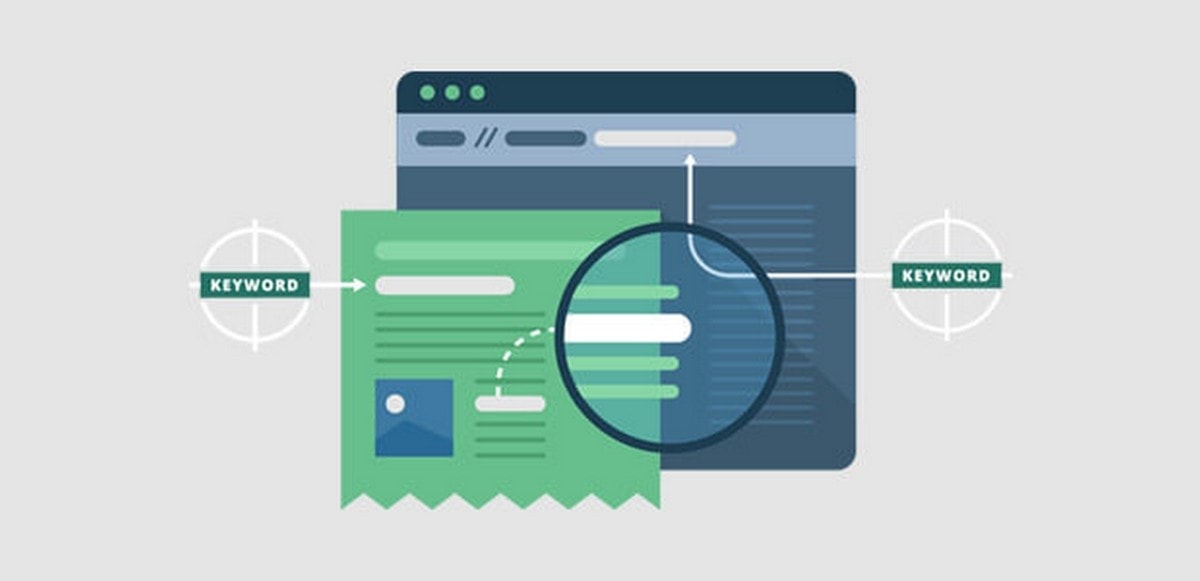
By incorporating keywords into your website’s content, you’ll boost your chances of appearing in a relevant Google search, helping you achieve that critical first step: getting potential customers to know you exist.

To increase your visibility on the web, you should not only feature the keywords prominently on the homepage, but also host a blog that shares relevant information with users. Doing so gives you even more opportunities to reach the kind of people most likely to be interested in your service or product.

DEMONSTRATING YOUR PRODUCT

An intuitive website could be designed to show off to customers what exactly your product or service can do for them. For example, if you’re selling a new tool or promoting an app, a quick video embedded on the homepage to demonstrate it is an excellent visual element to include.

That said, you don’t need to rely on video. Many great websites make effective use of clean and simple graphic design to explain how a service benefits customers in easy-to-digest visual language (e.g. infographics). Whatever route you choose, if your website is organized around explaining what your product does in a concise and engaging manner, you’ll have made your way through another major hurdle on the path to success.

MARKETING OPPORTUNITIES

Although a great website can often convince someone to buy your product right away, it’s true that even your target user will not necessarily click through and convert to a paying customer. Luckily, you can build your website to clearly direct viewers towards additional marketing campaigns, such as an email newsletter. As such, marketing experts often suggest that companies include numerous lead generation forms throughout their sites.

Do you offer free estimates for your service? Include a form for that. Are you currently offering a free promotion? Make sure potential customers can easily spot the form to sign up for it on the relevant portion of your site.

ESTABLISHING CREDIBILITY

While you may be fully aware of the fact that your past clients have been thrilled with your service, it is safe to assume new customers are unaware of this fact. Fortunately, a great website easily solves this problem for you: All you need is a page which features testimonials.

Your homepage should be the main feature that grabs the attention of a customer and explains to them how you can address a need in their own life. Testimonials from previous clients help to establish your credibility because consumers are more likely to trust their peers than just the brand speaking for itself. This can be a critical ingredient in your recipe to success, getting previously skeptical people to make a purchase.

CREATING A BRAND

There is a universally accepted fact in the business world: Proper branding is key to success. Your company should have a fully-realized identity that customers recognize in the form of visual imagery, language use, and overall attitude.

The right website may be the most powerful tool you have for establishing your brand early, because it allows you to include all of the elements of effective branding. The images you display on the screen, the tone of your content, and the user experience itself will all come together to reflect the values of your company.

Your website is a representation of your unique brand, and as such it is essential to hire experts who work hard to understand what makes your business stand out. They’ll translate what they learn into a website that will set you on the course to success.

Optimizing your website:SEO

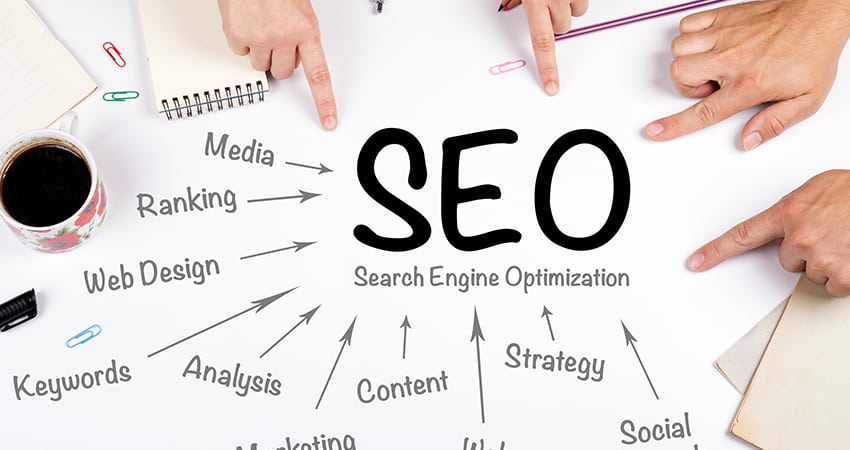
SEO lets start by understanding what is actually meant by Search engine optimization. Well it can be understood as the art or technique of optimization of a website to make it search engine friendly.

My SEO experience well to be fair I use to have three websites and lots of free time so I tried every bit of techniques on them from on page optimization to link building. So what I will share here will be my own empiricism.

Search engines determine whatever to rank your site for a particular keyword is by the number of inbound links to your site .That is the number of others sites that linked to you and the quality of senders for that particular keyword.

Think for a moment. Why would someone make a link to your website? The only logical reason is because you have created something of value. This is the logic of Google, anyway.

5 Basic SEO Principles to Increase Your Website Traffic - Multichannel Merchant

Another way to think about a popular website and a poor performing website, some sites are like old cities in the middle of nowhere with a road in and one road out that is poor linking . Some sites are on the trade route with high-speed multi-lane running in and out that is perfect linking .What we want a lively exchange, not a single road.

Again it just not all about link building it is also about the quality of content and at the end of the day, the quality of your content is the only thing that will convince other Web sites to link to you.

SEO can be divided into two separate categories: on-page SEO and off-page SEO.

Here I will try to list down the techniques of on-page SEO, although the on-page SEO is only 25% of the score on the search engines and the ranking of your website, it is worth addressing it, as it can improve in very less time.

On-page SEO checklist

Page title

SEO Title Tags: Best Practices and Examples | Unamo Blog

Your page title should include keywords that are less than 70 characters in length if you make the page title too long, it will dilute the importance of the words mentioned.

 Meta Description

The Importance of Meta Descriptions for SEO | WordStream

The Meta description is not something that is visible on your website. Meta Description is a brief summary of the website, which is usually included in the top of the source code of the pages on a label, Meta description is not used by the search engines for SEO purposes. What the Meta description is used to provide the researcher a brief description of the page (150 characters) under each result. In fact, if a Meta description is not included in the source code, the search engine will show you some of the content of the page instead.

Titles h1, h2, h3..

Using Internal Heading Tags For SEO - H1, H2, H3

The text of the titles is more likely to be read by the search engines as keywords of text in the rest of the page. For this reason, it is good to include keywords in your titles whenever possible. Labels h1 text give more weight to the keywords, tags h2 carry more weight than the label h3 .

Images

Do not use excessive images. More images mean that your page takes longer to load. This has a negative impact on the user experience as the optimization of search engines. The text associated with the images. Search engines do not read images, just read the text. The ALT text is an HTML attribute that can be added to the image so that the search engines replace the image with associated text.

Domain Information

The search engines also favor sites that are registered for a period of time longer. Since domain registrations indicate a commitment to the site and what they say the site is less likely to be considered spam. Extend your website registration for 10 or more you will definitely see better result for your site.

URL structure

URL Structure | How It Affects SEO & Rankings | Best Practices for 2020+

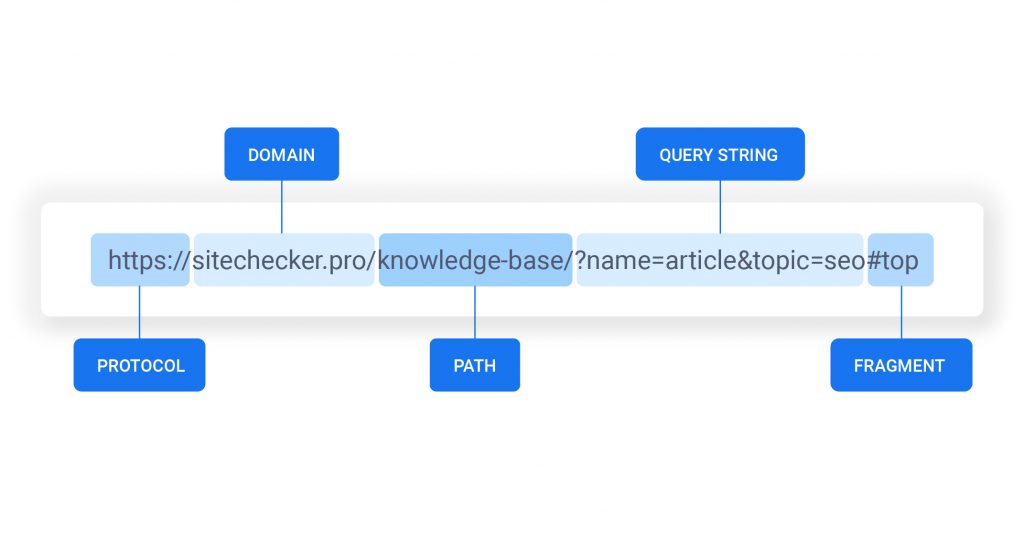
Avoid nesting pages with URLs . Nested pages receive less SEO credit .

Include keywords in the URL.

Create static URLs, not dynamic. This means that the URL of one of your pages must be the same.

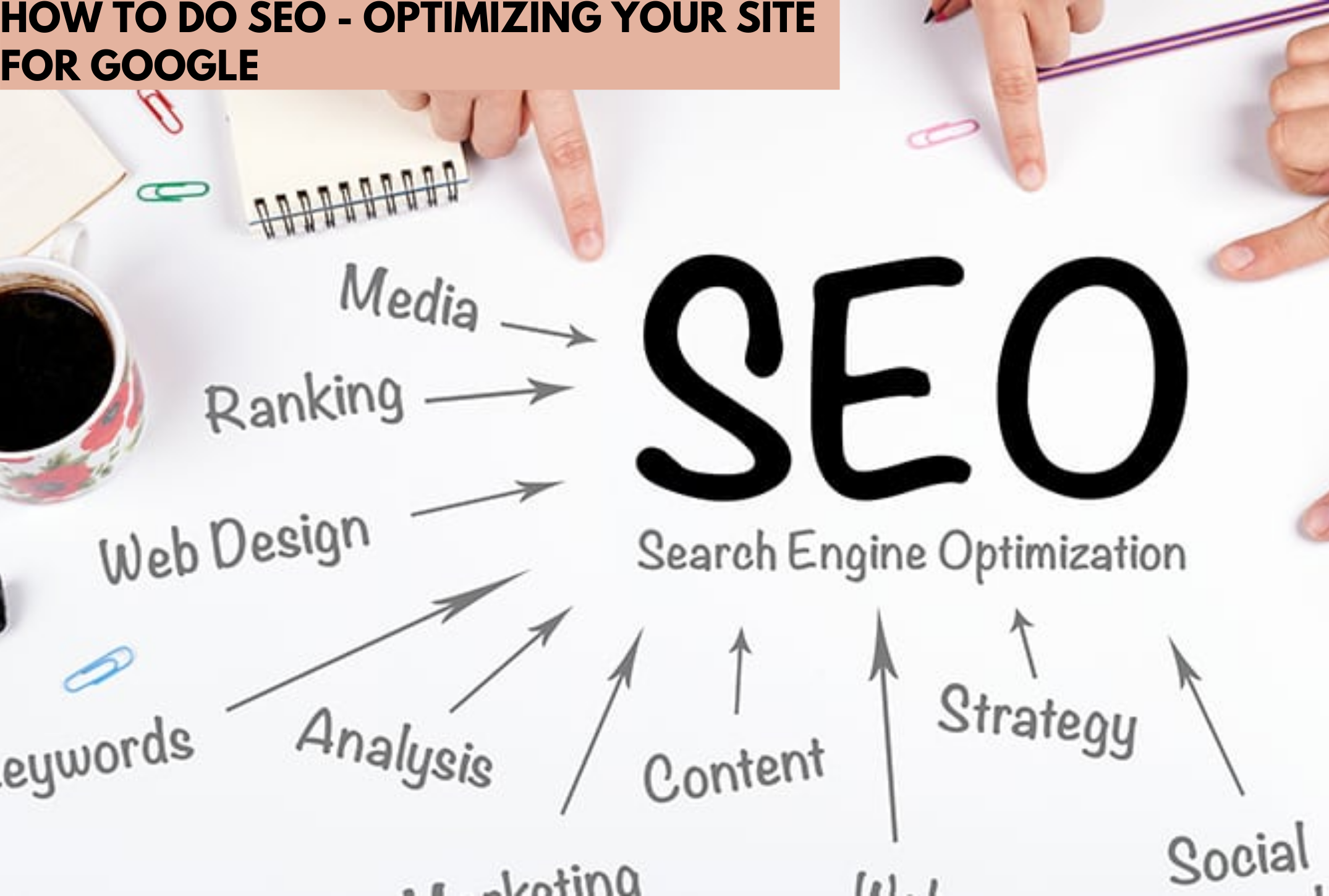
How to Do SEO – Optimizing Your Site for Google

SEO search engine optimization

SEO lets start by understanding what is actually meant by Search engine optimization. Well it can be understood as the art or technique of optimization of a website to make it search engine friendly. My SEO experience well to be fair I use to have three websites and lots of free time so I tried every bit of techniques on them from on page optimization to link building. So what I will share here will be my own empiricism.

Search engines determine whatever to rank your site for a particular keyword is by the number of inbound links to your site .That is the number of others sites that linked to you and the quality of senders for that particular keyword.

Think for a moment. Why would someone make a link to your website? The only logical reason is because you have created something of value. This is the logic of Google, anyway.

Another way to think about a popular website and a poor performing website, some sites are like old cities in the middle of nowhere with a road in and one road out that is poor linking . Some sites are on the trade route with high-speed multi-lane running in and out that is perfect linking .What we want a lively exchange, not a single road.

Again it just not all about link building it is also about the quality of content and at the end of the day, the quality of your content is the only thing that will convince other Web sites to link to you.

SEO can be divided into two separate categories: on-page SEO and off-page SEO.

Here I will try to list down the techniques of on-page SEO, although the on-page SEO is only 25% of the score on the search engines and the ranking of your website, it is worth addressing it, as it can improve in very less time.

On-page SEO checklist

Page title

Your page title should include keywords that are less than 70 characters in length if you make the page title too long, it will dilute the importance of the words mentioned.

 Meta Description

The Meta description is not something that is visible on your website. Meta Description is a brief summary of the website, which is usually included in the top of the source code of the pages on a label, Meta description is not used by the search engines for SEO purposes. What the Meta description is used to provide the researcher a brief description of the page (150 characters) under each result. In fact, if a Meta description is not included in the source code, the search engine will show you some of the content of the page instead.

Titles h1, h2, h3..

The text of the titles is more likely to be read by the search engines as keywords of text in the rest of the page. For this reason, it is good to include keywords in your titles whenever possible. Labels h1 text give more weight to the keywords, tags h2 carry more weight than the label h3 .

Images

Do not use excessive images. More images mean that your page takes longer to load. This has a negative impact on the user experience as the optimization of search engines. The text associated with the images. Search engines do not read images, just read the text. The ALT text is an HTML attribute that can be added to the image so that the search engines replace the image with associated text.

Domain Information

The search engines also favor sites that are registered for a period of time longer. Since domain registrations indicate a commitment to the site and what they say the site is less likely to be considered spam. Extend your website registration for 10 or more you will definitely see better result for your site.

URL structure

Avoid nesting pages with URLs .  Nested pages receive less SEO credit .

Include keywords in the URL.

Create static URLs, not dynamic. This means that the URL of one of your pages must be the same.

Why Use WordPress? An in-depth look at 7 compelling reasons

What Is the WordPress Admin Dashboard? (Overview and Tips)

WordPress remains the single most popular way to build websites and for business owners, it offers a multitude of highly useful tools to improve the way your website functions. What’s more, it’s free to use, easy to manage and its popularity means there’s an encyclopaedic knowledgebase online to help you with every aspect. Here are the reasons why it is the number one choice for business.

1. Easy setup

What is WordPress? What Can it do & Is it Right for You? A Beginner's Guide

Business owners don’t want to waste time getting their website set up, there are much more important business-focused tasks to achieve. If you are looking to get to market quickly and without the need for technical know-how, WordPress is ideal. Setting it up is usually just a simple, 3-step process: open a hosting account with a reliable web host, register your domain name (i.e. your website name) through your host, log into your hosting account’s control panel and install WordPress.

Once you’ve done that, your website is created – all you’ll need to do then is pick the best theme and create the pages you want on your site. All of this can be done in a user-friendly interface and there’s no need to know any coding.

2. Versatile WordPress is suitable for all business sites

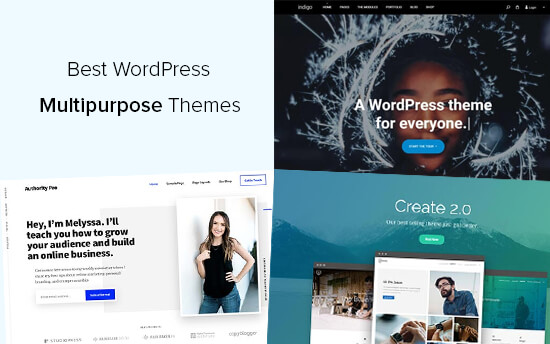
29 Best WordPress Multipurpose Themes (2021)

Unlike Magento, which is purposely created for eCommerce, WordPress is highly versatile and can be used to create websites for any kind of business: online stores, estate agencies, membership sites, professional services, building and other trade sites, venues and events, blogs, wholesale, you name it.

Indeed, there are plugins available that can help you add the specific features you need to create specialist types of website, such as the free and very useful WooCommerce plugin which is used to create online shops and other eCommerce stores.

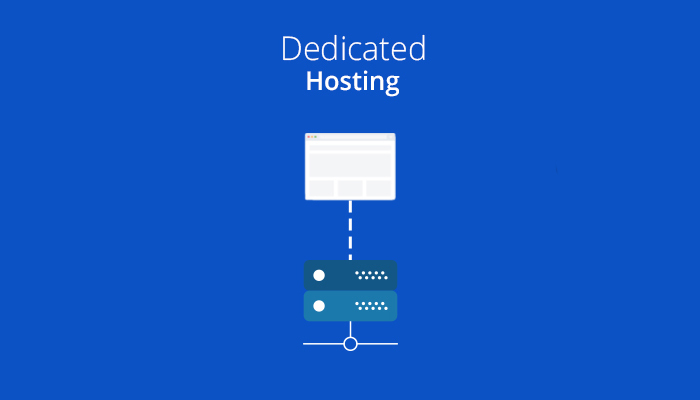
3. Dedicated WordPress hosting

Shared vs Dedicated vs Cloud Hosting for Faster Websites

For your WordPress site to perform at its best you need high-performance, reliable and secure web hosting. However, as WordPress has its own quirks, not all hosting packages are configured to provide optimal performance. For this reason, many businesses opt for dedicated WordPress hosting where the hosting set up is designed around the specific needs of the WordPress platform. This helps it load faster, handle more traffic, prevents issues that cause downtime and makes it less vulnerable to intrusion. It often has WordPress preinstalled too, so you have everything you need to get going the first time you log in. Few other platforms have their own, dedicated hosting solutions and this makes it another reason to choose WordPress.

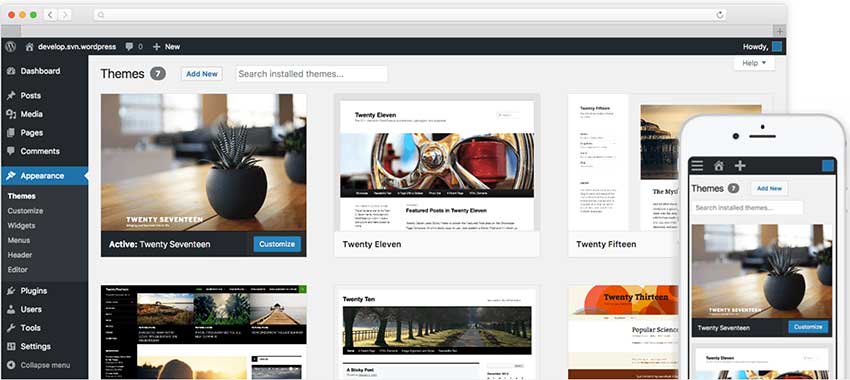
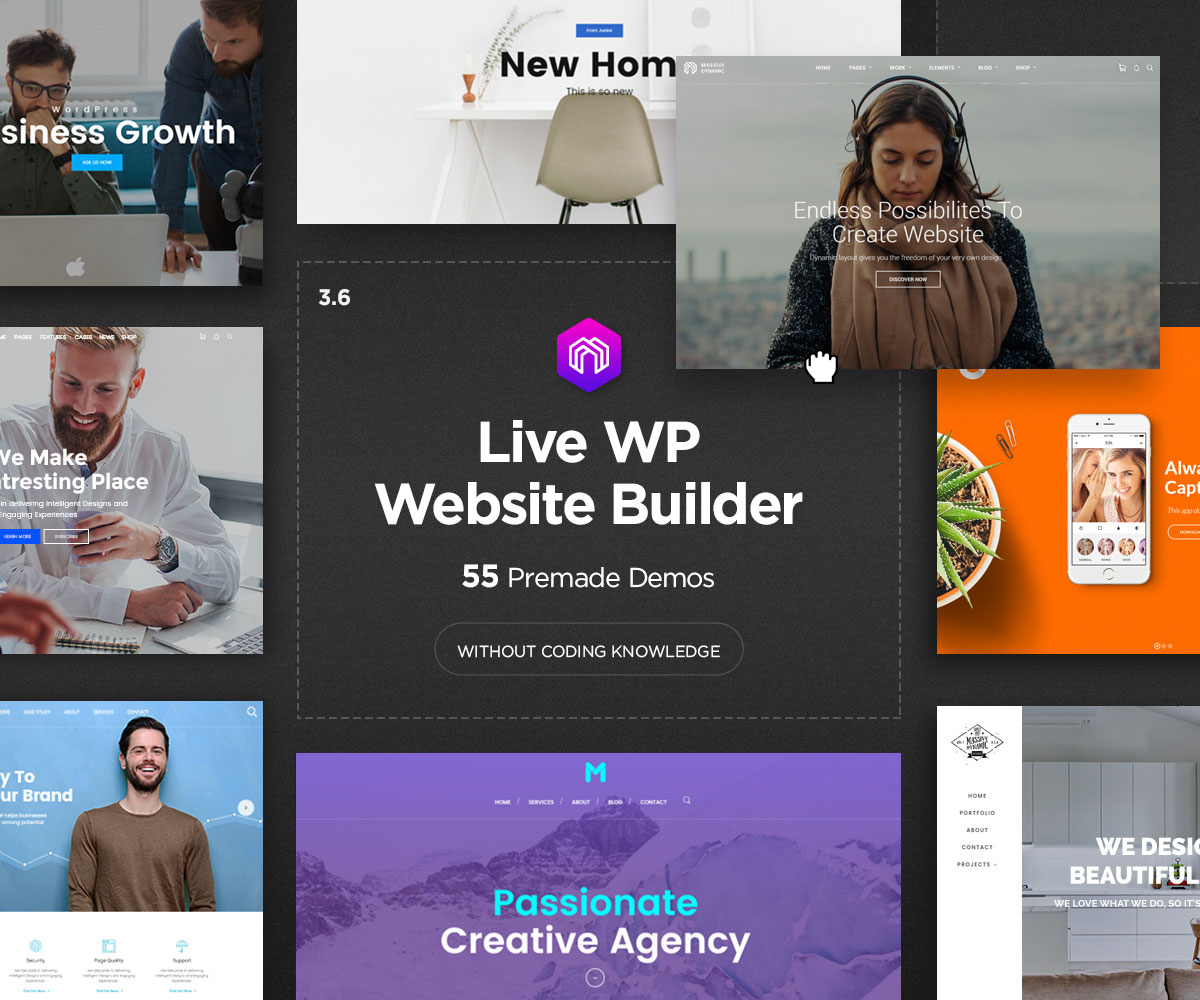
4. Huge range of website themes

44 Popular Multipurpose WordPress Themes 2021 - Colorlib

Being unique is what will set your brand apart from your competitors and so having a website that has your own identity clearly stamped upon it is key to attracting and retaining customers. One of the very best things about WordPress is the thousands of free themes you can choose from to create different types of website. For many, the problem is not that you can’t find the right theme but that you are spoiled for choice when it comes to making the final decision. If you are still stuck, there are thousands of paid-for themes available from developers across the internet.

Themes come with a wide range of colour schemes, fonts and layouts to help you create the perfect site and each individual theme has its own range of options and special features. You can also customise your themes to make them work better for your business.

5. An SEO-friendly platform

WordPress SEO Made Simple - A Step-by-Step Guide (UPDATED)

Search engine optimisation (SEO) is key if you want your website to perform well in search engine results. While SEO is an ongoing task, WordPress has many built-in features, such as the way it structures websites, which help your pages to perform better. Additionally, there are some professional standard SEO plugins that can help you implement highly effective SEO strategies. One of the most popular and highly regarded is the free Yoast SEO plugin that can help with both on-site and on-page aspects of SEO.

6. Unparalleled functionality

Achieving Unparalleled Business Growth, WP Engine, and HubSpot

A plugin is a piece of software which provides additional functionality to your WordPress website. With nearly 55,000 free plugins available directly from your website’s dashboard, you can add every conceivable type of feature to your website – whether that’s analytics, security, email marketing, sales features, eCommerce, SEO, image optimisation, the list goes on.

No other platform comes anywhere close in regard to the number of plugins on offer, and perhaps even better, you can install them with a single click.

7. Built-in and bolt-on security

Data centre security: from bolt-on to built-in - The Digital Transformation People

Having a secure website is essential, not just to prevent your site from being hacked or infected but to protect the data your customers share with you and to help you stay compliant with the many regulations that website owners have to follow, such as PCI DSS or GDPR. It is good news, therefore, that WordPress has plenty of security features to help your site stay safe – some which are built-in and some which you can bolt on through the use of a plugin.

You’ll find that the WordPress core is regularly and automatically updated whenever a patch has been created to deal with newly discovered threats and that plugins are updated regularly for the same purpose. It is also possible to set up automatic plugin updates so you don’t leave your site vulnerable.

Conclusion

34% of the world’s websites are built with WordPress and it’s used by brands such as Facebook, Microsoft, Mercedes-Benz, BBC and Bloomberg –  just to name a few. Why do these leading companies use it? Certainly not just because it is free. Far more important are the amazing things that WordPress is capable of and this is why it is still the number one choice for businesses, large and small.

The Importance of HTML Headings for SEO and User-Friendliness

Proper Use of HTML Headings | OPTASY

Do you use HTML headings and subheadings in your website content? If you want your site to rank better in search engine results, it is, perhaps, time you did. Here we’ll explain why headings can help your website rank better and make your content more user-friendly at the same time?

How headings benefit your visitors

The Importance of Headings and Subheadings on Content Pages

Headings and subheadings help organise your content better for your visitors. They divide up the text into sections and provide useful information about what is included in each section. This helps a reader work their way through the text and skip any parts they deem irrelevant. At the same time, a page divided into headed sections looks more attractive and easier to read than one which just has lots of paragraphs.

Using headings, therefore, provides a better customer experience, keeping visitors on the page and entices users to read more of your content.

How headings improve SEO

How to be on the top results in search engines? | Code95

The difference between using bold text and proper HTML headings (H1, H2, H3, for example) is that search engines can identify the headings’ HTML. This enables the search engine to scan the headings for keywords and phrases and this helps them get a deeper understanding of a page’s entire content. As a result, it can match your pages’ content better to individual user queries so that when people are specifically looking for the type of content on your website, your pages have a better chance of appearing in the results.

Another key SEO benefit relates to the impact on visitors. If your headings help keep visitors on your pages for longer, search engines will notice that your ‘bounce rates’ have declined and your ‘time on page’ figures have improved. They will conclude from this that your page does indeed provide the information particular queries are asking for and this will help you rank even higher. Importantly, this is why, when writing headlines, you should always create them to help the user stay on the page rather than over-pack them with keywords to attract search engines.

How to use headings correctly

The two key tips for using headings are to structure them correctly and to make sure they contain your keyphrase.

Heading structure

How to structure headings for web accessibility | Nomensa

When we talk about heading structure, we are really talking about which type of heading (H1 to H6) that you use, and where, on your pages. Essentially, to structure your pages well, you need to know that these numbers don’t merely affect the size of the text on the page; far more importantly, they signify the importance of the heading to both the reader and the search engines.

At the top of the heading hierarchy is the H1 heading. There should only be one H1 heading per page and this should be the page’s main heading or page title. It is the most important heading by far and must contain the keyword or phrase that you want the page to rank for.

The next set of headings, in importance, are the H2 headings. These should be used for your page’s main content headings and at least one of these should contain the page’s main keyword or phrase. However, it is also critical that they clearly inform the reader and the search engines about the content of each section they head.

If these sections are fairly long in themselves, it is also useful to subdivide them using H3 subheadings. H4 to H6 tags, although available on most website software, are rarely needed, unless, of course, you are writing very long content, such as academic papers, that have many levels of textual structure.

Another thing to consider is your heading and subheading distribution. The most important thing is to put a new heading or subheading every time you start to write about a new topic or subject. However, with web content, it is also believed that you should never leave too much text without a heading. The current guideline says you should have a heading (H2) or subheading (H3) around every 250 to 300 words or so on your page in order to help people progress through what’s on the screen.

How to add a heading

How to add Headings in HTML | HowTech

The page or post title is usually created as an H1 heading automatically when you type the text into the ‘Title’ field. For other types of heading, most website software comes with an editor or block builder with built-in options for turning a line of text into a heading. These often come with a dropdown menu where you select H2 or H3 (or others if needed) accordingly. It is also possible to create titles in the HTML editor using the HTML tags, for example: <h2> This is a heading</h2>.

Using keywords and phrases in your headings

How to use keywords in subheadings to rank better? | Marketing91

As we have already stated, it is important to put your main keyword or phrase in the page or post’s H1 title. However, you should also try to put it in other headings, at least once and only where relevant, to make it abundantly clear to readers and the search engines what the content is about and to emphasise the keyword’s importance. At the same time, you should also include it a number of times in the rest of the page’s content, without, of course, going overboard.

Conclusion

Visitors and search engines make use of headings and subheadings. They make your pages easier to navigate, look more appealing and break up long text into manageable chunks. When created using HTML, search engines pick up on the importance of your headings and use them to match your site with relevant queries, helping you rank higher for those visitors you most want to attract.

How Google’s New Ranking Factors Will Affect Your Website Page Experience

6 Tips to Improve Your PPC Landing Page Experience (&amp; Quality Score)

Changes in the way consumers behave mean customer experience (CX) is now the major battleground over which businesses compete. While this will affect your company directly, in the sense that you’ll need to improve CX to stay competitive, from May 2021, you’ll also need to improve the CX of your website to rank well with Google. Under pressure to improve their own CX, Google has now decided to add ‘page experience’ as one of its ranking criteria. Here, we’ll look at what this will mean for your website and individual web pages.

1. Largest Contentful Paint

What Is Largest Contentful Paint? | Page Experience SEO

How will Google measure loading times going forward? One of the main ways will be the ‘Largest Contentful Paint’ metric. Basically, rather than looking at the loading time of a whole page, it will look specifically at the loading time of the largest element of that page, usually the largest block of text or image. With Google expecting these to load in less than 2.5 seconds, it means you will need to optimise images and break large sections of text into smaller chunks.

2. First Input Delay

Experimenting with First Input Delay in the Chrome UX Report | Web

While Largest Contentful Paint looks at loading times, First Input Delay focuses on response times, in other words, the time it takes your website to respond to any user interaction, such as carrying out a search, clicking a link or inputting information. The response time is a measure of how long it takes the user’s browser to start processing your website’s response to those interactions. With Google expecting this to be less than 100 milliseconds, not only is the speed of your hosting important, so too is the location of your server. To overcome latency, having servers located nearer the user will speed things up. For customers further away, websites might need to make increasing use of content delivery networks (CDNs).

3. Cumulative Layout Shift

Optimize Cumulative Layout Shift

As websites load the elements of a page in stages, it can cause the layout to shift slightly. A common problem is when a user sees a menu, goes to click on it and by the time they have done so, the menu has been pushed down by an advert or privacy banner and they click on this by accident.

Cumulative Layout Shift is a metric that measures the visual stability of a page, looking at how it changes layout during loading and how this impacts the experience of a user. In future, website owners will need to minimise this as much as possible, especially in the ‘above the fold’ layout.

4. The mobile experience

The Importance of Mobile Experience | Resource Techniques

The mobile experience is the area where Google has to put most of its effort. Today, we carry out the majority of our internet searches and spend most of our online time on smartphones. The key difference between desktop and mobile for Google is that with a desktop, we predominantly use Google to find things; on mobiles, much more time is spent on apps. Google needs to claw back some of its lost ground by making its mobile search just as smooth and seamless as using an app.

While Google has got things working effectively at its end, the Achille’s heel in its mobile customer experience is the websites it displays in its search results. What’s the point of having the world’s most advanced search engine if half of the websites that users visit don’t work well on mobile devices? The solution is simple, it will stop ranking websites that are not mobile-friendly, at least on searches carried out on mobile devices – which is most of them!

The solution is a mobile-first website design. Instead of creating a website for computers and then using a responsive theme to convert it for mobile devices, work the other way around. Create the site specifically for mobiles first (the biggest audience). This will improve the way a site looks and responds on mobile devices and prevent common issues that can occur with responsive themes such as text being too small and links or buttons being so close together that users frequently tap the wrong one.

Loading speed also has to be improved on mobiles. While laptops generally connect only to broadband, smartphones are taken everywhere, often where connections, both network and wi-fi, vary in strength and stability. Regardless of connection strength, a good website should still load quickly.

5. SSL, safe browsing and intrusive interstitials

Navigating Google&#39;s new page experience algorithm | Cobiro

Other key ranking factors to be aware of are the installation of SSL certificates to provide secure HTTPS connections and encrypt the sending and receiving of payment data; ensuring your website is free from malware and links to malicious websites; and the removal of ‘intrusive interstitials’, the jargon term for popups and other intrusions that affect the users’ browsing experience.

Conclusion

From May 2021, Largest Contentful Paint, First Input Delay and Cumulative Layout Shift will become ‘core web vitals’ in Google’s algorithm. At the same time, there will be increased importance on mobile-friendliness and security and far less tolerance of intrusive features, like popups.

How to Develop a Successful Social Media Strategy

Building Your Social Media Marketing Strategy for 2021 | Sprout Social

When it comes to making a purchase, 75% of consumers will opt for a company they have previously liked on social media. With statistics like this, it is impossible to ignore the potential that social media has to transform your business. However, you can’t just post things willy-nilly and hope for the best; instead, you need to have a social media marketing strategy. In this post, we’ll take you through the process of creating one.

1. Define the outcomes you want to achieve

How to Develop a Successful Social Media Strategy

Your social media strategy needs to be linked to your company’s goals for it to have practical value for your business. For example, you may wish to expand awareness of your brand, improve online sales, increase ROI, get more customers visiting your bricks and mortar store or develop an audience of loyal followers.

When creating your social media strategy, you’ll need to decide what your objectives for it are and then set short-term goals that you know are achievable and affordable.

2. Know your audience

7 Proven Ways to Know Your Audience Better

Understanding your audience is the key to a successful social media marketing strategy. Luckily, your research can be made easier by using some of the many analytics tools. These can give you detailed insights into the audience demographics of the various social media platforms, showing you the best platforms to use and the types of content you should post.

Once established on a platform, you can drill down and analyse the demographic data of those who follow you. This can give you a much sharper understanding of those who actually see your content and how they interact with it.

3. Focus on metrics that count

How to reach my real target audience on Instagram - Quora

To work effectively, a social media marketing strategy should make effective use of the data it has available. However, some data is more valuable than others and you need to be selective about which metrics are going to benefit your company the most. Rather than focusing on likes and shares, it may be more useful to track the volume of users who see a post, the number of clicks-throughs your content gets, the rate of engagement (the ratio of interactions to impressions) and the sentiment of those interactions (emoji data). Overall, the metrics you choose to focus on should be able to help you understand how effectively you are achieving your outcomes.

4. Check out the competition

Checkin&#39; out the competition. Before creating your product, you… | by Sean Pan | Medium

Discovering what works for your competitors is a useful way to help you shape your own social media strategy. You can do this simply by following them and viewing their content or by using one of the many competitor analysis tools that are now available.

What you shouldn’t do is simply imitate what your competitors are doing. Instead, look at the most interacted with types of content which your competitors post, whether that’s video, images, text, or even user-generated content, and use these to inform the creation of your own, unique content.

5. Start working on your own content

8 Steps to Start Your Own Business in 2021 — Startup Guide

Only once you’ve set your goals, chosen your platforms, identified your key metrics and checked out how others do things well, are you ready to start creating the content to publish yourself.

There are several considerations you need to take into account here. Firstly, you’ll need to make decisions about what to publish. This will depend on the platform you have chosen, the preferences of your audience and your budget.

Video is one of the most liked and shared mediums on all social platforms, however, creating it professionally can be very costly. User-generated content, which can be created using a brand hashtag, is not only very popular, it’s often unique and saves you having to create so much content of your own – and because it’s user-generated, it can be forgiven for not being so professional. Visually stunning images have always been popular on social media and these are also useful for getting customers to click through to other content, such as blog posts or promotions on your website. Aside from the format, you must also consider what messages to post. If you over-focus on selling products, users can lose interest – almost half of users are likely to unfollow a brand whose content is consistently trying to sell them things. Instead, post on a wider range of engaging, relevant topics that promote your company without the hard sell.

6. Get the timings right

How to get your timings right when presenting - The Prezenter

Timing is crucial to the success of your social media marketing strategy – and in a number of ways. First of all, followers will expect to see you post regularly and consistently. Not just on Tuesdays, but every Tuesday. It’s like in the old days when we used to get our favourite magazine delivered on a certain day – we looked forward to it arriving and were disappointed if it didn’t. Lack of consistency can make you lose followers.

Users will also expect you to respond to their comments or questions quickly, which is important if you want to develop meaningful relationships and networks, and essential if you are using social media for customer service. The speed of your response speaks volumes about your commitment to your audience and quick replies are a big plus for social media brand building.

Another important consideration is the time you actually post a message. Post it at the wrong time and many of your audience might be offline. By the time they are online again, it could have disappeared into the abyss of their feed, never to be seen. Luckily, you can use tools that will allow you to schedule when your posts are published so that they can be sent out at the most effective times of the day.

7. Go back and check the metrics

7 Crucial Metrics to Measure Your Content&#39;s Success

Finally, you should always keep an eye on your social media strategy data to see which things worked well and which things didn’t. This will stop you wasting time, effort and money on ineffective ideas and inform you which of your creatives are getting the most traction with your users. The more data you have, the better informed you will be.

Conclusion 

As you can see, the process of setting up a social media marketing strategy requires forward planning and research. You’ll need to set goals, research the different platforms and their audiences, figure out the most important metrics to focus on and research your competitors before you start. Only then will you be in a position to create the right content, work out the best times to post and how quickly to respond. And remember to track the progress of your strategy throughout your campaign.

The Top 10 Search Engine Optimization (SEO) Trends To Drive More Traffic

Content marketing SEO strategy

Although most website owners are aware that SEO is essential if they want their site to rank well in search engine results, keeping up to date with the ways in which SEO should be done and then putting it into practice can be a time-consuming task. Search engines are constantly refining their algorithms in order to produce ever better results for their users and this means the Search Engine Optimization goalposts are constantly on the move. To help you stay up to date, here are the latest major developments in search engine optimization.

Optimising for search intent

How to Optimize Your Content for Search Intent - The Next Scoop

Search engines’ main priority is to give users the content they want to find. Doing this means they are using more sophisticated ways to understand the intent of the user when they carry out a search. When someone types in ‘paracetamol’, for example, the search engine will try to work out whether they are looking to buy paracetamol or whether they want to find information about it. This might seem impossible from a one-word search; however, by using all the information they have on that user, recent search history, browsing habits and so forth, and by comparison to other users, their incredibly sophisticated algorithms can ascertain intent to a far better degree.

What does this mean for website optimisation? It means you have to undertake a new form of keyword research looking for the intent of users when they use the keywords you want to rank for. Only when you understand what their intent is (to buy, to find information, etc.) can you create the content to match. Indeed, you should do this for all the content on your site, not just the things you publish in the future.

Redefining domain authority

Moz Domain Authority 2.0: Stronger, Sharper, Scarier | Techosaur

Domain authority has always been based on the quality of the content that a website provides. Once upon a time, search engines’ main measure of this was by the number of reputable websites that linked to it. Quality backlinks were priority number one.

Today, as search engines find more sophisticated ways to judge the quality of the content, the emphasis is on, to quote Google, ‘identifying pages that demonstrate expertise, authoritativeness and trustworthiness on a given topic.’ Expertise, authoritativeness and trustworthiness, often referred to by the acronym EAT, are therefore the new main priority when it comes to domain authority.

What does this mean in practical terms? It means your content has to illustrate expertise in your field and that any posts you publish need to be accredited to someone within your organisation with authority in that area, preferably people who can prove their trustworthiness by having their expertise mentioned on other leading websites (an actual link is not necessary). In other words, even if you have someone else write the content, the author by-line needs to be attributed to a recognised expert. Indeed, going much further, the website as a whole should be seen to specialise in its chosen topic.

Do backlinks still really matter? Yes – as long as they are from quality sites relevant to your own area. They help with what is known as PageRank and are taken by search engines as proof that the information your site provides is trustworthy.

Optimising for image searches

SEO Guide: How to Rank for “Near Me” Searches?

Image searches have begun to take off in a big way and websites which haven’t yet begun to optimise for them should do so. Why? Because tech native generations find it very user-friendly to take a picture of something rather than type in a search term and with Google Lens being able to identify over a billion items already, the technology is increasingly being used.

Websites should make sure that every image has a filename that reflects its subject matter (IMG001.jpg won’t suffice) and an alt-tag that describes the picture. Aside from that, domain authority is also a key factor in whether your images will be ranked. A picture of an owl from the RSPB will likely rank higher than one a blogger has taken on a day trip to an owl sanctuary. More up to date photos from sites that regularly post fresh content will also rank better, especially if the photograph is a featured image on a page.

Optimising for voice searches

Voice Search: The Definitive Guide

The growth of Google’s Search Assistant and the increasing numbers of Google Home devices means Google, in particular, is increasingly focussed on voice search. Chances are, it will be difficult for your content to feature in spoken search results, as Google will prioritise the top ranking sites. However, to give your content a better chance, you should consider putting questions and answers in your content, and to frame the questions in the way someone would ask them when speaking out loud.

As Google uses featured snippets in its voice search results, this is another area where you should concentrate. In particular, you need to include keywords in the snippet and these should be keywords that the page actually ranks for. In other words, if there are keywords you want to rank for but don’t, don’t use these in the snippet unless they are part of a long-tail keyphrase.

Conclusion

Doing well in organic searches is getting increasingly harder, especially as even the top results now get pushed aside by adverts, answer boxes and lists of related questions. Because of this, the developments in Search Engine Optimization mentioned here are all the more important to help you rank better. Hopefully, you will find the information of value to you.

If you are looking for faster website loading to improve your SEO, check out our wide range of high-performance hosting solutions.

8 Strategies to Boost Your Instagram Sales

9 Types of Instagram posts Proven to Increase Sales

When Facebook bought Instagram in 2012, it sent a clear signal that this was a platform with real potential. Since then, Instagram has gone from strength to strength and its increasing usage has made it a place where businesses can have a real marketing impact. In this post, we’ll look at the platform and show you eight tips to help boost your Instagram sales.

A growing platform

Instagram has grown massively in recent years, expanding its monthly user base to over one billion. That’s three times as many users as Twitter. This has made it a very appealing place for businesses to advertise their products and to run social media campaigns. Indeed, half of all businesses now use Instagram as a marketing tool and in 2017, they spent almost £2 billion on advertising. With this amount of investment, it is obvious that these businesses are seeing great returns.

Advantages of Instagram for online retailers

Instagram is a media that focuses on high-quality images and video, making it ideal for posting highly visual and creative product photographs and marketing that can link directly to your online store. In this sense, Instagram becomes an extension of that store – people stumble upon a product they like and can click through to buy it. Nothing could be easier.

And with such a large and growing audience, it can massively expand your company’s reach, enhancing user engagement while helping to improve your brand’s positioning. Add to this the option to link Instagram and Facebook accounts, so that posts which appear on Instagram also appear on Facebook, and the potential for spreading the word is even higher.

Tips on boosting Instagram sales

  1. Set up an Instagram business profile

Why you Need an Instagram for Business Account (and How to Do It Right Now!)

Instagram now lets you set up a business profile, so you won’t need to rely on using a personal account to do your marketing. One great feature of the pro-style, business profile is that you can import all your Facebook contacts. It also gives you analytics data to help you see how well your posts are doing.

  1. Take advantage of the selling tools

Solution Selling: The Comprehensive Guide | Pipedrive

There are many tools now available that help you to sell products on Instagram. Essentially, these use a variety of techniques to let users click on your photo and go buy what they see. These clickable shopfront tools include ‘available to buy’ icons, item prices or ‘shop now’ buttons. All a user has to do is click on an icon or button and they are taken directly to the store or to your Instagram bio URL.

  1. Post photos that attract attention

25 Social Media Posts That Are Sure to Grab Attention/Get the Likes

With millions of photographs added every day on a platform that aims to promote great photography, you need to post images which stand out. The better the visual experience you provide for users, the more your brand will get noticed. Experiment with different techniques of taking photographs and use filters and editing tools to create an identifiable brand style of your own.

  1. Promote your website in your pictures

9 Ways to Advertise Your Website for Free

A creative way to get people to visit your website is to show your URL in the photos you post. Some do this with added text or through watermarking, however, there are more ingenious ways to do this – have someone wear it on a t-shirt or have it graffitied on a wall in the background, for example. Subtlety like this is intriguing and will develop curiosity without users feeling over-marketed to.

  1. Make the most of your captions

300 Instagram Caption Ideas (2021)—Great Captions for Instagram

Aside from the image, you can also add a textual caption to your photo. With up to 2,200 characters available, including the use of emojis, captions are a valuable opportunity to develop your brand’s identity, engage your audience and slip in those important calls to action. You can also add numerous hashtags, too, helping your post turn up in relevant searches.

  1. Use hashtags wisely

Twitter for Lead Generation: 19 Clever Ways to Explode Your List

Just as on Twitter, hashtags are widely used on Instagram, enabling people to search for them. For this reason, all your marketing images need to have relevant keyword-style hashtags added to their captions. Doing this helps your products get seen by a wider audience and ensures that searchers have a better chance of finding them.

  1. Attract Instagram influencers

Best Ways To Attract Instagram Influencers - PopTribe

Influencers are a big deal on social media. If they like or share your marketing material, it can have a massive and instant effect on your sales. This is why many of the famous vloggers and bloggers now have lucrative sponsorship deals with major brands. However, if you can grab their attention they may like your products without you having to pay them huge sums of money. To do this, mention them in your captions and give some positive responses to the things they post in order to try to establish a relationship. While getting a positive response back is never guaranteed (these people have millions of followers) the potential results can be worth the work.

  1. Use Instagram ads

How brands are using Instagram ads | Econsultancy

Finally, you should consider paying for advertising on Instagram in the same way you would on Facebook. Instagram ads are more direct than a social media campaign and can have a quicker impact, helping businesses get established on the platform sooner.

One reason for advertising on Instagram is that, statistically, its users are sixty times more likely to engage with your ad than users on Facebook, leading to a much higher ROI.

Conclusion

As you can see, Instagram is a highly useful platform on which to market your products. Is it ideal for every business? No, you’ll need to research whether your target audience is part of the Instagram diaspora. If they are, however, following the tips given above should help you boost your online sales.

error: Content is protected !!