Developing App the Native way, Hybrid or Highway?

Smartphones have become an invaluable part of human existence, and their impact on society is only going to increase as the industry undergoes rapid and groundbreaking innovation. In this era of mobile app dominance, various cutting edge technologies have been introduced to keep pace with the demands of consumers and make the development process more efficient. Mobile app developers have the option to create either Native or Hybrid mobile apps, based on their preference. Each of these technologies has its pros and cons, and it is up to the developer to decide which way to go with the app development. Platforms like Squareboat are excellent mobile and web development services providers, which provide both Native and Hybrid app development services.

Native vs Hybrid App Development

There are a few key differences between Native and Hybrid app development:

Underlying Technology

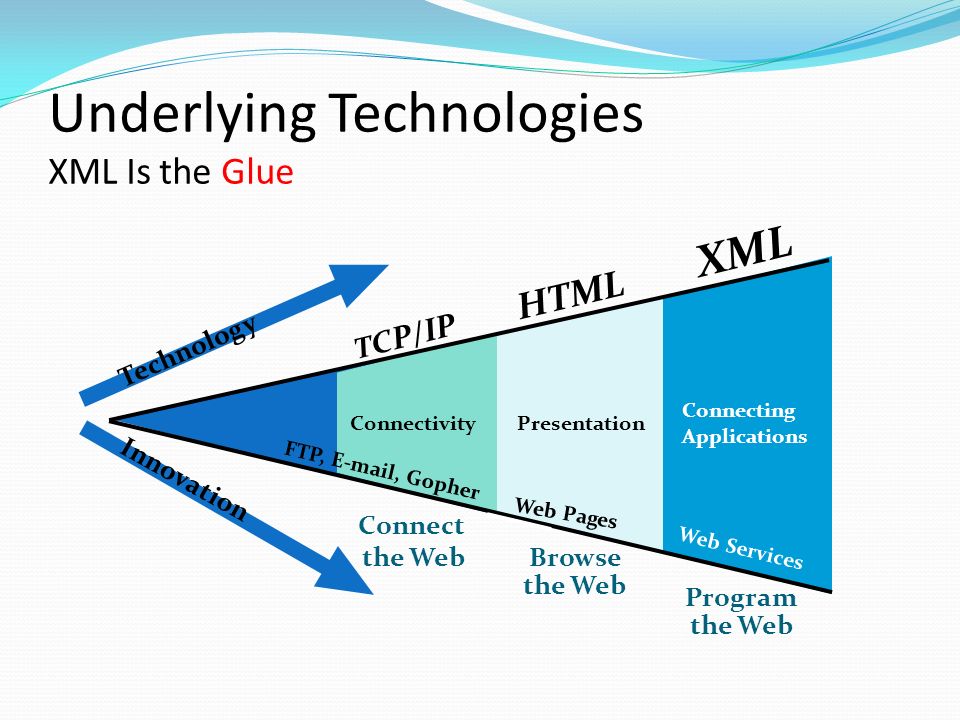
Underlying Technologies XML Is the Glue Program the Web XML Browse the Web HTML T C P/IP Connect the Web Technology Innovation ConnectivityPresentation. - ppt download

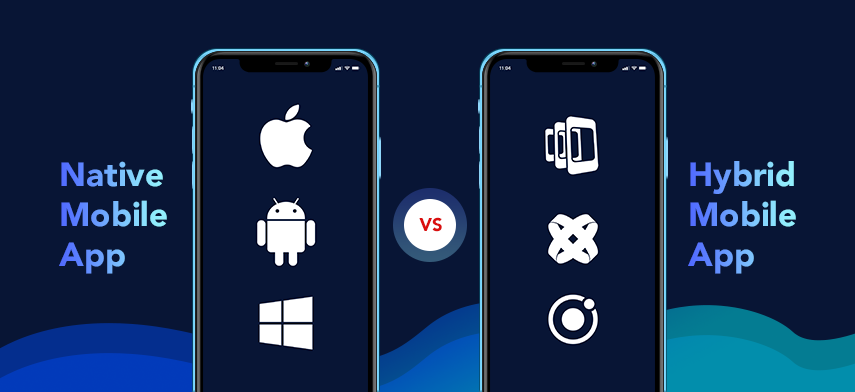
There is a vast difference in the way Native and Hybrid apps work behind the scenes. Native apps are specifically created for a particular target platform, using a specific programming language along with the dedicated SDK and toolkit. As an, e.g., for native Android app development, Java is used to develop the app using the SDK and toolkit provided by Google. Native apps have full access to the native APIs and all the device’s sensors like gyroscope, accelerometer, camera, GPS, and more.

Hybrid apps are a mixture of both Native and Web apps. It is essentially a web app enclosed in a native app container called Web View. Hybrid apps are created by using web technologies like HTML, CSS, and JavaScript, among other tools. As they are enclosed in a native shell, they can be downloaded and added to the home screen, just like native apps. Hybrid apps have moderate access to devices’ features.

Platforms Supported

All about using Applozic on your preferred platforms - Applozic Blog

Native apps, as the name suggests, are native to the target platform for which the app is created. Hence they can only run on a single platform. So a Native Android app can only run on the Android devices, and a native iOS app can only run on iOS devices.

Hybrid apps can run on multiple platforms like Android, iOS, and Windows mobile, as they are built using platform-independent web technologies. Hybrid apps are enclosed inside a native shell which can connect with devices’ sensors, just like a native app.

Performance and Stability

Performance Testing - Testing for Speed, Stability, and Scalability - TestLodge Blog

Native apps set the benchmark in terms of performance as they are built specifically for the target platform. They have shorter response times and lag less often. Hence Native apps provide a better overall user experience than hybrid apps. Native apps also have an added stability factor as they are usually backed by giant corporations like Google and Apple, which means that the platform is supported for a long time in the future with regular bug fixes and updates. Native apps also have well-defined guidelines for the developers to follow in terms of how the app should look and feel. Thus making the job of app developers much easier and also increases the security, as developers can refer to the security guidelines laid down by Apple of Google.

Hybrid apps are relatively slower than native apps as they add a layer between the source code and the mobile target platform. They usually have longer launch times and more crashes when compared to native apps. The user interface also might feel sluggish if the app involves vast amounts of data manipulations. Advanced animations and effects could be slower as the app runs inside the webview container. Web technologies are advancing at a rapid pace, and hence, hybrid apps, which depend on web technologies, are also inching closer and closer to the native apps in terms of performance. The stability and security of hybrid apps depend on the best practices followed by the app developers as there is a lack of clear guidelines, and also on the type of framework being used to create the hybrid app. E.g., a framework like Ionic adds multiple layers on top of HTML and JavaScript, and breaking changes in any of these layers can cause severe bugs in the app.

Development Time and Cost

Rapid Custom eLearning Development - The Cost & Time Element

Native apps are comparatively harder to create as they require the developer to learn full-featured programming languages like Java or Swift in addition to other tools. Native apps are built on sophisticated IDEs (Integrated Development Environment) with advanced features for compilation and debugging. Therefore, the app developer has to learn multiple technologies that are much more complex when compared to the hybrid apps, which in turn increases development time and cost, as it becomes equally costly to hire a native app developer.

Hybrid apps are built using web technologies, which are relatively easier to learn, which means that Hybrid apps have shorter development time. It is also relatively cheaper to hire a hybrid app developer.

Native vs Hybrid App Development: Head to Head Comparison

Let’s summarize the differences between Native and Hybrid apps in a tabular form:

Native Apps Hybrid Apps
Performance Very fast Slower compared to Native apps
Platforms supported Only the target platform is supported Supports multiple platforms like Android, iOS, Windows mobile, etc.
User experience Provides better user experience due to low response times and fewer bugs User experience might suffer if the app is dealing with huge traffic or complex calculations or animations
Stability More stable as they are backed by big corporations like Google and Apple. Relatively less stable as they need the support of third party platforms, and thus increases the chances of breaking changes and bugs in the code
Development time Required more time to develop the app for each platform Required less time to develop the app as a single code base can be used to create an app for multiple platforms
Development cost More expensive to hire a developer and maintain the app for multiple platforms Less expensive to hire a developer and maintain the app

Conclusion

Even though Native apps are faster and more stable than Hybrid apps, for most of the scenarios choosing a Hybrid app is a better decision. If the app is dealing with not a very high amount of web traffic and complex animations, then there will not be a noticeable difference in the performance of a Hybrid and a Native app. Also, it is much faster to start development on a Hybrid app and produce the final product, as compared to a Native app. If you need to deploy the app on multiple platforms and cost is a limiting factor, then  Hybrid apps are a great option to go with.

Native apps are best suited if the app is going to serve a lot of people on the web, or if the app will have complex animations and effects. In those cases, a Native app will provide the best user experience as there will be less lag and possible bugs compared to a Hybrid app. So, if you need the best performance, and time and cost are not a limiting factor, then going with Naive is a better option.

Angular 5.0 for Mobile App Development- Understand

What to Expect in Angular Version 5 0

A short time ago, on November 1, 2017, Google rolled out its fifth version of the tool that app developers have been swearing by, Angular – Angular 5.0.

And ever since its launch, the version has been an active source of discussion among the various Google developers communities.

While it’s the technical features and improvisations that Angular 5.0 has been launched is what making the developers swoon over it, let us look at why you, as a brand that has decided to launch a mobile app, should have a peek at it, as well.

But before we get into the reasons that would make investing in Angular 5.0 for your next app, let us look at the upgrades this version has got over its previous one, very briefly.

How is Angular 5.0 Different From its other Versions

Top Reasons to Get Your App Built with Angular 5.0 - Rootinfosol

  1. Build Optimizer With Angular 5.0, Google has been able to mark the parts of users’ app as pure, which removes the parts of users’ application which aren’t needed. It even removes the Angular decorators from the users’ application code run time. The aim is to increase your app’s boot speed.
  2. Angular Universal State Transfer API The API is focused specifically on helping the developers perform the server-side rendering of the Angular applications. By doing this and then bootstrapping it on HTML generated, one can give support to the crawlers and scrapers, which do not support JavaScript, thus increasing your application’s performance.
  3. New Router Lifecycle Event It allows the developers to track cycle of their router from the very start of the running guards till the completion of the activation.
  4. Improvements in Compiler The improvements now provide fast rebuilds, Specifically for the production builds and those with AOT. There have also been features addition in the Decoraters, which now makes it possible to ship small bundles by eliminating the whitespaces.

While these are just the few, there are a lot many additions in the Angular 5.0 version, making it one of the best Google’s tools for Application Development.

Now that you must have gotten the idea of the latest Angular version and what it entails, let us now look at some of the reasons that make Angular 5.0 worth investing for any brand looking to enter the mobile world with their partner app development agency.

Reasons to Choose Angular 5.0 for your next Mobile App

1. Reduced Loading Time

Grow Your Business With These 7 Digital Marketing Tactics | Search Influence

A greater loading time implies greater user dissatisfaction and lowering user patience. A factor that translates in greater app abandonment numbers, and greatly dissatisfied customers along with poor productivity. All of which can be tackled with one of the Google offerings – Progressive Web Apps.

Angular 5.0 has introduced an API called the Service Worker that is made in sync with the concept of Progressive Web Apps.  The API, which is also used to migrate websites into PWA, is the JavaScript Worker, which runs in browser background and even allows the admissions of features, which don’t need any involvement of the web page and/or the user-interaction. Now with the API, when the app utilizes caches to serve its users, one can expect the app to showcase offline mode functionalities. This is a massive move for the Mobile Apps community, as the inability to serve users in offline mode has kept maximum mobile app brands in the back seat.

2. User Experience to Go Better with Enhanced Material Design

Making More with Material - Library - Google Design

Material Design in mobile app is that comprehensive framework, which is mixed with resources, theories, and tools which are aims at providing the required guidance to make the mobile experience a creative one.

AngularJS 5 is to make Material Design components compatible with server-side rendering. Beyond doubt, this is no less than a reward for the UI-UX designers. The attempt by Google will help in improving the visual language that users understand the best irrespective of their ages. If you are an AngularJS developer, hold your breath as Google is yet in the process of eliminating a few bugs before releasing this functionality.

3. Lower App Abandonment Rate

The Problem Of App Abandonment And How To Fix It

The number reason behind app abandonment has been slug issues. When it comes to the app users, they have very less patience towards the apps that work slow and even worse is not responsive. Both the issues, clubbing as app’s poor performance together increases the app abandonment and bounce rates. But, no more.

Angular 5.0 has completely revamped the RAIL model (Response, Animation, Idle, and Load Model), which focuses on making the app much responsive towards its user’s actions. In the developer’s guidelines, Google has emphasized much strongly on faster user-interface, and Angular 5.0 is just the tool for that. The tools is expected to allow the users to be acknowledged within 100 ms, in case of no scrolling or animation, the page should appear in under 10 ms and lastly, for they should be delivered the content they came looking for within a time frame of 1000 ms.

The Build Optimizer feature of Angular 5.0 aims to do just that. As the tool comes in as default, the developers don’t have to do anything extra to make it come into the process. It helps reduce the mobile application size by leaving out unnecessary codes. By introducing the StaticInjector instead of the ReflectiveInjector, Google has made it easy for the AngularJS developers to lower down their application size, substantially.

Angular JS 5 is all set to make the app industry faster and responsive. Are you ready for the future.

Agile for Mobile App Development Process-Reasons to Trust

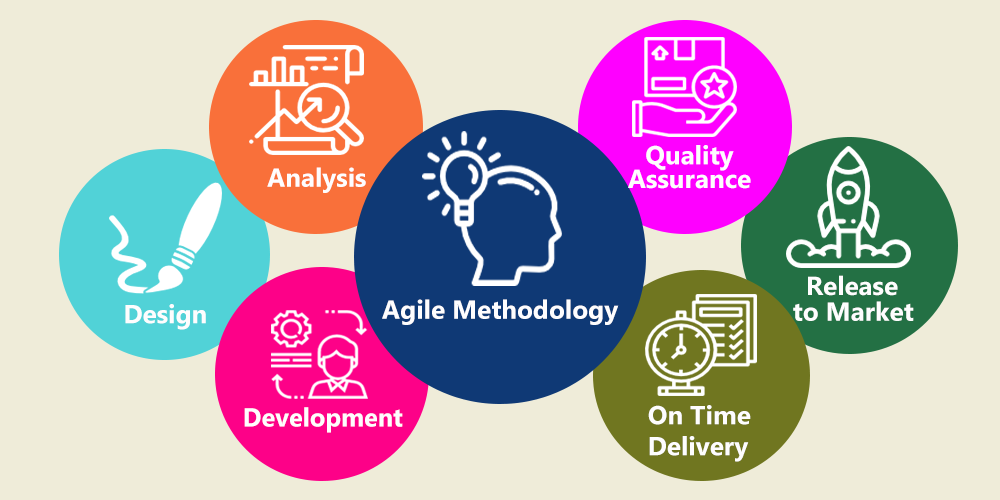
Agile Methodology for Successful Mobile App Development│SurmountSoft

Agile Mobile Application Development has emerged as a concept that ensures not just a quick delivery of projects but also the one that guarantees app responsiveness and overall business growth and agility.

It was after three app projects, developed and deployed using the Waterfall model, we realized that we were not just slow but also the team lacked clarity, which showed in the apps. It was a loss for both us and the brands we were developing apps for, as the resources were getting freezed for more time than they should along with the missing sense of a clear process.

Let us look into the concept in more detail. Highlighting the meaning of the methodology and the associated benefits and ultimately the approach we follow for developing apps using agile methodology.

Let’s start –

What is Agile Mobile App Development About?

What is Agile Development for Mobile Apps? - The Promatics Blog

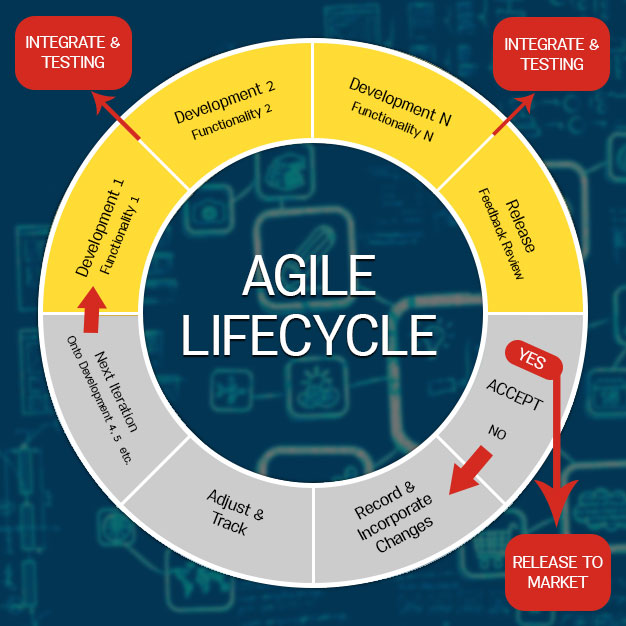
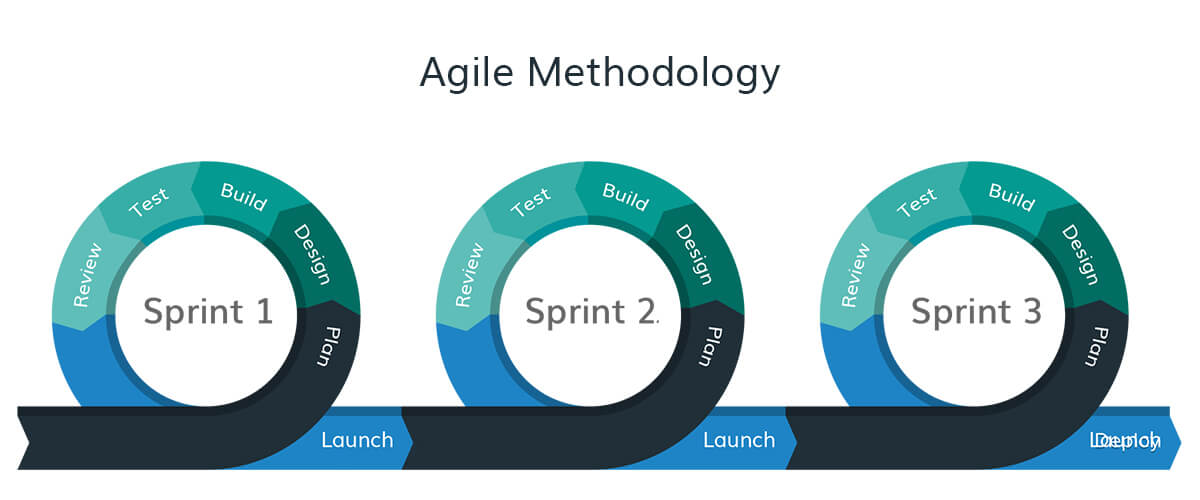
The Agile Methodology is a term used for an incremental and iterative app development approach, which consists of breaking down the complete app development process cycle in various different tasks. The whole array of segregated processes are further categorized into number of sub-tasks, every one of which performs as separate modules among the app development team. Next, each of the module is handed to a dedicated cross-functioning group of specialists who then work on every module as an independent mini-project.

Using this agile methodology for mobile application development enables multiple teams to develop different parts of the apps simultaneously. The whole project becomes a combination of various small modules. Agile software development method not just lowers the associated risk, but even provides developers with full freedom and flexibility for developing a superior-quality app, which quickly adjusts to alterations post-release.

Now that you know what Agile Development is, let us look at why agile is best for app development, reasons to use agile methodology, and why app development companies like us, swear by it.

Why use Agile App Development Process?

Agile for mobile app development helps agile software developers to efficiently come up agile development methodology and project management system that is foolproof in many ways. It certainly assists agile software development company and development teams to overcome some critical development issues like varying demands of various classes of users, which in turn hinders seamless development across multiple running platforms.

Agile is the go-to framework for helping app startups and development agencies maintain a focus on delivering a quality application ー rapidly and productively. Agile maximizes value throughout the development process and significantly decreases the overall risk of any given project.

1. Quality Product

Premium Quality Product Grungy Stamp Isolated On White Background Royalty Free Cliparts, Vectors, And Stock Illustration. Image 29728830.

It was expected to test software before the launch, however with agile, testing is integrated at every phase of development to guarantee a quality end result. This type of continuous testing of every single module provides space for changes and reduces the risk of encountering a bug during quality testing of the complete project. It also helps mobile app developers to inspect app elements at every phase of the development process and make alterations as per the requirement, eventually helping in providing high quality of services.

2. Customization

Why Product Customization is Important for Customer Satisfaction

While opting for agile development best practices, developers get the chance to customize the whole app development process according to their preference and work upon user- driven solutions. Thus, customization is another reason behind why use agile methodology for creating mobile applications.

In a situation where developers are on the hunt for various techniques for creating and launching a mobile application while integrating the recent technologies into the development process, agile methodology approach keeps you covered.

3. Swift Return on Investment

Average ROI for Restaurants and How to Calculate It? | Glimpse Corp

Backed by iterative nature, app features are developed and deployed speedily in an agile development process, leading to rapid application development. Contrary to the earlier used waterfall development methodology where you had to sit till the completion of an app project to even look at return on investment value, agile methodology allows you to drive ROIs in advance. In agile app development process, the stakeholder plays a very crucial role and stays in direct conversation with the project’s scrum master to help prioritize the main features and then show an aligned development process.

4. Reduced Risks

5 Ways AI/Machine Learning Reduces Risk in Account Reconciliation

The previously used waterfall app development system came with high chances of failures, which varied from budget shortage, timeline extensions, scope creep, not being able to have the priority features, even by the time of project completion.

While Agile, on the other side, employs parallel test model to allow you to line up the different mobile application development problems while developing other features, simultaneously. The transparency that the process comes with the scrum process of agile app development process enables you to view and remove the issues of even the later-stages from their roots, in the beginning stages itself.

5. Helps to Move with Business Agility

Business Agility: What Is It & Why Is It Important? - ProjectManager.com

Rapid variations in the smartphone user movements hints towards the need of brands to promote superior level of business agility by using agile process method. Agile method enables you to adjust to the varying business needs or user trends in spite of what stage of app development you are in, without any further amount of investment. Agile method gives you the freedom to not be confined to work around a pre set feature list as a part of mobile app solution. This enhanced business dexterity gives the application any shape you are seeking, thus giving you an unprecedented edge over the competitors.

6. Enhanced productivity

15 Ways to Increase Productivity at Work | Inc.com

The sprint-based workflow of agile methodology lowers the scope of daily detailed discussions and concentrates on the delivery of list of the high-valued app features in every sprint. Using collaboration, mobile app developers’ team works on goals with accountability, which helps in meeting all the commitments in fixed time. The distinct set of work, which are decided for specific time frames allow scrum master to measure the real-time work status and can handle the teams, likewise.

7. Develop superior quality mobile app development solutions

Mobile App Development - Odozi Technologies

Quality undoubtedly continues to be the main concerns in an app world. Because of the collateral testing model used in the agile mobile app development process, it gets easier for mobile app developers to inspect an app project in the real-time and then undergo the necessary quality based improvements hand-by-hand. With respect to this, when there are variations in both –  the mobile application needs or in the quality standards which have to be maintained, the project managers can get them incorporated and solved, instantly.

8. Placing Responsiveness in the Technology

5 Ways Technology Can Improve Team Communication and Responsiveness - timetoreply™

By combining agile sprints with the app’s software update method, the enhancements along with the needed new features, based on customer feedback, can be made instantly, lowering the development timeline.

Agile mobile development process introduces a data backed consistent app updation process that makes sure that even with the app updates, the data is spatially harmonious with old data.

Now, as promised earlier, we will now get into the basics of how we employ Agile Development in the apps that we develop.

Agile development process in itself comes in different types. While we focus on Scrum to a large extent, there are around five other types of Agile App Development methodologies, which we use in combination, which varies from app to app.

Let us look at each of them, to give you a better understanding of the types there are and what you should expect to achieve from each.


Types of Agile App Development Methods

1. Adaptive Software Development

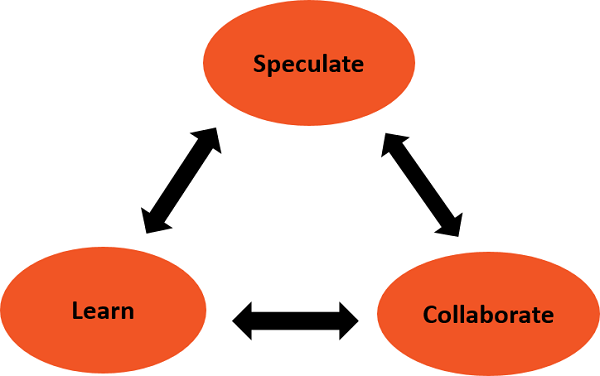
Adaptive Software Development - Lifecycle - Tutorialspoint

This method is used in software projects, which have shifting requirements and strictly fall in the category of short span app projects. The methodology takes help of processes like collaboration, speculation, and learning to achieve this.

2. Crystal Methods

Crystal Methods · Blog · ActiveCollab

These are the methodologies that are used to help develop app by concentrating on app properties such as reflective improvement, frequent delivery, focus, close communication, easy access to expert users, and personal safety, taking help of configuration management, automated tests, and recurrent integrations. The process works best when developing apps that are related to people, community, interaction, talents, skills, and communication.

3. Dynamic Systems Development Method (DSDM)

Dynamic Systems Development Method (DSDM) - AGILE Methods of Software Development

It is an iterative agile development method which ensures that every step is completed just enough to be able to move on to the next stage. It helps in delivering working systems in short span of time. This process aids in aiding regularly changing scenario since the next level of process can be easily put to work by not affecting the process of delivery in whatever way.

DSDM makes use of tools, knowledge, and techniques and helps with the delivery of new systems in the expected period of time.

4. Feature Driven Development

Why (and How) You Should Use Feature-Driven Development | Lucidchart Blog

This is the agile methodology for the app development process, which is also model-driven. At the start of the app project, the developers design a model, which specifies various app features and their iterations.

5. Lean Development

Lean Software Development | Coursera

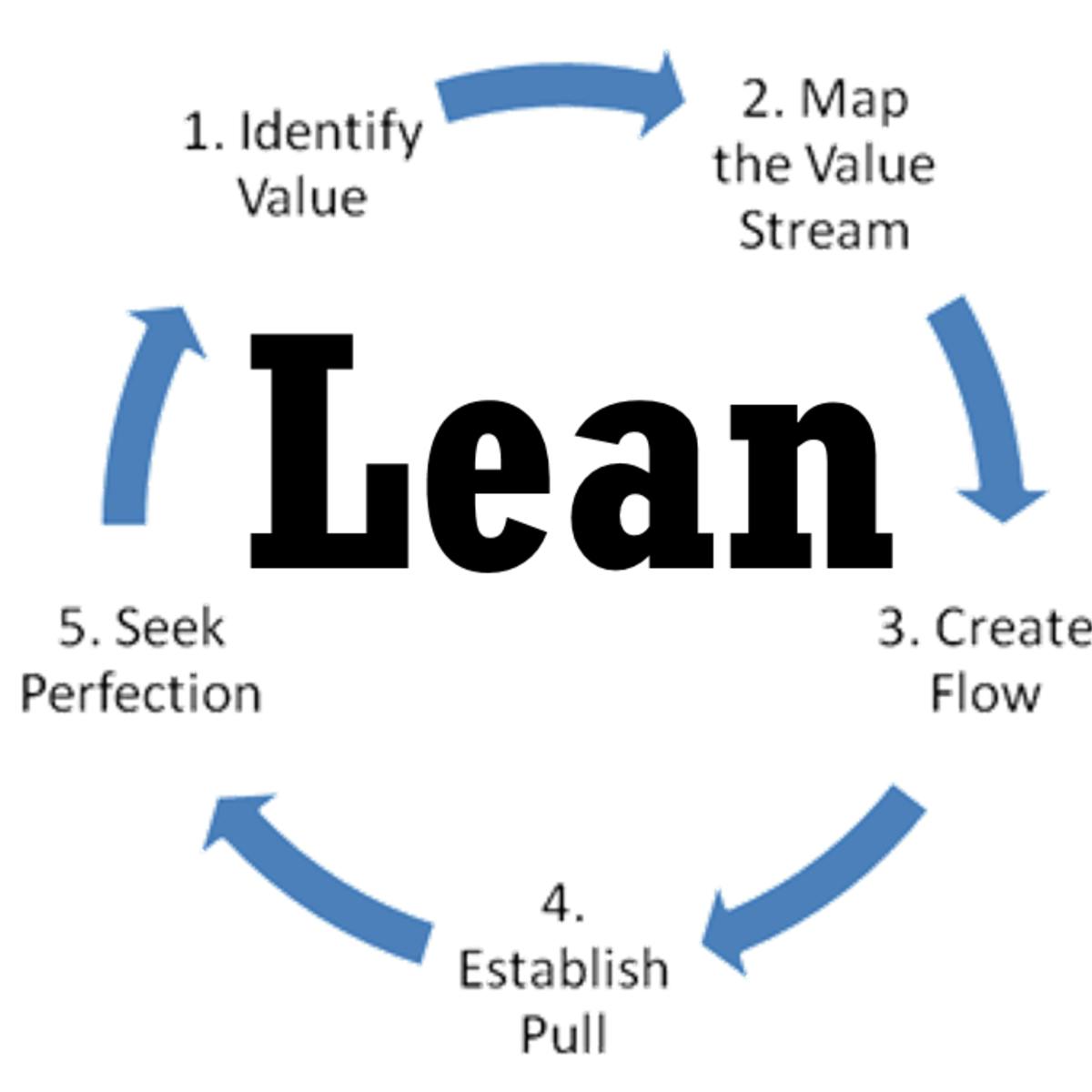
It is one of the most used agile methodologies, in fact the one we swear upon, which is implemented for the development of mobile apps. This principle aims at managing the risks and turn them into opportunities. This, then offers a competitive advantage to a business over its counterparts.

6. Scrum

Scrum Methodology for Digital Product Development

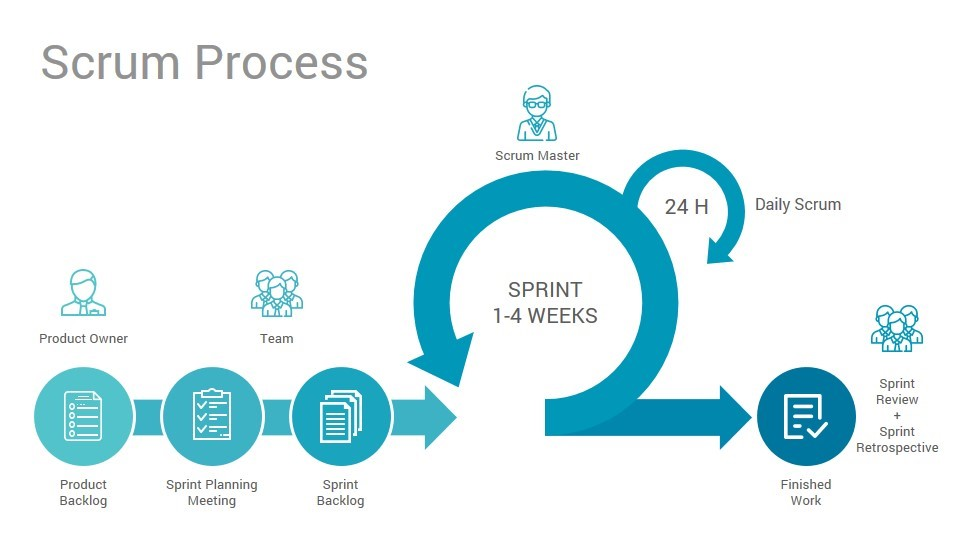
Scrum is another agile software development process that implements the flexible process control for complex software projects. It likewise makes use of iterative and growing practices. In light of the theory that we can’t characterize the last prerequisites of the project, initially, the information is acquired over the due process from the mistakes made over the long run. It solely focuses around checking the progress of the project and resolving the challenges when it is encountered in the frequent gatherings. It gives the benefits of agile methodology that it assists to take action as and when the requirement changes.

7. Extreme Programming

Here, the focus is entirely on the app project instead of the documentation, since it follows principles of design and simple code. Which, in turn, makes it easy for the developers who join late, to understand the process.

The method is based on twelve practices and four groups. The four groups include – feedback,collaboration,  respect, and revision. This requires the direct participation of all the involved parties including our customers.

The twelve practices are collective code ownership, coding standards, system metaphor, simple design,  pair programming, test driven development, planning game, refactoring, the whole team, continuous integration, short releases, and a sustainable pace.

Now that you know the types of Agile Development Process, let me take you through the Approach we follow while developing and deploying Mobile Apps on the basis of the methodology.

Anteelo Approach to Developing Apps Using Agile Development Process

When we start an app development project here at Anteelo, we segregate the functional requirements in user stories, which becomes the basis of our app development process.

We mostly work in the structure of two-weeks sprint set, and restate continuously till we gain milestones in the app. This includes apps that come with a very high number of brand requirements

The method has helped us work on projects with as much as 3,500 different development needs, by breaking down the requirement in small, manageable processes.

We divide our Approach into processes that include –

9 reasons to choose Agile Methodology for Mobile App Development | Packt Hub

– Acceptance Test-Driven Development (ATDD)

Connecting you with the developers, designers, and the testers, which helps you communicate the specific requirements even before the actual implementation.

– Agile Modeling

We document the principles and values for applying in mobile app development work, which ease the implementation of agile development methods like the extreme programming, Scrum, and the Rational Unified Process.

– Agile Testing

Making mobile app testing a crucial part of mobile app development process, we ensure that the bugs and errors are next to nothing. Lead by our team of testers, Agile method help keeps every involved party from the UX-UI designers to the app developers in the circle.

– Backlogs

Every one of our POCs know their to-do lists and the what’s left lists. This helps in achieving client’s expectations through the incremental and iterative mobile app development process.

– Behavior-Driven Development

Every app functionality is validated in planned way to not miss test cases or criterias defining them. It also includes the prime causes and their relevant fixes.

Need help with streamlining your app development process? Contact our team of Mobile App Developers, today.

Are Micro Apps the Future of Mobile Applications?

Don't Worry, this is How the Future of Mobile Apps looks like. | by Maruti Techlabs | DAYONE — A new perspective. | Medium

The purpose of the mobile app, since its advent, has been to offer quick solutions to users, which they won’t have to browse websites for. But, the pressure to remain above the competition of thousands of similar apps, have taken brands away from offering to the point solutions to providing them with a wholesome feature rich mobile app. While, there is no way to judge which approach is better, but over time, we have been observing that offering quick solutions has become the new mantra to app success. And if there is one concept that we have been focusing on for just this, is – Micro Apps Development.

In this article, we will be looking into the concept in detail, focusing on elements that brought in its need and what makes them the future of Mobile Apps.

What are Micro Mobile Apps?

Be Wary of High-Risk Mobile Apps | Trend Micro News

Micro Apps are HTML based, customized applications that are built to solve a specific purpose. They may or may not be a part of a bigger mobile app. For example, while Facebook Messenger app is a part of Facebook, Google Weather app acts as a standalone micro app in form of a card in the device’s Google Page.

Now that you know what Micro Apps mean, you must be wondering, why people are resorting to these apps, when they have the option to work around a bigger, all inclusive application? The question is the exact reason why users are making the shift.

Let’s delve into this a little further.

Why the Sudden Rise in Demand for Micro Applications Development?

1. Mobile Apps have become Irksome

Material Calculator - UpLabs

In the race to offer more value than the competitors, brands continue to add in more features in their mobile apps, making them large in size, slow to load, and more storage space consuming. All of this pulls the consumers into a large, complex structure, which more often than not takes them away from the simple task that they intended to do when they launched the app.

2. Lack of an in and out experience

In continuation of Mobile Apps becoming irksome, the other thing that has happened is that the in and out experience is lacking.

One of the main reasons why users install mobile apps in the first place, is to save time browsing ahttps://anteelo.com/ website or working around its functionalities. But, by offering a mobile application as the miniature version of the websites, brands take away the purpose users first came to them.

3. Soaring Mobile App Development Cost

What is the Cost of Mobile App Development - Apptunix

While it is easier for the bigger brands, small and mid-size brands usually end up staying and then opting out at the development phase itself. The lack of budget for developing an app that is at par with the top rating ones in the category, is the number one reason why most app idea never see the morning sun.

These three are the reasons why the world is now seeing a gradual shift from the heavy, all functions inclusive mobile applications towards a new found demand for Micro Apps Development.

But, where does Micro Apps fit in these issues? Let’s find out.

All of the above mentioned issues can be easily solved by the advent of micro-apps. Short in app size and device resource usage, micro-apps allow users to be in control of doing what they intend to, without any distraction.

Micro Mobile Apps come in the picture of struggling mobile app development market, with their USPs specifically focusing on providing –

Facebook Instant Games - Play games right inside Facebook Messenger | Product Hunt

– Simplest Form of User Experience

Designed to address a specific issue faced by the users, Micro Apps come with a no-nonsense, direct user flow.

– Development with Limited Resources

Being focused on a specific task, Micro Apps Development do not call for complex technological processes. It helps cut down the app development cost to a great extent.

With features such as these, Micro Apps have emerged as the rightful solution to the dwindling user retention issue. By offering to the point features to the users, they serve the purpose of what the Mobile Application industry is based on.

It’s time to add a Micro App as a part and parcel of your high value embedding application. Talk to our Mobile App Experts and know where to start.

Mobile Apps Trends that will Dominate 2018

Mobile App Development Trends To Watch Out in 2018 | Acodez

2017 was a phenomenal year for Mobile Application Development.

The industry saw a new programming language, Kotlin, becoming Google’s Official Language. We saw Apple making partnerships to rule the AI industry. AR/VR strengthened its position in the industry.

Among this all, we saw the application of one of the most disruptive technologies of our time, come into existence –

1. Mobile Payment

10 Best Mobile Payment Solutions For Your eCommerce Business

This year, more users will turn to their mobile phones to make daily payments as people are less likely to carry cash. If you haven’t considered offering mobile payments to your customers, it’d be a good move for 2018 to discuss this with your mobile app development company.

By 2020, the world will see Mobile Payments reaching out to become a $503 Billion industry – amounting to 80% annual growth percent from 2015 to 2020.

While there are already a number of mobile payment applications operating across the globe, the number is only going to increase: especially since the value of Annual Transaction made through mPayment apps is on a high in the US and globally.

Even if the app you are planning is not a Payment App, in itself, incorporating mPayments feature in your mobile app will bring yours in the list of convenient apps.

2. Blockchain

Blockchain and cryptocurrency may soon underpin cloud storage | Computerworld

9 in 10 government firms are planning to invest in blockchain for financial transaction management, asset management, contract management and regulatory compliance purposes. One-third of banks are expected to adopt commercial blockchain in 2018.

While Bitcoin, an important element of Blockchain has already held its position in the technology world, 2018 will push Blockchain further from digital payment. With the technology getting more and more investments every passing day, industries would now be using it for so many other uses than just Cryptocurrency transactions.

There are already brands that have started offering the technology to serve their smart contracts feature for real estate industry and then there are others that have made Blockchain Mobile Apps to add on security feature in supply chain management system.

3. PWA

What is PWA? Why It is Better than React Native? - AppStudio

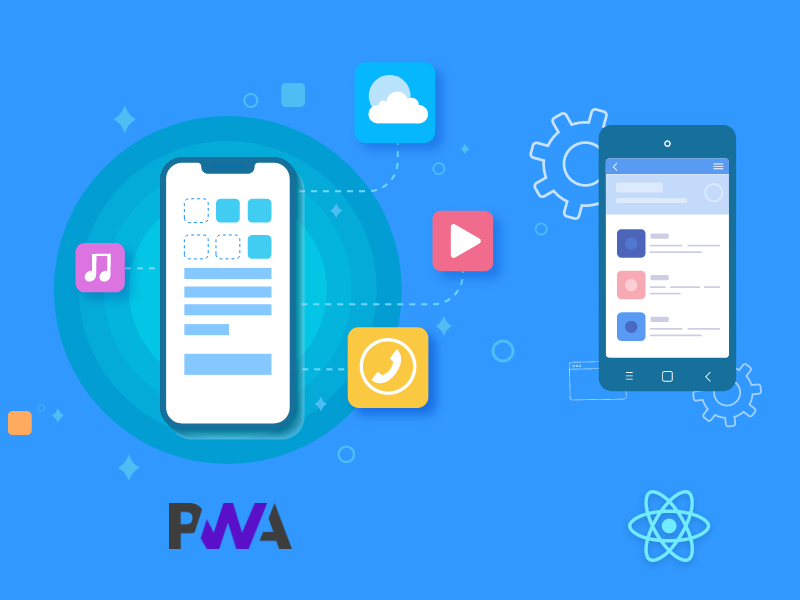
PWA is not something that you have to install from the app stores. It comes with a diverse range of innovative features like quick updates, faster navigation, offline working mode, push notifications, and so on.

Factors like reliability, speed, engagement, reachability, and cost effectiveness, among many others, have bringing Progressive Web Apps in line with their Native Apps counterparts. Although Native Apps still had the upper hand in 2017, the changes that are planned for PWAs in 2018, will make more brands adopt it.

4. IoT and Wearable

Epson eyes IoT and wearable devices market

Analysts predict that IoT will grow from $157.05 billion in 2016 to $661.74 billion by 2021 and we’re just at the beginning stages of this growth.

Users’ demand for wearables that go beyond satisfying their medical needs is on a surge. The need of the hour is to add innovation in what one can do at the click of their watch button or by adjusting their glasses. And, this is exactly what they will be getting in 2018.

Every IoT and Wearable related discussion that happens in 2018 will be incomplete without the mention of Smart Homes. The year will see greater adaptation of technologies like Alexa, which help users control their smart home devices like door locks, camera, lighting, entertainment system, and thermostats, etc. The technology, which is already a billion dollar market, will continue to rise with time.

This year, you will be able to connect your life much more with the minimal devices that you work around with, every day.

5. AR/VR

Smart Real Estate Seen a Boon for Home Hunters Amid Uncertainties - INVEST-GATE

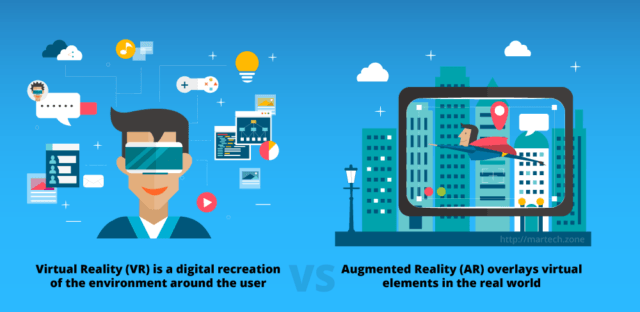
The next-generation apps especially the gaming apps are all about AR and VR. The tech experts have predicted to generate revenue of $150 billion by the year 2020.

While the technology was restricted to mostly gaming and retail industry in 2017, 2018 will see its adaptation in a number of otherwise deemed traditional industries as well. Such as – Real Estate, Healthcare, and Education etc. The foundation that AR/VR had set for itself in 2017 will grow its roots to a much deeper level in 2018.

The elements that are making the revenue chart of AR/VR are not just restricted to AR Voice or AR Games and VR Games and VR Theme Parks, the $120 Billion market of AR and $30 Billion market of VR can be divided into a number of other elements, with each of them holding their piece of share in defining the future of AR/VR in the world.

Introducing AR/VR in your mobile app this year will not just solve your app engagement problem but also will help increase your conversion rate, if yours is an eCommerce app.

6. Enterprise Apps

App47: Deploy, Monitor and Secure Enterprise Apps

An Adobe study says that 77% business owners found enterprise apps advantageous and 66% are increasing their investment further. Also, 430 billion enterprise app markets are expected by 2021.

The reasons that enterprise Apps have found a place in this list is because in today’s corporate scenario, the need of fixing a seat for people to sit and work in has become a thing of the past. In the time of virtual employees, companies’ needs to have all their employee working in one place has become negligible.

The scenario in 2017 was that nwere employing the enterprise apps that adhered to the standards set by their industries. But with greater focus on being different from competition, in 2018, companies will be looking for platforms specific to their business, which only have the elements that their team works around.

7. On Demand

The rise of on-demand mobile apps - Fullestop Blogs

In 2017, users spent 98% more on on-demand entertainment apps compared to 2016. It also expands to users wanting other on-demand services such as haircuts, food, laundry, and so on. The number that is only to increase by manifold in 2018.

The average annual spending for different on demand industry services is also going to see a jump this year when compared to what they were in 2017.

The need to be satisfied instantly for every need is what has brought in an increase in the demand for the technology. While, on demand services has already seeped itself into a number of industries, many more brands will see its inception in the coming time – B2B setup will soon start using the on demand economy to verify their new employees’ background information or getting their hand man jobs done. Even the current industries will have to find new innovative needs of on-demand facilities to stay on top of their competition.

8. Instant Apps

Android Instant Apps are now available to all developers - The Verge

Instant apps are very convenient and that works majorly in attracting more users. The need of app installation is eradicated here which eliminates the barrier between apps and web. The easiness that Android Instant Apps will lead to its greater adaptation in 2018.

Instant Apps is that feature of Google Play Store, which allows you to use an app without having to completely download it on your phone. All one needs to do is find them in the Store and then click on ‘Open App’. The apps even allow you to perform a specific activity inside an app that is not installed in your device, with only a click on a URL.

By allowing users to use the apps without putting an effort and losing even an MB of their precious phone storage space, is what has made Instant Apps a hit in the mobile app world. While only introduced to a limited few apps of Play Store, 2018 will see the “Try it Now” option in more number of apps, increasing your chances at brand visibility.

9. mHealth Apps

mHealth Apps for Nurses | Lippincott NursingCenter

With over 100,000 health apps in the market and with a forecast of 1.7 billion downloads of mhealth app on iOS and Android by 2017, there is plenty of room for more apps with better and personalized outcomes.

Gone are those days when the mHealth apps were only related to showing the number of steps a person has taken or to book an appointment with their doctor. This was all a thing of 2017. The mHealth industry has now evolved, entirely.

This year is about Electronic Medical records (EMR) Apps that helps in keeping records of your medical history, handle your medical bills, and keep a check on serious health issues like Asthma, Diabetes, and Cancer on phone.

While, this is for the patients, doctors will also move one step ahead from their usual application related to accepting appointment and viewing patient history, to practicing serious operations using the Virtual Reality based apps.

10. Cross Platform Apps

Cross-Platform Mobile App Development: Ending the iOS vs. Android Debate

Wide user reach, improved marketing, cost-effectiveness, and increased revenue are just some of the factors that have been pushing the app development world towards Cross-Platform Apps.

With the audiences on both Android and iOS rising neck by a neck in 2017, brands will tweak their strategy and get inclined towards creating an app that works on both platforms. There are a number of issues that will be solved by investing in Cross Platforms apps, such as – High costs associated with developing apps individually for Android and iOS, having different-looking products on different platforms, and limited reach amongst others.

Now when we talk about Cross-Platform Apps, there are a number of issues that can come up, with the main ones being bad UI and speed.

To remove the glitches that Cross-Platform Apps come with, React Native App Development is the framework we swear upon.

While there are other frameworks like NativeScript and Xamarin, React Native single-handedly holds the wagon to be the best cross-platform tool the mobile app world has the offer. Here are the issues that React Native solves –

  • The knowledge of JavaScript is enough to develop a whole Cross-Platform App.
  • React Native Apps are fluid and are highly responsive.
  • Relies completely on Native Controls.
  • It allows the developers to reuse their codes.

11. Chatbots and AI

How Chatbots Use Artificial Intelligence to Satisfy Customers Faster & Easier than Ever Before

Users are searching for more effortless interactions with brands and are now expecting channels of communications to be open 24/7. 52% of consumers prefer to interact with businesses via a messaging app rather than over the phone or in person.

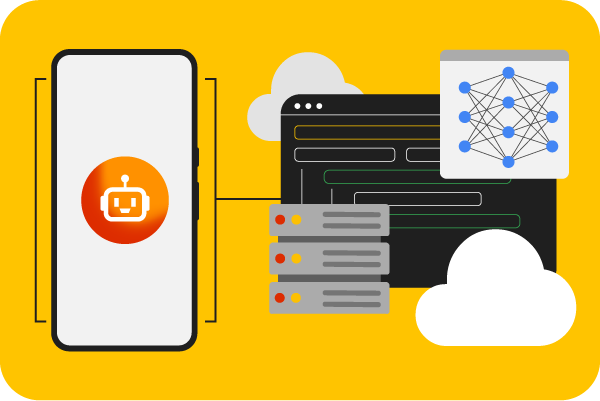
While Chatbots will continue to do their function of answering users’ queries as a bot in 2018 as well, but with AI, they will now answer questions that are not even asked yet. Or even better, they will give alternate solutions to the mobile users, removing the chance of knowing who is behind the screen, a bot or a living, breathing human.

Chatbots have already found their place in a number of industries, globally.

Chatbots will take customer service to a whole different level in 2018, by not just being available to them 24*7, but also by solving issues that were kept on hold till a representative was available, in 2017. This combination of AI and Chatbots will also start making its remarkable presence felt in the apps dealing with mental health.

Are you prepared to see your device get cooler, more useful, and thousand times more active this year?

Reducing risk in digital transformation of Organizations

How to reduce risk in your digital transformation projects

Digital transformation and enterprise risk management can be thought of as parallel highways. That’s because any transformation effort will introduce new risks and change to the organization’s overall security posture. As organizations continue their digital transformations, the transformation of security and risk management must be an integral part of that journey. Organizations must integrate security and risk management into DevOps and Continuous Delivery (CD) processes. The ultimate goal is to have resilient systems that can not only withstand cyber attacks, but also carry out mission-critical business operations after an attack succeeds.

Taking the analogy further, imagine that each of these highways has three lanes: one for people, another for process, and a third for technology.

People in an organization form its culture. For digital transformation to succeed, many organizations will need to transform the culture around risk. That might include inculcating respect for personal information, and organizations consciously building digital services with privacy in mind. The workforce needs to be adept in using digital tools such as cloud, APIs, big data and machine learning to automate and orchestrate the management of a digital security threat response.

Process relates to how an organization overhauls its business processes to be agile and yet secure at the same time. This might involve moving from ITIL behaviour to DevOps or other proactive operational approaches. Prevention is important, but the ability to respond to manage digital threats is much more relevant, as this proactive behavior coincides with DevOps principles.

Technology can present new risks, but can also help address risk. Many top technology companies, for example, are using technologies to automate processes in a way that’s secure. Some common best practices include building loosely-coupled components wherever possible on a stateless/shared-nothing architecture, using machine learning to spot anomalies quickly, and using APIs pervasively to orchestrate the security management of digital entities in a scalable manner.

Three paths — people, process and technology — are changing how enterprises reduce risk.

From a CIO’s perspective, each new digital entity and interaction adds risk: Who is this user? Is this device authorized? What levels of access should be allowed? Which data is being accessed?

Leading organizations will securely identify these users, devices and other entities — including software functions and internet of things (IoT) endpoints — and they’ll do so end-to-end in an environment where services are widely distributed.

Firebase for Startups: Is it a Must-Have or a Bonus?

Google updates Firebase with new emulator and data analysis tools | VentureBeat

There’s no secret to a mobile app that rules million hearts that goes beyond how well its Backend and Frontend is developed.

And the presence of well-structured frontend and backend, or their lack thereof, is what leads to a rise or a steep fall of any mobile app and ultimately the startup backing it.

While Frontend in itself a lot sorted in terms of it being a mere ‘the-step-ahead’ on the efforts put in by the Backend team, it is the Backend development process, particularly one involving Mobile app backend database, that needs some extra eagle-eye attention.

Backend Development, as we have already established in our Guide on Mobile App Backend Development is what powers the effortless experience that mobile app users swoon over and decides the future of a startup. And to achieve something so crucial the industry has offered a number of development tools and platforms.

One such tool that we are going to discuss here at great lengths is a powerpack offered by Google that goes by the name of Firebase Backend-as-a-Service – a platform that has over time created a lasting impression on both developers and startups, establishments around the globe.

Here’s an infographic showing the market of Firebase and enlisting the companies using Firebase in their processes…….

Now that we have seen the market that Firebase has captured, let us now look at what is Google Firebase and what does the term Firebase for Startups entail –

What is Google Firebase?

Google Firebase announces Extensions, App Distribution for iOS and Android, and web app analytics

Firebase Backend-as-a-Service which started off as a YC11 Startup grew into a next-gen mobile app development platform for Google in no time.

The platform that gives developers two options – Realtime and Cloud Firestore – frees Firebase developers from the need to manage servers, write APIs or simply manage their datastore and focus on something that really matters – Curating amazing user experiences.

Let us look at everything that Firebase for web apps and mobile apps is –

List of Firebase Features

A. It is Real-Time

Why do you need Real-Time Decision-Making Now?

Most of the databases present in the industry today makes you do HTTP calls to gather and sync your data. But, when you connect to Firebase, you make a connection via WebSocket and not HTTP.

Now, the case with WebSocket is that they are very fast and you are not required to make specific WebSocket calls as only one connection is enough to sync all your data through the single WebSocket.

Firebase web app sends over new data instantly as it is updated. When the client saves a change in data, all the connected clients get the updated data in real-time.

B. It Stores Files

Amazon.com: SaveIT: Appstore for Android

Firebase offers an easy way to save the binary files to Cloud storage straight from the client. The storage comes with its own security rules system for protection of your GCloud bucket from masses while giving detailed writing privileges to the authenticated clients.

C. It Authenticates

Secure your account access with two-factor authentication (2FA, MFA) via SMS and Email, and shorter login sessions | Schedule it

Firebase auth comes with built-in email and password authentication system. It supports OAuth2 for Twitter, Facebook, Twitter, Google, and GitHub.

Also, since Firebase OAuth2 is mainly copy/paste, developers can finally bid adieu to the difficulty that comes tagged with Custom authentication coding.

D. It Hosts

Firebase comes with easy-to-use hosting service used for all the static files and serves them via global CDN having HTTP/2.

And to make the whole development process completely painless, Firebase host makes use of Superstatic, which you can run locally for all the testing needs. The Superstatic + BrowserSync development environment that Firebase comes with is very neat. While BrowserSync handles all the reloading of development app across the connected devices, Superstatic copies Firebase mobile app hosting in a way that developers can deploy straight to the Firebase for production use.

E. It is Fully-Featured App Platform
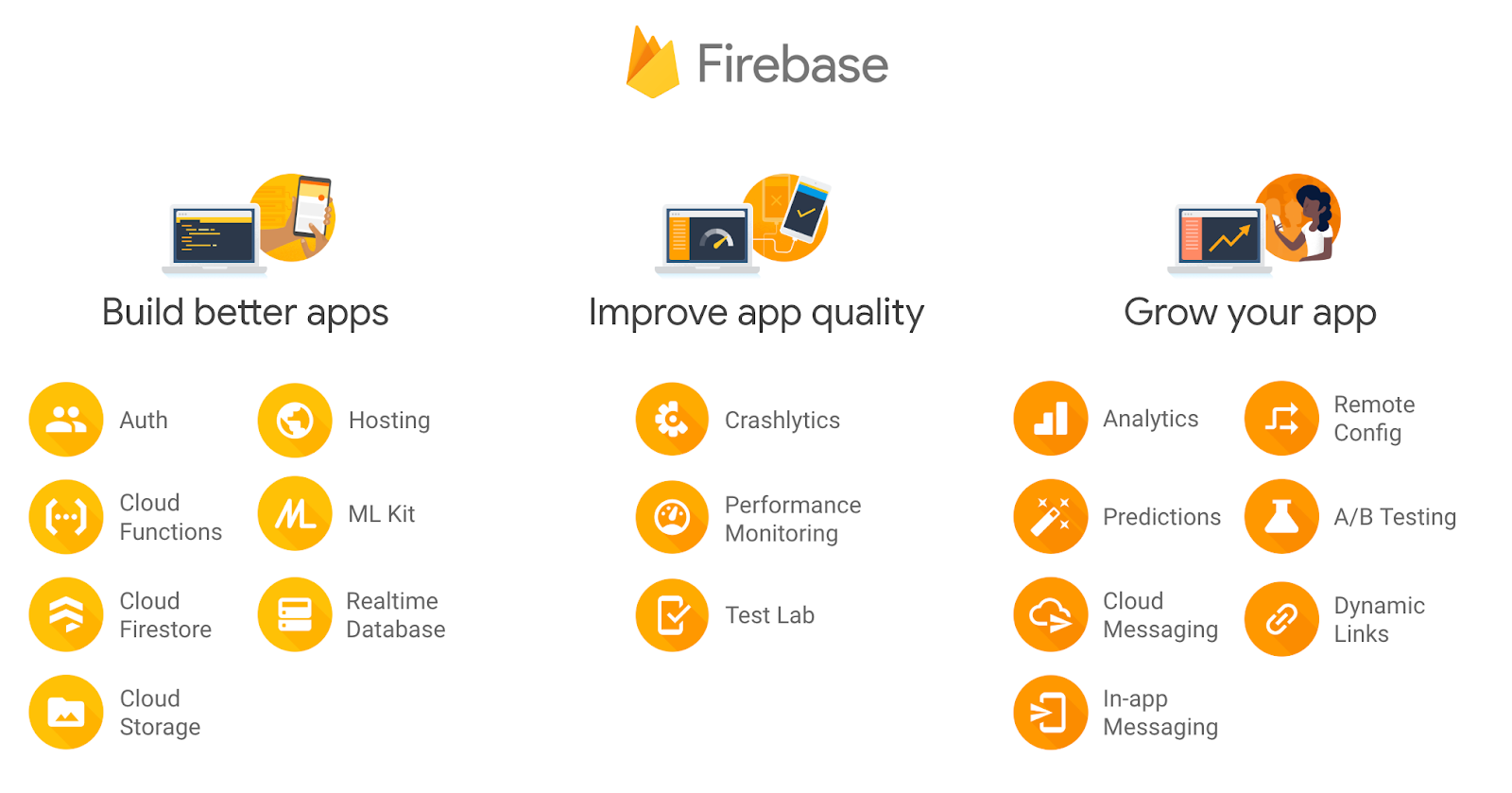
What is Firebase? The complete story, abridged. | by Doug Stevenson | Firebase Developers | Medium

Firebase developer team has made it possible to integrate a bunch of existing and new Google products with your Firebase mobile app. A number of these features can be applied to Android and iOS but not Web –

  • Remote Configuration
  • Crash
  • Test Lab
  • Dynamic Links
  • AdMob
  • Notifications

Now that we have looked at what Firebase is and what it stands for, it is time to look into the reasons that make Firebase for Startups ideal for those who are just starting with the mobile app development domain and are looking for a platform that would help them concentrate on creating real value for the users, instead of dealing with the time-taking backend tasks.

Why Should Your Startup Use Firebase for Apps?

For the Amazing Analytics

Using Firebase Analytics with Expo - DEV Community

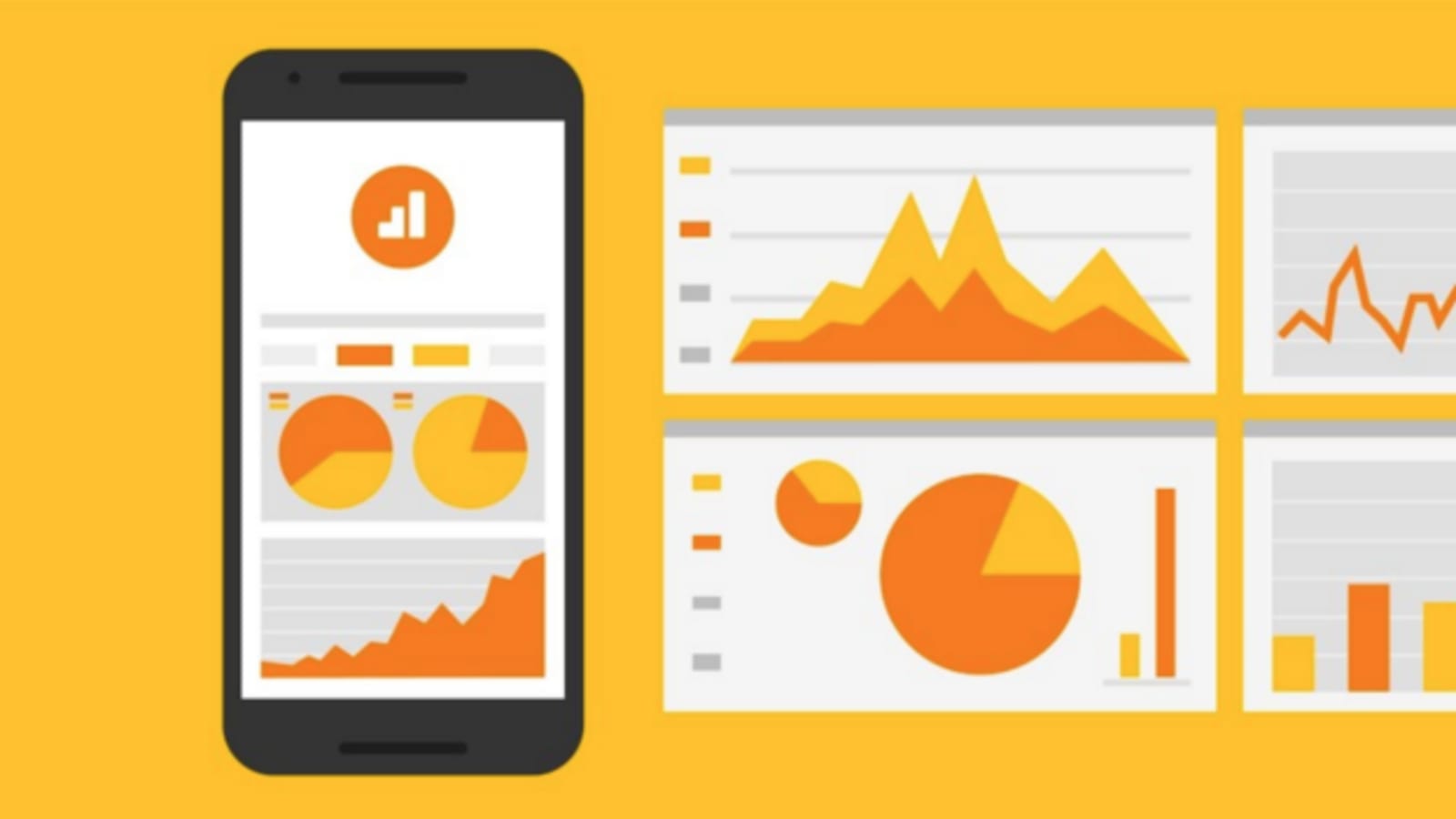
What is Google Firebase if not a product that offers a series of insights and analytics? One of the most preferred features that come tagged with a Firebase mobile app is its Analytics dashboard. The dashboard is free and comes with a capacity of reporting over 500 different event types with each of them carrying over 25 attributes.

The dashboard helps give a clear picture of the user behavior and in measuring the different users’ attributions. Lastly, it helps businesses in understanding how users interact with their app, giving them ways to optimize it better for the future.

For Sorted App Development Process

Firebase Mobile app Development Frameworks Company

For the companies using Firebase, the platform takes ownership of a number of processes that are otherwise known to take away a major part of the developers’ time thus keeping them away from developing quality apps that offer unprecedented user experience. The features that Firebase web app comes with, make it possible for developers to focus on what is important –

  • Cloud Messaging
  • Hosting
  • Authentication
  • Test lab
  • Remote Configuration
  • Realtime Database
  • Crash Reporting
  • Storage

For Heightened User Engagement

Experiment with user retention strategies using Firebase Predictions

No matter what category your mobile app belongs to, the ultimate aim that all businesses wish to achieve is high revenue and popularity – both that comes as a result of positive user experience.

Firebase web apps and native apps come with a number of in-built features that not just give you insights into the users – how they are interacting with the app, the stage where they are leaving the app, the part they are engaging with the most etc, but also give you measures to correct declining engagement.

For Increasing Your Revenue Count

Campaign Attribution in Firebase Analytics for Tracking Mobile App

Firebase is more than a mobile app backend database. Firebase prepares you to earn high revenues on your mobile app. The AdMob Firebase feature enables you to monetize the app even when you are at the stage of thinking about giving a pleasant experience to your users.

With Firebase, you can show your ads to millions of the Google Advertisers in the real-time, select the format that suits your mobile app, and work with over 40 ad networks with AdMob mediation.

For Knowing What Went Wrong

The feature that comes with Firebase for web apps and mobile apps helps in the creation of a detailed report of error which is categorized in groups having comparative stack flows chosen according to the seriousness of the impact that it has on the users. Other than that, it also gives businesses the ability to register to the custom events which helps in identifying crash before it even occurs.

For Becoming Searchable

A Quick Dive Into Firebae (Firebase) - DEV Community

The only direct route, besides advertisement, that will make your brand a known name in the world of millions of prospective users is through mobile app indexing – a process that will place your application on the top fold of the search engine when a user enters a query seeking solutions that your app offers. Firebase for apps come with an in-built App Indexing feature which makes it possible for you to place your app on the SERPs and thus in front of millions and billions of Google Search Engine users.

For Inviting New Users

Google Firebase with its ‘Invites’ feature makes it possible for you to motivate and compel prospects to become loyal users. It allows you to send customized emails, invitations, and messages to the potential clients directly on their device in a time that you choose.

For Firebase Dynamic Links

Firebase Dynamic Links

Firebase Dynamic Links is an example of deep linking done right and a silencing answer to ‘Is Firebase good?’. The links work as you want them to, on the platform of your chose and even when your mobile app is not installed on users’ devices.

With the Dynamic Links, users get just the right experience of the platform, which they open the link on. When users open your Dynamic Link on Android or iOS, they are taken to the linked content of your app. Likewise, when the link is opened on a desktop, the link takes them to an appropriate place which would get them the right experience.

Moreover, Dynamic Links operate across different app installs functions: when the user opens a dynamic link of Android and iOS when the app is not installed, they are given a prompt to install the app, and once it is installed, the first launch page of the app is one that users clicked the link for.

For Powering App with Machine Learning

Firebase ML | Machine learning for mobile developers

Nowadays, with the upsurging demand of Machine Learning powered mobile apps which contains features like – text recognition, face detection, image labeling, barcode scanning, and landmark detections – has become one of the must-have element for every app that is to be termed as innovative.

Firebase, with its ML-Kit, offers you both – an on-device and Cloud-based API which works even when the network connection is missing.

So, you see how beneficial Firebase can be for your startup?

Now even though there are a lot of benefits that come attached with the incorporation of Firebase in a mobile app, there are some hard to ignore limitations as well that come attached to the platform.

Let us look at them before we head on to studying the instances where it makes sense to invest in Firebase and places where it doesn’t.

The Limitations of Firebase

The Console is Not Very Useful

What's the relationship between Firebase and Google Cloud? | by Doug Stevenson | Google Developers | Medium

Although the console lets you do multiple things but in the end, it is not very useful. A very limiting part about the console is that there is a massive lacking of detailed analytics and logs. While you get a graph showing the database usage, it is difficult to know the number of times a file was downloaded until you find a solution for yourself.

Defining the Security Rules

10 Firebase Realtime Database Rule Templates | by Julio Marín | Medium

Firebase uses JSON file using Javascript code with strings for defining rules on the storage and database. Now, usually it is not that big of a challenge as one can use Bolt for making the process a lot less painful, but the fact that once get around the dozen simple rules, the file gets unmaintainable.

Restricted Javascript SDK

There are a number of Firebase features that are implemented only in the iOS and Android SDKs. The most prevailing limitation is the absence of offline persistence when working on JavaScript.

Although, all your hybrid, web, and React Native applications will work even when data is lost momentarily when you close the tab or application the data is completely gone. So, it then comes on you to implement a cache, which can be a pretty time-taking task on mobile.

Limited Data Modeling

6 tips for creating effective big data models - TechRepublic

Firebase database is simply one big JSON file. There’s not even a single way to show many to many or one to many relationships. When put into practice, it means that you will almost always end with duplication of data everywhere.

Now that we have seen the limitations that Firebase comes with, let us look into the time where it makes sense to employ the platform and place where it doesn’t.

Firebase For Startup: When does it make sense and when it doesn’t?

After all plus points and limitations are seen and adhered to, the deciding factor of when Firebase should be used and when Firebase for Startup is a bad option ultimately come down to the complexity of the mobile app project.

If the app belongs to simple to medium level complexity, Firebase should be incorporated in your mobile app but if your app belongs to high complexity and deals in a lot of data, you should choose some other option, one where the data is entirely in your control.

Also, when you consider the Firebase pricing into the picture, it will again make greater sense to use it for smaller projects as compared to complex ones.

After all said and done, the fact remains that we have worked on Firebase, a lot, and have been enjoying the experience to a huge extent. So for us, the only right answer to – is Firebase good? Is YES!

So, before we help you get direction to our Backend team who would help you get started with Firebase, let us look at how our experience has been so far.

Our Firebase Experience  

Introduction to Firebase. In this article, we will explore one of… | by Vrijraj Singh | CodinGurukul | Medium

We have worked around a number of Firebase offerings.

And using Firebase Analytics, we have created several project management tools and content management systems.

Overall, we have enjoyed working on Firebase. It is hands-down an exceptionally useful layer and flexible platform for building both mobile and web applications.

The platform has worked in our favor under a number of different projects that we applied it in – project management platform, a real-time chat, and a billing system.

The one thing that we loved about it is that Firebase grows as your development cycle grows – we first used Firebase editor for mocking up data and getting the idea of how the application works and then, later on, used the datastore, the same one, for serving up a huge amount of data per month.

Apart from this, there are three other factors that made us stick to Firebase for as many applications as possible –

Lets us Avail the Power of Realtime

It is almost surreal when the application you have developed works in a true real-time sense. It doesn’t ask people to wait as the page loads but give them the information as they get asked for it.

But realtime is an everything or nothing element. In case your data fails to broadcast updates, it becomes difficult to join with the realtime data again, making it very tempting to drop the idea to real-time altogether. However, with Firebase’s APIs and high applicability, we get to work realtime from the very beginning of the project.

Easy Firebase Scalability

We have moved from some test projects to hundreds of live design products without having to deal with the database servers. Firebase scalability, indeed, has been one of the most convenient elements for us when it comes to handling an infrastructure.

Build Crucial Data Structure in Firebase

Structuring Firebase data - Stack Overflow

All the apprehensions that we had when it came to trusting Firebase for development of fragile and critical data structures were solved with us locking and securing a number of areas of the database for allowing only our RPC methods to modify them.

Wish to incorporate Firebase in your mobile app? Get in touch with our team of Backend Experts, today!

Proven Methods to Test Your Minimum Viable Product

Minimum Viable Product "MVP": What is it and how does it help your strategy?

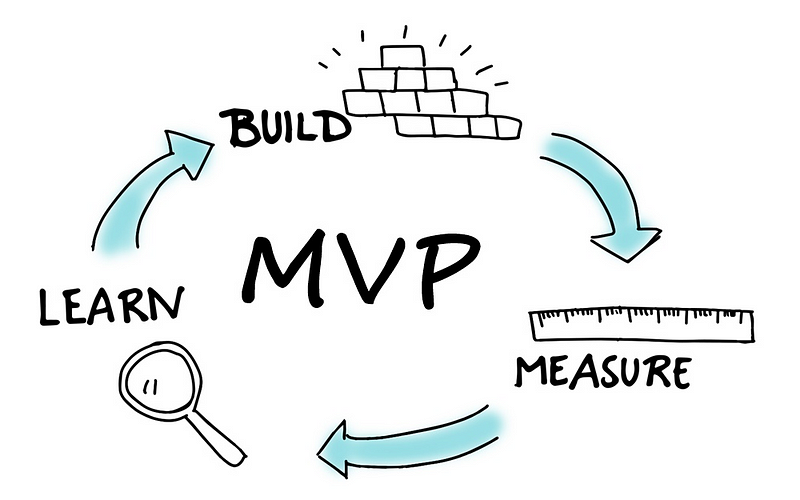
Minimum Viable Product is a means to test the product that you are going to be launching in the market. It should be understood that MVP does not mean an unfinished product rather it is a way to get feedback for the final product. Let’s break down the term MVP for better understanding.

Minimum means a product that has simple features and usually, no users want to use or buy it. Viable is the product that a developer dreams of creating with the help of available resources to fulfill the needs of users. So the term MVP means a way to build such a product that has all the features and at the same time, has used fewer resources. It also should be able to get honest feedback which is how the final product will be developed.

The idea minimum viable test does not mean to see if the product can be technically improved or not. MVP shows whether a product should be built in the first place or should not be built at all.

Why does your product need Minimum Viable Product?

Who would have imagined that apps like Twitter, Instagram and Uber would blow up like this and would gain world popularity? We are guessing very few. In fact, Twitter gained its popularity through gradual growth. So, why do you need an Minimum Viable Product ?

Minimum development cost

Bill minimize, less bill, less cost, no cost, sales discount icon - Download on Iconfinder

When an app is developed with many features and attractive designs, it’s development cost is high. An MVP is developed with limited resources and is still a product. The cost of developing an MVP can range between $10,000 to $20,000. However, it can be less than that as well.

Getting paid customers becomes easy

Understanding Customer Lifetime Value & How To Increase It

As a startup attracting new users without spending a heavy amount on ads is quite difficult. MVP for startups is a way to bring in more users by spending less. If users find your product good enough, they will communicate it to their friends and that’s how things go viral. Also, when the final product is launched, getting paid customers from the existing user base become possible.

Feedbacks for your product

Customer Feedback: Why It's Important + 7 Ways to Collect It

As stated already in our article, titled “What is Minimum Viable Product?“, considering Minimum Viable Product helps with gathering user feedback. These feedbacks further becomes a way to understand how certain features should be built. And this way, saves the developer the time and cost to go all in with the product while ensuring better market response.

Save your time and efforts

How to Save Time, Effort and Money with Multitasking | Engadget

Other very important things that go into making an app are time and effort of the developer. Imagine having spent sleepless nights working on an app and when its launched, it gets very less traction. It will be the most disappointing thing for any developer. It’s better to use time and put the effort into building an MVP which will bring feedbacks.

Raise money

7 Simple Steps for Entrepreneurs in Raising Money for Business - Think Expand Ltd.

If you have saved a couple of million dollars for the projects then you probably may not need MVP to save money. But if you haven’t then MVP is a great way of attracting investors. It is easy to build an MVP that raises money for your app rather than getting no funding for your final product. There are platforms like Kickstarter, Indiegogo, AppBackr, etc that provide funding for apps.

What is a good Minimum Viable Product ?

What is Minimum Viable (Data) Product? - KDnuggets

Now that we know MVP is important for your product, how do we define if an Minimum Viable Product is good or not? To answer that question, let’s look at the following five traits of a successful MVP:

  1. MVP success criteria is achieved when the MVP is focused on one individual. This means that a buyer persona is used to target the audience and is as specific as defining one single person. As it is said that keeping in my one person and solving his problems with your product gives the best results. The biggest mistake usually made is building for multiple audiences.
  2. Even though we are building for one person, we do have to listen to multiple feedbacks. Sometimes different opinions and views solve most of the problems. If people fit into the category of your product, take their feedback seriously.
  3. MVP does not mean you have to do less and expect more. Your MVP should be able to showcase what problems your product can solve and how can it solve them. This is even more important if your product already has big competition.
  4. MVP test is just as important as building an MVP. It is impossible to earn money from a failed MVP, no matter how much you try. So, make sure testing the MVP is an important part of your development process.
  5. An MVP is supposed to find mistakes and gather feedback. Keeping the launch of the MVP limited to as less many people as possible is going to be a wise choice.

Some tools to test your product idea

Validation is not a one-time thing but a continuous process. In every stage, a certain type of validation is required to make sure the product is strong for the market. There are some tools which can be used to test the product ideas before building the actual product.

Research study

Essential Things to do Before Starting Your Research Study - Enago Academy

When the product is just an idea, try to find out as much as possible about it. Gathering significant information will help in improving the product which will stand out in the market. Tools like Google, Crunchbase, Angel.co, LinkedIn, Google Adwords, SEMrush, Alexa, Quora, etc. are some great sources to gather information. These platforms have vast information on the latest market needs and have a large number of active users.

PoC

Facebook Ads : A Step-by-Step Guide to Marketing on Facebook - ASD

In order to convince others that your product is great, you need to make sure you understand it well. Once you are through with it, use tools and platforms to tell others about your product. Use Quora, Google spreadsheets, Facebook ads,c etc to present your product in front of users. You can also use UXPin to bring the product sketches to life or create a landing page with Landingi to create a community.

Prototypes

Paper prototype fidelity | Ergomania UX and product design agency

When you see users interact with your product, that’s when you know where the improvements have to be made. Developing a prototype of your product not only ensures success or failure but also creates scope for improvements. Use prototype tools like HotJar, Survicate, SecurionPay, Google Analytics, Woodpecker, Growbots, Appoint.ly, UserEngage, AppSumo, etc. to reach out to a large audience with your prototype and track their behavior.

Mistakes to avoid while building your MVP

Top 10 mistakes made in employee induction programs – Tribal Habits

Even though MVP is built to reduce the risk, there are some gaps that are formed while building an MVP. Avoid these common mistakes made by most developers:

An improper market, product, customer needs, demographic research.

What most people forget to do is a thorough validation of the market, idea and the product. Building an MVP is quite easy in reality but building a success MVP is where the big difference lies. Without proper research about the market and the product, the chances of succeeding decreases.

Building for multiple platforms

Most startups think that building the MVP for all the platforms will increase the success of the actual product. But in reality, this is just going to make the process complicated. If an MVP fails then the developer may not have any money to start over since all the money was spent on developing for different platforms.

Features and updates

Bringing in users with one solid feature is a more effective approach rather than launching the MVP with all the features. Even if the other features are good, they can be brought in later in the updates. Prioritize the features to see the best results and reduce the chances of failure.

21 Solid ways to test your MVP

Now, that we know why your product needs an MVP, let’s move onto how to test MVP of your product. Building an MVP is not the only important task but testing its viability is just as important too. A company may think that the product can satisfy the needs of the customers but until and unless the MVP test is run, it can not be said for sure.

There are many tactics for testing minimum viable product. But we will discuss only the best ones on this blog. So, let’s begin!

1. Fundraising

Building the Perfect Fundraising Plan: 10 Points to Consider - Philanthropy University

Crowdfunding is a way you can test whether your app will do good in the market or not. Platforms like Kickstarter and Indiegogo are a filled with MVPs that get funding from people who find the product interesting enough. This gives your product exposure to a group of interested and active users. The money raised from these platforms will help in building the final product to launch in the market.

2. Blogs

Why Your Brand Needs A Blog

Having a blog is like having a platform for two-way communication with the prospect users of your product. Blogs are a way to discuss and gather feedback about a product. This will give you an honest opinion about the product by seeing how much keenness the users are showing.

3. Customer interviews

4 Reasons You Should Start Conducting In-Depth Customer Interviews

Talking face to face with customers provide the most honest reviews. People may lie or sugarcoat the opinions online but when it comes to face to face feedback, it’s as honest as it can get. Interviewing the customers is usually done in a casual manner but is rather descriptive. The interviewee states assumed problems to get feedback on the same.

4. Videos

YouTube Shorts launching in the US soon, YouTube videos to add automatic video chapters - GSMArena.com news

It is quite obvious that if an image can speak a thousand words then a video can speak millions. Explainer videos can be used by developers to demonstrate the functionality of the product and answer questions like what, how and why. At the end of the video, the viewer must be clear about what the product is, how it works and why does he need it. Dropbox is an example in such a case. They used a video to gather subscriptions for a product that didn’t even exist.

5. Pre-order Pages

Pre-order Templates from ThemeForest

Pre-orders are quite popular with books, gadgets and other interesting products. When it comes to pre-ordering, the idea is to convince the users with your product enough to make them pay for it beforehand. However, there is a chance that users may not be willing to put their money at risk way before the product is even born. For this, the presentation of the product must look as appealing as possible.

6. Social-media surveys

Social Media - A Significant Online Survey Tool - Obsurvey | Obsurvey - Free Online Survey Maker - No.1 Web Survey Software

Social-media surveys are quick, easy and most of the time gives honest feedback. Of course, this works when the focus is on the right questions. For instance, Facebook surveys have a feature that allows users to add their own options as an answer which gives interesting insights. Another good reason to use social-media surveys is that users don’t need to go out of their way to fill in the surveys.

7. Paper prototypes

Case Study: The Importance of Paper Prototyping | by Mariyam Elshrief | UX Planet

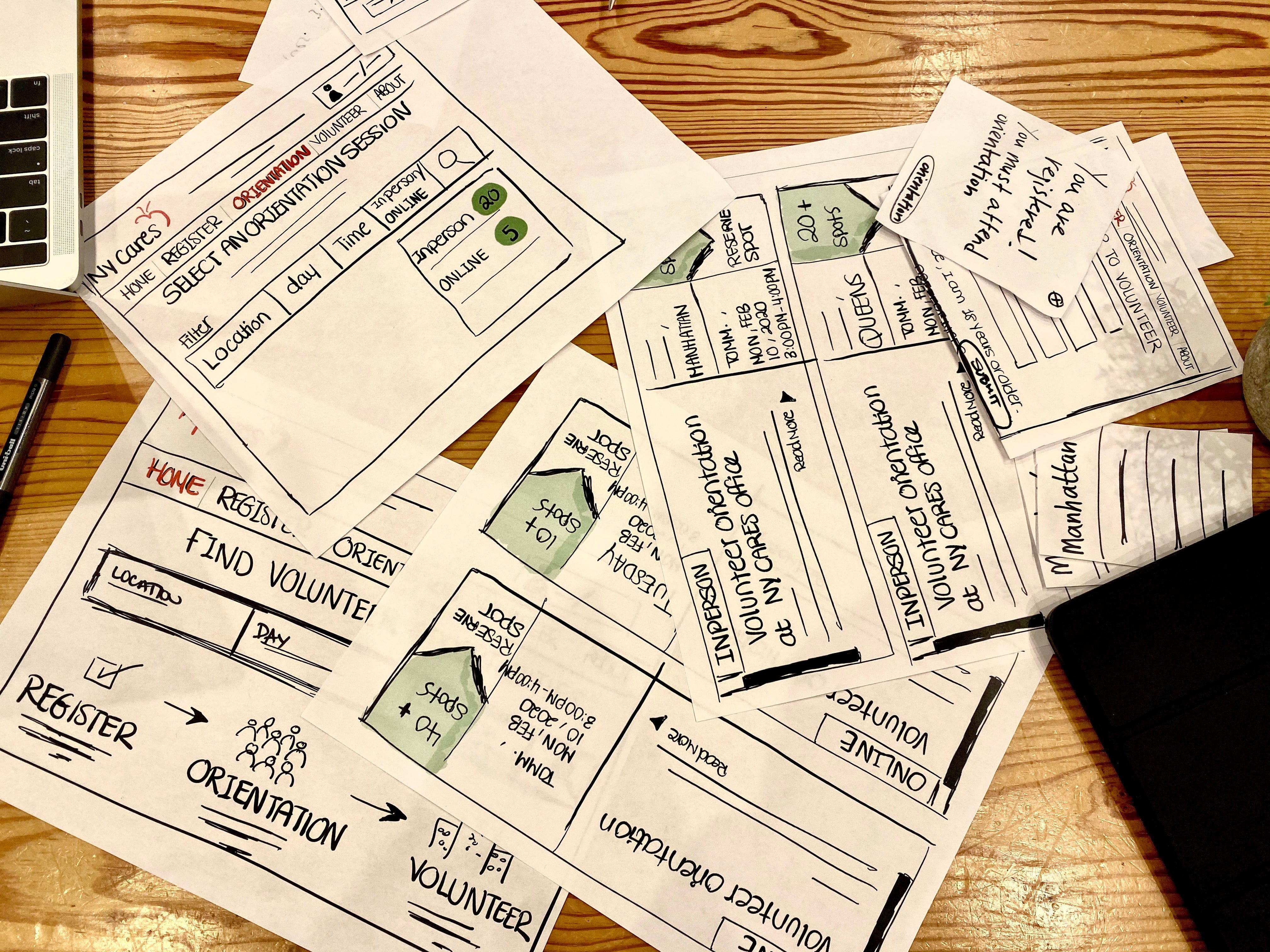
Unlike digital prototypes, these are tangible. A paper prototype is build to understand a product’s user experience. Anyone in the team can use these prototypes can understand how the product works. This will be very useful in the case of physical products like mobile phones, tables, chairs, etc.

8. Emailing

The Truth about Emailing. Is emailing truly a dead form of… | by Hali Zweigoron | Fireflies.ai Blog

Sending emails to see how many users click on the links or follow up with the email is another way of testing MVP. However, this works even better when you already have a list of emails. While the emails have been sent to the users, make sure to track the actions with the help of tools such as Yesware or use the built-in plugins.

9. Landing pages

Workshop - A premium landing page template by Creative Landing Pages on Dribbble

Landing pages are the pages the prospective customers go to find out about your business. A landing page can show the interest of the customers with the way they behave and interact on the page. Building a landing page should always be followed by tracking analytics with the help of tools like Google Analytics, KISSmetrics, etc.

10. Competitive products in the market

What's a Competitive Analysis & How Do You Conduct One?

There is a high chance that the product you are thinking about launching is already present in the market. This can make your new product suffer. To avoid that try analyzing the competitor’s product and see what they have that your product doesn’t. Also, your product’s unique feature can become the strongest feature.

11. A/B Testing

A/B testing is a way to test whether one version of a page is more effective than the other. This test can be done on a webpage where two different versions of the same page are shown randomly to the visitors. Then with the help of tools like Google Analytics, Unbounce, etc. information can be gathered about the interaction.

12. Piecemeal MVPs

Piecemeal MVPs means building a demo of your product using existing tools. For instance, Groupon is the best example of a piecemeal MVP. what Groupon did was built a WordPress website with Apple mail and a script that generated PDFs for the orders. This way the effort and cost of building an MVP become much less than anticipated.

13. PPC campaigns

You will be using PPC campaigns at least once for your actual product so testing out your MVP will be great. For starters, you can pitch in $100 and see the results. If your MVP does not get any leads, then either your ad is flawed or your idea is not good enough.

14. Micro-Surveys

Sending A Micro-Survey: Industry Metrics & Best Practices - [x]cube LABS

The disadvantage of general surveys is that they are too long and at times becomes quite annoying for online users. Users either skip the survey or fill it in a hurry and that is why these fail to give the accurate results. In micro-surveys, you can ask a couple of MVP survey questions to which you will get honest answers. Micro-surveys have two to three questions which online users find easy to answer.

15. Ad campaigns

5 Brilliant Ad Campaigns That Will Blow Your Mind

Platforms like Google and Facebook are the go-to when it comes to running ad campaigns. Before the product is even launched, you can put up ads and see how many users engage with it. There are even tools to analyze the clicks, engagement and other important behaviors.

16. Services and Platforms

Using SaaS and PaaS to build an MVP can help you in testing your MVP quite well. There are multiple choices to choose from and the building becomes easier and faster. These software and platforms also help in increasing reach of the product. Usually, developers face problems like compatibility of the app, mobile-friendly design and other code-based issues which can be eliminated as these tools already have taken care of those issues.

17. Manual-first MVP

A manual-first MVP (Wizard of Oz) is a way of interacting with actual customers rather than running an online survey. This MVP testing technique shows a picture of a fully completed product and when a user orders it, you deliver it manually. In this MVP testing, the users are getting what they see. Even though it takes much effort but it is worth it.

18. Concierge MVPs

The concierge MVP test is similar to the manual-first MVP test but instead of faking the products, the products are real. This MVP tests and answers whether the users are willing to use and pay for your products or not. An online dress rental business, Rent the Runway, tested their business model with this MVP testing technique. They were able to find the right answer to their questions.

19. Digital prototypes

Digital Product Prototype — The Full guide | by Mohamed Yahia | UX Planet

Digital prototypes can be used to display the actual product in a digital way. Wireframes can showcase products such as apps, games, etc. These prototypes can be anything from screenshots to digital sketches to mockup apps which will validate the user experience.

20. Single feature MVP

Sometimes testing the one and an only strong feature of your product results in the best conversion. Getting feedback on that one feature can help the product immensely rather than focusing on multiple features all at once. It will also help in narrowing down the customer base and will allow better focus. This testing is considered one of the most advised MVP testing strategies.

21. Software testing

Software Testing: The Who, What, When, How, and Why - DevPro Journal

If nothing works then there are multiple softwares for MVP test. Software such as QuickMVP, OpenHallway, Five-second test, Justinmind, InVision, etc. are some great ones to get your MVP tested.

Twitter’s Beta App Is Now Available, and Here’s a First Look

Twitter Launches New 'Twttr' Experimental Beta Testing App - MacRumors

Twitter is known for giving a strong voice to people from all corners of the world. The layout and smooth functioning have also made it easy for users to spend more time on the app.

Twitter survived in the world where InstagramSnapchat and Facebook were ruling and the reason was having honest opinions of the users on the latest topics. However, there are still some issues that need attention for further growth of the platform.

In order to attract more audience, Twitter needs to make some serious changes. The company is going to make some changes by launching Twitter’s new app in beta mode.

How is Twitter’s new beta app going to work? Well, Twitter will have a selected group of people to test the new features in the beta app. These users will have a full-fledged discussion on various new features just like any user can have on any trending topic.

From the discussions, Twitter will pick up all the data and use that to make decisions. The decisions will be regarding the features and whether it should be launched for the entire user base in general.

The app is scheduled to be launched in this week and we will see Twitter’s first look quite soon. Twitter said, “only a few thousand users will be able to get the beta version and not everyone who applies for it”. The users that will be allowed to test the Twitter beta app will be allowed to have an open discussion about the features of the app.

This programme will not be supervised by the NDA unlike other experiment programmes conducted by Twitter. There is more to it than just a basic beta testing app.

Unlike other beta apps, the Twitter beta app will not have final features. The discussion panel will control which features to be built further or which features should not be.

Twitter’s director of product management, Sara Haider, told Techcrunch, “Unlike a traditional beta that is the last step before launch, we’re bringing people in super early,”. The first version of the beta app will have features that will improve the conversations on Twitter. There will be different colour schemes and visual cues to mark important discussions.

Haider believes that there are going to be a lot of significant changes and it should not be dropped on users all at once. This is why Twitter will be slowly launching new additions and making changes in a way that the entire user base can adapt to it easily.

Expected Features in The New Twitter Beta App

1. Colour Coded Replies

Twitter to make big changes! Colour-coded replies, Facebook like updates and more

The new app will have colour-coded replies. The colours will be different for the poster of the tweet, people you follow and people whom you don’t follow. This will make a clear distinction in a long Twitter conversation. These conversations will also have visual cues to help users find the best and most relevant tweet in the thread.

2. New Algorithms

Biased Algorithms Are Easier to Fix Than Biased People - The New York Times

Twitter is going to have a new algorithm for all the tweet replies. Earlier, the problem was that users couldn’t find the tweets that they wanted to keep updated about. To do so they had to either ‘heart’ it or had to use the ‘Tweets & Replies’ section to find the tweets. With the new update, all the replies will be arranged as per a user’s interest.

In the future, Twitter may also have a ‘highlight’ feature for the tweet replies.

3. Removing Engagement Icons

How to Manage Multiple Twitter Accounts From Your Desktop or Phone

Twitter users ‘heart’ and ‘retweet’ as a way of engagement. In the new update, there is no heart or retweet icon under every reply. The reason behind this is a simplified view for users who do not wish to engage with the thread. However, this does not mean others can’t engage with the tweets in a thread. By clicking on the particular tweet, the icons will appear just like in the current version.

Twitter was not originally built the way it is today. The platform was updated depending on how the users were using it. The features such as retweet, hashtags, @mentions, and many more were not originally in the app but were added later on seeing the users behavior. The same is being followed with the beta app and we shall see some changes in Twitter soon.

Stay tuned for what’s coming next!

Development cost of a Doctor Appointment App Like ZocDoc

Doctor Appointment App

 Table of Content:

  • The Rise in Demand for Doctor Appointment Booking Apps
  • Recent Fundings list in the Field of Doctor Appointment App Development
  • Top Players of the Doctor Appointment App Category
  • Key Features to Include in your Medical App For Doctors Appointment
  • How to make your app for doctors appointment future ready?
  • How to Generate Money on Your Doctor Appointment App?
  • The Cost to Develop a Doctor Appointment App Like ZocDoc

The evolution track that the mobilized healthcare economy has placed the industry on has not just made health care more accessible and real-time but has also achieved the complication of bridging the gap between the patients and doctors.

One of the biggest contributory digitized factors behind this movement that has made healthcare more hassle-free and accessible than ever before is App for Doctor Appointment.

The way digital healthcare IT solutions industry is moving has now made it possible to handle functionalities like bookings, cancellations, re-booking, follow-ups, and reminders online, crossing all the fuss linked with manual appointment schedule systems.

The ease that online appointment booking apps offer has brought in an unprecedented demand for the healthcare category from all the different stakeholders of the healthcare domain, thus making it an important part of the healthcare mobile apps trends and one of the most followed upon healthcare app ideas.

The Rise in Demand for Doctor Appointment Booking Apps

Doctor Appointment Booking App Development - An Overview!

The ease – of booking and monitoring – that the doctor appointment application offer has made them a prime category in the Healthcare & fitness mobile app development domain.

Here’s a short infographic to validate the demand from numbers, statistics that prove how your hospital need a mobile application for scheduling appointments –

The interest that the doctor appointment booking apps have garnered have led to heightened demand from the investor side of the healthcare IT solutions industry.There are a number of funding rounds that have happened in the field of a doctor appointment booking application. Let us look at some of the recent funding rounds in the area –

Recent Fundings list in the Field oDoctor Appointment App Development

  1. HotDoc, in September 2018 raised $5 Million at the back of its active doctor appointment users who belong to million users count. The active investor, AirTree invested in the brand to support expansion into services like telehealth services and several payment functionalities within the application.
  2. Solv, the same day health appointment app, in May 2018, raised $16.8 Million to expand beyond appointment booking space and give users the facility to pay their medical bills through the application itself. The investment round lead by the Slavet’s firm Greylock with an active participation from the Aspect Ventures has brought the total funding to over $21 Million.

Apart from these, a number of other apps like Kry and Any Time Doctor have also bagged high investments at the back of their plans to bridge the gap between the healthcare app for patients and doctors by making healthcare more accessible.

With the constant attention and heightened acceptance from all the stakeholders of the healthcare economy and the investors, there are a few doctor appointment booking apps that have established themselves as them as the market leaders.

Top Players of the Doctor Appointment App Category

Doctor Appointment AppIs Setmore HIPAA compliant?Doctor Appointment AppDoctor Appointment App

Doctor Appointment AppDoctor Appointment App

While Practo and ZocDoc are the two doctor appointment booking apps that are ruling the healthcare app category, there are a number of other apps that are performing equally well in the industry.

There are a number of factors that have contributed to making these apps the best in doctor appointment class. But the one prevailing factor present in them all is the set of Features that are present in all the applications.

The features that have now become a must-have lot for healthcare brands seeking constant growth and demand from all the involved stakeholders.

Let us look at what those features are.

Key Features to Include in your Medical App For Doctors Appointment

Stakeholders’ Profiles

A Primer on Stakeholder Management

Building the Doctor and User Profile are the two primary parts of the Doctor on appointment specific healthcare app development. While the user profile will be drawn around the users’ name, age, gender, and basic medical data like height, weight, blood group, hereditary disease, etc. The doctor’s profile will have details like their area of specialization, the location of their clinic, the timings, names of hospitals they are associated with, and the visitation charges. What we would advise is to treat the user’s profile page as their personal health chart and the doctor’s profile page as a section where everything – their specialization, degree, their photo, clinic’s photos etc. is present.

Doctor and Clinic Search

Finding Doc | Book Doctor Appointments Online : Search Hospitals & Clinic, Diagnostic Tests, Consult

The next must-have feature in the list is the Search option. Your patients’ side of the user group should be given an option to search for doctors and clinics on the basis of different parameters like the specialization, the clinic’s or doctor’s name, the wait time, visitation charges, etc. Opt for having a wide search filter menu for offering the best services to the users.

Geo-Location Based Search

Sitecore Spatial/Geo Location Search Module

Another addition in the list of MVP(Minimal Viable Product) features would be adding a geo-location based functionality to enable patients to look for doctors and clinics in their area of residence or work. You can make use of Google’s and Apple Map functionality to add in the location-based search feature in your doctor appointment booking mobile application.

The benefit of this would be that the usability factor of your healthcare app would increase by manifold and with it the session time of your medical app for doctors appointment.

Appointment Booking

Appointment Booking and Online Scheduling Plugin by vCita: A Detailed Overview and Review | Elegant Themes Blog

The feature, as it goes without saying, is one of the most basic features of your app to find doctors. The appointment booking feature that you are adding should belong to a very simple interface, where the whole process of finding a doctor and confirming a time slab for booking the appointment is very easy and hassle-free.

You should give the patients the option to select a future date according to their availability while giving the doctors the functionality to accept or reject the appointment in real time as per their availability.

Doctor Review

Top Doctor Review Websites | Top 6 Sites to Create Profiles

Doctors’ rating and review is the one feature that will make the patient side of the users’ get engaged to your mobile app for finding doctors. For your healthcare app, you will have to ensure that you have a good lot of genuine rating and reviews for your partnered doctors.

The case with doctor appointment apps is that the patients only click on those doctors’ profile who have a good set of rating and reviews backing them. So, in case they find profiles with no ratings and reviews, chances are that they won’t interact with those doctors and ultimately with the app as a whole.

Apart from giving the patients side of the users the option to give ratings and reviews, you should also give the option to add media to enable them to add the condition of the clinic for other patients to view.

While these are the features that will form a part of the must-have or MVP features, there are a number of other features that can be added as apart of your application on a future date, once the MVP has proved of your app’s viability.

  1. Telemedicine
  2. Patient Check-In from the App
  3. At home Medical Service
  4. In-Built Payment
  5. Reminder for Appointments

Now that you have looked into all the features that contribute into the making of a successful mobile app for finding doctors, it is time to look into the technologies that can be incorporated to give you a competitive edge among the hundreds of doctor appointment online apps mushrooming in the market.

How to make your app for doctors appointment future ready?

There are three technologies that can make your doctor appointment app more efficient and future-centric –

Artificial Intelligence and Machine Learning

Difference between Artificial intelligence and Machine learning - Javatpoint

Doctor appointment booking apps like ZocDoc is using Artificial Intelligence and Machine Learning to a huge extent for making search more relevant.

What happens is that the general users don’t know the specialization names like Ophthalmologist or Oncologist but what they understand is Eye doctor or Cancer specialist or at times they make queries in more layman terms like doctors for blurred vision, etc.

In the case like this, when you integrate Machine learning in your app, you are able to match the patients to the right doctor with much ease.

Cloud Computing

Why Cloud Computing Is Ideal for Small Businesses

As your medical app to find doctors starts expanding, you will start dealing with petabytes sized data, which you’ll then have to store, demarcate the data into categorized silos, and then transform the data into insights that would then be used to deliver better services.

The cloud computing industry has grown to a huge extent especially for the Healthcare industry stakeholders. With Google Healthcare Cloud API getting ready to hit the Beta stage, the Cloud computing industry is going to bring a number of advanced level benefits for your doctor on appointment app – Big Data, Machine Learning, and Heightened Security powered by Google’s own IAM system.

Blockchain

Blockchain: A Single, Immutable, Serialized Source of Truth | Material Handling and Logistics

While the impact of Blockchain on the Healthcare ecosystem has proved itself to be more than a fallacy, the doctor appointment domain will not be sans the touch of decentralization too. The technology can have several adoptions in the popular healthcare app category.

Blockchain will help bring all the data in one decentralized system which will only be accessible by those who have the access to it, thus eliminating the instance of data or appointment detail leak. Also, the patients, from within your side of healthcare app for patients will be able to check their insurance claim details before booking a doctor’s appointment – something that will help them connect with only those doctors or clinic that are a part of their insurance umbrella.

With this, we have now seen all – The market for doctor appointment online apps, the features set that will mark its success and the technologies that will make your mobile app for finding doctors truly nextgen. The time has now come to look into the different modes of revenue generation to see how you can earn money on the healthcare app that is poised to transform the healthcare domain. After all, if the cost of making an app like Practo or ZocDoc is X, the revenue that you should earn on it should be X+1.

How to Generate Money on Your Doctor Appointment App?

There are quite a few options that you have when drawing a revenue model for your doctor appointment booking app.

The ones that seem to work most in favor of the popular appointment booking apps like Practo, ZocDoc, and Doctor on Demand, amongst others, are:

  1. Subscription: You can give doctors and medical practitioners the option to take monthly or yearly subscriptions, which would give them access to x number of patients. Within your healthcare mobile application, you can either give them the option to contact an unlimited number of patients like what ZocDoc does or make a number of patients wise subscription model.You can also ask the patient side of your users to pay a monthly subscription amount for connecting with doctors on your platform.
  1. Sponsorship: You can give the doctors and healthcare organizations the option to show their names on the top of your healthcare mobile application as part of your Sponsored programme. In the sponsored section, you can offer them greater videos or photos count than the regular users.In our experience, users are more open to paying extra if they are getting higher visibility than the others on the platform.
  1. On-Demand Services: Although an advanced level revenue stream, you can attach a number of on-demand services through your doctor appointment booking mobile app. Services like at-home blood and urine collection, medicine delivery, etc. can be added to make your app an extended healthcare solution provider while finding yourself an additional source of revenue stream.

Now that we have looked at the features that would go into getting your doctor appointment booking app and the revenue streams through which you can earn money on your healthcare app, the time has come to look into How much does it cost to develop a doctor appointment app.

The Cost to Develop a Doctor Appointment App Like ZocDoc

Doctor On Demand App | On-Demand Doctor App Development

If you plan on going with the MVP features that we mentioned before, for your doctor appointment app, the healthcare app developers might charge somewhere in the range of $40,000 to $50,000 but if you are looking to add more advanced features like video functionalities and Artificial Intelligence, it would grow up to $100,000 to $150,000 price range.

What we would recommend is that instead of investing money in the name of doctor appointment app development cost for making a highly advanced full-fledged doctor appointment booking app, start with an MVP, see how it is being accepted in the market and then expand to adding other healthcare app features. This would ensure that you are constantly adding some value to the users’ life instead of giving them everything up front and then being with the same set of medical app features forever.

While we are positive that you must have got all the answers that you are seeking for launching your doctor appointment app in the market and the cost to build a healthcare app, there are still a few questions that our clients ask answers of. Here’s what we tell them.

In case your question is not listed here, contact our team of Medical app developers to get a definite answer.

The FAQ on Doctor Appointment Booking App Development

1. Which platform to go with first

The answer to this would lie with your demographics. If your user group belongs to the western nations, go with iOS. If you are planning to expand your bases to all over the world, go with Android.

What we would recommend is investing in React Native powered Healthcare Mobile App Development and getting the app on both Android and iOS to make the most of both the platforms.

2.  How will I manage doctor’s listing

As an app admin, you will be given a separate profile from where you will be able to add in the doctors’ listing along with their several other details. You will also be given the freedom to remove a doctor from the app or edit their information.

3.  Should I develop a web app as well

While not at the beginning, it would help greatly to expand into the PWA domain, once you have steady traffic coming in. This would only take your app to a million other users at a very minimal price. All the while bringing down the cost to develop doctor appointment booking app.

4.  How to add trust in the app

There are quite a few ways to make your app an element of trust.

  • Get accredited and add badges of reputed healthcare standard bodies in the app
  • Add multi-factor authentication system at all stages – Log in, Payment, Social Sharing etc.
  • Aim at adding real photos, videos, and reviews of the doctors you associate with.
error: Content is protected !!