What can M-Commerce Apps do to Reduce Cart Abandonment Rate?

M-Commerce and Mobile Apps: Opportunities for SMEs

User privacy concerns and lengthy checkout processes often partake the accusation for high shopping cart abandonment rate of m-commerce apps. Whereas, the metrics on users consideration at different stages of virtual shopping, often skips the bare eye. In this read we will narrow down upon- What are the main reasons and how can m-commerce apps lower their cart abandonment rate?

Imagine you are at a shopping store. You pick all the stuff that you intend to buy, place it in your cart when suddenly your phone starts buzzing. It’s a call from your longtime friend. You lose focus from shopping, or rather forget about the shopping bucket altogether before you leave the store.

We all know that is very unlikely to happen in a brick and mortar store.

But for virtual shopping carts on mobile and web, this scenario is recurring,  common and obvious.

Even the slightest of interruption from calls, messages, notifications, or environment can make your buyers leave the cart without making an actual purchase.

Marketers must know that there is a reason for every cart abandoned!

13 Reasons for Shopping Cart Abandonment, and How to Fix Them

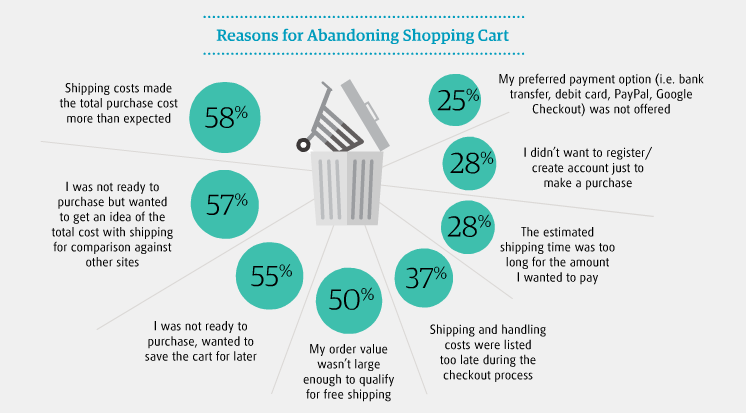
What are the major shopping cart abandonment reasons?  In an empirical study by Research Gate, we find the following cognitive and behavioral reasons for high shopping cart abandonment rate in 2019:

Fact: MasterCard and University of Oxford came together to hold a study in 2017 that reveals a drop in one-third of purchases is due to users forgetting their passwords. This leads to a common user preference of biometrics over passwords.

Statista Shopping Cart Abandonment Statistics:

Cart Abandonment Stats: Tackling Shopping Cart Abandonment in 2021

Shopping cart abandonment is the pain in the foot of every m-commerce or online retail store today. For vigilant marketers, they bring meaningful learnings about user behavior. You can try and turn your cart abandonment into key insights to restabilize all that is wrong with your marketing plan.

Let us look at the shopping cart abandonment Statistics 2019to see if there is a silver lining to this problem- A technique for every m-commerce app that needs shopping cart abandonment optimization.

So how to fix cart abandonment? One thing that is fairly evident is that a good conversion rate optimization approach can sustain and re-engage your audience to lower your cart abandonment rate.

How to convert abandoned carts? The Conversion rate Optimisation Approach

What if you choose to do nothing about the high cart abandonment rate?

You miss a lot of revenue and fail in conversions as your users continue to jump off the ship. On an average rate of cart abandonment is 68% for ecommerce retailers.

Everyone is looking for a quick fix to develop a customer base that keeps returning for more. The quest to recapture the lost value has become the food for thought, for many bloggers, marketers, entrepreneurs, and agencies.

We all are users at some point in our day.

Think like one! One technique to reduce shopping cart abandonment is to get the knack of your customer’s mind is to step in their shoes and generate your own perspective. What makes you snap back before you enter your cart details?

Make a list of these points just like we did to arrive at the main causes for effective abandonment cart strategy. While we took a generalists approach, you need the one specific to your business needs.

Many think of their mobile apps as currency vending machines, which they are not. Your mobile app is a platform that brings you an opportunity to develop a relationship with your customer, promote loyalty and leave a lasting impression in your heads.

1. Guest Checkout

Overview | Amazon Pay

Save your shoppers from new account fatigue. Allow them to make a purchase without creating and signing in to their user accounts.

Remember all those times when a paywall or overbearing request kept you from accessing the products on an app. Enabling guest checkout will let your customers browse through the products and share their details only when they are ready.

Understand and accept that the user wants to compare, assess and evaluate the value you offer against the purchase. Encourage users to sign up and log in once they ensure that you offer the maximum value.

In fact, the e-commerce market leaders like Amazon, Walmart, and others are already doing it. They all have a one-step checkout implementation option on their mobile apps.

2. Device optimization

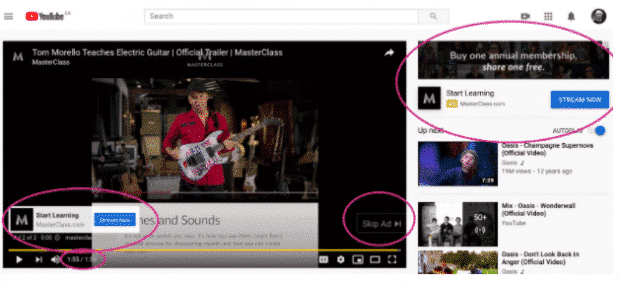
The Complete Guide to YouTube Ads for Marketers

With smartphones taking over the internet, another thing you will like to consider is the device your customers are using to access your website.  Users spend about 15 hours a week on their smartphone browsing products on different m-commerce applications. Once the users set their eyes on a product about 45% switch to their laptops or tablets to make the purchase.

Make the mobile-responsive design your first priority. This approach is a great value add to your competitive growth. Optimize your website for mobile shoppers.

Come to think of it from a users point of view. A user who comes to your site has already been there through a smartphone.

Mobile shopping cart abandonment rates are high pertaining to casual browsers. Carts abandoned on mobiles are reopened on websites. So if you let them save the products that they like, you can seal the deal. Later they will come to your site with their visa and keyboards.

3. Add to Smart Wish List

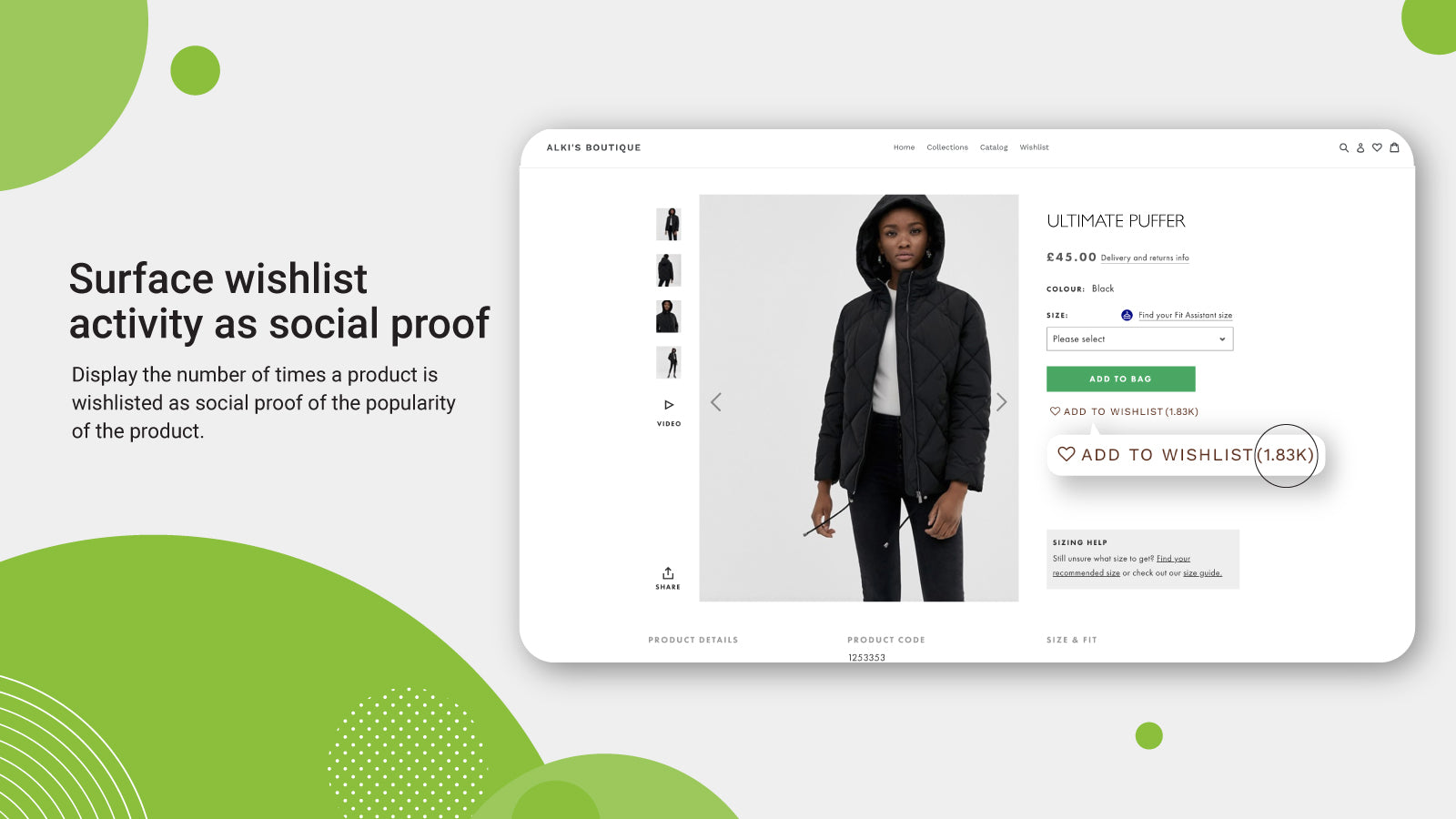
Wishlist Plus – Ecommerce Plugins for Online Stores – Shopify App Store

We all have a long list of items that we want to purchase. A wish list lets your user bundle all on that list. With emerging technologies, Smart Wish List can make you stand out and nurture your audience.

The basket works and that is why the cart format has stuck. But very few have the Wish List feature.

Taking an example of an m-commerce app that deals in clothes. Suppose a user really likes a scarf but can’t find a matching pullover with it. Wishlist helps your customers to make a bundle of items in their own time.

Another scenario can be that you are out of stock and running low on the inventory of the pullover. The user can simply add it to the wish list. Once the stock is in the inventory the user gets automatically notified.

Wish least can also help manufacturers make pre-launch bookings, like on new gadgets before the price is disclosed. This brings a lot of customer feedback to the retailers and manufacturers to devise combos, offers, and discounts on selective merchandise. These are all part of the Shopping cart page best practices.

Now make the wish list feature smart. Add options to categorize the wish list for birthdays, anniversaries, paydays and others. Allow users to share the wish lists with each other.

A little push can add the right spices and increase sales revenue. Add a ‘buy before’ criteria to the wish list to bring a sense of urgency.  Suppose an expiry time of 60 days can bring the shoppers back before their itinerary disappears into the black hole forever.

4. Quick sign-ups

6 steps to get started on the Flipkart mobile app [Flipkart Stories]

It’s good if you are not forcing user registration. But it does more harm if you do not remind your shoppers to log in before they go. Keeping it simple and subtle, can capture the user’s attention.

‘Sign up with Google’ is a simple yet strong call to action. Users recognize google in a blink. It is secure, familiar and ideal. Give users the perception of choice, with a quick sign up.

This also tells you about when, where and how users prefer to communicate with you. So strive to secure your m-commerce app using best practices of network encryption.

5. Email reminders and Push notifications

What is a Push Notification and Why It Is Important

Communicate with your customers to re-stimulate their interest. One of the wise old tricks of marketing is direct communication with your user. Workaround a great email reminder campaign. Being too zealous won’t put you at the right foot here, like bombarding the inboxes with a streak of reminders. By rule of thumb, here is a list of what a good reminder email encloses:

  • Vibrant images of the product- To remind the buyer
  • A strong call to action- To stimulate decision making
  • Brief service guarantee or refund policy- To alleviate any concerns

Another alternative you have is of smart push notifications. If you make good offers the ones that bring a sense of cost incentive to the users, you will hit the jackpot.

6. Short-lived discounts

Ajio First Order Coupon Codes | May 2021 | Ajio Offers on First Order Rs.500 Off + FREE Shipping| Ajio Coupons Codes

Cutting down prices may critically affect your bottom line. But it’s a good bait to drive in the shoppers waiting on the fence.

A study of the effect on price discounts and bonus packs on online impulse buying speaks of the impact on users. Percentage discounts make the best detours for items bought for pleasure, while combos and bonus packs work best for utilitarian items.

Time-bound discount offers on items with elastic prices can show your intent that you value your customers. And to a customer that is a great feeling.

7. Brand Familiarity is not a myth

The Importance of Brand Awareness - KOBBA

Google Trusted Store badge is one heck of a tag that ensures certainty, reliability and trust factor through visual representations.

A name that your buyer has not heard before is bound to add skepticism about your credibility and offerings. Promote your brand to raise familiarity with your audience. Showing up in google search or social media advertisements will not bring you great returns.

8. Eliminate surprise costs

How Amazon became a pandemic giant – and why that could be a threat to us all | Amazon | The Guardian

High shipping costs and taxes often switch off the buying intent in customers. Free shipping on orders above a certain value is not a new idea but the one that makes magic happen. Disclose the additional costs early in the buying funnel.

A Forrester study confirms that surprise costs make 44 percent of online shoppers drift away and uninstall the apps.

Make a serious attempt to reduce all potential barriers between you and the wallet of your users. An active, persistent approach to curb the checkout leaks, navigation and performance issues are a few other things to spot.

Ecommerce shopping cart abandonment solutions are easy to implement if you understand their customers. Implementing the Techniques to Reduce Shopping Cart Abandonment as discussed above will soon make the bounce rates wind down and conversions ramp up.

The top 8 considerations for a successful Application Development

Why you don't need to develop a mobile app - Perfect Pixel Marketing LLC

Application development can be a little overwhelming for some people since it involves so many decisions and choices. If it’s your first time then we sure can understand the questions you might be asking yourself. With technology advancing so rapidly apps have to be developed in a way that it matches the latest technological trends.

Going for application development will be the best decision for your business especially if you are a startup. Startups need to gather an audience and convert them into becoming their regular customers. This can be achieved with the help of mobile apps as it will give the audience a platform to engage, interact and gather information about the startup.

An app must be developed in a way that there is no waste in the application development process, every opportunity is explored and the end result is worth all the effort and costs. To make this happen, we are writing this blog about things to consider when developing mobile apps for startups.

Let us begin with why should you get an app for your startup.

Why build a great mobile app for your business?

The fact that by 2020, there will be 20 billion mobile devices makes building an app that can profit your business is very important. Majority of the mobile users are preferring mobile apps to get things done and apps are more of a lifestyle than just a technological solution.

Here are some compelling reasons why businesses should have an app.

Additional sales

4 Ways You Can Generate Additional Hot Online Sales Leads Today

With a mobile app in your customer’s pocket, you have a lot of things to use to increase your sales. The simplicity and convenience of using an app to buy a product encourage users to buy repeatedly. When compared to websites, apps have more accessibility and people can make a purchase on the go. Another way to gain revenue is by showing ads on the apps. You can also charge users for your app. If the app is worth paying for, customers will buy it.

Reduces marketing cost

How to Reduce Marketing Costs Without Impacting Your Business?

Marketing costs are huge and not every startup can afford it. With apps, you get a free marketing tool which reduces the cost of marketing, unlike traditional marketing. Mobile apps are low-cost marketing tools where push notifications can be used to market new products, inform about offers and re-invite users to increase the activity of the app. Not to forget that it takes less time, low cost and reaches a large audience at the same time.

Customer experience

What is Customer Experience: Strategy, Examples, Tips | Hotjar

A business runs because of its customers and impressing them is the biggest job. Mobile apps are no doubt a great way of enhancing the customer experience. Websites are great to reach a larger audience but it cannot give the same feel as an app. Apps are deliberately designed such that it fits small screens while giving visual satisfaction to users. Apps have quick access to the device features like calling, camera, GPS, etc. which makes them more likable.

Edge over competitors

Competitive Edge: How to Gain an Edge Over the Competition - PR News

Even though most companies have got an app, there still might be a chance for you to flourish. There are two possibilities that make your chance to succeed with an app possible. First, there might be companies in your niche that haven’t gone mobile which gives an edge. Second, even if some businesses have, they might not a great app. A poorly developed app is of no good use and you get a chance there.

Broader Reach

Top 5 Reasons Why Mobile Apps are imperative for Businesses in 2015

There is a population that only operates its business through mobile apps. If you don’t have an app, you are missing out on that particular population. A large number of users prefer a mobile app over the website as seen in the statistics above. To know what percentage of your users are mobile-driven, check out the percentage of website visitors that access it through mobile phones. Also, younger users are more likely to use mobile apps as compared to adults.

Feedback from customers

Customer Feedback - Why is it important & 5 ways to collect it

If a business doesn’t meet the needs of its customers, it’s hampering its own growth. Most businesses take the smart route and consider the customer feedback a serious benefit. With feedback from your customers, you can reshape the business or make necessary changes. A great way to gather feedback is through reviews from the app store or from the in-app feedback section. You can also run in-app surveys from time to time.

Stickiness

App Retention: 5 Tips for Built-in Stickiness | Phunware

Mobile apps are a strategy to get into the customer’s pocket. The convenience it brings for the users is very much appreciated by them. Having an app in their pockets and being able to access it anytime and anywhere creates stickiness with your brand. Unlike websites, apps are always a click or a tap away and that encourages repeated interaction with the business. There are also high chances that mobile apps can bring your business a great percentage of loyal customers.

Now that we have seen why you should get an app for your startup, here are some tips for creating an app that is profitable.

What are the main points to consider when developing a mobile application?

It’s easier to decide to get an app than actually planning to build a good one. Mobile app development is a process that needs proper consideration. It requires one to look into tips for bringing success to app business, implement them, and much more. In this section, we will state some things to consider when developing mobile apps.

Solidify the app idea

Ensure a Smooth and Successful Mobile App Start-Up with these Guidelines - SPEC INDIA

One of the mobile application development tips for beginners is the app ideation. Before you even think about the application development process, make sure your app idea is great. The entire base of the app is the ideation and you need to make sure you have everything it takes to make the app a success. You have to ask yourself whether the app idea is strong enough to survive the cut-throat competition or not. The app should also have an edge over the competition and should be able to solve problems on a business level.

Define your elevator pitch

One of the things to consider when developing mobile apps is the elevator pitch. You get a short time to present your business in front of investors and that’s why having a perfect elevator pitch is important. This also helps in finding the clarity in your app idea and business model. You should be prompt about your business, the problems it is going to solve, the funding it will need and the audience it’s going to target.

Identify the target audience

Exploring your Target Audiences for Mobile App: How to Go About it

People think that the entire app using population is their target audience since they all can use an app. But there is a huge difference between someone who can use an app and someone who wants to use an app. Defining your target audience will bring more traction to the business. Knowing your target audience helps in building an app as per their liking. An app that satisfies the customer needs is going to become successful.

Consider the app platform

Android vs iOS, Which One Do You Actually Need? | Cashify Blog

Factors in developing mobile applications also include the app platform. It is actually one of the most important things to consider when developing mobile apps. In the world of mobile apps, iOS and Android have become the top platforms for application development. There is an ongoing debate between Android vs iOS for startups and it isn’t going to end any time soon. Some find iOS to be the right platform for them and some find Android is the way to go. Both platforms are great in reality and have their pros and cons. iOS uses the Swift or Objective-C language whereas Android uses Java or Kotlin.

However, there is an option to select both platforms at the same time. Cross-platform apps are developed to be accessible on multiple platforms. The cross-platform frameworks that we use today are Ionic, Xamarin, etc. A simpler name for cross-platform apps is hybrid apps.

App store optimization

App Store Optimization — Part I: What and Why ASO ? | by SHISHIR | PROGRAMMING LITE | Medium

So far you have seen many things to think about when building an app. App Store and Play Store optimization are other crucial factors for consideration. Your app store page is a way of creating a good impression in front of users. 60% of apps are found through organic search and they are directed to the app store page of your app. You need to make the app look as appealing as possible while following the app store optimization guidelines.

Monetization options

Android App Monetization Options - Chiconomise - Our Knowledge is Your Life

One of the things to keep in mind while developing a mobile app is the way of monetization. As good as earning money off of the app directly is, there are other ways to earn money from the app.

If your app is good enough then you can earn from different ways using your app. You can earn money directly from your app in the following ways:

  • Freemium apps: These apps are the most common types of apps. The apps can be download for free, however, to access some features users have to buy it from the app.
  • Paid apps: The paid apps have to be bought by the users in order to use them. But for this to work, the marketing of the app needs to be strong so that the true value and unique features of the app are displayed.
  • In-app purchases: Apps can have special features that the users can pay for. These features are only accessible to those who have made the in-app purchases.
  • Subscription: Subscription is a way of earning on a regular basis. Users can subscribe to an app on a monthly basis and enjoy the best version of the app. Most apps have freemium for the simple version and subscription for a premium version of the app.
  • In-app ads: Earning revenue from the ads is quite common these days. There are no barriers for users since watching ads don’t cost anything. The app can have a section to display ads or can add video ads to the app. However, user experience should not be compromised with when going for in-app ads.
  • Sponsorships: This method of earning money is possible when you have generated a good user base. You can partner with some brands and advertise their products on the app. There is a two-way benefit in sponsorship for you. First, the brands will pay you for the user actions and second, users will increase the in-app engagement.

App security measures

Significant Security Measures for Android App Development | Mobile App Development Blog | Pyramidion Solutions

If your app is not secure then your app is not for the users. With so much advancement in technology, there comes a great risk of security breach and hacking. This is why you need to make sure you follow security practices for a hack-proof app to protect your users’ data. Most users are naive with the concept of hacking and need an app they don’t have to worry about.

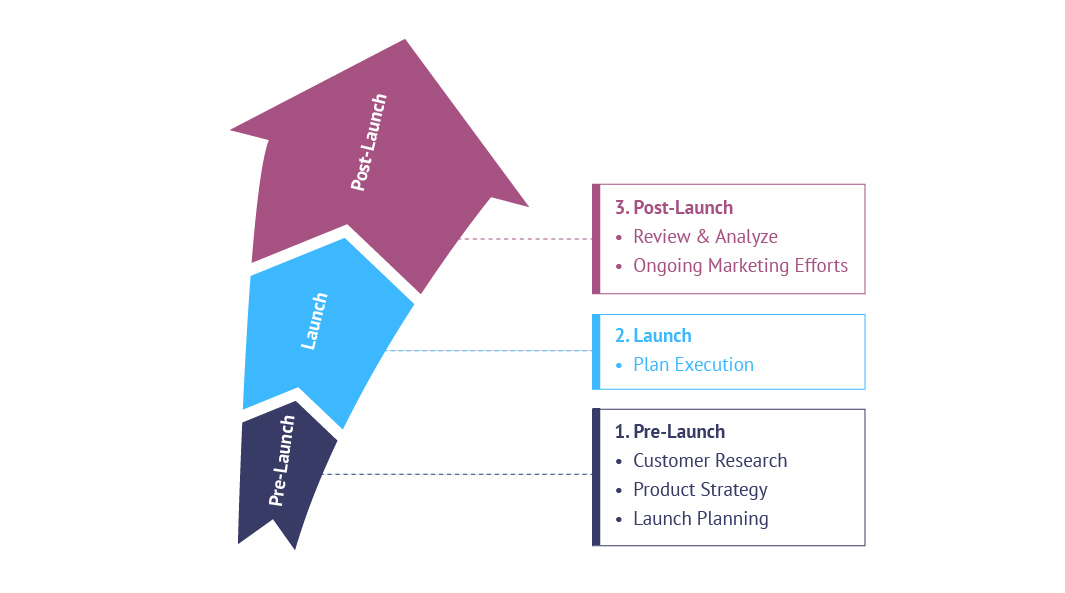
Marketing strategies for pre-launch and post-launch

Are You "GO" For a Product Launch?

The marketing strategy of the app is one of the things to consider when developing mobile apps. Before the app is launched, proper awareness should be created about the app. This will help in boosting the app downloads once the app is launched. The pre-launch is as important as post-launch and the marketing strategies for both should be ready.

This was our take on tips for mobile application development. Have an app idea? Contact our team of developers today.

Variables contributing to a Mobile Application success

Mobile App Development - The Key Ways Leading To Success

Mobile apps have become a go-to for industries. Ever since apps were recognized for their abilities to boost businesses, everyone wants to go for it. If you are a well-established business with a huge budget for an app then you can easily hire an app agency and get started with your app. However, if you are a startup on a budget, you might want to tread carefully here. Mobile app development requires more than just funds. Of course, the cost factor is there but the quality of the app also determines its success. What makes an app ‘successful’? What tips to consider for making your mobile application successful? For any app to be successful, it should have amazing features.If we look at the latest apps, they are all using the latest technology in them. Technologies like AI, VR, AR, Machine Learning, etc. are being used to improve the overall app experience.

When any user has the first encounter with an app, they notice the UI of the app, features of the app and the performance of the app. This is followed by the regularity of updates and bug fixes.

We have already talked about all other factors in our previous blogs so today we will discuss what are the key features of a successful mobile application – features that should satisfy the users and their needs.

What makes a mobile application successful?

Other than the features of the app, there are some other factors that also contribute to the success of an app.

Mobile app development is like a journey that has many phases and many stages. Before the features are put in an app, some factors are considered to ensure the success of the app. Here are some points that must be considered when answering how to develop a reactive mobile app.

User-centric

Why Your Website Should Be User-Centric | bMighty2

When your app gets launched, who the users are going to be? Think about them and understand their characteristics. This will help you in building an app that suits a particular demographic. When the app is user-centric, it gets more active users, more engagement and more audience. User feedback is a great way to gather information about what your users need. Most successful apps use this feedback to improve their apps, making it more likable by the users.

A polished feel

An app with poor designs shows the level of effort put into making it. A great app will put efforts in the slightest feature which is what makes them great. Users are looking for visually appealing apps that solve their problems and if it’s not worth their time then they will leave it immediately.

Has a strong USP

Developing your USP: A step-by-step guide | Marketing Donut

The Unique Selling Point of a successful app is always strong. What makes the app unique is what makes it successful. See, for example, UrbanClap started providing home services like beauty salon services, repairs, etc. on their app. This was very different from any other business model. The user has options to select from various services that UrbanClap provides.

Focus on one core feature

Your app should be known for one of its strongest features. Users prefer not to use apps that are complicated so don’t focus on promoting multiple features all at the same time. What makes a mobile application successful is its ability to do one task and do it very well. The best way to focus on one feature is to find the core that drove you to build the app in the first place. That very same reason will be the driving feature of your app.

Solves a problem

Make and Build a Business That Solves a Problem - Business 2 Community

A mobile application is also called a digital solution and it is because it solves a problem. With so many apps in the market, you have to see which problem is your app solving. Even the slightest of change between two apps make a difference. Suppose, an app provides parking solutions at malls but does not have a car locator feature. If you add the feature in your app, that would make the app more likable and usable.

What are the successful mobile app features?

Talking about successful mobile app features, there is a misconception that the more features an app has, the more it will be likable. But more features means more app development cost and more complications in the app.

Too many features are not what makes a successful app but its the smart combination of features that do the magic. Here are some of the best features that you can use in your app.

1. Use of latest technology

10 uses of technology that made it a part of everyday work - Education Today News

Apps using the latest technologies like data science, machine learning, AI, etc. have made their name as a successful mobile application. The truth is people are looking for more and more convenience in their mobile apps and these technologies provide that. Not only does the technology help in providing maximum user satisfaction but also helps industries in handling the business quite well. With data science technology, great models can be created that predict demand and sales for a business.

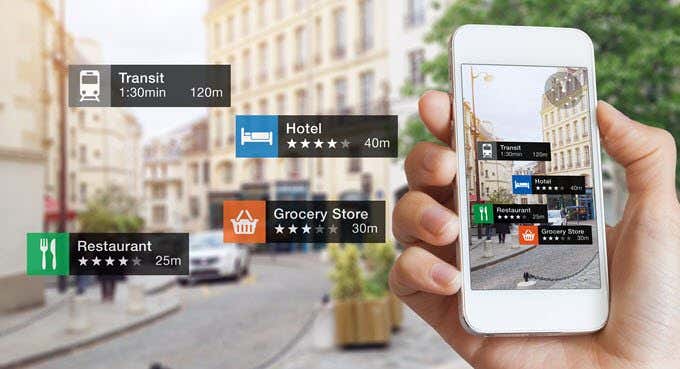
2. Augmented reality in apps

10 Augmented Reality Apps Available for iOS Worth Downloading

Augmented reality is one of the biggest talks of the town in the digital world. AR has seen tremendous success after being used in apps and gaming apps. Pokemon Go was the most successful example of AR being used to enhance the app gaming experience. Now many retail stores are using the AR technology to give users the benefit of trying on products virtually before buying them.

3. Cross-platform

Android or iPhone or Windows Phone ? - Irish Apps

Apps supporting multiple platforms are always appreciated. Building native apps may be costly for a startup but that’s when cross-platform comes into the picture. Cross-platform not only saves cost but also saves effort that goes into building the same app twice. Cross-platform development frameworks include angular native framework. This framework allows developers to build apps that give native feels while saving high cost.

4. Secure the app

How to Secure Mobile Apps – A Mobile App Security Checklist

Time and again we have said that the security of the app is crucial. Secure apps have loyal users and gather audience faster. There are many practices to make a hack-proof app and most app development companies are using them to provide a secure solution to users. E-commerce apps and any other app that includes in-app payments would need a secure payment gateway.

5. Business solutions

BUSINESS SOLUTIONS

When an app is capable of solving problems on an industry level then that’s what makes a successful app. To be honest, solving industry level problems is what an app is built for. When a startup app is launched, it functions on a small scale and as it grows it starts solving bigger problems. So the idea of the app should be somewhat related to finding solutions for business problems. Even big enterprises go for app development because they have some issues they want to deal with.

6. Connectivity standards

RTI and Beeond Announce Proposal for Connectivity Standards Integration for IIoT

The app is being built in a modern world which means it should have the connectivity features that support the modern world as well. When the app is using any sort of connection feature, be it Bluetooth or anything else, it should be able to support the technology it is being connected to.

7. Offline functionality

Moving Offline Can Improve the Functionality of Your Web App | Leafcutter

Having offline functionality is very trendy in the app development world. People are demanding the offline mode for apps since the connectivity issues prevail at times. Of course, there are apps that cannot do without a network connection but they still can support offline feature with the help of background downloading. There had been complaints about some e-commerce apps that didn’t show anything without a network connection. This will annoy the users since they at least should be able to browse through already loaded pages.

8. Customer support services

Customer Support Services | Customer Care Support Outsourcing

Recently we have seen users complain about the customer support system a lot. First of all, every app should have one customer support section since not every user is tech savvy. And this customer support should be well functioning too. Not only the design and performance but also the customer support is what makes a successful app.

9. Personalization

Leveraging Data and Ecommerce Personalization Types | Acro Media

Users love an app they can personalize according to their need. More than 70% of app users expect the app to personalize their experience. The search results, notifications, text, themes, etc. are all ways to personalize an app according to the users’ needs. With the help of a user profile, better personalization is done as the profile stores more information about user behavior.

10. Marketing and analytics

How to Get Started with Marketing Analytics - Salesforce Canada Blog

An app is not just a digital solution but also a great marketing tool. With the help of analytics measuring tools, app owners can gather significant information about users activity on the app. This information includes what users want, what they are looking for and how they interact with different sections of the app. With this analytics, proper marketing strategies can be created for every user. Marketing and analytics are seeing a major hit in the market because of its ability to increase sales rapidly.

After-App-Launch Challenges for Mobile App Startups

5 Best Enterprise Mobile App Development Platforms

Mobile app industry is not new to businesses making an entrance on a semi-hourly basis, trying to gauge whether they fit in or not and all the way hoping to get a share of all the good things that the stores have to offer – Global Reach and Sky-High Revenue Chart.

But, mobile app industry is also not new to seeing new businesses come in trying their luck in the domain and leaving because of failed success.

For an app entrepreneur, there can be nothing worse than the time where after investing a very good amount of time and money all they get left with is an app that sees either low or very short lived success. And the sad truth is that it is a very common occurrence.

A huge challenge for any app based start-up entrepreneur is to search for the consistent and calm focus among the various highs and lows and finding the things to avoid after app launch. One minute they experience a great euphoria as they witness hundreds of installs instantly for they have employed all the factors that make apps successful,  and the next second they feel despair that those were the only installs.

Developing a startup takes time. But ensuring that your startup isn’t the one that meets the same fate is something that you cannot leave on time. And knowing what problems faced by startups can definitely give you a head start, especially in devising post app launch strategies.

Let us give you the kick and beware you of all the challenges that your app entrepreneur can face after your app hits the market.

Challenges That Help Devise Post App Launch Strategies

1. Establishing Yourself in a Crowded Market

Here's How You Differentiate Yourself in a Crowded Market

No matter how truly amazing your startup business idea is, there is a very minimal chance that they app idea you have is truly the one that the world has not seen or at least the mobile app market has not seen. In fact, chances are that if your startup business idea is actually the one that has never been seen before, it will be only a matter of time before the market gets crowded with it.

And for a startup working on a situation of low resources – manpower and funds – it can be one of those things to avoid after app launch an app that can keep you from establishing yourself in a crowded market place and not get lost in the crowd. The scariest part of it all is that the chance of you getting lost in the crowd are still prevalent even if follow the unwritten app ideation manifesto that the app should be developed only after understanding the users’ needs, the exact buyer persona, etc.

2. Getting a Team Together

Getting your Information Security team right | CSO Online

Most often than not the team that you got associated with to develop your mobile app gets left behind once the project is complete and launched. So, once it all ends, the team that you have left is the one that you have to create.

Now, theoretically, it sounds much easier than done. In words, you have to employ the “right” people with the necessary experience to take your mobile app forward till the end of time. But, when you enter the practical grounds in a reality where what you have to offer to those “right” people is next to nothing, it all seems to fall apart. After all, if it was this easy, it would not have been one of the most thought of post app launch strategies.

Getting a team together – the most thought upon after mobile app launch strategy – that is in sync with your mobile app ideas and your vision of the business when in return all you have to offer to them is hardly anything bigger than a tag of experience is something that takes a toll on the longevity of any startup.

3. Scalability

How to scale IT and get ahead of the growth curve

One of the biggest mistakes that app entrepreneurs make is confusing scalability with growth. They believe that scalability, like growth is expanding the business, witnessing a time when the revenue inflows are on an all time high, etc.

When, in reality, there is a very thin but prominent line of difference between scalability and growth. While, in case of growth, you know you have to incur expenses in order to reach the next level, scalability, in its idea itself, means that you will have to work on growing your business while the expenses are kept very low and constant.

Now going by the mere definition of scalability, something that we must go through for it is one of the most important to be followed eventually tips after new app launch, there are some  other issues that get stringed along. Issues like the timing of scalability and the scope of it. If you scale your business too soon or too late, you will face failure and if you scale at the right time in the wrong domain, you will face failure.

4. Marketing

What Is Customer Marketing? Why Use It As A Business Strategy? | CommBox

The task revolving around finding an answer to how to market a startup app is not even half as glorious and a piece of cake as the many listicles on the various marketing platforms tell you.

There are A NUMBER of things you have to decide between – the right platform vs the cost effective platform – less expense vs wider reach – and the list of confusions and struggles goes on.

The answer to how to market an app successfully itself has been the cause of demise of a number of brilliant app ideas such as your in the market and it is not going to stop. In fact, the more the platforms coming up to expose your brand to the world, the greater are becoming your chances to get sidelined.

Spending to your company’s intent to create a presence in the market and not getting any results at the back of it can be very scary and the truth is, this scariness is what is keeping entrepreneurs awake every night.

5. Funding

Types Of Startup Funding Rounds

No matter what fund scheme you have backing your mobile app project till now, chances are that once the other side of real expenses kicks in, the money would run out. In fact, half of your money would run out when looking for best app marketing strategies only. That and the fact that in the mobile industry, the new trend that we see shaping up is one where the applications that get funded are the ones that are most talked about and thus used, are together making it an utmost necessity to find investors and quick.

Now, getting investors, if anyone of you who must have tried is NOT EASY. There is always a company with a much investment wise unique idea knocking on the investor’s profile across platforms.

And then the less talked in the open issue of the investors being a little soft on established names backing an app idea. All in all, getting funded is not easy.

6. Frequent Market Changes

What Factors Affect a Market Cap? (with picture)

The tech market is on a continuous change trip. There’s no denying that. Everytime you think you are offering something truly unique, the next day industry moves on to the next big thing. Example, had you ever thought of an AR based game like Pokemon Go, which was once on everybody’s phone to get into a state where it is not even talked about anymore?

It happened though, right?

The tech market changes too much for our liking. And for you to think that you are offering something of value today and assuming that it would always remain in demand is nothing more than being naive.

The timeline of an app being IN in the market is reducing because of this very reason. There is hardly an app today that can promise survival in the market operating on the same business model.

7. Constant Update

You Should Update Your App: 3 Earnest Reasons To Do It

Launching an app, as we all know, is never enough. There is always something that needs to be tweaked and removed and added. Having an app developed is that is why called a continuous process, because the work never really ends, making what to do after an app launch, an endless list

And, until and unless you are associated with an agency that is your app’s lifetime partner who helps you understand why to update your app and how, chances are that your app and its user base will ultimately succumb to non-existence because of the simple fact that it is never looked over from maintenance point of view.

Constantly maintaining your mobile app can be a very difficult and a lot more easily ignored than one would like it to be, solely because without a team, you would hardly know what is actually technically wrong with the app and thus the circle of complaining reviews would only keep growing bigger.

8. Distributed Focus

Study: Focus will shape the future of distributed work | Dropbox Blog

It is not new or even difficult for new app entrepreneurs to get deviated from the main app or the goal that they started the journey to achieve and why not after all, the time is too low to get stuck to one idea and keep at it, right?

While seem to be very well fitting to the idea of carpe diem, it can do more bad than good. When you lose your focus and start looking at other feature set or technology addition, even if it doesn’t quite fit with your application, you often experience an event of chaos sooner or later. You find yourself sitting with multiple projects that have been started but are not going anywhere.

Keeping a concentrated focus to at least bring it at a point of constant growth is a lot easier said than done.

Here were the mobile app startup challenges that are in so many ways the sure shot medium to your startup’s quick demise.

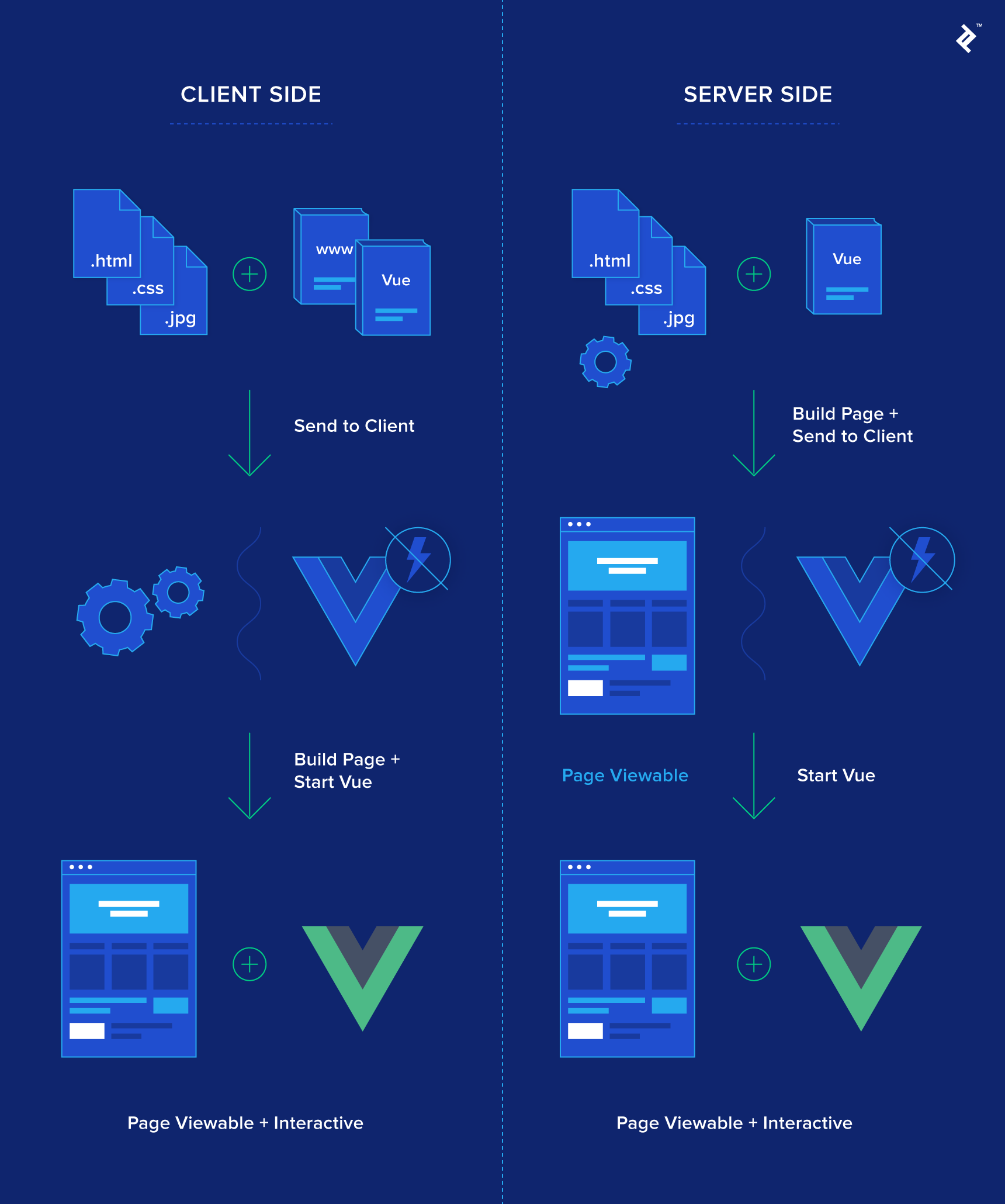
Which JavaScript Framework to Use: Vue.js or Angular?

A Beginner's Guide On Angular Vs Vue.js Frameworks

JavaScript frameworks are changing the scenario of the front-end development world. They are proving to have the potential to build cross-platform mobile apps with ease and better future considerations. However, not all the front-end JavaScript frameworks are enjoying the same limelight in the marketplace.

While many new frameworks like Vue and Ember have entered the market and are gaining momentum with their exceptional options, frameworks like jQuery and Aurelia are losing their charm in the JavaScript world. They are struggling with getting the attention of the mobile app developers – a mandate for remaining in the development world.

In such a scenario where JavaScript frameworks are losing the market at a considerably higher pace than they enter into the market, keeping yourself abreast with what are the best JavaScript frameworks in 2019 can act as a helping hand in curating a profitable future in the marketplace. And when talking about the JavaScript frameworks to consider in 2019, looking at the two popular frameworks, Angular and Vue,  and seeing how to choose the right option among them can be worthwhile.

Taking the same thought forward, we will have a brief look of both the JavaScript frameworks and look into Vue.js vs Angular comparison in this article.

So, here we begin with the first section, i.e, the brief introduction of Angular and Vue.

A Basic Overview of Angular and Vue.js

Microsoft To Do: A Basic Overview & Review | Elegant Themes Blog

Backed by Google, Angular is an open-source framework considered for building dynamic websites and applications. The framework falls under the category of MEAN stack and is supportable with a wide range of code editors. Its latest version is Angular 8, which introduced various exciting features in the development environment, such as differential loading, dynamic import for lazy routes, CLI workflow improvements, support for Node 10, and support for TypeScript 3.4.

Whereas, the answer to what is Vue is that it is an open-source framework created by Evan You for tackling the challenges associated with Angular and React JS frameworks. The framework is highly recognised in the market for developing a simple page web application. Its latest version is Vue 2.6 which has come up with features and update that adds to its popularity in the market, such as the introduction of Slots, Async error handling, template compile warnings with source information, dynamic directive arguments, Explicit creation of standalone reactive objects, and more.

Both these JavaScript application frameworks are loved by various reputed brands for reaping higher profits of the mobile market, including:-

While there can be various reasons behind why these brands have adopted Vue.js 2.6 vs Angular 8, a few of them are stated below:-

Benefits of Considering Angular Development Framework

Some of the pros of Angular that proves it to be the right JS framework for your app needs are:-

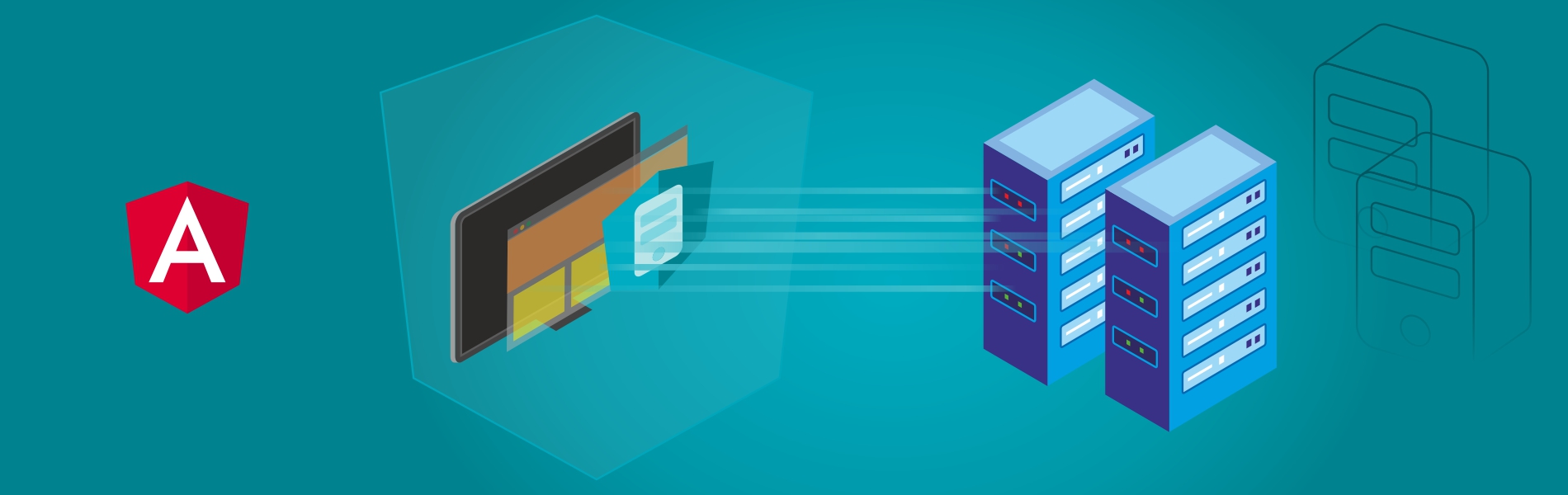
  • Server-Side Rendering

What is Angular Universal: Angular Server-side rendering | Tudip

Angular JS framework offers better Server-Side Rendering (SSR) features that improve the page speed on the client side. This makes the JS framework more SEO-friendly.

  • Separation of Concerns

Rethinking Separation of Concerns with React | by Aphinya Dechalert | hashmap | Medium

Angular follows the MVC model, which makes it good for separation of concerns and cleaner faster development.

  • Deep Linking Module

Deep Linking in Angular as well as SEO ranking - Divami

The framework provides developers with an extensive linking module for single page app development that assists in understanding of how Ajax works and introducing its advantages into your app project.

  • Tools and Filters

As stated earlier, Angular 8 comes up with various features, tools, and filters that makes development environment better and faster. Some of these features are lazy loading, virtual scrolling, preview of Ivy, support for Node 10, and more.

  • Testing and Maintenance

Partes Del Vector, Clipart, Partes, Accesorios PNG y PSD para Descargar Gratis | Pngtree | Automotive artwork, Car engine, Car cartoon

The Angular IO framework comes with advanced refactoring and debugging options that aid developers in the testing and maintenance process. Besides, it renders the opportunity to test the complete project with a single testing tool like Jasmine, Karma and Protractor. This cut down the hassle of developers and ensure highly-effective results.

  • Update Scope with CLI

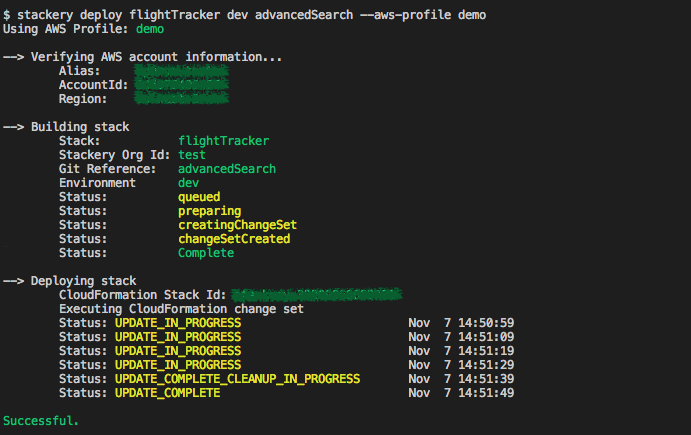
Deploying with the Stackery CLI

As we have already seen in our article React vs Angular covered a few months ago, Angular CLI is easy to install and use. It also serves mobility experts with simpler commands and effective testing tools and is supported by several engineers and platforms that make it possible to update all the app components – including those having dependency on third-party libraries and APIs.

While these are the advantages of Angular that supports the idea of choosing it for front-end development, it’s good to have a glance at the benefits of Vue to determine what to consider in Vue.js vs Angular to do justice to your app needs.

Advantages of Going with Vue.js

Vue.js is emerging out as one of the most popular front-end JavaScript frameworks to rely upon for your application development needs, with benefits like:-

  • Memory Consumption

Memory Leaks in NodeJS | Quick Overview | by Islam Wahid | tajawal | Medium

One of the pros of Vue.js development is that the app developed can be as light as 18Kb after zipping. This makes it the first choice to target the user base demanding for low memory consumption with impressive features availability.

  • Ease of Learning

The Science of Learning | Workshop

Vue CLI comes under the category of most popular JavaScript frameworks in 2019. Its CLI is too basic when compared to other frameworks including Angular. Besides, it has an extensive and updated documentation. All these reasons make it the first choice of all those who are or wish to enter the development arena.

  • Readability

How to Improve Readability of Your Writing

Being written in JavaScript and having the property of clean codes, this framework makes it easier for anyone to read and understand the code to take the app development process further.

  • Download Speed

The Consumers Guide to Internet Speed | HighSpeedInternet.com

Since the app size is minimal, the Vue.js – based application is faster to download and employ.

  • Integration Scope

Scope of Data Integration - Hexanika

As specified earlier in our Vue.js vs Reactjs article that was covered last year, Vue.js facilitates a simpler and easier integration process. This makes it developers’ favorite to build both single page application from scratch and integrate high-end components into an existing one.

  • Server-Side Rendering

Creating Server-side Rendered Vue.js Apps with Nuxt.js | Toptal

Another factor that counts under the benefits of Vue.js is that it also offers option of Server-side rendering. This improves the speed of the working of pages on the client end, which eventually result in better user experience.

Now as we have grasped the basics of both, let’s jump directly into the JavaScript frameworks comparison part so that you could select the optimal framework for your business needs. In short, let’s take a turn towards Vue.js vs Angular.

Vue.js vs Angular: Factors to Determine the Right Development Option

1. Popularity

Popularity Vs Authority. Content Management. Internet Marketing

As per the 2018 State of JavaScript survey, the percentage of people who have never heard of Vue has reduced from 5% to 1% in just a year. This signifies that Vue.js popularity is growing.

But as disclosed by GitHub, while Vue is getting higher stars and forks, it is lagging behind in terms of the number of commits and contributors. This makes it tough to say which framework is better in terms of popularity – Vue.js vs Angular – Angular vs Vue.js.

2. Learning Curve

Learning Curve png free download - Brain Clipart - memory

To develop an application with Angular frontend development framework, you need to get expertise at concepts like TypeScript and MVC. But, this is not in the case of Vue.

Vue.js framework offers inbuilt app templates and higher customization which makes it easier than Angular and React. Besides, Vue.js – being designed by blending Angular and React – makes it easier to bring Angular or React-based mobility solution on Vue platform.

3. Architecture

How To Be a Certified Professional Home Designer

Another factor that influences the decision in JS framework comparison is architecture. While Angular implements MVC (Model-View-Controller) and MVVM (Model-View-ViewModel) for creating dynamic websites and web applications, Vue primarily focuses only on the ViewModel and shows limited data. This makes Vue.js become inferior to Angular in the development world.

This makes Angular win the title of Angular vs Vue.js battle.

4. Complexity

Here's Why Your Organization Can't Handle Complexity | Inc.com

Since Vue.js has been developed much later than various other JS frameworks including React and Angular JS (the earlier version of Angular), it is much simpler than Angular in terms of design and API.

In other words, Angular comes with a much higher complexity than Vue.js in the development arena.

5. Scalability

What is Company Scalability – Really? - Mirus Capital Advisors

When you look at  scalability as the deciding factor in Angular vs Vue, the former leads the competition. This is because Angular has a proper modular development structure while Vue.js employs template-based syntax, which reduces the reusability of code in large-size apps.

6. TypeScript Support

How to set up Typescript compiler and editing environment with Node.js | by David Herron | Medium

Angular is highly integrated with TypeScript – the upgraded version of JavaScript. It is not possible to code in Angular ecosystem without Typescript. Whereas, when talking about Vue.js, JavaScript is considered for writing codes. But, it also provides Vue.js developers with official typings and official decorator to easily collaborate TypeScript features into Vue development environment.

7. App Size and Loading Time

Effective Ways to Reduce Mobile App Loading Time

Though the recent Angular versions have traits like AOT compilation and tree-shaking which reduces the app size to a considerable rate, an Angular-based app is still not as lighter as the one developed using Vue framework. And since loading time depends heavily on app size, Vue.js mobile app ensures faster loading.

Thus, the winner of Vue.js vs Angular battle is the former.

8. Flexibility

10 product development practices that will give you full flexibility and control on your mobile app

The next factor that holds the key to choosing the best JS frameworks between Vue.js and Angular is flexibility.

Vue.js, when compared to Angular, is less opinionated and provides developers with an official support for a wide range of build systems with no constraint upon the app structure. This indicates that Vue.js is a better option over Angular in terms of freedom and flexibility.

9. App Performance

3 tips for optimizing mobile app performance - Think with Google

In web and mobile app development, the performance level is directly associated with DOM (Document Object Model). While Angular uses real DOM in which the complete web/app page is rendered even on changing a single component, Vue.js works with Virtual DOM in which changes are reflected on the real DOM only on those components that are modified. This approach accelerates the app performance, making Vue.js a winner over Angular in the front-end JavaScript frameworks market.

10. Data Binding

Just like React, Vue.js also relies upon the concept of one-way data binding in which the UI elements cannot be altered before changing the model state. Whereas, Angular employs two-way binding approach in which model state changes when UI element is changed and vice-versa.

While two-way binding seems an easier method, it lags behind Vue.js’s one-way data binding approach in terms of making faster data flow and creating non-trivial apps in less time.

11. Ease of Deployment

Finding value with the right approach to technology deployment - FreightWaves

Earlier it was required to focus on writing a “good” Angular application to reap the perks of lazy loading, Ahead-of-Time compilation (AoT), module system and other related features. But, the Angular 8 version has come up with changes that revolutionized the whole scenario. The Angular update introduced options like differential loading, CLI workflow improvements, dynamic import for lazy routes, and more which added ease to the deployment process.

Whereas, in the case of Vue.js, you can either import anything into your app environment or build a complex local setup (created using Vue CLI) which regulates the code optimizations. You can employ lazy loading of components and even pre-compile the templates already available on Vue.js.

12. Testing

Unlocking Continuous Testing: The Four Best Practices Necessary for Success

When taking testing as the prime factor, Angular is a better choice over Vue.js. It has a great testing mechanism and offers multiple tools like Jasmine and Karma that test the complete development code individually. Whereas, Vue.js lacks the right testing guidelines making it tough for developers to deliver a bug-free application.

13. Mobility Solutions

Angular is a web-based app framework considered for creating real-time apps like instant messaging or chat applications. Whereas, Vue.js is suitable for designing lightweight single page web applications with an easy interface.

14. Community Support

Customer Collaboration Support Community | Workday

Vue.js, unlike Angular which is backed by Google, is driven wholly by an open-source community. Because of this, it lags behind Angular and other JS frameworks in terms of the number of commits and contributors despite having a higher number of watchers, stars and forks on GitHub. Besides, the migration helper tool of Vue.js is not effective for large-scale application due to the absence of a roadmap that concentrates upon versioning and their plans. All these factors indicate that Angular is a winner over Vue.js in terms of community support.

Though the aforementioned factors will help in deciding the right option and leverage maximum advantages, it’s good to look into which JS framework is best for which situation – Vue.js vs Angular.

When to Consider Angular for Your App Project

What's new in Angular 8.0? | Ninja Squad

  • You are developing a large, dynamic and complex app project.
  • You want a real-time application like Instant messaging and Chat app.
  • You require easy and reliable scalability.
  • You have time to learn TypeScript before the project begins.
  • You are fond of  Object-oriented programming.

When to Pick Vue.js for App Development

VueJs: The basics in 4 mins. The simplicity of Vue.Js and its light… | by James Samuel | codeburst

  • You are developing a lightweight and single-page app.
  • You need high speed and performance.
  • Your app project scope is on the small side.
  • You want an earlier entry to the market.
  • You are fond of clear code.

With this, we have now reached the end of this article. We have looked into the factors that can help in deciding the right JavaScript framework among Vue.js vs Angular for your application development needs and the situations you can relate to. But, if you still can’t decide what to choose for your app needs and how to proceed further,  consult with our app development experts.

Our team, with their years of experience in app development for different business verticals and needs, will guide you in considering the right factors and thus, launching a profitable mobility solution in the market.

27 Prototyping Tools for Mobile App Design

What Are The Benefits Of Mobile App Prototyping? - Parangat's Blog.

Everyone who is in one way or the other involved with the mobile app development process, understands the importance of prototyping.

A crucial part of any user interface design, mobile app prototype, is a representation of how an application would flow from one screen to other is something that cannot just come in handy for a team of mobile app prototype builders and designers looking to understand the mobile app idea but also prototypes come in handy when looking to raise funds for your app project.

What Is Mobile App Prototyping?

5+2 Web & Mobile App Prototyping Tools For Great UX Design

Prototyping is an essential part of the design process, as it lets you and your group review ideas and share feedback in the beginning of a project. Prototyping is a significant exercise which brings about perception of how the application will work by showing user flows and portraying a functioning layout and design.

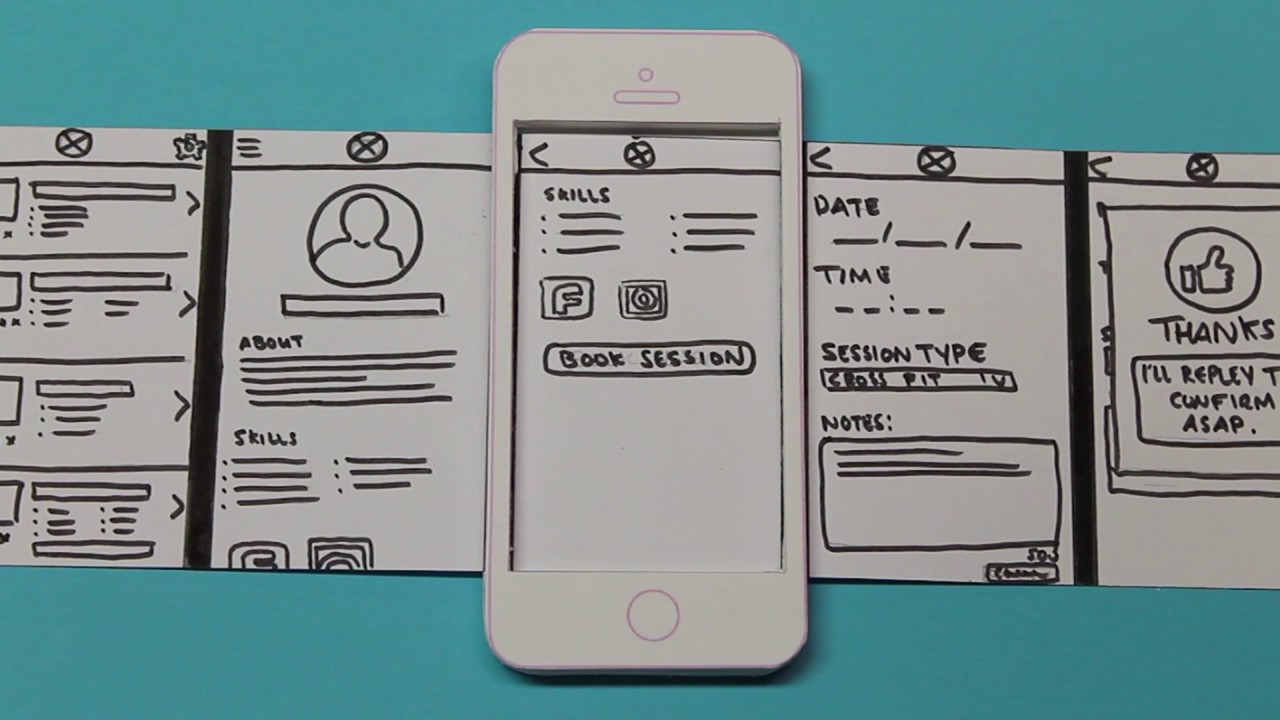
A mobile app prototype shows how a product will work. There are numerous techniques for prototyping, yet in mobile application development, a prototype commonly begins with sketches or a paper interface that develops into an intuitive model, resembling the end result. The main motive behind a prototype is to convey a product’s design and route stream to increase the proficiency of development.

What Is a Rapid Prototyping Tool?

The Top Rapid Prototyping Programs And Techniques For Designers | Elegant Themes Blog

Rapid Prototyping Tools (RPT) is an authoring apparatus to help business analysts, designers and developers assemble and build web and mobile prototypes. This model permits customers to simulate the real world business experience. It assists with approving business necessities and essentially improves the visualization of the finished product.

Rapid prototyping’s popularity implies that there are all types of brilliant assets accessible for designers to explore. We’ve arranged some of our number one quick prototyping tools for developers and UI/UX designers to assist you with integrating the procedure into your work process or find some new tools to enable your programming and design practices.

Now that we have very slightly peeked into the benefits that mobile app prototyping offers – something that we would look into much details later, it is time to objectify the piece.

Well, the objective of this article today is to look at the different prototyping tools for UX/UI designers that will rule this year and for some time to come.

But before we start with the list of top mobile prototyping tools, let us first look into the features of prototyping tools that make for a good app UI prototyping tools.

What Are The Characteristics Of A Good Prototyping Tool?

1. Offer custom component library made especially for mobile

The mobile app prototype design tools that you use for your mobile app should make it easy to customize the component library according to the different mobile screens and app mood that your brand is planning to portray.

2. Output demo to mobile for making the preview of effect easy

Photo Editor SDK: Fully Customizable, Easy Setup | IMG.LY

The prototyping model you choose should make it possible for you to see the effect of every change that you are making on the prototype design straight in your mobile device.

3. Support mobile gesture functionality

The prototype model should give you the functionality to select your device so that you can design the prototype around the in-built gesture elements of the device.

4. Support transition animation in a switch of the mobile view

Animations have grown to be an important part of mobile app design company. So it is only appropriate that all the good software prototyping tools for UX design should have the functionality of adding the transition animation so that the designers, developers, and investors alike know the movement of the application from one screen to the next.

5. Generate flow chart

Mobile Application Design : Paper Prototype Video - YouTube

An important element of your mobile app prototyping tool should be to give you the ability to generate a flow chart, which would then come in handy for all the first level prototype stakeholders to know how the events will flow from one screen to another.

Knowing the features that would act as a checklist for finalizing the best prototyping tool is not enough. It is also necessary to look at it in the context of which tool would give you the benefits that will bring you closer to attaining the advantages that mobile app prototyping offers on a bird-eye level.

What Are The Main Benefits Of Mobile App Prototyping Before You Start Building The Product?

Prototyping a mobile app offers you a number of benefits like –

  • Sharing of concept and Gathering of feedback Mobile app prototyping, being the process that gives the first level ready flow of how your mobile application would look and function, is an amazing tool for sharing the concept with associates, the probable user base, and the investors. In addition to the ease of sharing the concept with the stakeholders, the prototype gives you the ability to gather feedback on how the app is looking.
  • Saving money on the mobile application design company and development team. In a time when the mobile app development cost is established on the number of hours that goes behind every resource when you approach a team of designers and developers with an operative prototype that is a rough version of your original mobile app, you get to save on the cost that would go behind them putting in time to develop design your prototype.
  • Clarity on what is to be built If there is one hands-down best thing about software prototyping, it is the fact that it gives the designers and developers the clarity on what exactly has to be built. This clarity helps them with getting a headstart on what is required to start with the whole app development process.

Types of Mobile App Prototyping Tools

Paper Prototyping

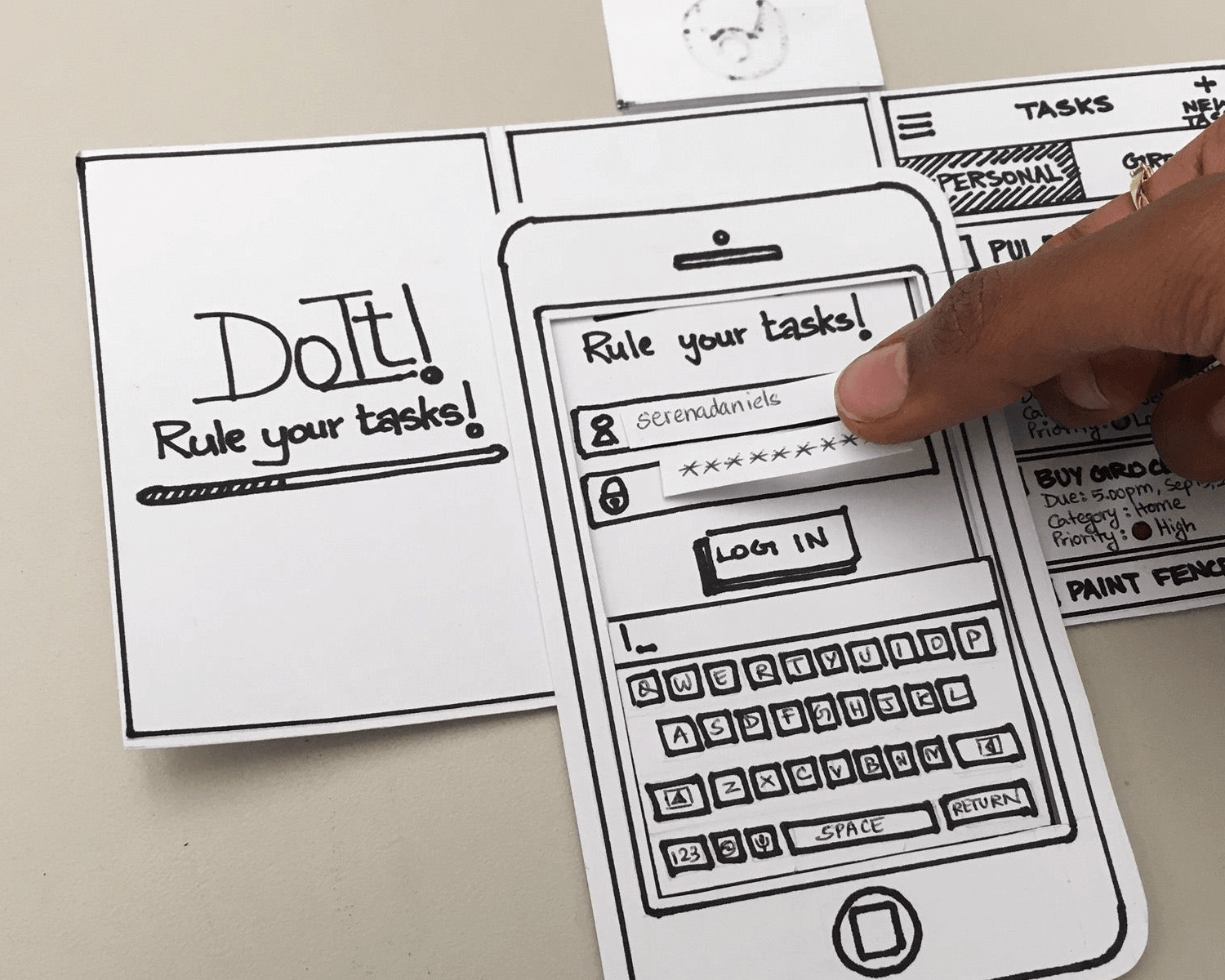
Complete guide to paper prototyping - Justinmind

This prototyping model enables you to start with designing your mobile app prototype without the need of you having to learn any special skills or even get an understanding of the different online tools used to learn to prototype.

There are quite a few tools that will come in handy when you start paper prototyping:

  • Sketch templates for the tablet, mobile, and web platforms from sketchappsources.com
  • Offline prototype with the help of stencil from uistencils.com
  • Use popapp.in to connect the sketch of your photos from one another, thus creating an app flow

Software Prototyping

Rapid Software Prototyping | Software Product Development Company

While paper prototyping comes in handy for entrepreneurs to share their idea with the world, software used to create and develop mobile app prototypes are a lot handier and time and cost saving, along with being the essence of our article.

Without further delay, let us get to the 27 prototyping tools for mobile and web apps that are known to make the whole process easy for the entrepreneurs, designers, and mobile app developers.

Now although we have listed all the prototyping tool to design mobile apps that we are a fan of, first let us look at the prototyping tools for mobile app designers:

Our List of 27 Mobile App Prototyping Tools

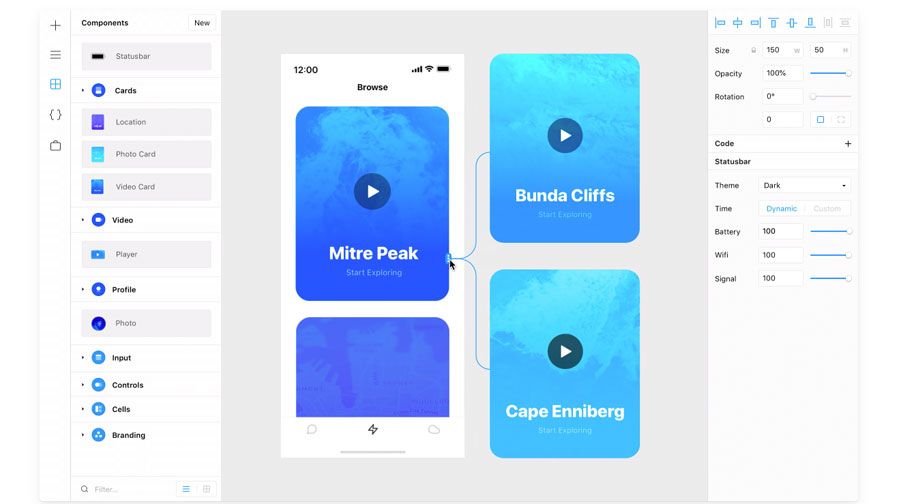
1. Sketch: The Vector Based Designing Tool Having an Intuitive Interface

Rapid Software Prototyping | Software Product Development Company

The vector specific design tool makes it easy for designers to not think about resolutions or the screen densities when they create mock-ups, logos, and layouts. The tool comes with very powerful image edit abilities that make it somewhat as capable as Photoshop.

One of the best parts of Sketch is the set of symbols that the tool comes with. Using the symbols you can pre-design elements like buttons, widgets and other navigation items. The next best part is the ‘export to code’ functionality. Using that, you can format the design in codes rapidly and with high convenience, thus facilitating the fast development process.

2. Adobe Experience Design: The Go-To Tool for PC Users

Adobe XD | Fast & Powerful UI/UX Design & Collaboration Tool

The Adobe XD tool is the one that has managed to become one of the most used tools in a very less time. The website when the designer first logs in, ask their experience level. The tool is 100% integrated with all the other Adobe products which makes it easy for designers to copy and then paste the different assets from Photoshop or Illustrator.

The tool comes with all the functionalities that are present in Sketch and have a very intuitive, clean interface. Adobe XD comes with a drag and drop functionality which creates an image mask for objects that are dropped from finder to a specific space in the tool.

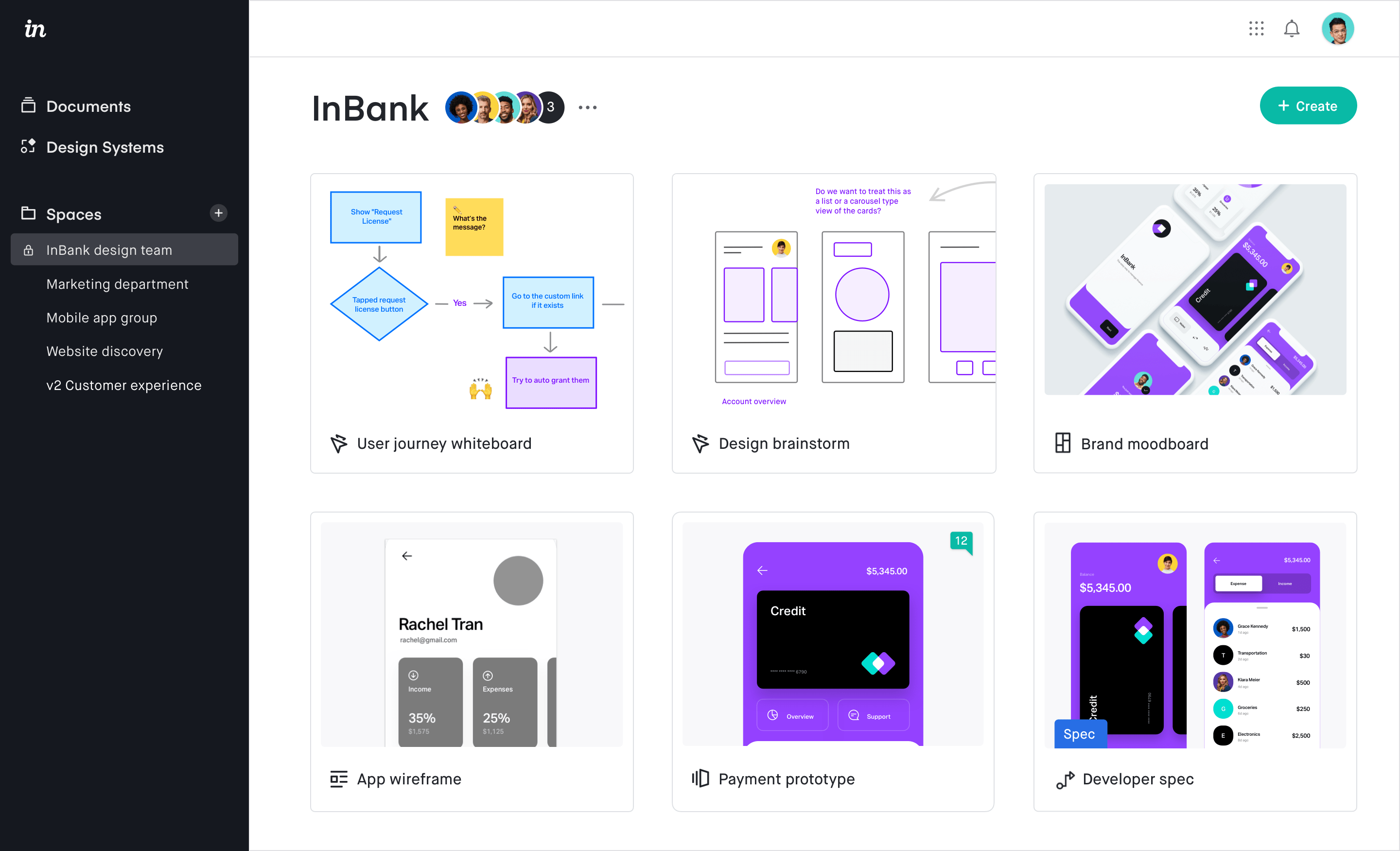
3. InVision: Sharing and Review of Mockups

InVision Reviews 2021: Details, Pricing, & Features | G2

The famous prototyping tool allows the designers to develop very interactive mockups for mobile and web projects. One of the main striking features of the tool is the fact that it offers designers the ease to review, design, test and then share results with the internal team members.

Also, InVision comes with the ability to sync with Photoshop or Sketch documents which allow designers to update the prototype in real-time inside the design suite of their choice. The second amazing feature of InVision is its project collaboration that enables clients to give quality feedback on the digital product.

Lastly, the tool allows designers to add animations and interactions in the static images while giving them the functionality to upload file types like JPEG, GIF, PSD, PNG, AI etc.

4. Framer: To Concentrate on Creativeness

Use Framer X to build interactive prototypes | Creative Bloq

The tool is designed especially for the elite Apple users and allows them to develop elaborate UX Flow and add text and shape to it. It even simplifies the development of layout which is responsive to every screen size while keeping UI elements intact.

One of the best parts of Framer is the advanced path editing which allows you to draw everything which is optimized for the web. In addition to this, the tool offers designers the best icon and style needed for building exceptional prototypes.

5. Balsamiq: For sketching the concepts when on fly mode

Balsamiq Brand Assets - Logos, Screenshots, and Talking Points | Balsamiq

One of the biggest selling points of Balsamiq is the prototyping speed which enables UX designers to quickly sketch concepts. It is a graphics tool which comes in handy in almost every different circumstance – Mobile Apps, Websites, Desktop Apps, and User Interface.

Balsamiq is convenient to drag and then position the different elements, all the while giving designers the same experience as they would get when working on whiteboards. Ultimately, with its slick UI and minimalist charm, the tool makes it possible for designers to develop prototype and wireframe for the clients, very quickly.

Now that we have looked at the top 5 mobile app prototyping tools that we will be focusing on this year, let us look at the other 22 tools that we have come to work and love overtime at the back of our 900+ apps.

6. Origami

Origami Studio — Origami Studio 3

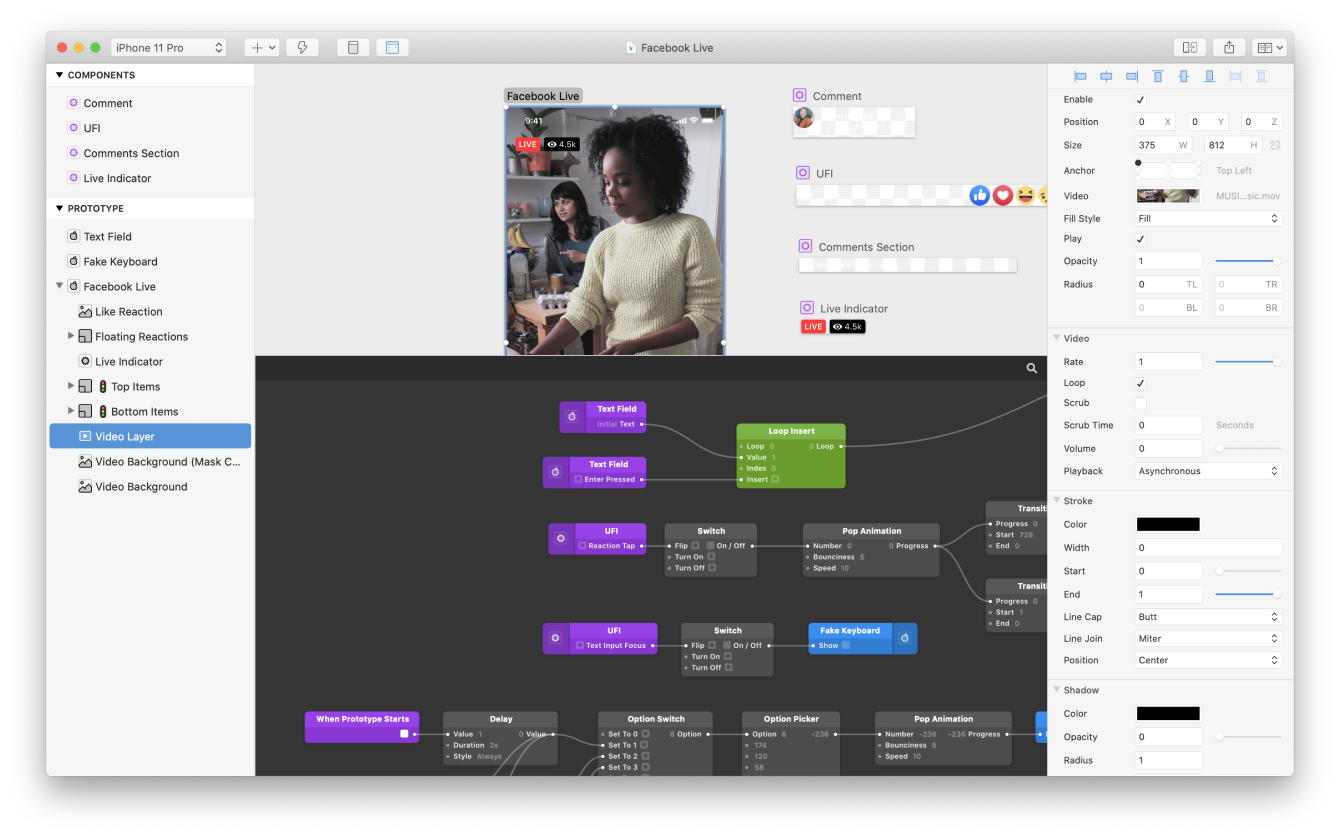
The standalone interface design tool which is created by Facebook engineers has been used by the brand to design apps like Instagram and Facebook Messenger. It is hands-down a complex tool which Facebook makes up for by giving amazingly great functionality.

It allows you to preview the app prototype through Origami, copy and then paste layers with Sketch and get them to work on Origami. The tool even enables you to record a prototype and then send it to people from the app itself.

The last amazing functionality that Origami offers is that it can be connected to your Android or iOS device and you can preview it live.

7. Axure

Axure Software Solutions | LinkedIn

It is a complete design tool for designers. It gives you the functionalities needed to design apps from beginning to end. In addition to prototyping, Axure also enables you to design mockups, idea board, persona, wireframe, diagramming, etc.

The interesting thing about Axure is that it is not just for the designers but also for coders. It enables you to code and add the ready components plus libraries, helping you create better designs, absolutely seamlessly.

8. Atomic

Atomic is like Google Docs for interface prototyping | TechCrunch

One of the top web based prototyping tools, Atomic requires Google Chrome to work to give the designers the control and flexibility that they need to fine-tune their interactions. The tool offers easy access to the developers as well by offering a shared prototyping system which is effortless.

Atomic also offers you a history option that enables rewinding of previously done iterations and creation of new versions.

9. Principle

Creating a Principle prototype animation in 30 minutes — beginner's guide | by jenn | UX Collective

The platform-independent prototyping tool makes designing elements illustrating pop, ease, and bounce extremely fast. The tool gives users the freedom to transition between one screen to another, while providing the capacity of animation to the designers, enabling them to animate more than one element on the same page.

10. Just in Mind

Learn how to prototype web & mobile apps from scratch

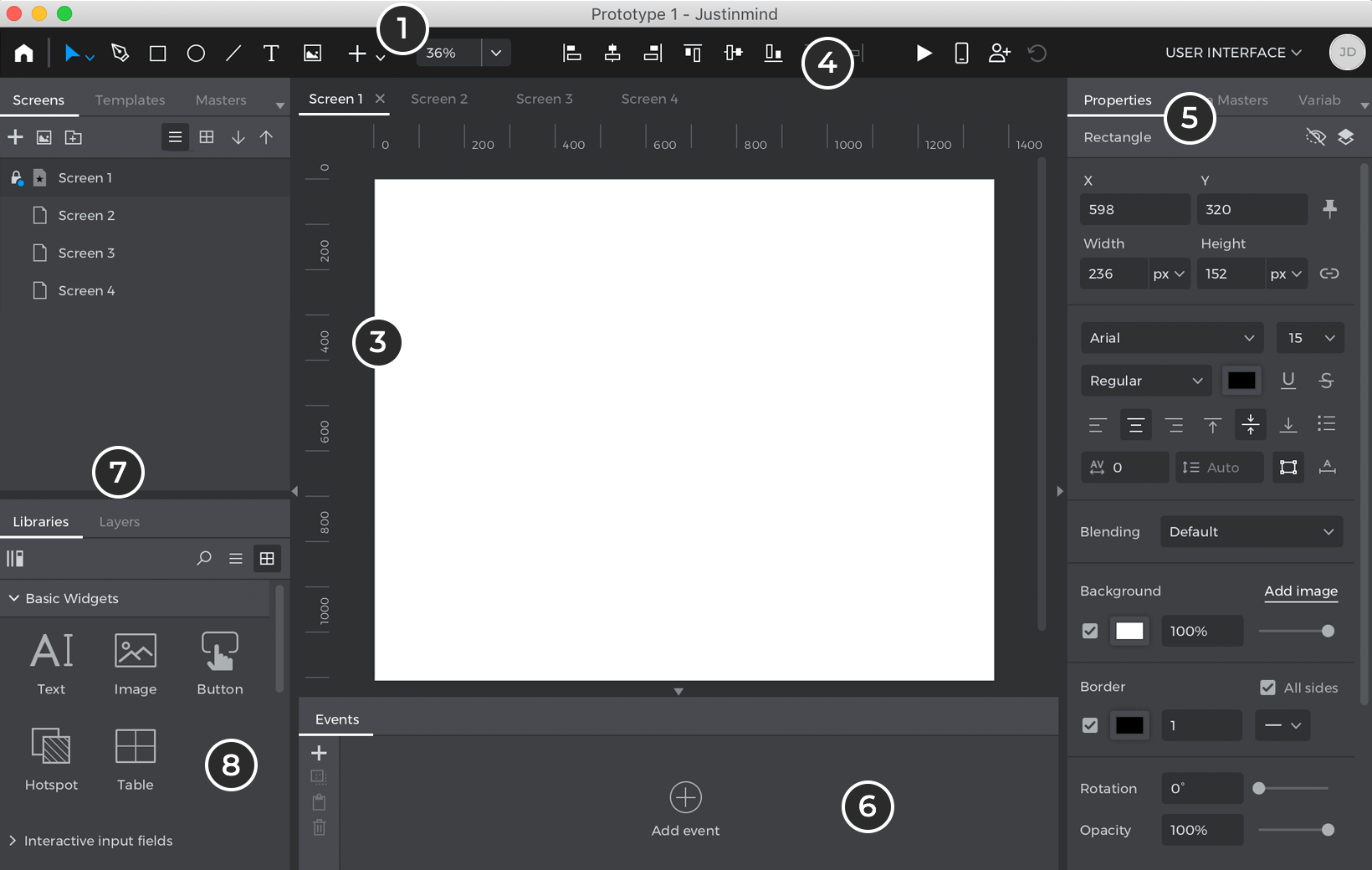
The all in one tool used for development of interactive prototypes comes with over 500 widgets for web and mobile app prototype designers to choose and work on. The prototyping tool also gives them the facility to test mock-ups from the device of their choice.

11. Wireframe.cc

Wireframe.cc | The go-to free, online wireframing tool.

The minimalistic web app makes it easy to create low-level prototypes that come in handy for quick visualization of the app idea. The best thing about wireframe.cc prototyping tool is that it supports and promotes teamwork, making it easy for the team to comment on hotkeys, prototype, and sharing.

12. Pidoco

Pidoco - Wikipedia

The tool brought into existence mainly for convenient team collaboration at the stage of prototype development makes not just teamwork but also template customization convenient and easy for the team. With the tool, you can create very interactive prototypes in very minimal time. Also, the usability that Pidoco comes with, lowers the development and design phase while sparing the extra cost incurred.

13. Mockplus

Mockplus - Design, Prototype & Collaborate better and faster

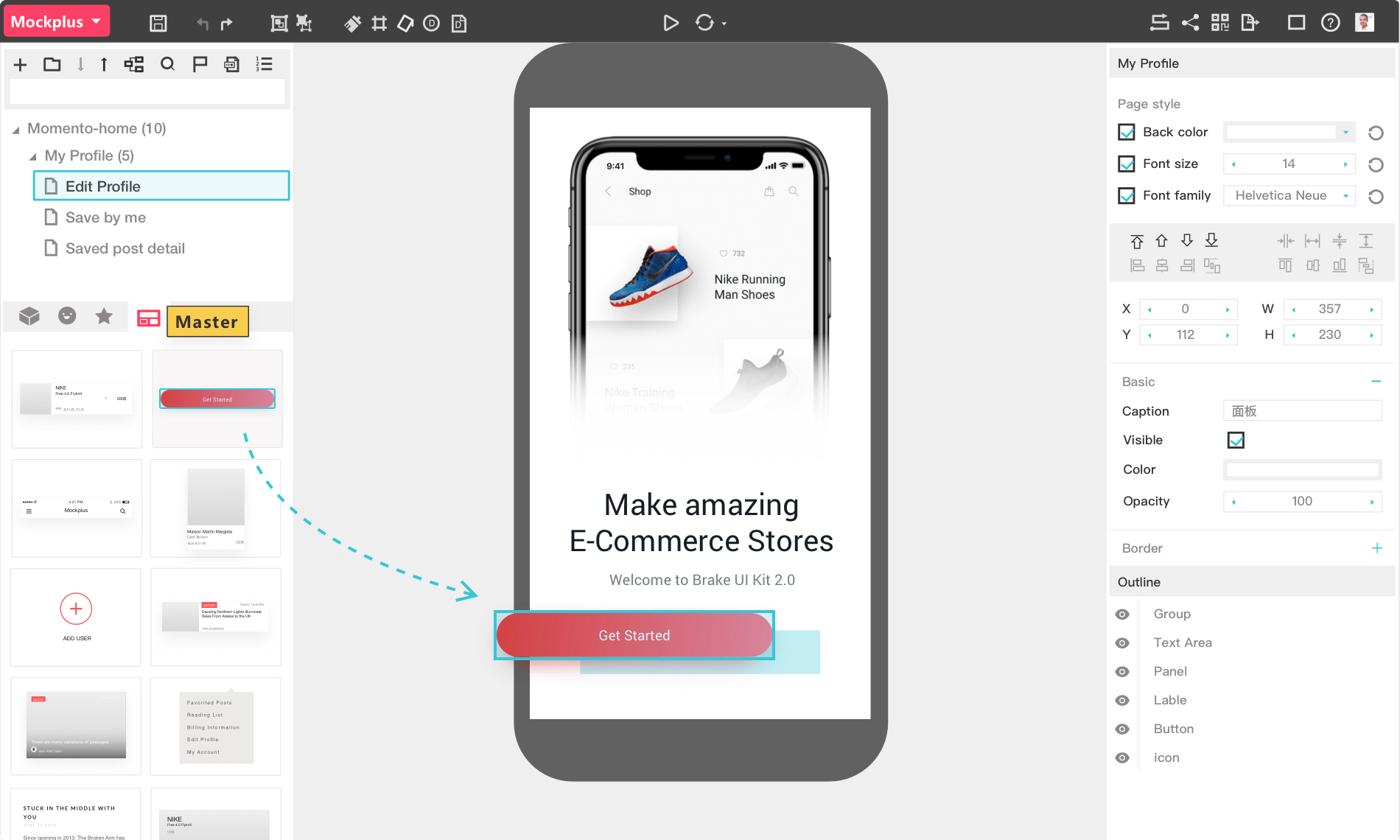
The tool, which is also one of the top prototyping tools makes it easy to develop and analyze the work of a lo-fi prototype. Even though the functionality of Mockplus is minimalistic, you can create interactive prototypes, no matter what difficulty level they belong to, with the help of the wide UI component library.

14. Proto.io

How Mobile App Prototyping Works | Proto.io Blog

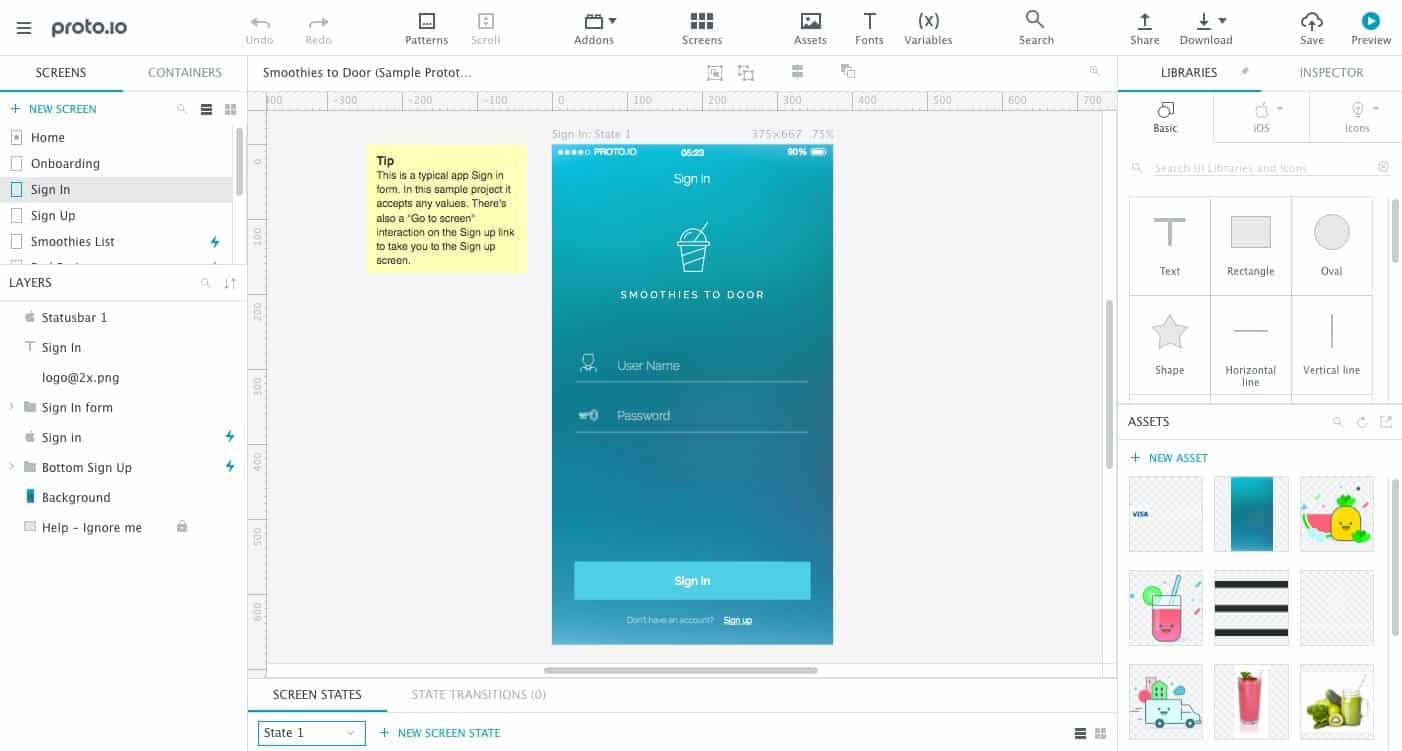
The tool enables you to develop a very detailed prototype, thus giving you the ability to work on the micro-interactions with mobile app users, with the help of its interface animation feature. It also makes it possible to test developed prototypes with the help of a convenient system used for teamwork and sharing.

15. Flinto

Flinto – The App Design App

The tool is basically a fully functional app operating in Mac that enables the creation of a hi-fi prototype. The app can easily be integrated with Sketch via a plugin – which in turn gives you a convenient way to develop an animated prototype. The tool also gives you the freedom to create the prototype and then share it with the team.

16. UXPin

Test prototypes (remotely) with UXPin, FullStory, and Netlify | by Joshua Rudd | UX Collective

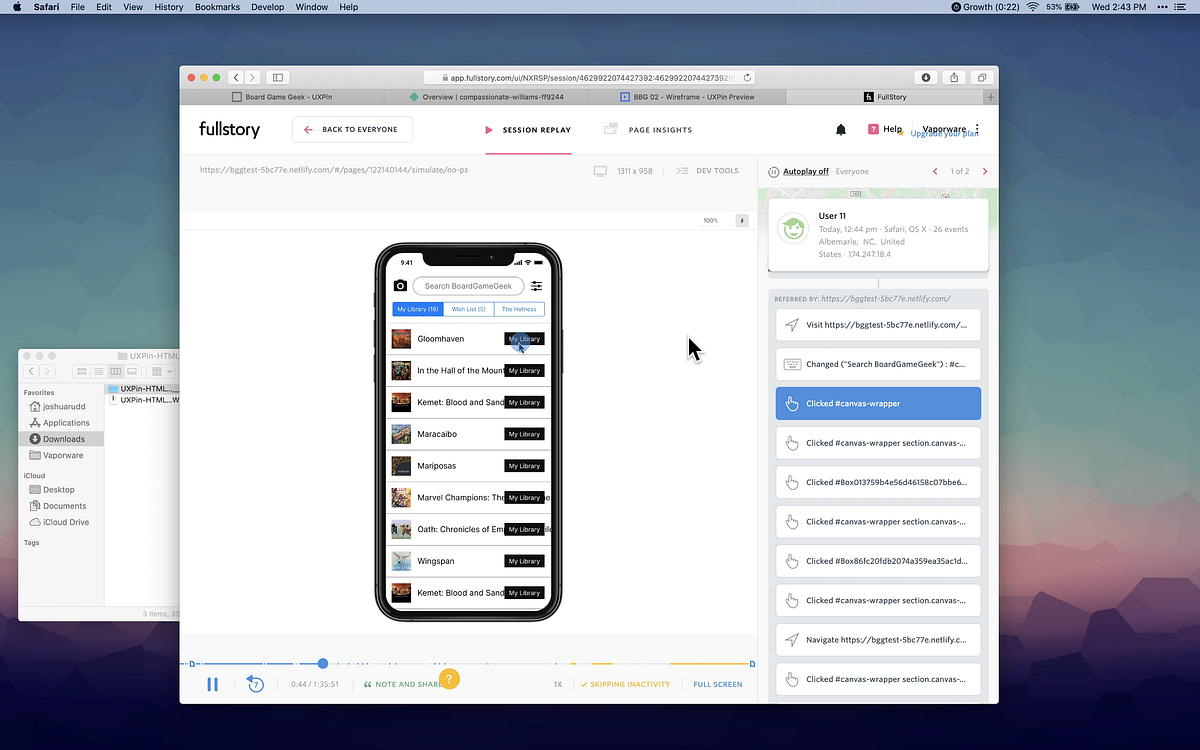
This multi-purpose web tool allows the creation of both high and low-fi prototypes. It comes with an easy commenting system that offers easy collaboration within the team. It also gives you the provision of opening up projects from both Sketch and a library of dozens of the UI kits.

17. Marvel

Marvel - The design platform for digital products. Get started for free.

Marvel is hands-down one of the easiest web and mobile app prototyping tools for designers to start with minimal to zero experience in the field of prototype development.

The simple interface that the tool comes with, promises a very low learning curve for the designers. The biggest appeal of the tool is its features that satisfy advanced designers, specifically the powerful integration with Sketch and Photoshop, making it not just one of the best prototyping tools for beginners but also for their experienced counterparts.

18. OmniGraffle

Visual Communication Software To Make Pro Diagrams - OmniGraffle - The Omni Group

The diagram design prototyping tool gives you the freedom to create a prototype of screen flow, wireframe, strategy maps, and a number of other diagrams. With the help of OmniGraffle, you can easily visualize flow of the app for it helps in planning the whole app development process without much hassle.

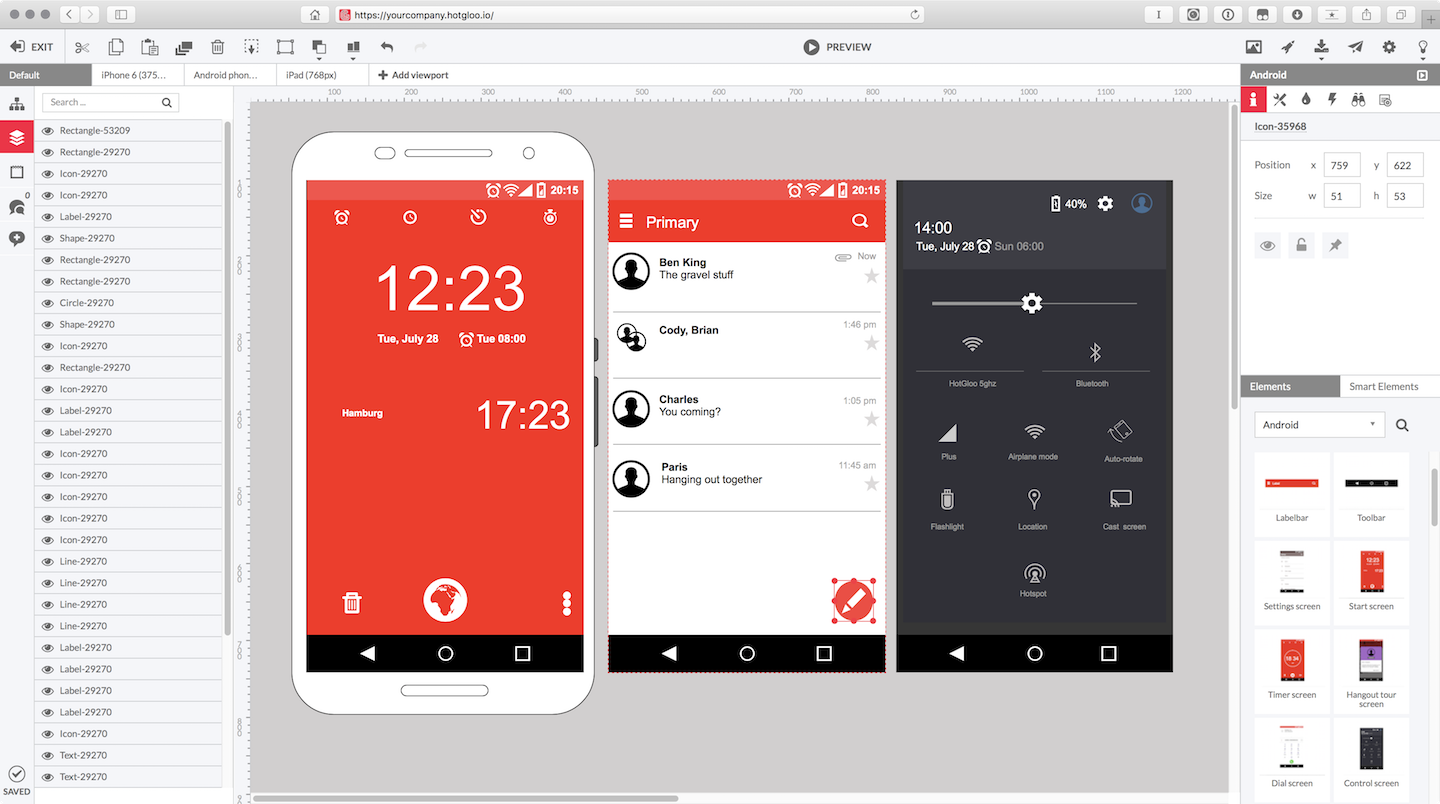
19. HotGloo

HotGloo | Wireframe UX Prototyping Tool

The sound interface design tool, with its amazing interactive features, enables designers to prototype a number of mobile applications which need a specific user interface. It makes it possible for the designers to operate on specific wireframe from no matter where they are.

Since HotGloo is a web-based tool, you can work on it from anywhere and will not be asked to download any specific software.

20. Zeplin

Why Zeplin | Zeplin

The collaboration tool for developers and designers is much more than workflow and design – it enables app designers to develop a complete masterpiece. It makes it possible for you to upload the visual designs and wireframe from Sketch and Photoshop and then add it to your Zeplin’s project folder.

With Zeplin, the iterations happen in real time, meaning developers never have to wait for designs to finish for they are introduced to the whole process from a very early stage in the design process.

21. IconJar

Organizing the icons and bringing them in one place cannot get any easier. Iconjar makes it possible for you to upload and then store all the icons in a single place from where you can search, drag and drop them in the project on Photoshop or Sketch.

When you design prototypes, searching for and uploading the icons can be very stressful and extremely time-consuming – something that Iconjar helps getting a solution in by helping you organize millions of icons in a single place and then adds them in the Photoshop, Sketch, or Illustrator with a simple drag and drop.

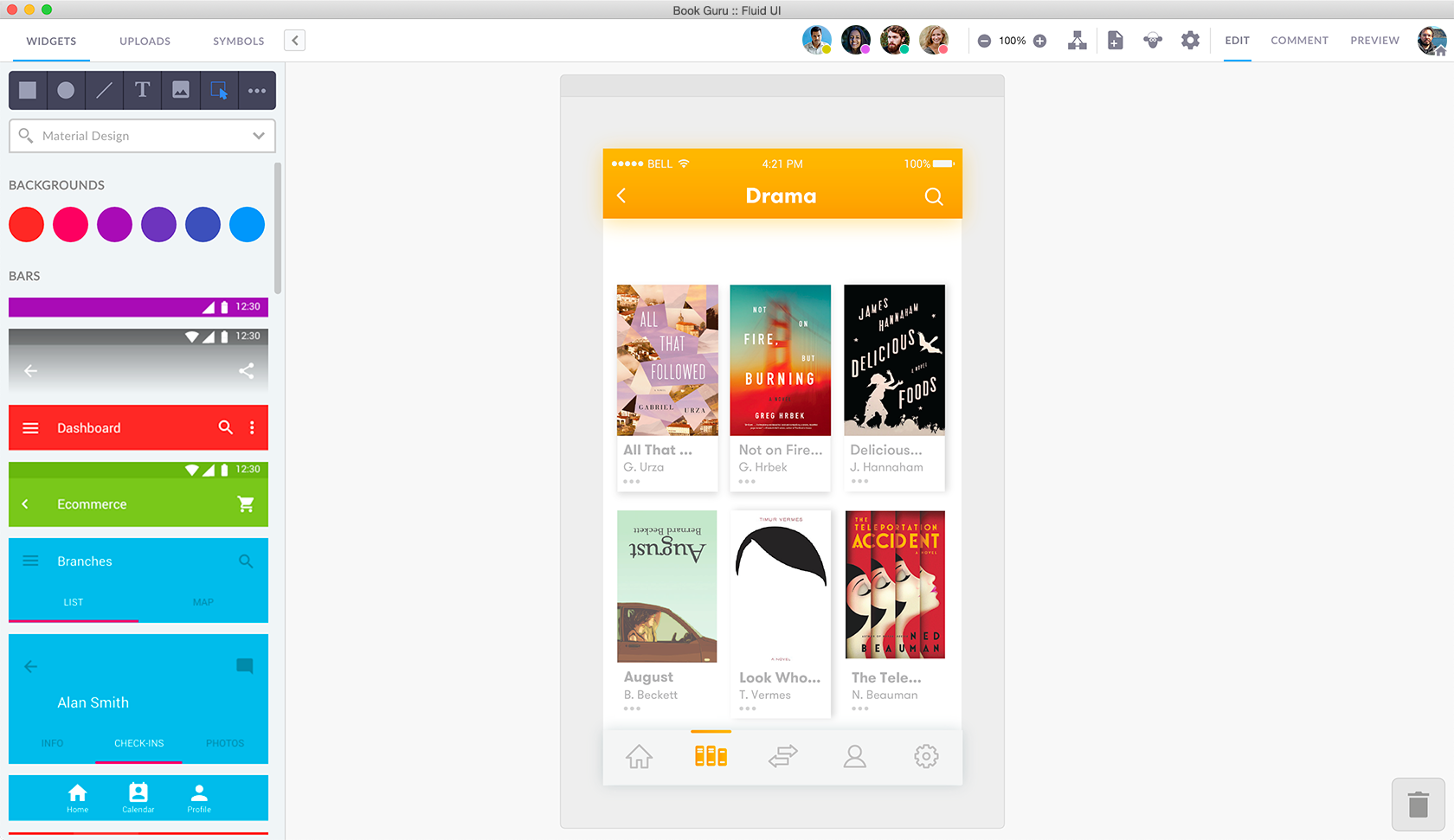
22. Fluid UI

FluidUI.com - Create Web and Mobile Prototypes in Minutes

It is a one-stop shop solution for design, communication, and collaboration requirements. The platform is a must-have tool for the designers looking for powerful collaboration features that can be used to design and then edit in real time and with the team. It lets you create prototypes, present designs and then collect feedback all inside a single platform.

23. MindNode

Mindnode - Web App by Eliyas Mohamed on Dribbble

The simple interface and zero complex features tool comes in very handy in designing the relationship maps. The tool enables you to prioritize the most important work when you are working on some design. It even lets you set deadlines and reminders on the platform itself to ensure that you are working within a timeline.

Using MindNode, you can fold and then unfold nodes when you need access for the project. Also, with the help of their Cloud software, you can easily share the project with other people and handle it through a collaborative effort.

24. Vectr

Guide To Prototyping Mobile User Interfaces | by Vectr | Medium

The tool lets you design the prototype on Vectr’s desktop and web app designed for Windows and Mac. One of the top mobile app prototype software helps you design the prototype on both desktop and the web browser – making it easy for you to work when you are ready while giving you access to all the changes. The prototypes that you make using Vector can be shared to others through URL and get integrated into applications like Slack for a more powerful collaboration.

25. Prott

Prott - Prototyping tool for Web iOS Android apps

The nifty prototyping tool gives you the ability to photograph the rough sketches and then import them straight into Prott’s Android and iOS apps. The sketches then can be used to build prototypes. It also makes the presentation extremely easy with the help of its interactive, effective presentation resource. Prott is also known to offer a wide range of collaboration tools for the designers to make sharing the design an easy process.

26. Webflow

Prototyping with Webflow

Webflow is outfitted towards making good quality web animations, interactions, and responsive website design.

At surface level, Webflow may have all the attention of being simply one more website builder. But webflow additionally offers a code free interface. This is incredible information in case you’re just needing to make sharp, striking websites without having any computer science degree. One of the other striking features that makes it stick out and sparkle is its eCommerce feature. This includes making Webflow captivating for developers to construct smooth, modern shopping sites or web applications.

27. CanvasFlip

Get FREE prototyping & user testing ! | by CanvasFlip | Medium

The last in our list of best prototyping tools of is CanvasFlip. The tool is known to ensure 4 times faster prototyping when compared to the many other prototyping tools in the market.

It comes with several notable features like timers showing splash screens, setting of footers and headers, layers for displaying messages, etc. Features that both developers and designers benefit from.

Wrapping Up

Now that we have looked at all the different 27 mobile app prototyping tools that our team of designers has been vouching for their collective years of experience, it is time to bring an end to the whole discussion with a parting note.

While we rely on the five prototyping tools mentioned at the beginning of the listicle and our team of designers have enjoyed working with all the 27 prototyping tools, the use cases that every project come with might ask for varied prototyping tool, something that can only be estimated after looking at the project idea.

So, if you wish to know which out of all the 27 prototyping tools would be the best fit for your app idea, get in touch with our mobile app designers and UI design company in USA  today.

How Much Time Does It Take for Development of a Mobile App?

How To Build A Mobile App In 10 Easy Steps - The Appineers

  1. All the different app development processes take their individual development time.
  2. Although research stages take up around 2 to 3 weeks of development time, when done right, they can not just save time on a later stage but also aid the smooth sailing of processes.
  3. Factors that slow down the mobile app development timeline are changes made mid-project inexperienced developers and  use of complex technologies
  4. RFPs, MVPs, and Cross-platform development tend to speed up the app development process.

There is no doubt about the fact that with 350 billion app downloads worldwide, businesses are looking to get the same attention. It’s very normal for a business to inquire about the app development process and the mobile app development cost.

Usually, businesses and clients are interested in knowing how long does it take to create an app, the cost of app development, and all the efforts involved. As soon as they learn the benefits of having a mobile application for their business, they wish to get on with it. Hence, the question how long does it take to develop an app.

{Also read our article on – How much Does it Cost to Develop an App Like Careem & Uber}

Now, usually, the average time to develop an app looks like the below image. But there is no definite time as it depend on person to person and company to company

But there is no definitive-ness. And thus this article.

In this blog, we will not only look at the mobile app development process, factors affecting the average time to build an app but also will determine how long it takes to mobile app development.

Key Stages of The Mobile App Development Process

The app development process has different stages and all of these stages require different time slots. From the planning process until the launch of the application, the entire process is interdependent on each other and requires proper attendance. It is quite obvious that apps with different sizes and different features have different app development time.

Each development stage is discussed below to answer the question ‘how much time does it take to build an app?’

This is one of the main documents that entrepreneurs and app developers often miss out on. Ideally, the better the brief the lesser time it would take to understand the software project and the requirements. In fact, this one step can have a HUGE impact on the time required to develop an app.

There are some things that you have to include in the brief which you are working with such as the company information. But to help give your app development agency a detailed understanding of the project and the mobile app development services they will have to deploy.

The outcome of this stage is usually: The Brief of an App Development Before we look into the different design and development related phases, let us first look into the time it takes to set the basis of all the design and development processes that follow.

Project

  1. Project goals and the success metrics
  2. RFP
  3. NDA
  4. The budget range
  5. Delivery date

Stage 1: Forming ideas and research

What is Research? - Purpose of Research

It’s easy to get great ideas but it’s not necessary that everyone will agree to it being great. The idea formation and research part very much affect how long it takes to build an app. This stage involves starting with an idea and then researching it for more improvements.

Even if the idea of the app seems right, a test must be run to keep things as real as possible. This can prove to be a very important step taken in the initial stage. Testing application ideas also ensure that when the app is launched in the market, the users are going to love it.

Another thing that this stage involves is targeting the right audience. It is in this initial stage that the right audience is targeted for the app. Defining the target audience not only helps in boosting the app after its launch but also in shaping the app in the right direction.

Different apps have different size and ages of the target audience. For instance, Facebook has all ages of people on its platform whereas Tinder has a younger target audience. Targeting has made these apps so successful therefore is suggested that proper targeting and research should be done.

Analyzing the competitiveness of the market and the app is also necessary. During the research about the app, one should also gather information about the competitors and potential threats. This will prepare the app owners for any difficulties after the app launch.

The entire research takes several weeks. By the end of the research, you should know all the strengths and weaknesses of the competitors, the app strategies and defined target audience.

By the end of this stage, you should get these outcomes:

  1. Minimum Viable Product
  2. User Stories
  3. App Prototypes

Stage 2: Planning it all out

All About the New Goal Action Plan Pages

The next stage is the planning stage. Once you know all about your market, its time to plan out the app development process. The planning stage involves decisions regarding the configuration of the app. These decisions include making a choice between iOS and Android, native or hybrid, cross-platform or not, web-based app or mobile app, etc.

Once these plans are made, its time to add on the features. Now the features of an app should be such that neither does it complicate the app nor slows it down. There are many basic features that an app should have such as search bar, social media sharing buttons, profile building, login option, etc. These features make a basic app much convenient for users.

As the app size increases, the features are more and more directed towards the type of app. For instance, any e-commerce app will have the ‘Add to cart’ feature. Similarly, social media apps have the option of media sharing and various other features for engagement on the app.

All these planning is quite complex and will require a month or so.

Stage 3: Design Sprints and Idea Validation 

Design Sprints - Validate New Product Ideas in 1 Week

Design sprints processes are being used for testing different aspects of an application. It takes around a week to complete the whole design sprint. The idea of the stage is to test different aspects of the idea and get them validated by a pool of prospective users.

Design Sprint helps businesses understand if users value a feature, how they use it, when they would be using it, how easy or difficult do they think it is to navigate the application, etc.

Stage 4: Development stage

In the development stage, there are three elements that need to be built: the UI, Front End and Back End. Once all the planning is done, the developers and designers will work their magic and start building the app. So how long does it take to build an app? Well, the development and designing stage takes about six weeks.

The UI of an app is taken care of by graphic designers. This gives the apps an appearance to enhance the user experience. UI is important for any app to flourish in the market because the users seem to like visually appealing apps more.

The Frontend and the Backend are also very important components of the app development process. The Front End is what users see and how they act in an app but nothing will make sense until the Back End is developed. The Backend connects the UI with the system and allows the proper functioning of the app. So, how to make a mobile app without either of these? Well, you cannot.

Let us deep dive a little to know what both the engineering processes consist of:

Front End Development, Back End Development, and Full Stack Developers

Backend Engineering

  1. Data storage
  2. Users management
  3. Server-side logic
  4. Data Integration
  5. Versioning

Frontend Engineering:

  1. Frontend logic
  2. Caching
  3. Synchronization
  4. Wireframing
  5. UI Design
  6. UI development

Stage 5: Developer and QA Team

Introducing QA to Agile team

Picking the best development team is never simple, even when you have the best team you are in constant search of more. To help you with the hunt, you can either look for them locally, which is quite difficult or outsource the task to either app development companies or to freelancers that will turn into a team under your influence.  Or if you want, you can opt for companies in your area like mobile app development company in USA if you live in the US or any other area where you reside.

Obviously, the most ideal alternative is to find a current development team with demonstrated experience in the industry and direct all the requirements to them. There are a few reasons behind that:

  • Having a team means that they know each other and are strong as a group.
  • As the developers know each other thus, their work timings and pace are similar minimizing any sort of delays.
  • Having a strong team with a project manager will help you to place all your requests to an individual (project lead/manager).

Another incredible benefit of selecting a ready to work development team is that, they will give you the end result and will handle all the application development stages themselves. In addition, proficient groups can provide you with a good understanding of the process of developing apps, guide on improving the work process, and assist you with picking a native or a hybrid app, based on your objectives.

Stage 6: Testing

Top 25+ API Testing Tools | Nordic APIs |

What does it take to run an app? To know whether the app is even going to run after the development is finished, we need to do test runs. We cannot deny the fact that the app will have some or the other bugs that need to be fixed before the final launch. These bugs can be identified with the help of tests.

There are many ways to test a mobile app’s performance and functioning. We, at Anteelo, have our own strategies for testing mobile apps. The quality assurance tests are run so that users don’t find any issues when they first use the app making the app more likable.

Alpha and Beta testing are done on the app to make the app error-free. After the testing, the app is launched. Post-launch whatever feedback is gathered from the users, the necessary changes are made.

Stage 7: Deployment on Stores

Retailer bridges the digital and physical gap with touch screen deployment in stores – with instant sales growth

The time that it takes to deploy the app can be divided in two sections: submission & review. When you submit an application, either on the Apple App Store or on the Google Play Store, there are some guidelines you will have to follow, such as:

  1. Screenshots
  2. App Descriptions
  3. Icons
  4. Video or Image demonstration
  5. App Store Optimization

The time stores take for deploying your applications.

When you compare the time it takes to launch apps on App Store compared to publishing them on Play Store, Apple follows a very detailed reviewing process – which increases the launch time to some extent. On the other hand, Google makes use of algorithms for pre-analyzing your apps, thus lowering the app launch time.

What Slows Down The App Development Process?

As seen in the section before, the app development process usually takes about 2-3 months. But there are some things that delay the overall process and the answer of how long it takes to create a mobile app.

Mid-project changes

Types of Project and Managing Changes to Control Project Quality

Developing apps is a continuous process where all the stages are connected to each other in some ways. If there are sudden changes in the plan in the middle then the process is bound to get slower. These mid-project changes can also affect the app’s performance since too many changes in an already built code base can do that to the app.

Unexperienced developers

How to effectively lead an inexperienced team of junior developers | Programming Pearls

What does it take to build an app that is successful? Great ideas, proper budget and a good developer, for sure. Often business especially start-ups make the mistake of hiring developers that aren’t up to the mark with the work. This results in slowing down the process as well as a poor app for the business. Our team of app developers is highly skilled with good experience at hand which has allowed us to launch high performing apps one after another. We also have helped our clients with their app ideas so that they get the best outcome for their business.

Complex technologies

Cyber Security | Complex Technologies

Technologies like machine learning, artificial intelligence, VR, AR, etc. cause the slow down of the mobile app development process. There’s no doubt that these technologies make the app a better experience but everything good comes at a price. And the price of using the latest technology is that they might slow down the app development process.

The reason why this happens is that the technologies are a bit complex and takes time to fit in the app.

Industry-wise difference

The industry for which the app is being built also plays an important role in the average app development time. The answer to the question of how long does it take to make a social media app is 1-2 month(s). Whereas on-demand apps take more time to be developed. Therefore, the industry is another factor that affects the time required to make an app.

How to Speed Up The Time of Application Development?

With the fast growth of mobile apps, one cannot afford to slow down in the development process. Businesses, be it startups or enterprises, are looking for mobile app developers who can develop apps faster without compromising the quality of the app.

There are no problems without solutions and the same goes with time required to develop an app. When it comes to startups, then gathering a massive crowd is a survival goal and for that mobile apps are the solution.

By now we know how to create an app and what does it take to make an app? We have also known what factors affect the time to make an app. It’s time to see how we can reduce the time of application development.

MVPs and prototyping

The Benefits of Prototyping - UX24/7

MVPs or prototypes are a great way to save time. They can be built easily and resemble the original idea of the application. Once the MVPs are out in public, the actual app can be built by adding features and making improvements.  Many businesses like Airbnb, MailChimp, etc. started as MVPs before the actual implementation.

Go for cross-platform

Go! Cross Platform for developing Mobile Application – iphone, Andriod Mobile Apps Developer & Programmer

Android vs iOS is the biggest debate of all times and sometimes people get so confused that they don’t know which to choose. The timeline and cost of app development of both the platforms individually are relatively high. But cross-platform app development is a solution for this. With tools like Xamarin and PhoneGap, great multi-platform apps can be built which take less time.

Hire a professional developer

7 Undeniable Reasons to Hire a Professional Front End Developer - iPraxa

A professional app developer for your app is the best you can do. Not only will the app have amazing UI/UX design but also will take less time to develop. In fact, the hours will only lower if you choose to outsource. Being one of the top reasons why you should outsource, when you choose a professional app development company off-shore, you’ll not just get a good experience but will basically make your work easier. Appinventiv is also a professional app development company that has developed several successful apps for clients.

Agile development

There are numerous app development organizations that follow agile development as it accelerates the development cycle. The main purpose behind agile app development is that the organizations can’t face the challenge of starting all over again. It has a flexible and adaptable programming structure that is ideal for open-ended communication between app owners and developers. To put it plainly, it speeds up the development process and guarantees that the application is developed on time.

White label solutions

White label solutions are products that were produced by one company and then is rebranded and made to look like other company’s. This will save a lot of time since there will be no need to build anything from scratch. However, this will not result in a good application especially not the one that generates huge traffic or sales.

Automated testing

Top Tools Needed for Automation in Testing: Automated Testing Execution, Data Generation, Test Management and More

Automated testing, although it sounds a quite obvious thing but this is ignored by many. This type of testing is one of the significant periods of development that reduces the mobile app development cycle. The best thing about automated testing is that it can run a whole set of tests all at once. This decreases the time spent on manual testing and helps in improving the security of the application. Automated testing involves several testing methods that are applied to save time. As the testing process becomes quicker, the development process also aces its speed. Executing more than one testing strategy can offer error free code.

This was our take on the mobile app development process timelines and some ways to reduce app development timeframe. Feel free to contact our app developers at Anteelo for any further queries on how to reduce yours.

From a Startup’s Perspective: Mobile Web vs. Mobile App

Mobile Web vs. Mobile App: Which Is Right for Your Business? | by Igor Izraylevych | Medium

Mobile apps have to be built from scratch whereas mobile web are an adaptation of the website version. There is no denying that both the ways of mobility is great but there are some extraordinary factors that differentiate one from another.

If we stop and look around we will notice that the world is turning into a giant mobile strategy stopping at nothing. Every business, every corporation and every institution has come to use mobile in some way or the other for its functioning.

Earlier, the debates used to be between offline and online media but now the case is different. These debates have turned into one online media vs the other online media. For mobiles, there are two strong terms: mobile apps and mobile web. This app vs website discussion has not settled yet and the question of ‘Is it better to use an app or the website?’ always looms.

Many say that it’s better to have a mobile web than a mobile app but then there are advantages of the mole app over a website that proves them wrong. And, the same can be said of mobile websites.

In the end, the most important factor that decides is it better to use an or the website is the purpose. The aim with which the development is done is how the decision should be made.

With statistics hinting at the fact that by 2019 mobile users will grow to 5.07 billion, both website and mobile app seem to be a great option as both are mobile-driven. In a case like that, the only thing that will help make the choice is an understanding of both the elements.

How Are Mobile Apps Different From Mobile Websites?

8 Differences between Mobile Apps and Mobile Websites - Bizness Apps

It is often misunderstood that the mobile website and mobile app is the same. Since both are used on one media, i.e. mobile or smartphone, it does not mean both are same. There are differences between a mobile web and a mobile app which helps in deciding which option would be better for any web and mobile app development company. Developers must know which option to choose for which project to achieve the desired result.

Coming back to the difference between a mobile website and mobile app, let us look at the following points.

  • A mobile website does not need any separate downloading from the app store. It is simply the mobile view of the website version which is accessible from any mobile device. Whereas mobile apps need to be downloaded from the app store and are developed by mobile app development companies.
  • Mobile app vs mobile website has another difference of user convenience. In a mobile website, the original website content is composed within the screen of the device whereas mobile apps are built to provide a far better version of the website.
  • The chances of regular visits are higher on mobile apps than on mobile websites. As mobile apps are stored in the smart devices it can be reopened and used whenever one wishes to. However, mobile websites are used to announce events or programmes to a larger audience.
  • Because of difference in websites vs app development process, the updating process becomes different on app vs website. Websites update automatically whereas app users have to download and install an update of the app. Sometimes users delay the update of the apps which is not possible on mobile websites.
  • The data storage location differs in a mobile app vs mobile website. All the data stored in the mobile app is stored on the mobile device itself. And in the case of websites, the data is stored on the website servers.
  • The app vs website security is another major concern for users as well as developers. It is seen that mobile apps are more secure than mobile websites and are protected by various security tools. Mobile app development vs web development involves a different approach to security which in the end affects the overall mobile security.

Pros and Cons of Mobile Apps vs Mobile Websites from a Startup Viewpoint

The app vs website debate has some valid points and each has its own pros and cons which we will discuss in this section. The benefits of a mobile website vs an app are enough to determine which must be chosen.

Mobile websites

Pros of Mobile Websites

  • Compatibility Mobile websites give more compatibility to users. The reason being mobile websites improve the user experience across multiple devices. Whereas mobile apps have to be built separately for different devices which affects the overall user experience.
  • Reach Websites have more reach than mobile apps because of its multi-device support feature. Reaching a large audience does not require much effort in case of mobile websites. When it comes to reaching the potential audience, mobile websites take the win.
  • Maintainance and support Mobile websites don’t need the regular download-install-update process which mobile apps follow. It is easy to implement the update without users having to download it separately. Once all the updates are active, it is visible on all devices.

Cons of Mobile Website

  • Convenience Mobile websites don’t match the convenience level of mobile apps. Mobile websites cannot use features that a smart device offers. Features such as camera, GPS, calling, etc. may not work with most of the mobile websites which add to the inefficiency to convenience.
  • User experience Fitting one giant website page within a small device screen seems to be impossible. And even if it is made possible, it will affect the UI of the website. Mobile apps provide a far better user experience by allowing personalization and interaction.
  • Offline accessibility Websites cannot be accessed offline and do need a network connection. This is not a problem until a user is unable to find the network and needs to access the website. Mobile apps have the option to be used offline without any problems.

Reasons To Go For Mobile App Development For Your Business

Pros of Mobile Apps

  • Convenience Mobile apps have been ruling the world for a decade now and focus on user experience. By providing fast loading time, high-end performance and ease of use, apps have become a part of human life. Apps are revolutionizing the entertainment world, the healthcare sector, the political sector, etc.
  • Personalization Personalization is one of the best advantages of a mobile app over the website. Mobile applications are built in such a manner that users can make changes in the way they want to use the app. Apps allow setting preferences, saving useful information and even sharing media on social networks. All these features enhance the overall user experience.
  • Offline and online Mobile apps can be used offline without any issues. Since the apps are not an adaptation but rather a completely new product developed by app developers, it can work offline. This means that mobile apps can be used in places where there are no networks and gives apps an upper hand in the app vs website security. AI technology is also being implemented in mobile apps for a better future. 

Cons of Mobile Apps

  • Maintenance and support Regular update and bug fixes are required in the mobile app or a mobile website. In the case of mobile apps, a new update has to be downloaded and installed which is the extra task for users. In mobile websites, updates are automatically implemented without requiring any action from users.
  • Compatibility As we know mobile apps are built from scratch which makes the whole mobile app development a huge process. But even after the efforts, some devices may not support the mobile app due to a different version or different platform.

Mobile App vs Website: Stats That Speak in Support of Both

Mobile App Vs Mobile Website: Who Wins The Race?

  • The mobile app vs mobile website statistics shows that the app industry may be worth $190 billion by the year 2020.
  • In the above pie chart, it is seen that maximum users like to use a mobile website or application at different times as per the need.
  • The USA mobile users spend most of their time on mobile apps than on mobile websites on a daily basis. This app vs website usage shows the preference for mobile apps among US citizens in the app vs website debate.
  • These stats show some famous social media networks that have become mobile-first. Ever since these turned into apps, the engagement has risen two times more than it used to be.
  • Another mobile app vs mobile website statistics shows that website’s reach a larger audience as compared to mobile apps. However, mobile apps have 2X more usage time than mobile websites.

When To Use Which: Mobile Apps Vs Mobile Websites

The battle of mobile app vs mobile website has another interesting aspect: when to use which? This question can have many answers based on what you are trying to achieve. For a startup, gaining customers is more important so a website will be the way to go. However, this cannot be said for a startup looking for more engagement.

Here are some pointers that will help you find the best choice based on your need.

Want To Reach More Users?

User Research: is more the merrier? | by Shrut Kirti, User Experience Researcher @Adobe | UX Collective

When it comes to reaching more users then websites are always the better choice. Analysing the Google search traffic data, around 21% of the total traffic comes from mobile devices whereas the rest comes from a desktop. It was also seen that iOS apps have more reach than Android apps in 21% of mobile users traffic. So, for reaching a larger audience whether you are a business or a startup, websites would be the right choice.

Have App Visits that are More than 5 times A Day?

If your app has the ability to get multiple user visits in a day then you should definitely go for a mobile app. To maintain regular visits, the app must be fast and high performing. If you want users to ditch the website then make sure the apps have more to give.

Need to Use Device Features?

Six additional features you can easily add to your smartphone - The Economic Times

Features like GPS, Camera or Calling cannot be used in a web app. A dedicated mobile app will give a totally different experience when it comes to using such features. However, you can access these features on a web app with the help of HTML5, NodeJS, Geolocation API, etc. But then again the question lies about the user experience. To be honest, both the options are good for using features like these if the user experience does not matter much.

Need Fast Operational Speed?

Mobile apps are no doubt faster than web apps because of local storage of data. Unlike web apps, mobile apps don’t need to transfer data to the server or download data from the server which makes the app a faster experience. So when speed is the concern, mobile apps are the favourite choice.

Want to Work in an Offline Mode?

How to Make Your App Available in Offline Mode

Sometimes network is not available in certain places and that’s when offline mode comes into the picture. The mobile app, hands down, wins in this argument. A mobile app can be built in such a way that it can be used offline or be able to download data for offline usage.

Can You Spend $10K+ on Your Project?

If the answer to this question is no then you might want to go for web apps. Mobile app development costs can range between $10K- $100K for Android and iOS which is a lot, especially for a startup. Also, the prices differ depending on the demography, type of app and other factors. It may cost you $10K for a simple app but a cheap app is not worth it. So, if you can’t spend a ton of money then a web app is your wisest choice.

Will You Update Your Offering Very Often?

If so, then go for web apps first and later you can go for a hybrid app. A hybrid app makes launching updates easier since the users will not have to go and update the app. Apps like Twitter, Instagram, Gmail, etc are all well performing hybrid apps. The benefits of going for hybrid apps are there is no waiting time, one platform needed to build more features and real-time updates.

For a Startup, Is it better to Use a Mobile App or Website?

Why Mobile App Needs Website and What It Should Be Like

When it comes to deciding one between mobile app vs website, there are some things to consider first.

Mobile web app vs mobile website has always been debatable especially for those who have wanted one developed for their business. We clearly saw the advantages of the mobile app over the website and found more pros than cons. So for a fair play, we can say that mobile apps are a better choice between the two.

If a startup wishes to reach a larger audience in a short time and less cost then mobile websites are the better choice. To gather a large audience and reach a wider population, websites are great.

However, if you want more engagement then mobile apps are the choice. As the stats for apps vs website usage show, mobile apps have increased the engagement among the users. If you are going for native app development then you get benefits like app security, better UI, high performing app, more engagement, etc.

The solution is not the choice between mobile app development vs web development. It is rather choosing the one that will be most effective for your business model. The right solution must be able to fulfill all the needs and execute the business strategies that have been pre-planned.

In addition to mobile apps and websites, businesses also have an option to go for PWA development. PWA stands for Progressive Web Apps which load just like web pages but have more features to offer. With PWAs, you can work offline, enable push notifications, and use any other feature that a mobile app offers. It is basically a web page that appears as a native application to the users. It is also claimed that PWAs are the future of the app development world.

If you wish to build a mobile app or a mobile website, contact us at Anteelo. We have a team of mobile app developers ready to turn your app ideas into reality.

Angular 5.0 for Mobile App Development- Understand

What to Expect in Angular Version 5 0

A short time ago, on November 1, 2017, Google rolled out its fifth version of the tool that app developers have been swearing by, Angular – Angular 5.0.

And ever since its launch, the version has been an active source of discussion among the various Google developers communities.

While it’s the technical features and improvisations that Angular 5.0 has been launched is what making the developers swoon over it, let us look at why you, as a brand that has decided to launch a mobile app, should have a peek at it, as well.

But before we get into the reasons that would make investing in Angular 5.0 for your next app, let us look at the upgrades this version has got over its previous one, very briefly.

How is Angular 5.0 Different From its other Versions

Top Reasons to Get Your App Built with Angular 5.0 - Rootinfosol

  1. Build Optimizer With Angular 5.0, Google has been able to mark the parts of users’ app as pure, which removes the parts of users’ application which aren’t needed. It even removes the Angular decorators from the users’ application code run time. The aim is to increase your app’s boot speed.
  2. Angular Universal State Transfer API The API is focused specifically on helping the developers perform the server-side rendering of the Angular applications. By doing this and then bootstrapping it on HTML generated, one can give support to the crawlers and scrapers, which do not support JavaScript, thus increasing your application’s performance.
  3. New Router Lifecycle Event It allows the developers to track cycle of their router from the very start of the running guards till the completion of the activation.
  4. Improvements in Compiler The improvements now provide fast rebuilds, Specifically for the production builds and those with AOT. There have also been features addition in the Decoraters, which now makes it possible to ship small bundles by eliminating the whitespaces.

While these are just the few, there are a lot many additions in the Angular 5.0 version, making it one of the best Google’s tools for Application Development.

Now that you must have gotten the idea of the latest Angular version and what it entails, let us now look at some of the reasons that make Angular 5.0 worth investing for any brand looking to enter the mobile world with their partner app development agency.

Reasons to Choose Angular 5.0 for your next Mobile App

1. Reduced Loading Time

Grow Your Business With These 7 Digital Marketing Tactics | Search Influence

A greater loading time implies greater user dissatisfaction and lowering user patience. A factor that translates in greater app abandonment numbers, and greatly dissatisfied customers along with poor productivity. All of which can be tackled with one of the Google offerings – Progressive Web Apps.

Angular 5.0 has introduced an API called the Service Worker that is made in sync with the concept of Progressive Web Apps.  The API, which is also used to migrate websites into PWA, is the JavaScript Worker, which runs in browser background and even allows the admissions of features, which don’t need any involvement of the web page and/or the user-interaction. Now with the API, when the app utilizes caches to serve its users, one can expect the app to showcase offline mode functionalities. This is a massive move for the Mobile Apps community, as the inability to serve users in offline mode has kept maximum mobile app brands in the back seat.

2. User Experience to Go Better with Enhanced Material Design

Making More with Material - Library - Google Design

Material Design in mobile app is that comprehensive framework, which is mixed with resources, theories, and tools which are aims at providing the required guidance to make the mobile experience a creative one.

AngularJS 5 is to make Material Design components compatible with server-side rendering. Beyond doubt, this is no less than a reward for the UI-UX designers. The attempt by Google will help in improving the visual language that users understand the best irrespective of their ages. If you are an AngularJS developer, hold your breath as Google is yet in the process of eliminating a few bugs before releasing this functionality.

3. Lower App Abandonment Rate

The Problem Of App Abandonment And How To Fix It

The number reason behind app abandonment has been slug issues. When it comes to the app users, they have very less patience towards the apps that work slow and even worse is not responsive. Both the issues, clubbing as app’s poor performance together increases the app abandonment and bounce rates. But, no more.

Angular 5.0 has completely revamped the RAIL model (Response, Animation, Idle, and Load Model), which focuses on making the app much responsive towards its user’s actions. In the developer’s guidelines, Google has emphasized much strongly on faster user-interface, and Angular 5.0 is just the tool for that. The tools is expected to allow the users to be acknowledged within 100 ms, in case of no scrolling or animation, the page should appear in under 10 ms and lastly, for they should be delivered the content they came looking for within a time frame of 1000 ms.

The Build Optimizer feature of Angular 5.0 aims to do just that. As the tool comes in as default, the developers don’t have to do anything extra to make it come into the process. It helps reduce the mobile application size by leaving out unnecessary codes. By introducing the StaticInjector instead of the ReflectiveInjector, Google has made it easy for the AngularJS developers to lower down their application size, substantially.

Angular JS 5 is all set to make the app industry faster and responsive. Are you ready for the future.

Development cost of a Doctor Appointment App Like ZocDoc

Doctor Appointment App

 Table of Content:

  • The Rise in Demand for Doctor Appointment Booking Apps
  • Recent Fundings list in the Field of Doctor Appointment App Development
  • Top Players of the Doctor Appointment App Category
  • Key Features to Include in your Medical App For Doctors Appointment
  • How to make your app for doctors appointment future ready?
  • How to Generate Money on Your Doctor Appointment App?
  • The Cost to Develop a Doctor Appointment App Like ZocDoc

The evolution track that the mobilized healthcare economy has placed the industry on has not just made health care more accessible and real-time but has also achieved the complication of bridging the gap between the patients and doctors.

One of the biggest contributory digitized factors behind this movement that has made healthcare more hassle-free and accessible than ever before is App for Doctor Appointment.

The way digital healthcare IT solutions industry is moving has now made it possible to handle functionalities like bookings, cancellations, re-booking, follow-ups, and reminders online, crossing all the fuss linked with manual appointment schedule systems.

The ease that online appointment booking apps offer has brought in an unprecedented demand for the healthcare category from all the different stakeholders of the healthcare domain, thus making it an important part of the healthcare mobile apps trends and one of the most followed upon healthcare app ideas.

The Rise in Demand for Doctor Appointment Booking Apps

Doctor Appointment Booking App Development - An Overview!

The ease – of booking and monitoring – that the doctor appointment application offer has made them a prime category in the Healthcare & fitness mobile app development domain.

Here’s a short infographic to validate the demand from numbers, statistics that prove how your hospital need a mobile application for scheduling appointments –

The interest that the doctor appointment booking apps have garnered have led to heightened demand from the investor side of the healthcare IT solutions industry.There are a number of funding rounds that have happened in the field of a doctor appointment booking application. Let us look at some of the recent funding rounds in the area –

Recent Fundings list in the Field oDoctor Appointment App Development

  1. HotDoc, in September 2018 raised $5 Million at the back of its active doctor appointment users who belong to million users count. The active investor, AirTree invested in the brand to support expansion into services like telehealth services and several payment functionalities within the application.
  2. Solv, the same day health appointment app, in May 2018, raised $16.8 Million to expand beyond appointment booking space and give users the facility to pay their medical bills through the application itself. The investment round lead by the Slavet’s firm Greylock with an active participation from the Aspect Ventures has brought the total funding to over $21 Million.

Apart from these, a number of other apps like Kry and Any Time Doctor have also bagged high investments at the back of their plans to bridge the gap between the healthcare app for patients and doctors by making healthcare more accessible.

With the constant attention and heightened acceptance from all the stakeholders of the healthcare economy and the investors, there are a few doctor appointment booking apps that have established themselves as them as the market leaders.

Top Players of the Doctor Appointment App Category

Doctor Appointment AppIs Setmore HIPAA compliant?Doctor Appointment AppDoctor Appointment App

Doctor Appointment AppDoctor Appointment App

While Practo and ZocDoc are the two doctor appointment booking apps that are ruling the healthcare app category, there are a number of other apps that are performing equally well in the industry.

There are a number of factors that have contributed to making these apps the best in doctor appointment class. But the one prevailing factor present in them all is the set of Features that are present in all the applications.

The features that have now become a must-have lot for healthcare brands seeking constant growth and demand from all the involved stakeholders.

Let us look at what those features are.

Key Features to Include in your Medical App For Doctors Appointment

Stakeholders’ Profiles

A Primer on Stakeholder Management

Building the Doctor and User Profile are the two primary parts of the Doctor on appointment specific healthcare app development. While the user profile will be drawn around the users’ name, age, gender, and basic medical data like height, weight, blood group, hereditary disease, etc. The doctor’s profile will have details like their area of specialization, the location of their clinic, the timings, names of hospitals they are associated with, and the visitation charges. What we would advise is to treat the user’s profile page as their personal health chart and the doctor’s profile page as a section where everything – their specialization, degree, their photo, clinic’s photos etc. is present.

Doctor and Clinic Search

Finding Doc | Book Doctor Appointments Online : Search Hospitals & Clinic, Diagnostic Tests, Consult

The next must-have feature in the list is the Search option. Your patients’ side of the user group should be given an option to search for doctors and clinics on the basis of different parameters like the specialization, the clinic’s or doctor’s name, the wait time, visitation charges, etc. Opt for having a wide search filter menu for offering the best services to the users.

Geo-Location Based Search

Sitecore Spatial/Geo Location Search Module

Another addition in the list of MVP(Minimal Viable Product) features would be adding a geo-location based functionality to enable patients to look for doctors and clinics in their area of residence or work. You can make use of Google’s and Apple Map functionality to add in the location-based search feature in your doctor appointment booking mobile application.

The benefit of this would be that the usability factor of your healthcare app would increase by manifold and with it the session time of your medical app for doctors appointment.

Appointment Booking

Appointment Booking and Online Scheduling Plugin by vCita: A Detailed Overview and Review | Elegant Themes Blog

The feature, as it goes without saying, is one of the most basic features of your app to find doctors. The appointment booking feature that you are adding should belong to a very simple interface, where the whole process of finding a doctor and confirming a time slab for booking the appointment is very easy and hassle-free.

You should give the patients the option to select a future date according to their availability while giving the doctors the functionality to accept or reject the appointment in real time as per their availability.

Doctor Review

Top Doctor Review Websites | Top 6 Sites to Create Profiles

Doctors’ rating and review is the one feature that will make the patient side of the users’ get engaged to your mobile app for finding doctors. For your healthcare app, you will have to ensure that you have a good lot of genuine rating and reviews for your partnered doctors.

The case with doctor appointment apps is that the patients only click on those doctors’ profile who have a good set of rating and reviews backing them. So, in case they find profiles with no ratings and reviews, chances are that they won’t interact with those doctors and ultimately with the app as a whole.

Apart from giving the patients side of the users the option to give ratings and reviews, you should also give the option to add media to enable them to add the condition of the clinic for other patients to view.

While these are the features that will form a part of the must-have or MVP features, there are a number of other features that can be added as apart of your application on a future date, once the MVP has proved of your app’s viability.

  1. Telemedicine
  2. Patient Check-In from the App
  3. At home Medical Service
  4. In-Built Payment
  5. Reminder for Appointments

Now that you have looked into all the features that contribute into the making of a successful mobile app for finding doctors, it is time to look into the technologies that can be incorporated to give you a competitive edge among the hundreds of doctor appointment online apps mushrooming in the market.

How to make your app for doctors appointment future ready?

There are three technologies that can make your doctor appointment app more efficient and future-centric –

Artificial Intelligence and Machine Learning

Difference between Artificial intelligence and Machine learning - Javatpoint

Doctor appointment booking apps like ZocDoc is using Artificial Intelligence and Machine Learning to a huge extent for making search more relevant.

What happens is that the general users don’t know the specialization names like Ophthalmologist or Oncologist but what they understand is Eye doctor or Cancer specialist or at times they make queries in more layman terms like doctors for blurred vision, etc.

In the case like this, when you integrate Machine learning in your app, you are able to match the patients to the right doctor with much ease.

Cloud Computing

Why Cloud Computing Is Ideal for Small Businesses

As your medical app to find doctors starts expanding, you will start dealing with petabytes sized data, which you’ll then have to store, demarcate the data into categorized silos, and then transform the data into insights that would then be used to deliver better services.

The cloud computing industry has grown to a huge extent especially for the Healthcare industry stakeholders. With Google Healthcare Cloud API getting ready to hit the Beta stage, the Cloud computing industry is going to bring a number of advanced level benefits for your doctor on appointment app – Big Data, Machine Learning, and Heightened Security powered by Google’s own IAM system.

Blockchain

Blockchain: A Single, Immutable, Serialized Source of Truth | Material Handling and Logistics

While the impact of Blockchain on the Healthcare ecosystem has proved itself to be more than a fallacy, the doctor appointment domain will not be sans the touch of decentralization too. The technology can have several adoptions in the popular healthcare app category.

Blockchain will help bring all the data in one decentralized system which will only be accessible by those who have the access to it, thus eliminating the instance of data or appointment detail leak. Also, the patients, from within your side of healthcare app for patients will be able to check their insurance claim details before booking a doctor’s appointment – something that will help them connect with only those doctors or clinic that are a part of their insurance umbrella.

With this, we have now seen all – The market for doctor appointment online apps, the features set that will mark its success and the technologies that will make your mobile app for finding doctors truly nextgen. The time has now come to look into the different modes of revenue generation to see how you can earn money on the healthcare app that is poised to transform the healthcare domain. After all, if the cost of making an app like Practo or ZocDoc is X, the revenue that you should earn on it should be X+1.

How to Generate Money on Your Doctor Appointment App?

There are quite a few options that you have when drawing a revenue model for your doctor appointment booking app.

The ones that seem to work most in favor of the popular appointment booking apps like Practo, ZocDoc, and Doctor on Demand, amongst others, are:

  1. Subscription: You can give doctors and medical practitioners the option to take monthly or yearly subscriptions, which would give them access to x number of patients. Within your healthcare mobile application, you can either give them the option to contact an unlimited number of patients like what ZocDoc does or make a number of patients wise subscription model.You can also ask the patient side of your users to pay a monthly subscription amount for connecting with doctors on your platform.
  1. Sponsorship: You can give the doctors and healthcare organizations the option to show their names on the top of your healthcare mobile application as part of your Sponsored programme. In the sponsored section, you can offer them greater videos or photos count than the regular users.In our experience, users are more open to paying extra if they are getting higher visibility than the others on the platform.
  1. On-Demand Services: Although an advanced level revenue stream, you can attach a number of on-demand services through your doctor appointment booking mobile app. Services like at-home blood and urine collection, medicine delivery, etc. can be added to make your app an extended healthcare solution provider while finding yourself an additional source of revenue stream.

Now that we have looked at the features that would go into getting your doctor appointment booking app and the revenue streams through which you can earn money on your healthcare app, the time has come to look into How much does it cost to develop a doctor appointment app.

The Cost to Develop a Doctor Appointment App Like ZocDoc

Doctor On Demand App | On-Demand Doctor App Development

If you plan on going with the MVP features that we mentioned before, for your doctor appointment app, the healthcare app developers might charge somewhere in the range of $40,000 to $50,000 but if you are looking to add more advanced features like video functionalities and Artificial Intelligence, it would grow up to $100,000 to $150,000 price range.

What we would recommend is that instead of investing money in the name of doctor appointment app development cost for making a highly advanced full-fledged doctor appointment booking app, start with an MVP, see how it is being accepted in the market and then expand to adding other healthcare app features. This would ensure that you are constantly adding some value to the users’ life instead of giving them everything up front and then being with the same set of medical app features forever.

While we are positive that you must have got all the answers that you are seeking for launching your doctor appointment app in the market and the cost to build a healthcare app, there are still a few questions that our clients ask answers of. Here’s what we tell them.

In case your question is not listed here, contact our team of Medical app developers to get a definite answer.

The FAQ on Doctor Appointment Booking App Development

1. Which platform to go with first

The answer to this would lie with your demographics. If your user group belongs to the western nations, go with iOS. If you are planning to expand your bases to all over the world, go with Android.

What we would recommend is investing in React Native powered Healthcare Mobile App Development and getting the app on both Android and iOS to make the most of both the platforms.

2.  How will I manage doctor’s listing

As an app admin, you will be given a separate profile from where you will be able to add in the doctors’ listing along with their several other details. You will also be given the freedom to remove a doctor from the app or edit their information.

3.  Should I develop a web app as well

While not at the beginning, it would help greatly to expand into the PWA domain, once you have steady traffic coming in. This would only take your app to a million other users at a very minimal price. All the while bringing down the cost to develop doctor appointment booking app.

4.  How to add trust in the app

There are quite a few ways to make your app an element of trust.

  • Get accredited and add badges of reputed healthcare standard bodies in the app
  • Add multi-factor authentication system at all stages – Log in, Payment, Social Sharing etc.
  • Aim at adding real photos, videos, and reviews of the doctors you associate with.
error: Content is protected !!