Web Accessibility

Web Accessibility refers to websites, browsers, and web technologies that are designed and developed with a focus on inclusivity. The web was originally conceived for conventionally abled individuals, whereas Web Accessibility ensures that navigating and interacting with the web is not only viable for all, but comfortable for those who may be differently-abled.

As the World Health Organization (WHO) notes, however, “disabilities is an umbrella term, covering impairments, activity limitations, and participation restrictions, ” whereas the goal of web accessibility is primarily concerned with auditory and visual impairments.

While there are many ways to implement web accessibility solutions, the World Wide Web Consortium (W3C) is the global standards organization for today’s web.  W3C has published the Web Content Accessibility Guidelines (WCAG) that sets the industry standard, acting as a guide to modern web accessibility.

WHY IS WEB ACCESSIBILITY IMPORTANT? 

Bigger Addressable Market

The internet is the world’s primary source of information; it is of the utmost importance that everybody is able to access it. There are over 4.5 billion users on the web, while, according to WHO, about 15% of the world’s population live with some sort of disability. These numbers imply a plethora of users who may struggle with various aspects of internet use. Disabilities can be permanent (such as certain birth defects,) temporary (for example, a broken finger,) or situational (not hearing your phone ring in a crowded concert). Ignoring web accessibility could mean cutting access to many potential users and paying customers. If we pay attention to inclusive design and development for the web, we can bridge an important gap, making sure all potential users have access.

Legal Liability

Beyond being the right thing to do and increasing your addressable market, there’s a legal reason to have an accessible website. The Americans with Disabilities Act (ADA) was signed into law in 1990. While ADA did not specifically mention the internet, numerous legal interpretations and court rulings indicate at least some ADA requirements apply to the virtual world.

Title III of the ADA, for example, requires that public accommodation be provided to disabled persons in a manner that allows for the “full and equal enjoyment” of the privileges, goods, services, advantages and accommodations as those provided to able-bodied persons. Businesses are responsible for making sure those accommodations are made with “reasonable modification.” Any business not providing for that accommodation may committing a form of unlawful discrimination, as stated in 42 U.S.C. section 12182(b)(2)(A)(iii).

A recent example of a business being sued over an inaccessible website is Robles v. Domino’s Pizza, Inc.. The US 9th Circuit court reaffirmed a ruling that Domino’s could be held liable for violating the ADA by not having an accessible website.

THE CURB-CUT EFFECT

Accessibility-oriented enhancements frequently turn out to be useful for all users, whether or not the users are conventionally abled. The curb-cut effect describes this phenomenon. The phrase was popularized when designers noticed pedestrians using a sidewalk feature originally created for wheelchair bound pedestrians. In this instance, conventionally abled pedestrians opted to use sidewalk ramps (i.e. curb-cuts) when they had bikes, strollers, heavy grocery carts, or were otherwise encumbered.

In “The Best iOS Accessibility Features Everyone Should Use,” power-user Lifehacker blogs about multiple features Apple specifically developed in order to enhance iPhone usability for disabled individuals. Lifehacker shows how these features are helpful to all users, regardless of ability, outlining several digital examples of the curb-cut effect.

SEO Benefits

Improving your ranking in Google is yet another reason to focus on web accessibility. While Google’s ranking algorithm is often perceived as unknowable and complex, the primary factors that control search results are in fact simple: authority and relevance. Authority is mostly determined by how many popular, relevant sites link to the site in question. Relevance refers to queues Google uses to determine if site content would be meaningful as a search result for a given query. In judging relevance, Google needs to know what a site is about. While Google’s web crawlers can read a site’s text with relative accuracy, they can’t yet reliably understand the content of images. Accessibility features designed to help the visibly impaired are simultaneously very useful to Google’s crawlers, helping them better understand a page, which ensures the best possible ranking.

WHERE DO I BEGIN?

Web accessibility shouldn’t just be a priority for developers, but for designers, QA, backend engineers, and product managers as well. Since websites usually start with a wireframe design, it is most effective to lay the groundwork for an inclusive website at this initial design stage. This way, it is easier to catch early biases and immediately set up your website for inclusivity and success.

Microsoft offers a handy inclusiveness design portal with a variety of resources for those looking to expand their knowledge on accessible design.  This Cards for Humanity tool is a great way to start thinking about various types of limitations you might want your site to account for.

STEPS FOR DEVELOPERS

The Web Content Accessibility Guidelines, which set the industry standard for web accessibility, hold four main principles. These principles are referred to as POUR: Perceivable, Operable, Understandable, and Robust.

  • Perceivable: How users process information on a website
    • e.g. Can those who are visually impaired perceive the content of an image?
  • Operable: How users navigate the website and its functionality
    • e.g. Can a user who struggles with a mouse pause a video with their keyboard?
  • Understandable: How simple it is for a user to operate the website and intuit the flow
    • e.g. Will a form easily indicate if the user missed filling out a field?
  • Robust: Can the user experience the website through a variety of mediums, including assistive technologies, without having to compromise?
    • e.g. Can a user with a screen reading Chrome add-on access the same content a conventional visitor can?

Other guidelines to take into account as a developer include keyboard controls, color contrast, semantic HTML for correctly intentional element tags, and ARIA labels for describing an element with no text.

Final Thoughts

Since the web is integral for accessing information, as well as heavily relied on for connection and community, Web Accessibility should take priority with each iteration of web development. Accessibility should be constantly reworked and improved to provide access to everyone who needs it. We believe that accessibility will soon be considered a must-have for every minimum viable product (MVP,) rather than seen as an optional upgrade.

Creating an accessible web is the right thing to do, and improves the cyberspace experience for all users.

Big Brands Making Use of PWAs to Improve Their Business

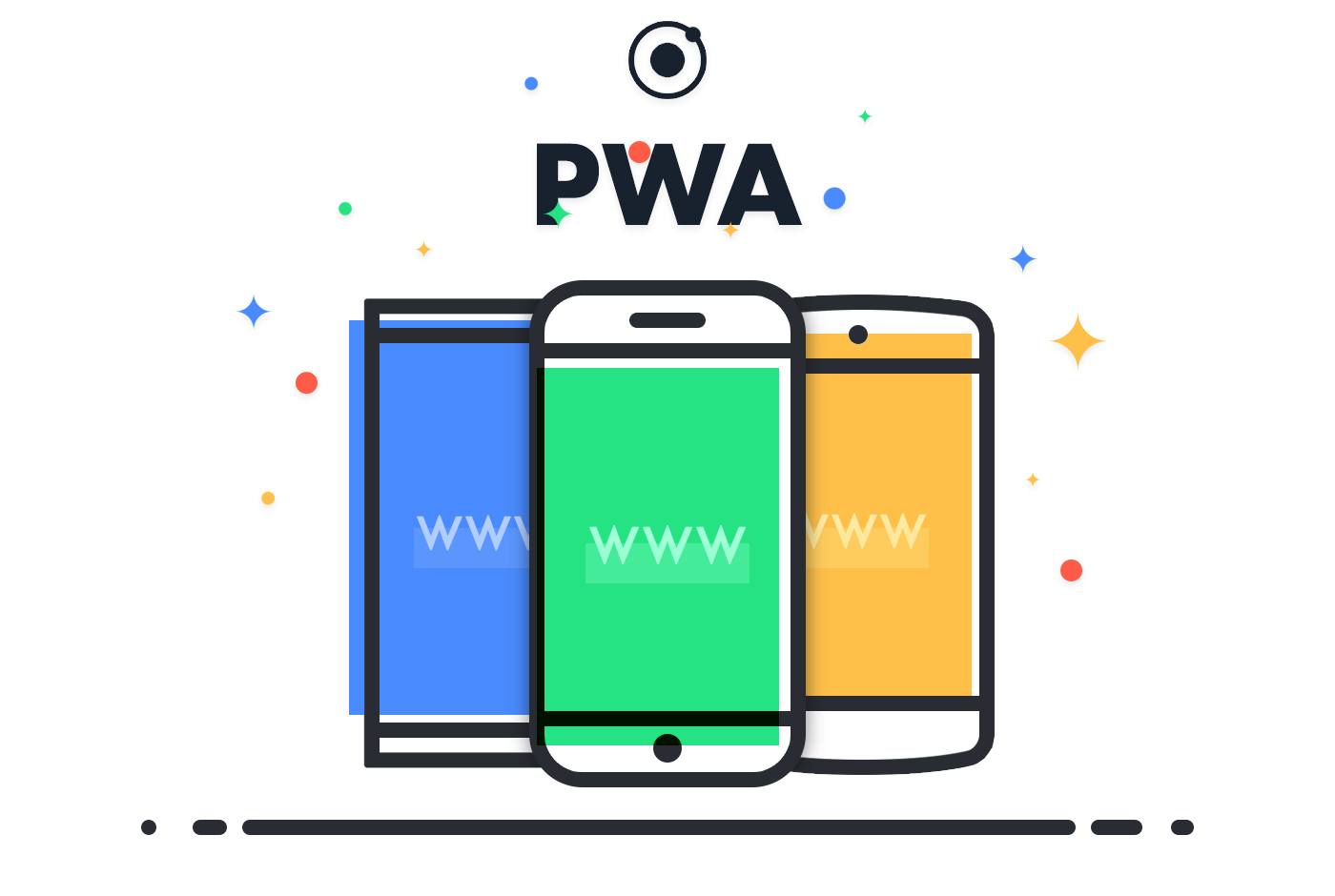
What are Progressive Web Apps? - Ionic BlogAs the technology industry continues to make more and more investment in innovative web solutions, the progressive web apps aka PWAs are becoming more prevalent. Today, PWAs are fully supported by Chrome, Opera, Firefox, Microsoft Edge and iOS, making great progress in providing benefits of PWA for businesses.


This growing support for PWAs is driven by demands from leading brands seeking to take full advantage of their capabilities. Listing some progressive web app examples below to provide you the growing importance of progressive web apps:

Twitter invested heavily in making its main site a responsive PWA to create a faster user experience with an enhanced interface, joining the likes of Facebook and Pinterest which both use PWA features.

Similarly, media powerhouses like the BBC, The Washington Post, and Forbes have also launched progressive web app for business to distribute their content more seamlessly across consumers and various types of devices, from desktops to cell phones.

The PWA landscape is rapidly changing the e-commerce vertical and big businesses like Twitter, Starbucks, Washington Post, Pinterest, the Weather channel and much more have launched their PWAs in the last six months.

So why are top brands making the switch towards the technology and reaching out to PWA development experts? To get the answers, let’s read and find out.

What are Progressive Web Apps?

What are Progressive Web Apps and How Do They Work?

PWA stands for progressive web app that you can install on your system. It uses the cached data from your previous interactions to enable it to operate offline or without a stable internet connection.

A progressive web app is a website that functions just like a native app. It has all the functionality of a native app and still manages to deliver the usability of a website. PWAs are intended to address a range of problems ranging from inadequate networks to data obstruction or total lack of connectivity.

Google describes PWA’s as web experiences that are:

  • Reliable: Loads instantly and never shows a website to be down, even under unpredictable network conditions.
  • Fast: Responds easily to user interactions, with silky smooth animations and without janky scrolling
  • Engaging: Feels like a normal app, with an intuitive user experience.

Progressive web apps use the latest technologies to blend the best of both online and mobile applications. Progressive web application development is increasingly becoming the norm for the future. For businesses trying to optimise user experiences, PWAs fit right in the requirements in terms of budget, feature, development time and more.

Progressive web app benefits companies by offering an enhanced user experience through progressive enhancement. Robust PWA solutions are useful in accelerating the technological capabilities, empower companies and add the right balance to the business.

Since the advent of PWAs, many businesses have leveraged the power of this platform to reach new markets and enhance their user experience. After all, the Progressive web app framework is simple to develop, test and maintain, post-deployment.

How are Brands Using PWAs to Connect With Users?

The ease of access, cross-browser compatibility, and faster page load times help companies render a higher-level user experience that impresses consumers and gets them hooked.

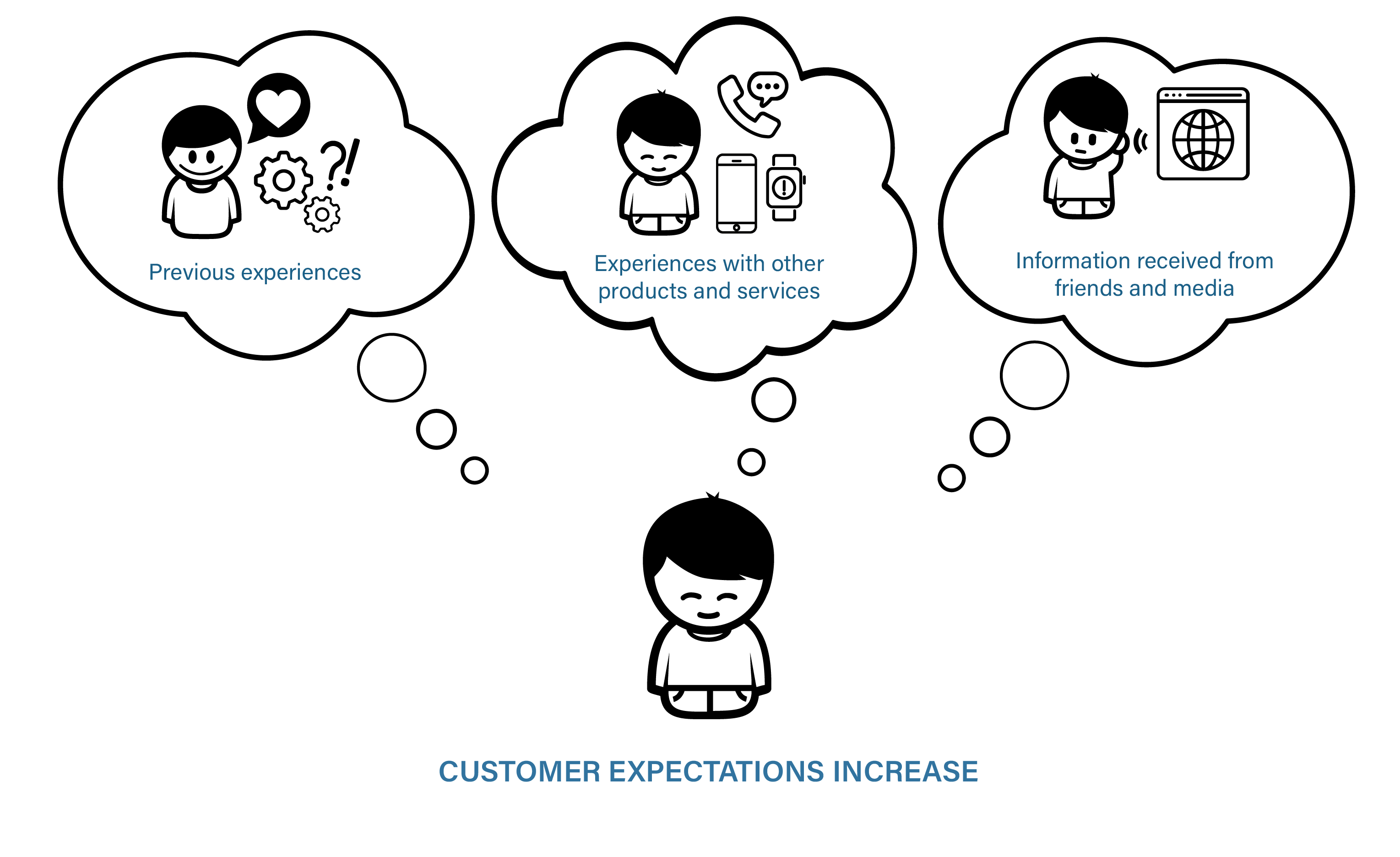
1. Rising consumer expectations

How technology is changing customer expectations. | by Deborah Nas | The Startup | Medium

Customers have little tolerance for brands that have poor digital experiences. With plenty of choices at their disposal, consumers can easily move on to another brand if they have an underwhelming experience. When Pinterest and Starbucks launched their PWAs, they both saw a noticeable increase in interaction metrics. Pinterest saw a 60 percent rise in mobile interaction with quicker page loads, while Starbucks’ PWA was designed for web-based order management, and is now preferred by consumers over the native app for the coffee company.

 2. Native-like appeal

7 key principles of designing visually appealing websites | The JotForm Blog

PWAs provide a consistent and adaptive interface across all devices. It loads like a standard website but has many advanced native mobile app features, including the ability to add one touch to device home screens, to operate offline, and to allow push notifications. They also offer website benefits, such as search engine discoverability and the ability to be available from all modern web browsers. Additionally, PWAs can appear in the App Store and Google Play alongside native mobile apps.

3. Resource use and decrease in expenses

Maximise savings with cost cutting measures - Bizmag.co.za

PWAs need only one code base to provide website and mobile app-like experience across devices and browsers, which implies it needs only one team, one software platform, one test approach, and one digital product roadmap to plan, design, create and manage both a website and a mobile app-like experience. PWAs not only reduce the cost of product design, development, and maintenance, they also save money for organizations by allowing for quicker delivery of new features and bug fixes.

4. Adaptive

Adaptive thinking in practice

Innovative brands understand that technology is changing at an incredible speed, and they need to implement more forward-looking technologies to avoid rapid cycles of strategy, design, production and re-construct for digital solutions. Progressive Web Apps are fundamentally versatile and continually changing to meet the new functionality improvements. If you are rewriting a legacy website or native mobile application as a PWA today, it will work for years to come as expected. PWAs are built for transition, ensuring that companies should avoid investing in one-off websites and mobile apps that eventually need redesigns to meet evolving demands and technologies from the audience.

9 Best Examples of Companies Using PWAs

1. Forbes

Inside The 2013 Forbes 400: Facts And Figures On America's Richest

Forbes, a multinational media company, turned to Progressive Web Apps for their new mobile experience in order to improve loading times for their readers. The previous Forbes site took about 3-12 seconds to load.

The new site grounded in progressive web app technology is capable of loading in 0.8 seconds. As a result, Forbes saw a 43% increase in sessions and a 100% increase in engagement.

2. Flipkart

Flipkart strengthens fashion business; acquires stake in Flying Machine's owner Arvind Youth Brands - The Financial Express

Flipkart, India’s biggest e-commerce site, adopted a mobile-only strategy in 2015. After shutting down their mobile site and focusing only on their native app, the company was not seeing the desired results. They decided to combine their web presence and native app into a PWA to allow their current and prospective customers to have instant access to their store.

Compared to their previous mobile presence, Flipkart has tripled time-on-site with their Progressive Web App. Users spend an average of 3.5 minutes on Flipkart Lite versus 70 seconds on the predecessor.

Flipkart has also generated a 40% higher re-engagement rate among first-time visitors and a 70% higher conversion rate due to the “Add to Homescreen” icon, because customers have instant access to Flipkart whenever they want.

3. MakeMyTrip

According to the MakeMyTrip Survey, 1 in every 2 Indian traveller is looking to book an alternative accommodation for their next trip | Travel Trade News | Online Travel News | Travel Magazine

MakeMyTrip is India’s leading travel company with 8 million visitors monthly. After the addition of PWA, the major changes in the site such as improvement in conversion rate is 3X, the loading time of the page has increased by 38% and shopper sessions have increased up to 160%.

4. TwitterLite

Twitter Lite is now available in 21 more countries | Engadget

Twitter wished their mobile web to be faster and more attractive. In addition to PWA, Twitter launched TwitterLite which becomes the fastest and easiest way to use Twitter. With lower data consumption, TwitterLite also gives benefits such as reduced Bounce Rate up to 20%, and the page per session increased up to 65%, 75% in Tweets.

5. Alibaba

Alibaba.com | LinkedIn

Alibaba.com is the world’s largest marketplace for suppliers, buyers, and manufactures. It is the biggest E-commerce platform that recently adopted PWA and witnessed a significant increase in interaction rate up to 4X, and a huge rise in the conversion rate by up to 76%.

6. Starbucks Coffee

Menu of Starbucks Coffee, Connaught Place (CP), New Delhi - magicpin

Starbucks allows its customers to check the menu, create the orders and add the orders to the cart even when there is no signal or poor connection. With the addition of PWA, Starbucks improved its performance and rendered a highly responsive and fast performance.

7. Trivago

Trivago - one of the largest hotel search engine

Trivago is a big name in Hotel Search Engine Marketing. The availability of Trivago’s PWA is in 55 countries worldwide with 33 languages. After the adoption of PWA, the percentage of user engagement has increased by up to 50% and Click rate has increased by 97%.

8. Instagram

What Is Instagram and How It Works: a Beginner's Guide

We all use Instagram, but are not aware about its working. When you access Instagram on the mobile browser, you are accessing it through PWA. Presently the PWA looks very much like the traditional application and gives you some additional features like you can now upload images.

9. Pinterest

Pinterest - India

When you consider Pinterest’s UI and its design, it is totally fit to take advantage of Progressive Web App technology, thus they have. Their PWA gives them a lot quicker loading times and the capacity for clients to add it directly to their landing page with no download or installation. They’ve seen a 40% rise in time spent on the mobile site, just as a 44% increment in client generated ad revenue.

Advantages and Disadvantages of Progressive Web Apps

Advantages of a PWA

Smaller and faster

Sonic Running Wallpapers - Wallpaper Cave

Many individuals, despite the fact that native apps take a lot of space, would utilize these applications but they need more space on their smartphones so they can’t install them. But that is not an issue with PWAs, which only take space for what they need, making them quicker to download and saving space.

Offline capabilities

Lot of people realize the advantages of progressive web apps and that’s why they are downloading PWAs in light of the fact that it can be utilized even without an Internet connection. Also, these applications even work when the server is dead, making users not lose anything, and this is all such a great deal for conversions.

Cost-friendly than other apps

12 Time- And Budget-Friendly Tips For Updating Your Business' Mobile App

Since content just needs to be delivered once, PWA saves time and money in contrast to making content independently for iOS, Android, and a site. Also, PWAs don’t need to be updated very often. Clients don’t need to download new data. If PWA works, you presently don’t need to stress over its development, which makes it a financially alluring option, similarly to Flutter, for instance.

Independent app

Top 7 eLearning Apps: Check out Which One is on Your List

PWAs can be found by means of search engines and other platforms. PWAs can also be offered through social media, home page, or by another means. You are not required to be reliant upon application stores.

Disadvantages of a PWA

Limited browser support

Empoprise-BI: Revisiting my nine year old rant on sites that support limited browsers

PWAs are Android-driven and don’t work on popular browsers, including Safari, IE, and Edge. Since Safari overwhelms 51% of the browser market in the U.S., thus implying that a huge percentage of mobile clients will be unable to access PWAs.

But on the positive side, fresh browser versions of Opera, Chrome, and Firefox support PWAs, making other browsers to support this in the coming future.

 Limited Hardware and Software Support

Hardware & Software Support

PWAs are generally new and not yet upheld by many device hardware and software. For instance, iOS doesn’t support PWA’s notification and home screen shortcuts.

Also, PWAs don’t support the utilization of GPS, finger impression scanners, smartphone cameras, and other device features.

No download store

36 Best New Android Apps And Live Wallpapers From The Last 2 Weeks (11/6/14 - 11/19/14)

PWA don’t appear in popular application stores, for example, Google Play and the Apple App Store, which may delegitimize them.

Application stores not just give authenticity and social evidence of applications to likely users through reviews, however they additionally go about as a list that allows users to look for and find relevant applications.

Since most clients directly look for apps in application stores rather than in search engines, thus your audience may miss your PWA app.

No access to innovations

You Need an Innovation Strategy

Not every technical choice, like Bluetooth or Near Field Communication (NFC), can be applied to PWAs. This implies that you are restricted in the potential applications for your application. The inquiry is whether other future developments can likewise be utilized by PWAs.

Progressive Web Apps and The Future of Mobile Web

If you need a steady and consistent mobile app experience, then progressive apps are the best choice applications. PWA development company like Anteelo can offer interactive user experience similar to a native app without any high development expenses. The benefits of PWAs have been leveraged by many big brands, now it is your time to take up progressive web apps agency in USA and increase your conversions and revenue figures.
Reasons Home Improvement Service Firms Need a Website

Web Design for Home Service Companies | Contractor Websites

The home improvement service sector provides essential services to homeowners and landlords, covering everything from building and gardening to bathroom and kitchen installations. It’s a sector that includes interior design, decorating, window replacement, flooring installation and more. The demand for home improvement service also means that there is considerable competition, not just from other local companies but from national DIY chains that are adding design and installation to their retail services. This, together with the change in how consumers now shop for home improvements means its more important than ever for local suppliers to have a website. Here, we’ll explain why.
Online convenience

Complete Guide to Starting an Online Convenience Store Selling Groceries

The reality of the modern market is that everyone looking for a home improvement service wants a convenient way to find it. This means they will begin by looking online. Some may find you in local printed directories or the classifieds, however, even if they do, they’ll want more information than the ad can deliver. The most convenient way to find out more is to visit your website and they will expect you to have one.

Having a website, first and foremost, means your business will appear in search results so more new customers can find you. From here, they can visit your site where they can easily access all the information they need to decide whether you are the right company for their project. Without a website, you make finding this information inconvenient, increasing the likelihood that customers will simply find a competitor that does provide that information.

An online showroom

The Virtual Showroom: The New Normal of Customer Engagement

Customers with home improvement projects want to be able to visualise the finished product and see the standard of installation work that your company can deliver. What’s more, they want to see this from the comfort of their own homes and before getting in touch.

A website enables you to provide a portfolio of your previous work and if you sell products like kitchens and bathrooms, a gallery of the items you offer. This will give them a clear idea of the standard of your services and the quality and design of your products. Such portfolios play a vital role in establishing leads with potential customers or in convincing them to visit your physical showroom.

Offer other online services

online: 6 online services that are worth paying for - The Economic Times

The modern website can do so much more than provide information about your products and services. There is now a multitude of website tools and add-ons that can be installed to provide exceptional customer experiences, such as price calculators, design and measurement tools and virtual tours of previous work. Indeed, virtual and augmented reality tools are increasingly used to help customers create the designs they want to achieve.

Customers also want the ability to book services online, such as reserving a slot for you to visit their homes or schedule the delivery of products. They also want the convenience of being able to pay online and have access to user accounts where they can see the progress of their order.

All these things can be achieved with a modern website. What’s more, they are available 24 hours a day, even when your physical business is closed, so that regardless of when a customer is looking, everything they need is always there.

These additional online services can make your business far more competitive in today’s market where 82% of consumers are willing to pay more for a better customer experience.

Build your company’s reputation

How a Business Can Create and Maintain a Good Reputation

Online reputations play a critical role in purchasing decisions. Customers no longer take a company’s marketing at face value and will look to verify what they say by checking out reviews and asking for recommendations on social media.

The star ratings, reviews and recommendations you receive are solely down to what your previous customers think. However, many companies getting excellent feedback fail to take full advantage of it. Although they can be found on Google, Facebook and sites like Trustpilot, these independent reviews that have so much influence on customers can also be linked to and displayed directly on your website.

If you have great reviews, let your visitors know by displaying them prominently on your site and providing a link to the independent site where they can read them for themselves. Here’s what we display on our website.

Such a move can immediately put cautious customers at ease and ensure them that your company and the work it does is highly regarded by its previous and existing customers.

Dispelling myths about websites

Dispelling 5 Common Myths About MS - Multiple Sclerosis News Today

Some of the reasons business owners don’t have a website include the expense of building and running a site and the belief that they need highly technical skills to run one. This, however, is definitely not the case.

A business domain name (e.g. yourbusiness.co.uk) can be registered for around £10 – £20 a year, web hosting can cost from just a few pounds a month and the software used by the vast majority of the world’s websites is free. Such software, like WordPress, has been created to be used by those with only basic computer skills. Indeed, building a professional website is no more difficult than creating a PowerPoint presentation.

What’s more, at eukhost, you’ll be able to install WordPress with a single click and our 24/7 technical support team, knowledgebase and customer forum provide all the help you need to overcome any challenges. Our cPanel control panel also means you’ll be easily able to carry out any website management tasks and even automate many of them.

Conclusion

In the digital economy of the 2020s, having a website is essential for home improvement service businesses that want to stay relevant to today’s consumers and remain competitive. Hopefully, the points raised here will have convinced you of the benefits of creating a site and shown you that doing so is not an overly difficult or expensive process.

Why Every Builder Should Have A Website

6 Reasons Wix Is the Professional Website Builder Every Creative Needs

Look down any road, these days, and you’ll see some form of building work going on. It’s a busy industry, but one where competition is fierce. Having a website doesn’t only improve your chances of landing more work, it can also lead to customers being willing to pay more for your services. And if the only thing stopping you from getting a website is because you think it’s too difficult or too expensive, read on and we’ll bust that myth once and for all. Here are six reasons every builder needs a website.

1. Stop being so hard to find

Headspace - Home | Facebook

Not getting enough enquiries or the right kind of jobs? Most people looking for a builder today will begin their search online. More specifically, they’ll type ‘builder’ and the name of their town in Google and look at the companies that appear in the results. If you’re not on the list, you won’t get the enquiry. The good news, of course, is that if you have a website, you’re likely to get many more enquiries than you currently do.

2. Give customers information immediately

Brand Monitoring: Tips and Tools for Tracking What People Think of You

The internet has made the world a faster place. Not only do customers expect things to be done quickly and conveniently; they are no longer prepared to wait for things that are slow or which are a hassle. Why does this matter? Well, if detailed information about your services isn’t available on a website, they’ll see it as a long-winded hassle to ring you up, especially when your competitors’ websites put that information on their screens in a matter of seconds.

This is why simply putting a few details on a listings website is never enough. Even people who find you on there are still expecting a link to your website where they can find out more.

3. Provide information that sells

20 Selling Sites and Marketplaces to Sell Stuff Online (2021)

As an experienced builder, you’ll know better than anyone the type of questions your customers want to know before they decide to choose your business. For example, they’ll want to know the different types of building work you offer and your qualifications, accreditations, skills and experience. A website enables you to answer all these questions in detail and in writing so that customers can be better persuaded to contact you for a quote.

What’s more, put once in writing on your website, it will save you hours having to explain it again and again over the phone or in emails.

4. Show customers how good you are

10 Ways to Deliver Consistently Great Customer Service

There’s nothing like a great photo for showing how fantastic a building looks after you’ve finished working on it – and this can be the clincher when it comes to landing a new contract. On a website, you can create a portfolio page with pictures of your best work and can keep adding to it as the years go by. This will let potential customers not just see the quality of your work but help them visualise how the final project will look.

5. Up your prices

The 3 Biggest Mistakes We Make When We Increase Prices | Inc.com

While pricing is important, how much you cost isn’t the most important factor in landing a job. Today, 82% of customers are willing to pay more for services that deliver better customer experiences. As a builder, you’ll know what those important customer experiences are, for example, starting projects as agreed, meeting deadlines, arriving on-site on time, staying within budget, leaving premises clean and tidy, finishing the project to specification, etc.

While delivering those experiences is essential, letting customers know about them on your website changes perceptions of the kind of company you are and this can stop relying purely on price to get contracts. You can quote what you are worth because of the quality of the experiences you deliver and customers will be willing to pay for it.

6. Look more professional

Tips to Make Your Web Design Look More Professional - Visualmodo

Most people expect every business to have a website. When there isn’t one, potential customers will ask why – and this can lead to concerns about whether you are a professional builder or a legitimate company. While you certainly don’t need a website to be professional or legitimate, having one can reassure people that you are, especially when it contains information that establishes trustworthiness.

Simple information, such as a physical address, telephone number and professional website and email addresses, give your business legitimacy. As does a company registration number and VAT number if you have them. A website that contains terms and conditions, testimonials from past customers, photos of previous work, an about us page, etc., all help to convince customers that you are a business they can trust.

With customers spending significant sums of money on a building project, it is important to let them know that you are a professional company and doing this on your website is key to building that trust.

How easy is it to build a website?

Make a Website in Just 1 Hour With This Easy Guide - 2021

It has never been easier or more affordable to build and run a website. Website building software, like WordPress, is free, easy to use, requires no coding skills and comes with thousands of themes and add-ons to give your site the look and functionality you need. Used on 41% of all websites, this professional tool can be installed with a single click here at Anteelo, enabling you to start working on your site in minutes. What’s more, you can host your website with us for less than £1 a week and take advantage of the wide range of services included in the plan, such as 24/7 technical support, daily website backups, professional email, robust security, guaranteed 99.9% uptime and more.

Biggest cases of data breach in the first quarter 2019

Cybercrime cases rose between 2014 and 2017: Ravi Shankar Prasad | Business Standard News

2019 has been a good year; not for many; but definitely for cyber-criminals. While we might still be coping-up with the news of a data breach incident that would have occurred two days ago; we hear another case of an organization’s infrastructure being breached. Let’s hit the ground zero.

1. Google Chrome cast Hack

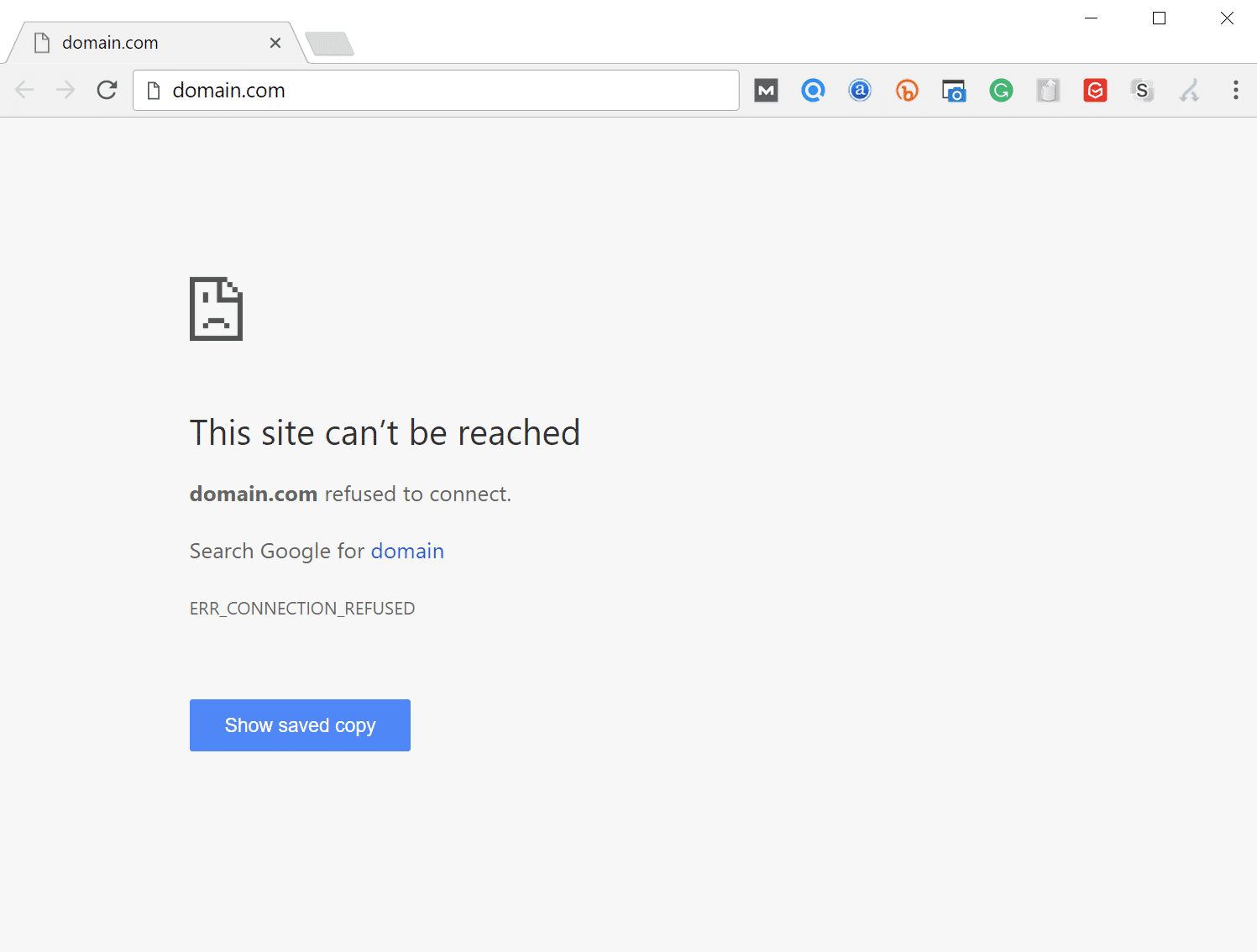
How to Fix the ERR_CONNECTION_REFUSED Error in Chrome (9 Tips)

It was almost a normal day of the winters of January, when thousands of people who had been using Google’s Chromecast streaming dongles, Google Home smart speakers as well smart TVs with built-in Chromecast technology; got their systems hacked. Hackers left a display pop-up to inform users that their systems are exposed to public internet. However, the odd thing about this hack was that attackers forced people to subscribe to the YouTube sensation ‘Pewdiepie’.

2. Germany’s Biggest Cyber attack

Twitter down, suffers worldwide outage - BNO News

Around the same time, Germany was hit by the biggest cyber-attack in its history. Hackers hacked into the twitter accounts of more than hundred German politicians and accessed their highly sensitive personal information including email addresses, phone numbers, private chats, photographs of victims’ ID, bills as well as the credit card information. Attackers leaked the data on a twitter account called ‘@_0rbit’. German federal police dived into an investigation and soon, a 20-year old local student was arrested.

3. Ethereum Classic lost $ 1.1 million to hackers

Ethereum Price Forecast: ETH prints bullish pattern, preparing for colossal upswing past $4,000

While German police was celebrating its victory, popular cryptocurrency exchange Coinbase Ethereum Classic, experienced one of the worst days in its history. People who were using its services were forced to pay twice the coins for any of its services. This resulted in the loss of around $ 1.1 million Ethereum Classic digital currency. This resulted in the immediate fall in the prices of the digital currency. Hours later, Ethereum Classic accepted that there were almost ‘51% successful attacks’ with multiple block reorganization. Attackers are still under the cover and Ethereum Classic is still investigating.

4. Australian Parliament Cyber-attack

10 Different Types of Cyber Attacks & How To Recognize Them | InfoSec Insights

In the beginning of February, Australian parliament faced one of the biggest cyber attacks with its server being hacked by what the Australian parliament referred to as ‘the work of a sophisticated state actor’.

5. Leaked Database of Chinese citizen found online

fyi... the linkedin password database is now on pastebin : sysadmin

In January 2019, cybersecurity experts discovered a huge unsecured database worth 854.8 GB; lying openly on the internet. The database  was stored on an instance of MongoDB and consisted records of approximately 202 million Chinese citizens who were apparently job candidates. Soon the database was taken off, however, MongoDB has displayed the list of dozen of IP addresses that have accessed this database.

6. Wiping out VFEmail.net 

VFEmail Review 2021 | How secure is VFEmail? - ProPrivacy.com

U.S. based email service ‘VFEmail.net’ informed its users that all their data as well as backup worth two decades of data was lost. It was discovered that the attacker’s IP address was 94[.]155[.]49[.]9 and the username was “aktv,”, apparently registered in Bulgaria.

7. Attackers were selling the information on dark web

Information products: how to create and sell info products online

In one of the shocking instances, it was revealed that attackers were selling information of approximately 747 million accounts on the dark web. These accounts were stolen from 24 very popular websites. Most of these websites had no idea that they were compromised with, however, a few have confirmed that they suffered from data breach.

8. Indane gas breach

India's state owned gas company Indane exposes millions of confidential Aadhaar numbers

LPG gas company, Indane, became the victim of yet another case of data breach, where Aadhar number of approximately 6.7 million customers were leaked.

9. Aadhar details leaked 

Aadhaar: 'Leak' in world's biggest database worries Indians - BBC News

MongoDB is once again the talk of the town. A database known as GNCTD worth 4.1 GB in size, has been found on MongoDB instance. The database consisted of approximately 458,388 individuals’ Aadhar and Voter ID numbers along with references as well as email addresses with “transerve.com” domain for users who were registered with “super admin” and “senior supervisor” designations.

10. 1 million ASUS systems affected by massive supply chain attack

WordPress Supply Chain Attacks: An Emerging Threat

Taiwan based world’s fifth largest PC maker, ASUS, revealed that approximately 1 million systems were affected by massive supply chain attack known as ShadowHammer.

11. Bithumb suffers the loss of $19 million

Top 5 Cryptocurrency Exchange Bithumb Suffers Major Data Breach | Digital Trends

On March 30th, the news of a humungous $19 million theft from the South Korean, Bithumb cryptocurrency exchange, fell into the ears of people. Hackers had compromised Bithumb’s hot EOS as well as XRP wallets and transferred approximately 3 million EOS (~ $13 million) and 20 million XRP (~ $6 million) to the newly-created accounts.

12. Georgia Institute of Technology suffers data breach

Georgia Institute of Technology: William Smith talks about his job as director of Georgia Tech's Office of Emergency Management and Communications – India Education | Latest Education News India | Global Educational

Georgia Institute of Technology was hit badly by cyber-criminals when a data breach led to the theft of the personal information of around 1.3 million current as well as formal faculty members, student as well as the applicants. According to the university, outside entities gained access to the web application of the university’s database.

What is the reason behind the success of these attacks?

The first quarter of the year has seen a number of data breaches that have targeted big organizations. Attackers are learning, adapting as well molding their modus operandi with the changing time. On the other hand, organization are still being old school.

Procrastination:

Procrastination Isn't a Time Management Problem, It's an Emotional Problem

2019 took a start with Google Chromecast devices being hacked. This happened because a group of attackers exploited a bug that was lying down for five years like a ticking time bomb. Evidently, Google was aware of this vulnerability but kept on ignoring the bug.

Being Ignorant to the details:

The pleasures of being ignorant

In most of the cases, organizations are unaware of the fact that they are undergoing a cyber-attack. ASUS is one such victim since the attack was ongoing during the second half of 2018 and the company had no clue.

Lack of proper cyber-security measures:

How the COVID-19 Pandemic is Impacting Cyber Security Worldwide - IEEE Innovation at Work

Many a times, the data travelling in the forms of packets is not well encrypted and thus data can be easily stolen away by attackers. Indane Gas was victimized because of a vulnerability that was present in its mobile application.

What should organizations do in order to safeguard themselves?

29,165 Safeguard Stock Vector Illustration and Royalty Free Safeguard Clipart

Organizations can employ preventive cyber-security measures in order to safeguard data security and ensure that the network as well as the infrastructure of the organization is free from vulnerabilities and loopholes. Cyber-security companies ensure the same with a number of managed security services such as vulnerability assessment and penetration testing, web application testing, network penetration testing, server security testing etc. Anteelo is one of the fastest growing cyber security start-ups in the country. With its team of expert pen testers, the company has provided managed services to a number of businesses to industries like Healthcare, banking, insurance etc. These services have enabled organizations to conduct businesses without worrying about various issues related to the cyber security of the organization.

Convert a Website to Progressive Web App (PWA):Guide

Progressive web application - Wikipedia

In a very short span of time, Progressive Web Apps have made a very prominent mark in the mobile app industry.

The concept, which Google wants you know to know about, is a respite for the industry that continuously has been making the same complaints time and again –

With respect to Websites: Slow loading speed and Low Resonance Rate

With respect to Mobile Apps: Apps taking a lot of memory space, It is dependent on the network connection, and The long steps users will have to take from finding an app to starting to use it.

Since Progressive Web Apps (PWAs) are downloaded straight from a website and runs as a website as well, users get benefitted in three ways –

  • They get to save on the time that goes into first finding an app on the store, installing it and then feeding in information to get it started
  • Since Progressive Web Apps work as a website, they take up minimal device storage space, and
  • Because they work primarily as a website, the concept of cache holds true, which enables the app to run even where there is no network connection.

Benefits of PWAs: Reasons to Convert Your Existing Website to PWA

Turn Your WordPress Site into a Progressive Web App (PWA) - MobiLoud

Besides giving these obvious benefits to the users, Progressive Web Apps – the ideal combination of websites and mobile apps – have emerged as the cost-effective formula of business success as well.

The benefits that PWAs bring to businesses by being easily discoverable, by taking up less memory space, by coming with low cost of development, and lastly by running offline on a great speed can be gauged by seeing the change in growth numbers of these famous brands –

Success stories like these and a lot of them in the industry are enough to make every modern day mobile business look for the best progressive web app development company and look for ways on how to convert their website to PWA.

If you too are planning to convert the site to PWA and avail all the low investment cost benefit that the concept has to offer, you are the right place.

Here are the exact steps to How to convert your WordPress/PHP website to Progressive Web App (PWA), as shared by Google to our Team of Progressive Web App Developers (one of the perks of being one of the official Google Developer Agencies) –

But first thing first. Know the elements you would need to create PWA from a website.

What You Need Before Looking into How to Turn a Website into PWA

To convert a website into PWA, here are the three things required –

  1. An attached Android device running Chrome 52 or above,
  2. A basic understanding of Git and Chrome DevTools,
  3. The sample code, and
  4. A Text Editor

Once you have these ready, get your HTTPS website out for migration.

Step 1: Load the URL

Load Icon, Transparent Load.PNG Images & Vector - FreeIconsPNG

Clone GitHub repository from command line:

$ git clone https://github.com/googlecodelabs/migrate-to-progressive-web-apps.git

Doing this will help develop a Migrate to PWA directory with the completed code for every step. For this specific codelab, upload the work file and then make the changes there.

Once your code has been checked out, use the ‘Simple HTTP Server Application’ for serving work file on the port 8887.

After this, you will be able to load the URL.

Step 2: View the Site on your Mobile

How To View Desktop Websites On Android

In case you have Android device plugged in with your desktop, type in this in your URL – chrome://inspect. This will let you set a port forward with the help of port that you wrote before to the same port on the device.

Press Enter for this to save.

Now you will be able to access the basic version of your website at – http://localhost:8887/ on the connected Android phone.

Step 3: Add the Modern Head Tags

8 Meta Tags That Improve SEO | Clutch.co

The first thing that you will have to do is make the website mobile friendly and secondly you will have to add Web App Manifest. The manifest will describe the meta information of the site in a way that it would appear on user’s’ home screen.

If you don’t have a templating system in place, add these lines –

<head>
<meta name= “viewport” content=”width=device-width, user-scalable=no” />
<link rel= “manifest” href= “manifest.json” />
</head>
  • Viewport – The first line consists of a meta tag which specifies the viewport. This element will help you with responsiveness. After writing the line of code once you reload the site, you will find the site fitting your device precisely.
  • Manifest – In the second line of your code you have referenced the file – a movement that is needed to control how the site gets added to the home screens.

Once done, open a text editor. It’s time to write JSON. In the short_name section, specify what will show on the home screen and try to keep it within 15 characters.

Next, save your file as the manifest.json nomenclature and reload the page on Android device and go to the top right menu and opt for ‘Add to Home Screen’. Now you will be able to see your icon on the home screen!

Step 4: Add a Service Worker

Service Worker is the background script which the browser can run while the user is not on the page. It is the element that gives the offline support and gets active when the notification is pushed.

Create a Service Worker

Copy this code in a new file and then save it as sw.js.

/** An empty service worker! */
self.addEventListener (‘fetch’, function(event)
{
/** An empty fetch handler! */
});

And that’s it.

Register the Service Worker

You will have to register the code in your website’s code, for that, open up your site.js file and paste this –

navigator.serviceWorker && navigator.serviceWorker.register(‘./sw.js).then(function(registration) { console.log(‘Excellent, registered with scope: ‘, registration.scope);});

Now, the code will get executed on every single page load. Check if its working properly by reloading the page and then checking – chrome://serviceworker-internals/

Now your website will be able to prompt users to install it on their home screens and secondly, you will be able to make your site able to support push notifications and even work offline.

Step 5: Make the Site Work Offline

How to Make Your PWA Work Offline - SimiCart

First step would be to open sw.js script and get hold of caches object. Once you have that, update the code and app the entire website to cache.

Try out how it’s working now. Uninstall the present app and load it on Chrome. Next, refresh the page and select ‘Add to Home Screen’ in the right corner menu.

For abiding by the rule that when Service Worker changes, the page should reload and reinstall it, all you will have to do is add a component which has the ‘version’ of the service worker. When that changes, the install movement happens again, caching the resources that would have changed.

Congratulations, you now know how to convert a Web to PWA and if you followed the steps side-by-side, you have now even migrated your website into a Progressive Web App!

*Disclaimer*: While these steps will give you, the developer, an exact idea of how you will have to fill in the blanks and move from Point A in the process to Point C, if you are reading this as an enthusiastic entrepreneur who wishes to take charge of the migration, I would say, don’t do it without having support of an experienced progressive web app development services provider.

While these steps are explanatory, there are a number of elements that come up as part of the process when you sit with the actual development process. So, instead of trying your hands with the steps and finding a different result because you weren’t sure of the between the line elements, give the job to a PWA development company who has specialization in the domain.

Website Loading Times: 4 Ways They Affect Your Business

9 Ways on How to Improve Your Website&#39;s Loading Speed

Here’s a question for you: what’s the first thing any visitor notices on your website ? Your header? Your logo? Your headline? The answer is none of these; it’s your loading time. Before a visitor sees any of your content, they’ll watch your website load. The expectation is that this will happen almost instantaneously. If it doesn’t, they’ll start to leave and this will impact on your conversion rates. But there are other reasons why a slow loading site causes problems: it increases your bounce rate, it makes your site harder to crawl, it gives a poorer experience for your visitor and, perhaps most crucially, it lowers your ranking on search engines. In this post, we’ll look at the importance of site speed for your website.

1. Google uses site speed as a ranking factor

The Google Speed Update: Page speed will become a ranking factor in mobile search

Google’s mission to provide users with the best possible search results means it is actively demoting slow loading websites. It doesn’t consider it good business to send visitors to websites that take too long to load as it reflects badly on itself. So, even if your content is great, your ranking in search results can still suffer. And this means less traffic and fewer sales.

What’s more, this applies to searches done on mobiles as well as on computers, so if your desktop site runs fine but your mobile site is sluggish, you’re still going to rank lower.

2. Site speed affects search engine crawling

Learn To Conduct Search Engine Optimization With These Suggestions - OSS Blog

If you want all your content to be searchable on the internet, search engines have to discover what’s there. This is done through what is known as site crawling, where a search bot will go to your homepage and follow all the links until it has made an inventory of every page it can find. These pages and their content are then indexed so they can be searched for.

When undertaking a crawl, a search engine needs to send requests to your server to receive information about your content. However, as each request uses up a part of your server’s resources, search engines are reluctant to send too many in case they slow your website down for genuine visitors. If your loading times are slow or you have a poor server response time, then, to prevent overburdening your website, search engines will crawl fewer pages. As a result, not all your pages may get indexed or updates to existing pages may not get noticed.

This should not be a big problem for small websites, however, if you have a large website that is constantly adding new content or if you have a significant amount of older content, it could be an issue. One way to improve crawling efficiency is to improve your site structure. Delete outdated content, eradicate any broken links, put in redirects where necessary and tidy up your menus and categories.  This will cut down on the amount of unnecessary crawling a search engine has to do, so it can focus on the content that counts.

3. Faster sites have higher conversion rates

Page Speed and Decreased Conversion Rates: 2019 Statistics

While studies into the effects of site speed have come up with different figures, they all agree on one thing: the faster a website, the higher its conversion rates. HubSpot looked at 12 different case studies and showed that a 1 second delay in loading times reduces conversion and revenue by 7% and page views by 11%. Similar results were shown for bounce rates: the faster the loading times, the lower the rate. A page that loaded in 9.9 seconds had a 58% bounce rate, compared to 12.8% for a page that loaded in 2.4 seconds.

This goes to show that even the smallest delay can impact your bottom line. Quite simply, the longer people have to wait, the fewer of them are going to stick around all the way to the checkout. To grab those sales and remain competitive, you have to have a website that loads faster than your competitors.

4. A faster website equals happier users

3 Speed Performance Metrics that focus on User Experience

If you want visitors to stick around until they purchase something, you have to provide them with a great experience. This is especially so if you want to retain those customers over the long term. Studies have shown that site speed is an integral part of creating a good user experience – this is why Google places so much importance on it when ranking sites. The statistics for conversion rates and bounce rates back this up.

If you want to improve your brand reputation and increase customer loyalty, making your website faster should be one of the things that you consistently try to achieve.

How to improve your site speed

Organizational Speed in the Digital Age | Corporate Compliance Insights

The first stage for anyone wanting to make their site faster is to discover its current desktop and mobile loading times and to find out where improvements need to be made. You can find this out easily by using the free Google PageSpeed Insights Tool. Just type in your URL and it will give your site marks out of 100 for its desktop and mobile loading times. The higher the mark, the better. Of more value, it will also identify the issues which are causing your loading times to be slow and provide you with a list of modifications that can make it load even quicker. These will include things such as caching, compression and image optimisation.

Another issue which can affect your loading times is the performance of your web server. This can be due to your host using slower hardware or not configuring the server for optimum speed. For those on a shared hosting plan, it can also be due to other users hogging all the server resources and your host not dealing with the matter.

Conclusion

As you can see, slow loading speeds can affect your site in all kinds of ways: lowing search engine ranking, preventing pages from being indexed, reducing conversion rates and revenue, and negatively impacting the user experience. Hopefully, the information provided here will help you check your own site speed and put measures in place to make it load faster.

6 Signs That Your Website Is In Need Of An Upgrade

The Importance of Updating Your Website: Top 8 Reasons - Mind Studios

Nothing stands still in business and that includes a website. Trends change, new technologies are developed, search engines modify their ranking criteria and customers have ever-increasing expectations. A website that was the best thing since sliced bread when you launched it several years ago may now be due for an upgrade. Here, we’ll look at some of the signs to look out for.

1. Your site doesn’t rank well

What to Do if My Content Doesn&#39;t Rank: Why It Happens &amp; How to Fix It

One of the first clues that you need a website upgrade is if your site is performing less well than it did in search engine results. Search engines are forever moving the goalposts when it comes to how they rank websites and older sites often come out badly as a result. This can be because many of your earlier pages were created using now outdated SEO techniques which no longer carry much weight or, even worse, are penalised for contravening the latest webmaster guidelines.

While it is important to keep abreast of SEO trends and to update your optimisation accordingly, sometimes a complete overhaul may be what’s needed to bring your site up-to-date and to ensure all your content is fresh and relevant.

2. Your website is chaotic

Your Website Visitors Are Evolving: Are You Changing With The Trend? - Web Hosting Blog by MilesWeb | WordPress, Cloud &amp; SEO Tips

One of the issues that all websites face is how to manage growth. As the years go by, you’ll make lots of changes to your site, adding pages, posts, products and other features, while removing others.

Sometimes it can be difficult to keep tabs on these changes and they can lead to a number of problems. You may end up publishing duplicate content, have links to content which is no longer there or, perhaps worst of all, having two versions of the same page but with different details, such as pricing, which can cause issues with customers. You may also have features which no longer work properly or which don’t comply with the latest legislation, such as GDPR.

If your site is getting into such a chaotic state, then it can often be better to start from scratch and create one which is better organised and where everything works as it should.

3. Outdated styling

Better Off Dead: 10 Outdated Web Design Trends We&#39;re Happy to Forget - HIPB2B

Design trends are continually changing and although you can’t update your website every time a new fashion appears, there comes a time when it begins to look out of date. This isn’t a good thing on the internet where visual impact is so important, so, if your website is still wearing flares and sporting a kaftan, it’s probably time for a makeover.

Typical things to look out for are dated images that no longer depict the modern-day and tired looking layouts, fonts and backgrounds. Updating to something more modern will give visitors the impression that your company is forward-thinking and on point.

4. Not mobile-friendly

TEC Y RED: FALLAS MAS COMUNES EN CELULARES

Google wants website owners to have a ‘mobile-first’ approach to web design, where the focus is on building the mobile site first and then adding other features for devices like tablets and computers. The reason for this is that although we do most of our browsing, around 60%, on mobile phones, many websites do not function well enough on smartphone screens.

This requires website owners to go beyond using responsive themes as even these don’t always put the needs of the mobile user first. They may render the website in a way that is readable, but often some of the functions don’t work effectively and some of the navigational features are not user-friendly for the thumb-operated screens.

With increasing numbers of people browsing and buying on smartphones, any website that doesn’t provide for these users is going to lose out and find their search engine rankings getting worse.

5. Poor user experience

4 Signs of Poor User Experience | Zivtech

Where, once, customers simply wanted the cheapest prices, today, many of them will purchase from the website that offers them the best user-experience – even if the price is a little higher. This is great news for those working with small margins but means you will need to upgrade your game when it comes to your website.

Providing a great customer experience covers all aspects of a website. It needs to be easily navigable, have detailed information (i.e. text, images, video and other content) that directly answers the questions customers have. It needs to offer users the opportunity to get quick responses, such as those offered by live chat. It will provide personalised shopping experiences and offers, swift delivery, customer reviews and additional services like wish lists or gift wrapping. It may also offer expert advice in the form of blog posts, engaging content (such as competitions) and even reward schemes for loyal customers. Importantly, a simple and quick checkout process is also needed.

6. Slow loading

Google to penalise slow loading mobile sites from July | OKO

Customers expect websites to load instantly, so if yours takes its time to render on their device,  you may lose a lot of business. Even a one-second delay has been shown to drop conversions by 7% and up to 40% of visitors abandon a website when the landing page takes more than a couple of seconds to load. Few people are ever going to make it to the checkout if this happens on every page.

If that doesn’t encourage you to upgrade to a faster website, you also need to remember that search engines use loading times as a ranking factor. Speeding up means you’ll rank higher and get more organic traffic, whereas being slow will have the opposite effect. You should also consider moving to a faster hosting package as this, too, can dramatically speed up your site.

Conclusion

Websites are like cars. When we first get them, they are shiny, new and have all the latest features. However, after a few years, they have been superseded by shinier and newer models that have even smarter features. If the signs mentioned in this post apply to your website, then it may be time to upgrade to one which is better suited for today’s internet.

Is It Time to Switch to a PCI-Compliant Server for Your eCommerce Store?

Six Goals of PCI-DSS [Overview for PCI Compliant Hosting] | Liquid Web

If you intend to take payments for goods or services on your website, you’ll be required to comply with Payment Card Industry Data Security Standard (PCI DSS) regulations. These are the security standards that companies which store, process or transmit payment card data have to meet. In this post, we’ll take a closer look at what they are and explain why you need a PCI-compliant server.

What PCI-compliance entails

What is PCI DSS | Compliance Levels, Certification &amp; Requirements | Imperva

If you want your company to accept online card payments your server environment and eCommerce application have to comply with PCI DSS. This is the case even if you use a third-party payment processor. Failure to comply can have a significant impact, including ongoing fines or in the worst-case scenario, being prohibited from taking payments and thus finding your company unable to trade.

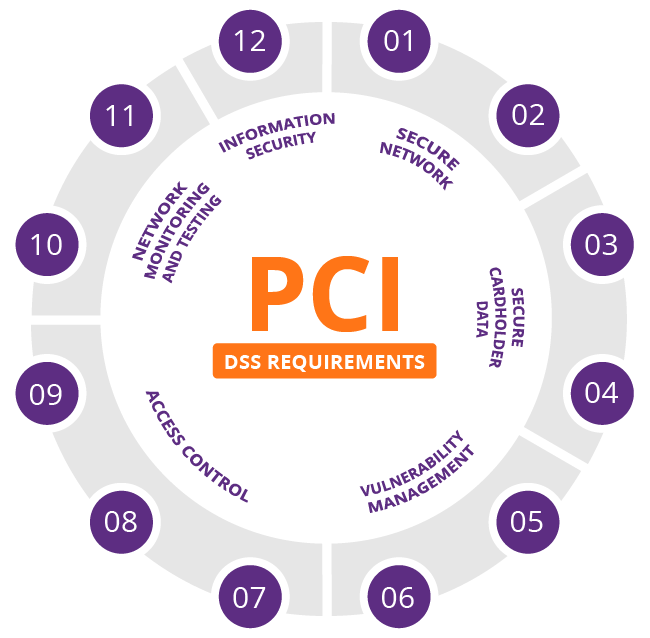
The standards you have to meet for PCI compliance are detailed and rigorous. They require you to build and maintain a secure network, protect cardholder data, maintain a vulnerability management program, implement strong access control measures, monitor and test networks on a regular basis and maintain an information security policy.

Ensuring these standards are met requires many other operations to be put into effect, such as the installation and maintenance of an appropriately configured firewall, the use of strong (non-vendor-supplied) system passwords, the encryption of cardholder data during transit, the secure storage of cardholder data and the use of anti-virus software. In addition, you’ll need to update and patch applications, restrict both system and physical access to cardholder data and create unique IDs for individual staff so that you can track and monitor all access to network resources and cardholder data.

It is obvious from this that the PCI DSS standards are stringent and the responsibility for implementing and maintaining them, as well as evidencing compliance, falls with the eCommerce company and any third-party service providers they use.

The challenges and solutions of PCI compliance

Top 5 Challenges of PCI DSS Compliance - Cipher

eCommerce companies face two major challenges when striving to comply with PCI DSS regulations. Firstly, is the cost of building an in-house system that meets the standards and, secondly, they often lack the expertise to attain compliance. A solution that makes compliance easier and less expensive to achieve is to use the services of a PCI-compliant hosting provider that can offer both the server infrastructure and the necessary expertise.

At eukhost, for example, we are geared up to ensure our data centres, networks and operations are PCI DSS compliant. Aside from ensuring robust physical and system security of all our data centres,  all our VPS, cloud servers and dedicated servers are PCI compliant-capable. In other words, we are able to carry out all the necessary configuration changes needed to meet PCI compliance upon request.

There are different levels of PCI compliance and the solutions put in place will depend upon the level your business is obliged to achieve. Most eCommerce sites, for example, have to meet either the SAQ A or SAQ A-EP levels. These are required for companies which process payments via a third-party payment gateway, such as Stripe or PayPal. As customers are transferred to the payment gateway to carry out these kinds of transactions, no card information is stored or transmitted by our servers. As a result, your compliance burden is dramatically reduced.

Putting the compliance process into action

To determine the exact requirements of making a server PCI compliant, your hosting vendor will need to know the application you are going to use and the level of PCI compliance you are required to meet. Here at eukhost, we carry out the following as standard:

  • Ensure you have a firewall enabled and have a robust firewall policy implemented.
  • Ensure that you have an SSL certificate installed and correct cyphers are set up.
  • Ensure that encryption is enforced for all services.
  • Disable any software which is not required to provide service.
  • Enable and configure intrusion prevention.
  • Enable an application firewall
  • Enable and configure anti-virus and anti-malware services.
  • Ensure logging and log retention policies are in place.
  • Apply an access and password policy.
  • Ensure a backup policy is in place and that backups are encrypted.

Once you have these features, plus any others you require, put into place, you will then be able to arrange for a PCI compliance assessor to undertake a compliance scan.

Remember, overall responsibility lies with the company

While a PCI DSS compliant vendor can help you comply and do so more economically, the ultimate responsibility lies with the company. Standards, such as assigning unique user IDs and maintaining an information security policy, which are carried out in-house, also have to be achieved. Furthermore, companies also need to ensure that any third-party hosting services they use also comply with the regulations.

Conclusion

PCI DSS is one of the most important regulations that an eCommerce company has to comply with. Designed to protect the consumer, it has a stringent set of requirements and is rigorously policed. One of the most effective ways to help you achieve compliance is to use the services of a hosting partner that has experience and expertise in PCI compliance and can provide the compliant server environment required.

What role do voice search statistics play in your website

Voice Search Statistics and Emerging Trends | DBS Interactive

Leading SEO site, Backlinko, recently undertook a major study of over ten thousand voice search results. Its findings were not only interesting but informative, highlighting the things which websites need to do to rank highly for voice searches. When you take into consideration the growth in the number of voice searches, these actions become crucial if companies want to maintain their organic traffic levels in the future.

How voice search is increasing

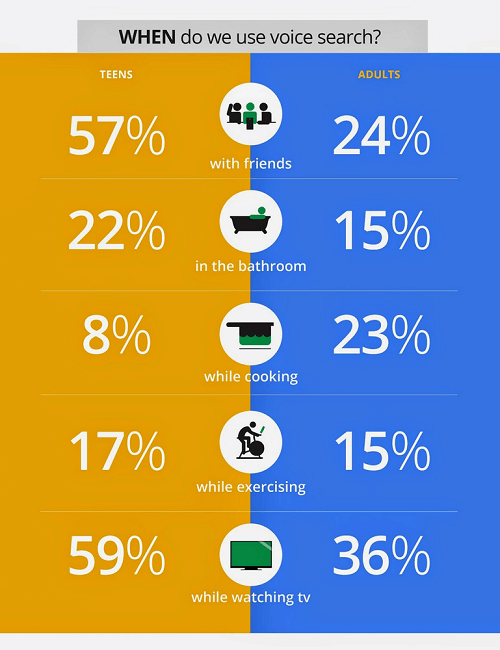
The growth in voice search is powered by the wide number of devices that can now recognise speech. These include laptops, phones, watches, smart speakers and other smart devices like TVs. It is estimated that by the end of next year, half of all searches will be done by voice and a third of them on devices which have no screen.

The key user of voice technology is the younger generation. 66% of voice searchers are under 35 and these are also the demographic that owns most of the smart speakers and other devices. Important, also, is the fact that according to a 2018 Global Web Index survey, 75% of mobile voice searchers made an online purchase in the previous month – a key indication that voice search is being used for shopping.

With this growth in mind, here are eight important statistics and their implications for websites.

1. The average spoken search result is around 30 words

We Analyzed 11.8 Million Google Search Results. Here&#39;s What We Learned About SEO

This figure indicates the average number of words spoken back by a device when a voice search is given. It is the vocal equivalent of a knowledge graph or featured snippet shown on a screen. The importance here is that it underlies the need for sites to provide succinct rich snippets or answers to questions which search engines can use to give spoken answers. Those sites that do this have a better chance of being chosen.

2. 36% of voice search results are from sites which use structured data

How to Add Structured Data to Your Website

Google has been asking webmasters to use structured data to markup their websites for several years as it gives it a clearer understanding of what the site’s content is about. Many sites, however, have failed to make progress with this. The fact that over a third of voice research results come from those sites, is a clear indication that it’s helpful in getting you ranked.

3. Voice results come from sites with high domain ratings

Voice Search Optimization – The Ultimate Guide - SiteProNews

The company Ahrefs has a globally acknowledged rating system that is used to rank all websites from high (100) to low (0) based on the quality and size of their backlinks. In voice results, the average site had a rating of 77. This figure is a key element of your domain authority as it signifies how well your content is linked to by other high authority domains.

A score of 77 means a website has around 6,000 to 7,000 backlinks from other authority domains. The hint here is that creating quality content that others want to link to is a crucial long-term strategy for those who want to do well in voice results.

4. The average voice search result performs well on social media

Voice Search SEO Study: Results From 10k Voice Searches

It is not just getting backlinks that has an impact on voice search results. A page’s performance on social media has an influence too. The average result has almost 1200 shares on Facebook and over 40 Tweets. This is a key indication that search engines are taking other people’s views into consideration when they produce their results.

5. The average reading age is 14

With the average voice result having a reading age of just 14, it means making the vocabulary of your content accessible if you want to rank well in voice searches. However, that doesn’t mean dumbing down too much. A reading age of fourteen might not seem very sophisticated but the average UK reading age is said to be nine to eleven and The Sun newspaper has a reading age of around eight. Fourteen is the reading age of the Guardian which is by no means a dumbed down read. Bear this in mind when creating your content.

6. Few voice results had the exact search term in their title

Voice Search SEO Study: Results From 10k Voice Searches

This is further evidence that advances in Google’s algorithm have reduced the importance of keywords. Using RankBrain, Google can understand the whole of your page without having to focus just on the keywords in the title, meta descriptions and headings. The good news is that this allows you to concentrate on creating content for the user and not for the search engine.

7. The average page had a word count of over 2000 words

While the number of words spoken back by a device averages at around 30 words, the pages from which they come often have over 2000 words in their content. The implication here is that when voice searches are carried out on devices with screens, Google is focusing on providing detailed, long-form content.

If this includes product pages on eCommerce sites, then one can only assume that those products with lots of customer reviews perform best. Normally, very few product pages have anywhere near such detailed content.

8. 70% of results on smart speakers are from sites which use HTTPS

How to test secure (https) services from localhost | by Satish Verma | 47Billion | Medium

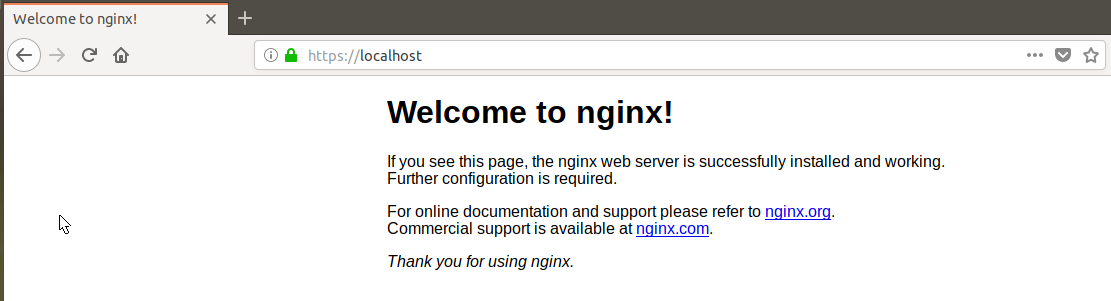
HTTPS is the secure form of HTTP, the protocol that controls how information is formatted and transmitted across the internet. The difference between them is that HTTPS encrypts data, making the transfer of personal information, such as banking details, secure during purchases. Those companies that use HTTPS are labelled as secure on browsers with the green padlock icon. Those using old fashioned HTTP are labelled ‘not secure’.

The 70% figure is a clear indication that search engines have a preference for HTTPS in their voice searches and that companies wishing to rank well need to adopt it. To do so is simple, all you need to do is purchase and install an SSL certificate for your site.

Conclusion

As voice search becomes more widely used, it is increasingly important that websites optimise for it. The statistics produced in this survey shows the factors that influence how a website performs in search results and hopefully, the finding shown here can help you to make your site perform better for voice searches.

error: Content is protected !!