Why angularjs is a match for Web App Development?

AngularJS started as a research project by Google that ultimately became one of the most popular responsive web app development frameworks. While working with AngularJS, you can be assured of a highly dependable scalable code base. Compared to most other JavaScript frameworks AngularJS is fast, powerful, and versatile enough to integrate with other frameworks. Built by commendable brains like Adam Abrons and Miško Hevery of Google it easily stands out from other JavaScript frameworks for responsive web development. Here we explain some of the key reasons to choose AngularJS for web app development.


EASY AND FAST-PACED DEVELOPMENT

Any AngularJS development company will agree to the fact that it is an exceptionally simple and fast-paced JavaScript MVC Framework for front-end development. By adding a few attributes to the HTML a developer can quickly build an app. AngularJS is equipped to enhance the HTML code while building controls for all types of difficult functions and creating a dependency between the template and the controller. To help beginners, there are plenty of useful tutorials available. If you want to build a web app quickly with a simple interface and few crucial features, AngularJS is the ideal framework to opt for.

PERFORMANCE DRIVEN FRAMEWORK

AngularJS developers speak to the program’s unmatched competence in creating and adding new features for customizing an app. It is well equipped with state of the art features to drive app performance like filters, data binding, directives, animations, API client, routing, form validation, and many more features that are sought after for web development. With AngularJS you can easily update and improve without undertaking a bulk of coding tasks.

The best thing about this framework is that it helps to create new elements and adds new features and functions to an app without disrupting the performance. The framework offers a lot of productivity tools to help with developing new features and improving or updating the app. Furthermore, the community-shared mutual libraries allow more versatility and flexibility.


SMOOTH INTEGRATION WITH OTHER LIBRARIES

As far as collaborating with other libraries for responsive web app development is concerned, AngularJS offers smooth and easy integration. If the developers are working with other object-oriented MVC frameworks for the server-side development, they can easily integrate AngularJS for client-side development.

AngularJS, thanks to dependency injection, allows easy integration with other libraries. To create new functionalities you also have an array of libraries that can easily supplement AngularJS for a project.

ROBUST TESTING MECHANISM FOR THE WEB APPS

AngularJS comes loaded with a robust testing mechanism to ensure building an error-free and high-performance app. When you need to upgrade and fix issues, powerful inbuilt testing tools to make your job easier. The apps built with AngularJS are highly testable ensuring a high degree of performance. 5 Top Reasons To Choose AngularJS For Web Application Development | by Angular Minds | Medium

EFFECTIVE DATA BINDING

One of the most crucial reasons for choosing AngularJS is its two-way data binding capacity. With such data binding, any change incorporated into the interface directly results in changes to the app objects. Similarly, any change with the app objects results in changes to the app interface as well. This saves development time and makes incorporating changes to the app easier.

HEAVY LIFTING

AngularJS is capable of intelligent heavy lifting. AngularJS builds the controller function and dependency easily between the template and the controller thanks to intelligent heavy lifting. It is equipped to grab the required share of the app data and render it onto the device screen with the concerted output of the template and the controller.

LESS CODING

AngularJS works seamlessly with HTML coding, and that enables it to develop the app based on basic information models instead of creating rows of tasks awaiting their turns in the MVC pipeline. This ensures that the developers working with AngularJS have to write less code. Apart from this, AngularJS will also help you to scale up the capacity of the app with minor tweaks in the code base. This ease of coding actually helps to build the app faster while ensuring optimum performance.

DECLARATIVE CODING

AngularJS is one of the frameworks that are known for a declarative coding paradigm for building frequently accessible patterns. Thanks to declarative coding paradigm you can ensure more lightweight code allowing optimum ease in reading and supporting. The declarative code of the AngularJS apps does not describe all steps pertaining to the app but only ones that are absolutely required along with their expected outcomes.

USING DIRECTIVES

Just because AngularJS is patterned after AngularJS started as a research project by Google that ultimately became one of the most popular responsive web app development frameworks. Thanks to this inbuilt directives the developers can now create logic more easily with the more productive output. In case of any confusion, you can always refer to the directives to ensure better code readability.

CLIENT SIDE SOLUTION

AngularJS offers a client-side solution with great compatibility for both desktop and mobile browsers. Without requiring any modifications, AngularJS can easily be deployed across any project. This makes it an ideal framework for building any front-end app. This also ensures faster deployment across systems and browsers that offer support for JavaScript.

FLEXIBILITY OF FILTERS

In a JavaScript framework the filters work for refining the values for display. This is of great value for any web app trying to appear consistent and meaningful for the users. Filters can change the decimal value of a number to show it with full value, or it can add pagination to the pages of your website or can just change the uppercase or lowercase string of letters to the opposite. With custom filters, you can also tweak these values in your own preferred ways.

AngularJS is completely well-equipped to deliver all the attributes and features you look for in a modern responsive web app. Most important of all, it takes off a major load from the developers.

What’s the future of website scrolling?

It’s hard to create the illusion of a 3 dimensional object from a 2 dimensional image and I’m not talking about the recent craze of 3-D TV’s, mobile gaming consuls and computers. There is a way to do it though. Parallax scrolling. Parallax scrolling was first used for video games and it gave the illusion of 3-D from a 2-D image.

How does this work though? When scrolling the background images move slower than different foreground images, which creates an illusion of depth to the viewer. You will notice this type of scrolling on old video games like Moon Patrol (the first game this technique was used on) or more popular games like Sonic the Hedgehog I & II and Street Fighter II.

Recently some websites have been receiving a face-lift using parallax scrolling, truly transforming the look and feel of the site, like the Nike website. The background and various images move at different speeds allowing for the 3-D illusion. The best part about this is, it is not with old 80’s video game graphics, but can be seen on Full HD display’s. This rather old technology can is being applied in a new ways and makes for a very exciting web experience.

Where to look for Pro Design Inspo

FAIR STATE BREWING COOPERATIVE

The not- yet- open Fair State Brewing Cooperative is Minnesota’s first cooperative brewery. Their motto? “We love to brew good beer. We love the good people who love our beer.” Their website reflects this message. Scrolling through the clean design, you learn all about the new company and their commitment not only to stellar beer, but also to their community of beer lovers in the co-op. It’s an honest, simple site.

HOTELSTYLE

There’s not a lot to this website for the obscure Italian clothing store, HotelStyle, but we like the presentation of the full screen video that opens the site. The video features the kind of man your mother would not want you to talk to (when you studied abroad in Florence) modeling the company’s clothing. The angles are great.

YEP!

Yep! is an app that “creates instant meetings with fun people.” You choose an activity- a walk, a meal, a tennis match- and the app finds you a friend. In a couple short scrolls on their creative website, you not only understand Yep!’s mission but you become excited about it, too. Yep! is based in San Francisco, but we were impressed with the ability to view the website in Russian. Can’t wait to try it out.

NEOTOKIO!

The designers over at Italian design agency, Neotokio!, are currently on vacation and instead of directing you to their regular website, Neotokio! has designed a lovely scrolling popsicle that announces that they’re out of the office. Their website is not only super interactive, it’s exciting and brilliantly designed. Scrolling uncovers a site full of great content.

MEDIABOOM

MediaBOOM is a digital design agency in Guilford, CT. Their website features an impressive portfolio while animated full screen video plays in the background. Definitely check out the tour of “MediaBOOM: Interactive Capital of the World!” in 3D. Don’t skip the intro.

TCM’S SUMMER UNDER THE STARS

This website is interactive, beautiful, and educational. The movie lovers over at Turner Classic Movies has produced an awesome website for their “Summer Under the Stars.” All summer, TCM has devoted an entire day to one classic movie star. On TV, the day is filled with back to back movies featuring the actor. Online, the website provides information about the star and allows  you to reflect, via social media, on why that star was legendary. It’s all part of the network’s new marketing scheme. Today’s star? The American actress Jeanne Crain. Our favorite website this week!

Road to your company’s success: Develop Website

Anyone who has ever been involved in running a business knows that an effective product or service does not guarantee success. When your potential customers are unaware of your company’s existence, or they don’t understand how you can benefit their lives, they won’t buy your product.

That’s why strong website development is so important.  When designed by talented website developers who approach each project individually, websites can be an extremely powerful method of lead generation. The following are just a few of the ways your web presence can help you achieve success:

GETTING CUSTOMER ATTENTION

In most cases, potential customers do not stumble across websites unprompted. It’s much more likely that they’ll find your website as a result of an internet search.

By incorporating keywords into your website’s content, you’ll boost your chances of appearing in a relevant Google search, helping you achieve that critical first step: getting potential customers to know you exist.

To increase your visibility on the web, you should not only feature the keywords prominently on the homepage, but also host a blog that shares relevant information with users. Doing so gives you even more opportunities to reach the kind of people most likely to be interested in your service or product.

DEMONSTRATING YOUR PRODUCT

An intuitive website could be designed to show off to customers what exactly your product or service can do for them. For example, if you’re selling a new tool or promoting an app, a quick video embedded on the homepage to demonstrate it is an excellent visual element to include.

That said, you don’t need to rely on video. Many great websites make effective use of clean and simple graphic design to explain how a service benefits customers in easy-to-digest visual language (e.g. infographics). Whatever route you choose, if your website is organized around explaining what your product does in a concise and engaging manner, you’ll have made your way through another major hurdle on the path to success.

MARKETING OPPORTUNITIES

Although a great website can often convince someone to buy your product right away, it’s true that even your target user will not necessarily click through and convert to a paying customer. Luckily, you can build your website to clearly direct viewers towards additional marketing campaigns, such as an email newsletter. As such, marketing experts often suggest that companies include numerous lead generation forms throughout their sites.

Do you offer free estimates for your service? Include a form for that. Are you currently offering a free promotion? Make sure potential customers can easily spot the form to sign up for it on the relevant portion of your site.

ESTABLISHING CREDIBILITY

While you may be fully aware of the fact that your past clients have been thrilled with your service, it is safe to assume new customers are unaware of this fact. Fortunately, a great website easily solves this problem for you: All you need is a page which features testimonials.

Your homepage should be the main feature that grabs the attention of a customer and explains to them how you can address a need in their own life. Testimonials from previous clients help to establish your credibility because consumers are more likely to trust their peers than just the brand speaking for itself. This can be a critical ingredient in your recipe to success, getting previously skeptical people to make a purchase.

CREATING A BRAND

There is a universally accepted fact in the business world: Proper branding is key to success. Your company should have a fully-realized identity that customers recognize in the form of visual imagery, language use, and overall attitude.

The right website may be the most powerful tool you have for establishing your brand early, because it allows you to include all of the elements of effective branding. The images you display on the screen, the tone of your content, and the user experience itself will all come together to reflect the values of your company.

Your website is a representation of your unique brand, and as such it is essential to hire experts who work hard to understand what makes your business stand out. They’ll translate what they learn into a website that will set you on the course to success.

Where “WEB vs MOBILE WEB DIVISION” stands now?

The demarcations between app and Web are shifting. Notice we didn’t specify mobile Web: that’s another sign that the paradigm of screen and display types isn’t as clearly structured as it might have seemed, say, last year. What this means is that Web and mobile Web shouldn’t be such different animals. In fact, they shouldn’t be different at all anymore.

A well designed website should be responsive — i.e., it should be visible on, and optimized for, both desktop and mobile screens of all sizes and resolutions. (We practice what we preach here at Fueled: try looking at our site on your laptop and your iPhone or Android.) Responsive design is an especially effective way to deal with the ever-increasing number of devices coming onto the market; it would be unrealistic — impossible, really — to create a version of your site for every phone and browser that might access it.

In the back-end, this is done using HTML/CSS and media queries, which can determine the conditions of certain media features, like width or height. This solution to the Web vs. mobile issue has been around for years, but it’s now essentially a requirement. Take a look at the newest themes and templates available for, for example, WordPress (a platform even the not-quite-programming-literate can use!), and you’ll see that most list “responsive” as a primary feature.

There’s no longer a real divide, then, between “Web” and “mobile Web,” as Say Daily notes in their recent piece on the “golden moment” of digital media (that moment is now, by the way, if you didn’t guess). “There’s only one Web,” as they say, and we should take advantage of its increased availability and flexibility.

Some of those new capabilities that make responsive websites so powerful are breaking down further barriers — namely, those between mobile app and mobile Web. This is due in large part to the rise of HTML5, which can handle interactive, rich-media features. Now, mobile websites, too, can have the kind of interactivity that previously was only available within apps.

ReadWriteWeb proposes that this might be the “death” of the app, or at least the return of the browser: some mobile apps, especially media apps like magazines, are choosing to discontinue their apps and instead build a responsive, HTML5 website that can be viewed with equal design quality — and high interactivity — on all devices.

Of course, for the time being, Fueled certainly feels that apps will always offer benefits that websites can’t — but we’re enthusiastic about the potential of HTML5 and of fully responsive sites. What do you think? Do you prefer interactive features on the Web, or in native apps? Let us know in the comments.

Responsive Web Design : Let’s peek in

Tablet and smartphone use is growing rapidly. This means that there is a huge paradigm shift in web design, and for digital agencies focused on keeping up-to-date with web design and development practices, there is a need to adapt to the growth in mobile website traffic. Mobile websites need to look, and function, just as efficiently as desktop websites.

Prior to the birth of modern responsive web design techniques, designers needed to create several different versions of a website and code each specifically for different web browser sizes. For example, creating a separate file of code that applies to Nexus tablet browser sizes, a separate file of code that applies to iPhone browser sizes, a separate file of code that applies to iMac Desktop browser sizes, and so on.

Additionally, since there are several different browsers — Google Chrome, Safari, Internet Explorer, Mozilla Firefox, Opera, etc.– it is necessary to design according to the levels of code support each browser offers. This requires the designer to create several design prototypes, developers to code all of those different designs, and the client to pay that much more per version. With the number of devices and browsers that currently exist, you can see how time-consuming and costly this ended up being. This is where responsive web design comes into play.

RESPONDING TO YOUR VISUAL NEEDS

Responsive web design (RWD) allows designers and developers to carry out multiple design styles with just one set of code. When coding a website, a developer creates one set of code that applies across different window sizes and browsers. In order to create this type of coding scheme, the developer has to make sure, among other thing, that all images and media are flexible, the columns or tables are movable, and elements can be hidden. The developer is able to achieve this by using dynamic sizing, specific CSS styles, and media queries.

When viewing the website on your desktop or PC, you can make the browser window bigger and smaller to see how the content changes in size and layout depending on the dimensions of the window. Also, if you view either site on your smartphone or tablet, the content will display differently as well. For a better understanding of RWD in action, a great working example to refer to is The Next Web’s site.

On the desktop version of The Next Web’s site, as shown in the image above, the content is spread out based on the amount of space it has to use. The screen size for this is 1280 x 1024, which is the average screen size of a laptop.

When viewing the site on a tablet, which has an average screen dimension of 1024 x 768, the content shifts according to the amount of space it has. The content still looks great, is very user friendly, and the shifted design eliminates the margins of blank space that you could see on bigger screens.

Thanks to responsive web design, when viewing this site on mobile, which has an average screen dimension of 320 x 480, all of the content can still be displayed in an orderly fashion. While the content is mostly all the same, it’s optimized to look aesthetically pleasing, no matter what you’re using to view it.

As each day goes by, technology evolves to make our lives more efficient and easier. As web developers, designers, or even strategists, we need to make it a point to keep track of all of the major changes that are happening with technology, and adapt to them to provide the user with the best possible web experience.

Responsive web design is one of the latest, and most important, design changes that is buzzing through the developing world and making cross-platform browsing seamless and beautiful.

Must Know Skills: Backend Developer

The backend is the part of a web application that is unrevealed to the user. Unlike front-end, back-end development operations are not very easy and usually turn out to be complicated and manifold; this part is in alignment with the server. Backend operations are a lot different that are controlled by different programming languages like C, C++, Perl, and Ruby. It is a broad field that’s further subcategorized into several levels.

A backend developer usually doesn’t work alone; backend developers usually work in teams of 2 or more people. A team of backend developers contains different specialists that are responsible for their specific discipline. Some are responsible for database management, some work with caching schemes and scripting while some focus on website architecture. Behind every successful website and application, the combined effort of the whole team plays its role. A backend developer’s code bridges the communication between database and browser.

To describe the working of a backend developer in a nutshell, we can say that such a developer mainly focuses on the following:

  • Web Development Languages
  • Database and Cache
  • Server
  • API (REST & SOAP)

The essential requirement for becoming a backend developer is to have a keen knowledge of at least one server-side programming language.

What is the role of a backend developer?

Front-End Web Developer Job Description Template | Toptal®

To understand the skills required to become a backend developer, one needs to analyze what are their responsibilities. Only then we can relate their skills to their roles and responsibilities. The key responsibilities of backend developers are:

  • They work with front-end developers and provide server-side algorithms of user-facing web application elements. Backend developers code in server-side language to create logic so that web applications function correctly.
  • Other than coding and creating functional web applications, backend developers also optimize them for increasing response time and efficiency.
  • They analyze the goals and requirements, handle bugs and errors, and come up with solutions.
  • They also interact with the database for storing data and ensure that every user has access to what they search.
  • They also manage APIs that are executed across the devices.
  • They are also involved in building the architecture of the system.

Backend Developer Skills

To have efficient backend developer skills, one needs to have complete command on the subject. A good developer is aware of every new trend and invention in his domain. He urges to learn and align with all advancements coming his way.

Technology progresses every day. Many innovations are being made, and adapting to modern techniques is imperative to sustaining the game. Luckily in the development domain, a new trend might be complicated in learning, but it is focused on reducing the coding effort. Every new language aims to have minimal syntax, and it is suitable for a developer to invest some time to learn it.

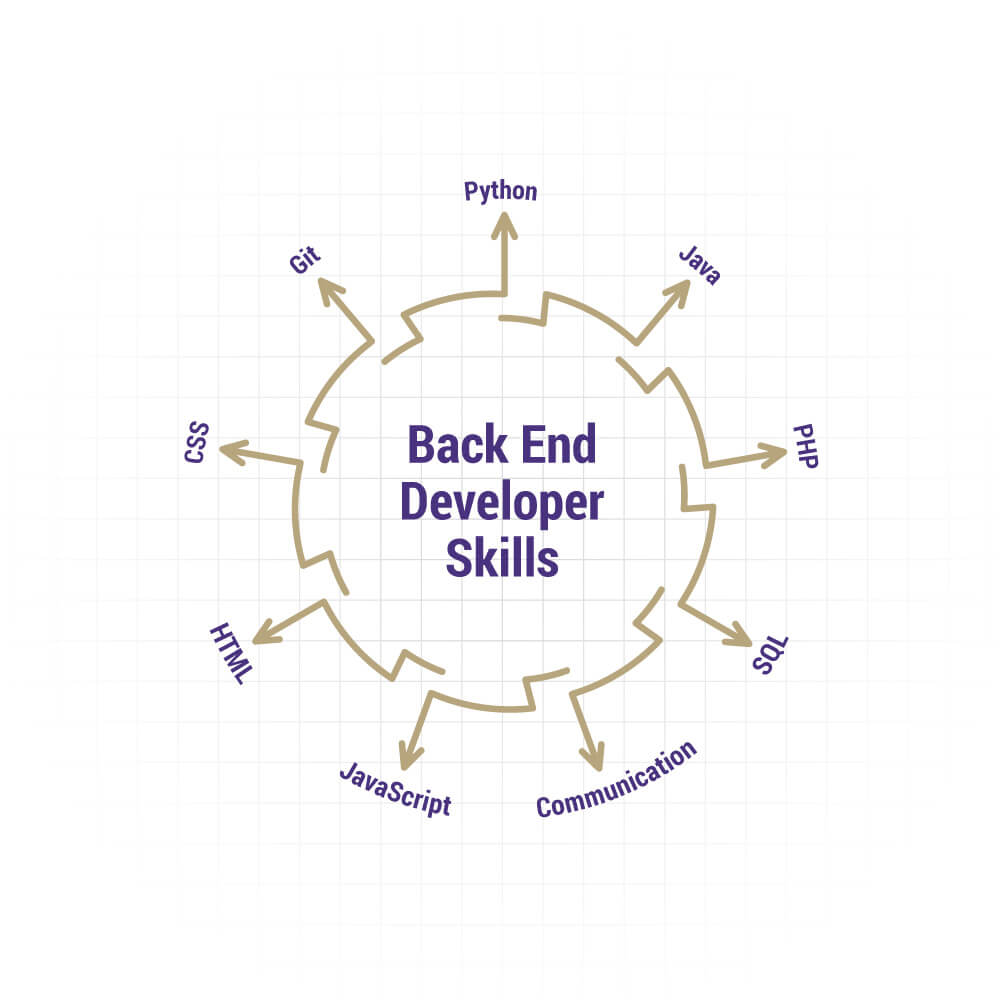
The necessary technical skills required to become a backend developer are:

  • In-depth knowledge of at least one backend programming language and framework.
  • Knowledge of front-end technologies, such as HTML, CSS, and JavaScript, so that he can communicate with the front-end team.
  • He should be capable of managing a hosting environment along with the database administration.
  • He should be capable of scaling applications to handle the load changes.
  • He should have enough knowledge of accessibility and security compliance.
  • It’s good for him to have an experience of version control, such as GIT.
  • A backend developer is not expected to have command on every programming language. That is not possible for a human to have expertise in each of them. But they are expected to be experts in their opted language.


More Backend Developer Skills to add on the resume

1. Web Development Languages: Back-end developers work simultaneously with front-end developers, setting server rationale to outside components of the web application. So as to execute this rationale, the backend engineer utilizes server-side scripting language. The best programming languages that you must know while talking about backend developer skills are:

  • Ruby: Ruby is a programming language that is utilized accompanied by Rails. Ruby is to Rails as PHP is to Zend, or as Python is to Django. The sheer class and finesse of the language are what attract the back-end developers towards this language and make it a must-have in your tech stack. It prioritizes conventions rather than configuration, which helps the back-end developers as they don’t have to waste their precious development time in configuring the files to start the development process.
  • Python: Curated by Guido van Rossum and rolled-out in 1991, Python is an interpreted, cutting-edge, general-purpose programming language. It reduces the need of coding to a very significant level and has high utility because of the presence of third-party modules. The ease of use and extensive libraries offer back-end developers more productivity as compared to other programming languages. Not just for building basic applications like desktop apps, Oss, Business Apps, and web frameworks, but Python is also the best fit for AI and ML-based web development.
  • PHP: PHP (Hypertext Preprocessor) is an open-source back-end scripting language used by developers to build web apps and sites. PHP also has a huge assortment of utilitarian modules and a couple of the modules accessible in PHP incorporate Graphics and PDF, among others. One of the greatest advantages of PHP is that it is very easy to learn and use because of its simple syntax. Anyone who is familiar with C language can easily grasp PHP without any difficulty.
  • Java: Java is an object-oriented, platform-independent, general-purpose programming language that is designed to have negligible implementation reliance. As a result of Java’s power, convenience, cross-stage capacities, and security highlights, it has become the most preferred language among developers.
2. Comprehensive Knowledge of Databases: Become familiar at stacking and recovering data from databases. Though front end developers can associate with databases and interface with them too, server-side development is right now the standard method to control advantaged and extraordinary access to that information, including storage and recovery. Start with great social style databases, and move towards chart databases as your knowledge permits.

3. Connecting to Application Programme Interface (API): Internet browsers aren’t the only entity to interact with web applications. Regularly, an organization will offer a mobile app for iOS or Android alongside its principal site. There are additionally program based applications that principally utilize JavaScript, not server-side rendered HTML (through structures like React, Vue, or Angular). To recover information for the display, these applications require an Application Programmer Interface, or API to associate with.

HTML might be helpful for designing substance in internet browsers, however, there are greatly improved configurations for information that will be utilized by different projects. The two most mainstream positions for API information are JSON, which represents JavaScript Object Notation, and XML, which represents eXtensible Markup Language.

4. Server Handling: Your site needs a database to deal with all the client and product data. A database stores site content in a structure that makes it simple to recover, arrange, alter, and store information. It runs on a remote PC called a server. There is a wide range of databases that are generally utilized, for example, MySQL, Oracle, Postgres SQL, and SQL Server. For server management you can choose any one of these and acquire an expertise on it: Docker, Kubernetes, Nginx, Node.js, New Relic etc.

5. Knowledge of Popular Frameworks: You must have knowledge of the frameworks identified with your preferred language. For example, on the off chance that you go with Java, you would be required to know Spring, Hibernate, and so on. These are well known Java-based frameworks. Additionally, on the off chance that you go for Python, you would be required to know Flask, Django or some other Python-based framework.

Estimated income of a Backend Developer


According to research, and taking the previous year’s figures into consideration, backend developer trends to earn up to $120,798 per year. This figure could vary based on expertise, experience, skills, and is also dependent on the company, country, and other factors. Also, it is worthwhile to note that there’s a vast difference between the pay-scales of backend developers and front-end developers. Front-end developers aren’t paid as much as backend developers. The reason is that front-end work is mostly done with the help of automated tools, while backend development requires much technical expertise.
What is the future of Backend Development?


As of the current market trends, there are no worthy alternatives to backend developers and backend development. So naturally, the future is very bright for such developers. In this digital age, every business is required to have an online presence, and for that, they require high-quality backend development for their websites. Although many clients are not aware of the difference between backend and front-end still, the market cannot survive without backend developers. Despite technology replacing everything with automation, backend developers have a safe future as they are required for the process of developing automated tools.

Summary

The role of backend developers is critical to web development. They are responsible for all the key roles and ensure the deployment of quality products. That is why more and more aspiring web developers are today opting for this career. Such people should have a passion for coding and possess all the required knowledge and skills to become an efficient developer. It is also necessary to have other additional skills, mentioned above, to make your mark in the market.

Security Flaws in Web Application and its Mitigation

The inability to identify vulnerabilities in a web application can leave it unprotected against potential attackers, resulting in the most severe consequences. Web application vulnerabilities include a system weakness or flaw in a web-based application that leaves you susceptible to security attacks, risking the loss of valuable company or customer data.The inherent complexity of a web application’s source code increases the possibility of malicious code manipulation and unattended vulnerabilities. High-value rewards such as sensitive private data obtained by successful source code manipulation have made web applications a high-priority target for attackers. This makes it essential to thoroughly understand web security vulnerabilities and how to prevent them.

Types of Web Application Vulnerabilities

Common Web Application Vulnerabilities | EC-Council University Official Blog

Web application vulnerabilities are caused due to misconfigured web servers, application design flaws or not validating or sanitizing form inputs. They are prioritized based on their detectability, exploitability and impact on software. So, here is a list of some of the most critical web security risks according to the Open Web Application Security Project (OWASP):

  1. Injection: Injection flaws, including SQL, OS, LDAP and NoSQL injection, take place when a query or command with untrusted data is received by an interpreter. The hostile data by an attacker can trick the interpreter into accessing data without authorization or executing unintended commands. This can lead to the unauthorized viewing of lists, unauthorized administrative access and deletion of tables.


  1. Broken Authentication: This occurs when application functions related to session and authentication management are implemented incorrectly. It allows attackers to not only easily compromise passwords, session tokens or keys but also assume the identities of other users temporarily or permanently.


  1. Sensitive Data Exposure: Sensitive data can easily be compromised if special precautions are not taken when exchanged with the browser or some extra protection, like encryption at rest or in transit, is not implemented. Many web applications are unable to protect sensitive data properly, which allows attackers to steal or modify it, resulting in credit card fraud, identity theft and a number of other crimes.


  1. XML External Entities: Attackers can exploit poorly configured XML processors to access confidential data, inject additional data, create remote tunnels and execute applications. This vulnerability can also lead to Server Side Request Forgery (SSRF), denial of service attacks and remote code execution.

How to Execute an XML External Entity Injection (XXE) | Cobalt | Cobalt.io


  1. Broken Access Control: With access control, you can manage the sections of a website and application data accessible to different visitors. If these restrictions are not enforced properly, attackers can easily take advantage of these flaws to get access to unauthorized data or functionality. This can enable these attackers to access the accounts of other users, view sensitive files, change access rights and modify the data of other users.


  1. Security Misconfiguration: Counted amongst the most critical web application security vulnerabilities, it offers attackers an easy way into your website. Attackers can exploit unsecure default configurations, open cloud storage, incomplete or ad hoc configurations, verbose error messages with sensitive information and misconfigured HTTP headers. All operating systems, libraries, frameworks and applications can be susceptible to security misconfigurations.


  1. Cross-Site Scripting: This vulnerability occurs when untrusted data is included in a web page without validation. It injects malicious code into the web application and executes it on the client-side. It helps attackers execute scripts in a user’s browser to hijack user sessions, redirect the user to malicious sites or deface websites.


  1. Insecure Deserialization: Often resulting in remote code execution, deserialization flaws allow cybercriminals to perform a variety of attacks including injection attacks, privilege escalation attacks and replay attacks.


  1. Use of Components with Known Vulnerabilities: Various components such as frameworks and libraries run with the same privileges as the web application. Even if a single vulnerable component is attacked, it can cause server takeover and serious data loss. For this reason, a web application that uses components with known vulnerabilities can seriously compromise its defences, leaving it open to attack.


  1. Insufficient Monitoring and Logging: Insufficient logging and monitoring along with ineffective or missing integration of incident response can cause another major vulnerability. It can help attackers further attack systems, tamper, destroy or extract data and maintain persistence, pivot to more systems. According to security studies, it often takes more than 200 days to detect a breach. And it is usually detected by an external party instead of internal monitoring or processes.


How to Prevent Web Application Vulnerabilities?

How to prevent top 7 Web Application Vulnerabilities?

Organizations that do not properly secure their web applications are more susceptible to malicious attacks, resulting in information theft, revoked licenses, damaged client relationships and legal proceedings. There are several measures that you can take for securing your web applications:

  1. Web application firewalls (WAFs): WAFs are hardware and software solutions designed to examine and monitor incoming traffic for blocking any attack attempts. They offer the best way of compensating for any code sanitization deficiencies.


  1. Information gathering: Classify third-party hosted content and review the application manually to identify client-side codes and entry points.


  1. Authorization: Test your application thoroughly for path traversals, missing authorization, insecure, direct object references and horizontal and vertical access control issues.


  1. Cryptography: Secure all data transmissions, encrypt specific data, check for randomness errors and avoid using weak algorithms.


  1. Denial of service: Test for anti-automation, HTTP protocol DoS, account lockout and SQL wildcard DoS for improving your application’s resilience against denial of service threats. Use a combination of scalable resources and filtering solutions for protection against high-volume DDoS and DoS attacks.

Apart from the above measures, running a periodic Vulnerability Assessment and Penetration Testing is essential too. VAPT looks for possible and common vulnerabilities related to the platform, technology framework APIs, etc., and runs exploits on the web application to evaluate its security loopholes. It provides the organizations with reports on discovered vulnerabilities, the nature of the vulnerability, threat level, its impact and measures to eliminate it.


Optimizing your website:SEO

SEO lets start by understanding what is actually meant by Search engine optimization. Well it can be understood as the art or technique of optimization of a website to make it search engine friendly.

My SEO experience well to be fair I use to have three websites and lots of free time so I tried every bit of techniques on them from on page optimization to link building. So what I will share here will be my own empiricism.

Search engines determine whatever to rank your site for a particular keyword is by the number of inbound links to your site .That is the number of others sites that linked to you and the quality of senders for that particular keyword.

Think for a moment. Why would someone make a link to your website? The only logical reason is because you have created something of value. This is the logic of Google, anyway.

5 Basic SEO Principles to Increase Your Website Traffic - Multichannel Merchant

Another way to think about a popular website and a poor performing website, some sites are like old cities in the middle of nowhere with a road in and one road out that is poor linking . Some sites are on the trade route with high-speed multi-lane running in and out that is perfect linking .What we want a lively exchange, not a single road.

Again it just not all about link building it is also about the quality of content and at the end of the day, the quality of your content is the only thing that will convince other Web sites to link to you.

SEO can be divided into two separate categories: on-page SEO and off-page SEO.

Here I will try to list down the techniques of on-page SEO, although the on-page SEO is only 25% of the score on the search engines and the ranking of your website, it is worth addressing it, as it can improve in very less time.

On-page SEO checklist

Page title

SEO Title Tags: Best Practices and Examples | Unamo Blog

Your page title should include keywords that are less than 70 characters in length if you make the page title too long, it will dilute the importance of the words mentioned.

 Meta Description

The Importance of Meta Descriptions for SEO | WordStream

The Meta description is not something that is visible on your website. Meta Description is a brief summary of the website, which is usually included in the top of the source code of the pages on a label, Meta description is not used by the search engines for SEO purposes. What the Meta description is used to provide the researcher a brief description of the page (150 characters) under each result. In fact, if a Meta description is not included in the source code, the search engine will show you some of the content of the page instead.

Titles h1, h2, h3..

Using Internal Heading Tags For SEO - H1, H2, H3

The text of the titles is more likely to be read by the search engines as keywords of text in the rest of the page. For this reason, it is good to include keywords in your titles whenever possible. Labels h1 text give more weight to the keywords, tags h2 carry more weight than the label h3 .

Images

Do not use excessive images. More images mean that your page takes longer to load. This has a negative impact on the user experience as the optimization of search engines. The text associated with the images. Search engines do not read images, just read the text. The ALT text is an HTML attribute that can be added to the image so that the search engines replace the image with associated text.

Domain Information

The search engines also favor sites that are registered for a period of time longer. Since domain registrations indicate a commitment to the site and what they say the site is less likely to be considered spam. Extend your website registration for 10 or more you will definitely see better result for your site.

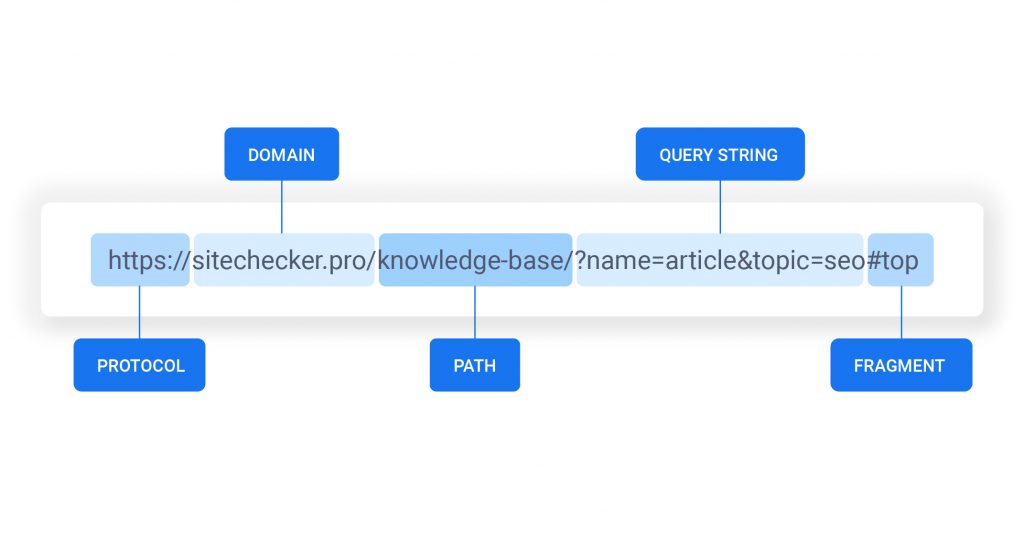
URL structure

URL Structure | How It Affects SEO & Rankings | Best Practices for 2020+

Avoid nesting pages with URLs . Nested pages receive less SEO credit .

Include keywords in the URL.

Create static URLs, not dynamic. This means that the URL of one of your pages must be the same.

Making Web Accessible

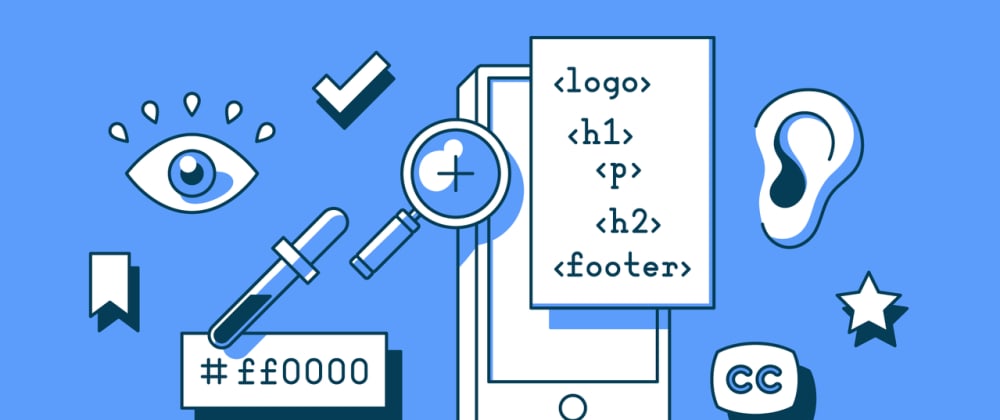
Web should be accessible to a vast majority of people including those with different kind of disabilities. It is not only about those who can’t see or can’t hear or any other specific category of disability. We can make positive impact on the lives of people by making web accessible to them.

Primarily there are 4 main types of disabilities that highly affect the use of web.

How to Incorporate Accessibility in Your Website

1. Vision

People with low vision or those who are completely blind mostly rely on using the screen readers and keyboard. Specially designed keyboards are available in the market which blind users can easily use. In earlier days people with vision impairment had to use external bulky screen readers attached to their computers but these days browser extension like Chromevox and Fangs are available.

Websites should be designed and coded in a way that these should be easily recognizable for the screen readers. For example: putting appropriate alt tags in images help screen readers to read the image loud to blind users so that they get to know what that image is all about.

Also, there are huge number of people in the world who are color blind. This term may be confusing for some people. It doesn’t mean that the person is blind or can not see anything. Color blind people can see the colors but they see them differently. Green and red are the highly affected colors.

As per the survey results, 8% of men and 0.5% of women are color blind. You may wonder why this huge gender based difference. The reason why men are highly affected than woman by color blindness is: X-Chromosomes. These X-Chromosomes are responsible for sending color signals to the human brain. Men are born with one X-Chromosome whereas women are privileged to be born with two X-chromosomes and in case one is defective then the other one comes handy for women. Nature has offered extra privileges to women. :D.

Some of the famous celebrities to name with color blindness are- Mark Zuckerberg, Bill Clinton, Keanu Reeves, Prince William Windsor.

There are many ways in which we can make web accessible for color blind people. For example: include color names and show example, please see the image “Color Names

Don’t rely on color coding only, instead try to use a combination of color texture or pattern. Please see the image “Colors and Patterns”.

You can also proof to color blindness in Photoshop and Illustrator while designing. Please see the image “Color Proof”.

Web Accessibility: By making your website accessible, you automatically increase the target audience. - DEV Community

2. Hearing

Making web accessible for deaf and hearing impaired people is relatively easy. The best solution at the moment is the use of closed captioning whenever a sound appears. This technique is widely used in television where a text is displayed whenever a sound appears.

Use of signs and symbols is also a very useful technique for this category of people. Captioning the videos on web pages also ensures that search engine will more accurately index them leading to more people finding your content. There are certain tools that can help create captioning to our videos like Overstream.net that allows to caption videos hosted on other sites like YouTube.

3. Motor

The requirement for motor impaired web users is generally overlooked or poorly implemented. The main reason for motor impairment is stroke, Parkinson’s Disease, a broken arm/wrist/palm. To help this category of people we should always ensure to increase the width and height of the clickable area. This can greatly help the motor impaired people who can use the mouse but with limited mobility.

Some of the other easier ways are to include images for text links. Clicking images is far more easier than to click text links. Assign CSS command display:block to each link in the vertical list. This way full width is clickable instead of just the link. Use of padding on left and right of the text links can also increase the clickable area. Assigning a background color to focused links is also a very useful technique we can do to help the keyboard-only user tabbing through the web.

4. Cognitive

This type covers the difficulty with understanding, inability to focus and distractibility. We should follow universal design principles to make websites accessible to individuals with cognitive disabilities therefore making it more accessible to everyone. Mainly there are 3 principles that come handy to design the web for cognitive disabled people as explained below:

  1. Content of the website should be simple. We should refrain from using complicated language, technical terms, legal jargon, and professional buzzwords. If it is necessary to display complex information we must use a glossary of sections targeting different people.
  2. Placement, styling and consistency of navigation links. We should make sure all the navigation links are at the same location and are not scattered on different places. It becomes very uneasy for cognitively impaired people to try to locate what they are looking for.
  3. Using illustrations, icons and other visual cues to communicate the key idea. Images can be very effective in communicating the complex information otherwise this information may be lost in the middle of a long in-depth content.

Making Web Accessible for All | Humble Bits

There are also impairments that are directly not associated with the users. Environmental factors also have huge effect on how people use and interact with the web. Some of them are mentioned below:

  • Low bandwidth, intermittent internet connection
  • Bright light, rain or other weather conditions
  • Noisy environments
  • Only option to browse the web on mobile devices

There are different legal acts in effect in different countries to give equality right to disabled people and help them use the web without discrimination. Section 508 requires US federal agencies to ensure that employees and members of public with disabilities should have equal opportunity to access government information.

Target.com: In February 2006 a student of University of California-Berkley, Bruce Sexton in conjunction with “National Federation for Blind” sued Target.com because it’s website was inaccessible for the blind. This lawsuit was used as a spotlight to many corporate websites that don’t play well. Target.com had to settle the case with $6 million.

error: Content is protected !!