Creating Widgets in iOS 10

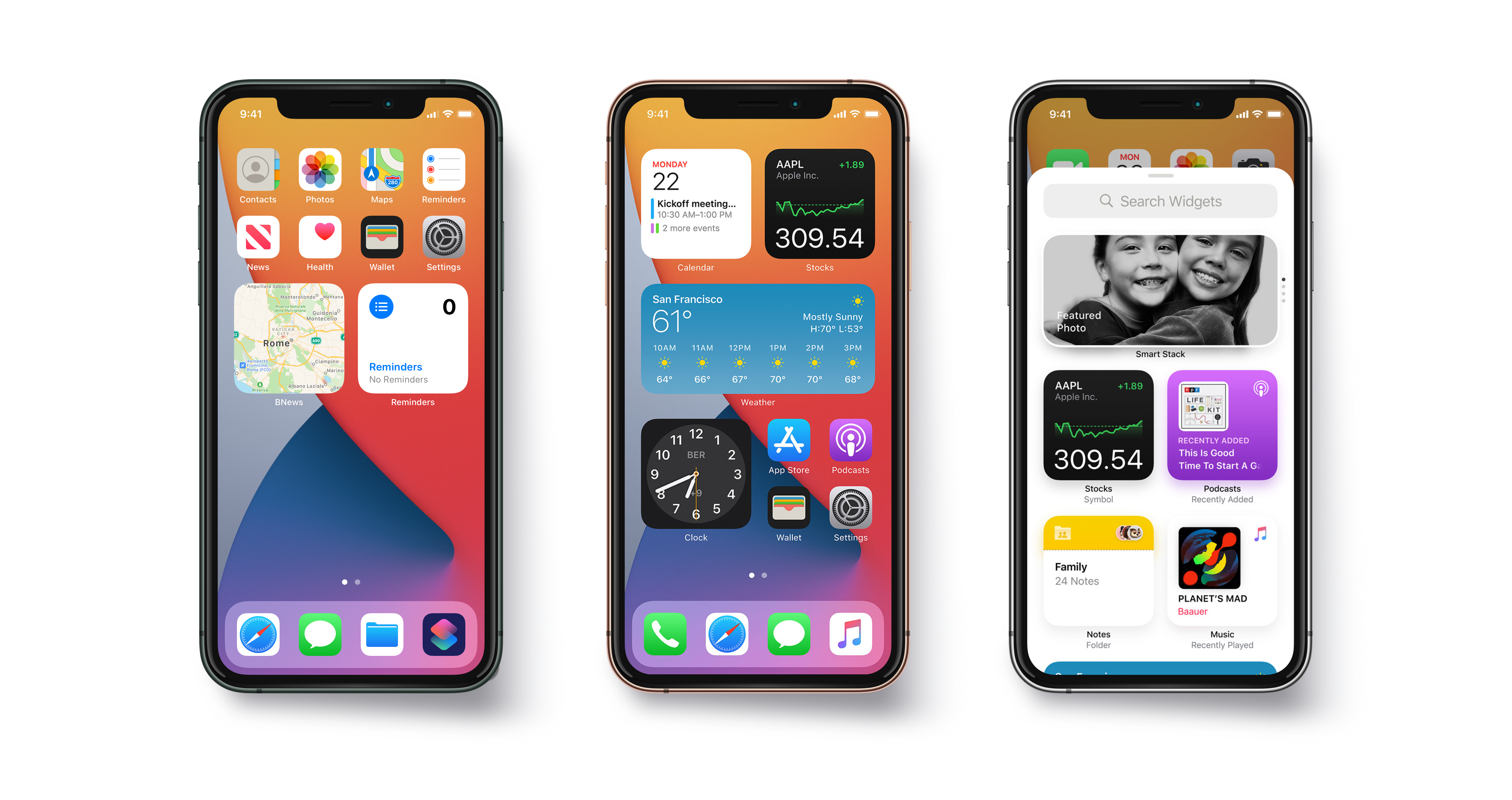
Widgets are something that every trending iOS application is looking forward to. Widgets help users to get some quick and relevant information without even opening the app. They are best suited for applications like Weather apps, To-Do list apps, Calendar apps which might show a day’s schedule. The widget should provide the immediate and relevant information that user must be interested in. The amount and type of information that widget carries, varies according to the requirement of the containing App of the widget.We will learn through this blog what are widgets and how to make widgets for our iOS app. We have already made an application called RemindME which is a small To-Do list application.How to create widgets in iOS 10 | Humble Bits

What we are going to cover 

  • iOS 10 Widget UI
  • Sharing UserDefaults and Files with Widget
  • Updating the content
  • Adjusting Widget’s Height
  • How to open App from Widget
  • When my Widget should Appear?
  • Home Screen Widget

Start-Up Project

We have already created an application that allows user to add some To-Do items with title and description and shows its status as done or not done. This will be containing app for our widget.

Getting Started

So, enough saying now and let’s get started with the real code. Widgets are nothing but a type of App extensions called Today Extension. So if anybody needs to know about app extensions, you can see this apple documentation. Now, add target by selecting File/New/Target and then under iOS section select Today extension and press next. After that give name to your widget and select the containing app as your project.

Now we can see in project navigator a new group will be added with our Widget’s name. Change Schema and select target as the widget and run project. You will  see widget in the notification center of our simulator with a message “Hello world” like this.

10 Tips on Developing iOS 14 Widgets Swift and SwiftUI | The Startup

iOS 10 Widget UI

Let us now design how our widget is going to look like. Open the storyboard of our newly added target and remove the default label. We are going to add a tableview and a button and two labels in our tableview cell. We have added UIImage for the status of the reminder and labels for title and description of the reminder. We have added a class called WidgetTableViewCell. Select the tableview cell and in identity inspector, add class name as WidgetTableViewCell. Add constraints to the views as needed and connects the outlets in the WidgetTableViewCell using Assistant Editor.

iOS 10 UI

We will also add Visual Effect View With Blur  from the object browser in our tableview cell. This is to add vibrancy effect to our widget. This causes a blur background in our Widget’s view. This is to make it look similar to what default iOS widgets look like. Make an outlet of visual effect view in the WidgetTableViewCell and name it as “visualEffectView”.

This ensures that vibrancy is similar to system-defined one for Today Extensions and the UI looks like default iOS 10 widgets.

Sharing UserDefaults and Files with Widget

Widgets are nothing but extensions. Extensions are just like another application so our containing app and widgets cannot communicate directly. There may be situations when our containing app and widget need to share some data. We can do that by sharing UserDefaults between them.

To enable this, select the main App target and choose Capabilities tab and then enable App groups. We require apple developer account for this. Now, create an app group. App group name must start from “group”. We have created an app group with name “group.com.quovantis.RemindMe”

Similarly we will repeat the process by selecting the target for widget. But we don’t have to create a new app group, we can use the one we created before. Now when we will save or retrieve anything from UserDefaults we will use this group.

We have made a class that will manage writing and reading our Reminders from UserDefaults. This code can be used by both our containing app as well as our widget extension.

We have used UserDefaults(suiteName: “group.com.quovantis.RemindMe”) for writing and reading our Reminders. This ensures both our containing app and the Widget extension save and read the data from a shared UserDefault under a common suite.

Now if we have to use the same UserDefaultsManager class in our Widget target also, we will have to enable it explicitly from the File inspector. Select the file UserDefaultsManager.swift and from File inspector check RemindMeWidget. Similarly if we have to import any other file like Assets.xcassests into our widget extension we can do the same.

Now we have shared UserDefaults between main app and widget, we can now add content to our widget. We will read data from the UserDefaults and will show the reminders in the table view of the widget. Widget will show the title and description of the Reminder and a button checked or unchecked depending upon the status. We will fetch the reminders from the UserDefaults in the viewWillAppear and will refresh the tableView. You can look the code in the TodayViewController.swift file in the RemindMeWidget folder.

We can also add actions to our widget. We have added an action to the button in our widget. When it is pressed that reminder is marked as done by updating status of the reminder in UserDefaults. Code for this action is written in WidgetTableViewCell class.

Now when we add any reminder from our main App, it will be reflected back to our widget also.

Updating the content

Now we will see how to add support to our widget to update its view when it’s off-screen, by allowing the system to create a snapshot. The system periodically takes snapshot to help our widget stay up to date. That is done through widgetPerformUpdate method.

We need to replace the existing implementation of widgetPerformUpdate

If we get reminders from the UserDefaults successfully, we update the interface and the function calls the system-provided completion block with the .newData enumeration. This informs the system to take the fresh snapshot and replace it with the current.

If we fail to get reminders then we call the completion handler with .failed enumeration. This informs the system that no new data is available and the existing snapshot should be used.

Adjusting Widget’s Height

As we have limited space in our Today View, System provides a fixed height to all the widgets. We have to design our widget UI in accordance with that . But we can also provide the option to increase the height of the widget so as to show more information in the Today view.

Our TodayViewController conforms to the NCWidgetProviding that provides the method to do this. There are two modes of the Widget of type NCWidgetDisplayMode, compact and expanded.

This will specify that widget can be expanded and we get a default button to expand and close the widget. Now add this method to adjust the size of the widget.

Whenever the widget height is adjusted this method is called where we have specified the height in case of compact and expanded state. In expanded mode we set preferredContentSize to the combined height of the cells of our tableview in Widget and when it is in compact mode we set preferredContentSize as CGSize() which gives the default height to the widget.

How to open App from Widget

Users may also want to open the containing app from widgets so as to have a detailed look over the information shown in the widget. For that we will have to allow our widget to open our containing app.

For this we use URL Schemes. We can open any app that supports URL Scheme from our widget but we should do that rarely. As user may get confused regarding the container app of the widget. Generally we should link the containing app of the widget only.

For enabling the URL Schemes in our containing app we need to add the following rows in our info.plist

After that we use the extensionContext property of type NSExtensionContext in our TodayViewController class to call the openUrl function. We have written this code in didSelectRowAt Index of our tableView

When my Widget should Appear?

There can be situations when under certain circumstances, you want your widget to appear in Today view. For example, there is no new or noteworthy information to show and you want to hide your widget until something new information comes up.

You can do this by using setHasContent: forWidgetWithBundleIdentifier: method of class NCWidgetController. Set the flag as true or false to show or hide the widget respectively and specify the bundle identifier of the particular widget which we want to hide or show.

In our case we will hide the widget if there are no reminders in our app. And as soon as the count of the reminders is one or more we will show the widget again.

We can write the code to hide widget from the TodayViewController itself but we must always avoid this. Our containing app should be the one which will decide when to hide or show the widget.

Write this function in the ReminderListViewController-

Home Screen Widget

We have seen applications show widget along with the quick actions when we Force Touch the app icon. If we have only one widget in our app, it is shown by default. But if our app offers two or more widgets then we will have to specify the bundle identifier of the widget in the info.plist that we want to show when we Force touch our app.

Add UIApplicationShortcutWidget key in the info.plist with the bundle identifier of the widget as its value.

Summary

So, this is all about iOS 10 Widgets for iPhone. Thank you for reading this tutorial and I hope you enjoyed this. You can think some more innovative ideas to explore more possibilities from Today extensions and think about ways to update your existing applications with your own widgets.

‘6 Mistakes of Web Design’: What to Avoid?

Starting up with a website designing business is relatively easier, but keeping the game up for security becomes the major concern. The primary motive of your web design business should be to get those clients who are willing to pay for the services you are going to provide them. Security is one such aspect of this business that gets generally neglected and is not given that due attendance, which it deserves. Many startups offering web design services think that their business is too small to practice any serious security measure, or they find it useless to invest in cybersecurity plans at such a small level. By the time their business starts rising to the mid-level, they realize that it is now too late to implement security measures.

One breach in the security policies of your company can harm it to the level you might not have imagined. If we look into the survey reports from the National Cyber Security Alliance, we get to know that more than 70 percent of hacking attempts are done on small businesses. On average, a data breach of a small web designing company can cost Rs 35000 to Rs 50 lacs. Approx 60 percent of small businesses shut down in less than 6 months after a security breach as it becomes difficult for them to recover from the loss in business both financially and emotionally.

Security Mistakes to avoid with your web design business

Most Common Web Design Mistakes That You Should Avoid

To protect your web design business, and to maintain its security, ensure that you are not committing any of these mistakes.

1. Making use of personal devices for business purposes

When starting with any new business, there are many challenges that come in your way. The first one is the budget constraint, which often tempts people to use the technology or devices which they already have without spending more money on these products. It is all fine if you are using that device dedicatedly to meet your business goals and have stopped using them completely for your personal use after deleting all the personal data from that device.

It is of utmost necessity to set up a line between your personal and professional data, especially when there is an involvement of customer information. Mixing up these data can pose a real threat to the security policies of your organization. It is a tendency to ignore security measures when it comes to personal devices as compared to professional ones. Employees should also be refrained from using their devices for business purposes as it is really difficult for you to control your business then and can breach your security policies by exposing customer’s data. When an employee resigns from a company, the information on their devices also goes with them, that is why it is always better not to use personal devices for business purposes.

2. Overlooking the importance of data backup

Everything related to your business should be backed up, even the things that you think don’t contribute to the growth of your web design business. The data should be protected with a multi-tiered backup system involving data available both online as well as offline. A significant amount of time goes in to recover the lost data, and being a part of the web designing business; you cannot afford to lose significant data or spend time recreating data because of poor backup systems.

3. Overlooking basic security protocols

A very simple but often overlooked element in web designing business is cybersecurity. By adhering to the basic protocols related to security, one can safeguard their business from being hacked. According to a survey, approx 75 percent of employees do not secure their computer, approx 73 percent of employees use weak passwords in both their professional as well as a personal account. To safeguard the data, a web designing company should create internal mechanisms asking employees to change their passwords often and to disable logins of the employees who leave the company immediately. Passwords should be handled carefully and should reach only to authorize personals. Setting up security protocols like firewalls, anti-virus software, and malware protection is equally important to protect the company’s data.

4. Not using a virtual private network (VPN)

Being a web designing company, you need to develop websites for multiple clients, which means you are given an ample amount of sensitive information. To safeguard the data which your clients have entrusted to you, you should use a virtual private network to reduce the potential of any breach. A VPN encrypts all the data that is being sent over a network, making it virtually invisible to potential hackers.

5. Designing it all by my mindset

While setting up a company, it is viable to get involved in multiple roles to learn things and to save some extra bucks. As web design is an internet-based occupation, you might think that there is no need to hire a network designer, and you can do this task all by yourself. But hiring a network professional not only saves time but also you get to know things from a professional perspective, which guides you towards the best security protocols to safeguard the company’s significant data and hence save you from expensive problems in the future.

6. Not creating a proactive shield

When clients trust you with the development of their websites that forms an important part of their business, they expect you to include all possible security elements in that project. In many cases, website developers or web designing companies are held responsible for the security breach on a client website because of the irresponsible attitude of the developer in creating appropriate security protocols on the website.

Conclusion

Cybersecurity may not seem important at first, especially for small businesses, but it plays a very important role in determining the success of any company. By avoiding some security mistakes, you can ensure the safety of your company’s data as well as the client’s data. By following simple security protocols, you can grow your business exponentially without worrying about the theft of significant data.

App or Website? Choose ‘the one’ for you!

As the world is going digital, all start-ups and businesses are indulged in developing their website and mobile applications. However, the question that arises is which amongst the two makes your business thrive and skyrocket its profit? The broad idea is that everyone in the coming times would have a mobile phone rather than laptops or any other. Besides, mobile apps are the latest things due to the popularity of mobile phones.

So far, the mobile apps get developed after the website has been launched, but is this the best decision for your business? However, should it be the only thing you start with? Especially if one’s budget doesn’t allow to launch both? Does that mean the web is dead?

Furthermore, having a mobile phone does not merely translate into downloading mobile applications. So, how to surpass your competitors on the web? Through a web vs app? There are many advantages and disadvantages involved in both. You must opt for the right platform for your start-up. The answer is, of course, selected according to your needs and the kind of customers you want to attract.

Should I start with an App or Website?

Therefore, before you choose, you must consider the importance of a mobile-friendly website as well as a mobile app. Going through this guide answers the most frequently asked question – What should I begin with – Mobile App or Website?

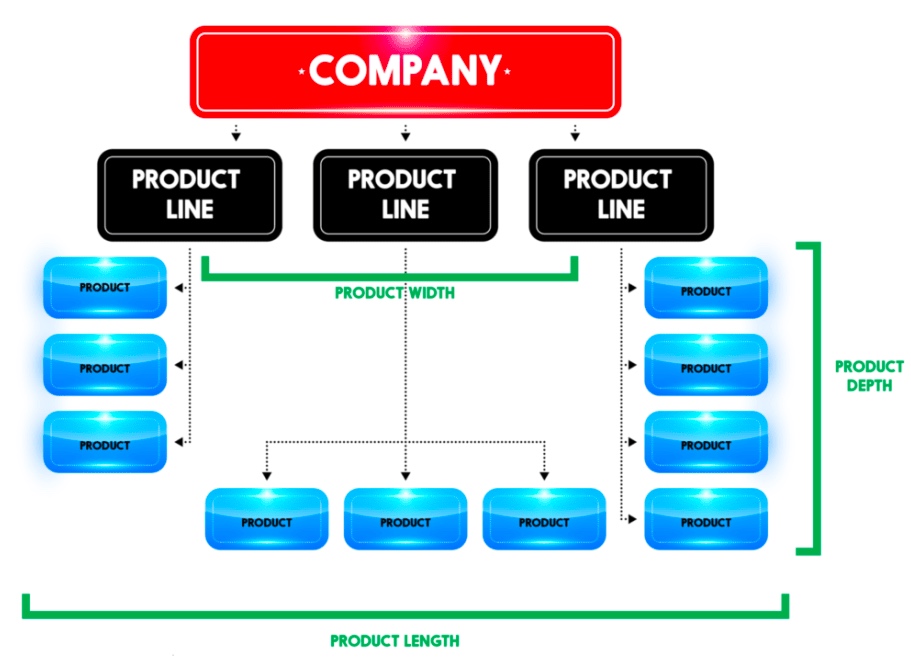
1. Product Line

Product Line

Does your product include GPS, navigation, or location-based elements? An instance of it would be Ola or Uber. Such start-ups must have a mobile app rather than having a website. Their business links the passengers with cab drivers willing to drop them to their desired destination. Similarly, if you plan to build an application for people to track their route or an application facilitating the runners map the distance covered and the number of steps taken, then you can provide your clients with the best possible experience only through a mobile app since GPS is the lifeline for a business.

Similarly, a flight or train booking business needs an app to make it accessible from everywhere. If you are into developing Android applications or even online games, to-do lists, notes, alarm clock, reminders, social media, or email, then mobile apps involve more users and interact with them in the best way possible. The business can only be successful by comprehending the requirements of its audience and target market first.

On the contrary, if you are an event management company who needs people to go through your catalogs and know about your business, or if you are a photographer or a hairstylist who needs people to checkout pictures or samples of your work, you can very well go with a website as it serves your purpose better.

2. Budget

A budget with a vision and direction; The Times of India, February 2, 2018

The first thing that you need to think about after getting your Company Registration completed is the budget you have for going over the internet. Furthermore, you need to set aside at least some amount to keep your platform, weather website, or mobile application, updated. Most Web Designing and Development Companies suggest that you develop a website first and then a mobile app since it is an economical option. You get the advantage of showcasing all the content on a single interface on a website. Besides, updating the content takes fewer efforts in case of a mobile app as compared to a website.

Furthermore, the UI of an App must be adjusted for every platform like Android, iOS, and Windows. An app-only business model might face issues reaching out to consumers across all the platforms. It is said that you are required to spend more on developing different apps for different platforms. It reduces your cost per OS. If you have started your business with a limited amount, it won’t make sense to start developing a mobile application.

3. Marketing Plan

Advantages and Disadvantages of a Marketing Plan

In the beginning, all the businesses only have restricted resources. As the business scales up, you can go for additional platforms. Still, if a company is opting to go app-only, it risks missing out on a broad market of potential customers. Mainly, if their app does not happen to feature amongst the top few apps of choice for a consumer.

A famous example is Myntra, the leading fashion e-commerce marketplace in India. A few years back, it announced that it is going app-only. The company claimed that this step was taken to improve personalization. Without a doubt, the loyal users of Myntra were compelled to download the mobile app. This approach was adopted to push out the competition. As consumers would be more captive in a particular environment and shopping around for discounts would decrease. But the move only backfired. Within a year, Myntra was compelled to relaunch its mobile website.

4. Tools Required

Tools Required

Are you launching something complicated? Would you require to show data analysis or reports and more? Will your users need sophisticated numbers, reporting, or calculations? It is almost impossible to utilize these tools on a website. So in this parameter of the website vs app, the mobile app is a clear winner due to its optimized UI, which displays all the data. For instance, if you will be needing complex calculations, numbers, reporting, then you should acknowledge that it will be next to impossible to use these tools without a dedicated app.

5. Frequency of Usage

Coronavirus: online food & beverage sales delivery methods U.S. 2020 | Statista

Do your targeted customers need to access your services on a daily or hourly basis? If you want your users to check into your platform a few times a day, then it makes more sense to start with an app. It is far more convenient, faster to access, and it has the option of notifications for the users to keep updated. But you must make sure that your app is not slow to launch or perform the desired actions. It will become a barrier that stops people from using your app.

6. User-Friendly

What makes an E-commerce Store user friendly - VAR Sales Management Blog: News, Tips & Many More By VARStreet

Most of the websites have a navigational UI. However, mobile apps need to have an interactive UI to be successful.  Again the example of games comes to mind. A mobile app will be a better choice for a game development company as compared to a website. A responsive web design approach acknowledges as well as resolves many of the usability problems for a mobile-friendly website. So, you must consider the needs of your business and the choice as well as the comfort of your users.

7. Accessibility

Evaluating Web Accessibility Overview | Web Accessibility Initiative (WAI) | W3C

Even today, accessibility to the internet is a major problem in many parts of the world. So, do in-depth research on how long would a customer need your services. For offline accessibility, you must build location-dependent, parallel apps. Therefore, mobile apps will be more appropriate for offline mode of navigation rather than a website. If you think that your business would serve mostly to offline users, then it is much better to develop a mobile app where the user can access your services whenever they need it. For instance, dictionaries facilitate accessibility to know words, even without an internet connection. Users can use it whenever they need, wherever they need.

8. Speed

Speed

Those who’ll use your app or website pretty often during the day would want to have their interaction to be smooth and lag-free. Nobody would want to wait even for a minute to play games during their 15-minute metro ride or while waiting for a cab. Nobody has the time to bear with a slow platform for their needs. Imagine if you always had to access your favorite Social Media like Facebook, Instagram, or LinkedIn through your browser first and then having to sign in. Only after doing all that every time would you be able to read that message or know of the newly vacant position. Wouldn’t it be much better to get an immediate notification as soon as you receive the message? However, if you are targeting customers who would not be accessing your platform frequently, then installing a mobile app will be more time consuming as compared to visiting a website.

Conclusion 

Many companies and businesses may want to go for a mobile app first. It is a much more advanced and trending way to connect with consumers. But it can be a huge mistake too. Unless you have a mobile-based start-up, developing a website first, is the way to go, rather than spending some significant part of your budget in making a mobile app. Instead, you can try to make your website more user-friendly or even pay extra to make it rank up on the Search Engines. The final verdict is that there are many points that you must carefully consider before you make a choice should I start with an App or Website?. Amidst the Website vs. Mobile App, it’s challenging to pick an absolute winner. It all depends on you and your business requirements. With this article, we have all the advantages and disadvantages served before you, which you will have to weigh for yourself.

Understand softwares!

Every day, we come across different types of computer software that helps us with our tasks and increase our efficiency. From MS Windows that greets us when we switch on the system to the web browser that is used to surf the internet or the games that we play on our computer to the calorie burn counter on our smartphone, are all examples of software. In this world of technology, we even come across various software development trends that help our business to grow, we are surrounded by all these software that are determined to make our lives easier. By definition, Software (also abbreviated as an SW or S/W) is a collection of data, programs, procedures, instructions, and documentation that perform various predefined tasks on a computer system. They enable users to interact with the computer

In the field of software engineering and computer science, the software is nothing but information processed by a computer system and programs. The software includes libraries, programs, and corresponding non-executable data, such as digital media and online documentation. Computer hardware and software need each other and neither one of them can be convincingly used on its own. The amalgamation of the hardware and the software gives control and flexibility to modern-day computing systems. Without software, computers would be of no use. For instance, without the help of your web browser software, you will not be able to surf the Internet. Similarly, without an operating system, no application can run on your computer.

Today there are abundant high-end technologies and software accessible to us that outline the way we lead our lives and house our continuously changing and increasing needs. The endless number of software types can be overwhelming for anybody, especially when one does not understand the various types of software and their users thoroughly.

Different Types of Software

Typically, there are two major classifications of software, namely System Software and Application Software.

1. System Software

A system software aids the user and the hardware to function and interact with each other. Basically, it is a software to manage computer hardware behavior so as to provide basic functionalities that are required by the user. In simple words, we can say that system software is an intermediator or a middle layer between the user and the hardware. These computer software sanction a platform or environment for the other software to work in. This is the reason why system software is very important in managing the entire computer system. When you first turn on the computer, it is the system software that gets initialized and gets loaded in the memory of the system. The system software runs in the background and is not used by the end-users. This is the reason why system software is also known as ‘low-level software’.

System Software

Some common system software examples are:

  • Operating System: It is the most prominent example of System Software. It is a collection of software that handles resources and provides general services for the other applications that run over them. Although each Operating System is different, most of them provide a Graphical User Interface through which a user can manage the files and folders and perform other tasks. Every device, whether a desktop, laptop or mobile phone requires an operating system to provide the basic functionality to it. As an OS essentially determines how a user interacts with the system, therefore many users prefer to use one specific OS for their device. There are various types of operating system such as real-time, embedded, distributed, multiuser, single-user, internet, mobile, and many more. It is important to consider the hardware specifications before choosing an operating system. Some examples of Operating systems given below:
    • Android
    • CentOS
    • iOS
    • Linux
    • Mac OS
    • MS Windows
    • Ubuntu
    • Unix
  • Device Drivers: It is a type of software that controls particular hardware which is attached to the system. Hardware devices that need a driver to connect to a system include displays, sound cards, printers, mice and hard disks. Further, there are two types of device drivers: Kernel Device Drivers and User Device Driver. Some examples of device drivers are:
    • BIOS Driver
    • Display Drivers
    • Motherboard Drivers
    • Printer Drivers
    • ROM Drivers
    • Sound card Driver
    • USB Drivers
    • USB Drivers
    • VGA Drivers
    • VGA Drivers
    • Virtual Device Drivers
  • Firmware: Firmware is the permanent software that is embedded into a read-only memory. It is a set of instructions permanently stored on a hardware device. It provides essential information regarding how the device interacts with other hardware. Firmware can be considered as ‘semi-permanent as it remains permanent unless it is updated using a firmware updater. Some examples of firmware are:
    • BIOS
    • Computer Peripherals
    • Consumer Applications
    • Embedded Systems
    • UEFI
  • Programming Language Translators: These are mediator programs on which software programs rely to translate high-level language code to simpler machine-level code. Besides simplifying the code, the translators also do the following :
    • Assign data storage
    • Enlist source code as well as program details
    • Offer diagnostic reports
    • Rectify system errors during the runtime
    • Examples of Programming Language Translators are Interpreter, Compiler and Assemblers.
  • Utility: Utility software is designed to aid in analyzing, optimizing, configuring, and maintaining a computer system. It supports the computer infrastructure. This software focuses on how an OS functions and then accordingly it decides its trajectory to smoothen the functioning of the system. Softwares like antiviruses, disk cleanup & management tools, compression tools, defragmenters, etc are all utility tools. Some examples of utility tools are:
    • Avast Antivirus
    • Directory Opus
    • McAfee Antivirus
    • Piriform CCleaner
    • Razer Cortex
    • Windows File Explorer
    • WinRAR
    • WinZip

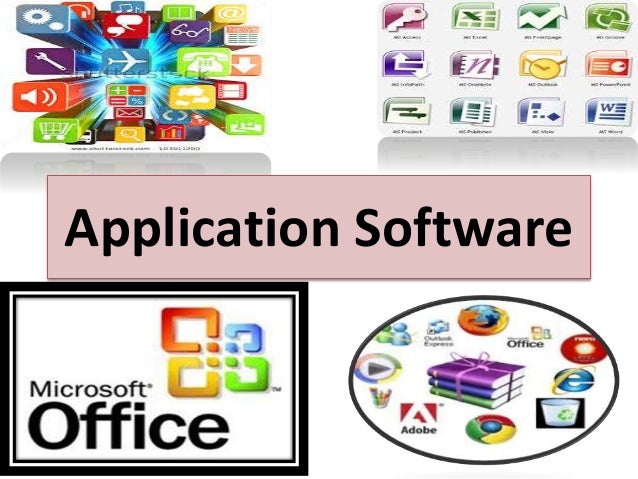
2. Application Software

Application software and Peopleware

Application Software, also known as end-user programs or productivity programs is software that helps the user in completing tasks such as doing online research, jotting down notes, setting an alarm, designing graphics, keeping an account log, doing calculations or even playing games. They lie above the system software. Unlike system software, they are used by the end-user and are specific in their functionality or tasks and do the job that they are designed to do. For example, a browser is an application designed specifically for browsing the internet, or MS Powerpoint is an application used specifically for making presentations. Application Software or simply apps can also be referred to as non-essential software as their requirement is highly subjective and their absence does not affect the functioning of the system. All the apps that we see on our mobile phones are also examples of Application Software. There is certain software that is exclusively made for app development like Meteor and Flutter. These are examples of Application software too.

There are various types of application software:

  • Word Processors: These applications for documentation. Along with that it also helps in storing, formatting and printing of these documents. Some examples of word processors are:
    • Abiword
    • Apple iWork- Pages
    • Corel WordPerfect
    • Google Docs
    • MS Word
  • Database Software: This software is used to create and manage a database. It is also known as the Database Management System or DBMS. They help with the organization of data. Some examples of DBMS are:
    • Clipper
    • dBase
    • FileMaker
    • FoxPro
    • MS Access
    • MySQL
  • Multimedia Software: It is the software that is able to play, create or record images, audio or video files. They are used for video editing, animation, graphics, and image editing, Some examples of Multimedia Software are:
    • Adobe Photoshop
    • Inkscape
    • Media Monkey
    • Picasa
    • VLC Media Player
    • Windows Media Player
    • Windows Movie Maker
  • Education and Reference Software: These types of software are specifically designed to facilitate learning on a particular subject. There are various kinds of tutorial software that fall under this category. They are also termed academic software. Some examples are:
    • Delta Drawing
    • GCompris
    • Jumpstart titles
    • KidPix
    • MindPlay
    • Tux Paint
  • Graphics Software: As the name suggests, Graphics Software has been devised to work with graphics as it helps the user to edit or make changes in visual data or images. It comprises of picture editors and illustration software. Some examples are:
    • Adobe Photoshop
    • Autodesk Maya
    • Blender
    • Carrara
    • CorelDRAW
    • GIMP
    • Modo
    • PaintShop Pro
  • Web Browsers: These applications are used to browse the internet. They help the user in locating and retrieving data across the web. Some examples of web browsers are:
    • Google Chrome
    • Internet Explorer
    • Microsoft Edge
    • Mozilla Firefox
    • Opera
    • Safari
    • UC Browser

Other than these, all the software that serves a specific purpose fall under the category of Application Software.

However, there exists one more classification of the software. The software can also be classified based on its availability and sharability.

This classification is as given below:

1. Freeware

Freeware software is available without any cost. Any user can download it from the internet and use it without paying any fee. However, freeware does not provide any liberty for modifying the software or charging a fee for its distribution. Examples are:

  • Adobe Reader
  • Audacity
  • ImgBurn
  • Recuva
  • Skype
  • Team Viewer
  • Yahoo Messenger

2. Shareware

It is software that is freely distributed to users on a trial basis. It usually comes with a time limit and when the time limit expires, the user is asked to pay for the continued services. There are various types of shareware like Adware, Donationware, Nagware, Freemium, and Demoware (Cripplewareand Trialware). Some examples of shareware are:

  • Adobe Acrobat
  • Getright
  • PHP Debugger
  • Winzip

3. Open-source

Linux: "Collabora. An open-source (and libre software) …" - LinuxRocks.Online

These kinds of software are available to users with the source code which means that a user can freely distribute and modify the software and add additional features to the software. Open-Source software can either be free or chargeable. Some examples of open-source software are:

  • Apache Web Server
  • GNU Compiler Collection
  • Moodle
  • Mozilla Firefox
  • Thunderbird

4. Software

They are also known as Closed-source software. These types of applications are usually paid and have intellectual property rights or patents over the source code. The use of these is very restricted and usually, the source code is preserved and kept as a secret.


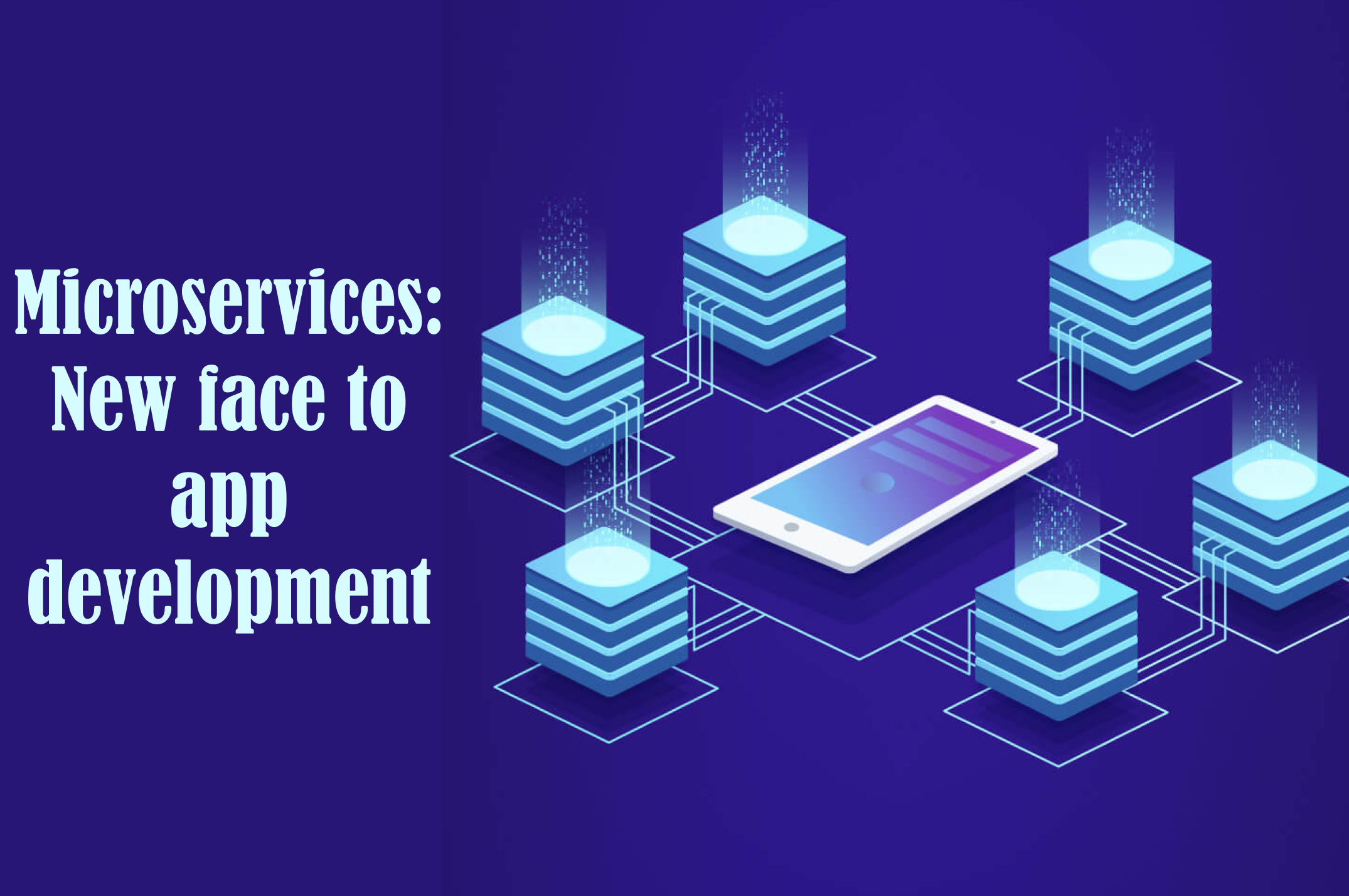
Microservices: New face to app development

Mobile device users are rapidly becoming the user’s favored instruments of choice for browsing the Internet. With market leaders centering on providing customers with exceptional user experiences, we are now seeing a rapid rise in consumer expectations, which compels, including the innovation of the mobile experiences you offer. Just implementing a mobile-first approach isn’t sufficient anymore. While your users may make-do with a responsive website in the early period, a shift to mobile apps provides you substantial leverage over your contemporaries. The key to successful mobile applications isn’t just limited to excellent design and continuous development. The development teams need to speed up the delivery of benefits that mobile apps offer to users. Implementation of the agile procedure, adopting a DevOps strategy, and making a move to the microservices model of creating a cloud-based application gives you a unique business advantage. Microservices enable the development teams to own the entire project development cycle. It provides much-needed flexibility in mobile app development services. Teams can work upon the data collected from users to incorporate changes within the app components on a real-time basis resulting in the DevOps procedure becoming more dynamic and the development teams more agile.

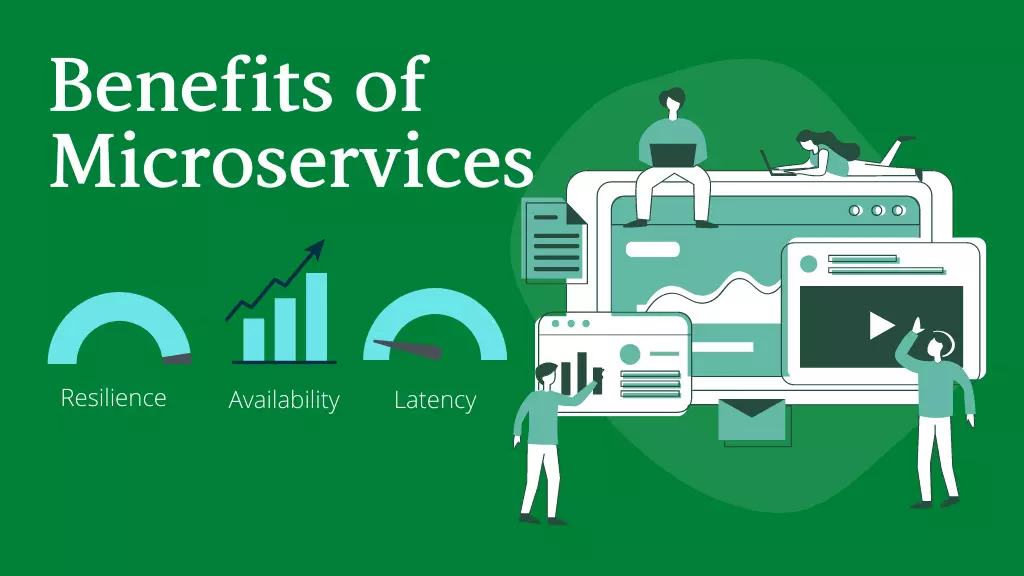
Flexible integration and code creation suit rapidly changing, customer-facing apps, which pushes businesses to evaluate microservices for mobile applications. Microservices in mobile application development boost modularization — breaking the architecture apart into independent services and groups of services. With services lined up around business function and still secluded from each other, developers can deliver the quick updates and recent feature releases that mobile users expect. Since microservices communicate via APIs, mobile application developers can opt for the most appropriate technology stack and language for each service or business flow, instead of limiting the entire project to one. However, microservices aren’t the only way to business mobile app development. Low-code platforms also tout a simple procedure to build mobile apps.

What are Microservices?

Anteelo design

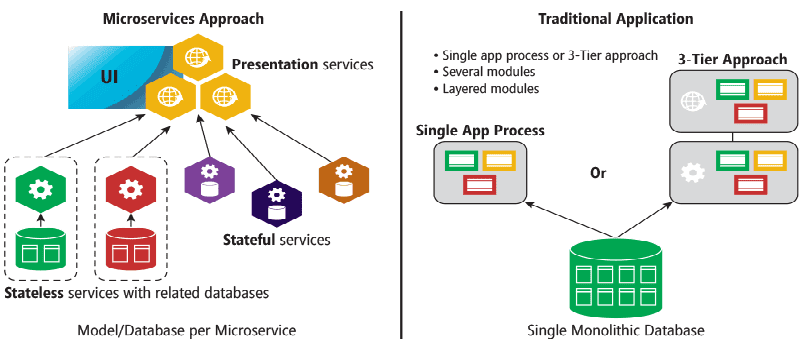
Microservices architecture is an essential architectural innovation that is a useful alternative for building complicated software applications. It involves the fragmentation of large applications into loosely coupled smaller services. Each microservice focuses on separate business functionality. Every microservice can be independently deployed, tweaked with, and redeployed without compromising the application integrity — the loose combination of microservices lead to the facilitation of rapid deployments. The features build as a result of user feedback, thus quickly reach the users.

How do microservices differ from conventional development practices?

Essential Hacks: Developing Microservices for PaaS, by Pivotal - Best Enterprise Cloud Strategy Tools, Vendors, Managed Service Providers, MSP and Solutions

In the conventional monolithic app architecture, designs all the constituents of the code as a single, cohesive unit in which the constituents are independent and interconnected. Any updates the developers require to make results in alterations made to the whole stack. Adopting a new framework or shifting to a new tech stack needs a substantial overhaul and rewriting of the entire code. In contrast, microservices architecture has the system distributed into individual services that can run as autonomous processes and communicate with each other, utilizing APIs. Containerization enables the encapsulation of the services, and operations run in parallel, thereby making the existing infrastructure easy to maintain. Any changes or updates performed on individual services without affecting the entire system.

Benefits of microservices architecture in app development

Benefits of Microservices Architecture

  • Improved productivity and agility

Microservices are made, deployed, and tested individually of other components in the system, which results in enhanced team agility and rapid iteration cycles. The developers have the elasticity to use the framework or language most appropriate for the functionality developed; this ramps up productivity by radically reducing the amount of code to be written. It also increases the maintainability of the application. Breaking down complex apps into manageable services improves the performance of agile teams.

  • Accelerated velocity and scalability

Scaling of various microservices components at runtime takes place individually; this facilitates more productive resource utilization. We can shift the workload of an element to an infrastructure that is best suited for the task. Microservices offer accelerated development speed combined with on-demand scalability. The flexibility of the cloud-native environments can be effortlessly leveraged by the microservices making scaling cost-effective through optimal use of infrastructural resources. Microservices also ensures that the application is more responsive to market requirements. The agile methodology enables you to roll out robust digital capabilities in response to real-time market requirements.

  • Continuous deployment

In conventional monolithic systems, dedicated teams work on distinct functions. The introduction of microservices leads to cross-functional teams managing the complete application lifecycle in a continuous delivery model. With various team members, including testers, developers, and operations teams working simultaneously on a development testing, single service and debugging takes place in continual iterations. The incremental development results in a constant cycle which writes, tests, and deploys the code consistently while incorporating relevant feedback.

  • The rise in cross-functional teams

Carrying out software development and deployment could be a tedious job when, while working with extended teams. Microservices result in improved independence for the developer. They can work independently, resulting in faster decision making. The cross-functional teams in microservices architecture consist of empowered individuals who can make faster decisions. Working in smaller groups and close-knit teams result in more freedom to the individual team members and quicker technical decision making.

  • Flexibility in utilizing technologies and access to a broader talent pool

Since each developed microservice can be written using different technology, the development team is free to opt for the tech stack that would be most suitable for the specific service. Decoupled services written in various programming languages can easily coexist, add new components continuously, and perform scaling at an individual level. The flexibility that microservices offer also enables you access to a broader talent pool.

Summary

While the business profits of shifting to a microservices architecture are huge, the transformation needs to be sensibly monitored and strategically implemented. Implementing a DevOps culture, with robust monitoring is essential for an effective shift to the microservices architecture. The ramp in flexibility and speed has to balance with an associated increase in complexity.

DevOps Engineers: What do they really do?

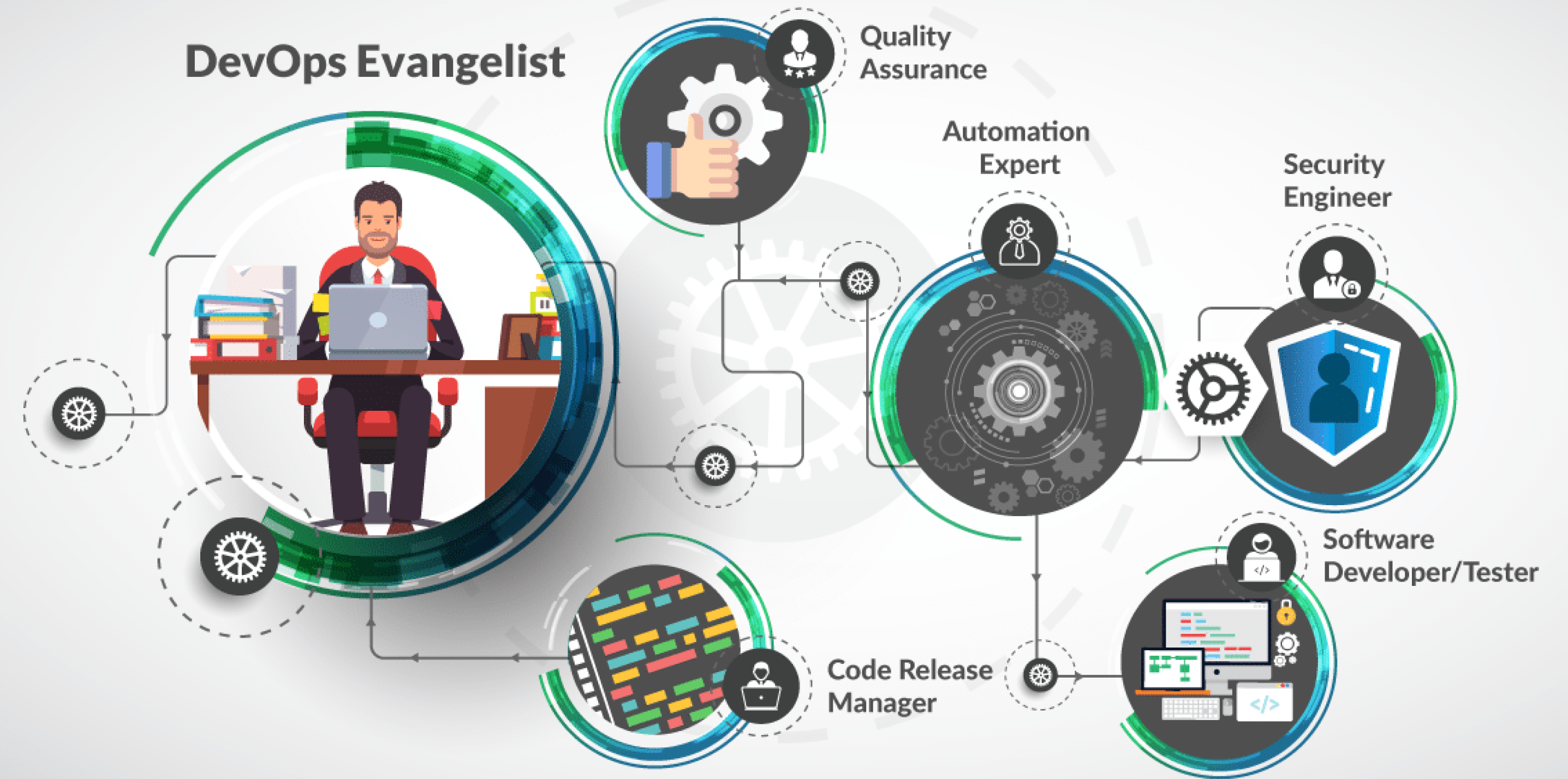
DevOps is no magic, but it can definitely look like it from the outside. In today’s corporate world, workers in the innovative fields are generating new roles for themselves. The role of the DevOps Engineer is one instance of such. There’s a lot of misconception regarding who is a DevOps Engineer? Are they the person who writes the code or are they responsible for the work of a system engineer? Well! Not exactly. Through this post, I shall guide you through the roles and responsibilities of a DevOps Engineer.

What is DevOps?

DevOps | Akamai

DevOps is the blend of cultural philosophies, tools, and practices that increases an organization’s ability to deliver services and applications at high speed: evolving and upgrading products at a faster rate than organizations using traditional software development and infrastructure management procedures.

This speed facilitates organizations to serve their customers better and compete more efficiently in the market. DevOps culture is introduced to create better collaboration, improved communication, and agile relations between the Operations team and the Software Development Team. Under a DevOps model, the gap between the development and operations teams is bridged. Sometimes, the two teams are merged into one team where the engineers work through the entire application lifecycle, from development to test and deployment to operations, and develop a set of skills not limited to a single function.

The teams make use of practices to automate procedures that traditionally have been slow and manual. These tools also support engineers to independently achieve tasks that normally would’ve required help from other teams, and this further enhances a team’s velocity. Simply put, DevOps is a set of practices that combine Software Development (Dev) and IT operations (Ops) which intend to shorten the systems development life cycle and provide continuous delivery with high software quality

Unlike popular opinion, DevOps is not:

  • a combination of the Development and Operations team.
  • a tool or a product.
  • a separate team.
  • automation.

However, DevOps is a process that includes continuous:

  • Integration
  • Development
  • Testing
  • Deployment
  • Monitoring.

Understanding the role of a DevOps Engineer.

The DevOps Engineer is truly a revival of the cloud infrastructure IT services. It is often strenuous to understand this role because the DevOps Engineer is the product of the dynamic workforce that has not yet finished evolving.

DevOps professionals come from a multitude of IT backgrounds and begin the role in different places in their careers. Generally, the role of a DevOps engineer is not as easy as it appears. It requires looking into seamless integration among the teams, successfully and continuously deploying the code. The DevOps approach to software development requires recurring, incremental changes, and DevOps Engineers seldom code from scratch. However, they must understand the fundamentals of software development languages and be thorough with the development tools utilized to make a new code or update the existing one.

A DevOps Engineer will work along with the development team to tackle the coding and scripting needed to connect the elements of the code, such as software development kits (SDKs) or libraries and integrate other components such as messaging tools or SQL data management that is needed to run the software release with operating systems and production infrastructure.

A DevOps Engineer should be able to manage the IT infrastructure in accordance with the supported software code dedicated to multi-tenant or hybrid cloud environments. There’s a need to have a facility for required resources and for procuring the appropriate deployment model, validating the release and monitoring performance. DevOps Engineers could either be the system administrators who have moved into the coding domain or the developers who have moved into operations. Either way, it is a cross-function role that is seeing a huge upward trajectory in the way software is developed and deployed in object-critical applications.

It isn’t rare for DevOps to be called to mentor software developers and architecture teams within an organization to educate them about how to create software that is easily scalable. They also work with the security teams and IT to ensure quality releases. Some DevOps teams include DevSecOps, which bids DevOps principles to driven security measures.

The DevOps Engineer is a significant IT team member as they work with an internal customer. This includes software and application developers, QC personnel, project managers and stakeholders usually from the same organization.

They rarely work with end-users, but keep a “customer first” mindset to comply with the needs of their internal clients. A DevOps Engineer is a customer-service oriented, team player who can arise from a number of different work and educational backgrounds, but through their vivid experience has developed the right skill set to move into DevOps.

Tasks of a DevOps Engineer.

Anteelo Design

Typically, the role of a DevOps Engineer comprises of the following duties:

  • Work with a variety of open-source tools and technologies for managing source codes.
  • Deploying multiple automation tools of DevOps to perfection.
  • Continuous iteration of software development and testing.
  • Connect to business and technical goals with alacrity.
  • Analyze code and communicate descriptive reviews to development teams to ensure a marked improvement in applications and on-time completion of projects.
  • Design, develop, and implement software integrations based on the user’s review.
  • Apply cloud (AWS, GCP, Azure) computing skills to deploy upgrades and fixes.
  • Troubleshoot production problems and coordinate with the development team to streamline code deployment.
  • Conduct systems tests for performance, availability, and security.
  • Collaborate with team members to improve the company’s engineering tools, data security, systems, and procedures.
  • Optimize the company’s computing architecture.
  • Troubleshooting documentation.
  • Implement automation tools and frameworks (CI/CD pipelines).
  • Develop and maintain design
  • Understand the needs and difficulties of a client across development and operations
  • Formulate solutions that support business, technical strategies and organization’s goals.
  • Develop solutions encompassing technology, process, and people for continuous delivery, build and release management, infrastructure strategy & operations, a basic understanding of networking and security
  • Implement and recommend solutions.
  • Expertise and knowledge in current and emerging processes, techniques and tools
  • Build the DevOps practice within ThoughtWorks and drive our thought-leadership externally
  • Timely identification and resolution of problems.
  • Design, develop and maintain the CI/CD tools and infrastructure to deliver Horizon Cloud Service

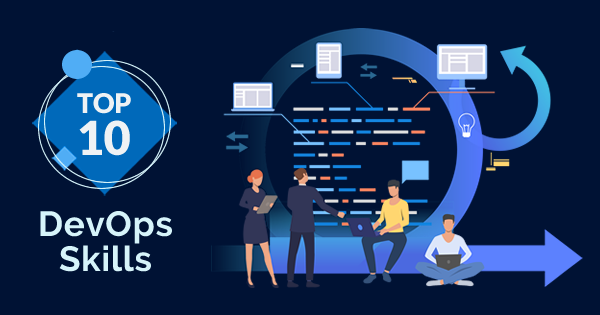
Skills required for a DevOps Engineer

10 Must Have Skills for DevOps Professionals - Whizlabs Blog

  • A Bachelor’s degree in Engineering, Computer Science or relevant field.
  • 3+ years’ experience in the software engineering role.
  • Expertise in code deployment tools (Puppet, Chef, and Ansible).
  • Expertise in software development methodologies.
  • Experience of server, network, and application-status monitoring.
  • Ability to maintain Java web applications
  • Strong command on software-automation production systems (Selenium and Jenkins).
  • Knowledge of Python or Ruby and known DevOps tools like Git and GitHub.
  • Working knowledge of various databases like SQL (Structured Query Language).
  • Problem-solving attitude.

It is essential to understand that a DevOps engineer is built out of the growing needs of the business to get a tighter hold of the cloud infrastructure in a hybrid environment. Organizations implementing DevOps skills yield better advantages such as spend relatively less time on configuration management and faster deployment of applications. Demand for people with DevOps skills is growing exponentially because businesses get great outputs from DevOps. Organizations utilizing DevOps practices are overwhelmingly high-functioning: They deploy code up to 30 times more often than their competitors, and 50 percent fewer of their deployments fail, according to 2013-2017 State of DevOps.

Blockchain Consensus Method: What You Need to Know

What the Future of Blockchain Means for Entrepreneurs

Blockchain consensus is a decentralized distributed network that offers higher transparency, security, and immutability.

We all know that.

But, have you ever wondered how it is able to achieve all this?

Who governs this network and verifies every transaction, provided there is no centralized authority?

Well it’s Blockchain consensus algorithms – The core part of Blockchain development world that we will be talking about in this comprehensive guide.

TABLE OF CONTENTS:

  1. Definition of Blockchain Consensus Algorithm
  2. Objectives of a Consensus Mechanism
  3. Properties of a Good Blockchain Consensus Mechanism
  4. Consequences of Relying Upon a Bad Consensus Protocol
  5. Blockchain Consensus Algorithms that are Popular in the Market
    1. Proof of Work (PoW)
    2. Proof of Stake (PoS) and Its Variations
    3. Byzantine Fault Tolerance (BFT) and Its Derivatives
    4. Direct Acyclic Graph (DAG)
    5. Proof of Capacity (PoC)
    6. Proof of Burn (PoB)
    7. Proof of Identity (PoI)
    8. Proof of Activity (PoA)
    9. Proof of Elapsed Time (PoET)
    10. Proof of Importance (PoI)

What is Blockchain Consensus Algorithm?

Real Estate and Blockchain - Golden Realty

The simplest answer to what is Blockchain consensus algorithm is that it is a procedure via which all the peers of a Blockchain network reaches to a common acceptance or consensus about the real-time state of the distributed ledger.

A consensus mechanism enables the blockchain network to attain reliability and build a level of trust between different nodes, while ensuring security in the environment. This is the reason why it is one of the vital parts of every Blockchain app development guide and every dApp project in the distributed ledger environment.

These algorithms operate on the ground of different objectives, a few of which we will be covering in the next section of this article.

Objectives of Blockchain Consensus Mechanism

1. Unified Agreement

Vendor Due Diligence Checklist (With Downloadable PDF) | KirkpatrickPrice

One of the prime objectives of consensus mechanisms is attaining unified agreement.

Unlike centralized systems where having a trust on the authority is necessary, users can operate even without building trustin on each other in a decentralized manner. The protocols embedded in the Distributed blockchain network ensures that the data involved in the process is true and accurate, and the status of the public ledger is up-to-date.

2. Align Economic Incentive

Why Enterprise Blockchains Fail: No Economic Incentives - CoinDesk

When it comes to building a trustless system that regulates on its own, aligning the interests of participants in the network is a must.

A blockchain consensus protocol, in this situation, offers rewards for good behavior and punish the bad actors. This way, it ensures regulating economic incentive too.

3. Fair & Equitable

Adequate, Equal, Equitable, or Fair? - Generations Magazine Money

Consensus mechanisms enable anyone to participate in the network and using the same basics. This way, it justifies the open-source and decentralization property of the blockchain system.

4. Prevent Double Spending

Double-Spend Attacks on Bitcoin and More | Gemini

Consensus mechanisms works on the basis of certain algorithms that ensures that only those transactions are included in the public transparent ledger which are verified and valid. This solves the traditional problem of double-spending, i.e, the problem of spending a digital currency twice.

5. Fault Tolerant
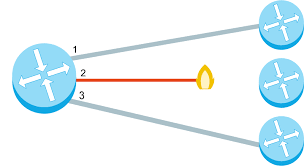
Redundancy and fault tolerance (article) | Khan Academy

Another characteristic of Consensus method is that it ensures that the blockchain is fault-tolerant, consistent, and reliable. That means, the governed system would work indefinite times even in the case of failures and threats.

Currently, there are a plethora of Blockchain consensus algorithms in the ecosystem and many more are heading to enter the marketplace. This makes it imperative for every Blockchain development company and enthusiastic Entrepreneur to be familiar with the factors that defines a good consensus protocol, and the possible effect of going with a poor one.

So, let’s begin with determining what makes a Blockchain consensus a good one.

Properties of a Good Blockchain Consensus Mechanism

Review of the Six Types of Blockchain Consensus Mechanism

1. Safety

In a good consensus mechanism, all the nodes are capable of generating results that are valid according to the rules of protocol.

2. Inclusive

A good consensus mechanism ensures that every particular node of the network participates in the process of voting.

3. Participatory

A consensus mechanism where all the nodes actively participate and contribute to updating database on Blockchain is called a Good consensus model.

4. Egalitarian

Another trait of a good mechanism is that it gives equal value and weightage to every vote received from the node.

With this attended to, let’s find out what happens when you do not consider these factors and introduce a poor consensus model to your development process.

Consequences of Choosing a Bad Consensus Protocol

1. Blockchain Forks

The differences between a hard fork, a soft fork, and a chain split, and what they mean for the future of bitcoin | by John Light | Medium

Choosing a poor blockchain consensus method increases the vulnerability of the chain. One such vulnerability that is faced by the blockchain enthusiasts and developers is Blockchain Forks.

Blockchain forks, in a layman language, is a situation or circumstances under which a single chain diverges into two or more. A detailed explanation about Blockchain fork and its types is available in the video embedded below.

When a Blockchain fork occurs, the application begins operating in an unpredictable manner, creating two or more diverged nodes ahead.

2. Poor Performance

Poor Performance May Be Management's Fault – TLNT

When a bad consensus mechanism is considered, either the node gets malfunctioned or suffer from network partition. This delays the process of exchanging messages between nodes and increases the latency of the application, which ultimately lowers down the performance level.

3. Consensus Failure

Byzantine Fault Tolderance – Consensus Protocols in Distributed Networks

Another effect of incorporating a bad consensus mechanism to your business model is consensus failure. In this situation, a fraction of nodes fails to participate in any process and thus, in the absence of their votes, the consensus fails to deliver accurate and desired outcomes.

With the basics of Blockchain consensus methods now covered, let’s dive deeper into the topic and look at the popular types of consensus mechanism.

Blockchain Consensus Algorithms that are Popular in the Market

1. Proof of Work (PoW)


Developed by Satoshi Nakamoto, Proof of Work is the oldest consensus mechanism used in the Blockchain domain. It is also known as mining where the participating nodes are called miners.

In this mechanism, the miners have to solve complex mathematical puzzles using comprehensive computation power. They use different forms of mining methods, such as GPU mining, CPU mining, ASIC mining, and FPGA mining. And the one that solves the problem at the earliest gets a block as a reward.

However, the process is not that easy. A puzzle can be solved only via trial and error method. Additionally, the level of complexity of the puzzle increases with the speed at which blocks are mined. So, it becomes mandatory for one to create a new block within a certain time frame to cope up with the difficulty level.

The Proof of Work mechanism is used by multiple cryptocurrencies like Bitcoin, Litecoin, ZCash, Primecoin, Monero, and Vertcoin to name a few.

In terms of its implementations, the Proof of Work (PoW) has not only influenced the financial industry, but also healthcare, governance, management and more. It has, in fact, offered the opportunity of multichannel payments and multi-signature transaction over an address for enhancing security.

2. Proof of Stake (PoS)

Implementing Proof of Stake Part — 1 | by Kashish Khullar | Coinmonks | Medium

Proof of Stake is the most basic and environmentally-friendly alternative of PoW consensus protocol.

In this blockchain method, the block producers are not miners, but they act like validators. They get the opportunity to create a block over everyone which saves energy and reduces the time. However, for them to become a validator, they are supposed to invest some amount of money or stake.

Also, unlike that in the case of PoW, miners are provided with a privilege to take their transaction fees in this algorithm for there is no reward system in this consensus model.

This, as a whole, encouraged brands like Ethereum to upgrade their model from PoW to PoS in their Ethereum 2.0 update. Also, it helped various Blockchain ecosystem like Dash, Peercoin, Decred, Reddcoin, and PivX to function properly.

Now, while PoS solved various issues earlier associated with PoW, there were many challenges still undusted in the market. To mitigate those challenges and deliver an enhanced blockchain environment, several variations of PoS came into existence.

The two popular variations of Proof of Stake (PoS) are DPoS and LPoS.

  • Delegated Proof of Stake (DPoS)

In the case of Delegated Proof of Stake (DPoS), the participants stake their coin and vote for a certain number of delegates such that the more they invest, the more weightage they receive. For example: if user A spends 10 coins for a delegate and user B invests 5 coins, A’s vote gets more weightage than that of B.

The delegates also get rewarded in the form of transaction fees or certain amount of coins.

Because of this stake-weighted voting mechanism, DPoS is one of the fastest blockchain consensus models and highly preferred as a digital democracy. Some of the real-life  use cases of this blockchain consensus mechanism are Steem, EOS, and BitShares.

  • Leased Proof of Stake (LPoS)

LPoS is an enhanced version of PoS consensus mechanism that operates on the Waves platform.

Unlike the regular Proof-of-Stake method where each node with some amount of cryptocurrency is entitled to add the next blockchain, users can lease their balance to full nodes in this consensus algorithm. And the one that leases the bigger amount to the full node have a higher probability of generating the next block. Also, the leaser is then rewarded with a percentage of transaction fee that has been collected by the complete node.

This PoS variant is an efficient and safe option for the development of public cryptocurrencies.

3. Byzantine Fault Tolerance (BFT)

Byzantine Fault Tolerance Explained | Binance Academy

Byzantine Fault Tolerance, as the name suggests, is used to deal with Byzantine fault (also called Byzantine Generals Problem) – a situation where the system’s actors have to agree on an effective strategy so as to circumvent catastrophic failure of the system, but some of them are dubious.

Learn more about the Byzantine Generals Problem through this video:-

The two variations of BFT consensus model that are prime in the Blockchain arena are PBFT and DBFT.

  • Practical Byzantine Fault Tolerance (PBFT)

PBFT is a lightweight algorithm that solves the Byzantine General’s problems by letting users confirm the messages that have been delivered to them by performing a computation to evaluate the decision about the message’s validity.

The party then announces its decision to other nodes who ultimately process a decision over it. This way, the final decision relies upon the decisions retrieved from the other nodes.

Stellar, Ripple, and Hyperledger Fabric are some of use cases of this blockchain consensus mechanism.

  • Delegated Byzantine Fault Tolerance (DBFT)

Introduced by NEO, the Delegated Byzantine Fault Tolerance mechanism is similar to DPoS consensus model. Here also, the NEO token holders get the opportunity to vote for the delegates.

However, this is independent of the amount of currency they invest. Anyone who fulfills the basic requirements, i.e, a verified identity, right equipment, and 1,000 GAS, can become a delegate. One among those delegates is then chosen as speaker randomly.

The speaker creates a new block from the transaction that is waiting to be validated. Also, he sends a proposal to the voted delegates who have the responsibility to supervise all the transactions and record them on the network. These delegates have the freedom to share and analyze the proposals to check the accuracy of data and honesty of the speaker. If, then, 2/3rd of the delegates validates it, the block is added to the blockchain.

This type of Blockchain consensus protocol is also called ‘Ethereum of China’ and can be a helpful resource in building a ‘smart economy’ by digitising assets and offering smart contracts on the blockchain.

4. Direct Acyclic Graph (DAG)

Directed Acyclic Graph (DAG) Overview & Use Cases | Hazelcast

Another basic yet prime blockchain consensus model that every mobile app development services company working with Blockchain must be familiar with is DAG.

In this type of Blockchain consensus protocol, every node itself prepares to become the ‘miners’. Now, when miners are eradicated and transactions are validated by users itself, the associated fee reduces to zero. It becomes easier to validate transactions between any two closest nodes, which makes the whole process lightweight, faster, and secure.

The two best examples of DAG algorithm are IOTA and Hedera Hashgraph.

Though these are the prime consensus models in the development environment, many different blockchain consensus mechanisms have slowly and gradually starting gaining momentum, such as:-

5. Proof of Capacity (PoC)

What is Proof of Capacity? An Eco-Friendly Mining Solution - CoinCentral

In the Proof of Capacity (PoC) mechanism, solutions for every complex mathematical puzzle is accumulated in digital storages like Hard disks. Users can use these hard disks to produce blocks, in a way that those who are fastest in evaluating the solutions get better chances for creating blocks.

The process it follows is called Plotting. The two cryptocurrencies that relies on PoC blockchain consensus protocol are Burstcoin and SpaceMint.

6. Proof of Burn (PoB)

What is Proof of Burn?

Considered an alternate solution to PoW and PoS in terms of energy consumption, Proof of Burn (PoB) consensus model works on the principle of letting miners ‘burn’ or ‘ruin’ the virtual cryptocurrency tokens, which further provides them with a privilege to write blocks in proportion to the coins. The more coins they burn, the more are the chances of picking the new block for every coin they get.

But, in order to burn coins, they are required to send it to the address where it couldn’t be spent for verifying the block.

This is widely employed in the case of distributed consensus. And the finest example of this consensus mechanism is the Slim coin.

7. Proof of Identity (PoI)

OspreyFX KYC Verification - Acceptable Proof of Identity : OspreyFX

The concept of PoI (Proof of Identity) is just like that of the authorized identity. It is a piece of cryptographic confirmation for a users’ private key that is being attached to each particular transaction. Each identified user can create and manage a block of data that can be presented to others in the network.

This blockchain consensus model ensures authenticity and integrity of the created data. And thus, is a good choice for introducing in smart cities.

8. Proof of Activity (PoA)

What Is Proof-of-Activity (PoA)?

PoA is basically a hybrid approach designed through the convergence of PoW and PoS blockchain consensus models.

In the case of PoA mechanism, miners race to solve a cryptographic puzzle at the earliest using special hardware and electric energy, just like in PoW. However, the blocks they come across holds only the information about the identity of block winner and reward transaction. This is where the mechanism switches to PoS.

The validators (shareholders appointed to validate transactions) test and ensure the correctness of the block.  If the block was checked many times, the validators activate to a complete block. This confirms that open transactions are processes and are finally integrated into the found block containers.

Besides, the block reward is divided so that validators gain shares of it.

The two real-world implementation of this mechanism are Espers and Decred coins.

9. Proof of Elapsed Time (PoET)

Proof of Elapsed Time (PoET) (Cryptocurrency) Definition

PoET was introduced by Intel with an intent to take over cryptographic puzzles involved in PoW mechanism by considering the fact that the CPU architecture and the quantity of mining hardware knows when and at what frequency does a miner win the block.

It is based on the idea of fairly distributing and expanding the odds for a bigger fraction of participants. And so, every participating node is asked to wait for a particular time to participate in the next mining process. The member with the shortest hold-up time is asked to offer a block.

At the same time, every node also come up with their own waiting time, after which they go into sleep mode.

So, as soon as a node gets active and a block is available, that node is considered as the ‘lucky winner’. This node can then spread the information throughout the network, while maintaining the property of decentralization and receiving the reward.

10. Proof of Importance (PoI)

Proof-of-importance (PoI) - Wiki | Golden

Introduced by NEM, PoI is a variation of PoS protocol that considers the role of shareholders and validators for its operation. However, this is not only influenced by the size and chance of their shares; various other factors like reputation, overall balance, and no. of transactions made through any particular address also plays a role in it.

The networks based on POI consensus model are expensive to attack on and rewards users for contributing to the network’s security.

The information shared so far would have helped you in differentiating the varied Blockchain consensus protocols.

However, to simplify it for you, here’s a blockchain consensus algorithms comparison table.


How Can Mobile Apps Help Your Company’s Digital Transformation?

Master Digital Transformation - Learning Path

Irrespective of which industry you look at, you will find entrepreneurs hustling to kickstart their digital transformation efforts which have been lying in the backdrop since several business years. While a considerably easy move when you have to alter your digital offering according to the customers’ needs, things become a little difficult when you start planning digital transformation for your business. A difficulty that mobile applications can solve.

There are two prime elements which businesses need to focus on when planning to digitally transform their workflow and workforce: adaptability and portability. And by bringing their processes and communications on mobile apps, they are able to hit both the targets in one go.

Here are some statistics looking into why enterprises need to count mobile application in, in their digital transformation strategy –

Although the above graph should be a reason enough to take mobile apps seriously, there are some other numbers as well.

  • 57% of the digital media use comes in through apps.
  • On an average, any smartphone user has over 80 apps out of which they use 40 apps every month.
  • 21% of millennials visit a mobile application 50+ times everyday.

While the statistics establish the rising growth of mobile apps, what we intend to cover in the article is the pivotal role mobile applications play in digital business transformation. To understand it from the entirety, we will first have to look into what is digital transformation and what it entails.

What is digital transformation?

5 Digital Advertising Platforms You Need To Start Using Now - Mediaboom

Digital transformation means using digital technologies for changing how a business operates, fundamentally. It offers businesses a chance to reimagine how they engage with the customers, how they create new processes, and ultimately how they deliver value.

The true capabilities of introducing digital transformation in business lies in making a company more agile, lean, and competitive. The end of the long term commitment results in several benefits.

Benefits of digital transformation for a business

  • Greater efficiency – leveraging new technologies for automating processes leads to greater efficiency, which in turn, lowers the workforce requirements and cost-saving processes.
  • Better decision making – through digitalized information, businesses can tap in the insights present in data. This, in turn, helps management make informed decisions on the basis of quality intelligence.
  • Greater reach – digitalization opens you to omni-channel presence which enables your customers to access your services or products from across the globe.
  • Intuitive customer experience – digital transformation gives you the access to use data for understanding your customers better enabling you to know their needs and delivering them a personalized experience.

Merging mobile app capabilities with digital transformation outcomes 

The role of mobile applications can be introduced in all the areas which are also often the key areas of digital transformation challenges that an enterprise faces.

  1. Technology integration
  2. Better customer experience
  3. Improved operations
  4. Changed organizational structure

When you partner with a digital transformation consulting firm that holds an expertise in enterprise app development, they work around all these above-mentioned areas in addition to shaping their digital transformation roadmap around technology, process, and people.

In addition to a seamless integration with the digital transformation strategy of an enterprise,  there are a number of reasons behind the growing need to adopt digital transformation across sectors. Ones that encompasses and expands beyond the reasons to invest in enterprise mobility solutions.

The multitude of reasons, cumulatively, makes mobility a prime solution offering of the US digital transformation market.

How are mobile apps playing a role in advancing businesses’ internal digital transformation efforts?

1.  By utilizing AI in mobile apps

How To Utilize Artificial Intelligence In Mobile App Development

The benefits of using AI for bettering customer experience is uncontested. Through digital transformation, businesses have started using AI for developing intuitive mobile apps using technologies like natural language processing, natural language generation,  speech recognition technology, chatbots, and biometrics.

AI doesn’t just help with automation of processes and with predictive, preventative analysis but also with serving customers in a way they want to be served.

2.  An onset of IoT mobile apps

Future trends in IoT user interface design (Updated 2020)

The time when IoT was used for displaying products and sharing information is sliding by. The use cases of mobile apps in the IoT domain is constantly expanding.

Enterprises are using IoT mobile apps to operate smart equipment in their offices and making the supply chains efficient, transparent. While still a new entrant in the enterprise sector, IoT mobile apps are finding ways to strengthen their position in the business world.

3.  Making informed decisions via real-time analytics

Data Driven Decision Making – 10 Tips For Business Success

In the current business world, access to real-time analytics can give you a strong competitive advantage. Mobile applications are a great way for businesses to collect users’ data and engage with them through marketing transformation messages designed around the analytics based on their app journey.

You can use real-time analytics to know how your teams are performing, analyze their productivity, and get a first-hand view into the problems they are facing in performing a task and how it’s impacting the overall business value.

4.  Greater portability

Ultrasound market gets supercharged by AI, cloud, and greater portability: report

Portability in an enterprise ecosystem enables employees to work as per their convenience. While it shows less impact in the short term, in the long run, it plays a huge role in how productive a team is.

By giving employees the space to work as per the time and location of their choice, you give them the space to boost their creativity fuel and in turn productivity. One of the results of using software that enabled our employees to work according to their terms and conveniences for us was greater business expansion ideas and an increase in overall productivity of the workforce.

Tips to consider when making mobile apps a part of the digital transformation strategy

Part 2]: Digital Transformation in Manufacturing: Defining the Digital Transformation Strategy and The Challenges Ahead | by PlumLogix (Salesforce Partner) | PlumLogix | Medium

If at this stage, you are convinced that mobile applications are a key part of digital transformation efforts, here are some tips that can help your strategies for increasing the ROI on your enterprise app –

Adopt mobile-first approach – the key factor that separates enterprise apps that are winning is how they don’t treat apps as the extension of their websites. Their software development process is strictly mobile-only. This in turn shapes their entire design, development, and testing processes.

Identifying the scope of mobility – the next tip that digital transformation consulting firms would give you is analyzing the operations and workflows for understanding which teams, departments, or functions would benefit from mobility the most. You should not start reinventing a process which works okay, you should look for areas which can be streamlined, automated, or valued through mobility.

Outsourcing digital transformation efforts – when we were preparing An Entrepreneur’s Guide on Outsourcing Digital Transformation article, we looked into several benefits of outsourcing digitalization to a digital transformation strategy consulting agency. But the prime benefit revolved around saving businesses’ efforts and time which goes into solving challenges like – absence of digital skillset, limitations of the agile transformation process, or the inability to let go of the legacy systems.

Organizational Online Security: Brand Protection

5 Most Common Online Security Threats According to Segurazo | by Segurazo | Segurazo | Medium

A Brief on ‘What is Brand Protection?’

Just like Rome was not built in a day, successful business takes days of hard work and challenges to reach a paramount height. Many enterprises that fall under Fortune companies today, took years to build their business and create an eminent brand image in the market. However, the reputation of any organization relies upon its brand and its presence on various platforms. One of the biggest platforms that majorly impacts an organization’s reputation is the ‘online platform’. A brand is a valuable asset of an organization, especially over the digital landscape. Therefore, organizations must ensure brand protection online in the same fashion as they protect their other valuable assets. Failure to do so may not only reduce the value of your brand in the market but also can completely damage the reputation of your business.

A brand is more than just a front face of an organization. It is an intangible perception in the mindsets of consumers that concerns the quality and attributes of a product or service of the business. Moreover, developing any brand requires significant time and investment, but it would take only a matter of some time for cyber threat actors to destroy a brand’s image completely online. Hence, due to the widespread usage of the internet in the business world today, it has become essential highly to protect your brand. Brand protection is basically the act of preventing the brand against counterfeiting and copyright infringement activities.  It is the process of securing a company’s intellectual property (IP) and their associated brand from copyright pirates or imitators from violating trademark rights, legitimate website content, designs, patents, etc. In short, brand protection prevents the brand from being abused in the digital landscape.

Why Does Your Brand Reputation Matter Online?

Today people are bombarded with various online advertisements of ubiquitous brand names. Even though renowned brands are easily recognizable, there are several other websites or applications present online that counterfeit brand names for malicious use. There are many reasons for the importance of brand protection. For instance, imagine your potential customer searching online for a service or product of your business. But rather than coming across the legitimate website of your company, your customer happens to fall for a fake website that has impersonated the content of your website and looks highly convincing. What would be your take on this? Without your knowing, your customer would fall for it and there would be a high possibility that after finding out the illegitimacy of the fake websites, a major bad impact on your brand reputation would arise. While it is just a scenario of one customer, imagine the number of other customers who might unknowingly fall victim to such websites that are impersonating your business online!

Follow the image below to understand the problem more clearly:

From the above image, it can be clearly seen that phishers can easily trick users with fake websites using convincing content and make it look like the original one. Although this practice of brand infringing comes in various forms such as copyright piracy, social media impersonation, trademark squatting, etc., the phishing of website and application tops among them all. The malicious motive of phishers to create an impersonated website or application is to get most of the traffic redirected from official to fake platform. By doing this, they get to trick customers into submitting their personal information and later these cybercrooks misuse the provided information. In fact, recently in the two weeks of the survey, it was discovered that 94% of COVID-19 related cyberattacks were phishing attacks and it included fake websites with domain names as “Corona” or “COVID”. Also, it was reported that 51,000 Coronavirus-themed domains were registered at the beginning of 2020, between January and March!

Moreover, in February 2020,  the banking sector was used as a bait in the phishing attack campaign. The cyber attackers targeted mobile banking users by sending phishing links that redirect users to fake websites impersonating well-known banks in North America. Nearly 4,000 users fell victim to the phishing attack where the cyber threat actors were able to capture their sensitive information and login credentials. In a threat research report, it was discovered that in every 20 seconds a new phishing website goes live! This means that 3 new websites per minute are specifically designed to target users to steal their personal information. These statistics are the call for organizations to understand how vulnerable their brands are online. Today, organizations without online brand protection hold higher chances of having phished pages of their legitimate website online.

Brand impersonation

No matter what kind of industry your business comes under, be it manufacturing, healthcare, food, or BFSI, phishers won’t spare you if they find your brand vulnerable online. They would not only create a fake website but would also get the power of risking your business’ brand reputation in phishing scams, including other malicious activities. This is why brand protection is the most critical aspect of every industry today.

What is Online Security

What Types of Brand Protection Strategies Should Organizations Follow?

An organization must implement proper and adequate brand protection strategies to keep a watch on the online activities taking place against their brand. Amidst the complexity of evolving online threats, stringent monitoring, and security measures are highly recommended for every firm. Knowing how cyber threat actors can infringe your brand and forge your company’s website, it is necessary to enforce your rights to maintain the integrity of your brand. Here are the best brand protection strategies that every CISO and CIO must implement in the organization:

  • Stringent Brand Monitoring:

Regular and stringent brand monitoring ensures that your brand is not being negatively publicized on the internet by phishing web pages or applications. It is the best way to identify fraudulent practices taking place against your brand and maintaining the brand’s reputation in the digital landscape. With proactive brand monitoring, it becomes easier to detect website forgery and manage the domain.

  • Instant Take-down Tool:

Implementing brand protection software not only detects counterfeiting of websites and applications effectively but also ensures to instantly take-down phishing domains present online in the name of your brand. Only regular tracking won’t stop cybercriminals from impersonating your website but implementing an instant take-down tool will help in removing all phishing domains within a matter of seconds from the web browser.

Cyber Security Expert Roles| ECU Online

  • Dark Web Monitoring:

Hackers can go beyond the regular surface web to exploit an organization’s brand reputation while creating phishing websites or applications. You may never know how your brand is being misused in the other hidden world of the web called the dark web. The dark web is an infamous part of the web where the confidentiality and legitimacy of brands is exploited. By implementing and using dark monitoring techniques, organizations can detect the copyright infringement activities taking place on the dark web.

Implementing these above-mentioned following types of brand protection strategies, organizations can secure their brand online and mitigate the chances of website forgery.

error: Content is protected !!