Ways To Become More Effective With Sprint Retrospective

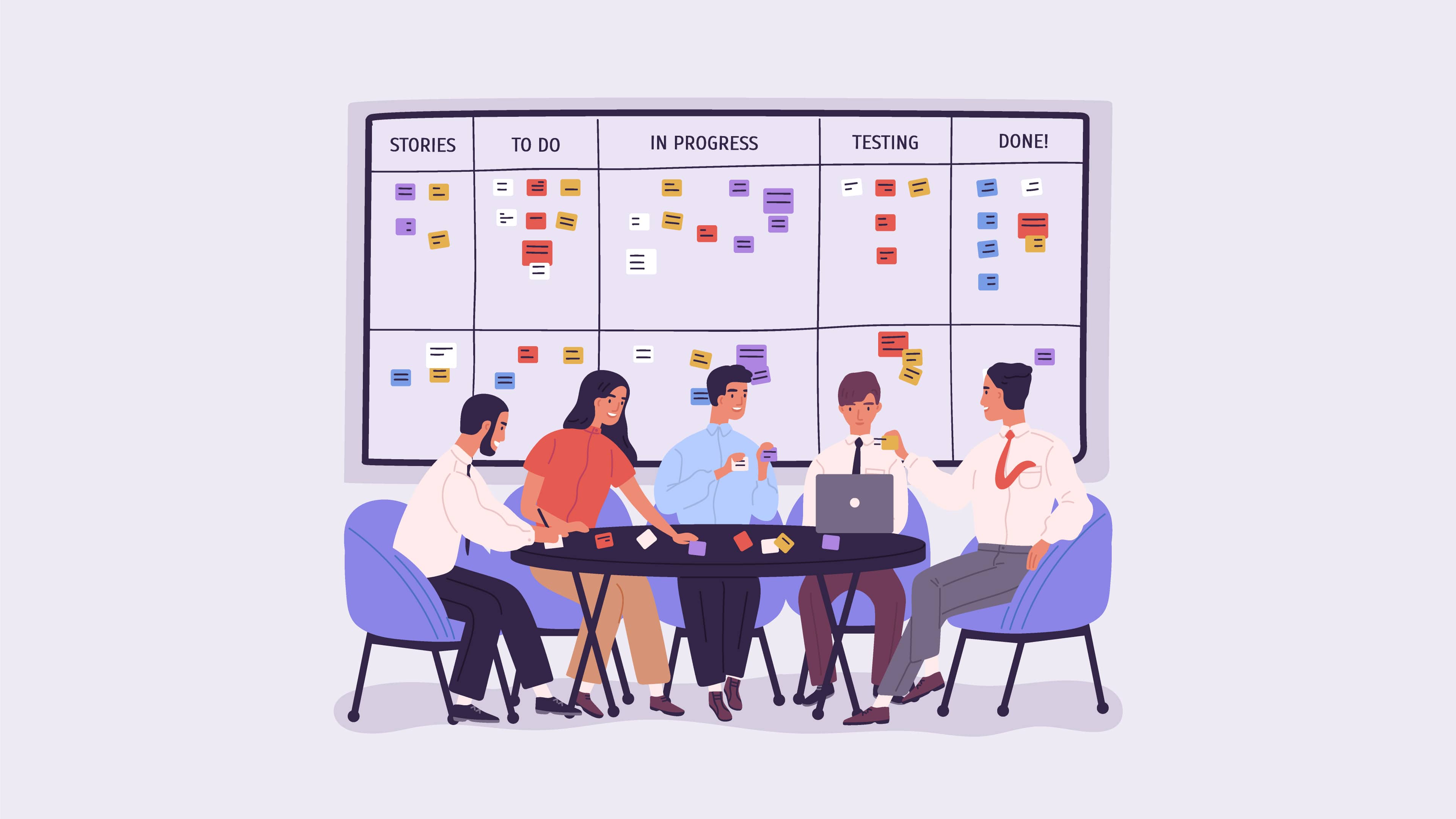
Scrum Meeting - Quickscrum

Did you ever feel like your team is committing the same mistakes over and over? You feel that they are not moving in the right direction and you need to drive in some change to make the project development process productive.

Whether you are new to software development or you have been working in the software industry for years, you must have come across the term ‘Sprint Retrospective’. Agile development teams have made retrospective meetings quite popular.

Regardless of how good a Scrum team is, there is always some room for improvement. Since the focus of agile development is continuous improvement, a good project team sets aside a brief period at the end of each Sprint to reflect how they are doing and seeks out new ways to improve. This is called a Sprint Retrospective.

What is a Sprint Retrospective?

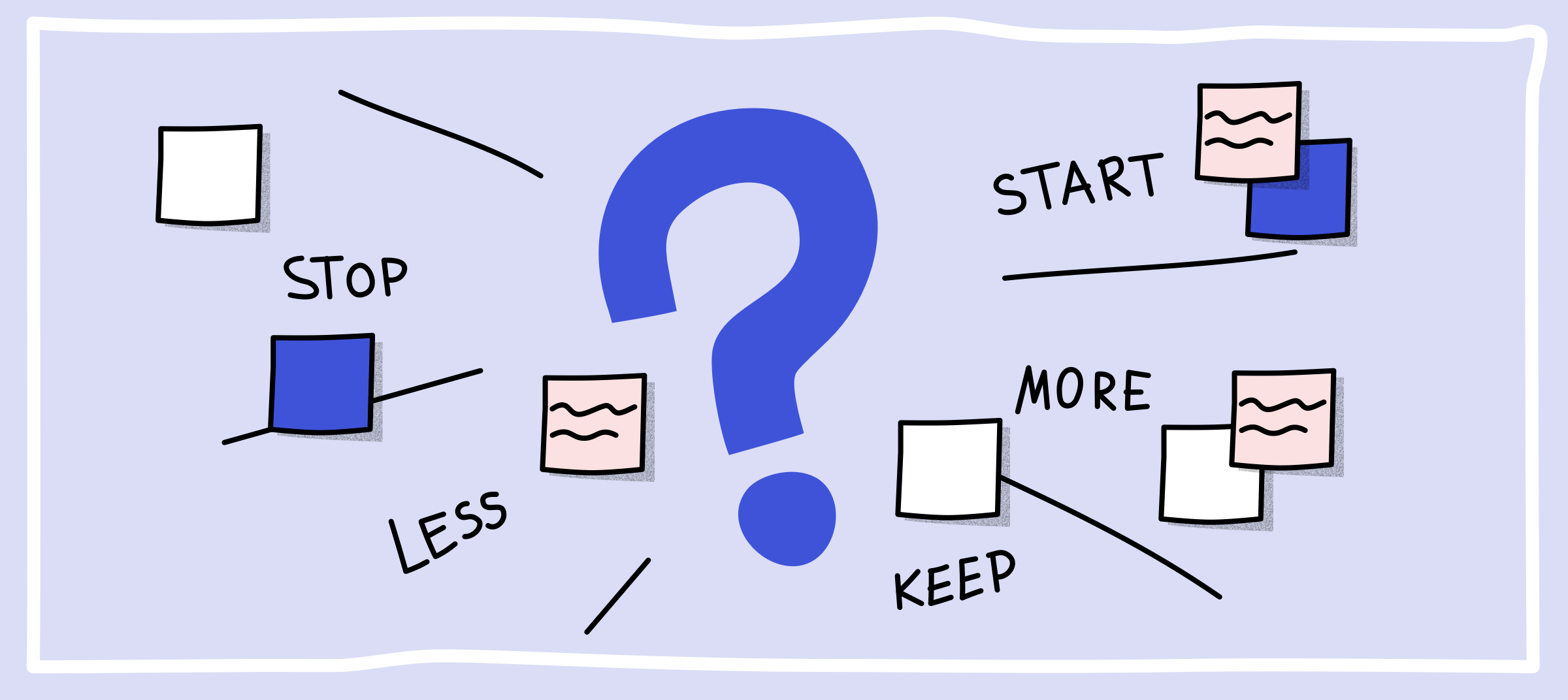
What is a Sprint Retrospective & How Do You Run One? | Miro

The term retrospective implies looking back or dealing with past events and situations.

According to the Scrum Guide, developed and sustained by Ken Schwaber and Jeff Sutherland “ the Sprint Retrospective is an opportunity for the Scrum Team to inspect itself and create a plan for improvements to be enacted during the next Sprint.”

Well, if you do not know what a Sprint is, a Sprint essentially is a time-boxed period during which a set amount of work is to be completed by the Scrum team. It is at the very heart of Scrum and agile methodologies.

The purpose of a Sprint Retrospective is to identify potential pitfalls and mistakes, evaluate the past working cycle and define actions that may improve things.

It is like a safe space for people to share honest feedback. It is an opportunity to focus on inspection and adaptation. ‘Inspect’ and ‘adapt are the twin mottos of a retrospective and they play a crucial role in making the next Sprint more productive.

Sprint retrospective plays a fundamental role in the scrum framework in agile development. During the sprint retrospective, a team discusses, what went well in the Sprint, what all can be improved and what actions shall be undertaken to improve the next Sprint.

The Value of a Sprint Retrospective 

Everything that has an effect on how the Scrum team builds a product such as the practices, processes, tools and communication are open to survey and the retrospective is attended by the product owner, scrum master, development team, and optionally the stakeholders.

Based on the discussions in a retrospective, the team members execute changes and then proceed to the coming sprint with an incrementally improved process.

The best thing about a retrospective is that it happens at the very last when the sprint ends. This way fresh ideas are churned out and teased out by the whole team in the next Sprint.

Afterall, the real purpose of the Sprint Retrospective is to bring about a positive change in the project, team, and organization.

What a project team plans to accomplish with a Retrospective is pretty much similar to what a football team plans to accomplish in its Monday morning tape review of the weekend’s game. The review is to evaluate how they could have defended better.

Same is the case with a retrospective, it particularly isn’t about winning the game but altering the strategy and implementations to win the next game.

Afterall, even with the best of teams, there’s always some room for improvement.

While a sprint retrospective is essentially an optimised process for teams working in an agile environment, it can be optimised for any type of team that works on a shared project.

During each Sprint Retrospective, the Scrum Team devises ways to improve product design & development quality by improving work processes or adapting the definition of “Done” if it is not in conflict with the product or organizational standards.

Why should you run a Sprint Retrospective?

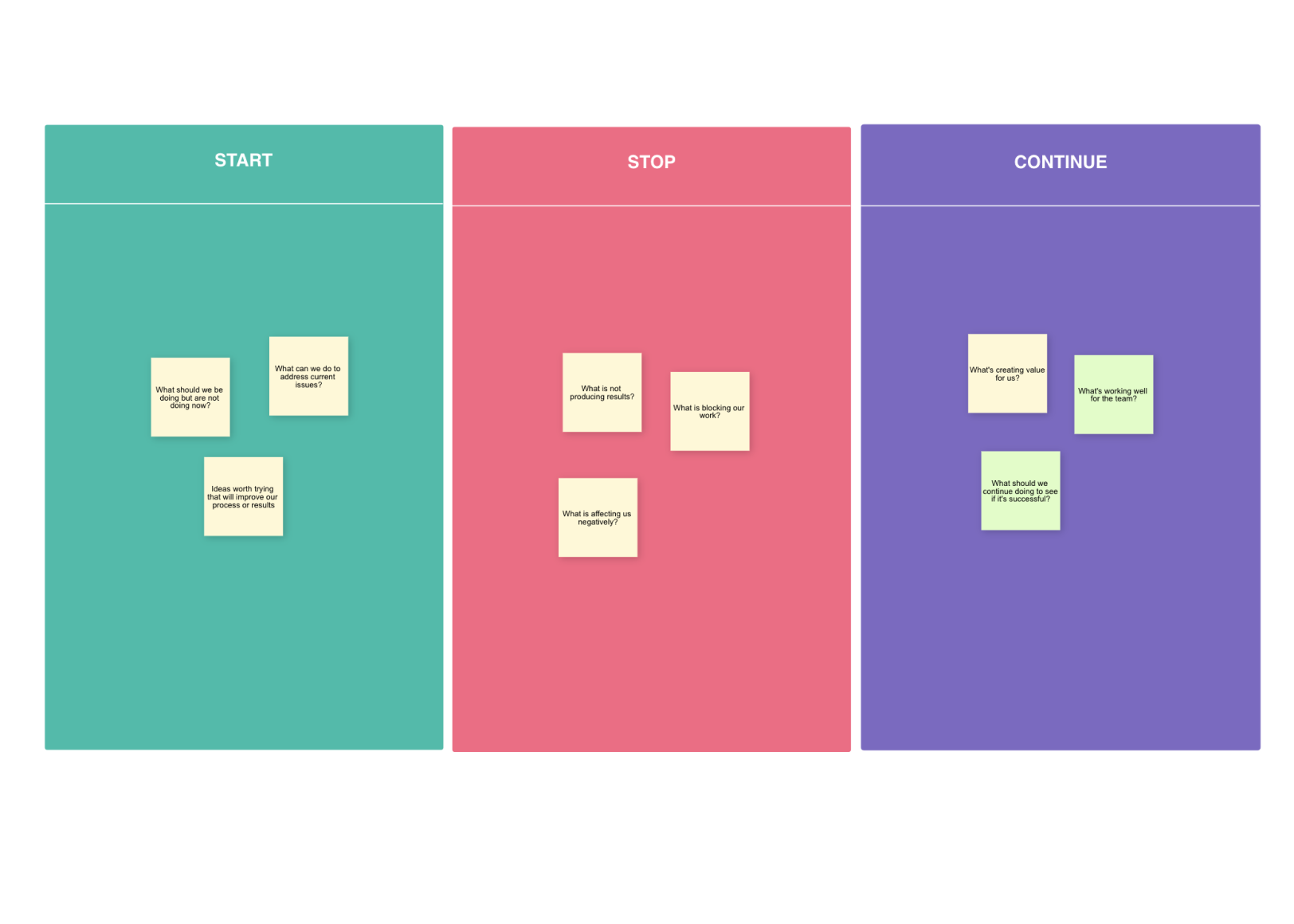
3 popular ways to run a productive Retrospective - Backlog

More often than not, crucial ceremonies in agile such as the retrospective appear very mundane to project teams and as a result they do not use it to their full advantage.

There are a raft of benefits of running an agile sprint retrospective:

  • It creates a safe space for team members to share valuable insights and feedback. Retrospectives foster active participation, allow sharing of views and interests, and encourages the team to collaboratively arrive at a solution.
  • It provides a platform to document wins, celebrate success and inturn strengthens the team spirit.
  • The primary importance of a Sprint Retrospective is that it allows the team to identify potential pitfalls at an early stage and resolve conflict areas. With retrospectives, agile teams can continuously improve the processes by evaluating ‘what all can be improved’.
  • By running a retrospective, teams can easily identify small, incremental changes that can cast a huge impact on the overall product. When members share their views for improvement, they feel a sense of ownership.
  • Not only team members feel that their opinions are heard and respected, it also cuts through hierarchy and gives equal power to all team members.
  • There are many benefits of retrospectives but it is of utmost help to Project Managers. Retrospective aligns teams, keep the project on the right track and make each sprint better than the last. The end of the retrospective allows teams to commence the next sprint with a clean slate.

Difference between a Sprint Retrospective and a Sprint Review 

Sprint Review and Sprint Retrospective are often confused as the same thing. However, they are completely different.

Sprint Review

Ways To Become More Effective With Sprint Retrospective

The idea behind working in Sprints is to produce a potentially shippable product increment.

Sprint Review is a meeting where a project team demonstrates the work that they have accomplished. During a Sprint Review meeting, the Scrum Team presents the deliverables of the current Sprint to the Product Owner. The Product Owner then reviews the product increment against the Acceptance Criteria and either accepts or rejects the User Stories.

Sprint Retrospective 

Ways To Become More Effective With Sprint Retrospective

In a Sprint Retrospective Meeting, the last Sprint is analysed in terms of the process followed, the tools employed, collaboration and communication mechanisms, and other aspects relevant to the subject.

The team discusses what went well in the previous Sprint, what did not go so well, with the sole aim to make improvements in the next Sprint.

Simply put, the Sprint Review focuses on the product and maximizes the business value of the previous sprints while the Sprint Retrospective focuses on the process and continuous process improvement.

The Sprint Retrospective takes place after the Sprint Review and before the next Sprint Planning. Mostly, it is a three-hour meeting for one-month Sprints.

The Scrum Master ensures that the event is conducted and the attendees understand its very purpose. Since it is an opportunity for the Scrum team to improve, ideally every participant should be present in a Retrospective.

Sprint Retrospective Process 

Sprint Review | Infinity

Sprint retrospective is considered one of the most indispensable meetings in Scrum. A well done agile retrospective offers a number of benefits. Here are the five essential steps and tips to make the sprint retrospective better:

  1. The very first step is to set the stage. Setting the environment, the tone and direction for retrospective is how you start off on the right foot.
  2. The next step is to gather and analyze the data of previous projects to have insights into previously performed actions. It also entails creating a shared pool of information and highlighting pertinent information and events.
  3. The third step is to identify repeated patterns and generate insights. By looking at patterns and themes, and identifying pain points and successes it becomes relatively easy to improve the process for everyone in the next Sprint.
  4. The next stage is deciding a few issues to work on and creating concrete action plans on how to address them.
  5. The retrospective ends with the acknowledgement and appreciation for the contribution of each member.

Conclusion

The Sprint Retrospective is a critical part of our scrum agile methodology. By running a retrospective we practice the Agile “inspect and adapt” principle.

Retrospective is a great opportunity to motivate a team by providing them the opportunity to speak up, share their ideas, and be heard.

The end goal of our Sprint retrospective meetings is to continually improve a development project, sprint by sprint. It not only improves the quality of the approach, but significantly improves the quality of the product.

Why Choose Node.js for your Next Product Development?

Why Choose Node.js for your Next Product Development?

In little over a decade, Node.js has emerged as a top-developer choice for web application development. Its pros make it a superlative alternative for cross-platform development by integrating a 2-way client-server communication channel. Without plunging into the technicalities, let us know the top Node.js development statistics that substantiate its superiority over the competition:

  • Node.js is highly popular in the US, with 6.3 million websites using it.
  • It has found use cases in companies such as Amazon, LinkedIn, Tumblr, Netflix, and PayPal.
  • 85% of the developers that use Node.js, do so for web app development.
  • Research suggests that this open-source JavaScript runtime environment reduces development costs by 58%.

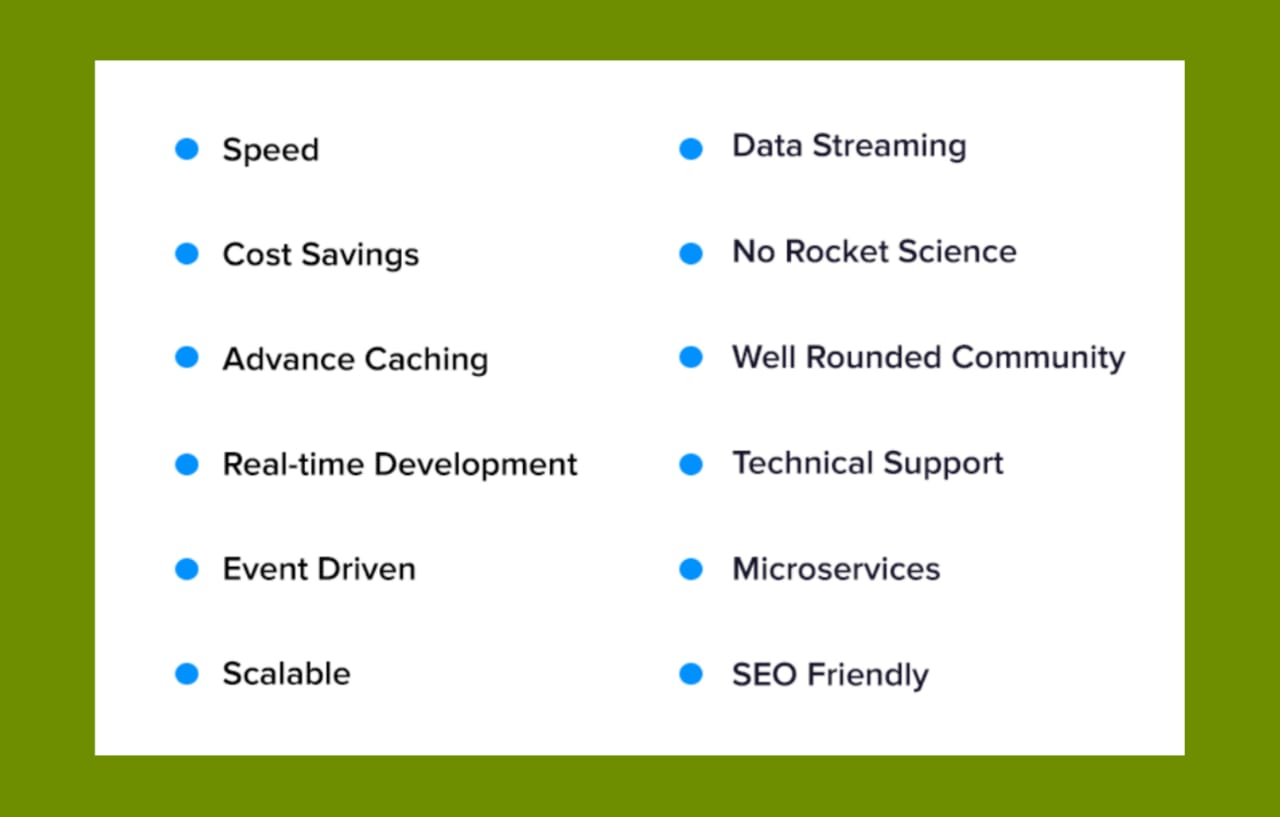
It gives programmers the leeway to use JavaScript to create command-line tools for server-side scripting. However, if you need further convincing, here are 12 reasons why Node.js development is at the peak of its powers and seemingly unshakable in the immediate future.

Reasons Why Node.js for Web Development is the Perfect Choice

Why Choose Node.js for your Next Product Development?

The internal workings of this open-source runtime environment involve package management, unified APIs, native bindings, and threading. Below we elaborate on how such technicalities result in productive work.

Speed

The V8 engine, developed by Google, powers Node.js. It allows for JavaScript code to be converted to machine code and contributes to development time savings on program executions. Products for web app development with Node.js can handle a significantly higher number of parallel connections.

Thanks to Node.js app development, Paypal was able to reduce its app response time by 35%. With such an anomalous increase in application productivity, the company processed double the number of user requests.

Cost savings

AWS Lambda with Node.js: A Complete Getting Started Guide – Stackify

As a web development company, Anteelo receives multiple inquiries from prospects to hire dedicated Node.js developers. But our product suite consists only of such services whose proof is in the pudding. Upon conducting a cost-benefit analysis, we found that Node.js’s development costs far less than anything else out there. Its memory footprint is smaller in comparison to PHP or Java servers. A server built on Node.js runs on an event-driven loop which saves a huge portion of the Random Access Memory (RAM) and in turn hardware/software resources.

Advance caching

Ask any Node.js developer and they would probably point to the caching capabilities as its greatest asset. It can cache single modules. But what difference does that make?

It eradicates the need to re-execute code as servers call for the first module. Caching allows websites to load faster and alleviate the user experience.

Real-time development

Free Cliparts Messenger App, Download Free Cliparts Messenger App png images, Free ClipArts on Clipart Library

Real-time apps are such that provide dynamic, spontaneous engagement environments for users. Examples include gaming apps, messenger apps, etc. Their development involves a lot of event-based programming and communication with a non-blocking server. Developers can maximize their efforts towards real-time web application development using Node.js as it uses asynchronous operations to optimize the coordination with the CPU and the memory.

Event driven

What Is Node.js and Why You Should Use It

The platform is event-driven i.e. all its developed APIs in the Node.js library are asynchronous. But what does this mean?

A server based on Node.js does not wait for the Application Programming Interface to return data. Instead, it calls the API, following which the built-in notification mechanism of Node.js aids the server to procure the return-call from the previous API.

Scalable

We are a Node.js web application development company and prescribe its use in areas like data streaming applications, JSON API-based applications, as well as single-page applications. We do so keeping in mind its scalability. Node.js web application development makes for ultra-high-speed computation speeds due to the V8 engines.

Node.js uses microservices with which it divides an application into finer processes. These processes can be allocated in parallel to multiple teams so that they can be developed in sync with the rising user requests. Faster background processes translate to low-lag operations and an increased footfall of user traffic.

That said, never use Node.js for CPU-intensive processes.

Data streaming

Product development is not as simple as people put it. As a Node.js development company, we learned it the hard way. Input-Output (I/O) handling is a key component of software engineering. With the tendency of web frameworks to classify HTTPO requests as whole data, I/O handling gets trickier to integrate.

But that is not the case with Node.js mobile app development which supports I/O bound applications. While using apps built on Node.js users can transcode multimedia files simultaneously as they are being uploaded onto the server.

What makes this a manageable procedure is a provision that writes data streams onto WebSockets.

No-rocket science

Most of the programmers these days are familiar with JavaScript. As Node.js app development is a JS-based runtime system, it is relatively easier for amateur coders to make the switch. They can achieve the same results as working with Django, PHP, or spring boot in much less time and devoting far less computational resources.

Well-rounded community

In a StackOverflow survey, Node.js was voted rank #1 for two years running in the miscellaneous technology category. This goes on to show how well-knit and widespread the developer community is on this tool. Constant upgrades keep people coming back for more, and access ready-to-use plugins and code-bytes accessible on GitHub.

Technical support

Another reason why professionals prefer Node.js for web development is that its parent team offers long-term support. As per convention, following the release of each version of Node.js, the code is maintained for the next 18 months. Instead of continuing to add new features, this period is utilized to fix bugs and collect user feedback for future releases.

It is reported that long-term platform support is prioritized by 62% of developers.

Microservices

On prior occasions, we’ve touched on the topic of microservices and monolithic architectures. Enterprise-grade projects have an inclination towards implementing the microservices-based architecture. This serverless approach pays dividends in the long run and is also supported by Node.js.

SEO-friendly

A Guide to SEO-Friendly URL Structures and Parameters: The Basics

More often than not, developers adopt a backwards approach when it comes to SEO practices. They design a website and then  re-design it to become pro-SEO. But that doesn’t have to be the case with Node.js. Its built-in features offer such pre-packed codes that are in tandem with search algorithms.

Another reason for using it is that it’s free!

Knowing and understanding the above mentioned points, as a Node.js development company in the USA we can say with authority that open source is the way ahead. In addition to being free, it offers state-of-the-art toolsets that include Redux and Flux. It is highly integrable with open source libraries.

Typical Projects to Start with Node.js 

As a Node.js development company, we suggest the following projects to train your in-house team on the platform.

Single page apps 

Present-day web applications bear an overloaded semblance partly due to the fact that they have to process client data. Working in this environment ensures faster response times between the server and client-side. This is a founding tenet that every single page app is based on.

Conventional web apps

An amateur Node.js developer could begin with writing conventional web applications. It allows streaming HTML data effortlessly.

Proxy development 

Why Choose Node.js for your Next Product Development?

While offering Node.js development services our experts have experimented with installing Node.js as a proxy server and it worked like a knife through butter. It helps in the case of apps that rely on external services to import/export data.

Final Thoughts

As a web development company, Anteelo has the firepower to kickstart Node.js-centric product development in full swing. With 600+ personnel joining forces from home virtually (till the pandemic lasts), we’ve handled cross-border projects and made a name for ourselves. But all that was possible only with the collective efforts of our growth hackers, who have what it takes to push through for technological superiority.

Boost your illustration career with these 6 tips

Boost your illustration career with these 6 tips

The illustrator within me is a tad mixed up. I have managed to split myself into two versions and there’s a constant battle raging between these two for years together. As a young illustrator working in a Digital Design studio, I have had my share of embarrassing pitfalls as well as immensely appreciative experience when it comes to illustrating for clients. Below, I have tried to put together a few really important learnings that have taught me how to navigate smooth.

Designing for the user

Boost your illustration career with these 6 tips

The basic unwritten rule in my guidebook is designing for the user first. But this will take a while to kick in. As illustrators, we tend to lose ourselves trying to create stunning visuals which end up being too unrelatable for the end user. It takes self-control and some discipline to work out that fine line between designing for the user and yourself. A good practice here is to start illustrating a basic sketch and fine tune it to add pleasing visual details that satisfy your artsy soul as well as reaches the user.

Avoid complex symbols in illustration

Premium Vector | Thinking business woman character. cartoon illustration of a female with a question mark isolated on white background.

While illustrating for a wide demographic audience such as in India, it is crucial to remember that you avoid using any kind of symbolism that pertains to any culture or language. Also, avoid any colours that may be offensive in your target area. The trick is to do enough ‘Background Research’ on the audience you are illustrating; this will always help you go the extra mile. Not only will it avoid negative connotations, but it would also help you ideate your sketches from the users perspective.

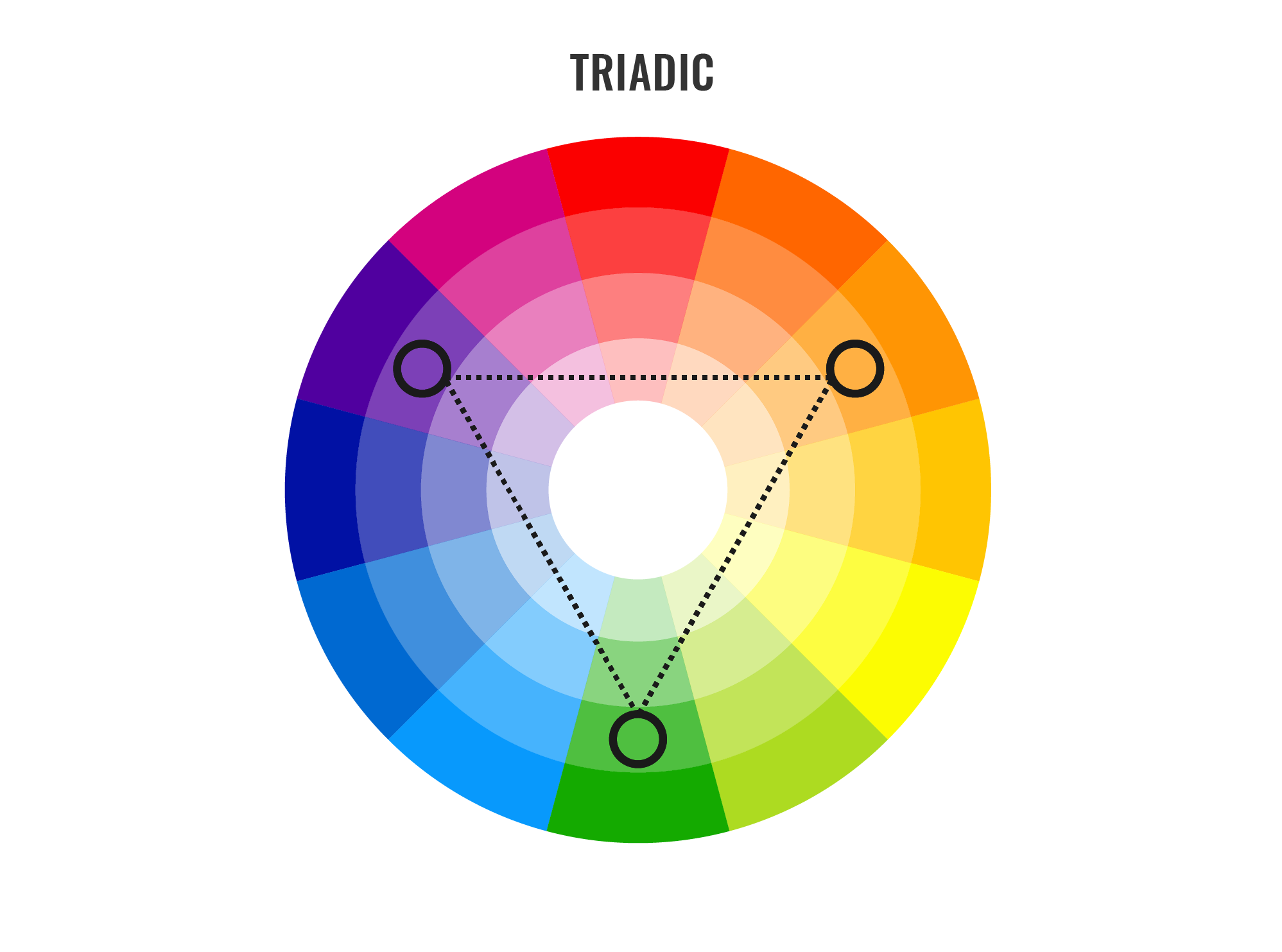
Avoid using too many colors – follow the hierarchy

Minimalist Color Palettes of 2015 by Dumma Branding

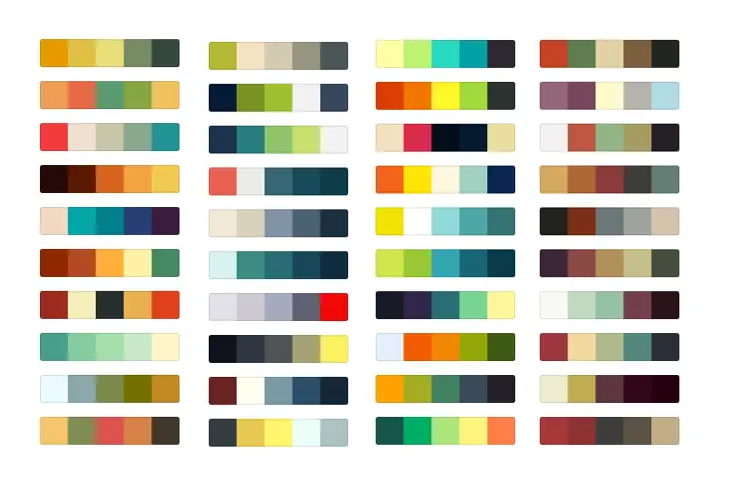
The best possible hack in the illustration is using a minimal colour palette of maybe just two or three colors; this will ensure that the focus of the illustration isn’t lost. A minimal colour palette helps the user understand the hierarchy in an illustration without being exposed to multiple colors at once. Ensure that your illustration has plenty of breathing space and as few elements as possible. If it looks far too empty, you can help add accents of style by proving light foreground or background elements. But remember less is always more. You can never go wrong with this golden thumb rule.

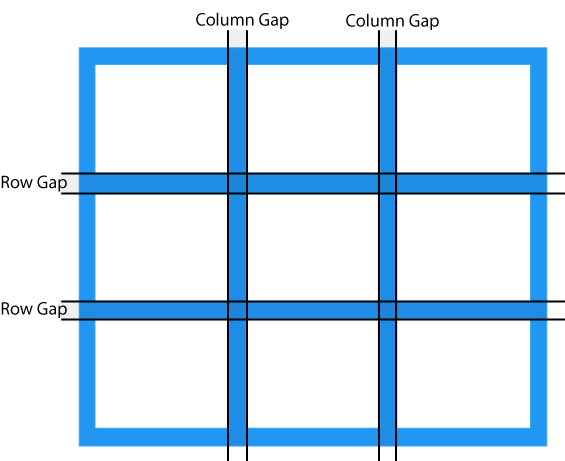
Using Grid while composing the illustration

Super-Powered Grid Components with CSS Custom Properties | CSS-Tricks

The Grid is a good enough rule to follow in all kinds of artistic fields, from illustration to photography. It is a means of control and helps constrain or extend your artwork in all directions. It becomes an impeccable symbol for control and ensures a sense of modernity in your illustrations. It’s a support system that helps abolish the vagueness if any. So however you illustrate, follow the grid and worship it.

Keep it contextual to the target audience

6 Tips For Outstanding Illustrations | by Lollypop Design Studio | Muzli - Design Inspiration

When I was a beginner in illustration, I would be eager to try out new styles and trends in illustration. This became a problem as I made visuals that would be beautiful and trendy but at a total loss when the user tried to connect with. Only when the frustration peaked, I realized I was going about this the wrong way. I learnt that every single time you need to start from the scratch; and once you begin to restrict yourself to suit the target audience, an opposite reaction happens. New ideas surface and help break the pattern, now you can go ahead and add your bells and whistles.

Don’t be afraid to experiment

How to find your illustration style in six steps - Yes I'm a Designer

Stay away from trends and try to nurture the innate style of illustration that you have. To know all the rules and break them once you master them is a special kind of pleasure. Don’t be too hard on yourself and enjoy the sense of gratification in this brilliant profession.

Top 10 Android App Development Trends To Watch Out In 2021

12 Mobile App Development Trends to Look For in 2021

Are you an entrepreneur who is looking forward to making or getting their Android mobile app developed? Let’s dig into some trends & stats. When it comes to developing mobile apps, no doubt the Android operating system gets all the attention, an attention that is well deserved.

Are you an entrepreneur who is looking forward to making or getting their mobile app developed?  If yes, then you surely need all the deep insights to know about the latest android app development trends.

Let’s dig in for some stats and read on further to discover the popularity of Android apps and the sector’s trends.

  • The fact is that today, Android is one of the most vitally used mobile OS that has captured almost 85% of the market share.
  • The Google Store has 3.04 + million applications, that range from web browsers, daily tools, social media platforms, complex games, enterprise mobile apps etc.

These figures clearly state that the app developers need to be aware of the hottest trends in mobile app development and incorporate them in their Android apps at the earliest, simply to provide users a unique experience.

Top Android Application Development Trends To Watch Out In 2021

The android apps continue to see implacable changes, that are primarily dominated by the user experience and constant innovations brought in by Google. As an entrepreneur, you would need to exemplify these trends for staying ahead of the competition.


1. Android Instant Apps

Top 10 Android App Development Trends To Watch Out In 2021

Although instant Android apps are not very common, slowly and surely, these app display types are picking up the pace. Android Instant app provides software developers with Android Instant Apps SDK and App Links Assistant that permits them to build mobile solutions from scratch or convert the existing apps into Instant Apps.

A working example of the type can be seen through the following – the Instant app allows users to try different games on the applications without installing that app on the device, exciting right?  The advantage of these apps is that they are compatible across all gadgets, require less storage space, and have a pleasant user experience and user interface.

Instant apps are the future and one of the biggest trends in mobile app development that helps the user use the app without actually compromising on space on their smartphones. This is the technology that is designed to drastically help and push the adoption of multiple sectors like eCommerce and games further to secure a place in top android app development trends of 2021.


 2.  Navigation Component

Top 10 Android App Development Trends To Watch Out In 2021

Navigation refers to the multiple interactions that allow the user to move around in the different sections and app’s content pieces. Android jetpacks come with components of handy navigation that helps the developers to implement the navigations. The implications could range from a simple button, click to an intricate pattern such as a navigation drawer.

The navigation component’s further benefit is that the component allows a predictable and consistent user experience, as the developers who implement them, follow the stated navigation principles.

3.  Blockchain Technology 

Top 10 Android App Development Trends To Watch Out In 2021

The blockchain technology has been making rounds for many years; however, it has finally come into action. The blockchain technology provides the enhanced solutions of the decentralized app development that eliminates any unauthorized access and pushes transparency.

The blockchain technology market is said to grow at 62.73% CAGR by 2026 making $52.5 billion. Decentralized apps (Dapps) are an open source, smart contract based software applications that run transactions on blockchain. These applications run on decentralize blockchain and the data cannot be changed or erased in it. These apps are the future of mobile app development; they enable faster payment, reliable data records, and are tamper proof.

With the help of blockchain technology, an android app development company can maintain robust security protocols. This inclusion is fast becoming a part of the trends in android development especially in the financial segments such as currency exchanges, banks etc.

4.  Google Assistant/Chatbot

Custom Google Home Bot & Google Assistant Bot For Business | NCRTS

In the coming years, we will see that many business owners would be keen on integrating their app services with the Google Assistant. The primary advantage of investing in such an integration is that it provides users with faster ways of accessing the app directly. By using the Google app actions, the users get access to an app’s deep-link which allows them to perform specific activities inside the application from the Google Assistant.

Google, in 2020 announced that they will release a new feature for google assistant at CES. The new feature called “Scheduled Actions” will permit users to communicate with smart devices through google assistant like turn on/off a smart device, make a coffee, etc. The feature will be capable of controlling 20 home devices including lights, coffee machines, AC units, and many more.

5.  Multiplatform Development Through Flutter

Cross-platform mobile app development using Flutter

Google has introduced a new technology naming Flutter, which is being touted as the future of android development. Flutter is a cross-platform framework that helps in developing beautiful apps with a single codebase.

Many developers have been selecting this platform to build mobile apps due to its flexible nature. The primary reasons to choose Flutter are that it is effortless to learn, has a native design, etc.

It is one of the preferred frameworks for minimum viable product development. This means that instead of spending extravagance on two different apps, you can quickly build an app on native platforms such as iOS or Android.

With the latest update Google took flutter beyond mobile and to the web. Flutter developers are now able to target macOS, Windows and Linux and other embedded devices. The desktop support provided by flutter also includes plugins that support various platforms.

The new Flutter and Dart update have been released with Substantial Performance Improvements from its contemporary releases. Flutter is prepared for creating apps for iOS, Android, Fuchsia, web & desktop with new platform support. Moreover, they are in talks with Ubuntu for Linux apps, Microsoft’s Android Surface Duo, and Windows 10X which will be made accessible soon.

Some prominent progressions made in Flutter in 2021-21 are:

  • decreased size and latency
  • less janky animations, and quicker treatment of UTF-8 strings
  • mouse cursor support
  • new widgets such as Interactive viewer making pen
  • zoom and drag-n-drop
  • range slider and date picker revamped
  • integrating flutter to the current application made suitable with Pigeon
  • improved help for Metal on iOS, and new Material gadgets.

6.  Internet of Things

Global 5G IoT Market Size, Share, Growth, Trends | Industry Report 2028

The key mobile app development trends 2021 is the implementation of the IoT (Internet of Things). In Android, these trends end up translating into many of the Android things that allow the developers to build the devices on the top of the known hardware platforms such as Raspberry Pi. The best part is that developers do not require any prior knowledge of embedding the system design to start. Instead, the developers can develop the apps using Android Studio and Android SDK.

The introduction of 5G will open the door for more devices, and data traffic. According to some reports the 5th generation wireless network technology is expected to connect 1.5 billion devices globally in the coming years. It is also stated that the global IoT connections will triple to 25 billion by 2025, while IoT revenue globally will quadruple to $1.1 trillion.

With that said, IoT will focus on developing smart parking lots, street lights, and traffic controls apart from advancing the hospitality and industrial sectors.


7.  APM & EMM

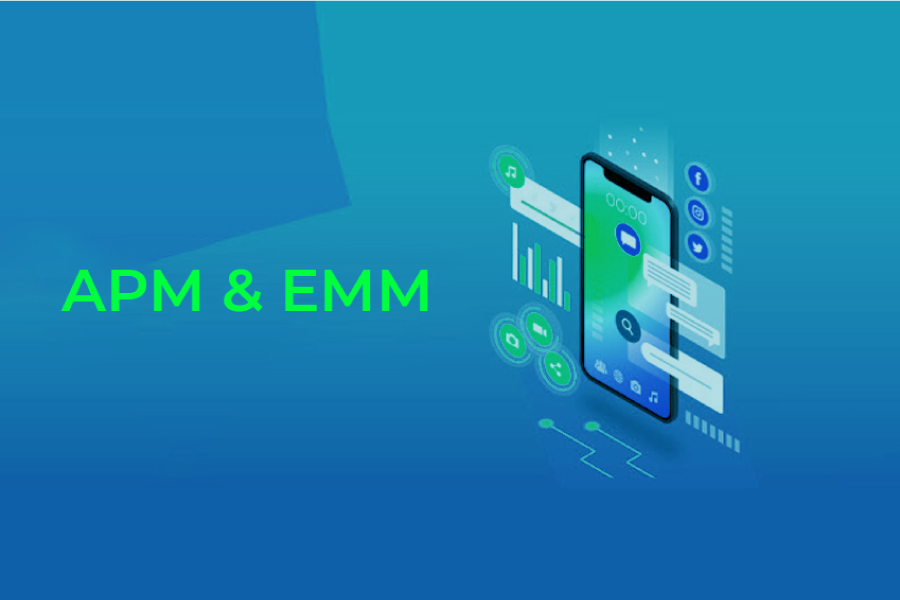
Mobile App Development Trends to Follow in 2021 & Beyond

APM (Application Performance Management) and EMM (Enterprise Mobile Management) are two primary elements of mobile enterprise development. These technologies are primarily used to reduce mobile apps’ slowness. With the overall rise in mobile application development trends, they have become the quality tester for mobile apps.

With the upcoming trends, APM will reflect the application behaviour, measure statistics for devices and Oss that are used, and screen user performance to figure out which application features are exploited. With the application landscape and business infrastructure moving to cloud, APM will also provide powerful tools to monitor resources utilized by apps, associate the retrieved data with user insights, and adjust performance with business processes.

EMM will incorporate mobile device management, app management, application wrapping and containerization, and a few components of enterprise file synchronization and sharing.

From the work from home context, EMM has grown many folds and is looking into automation of processes, workflow optimization, easier and smoother communication flow, and exchange of data

8.  Motion Layout

Swipe right on Motion Layout. How to get into the swiping game with… | by Cedric | Bumble Tech | Medium

The layout used by the developers to manage the motion and the widget animations in the apps. This tool is a part of the Constraint Layout library and is compatible with Android 4.0. With these libraries, the team can quickly fill up all the gaps between the complex motion handling and layout transitions, as these tools are known to offer high-end and useful features.

Developers will be seen using Motion Layout to create multiple interfaces that use the animations, helping them understand what is going on with the app.

9.  Beacon Technology

This is the future: Beacon Technology! | by DeCode Staff | DeCodeIN | Medium

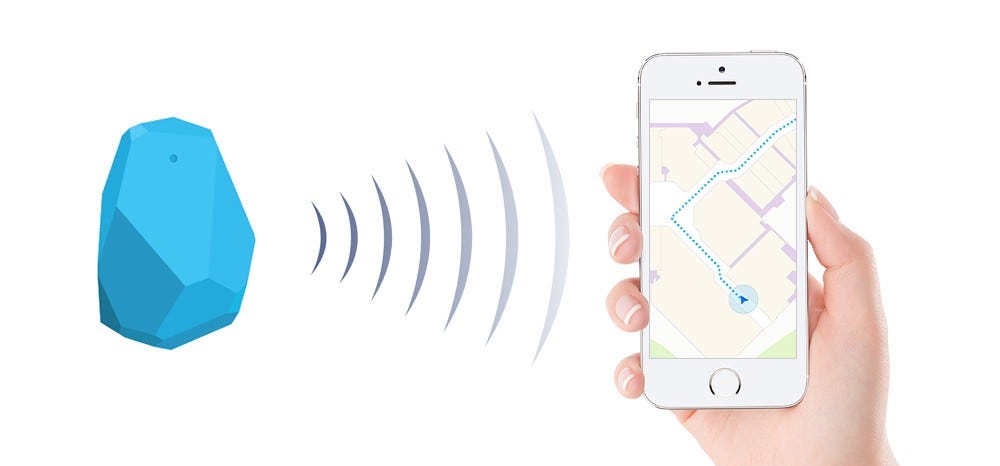
Businesses have slowly started to immensely use Beacon technology, as it helps businesses target potential clients uniquely. Beacons are the transmitting gadgets that get connected with mobile devices, in that particular range. The technology allows the companies to send various notifications regarding the special offers, nearby hotels etc.

Beacon technology transformation from a push marketing strategy to an opt-in strategy is useful for many industries. The technology can be applied on-cloud and at-area, which is helping it to gain traction and promote its growth in the coming years.

Beacon-based notifications are helping out businesses to connect with their users in a highly contextual manner. The beacon technology trend in 2021 will see the coming of beacon enabled airports and mobile payment using beacon.

Some companies are predicting the rapid development and use of iBeacon and other similar gadgets for marketing.

10.  Android Enterprise

Android 10 is out, but history says you likely won't get it for ages (if at all)

Digital transformation is now the need of the hour in 2021 for enterprises. The Google-led initiative – Android enterprise helps the workers to use the Android apps in their workplace. The Android Enterprise program helps the developers with the APIs and various other tools needed to integrate support for Android into the solutions of enterprise mobility management.

Wrapping Up

Each year comes with newer innovations and ideas, and these trends keep on rolling back and forth. Looking at the above latest trends in android app development, we can undoubtedly claim that the Android Operating System is growing at a rapid speed towards providing the users a seamless experience.

Given the trends for mobile app development, businesses are opting for app development and are looking for an estimate of the cost.

Top 13 Un-Noticed iOS 13 Features Worth Knowing

Apple hints iOS 13.2 launching before Oct. 30 | Cult of Mac

Just like everyone out there right now, you must be all confused about what Apple is trying to pull off with launching various updates back-to-back. First, it was iOS 13.1 and just when we expected iOS 13.2, we unanticipatedly got iOS 13.1.2 instead and that too followed by iOS 1.1.3.But now, iOS13.2 has finally arrived. Phew! iOS 13.2 version has come with its own advantages, for example – added support for Deep Fusion camera stick in iPhone 11, new AirPods Pro, several new emojis, and last but not least, all the core features of iOS 13.

Now, let’s discuss the thing you came here for in the first place – Hidden (or sidelined) features that Apple did not officially announce but are really cool and much needed indeed. Because, isn’t it the small things that make a great experience?

Excited? We are too! So here are the best 13 features of iOS 13 and iOS 13.2 (Do you see the symmetry here? It’s uncanny or rather co-incidental.)

Top 13 Un-Noticed iOS 13 Features Worth Knowing

1. New Scroll Bar in Safari

Always Show Scroll Bars in Mac OS X | OSXDaily

If you always wished for scrolling in Safari to get easier and faster, then your wish has come true after all. You will now encounter a scroll bar in the Safari on the right side when scrolling a webpage. You can use it to scroll faster by long-pressing on it and drag it up or down, however you want to scroll.

2. Optimized Battery Charging Process

How to Enable or Disable Optimized Battery Charging on Your iPhone

One of the most challenging things so far with iPhones is to retain their battery efficiency. What damages the batteries most is the over-charging. Leaving your iPhone on charging overnight really aggravates this problem to which iOS 13.2 gives a simple solution.

Go to ‘Settings’, followed by ‘Battery’ and then ‘Battery Health’ and turn on the feature Optimized Battery Charging. This will keep your phone overnight to the level of 80% maximum and then complete the rest 20% charging when your alarm goes off. Apple evidently has really gone creative with this feature.

3. Search option in iMessage

How to Search for and Find Text Messages on an iPhone

The search functionality in the iMessage was ironically wasn’t functional enough. It was really trying to search for anything in the iMessage app and the results were just not satisfying. But thankfully, you do not have to bear that anymore.

It is easy now to search for any phrase or a single word and can get instant legitimate results. Just swipe down in the iMessage  app to reveal this search tab and you are good to go.

4. Scanning documents in Files app

How to Scan Documents with Files App on iPhone & iPad | OSXDaily

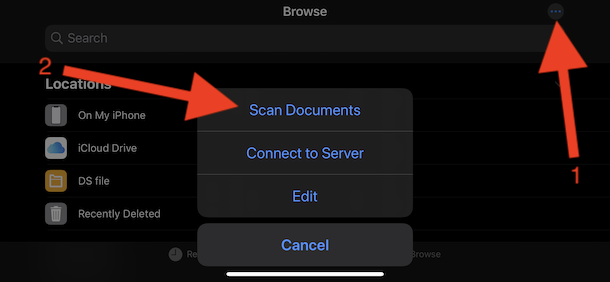
The Files app has been revamped for good. What is interesting is that it now allows the scanning of the documents within the app and instantly lets you save it on the cloud storage and device as well. You can scan multiple documents into one PDF and then save it or even import it to another application. Here is how you do it:

  • Go to the File app and open it
  • Choose the ‘Browse’ tab and click on the three-dot icon placed in the top right corner.
  • Scan the documents by placing your iPhone or iPad over the document and it would do everything on its own.

Quite effortless, right?

5. Revamped Volume Indicator

iOS 13 leak reveals Apple's plans for new volume indicator

iPhone users were pretty annoyed with the old volume indicator, especially when viewing videos as the indicator used to hog the screen whenever they adjusted the device’s volume. Well, guess what? Apple actually looked into it and resolved the issue. Yes! The new volume indicator is much more concise (turns into a thin line as you gradually adjust the volume) and appears in the top left corner on the device.

Would you want in on our little secret?- You can tap on the indicator and adjust the volume with your fingers! You didn’t see this coming, did you?

6. Voice Search

4 Reasons Why We Need Voice Search Analytics Now

Well, Siri has a lot more work to do now since searching iPhone with the voice is added to the features list, smooth right?

Wherever there was a search bar in Apple apps, now you would also see a microphone in the corner. So, simply speak your query and ‘thy will be done’.

You can use this feature in applications such as Mail, Messages, Settings, and  Today View.

7. Location optional in Photos sharing

10 best location sharing apps for Android - Android Authority

If you were finding out ways around stripping your photos from its location information before sharing it, then just stop right there; Apple has done it for you. You can erase geolocation and other information related to photos. Here is how you do it:

  • Select a Photo/Photos in the Photos app
  • Click in the ‘options’ at the top and choose the option ‘Location’ and turn it off in the section ‘Include’.

8. Deleting apps directly from the update screen

iOS 14: How to make sense of the new way to delete apps - CNET

We all are guilty of being lazy in deleting applications we no longer use and then cry about the storage problem. Well, this can’t go on any longer because Apple is practically serving this process on a plate.

It is possible now to delete any application from the update screen. All you need to do is just swipe left and then select the ‘Delete’ option twice and Voila! You now have more space in your device.

9. Dual-SIM support for iMessage and FaceTime

Using Dual SIM with an eSIM - Apple Support

After hard cries of Apple users to have the Dual-SIM functionality, they finally got it in iPhone XS and XS Max. But, the problem was that only one SIM card could be used with the iMessage and FaceTime app, which was not acceptable to the users when they are paying big bucks (sounds fair).

However, with the introduction of iOS 13, it is possible to use both SIM cards in both applications.

10. Eliminate apps size restrictions from Cellular Data

How To Stop Using Up All of Your Mobile Data Each Month | WIRED

It was not possible before to download any application that exceeds the Cellular Data limit, which was not a pretty situation to be in. But now, with the iOS 13.2 update, you can download even the applications that are as heavy as a gigabyte.

To enable this feature:

  • Navigate to the ‘Settings’ option
  • Then, go to ‘iTunes & App Store’ followed by ‘App Downloads’ and turn off that limitation.

11. Mouse support to control the iPhone or iPad

Here's how mouse support could change the way you use your iPad - The Verge

It is now possible to use a mouse for using your iPhone or iPad (you will need a getting used to it because there is no typical mouse pointer). It has a cursor that kind of imitates the touch of your fingers. You can also assign shortcuts for some functions like going back to the home screen.

To use this feature, do the following:

  •  Go to Settings followed by Accessibility
  • Then select Touch and then Assistive Touch and turn it on
  • After that select Pointing Devices and customize it according to you.

12. Long screenshots (Finally!)

Google will finally be launching the overdue scrolling screenshot feature in Android 12 / Digital Information World

This is something that was really in demand by the users or hoped for. Well, better late than never, right?

You can now easily take screenshots of the whole web pages or any other documents that you had to divide into parts before and then take a screenshot.

All you have to do is open the Safari app and then take a screenshot of any website and select the ‘Full Page’ option. It will turn the screenshot into a PDF file which can be edited later.

Besides safari, this feature works in applications like Pages, Keynote, Numbers, Apple Maps, and Mail.

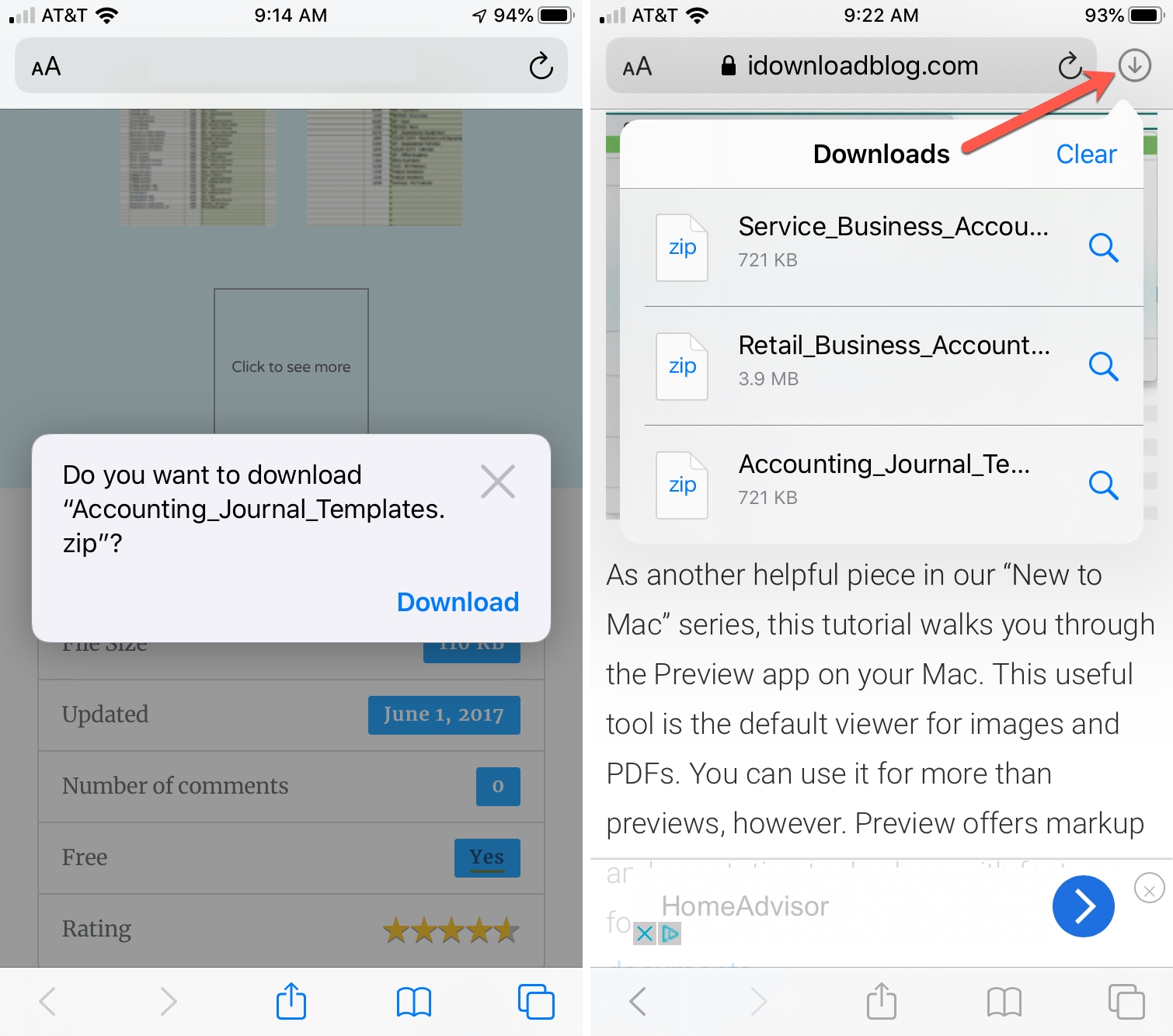
13. Safari Download Manager

How to use the Safari Download Manager on iOS

It is now possible to download files when you are using the Safari app on an iPhone and iPad device. The icon of the ‘Download manager’ will not show up until you have a download in progress, or recently downloaded something. The download will automatically get saved into the Downloads folder in the iCloud, that can be accessed in the Files application.

Looking at this long list, we have a feeling that iOS 13 is becoming a huge hit among Apple users. What is more, it is impossible for the app development companies not to see the opportunities in these improvements and create applications that enhance the overall user experience.

Mixed Reality (MR): Advancement in Modern Surgery

Augmented Reality in Surgery - DICOM Director

Mixed Reality (MR) is empowering health science experts to reimagine and renovate the healthcare industry by accelerating the process of diagnoses, making the care-time more efficient, enabling a personalized experience for patients, and improving the outcomes.

When it comes to using technology practically then, MR technology has revolutionised the surgery procedure by making it possible for surgeons to perform an operation on a patient that is thousands of miles away. With mixed reality surgery, nurses can sharpen their skills and perform hundreds of operations virtually before even touching a patient. It is safe to say that mixed reality in healthcare is making the impossible possible.

MR combines elements of virtual and augmented reality. It allows an individual to interact with the external world where virtual objects are present. MR technology is widely applicable in medicine. Let’s discuss a few trends below:

  • The AV/VR in the healthcare market is expected to reach 7.05 billion USD by 2026. Hence, the application of mixed reality in healthcare is going to increase tremendously. This increase in market demand is due to various factors such as the advancement of 5G technology, mobile applications, increasing disease awareness etc.
  • Augmented reality and virtual reality are emerging technologies in the healthcare industry. AR and VR could be used in a variety of settings including physician training, patient treatments and hospital management. In 2018, the North American healthcare AR and VR industry was valued at 477 million U.S. dollars. By 2025, that is expected to increase exponentially to 4.64 billion U.S. dollars.
  • The global mixed reality healthcare market size was valued at USD 54.2 million in 2019 and is expected to grow at a compound annual growth rate (CAGR) of 48.7% from 2020 to 2027. Increasing awareness regarding the utilization of mixed reality technology in surgery and rising adoption of MR in medical training processes are the key factors driving the growth of this market.

You are now well aware how the adoption of mixed reality in healthcare is changing the industry and bringing the healthcare industry together. Let’s discuss its applications and benefits.

Benefits of Mixed Reality In Surgery

Mixed reality in modern surgery enables pre-procedural planning and visualization. It also helps in reducing errors and improving the overall experience of the patient. Let’s dive deep and discuss the uses of mixed reality in surgery! 

1.  Learning opportunities for healthcare professionals

Online Training For The Healthcare Sector: 4 Benefits And 5 Tips For eLearning Professionals - eLearning Industry

Imitation of a particular procedure is the most effective method of education. It helps one to prepare for various situations that could go wrong during a surgery. Mixed Reality can help a medical student in such rare situations, which may be difficult to arrange for in real clinical settings. MR related simulations are way more cost effective than traditional simulation devices.

In simple words, before surgery, training nurses as they virtually work out challenges they could encounter during real-life procedures, and improving the collaboration and communication between doctors and patients is one of the biggest benefits of mixed reality.

Training simulations are expected to be a major application of immersive technologies in the healthcare sector within the next two years according to 68 percent of XR industry experts who responded to the 2020 survey.

Use Case: In order to launch apps like HoloHuman and HoloPatient two companies collaborated. Pearson- a world renowned education company joined hands with Microsoft to make these apps come to life. These apps use holograms to train medical professionals to diagnose and treat the patients. 

2.  Reduced time and error risk in reconstructive surgery

Systematic vs Random Errors in Physics | Part 3 of Physics Skills Guide

Human error is a possibility in all the surgical procedures. On the other hand, mixed reality enables the process of reconstructive surgeries. This process has been proven to be very successful at the Imperial College at St. Mary’s Hospital, London. With the help of reconstructive surgeries, surgeons are able to locate and reconnect major blood vessels. The holographic overlays help surgeons to see the bones and identify the course of blood vessels which assists them in their surgery, improving the outcome for the patient.

For example: An article in The Times showed examples of reconstructive surgeries on a 41-year-old man and an 85-year-old woman that were performed successfully. 

3.  Better than traditional methods

How Is Experiential Marketing Better Than Traditional Methods?

MR virtual reality opens various doors to efficient communication and collaborations among medical professionals sitting in different parts of the world and their patients that traditional methods of surgery could not. MR helps healthcare professionals to access the patient’s medical information and anatomical pictures in 3D during the surgery. It also helps to build a bridge between surgeons working in different parts of the world to collaborate by the use of microphones and sensors. All these amazing features make mixed reality a valuable asset in the medical industry. 

4.  Planning and assisting become more effective

Developing a plan for better planning

The MR technology in the medical field can be really helpful for planning the surgery. Further the plan can also be used while assisting the surgery. A plan of surgery made on an X-ray of the patient can be used while operating. The plan can be reflected on the patient while operating which in turn makes the work easier and accurate. This technology can do wonders when it comes to increasing the accuracy and providing a positive result.

Applications of Mixed Reality Technology

1.  Medical mannequins with MR

High-tech dummies help educate health care students (Part 2) | Michigan Radio

Medical mannequins are brought to life using Mixed Reality, which is an invaluable asset during training medical students. Traditionally, the mannequins used in medical training are dummies and do not give the experience of a real person. But with image recognition, MR translates the dummy into a real person. When the trainee sees a real person in stress through MR the situation becomes more realistic. This technology will also provide a risk- free environment and give space to learners to make mistakes and learn from their own mistakes at the same time.

Did you know the mannequin can be remotely controlled by a computer to continue reacting to the scenario? This is believed to be the most effective and consistent way of learning by professionals. This way teachers can observe how students interact with the patients while operating and check their technical skills. 

2.  Telesurgery with MR

The fluidity of telesurgery - YouTube

Telesurgery is a remote controlled surgery via a robot. Such applications can be beneficial on battlegrounds, in army camps or in remote rural areas. Telesurgery being such an advanced technology still comes with some drawbacks which can be covered using MR technology. The major issue that comes to light is that of latency. In simple words, latency is the time delay between the instruction given by the surgeon and the movement of the robot which responds to instruction.

MR can solve this issue by replacing surgeons instructing the robots with the surgeons operating in the virtual world and the robots imitating the surgeons in the real world. The robotic use for operation can be improved by combining MR Telesurgery technology with the MR Surgery technology where a mannequin is placed to imitate a real person. Surgery guided by mixed reality will change and digitize the healthcare industry completely.

3.  MR in Pharmaceuticals 

Health clusters are key to boosting pharma sector's resilience to future pandemics - The Manufacturer

The MR technology can be effectively used in the development of drugs. With the help of MR the pharma students can actually have a look at how a particular drug reacts in our body. As the technology advances the students will also be able to see different reactions of different medicines in different bodies. This will help the students to study the reactions in a more detailed and efficient way. This will also inspire professionals to introduce effective drugs for a better future.

The Future of Mixed Reality

The future of Mixed Reality Marketplace | by Yashvardhan Chauhan | Muzli - Design Inspiration

Without a doubt I can say that mixed reality will continue to improve the quality of healthcare, surgeries and medical training. We can provide faster and better care at lower costs by deploying mixed reality before, during, and after procedures. You can now leverage mixed reality to enable continuous learning and widespread knowledge sharing.

Anteelo has helped many clients build custom mixed reality apps, which integrate applications with the latest technologies. If you are looking for AR VR MR app development services, get in touch with us and let’s discuss how we can make mixed reality possible for you.

Learn to Design a Flawless Voice User Interface

Learn to Design a Flawless Voice User Interface Design

Ever since I saw the first part of Iron Man, I’ve been fascinated by the potential of AI technology Tony was able to identify and utilize, all too well with his AI assistant Jarvis.

But hey! We are already halfway there in not reel but real life.

Remember using Siri for the first time in iPhone 4S? It was an otherworldly feeling, was it not? And since then, we all know how far we have come – Alexa, Google Assistant, Cortona and a hundred more.

So, as an inspired designer, if you are as fascinated as I am and want to give the voice-based AI a chance, then you need to hone your skills and knowledge on how to design voice user interfaces.

Luckily, you have stumbled upon the right article. Here is everything you would want and need to know about VUI and what makes them an important part of intuitive app search design.

  • What is VUI (Voice User Interface)?
  • Reasons why voice is becoming famous
  • Difference between Voice and other forms of UI
  • Steps for designing voice user interface
  • Design guidelines for voice user interface
  • Challenges of designing VUI
  • Future of VUI

What is VUI (Voice User Interface)?

Learn to Design a Flawless Voice User Interface Design

Acronym of Voice user Interface, VUI is the interface that allows users to interact with a system through voice commands. The most popular and top voice user interface examples are Google Assistant, Siri, and Amazon’s Alexa.

The biggest advantage of VUIs is that they facilitate an eyes-free and hands-free way of interacting with a system.

Similar to mobile apps running on any OS and a device, VUI contains three layers that need to work together for efficient voice interactions. Here, each of the three layers uses the layer that is below it while supporting the one above. It is the upper two layers in which the voice interface lies, residing in the cloud and not on the device.

Reasons why voice is becoming famous

  • Speaking is more natural than typing

Learn to Design a Flawless Voice User Interface Design

It is understood that speaking is easier and effortless than typing in general. So, having an application that runs on voice-command will make things more facilitated for users. It is an additional facility that users can use as per the requirement and are not bound by the ‘just typing’ feature. This is why voice interactions are gaining popularity by the day and all the industries have started to employ voice technology in one way or the other.

  • Helps technology be prevalent

Learn to Design a Flawless Voice User Interface Design

Technology, nowadays, is just not limited to you commanding it to open your messages or call someone, as Voice assistants do. Voice interactions have opened gates that were long-awaited to be opened. Want to open your garage door, order an appointment, order food delivery, even start your car – all is possible with just your voice. Won’t you enjoy such an ever-present assistant with you?

  • Moore’s law

Moore’s law, in simple words, says that every two years, the capability of our computer devices to do something increases, which also reduces its cost. According to this law, growth is exponential. Taking this law forward, we can see how voice technology was initially just an experiment but now has become one of the emerging technologies, soon to be globally adopted.

  • More practical for specially-abled

The reason why industries are adamant about employing voice interactions in their mobile app development is they want to target the demographic which was always pushed to the sidelines. Voice technology is nothing but a boon for visually impaired users who are now able to use their devices and applications properly as compared to the challenges they faced while using visual user interfaces.

Difference between Voice and other forms of UI

Since we have different types of user interfaces available, understanding the different points between them will allow a more in-depth view of the VUI.

  • Speed

Learn to Design a Flawless Voice User Interface Design

Speed is one prominent point of difference between Voice user interfaces and others like graphical user interfaces. Since humans are inherently visual in nature, they primarily prefer visual user interfaces as they may provide more speedy responses, if designed right in terms of system response time. Whereas, from what we see so far, VUIs can still lag a little behind in speed.

  • Text vs natural language vs gestures

It’s true that visuals are not the king anymore. Though the visual user interface is the preliminary and primary stage of interfaces, our generation is slowly moving on to better alternatives – Voice-based and gesture-based interfaces.

Voice takes in the natural language and converts it into a command for the voice-based AI to perform it, and as for the gesture-based interface, a great example is Sony Playstation, processing certain gestures and acting accordingly.

There is one more player – experimental-thought-based interface. So far, lie-detectors are the only prominent use case for it.

  • Privacy

Security for Privacy on Data Protection Day — ENISA

Privacy is a big concern and a point of difference between these interfaces. It is possible to make text-based, gesture-based, and touch-based interfaces private, but it is still a challenge for voice user interface design.

Steps for designing voice user interface

1.  Research your audience

How to Research Your Audience - The Design Inspiration | The Design Inspiration

In this process of designing VUI, you need to employ user-first design just as you would while designing other digital products. The primary aim here is to gather information and understand the behavior and needs of the users since this information is what makes the foundation of the product requirements.

What you should focus on at this stage is –

  • Identify the pain points of users and how their experience is. By doing so, you will be able to analyze where the users can benefit.
  • You must gather information on the user language- how they talk and the phrases they use while talking. This will help you design a system for different utterances.

2.  Define

How IT leaders can define and drive IT innovation | CIO

At this stage, you need to define the capabilities and shape the product. This includes –

  • Creating key scenarios of interaction

These scenarios come before the specific ideas of the app and should be identified in order to be turned into conversational dialogue flow. They are a way to think about why someone would need to use a VUI. So, you need to design the scenarios having high value for your users.

Sometimes, it can be confusing as to which scenarios are important and which can be ignored. For this purpose, you can use a use case matrix to evaluate each one of them.

  • Make sure these scenarios work with voice

What matters the most here is that the users are able to solve a specific problem more efficiently than they would be able to with the alternatives. The aim of this step is to find the common and specific cases which users will benefit from.

Among many, a few cases are – A. when users are pre-occupied and cannot use the visual user interface, and B. when they want to do something quickly. I.e, commanding the VUI to “Play some music” is much less time consuming than to do it manually.

  • The three factors- Intent, Utterance, Slot

Let’s understand these two with the above-mentioned example of  “Play some music”.

Intent –  It basically depicts the broader objective of the voice command. There are two types of intents – A. High utility ( very specific and straightforward command, i.e., ‘turn on the lights in the living room) and B. Low utility (vaguer and hard to decipher). In our case, it is a high utility interaction. Utterance –  It deals with the possible ways users can phrase a request. In our case, the alternative to “Play some music” could be anything from “I want to hear some music” to “can you play a song” and so on. All the UI/UX designers of VUI have to take the variations into consideration.

Slots – When the intent is not sufficient, slots come into action. They refer to the additional information needed in order to deliver the best results for the query. They can be optional and required. In our example, the slot is ‘relaxing’ but it is optional since the category of music is not defined by the user. However, if the command was ‘book a taxi on Uber’ the slot would be ‘destination’ hence, required.

3.  Create a prototype

Your Complete Guide to Prototyping — Stage Four Of Design Thinking

The dialogue flow is the answer to the question of “how to create voice interaction between user and technology”. The process begins with creating a dialogue flow for each requirement you are aiming to target with your product.

These are the following points a dialogue flow should cover – Main keywords for the interaction, probable branches where the conversation could head towards, and example dialogues for users and assistants.

A dialogue flow in our case is nothing but a prototype illustrating the back and forth conversations between users and voice assistants. Let’s look at an illustrated dialogue flow below for better understanding.

You can use several prototyping tools at your disposal for VUI. Some of the most popular ones are Amazon Alexa Skill Builder, Sayspring, and Google’s SDK.

Writing dialogues

Dialogue Writing: Quotes, Commas, Question Mark, Videos and Examples

A compiled set of dialogues is what makes the building blocks of voice user flow. Here are a few tips for creating engaging and conversational dialogue –

  • Don’t make the process tediously long. Keep the number of steps to a minimum.
  • You should not teach commands to the users. This is something that is natural. Instead, focus on making your voice assistant conversational.
  • Try to keep your questions and responses brief. Here are the dos and don’ts.

Don’t –

User: “Tell me a good place to eat Chinese cuisine”System: “I have found five places for you. The first one is “Eat Chinese” is located…, 15 minutes away from you, open from 8:00 AM till 8:00 PM, the second is “Chopsticks” which is located on…, 1 hour away from you,…”

Do –User: “Tell me a good place to eat Chinese cuisine”System: “There are several Chinese restaurants in the area — would you prefer to walk or drive?”

Identify errors

Using error reports to identify image delivery issues

Isn’t it better to identify the probable errors you can make while creating dialogues than to fix the magnified mess later? Here are a few things you should definitely stay away from but always keep them in perspective to avoid error states.

  • Ambiguity – Words are inherently ambiguous. Meaning, if a person says ‘Good’ it could mean ‘Okay’ or symbolize they are listening. So, make your AI aware of all the commonly occurring ambiguities for optimum performance.
  • Misspellings/Mispronounce – Unlike on paper, words are spoken differently. One single word could have multiple pronunciations, something which could hamper the conversation flow between the user and the natural language processing system.
  • Not providing relevant options – Always make sure that the users are getting something valuable and relevant out of the conversation. Irrelevant results for a query are least attractive and even less of a motivating factor for users to use your product again.

Even if the query does not have a positive result, your assistant should always reply and not leave the users hanging. I.e., if a user requests “Book a flight to LA from Dallas for Tuesday”, what should follow is – “I couldn’t find any flights for Tuesday”. And what even better is – “I couldn’t find any flights for Tuesday. Would you like me to check for Wednesday?”.

Portray your brand’s identity

Even in human conversations, the tone of the voice matters a lot since it has an emotional value attached to it. Then, your dialogues are what is going to become the personality of your product and it should always make a positive impression in users’ minds. You need to create not ‘just dialogues’ but the ones satisfying users’ emotional needs.

Use existing content

If you use the data at your disposal (all the conversations your product has with the user), you can greatly personalize their experience. For instance, if a user commands “I want to order noodles”, your system should revert “ Would you like to repeat your last order of Hakka noodles from Chopstick?

4.  Test your product

How to Test Your Market Before You Build Your Product

After everything has reached a near completion stage, it is time to test the seeds of your labor. You need to test the VUI you have designed to make sure it fulfills every benchmark on your checklist. There are two ways that you can use to test your prototype.

  • With target users

You can create groups of your targeted audience and then implement testing sessions to observe how users are interacting with your product. You can use this occasion for tracking task completion rate and customer satisfaction score (CSAT).

  • With test simulators

Similar to other simulators used in mobile app development, Google and Amazon also provide tools for testing the designed product. You can test the Alexa Skill and Google Action of the product with respect to the hardware devices and their settings.

5.  Refine

After your app has landed in the market, it is time for observation. It’s time to indulge in UX analytics. This stage deals with analyzing how the users are using your product. It can be a lot challenging if you are clueless about what metrics you are supposed to observe. So, here are the most prominent ones.

  • Sessions per user or messages per session
  • Languages used
  • Intents and utterances
  • User engagement metrics
  • Behavior flows

Design guidelines for voice user interface

“Words are the source of misunderstandings” – Antoine de Saint-Exupéry

Normally, visual user interfaces also have issues that need to be addressed, but the frustration from a faulty visual interface is nothing compared to that of a VUI. So, if your designed voice assistant fails to function well, it would be ditched like a hot potato.

You know what will help you in stopping that from happening? – VUI design guidelines. So, let’s have a look at them at once.

  • Don’t wait for users to ask first

How to fully disable 'Ok Google' listening on your Android phone

Unlike a visual user interface, users might not be able to get familiar with the functionalities right away. They might not even know how to start. In that case, one of the Voice UI best practices is to take the first step. For instance, if yours is a voice-enabled weather mobile app, it could say to the users – “You can ask for today’s weather or a weekly forecast.” Additionally,  you should also offer an easy exit option.

  • Keep the list of action options short

Google's Hands-free Voice Search Service Useless in Korea - Businesskorea

Until and unless you want to overwhelm your user right in the beginning, you need to make sure that you provide only the most appropriate and basic options primarily.

The verbal content has to be as concise and full of meaning as possible while being easy to be understood in one go. As recommended by Amazon for designing Voice user interfaces for mobile apps for Alexa, one must not list more than three options for interaction. Doing this will also ensure an engaging UX design of the VUI.

  • KISS – Keep it simple and short

This principle is highly useful in designing VUIs. To make your voice app development the best out there, you need to make it easy for your voice assistant to understand commands. Suppose, you are designing a voice interaction to start a shop floor machine, the simplest way would be to attribute these multiple machines with numbers and then give commands like “Start machine 1”, etc.

  • Let users know they are being heard 

Amazon's Alexa will now guess what skills you want to use based on your questions - The Verge

Remember how agitated you feel when there is no activity sign on a webpage you just opened. Now, multiply this frustration in the case of VUI.

It is very crucial to keep it in perspective that your user needs to be informed when the device is actively interacting. You must give users queues on when to speak and when the voice assistant is listening. An image above of Google Assistant shows how it represents this function (with dots forming a wave) and with Alexa as shown below (bluish light swirling around the top rim of the device).

  • Confirm when the task is done

Amazon Gives Option to Disable Human Review on Alexa - Bloomberg

Just like you need confirmation after you have made any transaction, the same thing is needed with a VUI. Else, how would the user know the task has been performed?

For example, once the user gives the command “switch off the kitchen lights”, your assistant must respond with something like “Kitchen lights turned off”.  This will eliminate the need for the user to check the task done in person, which is essentially the whole point of having a Voice-based AI.

Challenges of designing VUI

Like everything else, the voice-based interface also suffers from Achilles’ heel. In fact, there is not one but many. So, what are the challenges that VUI designers often come across and more often than not, fail to recognize or resolve?

  • Privacy and Security

Keeping privacy and security simple, for you

The fact that these voice-based AI assistants are always waiting for queues listening to the sounds of their environment poses a big concern for the users. The paranoia of their privacy being tampered on is not irrational either.

Initially, voice assistants like Alexa stored all the conversations they came across which is a big risk of voice AI in the eyes of users. Something of a nightmare happened to a couple when Alexa was caught sending their secret recordings to a stranger. Now, some assistants automatically delete the stored conversations every 24 hours or so. However,  these come at additional cost and UI friction.

  • Convey what Voice assistants can’t perform

A Siri-ous Guide To Voice Assistants: Benefits of Virtual Assistant AI in 2021

It becomes challenging for voice UI and UX designers to explain to the end-users what the Voice AI cannot do. For example, while using Google Assistant when you say “Make an event named Sales team meeting for Tuesday at 2 o’clock” it creates an event card instantly and asks later “Would you like to save this event?

But what if you need to change the location or time of the meeting later, what then? It would reply “I’m not sure about what you said, would you like me to save this event?”. To avoid the bad user experience, the AI could simply say “sorry, I am still working on adding locations”.

  • Difficulty in prototyping and testing

Paper Prototyping As A Usability Testing Technique - Usability Geek

Another challenge faced by the designers is voice UI prototyping and testing. Suppose, you have created a prototype and want to test it. You have given the initial prompt that users can shop groceries with your voice assistant.

The challenge begins here – Users can say a particular thing in different styles, something which is hard to keep track of. It becomes all the more difficult to test the prototype on such queries when it is not yet fully developed with the voice search technology.

  • Support of language

Multilingual Customer Support: Here's What You Need to Know

Since the main tenet of voice technology is language, it becomes crucial for any voice-based AI to be fluent in understanding as well as speaking. Sadly, technology has only developed with respect to a few languages as of yet. Nevertheless, adding other languages and distinct accents to the interface is still a work in progress.

Future of VUI

How to give your best shot at creating a Voice User Interface Design?

Like a ritual, we are bound to look at the future prospects of every technology and voice is no different. From what we have gathered from the voice interface use cases such as Alexa, we know that voice technology integration alone cannot fulfill the daily requirements of the users.

The best way for it to become completely adopted is by shaking hands with the visual user interface – just like Google Assistant and Siri. VUI and visual user interface together can balance out each others’ shortcomings providing users with an amazing voice assistant experience. Additionally, this will allow them to do complex tasks with simple voice commands, which is what voice interfaces lack at this point in their development.

And who knows by the time this decade ends, we might all have our Jarvis and would be able to do it all like Tony Stark without a physical display.

Mobile App: 7 Common UX Design Mistakes To Avoid

9 Common UI UX Design Mistakes to Avoid

Today, there is an app for everything, be it games, shopping, news, logistics, travel and many more things. As smartphones have become extremely affordable, mobile application development industry is booming and perhaps is one of the fastest growing industries. Analysts estimate that app revenues would triple by 2017. However, most of the apps go unnoticed and only a few of the apps are able to make their mark. So what’s the reason behind this? Well, there are a number of theories regarding this, but in this article, we would focus on UX design for mobile apps. Here are a few of the common hurdles that come in the way of success of any app:

1. Compromising UX to maintain consistency with web

What is UI UX Design? Why Should You Learn Them Together? | Springboard Blog

Remember, mobile UX is unique and needs special attention and ux review when it comes to design. You just can’t implement your website design in the mobile application. It is true that branding is important, but putting all web UI elements into a mobile experience won’t be a good idea as it will confuse the users and put adverse effect on your mobile app.

2. User bombarded with tutorials

Tutorial & Walkthrough System | iPhone, iPad, & Android Mobile App Development

One thing that most of the mobile app developers do is – they provide detailed tutorials that mention each and every thing about the app on the first time itself. While it can’t be denied that user tutorials are important, but the written information should be kept at minimum. Rather, you should focus on the navigation of your app, and if the user of your app need to go through the extensive tutorials in order to acquaint him or herself with the functionality, then I must say that your app is a complete UI failure.

3. Apps that slow down

Why iOS 14 is a big deal for Apple iPhone users - cnbctv18.com

Speed of the app is one thing that certainly should not be compromised at any cost. Mobile users these days, multitask while using your apps. They want lightening fast speed and if your app does not match up to their expectations and is slow in speed, then they would go ahead with better options. You are suggested to avoid elements such as videos, heavy images that take time to download.

4. Apps that are confusing

Finding Apps on Google Play

App Stores are full of thousands of apps and the apps that are confusing in nature don’t attract much attention. Therefore, we would suggest you to use tried and tested methods and not to experiment unless and until it is extremely important. It is important to rigorously test design elements that are likely to confuse users.

5. Develop user centric apps

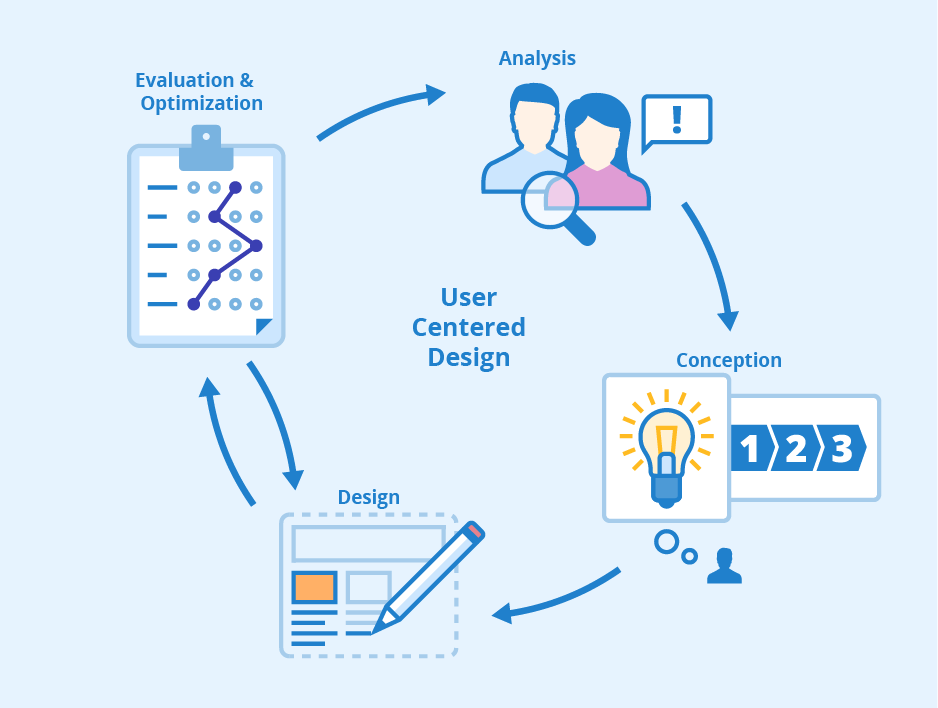
User-Centered Design - Phases and Benefits - Seobility Wiki

You are designing an app for your users and not for yourself. Choose designs keeping in mind your target audience. Try to know the user psyche and create a design based on your market research. Show your users what they want to and what they love to see. Consider feedback as one of the most effective methods in order to bring improvement in your app.

6. Forced sign-up

Explore More, Signup Now - SMSala.com

I would repeat this again, but there are thousands of apps available and one of the things that most of the developers do is they make the user go through a sign-up registration process or ask for other credentials in the beginning itself. Unless and until, you haven’t shown the benefits of your app, any user won’t put his or her credentials and ultimately it would lead to the abandonment of your app. Therefore, it is advisable to have the option of guest users in your app. You can keep sign-up for later stage when users begin to take interest in your app.

7. Industry Standard Guidelines

Both Google and Apple  have laid down guidelines for app makers. Those guidelines are enough  for any designer to follow and make a decent app. However, in the flow of creativity, designers tend to ignore the industry standards and end up making an app with overuse of hidden menus and unknown gestures. UX designers often compromise and get the basics of app design wrong. Designers need to do rigorous testing in order to avoid huge losses.

Anteelo is one of the most sought after app development companies in India providing top grade product design services across the globe. Anteelo boasts of the best UI and UX designers who create captivating designs and are well versed with latest guidelines of all the leading App stores as well.

In-Depth Detail About Logistics App Development Cost

How Much Does It to Develop an on-Demand Logistics App? - TekGeekers

We’ve come a long way, haven’t we?

From standing in long queues just to send a parcel to doing so with a click on our smartphone’s screen. And from the operators’ point of view, they are saved from the pain of monitoring all the logistics and transportation operations – all the time.

It’s all a result of the fusion of the transportation and logistics industry with the mobile app development domain.

But how?

How do these mobile applications perform a multitude of tasks single-handedly and efficiently? What features make them so great?

Well, this is something that we will discuss here.

Don’t get anxious, since I know what you are here for – the most-awaited answer to “how much does it cost to develop an on-demand logistics ( or management) app?” But before we dive straight into the answer, how about a little detour?

Let’s back up to gain a little perspective on the current condition of the market and analyze how beneficial it is going to be for you if you blend in on-demand with logistics app development.

Table of Content

  1. Transport and logistics industry market statistics
  2. Top players of the Logistics market
  3. Types of mobile apps for logistics companies
  4. Logistics mobile apps in the news
  5. Benefits of Having an app like Uber Freight
  6. Must-have features of an app like DHL
  7. Technology stack used for logistics app
  8. What does the Logistics app development cost?
  9. Future of Logistics app development

Transport and logistics industry market statistics

“It’s all about numbers”

I have always found numbers to be the most convincing factor in business. And the logistics domain possesses some promising ones as well.

According to MarketWatch, the global logistics market is predicted to grow by $287.1 million between the years 2020 to 2024. This is equivalent to the increasing CAGR of 5%. In fact, the year-over-year growth rate for 2020 is projected at 4.13% by the end of the forecast period. Moreover, this CAGR is considered to be the highest during the 2019-2023.

In fact, a report by Transparency Market Research, it was mentioned that the logistics industry is expected to be worth $15.5 trillion by the year 2023 – something that paints the future of on-demand logistics app development in a positive light.

Moreover, upon analyzing the transport and logistics industry stats, we found that logistics/trucking holds the highest market share of 35%.

Top players of the Logistics market

Carriers - Find Truck Loads Faster and Easier | Uber Freight

In-Depth Detail About Logistics App Development CostDHL Express shipping - nopCommerce

United Parcel Service - WikipediaIn-Depth Detail About Logistics App Development CostTruckTrack | AngelList Talent

Types of mobile apps for logistics companies

1. Fleet Management

In-Depth Detail About Logistics App Development Cost

This type of logistics application caters for recording the data and information related to vehicles and fleets. As a result, these apps must help in organizing, managing and coordinating vehicles from the central information system in order to keep the overall fleet operation hassle-free and running. Applications like these are also known to reduce costs, boost performance while providing compliance with government regulations.

2. Logistics on-demand

In-Depth Detail About Logistics App Development Cost

Applications that fall under this category are all about goods delivery as per the users’ requirements. These apps not only fulfill users’ needs instantly but also help in building connections.

3. Warehouse mobile apps

In-Depth Detail About Logistics App Development Cost

Warehouse mobile apps are designed to store a huge amount of data related to the products stored in the warehouse. It does it in such a simplified way as to make it easy to access any data any time.

4. Tracking and forwarding applications

In-Depth Detail About Logistics App Development Cost

These applications target to deliver information related to real-time concerning routes and delivery of the goods and products. This means that it also displays drivers’ location which is a rather prominent feature.

Logistics mobile apps in the news

  • Airbnb has expanded its reach to warehousing by introducing the “Flexe” app. In May 2019, the application raised $43 million in fundings in order to help online retailers take on Amazon.
  • Uber announced in Sept’2019 that it will spend $200 million to expand its Uber Freight trucking venture – Another reason to believe this is a growing field.
  • In January 2020, a Kenyan logistics startup called ‘Sendy’ with an on-demand platform raised around $20 million in a funding round backed by Toyota.

Benefits of Having an app like Uber Freight

Knowing why one should even invest in logistics mobile apps is as important as it is for a business to know the cost of logistic mobile app development. Let’s shed some light on the benefits first.

1. Vehicle tracking

In-Depth Detail About Logistics App Development Cost

Accuracy plays a pivotal role in determining the quality of the services – delivering goods at the right places and time. In this case, geolocation poses as one of the important features of the logistics app. The admin or users would be able to track the real-time location of the vehicle while simultaneously notifying the customer as well. In the case of emergencies, GPS could also be used.

2. Fleet and warehouse management

In-Depth Detail About Logistics App Development Cost

Effective management of fleets and warehouses is an ideal way to prosperity for any business operating in this domain. It can help with improved productivity and functioning. Such applications can store data way more effectively than the manual process, with low chances of data loss or misplacement. All in all, developing a transport and logistics app will eliminate inaccuracies and errors that come with manual processes.

3. Easy online booking

Easy Booking - Videos | Facebook

Since everything is on mobile now,  providing your customers with the facility to do everything on their tiny screen what they used to do on their desktop/laptop is the need of the hour. Booking cargo or a parcel is something that can be done online with the help of on-demand logistics app development.

4. No paperwork

No Paperwork by Amanda ☻rtiz on Dribbble

As pointed out before in the second point, managing and handling the paperwork is such a pain, especially, in the transportation and logistics business. Having a dedicated mobile application for this purpose solves this issue entirely and streamlines everything.

5. Helps in confirming the whole process

In-Depth Detail About Logistics App Development Cost

Probably one of the prominent uses of such applications is the real-time confirmation of the delivery process. While using an on-demand delivery app, the company and the customers, both can confirm if the product was delivered on time or delivered at all.

6. Promotes professionalism

Why Professionalism Matters ~ By Richard L. Gabriel - The Docket

If something that should matter the most to a company is its brand image. Having an on-demand logistics app not only facilitates your users but builds their trust in your company.

Must-have features of an app like DHL

There are three panels that need to be designed and developed in the logistics app development. Let’s look at each one of them while discussing the must-have features.

Note: These three panels are essentially three applications, which when combined work as one whole product. Consequently, it is a prominent factor when it comes to calculating transportation and logistics app development costs.

User Panel 

Customer registration – Registration can be done in two ways – A. By creating a new account altogether and B. By registering with existing social media accounts. Giving this option to the users will impart a good impression.

Customer Attributes & Registration: The Perfect Combo For B2B

Vehicle selection – It is an important feature to integrate into the on-demand logistics apps. This helps users in selecting the vehicle as per their requirements, i.e., be it a van, truck, trailer, container truck, and so on.

5 things to keep in mind when selecting a vehicle

Scheduling and managing booking – Here users will be able to book a vehicle to avail of services immediately and can also pre-book by mentioning the date, time and location of pick-up.

10 Best Free Appointment Scheduling Software for Salons & Clinics

Multiple payment gateways – The more options you give, the better experience you are likely to provide your users. This is also true in this instance.  Providing users the choice to pay for the services via Credit/Debit card, online wallets, etc. will encourage them to use your app more often.

Multiple payment gateways on your site - Time to switch?

Tracking shipment – Rather a crucial feature, tracking facility is something your users are already expecting from your app. So, make sure to implement it in your end product.

Shipment Tracking Docs | Zenkraft


Drop-off location – Always allow users to enter the drop-off location of their parcel either manually or with the help of GPS.

Jpg Download Maps Locations By Icon Direction Location - Icon - Free Transparent PNG Clipart Images Download

Real-time alerts – Push notifications are a great way to inform users about useful and important information while engaging them on your application.

Real-Time Tags & Alerts - Log Management Made Easy | Logentries


Estimate fare charges – It is important for users to know beforehand the value they are expected to pay for the services. In this case, employing an in-build fare calculator will prove immensely useful. It will calculate the cost of services based on the size and weight of the package.

Trip fare: Know Before You Go | Uber Blog

Access to history – This feature will allow users to revisit their previous transactions and invoices to keep everything on track and record.

Viewing Transaction History- Classic Account Management


Ratings and reviews – It would help customers if they find this feature in your app. This way, users can rate and review the services and give feedback that can help other users.

Understanding Online Doctor Reviews and Ratings | Beaumont Health


Driver/Dispatcher Panel

Login/Register – Like users, drivers can also signup using existing email IDs or social media accounts.

Setting custom LearnDash Login & Registration redirection pages - Theme Spirit

Manage requests –This feature allows drivers/dispatchers to accept or reject any request or order based on their preferences.

Start managing your incoming requests like a pro by taking these 4 steps - Corrus

Make available or busy –Just like a DND feature, this will help the drivers or dispatchers show their availability/ unavailability for services using many options like marking self available, etc.

Surge: Couriers can more money when it's busy | Uber Blog

Consignment details – Getting insights of the consignment to be delivered is a crucial element that would help your app become popular if you employ.

Tracking & Tracing

Manage profile – Probably one of the most basic features is to enable the drivers to update the information on their profiles.

Manage Your Customer Profiles for Better Sales and Support | Acquire

Navigation –This is a crucial feature for the driver/distributor side of the logistic application. It gives information regarding the best route to the customers’ addresses to facilitate on-time delivery.

5 Best Offline GPS Navigation Apps For Android - Gizbot News

Mark delivery –Allowing the dispatcher this feature will enable them to send alerts to both the parties (customer and admin) regarding the delivery of the parcel.

Delivery Mark Reviews 2021: Details, Pricing, & Features | G2

Freight/shipping details –All the details related to freight (weight of goods, fuel consumption, distance covered, toll charges) and shipping (name, address, contact number, destination) all can be accessed by the dispatcher/driver via this feature easily.

Sea Freight Shipping Services | Ocean Transportation

Access to history – It would be best to offer this feature since it will help them revisit past transactions and invoices.

Admin Panel

Dashboard –It displays every critical information related to the users and drivers. The admin is able to also see pending and completed orders with real-time data.

Zoho Flow dashboard

Fleet/Vehicle management –With this feature, it will become possible for the admin to introduce new vehicles for the shipment and even update the existing ones details with image, etc.

Car Fleet Management Template » EXCELTEMPLATES.org

Manage invoices and payments –With this invoice management feature, the admin will be able to generate and update invoices.  Moreover, admin can also manage payments, i.e, approve the payments received by the drivers and analyze other similar transactions.

Bill Books - Billing Management Software - Manage your business sales, purchases, payments and customers

Drivers monitoring –This feature helps in managing and assigning tasks to the drivers/dispatchers and monitor their on-road time, activities, and pending requests.

Jaguar Land Rover tech has car monitoring driver's concentration

MS features –Under this feature, all the user queries related to the services or drivers, and any improvements required by the users are recorded and handled by the admin.

Additional features

Get a quote –According to the available deals and services, customers can request a quote from the service provider in order to get an idea for the cost and time of the services.

In-app Chat –This might be an additional feature but it is a crucial one as well. This will facilitate your users since they will not have to seek another resort for the purpose of contacting the service provider.

Chat support –Chatbots now play a huge role in the B2B and B2C sectors. Most of the applications providing any kind of service or products are equipped with chatbot app development. This is something that we at Anteelo highly recommend.

Multilingual Support –Popularly known as a practice related to the localization of mobile applications, providing multilingual support can boost the popularity of your application globally.

Link and upload documents –For dispatchers, this feature will be a big hit since they will be able to upload important documents related to shipping such as insurance documents, etc.

Note: All these additional features incur higher logistics app development costs.

Technology stack used for logistics app

One of the challenges of developing a logistics mobile app is determining which tools are essential and will render impeccable results, something which an on-demand app development company like Anteelo knows best.

Starting from the top, in order to create a robust Frontend development, many mobile app developers prefer to use Swift, Java, CSS, Bootstrap as their programming languages. Whereas, for the backend development languages like JavaScript, Ruby, AngularJS, and Python with their impeccable mobile development frameworks are used.

As for the database, HBase, Mail Chip Integration and MongoDb are used, while Azure, Google, and similar technologies are used for Cloud facility. Speaking of Application and data, development tools such as jQuery, Groovy, and AngularJS are employed.

Now that we are done with getting familiarized with crucial aspects surrounding the logistics industry and app development, let’s get down to business – getting the answer to the cost to build logistic apps.

What does the Logistics app development cost?

As I had mentioned above, the ultimate cost of app development relies on the factors related to the on-demand logistics app development process of the application.

Along with an answer in digits, we will encounter a detained account of the factors contributing to the final cost.

Backend and frontend development

In-Depth Detail About Logistics App Development Cost

The choices you make for Backend and frontend development will play a pivotal role in determining the cost of your logistics application. To be more specific, it all depends on your choice of frameworks, tools, and technologies.

You can either go with Monolithic or Microservices. However, let me put it out there that the cost of frameworks for microservices tends to be higher than monolithic. Nevertheless, it is all worth it since it is more efficacious in providing highly scalable logistics applications.

Choice of the tech stack

In-Depth Detail About Logistics App Development Cost

You might already know that the tech stack you choose for development is going to affect the cost. Speaking of programming languages, hiring developers for some languages like Swift, Golang, and R is quite expensive. Similarly, those languages that are new will have fewer libraries and frameworks, adding to the overall tasks of the development.

 Type of application

Since it is an on-demand application, the development cost for it also tends to be higher than any other category, say social media, m-commerce, etc. It is because this single application consists of three whole separate panels, which require a number of resources equal to three applications. So, evidently an on-demand logistics app is going to cost more than other non-on-demand applications.

Platform (Android or iOS)

In-Depth Detail About Logistics App Development Cost

The choice of platform you choose would fall either for Android or iOS. Strictly speaking, developing for the Android platform can be a little more costly as compared to iOS due to the amount of fragmentation Android is subjected to.

There is a third option available now – cross-platform app development. By choosing this, your application will be able to work incredible on both the platforms rending performance falling no shorter than a native app. Plus, it is cost-effective as compared to developing the app separately for both platforms.

Development Team Size

How to Determine the Right Size of Your Software Development Team | Customer-centric product development and innovation

There is no need to tell you that the cost of development will be lower when you choose a team of freelancer developers as compared to an established on demand mobile app development company.

However, established companies have an edge over freelance developers – the assurance of the prolific quality of mobility and digital solutions.

Location of the company

In-Depth Detail About Logistics App Development Cost

The location plays a pivotal role in deciding the ultimate cost of logistics app development. It is an established fact that the hourly rates of development tend to get higher when moving from east to west.

In light of the above statement, there are few countries such as India that are home to some prestigious and insanely efficient mobile app development companies that offer their services at reasonable prices.

Now comes the most-awaited part. The estimated cost of logistics mobile app development can range between USD 70k to USD 80k.

Future of Logistics app development

The future of the logistics industry

All the current statistics and predictions on logistics app development only paint a positive picture of the future of on-demand logistics app development. Since the advent of mobile app development in the logistics industry, things have become smooth-sailing and processes have become streamlined.

In fact, the next big thing for this industry is the extension of AI into it, as per the AI technology trends. We can expect AI-induced logistics applications that will further facilitate the logistics and warehouse management while being equally helpful in transportation. Another next-gen tech that will disrupt the logistics domain is none other than IoT.

Going forward, the emergence of numerous types of on-demand logistics applications will eventually make the logistics industry prosperous. If there was ever the right time to invest in the logistics app development, it is Now. So, with the estimated cost to build the logistic app, it would become easier to make a firm and well-contemplated decision.

Minimal Apps Design: A Complete Guide For Beginner’s

A Beginner's Guide to Designing Minimal Apps - Appinventiv | Android app design, App development, Mobile app development companies

Perfection is achieved, not when there is nothing more to add, but when there is nothing left to take away.

– Antoine de Saint-Exupéry

There was a time when adding too many elements into the mobile app was a norm. But, with time, user behavior has changed.

Users have started inclining towards minimal interactions and elements; hoping to interact with limited things while enjoying the same level of services.

This changed need in turn has made it imperative for app designers and UI UX design agencies to incorporate the concept of minimal app design and build engaging designs with limited elements.

In this article, we will talk about the much talked about designing concept starting with the simplified definition to what is minimalism.

What is Minimalism?

Minimalism in app design, as depicted from the name, is described as a process that operates on the ‘less is more’ principle. Here, the least possible elements are added to your app design, such that it forms the most atomic form of the application. Meaning, you cannot achieve the core functionality of the application on removing elements further.

The concept has gained a huge momentum in the UI/UX design world because of the number of benefits it offers.

What Should Minimal UI Design Look Like?

Minimal UI for maximum impact. How Minimalist Design Can Power Your… | by CanvasFlip | UX Planet

Minimalist web and mobile UI UX app design should be brief, clear, and consistent. The communication of the program’s segments should be pointed toward solving the customer’s problem, be it texting, online shopping or something else, which infers user convenience.

Generally, minimalism powers UI/UX professionals to track down a legitimate method to say more with fewer means. To accomplish such an outcome, you need to follow certain minimalist UI design principles. They’re direct, simple, and consistent.

Benefits of Minimal Design in App Design Process

Pastel Photo App | Photo apps, Mobile app design inspiration, App design inspiration

Delivers a polished message

When multiple elements are added to a screen, it is likely to confuse users and make  it hard for them to understand the core value you wish to deliver. But, on the flip side, minimalism, when added to the mobile app interface makes it nearly impossible for users to not be able to understand what message you wish to deliver.

Fast load of app screens

Naturally, when unnecessary components are eliminated, an application turns out to be quicker. This brings the advantage of minimum to zero instances of application crashes. When the performance of an application is improved, the experience improves, eventually expanding the timeframe of usability of applications on consumer’s devices.

Eases navigation process

Another reason why minimalist web and mobile app design is going viral is that it enhances app navigation.

Users interact with less elements on a screen. So, there’s less chances of them finding an alternate navigation path and get distracted.

Requires less maintenance

Since the time, effort, and cost required for app maintenance varies with the no. of elements available on the screen, the value gets lowered in the case of minimalist UX design.

Enhances brand value

Last but not least, a minimalist app design helps brands increase their app stickiness. Through the design concept, users are able to stick to the interface for long, and all the while, their interest keeps spiking.

Concise call to action

On account of the moderate plan technique, any accentuation will be striking. The conciseness and simplicity of the interface permit you to take the user’s attention to what you truly need them to see.

Need your users to utilize your application for any reason? Or do you need them to subscribe to your top video? Whatever be your activity, its call would project itself delightfully onto the application.

Knowing the benefits of using minimal UI design, I am sure you would be keen to get started with the implementation of it in your app design.

But, wait!

Before asking your hired mobile app design and development company to follow the Minimal Design approach, it will be useful to get a head start by looking into how different apps are leveraging advantages from it.

Popular Apps Using Minimal Design Concept

Google Calendar

Calendar | Google Blog

Google calendar uses the grid layout to show all the information in a simplified and organized style. Also, an analogous color scheme is opted to give a fresh and positive look to the interface.

Instagram

What Is Instagram and How It Works: a Beginner's Guide

Instagram embraces the concept of white space and added the simplest form of icons to give a pleasant feel to the target user base.

Airbnb

pngkey.com-airbnb-logo-png-605967 - TheRiver.Asia

In Airbnb, a single typography is being used to make the app interface look clutter-less. Also, icons are used smartly to define a purpose.

Medium

The typography, photos, and every element are used in a grid format in the Medium application.

Lyft

Lyft - Wikipedia

Lyft is an apt example of how to add an analogous color scheme into your app design plan to bring out the best outcomes without investing heavily in terms of app design cost.

With this covered, let’s dive deeper into the technicalities of Minimal designing – starting with the core features of Minimalism design concept to keep an eye on.

Characteristics of Minimal App Design

The Rise of Minimalism in App Design | by Austin Mikael | Prototypr

1. Simplicity

A minimal app design uses less and not complicated elements, which gives a simple and clean look to the application.

2. Clarity

It not only looks simple, but also simplifies the process of getting an understanding of the core app purpose.

3. Functionality of each element

Every element on the app screen performs some action, and not just makes the app look attractive.

4. Expressive visual hierarchy

The elements in the case of minimal app design are placed such that they showcase a visual hierarchical structure.

5. Higher attention ratio to proportions and composition

The UI/UX design is created by keeping The Golden Ratio into consideration.

While these are the traits that an application designing through Minimal design approach shows, let’s turn towards the elements it compose of.

Elements of Minimal Design to Watch Out for While App Development

Color scheme

Generate Free Color Palettes for Your Images & Pick Your Color Scheme | Adobe Spark

One of the primitive elements of minimal design is the color scheme.

The type and quantity of colors you pick for your app’s interface leaves a major impact on the target user base, on the emotional front. If your application has too bold or too many colors at the same place, the app might seem cluttered and confusing. While, on the flip side, calm colors or a single color on the interface might make the app appear boring and affect user retention rate.

In such a scenario, the two ways you can build engaging app interface are:-

  • Use Monochromatic Colors Scheme – Multiple colors are created from changing the hue brightness and saturation of the same color; making it easy on the eyes.
  • Opt Analogous Colors Scheme – Three adjacent colors on the color wheel are used to create different aspects of the application.

Typography

A beautifully illustrated glossary of typographic terms you should know

Another element that gives a different aspect to minimal designs is Typography. Defined as the technique of representing written words, it improves communication between users and the app interface.

If picked wisely, it can bring more eyeballs on your app screen. While, on the other side, it can give a disorganized and negative feel to the users, especially when going with multiple typography fonts.

In such a scenario, having knowledge of the best typography tools as well as the idea of how many typography one should consider for building a sophisticated look is necessary.

White Space

When talking about implementing minimal design in apps world, another element that designers and developers need to focus upon is the white space. Considered as the space between text lines, it gives a clear and clutterless impression to the app interface; making users feel positive about interacting with the page.

 Icons
Get Pichon - Free Icons - Microsoft Store

Iconography is a visual language used to address functionality and content. A good icon is simple with visual components that are easy to spot and comprehend. Since bar symbols fill in as navigation to different sections of the application, it’s essential to indicate which section is active by highlighting the icon.

Enhancement

Enhancement is yet another mobile app UI design tool element that builds up minimalistic design in the mobile app world. That means, the way you bring more focus on a particular image or text while multiple being present on the page.

Now as to what exactly Minimal design in app means and which and how apps are introducing it into their app design, let’s look into some tips and practices you can consider to create minimalistic interfaces of your application.

Best Practices to Build Minimal Design for Your App Effortlessly

Go for flat design

Working while on-the-go | Illustration character design, Character flat design, Outline illustration

Following Flat Design in your app design is the foremost method to introduce minimal design in your application.

A Flat design, unlike other designing styles, focuses on using limited 2D elements and avoiding shadows, textures, or gradients. This makes it easier for the designed images and other visual elements to look neat, take less space, and enhance usability in the interface.

Make a grid layout

CSS Grid Layout

Another factor that every UI/UX app designer must consider while creating minimal app UI designs is Grid layout.

The layout not just adds convenience to the app interface, but also highlights the visual elements. It also serves designers with an ease of maintaining the same feel throughout the page in case of responsive design.

Remove extra elements

One of the best practices for minimalist design is to ensure that no unnecessary element is added to the screen. Meaning, only those elements are introduced to a screen that serves a purpose there.

Now, when it comes to deciding which elements to keep in the design and which one to remove, here are the two tips to keep an eye on:-

  • Do not add images unless they aid in making your message clear to others.
  • Use simple and limited words to communicate, such that meaningful information is being served to the audience.

Do not oversimplify design elements

Simplicity leads to minimalism. However, this does not mean that you have to oversimplify your app design.

This is because an over-simplified user interface can make it difficult for users to understand the purpose of your application. Also, it can break the navigation flow, which can further result in lower app engagement and retention rate.

So, it is a must for UI/UX designers to ensure that they keep a balance between simplicity and minimalism while designing their mobile application.

Employ negative space

Negative space, i.e., the white space created due to removal of extra elements from the interface, is the backbone of the minimal design.

This element, when employed smartly, plays a crucial role in preventing distraction, increasing engagement, and delivering the right message to customers. However, this is possible only when you focus on the following requisites:-

  • Content to be on the left side.
  • Focus on Hierarchy of elements.
  • Interaction made simple, without compromising on information.
  • Variations in negative space maintained for different resolutions.

Pick the right icons

Icons, when employed wisely, help designers cut down the need for content, enhance the visual appearance of the application, and add to the accessibility.

So, designing the right app icons and implementing them at the right places in your app design is also an effective way to get higher profits.

Write crisp content

Content Writing Tips: Create and Curate Quality Content Seamlessly - Crisp Results

As already shared in the ‘Negative space’ pointer, writing simple and succinct text copy improves the app metrics. An extension of it would be to express your thoughts with limited yet meaningful and catchy words.

Go for bold typography

Typography in app UI design, just like icons and other visual elements, also helps in enjoying minimalism in app design. Especially in the form of bold typography.

The bold typography shifts users’ attention to the focused words and helps in crafting a high visual experience. So, do not forget to introduce them into your app design plan.

Embrace the idea of contrast

Using contrast elements helps designers create a visual hierarchy and bring attention on particular design elements. So, it is again a good practice to invest your time and effort into building a contrast interface.

When talking about embracing the power of contrast, it is good to introduce black, white, or dark backgrounds with bright and colored typography and pictures. It is important to note here that if you are thinking of incorporating dark mode design theme, the contrast rules would be entirely different.

Use limited colors

Using Color Schemes in Mobile UI Design - SitePoint

Using too many colors on the same app screen leaves a negative impact on users. So, to ensure that your design imparts a positive vibe and engages a wider audience, use limited colors. The best way of which is to use different shades of the same color.

Likewise, using bright colors alongside soothing and complementary hues, simple typography, and less-complicated animations can also help you achieve minimalism in app design.

Focus on concise and intuitive navigation

When it comes to working upon the navigation element, many designers often turn towards techniques like hiding some part of the navigation. This might help to keep the design minimal but reduces the discoverability of menu elements. This makes users confused somewhere in their journey and fail to experience the kind of user experience you wish to offer after ux reviewing process.

So, it is necessary to go with the philosophy, “measure thrice, cut once” while designing your app navigation.

Embrace functional animation

Importance of Functional Animation in UX - Qode Interactive

Another factor to watch out for while ensuring minimal design in the app is to embrace the idea of functional animation.

This element of motion design is added to the user interface as a part of any functionality. And is focused on improving discoverability and delivering a meaningful purpose, without asking for more space.

Follow operating system design guidelines

The Official UI Design Guidelines & Patterns for Each OS - 2018 | by Sam Bible | Medium

Both Apple and Google have set rules around the type of design that a standard application should have. Considering those design guidelines while introducing minimalism in your application can also be an effective way to ensure higher success rate.

Ditch some rules

Last but not the least, bending some rules of minimalism design is also a good practice. This is so because when you break some rules, you get the freedom to experiment with your design and add creativity to it, aiding in bringing more eyeballs on your app page.

10 Quick & Actionable UI UX Tips for Mobile App Design

Blur effects

The blur effect emerges as a logical answer for a minimal product design UI, permitting a specific measure of play with the layers and hierarchy of the interface. Blur makes it simpler to make layers of data in the UI. This likewise offers minimal designers an ideal chance to explore different overlay solutions.

One app, one typeface

Guide for designing better mobile apps typography | by Andrey Zhulidin | UX Collective

More typefaces seldom bring about better client experience. Actually, blending several different fonts can make your application appear to be fragmented. Decreasing the quantity of font styles on a screen can uncover the power of typography. One of the mobile app design tips is that when designing an application consider how you might make the typography amazing by playing with weight, style and size.

Simple background

Web designers some of the time create complex background themes, like those including photograph pictures. However mobile app design service providers have long deserted such a training in favour of simple and monotonicity. Very bright background under restricted space confounds the way toward exploring the application and slows down the loading stage, which isn’t acceptable.

Simple navigation

Simple Steps for Creating a Fixed Navigation Bar | Design Shack

There are no intricate patterns of features, pages, or functionalities however just conveniently arranges experiences. Thus, through this clients will get to explore from one module onto the next flawlessly and complete things quicker than they would otherwise.

Declutter UI

It is wise to keep best app UI design mess free. Clarity is a significant attribute of a mobile design. An excessive amount of design components like buttons, text, images, etc. can make any mobile application complicated and incapable to utilize. Keep it basic and minimal, or else you will not be able to convey the message to the user in a clear and concise way.

Accessibility

Why Web Accessibility Is Important and How You Can Accomplish It | by Oyetoke Tobi Emmanuel | Facebook Developer Circles Lagos | Medium

With organizations taking measures to make products accessible for everybody, minimal designers need to have sympathy and provide different experiences to various individuals through the similar mobile plan. A well planned item ought to be accessible to various users like users with low vision, any sort of visual deficiency, motor and hearing impairments. With comprehensive app design features, individuals with disabilities can explore and interact with your product.

Thumb zone

With each new mobile release, the screen size has expanded, holding the gadget with one hand and browsing the application is getting troublesome. Thus, the mobile application design ought not be aesthetically planned but additionally should focus on the movement of the fingers and thumb.

Remember all zones when mobile application design is being made. Wider the phone, more hard for the user to hold the phone with one hand and tapping on targets if they are out of reach zone.

Set expectations

Set High Expectations with Your Employees in These Three Areas - MAP

Numerous associations with a webpage or application have outcomes: clicking a button can mean spending cash, erasing a website, or making a disapproving remark. What’s more, is that with clicking a button there are ramifications, there’s additionally anxiety.

Thus make sure to tell users what will happen after they click that button before they do it. You can do this through a nice design plan.

No extra details

All components of the minimal design play out specific functions: a circumstance where each UI detail fills a particular need. It implies you can securely dispose of application segments with no direct undertakings. They’re unnecessary.

This additionally applies to the content, i.e. decrease the quantity of words utilized and communicate as briefly as possible.

Intuitive app interface

Top UI/UX Trends to Make your App more Intuitive

The entire issue boils down to the last important point that is the making of an easy to use interface.

Eventually, no one needs to feel dull and moronic, and unplanned usability would provide the user with simply unwanted impressions. In this manner, your application interface ought to be intuitive, working on all devices in a comparable coherent manner. What’s more, is that accomplishing responsiveness in planning minimal applications isn’t so difficult.

Conclusion

Minimal app design has been a popular approach for some years now and is likely to be one of the UI/UX trends as well. So, it is advisable for everyone who wishes to enter into the UX/UI domain or are getting their application designed to focus on this concept and elevate the chances of success. Something for which you can refer to the rules and practices shared in this article. Or simply, connect with our UI/UX design company in USA.

error: Content is protected !!