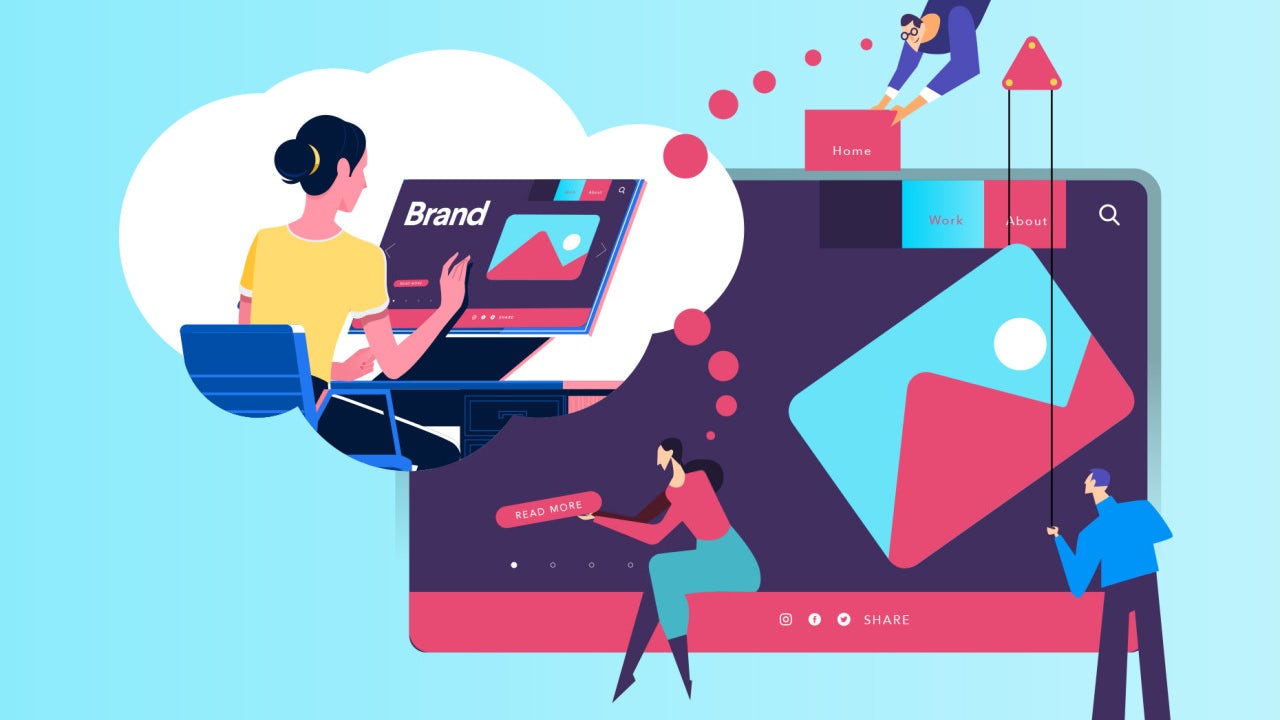
Basics of Integrated Information Architecture in UX design

The 7 principles of UX design—and how to use them - 99designs

Your website may have a lot to convey but if the content is not structured properly on your website it could mean people leaving your website soon after landing on it. It is no secret that websites that do well have been designed well and the information on them is easily accessible. However, it needs to be acknowledged that such websites cannot be created overnight and requires a lot of planning.

Well- planned Information Architecture is the secret sauce here that can be the difference between a website that is high on bounce rates and a website that has visitors staying on it for a long time.

By now you’re are probably thinking – But isn’t Information Architecture just another fancy word for UX and UI design?

The answer is No. Information Architecture is the scientific process of structuring the content that needs to be displayed on a website. IA helps to create a blueprint that will outline the hierarchy of information on your website and also tell you about what to highlight or how much to display.

IA helps to organize a website’s content in such a way that it helps a user to easily find it and use it.

UX on the other hand has a much broader umbrella under which IA is also included.Â

Thus to sum up, Information Architecture is responsible for ensuring that there a good user interface in place and it is the starting point for UX design.

Here are five innovative tips that will help you integrate Information Architecture into UX design.

Keep the goals of your products in mind
How to Achieve Your Company Goals in 6 Steps

Before you start constructing your information architecture you need to be clear about the expectations of your users from your website or app. This means that you should be able to see the bigger picture of what is the end goal of whatever is being offered on the website. There should be a clearly outlined product objective and product strategy that is understood by all the members of the creative team. Understanding of objectives means that there is a clear understanding of what to do and where to begin. When goals are clearly outlined, it helps to get all the teams on the same page and designers can get started without the possibility of wasted man hours due to clarity of targets to achieve.

Consider Gestalt principles of Psychology
The Gestalt principles of design: how psychology shapes perception - 99designs

Cognitive Psychology involves the study of the mind and mental processes which help people to acquire, process and store information in the brain.

Familiarity with psychological principles can help designers create designs that will facilitate users performing those actions that are desired of them. For example – making a purchase.

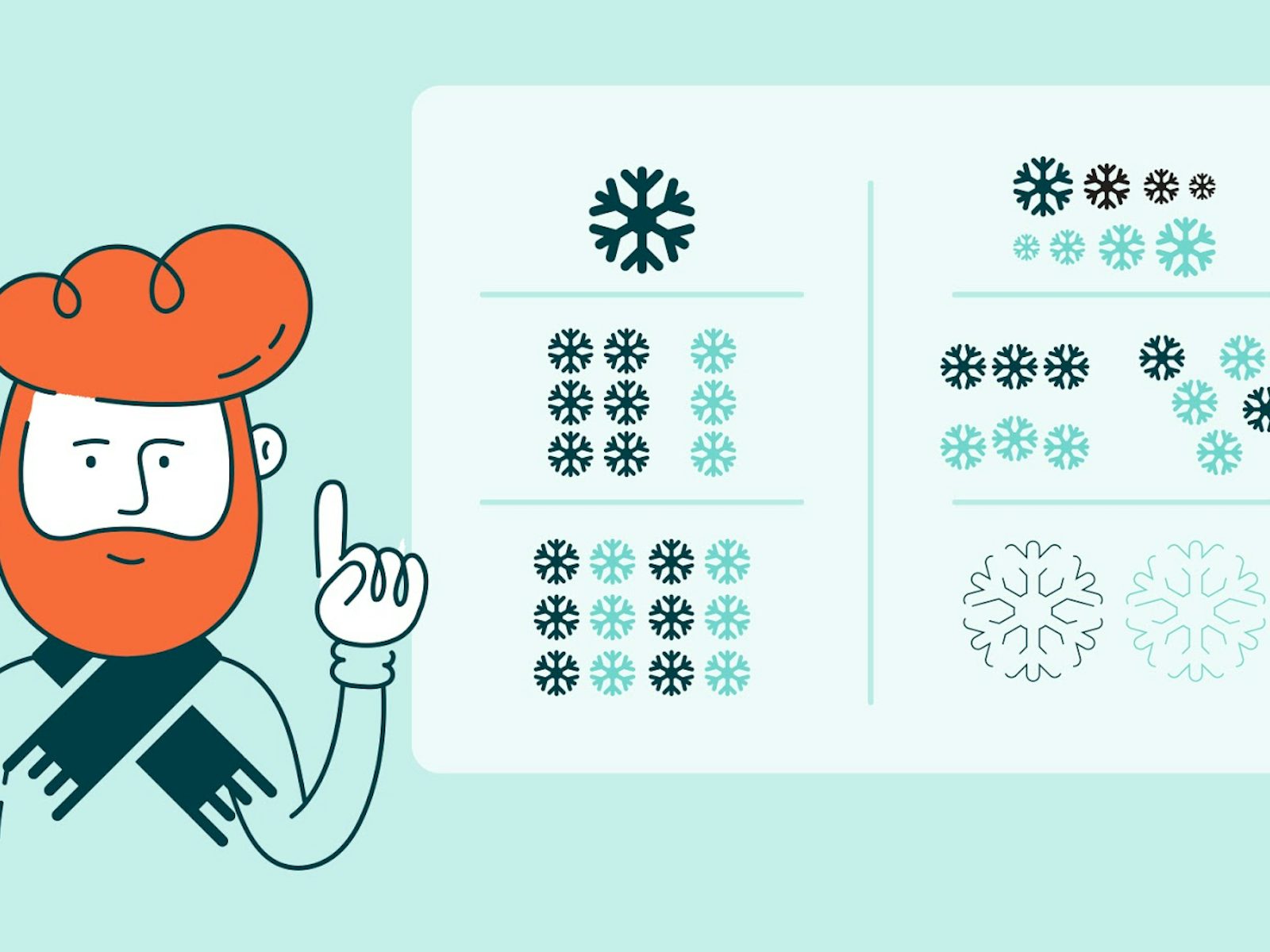
There are psychological principles known as the Gestalt principles that can help designers come up with effective designs.

These principles are

Similarity: Objects that look somewhat similar are going to be perceived as part of the same group. This similarity could on the basis of shape, colour, size, texture or value. This similarity helps users to see unity between the design features. The different circular tabs on the website which talk about the different areas that the WWF works on is are examples of the principle of similarity.

Similarity (geometry) - Wikipedia

Continuation: This principle talks about the flow of the human eye from one object to another. Elements that are arranged in a continuous line are considered by the brain as grouped together. In UI design, the continuity principle helps draw attention to grouped information that will create smoothness on a page and help a reader to move from one content slice to another. Amazon uses the principle of continuity to communicate that each of the products below are similar and related to each other.

Related products, Upsells, Cross-sells in Magento

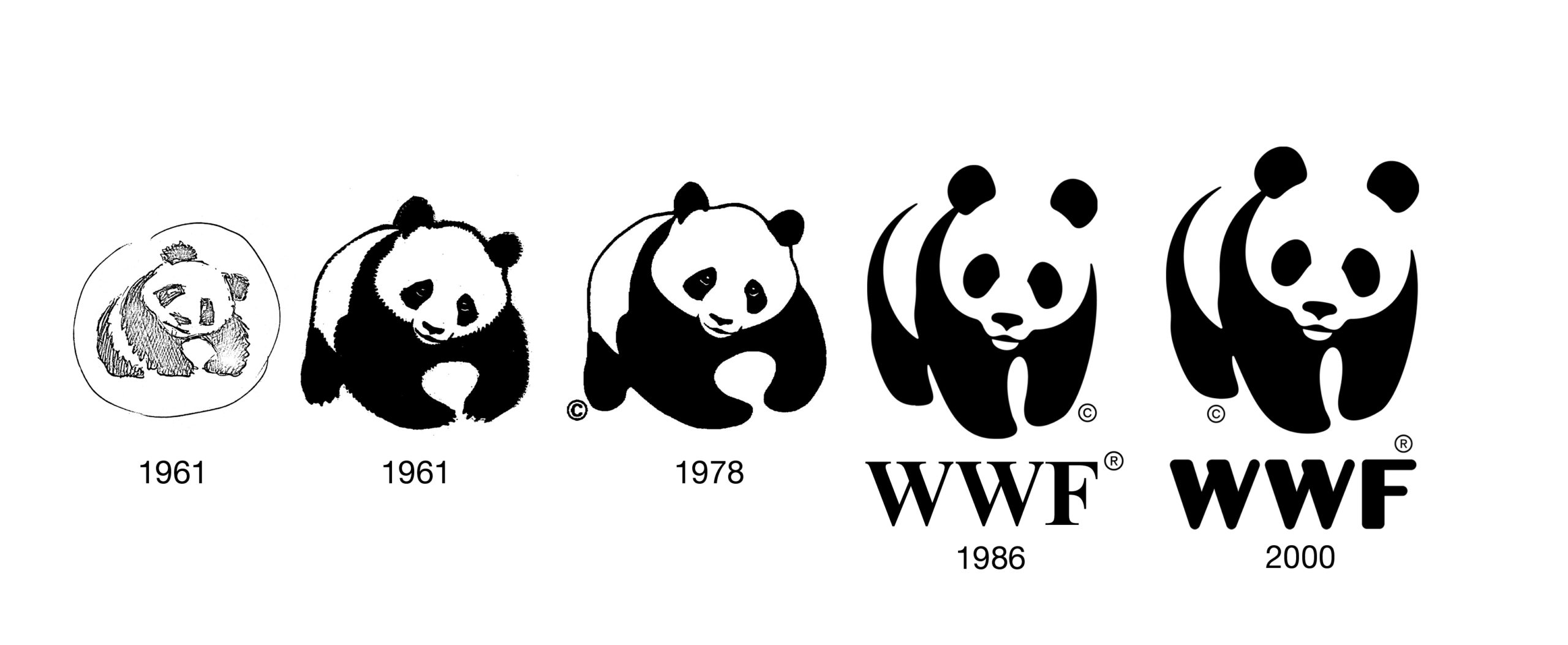
Closure:  The principle of closure works on the human eye’s ability to close a shape or perceive a shape as complete even though the image or shape might not be complete by mentally filling in the missing pieces of the shape. Artists have long recognized the ability of the human mind to complete an incomplete image and used this in their art. The logo of the World Wildlife Fund www.worldwildlife.org  is   an example of the closure principle.
The Panda Behind the World Wildlife Fund's Logo | PopIcon.life

Proximity:  The principle of proximity says that when objects are placed next to each other, the human eye sees them together as a group even though the elements might not be related to each other. Lines or shapes can be used in UI to surround elements and create proximity. For e.g. putting words and a picture in a box can give the message to the brain that both are in proximity to each other and hence related. Pinterest uses the principle of proximity to great effect to group images together and create the impression that all the images are related to each other although they are not.

Get Pinterest - Microsoft Store

Figure/Ground: This principle concludes that the human eye will separate an object from its background and thus highlight the correlation between an object and the space surrounding it.  AngelList does a very good job with the figure-ground principle and tells us that the focus should be on the white on top of the black background.

AngelList - Wikipedia

Using the principles above designers have created powerful content that draws in visitors from the word go.

Plot the navigation system

A Step-By-Step Guide to Marine Chart Plotting

Navigation can be defined as a number of steps and procedures that guides users through an app or website to explore the various parts of the website or app and complete a successful interaction on the site where their goals are fulfilled.  When it comes to Information Architecture, users should be able to move seamlessly through content on the website or app.

So, navigation is inherently dependent on good IA.

Create Personas

How to Create a User Persona (with Examples) | CleverTap

Different people with different personalities will visit your website or app. Creating personalities or personas’ which are hypothetical representations of the people who will visit your website or app is also a good way to find out how to best position the content on the site.

Based on your research you can create these personas of different users who will visit your website or app for their different needs. These personas will help you understand the needs, aspirations, behaviour and targets of your real customers. The personas will help broaden your horizons about the different kinds of consumers that are out there and help you relate to them. Using personas will ease the process of designing and also help create a good UX for your target users.

Integrate Principles of Visual Hierarchy
12 Visual Hierarchy Principles Every Designer Should Know

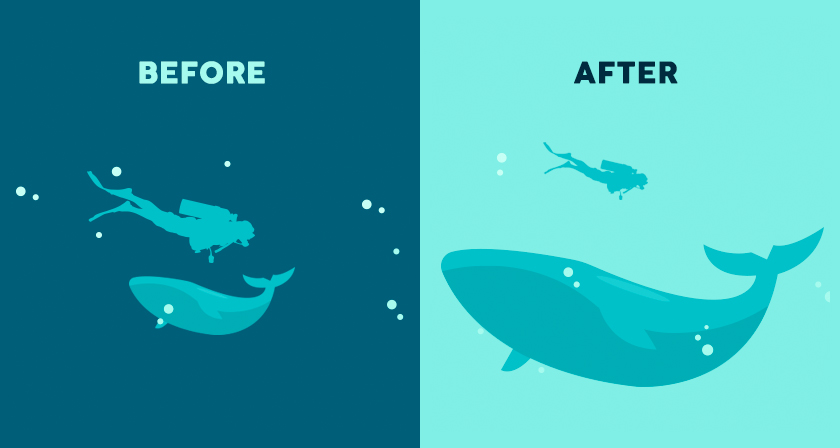
The main agenda of visual hierarchy is to ensure that content on a website or an app is designed in such a way that the user on the site understands the amount of   importance that needs to be assigned to each block of content on their own.

This technique takes advantage of the fact that the brain differentiates between objects based on things such as size, colour, alignment and contrast.

Visual hierarchy is of utmost importance in interpreting the content on a website or app and also enhancing the visual performance on the site.

One of the core aspects of  visual hierarchy that designers should keep in mind  while working on the web pages is the scanning patterns of people  as studies have shown that people first scan a web page before reading it.

Designers who familiarize themselves with the principles of visual hierarchy can create an information architecture that will integrate vital elements of content on the areas that are most scanned and thus drive users towards taking the desired actions.

Conclusion

It is important for you to understand the people don’t want to wade through a maze of ambiguous content to finally reach what they need and this means that they should easily get access to whatever it is that they have come for in the first place. Here, information architecture is key to building an interface that will give your users exactly the kind of value that they are looking for. Remember, good information architecture and good UX design are mutually inclusive.

So Here is what Android borrowed from Apple’s iOS

Android vs iOS: Which mobile OS is right for you? | IT PRO

As the mobile world is getting overflowed with new devices and mobile apps, the users’ demand for more innovative features is touching the sky. It has become imperative for all mobile companies to introduce a WOW factor to their operating system for gaining the limelight in the market. In this constant race of engaging their target audience with convenience and innovations, many times Google and Apple have been found to get inspired by each others’ ideas and features. They, in different instances, have shown that they pick the best features of each other and introduce them in their devices. Remember when Tim Cook said he relies on Google Search? This give and take of inspiration is something that is still in practice in the year 2019. While, we have heard a lot about the features Apple copied from Google’s Android, today we will be looking at the other side of the coin. Meaning, the features that Google has cloned from Apple’s iOS in 2019 and earlier. Features that have traditionally played a role in defining the Android mobile app development cost.

Android Features that Have Been Inspired from Apple

1. Fast Sharing Feature

Google Fast Share gets a revamped share sheet and new settings location

Google is introducing a ‘Fast Share’ feature on Android devices that will work similar to AirDrop in Apple. This feature will combine WiFi and Bluetooth functionalities together to send files, URLs, and text snippets to people nearby.

However, there will be a difference. Unlike AirDrop, the transfer functionality will not be confined to your contact list and device. You will be able to share files with anyone using Chromebooks, iOS smartphones and who wear AndroidOS smartwatches.

2. Battery Saving Features

Save battery life by using Android's built-in dark mode - CNET

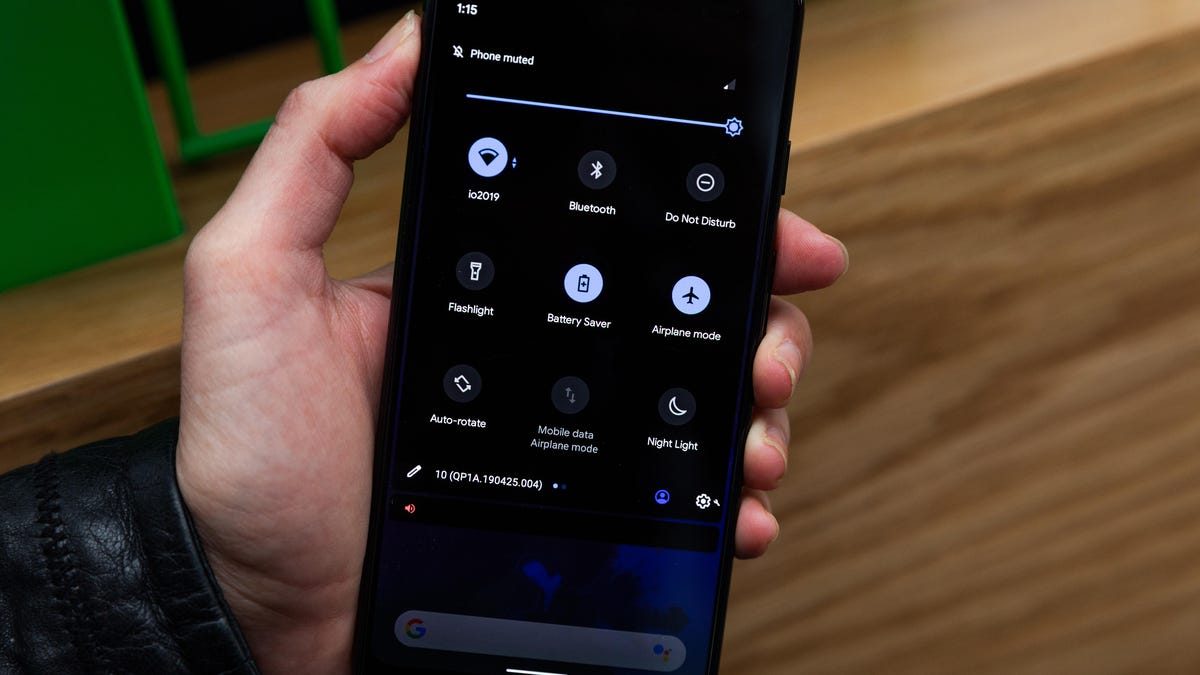
Google has announced that Battery Saver will be one of the significant Android Q features that will hit the market in 2019. This feature will turn off the battery saver mode automatically when the battery is charged up to 90%. Likewise, it will turn the Battery saver mode ‘on’ again when the charger is unplugged.

It is again a feature that is much like the ‘Low Power Mode’ of iOS, where the battery saving option is turned off automatically when the iPhone is charged to up to 80%.

3. Facial Recognition

How to unlock your Android device with camera-based face recognition - 9to5Google

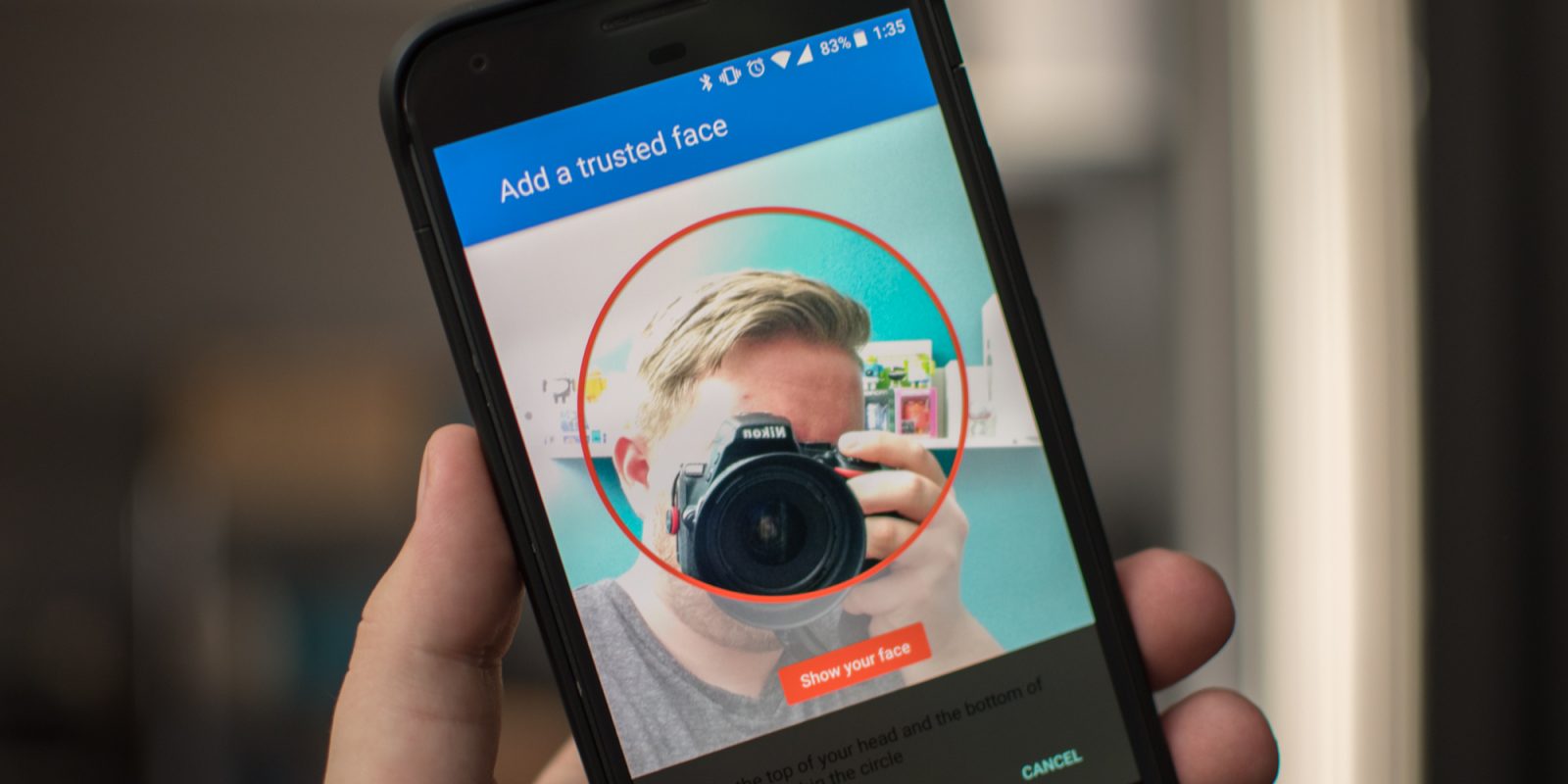
The feature of unlocking devices and apps using facial recognition or better say Face ID is again a feature that Apple brought into the market. They first introduced the idea of scanning faces for authentication purposes, which is now considered as the main element for Android devices.

In fact, as per the sources, Android Q is coming up with an advanced level of facial recognition features that will give heads on challenges to Apple’s Face ID feature.

4. Native AR

Augmented Reality & React Native. It all started with Google Glass' and… | by Rody Molenaar | Medium

Google has proven to be the best in the market to try different AR-based features on smartphones and other devices. They have brought various new opportunities in the market with respect to AR technology. A recent proof of this is that Google, as per the sources, is introducing AR effects into their messaging app to make it competitive to Apple’s iMessaging app.

However, it was Apple IOS who took the first step in the direction of integrating Augmented Reality in the mobile world and give us the best of both the real and virtual worlds.

5. DND (Do Not Disturb)

How to Customize Do Not Disturb Settings on Android

Again, Apple introduced the idea of making the process of DND (Do not Disturb) accessible and visible to users. They took the first step of giving users an opportunity to customize the DND activities and manage them. Google just followed the footsteps of Apple to give this freedom to Android users and give them a peace of mind during meetings and in other such situations.

6. Gesture Controls

How to set up and use (very hacky) gesture navigation controls on any Android phone - 9to5Google

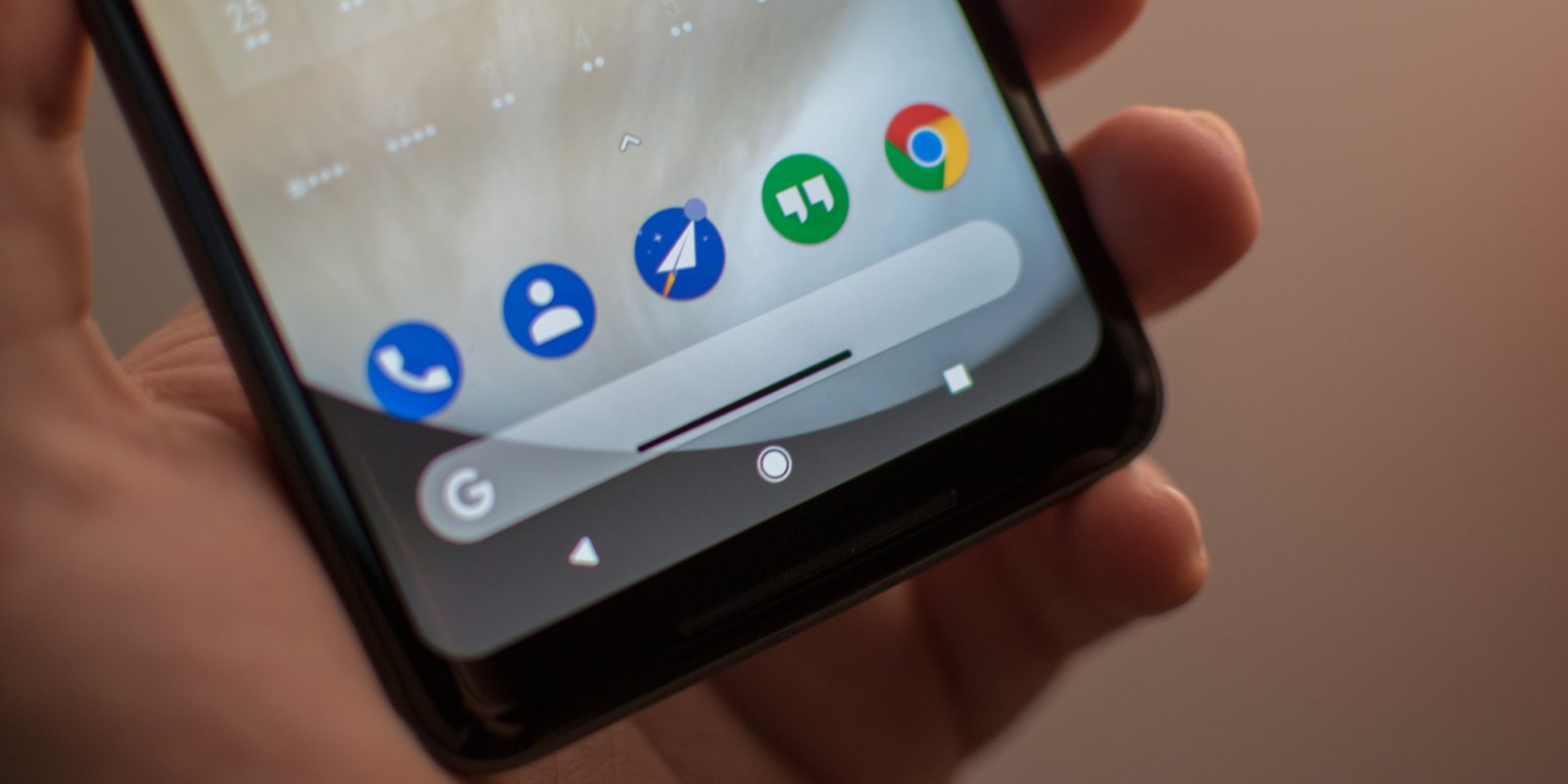
The gesture control facility that we are enjoying on Android devices is also one of the features copied from Apple devices. It was Apple who ditched the home screen button and introduced the idea of using gestures for operating devices. And now, Google has brought this feature into the Android market.

7. Emojis

Emojis: The Complete History ?? | by Tory Walker | Medium

Not just the technical features, Apple has also proven to be the first in the market for making app experience enjoyable. They have introduced a series of realistic emojis right from the beginning. And Google is known to be trying to bring improvements in their emojis every year to make it aligned to Apple’s emojis.

8. App Store Features

How Will The iOS 11 App Store Affect Your App? | Instabug Blog

Asking users for a one-time and all-or-nothing request before installing any application is an old Apple approach. And now, Google has also introduced Apple’s features of apps asking for users’ permission for the first time for accessing the camera, or other such features.

9. Performance Improvements

Improve Appraisal Reports in 10 Steps | The Appraiser Coach

Google again turned towards Apple for learning how to deliver higher performance and user experience to their target audience.

Just like Apple, Google has also started showing no support for older devices to cut down the efforts of Android app developers to make their app features available for all the devices. And this way, the tech giant has come up with a solution to fight against the challenge of platform fragmentation, while ensuring that the performance is not compromised.

Bonus: Ecosystem

It was Apple that introduced the idea of making an ecosystem where all the Apple products function in sync with each other. They initiated the concept of building a synergy between products and brand services to ensure users never leave the ecosystem and the ROI numbers remain intact.

Google has recently embraced this concept of connecting all of their services to encourage users to leverage their services and thus, add to their profits directly or indirectly.

So, these were some of the significant features that came to Apple’s iOS first before they were applied in the Android market, making both the platforms appear similar to some extent.

SQL Developer: A Career

Instance - Cloudbizz SQL Express Edition 10GB | Cloudbizz | NET Computer Group

What is SQL?

SQL is the most renowned Fourth Generation Programming Language (4GL). 4GL means that programmers only define what the result looks like as opposed to how the outcome ought to be calculated by the database. SQL is not a full-fledged programming language in which you can write applications and is a pillar of web development (back-end). Generally, this decisive programming paradigm has been a key component for ad-hoc queries run for data introspection carried out by human users directly with SQL rather than with a user interface.

SQL programming can be productively used to search, insert, delete or update database records. However, its functionalities do not end here. Actually, it can do plenty of things including, yet not constrained to, upkeep and streamline of databases. RDBMS like Oracle, MySQL Database, Sybase, MS SQL Server, and so on use SQL.

Beneath we’ve gathered a rundown of the most significant abilities for a SQL Developer. We positioned the top abilities dependent on the level of SQL Developer resume they showed upon. For instance, 15% of SQL Developer resumes contained Database as an aptitude. We should discover what abilities a SQL Developer entirely so as to be fruitful in the work environment.

What skills are required to be a SQL Developer?

If you’re planning to become a Structured Query Language Developer, (sometimes pronounced as “sequel”), now is the right time to make the move. These specialists are in high demand as corporations push to implement their digital revolution strategies and become data-driven organizations. This role requires you to plan, construct and maintain databases. You are responsible for all aspects of it which also includes:

Database

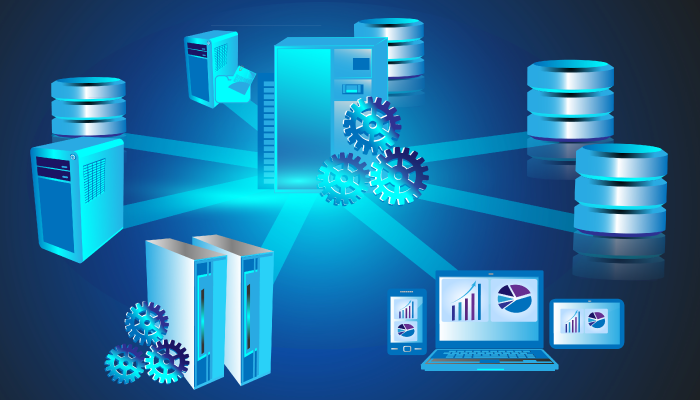
The database is an orderly assortment of data. Databases bolster stockpiling and control of information. Databases make information handling simple. For example, an online phone catalogue would utilize a database to store information relating to individuals, telephone numbers, other contact subtleties, and so on. Each company, service provider and organization around you utilize a database to manage billing, customer related issues, to deal with error information, and so forth. We should likewise consider Facebook. It needs to store, control and present information identified with individuals, their companions, part exercises, messages, promotions and parcel more. Likewise, there is an unending number of examples for the same.

It is utilized to screen the general execution of the database to prescribe and start activities to improve/enhance performance and make Snapshot Replication for the development and testing Databases across various Servers. It is used to make records and perspectives, put away techniques to upgrade database/application execution.

DBMS: An Intro to Database Management Systems – BMC Software | Blogs

SQL

Well, knowing SQL is the most fundamental and foremost requirement when you start on the path of becoming a SQL developer. SQL represents Structured Query Language and it allows you to control and access databases. SQL by expansion is truly adept at working with a lot of information. SQL is even useful for troublesome information control. It is used to test Performance Accuracy related inquiries under SQL Server and improve the exhibition of questions with adjustment in T-SQL questions, standardized tables, set up joins and create indexes wherever necessary. It facilitates the creation of complex queries using table joins (inner and outer), temporary tables and table variables.

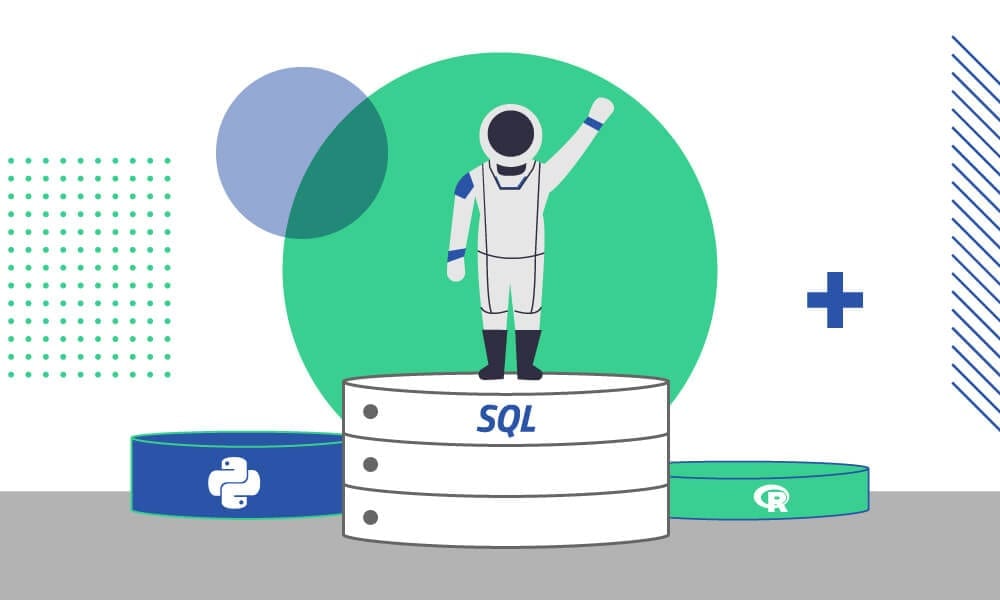
المرجع المتقدم إلى لغة SQL - SQL - أكاديمية حسوب

SSIS

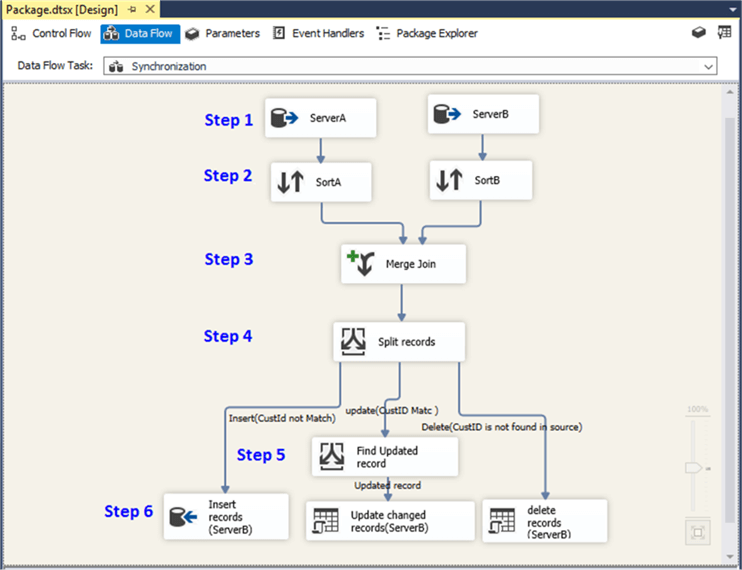
SQL Server Integration Service (SSIS) is a part of the Microsoft SQL Server database programming that can be utilized to execute a wide scope of information relocation assignments. SSIS is a quick and adaptable information warehousing instrument utilized for information extraction, stacking and change like cleaning, aggregating, merging data, and so forth. It makes it simple to move information starting with one database then onto the next database. SSIS can separate information from a wide assortment of sources like SQL Server databases, Excel records, Oracle and DB2 databases, and so on. SSIS likewise incorporates graphical instruments and wizards for performing work process capacities like sending email messages, FTP activities, data sources, and destinations.

Synchronize Table Data Using a Merge Join in SSIS


T-SQL

T-SQL (Transact-SQL) is a lot of programming expansions from Sybase and Microsoft that add a few highlights to the Structured Query Language (SQL), including transaction control, exception and error handling, row processing and declared variables. All applications that interact with SQL Server do as such by sending T-SQL proclamations to the server. T-SQL questions incorporate the SELECT articulation, labelling output columns, restricting rows and modifying a search condition. T-SQL identifiers, in the interim, are utilized in all databases, servers, and database protests in SQL Server. These incorporate the accompanying tables, imperatives, put away methodology, perspectives, segments and information types. T-SQL identifiers should each have a one of a kind name, is allocated when an article is made and are utilized to distinguish an item.

T-SQL Static Code Analysis & Security Review Tool | SonarQube

Other Programming Languages

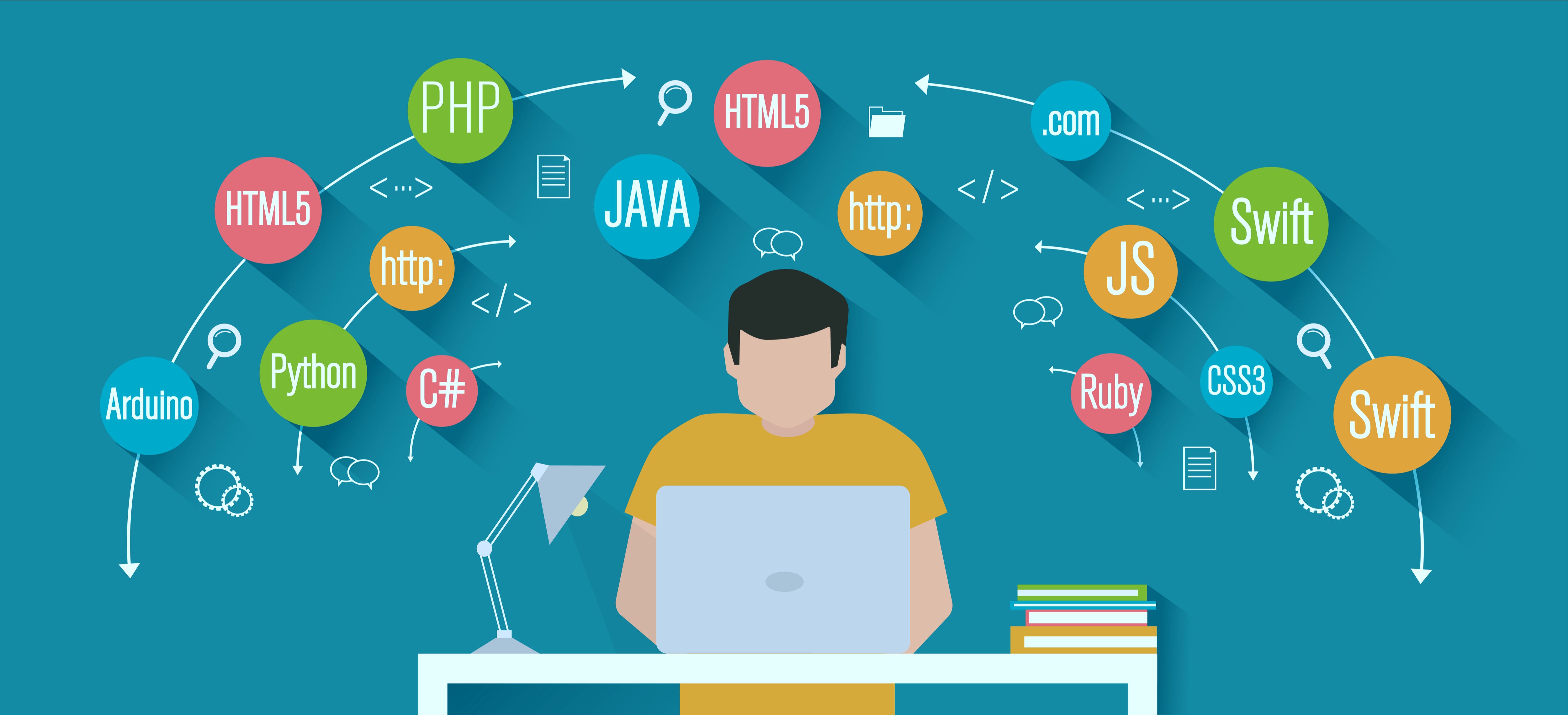
If you haven’t worked with SQL previously, you’ll see it’s a moderately clear revelatory language where you compose queries that either adjusts the database or recover records. Ideally, proficient SQL engineers ought to have experience working in a development environment like Oracle SQL Developer. Other programming necessities differ across associations. For instance, you may be developing applications written in Java, C++ and C#, so information on these will assist you with working together with different groups. When working with MySQL, you in all likelihood need to have involvement in PHP. Similarly, recognition with the .NET system is helpful, particularly on the off chance that you’ll be having some expertise in Microsoft SQL Server. A foundation in Unix is another enormous addition to it. You ought to be efficient in CLI, so getting Bash or Windows batch scripts is another approach to enable your resume to stick out.

It’s a job that gets even more complicated as databases convert into data lakes, and you need to keep your skills updated. But with the right experience and certifications, you can assure a knock from the employers on your door.

Top 10 In-Demand programming languages to learn in 2020 | by Md Kamaruzzaman | Towards Data Science

Here’s an overview of the skills and educational background needed to dive into the SQL Developer role:

  • PL/SQL: A thorough knowledge of structured query language or correlated programming language to work effortlessly on database design.
  • SQL Server Reporting Services (SSRS): This service aids in report generation for several databases so that you can be sure of all database objects and units encompassed in the database.
  • SQL Server Integration Services (SSIS): This service helps you with the integration of multiple databases, database objects and entities as per your requirement.
  • Microsoft SQL Server: This is the most difficult yet intriguing job for SQL developer where he has to work on server performance, integrity as well as server maintenance. This is one of the highly paid SQL Developer skills where  developers get attractive remuneration and other opportunities too.
  • Analytical skills: Developers must analyze and understand the needs of the user and then design the software accordingly to meet those needs.
  • Creativity: Developers must be creative enough to find new solutions to conventional problems.
  • Detail-oriented: Developers usually work on several parts of an application or system simultaneously and therefore must be able to focus and pay attention to even the minute details.
  • Interpersonal skills: Developers must be able to work in harmony with others who help in developing and creating successful software.
  • Problem-solving skills: Since developers are in charge of software from beginning to end, they should be capable of solving problems that may occur along the design process.
  • Communication skills: Developers must be capable of giving able to give clear instructions to their teammates. They should also be able to explain to their customers how the software works and answer any queries that arise.

Systematic skills, smart organization skills, fine detailing, maximum accuracy, great knowledge of structured programming language, decent experience in RDBMS and knowledge of maintaining relationships between different data objects. You need to be a quick performer and you must know how to work under stress and constant pressure.  The future of SQL is really bright and most of the successful SQL professionals ensure that they know each and everything about current trends of the database and stay updated about the technical market.

What are the responsibilities of an SQL Developer?

  • Application of DML and DCL statements
  • Build appropriate and valuable report deliverables
  • Create procedures and scripts
  • Develop top-notch database solutions
  • Develop, execute and modify stored procedures
  • Examine SQL queries
  • Guarantee performance,  safety, and readiness of databases
  • Handle troubleshooting database problems
  • Provide reports
  • Research necessary data

Why should you choose SQL as your career?

Why You Need to Learn SQL If You Want a Job in Data (2021 Update!)

SQL is a massive technology. The future scope of being an SQL Developer it is not just limited to Computer Science, but you can see it revolving around Retail, Finance, Healthcare, Science & Technology, Public Sector, in short everywhere. All organizations need a database for the storage of their data. There are endless reasons why you could SQL career. A few are listed below:

  • Combine data from multiple resources: Integrating data from several resources may be consuming a lot of time, but with SQL, you may simply combine the specific fields or merge the complete database.
  • Everlasting: The image below shows a report of StackOverflow’s survey conducted in 2017  where SQL stands second in terms of popularity ensuring that SQL is here to stay for times to come.
  • Free: SQL is open-source which means that SQL is completely free to use and distribute. As far as learning is concerned, you just have to bear the initial training charges of SQL certification, later on, you need not pay for any tool or software to practice SQL. SQL is executed using XAMP/WAMP server, which is an open-source tool for executing the queries.
  • High in Demand: If you search the internet for jobs for SQL Developers, there are more than 25k results. According to an analysis, SQL has been mentioned in 35.7% of advertisements, which is 1.39 times higher than the advertisements of Python and other Data Analytical languages.
  • Integration: You can utilize SQL queries with the incorporation of other programming languages like PHP or Java depending as per your requirement.
  • Manage bulk of data: When you have a large collection of data, then it becomes really difficult for the conventional database software to manage them. In this case, SQL acts as a blessing. Whether there are a thousand records or a million, SQL is fully equipped to manage a huge amount of data of all types.
  • Simple: SQL is the simplest programming language as compared to its contemporaries. One can easily learn the basics and fundamentals of SQL within a week or two.
  • Standard: SQL development has been around for 30 years now and without any doubt, it is going to stay for a good 30 years or more too staying true to the old proverb, “Old is Gold”.
  • The base of data visualization tools: All data visualization tools utilize SQL for their functioning. Therefore learning SQL will help you get a better understanding of all such tools.

CONCLUSION

SQL Developers are sought after because of the expanding dependence on the information. Turning into a SQL engineer can be a fulfilling and satisfying vocation. The path towards it is generally simply contrasted with other specialized vocations. Microsoft SQL Server is among the best 3 RDBMS frameworks and getting the right skills for turning into a SQL Server developer will work well for you and open many job opportunities.

Most SQL developers are either database specialists or veterans in managing database advancement. There are various kinds of SQL relying upon the stage you use, however, they all play out similar essential capacities—recover, include, alter, and erase database information.

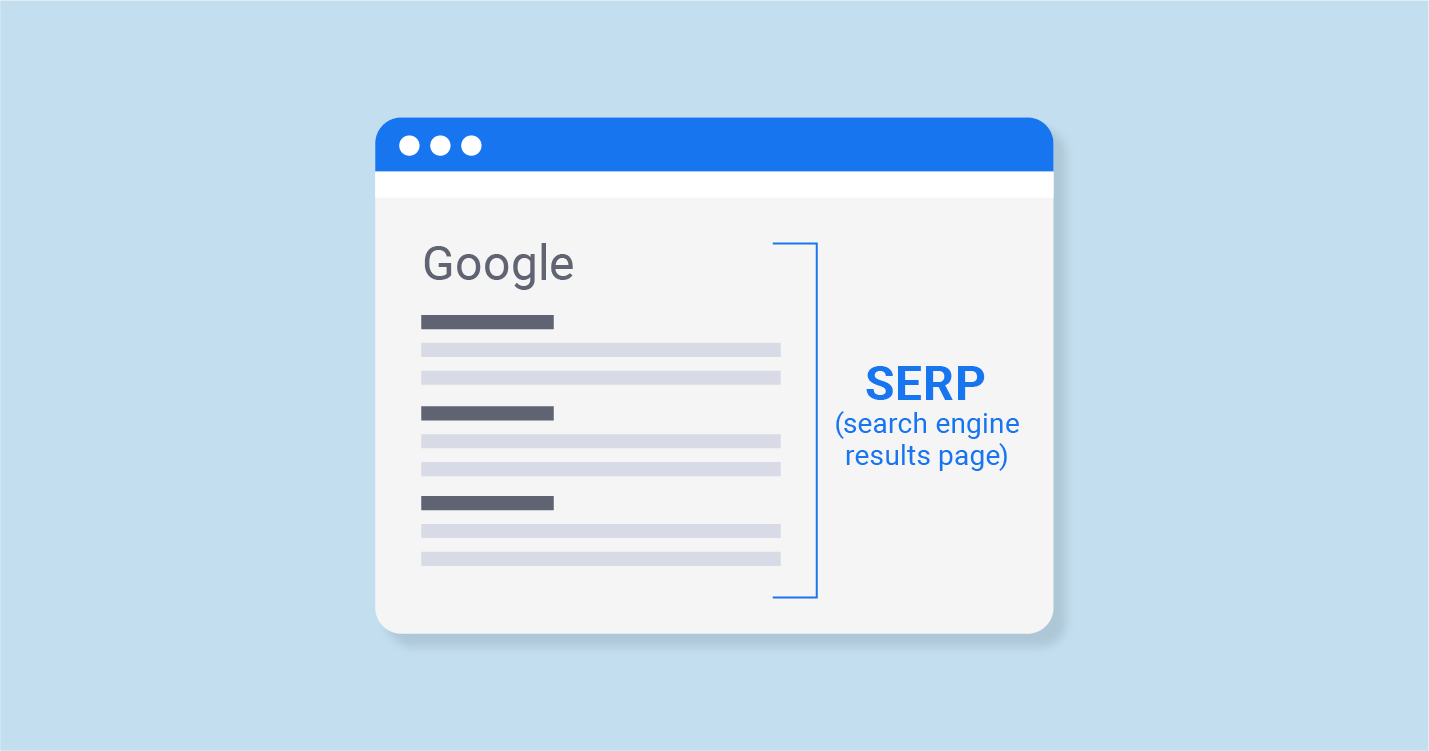
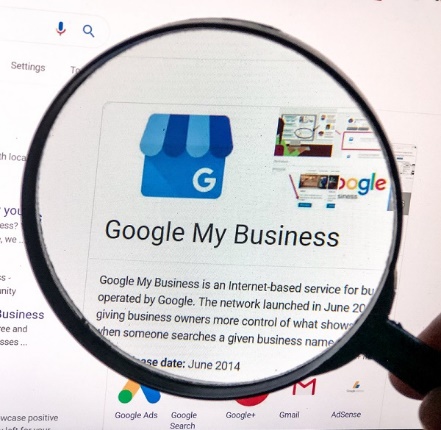
Google Local SERPS might be affecting your Business

Google SERP: Meaning, Features, Examples & Preview Tool

Google has changed the way it promotes local businesses in its search results and for many companies, this can have a serious effect on their ability to attract new customers. Here, we’ll look at what these changes are and how they are having an impact.

How things are changing

The World of Sales and How Things are Changing

Until recently, anyone undertaking a Google search for a type of business in their local area would have been provided with a list of ten nearby businesses. Clicking on the links in these results would take the searcher to the business’ website where they could discover the information they required. Those companies that appeared in these lists would have been the recipients of higher rankings, increased traffic, and the consequent conversions.

Recently, however, this list has been reduced, first to seven and now to just three – making it harder for many local businesses to be featured. While this decision might be some way down to making the results more mobile-friendly, there are other changes, beyond this, which show Google to have moved its stance on how it promotes local businesses. Here are three of the main ones.

1. Keeping users on the Google website

Website Tracking: Why and How Do Websites Track You? | Blog | CookiePro

One of the key changes we are seeing is that Google is trying to keep its searchers on its own website rather than sending them to that of the local business. There has been a significant increase in the number of search results, especially on mobile devices, that do not require the user to go beyond the information provided by Google’s interface. With mobile visibility being key to local businesses, as customers search on smartphones while out and about in local areas, this is a cause for concern.

Indeed, even when a search is done for a specific company, the display of the company’s Knowledge Panel means customers can access a wide range of information without the need to click through to the website. For instance, they can find out the basic company details, see images, take a virtual tour, read reviews, make a reservation, phone up, ask questions, see the opening hours and when the place is busy. And as all of this can be done on the Google results page, it means fewer searchers will head to your website. This doesn’t necessarily mean, however, that you will get fewer customers as the information provided by Google might be enough to win them over.

2. Ads appearing in the local search results

Google Local Search Ads: Everything You Need to Know

While it is worrying that the number of businesses being displayed has fallen from ten to three, a further issue is that other businesses are allowed to appear alongside them because they have paid for the listing. In a recent survey of over 10,000 local search results, a third of them also contained ads.

Indeed, with its Local Service Ads scheme, some now consider that Google’s stance is to develop itself as a local lead generation provider.

3. Ads appearing alongside your Knowledge Panel

Google's Knowledge Panel What is it and how to get one?

Another disturbing factor is that when a Google user searches for your specific company, the internet giant now intrudes this space with the paid for content of others. For example, you may see ads above and below it followed by an ‘Other Users Searched For’ list of businesses beneath that.

What do these changes tell us?

Science Says That Travel Changes You - Tell Us Something We Don't Know | Remote Year

Overall, the focus of Google’s local search results has changed. Today, instead of simply providing users with links to local business websites, it’s more concerned with providing information about these businesses which keeps the searcher on Google itself. Indeed, with millions of Google Local Guides contributing to its knowledge about local businesses by answering questions and giving reviews, it can sometimes provide more relevant information that searchers are actually looking for than the company website can. If, for example, a customer wants to know if a business has free parking and Google doesn’t know, it will ask the next Local Guide who visits in order to ensure it can provide the answer in future.

This begs the question of why Google wants to keep users on its own website and the answer to this looks fairly clear –  because it helps it generate more revenue through advertising and in turn, helps its advertisers grow their businesses.

Conclusion

While you may think that this change in focus by Google means that local business websites have become irrelevant, the truth is exactly the opposite. There is a powerful link between the organic performance of your website and your ability to appear in the featured local rankings. So, while there is little you can do about the changes Google is making to keep people on its own site and placing paid ads in local search results, the best way to appear in the three featured local spots is to have the best website that you can. If you are looking for hosting for your local business website, check out our homepage to see our wide range of hosting solutions.

What’s New in the NIST Cybersecurity Framework 1.1

NIST releases Cybersecurity Framework 1.1 - Help Net Security

It’s been a long time coming. The U.S. Commerce Department’s National Institute of Standards and Technology (NIST) recently released version 1.1 of the Framework for Improving Critical Infrastructure Cybersecurity, or affectionatey called the Cybersecurity Framework.The initial framework was created to help organizations that operate critical infrastructure better secure their digital assets. These industries include energy, banking, communications and the defense industrial base. However, organizations outside of the critical infrastructure industries have turned to the Cybersecurity Framework for guidance when it comes to securing their systems and data.

Version 1.1, the first update since February 2014, includes updates to authentication and identity, self-assessing cybersecurity risk, managing cybersecurity within the supply chain, and vulnerability disclosure.


MQTT and the NIST Cybersecurity Framework Version 1.0

The changes, according to NIST, are based on feedback collected through public calls for comments, questions received by team members, and workshops held in 2016 and 2017. Two drafts of Version 1.1 were circulated for public comment to help NIST  comprehensively address all of these inputs.

“The release of the Cybersecurity Framework Version 1.1 is a significant advance that truly reflects the success of the public-private model for addressing cybersecurity challenges,” said Walter G. Copan, Under Secretary of Commerce for Standards and Technology and NIST Director. “From the very beginning, the Cybersecurity Framework has been a collaborative effort involving stakeholders from government, industry and academia. The impact of their work is evident in the widespread adoption of the framework by organizations across the United States, as well as internationally.”

Matt Barrett, program manager for the Cybersecurity Framework, said “this update refines, clarifies and enhances Version 1.0. It is still flexible to meet an individual organization’s business or mission needs, and applies to a wide range of technology environments, such as information technology, industrial control systems and the Internet of Things.”

The framework update process is now published on the Cybersecurity Framework website. Later this year NIST plans to release an updated companion document, the Roadmap for Improving Critical Infrastructure Cybersecurity, which will describe key areas of development, alignment and collaboration.

“Engagement and collaboration will continue to be essential to the framework’s success,” said Barrett. “The Cybersecurity Framework will need to evolve as threats, technologies and industries evolve. With this update, we’ve demonstrated that we have a good process in place for bringing stakeholders together to ensure the framework remains a great tool for managing cybersecurity risk.”

Cybersecurity is critical for national and economic security,” said Secretary of Commerce Wilbur Ross. “The voluntary NIST Cybersecurity Framework should be every company’s first line of defense. Adopting version 1.1 is a must do for all CEO’s.”

Sure You Can’t Wait to Try Out These 23 iOS 13 Features

iOS 13 Download Available Now for iPhone [IPSW Links] | OSXDaily

WWDC 2019 ended weeks ago with the promise of a lot to offer to the millions of users and the massive developer community. Keeping count of all those everyday announcements and guesstimates is not easy. But knowing the iOS 13 features announced at and after WWDC 2019 event you should be excited about is.

But the rumor mills and sneak peeks into the biggest announcement of the event – iOS 13 is still ongoing.


Like here are the 23 features we are very excited to try our hands on.

1. Performance

Flash running, color marker art, in Chris Marrinan's Comic Art for Sale Comic Art Gallery Room

iOS 13 is an all new fresh, strong take on performance than ever seen before in any OS version. Apple is sending out a number of promises to the users and developers in terms of high app performance like –

  • 30% rise in unlocking the device when using the Face ID
  • Downloads would be 50% smaller and the updates would be 60% smaller
  • The app launch speed would be twice as more compared to the other editions

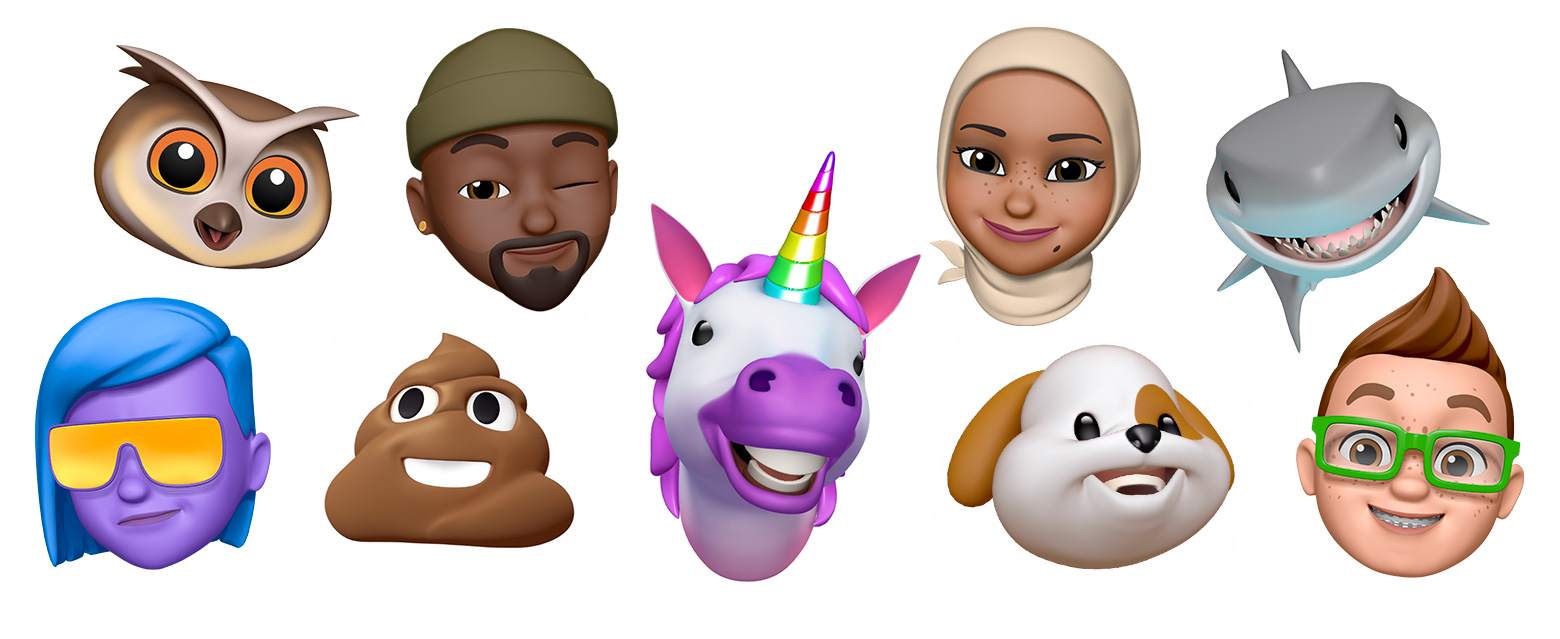
2. New Memoji and Animoji

Use Memoji on your iPhone or iPad Pro - Apple Support

The new class of Animojis and Memojis will get higher customization options including jewellery and hats to new teeth and glasses. You will also be able to give your characters Air Pods.

In addition to this, the new memoji stickers will get created automatically and would be accessed through iOS keyboard – ready to be shared across multiple applications like Messages, Mail, etc.

3. Photos and Camera

31 New Features for Camera & Photos in iOS 13 « iOS & iPhone :: Gadget Hacks

The Portrait mode will come with a new light effect known as High-Key Mono and a plethora of editing features which would help you change the light intensity.

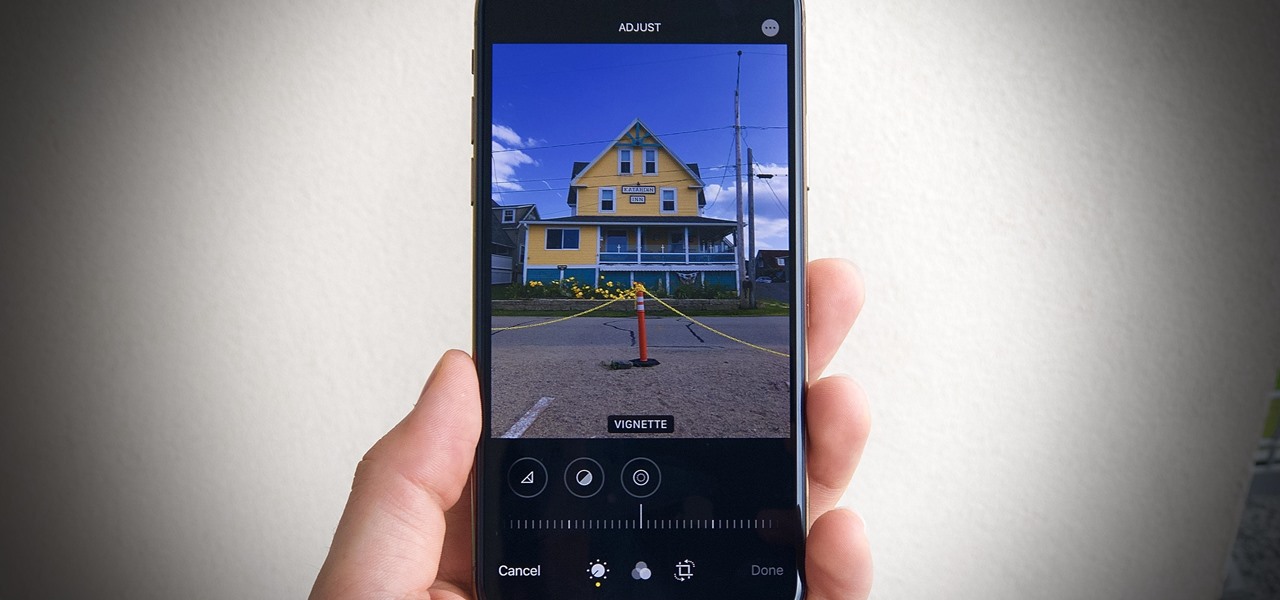
The image-edit features of Photos will also get a new design and control based on swipe. The settings which will be used for stills would also be used to edit the videos. You will now be able to add filters and even rotate them.

Lastly, the photo library will see a new organization haul, with pictures getting organized day, month, and year wise.

4. Sign in with Apple

How To Use Sign In With Apple In iOS 13

Apple iOS 13 will give you a new easy and fast way to sign in to services and applications without tracking the associated social logins.

Known as Sign in with Apple, it would authenticate the sign-in using Apple ID without leaking out any personal information.

It would work with TouchID and FaceID and will come with a two-factor authentication mechanism. In case the app requires an email, Apple would create any random email id that would be forwarded to your actual email, thus keeping your real details secure.

5. Apple Maps

Apple Maps in iOS 13: Sights Set on Google - MacStories

The Apple Map has been built with a fresh angle in iOS 13.

A number of alterations have been introduced like the addition of beaches, roads, buildings, and multiple other areas. They have also introduced a new Feature option on the main screen in addition to a new Collections menu for organizing the trips plan and Favorites.

A new ‘Look Around’ feature has also been added which would enable you to see a location before visiting them. You will also get a Label option that would get you details about the specific location.

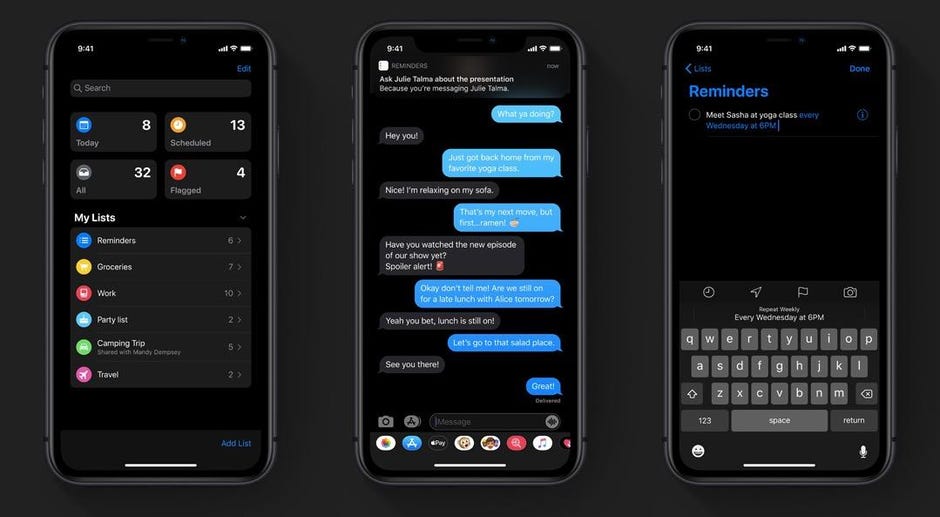
6. Reminder

iOS 13 screenshot: Redesigned Reminders app for iPhone pictured in Dark Mode ahead of WWDC unveiling - 9to5Mac

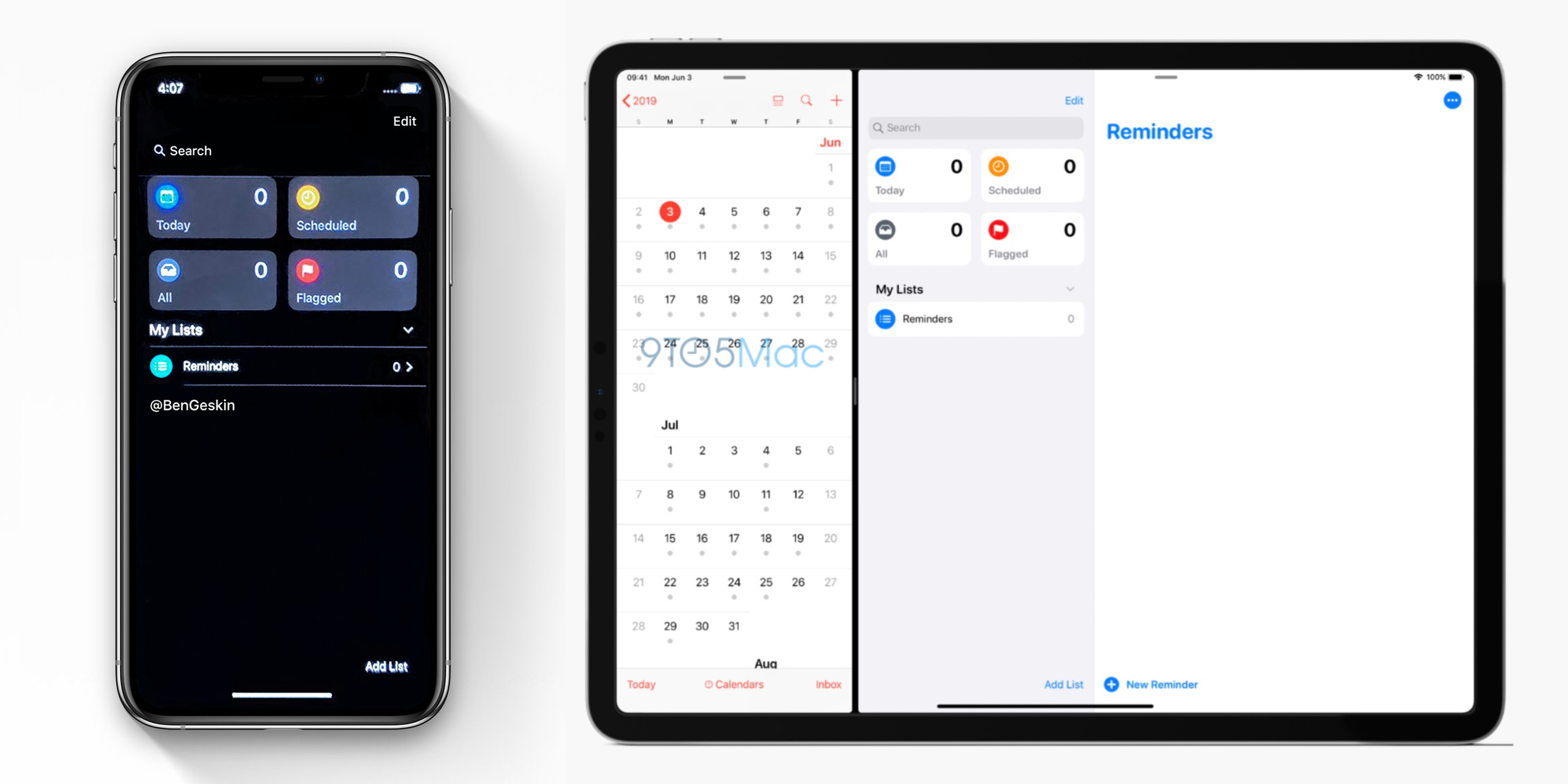
Once the iOS 13 rolls out you will get a new toolbar where you will be able to add times, dates, and attachments. Also, the integration with the Message app has been improved significantly which would enable them to communicate more seamlessly together. It means that a relevant reminder will show up when you message a specific person.

7. Swipe Typing

How to Disable Swipe Typing in Apple's iOS 13 Keyboard « iOS & iPhone :: Gadget Hacks

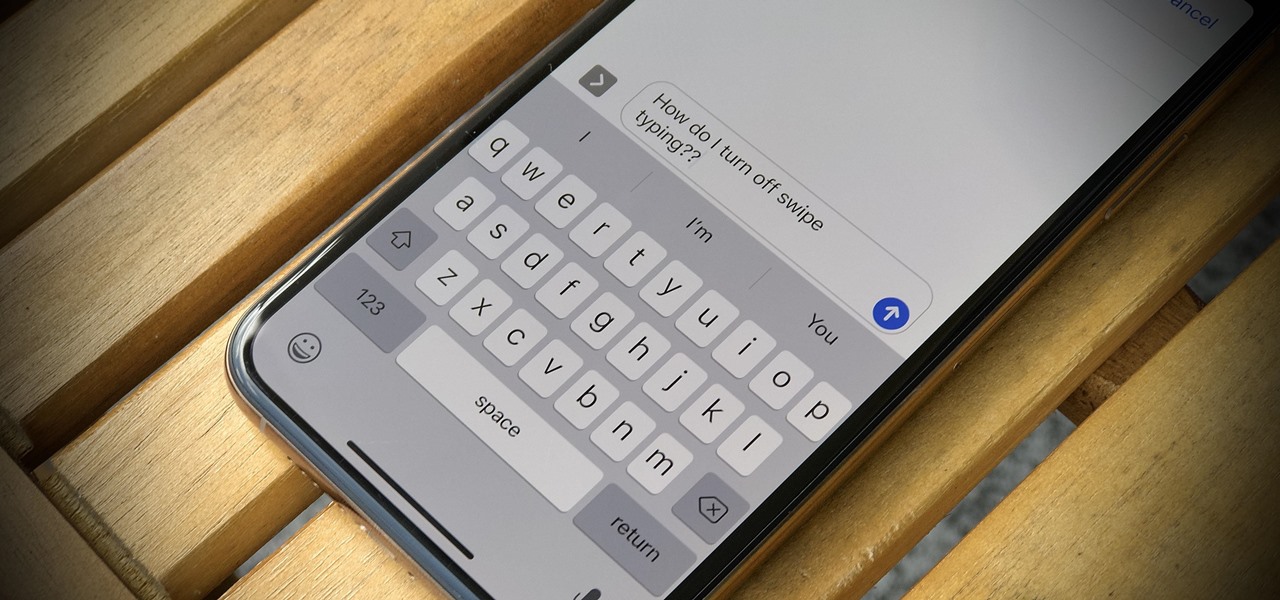
Like Google keyboard, Apple will also give you the functionality of Swipe typing. Meaning you will only have to glide your finger and form words without actually pressing letters in the keyboard – A functionality is poised to strengthen the Android Q vs iOS 13 debate.

8. Health App

A Look at the Health App in iOS 13 - TidBITS

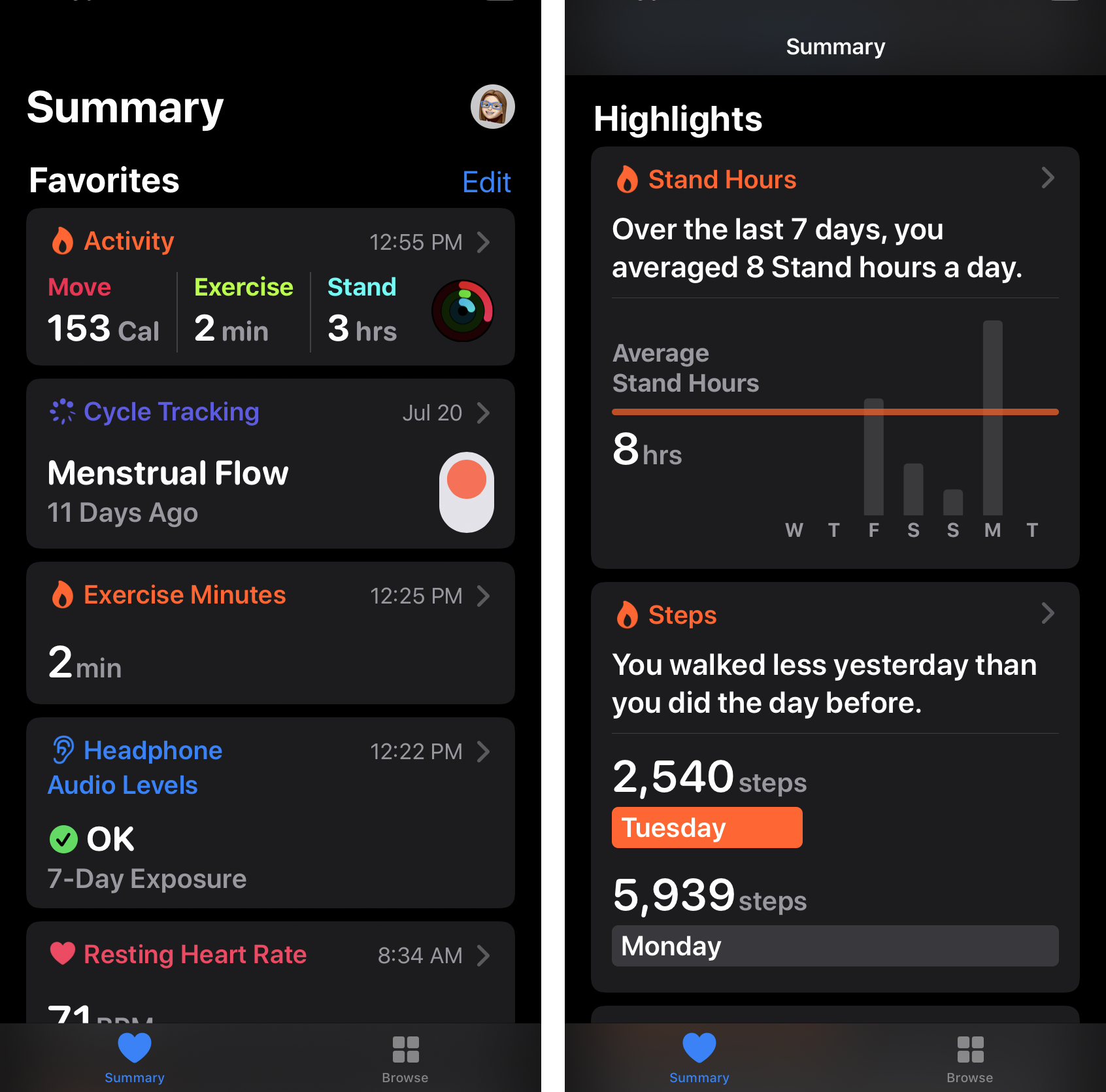
All the different features which are present in the new Apple Watch OS health app will now be present on the iPhone. The Watch OS had added menstrual cycle tracking and activity trends to Apple Watch in addition to two new sections.

The main application will get a new Summary view that would show notifications and a Highlight section that would show the health and fitness data over time. The data will be stored in your iPhone and would be encrypted securely on the iCloud.

9. iPad OS

iPadOS 14: Everything We Know | MacRumors

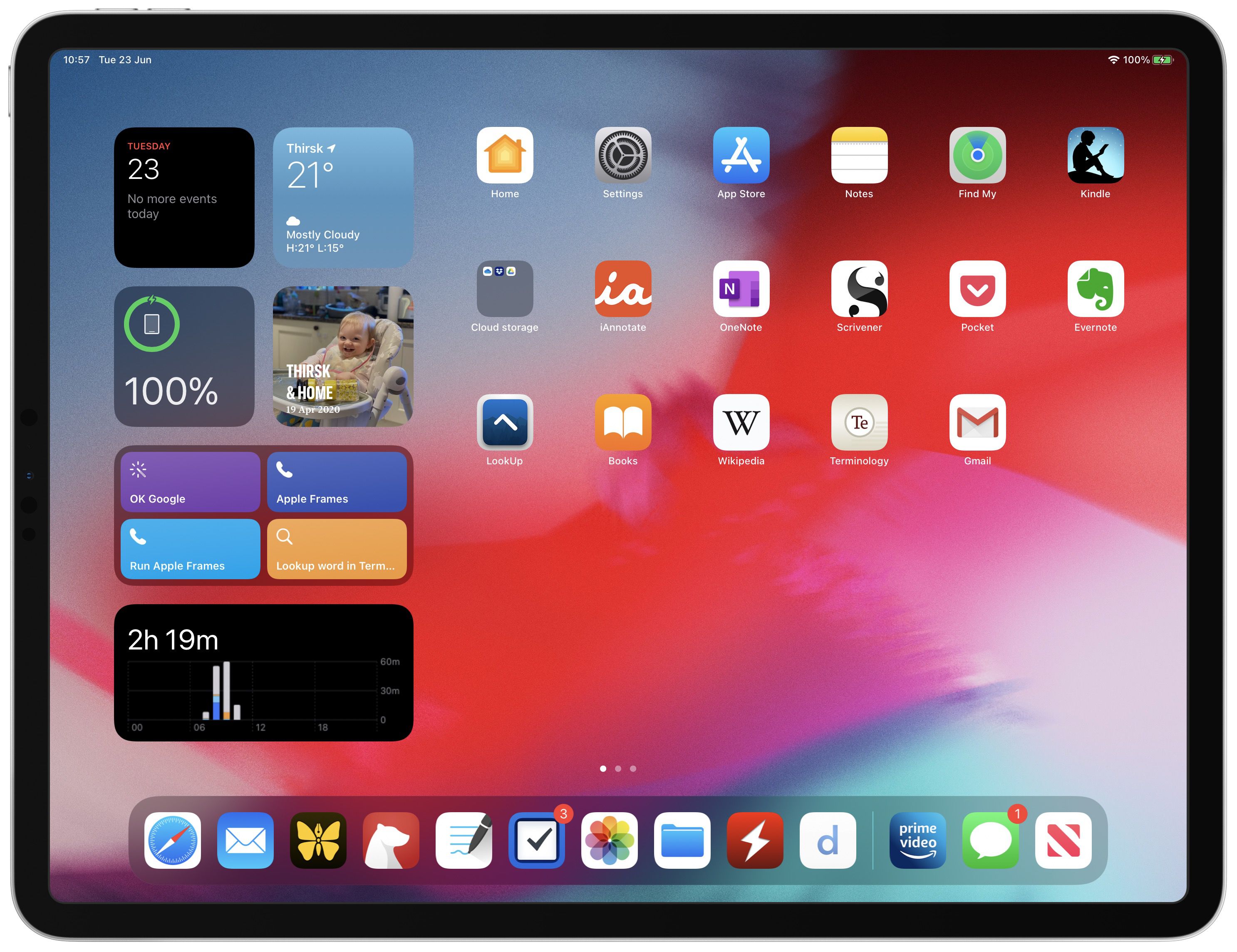
A new version of iPad OS has been announced which would contain everything from the iOS 13 along with newer features which are designed to benefit from the large screen presence.

A string of new features like newer multi-tasking features and Home screen, plus newer split-screen option would be added in the new iPad operating system.

10. Access Wi-Fi and Bluetooth

iOS 13 makes it stupid easy to connect to Wi-Fi and Bluetooth on your iPhone - CNET

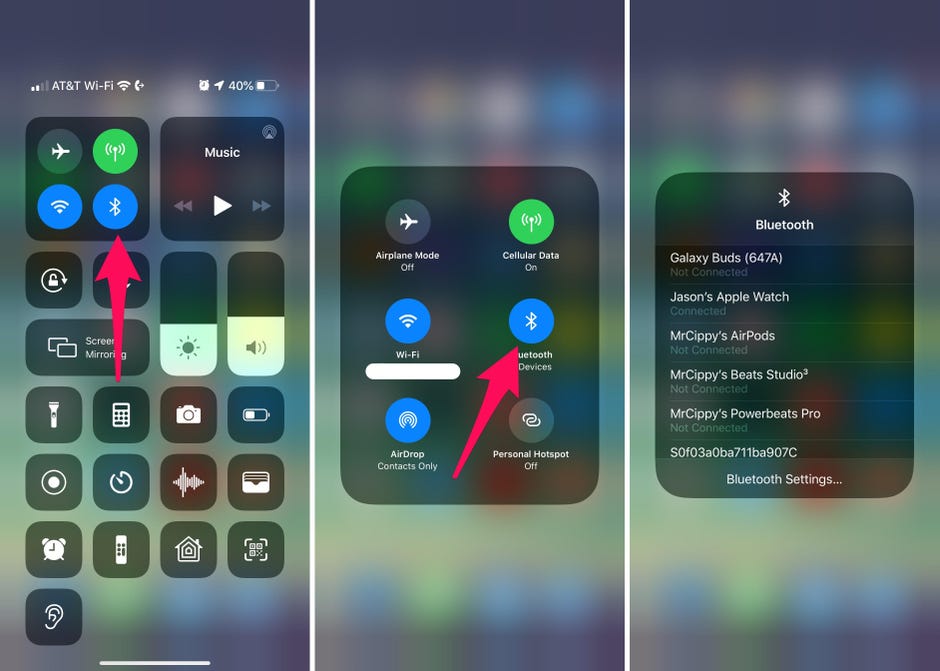
In the earlier versions of the iOS when you had to connect with Bluetooth or Wi-Fi, you had to go to Settings and then access the settings from in there. In case of Apple iOS 13, you will now be able to access the list via Control Center when you long press the icons.

11. Extended Reply Menu

16+ More Hidden Features in iOS 13 You'll Need to Try

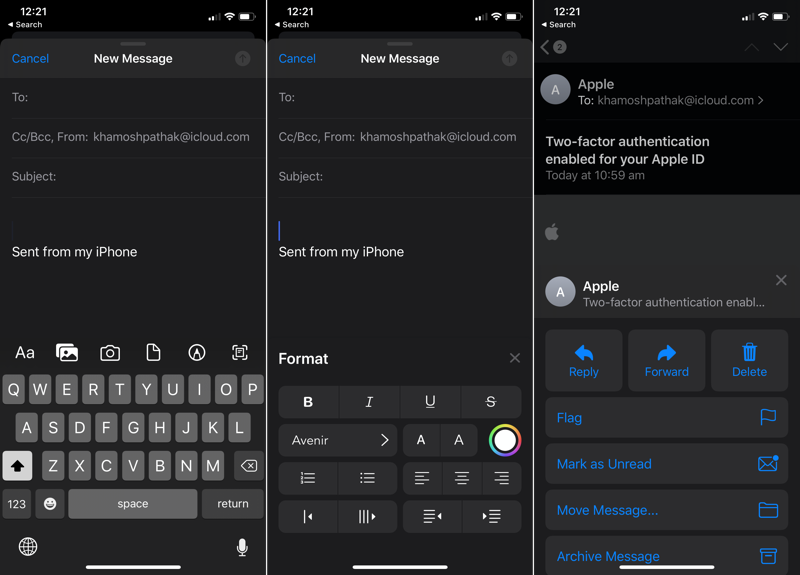
In the stock email app when you reply to any email you will now get an extended reply menu that would give you the option to forward, reply, or delete. It would also give you the ability to mute or notify in case there is a new email from someone.

In addition to it, you will get the option to format the text, giving you the option of changing the font style, increase the text size, shift the alignment, change colors, and even add the bullet points.

12. Full-page Screenshot

How to Take Scrolling Screenshots of Entire Webpages in iOS 13's Safari for iPhone « iOS & iPhone :: Gadget Hacks

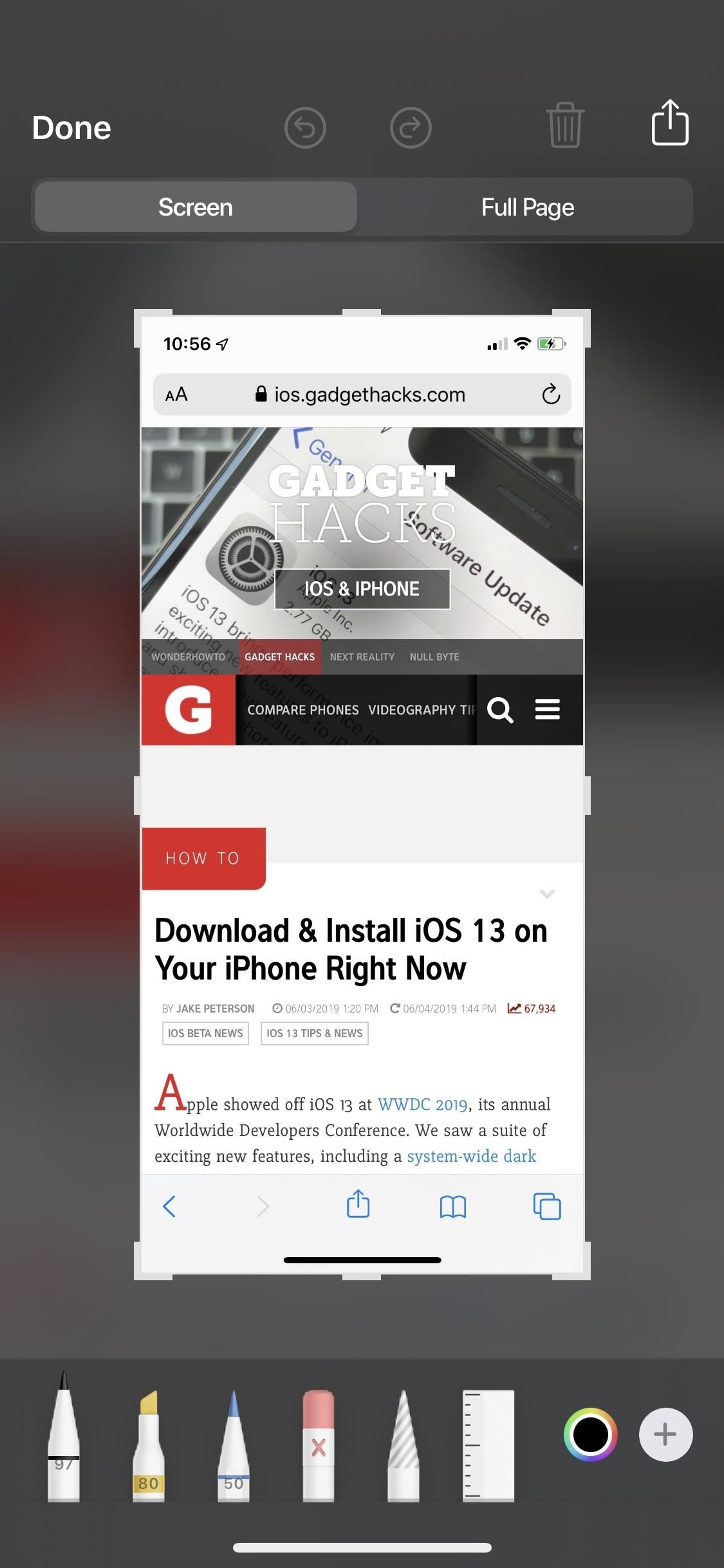
Like iPadOS, iOS 13 also gives iPhone users the option to take a screenshot of the full web page which then can be annotated upon or saved as PDF in Files.

13. Silent Unknown Callers

Silencing unknown callers on iPhone in iOS 13

iOS 13 gives the users an ability which will prevent them from facing nuances coming in from spammy calls. When a robocall comes, the users’ iPhone will automatically silence it and send it to voicemail.

14. Zip and Unzip in Files App

How to Unzip a Zip File With Your iPhone or iPad's Files App

With iOS 13 you get a new Files app which lets you zip and unzip files straight from the iOS device without having to use macOS. And then you can simply Airdrop the files back to the iOS device.

This one comes in very handy for people who only use an iPad and don’t wish to use any third-party application.

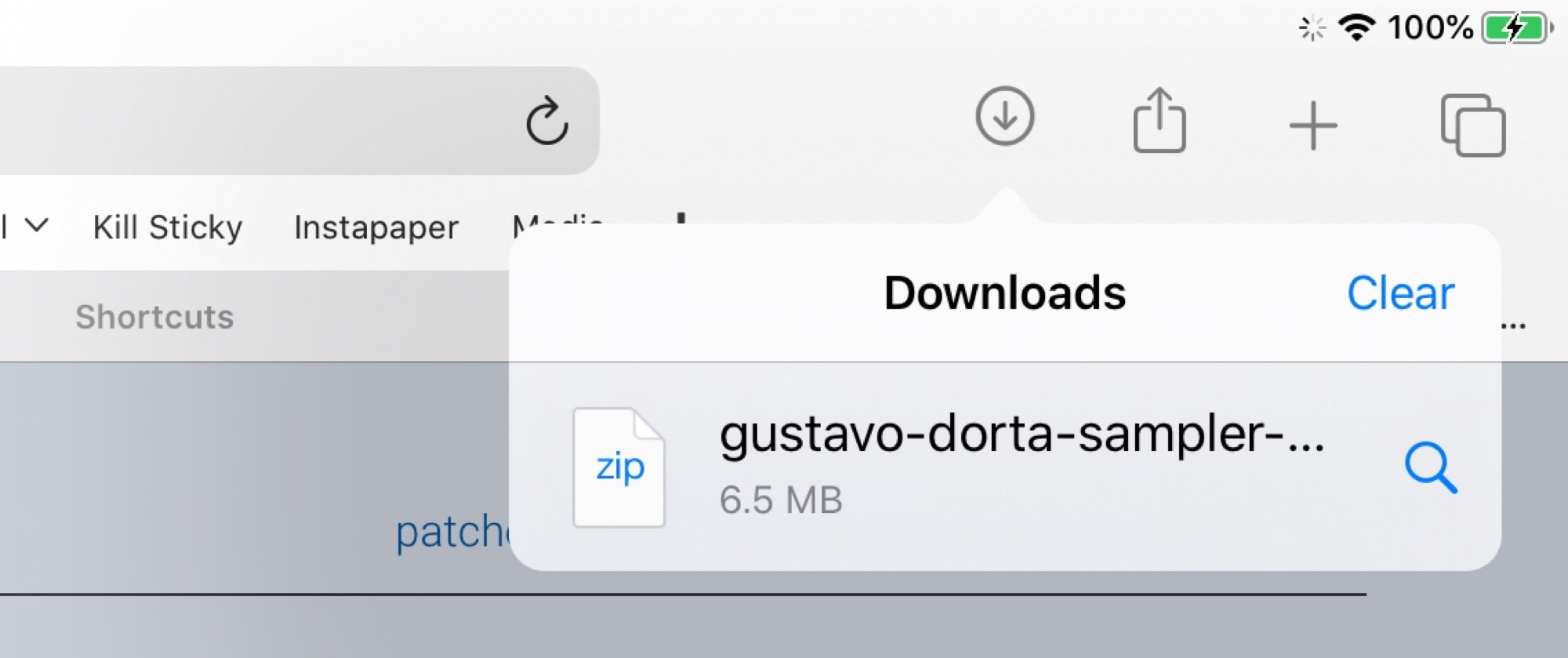
15. Safari Download Manager

How to use Safari download manager in iOS 13 | Cult of Mac

iOS 13 gives you access to download manager when you download any file from Safari. The list of downloaded files is very similar to what Safari macOS gives you.

It also syncs over to new Files application version wherein you will be able to see all the downloaded files.

16. Low Data Mode

In your cellular setting, you will be given the option to toggle the Low Data mode which would make the applications use lesser data. While Apple hasn’t clearly specified how it would work, it is guessed that the background activity will get suspended when you are not connected with the Wi-Fi.

17. Dark Mode

Dark mode for iPhone arrives Sept. 19: How you'll use Apple's new iOS 13 feature - CNET

With iOS 13, Apple has made the creation of Dark mode app design official and mainstream.

Be it text or color or even controls, Apple has it all sorted out for the users. Instead of making the background RGB 000 (black) and the label text RGB 255 255 255, you will now be calling them systemGroupedBackground and Label, respectively.

And the blue icon will not be RGB 10 132 255 anymore, it would be denoted as systemBlue.

Apple has also planned out a hierarchy for the colors. From complete black or white backgrounds to gradually increasing dark shades for a light theme and light shades for their darker versions.

The same is for the text as well. The primary text is kept white on black – the opposite of backgrounds and when you move towards the secondary and the tertiary texts, the color would also move across the gray spectrum.

As for the controls, a white button does not become black, instead, a white button having light gray states turns into a medium Gray button with the dark gray states.

18. New Messaging

Apple is adding a new message feature to the iMessage service which would allow you to add in a profile picture and then change how your name gets displayed in the text messages. It will also now become a lot easier to send emojis and stickers through text.

You will also get a search functionality which would enable you to make searches inside the application – shared links, photos, contact suggestions, etc.

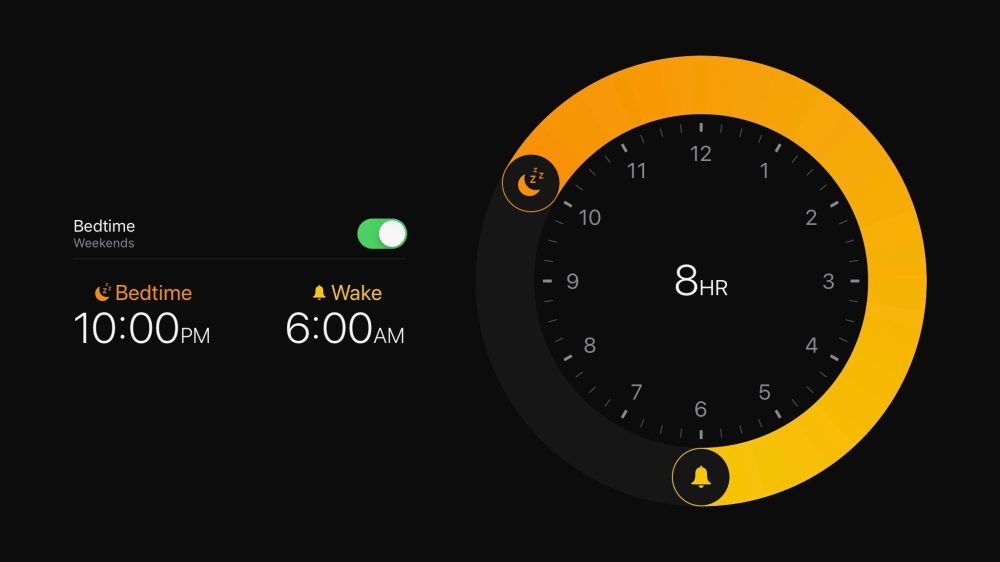
19. New Sleep Mode

iOS 13 features: Dark Mode, app updates, iPad overhaul, more - 9to5Mac

With the new Sleep Mode feature, Apple is doing a great job at tracking sleep patterns and helping you find the right time to set the alarm and be awake in the morning.

If you wish to try out the feature today, you don’t have to wait for the update. All you have to do is install Sleep Score app off the App Store.

20. New Voice Control

How to use Voice Controls on iPhone and iPad | iMore

The accessibility setting Apple had been working around for quite some time is now available system-wide and that too in an extremely comprehensive level.

Users can easily navigate and then type with the help of gestures and voice commands for everything on their screen would have names and numbers to provide easy control.

21. Detection of Headphone Audio Level

Another way that Apple has kept its focus intact on users’ health is through caring about their hearing health. The new Apple iOS 13 version will be warning the users when the ambient noise gets very loud.

The iPhone users will find this new track menu, which looks a lot like the step counter, inside the Health app.

22. Find My

With Apple iOS 13 Apple has combined Find My iPhone and Find My Friends applications in one single application known as Find My.

With this, all the tracking tools of Apple’s have been brought in one place, helping you find what is missing with the help of one interface. It would also help you locate devices which are offline – by sending across a secure Bluetooth beacon to Apple devices and relaying it back to Apple and then you.

23. No more iTunes Store App

RIP, iTunes. This is what happens to your Apple music now - CNET

Apple is finally bidding adieu to iTunes with the launch of three new trio for Mac – Tv, Podcasts, and Music. The users will now be able to manage all of their Apple gadgets through the Music app.

It is now the individual applications that would be used to purchase individual content – Music app that will be used to purchase music, TV app for purchasing shows and likewise.

So here are the 23 iOS 13 features that we are very excited to use. But since it is still time before the version gets launched on devices, there is still a lot of scope for the list to expand. We are very hopeful that we will soon find some more added favourites as well – so bookmark this blog to be updated which new features are getting added in the list.

In 2021, should startups choose Android or iOS as their mobile platform?

Android vs iOS: Which mobile OS is right for you? | IT PRO

Back in 2008, the iOS App Store was launched with 500 apps. Today that number has skyrocketed to 1.85 million apps that are available for users to download. Android users have a bigger app universe to browse from that consists of over 2.56 million apps available in the Google Play Store. It is safe to say that we are living in the digital era!To prove we are in the digital era, let’s recall the numbers.

Did you know that the number of smartphone users worldwide surpasses 3.5 billion? As per the Statista- Smartphone User forecast, it is estimated to further grow by several hundred million in the next few years.

There are 7.94 billion devices connected worldwide and this number is more than the number of people in the globe! Hence, there is no denying the fact that mobile applications are an integral part of our daily lives.

Keeping the above data in mind, many entrepreneurs are planning to start a mobile app centred business.

If you are amongst those businessmen who are looking forward to creating a mobile app, then the first question to address is – which is better among Android vs iOS development?

In this article   you will walk through certain factors that will influence your choice, and embibe you with the iOS and Android App Development Platform.

Let’s get right to it.

Which Is Better For Your First Mobile App: To Launch On Android Or iOS?

Apple vs Android: Market Share

According to Statista, in 2020 the market share of Android and iOS was 86.6% and 13.4% respectively and these numbers are expected to reach 87.1% for Android and 12.9% for iOS in 2023.

Looking into the above graph, you can conclude that Android is a clear winner in the mobile operating system market share worldwide and is expected to remain so in the years to come. It is so because the Android startup apps are the most adopted ones for almost every smartphone vendor other than Apple.

Also, Android is an open source platform that allows and makes it easy for mobile phone manufacturers to add their own look to the operating system.

Android Vs. iOS : Which OS Scores Over The Other

Apple vs Android: App Downloads

According to Statista Market Forecast 2016–2021, there will be 196 billion annual downloads from Google Play store by 2021, all thanks to growing smartphone and app adoption worldwide.

While from the iOS store there will be 42 billion downloads. Android again wins when it comes to app downloads worldwide and it is expected to enormously grow in the years to come.

After reading all the above facts and data  it is highly advisable for you to  make yourself familiar with the process of startup app development.

We have curated a complete guide on apps for startups, with A to Z information about the process of getting your idea live on a mobile application. In this article, we will answer all the questions that every entrepreneur who is new to the app industry might have.

Which Is Better – iOS Or Android?

Android vs iOS development is a never ending debate between software developers. The quest to- Which platform should startups choose has no one word answer. There are solutions that depend on various factors that an entrepreneur should consider before making a decision.

Let’s go through all the factors one by one:

1. Demographics

There is no denying the fact that Android smartphones have a larger demographic than apple users.

Also, there is no denying the fact that Apple is considered a high end device in which users are willing to purchase apps. So, Apple users are generally found in prosperous parts of the world.

For example: The USA is considered among the highest revenue making countries, thus you will find a larger number of iOS users there.

As per the reports by Statista, currently there are more than 113 million iPhone users in the United States, accounting for about 47 percent of all smartphone users in the United States. So if you are targeting the western demographic, I suggest you to hire iphone app developers.

2. Fragmentation

In simple words, fragmentation refers to when users are running different versions of a mobile operating system and using different mobile hardware models or mobile devices.

We are aware that iOS devices and their release cycles are controlled by Apple alone. As a result, once a year Apple synchronizes iOS version releases with device releases. Hence, fragmentation issues are less.

However, when we talk about Android, fragmentation issues occur constantly, further making life of the android application developers difficult at the time of testing and quality control. Thus, Android fragmentation increases development cost and maintenance time.

3. Design and development

In terms of designing, Google Material Design has a greater influence on UI and UX. Mobile app developers feel that when it is about coding mobile apps then Swift is a much easier language to start as compared to Java.

However, design and development is one factor that depends less on the platform and more on the skills of your partnered mobile app development company. When you are linked with a brand that has it specialization in the development of both Apple and Android apps, it is of the least matter about which platform requires less developmental efforts as both are done within equal efforts.

Now that we are aware of the factors involved, let us discuss the reasons to go for android startup apps and iphone startup apps separately.

Why Choose Android Startup Apps?

You should go with Android first if your audience is not concentrated on any one specific demographic or target audience. Also, if there are a good number of customization elements in your mobile app, go with Android.

Below are the advantages of using Android.

1. Greater user base

Majority of users globally use Android devices as compared to other devices, which gives you a large pool of potential users.Not having an android app for business means losing limitless opportunities and audience for your product or services.

2. Open source platform

Android is an open-source platform which means Google doesn’t charge any fee for using this platform. Wherein, Google also provides Android app development tools and technology for free to the developers. Thus Android app cost is comparatively lesser than iOS app cost.

So, it is a cost effective solution for your startup budget.

Hardware device manufacturers such as Samsung, Oppo, Xiaomi, etc., all use Android as their default OS.

3. Customizable apps

Android app development allows the app developers to customize the applications as per the business requirement. This means your business app development will get done with the right requirements and required flexibility which might not have been possible with any other platform. It is always a good idea to hire an android app development company that can help you with your startup app.

4. High ROI

The moment you publish your app on the store, you get a big pool of potential users that you can tap into. Since you have such a wide market to target, the return of investment on your android app would be instant and always on a higher end considering your Android app development cost.

5. Compatibility

One of the biggest advantages of choosing an android app over iOS is that there’s no restriction on devices that is to be used for building an android app. You can build an app on any device, be it Windows desktop, Mac, or the Linux system.

The fact that makes Android a go-to platform for all the sectors with interoperability needs is that it allows you to expand your brand across devices and systems .

We now understand the advantages of choosing android apps. Let’s dig deep and see what are the reasons to go for iOS app development for your startup.

Reasons To Choose iPhone Apps

You should place your startup’s first mobile app on iOS by investing in a sound reputed iOS app development company if you wish to come in the sight of the app store’s target demographics.

Let us discuss the advantages of choosing iOS apps for startups:

1. Security

Security is the utmost requirement for any business because sensitive enterprise data is lodged in apps. Android apps are a big risk when it comes to security while iPhone users are cushioned against hacking and malware. When you compare the iPhone vs Android on the basis of security, iPhone apps protect firmware and software through stringent security measures such as :

  • Integrated data handling systems
  • Measures to prevent duplication of data
  • Measures for loss of security by data encryption

2. Revenue

The ones that have a greater ROI than Android apps are the iPhone apps.. The best revenue generation opportunities that you can get from your iOS application development process, is to keep an eye on the mistakes, tips and tricks, and other related information would be a big advantage. You can look for iOS app development services that can help you with your vision.

3. Established customer base

The biggest USP of Apple is its established customer base. Apple is a pioneer in technology and applications. Apple has a well-established niche of its customer base that swear by Apple’s quality and performance and are loyal to the brand. That’s why it is said that once a smartphone user experiences the iOS platform, they will never be satisfied by any other OS and will stick to Apple. 

4. Low fragmentation and testing

As discussed earlier, Apple generally develops just one updation on its existing OS every year. Also, the number of Apple devices are lesser than Android-based ones. Thus, Android apps should be tested comprehensively to get its better functioning on all the versions of Android OS.

On the other hand, iPhone apps just have to meet testing criteria of its previous iOS versions. This constantly reduces testing time and guarantees a rapid time to market for its apps. This also results in saving apple app development cost.

Wrapping Up

After reading the write up you must have understood that there is no right or wrong answer, it all depends on your requirements. We have seen specific scenarios favouring the iOS platform and others suggesting us to go for Android.

By keeping all the above information in mind, you can contact a mobile app development company that will help you build your app without worrying about the operating system.


error: Content is protected !!