How Much Does It Cost To Create a Mobile App Design?

How Much Does It Cost To Create a Mobile App Design?

In the mobile app sector, every effort you take to make your application disruptive and innovative ultimately boils down to its design.

There is a lot that rides on the all-encompassing term “mobile app design”. It single-handedly decides whether users would spend any time in the application and if at all your months long efforts would result into a profitable solution that the world would interact with.

For a process that the entire soon to be $311,249 million industry is dependent on, there are a number of things that a design-centric mobile app development company has to consider:

  • User research
  • Competitor analysis
  • User Experience design
  • Interaction design
  • Graphics design
  • Logo and app icons designs, etc.

These considerations, in turn, come with a cost. The cost of app design.

While lower than the engineering cost, the mobile app design cost nonetheless hold a good portion in the detailing of the overall mobile app cost.

In this article, we are going to look into the elements that make up for the mobile app design cost in detail.

Table Of Content:

  1. The Importance of App Design in Mobile App Development Process
  2. Phases of App Design Process
  3. How Much Does it Cost to Design a Mobile App?
  4. How to Optimize the Mobile App Design Cost
  5. FAQs About Mobile App Design Cost

The Importance of App Design in Mobile App Development Process

Every design element is devised to solve specific issues. It doesn’t matter whether you are developing an application from scratch or redesigning an app, the end goal of every single process of your designing efforts should remain the same – solving an issue in the most minimal manner as possible.

A well-crafted mobile application UI and UX design usually provides the following benefits:

  • Simplifies the interaction with the interface
  • Converts users into consumers
  • Enables users to reach their objective faster
  • Streamlines the development part of the application

Phases of App Design Process 

Idea Evaluation
How Much Does It Cost To Create a Mobile App Design?

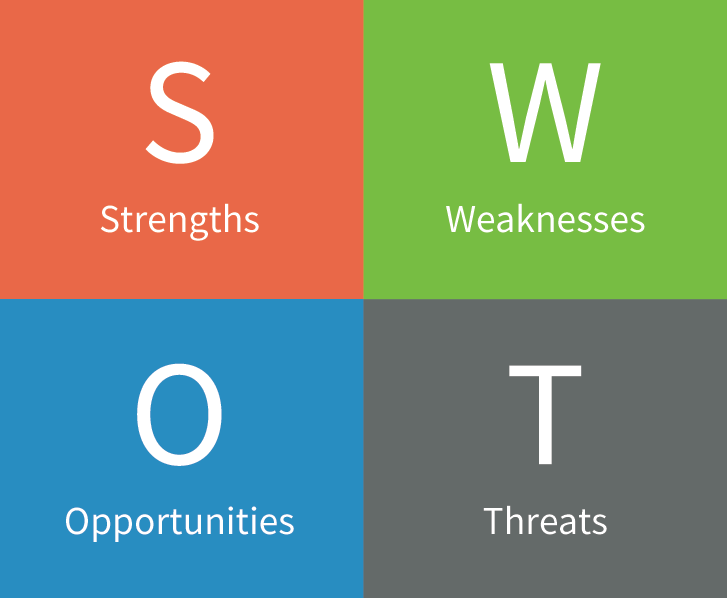
This part of the mobile app design process deals with understanding the project to its entirety – what issues does the customers face and how would the app solve those issues for them. One method through which the idea can be evaluated is through the creation of a lean model canvas.

Problem: This part of the model defines the issues which the app solves.

Customer Segments: This is where you enter the details of your prospective users and create a segmentation.

USP: This is where you will have to fill in the details of what your application does best and most uniquely compared to the competitors.

Solutions: Here the probable solutions that the app can offer to the best of problem, customer type, and USP combination are identified.

Channels: this is where you should enlist the platforms where your users will be present

Revenue Streams:  The goal of this section is to create a business model that seems to be an answer to your question around how much money you can earn money through an app.

Expense structure: Here, the expenses you will have to incur to develop the application are enlisted.

Key Metrics: These are the KPIs you will measure your app’s success against.

Unfair Advantage: This is the detail of advantages that your app has but not your competitors – a disruptive technology, financial aid, partnership, or something else.

Market Research 

How Much Does It Cost To Create a Mobile App Design?

Analysis of the market your application is a three tier process – competitive research, market trends analysis, and customer analysis.

We start the market research process by first analyzing the competitors – not to copy them but to find out the opportunities in the market. Doing this gives a benchmark that we have to cross, on the features and design grounds.

Next, we study the market and find out what is in trend and what elements are users interacting with most.

Deliverables: Use case, user stories, and behavioral sciences

Tools: A/B tests, user persona, interviews

Mind map 

How Much Does It Cost To Create a Mobile App Design?

This part of the mobile app design process takes you back to the lean model canvas components. It takes into account all the different requirements of your application to help you visualize the logical structure or connection between the main parts of the app.

When we create mind maps, we place the goal of the app at the center and create segments of the goal around it. Then, we create requirements/features for all these segments

User Persona 
How to create a user persona - 99designs

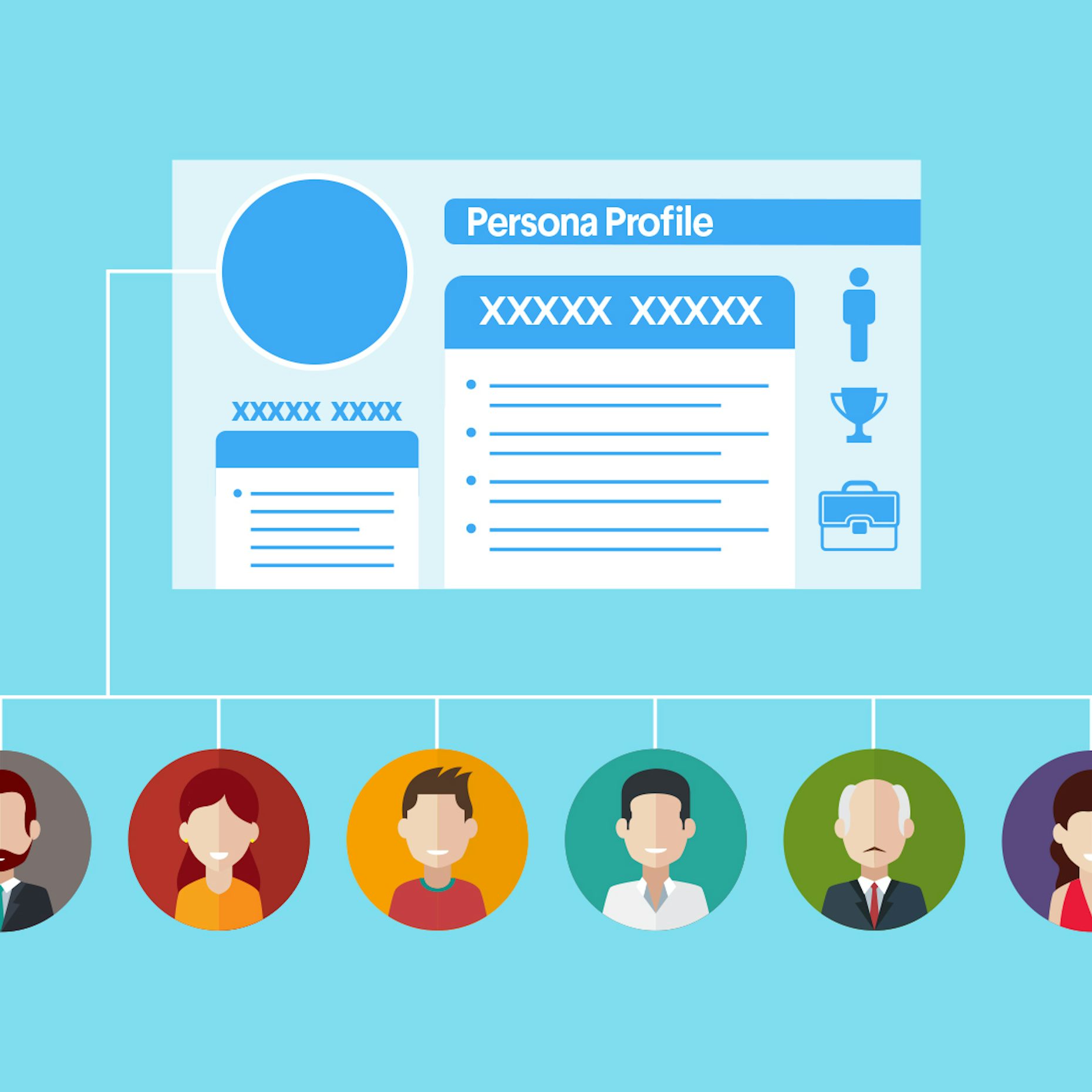
The next step of our mobile app design process is the creation of user persona. This section of the design details who you are designing the app for.

Ideally, the user persona portrait should be made of:

  • Their demographics
  • The social stature
  • Their behavioral model

This part of the mobile app design process have helped our development team numerous times to gather an understanding of who they are developing the app for and what all they would appreciate/ not appreciate.

User Journey Mapping 

How to build a customer journey map | by Andreea Popescu | UX Collective

Once you have identified who your users are, you will have to gather the understanding of how will they use the application. This is where the user journey mapping element of the app design comes into the picture.

This app design deliverable deals with the creation of how users would move inside the app – the features they would interact with, where it would lead them, and the steps they would take if they hit a wall.

Prototype 

Prototype

The next part of the process is app prototype. Here, we structure the ideas into delightful experiences for users who would interact with the application. At this stage, it is ensured that the flow between features and screens should be so natural that users should not even notice.

In order to create an ideal prototype, it is very important that iterations are made until the flow is nailed on the basis of the feedback. The level of iterations is what defines the app prototype cost.

At Anteelo, our teams work on the prototypes collectively. Everyone: Developers, Business Analysts, and Clients work together to create an application which everyone can agree on. This, in turn, helps in identifying issues and confusions that could occur at the development stage.

Deliverables: App screen wireframe, interactive prototypes

User Interface Design 
User interface design - Wikipedia

User Interface design is all about telling a story of how the user would feel as they move from one screen to another.

This is where the look and feel of the app is created – its colours, shapes, typography, elements, etc. Our mobile app developers do not just look into what the users will see when they use the app but also what they would feel. Thus, we concentrate our efforts on not just static design but also animated versions. User interface design primarily encompasses three elements – Logo, App Icons, and Screens. These are the elements which then get added into the numeric value of mobile app design cost.

Deliverables: App logo, app icons, screenshots for the stores, and animations.

How Much Does it Cost to Design a Mobile App?

With the need and stages of mobile app design part covered, let’s talk about the monetary part of mobile app design, a.k.a The App Designing Cost Breakdown.

The cost of app design is majorly dependent on three factors – Complexity of the app, the country wise app design cost, and the platforms on which it would be made live on. Let us dissect every part of what goes into app design cost in detail.

A. Cost of Mobile App Design on the Basis of Platforms

Platforms like Android and iOS differ in how they look and operate. While on one side, Android application has to be matched with different resolutions and formats, the same is not the case with iOS for everything is finalized. This is the reason why Android app design is more expensive than iOS app design cost.

Android vs iOS App Design Cost

iOS vs Android: 2021 Security Comparison [+Video] | NordVPN

Although the app design cost might not vary greatly between iOS and Android apps, there are some points’ difference.

There was a time when iOS app UI and UX designers used to charge because of the stringent store guidelines, the situation has changed. Google too has come strives ahead to ensure high quality in terms of what goes into the store and thus, they too have started following a stringent approval process.

So the comparison between iOS and Android application design cost has come down to the number of platforms and the device type.

Let us look at it from iOS App Design Cost front first:

iPhone only – The entry models doesn’t require designers to create images specifically for retina display. So, the approximate designing cost falls in the range of $3,000 to $10,000.

iPhone 6 Plus and ahead – Designing apps for iPhone 6 and ahead adds 25% to the cost. These devices come with retina display which call for high resolution files, which in turn, comes with an attached cost.

iPad – iPad app design adds 50% to the cost. They don’t just require high resolution but also product designing solution to meet the speed and size of the iPads.

Now talking of Android app design cost:

The Android devices are constantly changing and changing with them are the rules of designing in the Google Material Design process. The Android app designers constantly have to adapt to new frameworks and design ideologies to keep up with the changes, which comes attached with a cost.

Additionally, since the number of platforms that a designer has to work on is much greater than iOS, the Android app design cost automatically increases.

B. Mobile App Design Cost by App Complexity

What Factors Affects Deciding Cost To Design A Mobile App?

Whether we talk about the mobile app design cost or the cost of mobile app development, there are three complexity levels that are considered when the app design cost estimate has to be drawn.

Simple Apps:

These are the applications which are maximum 3 screens long and use next to zero animations and interactive design elements. Apps like Calculators and Alarm fall under this category. These apps usually are not designed to meet the requirement of individual platforms for they look alike on all screens.

Medium Complexity Apps:

These apps are the one which make use of multiple interactive elements and animations along with several screens. They are usually designed individually for Android and iOS platforms and are made to meet the native look and feel of the platform and heavily relies on Human Interface design guidelines and Google Material design principles.

Most of the apps that you use on an everyday basis like WhatsApp and Uber etc are examples of what a medium complexity app looks like.

High Complexity Apps:

These are the applications which are highly dependent on designs to serve their purpose. Here, a lot of animations and transitions are used to help users move from one screen to another and ultimately convert into a regular user.

These apps make use of a huge number of screens and usually work on multiple screens – all demanding a device centric native UI design.

c. Mobile App Design Cost by Country

The work performed keeping the same quality intact might vary greatly between a designer in the USA and a designer in India.

For example, a USA based UI/User Experience designer might charge $200 per hour, while an eastern nation design might charge around $80 – $100 on average per hour.

How to Optimize the Mobile App Design Cost

There are a number of proven strategies we use for our startup clients, who are particular about quality but work with limited budget.

  • Work around a strategy – a set strategy can be a great way to cut back the app design cost.
  • Concentrate on the must-have features – we always recommend our clients to work on the must-have feature set of the application to start with instead of designing a full-fledged application which could be kept for the phase two of the project.
  • Use templates – while not ideal, using templates can be a great way to cut back high app designing cost for very minimal efforts are required from the designers’ end.

Minimal Apps Design: A Complete Guide For Beginner’s

A Beginner's Guide to Designing Minimal Apps - Appinventiv | Android app design, App development, Mobile app development companies

Perfection is achieved, not when there is nothing more to add, but when there is nothing left to take away.

– Antoine de Saint-Exupéry

There was a time when adding too many elements into the mobile app was a norm. But, with time, user behavior has changed.

Users have started inclining towards minimal interactions and elements; hoping to interact with limited things while enjoying the same level of services.

This changed need in turn has made it imperative for app designers and UI UX design agencies to incorporate the concept of minimal app design and build engaging designs with limited elements.

In this article, we will talk about the much talked about designing concept starting with the simplified definition to what is minimalism.

What is Minimalism?

Minimalism in app design, as depicted from the name, is described as a process that operates on the ‘less is more’ principle. Here, the least possible elements are added to your app design, such that it forms the most atomic form of the application. Meaning, you cannot achieve the core functionality of the application on removing elements further.

The concept has gained a huge momentum in the UI/UX design world because of the number of benefits it offers.

What Should Minimal UI Design Look Like?

Minimal UI for maximum impact. How Minimalist Design Can Power Your… | by CanvasFlip | UX Planet

Minimalist web and mobile UI UX app design should be brief, clear, and consistent. The communication of the program’s segments should be pointed toward solving the customer’s problem, be it texting, online shopping or something else, which infers user convenience.

Generally, minimalism powers UI/UX professionals to track down a legitimate method to say more with fewer means. To accomplish such an outcome, you need to follow certain minimalist UI design principles. They’re direct, simple, and consistent.

Benefits of Minimal Design in App Design Process

Pastel Photo App | Photo apps, Mobile app design inspiration, App design inspiration

Delivers a polished message

When multiple elements are added to a screen, it is likely to confuse users and make  it hard for them to understand the core value you wish to deliver. But, on the flip side, minimalism, when added to the mobile app interface makes it nearly impossible for users to not be able to understand what message you wish to deliver.

Fast load of app screens

Naturally, when unnecessary components are eliminated, an application turns out to be quicker. This brings the advantage of minimum to zero instances of application crashes. When the performance of an application is improved, the experience improves, eventually expanding the timeframe of usability of applications on consumer’s devices.

Eases navigation process

Another reason why minimalist web and mobile app design is going viral is that it enhances app navigation.

Users interact with less elements on a screen. So, there’s less chances of them finding an alternate navigation path and get distracted.

Requires less maintenance

Since the time, effort, and cost required for app maintenance varies with the no. of elements available on the screen, the value gets lowered in the case of minimalist UX design.

Enhances brand value

Last but not least, a minimalist app design helps brands increase their app stickiness. Through the design concept, users are able to stick to the interface for long, and all the while, their interest keeps spiking.

Concise call to action

On account of the moderate plan technique, any accentuation will be striking. The conciseness and simplicity of the interface permit you to take the user’s attention to what you truly need them to see.

Need your users to utilize your application for any reason? Or do you need them to subscribe to your top video? Whatever be your activity, its call would project itself delightfully onto the application.

Knowing the benefits of using minimal UI design, I am sure you would be keen to get started with the implementation of it in your app design.

But, wait!

Before asking your hired mobile app design and development company to follow the Minimal Design approach, it will be useful to get a head start by looking into how different apps are leveraging advantages from it.

Popular Apps Using Minimal Design Concept

Google Calendar

Calendar | Google Blog

Google calendar uses the grid layout to show all the information in a simplified and organized style. Also, an analogous color scheme is opted to give a fresh and positive look to the interface.

Instagram

What Is Instagram and How It Works: a Beginner's Guide

Instagram embraces the concept of white space and added the simplest form of icons to give a pleasant feel to the target user base.

Airbnb

pngkey.com-airbnb-logo-png-605967 - TheRiver.Asia

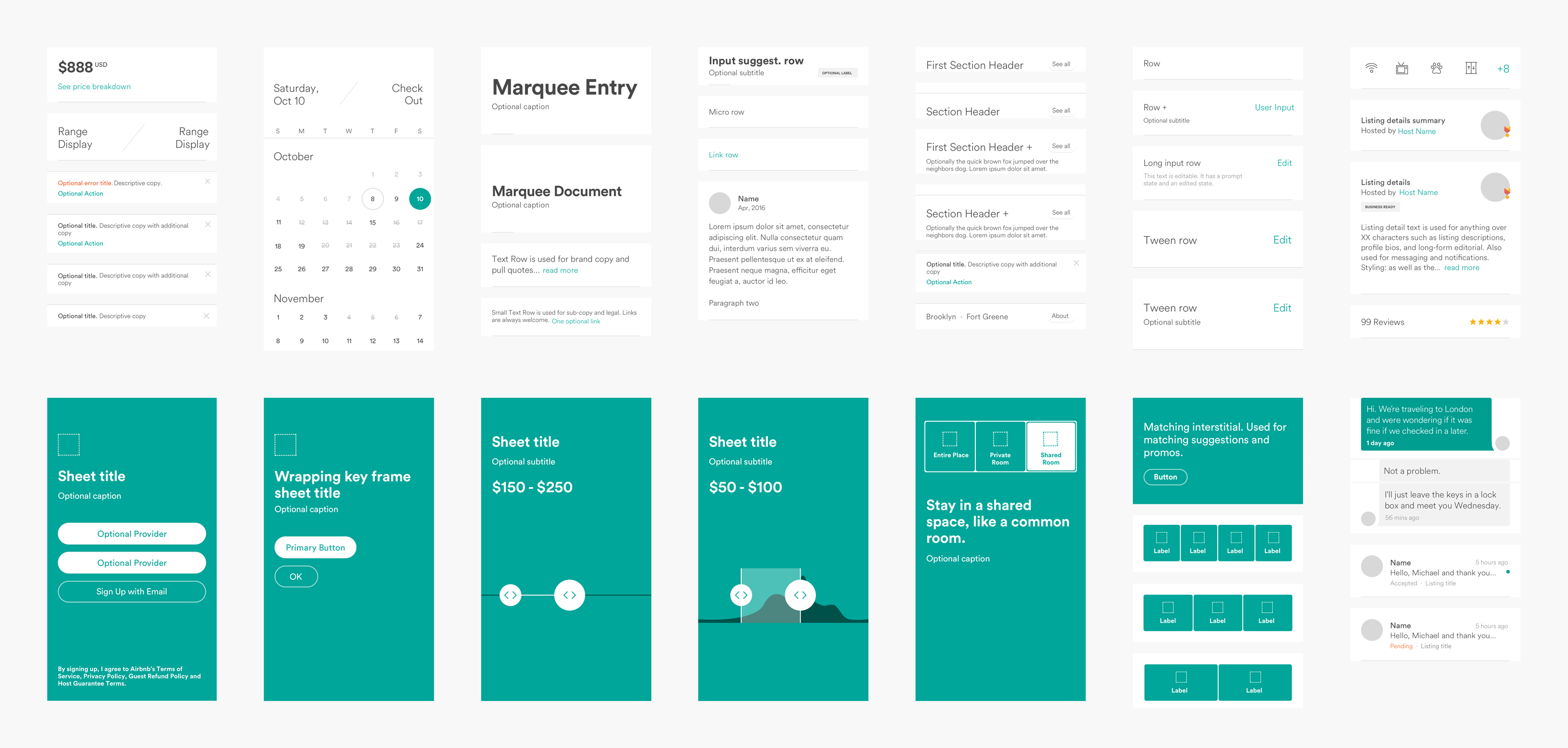
In Airbnb, a single typography is being used to make the app interface look clutter-less. Also, icons are used smartly to define a purpose.

Medium

The typography, photos, and every element are used in a grid format in the Medium application.

Lyft

Lyft - Wikipedia

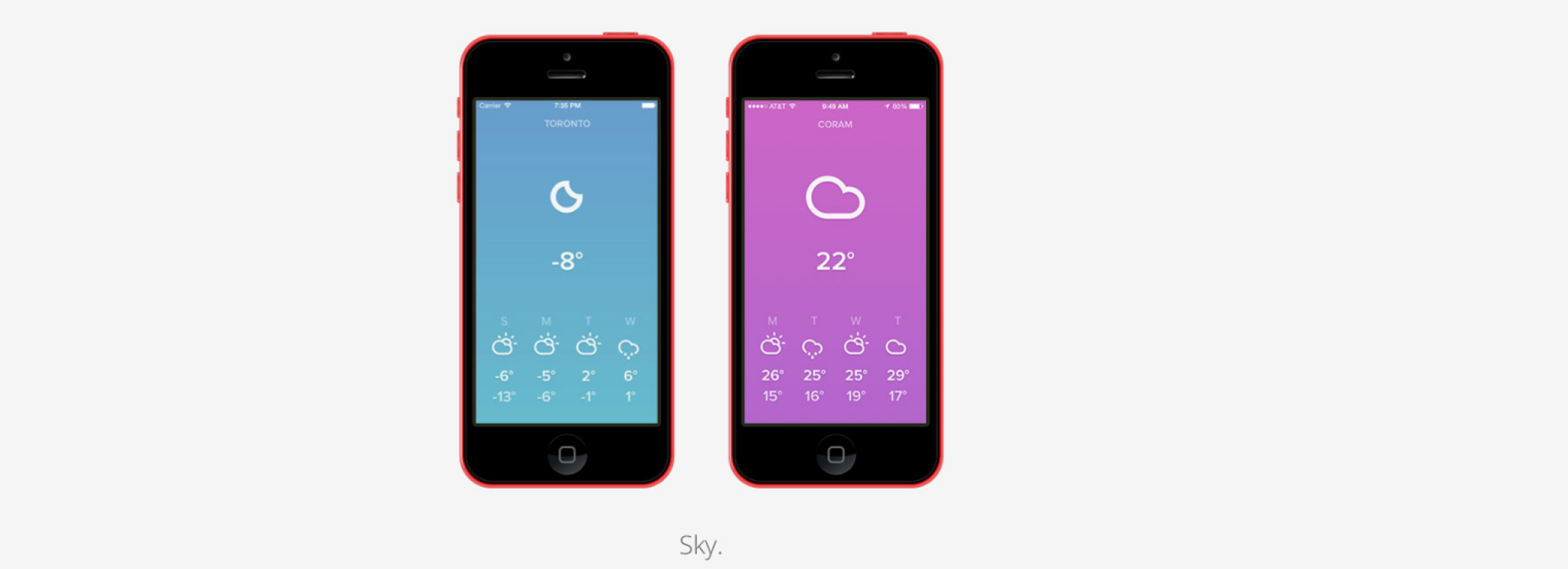
Lyft is an apt example of how to add an analogous color scheme into your app design plan to bring out the best outcomes without investing heavily in terms of app design cost.

With this covered, let’s dive deeper into the technicalities of Minimal designing – starting with the core features of Minimalism design concept to keep an eye on.

Characteristics of Minimal App Design

The Rise of Minimalism in App Design | by Austin Mikael | Prototypr

1. Simplicity

A minimal app design uses less and not complicated elements, which gives a simple and clean look to the application.

2. Clarity

It not only looks simple, but also simplifies the process of getting an understanding of the core app purpose.

3. Functionality of each element

Every element on the app screen performs some action, and not just makes the app look attractive.

4. Expressive visual hierarchy

The elements in the case of minimal app design are placed such that they showcase a visual hierarchical structure.

5. Higher attention ratio to proportions and composition

The UI/UX design is created by keeping The Golden Ratio into consideration.

While these are the traits that an application designing through Minimal design approach shows, let’s turn towards the elements it compose of.

Elements of Minimal Design to Watch Out for While App Development

Color scheme

Generate Free Color Palettes for Your Images & Pick Your Color Scheme | Adobe Spark

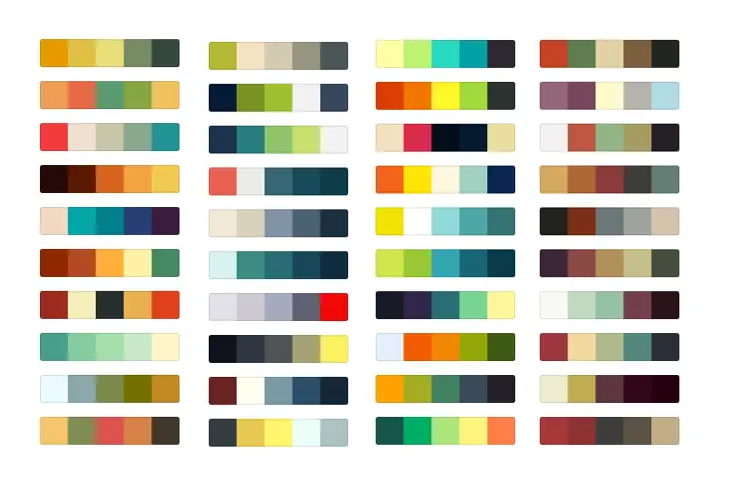
One of the primitive elements of minimal design is the color scheme.

The type and quantity of colors you pick for your app’s interface leaves a major impact on the target user base, on the emotional front. If your application has too bold or too many colors at the same place, the app might seem cluttered and confusing. While, on the flip side, calm colors or a single color on the interface might make the app appear boring and affect user retention rate.

In such a scenario, the two ways you can build engaging app interface are:-

  • Use Monochromatic Colors Scheme – Multiple colors are created from changing the hue brightness and saturation of the same color; making it easy on the eyes.
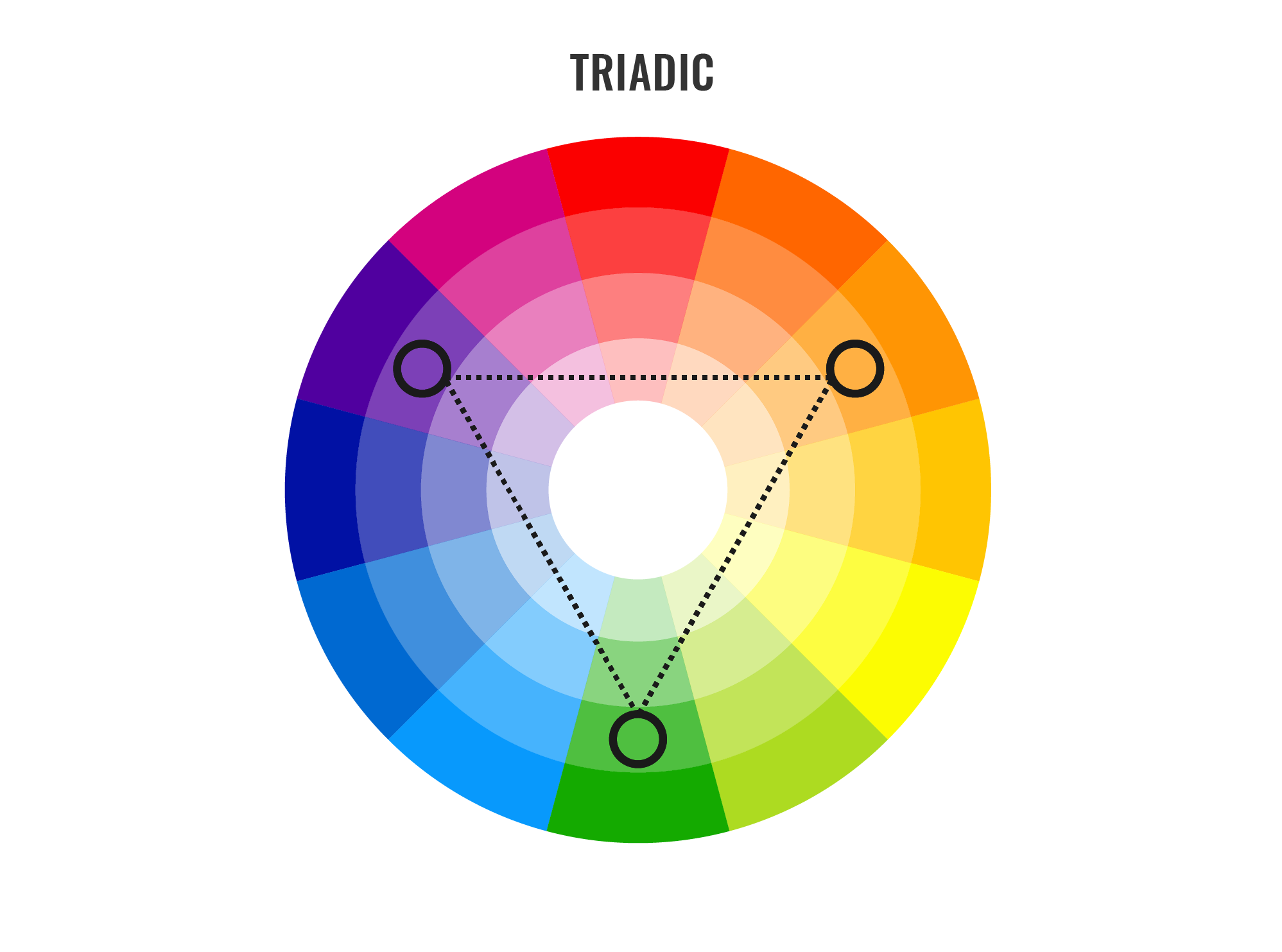
  • Opt Analogous Colors Scheme – Three adjacent colors on the color wheel are used to create different aspects of the application.

Typography

A beautifully illustrated glossary of typographic terms you should know

Another element that gives a different aspect to minimal designs is Typography. Defined as the technique of representing written words, it improves communication between users and the app interface.

If picked wisely, it can bring more eyeballs on your app screen. While, on the other side, it can give a disorganized and negative feel to the users, especially when going with multiple typography fonts.

In such a scenario, having knowledge of the best typography tools as well as the idea of how many typography one should consider for building a sophisticated look is necessary.

White Space

When talking about implementing minimal design in apps world, another element that designers and developers need to focus upon is the white space. Considered as the space between text lines, it gives a clear and clutterless impression to the app interface; making users feel positive about interacting with the page.

 Icons

Get Pichon - Free Icons - Microsoft Store

Iconography is a visual language used to address functionality and content. A good icon is simple with visual components that are easy to spot and comprehend. Since bar symbols fill in as navigation to different sections of the application, it’s essential to indicate which section is active by highlighting the icon.

Enhancement

Enhancement is yet another mobile app UI design tool element that builds up minimalistic design in the mobile app world. That means, the way you bring more focus on a particular image or text while multiple being present on the page.

Now as to what exactly Minimal design in app means and which and how apps are introducing it into their app design, let’s look into some tips and practices you can consider to create minimalistic interfaces of your application.

Best Practices to Build Minimal Design for Your App Effortlessly

Go for flat design

Working while on-the-go | Illustration character design, Character flat design, Outline illustration

Following Flat Design in your app design is the foremost method to introduce minimal design in your application.

A Flat design, unlike other designing styles, focuses on using limited 2D elements and avoiding shadows, textures, or gradients. This makes it easier for the designed images and other visual elements to look neat, take less space, and enhance usability in the interface.

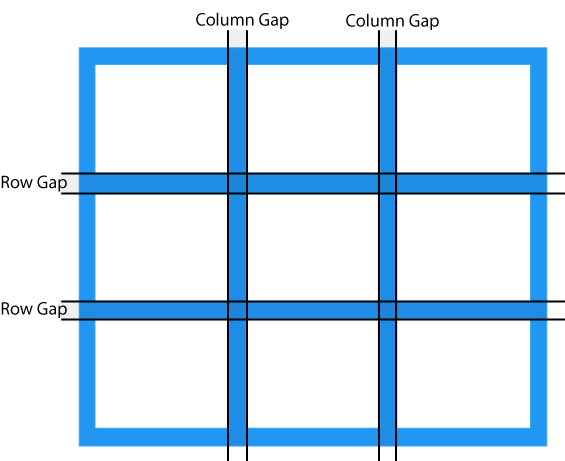
Make a grid layout

CSS Grid Layout

Another factor that every UI/UX app designer must consider while creating minimal app UI designs is Grid layout.

The layout not just adds convenience to the app interface, but also highlights the visual elements. It also serves designers with an ease of maintaining the same feel throughout the page in case of responsive design.

Remove extra elements

One of the best practices for minimalist design is to ensure that no unnecessary element is added to the screen. Meaning, only those elements are introduced to a screen that serves a purpose there.

Now, when it comes to deciding which elements to keep in the design and which one to remove, here are the two tips to keep an eye on:-

  • Do not add images unless they aid in making your message clear to others.
  • Use simple and limited words to communicate, such that meaningful information is being served to the audience.

Do not oversimplify design elements

Simplicity leads to minimalism. However, this does not mean that you have to oversimplify your app design.

This is because an over-simplified user interface can make it difficult for users to understand the purpose of your application. Also, it can break the navigation flow, which can further result in lower app engagement and retention rate.

So, it is a must for UI/UX designers to ensure that they keep a balance between simplicity and minimalism while designing their mobile application.

Employ negative space

Negative space, i.e., the white space created due to removal of extra elements from the interface, is the backbone of the minimal design.

This element, when employed smartly, plays a crucial role in preventing distraction, increasing engagement, and delivering the right message to customers. However, this is possible only when you focus on the following requisites:-

  • Content to be on the left side.
  • Focus on Hierarchy of elements.
  • Interaction made simple, without compromising on information.
  • Variations in negative space maintained for different resolutions.

Pick the right icons

Icons, when employed wisely, help designers cut down the need for content, enhance the visual appearance of the application, and add to the accessibility.

So, designing the right app icons and implementing them at the right places in your app design is also an effective way to get higher profits.

Write crisp content

Content Writing Tips: Create and Curate Quality Content Seamlessly - Crisp Results

As already shared in the ‘Negative space’ pointer, writing simple and succinct text copy improves the app metrics. An extension of it would be to express your thoughts with limited yet meaningful and catchy words.

Go for bold typography

Typography in app UI design, just like icons and other visual elements, also helps in enjoying minimalism in app design. Especially in the form of bold typography.

The bold typography shifts users’ attention to the focused words and helps in crafting a high visual experience. So, do not forget to introduce them into your app design plan.

Embrace the idea of contrast

Using contrast elements helps designers create a visual hierarchy and bring attention on particular design elements. So, it is again a good practice to invest your time and effort into building a contrast interface.

When talking about embracing the power of contrast, it is good to introduce black, white, or dark backgrounds with bright and colored typography and pictures. It is important to note here that if you are thinking of incorporating dark mode design theme, the contrast rules would be entirely different.

Use limited colors

Using Color Schemes in Mobile UI Design - SitePoint

Using too many colors on the same app screen leaves a negative impact on users. So, to ensure that your design imparts a positive vibe and engages a wider audience, use limited colors. The best way of which is to use different shades of the same color.

Likewise, using bright colors alongside soothing and complementary hues, simple typography, and less-complicated animations can also help you achieve minimalism in app design.

Focus on concise and intuitive navigation

When it comes to working upon the navigation element, many designers often turn towards techniques like hiding some part of the navigation. This might help to keep the design minimal but reduces the discoverability of menu elements. This makes users confused somewhere in their journey and fail to experience the kind of user experience you wish to offer after ux reviewing process.

So, it is necessary to go with the philosophy, “measure thrice, cut once” while designing your app navigation.

Embrace functional animation

Importance of Functional Animation in UX - Qode Interactive

Another factor to watch out for while ensuring minimal design in the app is to embrace the idea of functional animation.

This element of motion design is added to the user interface as a part of any functionality. And is focused on improving discoverability and delivering a meaningful purpose, without asking for more space.

Follow operating system design guidelines

The Official UI Design Guidelines & Patterns for Each OS - 2018 | by Sam Bible | Medium

Both Apple and Google have set rules around the type of design that a standard application should have. Considering those design guidelines while introducing minimalism in your application can also be an effective way to ensure higher success rate.

Ditch some rules

Last but not the least, bending some rules of minimalism design is also a good practice. This is so because when you break some rules, you get the freedom to experiment with your design and add creativity to it, aiding in bringing more eyeballs on your app page.

10 Quick & Actionable UI UX Tips for Mobile App Design

Blur effects

The blur effect emerges as a logical answer for a minimal product design UI, permitting a specific measure of play with the layers and hierarchy of the interface. Blur makes it simpler to make layers of data in the UI. This likewise offers minimal designers an ideal chance to explore different overlay solutions.

One app, one typeface

Guide for designing better mobile apps typography | by Andrey Zhulidin | UX Collective

More typefaces seldom bring about better client experience. Actually, blending several different fonts can make your application appear to be fragmented. Decreasing the quantity of font styles on a screen can uncover the power of typography. One of the mobile app design tips is that when designing an application consider how you might make the typography amazing by playing with weight, style and size.

Simple background

Web designers some of the time create complex background themes, like those including photograph pictures. However mobile app design service providers have long deserted such a training in favour of simple and monotonicity. Very bright background under restricted space confounds the way toward exploring the application and slows down the loading stage, which isn’t acceptable.

Simple navigation

Simple Steps for Creating a Fixed Navigation Bar | Design Shack

There are no intricate patterns of features, pages, or functionalities however just conveniently arranges experiences. Thus, through this clients will get to explore from one module onto the next flawlessly and complete things quicker than they would otherwise.

Declutter UI

It is wise to keep best app UI design mess free. Clarity is a significant attribute of a mobile design. An excessive amount of design components like buttons, text, images, etc. can make any mobile application complicated and incapable to utilize. Keep it basic and minimal, or else you will not be able to convey the message to the user in a clear and concise way.

Accessibility

Why Web Accessibility Is Important and How You Can Accomplish It | by Oyetoke Tobi Emmanuel | Facebook Developer Circles Lagos | Medium

With organizations taking measures to make products accessible for everybody, minimal designers need to have sympathy and provide different experiences to various individuals through the similar mobile plan. A well planned item ought to be accessible to various users like users with low vision, any sort of visual deficiency, motor and hearing impairments. With comprehensive app design features, individuals with disabilities can explore and interact with your product.

Thumb zone

With each new mobile release, the screen size has expanded, holding the gadget with one hand and browsing the application is getting troublesome. Thus, the mobile application design ought not be aesthetically planned but additionally should focus on the movement of the fingers and thumb.

Remember all zones when mobile application design is being made. Wider the phone, more hard for the user to hold the phone with one hand and tapping on targets if they are out of reach zone.

Set expectations

Set High Expectations with Your Employees in These Three Areas - MAP

Numerous associations with a webpage or application have outcomes: clicking a button can mean spending cash, erasing a website, or making a disapproving remark. What’s more, is that with clicking a button there are ramifications, there’s additionally anxiety.

Thus make sure to tell users what will happen after they click that button before they do it. You can do this through a nice design plan.

No extra details

All components of the minimal design play out specific functions: a circumstance where each UI detail fills a particular need. It implies you can securely dispose of application segments with no direct undertakings. They’re unnecessary.

This additionally applies to the content, i.e. decrease the quantity of words utilized and communicate as briefly as possible.

Intuitive app interface

Top UI/UX Trends to Make your App more Intuitive

The entire issue boils down to the last important point that is the making of an easy to use interface.

Eventually, no one needs to feel dull and moronic, and unplanned usability would provide the user with simply unwanted impressions. In this manner, your application interface ought to be intuitive, working on all devices in a comparable coherent manner. What’s more, is that accomplishing responsiveness in planning minimal applications isn’t so difficult.

Conclusion

Minimal app design has been a popular approach for some years now and is likely to be one of the UI/UX trends as well. So, it is advisable for everyone who wishes to enter into the UX/UI domain or are getting their application designed to focus on this concept and elevate the chances of success. Something for which you can refer to the rules and practices shared in this article. Or simply, connect with our UI/UX design company in USA.

The 15 Best Android Libraries for 2020

15 Best Android Libraries of 2020 for Android Development

Thor had Mjölnir and Sherlock Holmes had his wit, but what do Android app developers have?  – I’ll tell you, it’s the incredible libraries.

In brief, Android frameworks and libraries (or just libraries in general),  are a set of implementations of behavior that are written in programming languages and have a well-defined interface.

These libraries generally include documentation, configuration data, message templates, help data, pre-written code and subroutines, values, classes, to name a few.

One of the major reasons for using these libraries is to expedite the development process, i.e., develop an astounding app without any unnecessary or additional efforts. These libraries provide developers with basic pre-written codes and other important elements that can be used instantly rather than performing these tasks from scratch.

So, if you have just started your career in Android apps creation and want to know about popular libraries that are a go-to tool of almost every Android mobile app development company,  then this article is what you needed.

Here are the 15 best Android libraries for developers.

Dependency Injector Library

Before we move onto the list of best and latest Android libraries 2020 for Dependency Injector, why don’t we take a moment and understand what Dependency Injector is?

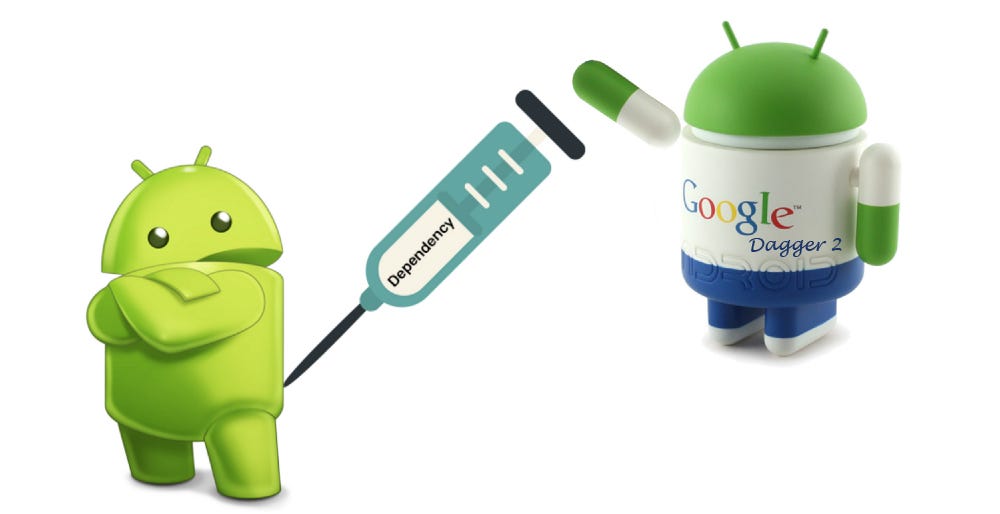
1.   Dagger 2

Dagger 2 to the RESCUE — Dependency Injection | by Chirag Chavda | Medium

One of the great things about Dagger 2 is that it majorly relies on using Java annotation processors along with compile-time to estimate and analyze dependencies. On the contrary, other Java dependency injection libraries suffer from limitations such as relying on XML, incurring performance penalties during startup, or facing validating dependency issues at run-time.

Another advantage of Dagger 2 is that it simplifies access to shared instances.  For example, once you declare in Dagger the singleton instances like MyTwitterApiClient  or SharedPreferences, you can easily declare fields with a simple @Inject annotation:


Networking

Here are the tools that you need for establishing any kind of network communication within the Android app.

2.  Retrofit

Conclusion of my adventures with Retrofit 2 | by Mateusz Dziubek | AndroidPub | Medium

Retrofit is a type-safe REST client for Android and Java, intelligently mapping an API into a client interface with the help of annotations. Previously, if you wanted to make a network request, you needed to execute an Async task class and then use HttpsUrlConnection in order to fetch data, something that was not ideal when dealing with APIs returning large data. This is now resolved by Retrofit.

One can effortlessly manipulate endpoints and headers, add a request body and query parameters, and select request methods – all with just annotations in Retrofit. Moreover, this Android library also takes care of parsing to POJOs by using converters.

Start by adding dependency to your apps build.gradle file –


After adding the dependency to your app build.gradle file, you must add a dependency for converters that you intend to employ.


Image Loading

Image loading libraries are a knight in shining armor combating with the problem of “out memory errors” in Android apps caused by loading multiple images at a time. Let’s look at the best Android libraries options out there in this category.

3.  Picasso

Moving on from Picasa

Maintained by Square, Picasso is a trusted and widely used Android image library. Picasso claims to allow for hassle-free image loading in the application—often in one line of code.

Some of the pitfalls that Picasso takes care of include handling ImageView recycling and downloading cancelation in an adapter, facilitating complex image transformations using minimal memory, automatic memory, and caching.

Additional features that makes Picasso a popular choice among Android app developers are –

  1. Picasso automatically detects adapter re-use and the previously canceled download.
  2. It easily and effectively transforms images to make them fit better into layouts and reduce memory size.
  3. For more advanced effects, one can specify custom transformations.

4.  Glide

Best strategy to load images using Glide — Image loading library for Android | by Salmaan Ahmed | AndroidPub | Medium

Glide is yet another praised image loader and one of the best new Android libraries for developers, managed by Bumptech. Not just this, but it is also recommended straight by Google.

Glide not only provides animated GIF support while handling image loading and caching but also helps in fetching, decoding, displaying video calls, images, and these GIFs. It also includes a flexible  API allowing developers and programmers to plug in any network stack, as its default stack is HttpUrlConnection.

This library primarily aims at making the scrolling process for any list of images as smooth as it can be. More so, it is also effective in case you need to fetch, resize, or even display a remote image.

Scanning

In order to integrate scanning features while developing custom Android apps and increase their functionality level, developers prefer the below-mentioned libraries.

5.  Zxing

ZXing Project: QR Code Generator - Online Ad Tools

Acronym for ‘Zebra Crossing’, ZXing is a barcode image-processing Android library that is implemented in Java, with ports to other programming languages. This library also has support for the 1D product, 1D industrial, and 2D barcodes.

Google also uses ZXing in order to make millions of barcodes indexable on the web.  It also forms the basis of Android’s Barcode Scanner app and is integrated into Google Book Search and Google Product.

 6.  CAMView

CamView for Android - APK Download

This is an effective alternative to the ZXing barcode scanner. It is an Android camera easy access library with an embedded QR scanner which is based on ZXing.

CamView library possesses a set of components (views in simple words) which are set to be put to your layout files, allowing developers and giving immediate access to-

  • Live preview video feed from the device camera
  • Scanning barcodes with the help of ZXing’s built-in decoding engine
  • To perform your own camera live data processing

View Binding

The need for view binding libraries first surfaced when the need to reduce the boilerplate code when assigning views to variables arose. As a matter of fact, the number of libraries worth mentioning for this purpose is numbered and two of the most prominent of them are –

7.  ButterKnife

Butter Knife — A viewbinding library for Android | by Velmurugan Murugesan | Medium

Developed by Jake Wharton, ButterKnife is a renowned view binding library helping in assigning ids to views very effortlessly, hence avoiding the excess of findViewByld. The statement- “Butterknife is like Dagger only infinitely less sharp” signifies that view binding is sort of dependency injection. The only difference is that in ButterKnife annotations are employed to generate boilerplate code.

The code below shows that ButterKnife eliminates the need for things like onClick and onTouch while replacing them with auto injected code.


8.  Android Databinding

Android Jetpack:Empower your UI with Android Data Binding | by Temidayo Adefioye | Medium

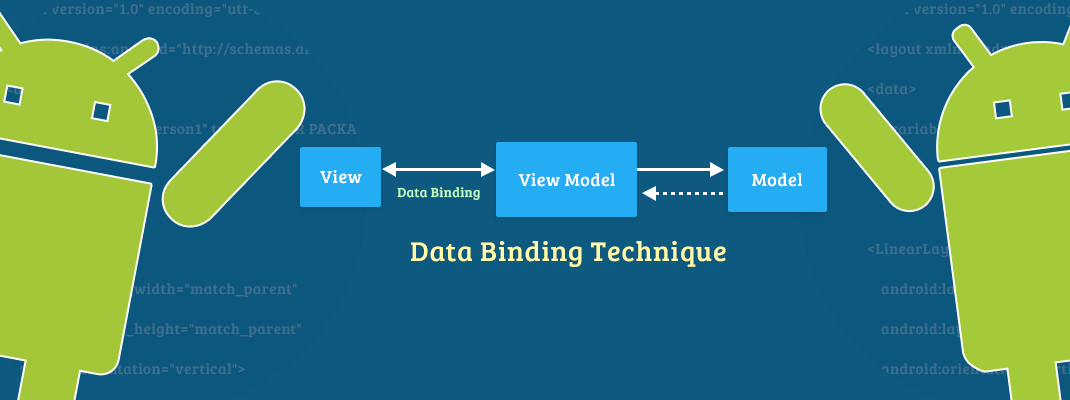
In-built to the Android Support Library, the Android Databinding library requires the least of Android Studio Version 1.3 in order to work. Unlike ButterKnife, this view-binding library for Android does not use annotations. It allows you to bind UI components in the layouts to data sources in the app with the help of declarative format instead of programmatically.

Here layouts are defined in activities with code that needs UI framework methods, i.e., look at the code below. It calls findViewById() to find TextView widget while binding it to userName property of the variable viewModel.

Debugging

Almost an indispensable step in the app development process, debugging an application before its final release is as important as it gets. For this purpose, let’s have a look at some useful libraries.

9.  Stetho

Download

Stetho claims to be a “sophisticated debug bridge for Android applications”. The use of this library is not limited to just Network inspection, Database inspection, JavaScript Console, etc. but developers use it to have access to the Chrome Developer Tools features that are natively part of the Chrome desktop browser. Moreover, developers can choose to enable the optional dump app tool offering a powerful command-line interface to application internals.

Reactive Programming

In Reactive programming, data is released from a component (a source if you will) to the other component known as Subscriber, assisting in handling asynchronous tasks efficaciously. So in short, these libraries help with transferring data from source to subscribers. Some of the widely used Android app development libraries for this purpose are –

10.  RxJava2

The curious case of RxJava Disposables A.K.A. what happens when you dispose a Disposable | by Piotr Zawadzki | stepstone-tech | Medium

If you are looking for a library that helps you in implementing reactive programming (create reactive applications), then RxJava is an ideal choice for you. It is officially described as “a library for composing asynchronous and event-based programs by using observable sequences”.

This library is considered unbeatable by Android app developers because it simplifies the process to chain async operations, opens a more explicit way to declare how concurrent operations should work, is able to highlight errors sooner than other libraries, among other things.

Drawing

There are hundreds of new libraries being developed every day, but very few are able to impress developers and prove potent. Here are some Android apps graphic libraries that have stood apart from the crowd.

11.  MPAndroidChart

GitHub - PhilJay/MPAndroidChart: A powerful ? Android chart view / graph view library, supporting line- bar- pie- radar- bubble- and candlestick charts as well as scaling, panning and animations.

MPAndroidChart is an impeccable Android chart/graph view library. It supports radar, line, bar, bubble, pie, candlestick charts along with scaling, animations, and dragging.

If you are looking for its iOS counterpart then, Charts is the one for iOS app development.

12.  Holo Graph library

HoloGraphLibrary - A Free, Open-Sourced Graphing Library for Android | Daniel Nadeau

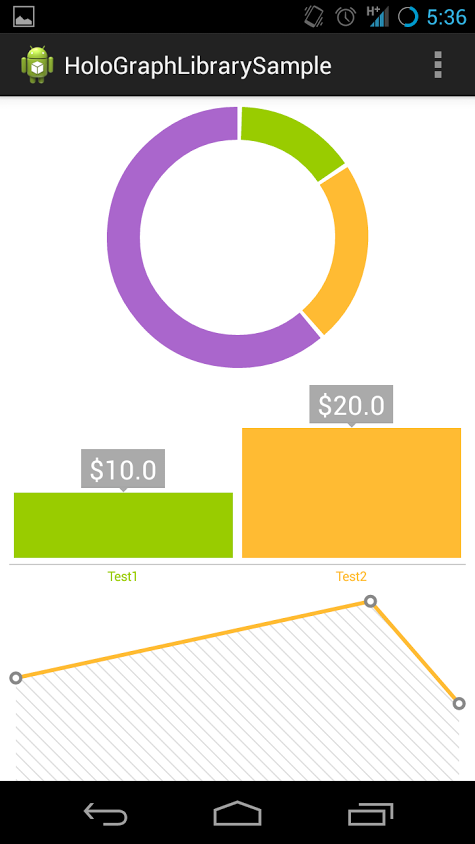
It is another new graphic library which is continuously becoming a favorite of many Android app development companies. This library is ideal for adding impeccably designed graphs and charts into Android applications. It includes –

  • LineGraph view (which looks something like this) –
  • BarGraph View
  • PieGraph View
  • MultiSeriesDonutGraph View

UI Components

User Interface is a prominent and with no-space-for-negligence aspect of Android app development. New innovations and advances have surfaced over the years in the UI domain, one of which is Gravity View.

13.  Gravity View

GitHub - gravityview/GravityView: The best, easiest way to display Gravity Forms entries on your website.

A very ‘in’ concept in the market is the gravity view. This is a library that is used for image tilting using sensors. Gravity View library’s goal is to utilize the motion sensors of Android devices, allowing users to perform certain functions by rotating their device.

This Android UI library was first used in the famous application “Fynd” and has continued to become a favorite of many to date. You need to be operating Android 3.0 and higher in order to use this library. Moreover, if you need to use it for non-gyroscope devices, then you can do so with the help of the Accelerometer sensor.

Testing

Testing your project is a way to become sure of the competence and efficacy of your mobile app. You can use these libraries to test your mobile app before you ship it to the market.

14.  Espresso

Espresso Testing On Android - RIIS

A part of the Android testing support library, Espresso is evidently a test framework that enables developers to build user interface tests for Android applications. Implying that this library lets you write tests and check whether the text of a TextView is similar to another text or not. It imparts the impression of a real user using the app, running both on real devices as well as emulators.

In order to use this library, you are required to add dependencies to the app module build.gradle file.

Once you have done this, you can set the instrumentation runner and sync the Gradle files, followed by creating a rest file –

15.  Robolectric

How to write Android unit tests using Robolectric | by Erika Tan | AndroidPub | Medium

Robolectric is another unparalleled unit testing library. What this library does is that it handles inflation of resource loading, views, including other things. It makes the tests created in the library more efficacious and potent in performing functions that real devices with  Android framework dependencies perform. In a sense, Robolectric simulates the Android SDK for the tests, eliminating the need for additional mocking frameworks like Mockito.

Now again, you need to add the dependency in your app’s build.gradle file, followed by creating a sample test class –

These libraries have made it to this list based on the popular recommendation of the Android developers. Their features, functions, and performance together emit excellence in their niche of purpose.

How to Create a Messaging App Like Telegram?

Anteelo-How to Create a Messaging App Like Telegram?

Messaging apps have always been popular.

But when Facebook acquired WhatsApp, startups’ third eye of innovation opened. And we saw a new slew of messaging apps entering the sector and the existing ones expanding their business model.

Facebook’s acquisition of Whatsapp, which was one of the biggest business deals of 2014, presumed to make Facebook all the more profitable, ironically flamed the demand for Telegram application – one that was operating as a sidelined app before.

Users who were already wary of Facebook in terms of how it used their data, switched to Telegram – the app which offered end-to-end encryption of messages. And within no time, without any single point promotional effort, the download rate of the messaging app increased by 1.8 million users.

Between then and now, the messaging industry has not just acknowledged Telegram as a top player but is finding answers to how to build a chat app like Telegram. Especially its flagship incorporation of Bots in messaging app but also an encryption architecture that makes it impossible to hack.

Today, we are going to look into the different facets of Telegram like messaging app development, helping you get to the bottom of what made Telegram successful and the roadmap you will have to follow to become a success.

Table Of Content:

  1. Telegram App Outlook
  2. Must-Have Features for Telegram App Development
  3. Telegram App User Experience Module
  4. Technology Stack of Telegram Application
  5. How Much Does it Cost to Develop an App like Telegram?
  6. How Does Telegram Makes Money? What is the Telegram Business Model?
  7. How To Make Money With An App Like Telegram?
  8. Business Level Challenges In Making An App Like Telegram

Telegram App Outlook

Anteelo-How to Create a Messaging App Like Telegram?

While the above image surmises the Telegram market share and its basic level synopsis, in order for you to get a complete understanding of the application, you will have to look at the business from the inside – who constitutes its users, which companies it competes with and what makes it stand out in the otherwise competitive messaging space.

Knowing what the business stands for will help you understand how to create a messaging app like Telegram.

Who Uses Telegram Application?

The prime difference between Telegram vs. WhatsApp chat applications is that Unlike WhatsApp which specifies that the users should be 18 years of age and above, Telegram has posed no such restriction on the platform. People of any age can interact with the application. Purpose wise, Telegram is used for both personal and business purposes by its users. The set of features that the app works with makes it a competitor of both WhatsApp and Skype.

The application is active in a number of nations, but it is most actively used in the Asian nations.

The primal reasons why users opt for Telegram application are:

  • Encryption of message, which highlights the brand’s focus on users’ privacy
  • The fact that they are not backed by any agency that would have the need for users’ data to support their business model.

Who Are Telegram App Top Competitors?

Telegram messaging app sees competition from both business messaging and personal messaging app front. So, the app has competitors in both WhatsApp, Facebook messenger and Slack, Skype for Business.

Must-Have Features for Telegram App Development

Being a messaging app, the features and functionalities that Telegram app comes with is similar to other messaging app platforms operative in the industry.

To revise, here are some of the features of a messaging app which Telegram app also shares within their ecosystem – Login, Text functionality, Creation of Group, Ability to make calls, Notifications, Sharing of Live Locations, etc.

Admin-Side Features of Telegram Application

In addition to these features, there are some functions of a messaging app like Telegram that help the brand stand ahead of its competitors.

Here are what those Telegram specific features are:

1. Multi-Platform Availability

Anteelo-How to Create a Messaging App Like Telegram?

The application is not only active on Android and iOS, but also Web. So, can take the help of either an app development company or take an iPhone development route to get started with the process of when you build Telegram clone app.

2. End to End Encryptions

Anteelo-How to Create a Messaging App Like Telegram?

Telegram is one of those few messaging apps that use end to end encryption to safeguard the information shared on the platform.

3. Multiple Accounts

Anteelo-How to Create a Messaging App Like Telegram?

The app allows users to log in from multiple accounts and use the application from different numbers, instead of restricting their usage on one number, like in case of WhatsApp messaging application.

4. Chatbots

Anteelo-How to Create a Messaging App Like Telegram?

Telegram was one of the first messaging platforms to include the functionality of chatbots within the application. The bot helps users with a number of tasks starting from reporting the recent news to enabling in-app purchases.

5. Cloud Storage

Anteelo-How to Create a Messaging App Like Telegram?

Telegram works on cloud storage. And since cloud storage is known to be dynamic, it allows users to access their data from anywhere once it is saved in the app, without asking them to back-up their data.

This cloud storage facility also enables them to track their sessions and download files any time they see fit.

6. File Type and Size

Anteelo-How to Create a Messaging App Like Telegram?

The maximum data size that you can transfer within the application is of 1.5 Gigabytes. The app also does not stop users from sending over specific file types. This makes the platform a go-to messaging apps for people who uses rare file types.

7. Multiple Groups Creation

How to create a group and channel in Telegram - Quora

There are two types of groups which you can create on telegram application:

Normal Groups – Ones where you add people from the contact list. These can have 200 bots and members

Super Groups – Every group can be promoted as a Super Group which is private and can have over 100,000 members and bots.

While the features that Telegram comes packaged with, already creates a distinction between the famous messaging app and its competitors, what truly sets it apart is the user experience that it offers to its stakeholders.

Telegram App User Experience Module

Anteelo-How to Create a Messaging App Like Telegram?

The application, straight from its onboarding page, highlights the best of its offerings and showcases what the users will get when they’ll install the application.

From the moment you sign in, the whole user flow that follows, makes the application an example of a focused, minimalistic mobile app.

The colour combination and icons, text combination that Telegram uses is also directed towards making it an easy in and out experience for the users.

Elements wise, they have not added multiple functionalities in the application that would take the focus away from messaging or making video calls.

Creation of an application that can support an expensive feature set and minimal design standards like Telegram app does, calls for a technology stack that is hand-picked to provide a safe ecosystem for millions of users to interact and share data in real-time without any lags and breaches.

Let us look at the probable tech stack that Telegram app operates on next.

Technology Stack of Telegram Application

Anteelo-How to Create a Messaging App Like Telegram?

Telegram application is assumed to be made on some of the most robust technological combination of the modern time, which includes C++, Cocoa, JavaScript, and Objective-C etc.

How Much Does it Cost to Develop an App like Telegram?

Anteelo-How to Create a Messaging App Like Telegram?

Even though the factors that affect mobile app development cost remains same in case of Telegram app like it would in any other app, the cost of Telegram application is several numbers ahead of the developmental cost of messaging apps like WhatsApp, Android Messages and Facebook messenger etc.

The reason behind a greater cost of developing chat app like Telegram is the backend technologies it works around and the measures it takes to keep the data secure and unhackable.

Additionally, the fact that the app witnesses millions of users being active on the platform in real-time, performing multiple actions like messaging, making calls, making in-app payments, shopping, etc. makes the designing and development of the application all the more cost inducing compared to other apps in the same category.

How Does Telegram Makes Money? What is the Telegram Business Model?

Anteelo-How to Create a Messaging App Like Telegram?

Business/revenue model is the core structure of any business. This offline business necessity holds equal prominence in the online/ mobile space as well.

Businesses, irrespective of what category they operate in and what user size backs them need inflow of funds to keep the operation afloat – At least that is what we have grown to believe in.

Telegram, opposedly, did not had a single source of revenue planned for themselves till much recently. Meaning, the Telegram revenue model was something that never existed in the company’s books.

Right from the company’s establishment, the founder, Pavel Durov has been very clear that Telegram will never be a money-making business. The aim would always be on offering a safe, encrypted platform for people to interact in. This is the reason why the brand never saw funding coming in from only source nor any other mode of revenue generation. Telegram is till date working on the money that Pavel received upon selling his social media platform.

But as the rule of the business goes, you cannot grow your business forever until you maintain a balance between expense and revenue. Telegram took its first step monetization 3 years back where the team developed and released paid stickers on iMessage and the money which is being earned through the medium is being used to pay designers and developers.

Now while the amount earned through this Telegram revenue model route is not enough, the brand assures users that it will introduce non-essential options but will never turn towards advertisements option to earn money for making profit is not their end goal.

But just because Telegram’s founder had a financial back doesn’t mean you would to. In order for you to survive in the industry, you will have to look into multiple ways to earn money on your Telegram clone app.

How To Make Money With An App Like Telegram?

There are four most-applied ways that are a part of chat application monetization model, through which messaging apps generally make money and how you can too. Here are what those ways are:

Advertising 

Anteelo-How to Create a Messaging App Like Telegram?

Partnering with brands to show their ads on the app is one of the most incorporates ways to earn money on your app. Everytime a user clicks on an app, you get money in return from the business.

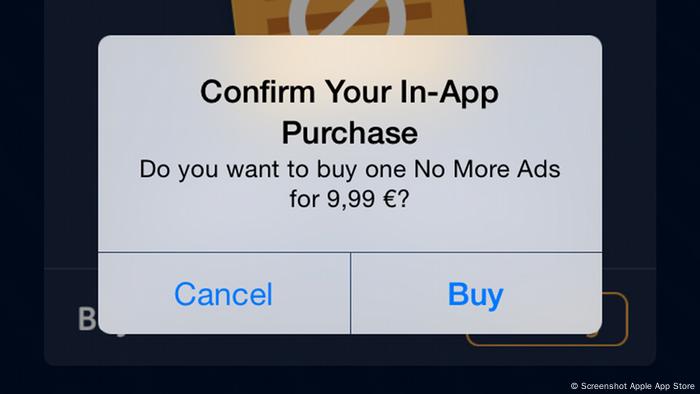
In-App purchase 

In-App Purchases: a mobile app developer′s key to ′consumer lock-in′ | Science| In-depth reporting on science and technology | DW | 13.03.2015

You can add elements in your application like Stickers or Gifs which you can allow your users to purchase in monetary terms.

In-App money transfer

5 Money Transfer apps available on Android, iOS | Technology News – India TV

Although this would require you to expand your messaging app business, but you can create a structure for your users to send money to other users from within the application. This way, while you will get a portion of the transaction fees, they will not have to jump to other applications to perform the task.

Gaming 

What if gaming is social media? - We Are Social

This too, like in-app money transfer would require you to expand your business offering. In this part of the application you can give your users the ability play games within the application by making payment – either to play the game or jump to the next level.

Business Level Challenges In Making An App Like Telegram

The challenges that startups might face when developing a complex application like Telegram are majorly four-fold. Two of those issues are such which would need a technical solution while there are two issues which have to be solved by the business itself.

Choosing the Platform 

Android or iPhone or Windows Phone ? - Irish Apps

While Telegram is available on all – Android, iOS, and Web, the maximum installs that it gets is from Android. While Telegram has reached a business level where it can afford lags in terms of low traffic, for a startup, it will be very important to choose between Android and iOS platforms to start with and then decide whether or not to expand into the Web platform.

A wrong decision on this front can lead to startups losing a good portion of their limited money in vain.

Database Choice especially on Concurrency Grounds 

The next technically inclined challenge that businesses can face would be in terms of the database choice. An issue that emerges with developing architecture of messaging apps of all types and complexities.

Ideally, they should prepare for a Telegram like messaging app development process that would prepare the app to can handle multiple users in real time, assuming they are all performing the most server draining tasks like uploading large sized documents or doing video calls.

As a mobile app development company that specializes in the development of complex telegram like messaging app development, we make use of Microservices architecture instead of Monolithic to ensure that the app never crashes and is ready to hold millions of concurrent users, with all of them performing highly complex tasks.

Raising Money for Development and/or Expansion

The technicalities, minimalist design, and complexities that Telegram like messaging app development process comes attached with doesn’t just make it a time taking affair but also a highly costly one.

While Telegram had a financial backup to manage their operations, assuming you are a startup that doesn’t have the same privilege, you will arrange for funds to build Telegram clone app.

Attracting Users 

10 Cheap and Interesting Ways to Attract More Customers to Your Small Business - Smallstarter Africa

Telegram claims that it has till date not spent a dime on the promotion of the messaging platform. The mediums that have helped them spread their business actively and attract new users are:

Telegraph

It is a publishing tool which lets users develop fully formatted post along with media files. Additionally, the Telegraph posts are supported by the Instant view functionality, making it easy to access content within the application.

Gaming Platform

Telegram comes with a Gaming platform that allows you to develop HTML5 games with minimal sounds and graphics. These games are then loaded on-demand like web pages instead of asking to be downloaded on the users’ devices.

Telegram Passport 

The service lets users store their personal data like passports, national IDs, receipts, and bills etc. on the cloud which is protected with end-to-end encryption. The messaging platform itself cannot access the data, which makes it an attraction point for security focused users.

Bot APIs

ft_py_webapi - How to set up a web API using python, flask and JSON - shafis.in

The API enables developers to connect their program to Telegram system. They also give mobile app developers a space to create their own bots, which can even be powered by Artificial Intelligence.

While Telegram has taken an unconventional route to promote their application, you can follow the usual practices to promote your application – advertisements, creation of website, using social media to promote the app, pushing it on product sites like Producthunt, etc.

We can help you find solutions to all these issues and many other unsurfaced ones. Get in touch with our business consultants today.

App Development for Foldable Smartphones

When will folding phones cost the same as standard ones?

2019 was the landmark year where the talks of foldable smartphones reached a zenith state.

The news of Samsung preparing to launch its innovative foldable offering had already been doing the rounds for several years. But in 2019, with Google announcing its partnership with Samsung on this innovation, the rumours became a reality and a number of device manufacturers soon started doing the homework to enter the space.

This enthusiasm of device manufacturers took very less time to ripple down to the app development economy, which started doing homework of their own: Preparing for the design and technical nitty-gritty needed to deliver a minimal learning curve, impeccable experience to the users in a brand new environment.

Before we head on to the parts where we look into the intricacies of app development for foldable phones and what you can do to prepare your mobile app for foldable smartphones, let us look into its current state.

Table of Content

  • The State of Foldable Smartphones
  • How Would Foldable Phones Impact the App Development Process?
  • How to Prepare Your Mobile App for Foldable Technology?

The State of Foldable Smartphones

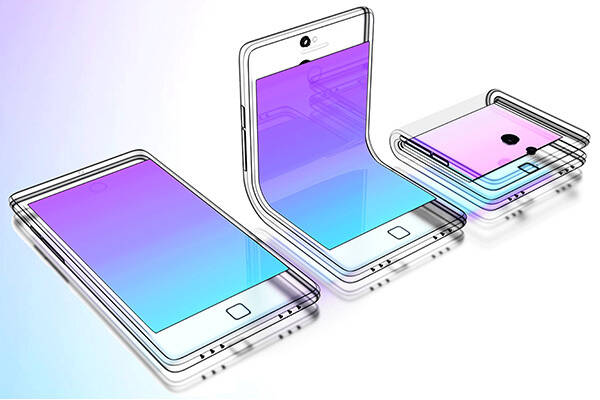
Foldable smartphone - Wikipedia

Here’s a visual looking into the current state of foldable smartphones –

The numbers that the statistics mentioned above presents highlight that once the foldable phones start flooding in the market, they will not become an instant hit. It will take some time for them to create a position in the smartphone sector. But, like every technological disruption, while the wave may be slow, it will grow massive in no time.

This, in turn would need both device manufacturers and Android app development companies to prepare in advance.

How Would Foldable Smartphones Impact the App Development Process?

While on the surface level it appears that it is only about having flexible UX in mobile apps, but the impact is a lot more massive.

Foldable phones means more space for the developers to create immersive and detailed experiences for all the different types of multi-window.

  • Video streaming apps can use the increased screen size to show videos in larger orientation or to add extra controls or features in the app.
  • Calendar apps will be able to open a complete month in place of week
  • Banking apps will open multiple account information in the multi-window app screen in place of initial one
  • Business apps will be able to add in more functionalities, like reading emails while perusing a document, etc.
  • Content creators will be able to bounce around between multiple apps.

Let us look into the different ways foldable smartphones can have an impact on the application development process.

A.  Quality Supersedes Everything 

Free Quality Improvement Cliparts, Download Free Quality Improvement Cliparts png images, Free ClipArts on Clipart Library

Foldable phones will come with multiple orientations, aspect ratios but what will remain the same is the quality expectations. The users will expect you to deliver them the same flawless and glitch free quality and app flow that they are used to.

Considering this, the onus of providing high quality digital products will increase when you venture into the app development for foldable phones space.

B.  Greater Test Cases 

The Art of Writing Good Test Cases - QA world

With a massive number of foldable phones soon to hit the smartphone market, the app development team will have to work around a great number of test cases – all at the back of the complications that come attached with multi-window app configuration.

C.  Feedbacks Take a Pivotal Position

Types and Sources of Feedback in the Workplace | Talkdesk

An effect of building apps for foldable phones is an extended feedback collection process. Since you will be taking a traditional application to a new space, there will be a lot of feedback coming your way especially on the transition front.

Noting this, it would be necessary that you add room for attending to the changes in your Agile scrum process.

D.  Increased App Development Time and Cost 

The Costs of Developing an App: $1,000 vs. $10,000 vs $100,000 App

Another crucial impact that the mobile app development economy will face will be in terms of extended app development time and cost estimate.

Optimizing apps for foldables ensuring that it works glitch free in all the different modes will require a lot of design, development, and testing efforts, that in turn will bring in a price hike.

How to Develop Apps for Foldable Smartphones?

Like every mobile app development process, let us divide the process of creating apps for multiple screens in three ways too.

Designing for foldable smartphones 

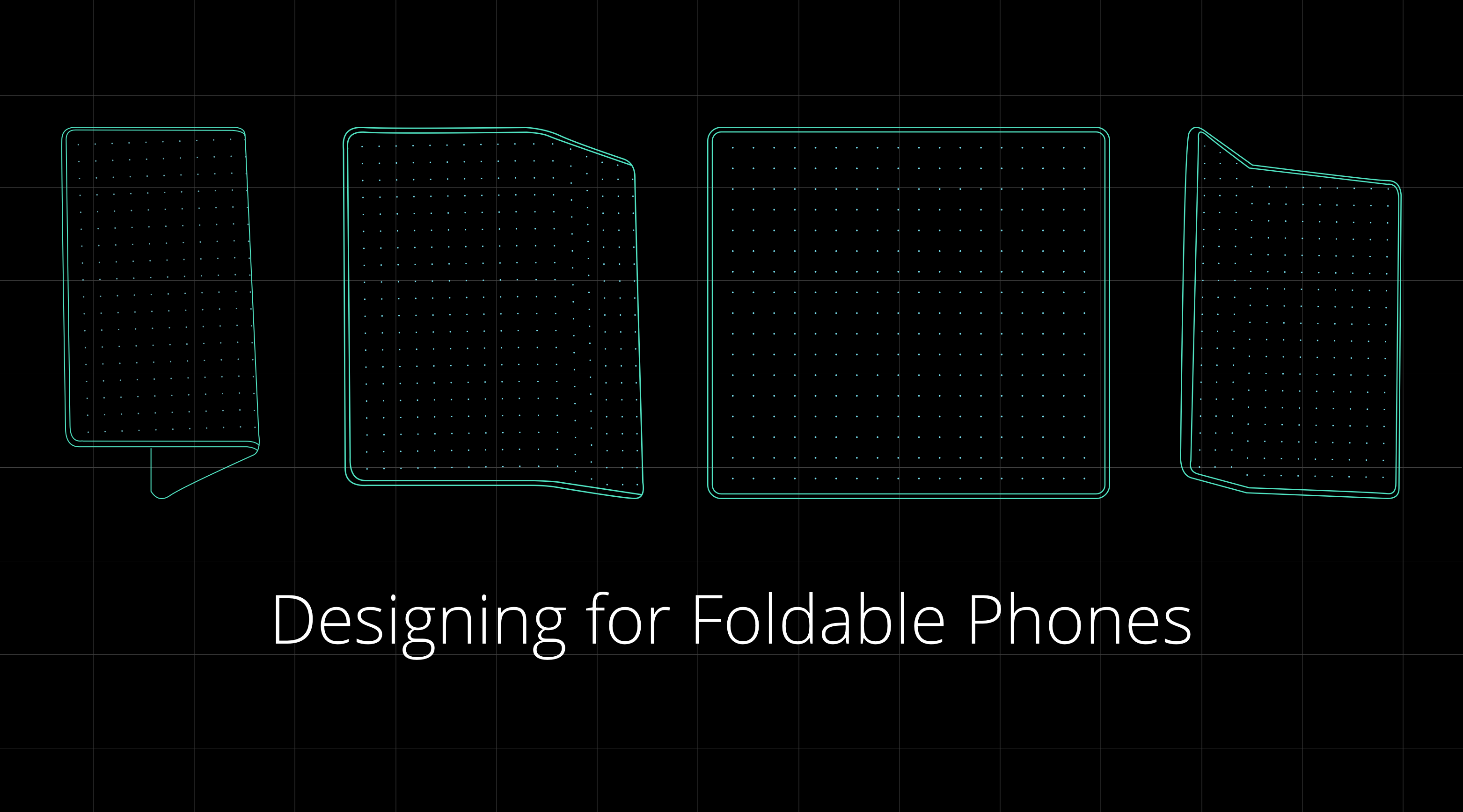
Designing for Foldable Phones. As the era of flexible smartphones… | by Siddarth Kengadaran | Siddarth Kengadaran

There are primarily four things that you will have to put into consideration when initiating app design for foldables.

A. Two States – There are two states in every foldable smartphone – unfolded and folded screens, aka main display and cover display.

Unfolded state: this is the place where a phone transforms into a tablet, giving space to the companies for enriching experience. This extra space can be used for giving greater context and adding secondary actions or experiences to the apps.

Folded state: in this foldable app design state, the phone looks like your traditional smartphone, which is operated using one hand.

B.  One or Two-Handed App Design

States change the whole experience – even the one of how the device is held. Presently, people operate smart phones with one hand, but in the unfolded state, they will have to use both their hands. This will change the design dynamics in a way that the important UI and UX elements will have to be kept within the thumb and other fingers’ area.

C.  Multi Window 

Because the real estate in case of foldable smartphones is much greater, multitasking should always be considered. Meaning, as designers, you will have to prepare for the time where another application with its own set of design and functionality will be sharing the screen with your app and look into your multi-window life cycle as well.

D.  Screen Continuity 

The user experience must seamlessly move from the folded to the unfolded state and then back to the folded state. There should be minimal to zero change happening in the layout, which would increase the app flow ambiguity.

Technical preparations for foldable phones 

Like in the case of designing, the developers’ work will also be segregated into four parts of app development for foldable phones processes. While with Android 11, Google will be extending support to foldables, for now, let us look into all of them in detail.

A.  Screen/ App Continuity 

As mentioned in the last section, app screen continuity means that when an app runs on a foldable smartphone should transition from an screen state to another automatically and seamlessly. The app must always resume in the same location and state.

What you’ll have to do is make resizable app through dynamic resizing. It is done by setting resizeableActivity=true. It offers maximum compatibility with whatever environments and factors your application encounters.

In case you forget this step, the system might automatically resize your app without the guarantee of the right size, configuration and aspect ratio. Like shown below.

B.  New Screen Ratios 

Best Foldable Phones in 2021 - Smartprix.com

Android 10 and higher would support a wide range of aspect ratios. In foldables, the form factors would vary from a super high long and thin screen to 1:1 ratio. For being compatible with the devices, you must test the apps for as many screen ratios as possible.

If you are not able to support a few of these ratios, you must use the maxAspectRatio and minAspectRatio for indicating the high and low ratios that the app can handle.

C.  Multi-Window 

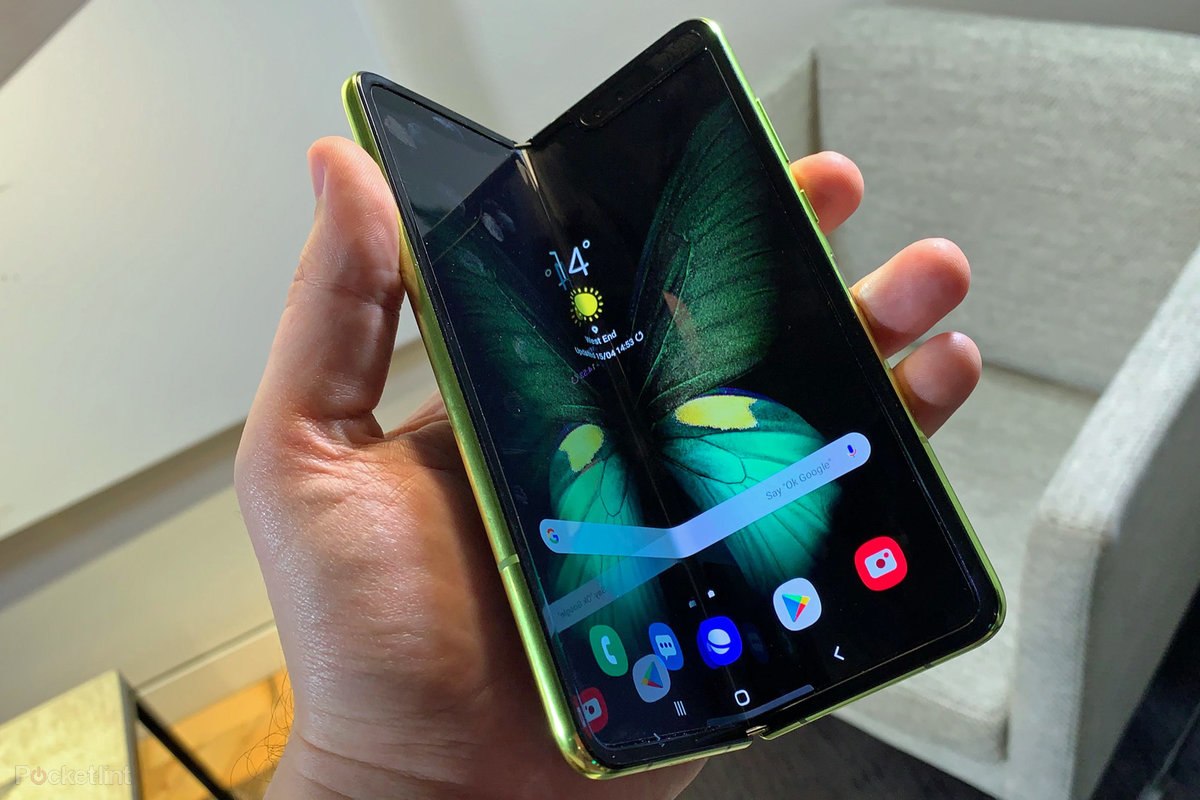
Samsung Unveils Galaxy Fold, Their Foldable Phone+Tablet

Having two apps run side-by-side has been made common by Google since some time. What the foldable technology introduces is that it allows three or even more apps to run at the same time. Moreover, the technology gives them the capability to share content with each other.

In case of Android 9 what used to happen was that only the application in focus used to be the resumed state and all the other visible activities were paused. In the case of Android 10, it changed. The activities remained in resumed state even when in the multi-window mode. This is known as multi-resume.

In order to opt-in the multi-resume feature, following manifest meta-data has to be added –

<meta-data android:name=“android.allow_multiple_resumed_activities” android:value=“true” />

D.  Multi-Display

Samsung Display has teased a foldable phone with multi-folding design

The tenth OS version and higher supports multi screen Android display. If an app is running on a device with multiple displays, the users can easily move them from one display to another. These multi-resume applies to the multi-screen scenarios also.

An app is able to specify which display must run when it is launched, or when another activity is created. The behavior is dependent on activity launch mode which is defined in manifest file, and in the intent flags and the options set by people who launch the activity.

An activity must check the present display in onCreate and onConfigurationChanged when handled. Android app developers must update the layouts and resources when there is a change in displays.

Additionally, there are these things that a developer must take care of –

  • Activity vs app context
  • Display cutouts
  • Use of secondary screen

App Testing for Foldable Devices

Foldable Phones: Top 7 Things You Need to Know | Perfecto

When it comes to testing the application, the Android QA team will have to ensure that the app reacts to the – Multi-window and multi-resume functionality, Resizing & new screen ratios, and Configuration changes.

Open-Source API Management Platforms for Your Tech Stack

API Management – Manage APIs | Microsoft Azure

Open source APIs have become omnipresent in the world of software and mobile app development.

Right from private solutions to public-facing services apps and partner integrations, it is present everywhere.

They are helping developers in creating apps that caters to diverse set of customer needs. They are transforming the architectural patterns with much sophisticated approach of mobile application development.

Because of this prominent presence, everyone is looking to tune to the best API development guides and use the insights to provide an ultra-advanced and seamless experience to their target audience.

But, is it that simple?

Well, if you thought creating an API is difficult, managing one is worse. What makes it easier though, is using open-source API management platforms.

Let us look into the list of top API management tools and platforms.

15 Open-Source API Management Platforms to Consider in 2020 (& Beyond)

1. Open source API Umbrella

Using API Analytics to Empower the Platform | Nordic APIs |

API Umbrella is one of the top open-source tools considered for managing APIs and microservices. It enables multiple organizations to operate under the same umbrella by empowering varying admin permissions for different domains.

The platform also provides facilities like Rate limiting, API keys, caching, real-time analytics, and availability of an admin web interface.

2. Gravitee.io

GitHub - gravitee-io/gravitee-gateway: Gravitee.io - API Management - OpenSource API Gateway

Gravitee.io is an open-source platform for managing APIs that is flexible and light-weight in nature. It avails out-of-the-box features such as Rate limiting, IP filtering, Cross-origin resource sharing, plug-and-play options, developer portal with OAuth2 and JSON web tokens policies, load balancing, and more.

However, the keynote feature of this API management tool is its ability to build fine-grained reports to comprehend the usage data of your APIs.

3. APIman.io

Review of Red Hat's Apiman Open Source API Management | Nordic APIs |

Introduced by Red Hat, APIman.io is one of the top API management platforms to consider while choosing the best technology stack for your app.

The platform, easily available in the GitHub repository, gives ample opportunities to developers in the backend development phase. This includes:-

  • Quick Runtimes,
  • Policy-based governance with a detachable policy engine,
  • Asynchronous capability,
  • Enhanced billing and analytics options,
  • Availability of a REST API for management,
  • Rate limiting, and much more.

4. WSO2 API Manager

Custom Throttling Policies with WSO2 API Manager | by Sumudu Sahan Weerasuriya | Medium

WSO2 API Manager is a full lifecycle API management platform that can run anywhere and anytime. It enables developers to enjoy the possibility of API distribution and deployment on both on-premise and private clouds.

Apart from this, it brings various other opportunities on board. A few of which are:-

  • Higher Customization,
  • Ease of governing policies,
  • Possibility of Designing and Prototyping for SOAP or RESTful APIs,
  • Better access control and monetization facilities, etc.

5. Kong Enterprise

Welcome Kong Inc. | Introducing Kong Enterprise Edition

Kong is a widely-adopted open-source microservice API tool that enables developers to manage everything quickly, easily, and securely. Its Enterprise Edition comes loaded with features and functionalities, such as:-

  • Availability of open-source plugins,
  • Ease of One-Click operations,
  • Common Language Infrastructure Capability,
  • Great Visualization for Monitoring,
  • Regular software Health Checks,
  • Introspection of OAuth2.0, and
  • Wider Community Support.

6. Tyk.io

Written in the Go programming language, Tyk.io is also a recognized open source API gateway to watch out for in 2020.

Tyk in 2021 - Reviews, Features, Pricing, Comparison - PAT RESEARCH: B2B Reviews, Buying Guides & Best Practices

It comes with a developer portal, detailed documentation, a dashboard for API analytics, rate-limiting for APIs, authentication, and various other such specifications that helps organizations focus on microservices environments and containerization.

However, its commercial-based services are available for paid versions only.

7. Fusio

Fusio Project, Awesome 3 in 1 Open Source API Management Platform - PHP Magazine Network

Fusio is another open source API management tool that lets developers create and maintain REST APIs from different data types. It comes with efficient lifecycle management features like backend dashboard for admin control, detailed documentation, JSON validation for incoming requests, and scope handling to meet user permissions.

What’s more, this APIM platform automatically generate OAI and RAML requirements and create a customized client SDK as per the defined schema.

8. Apigility

Apigility - Reviews, Pros & Cons | Companies using Apigility

Designed and maintained by Zend framework, Apigility is the next open-source framework to consider for API management.

The platform encourages established mobile app development companies to create and exhibit JSON representations for their codes. It also provides them with different versioning options, along with an ease of authentication with OAuth2 and documentation to embrace the API Blueprint.

9. SwaggerHub

Considered by 40+ organizations for managing APIs, SwaggerHub is also one of the best open-source API management tools to rely on.

The platform renders a wide range of options to the designers and developers in the backend development domain. It provides them a robust and intuitive editor that delivers higher efficiency and speed while preserving design consistency.

SwaggerHub | API Design and Documentation with OpenAPI

Also, it avails the opportunity of smart error feedback, syntax autocompletion, and availability of multiple style validators.

10. API Axle

Top 15 Open-Source API Management Tools | Appinventiv

Backed by Exicon, API Axle is another open-source, simple and lightweight proxy that provides development agencies with ample benefits like:-

  • Real-time analytics
  • Robust Authentication,
  • Logging of API traffic for statistics and reporting,
  • Ease of creating and managing API keys, and
  • Support for REST API design and use of Go, PHP, and Node.js libraries.

11. IBM Bluemix API

IBM Bluemix Overview

This API management tool enables developers to use more than 200 software and middleware patterns to build portable and compatible apps for the hybrid cloud. It also offers various pre-built services and a robust mechanism for regulating API access, governing multiple API versions, maintaining rate limits, and keeping a track of performance metrics and analytics of every API involved.

12. Repose

Repose

Repose is yet open-source RESTful middleware platform that plays a pivotal role in the changing anatomy of API market. The platform provides organizations with various API processing facilities, including authentication, API validation, rate limiting, and HTTP Request logging.

This API management platform works with an aim to provide downstream services for trusting incoming requests when well-formed and validated. And, it is highly extensible and scalable in nature, which means developers can easily employ it as per the growing demands and requirements.

13. SnapLogic Enterprise Integration Cloud

Integration Cloud Service, Integration Requirements - SnapLogic

SnapLogic is an impressive Integration Platform as a Service (iPaaS) tool that helps organizations in acquiring, sustaining, and growing their customer base. The characteristics that make this possible are:-

  • It is fast, multi-point, and come with the option to flexibly address both batch-oriented and real-time app data integration needs.
  • It has a scalable architecture that operates like web servers, but also provide an option to embrace versatility.
  • It also comes with innovative data flow solutions that encourage organizations to add reputed SaaS applications like SugarCRM and Salesforce into their traditional processes.

14. DreamFactory

DreamFactory 4.4 Released - API Blog: Everything You Need to Know

DreamFactory API Management platform is also one of the best free and open-source tools to consider for your next project. And the set of reasons behind its popularity are:-

  • It gives developers an escape from hand-coding APIs for mobile app development. It enables them to integrate any SQL/NoSQL database, external HTTP/SOAP service, or file storage system into DreamFactory environment, and get a comprehensive, flexible, fully documented, and ready-to-use REST API automatically.
  • The platform also provides a detailed REST API for SQL databases, in addition to access to API parameters for pagination, complex filters, virtual foreign keys, related table joins, and more.
  • Another distinct feature of DreamFactory API Management platform is that it instantly converts the JSON request into SOAP, and vice versa.
  • Also, this platform avails highly secure experience in the form of ease of User Management, SSO Authentication, CORS, JSON Web Tokens, SAML integration, Role-Based Access Control on API endpoints, OAuth, and LDAP.

15. 3Scale

3scale

Last but not least, 3Scale is a notable addition to this list of API management tools.

Owned by Red Hat, the API management tool lets both small and large enterprises securely manage their APIs effortlessly with features, such as:-

  • It employs a distributed cloud layer that centralizes the API program’s control. That makes it easier to keep control of analytics, accessibility, developer workflows, monetization, etc.
  • Since it hosts on a distributed cloud-hosted layer, it is highly flexible and scalable to use.
  • The OpenShift Integration feature of 3Scale API enables you to run high-performance apps in an automated and contained manner.
  • This full lifecycle API management platform empowers developers to plan, design, apply, publish, manage, analyze, optimize, and retire your APIs anytime to deliver an exceptional experience.
  • It comes with the power to share your organization data, services, and content through the web or mobile applications easily.
  • Above all, the 3scale API management platform provides you an opportunity to instill a wide range of encryption, authentication, and authorization protocols into the development environment. This empowers backend software development services to deliver a highly-secure mobile app experience fit for their target user base.

All the API management tools shared above are open-sourced and are poised to be a beneficial addition to the tech stack. But, to ensure that you choose the best fit for your business app needs, we will be covering a few tips on selecting an API management tool next.

How to Pick the Right Open-Source API Management Platform?

Top 10 API management tools. In this article, we review the features… | by Young App Platform | Young App Platform | Medium

1. Features

When it comes to finding an answer to ‘how do you choose the best API management (APIM) solution’, the foremost factor to consider is the features of API management platforms.

Every open-source API management tool have their specific requirements and implementation limitations. So, performing an API management platform comparison in terms of your technical and non-technical requirements can be really helpful.

2. Deployment Complexity

When it comes to deployment, some gateways require a single node while others run on multiple types of nodes for setting up a database. Besides, some gateways operate with many databases, which can be a complicated thing to manage.

So, focusing upon the deployment complexity can also help you with finding the right API management tool.

3. On-Premise vs Cloud hosted

On-Premise tools, as depicted from the name, are located within the physical premises of a company. One can add more time to the deployment and maintenance process.

But, in the case of Cloud-hosted, the API management tools are located at a virtual location and its services are made available via Cloud computing. They can introduce more latency due to the extra hop and even lower down the availability of your service when the vendor goes down.

So, analyzing the pros and cons of both the options to determine which open-source API management tool to embrace can also a profitable idea.

4. Community Support

Last but not least, having an idea of the type of community support each open-source API management tool is having also helps in choosing the right one. The larger and active a community is, the higher are the chances of receiving updates and solutions to your queries; ultimately resulting in a better experience.

With this, we have gone through the list of 15 best Open-source API management platforms and the approach to find the best one. The next step is to actually put this information into practical solutions, aka, employ an open-source API management tool into your mobile project. Which in turn, means bringing the best backend developers on board.

Mobile Apps That Tech Investors Will Fund in 2020

Sensitive Data and Mobile Apps: Practices that Potentially Exploit User Data

Knowing what investors are looking for in mobile apps is a game of utter unsurity.

The investment/funding rounds most often than not come in waves.

2017 was the year of Blockchain. Investors were swooping in to grab a piece of the decentralized pie.

2018 was all about mobile app startup funding of ubernized business models. Businesses like eScooters and P2P travel accommodation booking  came on the forefront during this time.

2019, surprisingly was all about Fintech. Investors from all across the world and different interest groups were funding projects making Fintech sector reach the developing and underdeveloped nations. They also showed a special interest in projects that would combine the domain with disruptive technologies like Blockchain and AI, etc. This, in turn, helped set up the grounds for app investment trends 2020.

At Anteelo, we are known to help our clients get funding on their project idea and finished applications. It’s an event that results from our knowledge of the steps of how to get an investment for an app and knowing what types of apps investors invest in.

We have shared the first part of the knowledge in this article –  steps to raise money for your mobile app startup. In there, we had touched base upon a number of things: How much mobile apps fund do you actually need, the types of investors for mobile app startup, Things investors look for in an app, and how to get investors for your app. In our another article on the ‘Alternate Funding Models’ we have also looked into the different models that businesses can look into if the traditional routes don’t work.

In this article, we will get you acquainted with what mobile apps investors will be looking for in 2020.

*Disclaimer: This article has been the result of our observations. The ultimate probability of businesses getting funding for app startup will depend on what individual investors are looking for and how well businesses are able to promote their value offering.

App Types Investors Will be Focusing on in 2020

A. On-Demand or Educational Cannabis Apps

Uber for Weed Delivery App Development | On-Demand Cannabis Delivery App

Cannabis is getting legalized across the world like wildfire. Entrepreneurs are looking ahead to different tips to make their cannabis business successful. And with this, the inclusion of technology in the sector for making it worldwide. A massive tech driven demand for the industry is coming in from the mobile domain. In fact, the cannabis sector has become a prominent part of the on demand app investment trends 2020.

Businesses, from all across the globe, are finding ways to make cannabis accessible to users from their smartphones, whether it’s through cannabis delivery applications or apps educating people of how and to what extent should they use cannabis.

Zak Garcia, the chief marketing officer at CBD Capital Group says “with hemp-derived CBD products legal in all 50 states, the market is growing at 132%”. According to the Brightfield Group report as well, the total cannabis market is projected to reach $22 billion by 2022.

B. Real Estate Apps Blended with AR/VR or Blockchain

How AR & VR Mobile App Development is Affecting Real Estate in 2021

With the interest rates across the globe being on a historic low, it is very difficult for mobile app investors to not like real estate sector.

Being an industry that affects the majority and is ripe for technological advancements, real estate is poised to get a lot of investor attention in the coming time. The attention defining the real estate app investment trends 2020 will majorly be seen around products that make real estate accessible to the world and bring transparency in the domain.

This in turn, translates into how important it is for entrepreneurs who already have a solution to get in touch with their real estate mobile app development company and get their mobile apps features updated, maybe even get it incorporated with new technologies like Blockchain. In fact, if you do end up taking the decentralization route, you’ll be able to avail the benefits of blockchain app investment trends 2020 as well.

C. Innovative Fintech Solutions Merged with AI 

Which Indian Startups Making The Best Use Of AI In Fintech Solutions?

Louise Samet, Partner at Blossom Capital, Stockholm, Sweden says, “I’m excited about the global opportunity in B2B fintech. For quite a while now, there’s been a lot of focus on consumer fintech products, while there’s still a huge opportunity in B2B payments, banking and insurance. Companies like Pleo and Tink are growing extremely fast and others are following.”

Like Real estate, Fintech is another mobile app market that holds the potential to disrupt the masses. An application that uses a combination of different technologies like Blockchain’s decentralization and Artificial Intelligence with the domain, is poised to be an instant hit with the mobile apps investor in 2020.

The app investment trends 2020 will not just see a greater rise in P2P payment app development but also ones that help millennials more financially sound and secure, such as stock market apps like Robinhood app or AI-powered budgeting app like Cleo.

D. ERP Solutions Backed by Big Data

How beneficial is the integration Of Big Data And ERP For Manufacturing

Investors have a special place for infrastructure solutions that help startups and enterprises grow. An example of this can be seen in Slack, Intercom, or Skype for businesses. This year as well, they will be focusing on products that help businesses deliver better solutions or simply better streamline their processes.

In this vein, we can see investments happening in business automation systems helping brands across industries – Finance, Manufacturing, Healthcare, etc.

Sarah Smith, the Investing Partner at Bain Capital Ventures, says “I believe the way leaders, managers, teams, and all employees interact and work is changing quite rapidly, but it is not yet clear if one super-app will stitch together everything a remote team needs or if we’ll deploy even more apps than before. More importantly, I’m keen to find tools that create the trust, empathy and companionship that inherently comes with in-person interactions which are mostly lost in a fully remote working world.”

E. mHealth Apps Incorporated with Machine Learning or Blockchain 

How mHealth Apps Are Changing the Face of the Healthcare Industry | Socialnomics

The fact that the healthcare domain is still mainly practiced with humans, even after going through the stages of healthcare evolution, being the sole innovation agents, offers a massive opportunity for incorporation of custom healthcare software development driven by technologies. The combination of Artificial Intelligence in Healthcare and Healthcare and Blockchain hold the potential to evolve the entire health and care ecosystem.

The health app investment trends 2020 are bound to see investors inclining towards app solutions that makes healthcare cost efficient and real time accessible to the masses. On this front, they will also be showing interest in insurance applications which would help people in need in real time through the scope of micro lending.

Geographical Markets That Will Statistically Get Investors’ Attention

ESG Investing: Practices, Progress and Challenges

The global mobile app investment landscape will be fundamentally altered by the impact of changing trade regimen and digital disruption. In order to remain competitive in the market, businesses will have to work in close alliance with policy makers to adapt and then respond to the changing economic globalization.

One such shift can be seen in the United Kingdom because of the Brexit. The country is seeing its top position getting challenged by several other countries and projects to Germany.

The app investments trends 2020 can be seen betting on the growth potential of India, with the country’s economy coming on track to overtake China as the most populous country by 2027, according to the United Nations.

Also, Vietnam, which is one of Asia’s fastest-growing economies, is becoming a profitable haven for U.S. multinationals looking to safeguard themselves in the US-China tariff issues.

“There’s huge growth potential in Asia,” says Rich Sega, the global chief investment strategist at asset manager Conning. “The geopolitical stress in Hong Kong has opened up opportunities for other areas in the region for Vietnam, Thailand and Singapore.”

Ultimately, investors will be looking for mobile apps solutions that make technology mainstream, taking it to domains and nations which have been operating sans them. Moreover, they will be expanding their focus from leading nations like Australia and the USA to emerging markets, which show a potential of immense economic growth.

Now that you have got a starting point for 2020, it is time to take the journey and come in the conscious mind of investors looking for investing in an app startup.

Design Systems- What and Why Do We Need It?

What is a Design System and Why You Need One?

Have you been struggling lately with your design-development workflow? Are you experiencing the handoff problem resulting in poor product decisions? Looking for ways to significantly improve it? Well, you need a Design Systems. It will help you work better, faster and improve your team collaboration. But what really is a Design System?

Well, a Design System is a fairly new idea in the digital transformation landscape. But one that has stirred up a lot of emotions and interest lately.

Known by many names such as Atomic Design Methodology, Component Design, and Design Language, the idea behind a design system is creating a series of design components that can be reused by you and your team.

Airbnb and Uber have fundamentally changed how digital products are designed by implementing their own unique design systems. By using a series of repeatable components and a set of standards that facilitate the use of these components, these companies were able to drastically change the pace of innovation and production within their teams.

What are Design Systems? 

7 Tools for Building Your Design System in 2021 | by Jonathan Saring | Bits and Pieces

When too many people work on the same project and face the same challenges in a design team, each person finding a unique way to solve the problem can result in an incoherent experience for the user when they use the product. The fundamentals of a Design Systems is to manage design at scale.

The definition of a Design System is a series of elements that can be combined and reused on a product by the whole team. It includes colors, designs, components and character styles. These series of components can be reused in different combinations.

Product Design has always been about consistency and predictability. With a unified Design System, you can build products better, faster and it results in a cohesive experience for the user.

A Design System helps companies render exceptional UX and strengthen their brand.

The Handoff Problem:

Previously, Designers and Developers faced a lot of problems. Due to iterations, requirement changes and siloed nature of design and development, handoff posed a lot of challenges. More often than not, it resulted in developers being blocked by designers and poor product decisions.

By focusing on commonly used components, there has been greater collaboration between designers and developers and previously siloed teams are now working off the same mental model. Seeing already existing design system components eliminates a great deal of duplicated effort.

The component-based design model is a great step. It has significantly reduced the need for handoff.

Design System is a consistent approach to product development, one that encompasses guidelines, principles, philosophies, and code. A design system is a perfect tool for scaling the design practice, eliminating the need for hand-off and facilitating greater collaboration.

Difference Between a Design System, Pattern Library and Style Guide 

STYLE GUIDE, PATTERN LIBRARY AND DESIGN SYSTEM IN UI DESIGN | by Nmadim | Medium

Design Systems are a comprehensive guide on how to design a product. It is not just the classification of components but a whole process. It is a collection of rules, principles and best practices. The main element of a Design System is a library of UI components.

More often than not, a Design System is interchangeably used with a Style Guide or a Component Library. However, these are sub-components of a Design System.

A Design System is far more complex than simple style guides. It includes everything from colors to documentation. What a Design System really does is, it defines a common visual language for the product teams.

It speeds up the design process. A System Design bridges the gap between the teams involved in building a final product with consistent graphics standards, making it super easy to create websites from components. It is like a rulebook for the design and development teams and can be broken down into:

Design System – The entire set of design standards along with principles, patterns, and components on how to achieve them.

Pattern Library- A sub-component of Design System, a pattern library is a repository of reusable components and user interface design elements. Essentially, a  pattern library is a collection of design elements that surface multiple times on a site.

Style Guide-  Another sub-component of the Design System, a Style Guide emphasizes the visual presentation and determines how products should look. It includes colours, fonts, brand attributes and logos.

Why should you use a Design System?

There are many benefits of this System. It helps the entire company deliver better and more consistent design solutions efficiently. A Design System eases out the process of designing delightful experiences for end-users.

1.  Facilitates Consistency-

Why Insisting on Consistency Is Important for Every Business | by Dana Covit | Lingo Blog

Building a System begins with classifying all the visual components within a product. This helps in highlighting the biggest inconsistencies within the product and helps the team decide the product’s relevant and most commonly used elements and components. Consistency in Design is the most crucial Design Principle.

2.  Better communication-

The Dos and Don'ts of Effective Communication – Viva Books

For the team involved in product development, Design Systems are often referred to as the single source of truth. It helps the team to plan, develop and maintain product quality.

Single source of truth (SSOT) is a concept that organizations apply as part of their information architecture to ensure that everyone uses the same data when making business decisions.

Since it is a single source of truth, this implies it also includes the vocabulary that may be used in the project. Gone are the days when a developer referred to a button as the red colored one. This leads to better discussions between the developers and designers and allows them to talk in the same naming convention.

3.  Clarity to Developers-

What Are Top Skills You Expect From A Mobile Developer Today? DevOps, Cross-Platform, And Test? - SysBunny

With a design system in place, developers have a clear vision of how to build the required components while maintaining the unified styles.

4.  Iterate Faster- 

Can you go too fast? — D/UX

By implementing a Design System, teams can iterate a lot faster. You can release new designs with lesser resources in small chunks and with shorter feedback loops. It helps you stay organized and up to date with all the design changes your team makes.

5.  Leveraging Each Other’s work

How To Leverage Other People's Hard Work To Grow Your Business | Complete Controller

Since Design Systems can be shared across multiple teams, efficiencies can be extended across teams and products. It has become easy to leverage other people’s work, use each other’s innovation without reinventing the wheel.

Operating at scale and improving efficiency and consistency are the main advantages of using and maintaining a Design System. Since you are reusing components in a Design System, the time and effort spent on building one really pays off in the long run. Your design and development team can just tweak the existing products, enhance the experience or focus on building other products.

Examples of Design System 

The Minimum Viable Design System. Over the past couple of weeks I had the… | by Marcin Treder | Medium

With a staggering rise in the number of devices, environments, and browsers, there is an ever-increasing need to develop thoughtful interface design systems.

Design Systems are an industry standard. Not only do they provide the best team collaboration and keep your project organized, it also provides design guidance which is especially important in larger design teams. In recent years, leading tech firms have shared their design concepts and conventions, and here’s a list of the best design systems:

1.  Material Design

Material Design System is widely known for its simplicity of navigation. It is a design language developed by Google in 2014 to create consistency across all Android design and devices and is widely adopted by Android and Web App developers.

2.  Atlassian

Atlassian Design System is quite exhaustive and is widely used to create straightforward and beautiful experiences.

3.  Polaris

Polaris from Shopify is widely popular for simplifying the designer-developer workflow.

4.  Carbon

Carbon Design System is IBM’s open-source design system for products and experiences, with the IBM design language as its foundation.

5.  Human Interface Guidelines

Human Interface Guidelines is a Design System prepared by Apple for all their platforms which provides in-depth UI resources and practical information.

6.  Grommet

Created by Hewlett- Packard, Grommet is a design system that can help you embrace atomic design methods and build a library that meets your needs.

7.  Mailchimp

Mailchimp’s design system is all about bold and creative designs with a focus to provide a consistent structure to the design language.

8.  Digital Telepathy

Digital Telepathy is a Digital Design agency. Over the years they have refined a results-driven design methodology to iteratively improve the experience of customers.

9.  Sushi

Since the initial design system was not scalable, Zomato recently came up with a new design system called Sushi. It provides a new and enhanced experience to its users with the Zomato app.

How can Design System benefit designers? 

Now that you know what is a design system in UX and UX review, and the many benefits of having one, a design system benefits designers and simplifies the tasks for them. As a leading mobile app design company, we noticed that for Designers it has become easy to break down the UI into small parts rather than consider the whole webpage as one entity. You can think of a particular page as a set of components and quickly find and use the right component, pattern or style option( color, icons, fonts, etc.) from the Design System.

Conclusion

Instead of re-thinking the foundation of each new experience for your products, a Design System keeps designers, developers, product managers as well as multiple stakeholders aligned with the design vision of the company and allows the team to easily focus on pixel-perfect development.

How to Build An Appealing Mobile App Business Plan

The 8 Details to Include in a Convincing Business Plan | Prosper

Benjamin Franklin was an exceptional man with even exceptional wit and wisdom. Though the statement is subjective, it is apt in every situation involving planning.

A rather important part of the whole process of starting a company is devising an astute and accurate mobile app business plan.

A goal without a plan is just a wish. If you do not want your goals to become far-fetched wishes then you have to invest your time and efforts in creating a descriptive business plan for your app.

Now, I understand this is not something that you might be inherently proficient in since you are an entrepreneur and this is not necessarily your niche of expertise. So, if you are unsure of what you are supposed to incorporate in your mobile app business plan or even how to start one, refer to this detailed article to help yourself.

Nevertheless, before we start our discussion, I feel we first need to sit down and ponder on the “why” of creating a business plan for your mobile application.

Why make a mobile app business plan?

How to Write Business Plan for Mobile App Idea? - Mind Studios

Magnetizing investments

The most obvious reason why mobile app startups make a business plan for developing an app, as you might have surmised as well, is to bring in more and more investments. This is to attract investors and even start-up co-founders – the choice is yours to make, and sometimes you need to have the support of both.

An efficacious business plan will help your vision be represented in a crystal-clear way while displaying the scope of your mobile app concept and idea as well.

Reducing the risks

Un-planned actions pertain to risks, and risks in business are synonymous to cost-inefficiency and loss.

When you devise a business plan, you actually map out the whole journey of your business, something that can provide you great insights into the many unanticipated and probable risks.

Helps you keep everything in perspective

When making big decisions, it is common to forget and leave out certain important aspects that can make or break the foundation of your business at a much later stage. However, when you have a blueprint including a set of points acting as a reminder of those crucial aspects, it becomes easy for you to remember them. Business Plan is that blueprint.

Now, it’s time to move on to our main discussion answering questions such as “How to build Business Plan for a Mobile App Startup” or “How to Write Business Plan for Mobile App Idea?”

Steps to create a business plan for your mobile app

1.  Executive Summary

Executive Summary Template: What To Include

Essentially a short overview of your detailed mobile app business plan, this stage is something you must pay special attention to, since, this is going to be the first thing the potential investors will encounter.

Things that make this section ideal are – convey more while writing less, refrain from mentioning the working of the product, etc. Instead, focus more on market scenario, targeted users, and this-

  • Focus on problems addressed

‘Problems’ are something that always prevails. Meaning, there is always room for improvement and innovation. What you are supposed to do here is analyze the problems users are facing with the existing solutions and find out –

  1. the needs and demands of the users at the moment
  2. problems users are facing with the products similar to yours
  3. why these solutions fail to satisfy – what are they lacking that you can provide in a better and different way, and so on.
  • State your proposed solution

Try not to divert from the path of the problem while explaining its solution, i.e., do not go into the functioning and features of your app, rather stay focused on the problem and the ways in which your app addresses them.

  • Unique Value Proposition

This is where you can boast of the things that differentiate you from other organizations and businesses, something about your app that is unique in itself. Not just better but definitely different. For example, the USP for Domino’s Pizza is “You get fresh, hot pizza delivered to your door in 30 minutes or less or it’s free.”

  • End objective of your app

After everything’s said and done, it all comes down to this – The goals you  plan to achieve with your app.

You MUST state the vision of your app’s future, i.e., how many downloads you are initially expecting on your application, how much profit you are expecting, and much more. It is best to visualize your short-term plans and then improve your answer through metrics.

2.  Introduce your company

The next step while making a detailed and convincing business plan is to prepare your company’s information. Since the future is unpredictable, the things you have mentioned in the above section may not be as appealing to the investors as you may conjecture.

Firms like Y Combinator, TechStars, to name a few, are known to select startups for funding based on the team and the founders. So, you see how crucial this section just became for you. Moreover, it would add as a plus point if you could provide information about the MVP or a prototype you have developed.

The things you should cover here are –

  • Provide an overview

There are some questions that you need to address in this section to help investors understand your organization and develop trust in it.

  1. Type of entity – Are you an LLC or privately owned organization?
  2. Location – Where is it housed?
  3. Duration – When was the organization established?
  4. What is the team size of your company?
  5. Do you operate off-shore as well or not?
  6. What are the problems your company is currently going through?
  7. What is the ultimate goal of the company?
  8. What is your vision?
  • Take it from the top

Like a novel, you must tell the story of your organization while briefly touching on all the preliminary motivations, ideas, problems, etc. that you encountered at the time of its inception.

List everything about the history of your company that is worth knowing, since it could be a lot damaging if any crucial information is withheld from the investors and is revealed later. It can include the locations you have operated in, early hires, major pivots, product launches, and such.

  • Management team

Remember each and every person in your company is an important cog in your organization’s machinery. This is why you are required to mention the names of all the members of management with all the relevant information related to them, i.e., qualification, professional experience, expertise, KRAs while mentioning the organizational hierarchy.

  • Advisory panel

Almost every mobile app development company is backed by an advisory team. The panel consists of industry experts with years of experience under the belt. More often than not, they are the makers of some successful apps. Creating a list of such advisors can immensely improve your brand image and credibility, boosting the chances of getting funds.

3.  All about the Industry

All About the Real Estate Industry

Essentially, your end product is going to target a particular industry. Hence, it is obvious for you as an entrepreneur to know every grain of major information, from market history to current trends, related to your targeted industry.

  • Market size

The most basic thing that you must know and also showcase in this section of your business plan is the size of the market. This includes – total available market (market demand for the app), serviceable available market (number of users you can target say in 3 to 5 years), and serviceable obtainable market (the segment of your initial users in 6 to 12 months).

If you are wondering how to do so then, you can always refer to the credible data provided by some trusted third-party platforms, namely, Sensor Tower, App Annie, and Statista.

  • Keep updated with market projections

You need to understand the market’s past and present to gain insight into future predictions. The best thing to do here is to compare and analyze the market size of the past 5 years, mention the number of new entrants in the industry, the number of total fundings, and so on.

  • Competitors analysis

Competitive analysis is an indispensable element of any business on this planet. Regardless of the organization type, industry, size, etc. – all religiously perform this step.

Various models around this have been devised to gain the attention of angel investors. Out of the many, the one we recommend is the 2 x 2 matrix model, in which variables portray these four aspects: challengers, leaders, niche players, and visionaries. In order to highlight the execution and vision of the app as it progresses, these four elements are displayed via an x-y axis scale.

  • Self-assessment through SWOT

SWOT analysis, representing four components – Strengths, Weakness, Opportunities, and Threats is used for self-assessment by all organizations. It enables you to give a structured description of your company’s situation in an efficient way in your business plan for app development.

4.  Marketing strategy

Why You Need To Review Your Marketing Strategy After Quarter 1

Acting as a bridge between your app and the end-users, a solid mobile app marketing strategy wields the most power. Your role is to devise such a marketing strategy that acts as a ‘deal-sealer’ between your firm and the investors. This will show the investors that you have the medium to make your app reach the users’ smartphones from an app store.

These are some points that you can include in your marketing strategy-

  • Describe the user persona first

Creating user personas is very beneficial. This is something you would be able to identify while you are doing your research on the market. In case there is more than one user personas, you must mention them in your app development business plan. The more in-depth it is, the more promising your business plan seems to the angel investors.

The said information is to be included in the user personas – Age, Gender, Occupation, Location, Income group, and Marital status. Other information that is classified as psychographic data includes attitudes towards money (price-sensitivity or value shoppers), the context of app usage, personal/professional aims, hobbies, preferred sites and apps, tech-savviness, and so on.

  • Customer acquisition strategy

Once you have identified the user personas of your app, you can determine your customer acquisition strategy. One thing you have to be absolutely sure about is your CAC (customer acquisition cost). You will be able to estimate the right cost once you have established which channels and campaigns you will employ in your marketing strategy highlighting your app’s USP (unique selling proposition).

Here are some channels that you can try to achieve great results –

  • Incentivized user downloads
  • Search engine marketing
  • Organic installs
  • Social media (Facebook/Twitter/Instagram) ads
  • Partnerships
  • PR
  • App store optimization
  • Content marketing
  • Push and in-app notifications
  • Retargeting campaigns
  • Mobile site redirection
  • Mobile app wall ads
  • Email marketing
  • Event marketing
  • Product driven growth

Change in product driven growth is one of the most common elements of pivoting a startup. If your business model needs a large mainstream user base, then it is of utmost prominence for you to build a referral program in your mobile app to leverage network effects. A well-known and effective example is Uber. For instance, Uber offers a coupon on the users’ next ride as a reward for referring to others and the referred person also enjoys coupons on the first ride.

  • Make a landing page

A landing page can really help you in numerous ways. One of which is that it can help you expand your horizons in terms of target users. It keeps the readers informed and updated about innovations and further updates of your app. One thing to keep in mind whilst doing this is to make sure it contains the name of your app, its description, promotional videos, etc.

{Also read: How to Create Success Story with your Mobile App Landing Page}

  • Define your key metrics

There are several metrics on the basis of which you can measure your business growth and popularity of your mobile app. This is something that you must include in the web or mobile app business plan. You have to be careful while picking the right metrics suitable for your business model. An example – if your app is a social media application, then your ideal key metrics should be the daily active users instead of the number of downloads.

5.  Operational strategy

Complete Guide to Operational Strategy – Welp Magazine

Stating the strategy regarding your daily operation imparts an impression of awareness and readiness on your part to the investors, something which always works in the favor. This also includes your strategy for customer relations.

You must describe and map out how you are going to handle customer services and maintain quality assurance. It also includes how you are going to perform the app development process and manage it. Other things to cover in this section are-

  • Users Process

You can mention information such as how your users are going to behave from the start to the end, i.e., when they first hear of your app and start using it.

  • Personnel plan

This outlines all the data related to the employees. It concerns how and when you will hire the employees, how salaries will be expensed, how will you set the hierarchy in the organization and so much more.

6.  Financial plan

Financial Planning in 5 Easy Steps: How to Do It Right

It is the stage where you could literally say “Let’s talk numbers”. What the investors would want to see in this section are the answers to the questions – how will you make money? What will be the cost to run the business? And how much funds do you need?

  • Devise an app monetization strategy

Just like for marketing, you need to have an efficacious mobile app monetization strategy, something that we have also covered in detail in our article named “How to choose the right pricing strategy for your mobile app project”.

  • Startup costs

According to CB insights, 19% of the startups fail because they get out-competed.  In the graph below, you would find that 29% of the startups get shut down as they run out of cash.

You can avoid this fate by analyzing the costs you may need. Similarly, it is crucial for you to mention to the investors all the details related to the costs and expenses you would be needing and for what.

Since the devil is in the details, here is what you should include – one time costs, recurring costs (rent, inventory, etc.), fixed costs (rent, utilities, etc.) variable costs (i.e, the salary of employees) and a lot more.

  • Funding needed

It is here at this stage that you are going to ask for the fundings and reveal all the information related to it. Address these questions in this section –

  • How much money do you require?
  • What percentage of equity are you proposing to give in return?
  • Is this going to be a convertible note or a preferred stock?
  • For what duration this money will suffice before you need to propose for another funding round?

Regardless of what category your mobile application belongs to, the business plan for each one is essentially similar, for the most part. A business plan is static in contrast to a business model, which is dynamic. This is because it is a document created only once and is not rewritten after the purpose is fulfilled.

Competitive Analysis for your Mobile App Idea-Guide

What is a competitive analysis and how to conduct one (plus free templates) - Wave Blog

Now, we know that you’re ready to break new grounds in the app industry. You’ve got a great app idea, your market study on the technology it would require and the features it would have, is on point. To make it all way less complex, you have even partnered with a great team of app developers. You are now looking forward to a bright and profitable future.

And since you are the one who has come up with this revolutionary mobile application idea, what can go wrong? Believe it or not, such wishful thinking can be the death of your app.

It is important that you realize that you won’t operate in isolation. You will be competing with millions of other apps in both Apple and PlayStore combined, which will be staring at you as your competition in the app industry. So, the chances of yours being a never thought before app idea is very slim. Hence, it is absolutely imperative for you to perform a mobile app competitive analysis.

In this post we would like to acquaint you with the why and how of running a competitive analysis for your app idea.

What is a Competitive Analysis in terms of Mobile App?

Why Competitive Research Is Important And How To Do It Right - Relevance

Competitive analysis is a nerdy term for identifying and evaluating your current and potential competition’s strengths and weaknesses relative to those of your own whole app or even some of its features.

Why do You Need to Perform a Competitive Analysis for Your Mobile App Idea?

Competitive analysis is no exact science. While every app developer will have their own way of performing the analysis, the upshot would largely remain the same: Identify your competitors, see how you can outwit them (of course, by compensating where they are lacking), and draft a plan to do so.

Delving deep into your competition would help you analyze the position of your mobile app in the market and reassesses the viability of your app idea. It would help you with acquiring competitive intelligence, which will not only demonstrate your great business acumen to the investors but will also give you an edge in the crowded app industry.

Let’s begin with the fun part

While this is no battle, you would need to equip yourself with the correct armoury to take on your competition. There are a few app competitor analysis tools that can help you with performing competitive analysis for your mobile application idea efficiently and effectively.

Here’s what you would need:

  • Internet
  • Spreadsheet
  • Some quiet time for assessment
  • The 2 steps mentioned below to do a competitive assessment matrix for your app

Step 1– Profiling current competition

How to Write a Great Business Plan: Competitive Analysis | Inc.com

Mobile app developers are part of a very competitive industry. Hence you need a complete understanding of your competition to get an idea as to what you are up against. Map each and every one of your competitors, even the potential ones.

For this, you can search for keywords that are related to your app idea. It’s a relief that you don’t have to be an SEO expert to do that. All you need to do is put yourself in your target audience’s shoes and imagine what they’d search.

For instance, if yours is a professional photo editing app, your searches should look something like this: “best photo editing app” “photo editor”, “photo editor with cool camera effects” etc.

Even a simple Google search as this, will garner a series of photo editing based apps currently available on the App Stores.

Step 2– Market Analysis of an App

Android App Market Analysis — Data Visualization Case Study | by Vivi Shin | Medium

Be a Stalker! (A harmless one)

After identifying your competitors, the first thing you would want to do is going through their website, apps, social media profile. Make a log of each competitor based on your research.

You can use tools like SimilarWeb, Alexa, Ahrefs, etc. You can rely on their expertise in revealing your competition’s analytical and online strategies. If there’s a new kid on the block, they would be sure to know about them and keep you up to date to the competition.

Another good place to scrutinize is ProductHunt. It can be a great pit stop in your long journey in deciphering your potential competitors. It’d give you details about new app ideas or people are coming up with across the globe. It would be instrumental in mapping out your completion at a very early stage.

This would open up a door for you and let you see right through their strategies, tactics, weaknesses and strengths that are relative to yours.

Your research should essentially focus on the following parameters.

Competitor’s Web Presence  

How to Perform a Competitive Analysis and Establish Your Presence - DevriX

You can copy your competitors’ website URL and paste it on the search bar of pages like Alexa, Quantcast. These will help you attain competitive intelligence and help you gain information about a website’s traffic and consumer demographics, which will eventually help you enjoy better benefits of creating user personas.

The work doesn’t end there. You also need to keep tabs on their social media presence.

What kind of articles or reviews were published to promote your competitor’s app? How do they serve their customers via social media? What sort of paid campaigns do they run? Which social channels are they missing? Is there an opportunity for you there?

Basically you need to get a feel of their web and social media strategies that they use to endorse their app. This would help you gain a competitive edge.

Competitor’s Unique Value Offering

Android Rate App feature implementation - Android Dvlpr

Every business has its unique selling point (USP); something that distinguishes it from the others. What we mean is that each business brings with itself it’s own “value offering”. You can discern your app competition on this particular paradigm.

For your competitors, it can be anything – timely response to customers’ grievances, regular updates, greater look into security, or a feature that others are adopting to at a very slow rate.

Knowing your competitors’ unique selling proposition and measuring it up against what your common audiences are looking for, will give you an understanding of what you need to offer as your USP.

Rankings of Competitors’ Apps

Competitive Intelligence Apps To Try in 2020 - Competitors App

An app’s ratings speak volumes about its foothold in the market. You can tell whether or not your competition is treading well in the market.

Sensor Tower is one such tool that can get you access to critical data regarding your competitors’ keywords and rankings in app store. It would also help you discern them on the basis of threat they post to your app idea.

While App Ratings matter to a great extent, there can be a number of reasons affecting them. For a more detailed study on how the users are liking the apps your competitor has to offer, go to their reviews section.

Reviews on Competitors’ Apps

Why You Have to Read Your Competitors&#39; Reviews (and How to Do It Effectively) · ASO Tools and App Analytics by Appfigures

App reviews are a great indicator of how successful an app is. And one of the most important stages of App Competitor Analysis.

Look for complaints made by the users, especially the ones that are repetitive. Don’t forget to look out for recurring praises as well. If a competitive app has negative reviews saying that it is quite difficult to navigate, you should remember to keep your interface smooth and easy flowing.

Combing through the reviews will tell you exactly what your potential customers’ pain points are and what is keeping them happy. With that information in hand, you can add more features into your mobile app development process or even plan an update plan at the back off.

Competitor’s Strengths and Weaknesses

SWOT-analysis - Annabel Forster

Remember the much learned and talked about SWOT Analysis concept? While generally used for internal business analysis, you can use the concept for making a tab on your competitors’ as well. Use the Strength and Weakness part of the SWOT analysis for understanding what they have to offer on both these fronts. And, keep the Opportunity and Threat part on hold for now and come back to them at a later stage (when you are analyzing your brand).

After such diligent research, you can map out your competitor’s strengths and weaknesses. Try to avoid the mistakes that might have cost your competitors dearly. Aim at outdoing their strengths by pushing your own limits and achieving newer horizons.

All of this superfluous competitive intelligence might get you confused or overwhelmed. However,  do not lose sight of your task at hand, which is to meticulously analyse your competition. Planning your mobile app competitive analysis with these elements, will bring you at par or even way above your competitor’s level.

So now you know where your mobile app competitors’ stand, what next?

But what do you do with this information? Now that your bubble of being the sole proprietor of the app idea has burst, what next? How should you go about utilizing the generated insights into your app business plan?

Once you know where your app competitors stand, the next step in line is to see where you belong. Note how your app ranks among the ones the others in the similar category. Chances are you will have to get back to the development stage and make some tweaks here and there to give your users an app they ideally want.

The idea is to constantly update your app to give your users newer, more useful updates, those that will keep them hooked to you, all the while keeping a lookout on how your competitors are performing. You can make use of tools like Google Alerts, Ahrefs, Social Media, BuzzSumo to remain updated with what’s new with your competitors.

Need More Information on How to Perform Competitive Analysis for your App? Contact our Team of Mobile App Marketing Experts, today.

error: Content is protected !!