7 Ways to Make Your Linux VPS More Secure

13 Steps To Increase CentOS Linux VPS Security - OperaVPS

Offering superb performance, greater storage and increased reliability for a minimal increase in costs, Linux VPS has quickly become the go-to hosting solution for those upgrading from shared hosting. Just like with any other hosting solution, it’s vital that you keep your VPS secure. In this post, we’ll provide some important tips on how to do that.

1. Set up and configure a firewall

Firewall configuration with system-config-firewall - TechRepublic

Firewalls are essential to keep your VPS secure. They protect you against cyberattacks by blocking malicious network traffic and prevent malware from accessing your server via the internet. To work effectively, they need to be correctly configured.

Anteelo firewalls provide robust security, offering custom firewall rules and application defence, together with protection against DDoS, intrusion and malware.

2. Disable root logins

How to Disable SSH Root Login in Linux

Hackers love default usernames which is why brute force attacks always begin by trying the username ‘admin’. With a Linux VPS, there’s also the default username ‘root’ which hackers are familiar with. Disabling logins that use the username ‘root’ prevents it from being targeted by a brute force attack. To do this, first create a new admin-level user with a different username and then disable the ‘root’ login.

3. Keep your OS software updated

How to keep your business software up-to-date | Tech Donut

While vulnerabilities in operating systems are usually found and patched very quickly, not everyone updates to the latest version swiftly and this leaves their VPS at risk of attack. Cybercriminals use sophisticated bots to seek out those vulnerable servers so they can be targeted.

Unless your applications require you to run a legacy OS, it is essential that you update your OS as soon as an update or patch is released as this will remove any vulnerability. If you are a customer of Anteelo, our managed service means we’ll take care of this on your behalf. We’ll also update your control panel and the virtualisation software that the VPS runs on, too.

4. Take control of your software

6 Steps To Take Control of Your Software Quality | by Emre Dundar | Devops Türkiye☁️ ? ? ☸️ | Medium

Just as with your operating system, hackers will seek out vulnerabilities in all the software you use. One of the ways to minimise risk is to delete any unnecessary applications that came bundled with your server and only install apps and add-ons that you actually need.

For the software that you do need, setting up automatic updates from within your control panel will ensure that, should a security patch be released by the developer, your server will have the latest, secure version as soon as it is available.

5. Use strong passwords

How to Create Stronger Passwords - businessnewsdaily.com

Brute force hackers now use AI-enabled software that accesses databases of stolen usernames and passwords to help them find the right login credentials. A weak username/password combination can be cracked in seconds. Forcing users to choose strong passwords is the easiest way to prevent these advanced techniques from being successful. Even better, implement two-factor authentication.

It is also worth remembering that this type of hacking will need multiple login attempts before it is successful. A further layer of protection can be achieved by using the ‘faillog’ command to limit the number of attempts a user makes before they are locked out. Hacking software will make continuous and very quick attempts to log in, so setting a limit will prevent this from happening.

6. Partition your server
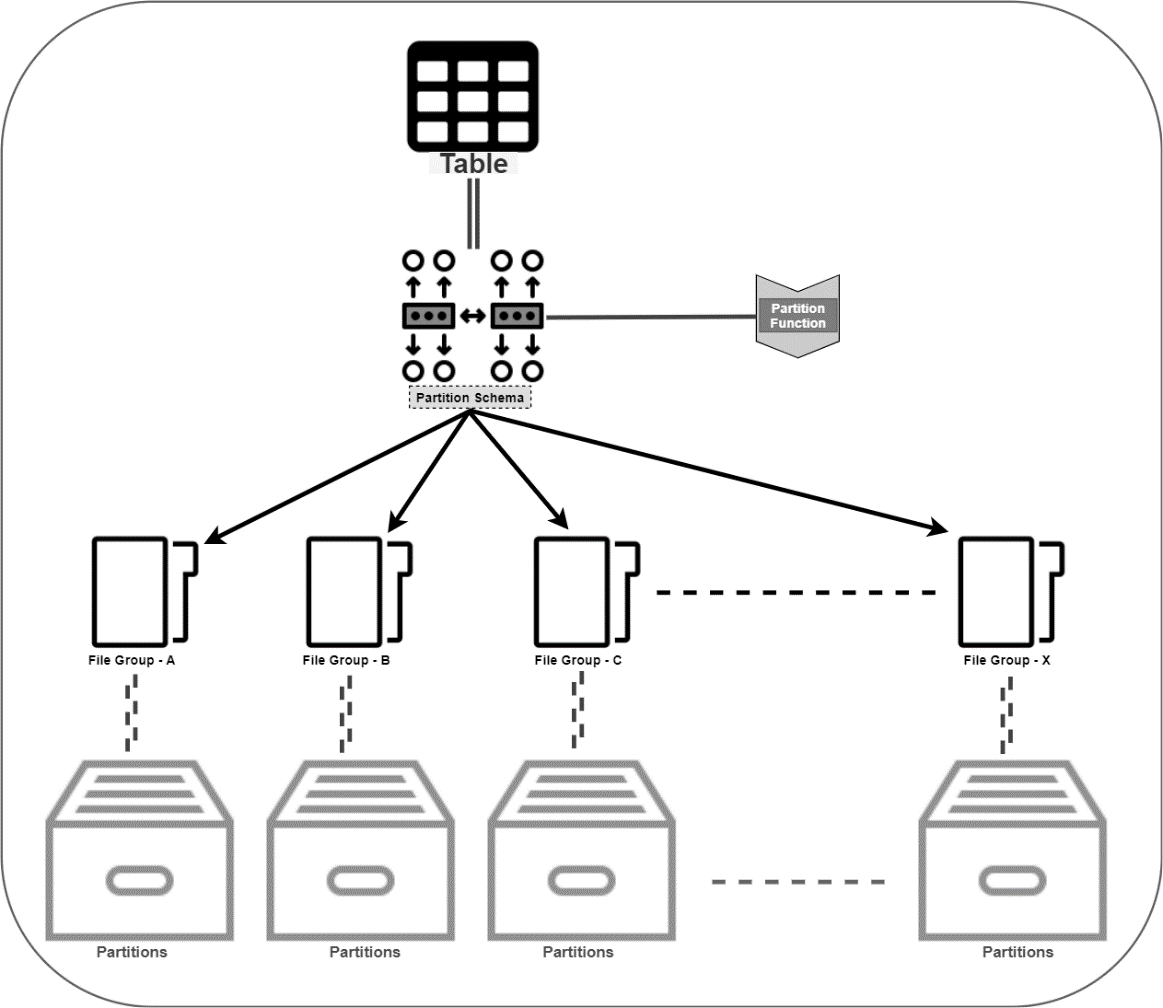
How to automate Table Partitioning in SQL Server

Security can be enhanced by partitioning your server’s SSD. This will enable you to separate the operating system from applications, files and other data. Essentially, this means that if one of your partitions is compromised, the damage that is done is limited. It also means any restoration needed can be carried out quicker.

7. Back up your VPS regularly

How to Backup VPS [5 Tips to Make it Simple] | Liquid Web

Aside from data theft, the other major issue caused by a cyberattack is not the attack itself but how long it keeps your business offline. With your applications down, you will be unable to carry out the operations that your business relies on, such as your website, email, manufacturing or other critical IT processes.

The key to swift recovery is having an up-to-date backup in place which can quickly restore all your affected applications, files and data. Without a backup, some data could be irretrievably lost and restoration of services could take too long for your business to survive.

At Anteelo, we provide a backup solution that stores your data remotely, encrypts it for security and checks it for integrity so you know that it works. What’s more, you can schedule backups to occur automatically so that you always have an up-to-date copy of your files or even your entire server.

Conclusion

A VPS provides exceptional hosting for growing businesses, but like all hosting solutions needs to be protected from the growing number of cyberattacks. The seven tips discussed here should help you make your VPS far more secure. Of course, with the right web host, much of the security will be taken care of on your behalf and you’ll have 24/7 technical support to provide expert assistance if the worst happens.


Which is Better: Cloud or On-Site Servers?

The Pros and Cons of Cloud vs in house servers - Arrow Voice & Data

On-site servers are the traditional way to run business applications. Today, however, they face stiff competition from the cloud, a platform that has revolutionised the way companies operate. While the ultimate decision about which is best depends on the needs of the individual company, here, we’ll examine the pros and cons of both, to give you a more informed understanding.

Costs

Mobile App Development Cost Breakdown: 10 Biggest Hidden Costs

Though on-site servers are exceptional pieces of high-performance equipment and can be built to your own specification, they are very expensive to purchase. What’s more, as technology quickly advances, they can soon become obsolete. The use of more resource-heavy apps and the increasing amount of data being stored means businesses regularly need to upgrade to more powerful servers with bigger drives – a constant burden on budgets, especially when you need to keep redundant backup servers ready to take over in case of a hardware failure or other disaster. In addition, there are all the associated costs of running servers in-house: energy, premises, security, insurance, maintenance and management.

The cloud offers a completely different type of model: Infrastructure as a Service (IaaS). IaaS allows an organisation can dispense with its own datacentre and run its applications on the infrastructure of its service provider. There is no need to buy the hardware, maintain a datacentre or pay any of the associated costs. These are all taken care of by the vendor. Of course, the service isn’t free but the costs are paid monthly making it easier on cash flow.

Furthermore, it’s the cloud vendor who will cover the costs of hardware upgrades and ensure that the hardware is maintained. Unlike on-site servers, the virtualisation used in cloud computing means your applications will remain online for 100% of the time even in the event of hardware failure.

Software

Software 101: A Complete Guide to Different Types of Software

Businesses with on-site servers have complete freedom over their choice of software and this enables them to keep using legacy applications which may not work in a cloud environment. That said, the majority of applications can be migrated to the cloud without issue and there are many cloud-native applications, including advanced tools like artificial intelligence and machine learning that work best in a cloud environment.

Another consideration is accessibility. With the cloud, a business will need internet connectivity to access applications. While this was a drawback many years ago, today, nearly all businesses and their machines have internet connections and users will be able to just log in and go, whether they are in the workplace or working remotely. Applications that run on an on-site server don’t need an internet connection for users to access them. However, users will need to be connected to the business network and this means they won’t be able to access the apps remotely.

Though not every business needs quick deployment, cloud-based applications can be deployed in minutes. With an on-site server, they may need to be installed on the server and, in some instances, on each users’ workstation. For companies that need to move quickly, the cloud can provide accelerated development.

The final thing to consider is software cost. Most applications used in the cloud are open-source and free. When it comes to proprietary software, those with on-site servers will have to pay the full cost of the software licence, while in the cloud, you’ll often find the vendor has purchased a licence that enables them to share the software with clients for a reduced cost and this will be spread over their monthly payments.

Security

Security Policy

While some companies might worry over the security of the cloud, it’s worth remembering that cloud providers have to comply with stringent regulations to keep their infrastructures secure.

The chief security benefit of an on-site server is that its single tenancy offers potentially greater compliance for the storage of sensitive data. Of course, that all depends upon how secure the on-site server is. Implementing advanced security measures comes at a cost that is too high for many businesses. With cloud vendors investing heavily in security expertise and the latest tools, like next-gen firewalls and intrusion and malware prevention, they often provide more robust security than can be implemented in-house.

Scalability

Scalability in Cloud Computing & Why We Love AWS | Logicata

As mentioned earlier, businesses are using more resource-hungry applications and collect more data. Scaling up horizontally in a datacentre can be very expensive, whereas scaling vertically by upgrading your server will mean taking it offline and paying for the new components. Neither of these is ideal, especially when peaks in demand require additional resources to be instantly available.

In the cloud, scaling up just means using more of your vendor’s vast datacentre resources and this can be done at the click of a button. What’s even better is that scaling up and down can be done on demand and is charged for on a pay as you go basis, so there is no long term charge for additional resources which aren’t used. This is far more cost-effective than paying for additional on-site hardware that largely remains redundant.

Conclusion

Cloud and on-site servers are both powerful solutions. On-site dedicated servers are best suited for high-performance applications and single tenancy storage compliance whereas the cloud is ideal for high availability, scalability and swift deployment. Additionally, the cloud is less expensive, offers access to digital transformation technologies and provides internet connectivity for users to access the system remotely.

4 Ways Your Web Host Affects Your Google Ranking

What's the Difference Between Web Hosting and Domain Hosting? | Elegant Themes Blog

During its latest algorithm update in May 2020, Google has tweaked a number of its ranking criteria which are directly related to the quality of your web hosting. Here, we’ll look at what aspects of your hosting can influence your website’s ability to rank and explain how they are important.

1. Site loading speed

9 Ways on How to Improve Your Website's Loading Speed

Site speed is important to search engines because it improves the customer experience. Slow-loading websites have much higher abandonment rates because users just aren’t willing to wait for them to load. For this reason, the slower a site performs, the less likely Google will feature it in its results – it looks bad on them. What’s more, to do well, the site needs to perform quickly on both mobile devices and PCs.

Website loading times are an important web hosting feature for Google. While there are several things you can do to speed up your website that don’t rely on hosting, such as image optimisation, compression, minification, caching and the use of content delivery networks, ultimately, the performance of your server is critical.

Google takes note of a number of timescales when judging performance, such as the time it takes to start loading content on a browser, how quickly the page becomes interactive and how long it takes for your server to respond to an action performed by the user, for example, clicking on a link. If your server performs too slowly on any of these criteria, it will affect your page’s ability to rank.

Choosing a web host that uses high-performance servers, such as those with SSD drives and Intel Xeon processors can speed up performance dramatically. So, too, can upgrading to a more powerful solution, such as VPS, cloud or dedicated server.

2. Server uptime

100% Server uptime – why aren't you achieving it?

While Google doesn’t like sending users to slow loading website’s, it is perhaps even less happy about sending them to sites which are frequently offline. If it keeps supplying links to sites which aren’t there, people will use an alternative search engine. Google, therefore, monitors the amount of time that websites are online and uses this as part of its ranking algorithm.

There are numerous reasons your site can go offline. Some of these are related to things you do on your site, such as putting it into maintenance mode or causing it to crash through installing incompatible software or making coding errors. Other reasons can be due to your web hosting, such as when your server needs its operating system patching and updating.

With some hosting solutions, however, the amount of time your website goes offline can be unacceptable to Google. For example, if the hardware is outdated, unreliable and keeps breaking down or if too few resources are available for shared hosting accounts that the server simply can’t cope with the amount of traffic. In these instances, it can affect the site’s ranking ability.

To protect yourself, ensure your web host offers guaranteed uptime backed by service level agreement (SLA). The minimum you should be looking for is 99.95% uptime. If you require 100% uptime, then you need to choose a cloud hosting solution.

3. Server location

How Server Location Impacts Your Website

Data needs to travel from A to B and the further it has to go, the longer it takes. This increases latency, making your server respond slower to requests from a user’s browser and, thus, reduces site speed.

While it is possible to speed up global loading times using a Content Delivery Network (CDN), this only works for static website data, i.e. website content that remains the same. For websites that provide lots of dynamic data, i.e. pages that change for individual users or which display things like product search results, the nearer the server to the browser, the better the performance.

Ideally, therefore, you need a server geographically located closer to where most of your traffic comes from. If you are a UK based company, it makes sense to have your website hosted on servers in a UK based datacentre.

Some web hosts, however, store their data all over the planet, much of it in huge US data centres. Even if the company is UK based, its servers may be anywhere. At eukhost, all our datacentres are located within the UK.

4. SSL certificates

SSL Certificates | BigCommerce Tutorials - YouTube

The padlock icon displayed on browsers is a clear indication of how seriously Google takes security. The last thing it wants is to send its users to sites where their financial data may be at risk of interception because of an insecure connection between the browser and the website.

Today, the security of that connection is key to performing well in search engine results. The only way to obtain a green padlock icon is to install an SSL certificate that will encrypt data travelling between the browser and the server. These are normally obtained via your web host.

There are different types of SSL certificate and the one you need depends on the level of security required for your organisation. A good web host will provide all the different types available and give technical help to install it if required.

Perhaps less well known is that a basic Domain Validated SSL can now be obtained free of charge from the Let’s Encrypt certificate authority. eukhost, which is a sponsor of Let’s Encrypt, enables its customers to install these free Domain validated SSL certificates directly from within your cPanel control panel. Many web hosts, however, prevent this, forcing customers to buy alternate SSLs and pay an annual fee for their use.

Conclusion

In its drive to provide better services to its users, Google is pushing websites to up their game. From a web hosting perspective, this means having a site that loads quickly on all devices, has minimal latency, is reliably online for 99.5% of the time or more and which provides secure, encrypted connections. Websites with these things in place will find themselves better positioned by Google’s algorithm.

Secrets of state of the Art Cyber Defence

The Cyber Security Platform Shift – More Secure, Less Complex | Symantec Blogs

Every year, organisations lose billions of pounds to cybercrime – and it’s a persistent and worsening problem. Out of this has arisen a highly sophisticated cyber-defence industry that is continually searching for more effective ways to prevent hackers from accessing systems and the data they store. Here, we’ll look at some of the newest defences on the horizon.

Moving target security

3 reasons why moving target defense must be a priority -- GCN

Israeli company, Morphisec, has developed a new form of cyber defence which it describes as ‘moving target security’. Essentially, this method of security scrambles the names, references and locations of files in the server’s memory, as well as the application itself, in order to make it increasingly difficult for malware to infect a system.

As an extra layer of defence, each time the computer is booted, the file names, locations and references are re-scrambled, ensuring that the system never has the same configuration as before. This type of technology is used by a number of leading organizations to protect their systems, most notably, the London Stock Exchange.

Air gapping

How Air-Gap Backup and Tape-Based Technology Protect Against Cybercrime | TechChannel

Air gapping is the technique of isolating a system from both local networks and from the internet so that the only way it could get hacked is from someone getting physical access to the server itself. This is perhaps one of the most robust solutions for storing exceptionally sensitive data which needs to be kept ultra-secure or for protecting highly critical systems, such as those used for military defence or running nuclear generators.Â

Even here, however, there are potential security issues, as air gapped servers can be ‘pre-hacked’ prior to installation when they are being manufactured. In 2018, Bloomberg reported that Chinese special agents had compromised servers manufactured by a US hardware company by incorporating ‘spy chips’ into components that were sourced from China. In this way, the malware came pre-installed and kicked into operation once the servers were first booted. According to Bloomberg, the servers in question were sold to and used by leading US technology firms and by government agencies.

Co-operative cybersecurity

MSCBA Fighting Against Hackers For Cybersecurity Of Cooperative Banks

Another new cyber defence solution is known as co-operative cyber-security. This is when multiple organisations work together to store each other’s data in a so-called data-sharing alliance. This means that in order for a hacker to steal sensitive data from any of the participants, all of the systems would need to be hacked. Without being able to do this, hackers would not be able to get their hands on any complete files.

The technique employed to make this form of security work is called crypto-splitting. Here, each piece of data is encoded into thousands of numbers which are then randomly dispersed and saved on the computers of the participating organisations.

Given such levels of encryption and the fact that none of the organisations know what data they are holding, it makes it incredibly challenging for a hacker to access and make sense of any data they might obtain. Statistically, if the chances of successfully hacking a single system was a mere one per cent, the chances of doing this to just four systems would be 0.000001 per cent – and even then, they would need to find a way to unencrypt what they found.

Next-gen firewalls

What is a Next Generation Firewall? Learn about the differences between NGFW and traditional firewalls | Digital Guardian

Firewalls are nothing new, however, a new breed of next-gen firewalls now exist that take server protection to the next level.  The industry leader is Fortinet, whose FortiGate next-generation firewall protects websites and web apps from virus, ransomware and malware infections while preventing intrusion from hackers and blocking distributed denial of service (DDoS) attacks.

Offering high-performance threat protection, a next-gen firewall is designed to keep mission-critical applications secure. The FortiGate, for example, continuously updates its threat intelligence to provide robust protection from both known and unknown attacks.

Conclusion

While it is possible, according to some, to create an unhackable computer, the process of doing so would make it more or less useless in a network environment. If you need to use a network, there will always be a risk involved. This is why security companies across the globe are continually looking at new and more sophisticated ways to solve the issue of cyber-attacks. With cybercriminals now using tools like artificial intelligence and employing tactics such as hiding malicious code in encrypted files, the challenge to stay secure is even harder. Hopefully, from reading this post, you’ll see some of the latest defence techniques which are now available. If you are looking for highly secure hosting that comes with FortiGate next-gen firewall security, take a look at our dedicated server and cloud hosting solutions.

Go-programming language – beginner tutorial

Go (programming language) - Wikipedia

Whenever we talk about the top programming languages to consider in the development ecosystem, the first few names that strike are Java, Python, C++, Swift, SQL, and JavaScript.

However, the world of programming languages is not confined to these languages only.

There are various other programming languages that are slowly and gradually rising up in the list of top programming languages. One such language that is emerging to be the new love of developers is Go programming language.

Wondering what is Go? And what makes developers fall for this programming language? Let’s uncover in this article.

What is Go Programming Language?

Let's Go! with the Go Programming Language - Avenga

Also called Golang, Go is an open-source, statically typed,  and compiled programming language designed by Rob Pike, Robert Griesemer, and Ken Thompson. The language, that appeared in the market in 2009, was designed with an intention to enhance programming productivity in the era of networked machines, multicore, and huge codebases. Something for which the Google team picked the best characteristics of the popular languages, like:

  • Static typing and runtime efficiency of C++.
  • Usability and Readability of Python and JavaScript.
  • Object Oriented Programming (OOPs) concept ofSmalltalk.
  • Concurrency element of Newsqueak.

The language has just entered into its version 1.13.1. But, has gained a huge momentum in the market – bringing it several steps ahead in Go vs Rust discussion and similar comparisons. It has entered into the list of Top 10 Programming language by IEEE Spectrum and become the fourth most active languages on GitHub.

Not only this, it has become the third-most highly paid language as per Stack Overflow developer survey 2019 with an average annual salary of $109,483. And the best part is, it is predicted to grow ahead effectively because of the key characteristics it comes up with.

Top Characteristics of Google’s Go

1. Open-Source

Google Assistant Go 2.9.1.367582902.armeabi-v7a.release for Android - Download

The foremost characteristic of Golang programming language is that it is open-source. That means, anyone can download and experiment with the code to bring better codes into picture and fix related bugs.

2. Static Typing

Python best practices: Static typing in Python with mypy | Sunscrapers

Go is a statically typed programming language and works with a mechanism that makes it possible to compile code accurately while taking care of type conversions and compatibility level. This gives developers freedom from challenges associated with dynamically typed languages.

3. Concurrency Support

2.3 Concurrency

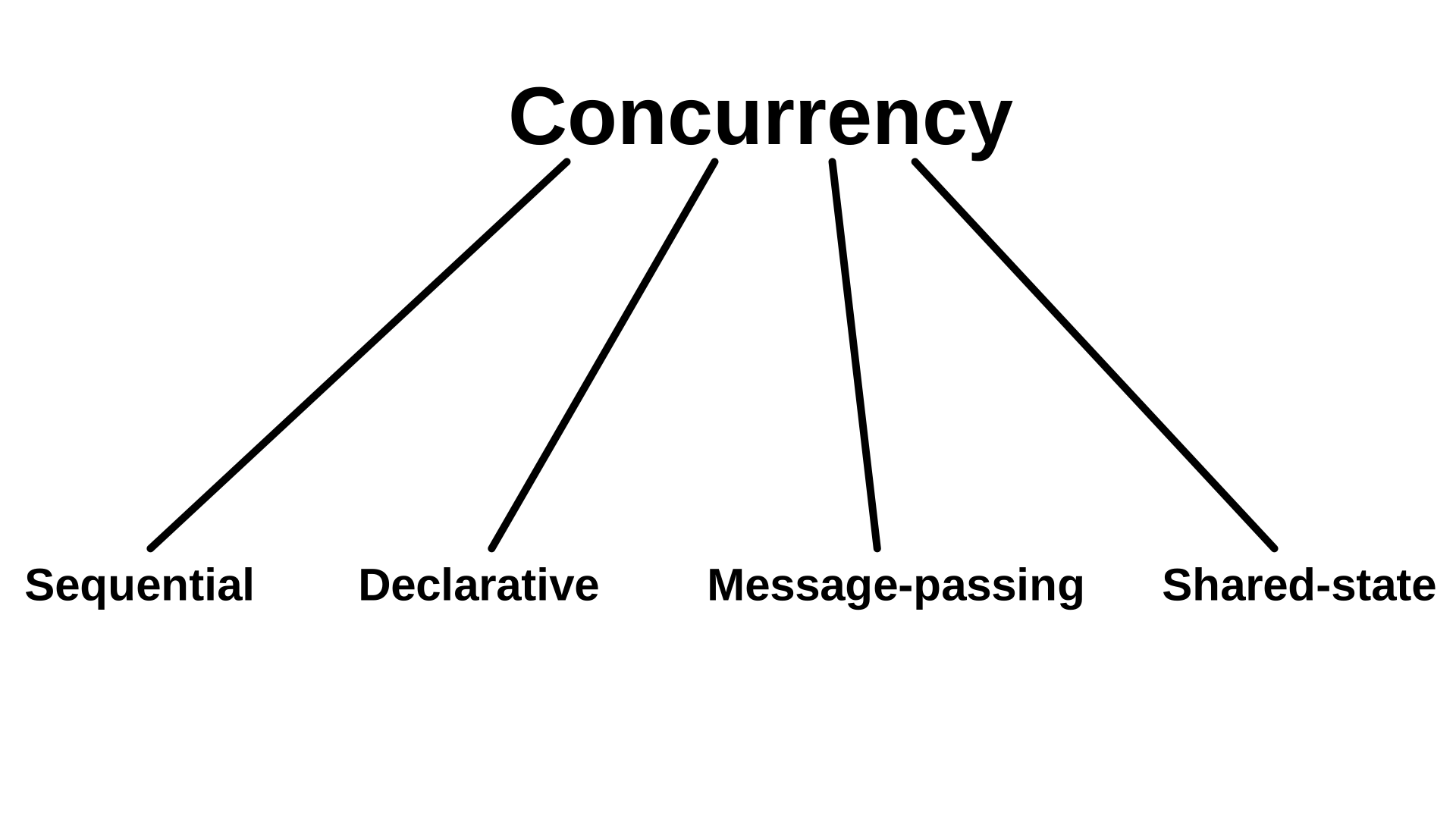
One of the prime characteristics of go programming language is its concurrency support.

Golang, unlike other programming languages, offers easier and trackable concurrency options. This makes it easier for app developers to complete requests at a faster pace, free up allocated resources and network earlier, and much more.

4. Powerful Standard Library and Tool Set

This programming language also comes loaded with a robust standard library. This libraries offer ample components that gives developers an escape from turning towards third party packages anymore.

Also, it offers a wider range of tools that makes development process efficient. This includes:

  • Gofmt: It automatically formats your Go code, which eventually brings a major impact on readability.
  • Gorun: This tool is used to add a ‘bang line’ in the source code to run it, or run a similar sode code file explicitly. It is often used by Go developers when experimenting with codes written in Python.
  • Goget: The Goget tool downloads libraries from GitHub and save it to your GoPath so that you can easily import the libraries in your app project.
  • Godoc: The tool parses Go source code, including comments and creates a documentation in HTML or plain text format. The documentation made is tightly coupled with codes it documents and can be easily navigated with one click.

5. Testing Capabilities

Go language also offers an opportunity to write unit tests along with writing the app codes. Besides, it avails support to understand code coverage, benchmark tests, and write example codes to create your own code documentation.

6. Garbage Collection

7 Things You Thought You Knew About Garbage Collection - and Are Totally Wrong

The programming language also offers exceptional power of garbage collection. Meaning, developers need not worry about freeing up pointers or the situation associated with dangling pointer.

Because of these characteristics, the language has gained attention of various popular brands.

This, in turn, has made several startups and established brands consider this language for their app needs. But, in case you are someone who wish not to analyze the market scope and use cases on your own, it is better to get familiar with the pros and cons of Go programming language.

So, let’s begin with looking into the advantages of preferring Golang for your development needs.

Advantages of Golang Programming Language

1. Ease of Use

Ease of Use is Critical for Project Management Tool Adoption - Eclipse PPM

One of the biggest benefits of Golang language is that its syntax is similar to that of C and C++. There are not many complex functions to learn and implement. Besides, the documentation is simple and can be used quickly.

A ripple effect of which is that the number of developers taking an interest in working with Go language for building native and cross-platform applications are increasing.

2. Cross-Platform Development Opportunities

Cross-Platform App Frameworks in 2021

Another advantage of going with this language is that multiple types of applications can be developed in Go. This includes software and mobility solutions for Windows, Unix, Linux, BSD versions, and mobile platforms.

3. Faster Compilation and Execution

go build vs go run - Rakesh Mothukuri

In Golang development environment, there is no Virtual Machine. The code is directly compiled to machine code, which makes the compilation process faster and more effective.

Besides, the compiler produces only one executable file after compilation. This file does not suffer from any kind of dependency and can be uploaded and run anywhere. This makes the code execution process faster.

4. Scalable

Another feature that makes Golang outshine other programming languages is that it is highly scalable in nature. It enables top android mobile app developers to handle multiple tasks at the same time, especially channels and goroutines.

5. Time Saving

Time saving techniques for the test day - CetKing

With features like automatic declaration of variables, latency free garbage collection, and faster compile time, it saves consideration development time; giving developers enough time to be productive.

With this covered, let’s turn towards the drawbacks of going with Golang.

Disadvantages of Go Programming Language

1. Still Developing

How to Create a Mobile App - BuildFire

Though the popularity graph of Go programming language is growing and it holds a promising future in the market, it is still in its nascent stage. This is making it tough for the language to beat the competition with popular names like Java.

2. Too Simple

Keep It Simple, But Not Too Simple - The Modern Observer Group

Programming languages like Swift and Haskell are difficult to learn. But, at the same time, they offer a myriad of opportunities to perform abstractions and other complex processes. Something that is not possible in the case of Golang because of its ultra-simple design.

So, the most primary characteristic turns out to be one of the major disadvantages of golang language.

3. Absence of GUI Library

Why C++ is not used for GUI? - Quora

Another con of go programming language is that it does not offer native support for GUI libraries. This implies app development companies have to connect a library to their application manually, rather than using native solutions like that in the case of Java or Python.

4. No Specific Niche

Designed by Google with the motive to deliver endless support and solutions, the language has characteristics that goes well with all. However, the language has still not found a single niche to conquer.

While it is facing competition from JavaScript in frontend development world, it is lagging behind Python in the world of data visualization and analysis. Because of this, many developers are still hesitating from investing in this language for a particular purpose.

5. Poor Error Handling

Creating Error Messages | Best practice in UX Design | by Vivek Kumar | UX Collective

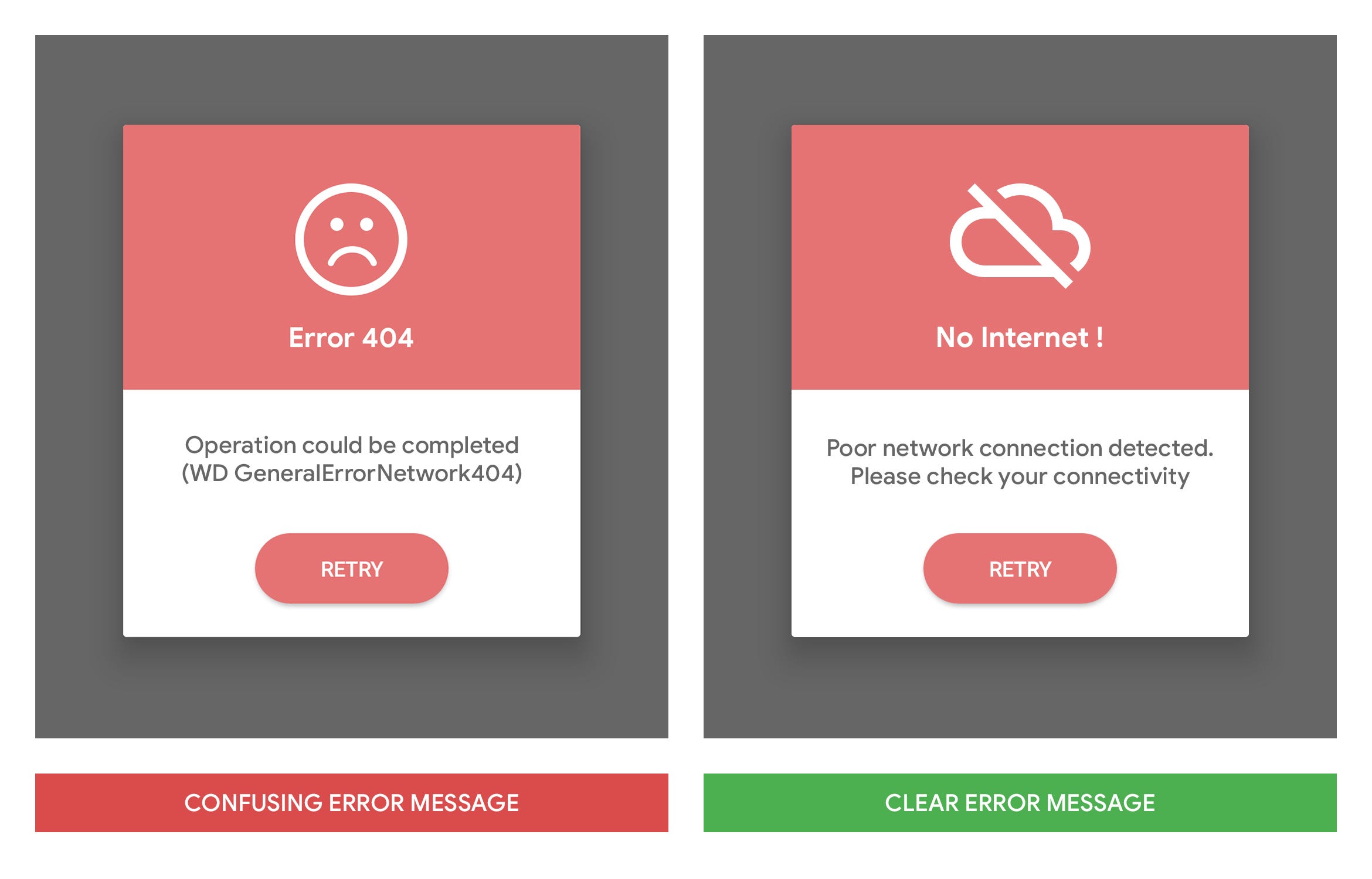
In the case of Go language, a function is required to return error if any error is expected. Developers have to write a huge number of ‘if’ blocks to perform error handling process efficiently and effectively. Something that is one of the golang coding challenges when they have lost track to the error that can further result in missing out of some imperative error handling logic.

6. Lack of Frameworks

Business Transformation Transformation Icon, HD Png Download - 601x600 PNG - DLF.PT

Last but not least, Go lags behind programming languages like Python, PHP and Ruby on Rails in terms of number of frameworks to go with.

Now as you know the pros and cons of Go programming language, it is likely that you might have made your mind of whether to embrace it in your app tech stack or not. But, in case you are still confused, feel free to contact our app developers.

How to rank higher in Search Engine Optimization in 2019

7 SEO Trends That Will Matter Most in 2021

With the onward development of search engine algorithms, website owners everywhere will need to make changes in how they conduct their SEO. Today, with advanced technologies like artificial intelligence and machine learning at their disposal, search engines can better understand the intentions of a user and provide results which accurately meet their needs. In addition, the changes in how we use the internet, mobile searches, for example, are also affecting the way we optimise our sites. With these developments in mind, here we’ll look at how this will impact SEO in 2019.

Changing content to match algorithm updates

Google Algorithm Updates & Changes - Absolute Digital

RankBrain is Google’s machine learning, AI-based algorithm. Although it has been around since 2015, its use of machine learning means that it is continually discovering how to produce better results. One of its key abilities is to ‘understand’ the content of a website. Rather than rely purely on things like keywords to discover whether a site was relevant to a search query, it is able to consider the entire content to give it a more in-depth understanding of the subject matter being discussed.

It does this by analysing the pages for subject-related terms and other content that help it identify the topic and purpose more precisely than ever before. For example, it can understand whether someone is searching for a web hosting product, information about web hosting or a technical web hosting knowledge base and can differentiate between these different types of content to ensure the right pages show up in the user’s result.

What does this mean for SEO? It means that rather than focus simply on putting keywords in the right places, you’ll also need to ensure your content includes information which contains all the other related terms that the algorithm will look for.

Optimizing for ‘Mobile First Indexing’

How to optimize your eCommerce store for the mobile-first index

Since the numbers of mobile searches overtook desktop searches, Google has moved its focus even further towards mobile devices. Last year, it introduced Mobile First Indexing, essentially using the mobile rather than the desktop version of your site as the one it uses to rank pages in results.

As a consequence, the focus of your SEO should now be on your mobile site. While the content may be the same on both, things to consider will include navigation, ease of use and, very importantly, loading times.

The latter will mean more webmasters using caching, CDNs, minification and image optimisation to speed up their sites, as well as a shift away from shared hosting to the much faster VPS. It will also see an increase in the number of sites using accelerated mobile pages (AMPs).

Structuring content for the way search results are displayed 

Anatomy of a Google search listing

As you may have noticed, when you type a question into Google, it is now able to produce an answer directly in the search results in the form of a knowledge graph. The knowledge graph is a detailed excerpt from a web page that is presented in a box right at the top of the search results.

Another change that Google has introduced is putting a list of related questions underneath the knowledge graph before showing the list of other ranking websites. Clicking on each of these questions produces a featured extract from other websites that answer those questions.

The rest of the top results also have features snippets which, in some way, give an answer to the question too. To get these most prized ranking positions, it means reconsidering how you present the information on your websites – such as in the form of questions and answers, lists and structured tables.

Providing search engines with structured data

The Beginner's Guide to Structured Data for SEO - Moz

Search engine have been calling for increased use of structured data markup for quite a few years and this year will see an increase in websites doing just that. The reason is simple, the more structured data you add to your HTML, the better a search engine can understand the content and structure of your site. Doing this enables the search engine to see your page’s relevance to a search query far easier and thus helps you rank for the right queries.

The other benefit of markup is that it can be used to highlight content that appears in the actual search results and which can help increase clickthrough rates – such as user ratings and meta descriptions.

Adapting to new search behaviours

COVID-19: Effect on Human Behavior | Accenture

As smartphone keyboards are an effort to use accurately and typing queries on smart speakers like Amazon Echo is impossible, more and more people are using voice search. Indeed, our fondness for it on these devices has increased the numbers of people using voice on PCs with Google Assistant and Cortana.

These types of searches have a consequence for SEO as we use different forms of language. When we speak, we use natural language, e.g., ‘find me a builder in Leeds,’ whereas with a keyboard, we’d just type ‘builder Leeds’.

This has obvious implications for websites that have heavily focused on keywords in the past. Natural speech is more likely to use longtail keywords and content which features them is likely to rank better in voice search results.

Conclusion

SEO is a dynamic process that constantly requires website owners to react to developments in search engine algorithms and to changes in the way people search the internet. Hopefully, the trends we have discussed here will help you make the right changes to your SEO strategy in the coming year, improving your rankings and increasing your organic traffic.

Ways how IoT can be an asset for businesses

All about the Internet of Things (IoT) | Tridens Technology

IoT devices enable businesses to generate large volumes of valuable data. This real-time information gives them a better insight into their performance, helping them to be more productive and efficient and have a better understanding of their customers while opening the door to innovation in workflow and new services. Here we’ll look at seven ways businesses can benefit from the IoT.

1. Asset tracking

Asset Tracking, Asset Management, एसेट ट्रैकिंग सिस्टम, संपत्ति ट्रैकिंग सिस्टम in Borivali West, Mumbai , Vaborion Ventures Private Limited | ID: 20781475462

The tagging of items using inexpensive Bluetooth or RFID tags and the use of internet-connected readers to track them means almost any asset can now be connected to the Internet of Things. This enables companies not only to know where all their assets are but also to check their usage, maintenance history and, in some industries, an asset’s health.

Preventing assets from getting misplaced can improve efficiency and cut down on unnecessary repurchases. In sectors like healthcare, where critical equipment can be located across a hospital, it can be life-saving. The ability to check usage and maintenance ensures compliance with regulation and helps companies understand when assets need upgrading. The monitoring of asset health is critical in many industries and can help prevent manufacturing processes coming to a complete standstill or, as in the case of inflight aircraft engine monitoring, prevent catastrophes.

2. Inventory Tracking

Inventory Tracking System | Inventory Tracker by Winn Solutions

Tagged inventory can also be connected to the internet using the same Bluetooth or RFID technology, giving companies real-time stock level data. This can reduce the cost of manual stock taking while providing more accurate, up to date information. This provides much better inventory management and, as it is connected over the internet, can be used across multiple sites. It is ideal for retailers and for the manufacturers, wholesalers and logistics companies that serve them.

Indeed, using Low Power Wide Area Networks (LPWANs) and satellite tracking, the location of tagged inventory can even be tracked during transit.

3. Better communication with customers

Proactive communication with customers: what benefits can it give to your business? | Provide Support

The vast amount of data being collected using the IoT provides companies with the opportunity to give valuable information to their customers. In retail, for example, it enables them to offer omnichannel personalised marketing. Personalised marketing has proved very successful for online companies who use data from their websites to provide tailored offers to individuals. However, for businesses with both online and bricks and mortar stores, the IoT enables data from all forms of interaction to be collected. Supermarkets, for example, can learn about a customer’s in-store habits from their loyalty cards and send them online offers tailored around this.

Other types of IoT device can also help companies send valuable communications. Smart meters, for example, can help energy companies show customers where money is being wasted or where they can save from a different energy package.

4. The development of new services

8 Steps to Assembling the Most Talented Startup Team | SmallBizClub

Not only does IoT data help companies send valuable data to their customers, it can also create opportunities to offer them new services. The ability to monitor asset health, as mentioned above, means businesses can also track the health of the products they sell and offer their customers add-on maintenance services.

We get our boilers serviced annually as a precaution but wouldn’t it be useful if the service company knew in advance that a part was about to fail and contacted us to replace it before it packed in? The same service could be applied to cars, televisions, computers, vacuum cleaners and many other items we use.

It is not just with breakdowns where additional services could be offered. Manufacturers of products which use consumable parts could monitor when those parts were due for replacement and offer a service to send them before they ran out. This would be ideal for replacing ink cartridges, lightbulbs and batteries, etc.

5. Improved security

How to improve your online security and privacy in 10 easy steps

Today’s IoT-enabled CCTV cameras bring many security advantages. Any business owner can now view multiple premises, internally and externally, from anywhere. And the advancement in CCTV technology means these systems use AI to identify suspicious activity, send out warning notifications and use facial and other visual recognition signals to track and record perpetrators.

6. Visual analytics

Visual analytics: quick insights into a world of data

The same IoT technology is also helping businesses to gain greater insight into customer and employee behaviour. Connected cameras using artificial intelligence can gather valuable data which enables retailers to better understand how their customers interact with their store layouts, promotional materials and product displays. With employees, it is possible to learn how individuals interact with machinery, use their time and undertake processes. This can help improve workflows and lead to greater efficiencies on the shop floor.

7. Efficiencies and improvements

How to Improve Process Efficiency | Lucidchart Blog

IoT data can help businesses make major efficiencies and develop improvements. It helps manufacturers speed up workflow and cut bottlenecks. It enables logistics companies to reduce energy costs, reroute vehicles when there are traffic jams or organise deliveries for the quickest routes. It even helps theme parks know which attractions are most popular and when: ensuring adequate numbers of staff are available and that unpopular attractions are replaced.

Conclusion

The data gathered from IoT devices is enabling companies to make important changes to the way they operate. It can improve asset and inventory management, enable better communication with customers and offer the potential for new services. It can also improve security, offer insights into customer and employer behaviour and help introduce efficiencies and improvements.

What role do voice search statistics play in your website

Voice Search Statistics and Emerging Trends | DBS Interactive

Leading SEO site, Backlinko, recently undertook a major study of over ten thousand voice search results. Its findings were not only interesting but informative, highlighting the things which websites need to do to rank highly for voice searches. When you take into consideration the growth in the number of voice searches, these actions become crucial if companies want to maintain their organic traffic levels in the future.

How voice search is increasing

The growth in voice search is powered by the wide number of devices that can now recognise speech. These include laptops, phones, watches, smart speakers and other smart devices like TVs. It is estimated that by the end of next year, half of all searches will be done by voice and a third of them on devices which have no screen.

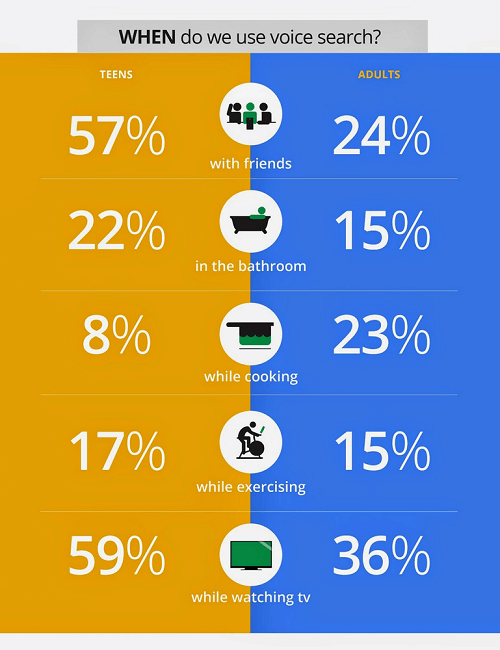
The key user of voice technology is the younger generation. 66% of voice searchers are under 35 and these are also the demographic that owns most of the smart speakers and other devices. Important, also, is the fact that according to a 2018 Global Web Index survey, 75% of mobile voice searchers made an online purchase in the previous month – a key indication that voice search is being used for shopping.

With this growth in mind, here are eight important statistics and their implications for websites.

1. The average spoken search result is around 30 words

We Analyzed 11.8 Million Google Search Results. Here's What We Learned About SEO

This figure indicates the average number of words spoken back by a device when a voice search is given. It is the vocal equivalent of a knowledge graph or featured snippet shown on a screen. The importance here is that it underlies the need for sites to provide succinct rich snippets or answers to questions which search engines can use to give spoken answers. Those sites that do this have a better chance of being chosen.

2. 36% of voice search results are from sites which use structured data

How to Add Structured Data to Your Website

Google has been asking webmasters to use structured data to markup their websites for several years as it gives it a clearer understanding of what the site’s content is about. Many sites, however, have failed to make progress with this. The fact that over a third of voice research results come from those sites, is a clear indication that it’s helpful in getting you ranked.

3. Voice results come from sites with high domain ratings

Voice Search Optimization – The Ultimate Guide - SiteProNews

The company Ahrefs has a globally acknowledged rating system that is used to rank all websites from high (100) to low (0) based on the quality and size of their backlinks. In voice results, the average site had a rating of 77. This figure is a key element of your domain authority as it signifies how well your content is linked to by other high authority domains.

A score of 77 means a website has around 6,000 to 7,000 backlinks from other authority domains. The hint here is that creating quality content that others want to link to is a crucial long-term strategy for those who want to do well in voice results.

4. The average voice search result performs well on social media

Voice Search SEO Study: Results From 10k Voice Searches

It is not just getting backlinks that has an impact on voice search results. A page’s performance on social media has an influence too. The average result has almost 1200 shares on Facebook and over 40 Tweets. This is a key indication that search engines are taking other people’s views into consideration when they produce their results.

5. The average reading age is 14

With the average voice result having a reading age of just 14, it means making the vocabulary of your content accessible if you want to rank well in voice searches. However, that doesn’t mean dumbing down too much. A reading age of fourteen might not seem very sophisticated but the average UK reading age is said to be nine to eleven and The Sun newspaper has a reading age of around eight. Fourteen is the reading age of the Guardian which is by no means a dumbed down read. Bear this in mind when creating your content.

6. Few voice results had the exact search term in their title

Voice Search SEO Study: Results From 10k Voice Searches

This is further evidence that advances in Google’s algorithm have reduced the importance of keywords. Using RankBrain, Google can understand the whole of your page without having to focus just on the keywords in the title, meta descriptions and headings. The good news is that this allows you to concentrate on creating content for the user and not for the search engine.

7. The average page had a word count of over 2000 words

While the number of words spoken back by a device averages at around 30 words, the pages from which they come often have over 2000 words in their content. The implication here is that when voice searches are carried out on devices with screens, Google is focusing on providing detailed, long-form content.

If this includes product pages on eCommerce sites, then one can only assume that those products with lots of customer reviews perform best. Normally, very few product pages have anywhere near such detailed content.

8. 70% of results on smart speakers are from sites which use HTTPS

How to test secure (https) services from localhost | by Satish Verma | 47Billion | Medium

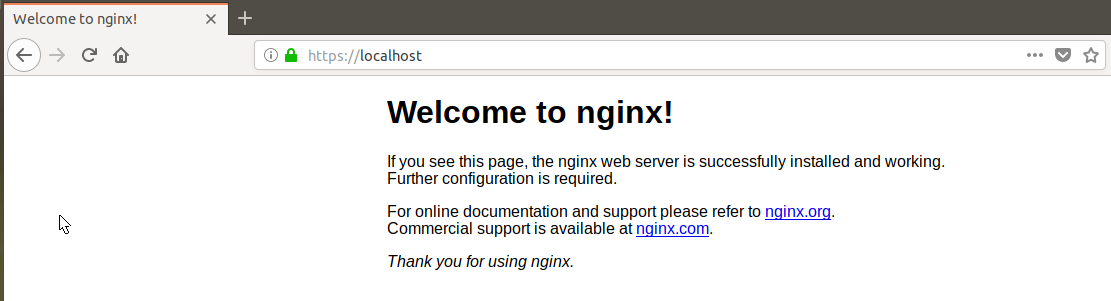
HTTPS is the secure form of HTTP, the protocol that controls how information is formatted and transmitted across the internet. The difference between them is that HTTPS encrypts data, making the transfer of personal information, such as banking details, secure during purchases. Those companies that use HTTPS are labelled as secure on browsers with the green padlock icon. Those using old fashioned HTTP are labelled ‘not secure’.

The 70% figure is a clear indication that search engines have a preference for HTTPS in their voice searches and that companies wishing to rank well need to adopt it. To do so is simple, all you need to do is purchase and install an SSL certificate for your site.

Conclusion

As voice search becomes more widely used, it is increasingly important that websites optimise for it. The statistics produced in this survey shows the factors that influence how a website performs in search results and hopefully, the finding shown here can help you to make your site perform better for voice searches.

Enterprise cloud hosting migration challenges

Why you should switch to Cloud hosting - IONOS

Despite the enormous benefits that the cloud brings, there are several issues that many enterprises face as they transition to this new technology. These include making choices about the right time to migrate, the best way to do it and which services to move. Other issues concern security, the use of managed services and whether to opt for a multi-cloud or hybrid cloud approach. Here we’ll look at these challenges in more depth.

Planning the move to the cloud

Planning to Move to the Cloud, But Are You Ready?

Research by the Cloud Industry Forum shows that 88 per cent of UK enterprises have now adopted cloud technology with two-thirds expected to expand their use during the next 12 months. In doing so, many will shrink their in-house data centres or close them entirely. The result is that they can scale down or eliminate the expense of paying for the physical premises, hardware, applications and security that a data centre requires and replace this setup with a more agile cloud infrastructure.

The issue is that planning the migration of many different applications from the data centre to the cloud can be a challenge that takes considerable time to carry out and which often stretches already busy IT teams beyond capacity. Indeed, many IT teams lack the skills needed to carry out a successful migration.

The solution is not to undergo this process in isolation. You should find a provider that will carry out the necessary assessments, assist you in designing and developing the infrastructure you will need and which will then plan and undertake the migrations on your behalf.

Finding the right cloud solution

Finding the Right Cloud Solution for Your District's Storage Needs | EdTech Magazine

The cloud provides a range of benefits for enterprises, it’s cost-effective, secure and provides the scalability businesses need to be agile. Finding the right cloud solution, however, can be a challenge. Crucial requirements include ensuring all your applications are ready for migration and finding the best platform on which to host them.

The complexities involved often means that, for some enterprises, standard-package cloud service setups might not provide the best solution for their needs. Increasingly, businesses are looking for service providers that can offer bespoke cloud or hybrid solutions that provide the ideal environment for all their applications.

Managed solutions

IT Managed Solutions - ITMS

Many companies that migrate to the cloud attempt to keep costs down by managing their IT in-house. However, moving parts of your infrastructure to the cloud or to a multi-cloud/hybrid cloud environment can make managing these integrated services more complex. Add to this the constant development of new applications and technologies means that maintaining a highly trained IT team can be very expensive.

By outsourcing your IT management to a credible provider, not only are the on-going training costs reduced, it also frees up your IT staff to concentrate on more business orientated projects which can drive the company forward. Service providers employ certified IT teams who are able to expertly manage all aspects of your solution and are compliant with a wide range of regulations and industry standards.

Cutting IT costs

Industry News – Valet Technologies

As enterprises expand their use of and reliance on IT, one of their biggest challenges is to prevent the costs becoming excessive. Cloud services help reduce costs in a number of ways. Firstly, they reduce the requirement for a large-scale data centre, its ongoing operating costs and the capital expenditure on hardware. The use of managed services can also reduce the need for such a large IT team and the associated training costs. Additionally, the pay as you use pricing of cloud means that costs, as well as services, are scalable, helping you to keep them to a minimum when IT requirements are low.

Data storage and security

Used Data Storage Devices Have Security Flaws

The storage and security of data is a key challenge for enterprises, especially with the increasing number of threats and regulations. Data breaches can lead to huge fines but, perhaps more importantly, can have a devastating impact on the company’s reputation.

While there have been concerns about data stored in the internet accessible cloud, service providers have to comply with strict standards and regulations to ensure customers’ data, such as personal and mission-critical information and intellectual property, is secure.

Conclusion

Migrating to the cloud can bring many benefits, giving enterprises access to the latest technologies, such as the IoT, artificial intelligence, machine learning and big data analysis. With so many businesses already employing cloud IT, maintaining competitiveness may rely on such a move. However, migration is not without its challenges as we hope this post has shown. That said, by choosing the right hosting partner, these can be overcome. If you are looking for a cloud hosting provider who can offer the services mentioned in this post, check out our enterprise cloud hosting page.

Basics of Integrated Information Architecture in UX design

The 7 principles of UX design—and how to use them - 99designs

Your website may have a lot to convey but if the content is not structured properly on your website it could mean people leaving your website soon after landing on it. It is no secret that websites that do well have been designed well and the information on them is easily accessible. However, it needs to be acknowledged that such websites cannot be created overnight and requires a lot of planning.

Well- planned Information Architecture is the secret sauce here that can be the difference between a website that is high on bounce rates and a website that has visitors staying on it for a long time.

By now you’re are probably thinking – But isn’t Information Architecture just another fancy word for UX and UI design?

The answer is No. Information Architecture is the scientific process of structuring the content that needs to be displayed on a website. IA helps to create a blueprint that will outline the hierarchy of information on your website and also tell you about what to highlight or how much to display.

IA helps to organize a website’s content in such a way that it helps a user to easily find it and use it.

UX on the other hand has a much broader umbrella under which IA is also included.Â

Thus to sum up, Information Architecture is responsible for ensuring that there a good user interface in place and it is the starting point for UX design.

Here are five innovative tips that will help you integrate Information Architecture into UX design.

Keep the goals of your products in mind

How to Achieve Your Company Goals in 6 Steps

Before you start constructing your information architecture you need to be clear about the expectations of your users from your website or app. This means that you should be able to see the bigger picture of what is the end goal of whatever is being offered on the website. There should be a clearly outlined product objective and product strategy that is understood by all the members of the creative team. Understanding of objectives means that there is a clear understanding of what to do and where to begin. When goals are clearly outlined, it helps to get all the teams on the same page and designers can get started without the possibility of wasted man hours due to clarity of targets to achieve.

Consider Gestalt principles of Psychology

The Gestalt principles of design: how psychology shapes perception - 99designs

Cognitive Psychology involves the study of the mind and mental processes which help people to acquire, process and store information in the brain.

Familiarity with psychological principles can help designers create designs that will facilitate users performing those actions that are desired of them. For example – making a purchase.

There are psychological principles known as the Gestalt principles that can help designers come up with effective designs.

These principles are

Similarity: Objects that look somewhat similar are going to be perceived as part of the same group. This similarity could on the basis of shape, colour, size, texture or value. This similarity helps users to see unity between the design features. The different circular tabs on the website which talk about the different areas that the WWF works on is are examples of the principle of similarity.

Similarity (geometry) - Wikipedia

Continuation: This principle talks about the flow of the human eye from one object to another. Elements that are arranged in a continuous line are considered by the brain as grouped together. In UI design, the continuity principle helps draw attention to grouped information that will create smoothness on a page and help a reader to move from one content slice to another. Amazon uses the principle of continuity to communicate that each of the products below are similar and related to each other.

Related products, Upsells, Cross-sells in Magento

Closure:  The principle of closure works on the human eye’s ability to close a shape or perceive a shape as complete even though the image or shape might not be complete by mentally filling in the missing pieces of the shape. Artists have long recognized the ability of the human mind to complete an incomplete image and used this in their art. The logo of the World Wildlife Fund www.worldwildlife.org  is   an example of the closure principle.

The Panda Behind the World Wildlife Fund's Logo | PopIcon.life

Proximity:  The principle of proximity says that when objects are placed next to each other, the human eye sees them together as a group even though the elements might not be related to each other. Lines or shapes can be used in UI to surround elements and create proximity. For e.g. putting words and a picture in a box can give the message to the brain that both are in proximity to each other and hence related. Pinterest uses the principle of proximity to great effect to group images together and create the impression that all the images are related to each other although they are not.

Get Pinterest - Microsoft Store

Figure/Ground: This principle concludes that the human eye will separate an object from its background and thus highlight the correlation between an object and the space surrounding it.  AngelList does a very good job with the figure-ground principle and tells us that the focus should be on the white on top of the black background.

AngelList - Wikipedia

Using the principles above designers have created powerful content that draws in visitors from the word go.

Plot the navigation system

A Step-By-Step Guide to Marine Chart Plotting

Navigation can be defined as a number of steps and procedures that guides users through an app or website to explore the various parts of the website or app and complete a successful interaction on the site where their goals are fulfilled.  When it comes to Information Architecture, users should be able to move seamlessly through content on the website or app.

So, navigation is inherently dependent on good IA.

Create Personas

How to Create a User Persona (with Examples) | CleverTap

Different people with different personalities will visit your website or app. Creating personalities or personas’ which are hypothetical representations of the people who will visit your website or app is also a good way to find out how to best position the content on the site.

Based on your research you can create these personas of different users who will visit your website or app for their different needs. These personas will help you understand the needs, aspirations, behaviour and targets of your real customers. The personas will help broaden your horizons about the different kinds of consumers that are out there and help you relate to them. Using personas will ease the process of designing and also help create a good UX for your target users.

Integrate Principles of Visual Hierarchy

12 Visual Hierarchy Principles Every Designer Should Know

The main agenda of visual hierarchy is to ensure that content on a website or an app is designed in such a way that the user on the site understands the amount of   importance that needs to be assigned to each block of content on their own.

This technique takes advantage of the fact that the brain differentiates between objects based on things such as size, colour, alignment and contrast.

Visual hierarchy is of utmost importance in interpreting the content on a website or app and also enhancing the visual performance on the site.

One of the core aspects of  visual hierarchy that designers should keep in mind  while working on the web pages is the scanning patterns of people  as studies have shown that people first scan a web page before reading it.

Designers who familiarize themselves with the principles of visual hierarchy can create an information architecture that will integrate vital elements of content on the areas that are most scanned and thus drive users towards taking the desired actions.

Conclusion

It is important for you to understand the people don’t want to wade through a maze of ambiguous content to finally reach what they need and this means that they should easily get access to whatever it is that they have come for in the first place. Here, information architecture is key to building an interface that will give your users exactly the kind of value that they are looking for. Remember, good information architecture and good UX design are mutually inclusive.

error: Content is protected !!