
Go vs Rust: Which One To Choose in 2021 ?

Rust vs Go — Bitfield Consulting

If you had to make a list of top programming languages that appeared in the industry in the past decade, the two names that would emerge would be Go and Rust.

And, if you had to sit down and think of the programming languages which were best aligned with the motive to develop secure, microservice favoring frameworks and apps, you would again find yourself staring at the two languages.

Even after being similar in some prominent ways like maturity, being open source, and being designed for microservice oriented, modern, parallel computing environments, there is a lot of confusion around Go vs Rust and which of the two languages are good for the developer community to enter into.

The intent of this article today is to look into the difference between Go and Rust in much detail. The differences that go beyond Rust use cases and Golang use cases.

Let us answer Which is better: Rust or Go?

But before that, let us refresh the basics of both the programming languages.

Rust Programming Language

PhD Thesis: Understanding and Evolving the Rust Programming Language – Full-Stack Feed

Rust language came into existence back in 2010. Deemed as one of the ML languages’ extensions, the aim that the language was expected to fulfill was better security, performance, improved parallelism, and greater modularity.

The feature set that Rust comes with has brought it to a stage where there are very few developers who haven’t heard of it or as showing an unwillingness to work in it.

Advantage of Rust language:

  • Amazing run speed
  • Enables fine grain features such as rich patterns, syntax extensions, and novel embeddings.
  • Interoperable with C, and FFI, amongst others.
  • Zero-cost abstraction
  • Predictable runtime behaviour
  • Saves crashing, debugging time.

Disadvantage of Rust language:

  • Learning Rust is steeper than Go
  • Between Go vs Rust, it is slow to compile
  • It is slower than the C and C++ language in the analogous conditions.

Go Programming Language

Go Programming Language: An Introduction

Go coding language was introduced back in 2007 by Google. It was looked at as a language that had emerged to solve the issues that organizations face when developing software infrastructure. The Go language specification was devised to introduce garbage collection, dependency management, built-in concurrency, robustness across multiple boundaries between the components, etc.

The result of the well thought of features of Go has gotten it a market position which is enough to bring it several points ahead in the Go vs Rust debate.

Advantage of Go Language:

  • The best feature of Go language is the incredible speed at which it compiles to machine code.
  • The simplicity of code
  • Concise, pragmatic, and efficient
  • Flexible and highly concurrency favoring
  • Strong interoperability with C language.

Disadvantage of Go Language:

  • Keeps simplicity over performance
  • Lacks the generics to an extent
  • Not enough immutability
  • Not a system language.

Now that we have looked into the basics of both the languages, let us get on to the part where we look into how they stack up against each other.

Rust vs Go: Performance 

Blog: Performance management simply isn't simple — People Matters

The one factor that weighs up Rust in the Rust vs Go debate is performance. The programs have been designed to run at similar or near similar speed of C++ and C.

Go, on the other hand, trade runtime speed for convenience, by making tasks automatic. But in terms of Rust vs Go Performance comparison, development speed of Go falls several steps behind the high performance that Rust offers.

Go vs Rust: Memory Management 

CLI memory management

Rust make use of compile time ownership strategy for memory management through zero cost abstractions. If a Rust program is not memory safe, it won’t be able to cross the compilation stage.

Like Rust, Go is also memory safe. But in the case of Go, it is handled automatically during the runtime. Meaning, developers won’t have to think of releasing or allocating memory when writing code.

Go vs Rust: Development Speed

5 Ways to Speed Up Your Software Development Process - WhiteSource

At times, the development speed becomes more important than the program speed. A working example of this can be seen in the case of Python, which is not one of the fastest languages to run but fastest to write a software in.

Go comes with the same appeal. The simplicity and directness that it offers makes it faster than a number of languages in the market.

Rust, on the other hand, comes with more language features and thus takes longer to master. Its compile speed is also longer than Go’s. So, if the intent is of faster full cycle app development services, you would be better off with Go than Rust.

Rust vs Go: Concurrency

Modern day apps are distributed and networked. The languages that haven’t planned for these realities are far off behind the curve. The developers have to be able to run the tasks independently and share state between the tasks minus the risk of data corruption.

Now while concurrency was built into Golang’s syntax from beginning, Rust recently gained the native syntax in the form of async/.await. But even though the concurrency of Rust lacks the developer experience that went behind Go, it makes up for it through Rust’s memory safety.

Conclusion

We could keep digging into both the languages, dissecting both sides of Go vs Rust comparison, but the ultimate answer to the Rust and Go comparison would be the fact that it depends. There are instances where Rust is better than Go and vice versa.

Ultimately, this is what we recommend as an app development company, who works on both –

Choose Rust when:

What is the Rust programming language? - AkuaroWorld

  1. If performance is a necessity
  2. If you want it to interoperate with C language.
  3. When your developers need control on every detail of how the threads behave with the rest of the system, how the errors must be handled, it would be better to look into Rust use cases.

Choose Go when:

The Benefits of Using the Go Programming Language (AKA Golang)

  1. If readability is a must have requirement
  2. If you wish to write codes faster
  3. If the focus is on uniformity and simplicity.

As Clients’ Extended Distributed Team, Here’s How We Run Agile Projects!

A recent report by Computereconomics found that in the 2018/19 period, the application development process has emerged as the one witnessing maximum outsourcing opportunity – with 56% of the organizations around the world outsourcing their development requirements.
How We Work As Our Clients' Extended Distributed Team

The reason behind this heightened demand for outsourcing the mobile app development needs has been the same as always – Lower cost than what would have to be shelled out if employing own country developers, allowing greater focus on the main business, and better service quality.

However, even with outsourcing taking a central place in the application development industry, we have found that there are some common concerns that the clients show when they plan to outsource their software development project outside their geographical nation.

In this article, we will look into how Appinventiv works with offshore clients using the distributed agile development cycle allowing a more connected working process with aligned risk and remuneration model across all.

But before we get on to the part where we tell how we operate as the distributed team of our clients and work so seamlessly that we become their extended in-house tech team, it is important to know what Distributed Agile Team even means.

How To Manage Distributed Teams With Agile Project Management

What Do We Mean by Distributed Agile Team 

A distributed team is a concept used to explain the event where two or more team function across multiple geographical locations instead of one office space or even two office spaces in one city. The distributed agile team relies on digital technologies to interact seamlessly and work together toward the same goal – Timely project delivery.

Why do Businesses Invest in a Mobile App Development Distributed Team?

There are a number of reasons that drive businesses to invest in distributed teams, reasons ranging from:

  1.  The scarcity of skilled developers in their nation
  2.  The need to test the market before an investment is made towards team buildup
  3.  To avail the benefit of the flexible team which can be increased at the time of scaling the app and dissolved when the need ends.

With the definition and the need now attended to, let us now look at how Appinventiv team works as a distributed team of our clients. But before we jump there, let us quickly look at what our typical distributed agile team structure looks like –

Appinventiv Approach to Distributed Agile Development 

Many a time we get a project where the requirement entails us to work in close connection with the clients’ FTEs. In such instances, it becomes very important that we don’t let the distance in thousand miles come between work and that we are able to make changes and take action on developmental process in real time.

How we ensure timely delivery without zero scopes of communication lag and misunderstanding is a question whose answer lies in Distributed Agile Methodology.

Fit with both small-scale and large-scale businesses, following distributed agile best practices comes in very handy when we have to work alongside a team that is sitting in some other geographical location with an absolutely different time zone.

Let us look at the Distributed Agile Development Method we apply in our mobile app development process.

Reasons Why We Trust Agile For Our App Development Process

After we have introduced all the team members with each other and have collaborated the project management software, the actual work starts.

We formulate the process of daily agile scrum methodology. While in its traditional sense, Scrum requires face to face standup meeting of 15 mins where every participant shares the status of their tasks and informs the team of the tasks they will be taking up next, it is nearly impossible to follow the same process when half of the team is sitting in some other geographical nation in some other time zone.

What we do to keep the essence of face to face interaction alive in the scrum, is we hold a video call on one decided time, which is suited for everyone in the team working on the project. With the help of screen sharing our Agile Scrum Master runs through virtual sprint backlog with the help of tools like Trello or Jira, enabling every team member to give an update on where the project is headed.

What we have experienced is that it is very important to give all the team members an access to a task tracking platform that is easily accessible and updatable. We also emphasize using a communication platform like Skype or Slack for everyone to share updates or ask their doubts between the two scrum time periods.

Another approach that we follow for daily agile and scrum process is that for every different scrum, we appoint one scrum master. So, every individual teamwork as a separate scrum team with a scrum master and product owner – A process which is also known as Scrum of Scrums.

In this, all the scrum representatives provide an answer to the following questions in the scrum –

  • The work that team has completed since last Scrum of Scrums
  • The work team is planning to do before the next Scrum of Scrums meeting
  • The present blocker that the team is facing
  • The blocker that can lead to another Scrum team.

The method enables all the main individuals working on the project to interact with each other directly, something that always results in dedication from the initiation stage to launch period. This ensures an open, clear, and transparent communication between all the teams, where everyone is given a voice. The process apart from scrum of scrums is the same as what we follow under the typical Agile methodology. But the mere fact that the distance between our team and our clients’ team is miles apart and yet we have to work as seamlessly as possible, has brought a series of learnings that we have driven by the adoption of Distributed Agile. Let us look at what those learnings are –

The Learnings That we Drew by Working on Distributed Agile Development Process

1. Creation of Distributed team is about Building a Culture and Not a Process

What defines the success of a project working under the agile for distributed teams approach is not dependent on how well skilled the team members are, but on how well they are able to work together, the sense of ownership with which they work, and ultimately how closely aligned they are with the goal of the project – something that comes with culture and not a process formation.

2.Only SMART Projects Succeed

When a project has to be completed by a team that is not even in the same country let alone office, it is very important that the goals that you have set for the project follow the SMART – Specific, Measurable, Achievable, Realistic, and Time-framed, concept to the t.

3. There is no Alternate to Online Collaboration Tools

No matter how much it costs you, you will have to rely on online collaboration tools that are real-time and have minimal to zero lags. In terms of finalizing the online project management and communication platforms, you can not in anyway cut slack. You will have to ensure that they are technically capable of handling your requirements.

Now that we have seen the learnings that we have drawn from our extensive working experience as a distributed team, it is time to look at some of the challenges that we came across during the process and how we solved them to become a trusted Distributed Agile App Development Company.

Challenges with Distributed Agile Development Approach and How we Solve Them

1. Difference in Culture

Usually distributed agile software development approach ask for working with teams coming from different cultural backgrounds. This difference causes friction because of different values and figure of speech. Our Solution: We work very closely with the client’s team in the initial few days so that we get accustomed to their between the lines and contexts.

2. A Difference in Time Zones

The crux of distributed agile methodology is teams working out of different geographical nations. In a situation like this, the occurrence of a communication gap emerging because of the time difference is very common. Our Solution: We follow the concept of agile for a distributed team to its core. We fix a time when the teams from all the nations are present and active. To achieve full focus and attention, we ask our teammates to change their office timing on the scrum day, so that they are well slept and attentive.

3. Lack of a Common Idea of ‘Big Picture’

Because of a difference in geographical location, working structure, and policies, there can be a discrepancy in the idea of the Big Picture – the end aim of the mobile app. This difference might cause a lack of interest from some team members and a heightened interest from others. Our Solution: A visioning meeting at the start of the project initiation and a  reminder in every scrum, so that everyone is working towards the same goal.

4. An absence of Code Ownership

The absence of collective code ownership means that no one person owns the code, it is owned by the whole team and so when something goes wrong, the blame game starts. Our Solution: We apply a version control system to check who is working on a code and when and the effect of it. This way, there is complete transparency and honesty in the picture.

What Does It Take To Create A Billion-Dollar Application?

App Builder | The Best App Maker for High End Mobile Apps

The world of smartphones is pretty exciting with constant changes in their landscape. With the arrival of a new device every week, the scope of these life-changing devices seems to be never-ending. Along with the evolving changes in smartphones, we’re also bombarded with several applications. Whether you want to book a taxi or purchase a rug, there’s a mobile application available for every purpose.

If you’re a budding entrepreneur with an innovative and developing app idea and are looking to make billions, you’ve surely found a sweet spot. Let’s take a look at the detailed guide to build a billion-dollar application.

How to Build a Billion Dollar App?

1. Building a team and raising funds

Why You Need To Build Your Team Before Raising Money - Brett J. Fox

If you have a revolutionary idea to build next million dollar app that you believe will be loved by millions of people, the first thing you should do is test your great idea for an app by stating it on a paper and getting feedback from the public. Figure out a problem, a solution, and translate it into an application.

Whether you use paper or photoshop, make sure your billion dollar business idea can be easily communicated and explained to others. Once you’ve made a great design, make a prototype out of it. As soon as your app gets into users’ hands, you can start getting feedback.

To start building a team, all you need to do is find people who share the same vision as you and have the required skills to make your dream achievable. Recruitment will be a game-changing task, and you must do everything to get skilled and enjoyable people on board.

Ask your friends, family, and even your enemies to download and use your app – and provide brutally honest feedback. Analyze your targeted audience and brainstorm different routes to reach them and use your application.

2. Capturing the product market

How to Conduct a Market Analysis for Your Business in 4 Steps

As of now, you should have a prototype ready and used by people. If you have a simple business model such as gaming, you may consider releasing the first version of your app startup idea on the app stores. Otherwise, for a complicated model, you need investment for further development.

At this point, the only thing you should care about is achieving a solid product-market fit and making sure people love your app up to an extent where they’re willing to pay for it. Keep developing a reliable user acquisition strategy.

You also need to determine the cost of acquiring a user and how you can make it profitable. The billion dollar app idea that started as a basic model will evolve quickly now, and you need to keep validating it by testing, measuring, and analyzing with users.

Although it may be hard to make an app that people love and pay for, you must keep patience and perseverance. Once you’ve gone through this stage of hardship, the valuation of your app should be on an average near $10 million.

3. Generating revenue streams

Revenue Streams | Business Model Canvas

Now when you’ve achieved product-market fit and have an app ready that users love, your aim should be to keep growing and achieving traction by improving all the aspects of your app and figuring out how to monetize it and generate revenue.

If you have a gaming, eCommerce, or marketplace business model, you’ve already convinced users to pay for your app. All you need to do now is improve the lifetime value of your app by holding and retaining users along with keen increments in your margins.

In addition to providing a satisfying user experience, you also need to work your way to optimize the price points and lower the cost of customer acquisition. Keep adding new features and revenue streams to your app without compromising on usability.

By this time, you should also land your first investor, and finally join the big bulls. This also means you should have at least a million dollars or more in your bank account, depending on your negotiation skills and traction.

4. Scaling like crazy

How one e-commerce giant uses microservices and open source to scale like crazy - TechRepublic

After signing your first investor, you continue gaining great reviews about your app and have a clear process to address user feedback. Your team also continues to grow at an enormous rate, and you may even hit a hundred people or even more.

Moreover, your user base should also be growing steadily and the user-retention strategy should be in place. As you reach this stage, you’ll notice that user acquisition has become predictable and systematic, along with the drowning cost of acquiring new users.

Your company is also becoming increasingly profitable and revenues are growing at an exponential rate. This calls for the need to constantly look for product innovations and introduce more revenue streams in your business.

Talking about the valuation of your app, everything seems to be different and you’ll no longer be treated as a startup. You’re now an established company with a very complex valuation based on your financial performance and uniqueness.

5. The big billions

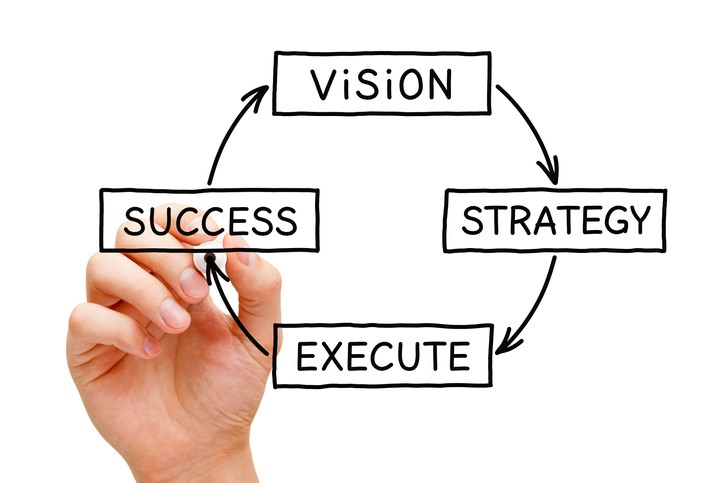
What Is a Vision Statement and Why Is it Important? | BoardEffect

While you keep making constant progressions in the app and follow the momentum, you also need to have a clearly defined vision for your product with practical and systematic steps to realize it. The core mantra is to keep your users happy and satisfied with your app.

The business model at this point also requires to be tuned constantly, and even small fractional improvements can yield big profits. The valuations will still be complex and you must keep a keen eye on your profits, growth, and products.

How Much Does It Cost To Build An App?

Prior to leaping directly into the cost, first of all else, you need to choose the niche of the application and its features. The prerequisite of the overall population or the demand of the user ought to be profoundly understood, and a thorough thought should be given to respond to various inquiries.

Features and functionality

Features vs. Benefits: Here's the Difference & Why It Matters

Knowing the cost of development is an ideal opportunity to find what features impact the intricacy of the entire application. Execution of certain features can be a lengthy process, while others are moderately short and simple. Based upon the complexity of solutions, mobile app developers need to utilize third-party API or code from the scratch. Less complex solutions, thus, require standard instruments and connect with native features.

Product design

Product Design | Product Design Service | Spark Innovations

Making a special UI design is a complicated process that produces extra cost to your task. The less expensive variation suggests utilizing OS-provided things and building screens of standard components. The quantity of screen is likewise a deciding variable. Thus, cost strategies and models need to be decided before implementing any decision.

Number of platforms

Have You Done These 5 App Store Optimizations?

It is obvious that you need to make a decision on which platform to begin from. Making a decision for the platform is the most significant and difference making character for creating mobile applications.  These platforms take over various programming languages, have diverse SDKs and use distinctive development tools. Thus, the cost varies differently if one has to develop on iOS or Android.

Backend infrastructure

Premium Vector | Back end development concept.

When it comes to mobile app development, backend is normally an OS that provides developers with APIs to have a data trade between an application and a database. To follow user activity and access the performance of your consumer application, it is outfitted with examination. Depending on the quantity of parameters you will track and how detailed and specific the tracking will be, expenses vary.

App administration

Morpholio's Latest Trace App Update Streamlines Construction Administration Design Changes | ArchDaily

The organization board is unquestionably an extremely helpful tool for dealing with application content, customers, and statistics. There are alternatives to adopt existing admin panel formats for your necessities, yet tracking down a good one is an issue. So it makes sense to create a satisfactory board to meet your business prerequisites.

Location and structure of team

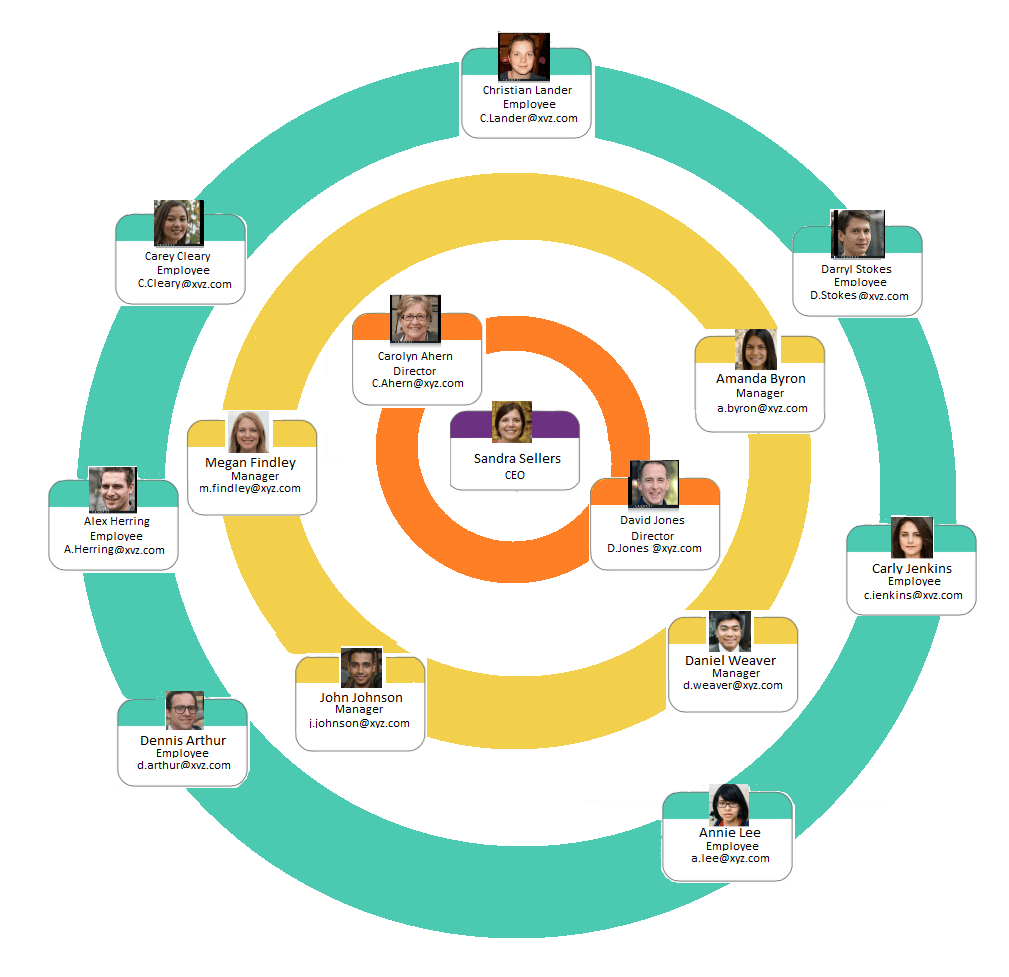
How To Create A Small Business Organizational Chart With Examples

The location of your application development team is a crucial factor affecting the product’s last cost. The expense of making an application in the US will contrast from the expense of mobile app development services in Europe or other different areas. If you want, you can opt for companies in your area like mobile app development company in USA if you live in the US or any other area where you reside. But you have to be careful while choosing a company or developer to get quality results.

Summing Up 

Today, billions of people across the world are using smartphones and their applications daily. Moreover, in a few years, the figures will simply multiply themselves, and that’s because technology has never been so accessible and powerful before. People are making the most to develop a billion dollar app and get the best idea to satisfy customers.

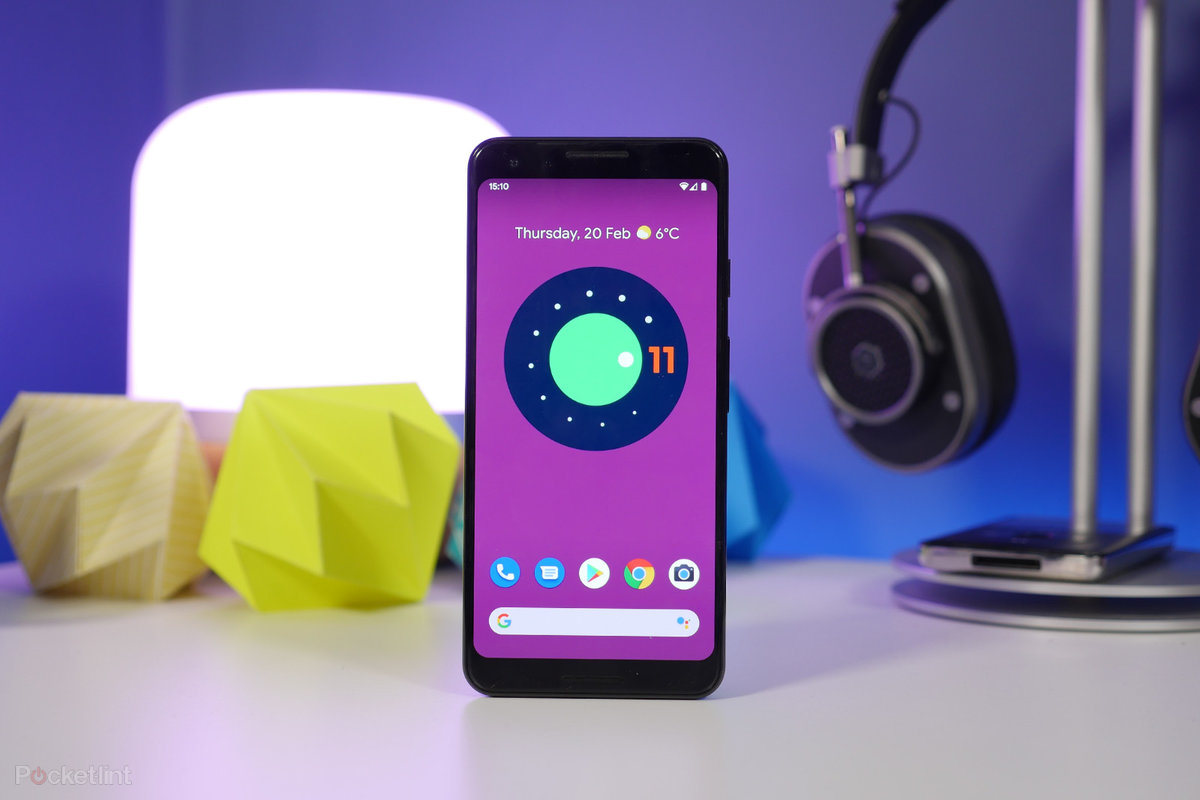
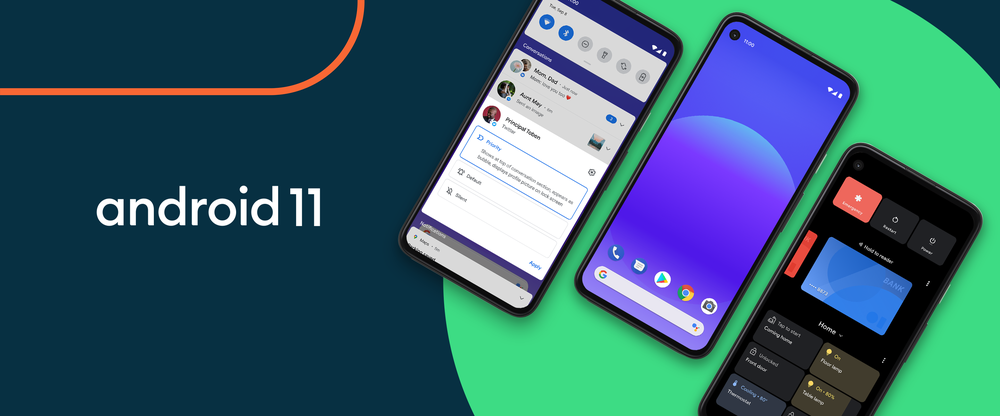
Impact of Android 11 Features on your Mobile Application

Turning it up to Android 11

Android 10 was a big shift for Google in the Operating System environment. We did not just finally get to work around the long-awaited Dark mode and saw several important changes happening on the app permission front, we also saw the end of an era.

With Android 10, Google brought its tradition to name operating systems behind desserts to a halt.

Android 10 was a testament to the growth and maturity graph that Google has taken. The same principles are being carried over by Android 11 developer preview now. While we are some months away from playing around the final build, the recent developer preview is a sufficient peek into where Google wants to take the operating system.

With every new update, it is not just the Android app developers who get excited. The stakeholders on the other side of the coin – the app owners – also sit on the edge of their seats everytime around the mid of May when a new version is announced at the Google I/O events.

Before we look into the ways Android 11 changes the app domain for the entrepreneurs who own Android apps, let us look into the new android features that have been introduced with the Android 11 highlights.

Android 11 Features Set

1.  Multiple Improvements for Messaging 

How to Combine All of Your Messaging Apps in One Place - Blog - Shift

Going by the Android latest version features, a lot is being done to improve the users’ messaging experience on Android. Here are the upgrades that have been introduced:

  • Chat bubbles – Android 11 chat bubbles hide all the ongoing conversations in little bubbles on the side of the screen. You can move the bubbles around and tap them to reveal the specific conversations.
  • To make the process of getting messages real-time, Android 11 has introduced a dedicated conversation section in the notification shade, offering instant access to all the ongoing conversations you are having.
  • With the Android 11 concept it will now be possible to send images when replying to a message from notifications.

2.  One-Time Permission

Android 11 features we love: One-time permissions | Android Central

If you look back at Android 10, one of the ebay things about it was how app permissions was handled. Android 10 gave the users a lot more control over the apps and what they could access. Android 11 keeps the train rolling.

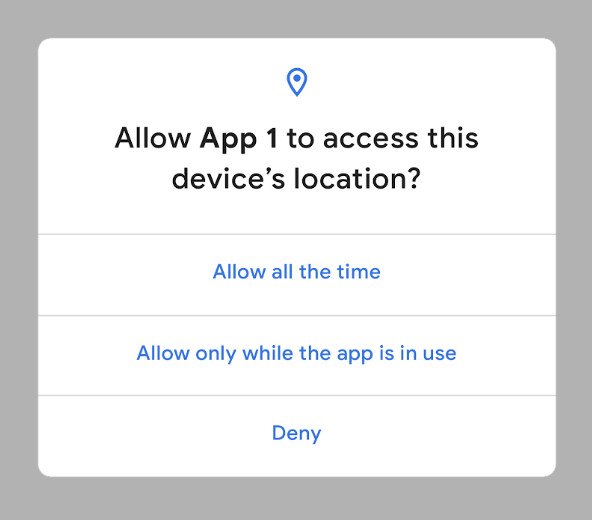
Now, when the app asks for permission to use intricate features, the users can grant access on a one-time basis. The application will use the permission during the time you use the application. And the moment you quit the app, the permission will be revoked.

3.  Built-in Screen Recorder

How to use Android 11's built-in screen recorder - gHacks Tech News

Since the past few releases, the Android users have been desperately waiting for Google to incorporate a built-in screen recorder.  Although the chances anyone would need it on an everyday basis is very slim but the function is pretty basic, so the wait for it to get integrated was annoying.

Android 11 update will change this. Developer Preview 2 showed a screen recorder which was accompanied by an extremely polished UI and toggle for recording the audio and showing the touches in the recording.

4.  Adaptation on Different Screen Types 

Adaptive vs responsive design: which is better? | Webflow Blog

If there is one space where we can say that true advancements have happened in the Android ecosystem, it is in terms of foldable devices. 2020 is going to witness a lot of new additions in the foldable smartphone market – all running at different screen sizes and resolutions.

The OS 11 has been developed to run on the foldable devices effortlessly. Thus marketing the time to start working on foldable smartphones app development.

5.  Preparations for 5G

R&D projects support 5G network preparations | Daily Sabah

5G started making news by the second half of the last year and what has gone off in 2020, with coronavirus pandemic affecting a number of industries and technologies, the need for 5G adoption has only grown in the world.

To help the smooth processing, Android 11 has added a very important “Dynamic Meterdness API”. One that would allow smartphones to take the complete advantage set that 5G brings.

Once the API detects that you are connected to unlimited 5G, you will be able to access the highest possible graphics and videos quality and other intricacies that come adorned with the 5G technology.

Now that we have looked into the Android new features & API, let us shift the focus on how these additions would bring a change in the functionality of your existing app.

What Would Migrating Apps to Android 11 Mean for Your Android App?

If you look at the Android 11 developer preview documentation, you will find that it is divided into three categories: Behaviour Changes, Privacy Features, and New Features & APIs. Under all the categories, there are pointers which carry an impact on the application’s performance.

While majorly your partnered android app development company will look into those changes, let us look into the things that you should be on top of.

1.  The users can restrict when permission dialog appears

Exploring Android Q: Location Permissions | by Joe Birch | Google Developers Experts | Medium

Android 11 will discourage repeated requests for a single permission. If your users click on ‘Deny’ twice for a specific permission, it would imply ‘Don’t ask Again’. What this translates to is that you will have to clearly convey and convince the reason behind asking for permission in your marketing methods or through your MVP features.

2.   App usage stats will be kept private 

Mobile App Usage Growing as Users Spend 3 Hours Per Day in Apps

For better protecting the users data, Android 11 will store all the users’ app usage statistics in the credential encrypted storage. Thus, neither the app or any system can access the data unless certain coding work is done. Which, in turn, is dependent on two conditions:

  • Users unlock their devices the first time after system startup
  • Users switch to their account on the device.

So, until your developer knows the workaround, you will face issues in viewing the app usage statistics.

3.   Lowered data redundancy 

What is Data Redundancy? | Alooma

In situations that involve media playback or machine learning, the application might want to use the same large dataset on another application. In the earlier versions of Android, your and another app had to download a separate copy of the dataset, each.

To lower the data redundancy on disk and the network, Android 11 allows the large datasets to get cached on devices using shared data blobs.

4.  Greater clarity on app process exit reasons 

When Entry Multiples Don't Matter - Andreessen Horowitz

Android 11 has introduced a new feature under which reports carrying the reasons for recent process terminations will be generated. The app owners will not be able to gather data around crash diagnostics in detail – whether a process has been terminated because of memory issues, ANRs or other reasons. It is one of the main advantage of new features introduced by Android 11.

5.   Expediting incremental APK installation 

How Will Android 11 Impact Mobile Apps | Appinventiv

Installing the large APKs on devices tend to take a long time, even if you made a small change. Seeing how app updates matter, Google has introduced Incremental APK installation in Android 11. It accelerates the process by installing enough of the APK needed to launch the app while streaming the rest of the data in background.

6.  Greater support for neural network applications

Introducing Deep Learning and Neural Networks — Deep Learning for Rookies (1) | by Nahua Kang | Towards Data Science

If your application is based on Machine Learning and Neural Networks, Android 11 will only make it more beneficial. With its new Neural Networks API 1.3, Android is taking efforts to make your Machine Learning apps run smoothly on devices. It is time to bring your AI project management process in line and develop new use cases around the disruptive technology.

7.  An infrastructure to benefit from 5G 

Benefits of 5G network in telecommunications infrastructure management

There are many benefits that 5G brings to mobile apps. With Android 11 now extending full support to the technology, businesses can now benefit from a greater streaming speed, fast file transfer, zero latency – overall, heightened user experience.

The Countdown for Android 11 is on. Don’t Get Left Behind. Let us Help You. 

Android 11: You can install Google's new OS on these phones today. Here's how - CNET

The time between a new OS launch and the time when companies start preparing their application for the version is wide. And generally, the companies that end up taking a lot of time to get their app ready for the next update tend to suffer from the consequences of cut-throat competition.

Our Android developers have already started perusing the Android 11 developer preview document and experimenting around it on our test applications. This means, we will be ready to bring your application on Android 11 in time of its launch.

Get in touch with our team of Android experts to get your plans of migrating your app on Android 11 moving and take benefit of the first mover advantage. But before you do, get an estimate of your android app development cost.

Mobile App Development Guide for the Insurtech Sector

Mobile App Development Guide for the Insurtech (Insurance and Technology) Sector | Pixeled Apps | iOS & Android Mobile App Development

The insurance sector is known to maintain multiple touchpoints with its clientele. Thanks to business models that safeguard people from unexpected circumstances, they are detail-oriented and require heavy paperwork at most stages of customer enrollment. But the rapid, and recent, technological advancement has seen the finance sector introduce fleets of new digital solutions that place them right at the fingertips of people. As a result of this wave of digital transformation, pre-existing companies and startups in the insurance sector, are exploring the prospect of mobile applications. Lest we forget to stress, aggressively. The new insurance applications, if we can call them that, would need a touch of finesse considering the diversified nature of operations. So what should software developers concentrate on when it comes to Insurtech app.

It is to answer this throbbing question that we have this mini mobile application guide ready for you to take your first steps towards creating innovation in your insurance business.

Why Does An Insurance Company Need a Mobile App? 

Best Car Insurance Company Mobile Apps – Forbes Advisor

Insurance, by tradition, has been powered by middlemen. Although taking them entirely out of the picture may not be plausible, mitigating their involvement will grow profit margins, naturally.

Mobile apps allow real-time B2C interaction, without intermediaries. The positivity also flows down to the customer experience, which can never be exaggerated. And insurtech would be too smart for its own good, not to explore this option.

There are three main components that play a vital role in formulating the proverbial pyramid of an insurance company. The pyramid. which had played a major role in helping Wefox raise $110M in 2019.

This includes first the insurer that incorporates and markets financial products. Second, are the third-party entities that provide the services covered by the insurer. And the third is the end-user, the customer who has opted in to be insured.

Mobile insurance solutions offer the following advantages to insurance companies at the top of the pyramid:

Establish Customer Contact 

8 Steps to Develop an Effective Customer Service Strategy Today

Buyers are more conscious of spending than before. As per stats, 85% of the customers conduct online research before placing their purchase order. Insurance mobile apps make a fine impression in convincing people of instant support in dire need. A study discovered that up to 63% of its sample population was inclined to communicate with a chatbot. Therefore we have reason to believe registered policy-holders will favor to download and track policies over mobile. Building on this, they can draw a comparison between multiple products and shortlist the ones with better benefits.

Increase User Reach

How to find Instagram engagement pods in 2020? - Instarabbit blog

Provide good customer service and turn clients into business affiliates. Referral programs can get you more buyers to loop in provided your mobile insurance solutions are state of the art. There are dual benefits to this. First, optimizing customer recruitment cycles would free up time for insurance agents to target bigger, better clients. And second, you can advertise your mobile insurance platform in related apps to target more customers with semantics marketing.

Study Customer Data 

Customer data strategies failing to support business goals, says study

The insurance industry can tap into mobile analytics which they can analyse to an extent like never before. Insurance applications can easily gather the following types of structured data:

Identity Data – This includes name, D.O.B, physical address, telephone information, email Id, and or links to social media profiles such as Facebook, Twitter, LinkedIn, etc.

Quantitative Data – This is transactional data such as bank account details, credit score, frequency of payments, etc.

Descriptive Data – Insurers may need their customers to disclose property details, car ownerships. professional standing, educational background, along with the family tree.

Qualitative data – This includes subjective/behavioral details such as favorite color, hobbies, etc.

Collecting such vivid information, companies operating in the insurance market can subsequently filter the best-fit prospects for upselling.

Facilitate Convenient Services 

Does The eSIM Spell The Beginning Of The End For SIM Card Revenue?

One of the most common KRAs of those in the finance-frontline is client visits. This could be either for background checks or personal form submission or a routine update of information. Be that as it may, the current COVID-19 crisis does not permit face-to-face screenings. Moreover, the coronavirus onset has led to a rise in demand for insurance applications. As per a study by Lincoln Financial Group, digital alternatives increase the likelihood of people opting in for life insurance. Make hay while the sun shines.

Universal Features for Insurance Apps

Anteelo, as one of the renowned financial app development company, has appreciable experience in creating cutting edge on-demand digital products. Coupling experience with client feedback, we recommend against loading an app with features just to make it look fab. There has to be synergy between the color palettes, smart use of white spaces, typographic fonts, and strategic positioning of icons and images. Only then does an app have a life of its own. After taking care of such design elements we can refocus our aim towards integrating the right feature sets.

To give you an overview of the Fintech sector that is attracting investors’ attention,  there are four categories of apps that can be developed in the insurtech domain:

  • Life Insurance
  • Car Insurance
  • Travel Insurance
  • Health Insurance

Apps must have a strong backend. They should be able to withstand peak rises in traffic, or if the company decides to implement a new software system without many amendments to the architecture.

Based on our experience, we will first list the mutual features that can be found in all of the above categories. These features formulate the kernel of a general application guide for Fintech app ideas. Barring few niche specifications, the following features remain steady and ever-present especially during a fintech app development of any kind:

1.  Admin Panel

What is the admin panel on a website? - Quora

This is the introductory page where the basic information about the insured person is displayed. Make sure it is lean, clean along with clear call to action buttons. Take the Geico insurance app for instance. It’s a car insurance app and hence the profile page displays information related to vehicle IDs, roadside assistance, payment buttons and an option to switch policies. Pretty simplistic.

2.  Policy Details 

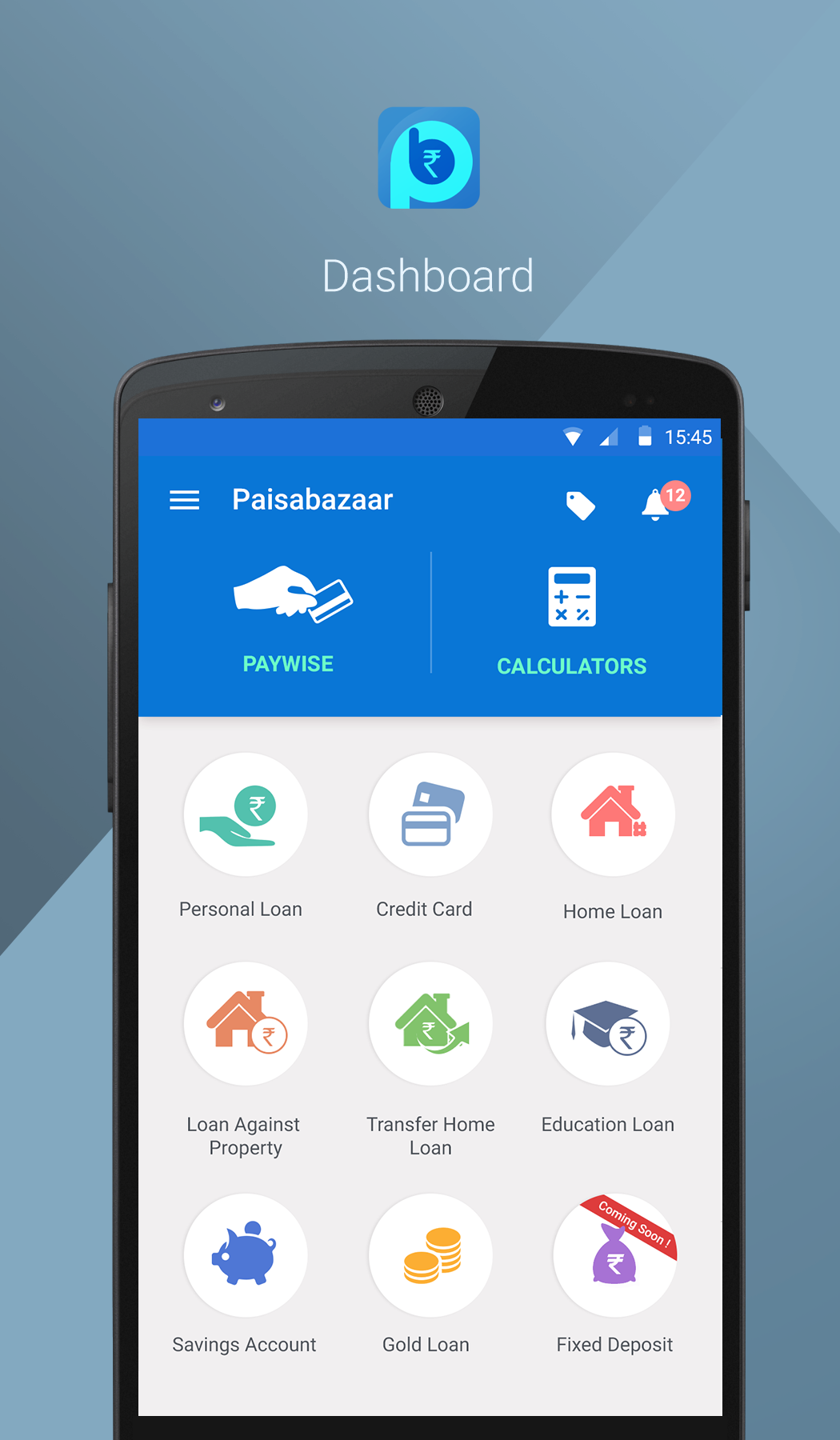
Paisabazaar.com | Free Credit Score and Report | Free Monthly Credit Check

This page displays the details of the policy, the manner, and the extent of your benefits. Continuing the same example, since Geico is an auto insurance app, it displays information about several policies that a single user could be enrolled into such as one for the car, the other for a bike, and so on.

3.  Quote & Filters

Paisabazaar Mobile UI UX on Behance

A very useful feature particularly in finance app development. In the previous section, we listed the kind of data that an insurer could collect through a mobile app. The Quote-tab offers a feature where the app can fetch your data from its records and either connect you to an insurance agent or directly state the price of a policy. Assuming the company has the resources to work with Big Data, it can pitch discounted prices or more benefits to customers based on their frequency of asking/exploring new policies.

4.  File a Claim

How to File, Track or Cancel a Phone Claim | Asurion

Integrating a claims-filing section remains the most prioritized stage of financial application development. The run-around days to lodge claims are a thing of the past. Submitting proofs should be as simple as clicking a picture, be it from the scanner of the app or the camera of the phone. If the entire process can be concluded on a single page, all the better.

5.  Payment Gateway

How to Choose the Right Payment Gateway for Your Business

No points for guessing, integration of payment gateway is super necessary for any form of finance mobile app development. The gateway should accept payments from all major network providers such as Visa, Master Card, etc. In addition to that automated billing for EMIs or a single click payment process should be integrated.

6.  Customer Support 

The Importance of 24×7 Customer Service for Your Business

Chatbots are not extraordinary anymore. Automated responses act as a quick-fix for run of the mill questions. But what about accidental circumstances. You can’t expect a user who’s stranded with a broken vehicle to rely on pre-feeded answers. As a result, integrate a Request a Call Back or Connect with a Representative option. Such in-app call functionality will serve to make the app what it actually is, a disaster averting, quick response machinery.

7.  Push Notifications

Increase push notifications opt-in rate with these tips

Businesses, in general, don’t miss opportunities to enter a new market segment, let alone insurance companies. The latter might even tweak its business models, should the need present itself. Whereas seasonal offers are heard of, the idea of a flash sale was experimented with by Liberty Insurance in the not quite distant past. You need an excuse for giveaways and so do the customers for buying your products. Therefore, send regular push notifications informing people of their outstanding sum and any upcoming policies they can swap their current ones with.

8.  Document Upload/Storage

The Best Cloud Storage and File-Sharing Services for 2021 | PCMag

How would the customer upload their documents, let alone a photo, if the Fintech application development did not incorporate it? Not only must the mobile app allow document upload from local file directories but also import, if need be, from third party servers as in the case of emails.

In our lifetime, and we’ve only just begun, Anteelo – the Clutch backed top Fintech app development company – has worked with over 12 Fintech companies whose solutions facilitate a user base of over 5 million people.

Where Does Your Business Go From Here?

To the stratosphere if you shake hands with one of the most promising Fintech app development companies. We don’t like self-glorification. It would suit you more to go through our comprehensive product suit and decide for yourself. But just so we know we did our bit, if there is anything under the sun in Fintech/insurtech, that you’re interested in, we’d be happy to burn our night lamp for you.

App Development for Foldable Smartphones

When will folding phones cost the same as standard ones?

2019 was the landmark year where the talks of foldable smartphones reached a zenith state.

The news of Samsung preparing to launch its innovative foldable offering had already been doing the rounds for several years. But in 2019, with Google announcing its partnership with Samsung on this innovation, the rumours became a reality and a number of device manufacturers soon started doing the homework to enter the space.

This enthusiasm of device manufacturers took very less time to ripple down to the app development economy, which started doing homework of their own: Preparing for the design and technical nitty-gritty needed to deliver a minimal learning curve, impeccable experience to the users in a brand new environment.

Before we head on to the parts where we look into the intricacies of app development for foldable phones and what you can do to prepare your mobile app for foldable smartphones, let us look into its current state.

Table of Content

  • The State of Foldable Smartphones
  • How Would Foldable Phones Impact the App Development Process?
  • How to Prepare Your Mobile App for Foldable Technology?

The State of Foldable Smartphones

Foldable smartphone - Wikipedia

Here’s a visual looking into the current state of foldable smartphones –

The numbers that the statistics mentioned above presents highlight that once the foldable phones start flooding in the market, they will not become an instant hit. It will take some time for them to create a position in the smartphone sector. But, like every technological disruption, while the wave may be slow, it will grow massive in no time.

This, in turn would need both device manufacturers and Android app development companies to prepare in advance.

How Would Foldable Smartphones Impact the App Development Process?

While on the surface level it appears that it is only about having flexible UX in mobile apps, but the impact is a lot more massive.

Foldable phones means more space for the developers to create immersive and detailed experiences for all the different types of multi-window.

  • Video streaming apps can use the increased screen size to show videos in larger orientation or to add extra controls or features in the app.
  • Calendar apps will be able to open a complete month in place of week
  • Banking apps will open multiple account information in the multi-window app screen in place of initial one
  • Business apps will be able to add in more functionalities, like reading emails while perusing a document, etc.
  • Content creators will be able to bounce around between multiple apps.

Let us look into the different ways foldable smartphones can have an impact on the application development process.

A.  Quality Supersedes Everything 

Free Quality Improvement Cliparts, Download Free Quality Improvement Cliparts png images, Free ClipArts on Clipart Library

Foldable phones will come with multiple orientations, aspect ratios but what will remain the same is the quality expectations. The users will expect you to deliver them the same flawless and glitch free quality and app flow that they are used to.

Considering this, the onus of providing high quality digital products will increase when you venture into the app development for foldable phones space.

B.  Greater Test Cases 

The Art of Writing Good Test Cases - QA world

With a massive number of foldable phones soon to hit the smartphone market, the app development team will have to work around a great number of test cases – all at the back of the complications that come attached with multi-window app configuration.

C.  Feedbacks Take a Pivotal Position

Types and Sources of Feedback in the Workplace | Talkdesk

An effect of building apps for foldable phones is an extended feedback collection process. Since you will be taking a traditional application to a new space, there will be a lot of feedback coming your way especially on the transition front.

Noting this, it would be necessary that you add room for attending to the changes in your Agile scrum process.

D.  Increased App Development Time and Cost 

The Costs of Developing an App: $1,000 vs. $10,000 vs $100,000 App

Another crucial impact that the mobile app development economy will face will be in terms of extended app development time and cost estimate.

Optimizing apps for foldables ensuring that it works glitch free in all the different modes will require a lot of design, development, and testing efforts, that in turn will bring in a price hike.

How to Develop Apps for Foldable Smartphones?

Like every mobile app development process, let us divide the process of creating apps for multiple screens in three ways too.

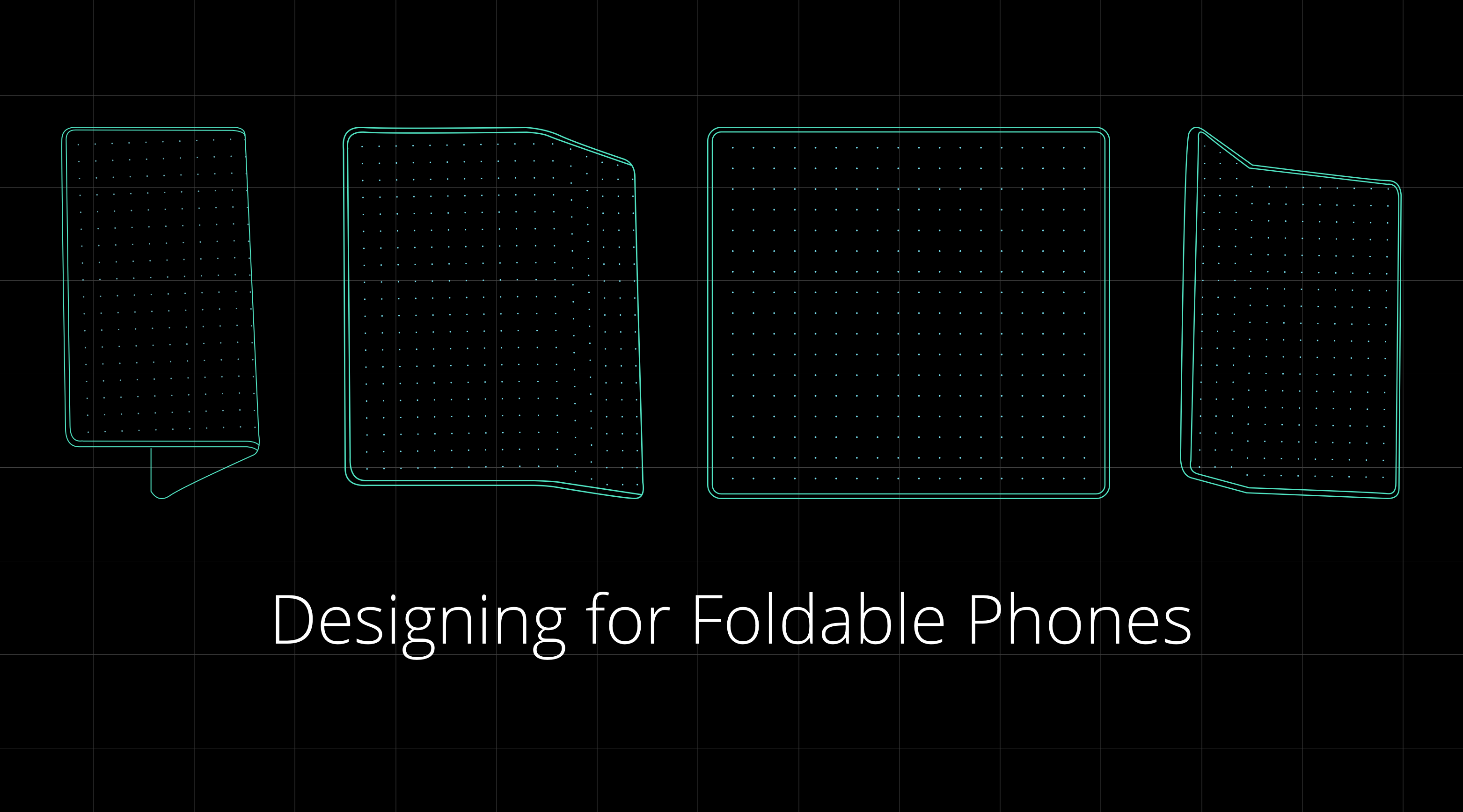
Designing for foldable smartphones 

Designing for Foldable Phones. As the era of flexible smartphones… | by Siddarth Kengadaran | Siddarth Kengadaran

There are primarily four things that you will have to put into consideration when initiating app design for foldables.

A. Two States – There are two states in every foldable smartphone – unfolded and folded screens, aka main display and cover display.

Unfolded state: this is the place where a phone transforms into a tablet, giving space to the companies for enriching experience. This extra space can be used for giving greater context and adding secondary actions or experiences to the apps.

Folded state: in this foldable app design state, the phone looks like your traditional smartphone, which is operated using one hand.

B.  One or Two-Handed App Design

States change the whole experience – even the one of how the device is held. Presently, people operate smart phones with one hand, but in the unfolded state, they will have to use both their hands. This will change the design dynamics in a way that the important UI and UX elements will have to be kept within the thumb and other fingers’ area.

C.  Multi Window 

Because the real estate in case of foldable smartphones is much greater, multitasking should always be considered. Meaning, as designers, you will have to prepare for the time where another application with its own set of design and functionality will be sharing the screen with your app and look into your multi-window life cycle as well.

D.  Screen Continuity 

The user experience must seamlessly move from the folded to the unfolded state and then back to the folded state. There should be minimal to zero change happening in the layout, which would increase the app flow ambiguity.

Technical preparations for foldable phones 

Like in the case of designing, the developers’ work will also be segregated into four parts of app development for foldable phones processes. While with Android 11, Google will be extending support to foldables, for now, let us look into all of them in detail.

A.  Screen/ App Continuity 

As mentioned in the last section, app screen continuity means that when an app runs on a foldable smartphone should transition from an screen state to another automatically and seamlessly. The app must always resume in the same location and state.
What you’ll have to do is make resizable app through dynamic resizing. It is done by setting resizeableActivity=true. It offers maximum compatibility with whatever environments and factors your application encounters.

In case you forget this step, the system might automatically resize your app without the guarantee of the right size, configuration and aspect ratio. Like shown below.

B.  New Screen Ratios 

Best Foldable Phones in 2021 - Smartprix.com

Android 10 and higher would support a wide range of aspect ratios. In foldables, the form factors would vary from a super high long and thin screen to 1:1 ratio. For being compatible with the devices, you must test the apps for as many screen ratios as possible.

If you are not able to support a few of these ratios, you must use the maxAspectRatio and minAspectRatio for indicating the high and low ratios that the app can handle.

C.  Multi-Window 

Samsung Unveils Galaxy Fold, Their Foldable Phone+Tablet

Having two apps run side-by-side has been made common by Google since some time. What the foldable technology introduces is that it allows three or even more apps to run at the same time. Moreover, the technology gives them the capability to share content with each other.

In case of Android 9 what used to happen was that only the application in focus used to be the resumed state and all the other visible activities were paused. In the case of Android 10, it changed. The activities remained in resumed state even when in the multi-window mode. This is known as multi-resume.

In order to opt-in the multi-resume feature, following manifest meta-data has to be added –

<meta-data android:name=“android.allow_multiple_resumed_activities” android:value=“true” />

D.  Multi-Display

Samsung Display has teased a foldable phone with multi-folding design

The tenth OS version and higher supports multi screen Android display. If an app is running on a device with multiple displays, the users can easily move them from one display to another. These multi-resume applies to the multi-screen scenarios also.

An app is able to specify which display must run when it is launched, or when another activity is created. The behavior is dependent on activity launch mode which is defined in manifest file, and in the intent flags and the options set by people who launch the activity.

An activity must check the present display in onCreate and onConfigurationChanged when handled. Android app developers must update the layouts and resources when there is a change in displays.

Additionally, there are these things that a developer must take care of –

  • Activity vs app context
  • Display cutouts
  • Use of secondary screen

App Testing for Foldable Devices

Foldable Phones: Top 7 Things You Need to Know | Perfecto

When it comes to testing the application, the Android QA team will have to ensure that the app reacts to the – Multi-window and multi-resume functionality, Resizing & new screen ratios, and Configuration changes.

Boost Development: Custom Android Templates

Every time when we work on a new project, we have to write a lot of code repeatedly and over a period of time, it becomes very tedious. I experienced it while creating an Android Application where I had to write too much boilerplate code whenever I created an Activity or Fragment. Not only it takes time, but also causes frustration to the developer.To overcome that, Android Studio has some inbuilt templates which are also helpful when we start working on any application. For example, when we create Activity or Fragment, we just need to write the name of the class and that’s it. Android Studio will write some necessary snippets for us.The solution to this problem is provided by the Android Studio, i.e Custom Templates. In this blog, we will take the example of the RecyclerView adapter and will create a template. Next time when we will create RecyclerView and want to create an adapter, we don’t need to write the boilerplate code again. This will surely help us in speeding up our development.

So what is a Template?

Templates are the files that have some boilerplate code. For example, when we create Activity, Service, Fragment from the list of predefined options, we see a lot of boilerplate code already written from the predefined templates.

Let’s create our own live template of creating RecyclerView adapter with inner ViewHolder class with the below mentioned steps-

      1. Right click on the package folder and then select New->Edit File Templates
      2. Click + button to create a new template. You can name this template as you like.
      3. Paste the following code in this file.
      4. ${<VARIABLE_NAME>} is used to create variables in the templates. When you use this template, there will be a prompt asking to enter values for them to create code.
      5. The #if directive is used to check that package is empty or not. It adds the name passed as the ${PACKAGE_NAME} variable for the non-empty package.
      6. The #parse directive is used to insert the contents of another template.
      7. Now again click on package folder and then select New and you will be able to see your template there. Clicking on that template will open a prompt box to fill the values defined in the above variable.

    Isn’t that cool? We can also create similar templates and can use anywhere in the project to avoid the boilerplate code. Android Studio is a very powerful tool and features like templates are really helpful in speeding up the development process. These templates are really helpful if you’re working with other team members so that all of them can use it to their advantage.


Why angularjs is a match for Web App Development?

AngularJS started as a research project by Google that ultimately became one of the most popular responsive web app development frameworks. While working with AngularJS, you can be assured of a highly dependable scalable code base. Compared to most other JavaScript frameworks AngularJS is fast, powerful, and versatile enough to integrate with other frameworks. Built by commendable brains like Adam Abrons and Miško Hevery of Google it easily stands out from other JavaScript frameworks for responsive web development. Here we explain some of the key reasons to choose AngularJS for web app development.


EASY AND FAST-PACED DEVELOPMENT

Any AngularJS development company will agree to the fact that it is an exceptionally simple and fast-paced JavaScript MVC Framework for front-end development. By adding a few attributes to the HTML a developer can quickly build an app. AngularJS is equipped to enhance the HTML code while building controls for all types of difficult functions and creating a dependency between the template and the controller. To help beginners, there are plenty of useful tutorials available. If you want to build a web app quickly with a simple interface and few crucial features, AngularJS is the ideal framework to opt for.

PERFORMANCE DRIVEN FRAMEWORK

AngularJS developers speak to the program’s unmatched competence in creating and adding new features for customizing an app. It is well equipped with state of the art features to drive app performance like filters, data binding, directives, animations, API client, routing, form validation, and many more features that are sought after for web development. With AngularJS you can easily update and improve without undertaking a bulk of coding tasks.

The best thing about this framework is that it helps to create new elements and adds new features and functions to an app without disrupting the performance. The framework offers a lot of productivity tools to help with developing new features and improving or updating the app. Furthermore, the community-shared mutual libraries allow more versatility and flexibility.


SMOOTH INTEGRATION WITH OTHER LIBRARIES

As far as collaborating with other libraries for responsive web app development is concerned, AngularJS offers smooth and easy integration. If the developers are working with other object-oriented MVC frameworks for the server-side development, they can easily integrate AngularJS for client-side development.

AngularJS, thanks to dependency injection, allows easy integration with other libraries. To create new functionalities you also have an array of libraries that can easily supplement AngularJS for a project.

ROBUST TESTING MECHANISM FOR THE WEB APPS

AngularJS comes loaded with a robust testing mechanism to ensure building an error-free and high-performance app. When you need to upgrade and fix issues, powerful inbuilt testing tools to make your job easier. The apps built with AngularJS are highly testable ensuring a high degree of performance. 5 Top Reasons To Choose AngularJS For Web Application Development | by Angular Minds | Medium

EFFECTIVE DATA BINDING

One of the most crucial reasons for choosing AngularJS is its two-way data binding capacity. With such data binding, any change incorporated into the interface directly results in changes to the app objects. Similarly, any change with the app objects results in changes to the app interface as well. This saves development time and makes incorporating changes to the app easier.

HEAVY LIFTING

AngularJS is capable of intelligent heavy lifting. AngularJS builds the controller function and dependency easily between the template and the controller thanks to intelligent heavy lifting. It is equipped to grab the required share of the app data and render it onto the device screen with the concerted output of the template and the controller.

LESS CODING

AngularJS works seamlessly with HTML coding, and that enables it to develop the app based on basic information models instead of creating rows of tasks awaiting their turns in the MVC pipeline. This ensures that the developers working with AngularJS have to write less code. Apart from this, AngularJS will also help you to scale up the capacity of the app with minor tweaks in the code base. This ease of coding actually helps to build the app faster while ensuring optimum performance.

DECLARATIVE CODING

AngularJS is one of the frameworks that are known for a declarative coding paradigm for building frequently accessible patterns. Thanks to declarative coding paradigm you can ensure more lightweight code allowing optimum ease in reading and supporting. The declarative code of the AngularJS apps does not describe all steps pertaining to the app but only ones that are absolutely required along with their expected outcomes.

USING DIRECTIVES

Just because AngularJS is patterned after AngularJS started as a research project by Google that ultimately became one of the most popular responsive web app development frameworks. Thanks to this inbuilt directives the developers can now create logic more easily with the more productive output. In case of any confusion, you can always refer to the directives to ensure better code readability.

CLIENT SIDE SOLUTION

AngularJS offers a client-side solution with great compatibility for both desktop and mobile browsers. Without requiring any modifications, AngularJS can easily be deployed across any project. This makes it an ideal framework for building any front-end app. This also ensures faster deployment across systems and browsers that offer support for JavaScript.

FLEXIBILITY OF FILTERS

In a JavaScript framework the filters work for refining the values for display. This is of great value for any web app trying to appear consistent and meaningful for the users. Filters can change the decimal value of a number to show it with full value, or it can add pagination to the pages of your website or can just change the uppercase or lowercase string of letters to the opposite. With custom filters, you can also tweak these values in your own preferred ways.

AngularJS is completely well-equipped to deliver all the attributes and features you look for in a modern responsive web app. Most important of all, it takes off a major load from the developers.

The Mantra to Mobile App Development Success

Mobile is now everywhere. In today’s reality, we can hardly imagine spending a day without our mobile left at home, so much that it turned into an addiction for many of us: feeling the „phantom vibration“ in our pocket or being anxious when the phone is not with us are just two of the obvious aspects reflecting our relationship to the mobile. From an object that we often forgot at home barely fifteen years ago, it turned into a pocket computer that has replaced many of the daily life objects (photo and video cameras, music player, recorder, calculator, agenda, and everything that a powerful, internet-enabled computer provides). From the moment it became „smart“ with the first iPhone release in 2007, everything has changed and more and more of our lives and daily actions are going through that object. Smartphones and tablets have completely changed the way we live, buy, research, communicate – mobile has basically put the digital world at our fingertips 24/7, wherever we are, freeing us from the desktop-sitting and immobile position. This has also drastically changed our approach to common tasks: we expect to perform them at our convenience, according to our needs: what Forrester calls „the mobile mind-shift“ : it replaced the computer as the first and main interaction for daily tasks. Such mind-shift forced every business to adapt their offers and service, as mobile becomes the front door of their organization. All this led to the development of „mobile-first“ design website in a first time, but more and more businesses decide to develop their own branded app. The mobile market is an incredible opportunity for businesses to interact with their customers and know them better thanks to the app analytics, provided they handle these analytics correctly. Let’s go over the key factors to consider when developing a successful mobile app, and how to manage your analytics with reporting tools.

APP ANALYTICS: A GOLD MINE

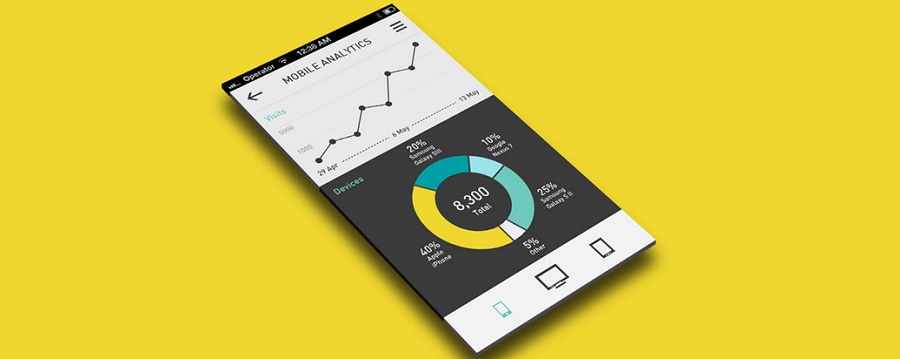
Mobile app analytics are multiple: they can be used for analyzing the app performance on various app stores, but also bring a lot of insights about the way the users are interacting with it.

Thanks to app analytics, you know how many people have downloaded your app, on which app store, and if they found it directly browsing the store or via another website or app as referrer. It gives you already basic information to shape and adapt your mobile strategy over time.

You also find usual marketing analytics you would use for your branded website or blog: – the number of impressions (how many times your app icon appeared in the store)
– how effective are your different in-store marketing campaigns
– how effective your app product page is, comparing the number of people reading it to the number of people downloading it
– the average visit time and screen views per visit, evaluating the average session duration and how many “app screens” a user read on your app.
– the app retention, measuring how many users come back to your app after their first visit.

Just like in Google Analytics, you can also learn about the demographics of your users:
– who they are
– their age
– their gender
– where they live
– which language they speak.

That will help you define more specifically your target audience and adjust your product and content to their interests and needs.

With mobile app analytics, you also learn a lot about the users’ behavior and habits within your application: these are referred to as in-app analytics. They gather data on:
– how often the users are opening your app,
– how long they engage with it
– on which device they are doing so (the type -mobile or tablet-, the manufacturer, the operating system)
– event tracking (which buttons or ads are clicked for instance)

If you decided to have a free version with specific in-app purchases, or premium version, you can also compare how many paying users to how many free users are using it. You can also learn on a user’s journey through your app: do they always go back to the homepage, or follow deep links and exit? In-app and user behavior are essential to analytics to optimize their experience and see what leads to conversions.

Mobile app analytics will tell you a great deal about the application itself and its performance:
– which pages lead to an app crash
– which device is more likely to make it run slow or crash
– the carrier latency
– the app uptime and downtime,
– the number of errors

A Compuware study showed that 79% of users will retry an app once or twice it fails the first time, a figure that drops to 16% if the app fails more than twice. Same study found out that a poor mobile app experience led to 48% of users less likely to use the app and 34% switching to the competitor’s app! All these figures show how important it is to analyze your performance app analytics in order to diagnose potential problems, troubleshoot what needs to be and identify root causes of issues.  This is key to improve the operational aspect of your app, which can frustrate users and drive them away.

Finally, you can look at rating and review analytics. Today, 88% of users look at reviews before engaging with any business – this is why you are app review are critical to the success of your business. Now, we also know that the overwhelming majority of users don’t leave reviews, and those who take the action to do it is usually to report a bad experience. It is thus important that you communicate your users how important it is to leave a feedback and that such feedback is taken into account to improve the app to their expectations.

You can find a great list of various app KPIs to track in order to perform the best analysis and enhance your application performance. Just like for any analytics, equipping yourself with a reliable business intelligence software will greatly help you in the management and data analysis of your metrics.


Outsourcing App Development? Here’s how!

 App Development

Maybe you have a great idea for a stand-alone app, or that you’ve decided your existing business could use one. Either way, there’s a big difference between having an idea and seeing it through, especially when it comes to mobile apps.

App development is not a simple process. A successful app must perform a useful function, boast appealing design features, and be easy for users to navigate. Understanding these goals is easy; achieving them is not.

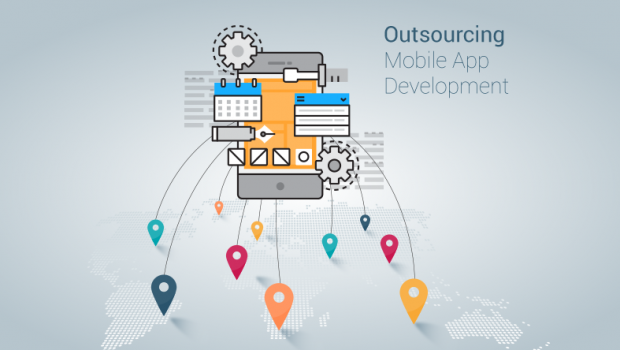
If you don’t have much experience in technical design, it’s often smart to outsource your app development project to a web design firm. While you could hire people on a full-time basis, this poses a significant risk: You can’t be completely certain that your app will excite users. If it fails, you’ll be stuck with a department that’s of little use to you, and will cost significant money.

Better to collaborate with professionals who have a track record of delivering quality products to their clients. However, in order to find the right web design firm for your needs–and to ensure that you meet your goals–it’s important to keep certain, key points in mind.

Prepare Thoroughly

When you’re enthusiastic about a new app idea, it’s easy to forget that not everyone will share your vision exactly how you imagine it. You may have detailed plans for how the finished product will look and what it will do, but if you don’t effectively communicate those details to the people actually involved in creating it, there’s a good chance that you’ll wind up with something that misses the mark.

Before meeting with a web design agency, prepare thoroughly. Determine exactly what your app will offer users. If it resembles other popular apps, elaborate on the similarities and how you plan on differentiating.

When you plan to outsource your app development needs, it’s essential that your goals are made clear to the developers. You should also decide whether or not you want the app to be available on iOS, Android, Windows, etc. early on in the process, so you’re not stuck with a team that can’t accommodate your plans.

With the app market as highly competitive as it  is currently, it is best to have your app function across multiple platforms. Try to source a development team that has expertise across more than just iOS, and have them show you how each platform will perform to meet your goals.

Establish Timelines & Communication Procedures

If you don’t know much about developing an app, you probably don’t know how long the process generally takes. Save yourself any confusion be establishing milestones and timelines with the team you hire for the job.

Agree upon communication procedures. Even though you won’t be actively working on the project, it’s still yours, and you should be kept in the loop. Know when and how you can reach out to the vendor for updates.

Using a collaborative, organization software can come in handy here or virtual communication methods (e.g. Skype). Whatever the method you choose, make sure it’s easy for you to communicate with each team member throughout the process, and be able to keep track of development goals.

Stay Involved

When you outsource your app development work to a web design firm, you’re most likely not going to participate on a day-to-day basis. That said, along with project milestone timelines, you should put in place timelines for reviewing and testing the product at various stages in its development. This is necessary to confirm that certain key features work properly before moving forward to the next stage in the process.

During these review sessions, you should be involved, especially as the developers get closer to finishing the work. Sometimes, a potentially groundbreaking app fails because issues or problems got overlooked due to lax review processes. You want the opportunity to address these types of issues early.

Be Understood

Just as  you may not know a lot about app development, it’s also likely that the team you hire doesn’t know a lot about your business. However, if they’re developing an app related to your brand, it’s important that they have a reasonable familiarity with it.

When considering which design agency to hire, pay attention to how clearly they seem to understand your industry. There are a number of ways to do this: You could seek out development teams that have created similar apps before. You can deliver a thorough presentation explaining the field in as much detail as possible. Or you could simply pay attention to the questions they ask when discussing your project; if they’re truly comfortable with your industry, they’ll often ask the types of questions people in that vertical would ask.


Review Previous Work    

When you hire a contractor to paint your house or remodel your kitchen, you look at examples of past work to determine if they’re right for the job. It’s the same with app development.

After you’ve decided upon a list of potential candidates for the project, find out what apps they’ve created in the past and spend some time using them. Ideally, you should find apps that are reasonable similar to the one you’re planning.

Many vendors can tell a good story about their experienced programmers and dedicated approach to customer satisfaction. The ones worth your attention can also supply you with proof that they’ve delivered quality results in the past.

A good place to start are the case studies listed on a developer’s website or profile. Delve into these to really gauge what they’re capable of, and how their past experience can apply to you.

This is an especially important point to remember if you have very little experience or familiarity with the process of developing an app. In order to confirm that your design team understands your thinking and knows how to execute on a concept, it’s useful to test out other apps they’ve developed. This will give you a better idea of how their products work when they’re actually completed.

Outsourcing app development to a software design firm is frequently a better choice than sourcing in-house. In order to get the best results, you need to take the time to properly vet the developers.

Once you have, you also need to remain involved to some degree. While they’ll handle the details, you’re still the one whose vision fueled the project in the first place. With a collaborative approach, you’ll boost your odds of success.


error: Content is protected !!