Developing App? Here’s Angular Practices & Tips

Angular has been the most famous javascript framework among the developer community. It’s an MVC framework which provides pre-built components for developing the software application.Angular(2+) is based on Typescript , which is a superset of JavaScript. It comes with its most important advantage of static type checking that provides compile-time checking for any variable declarations and definitions.This blog is based around some best practices for Angular which I figured out while developing applications. There are also some bonus tips which I believe would help you with Angular development.

Essentials of mobile app development lifecycle that appreneurs must know - Business of Apps

Major Factors That Authenticate The Use Of AngularJS - Creative Tim's Blog

Follow the component based approach

Angular comes with the component-based paradigm which is also one of its best practices. It helps in maintaining modular and readable code.

While developing an angular code, if you think that something can be used multiple times as an independent piece of code, make it a component. A very basic example can be a simple dropdown which shows a list of options. The drop-down can act as an independent component with its own methods and template.

Few more examples could be – breadcrumbs for navigating throughout our web application, a simple alert box showing error/success messages or a loader. We tend to ignore these while thinking of modular approach but all these above examples can be thought of as independent components which can be reused over and over again.

Avoid using one huge global CSS

Angular’s current structure includes individual folder for every component. This folder includes-

  • .ts file for component logic
  • .html file
  • .css file for the component

So, keeping all of your CSS in one common CSS file would not only make your code less readable, it would make it less maintainable.

The best approach to style your components is to separate the global CSS with the local CSS (here local CSS refers to the component CSS). You should write your CSS in global CSS only when the CSS is written for the entire application and then if you need to style your component specific to a certain page, you can surely write in the local CSS.

Use CSS preprocessors for faster development

We can also use CSS preprocessors like SCSS/SASS for our Angular projects and I prefer them instead of writing plain CSS as they provide a lot of advantages over writing plain CSS. To mention one, the use of partials so that you can also separate your styles into multiple files for maintainability. If you guys want to know about partials, I would suggest you to go through this link.

You can divide your styling into multiple SCSS files just as we divide our application into multiple components. SCSS/SASS helps in writing smaller code which would ultimately get converted into CSS. So, why not save time and use it to our advantage.

CSS preprocessors | PSDtoWP.net

Save your time by using build tools

Tools like angular-cli have come up as a lifesaver for angular developers. It’s basically a boilerplate for an Angular application which helps in quickly setting up the angular application for your new project. It comes with all dependencies required for building your application and also has an inbuilt webpack which helps in bundling all your code and assets. Angular CLI helps to increase developers productivity through scaffolding by creating a component file, template file, stylesheet file etc. It comes with few basic commands which help in faster development like:-

  • ng g component my-new-component – it will create a new component with the name my-new-component.
  • ng g service my-new-service – it will create a new service with the name my-new-service.
  • ng g module my-module  – it will create a new module. A module is basically a collection of components which help to serve or attain a particular functionality.

Use ES6 paradigm and approach

Interfaces in Vanilla ES6 JavaScript – Full-Stack Feed

Though right now ES-8 is the current drafted version for ECMAScript but ES-6 came up with its own new features that are still widely used by developer community as they produce the same results with fewer lines of code and for best practices, every developer should know how to use them.

  • Arrow Function – In javascript, we use this keyword to refer to the current execution context. Previously, when we had to write javascript functions, this keyword would refer to the function context and we had to use a temporary variable to store the current execution context, so that we never lose it but with the arrow functions, the current execution context is never lost. For e.g., we could use an arrow function like this;

// ES5

var sum = function(x, y) { return x + y };

// ES6 (arrow function)

var sum = (x, y) => { return x + y };

Now, see the ES6 arrow function is just so compact and easy to understand and we can easily use this keyword inside this function to refer to the current execution context.

  • Template Literals – Template literals have come up with how we deal with printing strings having dynamic content.

For example, without template literals if we had to print a hello and goodbye message to a person, we would write something like :

const name = ‘AMAL’

console.log(‘Hello ’ + name +’ !’);

console.log(‘Goodbye ‘ + name + ‘ !’);

Now using template literals, it would be something like this:

const name = ‘AMAL’

console.log(`Hello ${name} !`);

console.log(`Goodbye  ${name} !`);

Now, who wouldn’t like to use the second syntax as it’s really easy to use and we don’t have to care about putting the spaces at right places so that the formatted output is correct.

Apart from these, const and let keywords came up as a replacement for global var variable so as to enable effective scoping of variables.

For a detailed overview of ES6 features, I would recommend having a glance over this.

Use Lazy Loading wherever possible
What is Lazy Loading | Lazy vs. Eager Loading | Imperva

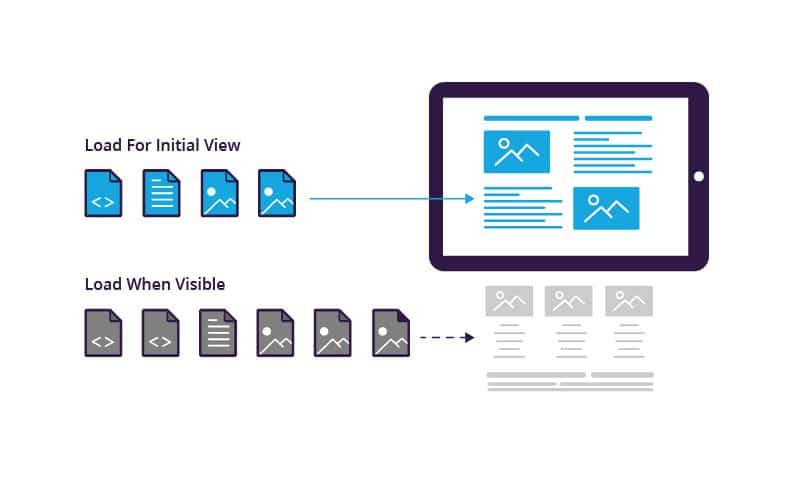
Lazy loading is based around loading modules only when you want them to show.

We know about Angular’s modular architecture where a code is divided into modules with each module having its own components.

These components are basically views which might have some dynamic data. These components are rendered with the help of angular routing.

Lazy loading is one of the best things that angular framework comes with.

It’s based around one principle – ‘load/use it when you need it’. Oh, yeah what a lame
explanation I’ve given. There is a routing.ts file in every module which defines a URL for rendering each and every component.

Now when it comes to implementing lazy loading technique, what we do is we define a routing file for each and every module and we import each module only when the URL changes and it corresponds to rendering a component defined in the routing file of that module.

This technique requires a bit of patience to learn but take my words, it’s worth implementing. I can tell you with my personal experience; we reduced the loading time of our website by 3-5 seconds by implementing lazy loading.

Previously, we imported the whole bundle each and every time the user hit our website URL making our site slow while rendering. Then after implementing lazy loading, we only imported the module containing component required to render our index page and we just loaded other modules only based on what URL the user is switching to.

The Angular docs surely cover the lazy loading technique and it’s worth reading. You can check this link to learn more about it.

Follow DRY principle, extensively use services and directives

Services

DRY – This keyword is very famous in the developer community and it just stands for Don’t Repeat Yourself. So, when writing any code- be it Angular or any language- if you feel that you are basically writing or repeating the same code in every component, then you must pause then and there and rethink whether the code can be placed at a suitable place and can be shared by every component.

For example, if you want to call an API that updates user data, don’t call it in every component. What I would do it, I would rather make a service for it in the .service.ts file and would call that function whenever I need any component.

Also, it serves the purpose of using services in angular. Services help us in saving and fetching data and also help us write common functions which could be used by multiple components.

Directives

Now switching over to directives. A directive is a piece of code which is used to perform a specific task. Directives are of 3 types in Angular – component, structure, attribute.

  • Components are as we all know templates with logic to handle data.
  • Structure directives modify DOM by adding or removing an element.
  • Attribute directives change appearance or behavior of an element.

Once, I was wondering to restrict input elements to accept only numbers when a user types in for a phone number field which shouldn’t accept alphabets. For this, I built an only number directive which would only allow input elements to accept numbers through the keycode. So just by using this directive as an attribute on an HTML input element, I can modify/change its behavior.

Conclusion

Following best practice is never a compulsion. There are many ways of doing things and you may choose any path. However, using best practices mean that you are following a method or a technique which is tried and tested through experiments and has proved to be effective to attain desired results.


Avoid those security vulnerabilities in your iOS

Every program is a potential target for hackers. They would want to tear you down and make you kneel. So, what do we do? I think we should stop writing programs and put our laptop lids down?Naah…. Just kidding!!Attackers will try to find security vulnerabilities in your application. They will then try to use these vulnerabilities to steal secrets, corrupt programs and data. Your customers’ private information and your reputation are at stake.

Security is not something that can be added to software as an afterthought; just as a shed made out of cardboard cannot be made secure by adding a padlock to the door, an insecure tool or application may require extensive redesign to secure it. You must identify the nature of the threats to your app and incorporate secure coding practices throughout the planning and development of your product.

Five weak spots of iOS app security and how to address them - DEV Community

Secure coding is the practice of writing programs that are resistant to attack by malicious or mischievous people or programs. Secure coding helps protect a user’s data from theft or corruption.

Most software security vulnerabilities fall into one of these small set of categories:

  • Buffer overflows
  • Unvalidated input
  • Race conditions
  • Access-control problems
  • Weaknesses in authentication, authorization, or cryptographic practices

I am not going to bore you with the theory of each type of vulnerability here. Duhh!! Who does that nowadays??

Instead, I am going to share a few examples from my own experience which I came across while going through an enterprise based security scan of my code.

Observation 1- Buffer Overflow

Abstract- The program writes outside the bounds of allocated memory, which could corrupt data, crash the program, or lead to the execution of malicious code.

As you can see in line 2 of the method, variable ‘has_storage’ has been declared as an unsigned 32 bit integer and assigned a value. However in line 3, a value is assigned to some index value of it. This is the classic example of possibility of Buffer overflow.

How Buffer Overflow Attacks Work | Netsparker

This code snippet is a part of Google’s Firebase/Messaging pods framework.

Fix

Avoid declaring the variables by keeping such vulnerabilities in mind i.e you can define this as:-

uint32_t  _has_storage_[0];

Observation 2- Privacy Violation: HTTP GET

Abstract- The identified call uses the HTTP GET instead of POST method to send data to the server.

Explanation- HTTP requests which utilize the GET method allow the URL and request parameters to be cached in the browser’s URL cache, intermediary proxies, and server logs. This could expose sensitive information to individuals who do not have appropriate rights to the data.

Example 1: The following code makes an HTTP request using the GET HTTP method instead of POST.


let url = URL(string: “https://www.somesvr.com/someapp/user”)
let request = NSMutableURLRequest(URL: url!)
request.HTTPMethod = “GET”
let connection = NSURLConnection(request:request, delegate:self)

Example 2: If the application uses NSURLRequest then the default HTTP method is GET.

let url = URL(string: “https://www.somesvr.com/someapp/user”)
let request = URLRequest(URL: url!)
let connection = NSURLConnection(request:request, delegate:self)

Since most of us are not aware that while making a URLRequest in Swift, if we do not provide any HTTP method then the default method is “GET” which can be treated as a major vulnerability in many of the Static Code Analyzers.

Fix

Make an extension of the URLRequest class and add a method with some added parameters as per your convenience.

Observation 3- Insecure Storage: HTTP Response Cache Leak

Abstract- The identified method performs a URL request without configuring the URL loading system to prevent the caching of HTTP(S) responses.

Explanation- The HTTP(S) responses may contain sensitive data such as session cookies and API tokens. The URL loading system will cache all the HTTP(S) responses for performance reasons, storing them unencrypted in the {app ID}/Library/Caches/com.mycompany.myapp/Cache.db* files. Developers may think that by setting the diskCapacity or memoryCapacity properties of the URLCache class to 0, they may be effectively disabling the HTTP(S) response cache system. However, the NSURLCache documentation states that both the on-disk and in-memory caches will be truncated to the configured sizes only if the device runs low on memory or disk space. Both settings are meant to be used by the system to free system resources and improve performance, not as a security control.

Fix

The combination of two solutions works best for plumbing these types of leaks. Firstly, after the response has been received, remove all the cache that has been saved to the memory by using this small snippet

Observation 4- Insecure Transport: Weak SSL Protocol

Abstract- The SSLv2, SSLv23, and SSLv3 protocols contain several flaws that make them insecure, so they should not be used to transmit sensitive data.

Explanation- The Transport Layer Security (TLS) and Secure Sockets Layer (SSL) protocols provide a protection mechanism to ensure the authenticity, confidentiality and integrity of data transmitted between a client and web server. Both TLS and SSL have undergone revisions resulting in periodic version updates. Each new revision was designed to address the security weaknesses discovered in the previous versions. Use of an insecure version of TLS/SSL will weaken the strength of the data protection and could allow an attacker to compromise, steal, or modify sensitive information.

Weak versions of TLS/SSL may exhibit one or more of the following properties:

– No protection against man-in-the-middle attacks
– Same key used for authentication and encryption
– Weak message authentication control
– No protection against TCP connection closing

The presence of these properties may allow an attacker to intercept, modify, or tamper with sensitive data.

Example 1: The following example configures the session to use SSL v3.0:

Fix

In most of the networking libraries that we use in iOS like Alamofire and AFNetworking, the default setting is to use SSL Protocol and hence if we explicitly update the minimum supported protocol in our code to the latest TLS protocol version, then we can easily prevent this vulnerability in our code.

Observation 5- Input Interception: Keyboard Extensions Allowed

Abstract- The application allows third party keyboard extensions to be allowed.

Explanation- Keyboard extensions are allowed to read every single keystroke that a user enters. Third-party keyboards are normally used to ease the text input or to add additional emoticons and they may log what the user enters or even send it to a remote server for processing. Malicious keyboards can also be distributed to act as a key-logger and read every key entered by the user in order to steal sensitive data such as credentials or credit card numbers.

Fix

If you want that no third party keyboard can be installed while using your application, then add this code snippet into your AppDelegate.swift file.

Observation 6- Insecure Storage: Lacking Data Protection

Abstract-  The identified method writes data to a file lacking sufficient encryption settings.

Explanation- Even though all files on an iOS device, including those without an explicitly assigned Data Protection class, are stored in an encrypted form; we can specify NSFileProtectionNone which results in encryption using a key derived solely based on the device’s UID. This leaves such files accessible any time the device is powered on, including when locked with a passcode or when booting. As such, usages of NSFileProtectionNone should be carefully reviewed to determine if further protection with a stricter Data Protection class is warranted.

In the following example, the given data is not protected (accessible anytime the device is powered on):

Fix

-NSFileProtectionCompleteNSDataWritingOptions.DataWritingFileProtectionComplete:
The resource is stored in an encrypted format on disk and cannot be read from, or written to, while the device is locked or booting. It’s available in iOS 4.0 and later.

-NSFileProtectionCompleteUnlessOpenNSDataWritingOptions.DataWritingFileProtectionCompleteUnlessOpen:
The resource is stored in an encrypted format on disk. Resources can be created while the device is locked, but once closed, cannot be opened again until the device is unlocked. If the resource is opened when unlocked, you may continue to access the resource normally, even if the user locks the device.
Available in iOS 5.0 and later.

-NSFileProtectionCompleteUntilFirstUserAuthentication, NSDataWritingOptions.DataWritingFileProtectionCompleteUntilFirstUserAuthentication:
The resource is stored in an encrypted format on disk and cannot be accessed until after the device has booted. After the user unlocks the device for the first time, your app can access the resource and continue to access it even if the user subsequently locks the device.
Available in iOS 5.0 and later.

-NSFileProtectionNoneNSDataWritingOptions.DataWritingFileProtectionNone:
The resource has no special protections associated with it. It can be read from, or written to, at any time.
Available in iOS 4.0 and later.

Oh!! My God… So many observations. Who writes such a vulnerable code anyway??

Me, you??

Let me tell you something folks! Privacy and Security are two important constructs of today’s digital umbrella which covers a huge part of our society. And moving forward we are going to be more dependent on all these digital devices lying around us exploiting the technologies like AR, AI, IoT etc. Did I just sound like Mr. Snowden?? Believe me, I am “No One”(pun intended).

But, it’s the least, we as developers can do to make our code less prone, a little bit more secure by keeping in mind certain techniques while coding. After all, good code is contagious. It spreads.

What’s in Store with Android O: Here ye, Android Developers!

Google team has announced the preview release of Android O, here are some changes for the developer with documentation and API differences.

  1. In new API changes, each page which is returned by the Content provider will be counted as a single Cursor object.
  2. Android O will allow you to customize the pairing request dialog when trying to pair with companion devices over Bluetooth, BLE, and Wi-Fi.
  3. There is a specific disk space for each app for caching data. You can get it using-getCacheQuotaBytes(File).
  4. Introduced OpenJDK Java language features in Android.

Here Comes the Android O : Everything About Upcoming Android OS. - Wildnet

Fonts using XML file

You can now use fonts as resources as it is a new feature introduced in Android O. There is no need to keep all fonts in assets. You can access these fonts with the help of newly introduced type, font.

Adaptive Icons

There is this new feature of adaptive launcher icon in Android O that supports visual effects and can display a variety of shapes across different device models. For example– you can configure launcher icon circular on one device and square on another device, it’s totally up to you.

Autosizing TextViews

Android O allows you to let the size of the text expand and contract automatically based on the boundaries of the TextView.

You can set up the TextView auto sizing via code or XML. The two types can be setup like:

  1. Granularity- By using this, you can set up the minimum and maximum range of the text size.
  2. Preset Size- By using this, you can auto size the TextView from the list of predefined sizes.

Generic findViewById

Say goodbye to casting views after findViewById().

Snoozing of Notifications

You can now snooze the notifications and can see later. Developers can also get all the snoozed notifications using- getSnoozedNotifications().

setToolTipText

Set the text on the tooltip that will be displayed in a small popup window. The tooltip will be displayed:

  1. On Long Click, unless is not handled otherwise.
  2. On hover, after a brief delay since the pointer has stopped moving

Android O may release on August 21 | Lifestyle News – India TV

Progress Dialog is no longer there, it’s deprecated now

Progress Dialog is now deprecated in Android O. It uses a progress indicator such as ProgressBar inline inside of an activity rather than using this modal dialog.

A dialog shows a progress indicator and an optional text message or view. Only a text message or a view can be used at the same time. The progress range is 0 to max and cancelable on the back press.

Notification.Builder() is now deprecated

Now we have to use Notification.Builder (context, channelId). ChannelId is a string value and mandatory for all posted notifications.

It’s time to remove BroadCast Receiver from the Manifest

In Android O, they have set the limit on the background executions. You should remove all implicit broadcast that is for intents. If you keep them in place then it will not crash your app but will be of no use when your app will run on Android O.

Autofill Framework

Autofill will save user’s time to fill the information in forms, like details such as credit card or personal account in their devices. The Autofill Framework manages the communication between the app and autofill service.

Developers can start using Android O by setting up the compileSdkVersion as ‘android-O’, targetSdkVersion as ‘O’ and buildToolsVersion as ‘26.0.0-rc1’.
You must set the support dependency as-

dependencies {
compile ‘com.android.support:appcompat-v7:26.0.0-alpha1’
}

Secret to Patient Encounter: Never Skip Small Talk!

Small talk is delightful. It’s an easygoing, inconsequential conversation where you’re not running to reach an answer. It flows like wind, from one talker to the next. Small talk appears trivial, but it’s a way for strangers to know each other and for friends to bond over little details.In office, people indulge in small talk during watercooler run-ins, in elevators, and in big meetings where they don’t know each other. Small talk is used to break the ice with casual questions like ‘how are you?’, ‘How’s the weather in your city?’, ‘How was your day?’.In human conversations, small talk serves many purposes. It’s like a bonding ritual. If the two people are meeting for the first time, it acts as a conversation starter. But if they already know each other, it serves as a conversation kickstarter before diving into the real conversation. Small talk is the foundation of good conversations and great relationships.

In a chatbot, small talk enhances the user experience by bringing a feeling of connection. By adding answers to inputs like ‘How are you?’ and ‘Are you really a robot?” in the chatbot’s architecture, we make it less robotic and more humane. We give our chatbot a human character that builds an invaluable connection with the user.

How can small talk help in a healthcare chatbot?

COVID 19: Driving Chatbot's Growth In HealthCare Industry

A good healthcare chatbot is the one that answers users’ questions with accuracy, timeliness and empathy.

But a great healthcare chatbot is the one that understands the moods of users, urgency of the situation and answers accordingly.

For instance, when you’re panicking about waking up to bloodshot eyes, the chatbot calms you down with some first-aid steps. If you’re in a rush to book an appointment, the chatbot sends you proactive information on which doctor is nearest to your location. If you’re feeling low, the chatbot brightens up your mood with some light-hearted conversation. Just as a good friend would do.

The highlight of the above conversation is the personal touch in the conversation. It doesn’t feel like we’re reading a conversation with a chatbot. That’s the magic of small talk. Phrases like ‘that’s dreadful’, ‘wish you a speedy recovery’, add a human element and creates a connection of care between the bot and the end-user.

Small talk in a healthcare chatbot also helps create trust. It eases them through important and time-sensitive tasks— like emergency calls to ambulances — with empathy. Contrary to this, robotic responses in yes or no and apathetic comprehension of chatbots frustrates users and they go elsewhere in search for answers.

But how can chatbots mimic human-like conversations and engage users in delightful conversation? By leveraging the power of AI and NLP.

How to implement small talk?

Small Talk Dataset for Chatbot - Free Dataset List - The Chatbot Business Framework

There are certain guidelines that one can follow to tailor such conversations.

  • Decide the voice and tone of your chatbot. Every response should reflect the personality of your chatbot.
  • Initially, you’ll have to hardcode some of the small talk in your chatbot. So, brainstorm ways in which users can ask questions. Do some research and make some educated guesses to decide on the most relevant questions that your targeted audience may ask. Cover the edge cases as well– from casual questions to genuine queries that users might ask.
  • Write answers to each question as per your understanding.
  • Keep the small talk brief and clear. Don’t go too far from the crux of the conversation.
  • There can be multiple levels of small talk. Each parent question can have a child query. The child query can only be asked when the parent question has been asked by the user and the chatbot has responded to it.
  • Small talk should always be accompanied by a call to action or a solution. Example- You: “Do you really exist?” Chatbot: “Yes I exist as a computer program. An intelligent human created me, so you can trust me. How can I help you?”
  • Train your chatbot to learn from the conversations of small talk.
  • Small talk is language-specific. So give users an option to talk to the chatbot in their native language.

Small talk makes the interactions with chatbot intuitive. By adding a small talk feature, we can increase the number of conversations and engagement levels of the user with the chatbot. So, if you have a healthcare chatbot, consider incorporating small talk. It doesn’t even require you to do a complete overhaul of your chatbot development.

Speed Up Android App Development-10 Quick Tips

Android Apps Development Services | Technource US

In a market fraught with stiff competition, a quick time-to-market app can make all the difference. An app that takes forever to build and deploy can crash and burn even before it goes off the shelf. Developing a mobile app is an expensive process. Creating a mobile application is a costly process, as bringing ideas into reality requires time and effort, and expenses. For instance, after the development you’ll have to pay for hosting or for marketing campaigns to spread the word. One approach to keep costs back from spiraling crazy is to decrease the application development time. In the realm of mobile apps, time is money, so the more you spend working on your app, the more it will cost. Although Android app development for business is a good choice, however, it is especially notorious for its sluggish speed. CEOs of businesses are constantly struggling to meet deadlines and take their app to the market before competitors pinch the app idea. In this tussle between speed and quality, often quality is sidelined and what results is a product that doesn’t meet your or your audience’s needs and expectations. We will be discussing in detail how to develop apps faster in the below article.

Since android application development speed is such a relevant issue, we have compiled a set of handy android tips and tricks 2021 that can help you create android apps speedily, without compromising on quality.

Android Development Tips

1. Use the latest tools

Auditors must use latest tech tools for quality audits: CEPR

All android developers are faced with the same dilemma: too much to do and too little time to do it! Designing, prototyping, coding, testing, debugging, and the list of tasks goes on. While some of these vital steps have no short-cuts, there are valuable tools to help with others.

Here’s our countdown of developer must-have android development tools that can speed up android app development service process:

A. Genymotion

How to Run Android Apps on Windows 10 with Genymotion

A sleek emulator that can simulate built-in sensors that a device model has. This emulator supports all existing versions of Android, cutting the need for re-configuring for different devices.

B. Hierarchy Viewer

A great tool to view your app’s tree and analyze its flaws for debugging and testing purposes. This tool, available in Android SDK, helps speed up app development by letting you merge and remove redundant elements in your app.

C. LeakCanary

GitHub - square/leakcanary: A memory leak detection library for Android.

Detecting memory leaks is a specialized function of this tool. These bugs are very hard to debug and the tool will ensure no leakage escapes your notice. Debugging becomes rapid and mobile.

D. Vysor

Vysor - Android control on PC: Amazon.in: Appstore for Android

This tool helps android app maker in sharing screens between their workstations and Android devices, using just a Chrome plug-in. The tool is an answer to most developers’ prayers who find it complicated to root devices via USB. With this tool, you can share app features live with the client and receive instant feedback which is always great for the development process.

E. Butterknife

Butter Knife

An awesome tool to improve the coding rate and readability of your boilerplate codes. This tool is a great time saver for all businesses looking to cut down app development time.

2. Low-fidelity wireframes are speedier

Low Fidelity Wireframes vs High Fidelity Wireframes - MentorMate

Wire framing is an essential step in the app development process. Using low-fidelity wireframes is better option than high-fidelity ones. These wireframes are less detailed and more fluid but they give a clear enough picture to developers and UI designers.

Going headfirst into coding is not advisable and most experienced Android app developers in New York, Florida, Texas, and other areas know this. The most crucial first step is to get designers, developers, coders and project managers on the same page. Low-fidelity wireframes do just that. They are quick to develop and are a good blueprint for the entire development team.

3. Go lean

A commonly-accepted best practice in the quick android app development process is to launch a Minimum Viable Product (MVP) with just the basic features and no frills, instead of waiting to develop and launch a full-fledged app. The MVP will help you collect user data about what’s working and what’s not. Use the build-measure-learn feedback loop to get invaluable lessons about customer feedback. This approach diminishes the risk element of your app and makes for an app that is more likely to appeal and succeed.

Another facet is using short iterations or “sprints” to break up the entire app model into smaller, doable cycles. Each sprint is complete in itself-it has the entire gamut of development steps and results in an improvised version of the previous sprint product. Speed up android and go agile in your development process. Reduce redundancy of effort and resources. This not only helps reduce development time but also saves production costs. And of course, the ultimate benefits of android app development is a risk-free product that starts churning ROI from the moment it’s launched.

4. Hire experienced developers

Hire Laravel Developer at Low Hourly Rate | Highly Skilled Developers in USA

Once you are settled with the development platform and the tools, now comes an ideal opportunity to hire the best android developers to accelerate android application development projects. While hiring android developers, one thing that should be considered is their experience and flexibility. Why? Because if android application developers are experienced, this means that they will have proper knowledge or information on every issue that may come during the app development process.

Also, if the android app maker is interested to learn and adjust to new technologies and platforms, then that will enhance and accelerate your app development process. Adaptability plays an important part in deciding the interest level of your development group. Thus, you should employ android developers that are prepared to learn and update their abilities according to the project.

5. Delegate off-core activities

The Art of Delegating: What and How to Delegate to Your Directs

One of the android tips is to always take a wise choice to offload additional activities such as enhancing app engagement, measuring app analytics and converting free subscribers to premium ones. These activities eat up a lot of time and are better off with pre-designed applets, available at mobile engagement platforms. These applets can be incorporated in your ready app with just a few lines of code. Applets enable activities such as sharing tools, offer notification, new features tools and feedback tools.

6. Use hybrid app development

Top 10 Hybrid Mobile App Development Frameworks - Clever Solution

Cross-platform apps allow you to code for one app and get multiple apps that can run on all covered platforms. Hybrid app development is speedier than native app development, though it has its own set of drawbacks. But for quick market penetration, cross-platform apps may be the best choice. Later, one can go in for native apps that are more inherent, fluid, robust, and focuses on android app performance optimization.

7. Opt for automated testing

When to opt for automation testing | Test Automation Resources

Automated testing is a sure shot measure to get secure, fully-tested apps in a fraction of time than the ones deploying manual testing. Automated testing tests an app against a full suite of testing tools simultaneously, instead of one-by-one as in manual testing. This improves test coverage, reduces testing time, and guarantees a bug-free product that is market ready.

8. Outsource specialized development steps

Outsourcing Serious Games Development Tips - eLearning Industry

In-house app development is not everybody’s cup of tea. The app market is fast evolving and new apps are entering the market every day. To remain competitive, timely, and relevant, one can outsource app development to a skilled, efficient Android app development company. Even if you possess the capabilities to code or design an Android app, use domain experts for putting the whole product together and maintaining it. Not only will you get better returns on development costs, but you will also offload the hassle of running tasks that will be better handled by experienced professionals.

A common misconception shared by businesses is their misplaced fear about the cost of outsourcing. Android software development company mostly have flexible engagement models that can match product development costs to your budget. Fixed cost; time and material; and build, operate and transfer models can be evaluated to arrive at a business solution that works in your favor.

9. Cross-platform development tools

React Native vs. Xamarin vs. Flutter vs. Ionic vs. NativeScript

Cross-platform is the most convenient way to decrease app development time. The cross-platform tools allow users to focus on numerous mobile platforms with a similar codebase, eliminating the time that one would normally spend deciphering, reworking, and re-compiling the same code to work across various platforms.

Developing separate native applications for every platform is costly, while a hybrid app utilizes a single sharable code, which assists you to save your pockets. Cross-platform applications have a native look and feel, which is great for user experience.

There are plenty of cross-platform development tools, but some of the most used tools include:

Xamarin

Ionic

Flutter SDK

React Native

Adobe Phonegap

10. Create build variants

How to create and configure Android Build Variants - Cuelogic Technologies Pvt. Ltd.

Loading your app with unnecessary configurations can slow down your app’s incremental builds. Retain only those configurations in your app that are required in its development and release versions. Plus, don’t waste time and effort in compiling additional resources that hold little value. Such resources include screen density resources and additional language localizations.

Wrapping Up

Manage your app development time strategically to get ahead of competition and meet tight deadlines. A minute lost in android application development services can translate to huge monetary losses. A good mobile app development company will micro-manage tasks of developments in such a way that your app hits the markets at top speed!

Also taking the above mentioned points into consideration will on how to create an app for android.

Fill up the form through this link and hire android app developers in USA that will help you validate and convert your app idea into an efficient product and create android apps.

Competitive Analysis for your Mobile App Idea-Guide

What is a competitive analysis and how to conduct one (plus free templates) - Wave Blog

Now, we know that you’re ready to break new grounds in the app industry. You’ve got a great app idea, your market study on the technology it would require and the features it would have, is on point. To make it all way less complex, you have even partnered with a great team of app developers. You are now looking forward to a bright and profitable future.

And since you are the one who has come up with this revolutionary mobile application idea, what can go wrong? Believe it or not, such wishful thinking can be the death of your app.

It is important that you realize that you won’t operate in isolation. You will be competing with millions of other apps in both Apple and PlayStore combined, which will be staring at you as your competition in the app industry. So, the chances of yours being a never thought before app idea is very slim. Hence, it is absolutely imperative for you to perform a mobile app competitive analysis.

In this post we would like to acquaint you with the why and how of running a competitive analysis for your app idea.

What is a Competitive Analysis in terms of Mobile App?

Why Competitive Research Is Important And How To Do It Right - Relevance

Competitive analysis is a nerdy term for identifying and evaluating your current and potential competition’s strengths and weaknesses relative to those of your own whole app or even some of its features.

Why do You Need to Perform a Competitive Analysis for Your Mobile App Idea?

Competitive analysis is no exact science. While every app developer will have their own way of performing the analysis, the upshot would largely remain the same: Identify your competitors, see how you can outwit them (of course, by compensating where they are lacking), and draft a plan to do so.

Delving deep into your competition would help you analyze the position of your mobile app in the market and reassesses the viability of your app idea. It would help you with acquiring competitive intelligence, which will not only demonstrate your great business acumen to the investors but will also give you an edge in the crowded app industry.

Let’s begin with the fun part

While this is no battle, you would need to equip yourself with the correct armoury to take on your competition. There are a few app competitor analysis tools that can help you with performing competitive analysis for your mobile application idea efficiently and effectively.

Here’s what you would need:

  • Internet
  • Spreadsheet
  • Some quiet time for assessment
  • The 2 steps mentioned below to do a competitive assessment matrix for your app

Step 1– Profiling current competition

How to Write a Great Business Plan: Competitive Analysis | Inc.com

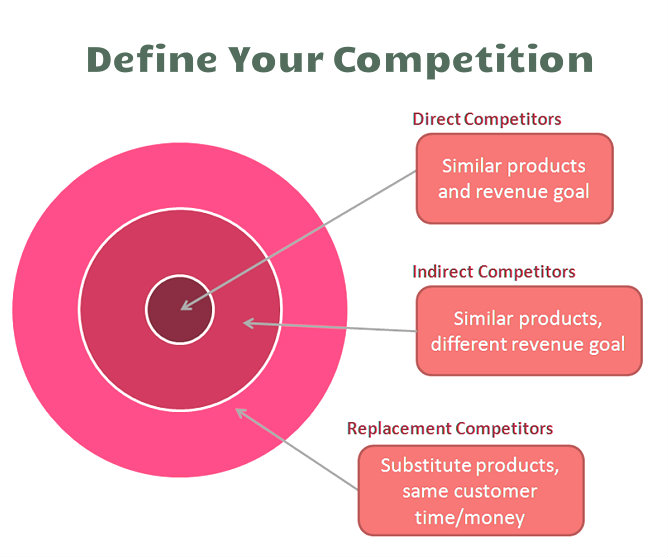
Mobile app developers are part of a very competitive industry. Hence you need a complete understanding of your competition to get an idea as to what you are up against. Map each and every one of your competitors, even the potential ones.

For this, you can search for keywords that are related to your app idea. It’s a relief that you don’t have to be an SEO expert to do that. All you need to do is put yourself in your target audience’s shoes and imagine what they’d search.

For instance, if yours is a professional photo editing app, your searches should look something like this: “best photo editing app” “photo editor”, “photo editor with cool camera effects” etc.

Even a simple Google search as this, will garner a series of photo editing based apps currently available on the App Stores.

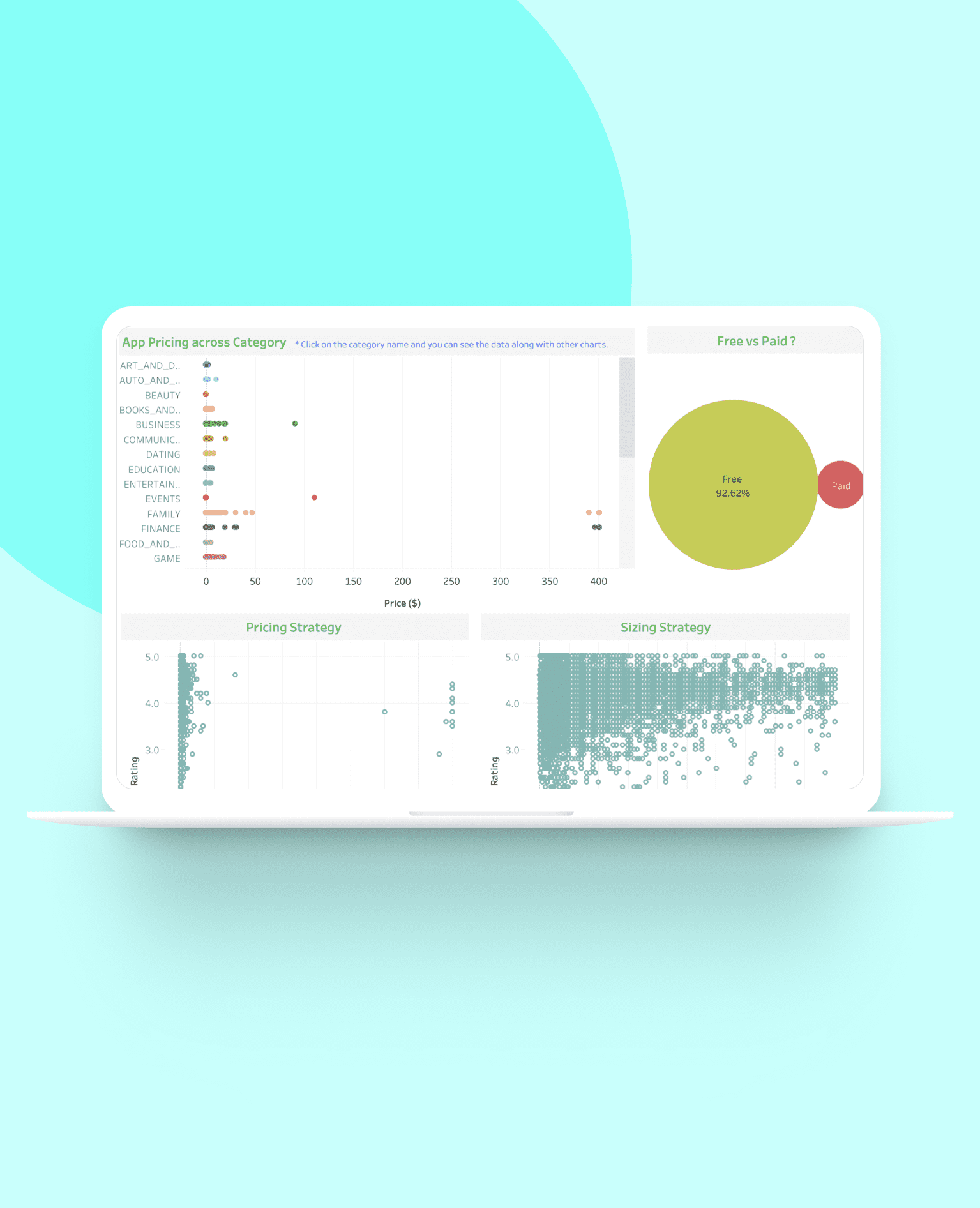
Step 2– Market Analysis of an App

Android App Market Analysis — Data Visualization Case Study | by Vivi Shin | Medium

Be a Stalker! (A harmless one)

After identifying your competitors, the first thing you would want to do is going through their website, apps, social media profile. Make a log of each competitor based on your research.

You can use tools like SimilarWeb, Alexa, Ahrefs, etc. You can rely on their expertise in revealing your competition’s analytical and online strategies. If there’s a new kid on the block, they would be sure to know about them and keep you up to date to the competition.

Another good place to scrutinize is ProductHunt. It can be a great pit stop in your long journey in deciphering your potential competitors. It’d give you details about new app ideas or people are coming up with across the globe. It would be instrumental in mapping out your completion at a very early stage.

This would open up a door for you and let you see right through their strategies, tactics, weaknesses and strengths that are relative to yours.

Your research should essentially focus on the following parameters.

Competitor’s Web Presence  

How to Perform a Competitive Analysis and Establish Your Presence - DevriX

You can copy your competitors’ website URL and paste it on the search bar of pages like Alexa, Quantcast. These will help you attain competitive intelligence and help you gain information about a website’s traffic and consumer demographics, which will eventually help you enjoy better benefits of creating user personas.

The work doesn’t end there. You also need to keep tabs on their social media presence.

What kind of articles or reviews were published to promote your competitor’s app? How do they serve their customers via social media? What sort of paid campaigns do they run? Which social channels are they missing? Is there an opportunity for you there?

Basically you need to get a feel of their web and social media strategies that they use to endorse their app. This would help you gain a competitive edge.

Competitor’s Unique Value Offering

Android Rate App feature implementation - Android Dvlpr

Every business has its unique selling point (USP); something that distinguishes it from the others. What we mean is that each business brings with itself it’s own “value offering”. You can discern your app competition on this particular paradigm.

For your competitors, it can be anything – timely response to customers’ grievances, regular updates, greater look into security, or a feature that others are adopting to at a very slow rate.

Knowing your competitors’ unique selling proposition and measuring it up against what your common audiences are looking for, will give you an understanding of what you need to offer as your USP.

Rankings of Competitors’ Apps

Competitive Intelligence Apps To Try in 2020 - Competitors App

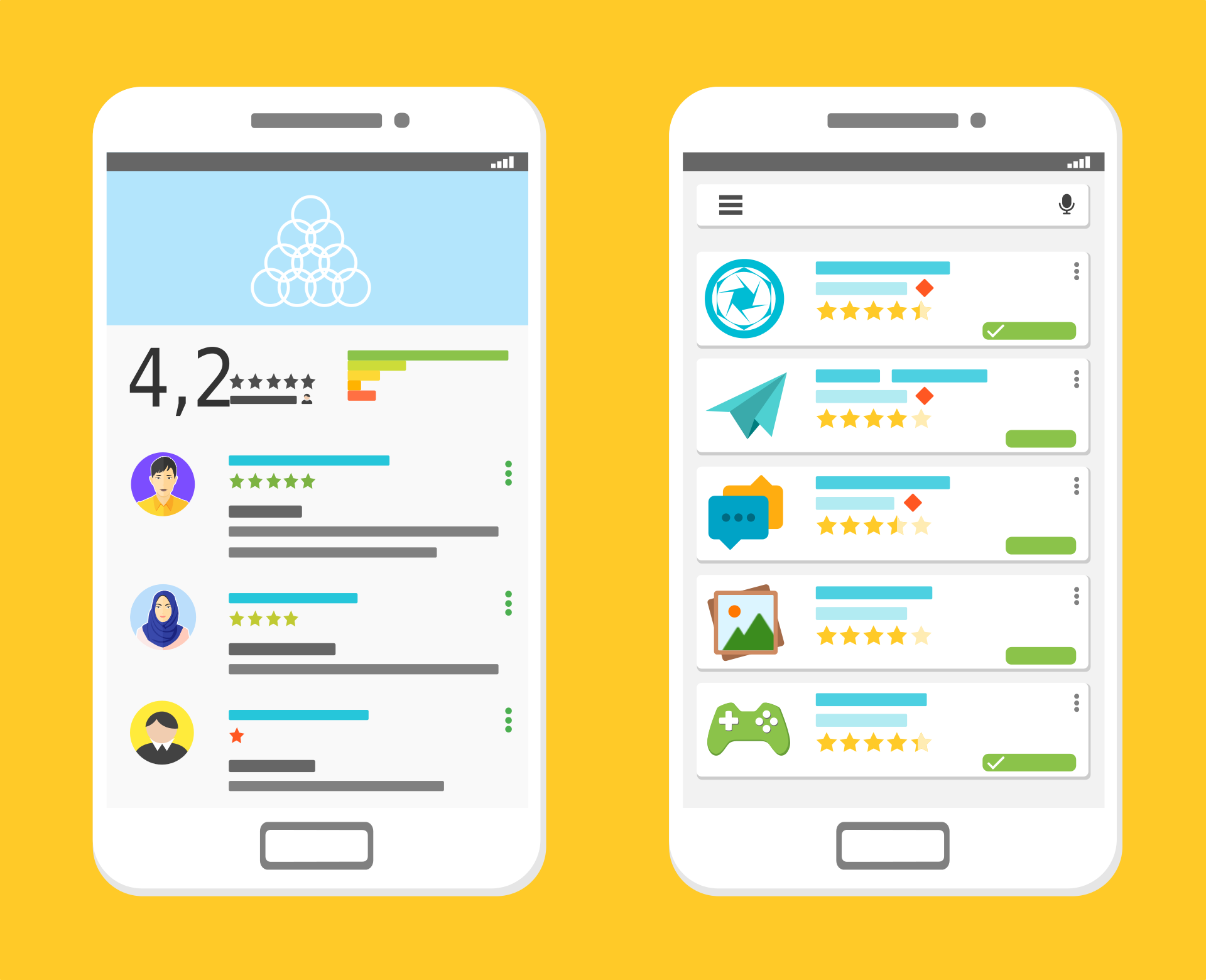
An app’s ratings speak volumes about its foothold in the market. You can tell whether or not your competition is treading well in the market.

Sensor Tower is one such tool that can get you access to critical data regarding your competitors’ keywords and rankings in app store. It would also help you discern them on the basis of threat they post to your app idea.

While App Ratings matter to a great extent, there can be a number of reasons affecting them. For a more detailed study on how the users are liking the apps your competitor has to offer, go to their reviews section.

Reviews on Competitors’ Apps

Why You Have to Read Your Competitors' Reviews (and How to Do It Effectively) · ASO Tools and App Analytics by Appfigures

App reviews are a great indicator of how successful an app is. And one of the most important stages of App Competitor Analysis.

Look for complaints made by the users, especially the ones that are repetitive. Don’t forget to look out for recurring praises as well. If a competitive app has negative reviews saying that it is quite difficult to navigate, you should remember to keep your interface smooth and easy flowing.

Combing through the reviews will tell you exactly what your potential customers’ pain points are and what is keeping them happy. With that information in hand, you can add more features into your mobile app development process or even plan an update plan at the back off.

Competitor’s Strengths and Weaknesses

SWOT-analysis - Annabel Forster

Remember the much learned and talked about SWOT Analysis concept? While generally used for internal business analysis, you can use the concept for making a tab on your competitors’ as well. Use the Strength and Weakness part of the SWOT analysis for understanding what they have to offer on both these fronts. And, keep the Opportunity and Threat part on hold for now and come back to them at a later stage (when you are analyzing your brand).

After such diligent research, you can map out your competitor’s strengths and weaknesses. Try to avoid the mistakes that might have cost your competitors dearly. Aim at outdoing their strengths by pushing your own limits and achieving newer horizons.

All of this superfluous competitive intelligence might get you confused or overwhelmed. However,  do not lose sight of your task at hand, which is to meticulously analyse your competition. Planning your mobile app competitive analysis with these elements, will bring you at par or even way above your competitor’s level.

So now you know where your mobile app competitors’ stand, what next?

But what do you do with this information? Now that your bubble of being the sole proprietor of the app idea has burst, what next? How should you go about utilizing the generated insights into your app business plan?

Once you know where your app competitors stand, the next step in line is to see where you belong. Note how your app ranks among the ones the others in the similar category. Chances are you will have to get back to the development stage and make some tweaks here and there to give your users an app they ideally want.

The idea is to constantly update your app to give your users newer, more useful updates, those that will keep them hooked to you, all the while keeping a lookout on how your competitors are performing. You can make use of tools like Google Alerts, Ahrefs, Social Media, BuzzSumo to remain updated with what’s new with your competitors.

Need More Information on How to Perform Competitive Analysis for your App? Contact our Team of Mobile App Marketing Experts, today.

The top 8 considerations for a successful Application Development

Why you don't need to develop a mobile app - Perfect Pixel Marketing LLC

Application development can be a little overwhelming for some people since it involves so many decisions and choices. If it’s your first time then we sure can understand the questions you might be asking yourself. With technology advancing so rapidly apps have to be developed in a way that it matches the latest technological trends.

Going for application development will be the best decision for your business especially if you are a startup. Startups need to gather an audience and convert them into becoming their regular customers. This can be achieved with the help of mobile apps as it will give the audience a platform to engage, interact and gather information about the startup.

An app must be developed in a way that there is no waste in the application development process, every opportunity is explored and the end result is worth all the effort and costs. To make this happen, we are writing this blog about things to consider when developing mobile apps for startups.

Let us begin with why should you get an app for your startup.

Why build a great mobile app for your business?

The fact that by 2020, there will be 20 billion mobile devices makes building an app that can profit your business is very important. Majority of the mobile users are preferring mobile apps to get things done and apps are more of a lifestyle than just a technological solution.

Here are some compelling reasons why businesses should have an app.

Additional sales

4 Ways You Can Generate Additional Hot Online Sales Leads Today

With a mobile app in your customer’s pocket, you have a lot of things to use to increase your sales. The simplicity and convenience of using an app to buy a product encourage users to buy repeatedly. When compared to websites, apps have more accessibility and people can make a purchase on the go. Another way to gain revenue is by showing ads on the apps. You can also charge users for your app. If the app is worth paying for, customers will buy it.

Reduces marketing cost

How to Reduce Marketing Costs Without Impacting Your Business?

Marketing costs are huge and not every startup can afford it. With apps, you get a free marketing tool which reduces the cost of marketing, unlike traditional marketing. Mobile apps are low-cost marketing tools where push notifications can be used to market new products, inform about offers and re-invite users to increase the activity of the app. Not to forget that it takes less time, low cost and reaches a large audience at the same time.

Customer experience

What is Customer Experience: Strategy, Examples, Tips | Hotjar

A business runs because of its customers and impressing them is the biggest job. Mobile apps are no doubt a great way of enhancing the customer experience. Websites are great to reach a larger audience but it cannot give the same feel as an app. Apps are deliberately designed such that it fits small screens while giving visual satisfaction to users. Apps have quick access to the device features like calling, camera, GPS, etc. which makes them more likable.

Edge over competitors

Competitive Edge: How to Gain an Edge Over the Competition - PR News

Even though most companies have got an app, there still might be a chance for you to flourish. There are two possibilities that make your chance to succeed with an app possible. First, there might be companies in your niche that haven’t gone mobile which gives an edge. Second, even if some businesses have, they might not a great app. A poorly developed app is of no good use and you get a chance there.

Broader Reach

Top 5 Reasons Why Mobile Apps are imperative for Businesses in 2015

There is a population that only operates its business through mobile apps. If you don’t have an app, you are missing out on that particular population. A large number of users prefer a mobile app over the website as seen in the statistics above. To know what percentage of your users are mobile-driven, check out the percentage of website visitors that access it through mobile phones. Also, younger users are more likely to use mobile apps as compared to adults.

Feedback from customers

Customer Feedback - Why is it important & 5 ways to collect it

If a business doesn’t meet the needs of its customers, it’s hampering its own growth. Most businesses take the smart route and consider the customer feedback a serious benefit. With feedback from your customers, you can reshape the business or make necessary changes. A great way to gather feedback is through reviews from the app store or from the in-app feedback section. You can also run in-app surveys from time to time.

Stickiness

App Retention: 5 Tips for Built-in Stickiness | Phunware

Mobile apps are a strategy to get into the customer’s pocket. The convenience it brings for the users is very much appreciated by them. Having an app in their pockets and being able to access it anytime and anywhere creates stickiness with your brand. Unlike websites, apps are always a click or a tap away and that encourages repeated interaction with the business. There are also high chances that mobile apps can bring your business a great percentage of loyal customers.

Now that we have seen why you should get an app for your startup, here are some tips for creating an app that is profitable.

What are the main points to consider when developing a mobile application?

It’s easier to decide to get an app than actually planning to build a good one. Mobile app development is a process that needs proper consideration. It requires one to look into tips for bringing success to app business, implement them, and much more. In this section, we will state some things to consider when developing mobile apps.

Solidify the app idea

Ensure a Smooth and Successful Mobile App Start-Up with these Guidelines - SPEC INDIA

One of the mobile application development tips for beginners is the app ideation. Before you even think about the application development process, make sure your app idea is great. The entire base of the app is the ideation and you need to make sure you have everything it takes to make the app a success. You have to ask yourself whether the app idea is strong enough to survive the cut-throat competition or not. The app should also have an edge over the competition and should be able to solve problems on a business level.

Define your elevator pitch

One of the things to consider when developing mobile apps is the elevator pitch. You get a short time to present your business in front of investors and that’s why having a perfect elevator pitch is important. This also helps in finding the clarity in your app idea and business model. You should be prompt about your business, the problems it is going to solve, the funding it will need and the audience it’s going to target.

Identify the target audience

Exploring your Target Audiences for Mobile App: How to Go About it

People think that the entire app using population is their target audience since they all can use an app. But there is a huge difference between someone who can use an app and someone who wants to use an app. Defining your target audience will bring more traction to the business. Knowing your target audience helps in building an app as per their liking. An app that satisfies the customer needs is going to become successful.

Consider the app platform

Android vs iOS, Which One Do You Actually Need? | Cashify Blog

Factors in developing mobile applications also include the app platform. It is actually one of the most important things to consider when developing mobile apps. In the world of mobile apps, iOS and Android have become the top platforms for application development. There is an ongoing debate between Android vs iOS for startups and it isn’t going to end any time soon. Some find iOS to be the right platform for them and some find Android is the way to go. Both platforms are great in reality and have their pros and cons. iOS uses the Swift or Objective-C language whereas Android uses Java or Kotlin.

However, there is an option to select both platforms at the same time. Cross-platform apps are developed to be accessible on multiple platforms. The cross-platform frameworks that we use today are Ionic, Xamarin, etc. A simpler name for cross-platform apps is hybrid apps.

App store optimization

App Store Optimization — Part I: What and Why ASO ? | by SHISHIR | PROGRAMMING LITE | Medium

So far you have seen many things to think about when building an app. App Store and Play Store optimization are other crucial factors for consideration. Your app store page is a way of creating a good impression in front of users. 60% of apps are found through organic search and they are directed to the app store page of your app. You need to make the app look as appealing as possible while following the app store optimization guidelines.

Monetization options

Android App Monetization Options - Chiconomise - Our Knowledge is Your Life

One of the things to keep in mind while developing a mobile app is the way of monetization. As good as earning money off of the app directly is, there are other ways to earn money from the app.

If your app is good enough then you can earn from different ways using your app. You can earn money directly from your app in the following ways:

  • Freemium apps: These apps are the most common types of apps. The apps can be download for free, however, to access some features users have to buy it from the app.
  • Paid apps: The paid apps have to be bought by the users in order to use them. But for this to work, the marketing of the app needs to be strong so that the true value and unique features of the app are displayed.
  • In-app purchases: Apps can have special features that the users can pay for. These features are only accessible to those who have made the in-app purchases.
  • Subscription: Subscription is a way of earning on a regular basis. Users can subscribe to an app on a monthly basis and enjoy the best version of the app. Most apps have freemium for the simple version and subscription for a premium version of the app.
  • In-app ads: Earning revenue from the ads is quite common these days. There are no barriers for users since watching ads don’t cost anything. The app can have a section to display ads or can add video ads to the app. However, user experience should not be compromised with when going for in-app ads.
  • Sponsorships: This method of earning money is possible when you have generated a good user base. You can partner with some brands and advertise their products on the app. There is a two-way benefit in sponsorship for you. First, the brands will pay you for the user actions and second, users will increase the in-app engagement.

App security measures

Significant Security Measures for Android App Development | Mobile App Development Blog | Pyramidion Solutions

If your app is not secure then your app is not for the users. With so much advancement in technology, there comes a great risk of security breach and hacking. This is why you need to make sure you follow security practices for a hack-proof app to protect your users’ data. Most users are naive with the concept of hacking and need an app they don’t have to worry about.

Marketing strategies for pre-launch and post-launch

Are You "GO" For a Product Launch?

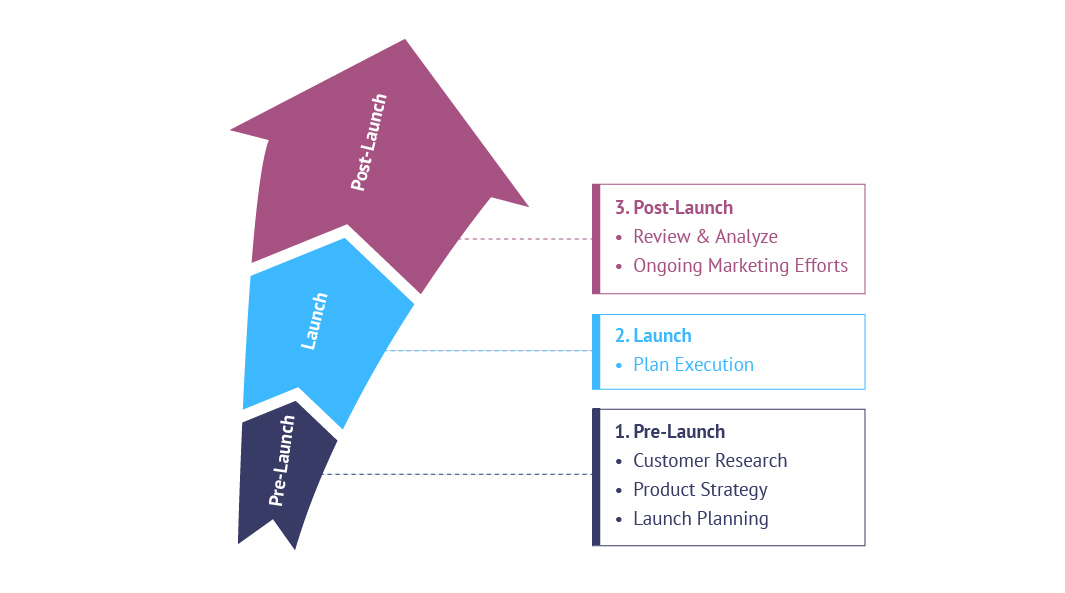
The marketing strategy of the app is one of the things to consider when developing mobile apps. Before the app is launched, proper awareness should be created about the app. This will help in boosting the app downloads once the app is launched. The pre-launch is as important as post-launch and the marketing strategies for both should be ready.

This was our take on tips for mobile application development. Have an app idea? Contact our team of developers today.

Variables contributing to a Mobile Application success

Mobile App Development - The Key Ways Leading To Success

Mobile apps have become a go-to for industries. Ever since apps were recognized for their abilities to boost businesses, everyone wants to go for it. If you are a well-established business with a huge budget for an app then you can easily hire an app agency and get started with your app. However, if you are a startup on a budget, you might want to tread carefully here. Mobile app development requires more than just funds. Of course, the cost factor is there but the quality of the app also determines its success. What makes an app ‘successful’? What tips to consider for making your mobile application successful? For any app to be successful, it should have amazing features.If we look at the latest apps, they are all using the latest technology in them. Technologies like AI, VR, AR, Machine Learning, etc. are being used to improve the overall app experience.

When any user has the first encounter with an app, they notice the UI of the app, features of the app and the performance of the app. This is followed by the regularity of updates and bug fixes.

We have already talked about all other factors in our previous blogs so today we will discuss what are the key features of a successful mobile application – features that should satisfy the users and their needs.

What makes a mobile application successful?

Other than the features of the app, there are some other factors that also contribute to the success of an app.

Mobile app development is like a journey that has many phases and many stages. Before the features are put in an app, some factors are considered to ensure the success of the app. Here are some points that must be considered when answering how to develop a reactive mobile app.

User-centric

Why Your Website Should Be User-Centric | bMighty2

When your app gets launched, who the users are going to be? Think about them and understand their characteristics. This will help you in building an app that suits a particular demographic. When the app is user-centric, it gets more active users, more engagement and more audience. User feedback is a great way to gather information about what your users need. Most successful apps use this feedback to improve their apps, making it more likable by the users.

A polished feel

An app with poor designs shows the level of effort put into making it. A great app will put efforts in the slightest feature which is what makes them great. Users are looking for visually appealing apps that solve their problems and if it’s not worth their time then they will leave it immediately.

Has a strong USP

Developing your USP: A step-by-step guide | Marketing Donut

The Unique Selling Point of a successful app is always strong. What makes the app unique is what makes it successful. See, for example, UrbanClap started providing home services like beauty salon services, repairs, etc. on their app. This was very different from any other business model. The user has options to select from various services that UrbanClap provides.

Focus on one core feature

Your app should be known for one of its strongest features. Users prefer not to use apps that are complicated so don’t focus on promoting multiple features all at the same time. What makes a mobile application successful is its ability to do one task and do it very well. The best way to focus on one feature is to find the core that drove you to build the app in the first place. That very same reason will be the driving feature of your app.

Solves a problem

Make and Build a Business That Solves a Problem - Business 2 Community

A mobile application is also called a digital solution and it is because it solves a problem. With so many apps in the market, you have to see which problem is your app solving. Even the slightest of change between two apps make a difference. Suppose, an app provides parking solutions at malls but does not have a car locator feature. If you add the feature in your app, that would make the app more likable and usable.

What are the successful mobile app features?

Talking about successful mobile app features, there is a misconception that the more features an app has, the more it will be likable. But more features means more app development cost and more complications in the app.

Too many features are not what makes a successful app but its the smart combination of features that do the magic. Here are some of the best features that you can use in your app.

1. Use of latest technology

10 uses of technology that made it a part of everyday work - Education Today News

Apps using the latest technologies like data science, machine learning, AI, etc. have made their name as a successful mobile application. The truth is people are looking for more and more convenience in their mobile apps and these technologies provide that. Not only does the technology help in providing maximum user satisfaction but also helps industries in handling the business quite well. With data science technology, great models can be created that predict demand and sales for a business.

2. Augmented reality in apps

10 Augmented Reality Apps Available for iOS Worth Downloading

Augmented reality is one of the biggest talks of the town in the digital world. AR has seen tremendous success after being used in apps and gaming apps. Pokemon Go was the most successful example of AR being used to enhance the app gaming experience. Now many retail stores are using the AR technology to give users the benefit of trying on products virtually before buying them.

3. Cross-platform

Android or iPhone or Windows Phone ? - Irish Apps

Apps supporting multiple platforms are always appreciated. Building native apps may be costly for a startup but that’s when cross-platform comes into the picture. Cross-platform not only saves cost but also saves effort that goes into building the same app twice. Cross-platform development frameworks include angular native framework. This framework allows developers to build apps that give native feels while saving high cost.

4. Secure the app

How to Secure Mobile Apps – A Mobile App Security Checklist

Time and again we have said that the security of the app is crucial. Secure apps have loyal users and gather audience faster. There are many practices to make a hack-proof app and most app development companies are using them to provide a secure solution to users. E-commerce apps and any other app that includes in-app payments would need a secure payment gateway.

5. Business solutions

BUSINESS SOLUTIONS

When an app is capable of solving problems on an industry level then that’s what makes a successful app. To be honest, solving industry level problems is what an app is built for. When a startup app is launched, it functions on a small scale and as it grows it starts solving bigger problems. So the idea of the app should be somewhat related to finding solutions for business problems. Even big enterprises go for app development because they have some issues they want to deal with.

6. Connectivity standards

RTI and Beeond Announce Proposal for Connectivity Standards Integration for IIoT

The app is being built in a modern world which means it should have the connectivity features that support the modern world as well. When the app is using any sort of connection feature, be it Bluetooth or anything else, it should be able to support the technology it is being connected to.

7. Offline functionality

Moving Offline Can Improve the Functionality of Your Web App | Leafcutter

Having offline functionality is very trendy in the app development world. People are demanding the offline mode for apps since the connectivity issues prevail at times. Of course, there are apps that cannot do without a network connection but they still can support offline feature with the help of background downloading. There had been complaints about some e-commerce apps that didn’t show anything without a network connection. This will annoy the users since they at least should be able to browse through already loaded pages.

8. Customer support services

Customer Support Services | Customer Care Support Outsourcing

Recently we have seen users complain about the customer support system a lot. First of all, every app should have one customer support section since not every user is tech savvy. And this customer support should be well functioning too. Not only the design and performance but also the customer support is what makes a successful app.

9. Personalization

Leveraging Data and Ecommerce Personalization Types | Acro Media

Users love an app they can personalize according to their need. More than 70% of app users expect the app to personalize their experience. The search results, notifications, text, themes, etc. are all ways to personalize an app according to the users’ needs. With the help of a user profile, better personalization is done as the profile stores more information about user behavior.

10. Marketing and analytics

How to Get Started with Marketing Analytics - Salesforce Canada Blog

An app is not just a digital solution but also a great marketing tool. With the help of analytics measuring tools, app owners can gather significant information about users activity on the app. This information includes what users want, what they are looking for and how they interact with different sections of the app. With this analytics, proper marketing strategies can be created for every user. Marketing and analytics are seeing a major hit in the market because of its ability to increase sales rapidly.

After-App-Launch Challenges for Mobile App Startups

5 Best Enterprise Mobile App Development Platforms

Mobile app industry is not new to businesses making an entrance on a semi-hourly basis, trying to gauge whether they fit in or not and all the way hoping to get a share of all the good things that the stores have to offer – Global Reach and Sky-High Revenue Chart.

But, mobile app industry is also not new to seeing new businesses come in trying their luck in the domain and leaving because of failed success.

For an app entrepreneur, there can be nothing worse than the time where after investing a very good amount of time and money all they get left with is an app that sees either low or very short lived success. And the sad truth is that it is a very common occurrence.

A huge challenge for any app based start-up entrepreneur is to search for the consistent and calm focus among the various highs and lows and finding the things to avoid after app launch. One minute they experience a great euphoria as they witness hundreds of installs instantly for they have employed all the factors that make apps successful,  and the next second they feel despair that those were the only installs.

Developing a startup takes time. But ensuring that your startup isn’t the one that meets the same fate is something that you cannot leave on time. And knowing what problems faced by startups can definitely give you a head start, especially in devising post app launch strategies.

Let us give you the kick and beware you of all the challenges that your app entrepreneur can face after your app hits the market.

Challenges That Help Devise Post App Launch Strategies

1. Establishing Yourself in a Crowded Market

Here's How You Differentiate Yourself in a Crowded Market

No matter how truly amazing your startup business idea is, there is a very minimal chance that they app idea you have is truly the one that the world has not seen or at least the mobile app market has not seen. In fact, chances are that if your startup business idea is actually the one that has never been seen before, it will be only a matter of time before the market gets crowded with it.

And for a startup working on a situation of low resources – manpower and funds – it can be one of those things to avoid after app launch an app that can keep you from establishing yourself in a crowded market place and not get lost in the crowd. The scariest part of it all is that the chance of you getting lost in the crowd are still prevalent even if follow the unwritten app ideation manifesto that the app should be developed only after understanding the users’ needs, the exact buyer persona, etc.

2. Getting a Team Together

Getting your Information Security team right | CSO Online

Most often than not the team that you got associated with to develop your mobile app gets left behind once the project is complete and launched. So, once it all ends, the team that you have left is the one that you have to create.

Now, theoretically, it sounds much easier than done. In words, you have to employ the “right” people with the necessary experience to take your mobile app forward till the end of time. But, when you enter the practical grounds in a reality where what you have to offer to those “right” people is next to nothing, it all seems to fall apart. After all, if it was this easy, it would not have been one of the most thought of post app launch strategies.

Getting a team together – the most thought upon after mobile app launch strategy – that is in sync with your mobile app ideas and your vision of the business when in return all you have to offer to them is hardly anything bigger than a tag of experience is something that takes a toll on the longevity of any startup.

3. Scalability

How to scale IT and get ahead of the growth curve

One of the biggest mistakes that app entrepreneurs make is confusing scalability with growth. They believe that scalability, like growth is expanding the business, witnessing a time when the revenue inflows are on an all time high, etc.

When, in reality, there is a very thin but prominent line of difference between scalability and growth. While, in case of growth, you know you have to incur expenses in order to reach the next level, scalability, in its idea itself, means that you will have to work on growing your business while the expenses are kept very low and constant.

Now going by the mere definition of scalability, something that we must go through for it is one of the most important to be followed eventually tips after new app launch, there are some  other issues that get stringed along. Issues like the timing of scalability and the scope of it. If you scale your business too soon or too late, you will face failure and if you scale at the right time in the wrong domain, you will face failure.

4. Marketing

What Is Customer Marketing? Why Use It As A Business Strategy? | CommBox

The task revolving around finding an answer to how to market a startup app is not even half as glorious and a piece of cake as the many listicles on the various marketing platforms tell you.

There are A NUMBER of things you have to decide between – the right platform vs the cost effective platform – less expense vs wider reach – and the list of confusions and struggles goes on.

The answer to how to market an app successfully itself has been the cause of demise of a number of brilliant app ideas such as your in the market and it is not going to stop. In fact, the more the platforms coming up to expose your brand to the world, the greater are becoming your chances to get sidelined.

Spending to your company’s intent to create a presence in the market and not getting any results at the back of it can be very scary and the truth is, this scariness is what is keeping entrepreneurs awake every night.

5. Funding

Types Of Startup Funding Rounds

No matter what fund scheme you have backing your mobile app project till now, chances are that once the other side of real expenses kicks in, the money would run out. In fact, half of your money would run out when looking for best app marketing strategies only. That and the fact that in the mobile industry, the new trend that we see shaping up is one where the applications that get funded are the ones that are most talked about and thus used, are together making it an utmost necessity to find investors and quick.

Now, getting investors, if anyone of you who must have tried is NOT EASY. There is always a company with a much investment wise unique idea knocking on the investor’s profile across platforms.

And then the less talked in the open issue of the investors being a little soft on established names backing an app idea. All in all, getting funded is not easy.

6. Frequent Market Changes

What Factors Affect a Market Cap? (with picture)

The tech market is on a continuous change trip. There’s no denying that. Everytime you think you are offering something truly unique, the next day industry moves on to the next big thing. Example, had you ever thought of an AR based game like Pokemon Go, which was once on everybody’s phone to get into a state where it is not even talked about anymore?

It happened though, right?

The tech market changes too much for our liking. And for you to think that you are offering something of value today and assuming that it would always remain in demand is nothing more than being naive.

The timeline of an app being IN in the market is reducing because of this very reason. There is hardly an app today that can promise survival in the market operating on the same business model.

7. Constant Update

You Should Update Your App: 3 Earnest Reasons To Do It

Launching an app, as we all know, is never enough. There is always something that needs to be tweaked and removed and added. Having an app developed is that is why called a continuous process, because the work never really ends, making what to do after an app launch, an endless list

And, until and unless you are associated with an agency that is your app’s lifetime partner who helps you understand why to update your app and how, chances are that your app and its user base will ultimately succumb to non-existence because of the simple fact that it is never looked over from maintenance point of view.

Constantly maintaining your mobile app can be a very difficult and a lot more easily ignored than one would like it to be, solely because without a team, you would hardly know what is actually technically wrong with the app and thus the circle of complaining reviews would only keep growing bigger.

8. Distributed Focus

Study: Focus will shape the future of distributed work | Dropbox Blog

It is not new or even difficult for new app entrepreneurs to get deviated from the main app or the goal that they started the journey to achieve and why not after all, the time is too low to get stuck to one idea and keep at it, right?

While seem to be very well fitting to the idea of carpe diem, it can do more bad than good. When you lose your focus and start looking at other feature set or technology addition, even if it doesn’t quite fit with your application, you often experience an event of chaos sooner or later. You find yourself sitting with multiple projects that have been started but are not going anywhere.

Keeping a concentrated focus to at least bring it at a point of constant growth is a lot easier said than done.

Here were the mobile app startup challenges that are in so many ways the sure shot medium to your startup’s quick demise.

Which JavaScript Framework to Use: Vue.js or Angular?

A Beginner's Guide On Angular Vs Vue.js Frameworks

JavaScript frameworks are changing the scenario of the front-end development world. They are proving to have the potential to build cross-platform mobile apps with ease and better future considerations. However, not all the front-end JavaScript frameworks are enjoying the same limelight in the marketplace.

While many new frameworks like Vue and Ember have entered the market and are gaining momentum with their exceptional options, frameworks like jQuery and Aurelia are losing their charm in the JavaScript world. They are struggling with getting the attention of the mobile app developers – a mandate for remaining in the development world.

In such a scenario where JavaScript frameworks are losing the market at a considerably higher pace than they enter into the market, keeping yourself abreast with what are the best JavaScript frameworks in 2019 can act as a helping hand in curating a profitable future in the marketplace. And when talking about the JavaScript frameworks to consider in 2019, looking at the two popular frameworks, Angular and Vue,  and seeing how to choose the right option among them can be worthwhile.

Taking the same thought forward, we will have a brief look of both the JavaScript frameworks and look into Vue.js vs Angular comparison in this article.

So, here we begin with the first section, i.e, the brief introduction of Angular and Vue.

A Basic Overview of Angular and Vue.js

Microsoft To Do: A Basic Overview & Review | Elegant Themes Blog

Backed by Google, Angular is an open-source framework considered for building dynamic websites and applications. The framework falls under the category of MEAN stack and is supportable with a wide range of code editors. Its latest version is Angular 8, which introduced various exciting features in the development environment, such as differential loading, dynamic import for lazy routes, CLI workflow improvements, support for Node 10, and support for TypeScript 3.4.

Whereas, the answer to what is Vue is that it is an open-source framework created by Evan You for tackling the challenges associated with Angular and React JS frameworks. The framework is highly recognised in the market for developing a simple page web application. Its latest version is Vue 2.6 which has come up with features and update that adds to its popularity in the market, such as the introduction of Slots, Async error handling, template compile warnings with source information, dynamic directive arguments, Explicit creation of standalone reactive objects, and more.

Both these JavaScript application frameworks are loved by various reputed brands for reaping higher profits of the mobile market, including:-

While there can be various reasons behind why these brands have adopted Vue.js 2.6 vs Angular 8, a few of them are stated below:-

Benefits of Considering Angular Development Framework

Some of the pros of Angular that proves it to be the right JS framework for your app needs are:-

  • Server-Side Rendering

What is Angular Universal: Angular Server-side rendering | Tudip

Angular JS framework offers better Server-Side Rendering (SSR) features that improve the page speed on the client side. This makes the JS framework more SEO-friendly.

  • Separation of Concerns

Rethinking Separation of Concerns with React | by Aphinya Dechalert | hashmap | Medium

Angular follows the MVC model, which makes it good for separation of concerns and cleaner faster development.

  • Deep Linking Module

Deep Linking in Angular as well as SEO ranking - Divami

The framework provides developers with an extensive linking module for single page app development that assists in understanding of how Ajax works and introducing its advantages into your app project.

  • Tools and Filters

As stated earlier, Angular 8 comes up with various features, tools, and filters that makes development environment better and faster. Some of these features are lazy loading, virtual scrolling, preview of Ivy, support for Node 10, and more.

  • Testing and Maintenance

Partes Del Vector, Clipart, Partes, Accesorios PNG y PSD para Descargar Gratis | Pngtree | Automotive artwork, Car engine, Car cartoon

The Angular IO framework comes with advanced refactoring and debugging options that aid developers in the testing and maintenance process. Besides, it renders the opportunity to test the complete project with a single testing tool like Jasmine, Karma and Protractor. This cut down the hassle of developers and ensure highly-effective results.
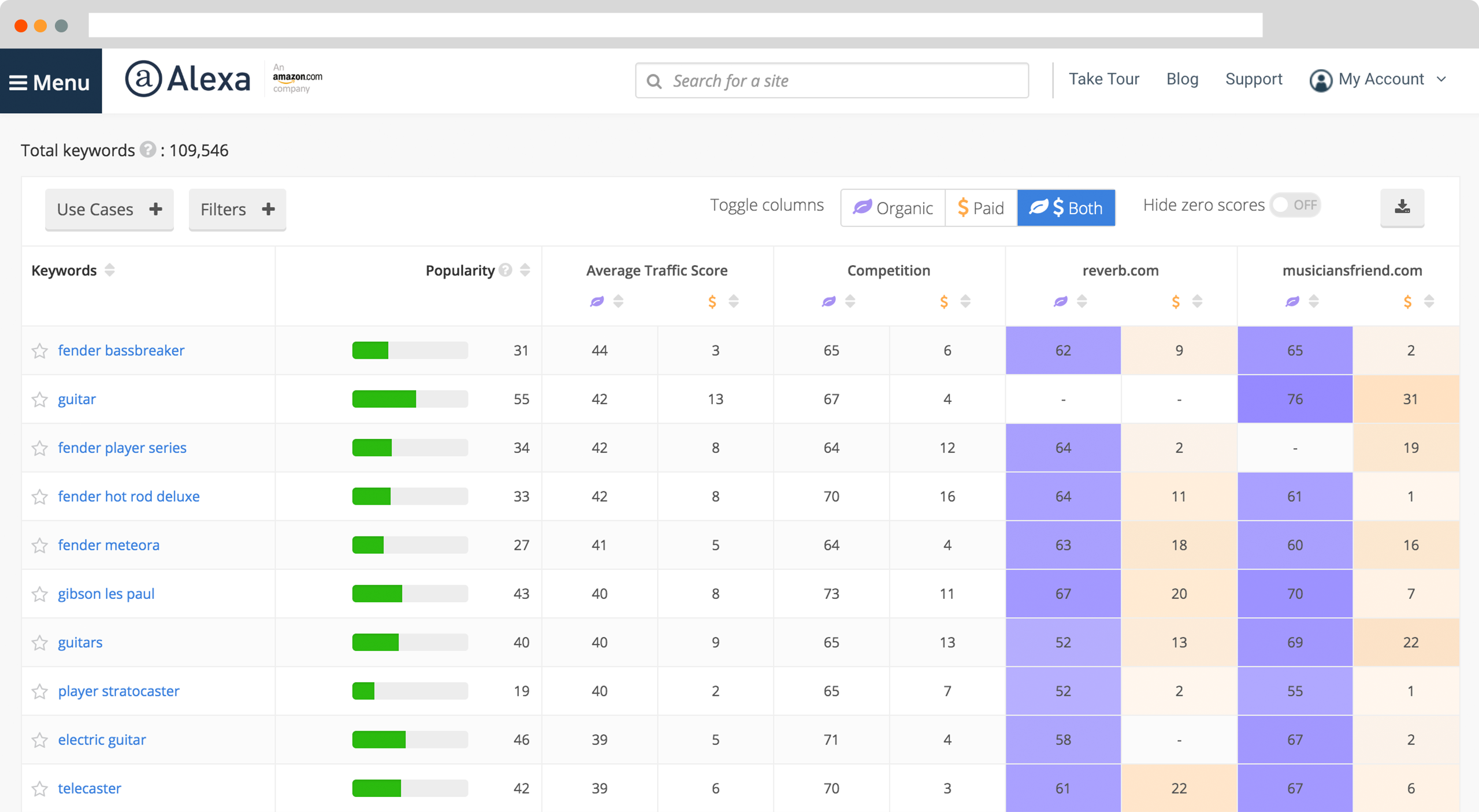
  • Update Scope with CLI

Deploying with the Stackery CLI

As we have already seen in our article React vs Angular covered a few months ago, Angular CLI is easy to install and use. It also serves mobility experts with simpler commands and effective testing tools and is supported by several engineers and platforms that make it possible to update all the app components – including those having dependency on third-party libraries and APIs.

While these are the advantages of Angular that supports the idea of choosing it for front-end development, it’s good to have a glance at the benefits of Vue to determine what to consider in Vue.js vs Angular to do justice to your app needs.

Advantages of Going with Vue.js

Vue.js is emerging out as one of the most popular front-end JavaScript frameworks to rely upon for your application development needs, with benefits like:-

  • Memory Consumption

Memory Leaks in NodeJS | Quick Overview | by Islam Wahid | tajawal | Medium

One of the pros of Vue.js development is that the app developed can be as light as 18Kb after zipping. This makes it the first choice to target the user base demanding for low memory consumption with impressive features availability.

  • Ease of Learning

The Science of Learning | Workshop

Vue CLI comes under the category of most popular JavaScript frameworks in 2019. Its CLI is too basic when compared to other frameworks including Angular. Besides, it has an extensive and updated documentation. All these reasons make it the first choice of all those who are or wish to enter the development arena.

  • Readability

How to Improve Readability of Your Writing

Being written in JavaScript and having the property of clean codes, this framework makes it easier for anyone to read and understand the code to take the app development process further.

  • Download Speed

The Consumers Guide to Internet Speed | HighSpeedInternet.com

Since the app size is minimal, the Vue.js – based application is faster to download and employ.

  • Integration Scope

Scope of Data Integration - Hexanika

As specified earlier in our Vue.js vs Reactjs article that was covered last year, Vue.js facilitates a simpler and easier integration process. This makes it developers’ favorite to build both single page application from scratch and integrate high-end components into an existing one.

  • Server-Side Rendering

Creating Server-side Rendered Vue.js Apps with Nuxt.js | Toptal

Another factor that counts under the benefits of Vue.js is that it also offers option of Server-side rendering. This improves the speed of the working of pages on the client end, which eventually result in better user experience.

Now as we have grasped the basics of both, let’s jump directly into the JavaScript frameworks comparison part so that you could select the optimal framework for your business needs. In short, let’s take a turn towards Vue.js vs Angular.

Vue.js vs Angular: Factors to Determine the Right Development Option

1. Popularity

Popularity Vs Authority. Content Management. Internet Marketing

As per the 2018 State of JavaScript survey, the percentage of people who have never heard of Vue has reduced from 5% to 1% in just a year. This signifies that Vue.js popularity is growing.

But as disclosed by GitHub, while Vue is getting higher stars and forks, it is lagging behind in terms of the number of commits and contributors. This makes it tough to say which framework is better in terms of popularity – Vue.js vs Angular – Angular vs Vue.js.

2. Learning Curve

Learning Curve png free download - Brain Clipart - memory

To develop an application with Angular frontend development framework, you need to get expertise at concepts like TypeScript and MVC. But, this is not in the case of Vue.

Vue.js framework offers inbuilt app templates and higher customization which makes it easier than Angular and React. Besides, Vue.js – being designed by blending Angular and React – makes it easier to bring Angular or React-based mobility solution on Vue platform.

3. Architecture

How To Be a Certified Professional Home Designer

Another factor that influences the decision in JS framework comparison is architecture. While Angular implements MVC (Model-View-Controller) and MVVM (Model-View-ViewModel) for creating dynamic websites and web applications, Vue primarily focuses only on the ViewModel and shows limited data. This makes Vue.js become inferior to Angular in the development world.

This makes Angular win the title of Angular vs Vue.js battle.

4. Complexity

Here's Why Your Organization Can't Handle Complexity | Inc.com

Since Vue.js has been developed much later than various other JS frameworks including React and Angular JS (the earlier version of Angular), it is much simpler than Angular in terms of design and API.

In other words, Angular comes with a much higher complexity than Vue.js in the development arena.

5. Scalability

What is Company Scalability – Really? - Mirus Capital Advisors

When you look at  scalability as the deciding factor in Angular vs Vue, the former leads the competition. This is because Angular has a proper modular development structure while Vue.js employs template-based syntax, which reduces the reusability of code in large-size apps.

6. TypeScript Support

How to set up Typescript compiler and editing environment with Node.js | by David Herron | Medium

Angular is highly integrated with TypeScript – the upgraded version of JavaScript. It is not possible to code in Angular ecosystem without Typescript. Whereas, when talking about Vue.js, JavaScript is considered for writing codes. But, it also provides Vue.js developers with official typings and official decorator to easily collaborate TypeScript features into Vue development environment.

7. App Size and Loading Time

Effective Ways to Reduce Mobile App Loading Time

Though the recent Angular versions have traits like AOT compilation and tree-shaking which reduces the app size to a considerable rate, an Angular-based app is still not as lighter as the one developed using Vue framework. And since loading time depends heavily on app size, Vue.js mobile app ensures faster loading.

Thus, the winner of Vue.js vs Angular battle is the former.

8. Flexibility

10 product development practices that will give you full flexibility and control on your mobile app

The next factor that holds the key to choosing the best JS frameworks between Vue.js and Angular is flexibility.

Vue.js, when compared to Angular, is less opinionated and provides developers with an official support for a wide range of build systems with no constraint upon the app structure. This indicates that Vue.js is a better option over Angular in terms of freedom and flexibility.

9. App Performance

3 tips for optimizing mobile app performance - Think with Google

In web and mobile app development, the performance level is directly associated with DOM (Document Object Model). While Angular uses real DOM in which the complete web/app page is rendered even on changing a single component, Vue.js works with Virtual DOM in which changes are reflected on the real DOM only on those components that are modified. This approach accelerates the app performance, making Vue.js a winner over Angular in the front-end JavaScript frameworks market.

10. Data Binding

Just like React, Vue.js also relies upon the concept of one-way data binding in which the UI elements cannot be altered before changing the model state. Whereas, Angular employs two-way binding approach in which model state changes when UI element is changed and vice-versa.

While two-way binding seems an easier method, it lags behind Vue.js’s one-way data binding approach in terms of making faster data flow and creating non-trivial apps in less time.

11. Ease of Deployment

Finding value with the right approach to technology deployment - FreightWaves

Earlier it was required to focus on writing a “good” Angular application to reap the perks of lazy loading, Ahead-of-Time compilation (AoT), module system and other related features. But, the Angular 8 version has come up with changes that revolutionized the whole scenario. The Angular update introduced options like differential loading, CLI workflow improvements, dynamic import for lazy routes, and more which added ease to the deployment process.

Whereas, in the case of Vue.js, you can either import anything into your app environment or build a complex local setup (created using Vue CLI) which regulates the code optimizations. You can employ lazy loading of components and even pre-compile the templates already available on Vue.js.

12. Testing

Unlocking Continuous Testing: The Four Best Practices Necessary for Success

When taking testing as the prime factor, Angular is a better choice over Vue.js. It has a great testing mechanism and offers multiple tools like Jasmine and Karma that test the complete development code individually. Whereas, Vue.js lacks the right testing guidelines making it tough for developers to deliver a bug-free application.

13. Mobility Solutions

Angular is a web-based app framework considered for creating real-time apps like instant messaging or chat applications. Whereas, Vue.js is suitable for designing lightweight single page web applications with an easy interface.

14. Community Support

Customer Collaboration Support Community | Workday

Vue.js, unlike Angular which is backed by Google, is driven wholly by an open-source community. Because of this, it lags behind Angular and other JS frameworks in terms of the number of commits and contributors despite having a higher number of watchers, stars and forks on GitHub. Besides, the migration helper tool of Vue.js is not effective for large-scale application due to the absence of a roadmap that concentrates upon versioning and their plans. All these factors indicate that Angular is a winner over Vue.js in terms of community support.

Though the aforementioned factors will help in deciding the right option and leverage maximum advantages, it’s good to look into which JS framework is best for which situation – Vue.js vs Angular.

When to Consider Angular for Your App Project

What's new in Angular 8.0? | Ninja Squad

  • You are developing a large, dynamic and complex app project.
  • You want a real-time application like Instant messaging and Chat app.
  • You require easy and reliable scalability.
  • You have time to learn TypeScript before the project begins.
  • You are fond of  Object-oriented programming.

When to Pick Vue.js for App Development

VueJs: The basics in 4 mins. The simplicity of Vue.Js and its light… | by James Samuel | codeburst

  • You are developing a lightweight and single-page app.
  • You need high speed and performance.
  • Your app project scope is on the small side.
  • You want an earlier entry to the market.
  • You are fond of clear code.

With this, we have now reached the end of this article. We have looked into the factors that can help in deciding the right JavaScript framework among Vue.js vs Angular for your application development needs and the situations you can relate to. But, if you still can’t decide what to choose for your app needs and how to proceed further,  consult with our app development experts.

Our team, with their years of experience in app development for different business verticals and needs, will guide you in considering the right factors and thus, launching a profitable mobility solution in the market.

error: Content is protected !!