Go vs Rust: Which One To Choose in 2021 ?

Rust vs Go — Bitfield Consulting

If you had to make a list of top programming languages that appeared in the industry in the past decade, the two names that would emerge would be Go and Rust.

And, if you had to sit down and think of the programming languages which were best aligned with the motive to develop secure, microservice favoring frameworks and apps, you would again find yourself staring at the two languages.

Even after being similar in some prominent ways like maturity, being open source, and being designed for microservice oriented, modern, parallel computing environments, there is a lot of confusion around Go vs Rust and which of the two languages are good for the developer community to enter into.

The intent of this article today is to look into the difference between Go and Rust in much detail. The differences that go beyond Rust use cases and Golang use cases.

Let us answer Which is better: Rust or Go?

But before that, let us refresh the basics of both the programming languages.

Rust Programming Language

PhD Thesis: Understanding and Evolving the Rust Programming Language – Full-Stack Feed

Rust language came into existence back in 2010. Deemed as one of the ML languages’ extensions, the aim that the language was expected to fulfill was better security, performance, improved parallelism, and greater modularity.

The feature set that Rust comes with has brought it to a stage where there are very few developers who haven’t heard of it or as showing an unwillingness to work in it.

Advantage of Rust language:

  • Amazing run speed
  • Enables fine grain features such as rich patterns, syntax extensions, and novel embeddings.
  • Interoperable with C, and FFI, amongst others.
  • Zero-cost abstraction
  • Predictable runtime behaviour
  • Saves crashing, debugging time.

Disadvantage of Rust language:

  • Learning Rust is steeper than Go
  • Between Go vs Rust, it is slow to compile
  • It is slower than the C and C++ language in the analogous conditions.

Go Programming Language

Go Programming Language: An Introduction

Go coding language was introduced back in 2007 by Google. It was looked at as a language that had emerged to solve the issues that organizations face when developing software infrastructure. The Go language specification was devised to introduce garbage collection, dependency management, built-in concurrency, robustness across multiple boundaries between the components, etc.

The result of the well thought of features of Go has gotten it a market position which is enough to bring it several points ahead in the Go vs Rust debate.

Advantage of Go Language:

  • The best feature of Go language is the incredible speed at which it compiles to machine code.
  • The simplicity of code
  • Concise, pragmatic, and efficient
  • Flexible and highly concurrency favoring
  • Strong interoperability with C language.

Disadvantage of Go Language:

  • Keeps simplicity over performance
  • Lacks the generics to an extent
  • Not enough immutability
  • Not a system language.

Now that we have looked into the basics of both the languages, let us get on to the part where we look into how they stack up against each other.

Rust vs Go: Performance 

Blog: Performance management simply isn't simple — People Matters

The one factor that weighs up Rust in the Rust vs Go debate is performance. The programs have been designed to run at similar or near similar speed of C++ and C.

Go, on the other hand, trade runtime speed for convenience, by making tasks automatic. But in terms of Rust vs Go Performance comparison, development speed of Go falls several steps behind the high performance that Rust offers.

Go vs Rust: Memory Management 

CLI memory management

Rust make use of compile time ownership strategy for memory management through zero cost abstractions. If a Rust program is not memory safe, it won’t be able to cross the compilation stage.

Like Rust, Go is also memory safe. But in the case of Go, it is handled automatically during the runtime. Meaning, developers won’t have to think of releasing or allocating memory when writing code.

Go vs Rust: Development Speed

5 Ways to Speed Up Your Software Development Process - WhiteSource

At times, the development speed becomes more important than the program speed. A working example of this can be seen in the case of Python, which is not one of the fastest languages to run but fastest to write a software in.

Go comes with the same appeal. The simplicity and directness that it offers makes it faster than a number of languages in the market.

Rust, on the other hand, comes with more language features and thus takes longer to master. Its compile speed is also longer than Go’s. So, if the intent is of faster full cycle app development services, you would be better off with Go than Rust.

Rust vs Go: Concurrency

Modern day apps are distributed and networked. The languages that haven’t planned for these realities are far off behind the curve. The developers have to be able to run the tasks independently and share state between the tasks minus the risk of data corruption.

Now while concurrency was built into Golang’s syntax from beginning, Rust recently gained the native syntax in the form of async/.await. But even though the concurrency of Rust lacks the developer experience that went behind Go, it makes up for it through Rust’s memory safety.

Conclusion

We could keep digging into both the languages, dissecting both sides of Go vs Rust comparison, but the ultimate answer to the Rust and Go comparison would be the fact that it depends. There are instances where Rust is better than Go and vice versa.

Ultimately, this is what we recommend as an app development company, who works on both –

Choose Rust when:

What is the Rust programming language? - AkuaroWorld

  1. If performance is a necessity
  2. If you want it to interoperate with C language.
  3. When your developers need control on every detail of how the threads behave with the rest of the system, how the errors must be handled, it would be better to look into Rust use cases.

Choose Go when:

The Benefits of Using the Go Programming Language (AKA Golang)

  1. If readability is a must have requirement
  2. If you wish to write codes faster
  3. If the focus is on uniformity and simplicity.

As Clients’ Extended Distributed Team, Here’s How We Run Agile Projects!

A recent report by Computereconomics found that in the 2018/19 period, the application development process has emerged as the one witnessing maximum outsourcing opportunity – with 56% of the organizations around the world outsourcing their development requirements.
How We Work As Our Clients' Extended Distributed Team

The reason behind this heightened demand for outsourcing the mobile app development needs has been the same as always – Lower cost than what would have to be shelled out if employing own country developers, allowing greater focus on the main business, and better service quality.

However, even with outsourcing taking a central place in the application development industry, we have found that there are some common concerns that the clients show when they plan to outsource their software development project outside their geographical nation.

In this article, we will look into how Appinventiv works with offshore clients using the distributed agile development cycle allowing a more connected working process with aligned risk and remuneration model across all.

But before we get on to the part where we tell how we operate as the distributed team of our clients and work so seamlessly that we become their extended in-house tech team, it is important to know what Distributed Agile Team even means.

How To Manage Distributed Teams With Agile Project Management

What Do We Mean by Distributed Agile Team 

A distributed team is a concept used to explain the event where two or more team function across multiple geographical locations instead of one office space or even two office spaces in one city. The distributed agile team relies on digital technologies to interact seamlessly and work together toward the same goal – Timely project delivery.

Why do Businesses Invest in a Mobile App Development Distributed Team?

There are a number of reasons that drive businesses to invest in distributed teams, reasons ranging from:

  1.  The scarcity of skilled developers in their nation
  2.  The need to test the market before an investment is made towards team buildup
  3.  To avail the benefit of the flexible team which can be increased at the time of scaling the app and dissolved when the need ends.

With the definition and the need now attended to, let us now look at how Appinventiv team works as a distributed team of our clients. But before we jump there, let us quickly look at what our typical distributed agile team structure looks like –

Appinventiv Approach to Distributed Agile Development 

Many a time we get a project where the requirement entails us to work in close connection with the clients’ FTEs. In such instances, it becomes very important that we don’t let the distance in thousand miles come between work and that we are able to make changes and take action on developmental process in real time.

How we ensure timely delivery without zero scopes of communication lag and misunderstanding is a question whose answer lies in Distributed Agile Methodology.

Fit with both small-scale and large-scale businesses, following distributed agile best practices comes in very handy when we have to work alongside a team that is sitting in some other geographical location with an absolutely different time zone.

Let us look at the Distributed Agile Development Method we apply in our mobile app development process.

Reasons Why We Trust Agile For Our App Development Process

After we have introduced all the team members with each other and have collaborated the project management software, the actual work starts.

We formulate the process of daily agile scrum methodology. While in its traditional sense, Scrum requires face to face standup meeting of 15 mins where every participant shares the status of their tasks and informs the team of the tasks they will be taking up next, it is nearly impossible to follow the same process when half of the team is sitting in some other geographical nation in some other time zone.

What we do to keep the essence of face to face interaction alive in the scrum, is we hold a video call on one decided time, which is suited for everyone in the team working on the project. With the help of screen sharing our Agile Scrum Master runs through virtual sprint backlog with the help of tools like Trello or Jira, enabling every team member to give an update on where the project is headed.

What we have experienced is that it is very important to give all the team members an access to a task tracking platform that is easily accessible and updatable. We also emphasize using a communication platform like Skype or Slack for everyone to share updates or ask their doubts between the two scrum time periods.

Another approach that we follow for daily agile and scrum process is that for every different scrum, we appoint one scrum master. So, every individual teamwork as a separate scrum team with a scrum master and product owner – A process which is also known as Scrum of Scrums.

In this, all the scrum representatives provide an answer to the following questions in the scrum –

  • The work that team has completed since last Scrum of Scrums
  • The work team is planning to do before the next Scrum of Scrums meeting
  • The present blocker that the team is facing
  • The blocker that can lead to another Scrum team.

The method enables all the main individuals working on the project to interact with each other directly, something that always results in dedication from the initiation stage to launch period. This ensures an open, clear, and transparent communication between all the teams, where everyone is given a voice. The process apart from scrum of scrums is the same as what we follow under the typical Agile methodology. But the mere fact that the distance between our team and our clients’ team is miles apart and yet we have to work as seamlessly as possible, has brought a series of learnings that we have driven by the adoption of Distributed Agile. Let us look at what those learnings are –

The Learnings That we Drew by Working on Distributed Agile Development Process

1. Creation of Distributed team is about Building a Culture and Not a Process

What defines the success of a project working under the agile for distributed teams approach is not dependent on how well skilled the team members are, but on how well they are able to work together, the sense of ownership with which they work, and ultimately how closely aligned they are with the goal of the project – something that comes with culture and not a process formation.

2.Only SMART Projects Succeed

When a project has to be completed by a team that is not even in the same country let alone office, it is very important that the goals that you have set for the project follow the SMART – Specific, Measurable, Achievable, Realistic, and Time-framed, concept to the t.

3. There is no Alternate to Online Collaboration Tools

No matter how much it costs you, you will have to rely on online collaboration tools that are real-time and have minimal to zero lags. In terms of finalizing the online project management and communication platforms, you can not in anyway cut slack. You will have to ensure that they are technically capable of handling your requirements.

Now that we have seen the learnings that we have drawn from our extensive working experience as a distributed team, it is time to look at some of the challenges that we came across during the process and how we solved them to become a trusted Distributed Agile App Development Company.

Challenges with Distributed Agile Development Approach and How we Solve Them

1. Difference in Culture

Usually distributed agile software development approach ask for working with teams coming from different cultural backgrounds. This difference causes friction because of different values and figure of speech. Our Solution: We work very closely with the client’s team in the initial few days so that we get accustomed to their between the lines and contexts.

2. A Difference in Time Zones

The crux of distributed agile methodology is teams working out of different geographical nations. In a situation like this, the occurrence of a communication gap emerging because of the time difference is very common. Our Solution: We follow the concept of agile for a distributed team to its core. We fix a time when the teams from all the nations are present and active. To achieve full focus and attention, we ask our teammates to change their office timing on the scrum day, so that they are well slept and attentive.

3. Lack of a Common Idea of ‘Big Picture’

Because of a difference in geographical location, working structure, and policies, there can be a discrepancy in the idea of the Big Picture – the end aim of the mobile app. This difference might cause a lack of interest from some team members and a heightened interest from others. Our Solution: A visioning meeting at the start of the project initiation and a  reminder in every scrum, so that everyone is working towards the same goal.

4. An absence of Code Ownership

The absence of collective code ownership means that no one person owns the code, it is owned by the whole team and so when something goes wrong, the blame game starts. Our Solution: We apply a version control system to check who is working on a code and when and the effect of it. This way, there is complete transparency and honesty in the picture.

App Development for Foldable Smartphones

When will folding phones cost the same as standard ones?

2019 was the landmark year where the talks of foldable smartphones reached a zenith state.

The news of Samsung preparing to launch its innovative foldable offering had already been doing the rounds for several years. But in 2019, with Google announcing its partnership with Samsung on this innovation, the rumours became a reality and a number of device manufacturers soon started doing the homework to enter the space.

This enthusiasm of device manufacturers took very less time to ripple down to the app development economy, which started doing homework of their own: Preparing for the design and technical nitty-gritty needed to deliver a minimal learning curve, impeccable experience to the users in a brand new environment.

Before we head on to the parts where we look into the intricacies of app development for foldable phones and what you can do to prepare your mobile app for foldable smartphones, let us look into its current state.

Table of Content

  • The State of Foldable Smartphones
  • How Would Foldable Phones Impact the App Development Process?
  • How to Prepare Your Mobile App for Foldable Technology?

The State of Foldable Smartphones

Foldable smartphone - Wikipedia

Here’s a visual looking into the current state of foldable smartphones –

The numbers that the statistics mentioned above presents highlight that once the foldable phones start flooding in the market, they will not become an instant hit. It will take some time for them to create a position in the smartphone sector. But, like every technological disruption, while the wave may be slow, it will grow massive in no time.

This, in turn would need both device manufacturers and Android app development companies to prepare in advance.

How Would Foldable Smartphones Impact the App Development Process?

While on the surface level it appears that it is only about having flexible UX in mobile apps, but the impact is a lot more massive.

Foldable phones means more space for the developers to create immersive and detailed experiences for all the different types of multi-window.

  • Video streaming apps can use the increased screen size to show videos in larger orientation or to add extra controls or features in the app.
  • Calendar apps will be able to open a complete month in place of week
  • Banking apps will open multiple account information in the multi-window app screen in place of initial one
  • Business apps will be able to add in more functionalities, like reading emails while perusing a document, etc.
  • Content creators will be able to bounce around between multiple apps.

Let us look into the different ways foldable smartphones can have an impact on the application development process.

A.  Quality Supersedes Everything 

Free Quality Improvement Cliparts, Download Free Quality Improvement Cliparts png images, Free ClipArts on Clipart Library

Foldable phones will come with multiple orientations, aspect ratios but what will remain the same is the quality expectations. The users will expect you to deliver them the same flawless and glitch free quality and app flow that they are used to.

Considering this, the onus of providing high quality digital products will increase when you venture into the app development for foldable phones space.

B.  Greater Test Cases 

The Art of Writing Good Test Cases - QA world

With a massive number of foldable phones soon to hit the smartphone market, the app development team will have to work around a great number of test cases – all at the back of the complications that come attached with multi-window app configuration.

C.  Feedbacks Take a Pivotal Position

Types and Sources of Feedback in the Workplace | Talkdesk

An effect of building apps for foldable phones is an extended feedback collection process. Since you will be taking a traditional application to a new space, there will be a lot of feedback coming your way especially on the transition front.

Noting this, it would be necessary that you add room for attending to the changes in your Agile scrum process.

D.  Increased App Development Time and Cost 

The Costs of Developing an App: $1,000 vs. $10,000 vs $100,000 App

Another crucial impact that the mobile app development economy will face will be in terms of extended app development time and cost estimate.

Optimizing apps for foldables ensuring that it works glitch free in all the different modes will require a lot of design, development, and testing efforts, that in turn will bring in a price hike.

How to Develop Apps for Foldable Smartphones?

Like every mobile app development process, let us divide the process of creating apps for multiple screens in three ways too.

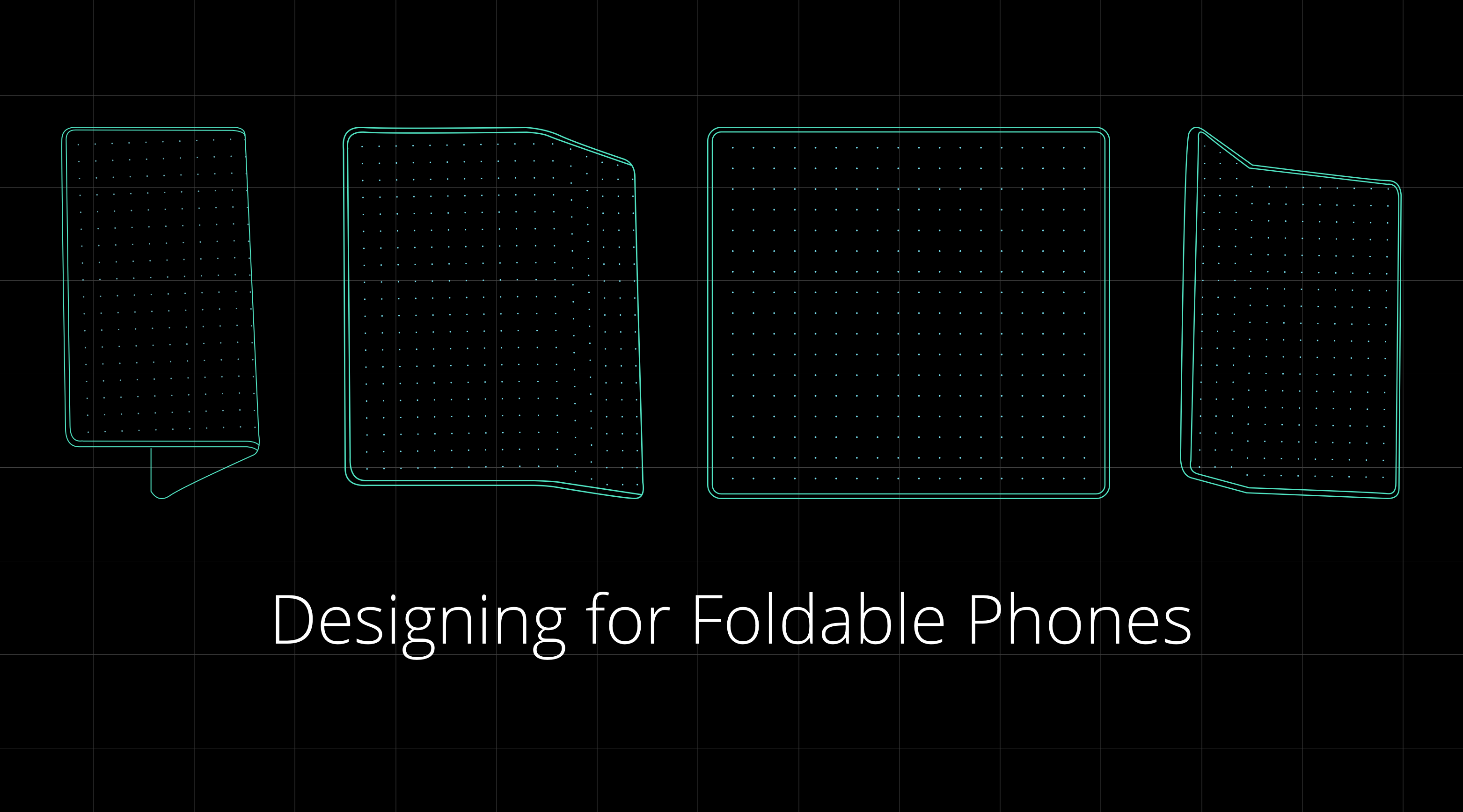
Designing for foldable smartphones 

Designing for Foldable Phones. As the era of flexible smartphones… | by Siddarth Kengadaran | Siddarth Kengadaran

There are primarily four things that you will have to put into consideration when initiating app design for foldables.

A. Two States – There are two states in every foldable smartphone – unfolded and folded screens, aka main display and cover display.

Unfolded state: this is the place where a phone transforms into a tablet, giving space to the companies for enriching experience. This extra space can be used for giving greater context and adding secondary actions or experiences to the apps.

Folded state: in this foldable app design state, the phone looks like your traditional smartphone, which is operated using one hand.

B.  One or Two-Handed App Design

States change the whole experience – even the one of how the device is held. Presently, people operate smart phones with one hand, but in the unfolded state, they will have to use both their hands. This will change the design dynamics in a way that the important UI and UX elements will have to be kept within the thumb and other fingers’ area.

C.  Multi Window 

Because the real estate in case of foldable smartphones is much greater, multitasking should always be considered. Meaning, as designers, you will have to prepare for the time where another application with its own set of design and functionality will be sharing the screen with your app and look into your multi-window life cycle as well.

D.  Screen Continuity 

The user experience must seamlessly move from the folded to the unfolded state and then back to the folded state. There should be minimal to zero change happening in the layout, which would increase the app flow ambiguity.

Technical preparations for foldable phones 

Like in the case of designing, the developers’ work will also be segregated into four parts of app development for foldable phones processes. While with Android 11, Google will be extending support to foldables, for now, let us look into all of them in detail.

A.  Screen/ App Continuity 

As mentioned in the last section, app screen continuity means that when an app runs on a foldable smartphone should transition from an screen state to another automatically and seamlessly. The app must always resume in the same location and state.

What you’ll have to do is make resizable app through dynamic resizing. It is done by setting resizeableActivity=true. It offers maximum compatibility with whatever environments and factors your application encounters.

In case you forget this step, the system might automatically resize your app without the guarantee of the right size, configuration and aspect ratio. Like shown below.

B.  New Screen Ratios 

Best Foldable Phones in 2021 - Smartprix.com

Android 10 and higher would support a wide range of aspect ratios. In foldables, the form factors would vary from a super high long and thin screen to 1:1 ratio. For being compatible with the devices, you must test the apps for as many screen ratios as possible.

If you are not able to support a few of these ratios, you must use the maxAspectRatio and minAspectRatio for indicating the high and low ratios that the app can handle.

C.  Multi-Window 

Samsung Unveils Galaxy Fold, Their Foldable Phone+Tablet

Having two apps run side-by-side has been made common by Google since some time. What the foldable technology introduces is that it allows three or even more apps to run at the same time. Moreover, the technology gives them the capability to share content with each other.

In case of Android 9 what used to happen was that only the application in focus used to be the resumed state and all the other visible activities were paused. In the case of Android 10, it changed. The activities remained in resumed state even when in the multi-window mode. This is known as multi-resume.

In order to opt-in the multi-resume feature, following manifest meta-data has to be added –

<meta-data android:name=“android.allow_multiple_resumed_activities” android:value=“true” />

D.  Multi-Display

Samsung Display has teased a foldable phone with multi-folding design

The tenth OS version and higher supports multi screen Android display. If an app is running on a device with multiple displays, the users can easily move them from one display to another. These multi-resume applies to the multi-screen scenarios also.

An app is able to specify which display must run when it is launched, or when another activity is created. The behavior is dependent on activity launch mode which is defined in manifest file, and in the intent flags and the options set by people who launch the activity.

An activity must check the present display in onCreate and onConfigurationChanged when handled. Android app developers must update the layouts and resources when there is a change in displays.

Additionally, there are these things that a developer must take care of –

  • Activity vs app context
  • Display cutouts
  • Use of secondary screen

App Testing for Foldable Devices

Foldable Phones: Top 7 Things You Need to Know | Perfecto

When it comes to testing the application, the Android QA team will have to ensure that the app reacts to the – Multi-window and multi-resume functionality, Resizing & new screen ratios, and Configuration changes.

Why angularjs is a match for Web App Development?

AngularJS started as a research project by Google that ultimately became one of the most popular responsive web app development frameworks. While working with AngularJS, you can be assured of a highly dependable scalable code base. Compared to most other JavaScript frameworks AngularJS is fast, powerful, and versatile enough to integrate with other frameworks. Built by commendable brains like Adam Abrons and Miško Hevery of Google it easily stands out from other JavaScript frameworks for responsive web development. Here we explain some of the key reasons to choose AngularJS for web app development.


EASY AND FAST-PACED DEVELOPMENT

Any AngularJS development company will agree to the fact that it is an exceptionally simple and fast-paced JavaScript MVC Framework for front-end development. By adding a few attributes to the HTML a developer can quickly build an app. AngularJS is equipped to enhance the HTML code while building controls for all types of difficult functions and creating a dependency between the template and the controller. To help beginners, there are plenty of useful tutorials available. If you want to build a web app quickly with a simple interface and few crucial features, AngularJS is the ideal framework to opt for.

PERFORMANCE DRIVEN FRAMEWORK

AngularJS developers speak to the program’s unmatched competence in creating and adding new features for customizing an app. It is well equipped with state of the art features to drive app performance like filters, data binding, directives, animations, API client, routing, form validation, and many more features that are sought after for web development. With AngularJS you can easily update and improve without undertaking a bulk of coding tasks.

The best thing about this framework is that it helps to create new elements and adds new features and functions to an app without disrupting the performance. The framework offers a lot of productivity tools to help with developing new features and improving or updating the app. Furthermore, the community-shared mutual libraries allow more versatility and flexibility.


SMOOTH INTEGRATION WITH OTHER LIBRARIES

As far as collaborating with other libraries for responsive web app development is concerned, AngularJS offers smooth and easy integration. If the developers are working with other object-oriented MVC frameworks for the server-side development, they can easily integrate AngularJS for client-side development.

AngularJS, thanks to dependency injection, allows easy integration with other libraries. To create new functionalities you also have an array of libraries that can easily supplement AngularJS for a project.

ROBUST TESTING MECHANISM FOR THE WEB APPS

AngularJS comes loaded with a robust testing mechanism to ensure building an error-free and high-performance app. When you need to upgrade and fix issues, powerful inbuilt testing tools to make your job easier. The apps built with AngularJS are highly testable ensuring a high degree of performance. 5 Top Reasons To Choose AngularJS For Web Application Development | by Angular Minds | Medium

EFFECTIVE DATA BINDING

One of the most crucial reasons for choosing AngularJS is its two-way data binding capacity. With such data binding, any change incorporated into the interface directly results in changes to the app objects. Similarly, any change with the app objects results in changes to the app interface as well. This saves development time and makes incorporating changes to the app easier.

HEAVY LIFTING

AngularJS is capable of intelligent heavy lifting. AngularJS builds the controller function and dependency easily between the template and the controller thanks to intelligent heavy lifting. It is equipped to grab the required share of the app data and render it onto the device screen with the concerted output of the template and the controller.

LESS CODING

AngularJS works seamlessly with HTML coding, and that enables it to develop the app based on basic information models instead of creating rows of tasks awaiting their turns in the MVC pipeline. This ensures that the developers working with AngularJS have to write less code. Apart from this, AngularJS will also help you to scale up the capacity of the app with minor tweaks in the code base. This ease of coding actually helps to build the app faster while ensuring optimum performance.

DECLARATIVE CODING

AngularJS is one of the frameworks that are known for a declarative coding paradigm for building frequently accessible patterns. Thanks to declarative coding paradigm you can ensure more lightweight code allowing optimum ease in reading and supporting. The declarative code of the AngularJS apps does not describe all steps pertaining to the app but only ones that are absolutely required along with their expected outcomes.

USING DIRECTIVES

Just because AngularJS is patterned after AngularJS started as a research project by Google that ultimately became one of the most popular responsive web app development frameworks. Thanks to this inbuilt directives the developers can now create logic more easily with the more productive output. In case of any confusion, you can always refer to the directives to ensure better code readability.

CLIENT SIDE SOLUTION

AngularJS offers a client-side solution with great compatibility for both desktop and mobile browsers. Without requiring any modifications, AngularJS can easily be deployed across any project. This makes it an ideal framework for building any front-end app. This also ensures faster deployment across systems and browsers that offer support for JavaScript.

FLEXIBILITY OF FILTERS

In a JavaScript framework the filters work for refining the values for display. This is of great value for any web app trying to appear consistent and meaningful for the users. Filters can change the decimal value of a number to show it with full value, or it can add pagination to the pages of your website or can just change the uppercase or lowercase string of letters to the opposite. With custom filters, you can also tweak these values in your own preferred ways.

AngularJS is completely well-equipped to deliver all the attributes and features you look for in a modern responsive web app. Most important of all, it takes off a major load from the developers.

The Mantra to Mobile App Development Success

Mobile is now everywhere. In today’s reality, we can hardly imagine spending a day without our mobile left at home, so much that it turned into an addiction for many of us: feeling the „phantom vibration“ in our pocket or being anxious when the phone is not with us are just two of the obvious aspects reflecting our relationship to the mobile. From an object that we often forgot at home barely fifteen years ago, it turned into a pocket computer that has replaced many of the daily life objects (photo and video cameras, music player, recorder, calculator, agenda, and everything that a powerful, internet-enabled computer provides). From the moment it became „smart“ with the first iPhone release in 2007, everything has changed and more and more of our lives and daily actions are going through that object. Smartphones and tablets have completely changed the way we live, buy, research, communicate – mobile has basically put the digital world at our fingertips 24/7, wherever we are, freeing us from the desktop-sitting and immobile position. This has also drastically changed our approach to common tasks: we expect to perform them at our convenience, according to our needs: what Forrester calls „the mobile mind-shift“ : it replaced the computer as the first and main interaction for daily tasks. Such mind-shift forced every business to adapt their offers and service, as mobile becomes the front door of their organization. All this led to the development of „mobile-first“ design website in a first time, but more and more businesses decide to develop their own branded app. The mobile market is an incredible opportunity for businesses to interact with their customers and know them better thanks to the app analytics, provided they handle these analytics correctly. Let’s go over the key factors to consider when developing a successful mobile app, and how to manage your analytics with reporting tools.

APP ANALYTICS: A GOLD MINE

Mobile app analytics are multiple: they can be used for analyzing the app performance on various app stores, but also bring a lot of insights about the way the users are interacting with it.

Thanks to app analytics, you know how many people have downloaded your app, on which app store, and if they found it directly browsing the store or via another website or app as referrer. It gives you already basic information to shape and adapt your mobile strategy over time.

You also find usual marketing analytics you would use for your branded website or blog: – the number of impressions (how many times your app icon appeared in the store)
– how effective are your different in-store marketing campaigns
– how effective your app product page is, comparing the number of people reading it to the number of people downloading it
– the average visit time and screen views per visit, evaluating the average session duration and how many “app screens” a user read on your app.
– the app retention, measuring how many users come back to your app after their first visit.

Just like in Google Analytics, you can also learn about the demographics of your users:
– who they are
– their age
– their gender
– where they live
– which language they speak.

That will help you define more specifically your target audience and adjust your product and content to their interests and needs.

With mobile app analytics, you also learn a lot about the users’ behavior and habits within your application: these are referred to as in-app analytics. They gather data on:
– how often the users are opening your app,
– how long they engage with it
– on which device they are doing so (the type -mobile or tablet-, the manufacturer, the operating system)
– event tracking (which buttons or ads are clicked for instance)

If you decided to have a free version with specific in-app purchases, or premium version, you can also compare how many paying users to how many free users are using it. You can also learn on a user’s journey through your app: do they always go back to the homepage, or follow deep links and exit? In-app and user behavior are essential to analytics to optimize their experience and see what leads to conversions.

Mobile app analytics will tell you a great deal about the application itself and its performance:
– which pages lead to an app crash
– which device is more likely to make it run slow or crash
– the carrier latency
– the app uptime and downtime,
– the number of errors

A Compuware study showed that 79% of users will retry an app once or twice it fails the first time, a figure that drops to 16% if the app fails more than twice. Same study found out that a poor mobile app experience led to 48% of users less likely to use the app and 34% switching to the competitor’s app! All these figures show how important it is to analyze your performance app analytics in order to diagnose potential problems, troubleshoot what needs to be and identify root causes of issues.  This is key to improve the operational aspect of your app, which can frustrate users and drive them away.

Finally, you can look at rating and review analytics. Today, 88% of users look at reviews before engaging with any business – this is why you are app review are critical to the success of your business. Now, we also know that the overwhelming majority of users don’t leave reviews, and those who take the action to do it is usually to report a bad experience. It is thus important that you communicate your users how important it is to leave a feedback and that such feedback is taken into account to improve the app to their expectations.

You can find a great list of various app KPIs to track in order to perform the best analysis and enhance your application performance. Just like for any analytics, equipping yourself with a reliable business intelligence software will greatly help you in the management and data analysis of your metrics.


Python-The Ultimate Choice For Startups, Why?

Best Books to Learn Python for Beginners and Experts in 2019 - GeeksforGeeks

Being in the market for over thirty years now, it is indubitable that Python has become the epitome of simplicity with effectiveness. The gradual increase in its popularity is something that raises the question of “why and how Python is becoming the most popular programming language?”.

Upon confronting any developer on this matter, one would come across responses such as –  “It is highly readable”, “Building applications with Python is very easy because of the understandable code”, “It makes complex processes easy”, and so on and on.

However, today we will discuss the validity, feasibility, and scope of Python app development from the business front, i.e., from the vantage point of startups and establish why Python is the top programming language for your startup.

What Does a Startup Need from a Language?

How Well Do You Know the Language of Startups? - WSJ

To effectively deduce why Python poses as an absolute option for startups to go with, we should first discuss what are the factors that are prominent for a startup business.

  • High scope of scalability and the ability to add new features
  • Faster development of Minimum Viable Product
  • Quick yet efficacious iterations
  • Integration with other technologies and software
  • Time and cost-monitored development process

Now, when that is out of the way, we can positively move on to discussing whether Python actually fulfills all these needs of a startup to emerge as an exemplary choice.

Features of Python

1. Smooth integration

6 Ways to Ensure Smooth Integration of Softwares In Business

Unlike many programming languages out there, Python is pretty mellow when it comes to integration. You can easily integrate with other languages such as C, C++, Java, and so on.

2. Support TDD

When I follow TDD

Python is very popular for its test-driven development. It is quite easy for developers to create prototypes with it, and they can later convert them into fully-functioning applications by simply refactoring the code and testing it instantly.

3. Wide range of standard libraries

Top 9 Python Libraries for Machine Learning in 2021 | upGrad blog

Though the list of why Python is quickly ascending the ladder of fame is tediously long, this is one of the primary reasons why. The easy availability of standard and robust libraries is what attracts developers and startups towards Python.

4. Ideal for ML and Big Data

How AI, ML, and Big Data Analytics Fit Into a Non-Tech Company | Cloud Services | D3V Technology Solutions

Machine Learning and Big Data are two of the emerging technologies that have acquired eyeballs of many establishments globally. They both come blessed with tons of locked potential, something we are tapping into slowly. Among other kinds of applications written in Python, you can also develop apps integrated with these technologies, including a wide range of AI technologies as well, as they have many robust libraries to support the development.

Reasons Making Python An Ideal Choice For Startups

Let’s have a look at the reasons for why to choose Python for business and startups.

1. Remarkable choice for MVP

What is Python Used For? Why Startups Take Advantage of Python?

Being a startup, time is of the essence for you. You need to unleash your app in the market, targeting a certain niche before anyone else does it. Moreover, as a startup, you need to convince your investors that your app idea is something that is going to be a huge hit, and for that, you need to show them a working prototype of your soon-to-be-developed Python mobile app, hence an MVP.

Now, one of the best uses of Python is MVP development because of its expeditious nature. Python encourages robust and rapid development by allowing the software developers for startups to do quick iterations after getting the feedback. It is the pre-built modules and packages of Python that render it the ability to expedite the product completion process.

In fact, it has been observed that Python in comparison to languages like Java can provide a fully functioning MVP in weeks as compared to months; it is time-efficient, something that every startup requires.

2. Scalable

Characteristics of a Scalable Business 2021

Scalability is one inevitable component that any startup cannot afford to overlook. As a business grows, its users grow too. Under such instances, it would become a priority for any business to have an application that has the scope of growth as well. This is what Python is good for. With the help of the Django framework, a series of wired-up and ready-to-go components, Python is able to provide highly scalable apps.

The components in the Django framework are decoupled, i.e., independent from each other so they can be replaced and unplugged as per the demands of the business. Moreover, with a wide range of libraries available for Python, it is a piece of cake to add new features to a product.

3. Versatile

An Insight into the Value-Based Leadership culture at Redwoods Advance. – Redwoods Advance

Versatility is another great reason that makes Python an ideal choice for startups. This means if you need a code that works phenomenally across all platforms such as Windows, macOS, or even Linux, then Python should be the language of your choice.

Additionally, if you need to integrate technologies like Machine Learning and Data Science, then you need nothing but Python as the programming language to help you achieve the app you envisioned but better.

4. User-friendly

8 Ways to Make your Website User-Friendly - Costello Creative Group: Creative Marketing & Graphic Design for Manufacturers

“Beautiful is better than ugly.

Explicit is better than implicit.

Simple is better than complex.

Complex is better than complicated.

Flat is better than nested.

Sparse is better than dense.

Readability counts.”

As you can see in the extract of Zen of Python philosophy, Python language works for of certain principles and guidelines that render it to be the most user-friendly language. This is one of the many reasons why developers love Python and have made it the second most popular language on Github beating even Java.

5. Community support

Ways to Support the Delaware Community During the COVID-19 Pandemic - DBT

Community support becomes prominent when the team of developers faces problems during the product development process. Hiccups are unavoidable, but what matters is how active and capable is the community to provide possible solutions to certain issues that Python may face. Thankfully, the Python community is among the best ones out there as it strives towards curing all the issues the language may possess and improve its features and functions from time to time.

6. No need for extra developers

Everything You Need to Know to Hire a Great Salesforce System Admin

It is always good news for the startup mobile app company whenever they can save a few bucks. In comparison to other languages, Python offers a concise and rather easy code to app developers for startups, thereby eliminating the need for big teams for the same task while delivering the product of impeccable quality. This also helps developers to provide software development services for startups without any hassle. Let’s look at the example of the code in Java and Python which cater to the same function and purpose –

7. Security

What Is IT Security? - Information Technology Security - Cisco

Speaking of security, Python is evidently more secure than some other prominent languages, like PHP. It is because of frameworks such as Django that come loaded with built-in security features protecting the application from many security threats lurking on the internet.

This framework is capable of hiding the site’s source code from direct viewing by dynamically producing web pages and employing templates sending data to web browsers.

8. Helps combat complexity

Managing complexity. Complexity is more desirable than… | by Matthäus Niedoba | UX Collective

As Python is very simple in nature and associates simplicity with effectiveness, it is a great medium to handle complexities. It is ideal for web solutions as it can overcome complexities related to the integration of different systems, among others. Qualities such as these are what together make Python ideal for a startup app development company as it is time-efficient, fast, and easy to work with.

9. Ubiquitous in nature

100 Ubiquitous Stock Vector Illustration and Royalty Free Ubiquitous Clipart

Do you know what makes sense? – Developing a solution that is based on ubiquitous technology. From Youtube to Dropbox to Reddit- all are avid users of Python language. It is something that is unprecedentedly proliferating as of now and will become a standard to which other languages will be assessed. So, if you want to develop an application that is going to perform just as remarkable as it would do in the present, then there is nothing better than Python for you.

Which Startups Use Python?

Look at the list of Python startups that opted for or are using Python as their choice and are now thriving in their particular niche. These use cases of Python are an ideal example of why Python is perfect for startups software development companies.

Ometria

Ometria - Crunchbase Company Profile & Funding

Ometria is one of the perfect examples of startups using Python. This startup gives marketers the ability to create personalized experiences throughout the customer journey. They offer services such as cross-channel marketing, AI-enabled customer intelligence, and others.

Weglot

Weglot (WordPress Multilingual Translation Plugin)

Weglot seamlessly integrates with your website, adapting to your technology, and delivering it in any language. It has solutions for e-commerce, marketing websites, and web agencies.

Paddle

It is a SaaS commerce platform for payment processing, billing, sales tax management, merchant of record. With Paddle, companies are finally able to transform their revenue delivery infrastructure into a strategic growth lever to respond faster and more precisely to every opportunity.

Stripe

Available Countries: Find Stripe in Your Country | Stripe

It is a well-known American technology company that offers a platform for startups and big companies to accept payments, send payouts, and manage their businesses online. They also help companies to beat fraud, send invoices and manage business spend.

Virail

Virail Company Profile: Valuation & Investors | PitchBook

It is an online platform that provides the fastest way to choose the cheapest ticket or hotel. They also help to search for all routes and choose the best one for you. The platform works with 200 transportation companies and offers you the best travel solutions across the world.

Final Thoughts

According to many startup app development companies in USA, it is no contest that Python may become the programming language of the future. Every quality, feature, and function that we have discussed above is a clear indication that Python is the best language for startups.

In fact, besides startups, many fully grown organizations such as NASA, IBM, to name a few, are bending towards mobile app development using Python to fulfill their needs. Moreover, because of its ubiquity, it gains a little more edge over the other languages.

Open-Source API Management Platforms for Your Tech Stack

API Management – Manage APIs | Microsoft Azure

Open source APIs have become omnipresent in the world of software and mobile app development.

Right from private solutions to public-facing services apps and partner integrations, it is present everywhere.

They are helping developers in creating apps that caters to diverse set of customer needs. They are transforming the architectural patterns with much sophisticated approach of mobile application development.

Because of this prominent presence, everyone is looking to tune to the best API development guides and use the insights to provide an ultra-advanced and seamless experience to their target audience.

But, is it that simple?

Well, if you thought creating an API is difficult, managing one is worse. What makes it easier though, is using open-source API management platforms.

Let us look into the list of top API management tools and platforms.

15 Open-Source API Management Platforms to Consider in 2020 (& Beyond)

1. Open source API Umbrella

Using API Analytics to Empower the Platform | Nordic APIs |

API Umbrella is one of the top open-source tools considered for managing APIs and microservices. It enables multiple organizations to operate under the same umbrella by empowering varying admin permissions for different domains.

The platform also provides facilities like Rate limiting, API keys, caching, real-time analytics, and availability of an admin web interface.

2. Gravitee.io

GitHub - gravitee-io/gravitee-gateway: Gravitee.io - API Management - OpenSource API Gateway

Gravitee.io is an open-source platform for managing APIs that is flexible and light-weight in nature. It avails out-of-the-box features such as Rate limiting, IP filtering, Cross-origin resource sharing, plug-and-play options, developer portal with OAuth2 and JSON web tokens policies, load balancing, and more.

However, the keynote feature of this API management tool is its ability to build fine-grained reports to comprehend the usage data of your APIs.

3. APIman.io

Review of Red Hat's Apiman Open Source API Management | Nordic APIs |

Introduced by Red Hat, APIman.io is one of the top API management platforms to consider while choosing the best technology stack for your app.

The platform, easily available in the GitHub repository, gives ample opportunities to developers in the backend development phase. This includes:-

  • Quick Runtimes,
  • Policy-based governance with a detachable policy engine,
  • Asynchronous capability,
  • Enhanced billing and analytics options,
  • Availability of a REST API for management,
  • Rate limiting, and much more.

4. WSO2 API Manager

Custom Throttling Policies with WSO2 API Manager | by Sumudu Sahan Weerasuriya | Medium

WSO2 API Manager is a full lifecycle API management platform that can run anywhere and anytime. It enables developers to enjoy the possibility of API distribution and deployment on both on-premise and private clouds.

Apart from this, it brings various other opportunities on board. A few of which are:-

  • Higher Customization,
  • Ease of governing policies,
  • Possibility of Designing and Prototyping for SOAP or RESTful APIs,
  • Better access control and monetization facilities, etc.

5. Kong Enterprise

Welcome Kong Inc. | Introducing Kong Enterprise Edition

Kong is a widely-adopted open-source microservice API tool that enables developers to manage everything quickly, easily, and securely. Its Enterprise Edition comes loaded with features and functionalities, such as:-

  • Availability of open-source plugins,
  • Ease of One-Click operations,
  • Common Language Infrastructure Capability,
  • Great Visualization for Monitoring,
  • Regular software Health Checks,
  • Introspection of OAuth2.0, and
  • Wider Community Support.

6. Tyk.io

Written in the Go programming language, Tyk.io is also a recognized open source API gateway to watch out for in 2020.

Tyk in 2021 - Reviews, Features, Pricing, Comparison - PAT RESEARCH: B2B Reviews, Buying Guides & Best Practices

It comes with a developer portal, detailed documentation, a dashboard for API analytics, rate-limiting for APIs, authentication, and various other such specifications that helps organizations focus on microservices environments and containerization.

However, its commercial-based services are available for paid versions only.

7. Fusio

Fusio Project, Awesome 3 in 1 Open Source API Management Platform - PHP Magazine Network

Fusio is another open source API management tool that lets developers create and maintain REST APIs from different data types. It comes with efficient lifecycle management features like backend dashboard for admin control, detailed documentation, JSON validation for incoming requests, and scope handling to meet user permissions.

What’s more, this APIM platform automatically generate OAI and RAML requirements and create a customized client SDK as per the defined schema.

8. Apigility

Apigility - Reviews, Pros & Cons | Companies using Apigility

Designed and maintained by Zend framework, Apigility is the next open-source framework to consider for API management.

The platform encourages established mobile app development companies to create and exhibit JSON representations for their codes. It also provides them with different versioning options, along with an ease of authentication with OAuth2 and documentation to embrace the API Blueprint.

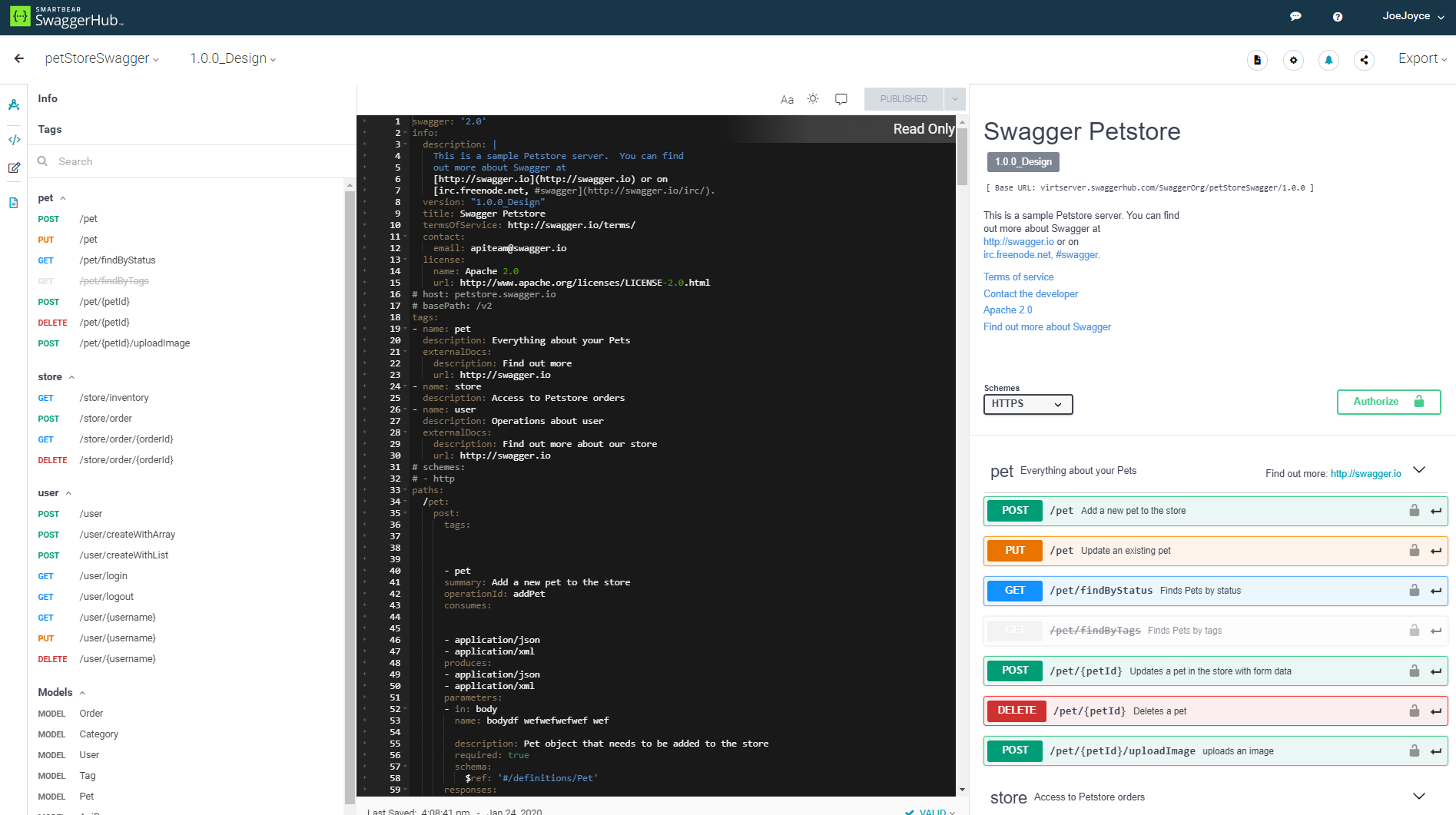
9. SwaggerHub

Considered by 40+ organizations for managing APIs, SwaggerHub is also one of the best open-source API management tools to rely on.

The platform renders a wide range of options to the designers and developers in the backend development domain. It provides them a robust and intuitive editor that delivers higher efficiency and speed while preserving design consistency.

SwaggerHub | API Design and Documentation with OpenAPI

Also, it avails the opportunity of smart error feedback, syntax autocompletion, and availability of multiple style validators.

10. API Axle

Top 15 Open-Source API Management Tools | Appinventiv

Backed by Exicon, API Axle is another open-source, simple and lightweight proxy that provides development agencies with ample benefits like:-

  • Real-time analytics
  • Robust Authentication,
  • Logging of API traffic for statistics and reporting,
  • Ease of creating and managing API keys, and
  • Support for REST API design and use of Go, PHP, and Node.js libraries.

11. IBM Bluemix API

IBM Bluemix Overview

This API management tool enables developers to use more than 200 software and middleware patterns to build portable and compatible apps for the hybrid cloud. It also offers various pre-built services and a robust mechanism for regulating API access, governing multiple API versions, maintaining rate limits, and keeping a track of performance metrics and analytics of every API involved.

12. Repose

Repose

Repose is yet open-source RESTful middleware platform that plays a pivotal role in the changing anatomy of API market. The platform provides organizations with various API processing facilities, including authentication, API validation, rate limiting, and HTTP Request logging.

This API management platform works with an aim to provide downstream services for trusting incoming requests when well-formed and validated. And, it is highly extensible and scalable in nature, which means developers can easily employ it as per the growing demands and requirements.

13. SnapLogic Enterprise Integration Cloud

Integration Cloud Service, Integration Requirements - SnapLogic

SnapLogic is an impressive Integration Platform as a Service (iPaaS) tool that helps organizations in acquiring, sustaining, and growing their customer base. The characteristics that make this possible are:-

  • It is fast, multi-point, and come with the option to flexibly address both batch-oriented and real-time app data integration needs.
  • It has a scalable architecture that operates like web servers, but also provide an option to embrace versatility.
  • It also comes with innovative data flow solutions that encourage organizations to add reputed SaaS applications like SugarCRM and Salesforce into their traditional processes.

14. DreamFactory

DreamFactory 4.4 Released - API Blog: Everything You Need to Know

DreamFactory API Management platform is also one of the best free and open-source tools to consider for your next project. And the set of reasons behind its popularity are:-

  • It gives developers an escape from hand-coding APIs for mobile app development. It enables them to integrate any SQL/NoSQL database, external HTTP/SOAP service, or file storage system into DreamFactory environment, and get a comprehensive, flexible, fully documented, and ready-to-use REST API automatically.
  • The platform also provides a detailed REST API for SQL databases, in addition to access to API parameters for pagination, complex filters, virtual foreign keys, related table joins, and more.
  • Another distinct feature of DreamFactory API Management platform is that it instantly converts the JSON request into SOAP, and vice versa.
  • Also, this platform avails highly secure experience in the form of ease of User Management, SSO Authentication, CORS, JSON Web Tokens, SAML integration, Role-Based Access Control on API endpoints, OAuth, and LDAP.

15. 3Scale

3scale

Last but not least, 3Scale is a notable addition to this list of API management tools.

Owned by Red Hat, the API management tool lets both small and large enterprises securely manage their APIs effortlessly with features, such as:-

  • It employs a distributed cloud layer that centralizes the API program’s control. That makes it easier to keep control of analytics, accessibility, developer workflows, monetization, etc.
  • Since it hosts on a distributed cloud-hosted layer, it is highly flexible and scalable to use.
  • The OpenShift Integration feature of 3Scale API enables you to run high-performance apps in an automated and contained manner.
  • This full lifecycle API management platform empowers developers to plan, design, apply, publish, manage, analyze, optimize, and retire your APIs anytime to deliver an exceptional experience.
  • It comes with the power to share your organization data, services, and content through the web or mobile applications easily.
  • Above all, the 3scale API management platform provides you an opportunity to instill a wide range of encryption, authentication, and authorization protocols into the development environment. This empowers backend software development services to deliver a highly-secure mobile app experience fit for their target user base.

All the API management tools shared above are open-sourced and are poised to be a beneficial addition to the tech stack. But, to ensure that you choose the best fit for your business app needs, we will be covering a few tips on selecting an API management tool next.

How to Pick the Right Open-Source API Management Platform?

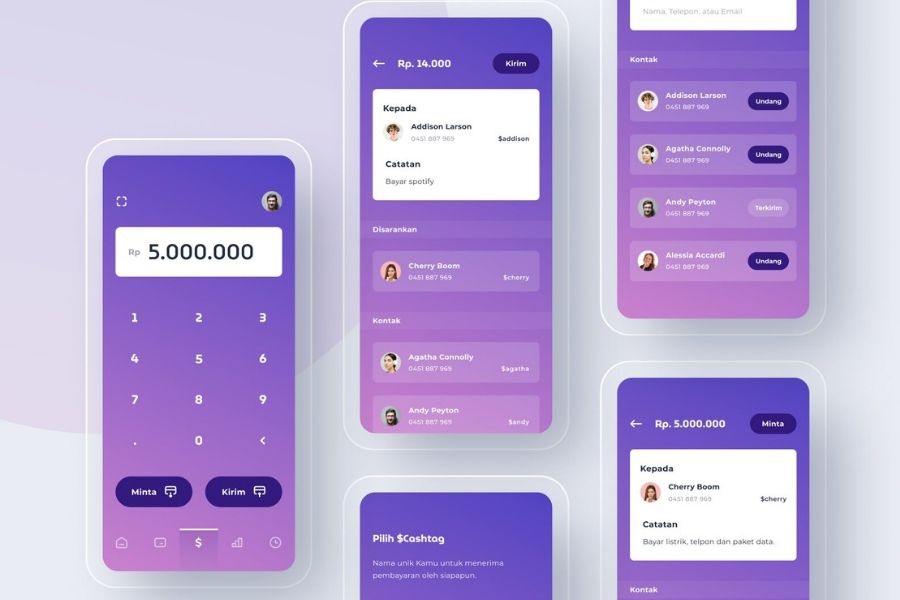
Top 10 API management tools. In this article, we review the features… | by Young App Platform | Young App Platform | Medium

1. Features

When it comes to finding an answer to ‘how do you choose the best API management (APIM) solution’, the foremost factor to consider is the features of API management platforms.

Every open-source API management tool have their specific requirements and implementation limitations. So, performing an API management platform comparison in terms of your technical and non-technical requirements can be really helpful.

2. Deployment Complexity

When it comes to deployment, some gateways require a single node while others run on multiple types of nodes for setting up a database. Besides, some gateways operate with many databases, which can be a complicated thing to manage.

So, focusing upon the deployment complexity can also help you with finding the right API management tool.

3. On-Premise vs Cloud hosted

On-Premise tools, as depicted from the name, are located within the physical premises of a company. One can add more time to the deployment and maintenance process.

But, in the case of Cloud-hosted, the API management tools are located at a virtual location and its services are made available via Cloud computing. They can introduce more latency due to the extra hop and even lower down the availability of your service when the vendor goes down.

So, analyzing the pros and cons of both the options to determine which open-source API management tool to embrace can also a profitable idea.

4. Community Support

Last but not least, having an idea of the type of community support each open-source API management tool is having also helps in choosing the right one. The larger and active a community is, the higher are the chances of receiving updates and solutions to your queries; ultimately resulting in a better experience.

With this, we have gone through the list of 15 best Open-source API management platforms and the approach to find the best one. The next step is to actually put this information into practical solutions, aka, employ an open-source API management tool into your mobile project. Which in turn, means bringing the best backend developers on board.

AI in Web Development: Python’s the best

May it be an MNC or a new startup, Python has a lot of benefits to offer everybody. It is the most renowned and efficient high-level programming language which has got largely famous in the past few years. It’s growing fame has enabled it to come out of the web development sphere and dive into some of the most popular and multifaceted processes like Artificial Intelligence, Data Science, Machine Learning, etc.

With its steady rise in fame, the demand for Artificial Intelligence is at a boom as it has become an integral part of various industries like Health Care, Education, Banking, Food & Beverage Industry, E-commerce, Agriculture, Marketing, Automation, etc.

Python Is Best Fit For Artificial Intelligence in Web Development

There is no denying the fact that python plays a very significant part in the sky-rocketing of AI in the market. There are numerous reasons to opt Python for Artificial Intelligence in Web Development a few of which are listed below.

1. Simple and Consistent

CONSISTENT Text, Written On Black Simple Circle Rubber Vintage.. Stock Photo, Picture And Royalty Free Image. Image 90321332.

Python is well-known for its brief and easily readable code and is totally unparalleled when it comes to the ease of use, especially for budding developers. While Artificial Intelligence is based on complex algorithms and vivid workflows, Python allows developers to create dependable systems. Due to this simplicity provided by Python, the developers get to focus primarily on solving AI problems rather than wasting their time on tech-nuance of the programming languages.

Also, Python is the first choice of many developers as it is very easy to learn. The code written in Python is easily comprehensible by humans, which makes working with it very swift. Python is also more intuitive than other programming languages and is very beneficial when multiple programmers collaborate on the same code. The simplicity of the Python syntax allows quick development along with very prompt testing (without having a need for implementation). Python uses approximately a fifth if the code that might be needed to do the same task in any other language based on OOPS.  The ease of code and the simplicity involved in it makes easier for a developer to work on it thereby also reducing the time to complete a job.

2. An extensive selection of libraries and frameworks.

Framework7 - Full Featured Framework For Building iOS, Android & Desktop Apps

A major facet that makes Python a leading choice for Artificial Intelligence in Web Development is the richness of its libraries and frameworks that makes coding easier and saves a lot of effort and time. Python has numerous libraries specifically built for Artificial Intelligence like NumPy, Pytorch, TensorFlow, Theano, Keras, Scikit-learn, Pandas and the list is endless.  Therefore, whenever you have to run an algorithm, all you need to do is to install and load one of these libraries (as per your requirement) with a single command and your work is done in a snap. These solutions help you to develop your product faster and better. With these libraries and frameworks, you need not start from scratch every time and can just use one of these and implement the required features.

TensorFlow, Scikit-learn, Keras Machine Learning
SciPy Advanced Computing
NumPy Data Analysis & Scientific Computing
Pandas Data Analysis
Seaborn Data visualization
PyTorch Natural Language Processing
Theano Evaluating Mathematical Expressions

3. Platform Independence


The Platform Independence of Python is one of the major reasons for it being on the high tide. Platform Independence implies that a python program can be made or executed on any framework or platform and afterward can without much of a stretch be utilized on the other. Python is compatible with many major platforms like Windows, Linux, macOS, etc. It can very well be utilized to make independent applications on a vast majority of the platforms, which implies that these applications or software can be effectively appropriated and utilized on different frameworks without having a requirement for a Python translator. There exist libraries like PyInstaller to help developers prepare their codes to run on various platforms. Yet again, this makes the process convenient and simple by saving time, money and effort required to run and test a single program on multiple platforms.

4. Abundance of Support

According to a survey conducted by StackOverflow in 2018, Python was one of the top 10 most popular languages. Also, according to ecomnist.com, Python is Googled more than any other programming language.

This ultimately means that with such a large community of Python Enthusiasts all over the world, there is great community support so you are likely to find answers to all your problems over the internet. It boasts a large number of active users who are more than happy to help the ones learning or stuck in the development life cycle.

5. Flexibility

Being a dynamically typed language gives python a great advantage of being immensely flexible. That being said, there are no rigid rules as to how a feature must be built. It also offers flexibility to choose between the OOPS approach or the scripting approach making it suitable for every purpose altogether. Also, it the most appropriate choice for combining various data structures and also supports as a great background language. It also offers immense flexibility when it comes to solving problems, which is a huge add-on for both beginners as well as professionals.

6. Minimal Coding Requirement

There are numerous calculations associated with AI (Artificial Intelligence). The simplicity of testing offered by Python makes it one of the most straightforward programming language among contenders. Python can execute a similar rationale with just 20% of the code in contrast to the other programming languages which are based on OOPS.

7. Popularity

Due to its ease of use and vast versatility, Python has emerged as the most preferred programming language among developers. The ease of learning and the developer-friendliness of the language has attracted developers to opt for it for their projects. Undoubtedly, Artificial Intelligence-based projects do require veteran developers, but the simplicity of python eases the process of learning it for new developers.

8. Superior Visualization

Python gives an assortment of libraries and a couple of them are exceptionally amazing choices for visualization. For the Al engineers, it is imperative to emphasize that in the Al, ML, and deep learning it is crucial to have the option to present to the information in an intelligible configuration that can be easily read by humans. Libraries like Matplotlib lets the data scientists assemble histograms, graphs, and plots for better information perception, representation, and viable demonstration. Besides, the different APIs disentangle the visualization procedure and this makes it simpler to make clear reports.

9. Compatibility

Python web development gives the designer the adaptability to offer an API from the current programming language, which, in reality, is amazingly adaptable for new Python developers. With just a few nominal changes in the source codes, you can make your assignment or application work in various OSs. This spares developers a great deal of time to test distinctive working frameworks and move source codes. Along these lines, in the event that you need your AI task to be the best, you should the best web app development company that has experience with AI-based undertakings with Python.

Summary

Artificial Intelligence is emerging as the need of the hour and has been showing a thoughtful effect on the society we live in. Developers are opting for Python as their language of choice for the numerous benefits that it provides particularly for Artificial Intelligence and Machine Learning.  Python’s specific libraries for AI increases developers’ efficiency and cuts short in the time required for the development. The simplicity of Python promotes fast testing as well as execution thereby making the language accessible for beginners as well as non-programmers. With all this being stated, there is definitely no reason left as to why one might not consider Python as the best fit for Artificial Intelligence in Web Development.

Design Systems- What and Why Do We Need It?

What is a Design System and Why You Need One?

Have you been struggling lately with your design-development workflow? Are you experiencing the handoff problem resulting in poor product decisions? Looking for ways to significantly improve it? Well, you need a Design Systems. It will help you work better, faster and improve your team collaboration. But what really is a Design System?

Well, a Design System is a fairly new idea in the digital transformation landscape. But one that has stirred up a lot of emotions and interest lately.

Known by many names such as Atomic Design Methodology, Component Design, and Design Language, the idea behind a design system is creating a series of design components that can be reused by you and your team.

Airbnb and Uber have fundamentally changed how digital products are designed by implementing their own unique design systems. By using a series of repeatable components and a set of standards that facilitate the use of these components, these companies were able to drastically change the pace of innovation and production within their teams.

What are Design Systems? 

7 Tools for Building Your Design System in 2021 | by Jonathan Saring | Bits and Pieces

When too many people work on the same project and face the same challenges in a design team, each person finding a unique way to solve the problem can result in an incoherent experience for the user when they use the product. The fundamentals of a Design Systems is to manage design at scale.

The definition of a Design System is a series of elements that can be combined and reused on a product by the whole team. It includes colors, designs, components and character styles. These series of components can be reused in different combinations.

Product Design has always been about consistency and predictability. With a unified Design System, you can build products better, faster and it results in a cohesive experience for the user.

A Design System helps companies render exceptional UX and strengthen their brand.

The Handoff Problem:

Previously, Designers and Developers faced a lot of problems. Due to iterations, requirement changes and siloed nature of design and development, handoff posed a lot of challenges. More often than not, it resulted in developers being blocked by designers and poor product decisions.

By focusing on commonly used components, there has been greater collaboration between designers and developers and previously siloed teams are now working off the same mental model. Seeing already existing design system components eliminates a great deal of duplicated effort.

The component-based design model is a great step. It has significantly reduced the need for handoff.

Design System is a consistent approach to product development, one that encompasses guidelines, principles, philosophies, and code. A design system is a perfect tool for scaling the design practice, eliminating the need for hand-off and facilitating greater collaboration.

Difference Between a Design System, Pattern Library and Style Guide 

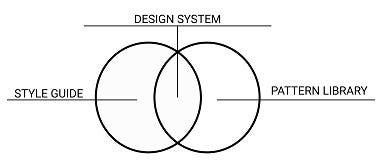
STYLE GUIDE, PATTERN LIBRARY AND DESIGN SYSTEM IN UI DESIGN | by Nmadim | Medium

Design Systems are a comprehensive guide on how to design a product. It is not just the classification of components but a whole process. It is a collection of rules, principles and best practices. The main element of a Design System is a library of UI components.

More often than not, a Design System is interchangeably used with a Style Guide or a Component Library. However, these are sub-components of a Design System.

A Design System is far more complex than simple style guides. It includes everything from colors to documentation. What a Design System really does is, it defines a common visual language for the product teams.

It speeds up the design process. A System Design bridges the gap between the teams involved in building a final product with consistent graphics standards, making it super easy to create websites from components. It is like a rulebook for the design and development teams and can be broken down into:

Design System – The entire set of design standards along with principles, patterns, and components on how to achieve them.

Pattern Library- A sub-component of Design System, a pattern library is a repository of reusable components and user interface design elements. Essentially, a  pattern library is a collection of design elements that surface multiple times on a site.

Style Guide-  Another sub-component of the Design System, a Style Guide emphasizes the visual presentation and determines how products should look. It includes colours, fonts, brand attributes and logos.

Why should you use a Design System?

There are many benefits of this System. It helps the entire company deliver better and more consistent design solutions efficiently. A Design System eases out the process of designing delightful experiences for end-users.

1.  Facilitates Consistency-

Why Insisting on Consistency Is Important for Every Business | by Dana Covit | Lingo Blog

Building a System begins with classifying all the visual components within a product. This helps in highlighting the biggest inconsistencies within the product and helps the team decide the product’s relevant and most commonly used elements and components. Consistency in Design is the most crucial Design Principle.

2.  Better communication-

The Dos and Don'ts of Effective Communication – Viva Books

For the team involved in product development, Design Systems are often referred to as the single source of truth. It helps the team to plan, develop and maintain product quality.

Single source of truth (SSOT) is a concept that organizations apply as part of their information architecture to ensure that everyone uses the same data when making business decisions.

Since it is a single source of truth, this implies it also includes the vocabulary that may be used in the project. Gone are the days when a developer referred to a button as the red colored one. This leads to better discussions between the developers and designers and allows them to talk in the same naming convention.

3.  Clarity to Developers-

What Are Top Skills You Expect From A Mobile Developer Today? DevOps, Cross-Platform, And Test? - SysBunny

With a design system in place, developers have a clear vision of how to build the required components while maintaining the unified styles.

4.  Iterate Faster- 

Can you go too fast? — D/UX

By implementing a Design System, teams can iterate a lot faster. You can release new designs with lesser resources in small chunks and with shorter feedback loops. It helps you stay organized and up to date with all the design changes your team makes.

5.  Leveraging Each Other’s work

How To Leverage Other People's Hard Work To Grow Your Business | Complete Controller

Since Design Systems can be shared across multiple teams, efficiencies can be extended across teams and products. It has become easy to leverage other people’s work, use each other’s innovation without reinventing the wheel.

Operating at scale and improving efficiency and consistency are the main advantages of using and maintaining a Design System. Since you are reusing components in a Design System, the time and effort spent on building one really pays off in the long run. Your design and development team can just tweak the existing products, enhance the experience or focus on building other products.

Examples of Design System 

The Minimum Viable Design System. Over the past couple of weeks I had the… | by Marcin Treder | Medium

With a staggering rise in the number of devices, environments, and browsers, there is an ever-increasing need to develop thoughtful interface design systems.

Design Systems are an industry standard. Not only do they provide the best team collaboration and keep your project organized, it also provides design guidance which is especially important in larger design teams. In recent years, leading tech firms have shared their design concepts and conventions, and here’s a list of the best design systems:

1.  Material Design

Material Design System is widely known for its simplicity of navigation. It is a design language developed by Google in 2014 to create consistency across all Android design and devices and is widely adopted by Android and Web App developers.

2.  Atlassian

Atlassian Design System is quite exhaustive and is widely used to create straightforward and beautiful experiences.

3.  Polaris

Polaris from Shopify is widely popular for simplifying the designer-developer workflow.

4.  Carbon

Carbon Design System is IBM’s open-source design system for products and experiences, with the IBM design language as its foundation.

5.  Human Interface Guidelines

Human Interface Guidelines is a Design System prepared by Apple for all their platforms which provides in-depth UI resources and practical information.

6.  Grommet

Created by Hewlett- Packard, Grommet is a design system that can help you embrace atomic design methods and build a library that meets your needs.

7.  Mailchimp

Mailchimp’s design system is all about bold and creative designs with a focus to provide a consistent structure to the design language.

8.  Digital Telepathy

Digital Telepathy is a Digital Design agency. Over the years they have refined a results-driven design methodology to iteratively improve the experience of customers.

9.  Sushi

Since the initial design system was not scalable, Zomato recently came up with a new design system called Sushi. It provides a new and enhanced experience to its users with the Zomato app.

How can Design System benefit designers? 

Now that you know what is a design system in UX and UX review, and the many benefits of having one, a design system benefits designers and simplifies the tasks for them. As a leading mobile app design company, we noticed that for Designers it has become easy to break down the UI into small parts rather than consider the whole webpage as one entity. You can think of a particular page as a set of components and quickly find and use the right component, pattern or style option( color, icons, fonts, etc.) from the Design System.

Conclusion

Instead of re-thinking the foundation of each new experience for your products, a Design System keeps designers, developers, product managers as well as multiple stakeholders aligned with the design vision of the company and allows the team to easily focus on pixel-perfect development.

How Do I Get My App Into The Google Play Store?

Google Play Store Gets New Interface: Did You Notice the Subtle Changes to Google Play UI?

No one can doubt the popularity and dominance of the Google Play Store in the domain of mobile applications and software.

The domain gets all the more solidified by the Play Store statistics that there are approximately 2.8 million apps on Play Store and that almost 3739 apps get released on it daily.

Numbers like these solidify how Play Store is an excellent option to upload your application on.

Now, if you are wondering “How to submit an app to Google Play Store” then end your quest here. We have covered end-to-end all about the process to upload an app to Google Play Store.

To put it out there, there are certain things that need to be done before the actual process of app submission begins. This is what we are going to attend to before answering the question of “How to get an app on the play store”, we will look at the pre-steps to publishing an application.

Without any further ado, let’s dive in.

Prerequisite of Submitting App To Play Store

Since this is your first time submitting your application to a gigantic platform, there are certain prerequisites that you must take care of in order to successfully upload an app to Google Play Store. So, without any further ado, let’s get started.

1. Test Your Application

Unit Tests & Data Coverage for Machine Learning Models - Data Analytics

It is needless to mention how crucial testing your application is. No matter how many incredible features you have packed into your app, if it does not perform upto the expectations of the user, it will be ditched like a hot potato. In which case, it is imperative for you to painstakingly test your app as many times as possible and be 100 percent certain that it is going to perform remarkably, before you look ahead to upload apps on Play store.

You can always use emulators for this purpose, however, using an  Android-powered device will make the testing process more effective. It will give the experience of using your app on a real device, as would users, and enable you to analyze any bugs or discrepancies.

2. Concise App Size

The App Design Process: A Guide to Designing Mobile Apps

In terms of applications, the size of the app matters a lot. Users do not feel inclined to download an app that takes too much space in their device storage. Moreover, Google only permits the app size to up to 50MB.

Although, if your app exceeds this limit, then you can use Android APK’s Expansion file, to successfully upload the app to Play Store. This will break your app into parts and each can be up to 2GB, giving an additional 4GB space to your app. This added data is saved in Google Cloud and is retrieved whenever the app is installed.

3. Get App Licensed

Web Development Mobile App Development Mobile Phone Web Design, PNG, 658x636px, Web Development, Advertising, Android, Application

Though this is an optional choice, it wouldn’t hurt you to get your app licensed before you upload your app to Google Play Store. Licensing your application will prove most beneficial for you if it is paid in nature. By adding the End User License Agreement, you will gain full control over your application which may help in the future, should any discrepancies arise.

  • Create your APK file with Bundle ID and Version Number
  • You need to prepare an APK file in which you can assign a version number to your application which will help you in the future when you need to upload a new update for your app. This number is mentioned in the code and would increase as the updates for the application are introduced.
  • Bundle ID, also called App ID, is used to make an application unique, making it a crucial part of the prerequisites for submitting your application. This is applicable for all the applications for Android 5.0 and above.

4. Sign App With Security Certificate 

Android Security: Certificate Transparency | by Matthew Dolan | Medium

Here, you need to create a private key using Release Keystore. This is a security certificate signed as an APK which you will need every time you publish an app to the Play Store. This is also known as JSK file including credentials such as Keystore password.

5. Prepare App Store Listing

How to publish your app on Google Play and the App Store? | GoodBarber

App listing is a powerful element that helps your application in gaining downloads. Not every one devotes their time on app listing but if you do this before android app submission, you will definitely see some mind-blowing results.

In the app listing, you provide some information to users about what type of application it is and what are its features. One of the best practices of app listing is using high-quality screenshots. Play Store requirements allow developers to use a maximum of 8 images and a minimum of 2.

Here are the best practices and what you should include in your app listing-

    • Title
    • Short Description
    • Full Description
    • Screenshots of your app (JPEG or 24-bit PNG)(Min-320px,Max-3840px)
    • Hi-resolution icon (512 x 512)((with alpha) 32-bit PNG)
    • Feature Graphic (1024 w x 500 h)(JPG or 24-bit PNG (no alpha))
    • Type of application
    • Category of your app
    • Rating of the content
    • Email of Developer or Company
    • Url for Privacy Policy

6. Go Through Guidelines

Crew App — LH CREATIVE

When it comes to App Store vs Play Store guidelines, it is safe to say that Google’s guidelines are more flexible, which works in favor of developers.

However, you have to be careful when you add an app to the Play Store and you would have to make sure you follow all the guidelines given by Google, lest your app will be kicked out of the platform. Now, this is something you would want to avoid at all costs, right?

Step-by-Step Process to Upload App To Google Play Store

Now that the obvious is out of the way, let’s move on to the steps regarding how to upload an app on Play Store. Make sure you follow each in the exact chronological order to avoid any mistakes in the process.

1. Google Play Developer Console

Google Play Console | Google Play Console

In order to upload a mobile app to Google Play Store, a developer dashboard is imperative. Developer console is kind of a backend controlling center, from where developers submit an app to Play Store. There is a one-time fee of $25 by which a developer can open an account, loaded with functions and control features. After paying this one-time fee, you can upload apps to Google Play Store for free.

You need to fill out all the credentials asked while creating the account, such as your name, country and more. Once you submit your account it will take upto 48 hours to get approved.

2. Link Developer Account with Google Wallet Merchant Account

Create a Google Merchant account – AppMachine Help Center

If the app getting uploaded to Play Store supports in-app purchases, then you will need a merchant account. To create one you can sign in to your Google Console account and click on ‘Reports’ followed by ‘Financial Reports’ option. After this, you may select ‘Set up a merchant account now’ option and simply fill out your details.

The merchant account will automatically get linked to your Google Console account and will allow you to manage and examine app sales.

3. Create Application

How To Submit An App To The Google Play Store | Clearbridge Mobile

This is yet another step towards how to publish an app to the play store.

Once you are logged into your developer or publisher account, here are a few steps you need to take:

  • In the menu, go to the ‘All applications’ tab
  • You will see an option ‘Create Application’ – select it
  • From the drop-down menu, choose the application’s default language
  • Enter your application’s title (it can be changed later)
  • Now, click on “Create”

4. App Store Listing

Store Listing Panel

It is at this point, your preparations will come handy.

In this step around how to upload an app to the play store, you are required to fill out all the information and details you have already prepared with caution before. The table below shows what information you need to fill in the app listing-

Make sure to use appropriate keywords in your app description to increase the chances of your app showing up in searches. Along with this, make sure to use all the data we have talked about in the prerequisite section for app listing.

5. Upload App Bundles or APK To Google Play

How to publish Android appBundle to Google Play Store | by Andres Sandoval | Medium

Now, you are required to use the files such as App bundle or APK and signed app release and upload them into your application. This is how you do it: Navigate to the ‘Release Management’ and then ‘App Release’ tab in the menu. After this, you will be asked to choose any one type of release from four options- internal test, close test, production release, and an open test.

Once, you have made a decision regarding which type of release you want, you may select ‘Create Release’.

At this point, you will be redirected to the New release to the production page. Here, you are again required to make another decision- to opt for Google Play app signing on the app or not. If you choose the latter, then simply click on the ‘OPT-OUT’ option.

Now, select ‘Browse files’ and then look into how to upload apk to google play store while naming and describing your release through on-screen instructions. You can also click on ‘Review’ to confirm the information. When everything is taken care of, press ‘Save’.

6. Time For Content Rating

How We Rate and Review | Common Sense Media

The next step regarding how to publish apps on the Play Store is to rate your app. This is crucial for it is listed as ‘Unrated’, it might get removed altogether from the store, so it is imperative to rate the application.

For Content Rating, you must again navigate to the menu on the left side of the screen and then select the same. By clicking on ‘Continue’ you can move forward and then type your email address in the respective field and then ‘Confirm’ it.

Now, you may fill the questionnaire for your app rating. Follow this by selecting the ‘Save Questionnaire’ and then choose the ‘Calculate Rating’ option to see your app rating on the Play Store. The last thing to finalize your app’s content rating is to click on ‘Apply’.

7. Fix App Pricing and Distribution

Complete Guide: How to submit app to App Store and Google Play

Now, you have to be clear about what countries your app is going to be available in. The point to note here is that Google doesn’t support publishing an app for all regions. The app will be published in selected countries instead of world-wide.

Moreover, assigning a price to your app is crucial. If you want your app to be free, make sure that this decision is permanent, as Google does not allow you to convert free apps into paid ones. Although, the price of the app can be altered.

To do all this, go to the Pricing and Distribution tab in the menu, and then make a choice whether your app is going to be Free or Paid. You may now select the countries you want your app to be released. Additionally, if your application is suited for children under the age of 13, you may select the option of ‘Yes’ for Primary Child-Detected. If otherwise is the case, simply select ‘No’. Similarly, select the options for allowing ads into your application.

8. Finally, Publish the Application

How To Upload An App To Google Play Store?

Once you are confirmed about everything being correct, take the last step of this guide on how to upload an app on Play Store, i.e, add the application to the platform. You need to go back to the ‘App Releases’ tab and then select ‘Manage Production’ followed by ‘Edit Release’. After this, click on ‘Review’ and then choose ‘Start rollout to production’ option. To bring this process to an end select the ‘Confirm’ option and Voila! You have successfully uploaded the app to the Google Play Store for free.

All there is left to do now is to just wait for your application to get approved. It generally took about two hours for your application to get reviewed. But with Google Play’s updated privacy policy, it will now take hours and even days for the same, encouraging mobile app development companies to create even more flawless applications that get selected instantly. So, hold your excitement in the place and just wait.

How To Get Your App Featured On Play Store?

How to get your app featured on the Google Play Store - Business of Apps

Your job to make sure the app gains popularity and thousands of downloads doesn’t end here. After successful execution of the steps regarding how to upload an app to Google Play Store, it is now time to get it featured on Play Store.

There are certain practices such as user interaction and visual design services, working on the latest technologies, localization, etc. that helps your app to get featured. Getting featured on Google Play can benefit your app to an extent that it increases the attention of users on your app by multi-folds.

What To Do After Play Store App Submission?

With the question of “How to publish an app on Play Store” answered, you might think “What is there to do next?”. Well, we have got you covered with this as well. Here are some practices you can do to ensure your application enjoys global exposure.

1. Promote App On Social Media

How to Promote an App on Social Media? | Promote Android App

Social Media is a great medium to skyrocket the popularity of your application. The fact that 42% of the world’s population uses social media is enough to justify the statement. There are some platforms such as Facebook, Instagram, Linkedin, Pinterest, and a lot more that are constantly in use. So, promoting your app on these platforms promises more traffic and eventually more downloads.

2. Initiate Press-Release

PRESS RELEASE! — Foundation to Fight H-ABC

Press-release is another way through which you can promote your brand. With this, your brand will come into limelight and many publications will cover your app release which will eventually allow your app to reach a wider user base and develop an authentic connection.

A press release that covers the words, attributes and insights of the mobile app developers and application itself has proved to be an incredible app marketing strategy. It is a great example to show users that what they expect is good.

3. Focus On App Maintenance And Update

Mobile App Maintenance and Support Plans Sydney | DigiGround

You cannot just publish your application of the app store and let it be. You need to efficiently maintain your application and introduce frequent updates, attending to the issues and bugs faced by users. Maintaining something is a constant task rather than a one-time thing. So, make sure you keep your app updated with the latest tech-stack and fix whatever needs fixing.

4. Practice ASO

ASO: App Store Optimization ? SEO Guide for Google Play & App Store

App Store Optimization is a celebrated practice among all the top Android app development companies. Famously known as ASO, it primarily focuses on the activities which target aspects that can generate more attention and visibility of your application of the app store. These practices are focused on increasing the conversion rate of impressions into downloads on the application.

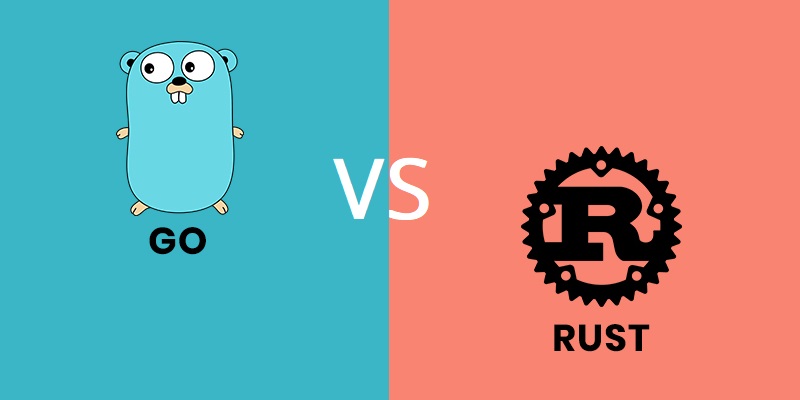
error: Content is protected !!