7 Steps to a More Effective Data Management

6 Tips for Making Better Data Management Decisions

Data has become one of the most valuable resources for business, providing key insights about the company and its market. However, with so much data available for analysis, the need for effective data management is becoming increasingly important. Here are some the steps you can take to ensure your company is using best practice when it comes to managing your data.

1. Know what you want to use data for

11 Steps For Asking The Right Data Analysis Questions

Today, companies are gathering enormous quantities of data. Much of that, however, will never be used. To make data management easier, it is important to know what you want from your data so that you keep that which helps meet your objectives and get rid of that which does not. This will help reduce storage costs and make it easier to organise and manage what data is kept. If you have data which is not useful at present but which you want to keep in case it becomes useful in the future, you can always condense it and store it separately.

There are many things you may wish to use your data for. These include data-driven decision-making, automation and processing improvement, customer journey mapping and personalisation, audience targeting, product recommendations and so forth. Knowing what your objectives are will help ensure you only gather and collect the data that you need.

2. Security and compliance are key priorities

What is an IT Security Audit? The Basics | Varonis

All companies are obliged to comply with data protection regulations, such as GDPR, and this means compliance should be foremost on your list of priorities. Failure to comply or implement stringent security measures can have devastating consequences. Under GDPR, businesses can be fined up to €40 million or 4% of annual global revenue, whichever is the greatest. For British Airways, this was an eye-watering €204.6 million. On top of any fines, there are also reputational damage and case actions to consider.

Working with the right hosting provider, implementing robust security policies and using secure data management software can help your data to be more secure.

3. Data quality is vital

Data Lineage and Data Quality: Two Vital Elements for Enterprise Success - DATAVERSITY

The quality of the insights your data can provide is based upon the quality of the data you are using. While the first step to improving quality is to limit data to that which meets your company’s goals, it is also vital that data is accurate and up-to-date. Inaccurate or out-of-date information can provide  misleading insights and lead to companies making the wrong decisions. For this reason, cleansing data should be something undertaken regularly.

Quality can also be improved by ensuring that employees know how to accurately gather and input data or that systems which collect data automatically are configured to do so correctly.

4. Eradicate duplicate data

This is Why Duplicate Data is Bad for You

Not only does duplicate data means you’ll pay for more storage than you need; there’s also the chance that it will be counted twice during any analysis and will, thus, skew the accuracy of any report generated using it. As there are various ways to receive duplicate data, companies need to put processes in place to discover and prevent it from being inputted into the data management system.

5. Managing access to data

What is access control? A key component of data security | CSO Online

There are two important things to consider when looking at access to data. The first is that, for data analytics to be effective, team members need access to all relevant datasets. This is incredibly difficult to achieve when it is stored in departmental silos where access is restricted to departmental members. Unifying data in a centralised repository, like a data warehouse, removes silos and ensures everyone can have the big picture. It also means data security can be centrally managed.

The second consideration is balancing security with ease of access. This means setting up logical access control where permission to access data and tools is granted on an individual basis depending on the employee’s needs. Not only does this ensure employees only use data they have the authorisation to access; it also means that if their accounts are hacked, hackers won’t have unlimited access to the company’s entire data or its applications.

6. Make sure data can be recovered

7 FREE Data Recovery Software That Actually Work (2020 Update)

Data loss can happen for a whole host of reasons, including human error, malware, hardware failure, natural disasters, hacking and so forth. While losing personal data can get the company into hot water over compliance, all the other data your company relies on will have significant value too. Losing that data can put a company out of business. To ensure it doesn’t happen, having a remote backup system in place is crucial.

Ideally, you should schedule automated backups to be taken at the intervals which the company needs. For the increasing numbers of businesses who receive data continuously, this will mean having continuous backups taking place, so that, if the worst happens, you have as much recent data as possible to restore. Cloud storage is often the best solution as it is scalable, secure, integrity tested, can be encrypted and is easily accessed for restoration.

7. Choose the right hosting provider

4 Tips for Choosing the Right Hosting Company – Valcato Internet

The hosting provider plays a vital role in ensuring good data management. They will provide and manage the infrastructure needed and implement a range of stringent security measures including firewalls, encryption, intrusion protection, backup services, etc. Those opting for a cloud solution will also benefit from the scalability and payment model of cloud when it comes to storage and processing capacity. Crucially, however, is choosing a host that understands your goals and your needs and which can supply the expertise and computing environment your data management requires.

Conclusion

Effective data management is essential for businesses to make the best use of big data analytics and the insights it provides. Knowing what you want to use that data for, improving its quality, eradicating duplications and making it easier to access are key elements in that management strategy. So, too, are ensuring the data is secure, setting up logical access, making remote backups and choosing the right hosting provider.


How to Evaluate a Web Hosting Provider’s Reliability

Reliability in Qualitative Research – HotCubator | Learn| Grow| Catalyse

As any builder will tell you, if you build a house on poor foundations, it will fall. The same principle applies when building a website: here, however, the foundations are not reinforced concrete but the services of your hosting provider. A website its reliant on its hosting for its ongoing performance and success. Here, we’ll look at the criteria you need to look at when measuring the reliability of a web hosting provider.

1. The services you need

How to Start an Agency After Successfully Freelancing

Hosting comes in a variety of forms and websites have their own specific needs. Finding the right host means matching these together. For example, if you run a WordPress website, you may want dedicated WordPress hosting which is designed specifically for optimising the performance and security of WordPress sites.

Look for a provider that offers all forms of hosting: shared, VPS, dedicated servers and cloud and which provides different solutions and packages for each form. You may need Linux or Windows hosting, business or reseller hosting, a choice between cPanel or Plesk control panels, the ability to choose the hardware spec of your dedicated server, want managed services or a bespoke enterprise-level cloud solution. A reliable host will be able to provide the solution which is tailored to your needs.

2. Availability

Security system 'availability' jargon buster

Availability, in web hosting parlance, refers to the amount of time that your website or application stays online. Also known as ‘uptime’, it is of critical importance because a website or app that goes offline loses you money and damages your reputation for reliability.

There are several reasons a website can go offline and not all of these are caused by poor web hosting. However, issues with hardware failure or overcrowded shared servers are within the remit of a web host and if these lead to constant lack of availability, your online venture can suffer as a consequence.

When it comes to availability, look for a web host that guarantees 99.9% uptime (the remaining 0.1% may be needed to update the operating system and patch vulnerabilities). At the same time, you can increase hardware reliability by opting for SSD storage, which uses solid-state rather than mechanical disk drives and is thus less prone to failure.

3. Technical support

What's A Career In Technical Support And Help Desk Like?

While all web hosts will have a customer service department, what is more vital is finding a host that provides 24/7 technical support. There are many issues you can have with running a website and having 24/7 technical support in place means that, regardless of the time of day, an expert will be available to help sort the problem straight away.

Having a support team there for you in a time of need is one of the main reliability measures you should look for. For convenience, look for a support team that can be contacted by live chat, phone or ticket.

4. Money-back guarantee

A Question of Money-back Guarantees and Marketing Your Online Products

People don’t always make the right choice with their hosting, nor are they always satisfied with the hosting services or support they receive. What makes this a bitter pill to swallow is that, should they change their mind, they find themselves out of pocket.

A reliable host is one which puts its customers first and which is so confident in the quality of its service that it offers a money-back guarantee. Here at Anteelo, for example, if you change your mind, you can claim a full refund on all hosting services (except dedicated servers and licensed add-ons) within the first 30 days. Additionally, our Anytime Money Back policy allows you to claim a refund for any unused portion of your contract even after the initial 30 days have passed.

5. Security

What Is IT Security? - Information Technology Security - Cisco

Cyberattacks have become a major threat to website owners with hacking, ransomware, malware, data theft and DDoS attacks leading to the demise of many businesses. One increasingly important measure of a web host’s reliability is how well they protect their customers from cybercrime.

Hosts should have security experts in place and provide them with the latest tools to do their job effectively. These should include the latest firewalls, intrusion detection and prevention tools and anti-spam email filters. They should also provide security services such as remote, encrypted backups, SSL certificates and email signing certificates.

6. Scalability    

4 Tips for Building a More Scalable Business

Your hosting needs may change over time. If your website grows and gets lots more traffic, the hosting package you currently use might not offer sufficient storage, bandwidth, RAM and CPU resources to cope with your needs.

A measure of reliability is how quick and easy a host makes it to scale up to a bigger package or even to a different form of hosting solution (e.g. VPS, dedicated server or cloud). If this involves migrating to a different server, they’ll also help you with the process of migration so that the move is as seamless and undisruptive as possible. At the same time, scaling back to a smaller solution should be just as easy.

7. Price

NDIS prices – the good, the bad and the ugly - Every Australian Counts

Every business will consider price when it looks to acquire the services of a web host. However, it is important to compare like with like rather than going for the cheapest deal. While affordability is important, so too is price stability and cost transparency.

A reliable host is one which makes its pricing completely clear and where there are no hidden extras. Additionally, although prices do change from time to time, a good host will try to keep increases to a minimum and implement them as infrequently as possible.

8. What others think

What the others think of you reflects what they are, not who you are

While web hosts can provide details about their products and services on their website, a true measure of their reliability is what their customers say about them. Online reviews and star ratings are highly valuable resources for owners looking for the best hosting solutions as you get the customer’s judgement on the quality of their services.

Conclusion

With a reliable web host supporting your online venture, you have the right solution for your budget and hosting needs, the flexibility to grow, the security and uptime guarantees to keep you online, the support in place to take care of issues and the backing of other customers to help you make the right decision. And if you’re still not happy, you can rest assured that you’ll get your money back.

4 Ways Your Web Host Affects Your Google Ranking

What's the Difference Between Web Hosting and Domain Hosting? | Elegant Themes Blog

During its latest algorithm update in May 2020, Google has tweaked a number of its ranking criteria which are directly related to the quality of your web hosting. Here, we’ll look at what aspects of your hosting can influence your website’s ability to rank and explain how they are important.

1. Site loading speed

9 Ways on How to Improve Your Website's Loading Speed

Site speed is important to search engines because it improves the customer experience. Slow-loading websites have much higher abandonment rates because users just aren’t willing to wait for them to load. For this reason, the slower a site performs, the less likely Google will feature it in its results – it looks bad on them. What’s more, to do well, the site needs to perform quickly on both mobile devices and PCs.

Website loading times are an important web hosting feature for Google. While there are several things you can do to speed up your website that don’t rely on hosting, such as image optimisation, compression, minification, caching and the use of content delivery networks, ultimately, the performance of your server is critical.

Google takes note of a number of timescales when judging performance, such as the time it takes to start loading content on a browser, how quickly the page becomes interactive and how long it takes for your server to respond to an action performed by the user, for example, clicking on a link. If your server performs too slowly on any of these criteria, it will affect your page’s ability to rank.

Choosing a web host that uses high-performance servers, such as those with SSD drives and Intel Xeon processors can speed up performance dramatically. So, too, can upgrading to a more powerful solution, such as VPS, cloud or dedicated server.

2. Server uptime

100% Server uptime – why aren't you achieving it?

While Google doesn’t like sending users to slow loading website’s, it is perhaps even less happy about sending them to sites which are frequently offline. If it keeps supplying links to sites which aren’t there, people will use an alternative search engine. Google, therefore, monitors the amount of time that websites are online and uses this as part of its ranking algorithm.

There are numerous reasons your site can go offline. Some of these are related to things you do on your site, such as putting it into maintenance mode or causing it to crash through installing incompatible software or making coding errors. Other reasons can be due to your web hosting, such as when your server needs its operating system patching and updating.

With some hosting solutions, however, the amount of time your website goes offline can be unacceptable to Google. For example, if the hardware is outdated, unreliable and keeps breaking down or if too few resources are available for shared hosting accounts that the server simply can’t cope with the amount of traffic. In these instances, it can affect the site’s ranking ability.

To protect yourself, ensure your web host offers guaranteed uptime backed by service level agreement (SLA). The minimum you should be looking for is 99.95% uptime. If you require 100% uptime, then you need to choose a cloud hosting solution.

3. Server location

How Server Location Impacts Your Website

Data needs to travel from A to B and the further it has to go, the longer it takes. This increases latency, making your server respond slower to requests from a user’s browser and, thus, reduces site speed.

While it is possible to speed up global loading times using a Content Delivery Network (CDN), this only works for static website data, i.e. website content that remains the same. For websites that provide lots of dynamic data, i.e. pages that change for individual users or which display things like product search results, the nearer the server to the browser, the better the performance.

Ideally, therefore, you need a server geographically located closer to where most of your traffic comes from. If you are a UK based company, it makes sense to have your website hosted on servers in a UK based datacentre.

Some web hosts, however, store their data all over the planet, much of it in huge US data centres. Even if the company is UK based, its servers may be anywhere. At eukhost, all our datacentres are located within the UK.

4. SSL certificates

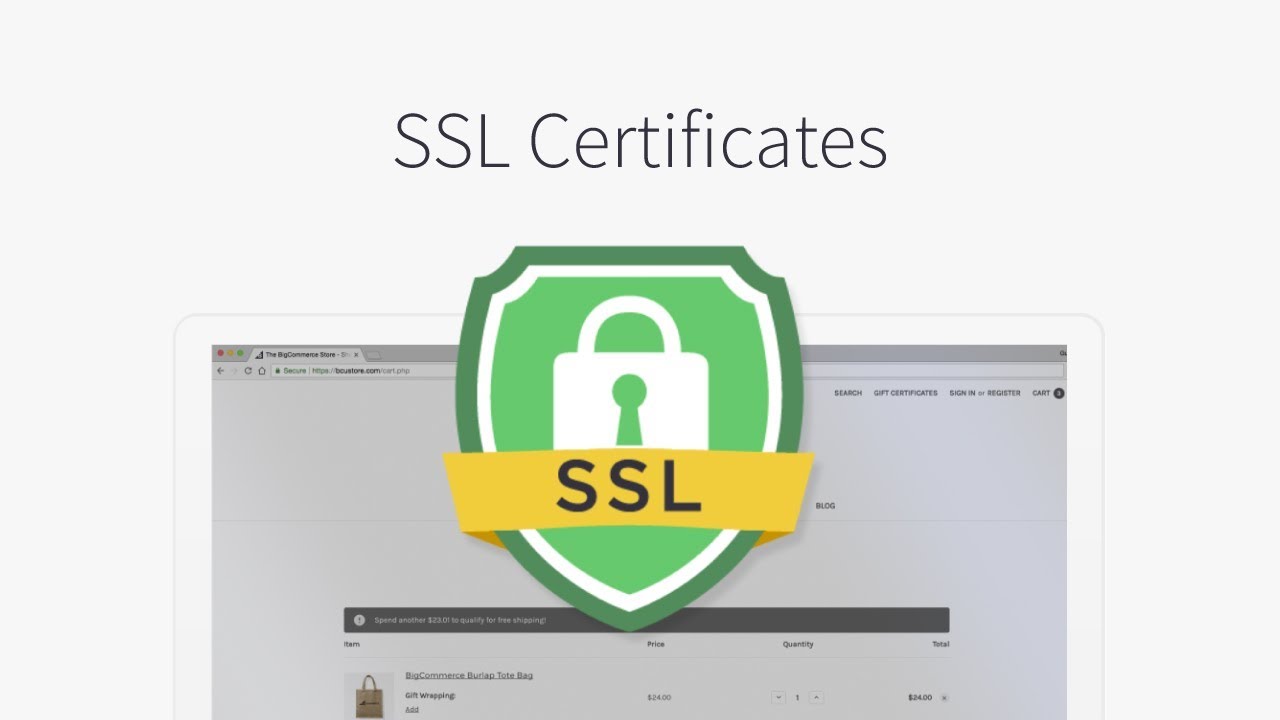
SSL Certificates | BigCommerce Tutorials - YouTube

The padlock icon displayed on browsers is a clear indication of how seriously Google takes security. The last thing it wants is to send its users to sites where their financial data may be at risk of interception because of an insecure connection between the browser and the website.

Today, the security of that connection is key to performing well in search engine results. The only way to obtain a green padlock icon is to install an SSL certificate that will encrypt data travelling between the browser and the server. These are normally obtained via your web host.

There are different types of SSL certificate and the one you need depends on the level of security required for your organisation. A good web host will provide all the different types available and give technical help to install it if required.

Perhaps less well known is that a basic Domain Validated SSL can now be obtained free of charge from the Let’s Encrypt certificate authority. eukhost, which is a sponsor of Let’s Encrypt, enables its customers to install these free Domain validated SSL certificates directly from within your cPanel control panel. Many web hosts, however, prevent this, forcing customers to buy alternate SSLs and pay an annual fee for their use.

Conclusion

In its drive to provide better services to its users, Google is pushing websites to up their game. From a web hosting perspective, this means having a site that loads quickly on all devices, has minimal latency, is reliably online for 99.5% of the time or more and which provides secure, encrypted connections. Websites with these things in place will find themselves better positioned by Google’s algorithm.

Enterprise cloud hosting migration challenges

Why you should switch to Cloud hosting - IONOS

Despite the enormous benefits that the cloud brings, there are several issues that many enterprises face as they transition to this new technology. These include making choices about the right time to migrate, the best way to do it and which services to move. Other issues concern security, the use of managed services and whether to opt for a multi-cloud or hybrid cloud approach. Here we’ll look at these challenges in more depth.

Planning the move to the cloud

Planning to Move to the Cloud, But Are You Ready?

Research by the Cloud Industry Forum shows that 88 per cent of UK enterprises have now adopted cloud technology with two-thirds expected to expand their use during the next 12 months. In doing so, many will shrink their in-house data centres or close them entirely. The result is that they can scale down or eliminate the expense of paying for the physical premises, hardware, applications and security that a data centre requires and replace this setup with a more agile cloud infrastructure.

The issue is that planning the migration of many different applications from the data centre to the cloud can be a challenge that takes considerable time to carry out and which often stretches already busy IT teams beyond capacity. Indeed, many IT teams lack the skills needed to carry out a successful migration.

The solution is not to undergo this process in isolation. You should find a provider that will carry out the necessary assessments, assist you in designing and developing the infrastructure you will need and which will then plan and undertake the migrations on your behalf.

Finding the right cloud solution

Finding the Right Cloud Solution for Your District's Storage Needs | EdTech Magazine

The cloud provides a range of benefits for enterprises, it’s cost-effective, secure and provides the scalability businesses need to be agile. Finding the right cloud solution, however, can be a challenge. Crucial requirements include ensuring all your applications are ready for migration and finding the best platform on which to host them.

The complexities involved often means that, for some enterprises, standard-package cloud service setups might not provide the best solution for their needs. Increasingly, businesses are looking for service providers that can offer bespoke cloud or hybrid solutions that provide the ideal environment for all their applications.

Managed solutions

IT Managed Solutions - ITMS

Many companies that migrate to the cloud attempt to keep costs down by managing their IT in-house. However, moving parts of your infrastructure to the cloud or to a multi-cloud/hybrid cloud environment can make managing these integrated services more complex. Add to this the constant development of new applications and technologies means that maintaining a highly trained IT team can be very expensive.

By outsourcing your IT management to a credible provider, not only are the on-going training costs reduced, it also frees up your IT staff to concentrate on more business orientated projects which can drive the company forward. Service providers employ certified IT teams who are able to expertly manage all aspects of your solution and are compliant with a wide range of regulations and industry standards.

Cutting IT costs

Industry News – Valet Technologies

As enterprises expand their use of and reliance on IT, one of their biggest challenges is to prevent the costs becoming excessive. Cloud services help reduce costs in a number of ways. Firstly, they reduce the requirement for a large-scale data centre, its ongoing operating costs and the capital expenditure on hardware. The use of managed services can also reduce the need for such a large IT team and the associated training costs. Additionally, the pay as you use pricing of cloud means that costs, as well as services, are scalable, helping you to keep them to a minimum when IT requirements are low.

Data storage and security

Used Data Storage Devices Have Security Flaws

The storage and security of data is a key challenge for enterprises, especially with the increasing number of threats and regulations. Data breaches can lead to huge fines but, perhaps more importantly, can have a devastating impact on the company’s reputation.

While there have been concerns about data stored in the internet accessible cloud, service providers have to comply with strict standards and regulations to ensure customers’ data, such as personal and mission-critical information and intellectual property, is secure.

Conclusion

Migrating to the cloud can bring many benefits, giving enterprises access to the latest technologies, such as the IoT, artificial intelligence, machine learning and big data analysis. With so many businesses already employing cloud IT, maintaining competitiveness may rely on such a move. However, migration is not without its challenges as we hope this post has shown. That said, by choosing the right hosting partner, these can be overcome. If you are looking for a cloud hosting provider who can offer the services mentioned in this post, check out our enterprise cloud hosting page.

error: Content is protected !!