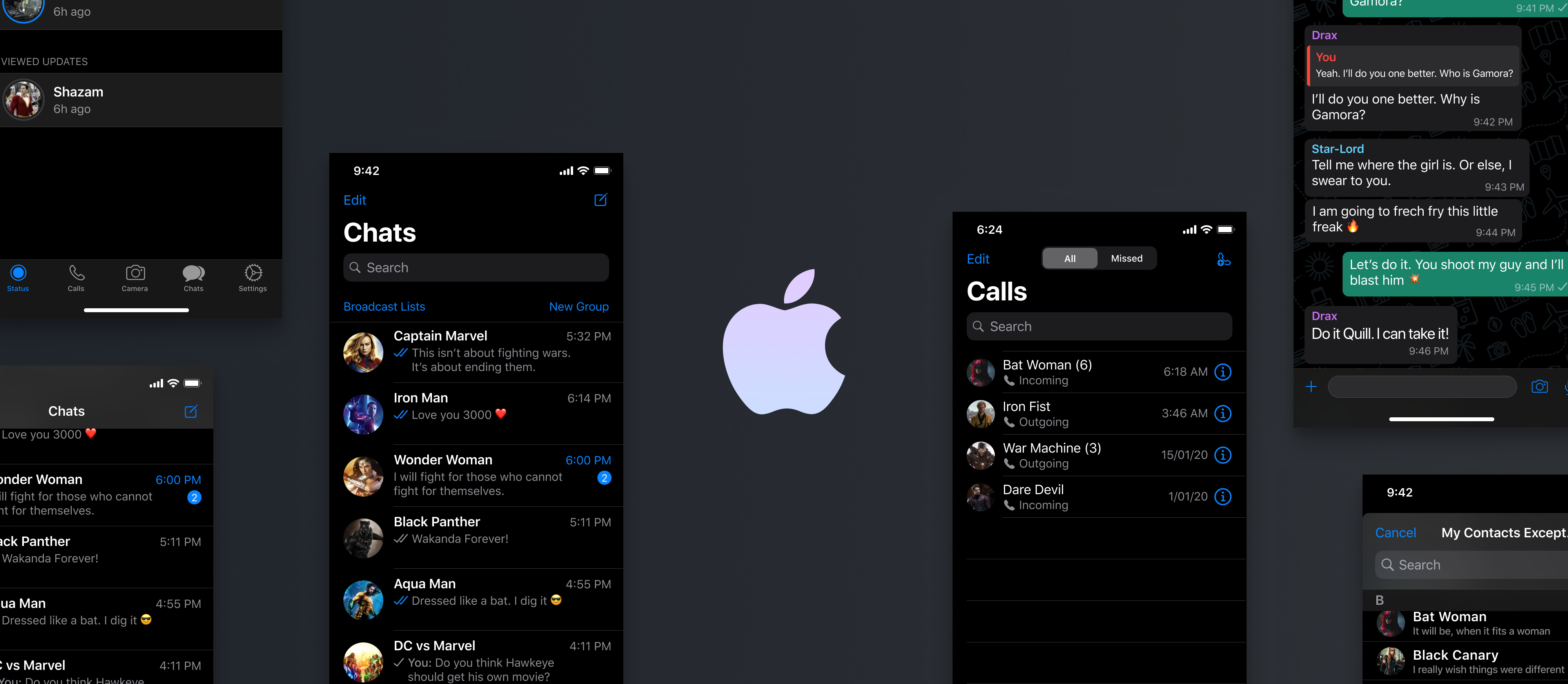
Here Is How You Can Prepare Your App for iOS 14 Update

All About Apple iOS 14 Update - Overview and Features

Set to release in the fall of 2020, iOS 14 was announced in the June of 2020 with a slew of changes and a series of groundbreaking announcements. Like clockwork, Apple comes with a multitude of industry transforming OS additions devised to make app experiences immersive, secure, and easy. But this time around, Apple has taken it up a notch with changes that would affect how advertisers target users.

While there are significant changes you’ll have to do to make the app UI ready like implement dark mode along with taking care of how to apply scene delegate, and modal presentation; in this article, we are going to look into how to get an app ready for iOS 14, especially in a way that it won’t gravely affect the app marketing efforts.

But before we head on to the part, let us recap the iOS 14 features.

List of iOS 14 Features 

1.  Home screen with an app library
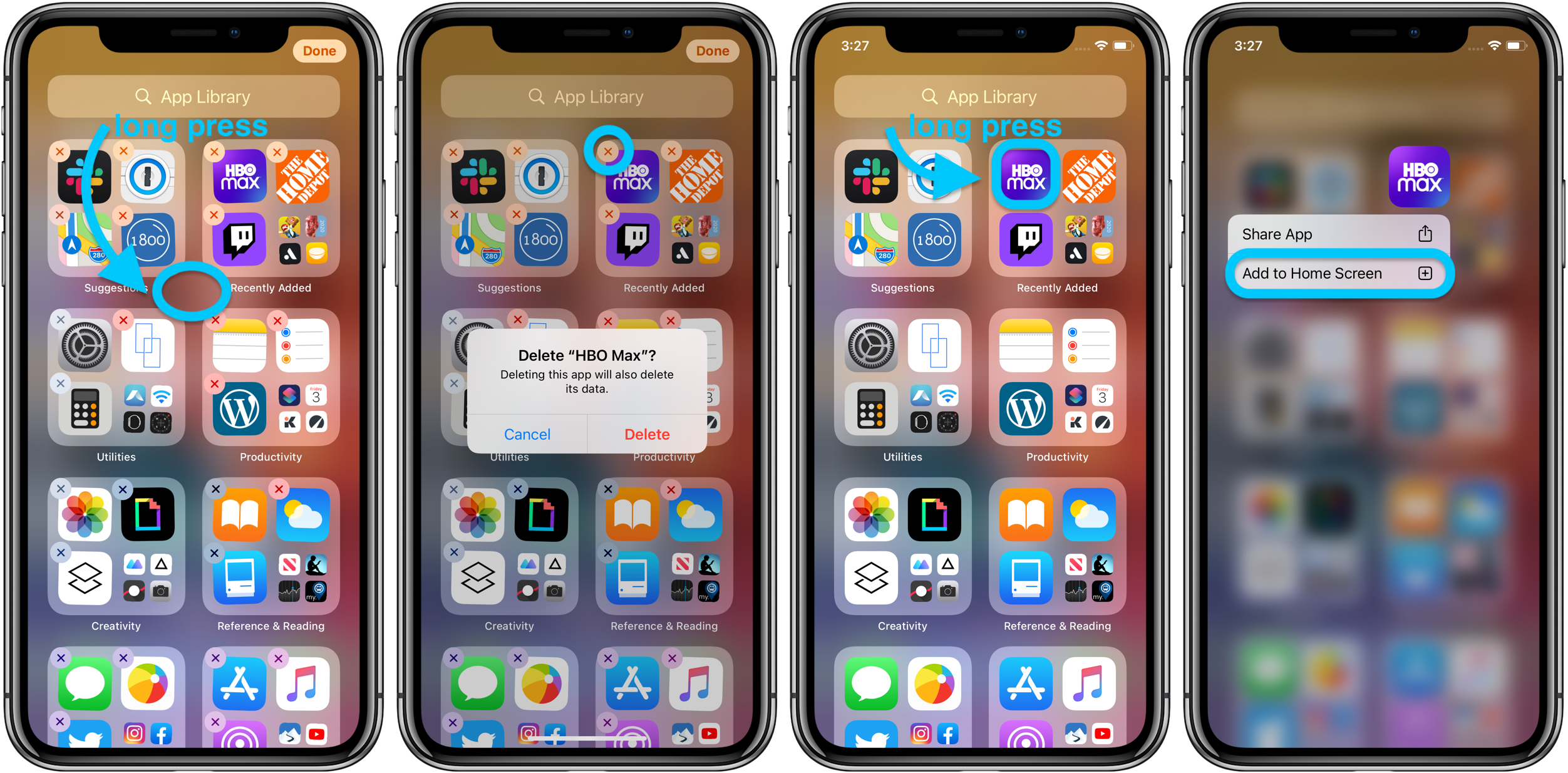
How to use the iPhone App Library in iOS 14 - 9to5Mac

Apple is changing the home screen with iOS 14. Users will be able to remove the applications from the screen or even remove the screens. The apps also stay in the App Library which is one swipe away from the final home screen.

App library groups all the apps in big folders which shows the recently used apps. It even enables the users to search for apps in the search box placed at the top of the screen. The folders are also automatically organized according to Health and Fitness, Social, etc.

2.  Overhauled widget experience

How to Use iOS 14 Widgets | Add Widgets to iPhone Home Screen

Widgets have been an integral part of the iOS ecosystem for a very long time but only at the backdrop as a vertical list of full-width boxes.

With iOS 14 the tech giant is changing the widgets experience. They are now designed to have a bunch of new sizes and with more information. Above all, they can be dragged to the home screen.

3.  Picture-in picture mode

How to use Picture-in-Picture Mode in Android 8.0 Oreo | Digital Trends

PIP mode is finally coming to the iPhone with the iOS 14 version. When making a FaceTime call or watching a video, you can easily swipe back to the home screen while the video or call screen will continue to appear on the screen.

The users can even move the box around the screen or simply swipe it aside to make the tab little.

4.  App clips

Configure and link your app clips | WWDC Notes

Taking inspiration from Google yet again, especially after Tim Cook agreed to relying on Google Search, Apple has launched App Clips with iOS 14. These are micro parts of the applications that enable users to use parts of apps without downloading, installing or signing up to the app to perform the tasks.

iPhone app developers create App Clips ensuring that the experience is under 10 MB. They are also encouraged by Apple to use the Apple Pay and Sign In with Apple facility to prevent users from creating or logging in the application. With the ability of getting triggered through maps, web, messages, QR codes, and NFC tags App clips can help businesses acquire new customers.

5.  Substantial privacy tweaks
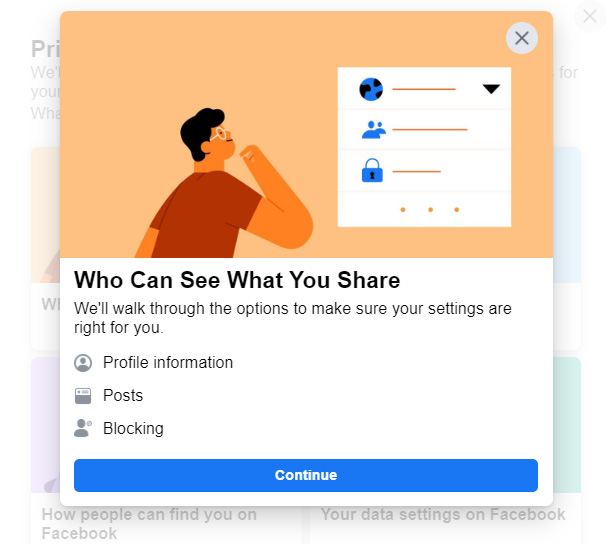
The Complete Guide to Facebook Privacy Settings - Techlicious

Apple has always maintained a leg up in the Android vs iOS security faceoff and with iOS 14, the list of privacy features have been expanded.

Users can give the apps details of their approximate location instead of exact location. Additionally, when an application asks for photos, you can select to share specific photos instead of the complete library.

Taking privacy up a notch, iOS 14 update will show a green dot in the status when an application is accessing your camera and an amber dot when an application is accessing your microphone.

6.  Apple Arcade updations
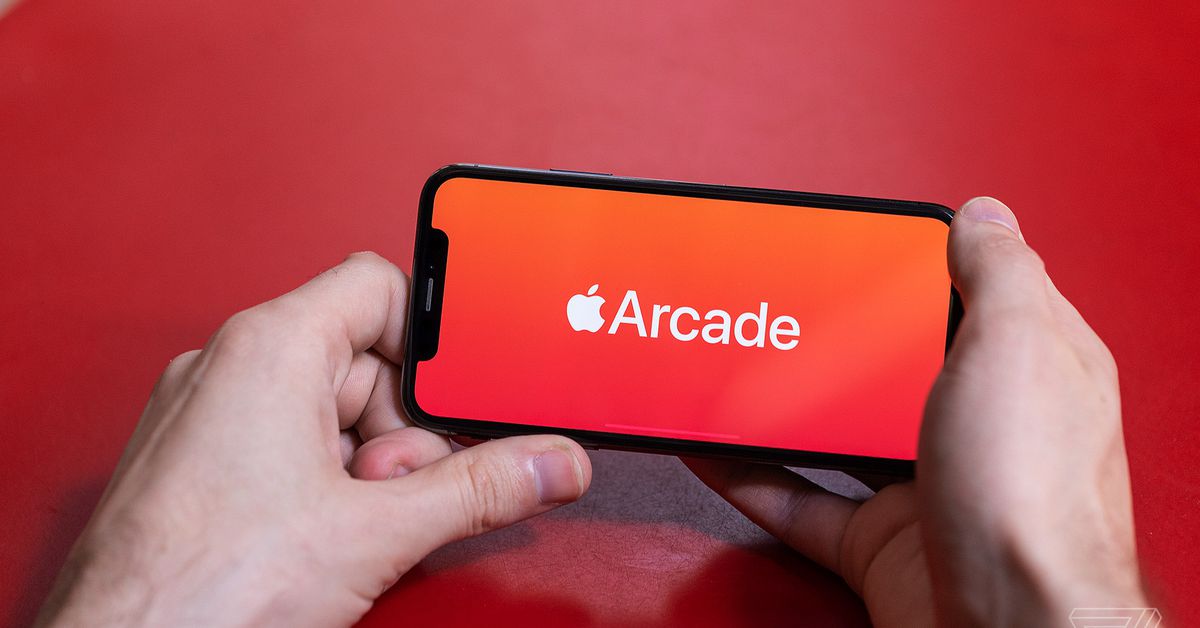
Apple Arcade just got a huge update of new games, including some mobile classics - The Verge

It was only a while back when Apple Arcade was launched as a means to transform the gaming industry. With iOS 14, Apple is showing users games their Game Center friends are playing, accessing the recent games played, and making it easy to find and sort the Arcade games.

7.  Expansive ARKit 4 tools

Explore ARKit 4 - WWDC 2020 - Videos - Apple Developer

Apple is expanding AR tools for every iphone app development company with ARKit 4. Launched with iOS 11, the tools now enable developers to place Location Anchors to make AR objects occupy a place in the real world. Additionally, a device with A12 Bionic chip can perform facial tracking with a front camera even when it’s not a TrueDepth module.

They have also introduced a Depth API for iOS app developers to develop 3D mesh environments on iPad Pro having a LiDAR scanner.

Along with the above mentioned list of features, the process of getting an app ready for iOS 14 calls for an ios app development company to notify the users if the application is collecting a unique device code known as IDFA. The IDFA is a randomly generated code which Apple assigns to every device. The applications then use the codes for tying together the user activity.

Here’s an example of this in works: Through Facebook, a shopping app and weather app might access the identifier. The platform then uses the cross-app data for placing targeted ads for the advertisers in the app.

Facebook warned against the impact that the update would carry on how businesses promote themselves and monetize their advertisements. Facebook added, saying, “Because of advertisers’ reduced ability to accurately target and measure their campaigns, app developers and publishers should expect lower CPMs [i.e., views of their ads] on Audience Network and likely other ad networks on iOS.”

Let us dissect how iOS 14 would affect ad targeting in greater details.

How Will iOS 14 Changes Affect Mobile Marketing & What Can You Do About It?

By giving users the choice to opt-in IDFA, Apple has made it extremely difficult for businesses to make personalized advertisements. The event is even giving brands second thoughts on whether or not to migrate apps to iOS 14.

For the users who don’t opt for tracking, IDFA will return 0s, making the process useless. Ona  default mode, a user will be opted out right when they launch the app. Once they get the notification, they can decide to either opt-in or confirm opt-out on an app to app basis.

Several advertisement types like exclusion targeting, retargeting, segmentation, and lookalike audiences presently depend on the IDFA so this change will carry a deep impact on user acquisition and ad monetization.

Here’s how businesses can get their app ready for iOS 14 to take control of the opt-in IDFA update situation.

1.  Review present IDFA use

It is important for the advertisers to do a complete internal review of the present IDFA usage. There are a few things that you should ask your iOS application development agency to look at:

  • Look into the SDKs which are calling the IDFA, ensuring that you talk to the SDK providers if they have a solution for the IDFA requests.
  • Prepare and plan version release with updated SDKs.

2.  Prepare for consent

Gaining user content should be your next priority task. If the users opt-in, you would be able to return to the pre-iOS 14 stage with a greater competitive advantage of high consent rates. In fact, now would be the best time to get on the activity. You can:

  • Run test on user consent mechanic for existing and new users across apps. By getting on the task before the iOS 14 launch will allow you the space to run multiple design and content iteration of the pop-up.
  • You can do A/B testing on when to trigger the pop-up. The best bet would be to trigger it when the users have finished a specific activity in the app.
  • You can use an internal prompt in place of Apple’s pop-up. When a user says “yes” to the application’s internal prompt, the app can still prompt the users and then deep link them in the settings menu of the device to enable tracking in the app.

3.  Relook your BI stack

Your BI stack should be prepared for both consent and no consent situations. You should look into:

  • Which data sets are linked together for analytics and figure out a way to stitch them together once iOS 14 is released. We suggest our partners focus on the ADID, IDFV, and UserID.
  • While the apps working minus IDFA would be able to place the contextual ads, they will not be able to use personalized ads. Knowing their worth, we would recommend brands to run multiple scenario analysis of Plan Bs and Plan Cs if the ad revenue drops.

Besides these three preparatory steps, you should also consult with your app marketing partner about the updated ways on how to perform user acquisition and revisit the ways that can be adopted to increase the numeric value of the answer to how much money you can earn through an app.
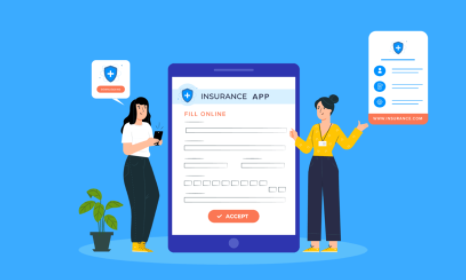
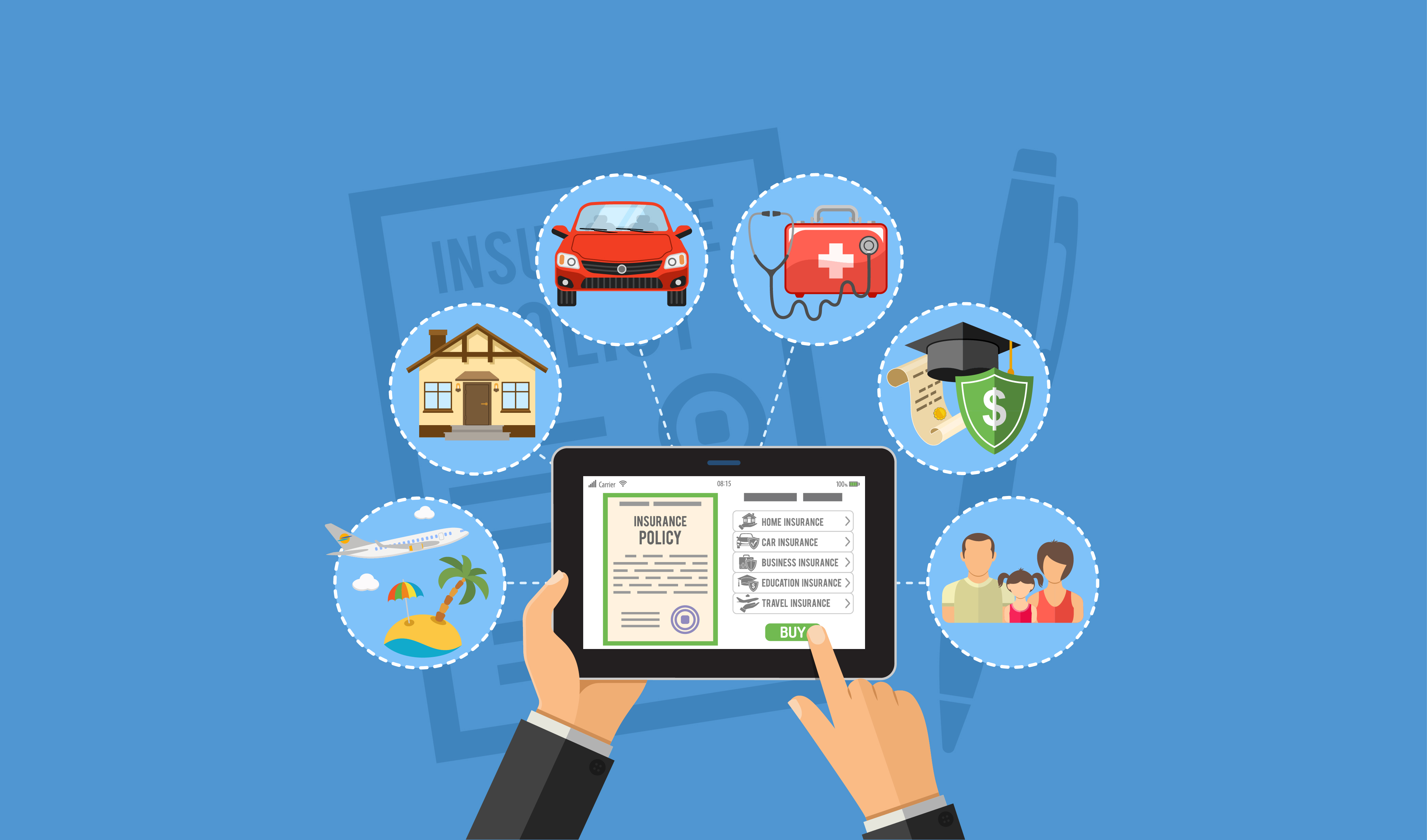
Insurance+technology Sector’s Mobile Development App Guide

Why Collaboration Is The Future Of InsurTech - The One Brief
The insurance industry is known to maintain multiple touchpoints with its clientele. Thanks to business models that safeguard people from unexpected circumstances, they are detail-oriented and require heavy paperwork at most stages of customer enrollment.But the rapid, and recent, technological advancement has seen the finance sector introduce fleets of new digital solutions that place them right at the fingertips of people.

As a result of this wave of digital transformation, pre-existing companies and startups in the insurance market, are exploring the prospect of mobile applications. Lest we forget to stress, aggressively. The new insurance applications, if we can call them that, would need a touch of finesse considering the diversified nature of operations. So what should software developers concentrate on when it comes to Insurtech apps.

It is to answer this throbbing question that we have this mini mobile application guide ready for you to take your first steps towards creating innovation in your insurance business.

Why Does An Insurance Company Need a Mobile App? 

Insurance, by tradition, has been powered by middlemen. Although taking them entirely out of the picture may not be plausible, mitigating their involvement will grow profit margins, naturally.

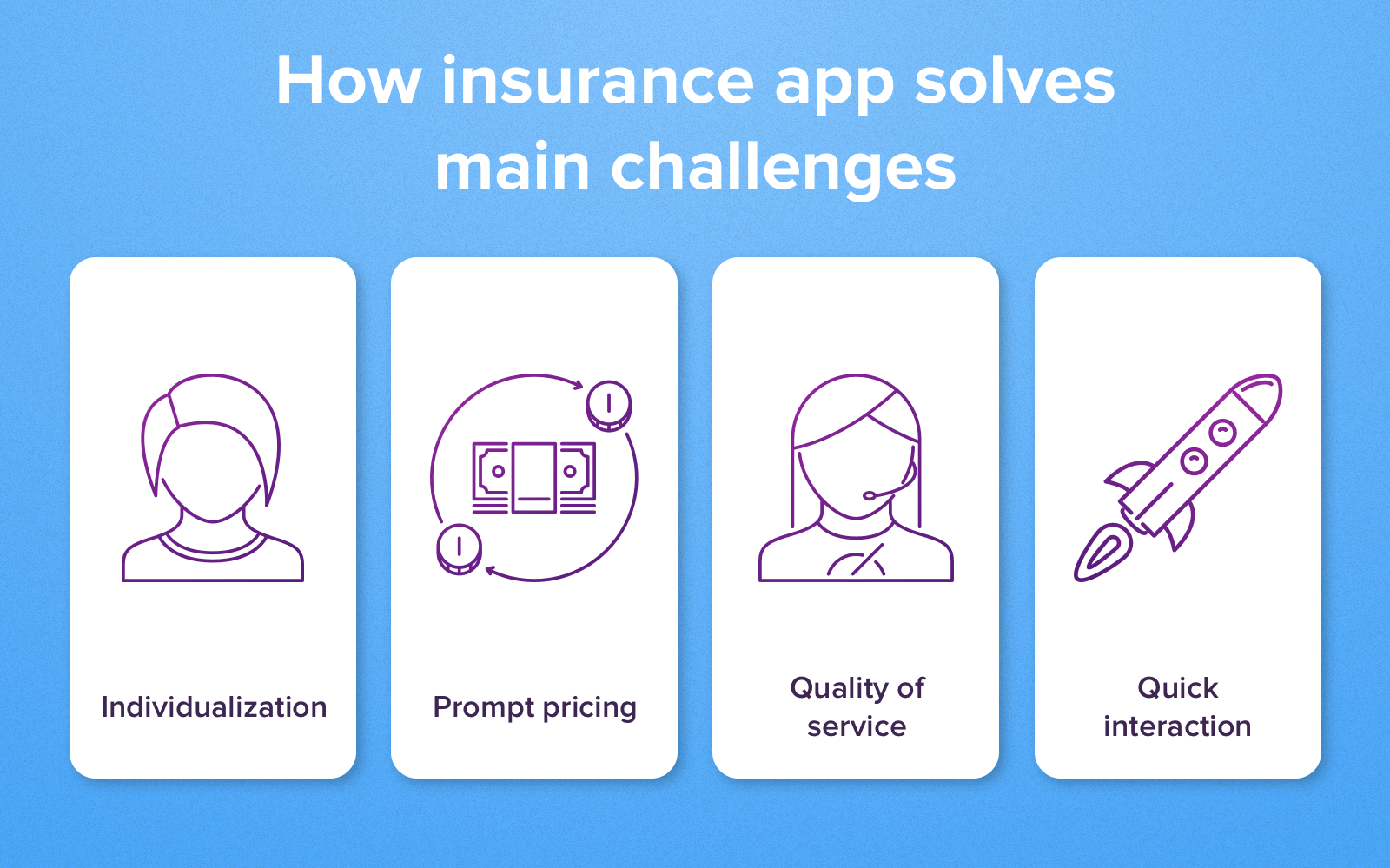
Mobile apps allow real-time B2C interaction, without intermediaries. The positivity also flows down to the customer experience, which can never be exaggerated. And insurtech would be too smart for its own good, not to explore this option.

There are three main components that play a vital role in formulating the proverbial pyramid of an insurance company. The pyramid. which had played a major role in helping Wefox raise $110M in 2019.

This includes first the insurer that incorporates and markets financial products. Second, are the third-party entities that provide the services covered by the insurer. And the third is the end-user, the customer who has opted in to be insured.

Mobile insurance solutions offer the following advantages to insurance companies at the top of the pyramid:

Establish Customer Contact 

Buyers are more conscious of spending than before. As per stats, 85% of the customers conduct online research before placing their purchase order. Insurance mobile apps make a fine impression in convincing people of instant support in dire need. A study discovered that up to 63% of its sample population was inclined to communicate with a chatbot. Therefore we have reason to believe registered policy-holders will favor to download and track policies over mobile. Building on this, they can draw a comparison between multiple products and shortlist the ones with better benefits.

Increase User Reach

Provide good customer service and turn clients into business affiliates. Referral programs can get you more buyers to loop in provided your mobile insurance solutions are state of the art. There are dual benefits to this. First, optimizing customer recruitment cycles would free up time for insurance agents to target bigger, better clients. And second, you can advertise your mobile insurance platform in related apps to target more customers with semantics marketing.

Study Customer Data 

Insurance App Development: Use Its Advantages To The Fullest

The insurance industry can tap into mobile analytics which they can analyse to an extent like never before. Insurance applications can easily gather the following types of structured data:

Identity Data – This includes name, D.O.B, physical address, telephone information, email Id, and or links to social media profiles such as Facebook, Twitter, LinkedIn, etc.

Quantitative Data – This is transactional data such as bank account details, credit score, frequency of payments, etc.

Descriptive Data – Insurers may need their customers to disclose property details, car ownerships. professional standing, educational background, along with the family tree.

Qualitative data – This includes subjective/behavioral details such as favorite color, hobbies, etc.

Collecting such vivid information, companies operating in the insurance market can subsequently filter the best-fit prospects for upselling.

Facilitate Convenient Services 

One of the most common KRAs of those in the finance-frontline is client visits. This could be either for background checks or personal form submission or a routine update of information. Be that as it may, the current COVID-19 crisis does not permit face-to-face screenings. Moreover, the coronavirus onset has led to a rise in demand for insurance applications. As per a study by Lincoln Financial Group, digital alternatives increase the likelihood of people opting in for life insurance. Make hay while the sun shines.

Universal Features for Insurance Apps

Insurance App Development: Use Its Advantages To The Fullest

Anteelo, as one of the renowned financial app development company, has appreciable experience in creating cutting edge on-demand digital products. Coupling experience with client feedback, we recommend against loading an app with features just to make it look fab. There has to be synergy between the color palettes, smart use of white spaces, typographic fonts, and strategic positioning of icons and images. Only then does an app have a life of its own. After taking care of such design elements we can refocus our aim towards integrating the right feature sets.

To give you an overview of the Fintech sector that is attracting investors’ attention,  there are four categories of apps that can be developed in the insurtech domain:

  • Life Insurance
  • Car Insurance
  • Travel Insurance
  • Health Insurance

Apps must have a strong backend. They should be able to withstand peak rises in traffic, or if the company decides to implement a new software system without many amendments to the architecture.

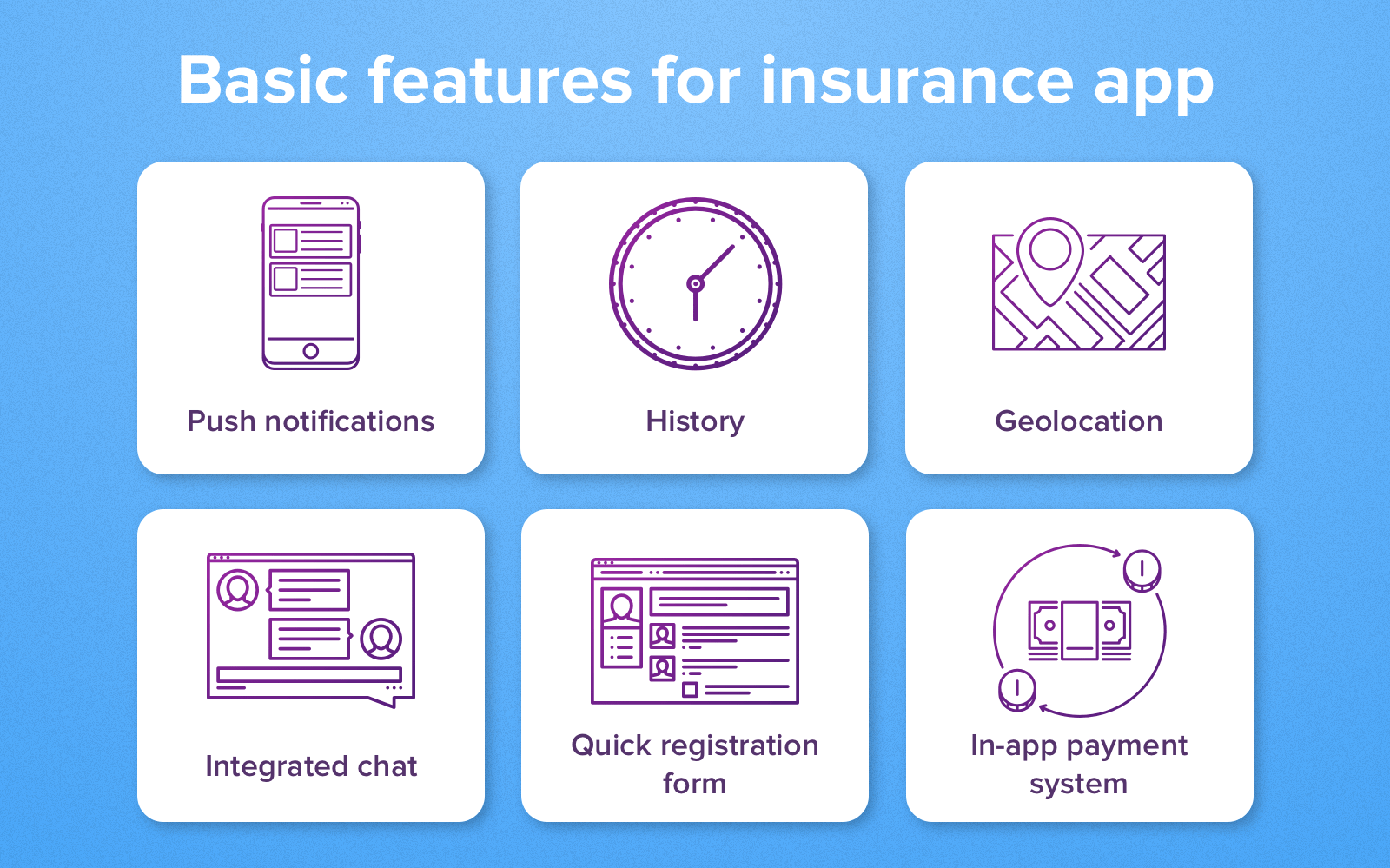
Based on our experience, we will first list the mutual features that can be found in all of the above categories. These features formulate the kernel of a general application guide for Fintech app ideas. Barring few niche specifications, the following features remain steady and ever-present especially during a fintech app development of any kind:

1.  Admin Panel

This is the introductory page where the basic information about the insured person is displayed. Make sure it is lean, clean along with clear call to action buttons. Take the Geico insurance app for instance. It’s a car insurance app and hence the profile page displays information related to vehicle IDs, roadside assistance, payment buttons and an option to switch policies. Pretty simplistic.

2.  Policy Details 

This page displays the details of the policy, the manner, and the extent of your benefits. Continuing the same example, since Geico is an auto insurance app, it displays information about several policies that a single user could be enrolled into such as one for the car, the other for a bike, and so on.

3.  Quote & Filters

A very useful feature particularly in finance app development. In the previous section, we listed the kind of data that an insurer could collect through a mobile app. The Quote tab offers a feature where the app can fetch your data from its records and either connect you to an insurance agent or directly state the price of a policy. Assuming the company has the resources to work with Big Data, it can pitch discounted prices or more benefits to customers based on their frequency of asking/exploring new policies.

4.  File a Claim

Integrating a claims-filing section remains the most prioritized stage of financial application development. The run-around days to lodge claims are a thing of the past. Submitting proofs should be as simple as clicking a picture, be it from the scanner of the app or the camera of the phone. If the entire process can be concluded on a single page, all the better.

5.  Payment Gateway

No points for guessing, integration of payment gateway is super necessary for any form of finance mobile app development. The gateway should accept payments from all major network providers such as Visa, Master Card, etc. In addition to that automated billing for EMIs or a single click payment process should be integrated.

6.  Customer Support 

Chatbots are not extraordinary anymore. Automated responses act as a quick-fix for run of the mill questions. But what about accidental circumstances. You can’t expect a user who’s stranded with a broken vehicle to rely on pre-feeded answers. As a result, integrate a Request a Call Back or Connect with a Representative option. Such in-app call functionality will serve to make the app what it actually is, a disaster averting, quick response machinery.

7.  Push Notifications

Businesses, in general, don’t miss opportunities to enter a new market segment, let alone insurance companies. The latter might even tweak its business models, should the need present itself. Whereas seasonal offers are heard of, the idea of a flash sale was experimented with by Liberty Insurance in the not quite distant past. You need an excuse for giveaways and so do the customers for buying your products. Therefore, send regular push notifications informing people of their outstanding sum and any upcoming policies they can swap their current ones with.

8.  Document Upload/Storage

How would the customer upload their documents, let alone a photo, if the Fintech application development did not incorporate it? Not only must the mobile app allow document upload from local file directories but also import, if need be, from third party servers as in the case of emails.

*Images Source

Based on this grind, we can say that the above features are commonly found in most Fintech apps, if not all. But what about domain-specific areas. Of course, the features would differ as would the architecture. But at a B2C level, we can broadly state in-app features for a few domains, as we’ve done below.

Where Does Your Business Go From Here?

To the stratosphere if you shake hands with one of the most promising Fintech app development companies. We don’t like self-glorification. It would suit you more to go through our comprehensive product suit and decide for yourself. But just so we know we did our bit, if there is anything under the sun in Fintech/insurtech, that you’re interested in, we’d be happy to burn our night lamp for you.

Lower Frontend Maintenance Cost Of The Mobile App

Front-End Development & User Experience | WebeMax

There are two types of software projects that come to any app development agency. One which is brand new and has to be developed from scratch and another is one which already exists in the market and has to be updated. In both cases, the benefits of mobile app maintenance are manifold.

While in the case of the former, you will have to spend little time in the whole update and maintenance process, the latter would require your frontend and back end team to come together and understand the product to its entirety before moving on to its updation. Either way, maintenance is a part of the overall mobile app development cost estimate.

In this article, we are going to look into the factors that make mobile app frontend maintenance cost expensive, how can the cost be lowered and ultimately move on to the steps of lowering of maintenance cost in case of Node.js, Angular, and React.js projects.

Table of Content

  1. Why is App Maintenance Process Important?
  2. What Makes App Frontend Maintenance Cost Expensive?
  3. How Can Developers Lower App Maintenance Cost in Angular, ReactJS, and Node.js?
  4. How can Project Managers Lower App Frontend Maintenance Cost?

Why is App Maintenance Process Important? 

Mobile App Maintenance: A Critical Element In Any App's Success

Improper mobile app maintenance plan leads to challenges in flexibility and stability, which sooner or later translates into application failure. When the code lacks quality or when developers use outdated tools, the app performance suffers and the users experience more app crashes and bugs. Moreover, it hampers app’s scalability capability and the overall next phases of app development.

In business terms, this means more technology and resources inclusion, greater cost, and delayed launch time.

Efficient maintenance, on the other hand, makes apps flexible and stable, enabling you to create new functionalities and improving the present ones. And thus, knowing when to update your app is extremely important.

What Makes App Frontend Maintenance Cost Expensive?

Besides the obvious – multiple types of frontend app maintenance, lesser app tests and absence of continuous maintenance, there are some other prevalent reasons that bring the cost of frontend maintenance up.

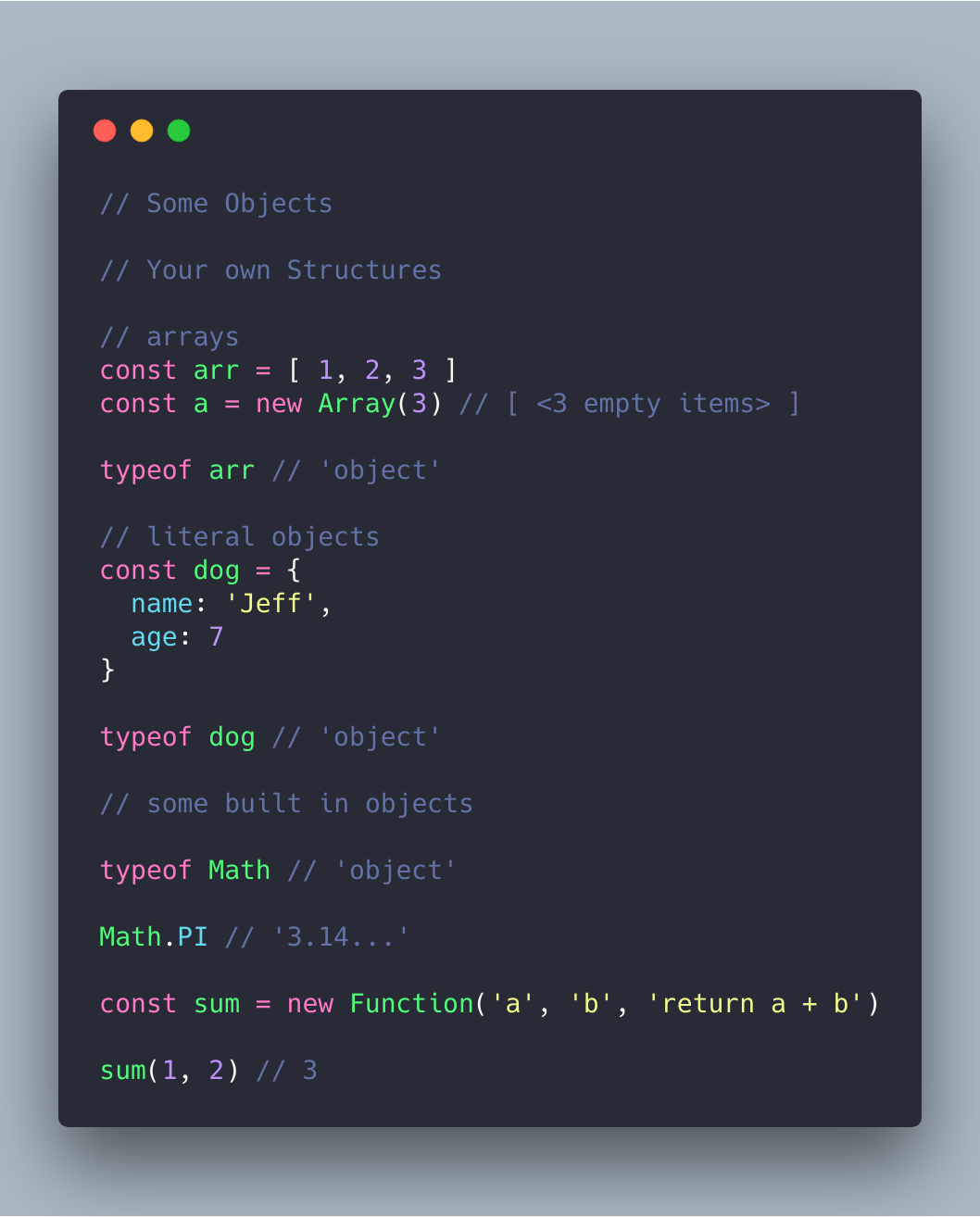
A. Non-Structured JavaScript 

JavaScript Essentials: Types & Data Structures | by CodeDraken | codeburst

There are many ways of structuring a JavaScript project, keeping it consistent is the most important part of Android app maintenance. A well defined structure enables developers to understand what is going on in the project at the first glance without making them search a particular file for hours on end. Even when the product is based on famous libraries like Vue or React, it has the probability of becoming chaotic as it grows.

In preparation of lowering the frontend maintenance cost, you should consider defining the style guide for project structure to use as a reference for the development team.

B.  Poor Code Quality

Premium Vector | Technology information programming system code

The quality of your code is very essential for defining your project’s success, even when keep aside the fact that it is a part of the list of OWASP Mobile Top 10 Risks. While things like identical file structure, consistent incidents, and semicolons are insignificant for a non-technical person, they hold great value when it comes to defining the project’s success.

This, in turn, tends to increase the app frontend maintenance cost in the future.

C. Back-Dated Third Party Packages

Programmers Team Code The Website From The Command Line Flat Vector Illustration, Digital, Illustration, Young PNG and Vector with Transparent Background for Fr… in 2021 | Website template design, App background, Data design

There is a high probability that your product uses open source libraries and third party packages. Since these external resources are updated rapidly, it is important that you too update their versions in your app in order to remove project dependencies’ problems because of vulnerabilities and issues. The new versions contain performance improvements, bug fixes, security enhancements, etc which ensures that the app is working up to its fullest potential.

D.  Non Automated Build Process and Deployment

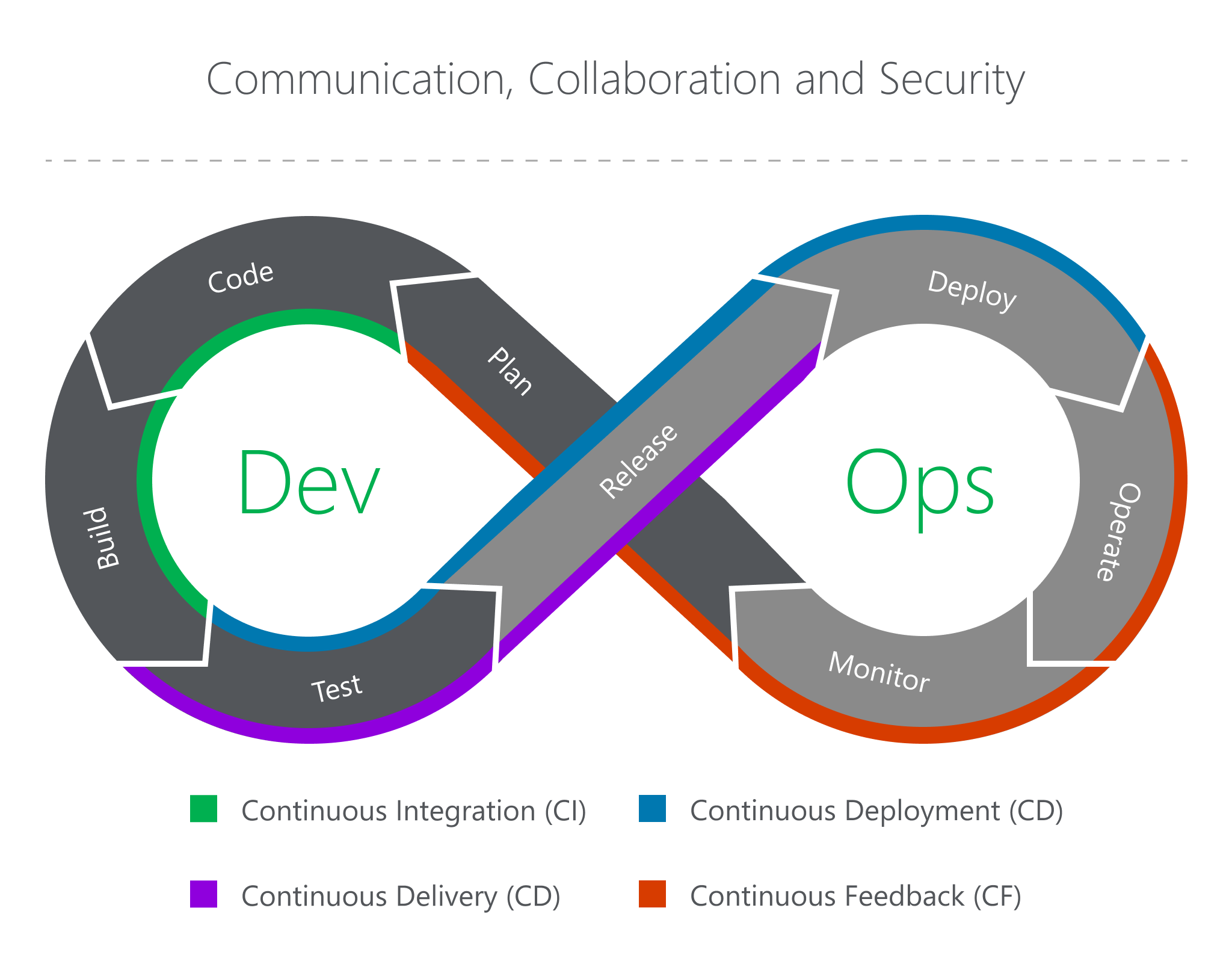
The Eight Phases of a DevOps Pipeline | by JakobTheDev | Taptu | Medium

Build and deployment are the last stages before the app gets live. When they are not developed in an error proof manner, it might get expensive to kill the bug later. The absence of automated build and deployment pipeline slows down development to a great extent, while lowering the team efficiency. You should go with the implementation of a continuous integration which includes running automated tests for all the new commits. Doing this, enables you to identify bugs and solve them in real-time.

E.  Absence of Readme

Readme is one the most important files of a project. It makes the project requirement, its usage, and the development, deployment process clear. If you fail to keep it updated, your development team might end up spending multiple hours in solving issues that have been solved earlier.

How Can Developers Lower App Maintenance Cost in Angular, ReactJS, and Node.js?

  • Use the latest versions

Why You Should Always Use the Latest Version of WordPress | FastComet

All the three frameworks keep introducing new versions from time to time. Ensuring that you are using the most recent ones gives you a number of benefits – increased app efficiency, long term support from the parent team, access to all the latest functionalities and features – some of the key reasons for maintaining the frontend of an app.

  • Ask for clear documentation

Document Writing, Step by Step (with Templates) - Focus

Very few projects lasts with the same developers working on it till the end. Documentation plays a significant role here in the application development services for mobile as the developer who is new to the project has a clear understanding of the project and the work status, pipeline tasks are clear to them.

  • Ensure compatibility with third-party modules

10 best practices for implementing the Drupal coding standards | Anubavam

Making a list of third-party modules which are compatible with the chosen frontend framework can be a great start.You will have to proactively ensure that there is a plan B for the future where the modules will get a major update and it fails to be compatible with your chosen frontend.

  • Test before implementing new features

Bendigo Bank testing chart support after rating downgrade | CMC Markets

If you have to implement or rewrite some functionalities, first ensure that the app’s behaviour is tested in advance. For instance, if you have to rewrite a logic in your app, it’ll be easier to implement the changes when you are sure that the present functionality has been tested. This way, in case something stops working, you will know it instantly.

  • Use microservices

Introduction to Microservices - Comunytek

If the issue lies in the monolithic structure, you must extract microservices out of the app so that it can work separately. Every mini-app should serve its purpose right. It will, in turn, streamline scalability for you will be able to move the services around different machines and dev teams – a microservice benefit that is not possible in monolithic.

  • Improve the code quality

What Is Code Quality? How to Measure & Improve Code Quality | Perforce

If the app works fine but the code quality seems inconsistent or low, you must start with introducing conventions. Start by clearing the file structure by dividing it into logical units. It will be good to implement the static code analysis tools and use type systems. There are other things that you should follow to ensure a sound code quality:

  • A properly configured Continuous Integration and Continuous Deployment
  • Addition of linters in pipeline for ensuring poor/inconsistent codes are not put in production.
  • Code refactoring should be a must-have development process.

How can Project Managers Lower App Frontend Maintenance Cost?

As a non-technical project manager, you can majorly take only one step to avoid high maintenance cost in frontend – Hire an experienced frontend team which has the skillset to give you the desired quality and understand the importance of not delaying tests just for meeting deadlines. Even if you don’t have the necessary monetary resources to employ an entire team of frontend developers, you will have to at least employ one skilled resource for the task.

The other strategy to reduce frontend maintenance cost, while not so common, is building single page application.

Finance App Ideas For Startups to Consider in 2021

I didn't like any of the finance apps for iPhone. So I designed my own. | by Mason Wolters | Slope Blog | Medium

Okay, let’s admit. The adoption of technology in the banking and finance industry has changed the landscape by 180 degrees. Fintech, aka the amalgamation of finance and technology, has not solely added convenience to the ecosystem, but has also made it more secure, quick, and profitable. It has offered a new set of opportunities, cater to the needs of the unprivileged audience, and even bring a significant effect on other businesses.

With all such benefits and opportunities, the global fintech market is predicted to grow exponentially and be of worth $ 309.98 Bn by 2022.

This has not just given an indication that the financial global economy is heading towards fintech, but has also attracted various Entrepreneurs and traditional investors to become a part of this space.

[Since we have made a statement here that the global finance economy is heading towards fintech and not TechFin, you can check our blog on Fintech vs TechFin to find the justification of the same.]

Assuming that you are also an Entrepreneur who also wants to be a part of this mushrooming market, but are clueless about what fintech business ideas will rule the space, here we will be discussing 12 different opportunities.

So, sit on a comfortable couch and start scrolling down.

12 Profitable Fintech Development Fields For Starting A Business

1.  Digital Banking

Banking's Delusions Of Digital Transformation

The foremost and most important fintech app idea you can invest in is digital banking.

In the past few years, a dramatic shift has been found in the way people interact with their banks and relish banking services. Users no longer appreciate the need to visit their local banks or ATMs for money transfer and other purposes. They rather are enjoying different advantages of digital banking like the ease of making transactions, investing, opening accounts and deposits, blocking cards, adding beneficiaries, and much more with a few taps on their devices.

With these facilities, the concept of investing in digital banking app ideas have grown a huge momentum in the market. The sector was catering only 9% of the online audience in 2011. But, in just 6 years, it became a part of 69% of the online audience. And what’s more interesting is that it is just the beginning! Various factors like Coronavirus are acting as a catalyst for the market growth.

2.  P2P Payment solutions

Build A P2P Payment App That Meets All Your Requirements

Seeing the rise in the peer-to-peer payment market, looking ahead to how to develop a P2P payment application is also a nice idea.

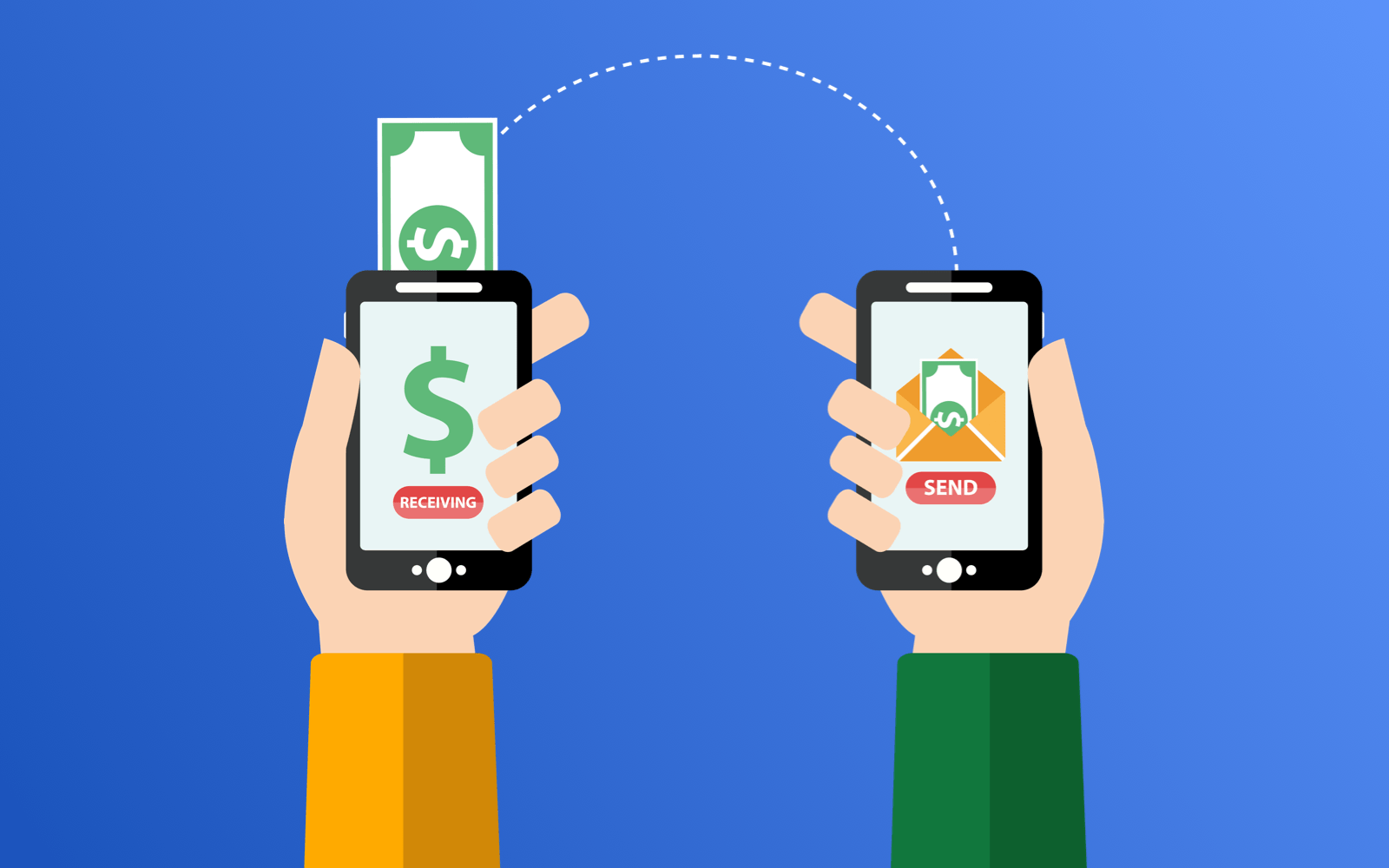
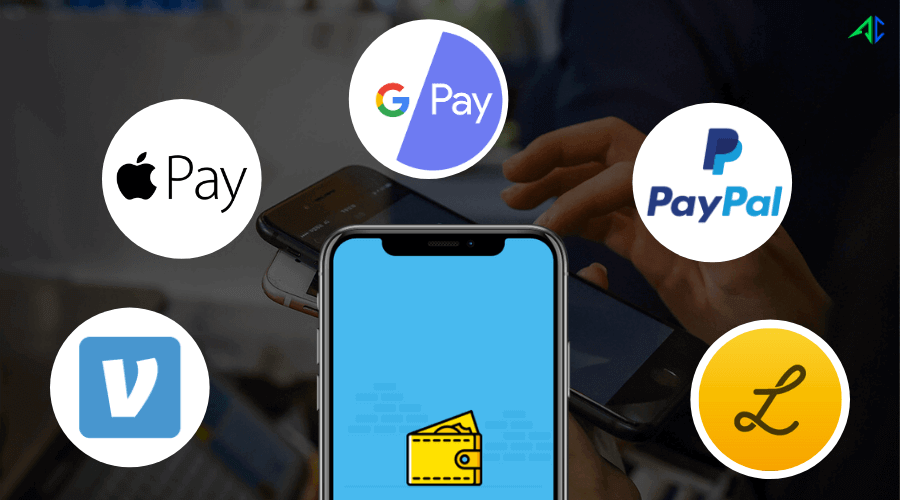
The P2P payment apps like Venmo, Google Pay, Zelle, and PayPal are providing consumers with an unmatchable facility to transfer money between bank holders instantly – even when registered with different banks and payment systems. They are cutting down the need for any third-party intermediaries or pay any commission fee for performing any transaction.

Also, these fintech mobility solutions are using the latest technologies like NFC and face and voice biometric technology to streamline the POS processing, enhance risk management, and deliver an optimal customer experience.

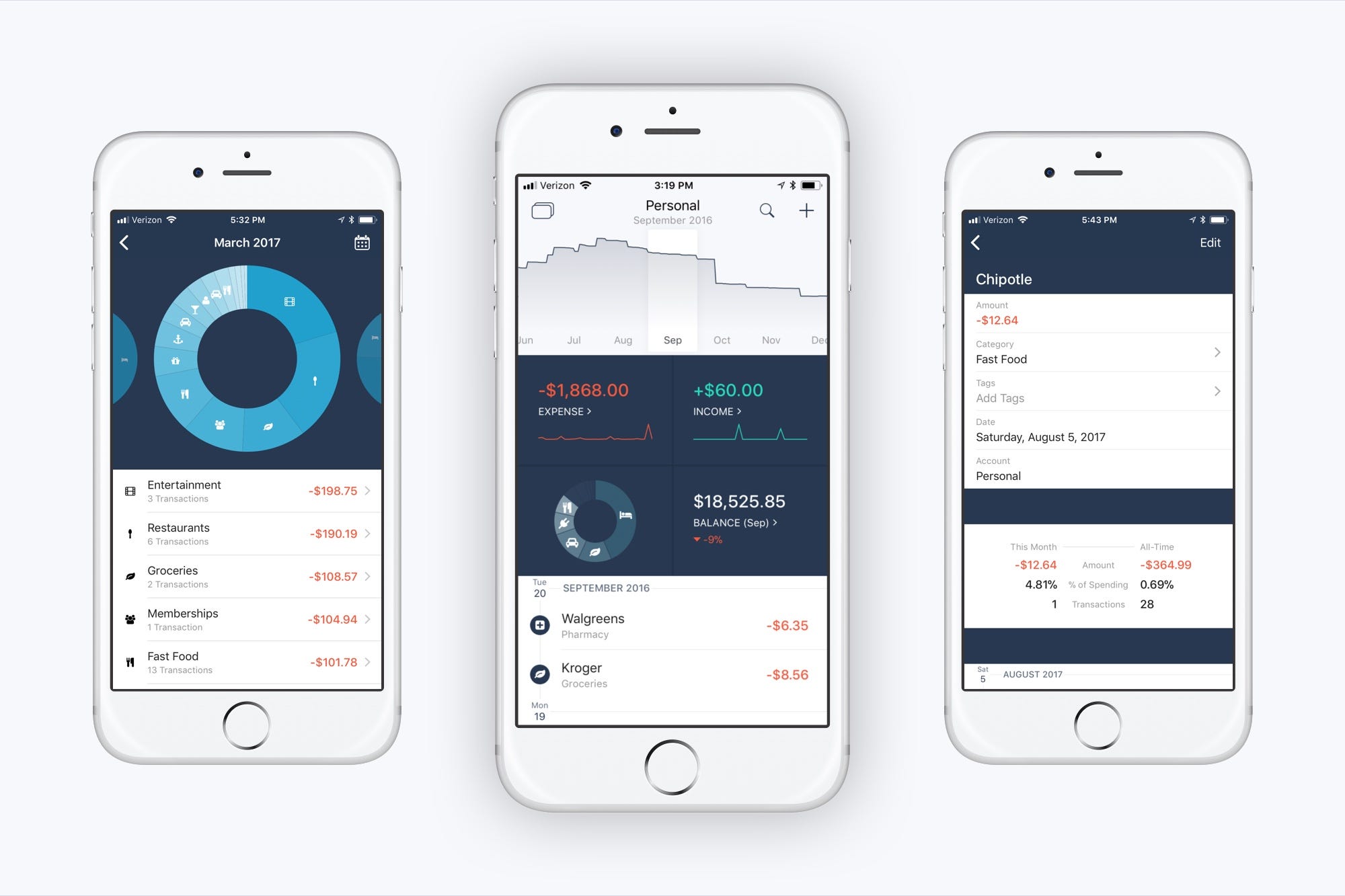
3.  Personal finance management app

Cashback for paying credit card bills? There's an app for that...

Personal finance management application is again one of the best financial app ideas to consider for diving into this market effortlessly.

With consumers getting more conscious about their earnings and savings, these applications are gaining traction in the market;making both investors and startups look ahead to developing a personal finance app.

These applications are acting as a weapon by which app users can categorize their expenses and incomes, and track them in real-time to get a better understanding of how to manage their finance smartly and effectively. These apps, built on the rulebook of how to develop effective personal finance apps, are also offering them an ease to connect all bank and credit card accounts to automatically get the data updated, along with payment reminders. And the best part, the data is displayed in a visually appealing format, which adds to their convenience.

4.  Robo advising software

3 Steps to Launch a Robo-Advisor Software Platform and Bring your Business Online • ETNA

Robo-advising, which is one of the proven ways fintech is attracting millennials, is also a great area for making an investment in the financial application development economy.

These machine-learning driven software are serving users with the finest of personalized and future-centric financial advice at lower costs. They are also analyzing their expenditures and investments to aid them in increasing their after-tax returns. In addition to this, they are adding convenience to the process with minimal-to-no human intervention.

What’s more interesting is that as per a Business Insider Intelligence report, they will be managing about $1 trillion of funds this year and nearly $4.6 trillion by 2022. Something that’s a clear indication that one must pick this among the ample of fintech startup ideas to rule the market in 2020 and beyond.

5.  Loan Lending app

How to Create a Loan Lending Mobile App? Money Lending app

Creating a finance app for P2P lending is also one of the trending app ideas that are getting popular in the fintech market.

A loan lending app (also called P2P lending app) acts as a marketplace where lenders and borrowers can connect and cater to each others’ needs without using the product discovery services of any financial institution. On one side, these applications enable borrowers to set the maximum loan rates they can manage. While, on the other side, they let lenders bargain with each other to offer funds at the lowest rate. And this way, get more customers or borrowers.

6.  RegTech App

12 Top Regtech Companies To Know In 2021 | Built In

RegTech applications also come into the category of best mobile app ideas for fintech startups.

These mobility solutions help financial companies comply with all the local and global standards. They enable organizations in automating a major fraction of their processes, including customer identity verification, reports compilation and submissions, transaction monitoring and reporting, etc., and increasing the customer retention rates.

A ripple effect of which is that Regtech apps have landed among the top fintech trends for 2020 and are expected to make a market of $53Bn by the end of this year.

7.  Investment and trading app

Douugh to purchase share trading app Goodments for $1.5 million

Putting efforts into the process of app development for investment and trading is yet another decision that can make you enjoy limelight in the marketplace.

Users, these days, are showering love on platforms that let them get a comprehensive knowledge of shares, stocks, forex, and funds, and invest in them efficiently. They are paying more attention to applications that gather investment data from different sources and empower them to calculate the asset valuation and make the right decision.

Considering this, if you are eager to invest in stock trading app development, it is advisable that you firstly get a clear idea of the budget requirements. This is so because shortage of money can halt your project, compel you to remove the must-have fintech app development features, delay your app launch plan, and much more.

8.  Digital wallets

What are Digital Wallets and What are the Types of Digital Wallet?

Since digital wallets are giving users an escape from carrying physical wallets or credit/debit cards, their market is also rising significantly. These applications are offering users the ability to make payment in a few taps or using biometrics, while getting lucrative coupons and offers in return.

It has been forecasted that the digital wallet market will be worth $7,581.91 Bn by the year 2024. Something that is enough to let you know why to pick this among various innovative app ideas for entrepreneurs to step into the financial market.

9.  Blockchain applications

30 Top Blockchain Applications to Know for 2021 | Built In

Seeing the growing impact of blockchain in fintech , embracing this technology for starting a business is also an undeniably profitable idea.

Currently, various fintech startups and establishments like We.trade, Circle, LAToken, Veem, and PayStand are relying upon this technology to offer a myriad of options to their targeted user base. This includes:

  • Performing transactions using cryptocurrencies,
  • Paying for transportation only once they receive an information that the cargo has reached to the port,
  • Acting as a decentralized autonomous organization (DAO), where members work as per the programmatically defined rules that tells who their members can be, what business or activity is allowed, and how tokens or funds can be exchanged.

10.  Crowdfunding solutions

The Drawbacks of Crowdfunding

Crowdfunding is also emerging as one of the most successful fintech startups ideas to go with.

These digital solutions are proving to be one of the best alternate funding models for Entrepreneurs. They are helping them with raising funds for their new or existing enterprises via collective efforts from different individual contributors and venture capitalists.

Currently, there are a limited number of crowdfunding platforms such as Indiegogo and Kickstarter and the concept itself is popular across the US and UK regions only. However, it has been found that these digital solutions are getting traction in the market, and are predicted to have a market of USD 28.8 Bn by the year 2025.

11.  Insurtech solution

Paisabazaar - YouTube

As you might be familiar with, insurance has always been a co-running business with banking in the finance sector. They have operated in synchronization with each other in various cases. And now, when finance has turned into ‘fintech’, insurance has also come up with its upgraded solution version – Insurtech.

This subdomain, with the incorporation of latest technologies like AI, IoT, Blockchain, Open API, and Machine learning, is enabling insurance companies in delivering impeccable customer experience by analyzing a heap of user data, checking the market trends, understanding user emotions and needs, offering customized yet quick policy comparison options, managing risks, and much more. And that too, without relying upon any third party insurance broker.

Because of this the global insurtech market, which was valued USD 1.5 Bn in 2018, is anticipated to flourish with a CAGR of 43.0% between 2019-2025. Also, many insurtech firms are gaining significant fundings – a real example of which is that WeFox raised $110M in Series B extension funding round.

It is safe to assume that to bring all the technologies and innovations together, the insurance sector will start deep-diving into insurtech mobile app development guides hand-holding them towards digitalization.

12.  Crypto exchange platform 

Cryptocurrency Market | Coin Prices & Market Cap | Binance

Last but not least, developing a crypto exchange platform like Coinbase is also one of the best finance startup ideas to work on.

These platforms are giving users an opportunity to step into the decentralized market by trading crypto currencies for other assets like fiat money or other digital currencies. In other words, they are letting users exchange one crypto currency for another, get crypto tokens in return of fiat money, and even buy/sell their crypto coins. All while enjoying perks like transparency, lower fees, higher security, and faster processing.

Now as you know the types of finance app ideas you can work on, it is quite obvious that you would be eager to learn where to start with. Considering the same, here we have picked up some crucial steps that you must follow to be a part of the future of the fintech industry.

Things To Consider While Launching Your Fintech Startup

7 Things To Consider Before Launching A Fintech Startup

1.  Define your niche market

As hinted earlier, fintech is a big sphere to explore. Striving to rule the complete finance world at once can be tricky and nearly impossible. So, it is advisable to pick a particular niche among the different subcategories of the market, which are as follows:

  • Payment and international money transfer,
  • Mobile banking,
  • Personal finance management,
  • Insuretech,
  • Trading and lending,
  • Crowdfunding, and
  • Data analysis and financial decision making.

Once the niche market is decided, do market research to determine the specific audience your product/service will target, i.e, based on age, gender, occupation, and country. This will help you to launch your fintech startup locally first and then, enter the global market with better success ratios.

2.  Learn about compliances

When it comes to the banking and fintech industry, they are highly regulated. So, it is must for one to be familiar with all the specifications and characteristics of this highly complex sphere, which includes legal regulations, limitations, laws, and requirements.

3.  Find your startup USP

Due to the increasing set of opportunities and profits, the fintech market is becoming competitive day by day. In such a scenario, it has become even more important for anyone coming up with a new finance app development idea to be sure that his idea beats the existing ones. Aka, the idea they formulate is not something generic; it offers a functionality that is better than ever existed before. Something that could become their brand’s USP.

Now, while doing customer surveys and going through different reports would help, it is a profitable decision to invest your effort in competitive analysis. This approach will help you with finding the common success factor among all the top players, their business and revenue model, the pain points they fail to see, and thus, refine your idea.

4.  Raise fundings

While you might have some savings with you, there are various fundraising ways like bootstrapping, crowdfunding, venture capital, and angel investment that are prevalent in the market. So, look forward to these methods for raising enough money to make your fintech app idea financially-backed.

5.  Hire the right fintech developers

Believe it or not, even the finest idea can’t survive the market without the right team of financial app developers. So, do not keep your app idea confined to you and look around giving it a shape on your own. Rather, look ahead to hiring a reputed fintech software development company.

A team of professionals who have an expertise in app development and have prior experience in your niche subdomain can help you with choosing the right technology stack, revamping your business strategies, coping up with the hidden barriers, and scaling up your fintech app idea. And that without making a hole in your pocket

6.  Get familiar with business and technical challenges

Like that in the case of any other startup, there are various challenges associated with establishing a fintech business, especially those associated with the transformative nature of digital technologies. For instance:

  • Cybersecurity
  • Integration of AI and Blockchain
  • Big data usage

So, it is advisable to gather comprehensive information about these challenges as well as connect with the financial app development companies that aid in mitigating them efficiently and effectively.

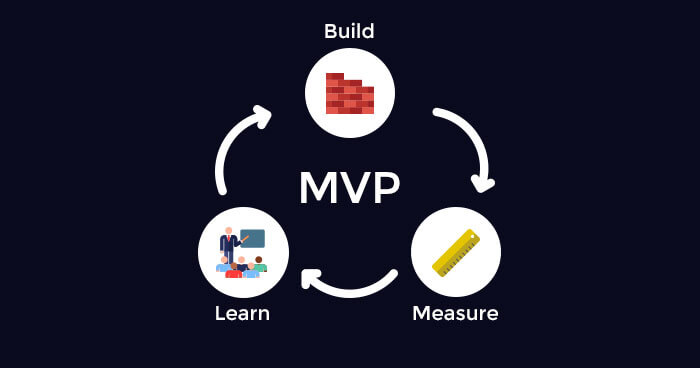
7.  Launch an MVP

Last but not least, do not feel tempted to develop a full-fledged fintech mobile application. Rather, look ahead to testing water with a Minimal Viable Product (MVP) first.

An MVP not only gives you the privilege to enter the market at a cheaper and faster rate, but also helps to raise fundings.

The Fintech market is mushrooming at a staggering rate. Various fintech app business ideas are entering the market. However, not all startups are enjoying the same set of opportunities and benefits of developing financial apps. The pressure to deliver the finest combination of expertise, creativity, trust, and technology is making their journey tougher than expected.

However, by following the aforementioned steps, you can cut down hassles in your path and get into the list of top fintech startups in no time. So, keep implementing them.

Dark Mode Designing: A 2020 Guide for Mobile App Designers

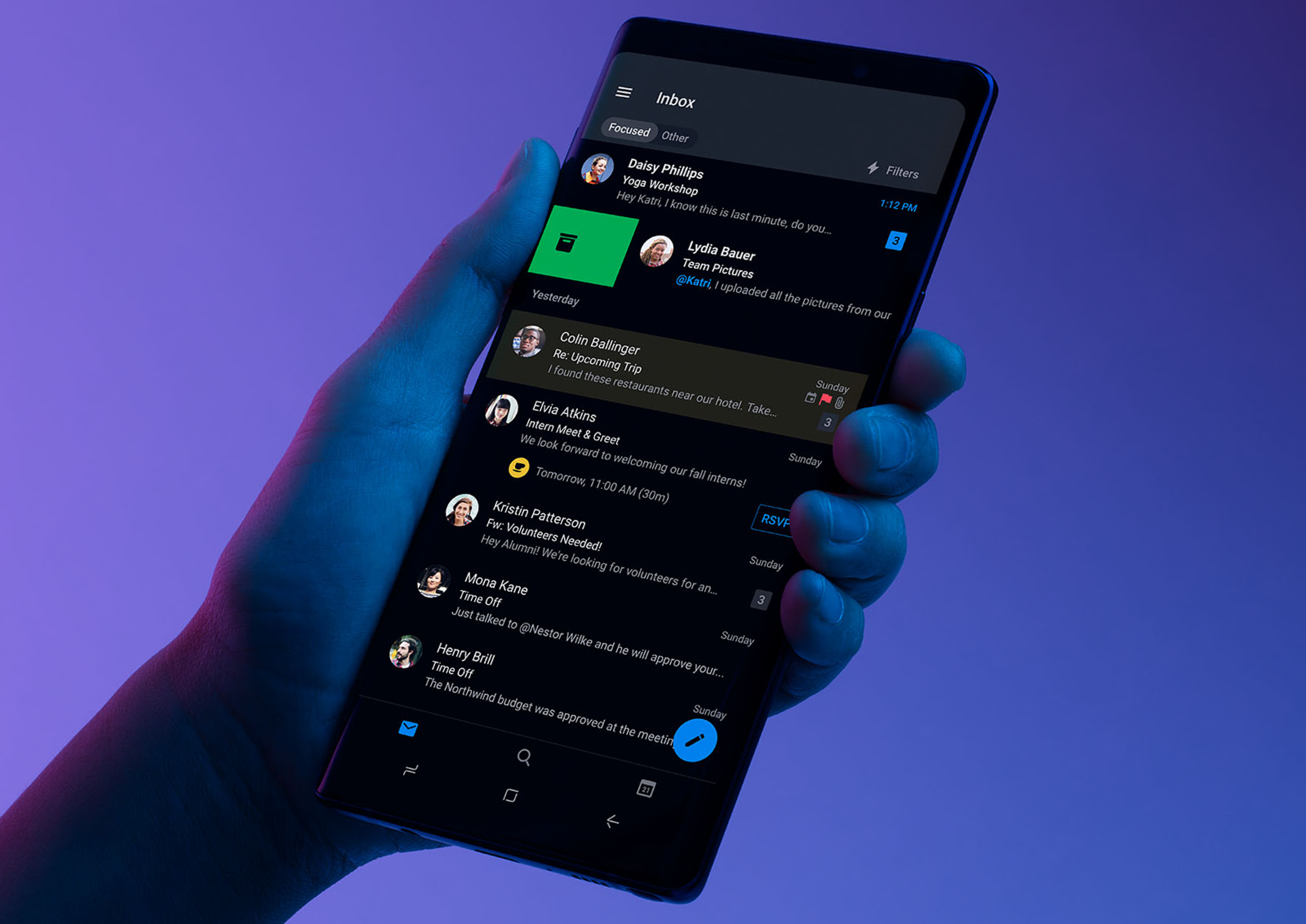
Designing for Dark Mode: More Than Flipping a Switch | by Microsoft Design | Microsoft Design | Medium

While operating in the market for a long time, the talks and then the official launch of Android 10 and iOS 13 brought Dark theme User Interface in the limelight. Both Apple and Google have been dedicating their resources and attention to the dark mode since the past one year.

With several ophthalmologists too getting on board with the dark mode initiative, the general user perception is also now inclined towards the adoption of the theme in their digital experiences.

Delivering the users what has now become a norm for them is something that the mobile app designers has to keep up with.

In this article, we are going to look into how the mobile app designers can get started with delivering a dark mode UI design experience to their users.

Table Of Content:

  1. Why should you pay attention to dark mode?
  2. What makes up for an unhealthy dark mode?
  3. How to design dark theme for Android app?
  4. How to design an app for iOS in dark mode ?
  5. Tips for efficient dark theme design

Why should you pay attention to dark mode?

1.  An In-demand Trend

Start a Trend with This Essential Ingredient

Any trend-focused mobile app design company would tell you that for an app to be in trend, it is necessary that it is designed according to the recent market demands. Dark UI is the one design element that has been in-demand since the past one year. And seeing the present situation, it is only going to grow.

2.  Health & Wellness

Five Reasons You Could Be Gaining Weight | Livefit 247 Griffith

We all have in one or the other point in our life faced the shock of opening an app in a pitch dark night. The light that is emitted is too high and too sudden for eyes. Prolonged use of these apps have resulted in several instances of dry and itchy eyes among users.

Benefits of the dark mode comes into the picture by making it relaxing for users’ eyes to open and work on apps in the dark. It helps solve these persistent health and wellness issues, thus answering why is dark mode popular.

3.  Saves Battery

Amazon.com: Battery Saver 2X - Save Battery Made Easy (Kindle Tablet Edition): Appstore for Android

Dark mode app design helps in prolonging the device’s battery life. Google confirmed that dark mode on OLED screens has been a game changer for the device’s battery life. YouTube, at its 50% brightness saves upto 15% more battery life in dark mode compared to flat background.

The benefits surrounding the holy dark mode are too popularized now to be ignored. But what is less talked about are the ill effects of dark mode UI – one that is UNHEALTHY.

What makes up for an unhealthy dark mode?

Is dark mode good for your eyes? Here's why you may want to avoid it.

When reading a white text on black background, iris opens up more and gets in more light and lens deformation develops a fuzzier focus at eyes. This is called Halation or Fuzzing Effect, a.k.a one of the biggest dark mode app design challenges.

Unhealthy dark mode tends to be very harsh on the eyes because of the high contrast and can strain them very quickly.

If your phone or laptop is on highest brightness, you would have felt how straining it is to read the text on the left image.

But isn’t dark mode supposed to help with extending the battery life? Well, to some extent, Yes. However, it only impacts the devices having OLED and not ones with LCD.

In OLED, every pixel gives out its own illumination meaning to show darkness, the pixel must not light up at all. But since most of the OLED panels are limited to 60Hz refresh rate, scrolling makes the pixels light up and because of the slow refresh rate, a jiggly effect is caused.

Users, when exposed to this effect, end up feeling tired and worn out of their digital experience very soon. This event is what brings in the need and prevalence of design for dark themes.

How to design dark theme for Android app?

Google comes with an extensive documentation support that helps designers get started with understanding how dark theme operates on the Android ecosystem.

The tech giant has established four principles that defines the dark UI design and gives a starting point for how to design dark mode –

1. Dark with grey 

Shades of Dark Gray #A9A9A9 hex color | Hex colors, Light grey color code, Concrete color

When designing a dark mode, use grey color instead of solid black for showing space and elevation in an environment with wide depth range.

2.  Color with accents 

Definition of Accent Colors Used in Furniture

Apply limited color accents in dark theme UIs, so the majority of space is dedicated to dark surfaces.

3. Save energy

100 Ways to Save Energy - HomeSelfe

When designing the dark mode in products that require efficiency (such as devices with OLED screens), conserve battery life by reducing the use of light pixels.

4. Enhance accessibility

LTE flaws risk security and privacy of all Android smartphones on Verizon and AT&T | CSO Online

Accommodate regular dark theme users (such as those with low vision), by meeting accessibility color contrast standards.

There are different properties they have fixed in the Google Material Design Guidelines for Dark color scheme and overall mode –

Elevation: In the process of designing dark theme, the components retain the same default shadow components and elevation levels as in case of the light theme. What differs is the illumination of the surface of elevation levels.

The higher a surface elevation, the lighter would be the surface. The lightness is shown through a semi-transparent overlays’ application. Overlays also make it possible to differentiate between the components and see the shadows.

Accessibility & contrast: The background in dark theme UI design should be dark enough to show white text. They must use a contrast of a minimum of 15.8:1 between the background and text. Doin this ensures that the body text passes the WCAG’s AA standard of 4.5:5:1 when added to surfaces at highest elevation.Colors: The dark theme UI must avoid saturated colors for the induce eye strain. Instead, designers should focus on using desaturated colors for they increase legibility. The choice of primary and secondary colors must also depend upon the consideration of both light and dark UI themes.

Light text on dark backgrounds: When a light text comes on dark background, it must use these opacity levels:

  • High-emphasis text has an opacity of 87%
  • Medium-emphasis text and hint text have opacities of 60%
  • Disabled text has an opacity of 38%

States: States communicate the status of interactive elements for dark theme layouts or components by using the overlays. In dark theme, states must use the same overlay values as the default light theme. There are two containers which inherit the state overlays: Surface and Primary.

Surface containers which use the Surface color must apply an overlay which match the color of text or icon. For the surface containers which use the Primary color, the state overlay must be white.

How to design an app for iOS in dark mode? 

With dark mode, Apple has revisited the meaning of UI styling and colors in iOS. Let’s look into the changes that Apple has brought to help you with designing for dark mode on iOS 13. ?

Designing a Dark Mode for your iOS app — The Ultimate Guide! | by Chethan KVS | Prototypr

Semantic colors 

For standardising the look and feel of the iOS apps in both dark and light mode, Apple has come up with semantic colors for the commonly applied UI elements. These colors do not come with an absolute RGB value, they directly adapt to iOS interface style.

They have also introduced semantic colors for handling the text and overlay color in the dark mode.

System colors

In addition to the semantic colors, Apple has also come up with 9 predefined system colors which are dynamic and supportive of dark system-wide appearance. This means that these colors adapt to selected interface styles like the semantic colors.

Vibrancy and Blur Effects

With iOS 13, Apple has introduced 4 blur effects and 8 vibrancy effects, which automatically adapts to the iOS interface style.

Here are the blur effects in the dark and light mode:

Apple has also introduced 4 vibrancy effects in iOS dark mode typography suite, 3 in overlay and 1 for separator. Here they are:

SF Symbols 

Apple, in their Human Interface Guidelines, offers a collection of more than 1500 symbols for Product developers and designers to use in their applications. They automatically look amazing in the Dark Mode for they have been optimized for both light and dark UI.

Tips for effective mobile app dark theme design

As you must have reckoned, the preparations to provide the users a healthy UI experience is something that both Apple and Google is focusing on through their dark mode design principles. 

But as shared above, not giving dark mode design theme its fair share of attention can do more harm than good. 

And thus, it is important to know the effective tips for dark theme design.

1. Avoid the pure black color

What's a "rich" black - CorelDRAW Graphics Suite X7 - CorelDRAW Graphics Suite X7 - CorelDRAW Community

A dark theme must not be of white text on black background. In fact, it can be difficult to look into a high contrast screen.

When you add dark mode to your app, it is safest to use dark grey as the primary color for the dark mode components, as it lowers the eye strain and also it is a lot easier to look at shadows on a grey surface compared to black.

2. Avoid the use of saturated colors on the dark themes 

8 Tips for Dark Theme Design. Dark theme is one of the most requested… | by Nick Babich | UX Planet

The saturated colors that look great on the light surfaces can vibrate against the dark background, making the text extremely difficult to read.

You should use light tones for they have better readability and they don’t make the UI unnecessarily expressive, which saves unnecessary eye strain.

3. Consider the emotional side of your app design 

Designing Emotional UI. Emotions play a massive role in our… | by Nick Babich | UX Planet

When you design a dark theme for your app, chances are that you must be aiming for translating the same emotional feel of your light theme design in the dark theme as well.

But it is unwise to do so. Because, ultimately different colors project different emotions. As a result, your dark mode colors will evoke a different feeling. This is why it is necessary to find a common ground emotional set for both your theme UIs.

4. Test the design in both the appearances 

Dark Mode: how to come over to the dark side | by Blog of Alconost Inc. | UX Collective

Just like how your users would toggle between both the theme UIs at different times of the day, it is necessary to test the app two times of the day to see how it is functioning in different light conditions. And to ensure it meets your criteria.

5. Incorporate dark theme into animations and illustrations 

Dark Mode: how to come over to the dark side | by Blog of Alconost Inc. | UX Collective

If your app contains animations or heavy graphical elements, you will have to prepare for their adoption in dark theme as well. In case the illustration contains a subject and a background, it would be good to fully desaturate the background colors to help keep the attention on the subject.

With this, you now know everything there’s to know about designing the dark mode version of your app. The next actionable step is to talk to a team of experts who have implemented the UI in applications. You should see this as a way of getting closer to achieving your intent to offer a healthy experience to your end users.

JVM Language for 2020- Choose Kotlin vs Scala

Kotlin vs Scala: What Measures Slither Them In Popularity Over Java?

One man’s misery is the fortune of another”. This saying has become true for the JVM world. With the fall of Java – the programming language that entered the market in 1995 and changed the complete story, various other languages are gaining huge momentum. Developers have not only started using those JVM programming languages, but have also proposed them as the right Java’s alternative for app development.

Three of such programming languages that are enjoying limelight in the market are Kotlin, Clojure, and Scala.

While we will talk about Clojure some other day, let’s focus on the ‘Kotlin vs Scala’ battle today.

Here, in this article, I’m going to paint a picture of ‘What’s what’ scenario to help you make a smart and profitable decision of switching from Java to other JVM language on yourself.

TABLE OF CONTENT

  1. What is Kotlin Programming Language?
  2. A Concise Introduction to Scala
  3. Kotlin versus Scala: A Detailed Comparison of Java Alternatives
  4. Kotlin vs. Scala: Which is Right JVM for 2020?

So, Let’s dive into the Kotlin world first.

What is Kotlin Programming Language?

8-Minute Crash Course on Kotlin Programming Language. | by Tanu N Prabhu | Kt. Academy

Kotlin is an open-source, cross-platform, statically-typed programming language developed by JetBrains in 2011. It was recognized as an official Android programming language by Google back in 2019 and has reached the latest version, Kotlin 1.4.

[As we have mentioned about cross-platform nature of Kotlin above, you can learn about it in detail here –  Kotlin Vs Flutter: Who Will Rule the Cross-platform App Market? ]

The language offers developers with ample benefits as an answer to Is Kotlin better than Java. A few of which are as follows:-

Benefits of Kotlin Programming Language

1.  More Reliable

5 Strategies to Achieve More Reliable Service - Simplesat

Unlike other conventional languages like Swift, Kotlin has undergone various Alpha and Beta stages before entering into the market. Because of this, the latest version of Kotlin is highly mature, compatible and reliable to operate with.

2.  Kotlin’s Higher Development Speed

The Benefits of CRM for Business Banking - Salesforce.com

Kotlin encourages developers to perform any functionality by writing a less number of code lines. This not only enhances productivity but also speed up the app development process.

3.  Fail-fast System

Speed Wins: Fail Fast, Fail Cheap ! – Business Audit Compliance

Another advantage of going with Kotlin language is that it avails a built-in fail-fast system which reduces the risk of errors in coding.

4.  Easy to Maintain

Easy To Maintain - Designation Icon - Free Transparent PNG Clipart Images Download

The language offers extensive support for various IDEs including Android Studio. This makes it possible for developers to build solutions on different platforms and maintain them timely.

Because of such advantages, Kotlin programming language has received support from various recognised brands. A list of which is as follows:

Limitations of Kotlin Language

1.   Less Kotlin Developer Experts Available

The Retail Revolution: 5 Ways to Adapt, Survive, and Thrive – MarketBridge

Despite the sky-high popularity of Kotlin, there are only a few programmers with expertise in Kotlin development in the market. This is the prime limitation of considering Kotlin for JVM based application development.

Now, before you find yourself inclined towards Kotlin language, let’s jump to Scala.

An Overview of Scala Programming Language

Scala (programming language) - Wikipedia

Designed by Martin Odersky back in 2004, Scala is an open-source language that facilitates a perfect blend of object-oriented and functional coding in a statically typed programming environment. The language was devised to address the cons of Java programming language in terms of general-purpose and thus, can be an ideal Java alternative.

Scala, whose latest version is 2.13.1, is highly appreciated by various reputed brands, including:-

And the prime reason behind this is the following set of benefits it avail.

Pros of Going with Scala

1.   Statically Typed

Dynamically typed vs statically typed languages | by Haydn Morris | Medium

Scala comes with a highly expressive typing system that demands application of statistical abstraction in a particularly consistent and secure manner. Primarily, the type system supports:

  • General Classes
  • Upper and Lower typing limit
  • Clearly written self-references
  • Polymorphic methods
  • As a member of internal class and abstract type items
  • Variable Annotations

2.  Concise Coding

Creatively Concise Coding | by Brian Foutty | Swift Teacher | Medium

One of the prime reasons why Scala is gaining a huge momentum these days is because it is highly concise. The language, when compared to other programming languages like Java, requires less number of code lines to perform the same activity.

3.  Highly Scalable

Quickly building an highly scalable and customizable real-time chatting platform on AWS | by Rahul Golwalkar | Medium

Another advantage of Scala-based development is that it is highly scalable. Developers can merge different paradigms and introduce a vast range of features into the development environment while working with this JVM language.

4.  Typesafed Language

What is Type-safe? - Stack Overflow

Scala emerges as a good resource in terms of type safety. Besides, it enables you to create your own data types on the top of primitive ones and write a DSL for your project.

5.  Enhanced Quality

Enhanced quality of product without costly design flaws – Ananyaimpex

Since a minimum number of code lines are written in Scala environment, it becomes easier for developers to deliver a bug-free experience, a.k.a, get better results from the Quality assurance process.

6.  Multi-Platform Presence

How Multi-platform publishing can manage your social media presence for you? -

Though Scala primarily targets JVM platforms, it can be a good option for creating software that runs on multiple platforms.

Cons of Preferring Scala

cons – Thinkexam Blog

1.   Difficult to Understand

Since Scala codes are an amalgamation of functional and object-oriented concepts, the information sometimes gets a bit hard to comprehend.

2.  Slow Compilation Speed

Another disadvantage of Scala is that it takes a longer time to compile complex codes. This results into slow compilation speed when compared to what is observed in the case of Java or Kotlin.

3.  Issues with Binary Compilation

It is not binary compatible with a few versions. For example, a code that is compiled with Scala 2.1 might not compile with Scala 2.11. This is yet another limitation of picking Scala language.

With this, you have gained all-inclusive information about the two JVM titans. Which implies you might be curious to hop over to the difference between Kotlin and Scala to see which one wins the JVM war.

But, wait.

Before we move on to the section where we compare Kotlin and Scala, let’s have a quick look at how Kotlin’s an improvement over Scala, and vice-versa.

Kotlin versus Scala: A No-Nonsense Comparison of Java Alternatives

1.   Market Popularity

Coronavirus Crises to Drive the Global Empty Capsule Market Outlook 2020- Global Trends, Size, Investment Share, Regional Trends, Analysis by Top Companies and Industry Forecast to 2023 | Medgadget

Kotlin, with support of Google, has achieved success in making its presence dominant  in the market much faster than expected. As per Google trends, there’s a surge in searches related to Kotlin when compared to Scala. This gives a clear indication that Kotlin is more in trend than Scala.

But, if you focus entirely on the job posting platform, you will come across the fact that Kotlin is behind Scala with significant numbers.

Likewise, if you check for the developers’ salary for distinguishing Kotlin vs Scala, you will realize that the values are much uniform.

This, as a whole, concludes that both the languages are far popular and liked by the developer community in one way or the other.

2.  Ease of Learning

Computer Vision Syndrome: What Is It, and How Long Does It Last? | NVISION Eye Centers

Scala is a powerful language with highly-advantages features and flexible syntax. So, it is quite difficult for newbies to get their hands on this JVM programming language.

But, it is not in the case of Kotlin.

As reported by Java developers in various organizations, one can easily understand basic Kotlin syntax in just a few hours and start coding within 1-3 days. Also, Google introduced free Kotlin courses for Android developers, which again streamlines their journey in the Kotlin market.

So, the winner of Kotlin and Scala war is the former, if the entire focus is on ‘learning curve’.

3.  Functional Programming of Kotlin and Scala

An Adequate Introduction to Functional Programming - DEV Community

It’s true that both languages are known for their functional programming paradigm. But, when it comes to looking into Scala vs Kotlin comparison in terms of functional programming, the former wins.

Scala is more swayed by functional programming languages like Haskell than Kotlin. It encourages the use of functional coding along with some additional features like pattern matching and currying. Besides, the attempt of possible functional programming is more considerable in the Scala environment.

4.  Pattern Matching

12 of The Best Wooden Toys for 1 Year Olds | Toys for 1 year old, Educational toys for toddlers, Wooden toys

As already unveiled above, Scala offers better opportunities for pattern matching than Kotlin. Its match statement enables developers to match any type of data, including its own. Also, it shows full support for higher-end and macros types.

A result of which is that Scala is termed as “Java’s switch on steroids” and is considered as a good fit for Big Data processing tasks.

5.  App Performance

3 Mobile App Performance Issues You Can't Ignore | Application Performance Monitoring Blog | AppDynamics

Though app performance depends highly on the nature of the app, let’s consider an Android application for comparison of JVM languages.

Scala is a good option for employing highly scalable Android app development services. Whereas, a Kotlin-based application will be easy to code and debug. As a consequence, app performance will be higher in the case of Kotlin when compared to the other JVM language.

6.  Inline

In the case of Scala, you are required to request the compiler to inline a method by annotating it with @inline.  For example:-

@inline final def f1(x: Int) = x

Here, the compiler has the choice to see if the function is actually inlined or not.

But, in the case of Kotlin, the compiler will automatically consider functions with ‘inline’ keyword as inline. It is the developers’ responsibility to be careful with manual inlining to prevent the risk of inlining duplicates. Something that makes developers favour Scala over Kotlin for using inlines.

7.  Null Safety Management Efficiency

One of the prime reasons why developers are showing an interest in other JVM languages is that they offer a better facility to handle hate-bound NPEs (Null Pointer Exceptions). So, it is again the main factor to consider while deciding the right Java alternative.

When comparing Kotlin with Scala, the latter’s approach is quite incompetent. One has to introduce null values with the option in Scala programming, which further adds to code complexity.

So, clearly, the winner of the battle here is Kotlin.

8.  Operator Overloading

How to work with operator overloading in C# | InfoWorld

Though Java does not support Operator overloading, both Kotlin and Scala come loaded with this functionality. So, it is again important to consider this factor to know whether to choose Scala or Kotlin for JVM-based development needs.

Kotlin focuses on making a balance between power and readability. It empowers developers to overload the basic operators, but refrain them from defining new ones. This makes it easier for one to understand Kotlin operators (even to novice developers), but reduces the flexibility.

Scala, in contrast to Kotlin, goes with quite a lenient approach to operator overloading. This makes it easier for developers to write more human-readable codes, and thus, makes it a good fit while creating internal domain-specific languages. But, at the same time, it can result in confusion if used incorrectly.

9.  Java Interoperability

Munich Clojure Workshop - 04 - Java Interop - Speaker Deck

Though both Kotlin and Scala are interoperable with Java, Kotlin leads the show if you wish to maintain full compatibility with existing Java-based projects and technologies.

Kotlin is designed to be 100% interoperable with Java. So, you can easily call Kotlin code from Java and vice-versa effortlessly. Likewise, you can employ existing Java-based frameworks like Java Server Faces (JSF),  and ‘Vert.x’ framework while considering Kotlin for server-side development.

Whereas, when it comes to Scala, accessing Java classes in the development environment is easy. But, it is not possible to call Scala classes in the Java environment, especially when working with advanced features of Scala as they might lack Java equivalent.

10.  Libraries and Frameworks

When talking about libraries and frameworks, both JVM languages are doing wonders in the market.

On one hand, Scala – taking advantage of its long span in the market – facilitates developers with a wide range of libraries and frameworks to work effortlessly with APIs and applications. This includes Cats, Slick, Shapeless, Akka, and Play Framework.

While, on the other side, Kotlin has also come up with a lot of offerings in terms of community libraries & frameworks. A few of which are Ktor, Exposed, and Arrow.

11.  Documentation

Javascript Code Documentation - My Approach to Documenting Project

When talking about Scala, its API documentation is simple, straightforward, and well-structured. It offers search functionality and an option to restrict the number of displayed elements with a filter. However, sometimes you might find it  tough to search for pages on a particular topic.

Whereas, using the Kotlin API documentation is a bit tiresome. There’s no search function or filter option. However, it comes with a reference which explains all the concepts in a detailed manner (with examples). This helps Kotlin remain in the competition to Scala in terms of documentation.

12.  Use Cases

Though both Scala and Kotlin prove to be good alternatives to Java in the JVM world, they come with different unique use cases.

Kotlin, besides Android app development, can be used for web development and server-side development. Whereas, Scala is a good fit for projects requiring a blend of OOPs and functional programming concepts, for Big Data-based solutions, or for operating with complex Machine learning patterns.

13.  Community Support

Free Community Support Sessions | Modern Health | Modern Health

Being in the market for the past 15 years, Scala has a bigger community than that of Kotlin. This makes it easier for app developers to find tutorials, solutions, and other resources related to Scala over Kotlin.

In fact, if you check in Q&A site Stack Overflow, you’ll find nearly 3.8K questions related to Kotlin and 68.5K tagged with Scala.

So, when focusing on community support, Scala beats Kotlin in the JVM war.

Best Practices To Ensure a Hack-Proof App: Mobile App Security

Top 8 Security Issues in Mobile App Development - Fingent Technology

Building a revolutionary mobile application is only the first step in mobile app development. Once you’ve built an app, there are thousands of mandatory processes that follow app development. One of those many crucial steps in mobile app security.

In this article, we will explore what are the essential mobile app security practices that you ought to implement after the development is finalized.

Over the last decade, we all have witnessed how the mobile app development industry has grown but so have cybercrimes. And these crimes have led us to a stage where it is not possible to submit an app to Play Store or App Store without taking certain measures to secure it.

However, getting towards what the security measures entail, we first need to understand why there is a need for taking these actions and what are the potential app security issues that plague the mobile app development industry. For a real-life estimate, let us look at the facts:

There is still more to mobile app security than safeguarding them against malware and threats. Let us first identify some of the OWASP mobile app security threats to understand the security measures better.

Why do we need Mobile App Security: Potential Threats & Their Solutions

The threats that present themselves in the app development world although are malicious, can be solved with simple steps to securing a mobile application. Let us take a look at what are the major mobile app security issues.

1. Faulty server controls:

7 Common Server Room Problems for Businesses to Consider

The communications that take place between the app and user outside the mobile phone device happen via servers. And such servers are primary targets of hackers throughout the world. The main reason behind the vulnerability of a server is because sometimes developers overlook the necessary server-side security into account. This may happen due to a lack of knowledge about security considerations for mobile applications, small budgets for security purposes, or the vulnerabilities caused due to cross-platform development.

Solution:

The most crucial step in safeguarding your servers is to scan your apps with the help of automated scanners. These scanners can, otherwise, be used by hackers to dig out vulnerabilities in your apps and exploit them. Automated scanners will surface the common issues and bugs which are easy to resolve.

2. The absence of Binary protection:

10 Biggest Risks to Mobile Apps Security - NewGenApps - The Technology Company with Integrity Mobile Applications

This is also one of the prime OWASP app security issues to address because if there is a lack of Binary protection for a mobile app, any hacker or an adversary can easily reverse engineer the app code to introduce malware. They can also redistribute a pirated application of the same and inject it with a threat also. All of this can lead to critical issues such as data theft and damage to brand image and resultantly revenue loss.

Solution:

To safeguard Binary files, it is important to deploy binary hardening procedures. As a part of this procedure, binary files are analyzed and accordingly modified to protect them against common mobile app security threats. This procedure fixes the legacy code without involving the source code at all. It is crucial to ensure security coding for the detection of jailbreaks, checksum controls, debugger detection control, and certificate pinning while working on mobile app security processes.

3. Data Storage Insecurity:

Insecure Data Storage in Mobile Applications Poses Security Issues -- Security Today

Another big loophole that is common in Mobile app security is the absence of a safe data storage system. In fact, it is common for mobile app developers to rely upon client storage for internal data. However, during the possession of a mobile device by a rival, this internal data can be very easily accessed and used or manipulated. This can lead to several crimes like identity theft or PCI (external policy violation).

Solution:

One of the app security measures to consider here is to build an additional encryption layer over the OS’s base-level encryption. This gives a tremendous boost to data security.

4. Inadequate protection for Transport layer:

Comod Secure - Transport Layer Security - Free Transparent PNG Clipart Images Download

The transport layer is the pathway through which data transfer takes place between the client and the server. If the right mobile app security standards are not introduced at this point, any hacker can gain access to internal data to steal or modify it. This leads to severe crimes like identity thefts and frauds.

Solution:

To reinforce transport layer security, you should incorporate SSL Pinning in iOS and Android apps. Along with this, you can use industry-standard cipher suites instead of regular ones. Additionally, avoiding the exposure of user’s session ID because of mixed SSL sessions, alerting the user in case of an invalid certificate, using SSL versions of third-party analytics are common practices that can savethe users from a dangerous breach of security.

5. Unintended Leakage of data:

724 Data Leakage Illustrations & Clip Art

Unintended data leakage happens when critical mobile applications are stored in vulnerable locations on the mobile device. For example, an app is stored where it can easily get accessed by other apps or devices which ultimately results in the data breach of your app and unauthorized data usage.

Solution:

Monitoring common data leakage points such as logging, app background, caching, Browser cookie objects, and HTML5 data storage.

Besides these 5 mobile development security threats, there are some other commonly occurring roadblocks in the way of building secure mobile apps. Here they are:

  • Absence of multi-factor authentication – The process provides multiple layers of security before letting a person inside the application. It could be answering a personal question, OTP, SMS configuration, or other measures. The absence of multifactor authentication can lead to several issues which makes it a crucial part of answering how to make an app secure.
  • Inability to encrypt properly – A important element of mobile application security best practices is ensuring proper encryption. The inability of it can lead to code theft, intellectual property theft, privacy violation, among multiple other issues.
  • Malicious code Injection – User-generated content such as forms is often overlooked as a threat. Suppose a user adds in their id and password, the app then communicated with the server-side data to authenticate the information. Now the apps which do not restrict the character a user inputs open themselves to the risk of injecting code to access the server.
  • Reverse engineering – It is every secure mobile application development nightmare. The approach can be used to show how an app works in the backend and reveal the encryption algorithms while modifying the source code, etc.
  • Insecure data storage – insecure data storage can happen in multiple places inside an app – cookies, binary data store, SQL database, etc. If a hacker gets access to the database or device, they can alter legitimate apps to take out information to the machines.

After seeing the general threats which plague all the mobile applications and some of the Best mobile app security practices to follow for avoiding these issues, let us move on to the specifics about the Android and iOS mobile application security.

How to Make Android Apps Secure?

Some of the effective Android app security best practices to opt are:-

Encryption of data on External Storage –

How to protect your data by encrypting your USB drives

Generally, the internal storage capacity of a device is limited. And this drawback often coerces users to use external devices such as hard disk and flash drives for safekeeping of the data. And this data, at times, consists of sensitive and confidential data as well. Since the data stored on the external storage device is easily accessible by all the apps of the device, it is very important to save the data in an encrypted format. One of the most widely used encryption algorithms by mobile app developers is AES or Advanced Encryption Standard.

Using Internal Storage for Sensitive Data –

What is the Difference Between External Storage and Internal Storage? :Cashify Explains | Cashify Blog

All the Android Applications have an internal storage directory. And the files stored in this directory are extremely secure because they use MODE_PRIVATE mode for file creation. Simply put, this mode ensures that the files of one particular app cannot be accessed by other applications saved on the device. Thus, it is one of the mobile app authentication best practices to focus upon.

Using HTTPS –

Google now gives your website kudos for using HTTPS

The communications that take place between the app and the server ought to be over an HTTPS connection. Numerous Android Users often are connected to several open WiFi networks in public areas and using HTTP instead of HTTPS can leave the device vulnerable to many malicious hotspots which can easily alter the contents of HTTP traffic and make the device’s apps behave unexpectedly.

Using GCM instead of SMS –

The Ultimate Guide to Push Notifications [2020] - WebEngage

In the time when Google Cloud Messaging or GCM did not exist, SMS was used in order to push data from servers to apps but today, GCM is used largely. But if you still have not made the switch from SMS to GCM, you must. This is because SMS protocol is neither safe nor encrypted. On top of it, SMS can be accessed and read by any other app on the user’s device. GCM communications are authenticated by registration tokens which are regularly refreshed on the client-side and they are authenticated using a unique API key on the server-side.

Other major mobile app development security best practices can include, Validation of User input, Avoiding the need for personal data, and usage of ProGuard before publishing the app. The Idea is to secure app users from as much malware as possible.

How to Make iOS Apps Secure?

Some of the iOS app security best practices to follow are:-

Storage of Data –

The Best Data Storage Options for Your Organization - Ophtek

To greatly simplify your app’s architecture and improve its security, the best way is to store app data in memory instead of writing it on a disk or sending it to a remote server. Although if storing the data locally is your sole option, there are multiple ways to go:-

Keychain:

Keychain Items | Apple Developer Documentation

The best place to store small amounts of sensitive data which doesn’t need frequent access is Keychain. Data that is stored in keychains is managed by the OS but is not accessible by any other application. – Caches: If your data does not need to be backed up on iCloud or iTunes then you can store the data in the Caches directory of the application sandbox. – Defaults system: The defaults system is a convenient method for storing large amounts of data.

Networking security :

What is Network Security and Why is it Important?

Apple is known for its security and privacy policies and for years, it has worked to reach this level. A few years ago, Apple had introduced App Transport Security which enforces third-party mobile apps to send network requests over a more secure connection, i.e., HTTPS.

Security of Sensitive Information –

Securing Your Sensitive Information in Salesforce: Data Protection and Security for Cloud | Imprivata

The majority of mobile apps use sensitive user data such as address book, location, etc. But as a developer, you need to make sure that all the information that you’re asking the user for is, in fact, necessary to access and more importantly, to store. So, if the information you require can be accessed through a native framework, then it is redundant to duplicate and store that information.

We have now seen both Android and iOS mobile app security Practices for a Hack-Proof App. But no development can be so easy as it is written about. There are always certain challenges that are faced during a process. Let’s move forward and learn about the challenges which are faced and solved by almost every top app development companies in USA.

Challenges Associated With Mobile App Security

There is a proven record of how vulnerable mobile apps can be if not enough measures are taken for their security from external malware. Following are the challenges that can arise anytime if the mobile app security testing is not completed as per the requirement.

Device Fragmentation –

Understanding Browser and Device Fragmentation

There are essential processes to be followed before the release of an application on the app stores. It is necessary to diversity of devices that cover different resolutions, functionalities, features, and limitations into your mobile app testing strategies. Detection of Device specific vulnerabilities can put the app developers one step ahead in app security measures. Not only devices but different versions of popular OS’s is an important step to cover before the app release to cover all the possible loopholes.

Weak Encryptions –

Encryption 101: How to break encryption - Malwarebytes Labs | Malwarebytes Labs

In the case of weak encryption, a mobile device is vulnerable to accepting data from any available device. Attackers with malware are in constant search for an open-end in public mobile devices and your app can be that open end if you do not follow a strong suit of the encryption process. So, investing your efforts into strong encryption is also one of the finest ways to make a hack-proof mobile app.

Weaker hosting controls –

What is SSRF (Server-side request forgery)? Tutorial & Examples | Web Security Academy

It happens mostly during the development of a business’s first mobile app, which usually leaves the data exposed to the server-side systems. Therefore, the servers which are being used to host your app must have enough app security measures to avoid any unauthorized users from accessing important data.

Checklist for Mobile Application Security Guidelines

There are a number of things that every mobile app development company follows when they build secure applications. Here is a checklist that we commonly follow –

  • Use server-side authentication
  • Use cryptographic algorithms
  • Ensure user inputs meet check standards
  • Create threat algorithms to back data
  • Obsfucation to stop reverse engineering

There are many ways to make a hack proof mobile app, through a mobile app security audit, against the attacks from unknown sources and no amount of security measures can ever be enough. Looking into mobile app development security best practices is one way to go about it. Today, the digital world is out in the open for everyone’s use and no user is ever safe enough from malware and security breaches but these measures ensure that your personal data is safe in your digital devices.

Mobile App Development mistakes to avoid

11 reasons why to hire a professional mobile application development company

Every time there is a post written about the optimistic numbers of successful mobile apps in the whole wide world that inspire one developer with divinity, there are at least five other developers and business owners cursing that same post for their failed app ideas. If you are one of those developers or their clients and project owners then you have found the right post to help you identify the mobile app development mistakes to avoid and what is it that you need to make right in your apps.We understand that it hurts to see your brainchild die in a brutally competitive market of mobile apps. There’s an app for EVERYTHING and no matter how much you do for your app to survive, something always seems to go wrong. Mobile app development mistakes make you pay ten times over for your efforts.

Well, you’re not alone, we’ve been there too but, a good thing, we learned from our mistakes and we’re here to tell you what those were.

After losing our blood, sweat, tears and a lot of money by making our share of mistakes, we have identified the scariest mistakes and how not to make them.

And if you don’t want to fail with your app idea or want to know the reasons for failure for your last app start-up idea, you can begin to correct yourself and your team.

After all, there are over 5 million total apps in major app stores but only a little over 32K apps make over the mark of 1M downloads. For covering this steep difference in the numbers of total apps and the number of successful applications, it is crucial to not make the mistakes mentioned below.

1. Not Identifying the need

Needs and Wants Worksheet - OppLoans

This is a big one. Not doing a need analysis before starting the development is like serving Ham to vegans – Nobody is going to eat it.

You have a great app idea and you go and put your money into it without doing market research is not the best way to go. Whenever there is a big investment required, it is favorable to take things slow.

It is necessary to test the market and conduct surveys about what features do the users need in the app if they need it. That would validate your idea and give you confidence about a considerable user base.

There is always a roadmap to successful app development, and it is cardinal to follow that route for making an app that users like.

Surveying your target audience if they’re ready for an app or not is better for customer acquisition and more importantly, user retention.

2. Picking up a mobile app development company/Freelance app developer without enough research

11 Common Mobile App Development Mistakes Developers Make Every Day

Just like there are several categories of mobile apps – Financial app, educational apps, eCommerce, On-demand, etc; there are categories of mobile app developers also.

And similarly, all the mobile app development companies are also different.

Firstly, before deciding upon a mobile app development team, you need to fix the budget, the platforms, the complexity, the domain of your app.

Then, secondly, you should research and find out about the app development companies who fit the criteria of your mobile app.

Then finally, you should make a list of questions to ask the mobile app development companies before reaching a decision.

Some of these questions can:-

  • Can I see your portfolio?
  • Can I get some of your client references?
  • What is your app development approach?

These kinds of questions can give you a detailed insight into the company itself, the kind of projects they can handle, what is the size of one project they’re capable of taking, etc.

Later, you can easily cross out the companies which do not fulfill the criteria for your app’s development.

3. Underestimating the total cost

Underestimation of costs — how to avoid it? | by IC Project | Medium

You cannot have a dream one day about a rocket ship and start building it the next day. Especially when you know it is going to eat up a lot of money.

What is needed before the building process is the detailed scope of all the resources it would take to build that rocket ship.

And resources not just consist of money but development hours, material, space, overheads, a special marketing or operations team, etc. Each one of these things directly translates into capital investment and all of it needs to be taken into consideration before the commencement of the app development project.

Even before starting upon with an MVP for one platform, it is crucial to consider training, hiring, and overheads costs if you want to avoid a big mobile app development mistake. Remember, it is paramount to know how much does app development cost?

Only then you can correctly define what your MVP will look like.

4. Not considering making an MVP

Everything You Need to Know for Building MVP for Startups

Making an MVP can be the last step where you can save your app from being a disaster.

An MVP or Minimum Viable Product presents you with a chance to test your product in real market conditions and with daily users to evaluate your app’s performance.

An MVP is the stage when your app consists of only the necessary features thereby, allowing you to launch the app in the market before going through with the entire development process at an advanced level.

Realising an MVP as a preliminary product reduces the actual product/app’s time and cost. You can speed the development process to release the basic version of your application, get feedback from the market, make the required changes to your app’s model and improvise the final product.

5. Building a poor UI

10 Examples Of Bad UI Design And How To Fix Them

One of the biggest mistakes to avoid when developing an app is to not paying close attention to the UI of your app. UI or User interface is the face of your app which is responsible for the very first impression.

Since there are numerous apps available on the online app stores, users are highly impatient while making a decision about keeping an app in their mobile devices.

In other words, a good UI can become the user retention key to your mobile app which cannot be ignored.

The mobile design process is a crucial step to building an app that the users will love to use. Following are some of the points to take care of while designing the app UI:

  • Never start designing without an App flowchart
  • Always pay attention to the Resolution – Avoid design for low resolutions
  • Avoid making an animation for into because users are impatient and an unskippable into will make them uninstall the app
  • Take extra care for the animations used to indicate loading time. Use things that will keep the users engaged.
  • One of the advanced features to add to the UI is the Gesture-based interface.

6. Adding too many features

Gamasutra: Jordan Georgiev's Blog - Going Too Big - Simplicity in Indie Games

One of the biggest mobile app development mistakes to rectify is thinking that adding a number of features will make the users appreciate your app more.

In fact, the epithet “feature-rich” has become a positive quality for many app developers and businesses and it is used more than often by app marketers. Needless to say, it is one of the most common mistakes that app developers make.

Although, if we go by the user feedbacks, having too many features in an app makes it cumbersome and bulky in size without adding much value to the overall user experience.

Contrastingly, having fewer and targeted features makes a mobile app purposeful and easy to understand.

Additionally, having too many features makes the app slower and adds to the load time. And not to mention the time, efforts and resources that go into making those extra features.

The best thing to have is the main feature and other supporting features that make the purpose of the app complete.

For instance, in the case of an on-demand food delivery app, the necessary features would be,

  • Browsing through restaurants and menus
  • Adding food to the Cart
  • Location detection for addresses
  • Payment
  • Order tracking
  • Help and support

These features will perfectly help the user in tackling any problem that they face with food delivery.

7. Adding too many mobile platforms initially

It goes without saying that among the biggest mistakes to avoid when developing an app, resisting the temptation for building the app for all the possible platforms is a huge one.

Adding too many features and adding too many platforms work in the same way – they prove to be highly counter-productive for your vision As they skyrocket your initial costs of app development.

The best way to go is, doing market research, then deciding upon one platform out of Android, iOS or Windows, launching the app on that platform and recording customer feedback.

Most of the Android and Windows Phones are in the low-end

Once you are absolutely sure about the success of your app on one platform, then you can plan the development for the next platform. It is very important to decide upon a single platform for your app in the beginning.

Otherwise, you should plan the app development strategies well in advance if you want to release the app on multiple platforms at once.

8. Not doing enough testing of the app

Cellphone apps to track coronavirus infection have received mixed reception - The Washington Post

Being a user, having an app with a glitch-free performance means everything. Especially, in the initial days of the app release, it is very important to have an app that retains users by its flawless performance.

Apart from simple testing of an app, it is crucial to test it over a range of devices to ensure a good first impression. In fact, it is better to know beforehand what are the testing strategies your app development company follows.

Also, it is important to remember the when it comes to testing of an app, it should be done by a third-party or professional app-testing team. Only then, you will be able to release a perfect version of your app.

9. Not taking feedback

Consequences of Not Giving Feedback - CT3 Education

From the starting of this article, we have established the importance of feedback multiple times. But still, mobile app developers let this one slip.

In the end, this app is being developed for the general users. Therefore, it is highly important that they get a say in what would want to see in the app that they want to use. Otherwise, they simply would not use it.

“Multiple iterations” of user feedback is the only way out of this scary situation. The important changes to be made in the app should be based on what the users want.

10. The Unplanned market launch of the App

Everything You Need to Know to Correctly Launch Your App - BuildFire

One of the most common mistakes in mobile app development is made during the Market launch of an application.

It starts with generalizing your entire market and not narrowing down the target audience while planning the app release. Remember – Everybody cannot be your target market.

Following are the important steps to follow before launching your mobile in the app stores:

  • Validate your MVP before investing in a launch. You will get an idea about the changes to be made and the redundancies to be removed from the app before launching.
  • Use professional help for App store optimization
  • Never neglect a good UX or User experience
  • Pay extra attention to a well-devised onboarding process because it is very important from the user perspective to gain the first impression of your mobile app

These steps are crucial to dip your toes to test the waters before diving in. Once you know your market, you can alter your mobile application as per the need of the hour.

The common mistakes in mobile app development and the lessons at the end of them can be used to study and build up a new standard process.

Right from need Identification and customer validation to testing and launch the app on the right platform after a thorough customer survey and feedback is the key to securing your hard-earned resources.

What Are App Containers, and Do You Really need Them?

What are Containers and their benefits | Google Cloud

App containers have helped transform the way companies run their software, but despite being around for almost a decade, for many people, the term ‘app container’ remains one of those obscure pieces of IT jargon. Here, we aim to give you a clear understanding of what app containers are, what they’re used for and whether they might be a solution that’s useful for your business.

What are app containers?

What is a Container? | App Containerization | Docker

An app container is like any other form of container, it’s what you put something in to keep it separate from what’s around it and to move it from place to place. In IT, what you put in a container is software. The idea is that putting an application in a container prevents it from conflicting with other applications or not working properly when move to a different environment.

How are containers useful?

One of the biggest benefits of a container is that they enable the software within it to work independently from the environment in which they are located and this prevents issues from arriving when they are moved from one environment to another.

A typical example is an app developed using one version of an operating system (OS) and then moved to an environment with a different version. Without a container, the app might work flawlessly in development but when moved might hit problems that prevent it from working as expected. It’s not just operating systems that can have this effect, so too can programming languages, PHP versions, SSL libraries, network structure and various other differences.

A container prevents this from happening by placing the software in a self-contained environment of its own where it can be moved without issue. In other words, a container is a complete runtime environment for the software and contains all the other things it is dependent on to run. In a sense, it works like a submarine or a spacecraft, supporting the life inside regardless of what alien environments they travel to.

Additional benefits of containers

5 Benefits of Using Containers

Virtualisation can be used as an alternative to containers as applications and their operating systems running on virtual machines can also be easily moved across different hardware. The key difference is that containerised applications usually require smaller storage, enabling a company to host more containers than virtual machines on a server. This can help reduce the costs of running applications in a cloud environment. Another advantage containers have over virtual machines is that they can be booted almost instantaneously, whereas a virtual machine takes several minutes.

From a development and management point of view, another benefit is that applications can be separated into their individual parts (microservices) and each of these placed in their own container, for example, the front-end in one container and the database in another. This approach is useful as it enables each microservice to be modified independently without the developer having to rewrite the entire software. It also means companies can save money as they don’t need to run the full application at all times. By providing instant availability, containers can be used to turn different microservices on and off as and when the application needs them.

A well-established technology

Automating Business Processes in a Well-Established System - Clever Solution

After almost a decade, containers have become an established part of the IT landscape and some prominent organisations are helping to develop them. The Open Container Project (OCP), run by the Linux Foundation, is the key initiative in the field, with the aim of standardising container formats and runtime software across different platforms so that they can benefit everyone. In addition, this open-source approach has led to improvements in container security and management systems and the development of freely available container management systems, such as the well-known Kubernetes that was kickstarted by Google. The OCP is supported by industry giants like Google, Microsoft, Amazon, IBM, VMware and many others.

Would app containers be useful for my company?

Can container/docker benefits apply to client apps too? - Hysolate

The fact that containerised applications tend to use less storage and because individual microservices can be turned on and off as needed so they use fewer resources means their adoption could help companies reduce the cost of their cloud services – especially because cloud services are charged for on a pay per use basis. Whether this could be a significant saving depends, of course, on the size of the overall application and the extent of the resources it uses.

Another value is that containers help prevent vendor lock-in. In the past, companies have felt tied to a vendor because they have been concerned that moving their application to a new provider with a different environment might cause their applications to falter. Containers prevent this from happening. They also make it far less problematic to move applications across environments for any other reason and make it easier to modify microservices in isolation from the rest of the application.

Conclusion

Today, many companies use containers to house their applications in the cloud and, with most platforms being free to use and their formats standardised, they look certain to remain part of the cloud landscape for the foreseeable future. Hopefully, from reading this article you’ll now be aware of what app containers are, what they are used for and how they could benefit your business.

React Native: 5 Roads of iOS vs Android

In this digital age, one can’t survive without technology. Mobile apps have become an obsession for people, a proven fact that in 2017, users around the world downloaded almost 197 billion Android apps and over 25 billion iOS apps. The app development business has reached its peak in the past few years and has been growing higher since.

But with the craze for mobile apps rising high, there’s one massive problem that has arisen for app development companies. Finding enough talented developers who can develop the same thing for Android and iOS is a bit of a challenge.

So is there a more natural solution?

Of course, there is! If you want to develop an app from scratch, for both iOS and Android platforms, React Native is the best option.

React Native is a framework that can be used to develop cross-platform apps. It is a JavaScript-based framework created by Facebook to develop apps supported by both Android and iOS platforms. While it offers benefits such as reduced development time and reusable code and app components, there are some differences between the usages of React Native for both platforms.

In this article, we are going to highlight five significant differences between React Native app development methods across Android and iOS. But before that, let’s have a look at the features of React Native that have made it so popular.

Why is React Native gaining impetus? 

React vs Vue in 2021: Head to Head Comparison [Updated]

React Native is a widely used platform that allows you to alter the user interface of an app for both iOS and Android development. Following are some primary reasons that React Native is such a hit among app developers:

  • Open-source Framework – This framework is open-source. Its structure is all set to become completely compatible with both Windows and macOS. It also supports reusing already written code instead of rewriting it from scratch.
  • Quick Development – Application development is not an easy task. Writing code from scratch and learning to code in Swift and Java is tough and time-consuming. React Native resolves this issue in a way that instead of having expertise in these two, you are only required to know JavaScript; this makes app development very easy and quick. That said, basic knowledge of Swift and Java is also necessary.
  • Focus on the User Interface – React Native allows you to develop smooth and easy-to-navigate User Interface in both operating systems at the same time. UI is one of the main reasons behind its popularity. Before this, developers were required to prioritize one type of operating system. React Native resolved this issue and made development more comfortable and balanced for both platforms.

Coming to the focal point now –The differences when used for Android and iOS no platform is perfect when it comes to technology. There are some boundaries and restrictions for every one of them. The same is the case with React Native. App development for Android and iOS vastly differs, and it is because of the following factors:

While you develop a cross-platform app using React Native, you need to access a few specific iOS simulator tools for app testing. But these tools are not considered reliable as Apple does not officially recognize them. In the case of Windows, Android studio is a reliable source to test the Android version of apps. So it is effortless to conduct official testing for the android version, and there is no authorized testing module available for iOS. That does not mean that iOS apps are not tested; we can say that the results are not authentic.

A suggested solution to overcome this problem is to test the iOS app within Android Studio since it is compatible with macOS. It is better to use Apple MacBook as the testing device to test both, Android and iOS versions of the React Native apps.

  • Linking Libraries

If you need to link third-party libraries in your app, you cannot merely use the React Native link called “library name” to link libraries. You are required to link those third-party libraries manually. This manual linking is considered to be a hurdle because it is time-consuming, and it requires developers to have distinct knowledge about Android and iOS development.

We can avoid manual linking if complete documentation of the required libraries are available, which is rare. The manual linking requires the developer to have a grip on Java and Swift or Objective C language.

  • Platform-Specific Styles Elements

While working on a cross-platform app, it is essential to consider the style differences. The styles added using React Native look different in iOS and Android because both operating systems might not support that styling. For example, if you add shadow style in your app, it won’t be visible in the Android version, as Android does not support this styling.

So, developers require keeping the style differences in mind and use the styles which are supported by both operating systems.

  • Native Elements

The display differences of different native app elements might not be considered at the initial stage, but once development proceeds, developers start regarding such differences as hurdles. React Native has several elements to be used, but the results differ according to the platform they are implemented on. For example, the picker component would display a different outcome on an iOS simulator and a different one on the Android emulator.

  • Platform-Specific Design Elements

React Native provides a cross-development platform because of shared code, and developers expect to build both versions of applications with minimal efforts. But unfortunately, no platform is perfect. iOS apps usually are quite minimalist in design, while Android is more drawn towards the material design principle. While developing through shared code, you need to make sure that the app is suitable according to its natural look and feel for both platforms. Right now, multitask panels in iOS have small tabs in contrast, while the interchangeable tabs of Android’s multitasking panel are almost of screen size. So, developers need to keep track of these differences while developing on a shared platform.

Similarly, the icons of iOS apps are round-cornered squares, while Android has a range of useful options that include icons with transparent background and shadows. iOS has simplicity and lower cognitive load on icons. There is also a difference in navigation patterns for both operating systems. Android’s native navigation-bar has back and refresh buttons, while in iOS, the back button on the top is screen-specific and also works with a right swipe gesture.

All these differences are necessary to consider for developers while working on application development through React Native. These issues are essential to tackle but don’t come in the way of making it a popular and reliable platform. Many big brands have utilized React Native to develop popular applications for both operating systems.

To Sum It Up

From in-app features to design elements to testing tools, the development of iOS and Android mobile app development using React Native differs on various levels. Developers need to take care of these differences to avoid bugs during implementation. Many big brands like Instagram, Uber Eats, Airbnb, and Gyroscope use React Native’s shared platform technique, which goes a long way to indicate that the framework is reliable and generates up to the mark results.

error: Content is protected !!