Challenges Faced by iOS Developers

Apple is improving every day. Throughout the years, iOS is widely used on an assortment of devices including iPhone, iPad, and iPod. And yet, with every new update, Apple brings new abilities and difficulties for developers over the globe. The below pointers talk about the challenges face by iOS developers while working on an iOS app: But iOS developers do face a lot of challenges while creating an iOS app. Some iOS developer challenges are mentioned below:

Challenges Faced by iOS Developers

Becoming an iOS developer - POCIT. Telling the stories and thoughts of people of color in tech.

Anyone can make an iOS app by using the iOS developer kit, which is regularly updated by Apple. But iOS developers do face some challenges while creating an iOS app, like:

1. Eligibility: 

Selling 18+ rated video games and movies – is this allowed?

If you want to distribute your app on the App Store, you have to be 18 years or older and you have to purchase a membership by paying a fee of 99 USD per year. This can be a real hurdle for new developers who are just starting out with iOS development or for someone who is just experimenting with an idea. Also, the age requirement can be a limiting factor for young developers who are talented but do not meet the age criteria.

2. Rejection from the App Store:

What factors are responsible for iPhone app rejection on Apple app store? - WhaTech

Apple is very strict about the quality standards for apps in the App Store and has laid down clear guidelines that an app must follow. Your app might get rejected due to the following reasons:

  • Poor Performance: An app can be rejected if it doesn’t run smoothly without any major lags. Apple gives top priority to user satisfaction and if the app is slow to load, it is unresponsive or if it has major bugs, there is a good chance that the app will get rejected from the App Store.
  • Lack of information about the app: Every app must include metadata which describes what the app does, like screenshots, videos, and descriptions.
  • Safety Issues: The app should not include objectionable content which might include content that promotes violence, pornography, or consumption of illegal drugs, etc. If the app is in the kid’s category then it can’t include third-party analytics or third-party advertising.
  • Substandard UI and UX: The app must have a decent user interface which is not too confusing for the users. The layout should be pleasing to the eye and must include proper margin and padding. Also, the app should not be very complicated to use which might affect the overall user experience.
  • Copy of an already existing app: If the app is just a copy of another app in the App Store, it will be rejected as it does not include any original content.

3. Device Compatibility

Apple iPhone 11 review: The best $700 iPhone Apple has ever made - CNET

Apple has released 11 iPhone versions, and each new iPhone comes with major updates in both hardware and software. Developers have to constantly learn the new features in the new versions and update the app accordingly; otherwise, the app will not run on the latest iPhone. Although it takes a while for a new iPhone to be released when compared to Android, developers still have to keep in mind about the major changes in the newer iOS updates and iOS challanges.

4. Resource Consumption

Monitoring memory usage of a running Python program | by Russell Keith-Magee | Survata Engineering Blog | Medium

An app has limited resources available to it and it must minimize the use of critical resources like battery, CPU power and memory, otherwise, it might affect the proper functioning of the device. This can prompt the user to uninstall the app from the device or give it low ratings, which might affect the popularity of the app in the App Store. To utilize resources optimally, the app should be free from major bugs and should not contain unnecessary code. The focus should be given on testing the app and removing bugs in an agile manner. Sometimes developers have to create two versions of the same app for making it compatible with both low and high-end devices. This can increase development time and cost to maintain two versions of the same app.

5. Hardware and software requirements:

Image about tumblr in 3 Macbook Air by S on We Heart It

The biggest difficulty while developing an iOS application is that the Integrated Development Environment utilized for developing them is only compatible with Mac. A developer has to have a Mac device to develop an iOS application. This hardware constraint compels the developer to build on a particular platform thereby adding to the difficulty.

6. Storage Issues

Cloud Computing 3D Computer Graphics Cloud Storage Photography PNG, Clipart, 3d Animation, 3d Arrows, 3d Computer

iOS devices don’t include the trash assortment function. The application can be ended on the off chance that it turns source-controlled. Along these lines, it is a daunting task for the iOS developers to manage memory within the app. While building up an application for a particular adaptation of iOS, we can’t overlook that equivalent version runs on different iPhone devices and every one of them has a varying level of capacity and memory. There are applications and games that utilize a ton of space. Users are unable to use those applications or games, even if their smartphone is compatible with it.

7. Battery and Performance Optimization

Low Battery Stock Photos and Images - 123RF

Battery Drainage is a very significant problem that is very common with Apple users. A client tends to uninstall an IOS application on the off chance that they discover that it is draining out their phone battery. Therefore, iOS developers need to ensure that the application doesn’t execute any sort of unessential procedure that can suck the battery power. Battery and performance optimization itself being a difficult errand should be precisely looked upon particularly when any new iOS adaptation is launched.

8. High Expectations of UX/UI

Web design, web development, UI and UX: What's the difference and which do you need? - 99designs

Because of its High-quality UX and crisp layout, iOS has emerged as the top choice of users. While making an iOS application, engineers need to remember the requirements and feasibility of the end-users. They have to ensure the UI contains just the crucial features so as to make an easy-to-understand functionality. While making UI/UX for an application, developers ought to consider contemporary designs, so as to make an intelligent and instinctive interface. Since  Apple has always provided its users with top-notch quality, the developers have the responsibility of keeping up the quality of the apps, or else users will not like it.

Conclusion:

Apple presents hardware and programming developments consistently while keeping up with firm security and control norms. iOS Development companies and developers must work in accordance with these advancements so they can limit the difficulties encountered during the application development process. The above-mentioned iOS developer challenges give the developers an insight into the hardships they might face and provides a front foot over the challenges that they might face during the development process. However, developers need to fathom with occasional updates so as to limit the efforts and provide quality solutions for the end-users. Constant testing and improvement experience will cause you to defeat all the forthcoming issues.

These 15 Famous Apps Migrated from Java to Kotlin-Reasons

Java: How do I get along with Kotlin ? | by Ashwin S | AndroidPub | Medium

Google in its I/O 2017 Developer Conference announced that it will now officially base its Android App Development process on Kotlin – the language developed by the JetBrains team of programmers based in Russia.

The features that Kotlin comes powered with –  Interoperability with Java, Conciseness, and Android Studio support – were enough for Google to validate developing android apps with Kotlin, something that the tech giant continued to highlight in I/O 2018 by scheduling sessions on the Android new programming language.

Just days after the announcement of Kotlin becoming the official language of Android at the I/O 2017 developer conference, the programming language found itself in the list of top programming languages that will define 2018.

Between 2017 and mid of 2018 (the present time) the language has seen an exponential rise in demand from both developers and businesses. The realm report that surveys mobile app developers globally also found that 20% of the Android apps that were built on Java before the Google I/O 2017 conference, were then migrated on Kotlin. A movement that has brought in a surge in demand for Kotlin app development agencies.

In the October of 2017, we covered Kotlin in depth in one of our blogs, head on there to read the article where we dissected Kotlin and highlighted ways it is better than most of the other programming languages.

Taking what was started in 2017 forward, the Android industry in the present day is staring at the rise of the number of Kotlin based apps, with the portfolio consisting of a number of hot-shot brand names.

In this article, we will be looking at 15 companies that were using Java earlier but now use Kotlin, and this way, give you an idea of why it’s time for you to follow the lead to.

But before that, here are the business benefits that you can enjoy by focusing on android development with Kotlin.

What are the Business Benefits of Choosing Kotlin – The Official Programming Language for Android Apps

6 benefits of Kotlin for building server-side applications - DEV Community

1. Improved Code Maintainability Meaning Faster Development Time

When we compare Kotlin vs Java, we can find Kotlin to be more concise meaning it can solve more problems with fewer lines of code. It means that the engineers can read and change the code much efficiently.

There are a number of features that come associated with Kotlin, which make the language more concise – Smart Casts, Data Classes, Properties, and Type Interface.

2. Lower Instances of Application Crashes

Open source Android Apps written in Kotlin offer better security over those coded in Java. This is so because Kotlin averts the common programming mistakes in design, which results in lesser application crashes and system failures. Also, since Kotlin works on a fail-fast system, any issue that can lead to failure are reported instantly.

The fail-fast compiler that Kotlin comes with searches for bugs and prevent them from coming again.

3. Shrinked Codebase Leads to Easy App Maintainability

Android apps made with Kotlin calls for a lot less number of code lines as compared to Java, which ultimately not just saves the app development time but also the app maintenance time and efforts.

Apart from these Business Benefits, there are a number of advantages that come associated with Android Kotlin.

Seeing these myriads of benefits that Android apps made by Kotlin bring with themselves, the Android mobile app development industry has now eventually started moving to the adoption of Kotlin Programming Language. A move that has been bringing about a transition from Java to Kotlin.

Kotlin Developers that have made the switch from Java to Kotlin have realized a series of benefits that have also become the reasons why it is time for the android mobile application development industry to start making the switch.

Why is the Android App Development Industry Moving from Java to Android’s New Programming Language?

This is Why –

1. Mass Adoption

Even though Kotlin – the new language for Android Apps is a new entrant in the industry, there are a number of companies – established and new alike – that have migrated from Java to Kotlin to take advantage of the benefits that the language comes with.

*More on That Later.

2. Concise

Android mobile apps developed in Kotlin language are very concise. The resulting code of a Kotlin programming language reduces the total number of boilerplate codes, which enhances productivity to a great extent. Also, there is a lot less room of error, while the resulting code is a lot safer and reliable.

3. Better User Experience

Kotlin programming language makes your app a lot more stable by removing the bugs and reducing the instances of app crashes. And when your app is launched with these issue missing, the user experience only enhances.

4. Designed to Fail-Fast

This time around, Google has brought changes in its new programming language for Android Apps. They have made Kotlin fail-fast.

A fail-fast system immediately reports any issue in coding that is most likely going to lead to failure. When a problem emerges, the fail-fast system fails immediately, making it impossible for the Kotlin developers to move ahead with the mobile app development process.

5. Kotlin for Android is a Developer’s Retreat

Kotlin programming language, in its latest 1.4 release, has made the Android App Development process a breeze for the developers. The language now offers a new flexible Project Wizard for easy creation and configuration of varied types of projects, a new compiler mode known as explicit API mode that aids creating well-defined and consistent APIs, and much more.

All these benefits cumulatively have resulted in making Kotlin the answer to ‘What programming language are Android Apps Written In’.

The fact that Google has introduced free courses to learn Kotlin, will do wonders for the adoption rate. It is so much so that the probability of you using some apps built with Kotlin is extremely high.

Here are the 14 Android Apps That are Made Using Kotlin for Android 

1. Pinterest

Pinterest

The popular photo-sharing app, Pinterest is one of the biggest names that have used Kotlin for Android App Development. The brand officially moved from Java to Kotlin and showcased the benefits of the move at Droidcon NYC 2016.

2. Postmates

News Analysis: Uber Eats Postmates for $2.65B | Constellation Research Inc.

The on-demand food delivery app also recently shifted to Kotlin for its Android version of the mobile app. The reason for this switch from Java to Kotlin can be attributed to the fact that the language is famous for supporting high scalability and is known to be engineered around a fail-fast mechanism.

3. Evernote

Best Note Taking App - Organize Your Notes with Evernote

The note-taking and task organization app, Evernote has also joined the league of apps built with Java that has turned towards Kotlin.

4. Corda

Corda Partner Program. By Ricardo Correia, Head of Partner… | by The R3 Team | R3 Publication | Medium

Corda, the open source blockchain project that helps Blockchain app developers create interoperable blockchain networks is also based entirely on Kotlin.

5. Coursera

Coursera's Mission, Vision, and Commitment to Our Community | Coursera

The world-renowned online courses app, Coursera is also partially based on Kotlin. The app has millions of active users who use the platform to take courses on a range of different topics.

6. Uber

Earn Money by Driving or Get a Ride Now | Uber India

The global leader in the on-demand commutation market, Uber has also invested in Kotlin app development for Internal Tooling processes such as annotation processors and Gradle plugins.

7. Spring by Pivotal

Download Free png Spring Framework Logo - Spring Boot, HD Png Download - 1280x329 ... - DLPNG.com

The Spring Framework offers a comprehensive configuration and programming model for the development of modern-day Java-based enterprise apps – on every sort of deployment platform. The framework uses Kotlin to provide more concise APIs

8. Atlassian | Trello

Sync Jira with Trello | Atlassian Marketplace

While Trello is not planning to do a full code conversion of the old codebase, the new code that they are using is made using Kotlin. Since there is great interoperability between Java and Kotlin, the brand is able to work with both.

9. Basecamp 3

New in Basecamp 3

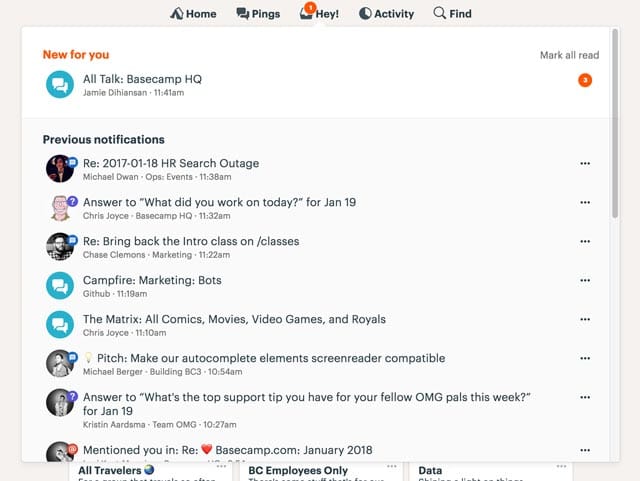
Basecamp developers have admitted witnessing a huge difference in code quality and speed ever since they made the switch from Java to Kotlin.

10. Twidere for Twitter

Twidere for Twitter/Mastodon - Apps on Google Play

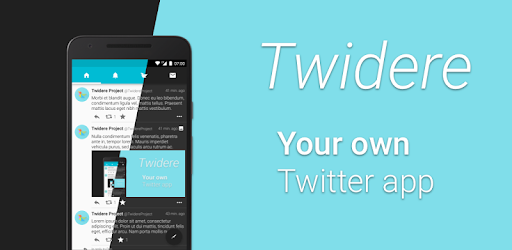
Twidere is a full feature open source Twitter client app that customizes the theme, manages the unlimited accounts, and filters unwanted tweets. Developed in Kotlin, the app has been able to bag 100,000+ install rate because of its smooth performance.

11. Shadowsocks

Shadowsocks - Wikipedia

The secure cross-platform socks proxy helps user surf the internet securely and privately. The app with 1,000,000+ downloads on the Play Store also joined the list of apps made with Kotlin.

12. Simple Calendar

The ad-free fully open source calendar app is also amongst the Android apps made in Kotlin.

13. Kickstarter

Kickstarter

The app helps musicians, artists, designers, filmmakers, and other creatives find all the resources and the support that they would need to convert their ideas into a reality. With thousands of active users, the app is powered by Kotlin.

14. Square

Square Point of Sale - POS - Apps on Google Play

Ever since Kotlin was approved by Square for their Android Applications, the payment platform has become the evangelists of Kotlin for Android.

15. Gradle

Gradle - Wikipedia

Gradle is the custom build tool that is used for developing the android packages (apk files) by providing the custom build logic and managing dependencies. And recently, Gradle introduced Kotlin as the language for writing the build scripts in. Since Kotlin gives support for both IDEA and Eclipse, Android’s new programming language gives the Gradle users full IDE support for refactoring to auto completion and everything in between.

Get your app’s name added in the list, get in touch with our team of Android Kotlin experts today.

Now that we have looked at the benefits that come attached with developing apps using Kotlin and how their a number of hot-shot apps that are benefitting from this association, we have come to the end of the article where we will talk about the pointers that you should look out for BEFORE you plan to join the league of those famous apps by migrating to Kotlin.

What Do You Need to Know Before Migrating Your Java App to Kotlin?

A. Is your team ready to make the switch?

Shifting the development method from one programming language to another comes with a learnability curve. So, before you make the switch, ensure that your hired development team is adept and experienced in building Kotlin apps.

B. Is your app architecture made of loosely coupled components?

When you make a change in the programming language, it can result in deletion, creation, and merging of some artifacts and classes that make your mobile app architecture a mess. And the more loosely coupled your app components, the more difficult it would be to make changes and then test them.

Once you have ensured that both the pointers are in place, you no more have a reason to not turn your Java-based application into one of the finest Kotlin apps, like the app industry’s top leaders did.

Choose Mobile App Technology Stack (Comprehensive Guide)

What is a Tech Stack? (+Tips on How to Choose One)

If you are even a month old in the world of mobile application development, the probability of you have not heard of the concept of Technology Stack is very minimal.

No matter what mobile app development process you are planning to follow, it would never turn fruitful until you get together a set of robust technology stack. Technology Stack is what decides the future of a software product.

Well, we will get to the exact definition of tech stack in a while. For now, here’s the snippet – The present and future of your mobile app depends on nothing but your mobile app technology stack.

Defining and choosing the technology stack for app development at an early stage helps entrepreneurs achieve their ultimate business objectives much more easily.

In this article, we will be looking into the concept of technology stack for mobile application in more detail, while throwing the light on the importance of knowing the technology stack that your mobile app would be based on. We will also talk about the tech stacks that power the apps on the basis of their type.

But first things first.

Let us quickly refresh our understanding of mobile app technology stack.

What is a Mobile Development Technology Stack?

Mobile App Development - Android App Development Service Service Provider from Thane

The complete technology stack for mobile application development can be divided into four areas. And these are also the areas that also constitute the anatomy of an application.

Here are the four components which together make one Technology Stack –

Frontend Development – The interface on which users interact with the mobile app

Backend Development – The part which takes the user input, processes it, and convert it into an output

Development Platform – The place where interfaces and libraries come into the picture to design and develop the mobile application.

Additional – The technology elements that affect app performance, security, and robustness.

Now that you know what mobile app technology stack stands for, let us now look into the reasons why it is important for businesses to sit with their partnered mobile app development company and look at the technology stack that would be put into their mobile apps.

Why is it Important to Find the Best Tech Stack for Mobile App?

There are a number of elements that are dependent on the selection of the right mobile app tech stack. The probability of whether your app is robust or will it be able to scale to different operating system versions, relies heavily on the technology combination that you choose for its development.

Any wrong or hasty, uncalculated decision with respect to the selection of nothing but the best technology stack for mobile application, will affect its current performance and future growth prospects negatively.

While these are the issues attached at a much deeper level, which you would face only when you are deep inside the mobile app development process, there are a number of first level issues attached with the wrong choice of the mobile app technology stack as well.

Since you now know what tech stack is and why it is important to know the technology stack, let us come to the section where we look into the technology stack that powers the development of powerful, scalable, and innovative mobile and web apps that comes out of the factories of any skilled app design company and their development domain.

Native App Technology Stack

Native apps are known for their robustness and performance. The quality standards that a business usually looks to achieve in their mobile journey are the ones that their investment in Native App Development perfectly solves.

Native Apps allow businesses to integrate the device’s in-built functionalities in their mobile app, without calling for an external third party API.

Now, when we talk about Native app, we usually talk in the context of Android and iOS App development. The two platforms come with different capabilities, which call for different technology stacks as well.

Let us look at the most commonly used mobile app technology stack that goes in the iOS app development and Android app development.

Android Tech Stack

Should I Start with Java or Kotlin as an Android Beginner? - Coding in Flow

Programming Languages: Kotlin and Java

Although Kotlin is the official programming language for Android app development, Java language is still used to a great extent by many android app development company. The popularity that Java sees makes it one of the best technology stack for mobile app development.

However, Kotlin is also not lying too behind in the popularity race. With time, Kotlin has become a lot more stable option for the developers to workaround in the Android studio. The fact that the language is clean, lightweight, and much less verbose is making it a solution to all the Java problems.

Toolkit: Android Developer Tools & Android Studio

Download Android Studio and SDK tools | Android Developers

Android Studio gives developers the feasibility of editing code, debugging, flexible build system, performance tooling, and an instant deploy system.

The platform enables you to focus entirely on building high quality and unique apps.

With help of the Android Developer Tools, you will be able to gain complete support for the whole Android app development process. Along with that, it allows developers to use multiple on-device debugging tools, emulators, graphical UI builder, and a completely scriptable test automation support.

Android SDK

Journey of building My First SDK! | by Anukool srivastav | Medium

In order to write programs with the latest features, the developers are made to download and then install each version SDK for a specific phone.

Using this Android tech stack, developers have been able to increase the app count to over millions and have made the Android app development industry the one that businesses opt for when they are looking to reach the masses.

iOS Tech Stack

Programming Languages: Swift and Objective-C

Swift - Apple Developer

The most preferred languages that find themselves being a part of the iOS mobile app development technologies are Swift and Objective-C.

Objective-C being the superset of C language provides a dynamic runtime environment and object-oriented capabilities.
Learn Objective-C - Best Objective-C Tutorials | Hackr.io

But we recommend Swift over Objective-C, simply because the language is a lot more functional and offers codes which are a lot less error-prone. It also consists of dynamic libraries which are uploaded directly to memory, cutting down the initial app size and increasing its performance.

Toolkit: Xcode and IntelliJ AppCode

AppCode: Smart Swift/Objective-C IDE for iOS & macOS Development

Toolkits are the full feature environment that allows one to create both mobile and desktop apps. The ones that are most commonly used by the iPad and iPhone app developers are IntelliJ AppCode and Apple Xcode.

iOS SDK

SDK Icon PNG Image | Apple ios, Icon, Ios

The iOS SDK consists of an API which acts as the link between platforms that they run on and the software application. The iPhone SDK offers tools used for Apple’s touchscreen interface and for the proprietary iOS operating system.

At the back of this technology stack, Apple app development industry has been able to brand itself as the market that businesses head out to generate revenues on their mobile apps.

While this was for Native apps, there is one app type which calls for a different set of full stack mobile development altogether. The apps we are talking about here are Hybrid Apps.

Although they are not used to a great extent anymore, there are still a small class of entrepreneurs who select them at the back of their low cost and time to market advantage.

Hybrid App Technology  Stack

▷ Cómo Cargar un Archivo JS Externo en HTML | Silver Sites

Hybrid apps are usually developed with the help of the standard web techniques like CSS, HTML5, and JavaScript. They usually consist of two sections – Backend and Native shell. These apps can run on all platforms and tend to provide access to API and acquire device storage and a camera etc.

The three frameworks that are most commonly used for the development of Hybrid apps include – Cordova, Sencha Touch 2, and Ionic.

Now that we have talked about both Native Apps and Hybrid Apps, it is time to move our focus on the Tech Stack for Cross-Platform App Development

Cross-Platform App Tech Stack

Cross-platform app development means using the same code to develop apps that would then run on multiple platforms – Android, iOS, and Web.

Businesses usually go with the cross-platform app development because of the simple fact that they are able to operate around a greater demographics. All the while taking advantage of the low development cost and faster go to market time.

The cross-platform application technology stack is usually made up of these major technologies’ combinations –

A. React Native & TypeScript or JavaScript

Why TypeScript with React? | Building SPAs

React Native is a JavaScript framework that is used for writing mobile apps which work like native apps. When you use React Native, the application logic gets written and runs on JavaScript or TypeScript.

B. Xamarin & C#

Xamarin - Wikipedia20 years anniversary of C# programming language. What the future holds. - Avenga

Xamarin allows development engineers to share 90% of codes across a series of major platforms. The tool uses C# as the main language.

Now that we have looked into the tech stack that powers the development of a variety of app types, ranging from Native apps to Cross Platforms and Hybrid Apps, it is time to look into something that matters to a mobile app development company more than knowing the tech stack: Knowing How to Choose the Best Technology Stack for Mobile Application.

How to Select the Best Tech Stack for Mobile App?

The ideal mobile application development technology stack that can power your product for success is an outcome of careful consideration and analysis of a number of factors. Here are the factors that tend to influence the mobile app technology stack choice for the development of a mobile app –

1. App Considerations

There are a number of factors that vary from one app to another –

  • The device on which the app would function
  • The network condition it would run in
  • The user experience you are aiming to achieve
  • The estimated go to market time
  • The platform would run, amongst others.

All these app elements clubbed together help decide the set of framework, library, languages, and the software that would be combined to develop the mobile

2. The Goal of Mobile App

Motivational mobile app | Goalmap

The choice of tech stack for mobile application development also depends heavily on the goal that your mobile app is going to achieve.

There would be a stark difference in the mobile app technology stack choice when you are looking to develop a high latency app vs a quick response, low latency mobile app.

A mobile app that is dependent on heavy load processing call for a much robust tech stack than the ones that operate around streamlined interactions.

3. Development Team Skill-Set

5 Options For Developing Your Team's Skills

There are a number of languages and frameworks that tend to give the same result but have some differentiating factors that separate one from the other. Now, when you are to decide between two similar-ish tech stack, the ideal thing to do is to rely on the developer’s skill-set.

If you introduce a tech stack that your team is not acquainted with, it will increase not just the development effort and time but also the cost of mobile app development. While on the other hand, introducing a mobile app technology stack that your team is comfortable with, will help expedite the process while saving the quality.

4. Technology’s Parent Company

The parent company of the technology stack that you are going with also makes a lot of difference in the choice.

There are some brands that offer a lot better documentation and community support than the others. Like, Google, Microsoft, and Adobe are known to offer a lot better community support and advanced development options than Facebook with React Native.

5. The Choice to Operate on Multiple Platforms

Which Phone is Best? Android vs Apple iOS vs Windows 8

The technology stack of an app that runs on one platform would be a lot different than of the one that runs on all – Android, iOS, and Web.

The level of scalability that you will have to introduce in your mobile app to make it portable on other platforms, e.g. in case of Hybrid App or Cross-Platform App Development, would call for a different toolset than one that would go into the development of a Native app.

6. Security Level of the Tech Stack

Every mobile app development technology comes prepared to combat the security-related vulnerabilities that an app can come across after it is launched it is market. The problem comes when you choose a technology stack which is not sufficiently documented or which requires writing long line of codes.

And then there comes the element of developers’ skills. No matter what technology stack you are including in your mobile app, hackers will find their way in, if the app is not developed in a secure manner. So along with the tech stack, your app developers team need to be skilled as well.

7. Compatibility with the Existing Technologies

Going with a mobile app tech stack that is in line with the technology that you are using in the project is very important. Especially if you are introducing a new tech stack after the mobile app development process has started.

Apart from checking the compatibility of the tech stack with the current project, you should also check how compatible would the tech stack be with the tools that you might be planning to add in the app at a later stage.

With this, you now know everything about technology stack that you need to get started with your first mobile app development project. Now no matter which technology you end up using, make sure that they work well with your present app structure and prepares your mobile app to be innovative and scalable.

FAQs About Mobile App Technology Stack

Q. What is meant by technology stack?

Technology stack is the collection of tools, languages, frameworks, and APIs, etc that come together to develop an entire software.

Q. What is app stack used for?

Mobile app technology stack is responsible for the success of the entire design, development, and maintenance process. A wrong decision on this front can lead to your app’s demise in the market much before its natural survival timeline.

Q. What technology is used to develop mobile apps?

The technologies used to develop an efficient mobile app are mainly divided into three subsets which are – Backend, Frontend, Development, and Additional.

Q. What is the best platform for mobile app development?

There can not be one answer to this question. The choice of the best platform depends on a number of different factors like the support of tech stack, design capabilities’ software, users’ demographics, etc.

Q. How to Choose the Best Technology Stack for Mobile App?

There are multiple factors that you will have to consider to establish which mobile app tech stack will best suit your need.

  • App Considerations
  • The goal of the mobile app
  • Skill-set of the team
  • Security considerations
  • Compatibility on multiple devices.

Agile Scrum Methodology in Mobile App Development-Guide

Make your project move forward with Agile method. - Bocasay

Agile scrum methodology is one of the most commonly used practices in project management in today’s time. The benefits that the method comes with such as increased business value, faster go to market, greater transparency among the team, and better quality management is enough to push a number of businesses across a range of industries to follow the Agile development Scrum approach in their everyday work process.

If your business, seeing the benefits that the methodology has to offer, is also planning to take the agile scrum development route, this article is for you.

But before getting further into the topic, you should first understand what is agile methodology?

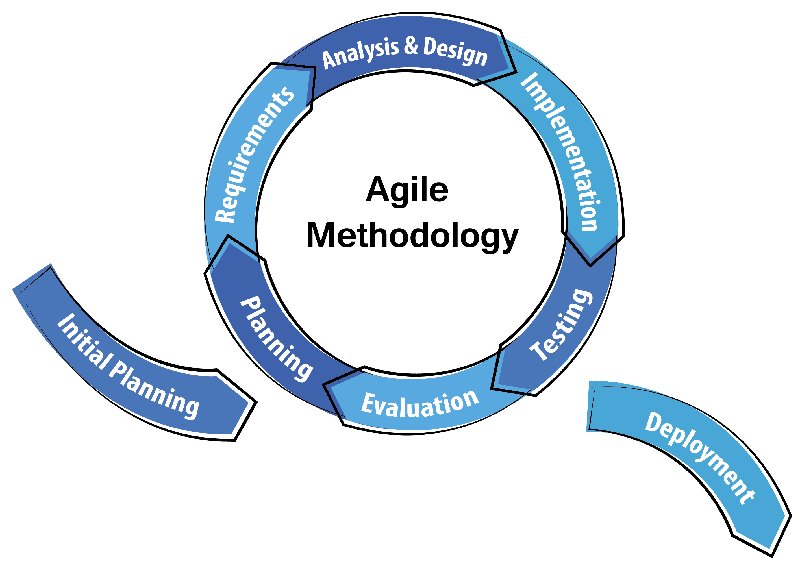
Interestingly, there is a slight difference between agile vs scrum if we speak of them individually. Strictly speaking, Agile is a development methodology based on incremental and iterative approach. Whereas, Scrum is just an implementation or a type of agile methodology. Here, incremental builds are passed to the clients bi-weekly.

Meaning, an agile methodology for application development starts by outlining the users and documenting a statement on a scope of problems, opportunities, and values to be addressed. This vision is then caught by the product owner who works with different teams to provide quality end results.

Now that we are clear on the basic difference between agile vs scrum, there is something else that you need to consider before adopting distributed agile development methodology. Let us first touch bases on what Agile Methodology Scrum actually stands for and how it single-handedly brings the model miles ahead in the Agile vs Waterfall debate.

What is Agile Scrum Method in context of Mobile App Development?

Agile Methodology for Efficient Mobile App Development

Holistically, the role of Agile in mobile apps is well-renowned and Scrum is the most commonly used sub domain of the agile methodology, which has quickly expanded to handling big and complicated projects that might have otherwise taken a lot of time to finish.

When it comes to the role of using agile project management on mobile application development then one needs to take into account that the mobile application developers make an app for a device with a small screen, less memory and less processing speed. Thus, the use of agile and scrum methodology includes programming, development and project management with breakdown of the software development life cycle into smaller modules.

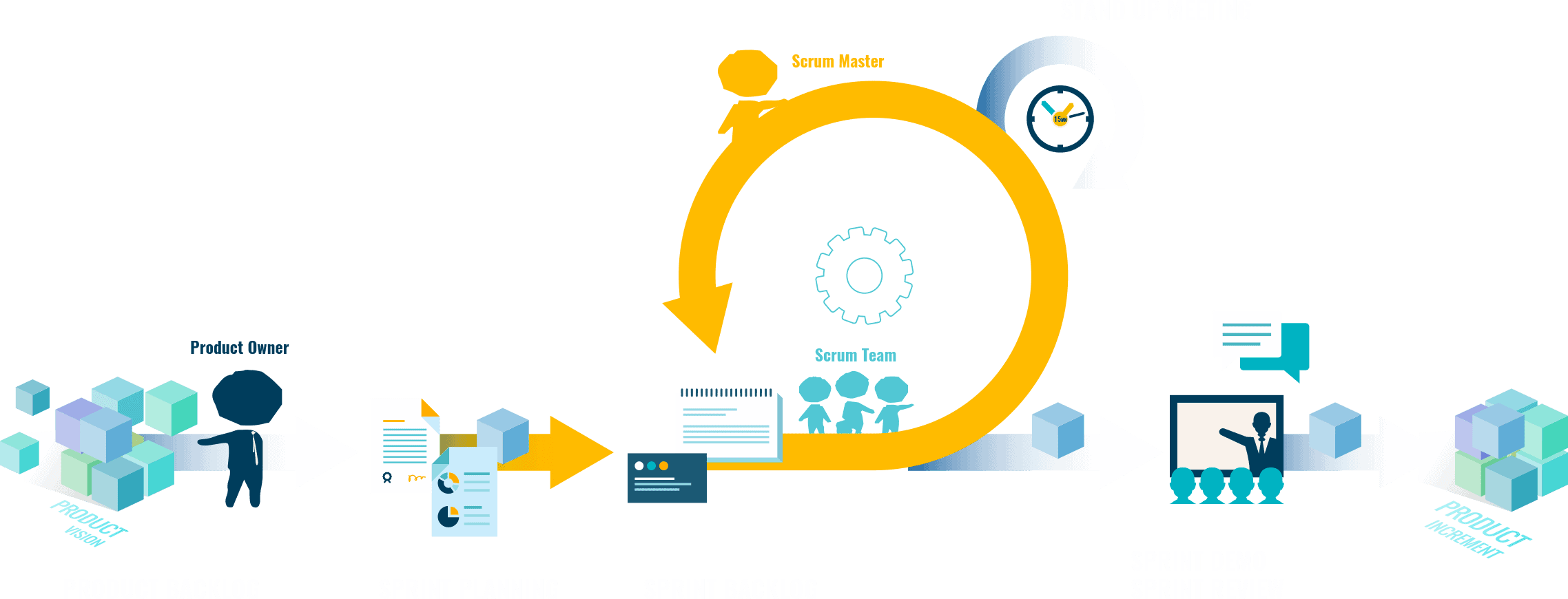
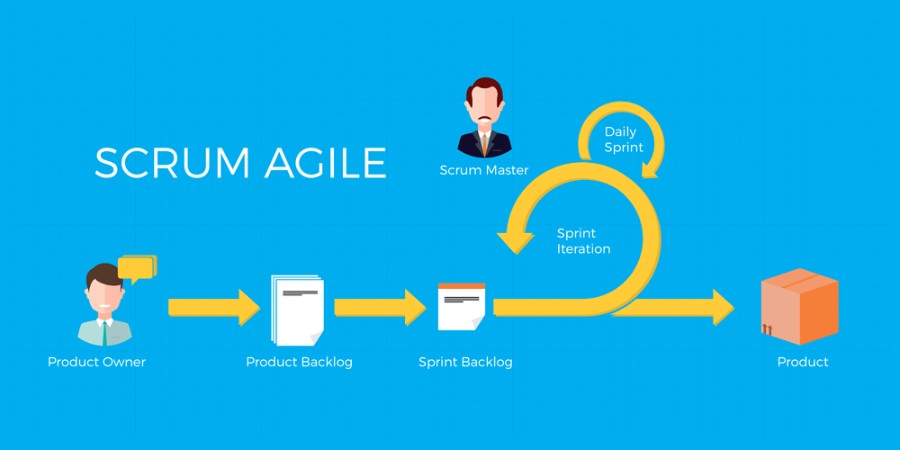
Used mostly by mobile application development services companies or agile software development company, the scrum team breaks down their allotted work aka product backlogs in actions, which they could cover within the two-week cycles, also known as – “sprints.” By completing every sprint, the team is expected to produce a working mobile app, which they continue to work upon and improve.

Every sprint comes with a timeline that extends from 2 months to maximum 4 months. And each of them have these following components to make the agile mobile app development process more efficient –

1. Scrum Roles

What are the important Agile Scrum Roles And Responsibilities?

How effectively you run an Agile Distributed team is dependent a lot on how well you distribute the roles?

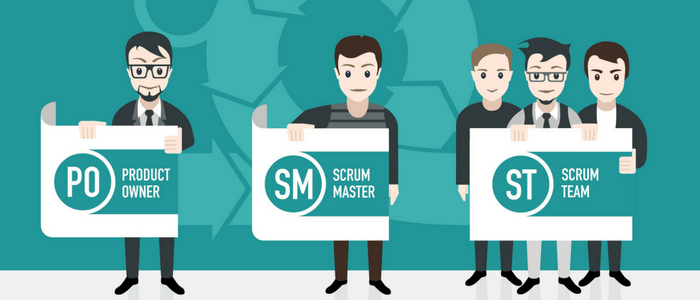
Product Owner – The person is responsible for overlooking what the team is working on and is also responsible for ensuring that the backlog is up to date. The communication of the end customer and team members are also looked at by them.

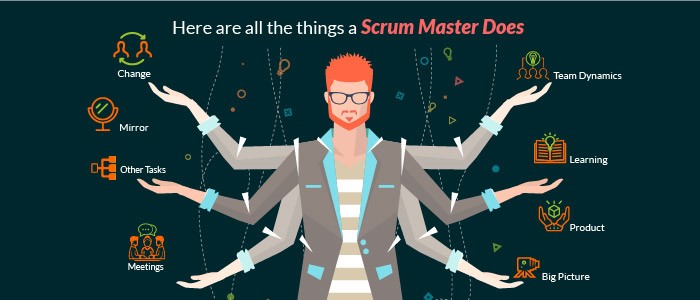
Scrum Master – He is the one who is assigned to ensure that the agile scrum is followed rightly by the team. They are also responsible for overlooking how the team is performing and resolving any issue that is coming up.

Scrum team – They are the ones who are actually doing the tasks. They own the development and testing part of the whole project and for this purpose the team is said to be self-organized, cross functional, and agile.

2. Product Backlog

Scrum Product Backlog and Agile Product Backlog Prioritization

Handled by the product owner, product backlog is a list of tasks that the team needs to perform. The modifications and priorities are set as and when needed. The backlog contains various documents which are continuously updated and used when required.

The idea is to have a list of backlogs ready before the sprint starts.

3. Agile Sprint Backlog and Planning

How to Develop a Scrum Product Backlog | Lucidchart Blog

In this scrum project management methodology step, the mobile app development team decides on the backlogs they will be targeting in the current sprint. Sprint backlog is the list of things the team plans on achieving in the delivery. Usually, sprint backlogs are divided into workable actions and once the team agrees upon the backlog items, the sprint begins.

4. Daily Scrum Meeting

Scrum Daily Meeting - Quickscrum

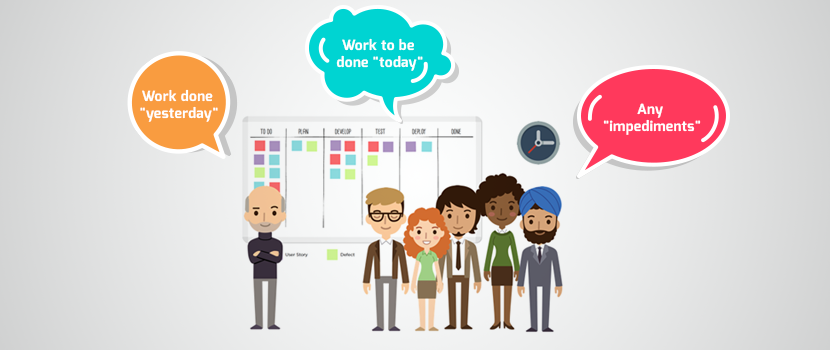
Once the above steps of agile application development are done and the team starts working on the product backlogs, a practice called daily scrum is initiated. A stand up daily meeting is held every day for 15 minutes. In the daily scrum everyone in the team tells about the last day’s work and the day’s plan. The daily scrum lets everyone in the team know of the whole project’s progress.

5. Agile Sprint Review

After every agile sprint, the team demonstrates what was developed to the stakeholders and look into the steps where they got stuck and which went well. The findings of one sprint becomes the action statement of the next.

6. Increment

The end result of a scrum is called Increment. The aim of everyone involved in a scrum is to deliver an increment that is complete on its own.It should adhere to all the quality standards set by the product owner and team.

7. Learn. Repeat. Improve.

Learn. Practice. Repeat. — Choose To Thinq

This entire cycle is repeated in the next sprint.

Sprint Planning chooses the next set of items in the Product Backlog and the sprint cycle starts again. As the team executes the Sprint, the Agile Product Owner simultaneously ensures that the items which are on top of the product backlog are executed first in the next Sprint.

The short, iterative cycle offers the team a lot of opportunities for learning and improving.

How Does Agile Scrum Methodology Makes Mobile App Development Efficient?

Unlike usual desktop applications for PC that may work for a couple of years without any redesign, upgrade, etc., mobile apps ought to be significantly more flexible and adaptable for users. Users’ requests may change rather regularly, thus app owners should update the app each time when it requires new changes. Furthermore, the best approach to make a top notch mobile application without extra revisions is to opt for an agile development company.

1. Improves the Mobile App Quality

How to improve the Quality of a Mobile App

Since testing and QA is integrated at every sprint throughout the agile scrum process, the app is checked at all stages, ensuring that it is developed according to the set quality standard, thus sealing its future in terms of high performance and acceptance.

2. Greater Client Satisfaction

6 reasons why customer satisfaction is important

Since Agile Method is based on involving the clients at every point, they have a clear access to the app progress, as they are given an app demo with every set of newly added features after every sprint.

3. Greater Transparency

Call for greater transparency in the financial statements of Greek MPs!

Since the practice of agile methodology is based on involving everyone who is a part of the mobile app development process plus the client, everyone knows the exact work that is to be done and its status.

4. Faster Return on Investment

Five Steps to a Quick Return on Your IT Process Automation Project Investment

One of the perks that come associated with Agile software development is Faster development and ROI. With the help of Agile, app development companies are able to start the development process much faster, and are able to take up multiple areas of the process at the same time. Add this with the ease of testing the app function by function on the go, and you will get an expedited app development timeline.

5. Rapid Changes

With the use of agile project management with scrum for mobile app development, it is handy to make changes in apps due to the presence of sprints. The best part is that there is no negative impact on the development as the scrum agile development methodology avoids the problem of revision, time and cost.

Now that you know what agile scrum development process stands for and what are the advantages of Scrum, let us now move on to the factors that you need to consider before you adopt it in your mobile app development branch.

Factors that You Should Consider Before Implementing Agile Scrum in Your Mobile App Development Process

1. Do you have a person in your team who can fill in the role of a scrum master?

6 Must Have Skills to Become a Notable Scrum Master | Nutcache

This is one of the crucial components of agile scrum development. Before you even move on with the Agile scrum methodology, you will have to appoint a scrum master who would be overlooking all the development processes and the challenges that the team faces. The scrum master will be responsible for gathering requirements from the end users. He will also be responsible for holding the scrum meetings and managing the backlogs.

The role of a scrum master is a very crucial one when it comes to development using the Agile methodology. He would be single handedly responsible for the easy completion of the project.

2. Is your team’s role and responsibilities clear?

The success of your mobile app development process based on agile scrum development methodology depends entirely on how clear your team is with the roles they have to play and how willing they are to handle their part independently. If the individual team members are not comfortable with their roles, the project will face a number of execution challenges and you will never be able to take the full advantage of the agile scrum methodology.

3. Will the Agile Scrum Method actually work for your industry?

One of the rules of the agile scrum that we adhere to before even we start working on an agile approach is gauge if it’s necessary at all. Even though Agile Scrum framework is used by a number of industries globally, it is not fit for all the industry types.

The development method works best for small size teams who handle scrum project management with unknown solutions, varying deliverables, and constant interaction with the end users or clients, which makes it ideal for projects that deal in marketing, software development, supply chain silos, or strategic planning.

Processes like accounting, sales, and even the purchasing domain, which deals with established processes or static deliverables won’t really benefit from it. But companies like Software Development, IT, Operations, Marketing, etc., do practice agile and the rate at which they are adapting is increasing at a fast pace.

In the end, if you understand the benefits that agile scrum development methodology will bring with it and you are prepared to change your work process around it, go ahead with it. But ensure that you have got your stakeholders and team on board with the idea.

What are the Agile Scrum process best practices?

What is Agile SCRUM and why we use it | TMS

1. Always create product backlog and vision together

So what is a product backlog? Well, it is a list of items needed to be added to product development. Now, it is advised to make the product backlog and product vision together because this way, developers and stakeholders both are in the loop and aware of everything.

2. Employ burndown charts for sprints

In order to track the progress of sprints, the experts at Anteelo suggest that you should use burnout charts. They graphically show the amount of work that has been done. What is more, these charts also help in identifying certain risks related to undelivered work.

3. Establish communication guidelines

If there is one thing that can greatly affect the workflow, it is uninterrupted communication. If not tackled, it becomes one of the greatest challenges of scaling agile practices. There is one thing that can be done – develop a communication strategy based on the guidelines for the teams. This is something that can prove to be very useful for remote teams in making their process transparent.

4. Practice stand-ups

A project/product development process speeds up once every member of the team is on the same page and knows the progress of work. These stand-up meetings are also known as ‘daily scrum’ held at the starting of the working day and last for no more than 15 minutes.

Frequently Asked Questions

1. Why use agile scrum methodology?

Agile Scrum methodology is beneficial in the app development process if done right and religiously. It helps in improving mobile app quality, increases client satisfaction, gives immediate ROI, promotes transparency, and so much more.

2. Who Uses Agile Scrum Methodology?

Almost all the companies irrespective of the industry domain take benefits of agile scrum methodology in order to make the management and process more transparent and smooth.

3. What is Scrum methodology in relation to Agile Project Management?

Scrum is a part of the agile project management methodology which includes a team managed by a Scrum Master. The main job of a Scrum Master is to clear away all obstacles to the team completing work.

Here, the work is done in short cycles known as sprints, and a meeting is arranged including the whole team on a daily basis daily to discuss current tasks and roadblocks that need clearing.

Creating Widgets in iOS 10

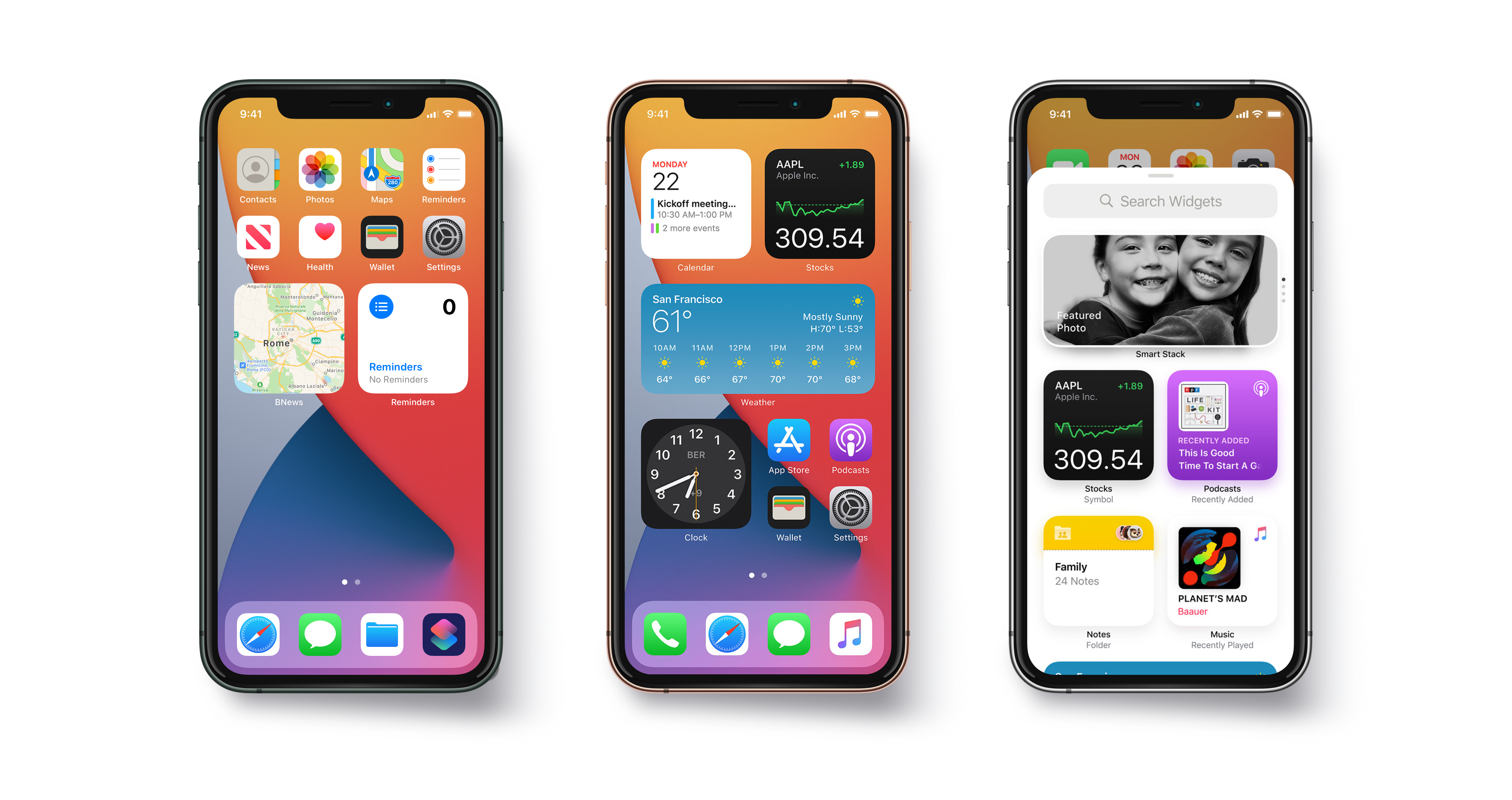
Widgets are something that every trending iOS application is looking forward to. Widgets help users to get some quick and relevant information without even opening the app. They are best suited for applications like Weather apps, To-Do list apps, Calendar apps which might show a day’s schedule. The widget should provide the immediate and relevant information that user must be interested in. The amount and type of information that widget carries, varies according to the requirement of the containing App of the widget.We will learn through this blog what are widgets and how to make widgets for our iOS app. We have already made an application called RemindME which is a small To-Do list application.How to create widgets in iOS 10 | Humble Bits

What we are going to cover 

  • iOS 10 Widget UI
  • Sharing UserDefaults and Files with Widget
  • Updating the content
  • Adjusting Widget’s Height
  • How to open App from Widget
  • When my Widget should Appear?
  • Home Screen Widget

Start-Up Project

We have already created an application that allows user to add some To-Do items with title and description and shows its status as done or not done. This will be containing app for our widget.

Getting Started

So, enough saying now and let’s get started with the real code. Widgets are nothing but a type of App extensions called Today Extension. So if anybody needs to know about app extensions, you can see this apple documentation. Now, add target by selecting File/New/Target and then under iOS section select Today extension and press next. After that give name to your widget and select the containing app as your project.

Now we can see in project navigator a new group will be added with our Widget’s name. Change Schema and select target as the widget and run project. You will  see widget in the notification center of our simulator with a message “Hello world” like this.

10 Tips on Developing iOS 14 Widgets Swift and SwiftUI | The Startup

iOS 10 Widget UI

Let us now design how our widget is going to look like. Open the storyboard of our newly added target and remove the default label. We are going to add a tableview and a button and two labels in our tableview cell. We have added UIImage for the status of the reminder and labels for title and description of the reminder. We have added a class called WidgetTableViewCell. Select the tableview cell and in identity inspector, add class name as WidgetTableViewCell. Add constraints to the views as needed and connects the outlets in the WidgetTableViewCell using Assistant Editor.

iOS 10 UI

We will also add Visual Effect View With Blur  from the object browser in our tableview cell. This is to add vibrancy effect to our widget. This causes a blur background in our Widget’s view. This is to make it look similar to what default iOS widgets look like. Make an outlet of visual effect view in the WidgetTableViewCell and name it as “visualEffectView”.

This ensures that vibrancy is similar to system-defined one for Today Extensions and the UI looks like default iOS 10 widgets.

Sharing UserDefaults and Files with Widget

Widgets are nothing but extensions. Extensions are just like another application so our containing app and widgets cannot communicate directly. There may be situations when our containing app and widget need to share some data. We can do that by sharing UserDefaults between them.

To enable this, select the main App target and choose Capabilities tab and then enable App groups. We require apple developer account for this. Now, create an app group. App group name must start from “group”. We have created an app group with name “group.com.quovantis.RemindMe”

Similarly we will repeat the process by selecting the target for widget. But we don’t have to create a new app group, we can use the one we created before. Now when we will save or retrieve anything from UserDefaults we will use this group.

We have made a class that will manage writing and reading our Reminders from UserDefaults. This code can be used by both our containing app as well as our widget extension.

We have used UserDefaults(suiteName: “group.com.quovantis.RemindMe”) for writing and reading our Reminders. This ensures both our containing app and the Widget extension save and read the data from a shared UserDefault under a common suite.

Now if we have to use the same UserDefaultsManager class in our Widget target also, we will have to enable it explicitly from the File inspector. Select the file UserDefaultsManager.swift and from File inspector check RemindMeWidget. Similarly if we have to import any other file like Assets.xcassests into our widget extension we can do the same.

Now we have shared UserDefaults between main app and widget, we can now add content to our widget. We will read data from the UserDefaults and will show the reminders in the table view of the widget. Widget will show the title and description of the Reminder and a button checked or unchecked depending upon the status. We will fetch the reminders from the UserDefaults in the viewWillAppear and will refresh the tableView. You can look the code in the TodayViewController.swift file in the RemindMeWidget folder.

We can also add actions to our widget. We have added an action to the button in our widget. When it is pressed that reminder is marked as done by updating status of the reminder in UserDefaults. Code for this action is written in WidgetTableViewCell class.

Now when we add any reminder from our main App, it will be reflected back to our widget also.

Updating the content

Now we will see how to add support to our widget to update its view when it’s off-screen, by allowing the system to create a snapshot. The system periodically takes snapshot to help our widget stay up to date. That is done through widgetPerformUpdate method.

We need to replace the existing implementation of widgetPerformUpdate

If we get reminders from the UserDefaults successfully, we update the interface and the function calls the system-provided completion block with the .newData enumeration. This informs the system to take the fresh snapshot and replace it with the current.

If we fail to get reminders then we call the completion handler with .failed enumeration. This informs the system that no new data is available and the existing snapshot should be used.

Adjusting Widget’s Height

As we have limited space in our Today View, System provides a fixed height to all the widgets. We have to design our widget UI in accordance with that . But we can also provide the option to increase the height of the widget so as to show more information in the Today view.

Our TodayViewController conforms to the NCWidgetProviding that provides the method to do this. There are two modes of the Widget of type NCWidgetDisplayMode, compact and expanded.

This will specify that widget can be expanded and we get a default button to expand and close the widget. Now add this method to adjust the size of the widget.

Whenever the widget height is adjusted this method is called where we have specified the height in case of compact and expanded state. In expanded mode we set preferredContentSize to the combined height of the cells of our tableview in Widget and when it is in compact mode we set preferredContentSize as CGSize() which gives the default height to the widget.

How to open App from Widget

Users may also want to open the containing app from widgets so as to have a detailed look over the information shown in the widget. For that we will have to allow our widget to open our containing app.

For this we use URL Schemes. We can open any app that supports URL Scheme from our widget but we should do that rarely. As user may get confused regarding the container app of the widget. Generally we should link the containing app of the widget only.

For enabling the URL Schemes in our containing app we need to add the following rows in our info.plist

After that we use the extensionContext property of type NSExtensionContext in our TodayViewController class to call the openUrl function. We have written this code in didSelectRowAt Index of our tableView

When my Widget should Appear?

There can be situations when under certain circumstances, you want your widget to appear in Today view. For example, there is no new or noteworthy information to show and you want to hide your widget until something new information comes up.

You can do this by using setHasContent: forWidgetWithBundleIdentifier: method of class NCWidgetController. Set the flag as true or false to show or hide the widget respectively and specify the bundle identifier of the particular widget which we want to hide or show.

In our case we will hide the widget if there are no reminders in our app. And as soon as the count of the reminders is one or more we will show the widget again.

We can write the code to hide widget from the TodayViewController itself but we must always avoid this. Our containing app should be the one which will decide when to hide or show the widget.

Write this function in the ReminderListViewController-

Home Screen Widget

We have seen applications show widget along with the quick actions when we Force Touch the app icon. If we have only one widget in our app, it is shown by default. But if our app offers two or more widgets then we will have to specify the bundle identifier of the widget in the info.plist that we want to show when we Force touch our app.

Add UIApplicationShortcutWidget key in the info.plist with the bundle identifier of the widget as its value.

Summary

So, this is all about iOS 10 Widgets for iPhone. Thank you for reading this tutorial and I hope you enjoyed this. You can think some more innovative ideas to explore more possibilities from Today extensions and think about ways to update your existing applications with your own widgets.

A Guide To Get Million Downloads On Your App

Get to 1+ Million Installs For Your App - BuildFire

With the immense amount of competition on both the Google Play Store and Apple Store (over two million and counting), convincing the users to install a new app is very challenging.

How many times have you heard people say that no matter how innovative your idea is, only those rule the stores and users’ devices that have already established themselves in the market?

Having developed a series of apps that have hit the million downloads mark, our team of app developers that it is nothing but hearsay. With the right blend of development and marketing, you can boost mobile app downloads and can help it reach the million mark too.

While you have the support of our app developers to help build a robust app, to bring you up to speed with the marketing front of getting million app downloads, we have curated a guide for your journey.

We have divided this guide into two parts – Pre and Post Launch of your Mobile Application, both of which together will help you get answer to ‘How to Get More App Downloads’.

Let us start with the pre launch part of mobile app promotion strategy first to to ensure that you are prepared to woo the Million of App Store users, even before it has found a place in their devices.

Pre-launch success preparation of your mobile app

Ideally, the efforts you are putting in this stage should start at least 2 months before the actual launch in the stores. Start with the pre launch stage as soon as your app enters the last testing stage.

How to ensure that You Get Maximum App Download From the Technical Front –

Ensure that Your App Doesn’t Crash

and your app has crashed! – Rapidsoft Technologies

Prepare your app in a way that it doesn’t crash even once after it is downloaded on users’ devices. You have to understand that the stores are full of extremely impatient users, who will abandon after even two repeated instances of crashes.

Presence of an Intuitive UI

Material Chat | Android app design, Android design, User interface design examples

Run through your App’s UI as many times as possible. Look into how easy it is for your audiences’ demographics to move inside the app, if the UX elements are in line with what they are used to work around. And, finally, it’s easy for them to move inside once they have done the app download deed.

Get Your App Tested Enough

Are Inadequate Mobile App Testing and QA Hindering Your Success? | Proto.io Blog

Test your app not just on different devices but also on different operating system versions and in under different network conditions. Don’t even think about rolling it out for downloads, before you have ensured that your app is tested and secured against every permutation and combination of users’ movement.

How to ensure that You Get Maximum App Download From the Marketing Front

Set Up Pre-Launch Ad Campaign

How To Build A Successful Pre-Launch Marketing Campaign

Start with creating anticipation about your app on your website, the social media channels, platform where your people of your app community visit and uses most often. Through all your mediums, prepare your audience for the time to come and how it would change their life.

Don’t show them anything other than your logo at this stage. Your time to showcase your app would come, but it’s not now.

Prepare to Rule the App Store Listings

How To Optimize Your Google Play Store App Listing Page - BuildFire

Your probability of getting maximum app downloads is directly proportional to your placement in your category list. The higher you are in the list, the greater are the chances of visibility and click through rates.

Draft an ASO and PSO strategy. Start getting videos and screenshots made to showcase your creation in the stores, have a set of keywords ready with you, draft content to post in the app description section.

Open your Doors for the Press

Just days, around two weeks before the actual launch of the app, send invites to the press and PR agencies to cover it and post its coming in their dailies. Infact, now would be time when you contact websites that curate lists like ‘App of the day’ and get your name on the lists.

With just two or three weeks to the launch, announce your coming to the Android and Apple Store to the world.

Invest in PPC

The Step-by-Step Pre-Launch Plan We Used To Prepare For Our Startup Launch | by Krish Ramineni | Fireflies.ai Blog

Just week before you become available to app downloads, invest in a PPC campaign. Run your ads on Google on every keyword and phrases that are related to your app category and similar to what your users are looking for.

This was it on the Pre Launch part of Taking Your App towards Million downloads. To sum up, you have to create anticipation, promote your application everywhere your audience is and while you are doing this, focus on how the development process is coming up.

Now that you know the pre launch part of ensuring the success of your mobile app before it is launched in the stores, let us look into the post launch parts of its success. This is exactly where all your efforts would pay off.

Post-launch success preparation of your mobile app

The cumulative effort that you had put up until this part both in development and marketing, boils down to this stage, when it’s time to reap the benefits. But your dream to achieve a million downloads still requires time and efforts to become real.

Post Launch efforts to reach million app downloads are in many ways much higher than your pre launch work as now it’s time to deliver the users what you had created anticipation for.

Here are the ways you can pave the last road to your million app download mark –

Submit Your App To Sites Like ProductHunt

How to Run a Successful Marketing Campaign on Product Hunt | CXL

There are a number of websites like ProductHunt that allows app developers to post their live app and get helpful feedback, visibility, and more often than not investors for their apps.

While investing in PR agencies and mobile-based news websites will help you sail through the initial growing awareness phase, there are not viable for the long run.

To keep getting downloads in the long run, you will have to make your application visible to people who would be genuinely interested in them.

In-App Advertisements

Top In-App Advertising Companies (2020) - Business of Apps

The next step in the process of ensuring that you have left no door unopened is by investing in in-app advertising models. Get in talks with popular apps that have space to insert your ad in theirs.

By placing your ad in the popular applications, you will be able to increase your visibility score to a great number.

Plan Referrals

How to Set Up a Referral Marketing Program For Any Industry (With Industry Examples)

One of the major reasons behind Uber’s success is their referral program. They make it beneficial for users to share it with their friends and family, in the form of discounted rides.

Depending on what your app is about, you can offer free lives, discount, free product, or even a gift voucher to the user and their family/ friend who uses their referral code.

Inauguration Discount

Free Vector | Modern pack of inauguration banners

If your app belongs to the paid category, you should offer yours for free in the first month or make the prime features available on an off or discount.

While planning on the features that you would be offering for free, make sure you go with the ones that will become coveted after they are not free or on discount anymore. If you make those features free which already comes with no price tag in the same category apps, the users will abandon yours.

Remain Visible

How to show (or hide) apps behind Siri - apps are visible while Siri is active - YouTube

It is very easy for the users, both prospects and the ones who have your app installed with them, to forget about your existence amidst the billions of other in the stores. So, keep reminding them of the value that only you can get them. Continue making appearance in the places they frequent.

These are the ways you can not just pave the road to a million downloads but also ensure the longevity of your mobile application in the overcrowded stores.

Having developed a number of million hits products with the help of our app developers, we understand that while a major portion of your app’s success depends on how far you are able to promote it in the world, it all boils down to your idea and its value offering ability.

If your application is able to offer some value to its users that they cannot get in the same form, ease or speed elsewhere, they will spread the news.

Another thing that matters in defining your app success is how much attention you are paying to your customers’ needs. How responsive you are to their issues and what is your correction time.

So, what really matters in the long run is how well your app is developed, the kind of value it is able to offer, and how responsive you are with your users’ needs.

Understand softwares!

Every day, we come across different types of computer software that helps us with our tasks and increase our efficiency. From MS Windows that greets us when we switch on the system to the web browser that is used to surf the internet or the games that we play on our computer to the calorie burn counter on our smartphone, are all examples of software. In this world of technology, we even come across various software development trends that help our business to grow, we are surrounded by all these software that are determined to make our lives easier. By definition, Software (also abbreviated as an SW or S/W) is a collection of data, programs, procedures, instructions, and documentation that perform various predefined tasks on a computer system. They enable users to interact with the computer

In the field of software engineering and computer science, the software is nothing but information processed by a computer system and programs. The software includes libraries, programs, and corresponding non-executable data, such as digital media and online documentation. Computer hardware and software need each other and neither one of them can be convincingly used on its own. The amalgamation of the hardware and the software gives control and flexibility to modern-day computing systems. Without software, computers would be of no use. For instance, without the help of your web browser software, you will not be able to surf the Internet. Similarly, without an operating system, no application can run on your computer.

Today there are abundant high-end technologies and software accessible to us that outline the way we lead our lives and house our continuously changing and increasing needs. The endless number of software types can be overwhelming for anybody, especially when one does not understand the various types of software and their users thoroughly.

Different Types of Software

Typically, there are two major classifications of software, namely System Software and Application Software.

1. System Software

A system software aids the user and the hardware to function and interact with each other. Basically, it is a software to manage computer hardware behavior so as to provide basic functionalities that are required by the user. In simple words, we can say that system software is an intermediator or a middle layer between the user and the hardware. These computer software sanction a platform or environment for the other software to work in. This is the reason why system software is very important in managing the entire computer system. When you first turn on the computer, it is the system software that gets initialized and gets loaded in the memory of the system. The system software runs in the background and is not used by the end-users. This is the reason why system software is also known as ‘low-level software’.

System Software

Some common system software examples are:

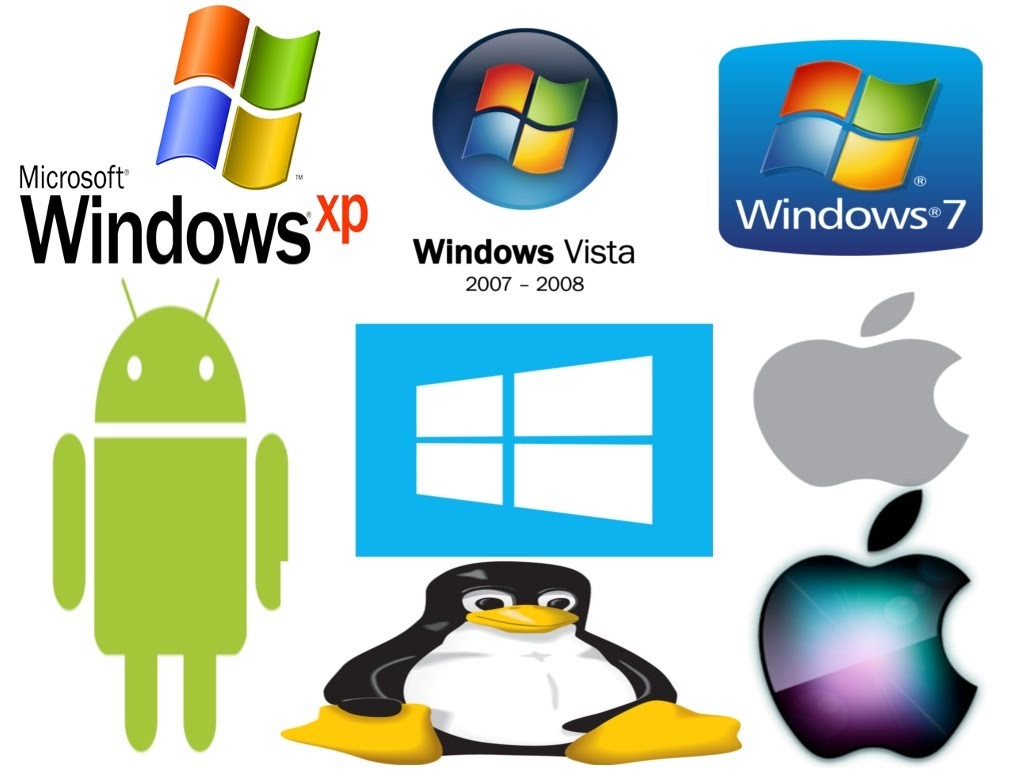
  • Operating System: It is the most prominent example of System Software. It is a collection of software that handles resources and provides general services for the other applications that run over them. Although each Operating System is different, most of them provide a Graphical User Interface through which a user can manage the files and folders and perform other tasks. Every device, whether a desktop, laptop or mobile phone requires an operating system to provide the basic functionality to it. As an OS essentially determines how a user interacts with the system, therefore many users prefer to use one specific OS for their device. There are various types of operating system such as real-time, embedded, distributed, multiuser, single-user, internet, mobile, and many more. It is important to consider the hardware specifications before choosing an operating system. Some examples of Operating systems given below:
    • Android
    • CentOS
    • iOS
    • Linux
    • Mac OS
    • MS Windows
    • Ubuntu
    • Unix
  • Device Drivers: It is a type of software that controls particular hardware which is attached to the system. Hardware devices that need a driver to connect to a system include displays, sound cards, printers, mice and hard disks. Further, there are two types of device drivers: Kernel Device Drivers and User Device Driver. Some examples of device drivers are:
    • BIOS Driver
    • Display Drivers
    • Motherboard Drivers
    • Printer Drivers
    • ROM Drivers
    • Sound card Driver
    • USB Drivers
    • USB Drivers
    • VGA Drivers
    • VGA Drivers
    • Virtual Device Drivers
  • Firmware: Firmware is the permanent software that is embedded into a read-only memory. It is a set of instructions permanently stored on a hardware device. It provides essential information regarding how the device interacts with other hardware. Firmware can be considered as ‘semi-permanent as it remains permanent unless it is updated using a firmware updater. Some examples of firmware are:
    • BIOS
    • Computer Peripherals
    • Consumer Applications
    • Embedded Systems
    • UEFI
  • Programming Language Translators: These are mediator programs on which software programs rely to translate high-level language code to simpler machine-level code. Besides simplifying the code, the translators also do the following :
    • Assign data storage
    • Enlist source code as well as program details
    • Offer diagnostic reports
    • Rectify system errors during the runtime
    • Examples of Programming Language Translators are Interpreter, Compiler and Assemblers.
  • Utility: Utility software is designed to aid in analyzing, optimizing, configuring, and maintaining a computer system. It supports the computer infrastructure. This software focuses on how an OS functions and then accordingly it decides its trajectory to smoothen the functioning of the system. Softwares like antiviruses, disk cleanup & management tools, compression tools, defragmenters, etc are all utility tools. Some examples of utility tools are:
    • Avast Antivirus
    • Directory Opus
    • McAfee Antivirus
    • Piriform CCleaner
    • Razer Cortex
    • Windows File Explorer
    • WinRAR
    • WinZip

2. Application Software

Application software and Peopleware

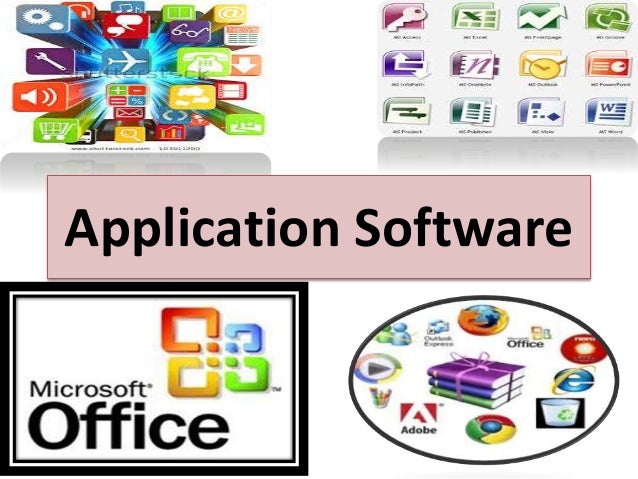
Application Software, also known as end-user programs or productivity programs is software that helps the user in completing tasks such as doing online research, jotting down notes, setting an alarm, designing graphics, keeping an account log, doing calculations or even playing games. They lie above the system software. Unlike system software, they are used by the end-user and are specific in their functionality or tasks and do the job that they are designed to do. For example, a browser is an application designed specifically for browsing the internet, or MS Powerpoint is an application used specifically for making presentations. Application Software or simply apps can also be referred to as non-essential software as their requirement is highly subjective and their absence does not affect the functioning of the system. All the apps that we see on our mobile phones are also examples of Application Software. There is certain software that is exclusively made for app development like Meteor and Flutter. These are examples of Application software too.

There are various types of application software:

  • Word Processors: These applications for documentation. Along with that it also helps in storing, formatting and printing of these documents. Some examples of word processors are:
    • Abiword
    • Apple iWork- Pages
    • Corel WordPerfect
    • Google Docs
    • MS Word
  • Database Software: This software is used to create and manage a database. It is also known as the Database Management System or DBMS. They help with the organization of data. Some examples of DBMS are:
    • Clipper
    • dBase
    • FileMaker
    • FoxPro
    • MS Access
    • MySQL
  • Multimedia Software: It is the software that is able to play, create or record images, audio or video files. They are used for video editing, animation, graphics, and image editing, Some examples of Multimedia Software are:
    • Adobe Photoshop
    • Inkscape
    • Media Monkey
    • Picasa
    • VLC Media Player
    • Windows Media Player
    • Windows Movie Maker
  • Education and Reference Software: These types of software are specifically designed to facilitate learning on a particular subject. There are various kinds of tutorial software that fall under this category. They are also termed academic software. Some examples are:
    • Delta Drawing
    • GCompris
    • Jumpstart titles
    • KidPix
    • MindPlay
    • Tux Paint
  • Graphics Software: As the name suggests, Graphics Software has been devised to work with graphics as it helps the user to edit or make changes in visual data or images. It comprises of picture editors and illustration software. Some examples are:
    • Adobe Photoshop
    • Autodesk Maya
    • Blender
    • Carrara
    • CorelDRAW
    • GIMP
    • Modo
    • PaintShop Pro
  • Web Browsers: These applications are used to browse the internet. They help the user in locating and retrieving data across the web. Some examples of web browsers are:
    • Google Chrome
    • Internet Explorer
    • Microsoft Edge
    • Mozilla Firefox
    • Opera
    • Safari
    • UC Browser

Other than these, all the software that serves a specific purpose fall under the category of Application Software.

However, there exists one more classification of the software. The software can also be classified based on its availability and sharability.

This classification is as given below:

1. Freeware

Freeware software is available without any cost. Any user can download it from the internet and use it without paying any fee. However, freeware does not provide any liberty for modifying the software or charging a fee for its distribution. Examples are:

  • Adobe Reader
  • Audacity
  • ImgBurn
  • Recuva
  • Skype
  • Team Viewer
  • Yahoo Messenger

2. Shareware

It is software that is freely distributed to users on a trial basis. It usually comes with a time limit and when the time limit expires, the user is asked to pay for the continued services. There are various types of shareware like Adware, Donationware, Nagware, Freemium, and Demoware (Cripplewareand Trialware). Some examples of shareware are:
  • Adobe Acrobat
  • Getright
  • PHP Debugger
  • Winzip

3. Open-source

Linux: "Collabora. An open-source (and libre software) …" - LinuxRocks.Online

These kinds of software are available to users with the source code which means that a user can freely distribute and modify the software and add additional features to the software. Open-Source software can either be free or chargeable. Some examples of open-source software are:

  • Apache Web Server
  • GNU Compiler Collection
  • Moodle
  • Mozilla Firefox
  • Thunderbird

4. Software

They are also known as Closed-source software. These types of applications are usually paid and have intellectual property rights or patents over the source code. The use of these is very restricted and usually, the source code is preserved and kept as a secret.


Microservices: New face to app development

Mobile device users are rapidly becoming the user’s favored instruments of choice for browsing the Internet. With market leaders centering on providing customers with exceptional user experiences, we are now seeing a rapid rise in consumer expectations, which compels, including the innovation of the mobile experiences you offer. Just implementing a mobile-first approach isn’t sufficient anymore. While your users may make-do with a responsive website in the early period, a shift to mobile apps provides you substantial leverage over your contemporaries. The key to successful mobile applications isn’t just limited to excellent design and continuous development. The development teams need to speed up the delivery of benefits that mobile apps offer to users. Implementation of the agile procedure, adopting a DevOps strategy, and making a move to the microservices model of creating a cloud-based application gives you a unique business advantage. Microservices enable the development teams to own the entire project development cycle. It provides much-needed flexibility in mobile app development services. Teams can work upon the data collected from users to incorporate changes within the app components on a real-time basis resulting in the DevOps procedure becoming more dynamic and the development teams more agile.
Flexible integration and code creation suit rapidly changing, customer-facing apps, which pushes businesses to evaluate microservices for mobile applications. Microservices in mobile application development boost modularization — breaking the architecture apart into independent services and groups of services. With services lined up around business function and still secluded from each other, developers can deliver the quick updates and recent feature releases that mobile users expect. Since microservices communicate via APIs, mobile application developers can opt for the most appropriate technology stack and language for each service or business flow, instead of limiting the entire project to one. However, microservices aren’t the only way to business mobile app development. Low-code platforms also tout a simple procedure to build mobile apps.
What are Microservices?

Anteelo design

Microservices architecture is an essential architectural innovation that is a useful alternative for building complicated software applications. It involves the fragmentation of large applications into loosely coupled smaller services. Each microservice focuses on separate business functionality. Every microservice can be independently deployed, tweaked with, and redeployed without compromising the application integrity — the loose combination of microservices lead to the facilitation of rapid deployments. The features build as a result of user feedback, thus quickly reach the users.

How do microservices differ from conventional development practices?

Essential Hacks: Developing Microservices for PaaS, by Pivotal - Best Enterprise Cloud Strategy Tools, Vendors, Managed Service Providers, MSP and Solutions

In the conventional monolithic app architecture, designs all the constituents of the code as a single, cohesive unit in which the constituents are independent and interconnected. Any updates the developers require to make results in alterations made to the whole stack. Adopting a new framework or shifting to a new tech stack needs a substantial overhaul and rewriting of the entire code. In contrast, microservices architecture has the system distributed into individual services that can run as autonomous processes and communicate with each other, utilizing APIs. Containerization enables the encapsulation of the services, and operations run in parallel, thereby making the existing infrastructure easy to maintain. Any changes or updates performed on individual services without affecting the entire system.

Benefits of microservices architecture in app development

Benefits of Microservices Architecture

  • Improved productivity and agility

Microservices are made, deployed, and tested individually of other components in the system, which results in enhanced team agility and rapid iteration cycles. The developers have the elasticity to use the framework or language most appropriate for the functionality developed; this ramps up productivity by radically reducing the amount of code to be written. It also increases the maintainability of the application. Breaking down complex apps into manageable services improves the performance of agile teams.

  • Accelerated velocity and scalability

Scaling of various microservices components at runtime takes place individually; this facilitates more productive resource utilization. We can shift the workload of an element to an infrastructure that is best suited for the task. Microservices offer accelerated development speed combined with on-demand scalability. The flexibility of the cloud-native environments can be effortlessly leveraged by the microservices making scaling cost-effective through optimal use of infrastructural resources. Microservices also ensures that the application is more responsive to market requirements. The agile methodology enables you to roll out robust digital capabilities in response to real-time market requirements.

  • Continuous deployment

In conventional monolithic systems, dedicated teams work on distinct functions. The introduction of microservices leads to cross-functional teams managing the complete application lifecycle in a continuous delivery model. With various team members, including testers, developers, and operations teams working simultaneously on a development testing, single service and debugging takes place in continual iterations. The incremental development results in a constant cycle which writes, tests, and deploys the code consistently while incorporating relevant feedback.

  • The rise in cross-functional teams

Carrying out software development and deployment could be a tedious job when, while working with extended teams. Microservices result in improved independence for the developer. They can work independently, resulting in faster decision making. The cross-functional teams in microservices architecture consist of empowered individuals who can make faster decisions. Working in smaller groups and close-knit teams result in more freedom to the individual team members and quicker technical decision making.

  • Flexibility in utilizing technologies and access to a broader talent pool

Since each developed microservice can be written using different technology, the development team is free to opt for the tech stack that would be most suitable for the specific service. Decoupled services written in various programming languages can easily coexist, add new components continuously, and perform scaling at an individual level. The flexibility that microservices offer also enables you access to a broader talent pool.

Summary

While the business profits of shifting to a microservices architecture are huge, the transformation needs to be sensibly monitored and strategically implemented. Implementing a DevOps culture, with robust monitoring is essential for an effective shift to the microservices architecture. The ramp in flexibility and speed has to balance with an associated increase in complexity.

DevOps Engineers: What do they really do?

DevOps is no magic, but it can definitely look like it from the outside. In today’s corporate world, workers in the innovative fields are generating new roles for themselves. The role of the DevOps Engineer is one instance of such. There’s a lot of misconception regarding who is a DevOps Engineer? Are they the person who writes the code or are they responsible for the work of a system engineer? Well! Not exactly. Through this post, I shall guide you through the roles and responsibilities of a DevOps Engineer.

What is DevOps?

DevOps | Akamai

DevOps is the blend of cultural philosophies, tools, and practices that increases an organization’s ability to deliver services and applications at high speed: evolving and upgrading products at a faster rate than organizations using traditional software development and infrastructure management procedures.

This speed facilitates organizations to serve their customers better and compete more efficiently in the market. DevOps culture is introduced to create better collaboration, improved communication, and agile relations between the Operations team and the Software Development Team. Under a DevOps model, the gap between the development and operations teams is bridged. Sometimes, the two teams are merged into one team where the engineers work through the entire application lifecycle, from development to test and deployment to operations, and develop a set of skills not limited to a single function.

The teams make use of practices to automate procedures that traditionally have been slow and manual. These tools also support engineers to independently achieve tasks that normally would’ve required help from other teams, and this further enhances a team’s velocity. Simply put, DevOps is a set of practices that combine Software Development (Dev) and IT operations (Ops) which intend to shorten the systems development life cycle and provide continuous delivery with high software quality

Unlike popular opinion, DevOps is not:

  • a combination of the Development and Operations team.
  • a tool or a product.
  • a separate team.
  • automation.

However, DevOps is a process that includes continuous:

  • Integration
  • Development
  • Testing
  • Deployment
  • Monitoring.

Understanding the role of a DevOps Engineer.

The DevOps Engineer is truly a revival of the cloud infrastructure IT services. It is often strenuous to understand this role because the DevOps Engineer is the product of the dynamic workforce that has not yet finished evolving.

DevOps professionals come from a multitude of IT backgrounds and begin the role in different places in their careers. Generally, the role of a DevOps engineer is not as easy as it appears. It requires looking into seamless integration among the teams, successfully and continuously deploying the code. The DevOps approach to software development requires recurring, incremental changes, and DevOps Engineers seldom code from scratch. However, they must understand the fundamentals of software development languages and be thorough with the development tools utilized to make a new code or update the existing one.

A DevOps Engineer will work along with the development team to tackle the coding and scripting needed to connect the elements of the code, such as software development kits (SDKs) or libraries and integrate other components such as messaging tools or SQL data management that is needed to run the software release with operating systems and production infrastructure.

A DevOps Engineer should be able to manage the IT infrastructure in accordance with the supported software code dedicated to multi-tenant or hybrid cloud environments. There’s a need to have a facility for required resources and for procuring the appropriate deployment model, validating the release and monitoring performance. DevOps Engineers could either be the system administrators who have moved into the coding domain or the developers who have moved into operations. Either way, it is a cross-function role that is seeing a huge upward trajectory in the way software is developed and deployed in object-critical applications.

It isn’t rare for DevOps to be called to mentor software developers and architecture teams within an organization to educate them about how to create software that is easily scalable. They also work with the security teams and IT to ensure quality releases. Some DevOps teams include DevSecOps, which bids DevOps principles to driven security measures.

The DevOps Engineer is a significant IT team member as they work with an internal customer. This includes software and application developers, QC personnel, project managers and stakeholders usually from the same organization.

They rarely work with end-users, but keep a “customer first” mindset to comply with the needs of their internal clients. A DevOps Engineer is a customer-service oriented, team player who can arise from a number of different work and educational backgrounds, but through their vivid experience has developed the right skill set to move into DevOps.

Tasks of a DevOps Engineer.

Anteelo Design

Typically, the role of a DevOps Engineer comprises of the following duties:

  • Work with a variety of open-source tools and technologies for managing source codes.
  • Deploying multiple automation tools of DevOps to perfection.
  • Continuous iteration of software development and testing.
  • Connect to business and technical goals with alacrity.
  • Analyze code and communicate descriptive reviews to development teams to ensure a marked improvement in applications and on-time completion of projects.
  • Design, develop, and implement software integrations based on the user’s review.
  • Apply cloud (AWS, GCP, Azure) computing skills to deploy upgrades and fixes.
  • Troubleshoot production problems and coordinate with the development team to streamline code deployment.
  • Conduct systems tests for performance, availability, and security.
  • Collaborate with team members to improve the company’s engineering tools, data security, systems, and procedures.
  • Optimize the company’s computing architecture.
  • Troubleshooting documentation.
  • Implement automation tools and frameworks (CI/CD pipelines).
  • Develop and maintain design
  • Understand the needs and difficulties of a client across development and operations
  • Formulate solutions that support business, technical strategies and organization’s goals.
  • Develop solutions encompassing technology, process, and people for continuous delivery, build and release management, infrastructure strategy & operations, a basic understanding of networking and security
  • Implement and recommend solutions.
  • Expertise and knowledge in current and emerging processes, techniques and tools
  • Build the DevOps practice within ThoughtWorks and drive our thought-leadership externally
  • Timely identification and resolution of problems.
  • Design, develop and maintain the CI/CD tools and infrastructure to deliver Horizon Cloud Service

Skills required for a DevOps Engineer

10 Must Have Skills for DevOps Professionals - Whizlabs Blog

  • A Bachelor’s degree in Engineering, Computer Science or relevant field.
  • 3+ years’ experience in the software engineering role.
  • Expertise in code deployment tools (Puppet, Chef, and Ansible).
  • Expertise in software development methodologies.
  • Experience of server, network, and application-status monitoring.
  • Ability to maintain Java web applications
  • Strong command on software-automation production systems (Selenium and Jenkins).
  • Knowledge of Python or Ruby and known DevOps tools like Git and GitHub.
  • Working knowledge of various databases like SQL (Structured Query Language).
  • Problem-solving attitude.

It is essential to understand that a DevOps engineer is built out of the growing needs of the business to get a tighter hold of the cloud infrastructure in a hybrid environment. Organizations implementing DevOps skills yield better advantages such as spend relatively less time on configuration management and faster deployment of applications. Demand for people with DevOps skills is growing exponentially because businesses get great outputs from DevOps. Organizations utilizing DevOps practices are overwhelmingly high-functioning: They deploy code up to 30 times more often than their competitors, and 50 percent fewer of their deployments fail, according to 2013-2017 State of DevOps.

Best Practices for Mobile App Onboarding in 2020

Onboarding: User Retention in Mobile Apps | Scandiweb

You might remember the days before the brilliant concept of onboarding was introduced.

How puzzling it was to figure out an app on your own. As if it was a game of guessing about which option directs to where, what it does, how to do certain things, etc. – the list runs long.

In a hurry? Jump directly to –

Table of Content:

  • What is Mobile App Onboarding?
  • How many types of Onboarding are there?
  • Benefits of using App Onboarding
  • Mobile App Onboarding Best Practices Checklist [2020 Updated]
  • Live Examples of App Onboarding Done Right

However, the ordeal was over when mobile app onboarding started to gain momentum. It assisted users in navigating through the app with ease and explored its features and functions. Almost all the industry-giants are having a sip of this elixir of a concept and are obtaining remarkable conversion rates.

Wait, did we just lost you there?

No problem, let’s take it from the top, starting from what is on-boarding to what are the best onboarding practices for 2020.

What is Mobile App Onboarding?

Onboarding designs, themes, templates and downloadable graphic elements on Dribbble

App Onboarding is an efficient method used by organizations to enable users to comprehend your app and its functions. It is a walkthrough process or a tutorial that is meant to help users interact with the app and easily figure out what that particular app does and what they can achieve by continuing to use it.

Essentially, it is a series of screens that guide users through the app’s interface. Now, the mobile app onboarding screens typically have three purposes for which they are being used rigorously:

  1. To enlighten the users about the utilitarian functions and benefits of the app.
  2. To enable the users to register on the app via a login option.
  3. It is aimed to gather useful profile data of the users, later used to offer personalized notifications and content.

How many types of Onboarding are there? 

There are essentially three types of best mobile app onboarding that help fulfill these distinct objectives.

1. Progressive

38 Progressive Onboarding ideas | onboarding, customer experience, progress

This is one of the app onboarding best practices that displays new information on the screen while users progressively navigate through the app. It is in a way a step by step process directing and encouraging the users to take actions. The information depicted is relevant to the specific page.

2. Function-oriented

ESSENTIAL ONBOARDING TACTICS — PART 3: FUNCTION-ORIENTED ONBOARDING | by Appsee | The User Onboarding Journal | Medium

It is a mobile application onboarding approach that is typically focused on app functionality and explaining users the ways to operate the app. The function-oriented approach ensures the demonstration of common and rudimentary actions performed in the app to the users.

3. Benefits-oriented

6 User Onboarding Flows for Mobile Apps | by The Manifest | Medium

As the name clearly states, this approach is employed to showcase the benefits of the app or the value the users are expected to gain by using the app. The basic aim of this approach is to increase conversions. It helps in describing what the app does without elaborating on how to use the app.

Now as you know the types of mobile applications onboarding prevailing in the market, let’s take a look at the benefits they offer before moving to the core part of the article. Aka, Mobile application onboarding best practices checklist.

Benefits of using App Onboarding

1. Positive User Experience

User Experience — Mindshare Advantage

You wouldn’t want your app to just lay there in the user’s phone not being used for months, or worse yet, being uninstalled. To ensure active users on your app, onboarding comes in handy. As the first user interaction plays a pivotal role in deciding whether the user will use your app again or not, you need to give them the best app onboarding experiences.
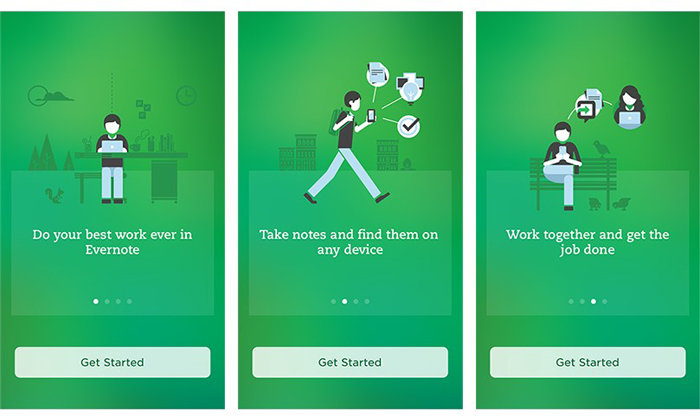
Guiding the users via onboarding on how to use the app and what features it possesses, will help them navigate with ease and they won’t feel lost. They get a fair idea of why they should use the app and most importantly how to use it efficiently.

Once you get this right, you will see how amazing the benefits of onboarding are.

2. Proper utilization of features

How Does Resource Utilization Help To Improve Business Performance?

It is a given that it takes some time for users to get used to your app and figure out their way around it. Sometimes, users are unable to make themselves familiar with certain features on their own, which is a great impediment in our view for your app to increase conversion. Practicing the best onboarding approaches resolves this issue before it has a chance to arise.

3. Increases App Retention

How to increase app retention: 10 strategies | Adjust

Onboarding is highly crucial for making your app an absolute favorite of the users. You ask how it does it? Well, when you provide users with insights into your app and direct them towards effectively using its features and functions, the users are inclined to stay with your app. Hence, it improves the app retention rate by multi-folds.

Mobile App Onboarding Best Practices Checklist [2020 Updated]

Here are the top app user mobile onboarding best practices that will point the scale in your direction.

1. Prioritize Value Proposition

Prioritization by Business value | ScrumDesk, Meaningfully Agile

It is a belief that by displaying all the right cards to the users, you can convert them into active users. Meaning, by showing all the best features of your app you can entice users into using your app. However, it will be more effective if you first highlight the value proposition of your app.

Rather than flaunting your app’s features first, start with explaining what the user will gain by using your app. It will not only encourage them to use your app in the future but also will assure them that the app is useful and serves what it claims.

After this, you can go on with showing the prominent features and functionalities of your app that will assist in completing the tasks the users plan to accomplish.

2. Request Only Mandatory Information

request information - Clip Art Library

It wouldn’t make sense if your app is about, say learning languages, and you are asking questions about their favorite books, would it? In this case, you would need to ask for relevant and most crucial information. A report supports this statement as it shows almost 60% of the users do not install an app or uninstall it later once they feel the app is asking for too much personal information.

Also, make sure not to bombard them with excessive questions. In short, try to make your question’s list as concise and precise as possible. This is one of the most effective onboarding techniques to boost app user engagement.

3. Compact Onboarding Screens

10 Mobile App Onboarding Best Practices For Businesses In 2020

A tediously long and extensive user onboarding process may overwhelm the user to an extent that they might not use your app or end up finding a substitute. You neither should use text-heavy explanations nor add a foray of screens.

What you should do is to employ progressive onboarding approach and use app screenshots and illustrations to convey the message. Also, see the fact that you only introduce a single feature on each screen. In fact, you can use coach marks to help users understand how the app works and how to steer in it.

You can also make this approach more attractive by placing tutorials and gamifying the whole user experience.

4. Concise and Simple Sign-Up Process

How to Make Your Sign Up Process Sing in 8 Steps. | by Ben Luby | Medium

No one likes to spend excess time on the application onboarding process which is also mentioned in the report by The Manifest. So, the more concise your login process, the better.

Providing the options of logging in with other accounts such as Facebook or Google is a major time saver and a popular strategy among the users. It decreases a significant amount of friction in the user onboarding process introduced by the sign-up mandate.

5. Request for Permissions

How to Request Permissions in Android Application? - GeeksforGeeks

Asking for permission is an important part of business ethics, especially when it is about users’ personal data and information. Now, if you have an app that requires a camera or microphone facility, then instead of just taking things into your hand, it should be a mandate to first ask for the consent.

If the user trusts your app or wants to continue using its features, they will agree. Moreover, users are more likely to respond positively to permissions requests if they understand what they will gain by doing so.

6. Promote App Content Preview

What are the Best Ways to Promote an App? | The Branch Blog

Promoting app content preview is also one of the onboarding app best practices to consider in 2020 and beyond. This is because a sign up option can act as a barrier between your app and the user. And therefore, it is always better to give the users access to the features of your app before flatly asking them to sign up.

For instance, if you own an eCommerce app, then let the users go through the products offered on your website, and when they want to make a transaction, they can simply login then. Or, you can enable the login option after the users have discovered your app.

7. Make Use of Empty States

Empty States Design Best Practices | by Cadabra Studio | Medium

Empty states refer to the screens which show when users have not performed any activity or no content has been added yet. You can use these empty states to your advantage by making them encouraging. Instead of leaving a blank space, you can educate, guide, and promote users to take action.

For instance, Instagram displays “No posts yet” instead of just leaving it blank. This way it encourages users to initiate any action and use the app further.

8. Use Visual Hints for Guidance

Instead of hand-holding customers, while helping them explore the app you can employ progressive visual hints. All you have to do is strategically place the hints on the places where you predict users may get stuck while browsing the app. This way, you not only avoid tedious and monotonous instructions but save the time of users in reading them, which can rather be spent on using the app.

9. Preach Personalization

The Path to Personalization | O3 World

Why wait to show your personalization to customers in your app’s features, when you can give them a taste of it in the onboarding process only. Many popular apps personalize the content of their app based on individual preference in the starting.

Let’s take Spotify for instance. No wonder it is huge among the users as

it provides them with choices based on language, genre, artists, etc. to start personalizing the content referred to them since the start.

10. Take advantage of Success States

Remove "You Won Congratulations" Pop-ups (Virus Removal Guide)

Just like the Empty States, Success States prove to be a great leverage for engaging the user on your app. They create a positive impression of your app in the users’ minds. These states refer to the screens or popups that show appreciation after a task is performed.

For example, pop-ups including emoticons or animations congratulating the users once they achieve something in the app or complete an action for the first time.

11. Test before Final Implementation

8 Usability Testing Methods That Work (Types + Examples)

Anything is the sum of its whole. Your app will be considered remarkable when it is perfect overall. How different elements seem together once integrated is what makes an app great and appealing. In which case, it is crucial to test and measure the user onboarding flow for your mobile app on different screens and monitors to make sure the transition to each screen is seamless and smooth.

12. Include A Balanced Mix Of Multiple Channels

Using several channels to enhance the effectiveness of your onboarding procedure is an ideal way to encourage users to come back to your app, especially in the case of Retail apps. You can use channels like emails, push notifications, and in-app messages to remind the users of any incomplete action on the app like an unattended cart or simply send gentle reminders.

13. Monitor and Track (liquid state)

Keeping tabs on app usage and analytics is an incredible way to determine where users are facing problems in the onboarding flow and app.

Tracking these problems will provide you insights on where you need to improve in order to provide a smooth app onboarding experience. One should not ignore it as it is one of the prominent deciding factors whether your app is preferred by the users or not.

14. Provide CTA

Once your onboarding is about to complete, it is recommended to incorporate a CTA at the end. It provides a natural step for users to take the next step. A contextual and well-designed CTA would ensure the involvement of the users in the app.

15. Offer the choice to Skip

Skip, skip button, skip icon, skip symbol icon - Download on Iconfinder

Providing different and alternate choices is what users around the world appreciate the most. Some users might like to skip the whole app onboarding process for some reason, so giving them this choice will instantly improve your app’s reputation and they might continue to use it in the future.

Live Examples of App Onboarding Done Right

1. Slack

Mac | Downloads | Slack

Slack is an app designed specifically to facilitate communication between teams of small and large enterprises alike. It displays its features right when users open the app. Slack practices value-oriented onboarding which can be seen in the four walkthrough screens. It allows users to see how they can establish communication and share data among teams via the app.

2. Reddit

Reddit is experiencing another outage: Here's what we know - SlashGear

Reddit is one of the most famous QnA apps ever. Its onboarding process is exemplary –  the reason why the app is here in our list.

It provides the “Skip for now” option which allows users to skip the process of account creation and login, immediately allowing them to explore the app and have an amazing user experience.

Moreover, Reddit also performs another one of the onboarding process best practices, which is asking for permission for sending notifications.

3. Calm

Calm - Meditate, Sleep, Relax - Apps on Google Play

Calm is a popular meditation app helping users around the world with problems such as stress, irregular sleeping patterns, anxiety and more. The first onboarding screen in the app familiarizes users with its features and value-proposition such as sleep stories, breathing programs, guided meditation and so on.

Then it smoothly takes the user to another screen which allows them to set goals, for instance, choosing the top areas of improving, developing, building, learning, etc. It is after two screens that it asks users to signup via different platforms and asks for permission.

Higher conversion and retention rates of your app are certain once you hone these best app onboarding practices for 2020 and successfully implement them in your app. By imbibing incredible features along with the onboarding flow into the app, you double the chances of your app’s popularity.

error: Content is protected !!