Open-Source API Management Platforms for Your Tech Stack

API Management – Manage APIs | Microsoft Azure

Open source APIs have become omnipresent in the world of software and mobile app development.

Right from private solutions to public-facing services apps and partner integrations, it is present everywhere.

They are helping developers in creating apps that caters to diverse set of customer needs. They are transforming the architectural patterns with much sophisticated approach of mobile application development.

Because of this prominent presence, everyone is looking to tune to the best API development guides and use the insights to provide an ultra-advanced and seamless experience to their target audience.

But, is it that simple?

Well, if you thought creating an API is difficult, managing one is worse. What makes it easier though, is using open-source API management platforms.

Let us look into the list of top API management tools and platforms.

15 Open-Source API Management Platforms to Consider in 2020 (& Beyond)

1. Open source API Umbrella

Using API Analytics to Empower the Platform | Nordic APIs |

API Umbrella is one of the top open-source tools considered for managing APIs and microservices. It enables multiple organizations to operate under the same umbrella by empowering varying admin permissions for different domains.

The platform also provides facilities like Rate limiting, API keys, caching, real-time analytics, and availability of an admin web interface.

2. Gravitee.io

GitHub - gravitee-io/gravitee-gateway: Gravitee.io - API Management - OpenSource API Gateway

Gravitee.io is an open-source platform for managing APIs that is flexible and light-weight in nature. It avails out-of-the-box features such as Rate limiting, IP filtering, Cross-origin resource sharing, plug-and-play options, developer portal with OAuth2 and JSON web tokens policies, load balancing, and more.

However, the keynote feature of this API management tool is its ability to build fine-grained reports to comprehend the usage data of your APIs.

3. APIman.io
Review of Red Hat's Apiman Open Source API Management | Nordic APIs |

Introduced by Red Hat, APIman.io is one of the top API management platforms to consider while choosing the best technology stack for your app.

The platform, easily available in the GitHub repository, gives ample opportunities to developers in the backend development phase. This includes:-

  • Quick Runtimes,
  • Policy-based governance with a detachable policy engine,
  • Asynchronous capability,
  • Enhanced billing and analytics options,
  • Availability of a REST API for management,
  • Rate limiting, and much more.

4. WSO2 API Manager

Custom Throttling Policies with WSO2 API Manager | by Sumudu Sahan Weerasuriya | Medium

WSO2 API Manager is a full lifecycle API management platform that can run anywhere and anytime. It enables developers to enjoy the possibility of API distribution and deployment on both on-premise and private clouds.

Apart from this, it brings various other opportunities on board. A few of which are:-

  • Higher Customization,
  • Ease of governing policies,
  • Possibility of Designing and Prototyping for SOAP or RESTful APIs,
  • Better access control and monetization facilities, etc.

5. Kong Enterprise

Welcome Kong Inc. | Introducing Kong Enterprise Edition

Kong is a widely-adopted open-source microservice API tool that enables developers to manage everything quickly, easily, and securely. Its Enterprise Edition comes loaded with features and functionalities, such as:-

  • Availability of open-source plugins,
  • Ease of One-Click operations,
  • Common Language Infrastructure Capability,
  • Great Visualization for Monitoring,
  • Regular software Health Checks,
  • Introspection of OAuth2.0, and
  • Wider Community Support.

6. Tyk.io

Written in the Go programming language, Tyk.io is also a recognized open source API gateway to watch out for in 2020.

Tyk in 2021 - Reviews, Features, Pricing, Comparison - PAT RESEARCH: B2B Reviews, Buying Guides & Best Practices

It comes with a developer portal, detailed documentation, a dashboard for API analytics, rate-limiting for APIs, authentication, and various other such specifications that helps organizations focus on microservices environments and containerization.

However, its commercial-based services are available for paid versions only.

7. Fusio

Fusio Project, Awesome 3 in 1 Open Source API Management Platform - PHP Magazine Network

Fusio is another open source API management tool that lets developers create and maintain REST APIs from different data types. It comes with efficient lifecycle management features like backend dashboard for admin control, detailed documentation, JSON validation for incoming requests, and scope handling to meet user permissions.

What’s more, this APIM platform automatically generate OAI and RAML requirements and create a customized client SDK as per the defined schema.

8. Apigility

Apigility - Reviews, Pros & Cons | Companies using Apigility

Designed and maintained by Zend framework, Apigility is the next open-source framework to consider for API management.

The platform encourages established mobile app development companies to create and exhibit JSON representations for their codes. It also provides them with different versioning options, along with an ease of authentication with OAuth2 and documentation to embrace the API Blueprint.

9. SwaggerHub

Considered by 40+ organizations for managing APIs, SwaggerHub is also one of the best open-source API management tools to rely on.

The platform renders a wide range of options to the designers and developers in the backend development domain. It provides them a robust and intuitive editor that delivers higher efficiency and speed while preserving design consistency.
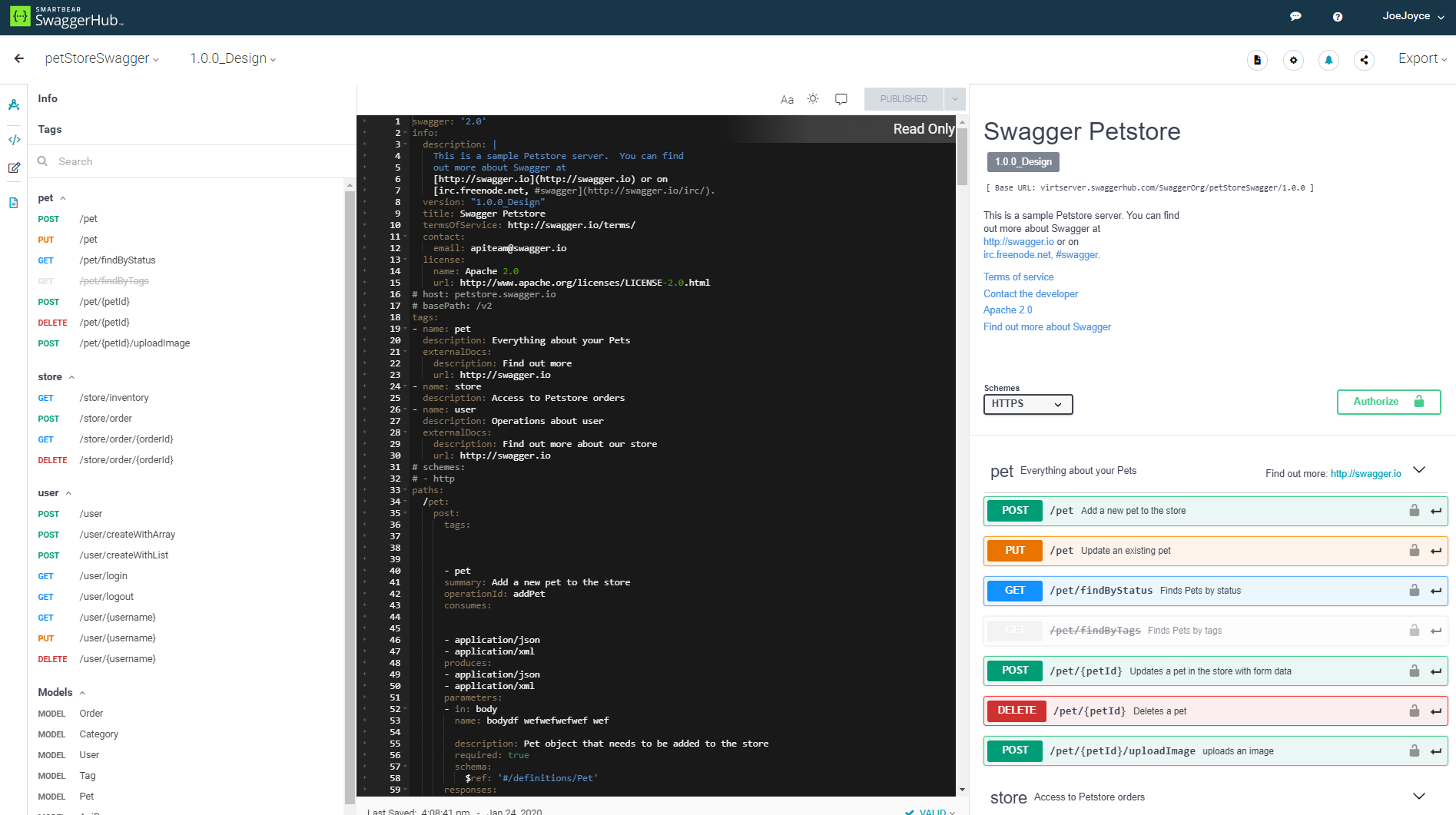
SwaggerHub | API Design and Documentation with OpenAPI

Also, it avails the opportunity of smart error feedback, syntax autocompletion, and availability of multiple style validators.

10. API Axle

Top 15 Open-Source API Management Tools | Appinventiv

Backed by Exicon, API Axle is another open-source, simple and lightweight proxy that provides development agencies with ample benefits like:-

  • Real-time analytics
  • Robust Authentication,
  • Logging of API traffic for statistics and reporting,
  • Ease of creating and managing API keys, and
  • Support for REST API design and use of Go, PHP, and Node.js libraries.

11. IBM Bluemix API

IBM Bluemix Overview

This API management tool enables developers to use more than 200 software and middleware patterns to build portable and compatible apps for the hybrid cloud. It also offers various pre-built services and a robust mechanism for regulating API access, governing multiple API versions, maintaining rate limits, and keeping a track of performance metrics and analytics of every API involved.

12. Repose

Repose

Repose is yet open-source RESTful middleware platform that plays a pivotal role in the changing anatomy of API market. The platform provides organizations with various API processing facilities, including authentication, API validation, rate limiting, and HTTP Request logging.

This API management platform works with an aim to provide downstream services for trusting incoming requests when well-formed and validated. And, it is highly extensible and scalable in nature, which means developers can easily employ it as per the growing demands and requirements.

13. SnapLogic Enterprise Integration Cloud

Integration Cloud Service, Integration Requirements - SnapLogic

SnapLogic is an impressive Integration Platform as a Service (iPaaS) tool that helps organizations in acquiring, sustaining, and growing their customer base. The characteristics that make this possible are:-

  • It is fast, multi-point, and come with the option to flexibly address both batch-oriented and real-time app data integration needs.
  • It has a scalable architecture that operates like web servers, but also provide an option to embrace versatility.
  • It also comes with innovative data flow solutions that encourage organizations to add reputed SaaS applications like SugarCRM and Salesforce into their traditional processes.

14. DreamFactory

DreamFactory 4.4 Released - API Blog: Everything You Need to Know

DreamFactory API Management platform is also one of the best free and open-source tools to consider for your next project. And the set of reasons behind its popularity are:-

  • It gives developers an escape from hand-coding APIs for mobile app development. It enables them to integrate any SQL/NoSQL database, external HTTP/SOAP service, or file storage system into DreamFactory environment, and get a comprehensive, flexible, fully documented, and ready-to-use REST API automatically.
  • The platform also provides a detailed REST API for SQL databases, in addition to access to API parameters for pagination, complex filters, virtual foreign keys, related table joins, and more.
  • Another distinct feature of DreamFactory API Management platform is that it instantly converts the JSON request into SOAP, and vice versa.
  • Also, this platform avails highly secure experience in the form of ease of User Management, SSO Authentication, CORS, JSON Web Tokens, SAML integration, Role-Based Access Control on API endpoints, OAuth, and LDAP.

15. 3Scale

3scale

Last but not least, 3Scale is a notable addition to this list of API management tools.

Owned by Red Hat, the API management tool lets both small and large enterprises securely manage their APIs effortlessly with features, such as:-

  • It employs a distributed cloud layer that centralizes the API program’s control. That makes it easier to keep control of analytics, accessibility, developer workflows, monetization, etc.
  • Since it hosts on a distributed cloud-hosted layer, it is highly flexible and scalable to use.
  • The OpenShift Integration feature of 3Scale API enables you to run high-performance apps in an automated and contained manner.
  • This full lifecycle API management platform empowers developers to plan, design, apply, publish, manage, analyze, optimize, and retire your APIs anytime to deliver an exceptional experience.
  • It comes with the power to share your organization data, services, and content through the web or mobile applications easily.
  • Above all, the 3scale API management platform provides you an opportunity to instill a wide range of encryption, authentication, and authorization protocols into the development environment. This empowers backend software development services to deliver a highly-secure mobile app experience fit for their target user base.

All the API management tools shared above are open-sourced and are poised to be a beneficial addition to the tech stack. But, to ensure that you choose the best fit for your business app needs, we will be covering a few tips on selecting an API management tool next.

How to Pick the Right Open-Source API Management Platform?
Top 10 API management tools. In this article, we review the features… | by Young App Platform | Young App Platform | Medium

1. Features

When it comes to finding an answer to ‘how do you choose the best API management (APIM) solution’, the foremost factor to consider is the features of API management platforms.

Every open-source API management tool have their specific requirements and implementation limitations. So, performing an API management platform comparison in terms of your technical and non-technical requirements can be really helpful.

2. Deployment Complexity

When it comes to deployment, some gateways require a single node while others run on multiple types of nodes for setting up a database. Besides, some gateways operate with many databases, which can be a complicated thing to manage.

So, focusing upon the deployment complexity can also help you with finding the right API management tool.

3. On-Premise vs Cloud hosted

On-Premise tools, as depicted from the name, are located within the physical premises of a company. One can add more time to the deployment and maintenance process.

But, in the case of Cloud-hosted, the API management tools are located at a virtual location and its services are made available via Cloud computing. They can introduce more latency due to the extra hop and even lower down the availability of your service when the vendor goes down.

So, analyzing the pros and cons of both the options to determine which open-source API management tool to embrace can also a profitable idea.

4. Community Support

Last but not least, having an idea of the type of community support each open-source API management tool is having also helps in choosing the right one. The larger and active a community is, the higher are the chances of receiving updates and solutions to your queries; ultimately resulting in a better experience.

With this, we have gone through the list of 15 best Open-source API management platforms and the approach to find the best one. The next step is to actually put this information into practical solutions, aka, employ an open-source API management tool into your mobile project. Which in turn, means bringing the best backend developers on board.

Mobile Apps That Tech Investors Will Fund in 2020

Sensitive Data and Mobile Apps: Practices that Potentially Exploit User Data

Knowing what investors are looking for in mobile apps is a game of utter unsurity.

The investment/funding rounds most often than not come in waves.

2017 was the year of Blockchain. Investors were swooping in to grab a piece of the decentralized pie.

2018 was all about mobile app startup funding of ubernized business models. Businesses like eScooters and P2P travel accommodation booking  came on the forefront during this time.

2019, surprisingly was all about Fintech. Investors from all across the world and different interest groups were funding projects making Fintech sector reach the developing and underdeveloped nations. They also showed a special interest in projects that would combine the domain with disruptive technologies like Blockchain and AI, etc. This, in turn, helped set up the grounds for app investment trends 2020.

At Anteelo, we are known to help our clients get funding on their project idea and finished applications. It’s an event that results from our knowledge of the steps of how to get an investment for an app and knowing what types of apps investors invest in.

We have shared the first part of the knowledge in this article –  steps to raise money for your mobile app startup. In there, we had touched base upon a number of things: How much mobile apps fund do you actually need, the types of investors for mobile app startup, Things investors look for in an app, and how to get investors for your app. In our another article on the ‘Alternate Funding Models’ we have also looked into the different models that businesses can look into if the traditional routes don’t work.

In this article, we will get you acquainted with what mobile apps investors will be looking for in 2020.

*Disclaimer: This article has been the result of our observations. The ultimate probability of businesses getting funding for app startup will depend on what individual investors are looking for and how well businesses are able to promote their value offering.

App Types Investors Will be Focusing on in 2020

A. On-Demand or Educational Cannabis Apps

Uber for Weed Delivery App Development | On-Demand Cannabis Delivery App

Cannabis is getting legalized across the world like wildfire. Entrepreneurs are looking ahead to different tips to make their cannabis business successful. And with this, the inclusion of technology in the sector for making it worldwide. A massive tech driven demand for the industry is coming in from the mobile domain. In fact, the cannabis sector has become a prominent part of the on demand app investment trends 2020.

Businesses, from all across the globe, are finding ways to make cannabis accessible to users from their smartphones, whether it’s through cannabis delivery applications or apps educating people of how and to what extent should they use cannabis.

Zak Garcia, the chief marketing officer at CBD Capital Group says “with hemp-derived CBD products legal in all 50 states, the market is growing at 132%”. According to the Brightfield Group report as well, the total cannabis market is projected to reach $22 billion by 2022.

B. Real Estate Apps Blended with AR/VR or Blockchain

How AR & VR Mobile App Development is Affecting Real Estate in 2021

With the interest rates across the globe being on a historic low, it is very difficult for mobile app investors to not like real estate sector.

Being an industry that affects the majority and is ripe for technological advancements, real estate is poised to get a lot of investor attention in the coming time. The attention defining the real estate app investment trends 2020 will majorly be seen around products that make real estate accessible to the world and bring transparency in the domain.

This in turn, translates into how important it is for entrepreneurs who already have a solution to get in touch with their real estate mobile app development company and get their mobile apps features updated, maybe even get it incorporated with new technologies like Blockchain. In fact, if you do end up taking the decentralization route, you’ll be able to avail the benefits of blockchain app investment trends 2020 as well.

C. Innovative Fintech Solutions Merged with AI 

Which Indian Startups Making The Best Use Of AI In Fintech Solutions?

Louise Samet, Partner at Blossom Capital, Stockholm, Sweden says, “I’m excited about the global opportunity in B2B fintech. For quite a while now, there’s been a lot of focus on consumer fintech products, while there’s still a huge opportunity in B2B payments, banking and insurance. Companies like Pleo and Tink are growing extremely fast and others are following.”

Like Real estate, Fintech is another mobile app market that holds the potential to disrupt the masses. An application that uses a combination of different technologies like Blockchain’s decentralization and Artificial Intelligence with the domain, is poised to be an instant hit with the mobile apps investor in 2020.

The app investment trends 2020 will not just see a greater rise in P2P payment app development but also ones that help millennials more financially sound and secure, such as stock market apps like Robinhood app or AI-powered budgeting app like Cleo.

D. ERP Solutions Backed by Big Data

How beneficial is the integration Of Big Data And ERP For Manufacturing

Investors have a special place for infrastructure solutions that help startups and enterprises grow. An example of this can be seen in Slack, Intercom, or Skype for businesses. This year as well, they will be focusing on products that help businesses deliver better solutions or simply better streamline their processes.

In this vein, we can see investments happening in business automation systems helping brands across industries – Finance, Manufacturing, Healthcare, etc.

Sarah Smith, the Investing Partner at Bain Capital Ventures, says “I believe the way leaders, managers, teams, and all employees interact and work is changing quite rapidly, but it is not yet clear if one super-app will stitch together everything a remote team needs or if we’ll deploy even more apps than before. More importantly, I’m keen to find tools that create the trust, empathy and companionship that inherently comes with in-person interactions which are mostly lost in a fully remote working world.”

E. mHealth Apps Incorporated with Machine Learning or Blockchain 

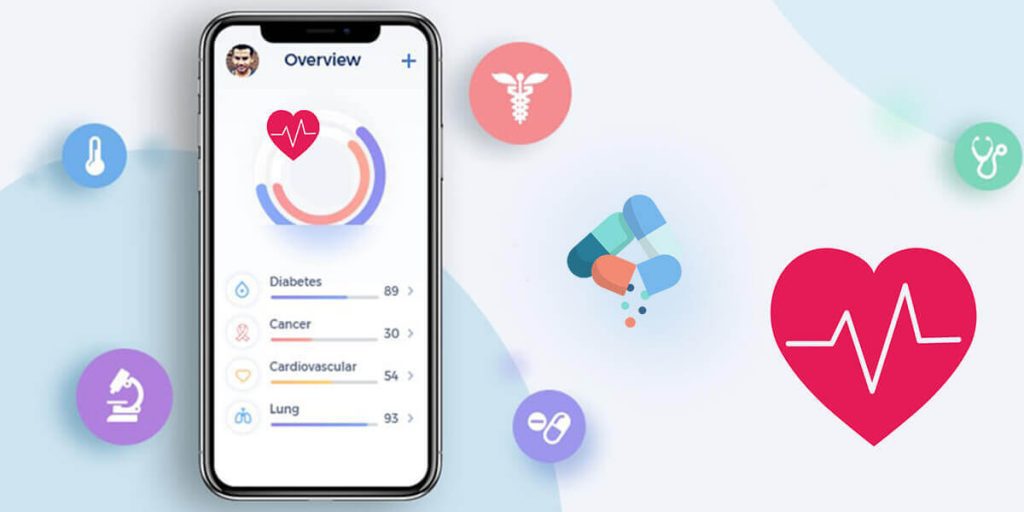
How mHealth Apps Are Changing the Face of the Healthcare Industry | Socialnomics

The fact that the healthcare domain is still mainly practiced with humans, even after going through the stages of healthcare evolution, being the sole innovation agents, offers a massive opportunity for incorporation of custom healthcare software development driven by technologies. The combination of Artificial Intelligence in Healthcare and Healthcare and Blockchain hold the potential to evolve the entire health and care ecosystem.

The health app investment trends 2020 are bound to see investors inclining towards app solutions that makes healthcare cost efficient and real time accessible to the masses. On this front, they will also be showing interest in insurance applications which would help people in need in real time through the scope of micro lending.

Geographical Markets That Will Statistically Get Investors’ Attention

ESG Investing: Practices, Progress and Challenges

The global mobile app investment landscape will be fundamentally altered by the impact of changing trade regimen and digital disruption. In order to remain competitive in the market, businesses will have to work in close alliance with policy makers to adapt and then respond to the changing economic globalization.

One such shift can be seen in the United Kingdom because of the Brexit. The country is seeing its top position getting challenged by several other countries and projects to Germany.

The app investments trends 2020 can be seen betting on the growth potential of India, with the country’s economy coming on track to overtake China as the most populous country by 2027, according to the United Nations.

Also, Vietnam, which is one of Asia’s fastest-growing economies, is becoming a profitable haven for U.S. multinationals looking to safeguard themselves in the US-China tariff issues.

“There’s huge growth potential in Asia,” says Rich Sega, the global chief investment strategist at asset manager Conning. “The geopolitical stress in Hong Kong has opened up opportunities for other areas in the region for Vietnam, Thailand and Singapore.”

Ultimately, investors will be looking for mobile apps solutions that make technology mainstream, taking it to domains and nations which have been operating sans them. Moreover, they will be expanding their focus from leading nations like Australia and the USA to emerging markets, which show a potential of immense economic growth.

Now that you have got a starting point for 2020, it is time to take the journey and come in the conscious mind of investors looking for investing in an app startup.

AI in Web Development: Python’s the best

May it be an MNC or a new startup, Python has a lot of benefits to offer everybody. It is the most renowned and efficient high-level programming language which has got largely famous in the past few years. It’s growing fame has enabled it to come out of the web development sphere and dive into some of the most popular and multifaceted processes like Artificial Intelligence, Data Science, Machine Learning, etc.

With its steady rise in fame, the demand for Artificial Intelligence is at a boom as it has become an integral part of various industries like Health Care, Education, Banking, Food & Beverage Industry, E-commerce, Agriculture, Marketing, Automation, etc.

Python Is Best Fit For Artificial Intelligence in Web Development

There is no denying the fact that python plays a very significant part in the sky-rocketing of AI in the market. There are numerous reasons to opt Python for Artificial Intelligence in Web Development a few of which are listed below.

1. Simple and Consistent

CONSISTENT Text, Written On Black Simple Circle Rubber Vintage.. Stock Photo, Picture And Royalty Free Image. Image 90321332.

Python is well-known for its brief and easily readable code and is totally unparalleled when it comes to the ease of use, especially for budding developers. While Artificial Intelligence is based on complex algorithms and vivid workflows, Python allows developers to create dependable systems. Due to this simplicity provided by Python, the developers get to focus primarily on solving AI problems rather than wasting their time on tech-nuance of the programming languages.

Also, Python is the first choice of many developers as it is very easy to learn. The code written in Python is easily comprehensible by humans, which makes working with it very swift. Python is also more intuitive than other programming languages and is very beneficial when multiple programmers collaborate on the same code. The simplicity of the Python syntax allows quick development along with very prompt testing (without having a need for implementation). Python uses approximately a fifth if the code that might be needed to do the same task in any other language based on OOPS.  The ease of code and the simplicity involved in it makes easier for a developer to work on it thereby also reducing the time to complete a job.

2. An extensive selection of libraries and frameworks.

Framework7 - Full Featured Framework For Building iOS, Android & Desktop Apps

A major facet that makes Python a leading choice for Artificial Intelligence in Web Development is the richness of its libraries and frameworks that makes coding easier and saves a lot of effort and time. Python has numerous libraries specifically built for Artificial Intelligence like NumPy, Pytorch, TensorFlow, Theano, Keras, Scikit-learn, Pandas and the list is endless.  Therefore, whenever you have to run an algorithm, all you need to do is to install and load one of these libraries (as per your requirement) with a single command and your work is done in a snap. These solutions help you to develop your product faster and better. With these libraries and frameworks, you need not start from scratch every time and can just use one of these and implement the required features.

TensorFlow, Scikit-learn, Keras Machine Learning
SciPy Advanced Computing
NumPy Data Analysis & Scientific Computing
Pandas Data Analysis
Seaborn Data visualization
PyTorch Natural Language Processing
Theano Evaluating Mathematical Expressions

3. Platform Independence


The Platform Independence of Python is one of the major reasons for it being on the high tide. Platform Independence implies that a python program can be made or executed on any framework or platform and afterward can without much of a stretch be utilized on the other. Python is compatible with many major platforms like Windows, Linux, macOS, etc. It can very well be utilized to make independent applications on a vast majority of the platforms, which implies that these applications or software can be effectively appropriated and utilized on different frameworks without having a requirement for a Python translator. There exist libraries like PyInstaller to help developers prepare their codes to run on various platforms. Yet again, this makes the process convenient and simple by saving time, money and effort required to run and test a single program on multiple platforms.

4. Abundance of Support

According to a survey conducted by StackOverflow in 2018, Python was one of the top 10 most popular languages. Also, according to ecomnist.com, Python is Googled more than any other programming language.

This ultimately means that with such a large community of Python Enthusiasts all over the world, there is great community support so you are likely to find answers to all your problems over the internet. It boasts a large number of active users who are more than happy to help the ones learning or stuck in the development life cycle.

5. Flexibility

Being a dynamically typed language gives python a great advantage of being immensely flexible. That being said, there are no rigid rules as to how a feature must be built. It also offers flexibility to choose between the OOPS approach or the scripting approach making it suitable for every purpose altogether. Also, it the most appropriate choice for combining various data structures and also supports as a great background language. It also offers immense flexibility when it comes to solving problems, which is a huge add-on for both beginners as well as professionals.

6. Minimal Coding Requirement

There are numerous calculations associated with AI (Artificial Intelligence). The simplicity of testing offered by Python makes it one of the most straightforward programming language among contenders. Python can execute a similar rationale with just 20% of the code in contrast to the other programming languages which are based on OOPS.

7. Popularity

Due to its ease of use and vast versatility, Python has emerged as the most preferred programming language among developers. The ease of learning and the developer-friendliness of the language has attracted developers to opt for it for their projects. Undoubtedly, Artificial Intelligence-based projects do require veteran developers, but the simplicity of python eases the process of learning it for new developers.

8. Superior Visualization

Python gives an assortment of libraries and a couple of them are exceptionally amazing choices for visualization. For the Al engineers, it is imperative to emphasize that in the Al, ML, and deep learning it is crucial to have the option to present to the information in an intelligible configuration that can be easily read by humans. Libraries like Matplotlib lets the data scientists assemble histograms, graphs, and plots for better information perception, representation, and viable demonstration. Besides, the different APIs disentangle the visualization procedure and this makes it simpler to make clear reports.

9. Compatibility

Python web development gives the designer the adaptability to offer an API from the current programming language, which, in reality, is amazingly adaptable for new Python developers. With just a few nominal changes in the source codes, you can make your assignment or application work in various OSs. This spares developers a great deal of time to test distinctive working frameworks and move source codes. Along these lines, in the event that you need your AI task to be the best, you should the best web app development company that has experience with AI-based undertakings with Python.

Summary

Artificial Intelligence is emerging as the need of the hour and has been showing a thoughtful effect on the society we live in. Developers are opting for Python as their language of choice for the numerous benefits that it provides particularly for Artificial Intelligence and Machine Learning.  Python’s specific libraries for AI increases developers’ efficiency and cuts short in the time required for the development. The simplicity of Python promotes fast testing as well as execution thereby making the language accessible for beginners as well as non-programmers. With all this being stated, there is definitely no reason left as to why one might not consider Python as the best fit for Artificial Intelligence in Web Development.

Design Systems- What and Why Do We Need It?

What is a Design System and Why You Need One?

Have you been struggling lately with your design-development workflow? Are you experiencing the handoff problem resulting in poor product decisions? Looking for ways to significantly improve it? Well, you need a Design Systems. It will help you work better, faster and improve your team collaboration. But what really is a Design System?

Well, a Design System is a fairly new idea in the digital transformation landscape. But one that has stirred up a lot of emotions and interest lately.

Known by many names such as Atomic Design Methodology, Component Design, and Design Language, the idea behind a design system is creating a series of design components that can be reused by you and your team.

Airbnb and Uber have fundamentally changed how digital products are designed by implementing their own unique design systems. By using a series of repeatable components and a set of standards that facilitate the use of these components, these companies were able to drastically change the pace of innovation and production within their teams.

What are Design Systems? 

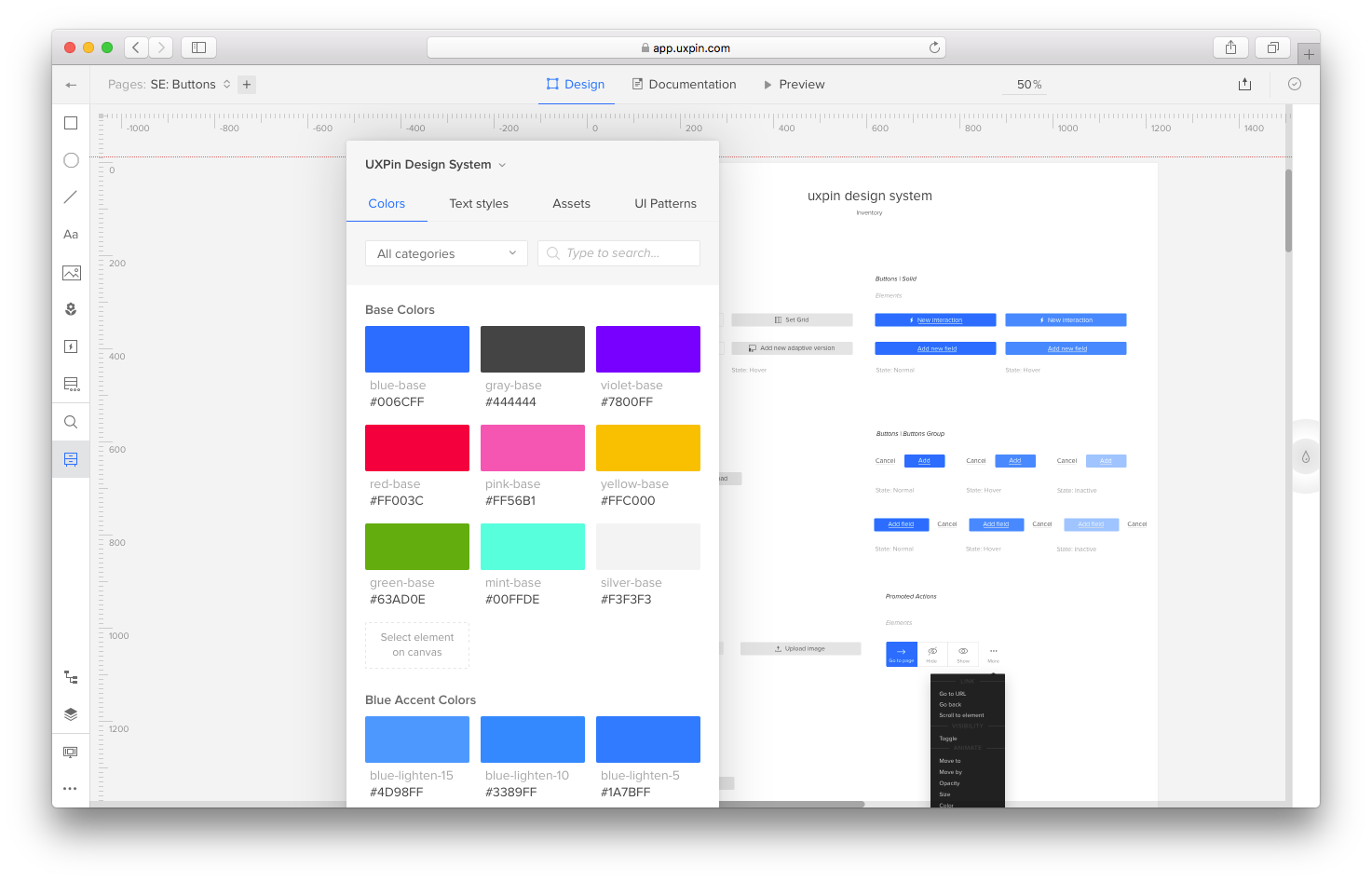
7 Tools for Building Your Design System in 2021 | by Jonathan Saring | Bits and Pieces

When too many people work on the same project and face the same challenges in a design team, each person finding a unique way to solve the problem can result in an incoherent experience for the user when they use the product. The fundamentals of a Design Systems is to manage design at scale.

The definition of a Design System is a series of elements that can be combined and reused on a product by the whole team. It includes colors, designs, components and character styles. These series of components can be reused in different combinations.

Product Design has always been about consistency and predictability. With a unified Design System, you can build products better, faster and it results in a cohesive experience for the user.

A Design System helps companies render exceptional UX and strengthen their brand.

The Handoff Problem:

Previously, Designers and Developers faced a lot of problems. Due to iterations, requirement changes and siloed nature of design and development, handoff posed a lot of challenges. More often than not, it resulted in developers being blocked by designers and poor product decisions.

By focusing on commonly used components, there has been greater collaboration between designers and developers and previously siloed teams are now working off the same mental model. Seeing already existing design system components eliminates a great deal of duplicated effort.

The component-based design model is a great step. It has significantly reduced the need for handoff.

Design System is a consistent approach to product development, one that encompasses guidelines, principles, philosophies, and code. A design system is a perfect tool for scaling the design practice, eliminating the need for hand-off and facilitating greater collaboration.

Difference Between a Design System, Pattern Library and Style Guide 

STYLE GUIDE, PATTERN LIBRARY AND DESIGN SYSTEM IN UI DESIGN | by Nmadim | Medium

Design Systems are a comprehensive guide on how to design a product. It is not just the classification of components but a whole process. It is a collection of rules, principles and best practices. The main element of a Design System is a library of UI components.

More often than not, a Design System is interchangeably used with a Style Guide or a Component Library. However, these are sub-components of a Design System.

A Design System is far more complex than simple style guides. It includes everything from colors to documentation. What a Design System really does is, it defines a common visual language for the product teams.

It speeds up the design process. A System Design bridges the gap between the teams involved in building a final product with consistent graphics standards, making it super easy to create websites from components. It is like a rulebook for the design and development teams and can be broken down into:

Design System – The entire set of design standards along with principles, patterns, and components on how to achieve them.

Pattern Library- A sub-component of Design System, a pattern library is a repository of reusable components and user interface design elements. Essentially, a  pattern library is a collection of design elements that surface multiple times on a site.

Style Guide-  Another sub-component of the Design System, a Style Guide emphasizes the visual presentation and determines how products should look. It includes colours, fonts, brand attributes and logos.

Why should you use a Design System?

There are many benefits of this System. It helps the entire company deliver better and more consistent design solutions efficiently. A Design System eases out the process of designing delightful experiences for end-users.

1.  Facilitates Consistency-

Why Insisting on Consistency Is Important for Every Business | by Dana Covit | Lingo Blog

Building a System begins with classifying all the visual components within a product. This helps in highlighting the biggest inconsistencies within the product and helps the team decide the product’s relevant and most commonly used elements and components. Consistency in Design is the most crucial Design Principle.

2.  Better communication-

The Dos and Don'ts of Effective Communication – Viva Books

For the team involved in product development, Design Systems are often referred to as the single source of truth. It helps the team to plan, develop and maintain product quality.

Single source of truth (SSOT) is a concept that organizations apply as part of their information architecture to ensure that everyone uses the same data when making business decisions.

Since it is a single source of truth, this implies it also includes the vocabulary that may be used in the project. Gone are the days when a developer referred to a button as the red colored one. This leads to better discussions between the developers and designers and allows them to talk in the same naming convention.

3.  Clarity to Developers-

What Are Top Skills You Expect From A Mobile Developer Today? DevOps, Cross-Platform, And Test? - SysBunny

With a design system in place, developers have a clear vision of how to build the required components while maintaining the unified styles.

4.  Iterate Faster- 

Can you go too fast? — D/UX

By implementing a Design System, teams can iterate a lot faster. You can release new designs with lesser resources in small chunks and with shorter feedback loops. It helps you stay organized and up to date with all the design changes your team makes.

5.  Leveraging Each Other’s work

How To Leverage Other People's Hard Work To Grow Your Business | Complete Controller

Since Design Systems can be shared across multiple teams, efficiencies can be extended across teams and products. It has become easy to leverage other people’s work, use each other’s innovation without reinventing the wheel.

Operating at scale and improving efficiency and consistency are the main advantages of using and maintaining a Design System. Since you are reusing components in a Design System, the time and effort spent on building one really pays off in the long run. Your design and development team can just tweak the existing products, enhance the experience or focus on building other products.

Examples of Design System 

The Minimum Viable Design System. Over the past couple of weeks I had the… | by Marcin Treder | Medium

With a staggering rise in the number of devices, environments, and browsers, there is an ever-increasing need to develop thoughtful interface design systems.

Design Systems are an industry standard. Not only do they provide the best team collaboration and keep your project organized, it also provides design guidance which is especially important in larger design teams. In recent years, leading tech firms have shared their design concepts and conventions, and here’s a list of the best design systems:

1.  Material Design

Material Design System is widely known for its simplicity of navigation. It is a design language developed by Google in 2014 to create consistency across all Android design and devices and is widely adopted by Android and Web App developers.

2.  Atlassian

Atlassian Design System is quite exhaustive and is widely used to create straightforward and beautiful experiences.

3.  Polaris

Polaris from Shopify is widely popular for simplifying the designer-developer workflow.

4.  Carbon

Carbon Design System is IBM’s open-source design system for products and experiences, with the IBM design language as its foundation.

5.  Human Interface Guidelines

Human Interface Guidelines is a Design System prepared by Apple for all their platforms which provides in-depth UI resources and practical information.

6.  Grommet

Created by Hewlett- Packard, Grommet is a design system that can help you embrace atomic design methods and build a library that meets your needs.

7.  Mailchimp

Mailchimp’s design system is all about bold and creative designs with a focus to provide a consistent structure to the design language.

8.  Digital Telepathy

Digital Telepathy is a Digital Design agency. Over the years they have refined a results-driven design methodology to iteratively improve the experience of customers.

9.  Sushi

Since the initial design system was not scalable, Zomato recently came up with a new design system called Sushi. It provides a new and enhanced experience to its users with the Zomato app.

How can Design System benefit designers? 

Now that you know what is a design system in UX and UX review, and the many benefits of having one, a design system benefits designers and simplifies the tasks for them. As a leading mobile app design company, we noticed that for Designers it has become easy to break down the UI into small parts rather than consider the whole webpage as one entity. You can think of a particular page as a set of components and quickly find and use the right component, pattern or style option( color, icons, fonts, etc.) from the Design System.

Conclusion

Instead of re-thinking the foundation of each new experience for your products, a Design System keeps designers, developers, product managers as well as multiple stakeholders aligned with the design vision of the company and allows the team to easily focus on pixel-perfect development.

How Do I Get My App Into The Google Play Store?

Google Play Store Gets New Interface: Did You Notice the Subtle Changes to Google Play UI?

No one can doubt the popularity and dominance of the Google Play Store in the domain of mobile applications and software.

The domain gets all the more solidified by the Play Store statistics that there are approximately 2.8 million apps on Play Store and that almost 3739 apps get released on it daily.

Numbers like these solidify how Play Store is an excellent option to upload your application on.

Now, if you are wondering “How to submit an app to Google Play Store” then end your quest here. We have covered end-to-end all about the process to upload an app to Google Play Store.

To put it out there, there are certain things that need to be done before the actual process of app submission begins. This is what we are going to attend to before answering the question of “How to get an app on the play store”, we will look at the pre-steps to publishing an application.

Without any further ado, let’s dive in.

Prerequisite of Submitting App To Play Store

Since this is your first time submitting your application to a gigantic platform, there are certain prerequisites that you must take care of in order to successfully upload an app to Google Play Store. So, without any further ado, let’s get started.

1. Test Your Application

Unit Tests & Data Coverage for Machine Learning Models - Data Analytics

It is needless to mention how crucial testing your application is. No matter how many incredible features you have packed into your app, if it does not perform upto the expectations of the user, it will be ditched like a hot potato. In which case, it is imperative for you to painstakingly test your app as many times as possible and be 100 percent certain that it is going to perform remarkably, before you look ahead to upload apps on Play store.

You can always use emulators for this purpose, however, using an  Android-powered device will make the testing process more effective. It will give the experience of using your app on a real device, as would users, and enable you to analyze any bugs or discrepancies.

2. Concise App Size

The App Design Process: A Guide to Designing Mobile Apps

In terms of applications, the size of the app matters a lot. Users do not feel inclined to download an app that takes too much space in their device storage. Moreover, Google only permits the app size to up to 50MB.

Although, if your app exceeds this limit, then you can use Android APK’s Expansion file, to successfully upload the app to Play Store. This will break your app into parts and each can be up to 2GB, giving an additional 4GB space to your app. This added data is saved in Google Cloud and is retrieved whenever the app is installed.

3. Get App Licensed

Web Development Mobile App Development Mobile Phone Web Design, PNG, 658x636px, Web Development, Advertising, Android, Application

Though this is an optional choice, it wouldn’t hurt you to get your app licensed before you upload your app to Google Play Store. Licensing your application will prove most beneficial for you if it is paid in nature. By adding the End User License Agreement, you will gain full control over your application which may help in the future, should any discrepancies arise.

  • Create your APK file with Bundle ID and Version Number
  • You need to prepare an APK file in which you can assign a version number to your application which will help you in the future when you need to upload a new update for your app. This number is mentioned in the code and would increase as the updates for the application are introduced.
  • Bundle ID, also called App ID, is used to make an application unique, making it a crucial part of the prerequisites for submitting your application. This is applicable for all the applications for Android 5.0 and above.

4. Sign App With Security Certificate 

Android Security: Certificate Transparency | by Matthew Dolan | Medium

Here, you need to create a private key using Release Keystore. This is a security certificate signed as an APK which you will need every time you publish an app to the Play Store. This is also known as JSK file including credentials such as Keystore password.

5. Prepare App Store Listing

How to publish your app on Google Play and the App Store? | GoodBarber

App listing is a powerful element that helps your application in gaining downloads. Not every one devotes their time on app listing but if you do this before android app submission, you will definitely see some mind-blowing results.

In the app listing, you provide some information to users about what type of application it is and what are its features. One of the best practices of app listing is using high-quality screenshots. Play Store requirements allow developers to use a maximum of 8 images and a minimum of 2.

Here are the best practices and what you should include in your app listing-

    • Title
    • Short Description
    • Full Description
    • Screenshots of your app (JPEG or 24-bit PNG)(Min-320px,Max-3840px)
    • Hi-resolution icon (512 x 512)((with alpha) 32-bit PNG)
    • Feature Graphic (1024 w x 500 h)(JPG or 24-bit PNG (no alpha))
    • Type of application
    • Category of your app
    • Rating of the content
    • Email of Developer or Company
    • Url for Privacy Policy

6. Go Through Guidelines

Crew App — LH CREATIVE

When it comes to App Store vs Play Store guidelines, it is safe to say that Google’s guidelines are more flexible, which works in favor of developers.

However, you have to be careful when you add an app to the Play Store and you would have to make sure you follow all the guidelines given by Google, lest your app will be kicked out of the platform. Now, this is something you would want to avoid at all costs, right?

Step-by-Step Process to Upload App To Google Play Store

Now that the obvious is out of the way, let’s move on to the steps regarding how to upload an app on Play Store. Make sure you follow each in the exact chronological order to avoid any mistakes in the process.

1. Google Play Developer Console

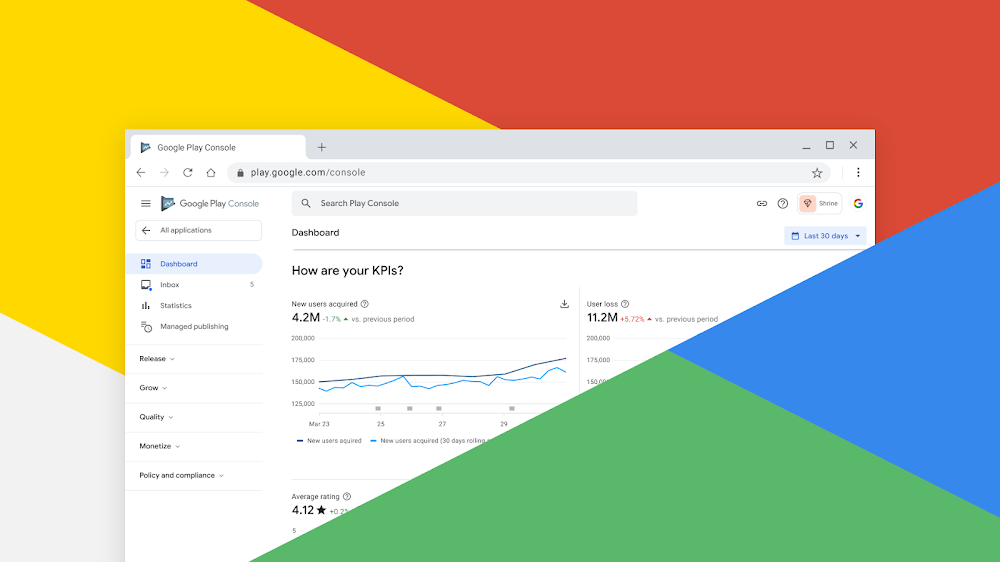
Google Play Console | Google Play Console

In order to upload a mobile app to Google Play Store, a developer dashboard is imperative. Developer console is kind of a backend controlling center, from where developers submit an app to Play Store. There is a one-time fee of $25 by which a developer can open an account, loaded with functions and control features. After paying this one-time fee, you can upload apps to Google Play Store for free.

You need to fill out all the credentials asked while creating the account, such as your name, country and more. Once you submit your account it will take upto 48 hours to get approved.
2. Link Developer Account with Google Wallet Merchant Account

Create a Google Merchant account – AppMachine Help Center

If the app getting uploaded to Play Store supports in-app purchases, then you will need a merchant account. To create one you can sign in to your Google Console account and click on ‘Reports’ followed by ‘Financial Reports’ option. After this, you may select ‘Set up a merchant account now’ option and simply fill out your details.

The merchant account will automatically get linked to your Google Console account and will allow you to manage and examine app sales.

3. Create Application

How To Submit An App To The Google Play Store | Clearbridge Mobile

This is yet another step towards how to publish an app to the play store.

Once you are logged into your developer or publisher account, here are a few steps you need to take:

  • In the menu, go to the ‘All applications’ tab
  • You will see an option ‘Create Application’ – select it
  • From the drop-down menu, choose the application’s default language
  • Enter your application’s title (it can be changed later)
  • Now, click on “Create”

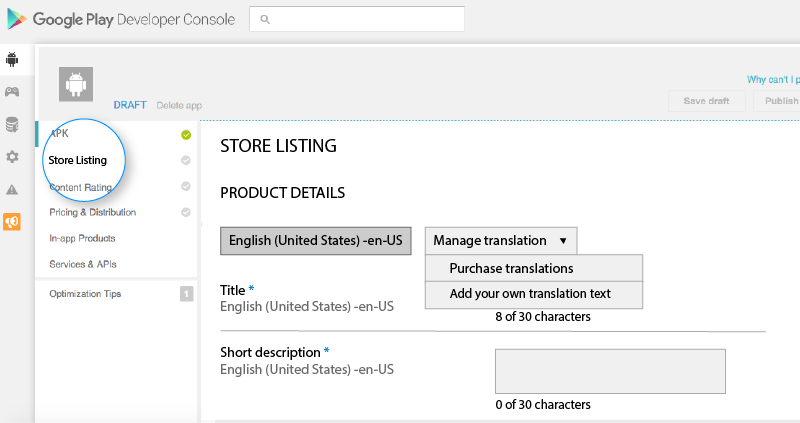
4. App Store Listing

Store Listing Panel

It is at this point, your preparations will come handy.

In this step around how to upload an app to the play store, you are required to fill out all the information and details you have already prepared with caution before. The table below shows what information you need to fill in the app listing-

Make sure to use appropriate keywords in your app description to increase the chances of your app showing up in searches. Along with this, make sure to use all the data we have talked about in the prerequisite section for app listing.

5. Upload App Bundles or APK To Google Play

How to publish Android appBundle to Google Play Store | by Andres Sandoval | Medium

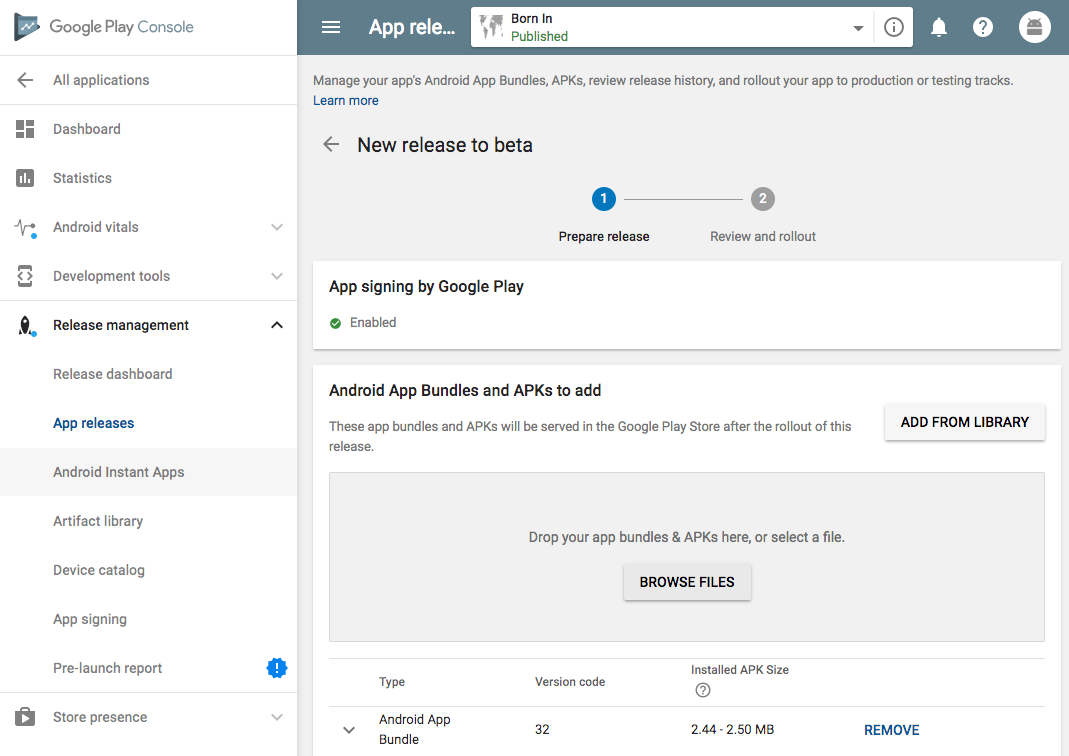
Now, you are required to use the files such as App bundle or APK and signed app release and upload them into your application. This is how you do it: Navigate to the ‘Release Management’ and then ‘App Release’ tab in the menu. After this, you will be asked to choose any one type of release from four options- internal test, close test, production release, and an open test.

Once, you have made a decision regarding which type of release you want, you may select ‘Create Release’.

At this point, you will be redirected to the New release to the production page. Here, you are again required to make another decision- to opt for Google Play app signing on the app or not. If you choose the latter, then simply click on the ‘OPT-OUT’ option.

Now, select ‘Browse files’ and then look into how to upload apk to google play store while naming and describing your release through on-screen instructions. You can also click on ‘Review’ to confirm the information. When everything is taken care of, press ‘Save’.

6. Time For Content Rating

How We Rate and Review | Common Sense Media

The next step regarding how to publish apps on the Play Store is to rate your app. This is crucial for it is listed as ‘Unrated’, it might get removed altogether from the store, so it is imperative to rate the application.

For Content Rating, you must again navigate to the menu on the left side of the screen and then select the same. By clicking on ‘Continue’ you can move forward and then type your email address in the respective field and then ‘Confirm’ it.

Now, you may fill the questionnaire for your app rating. Follow this by selecting the ‘Save Questionnaire’ and then choose the ‘Calculate Rating’ option to see your app rating on the Play Store. The last thing to finalize your app’s content rating is to click on ‘Apply’.

7. Fix App Pricing and Distribution

Complete Guide: How to submit app to App Store and Google Play

Now, you have to be clear about what countries your app is going to be available in. The point to note here is that Google doesn’t support publishing an app for all regions. The app will be published in selected countries instead of world-wide.

Moreover, assigning a price to your app is crucial. If you want your app to be free, make sure that this decision is permanent, as Google does not allow you to convert free apps into paid ones. Although, the price of the app can be altered.

To do all this, go to the Pricing and Distribution tab in the menu, and then make a choice whether your app is going to be Free or Paid. You may now select the countries you want your app to be released. Additionally, if your application is suited for children under the age of 13, you may select the option of ‘Yes’ for Primary Child-Detected. If otherwise is the case, simply select ‘No’. Similarly, select the options for allowing ads into your application.

8. Finally, Publish the Application

How To Upload An App To Google Play Store?

Once you are confirmed about everything being correct, take the last step of this guide on how to upload an app on Play Store, i.e, add the application to the platform. You need to go back to the ‘App Releases’ tab and then select ‘Manage Production’ followed by ‘Edit Release’. After this, click on ‘Review’ and then choose ‘Start rollout to production’ option. To bring this process to an end select the ‘Confirm’ option and Voila! You have successfully uploaded the app to the Google Play Store for free.

All there is left to do now is to just wait for your application to get approved. It generally took about two hours for your application to get reviewed. But with Google Play’s updated privacy policy, it will now take hours and even days for the same, encouraging mobile app development companies to create even more flawless applications that get selected instantly. So, hold your excitement in the place and just wait.

How To Get Your App Featured On Play Store?

How to get your app featured on the Google Play Store - Business of Apps

Your job to make sure the app gains popularity and thousands of downloads doesn’t end here. After successful execution of the steps regarding how to upload an app to Google Play Store, it is now time to get it featured on Play Store.

There are certain practices such as user interaction and visual design services, working on the latest technologies, localization, etc. that helps your app to get featured. Getting featured on Google Play can benefit your app to an extent that it increases the attention of users on your app by multi-folds.

What To Do After Play Store App Submission?

With the question of “How to publish an app on Play Store” answered, you might think “What is there to do next?”. Well, we have got you covered with this as well. Here are some practices you can do to ensure your application enjoys global exposure.

1. Promote App On Social Media

How to Promote an App on Social Media? | Promote Android App

Social Media is a great medium to skyrocket the popularity of your application. The fact that 42% of the world’s population uses social media is enough to justify the statement. There are some platforms such as Facebook, Instagram, Linkedin, Pinterest, and a lot more that are constantly in use. So, promoting your app on these platforms promises more traffic and eventually more downloads.

2. Initiate Press-Release

PRESS RELEASE! — Foundation to Fight H-ABC

Press-release is another way through which you can promote your brand. With this, your brand will come into limelight and many publications will cover your app release which will eventually allow your app to reach a wider user base and develop an authentic connection.

A press release that covers the words, attributes and insights of the mobile app developers and application itself has proved to be an incredible app marketing strategy. It is a great example to show users that what they expect is good.

3. Focus On App Maintenance And Update

Mobile App Maintenance and Support Plans Sydney | DigiGround

You cannot just publish your application of the app store and let it be. You need to efficiently maintain your application and introduce frequent updates, attending to the issues and bugs faced by users. Maintaining something is a constant task rather than a one-time thing. So, make sure you keep your app updated with the latest tech-stack and fix whatever needs fixing.

4. Practice ASO

ASO: App Store Optimization ? SEO Guide for Google Play & App Store

App Store Optimization is a celebrated practice among all the top Android app development companies. Famously known as ASO, it primarily focuses on the activities which target aspects that can generate more attention and visibility of your application of the app store. These practices are focused on increasing the conversion rate of impressions into downloads on the application.

Mobile Application Design Mistakes to Avoid

7 Common Mobile App Design Mistakes & Tips to Avoid Them

Mobile phones have contributed immensely to the progression of technological advancements. They’re no longer simple communication devices; they’re serving a pivotal role in business, entertainment, communication, and routine tasks of daily life. All this is possible because of mobile application. In the current era, we can easily find an app for every purpose – business, medical assistance, booking a ticket, paying online, games, education, cooking, shopping, or anything. You name it, and they have it. These apps help users from managing daily tasks to planning significant events; they also help promote business and ease communication between sellers and consumers.

The real problem

What's the Real Problem? - focushr

The real problem here is that users often don’t know what exactly they want. They are not aware of the concept of good application design, except the ones having slight knowledge of designing. One would never hear users praising the excellent design of an application; however, a poorly designed or poorly performing app would stick out like a sore thumb. So for a designer and a developer, the goal is to come up with an “unnoticeable design.”

On that note, let’s take a look at some of the most common mobile app design mistakes. That designers make, which causes an app to become negatively noticed by users.

Top mobile app design mistakes

1. A Poor First Impression

I Made a Bad Impression on a College Professor: 5 Things Freshmen Do That Make a Poor First Impression — Segue to College

The first look and appeal of an app are critical to attracting a potential user. A user makes a perception about the features and working of an application with his first experience of using it. If something seems confusing or dull, the user might not even give it a second try. Thus, the App Development Company must create an engaging first impression with a user-friendly UI.

Displaying relevant information on the first screen is very important. All the necessary icons like login, logout, the home page, help section, contact information, or any other important features should have their icons on the very first screen. Whatever the app is related to, its key functionalities should be reachable without any complexity.

Other than that, one prime factor that contributes to an excellent first impression is an app’s loading time. If it takes too much time to open the app or load any key feature, users get bored and lose interest. Thirdly, the colour scheme of an app should also align with its purpose. For example, an app used for professional purposes should not have a funky colour scheme, and entertainment-related apps should not be dull or boring. Colours should be bright and solid, or the users might get bored and have a terrible first experience.

2. Poor Information Architecture (IA)

Information Architecture for Web Design: the Big Picture | Brainhub

Most designers don’t spend enough time to design a proper information infrastructure for their app. That means the app should have easy access to information; this involves analyzing the most used or required features by users and making them visible in front. This concept is called “Prioritizing based on popularity.”

If you are developing an app with an already existing idea, it would be easier for you to identify the user’s priority by doing a little research. But if you are developing an app for a new business idea, you might not be aware of what users like most. So a designer should be capable of identifying this through his wisdom and experience, or they can release a prototype of the app and collect feedback from users. After that, they can implement the changes in their next release or update.

3. Lack of Design Consistency

Importance of Design Consistency. How creating Design Systems help solve… | by UXPin | Medium

Having a consistent design is a significant factor in designing an app’s UI. That means the font type should be the same within the whole app, the layout should be subtle, all icons should be placed correctly, and changing screens should change the visuals. Also, the text should be readable throughout the application.

Maintaining consistency throughout the app is the real trick for a designer. If needed, a little bit of inconsistency can be entertained if appropriately done; for example, highlighting some text or image, placing a great animation or advertisement. But these changes should align with the context of the app. Having a consistent design prevents users from getting confused and help in enhancing their experience.

4. Ambiguous CTA Positioning

Rich media ads: Best Practices For Creating CTAs That Demand Action

“Call To Action” buttons are placed on websites and apps to help and prompt users to take the next step. The positioning of CTAs on webpages not only affects lead capture for businesses but also directly impacts the user experience. To take full advantage of these buttons, designers must ensure that they correctly place them on the screen, and all their aspects are clearly defined. The action of these buttons is mostly mentioned through text placed strategically on them. Care should be taken to make the CTA text as clear and understandable for the user as possible.

5. Too Many Features

FeatureBloat2 | Connectionality

Having too many features within a single app is also not a suggested practice. It could make your app slow and congested, and it affects the overall performance of your app. It causes:

  • Complexity
  • A slow loading UI

Both of these issues could cause you the loss of potential users instantly. So it is best to have fewer features and serve them correctly. If having too many features is the requirement of your business, you can primarily offer a version with basic and primary functionality to gain the trust of users, and later, you can include new features in future updates.

6. Absence of Default Values

Technology's Role in Managing Employee Absences - Risk & Insurance : Risk & Insurance

Default values can save noteworthy client exertion in dull assignments, for example, filling in a similar form multiple times. Recognizing key values for form fields can build profitability and decrease annoyance. Your analytics can assist you with the comprehension if there is a most frequently picked choice for a particular field.

Specifically, dropdown menus profit by a relevant default. Numerous applications give “Choose One” as the default decision, compelling each client to communicate with the dropdown and select a value. On the contrary, if you preselect one value (the most used one), probably a few clients won’t need to associate with that dropdown at all.

7. Excessive use of Modals

Please, use modals wisely. - DEV Community

Numerous applications utilize modal windows to execute communications with information — altering a current thing, including another item, erasing, or in any event, perusing extra insights regarding an item. Modals show up over the current page and the background content is normally darkened (under the presumption that diminishing will decrease interruptions and assist clients with concentrating on the current task). Sadly, this design lessens the options for clients by concealing data that they may wish to allude to while filling the form. (Note that, regardless of whether the concealed window doesn’t contain data required for the editing, clients frequently endeavour to use the work they’ve done beforehand, by copying and pasting past sources of info.)

8. Irrelevant Information

Seven Ways to Overcome Information Overload | Insight BE

Long series of letters and digits, for example, consequently produced IDs in a database are as often used to exceptionally distinguish an item in an application. These strings are totally insignificant to clients, yet they are frequently shown as the primary section of a table, compelling individuals to check past that first segment to discover the data that they care about. While these good for nothing lists are significant towards the backend, they aren’t supposed to be shown to the users. Particularly in high–data density screens, give some comprehensible data as the primary stay point and push the IDs to a less visible position.

Why do users uninstall mobile apps?

Mobile app developers: Here's what uninstall rates can tell you about your product - TechRepublic

According to statistics, more than 91 billion apps were downloaded from Android and iOS app stores in 2017. It counts 13 apps per person on the entire planet. These stats have only increased since then, and users are getting dependent on these automated solutions. But it does not end here; research also shows that on average, users delete and app within 90 days of its download. Most apps are not opened more than two or three times within 30 days of downloading and are deleted without serving their purpose. The reason behind this is not the user. Users don’t download apps with the intention of not using them. Other factors frustrate them, and they get rid of apps. These factors mostly include poor performance and intricate app design. When an app doesn’t meet the user’s expectations, they switch to another one. And that’s because all that matters is comfort and ease for them.

That is why, while developing an application, it is essential to pay ample attention to its UI design. The goal should be to keep it as simple as possible, the colours should be soft and pleasant to the eyes, and the performance should be up to the mark. That would make an app popular among its users.

CONCLUSION

In 2020, uninstalls were still a pain for mobile apps | AppsFlyer

Despite the fact that the field of mobile application designing has progressed significantly from its initial arrangement, 2020 is expected to see an extraordinary increase in the number of both great and terrible applications. Indeed, even the apps which make it in 2020, there’s no assurance they will cut in 2021. It’s all about steady change. Designers need to continue updating their knowledge about user patterns and the user-psychology that drives these practices. The most important thing to be taken care of while designing an app is to think from a user’s perspective. Don’t choose or reject a colour, font, or design because you like or dislike it. Instead, research and go for what is trending. You can experiment by adding new things to your app to avoid mobile app design mistakes, but changing the whole designing rules is not recommended. It confuses users as they might have got along with the traditional practices, and your experiment could prove to be a big disaster. What works for others will undoubtedly work for you too.

How to Implement App Shortcuts in Android 7.1 Nougat?

Google has released a major update of the 7.1 version (API 25) with some pretty cool features. One of the extra features is App Shortcuts.

What is an App Shortcut?

How to customize your app icons with the Shortcuts app | iMore

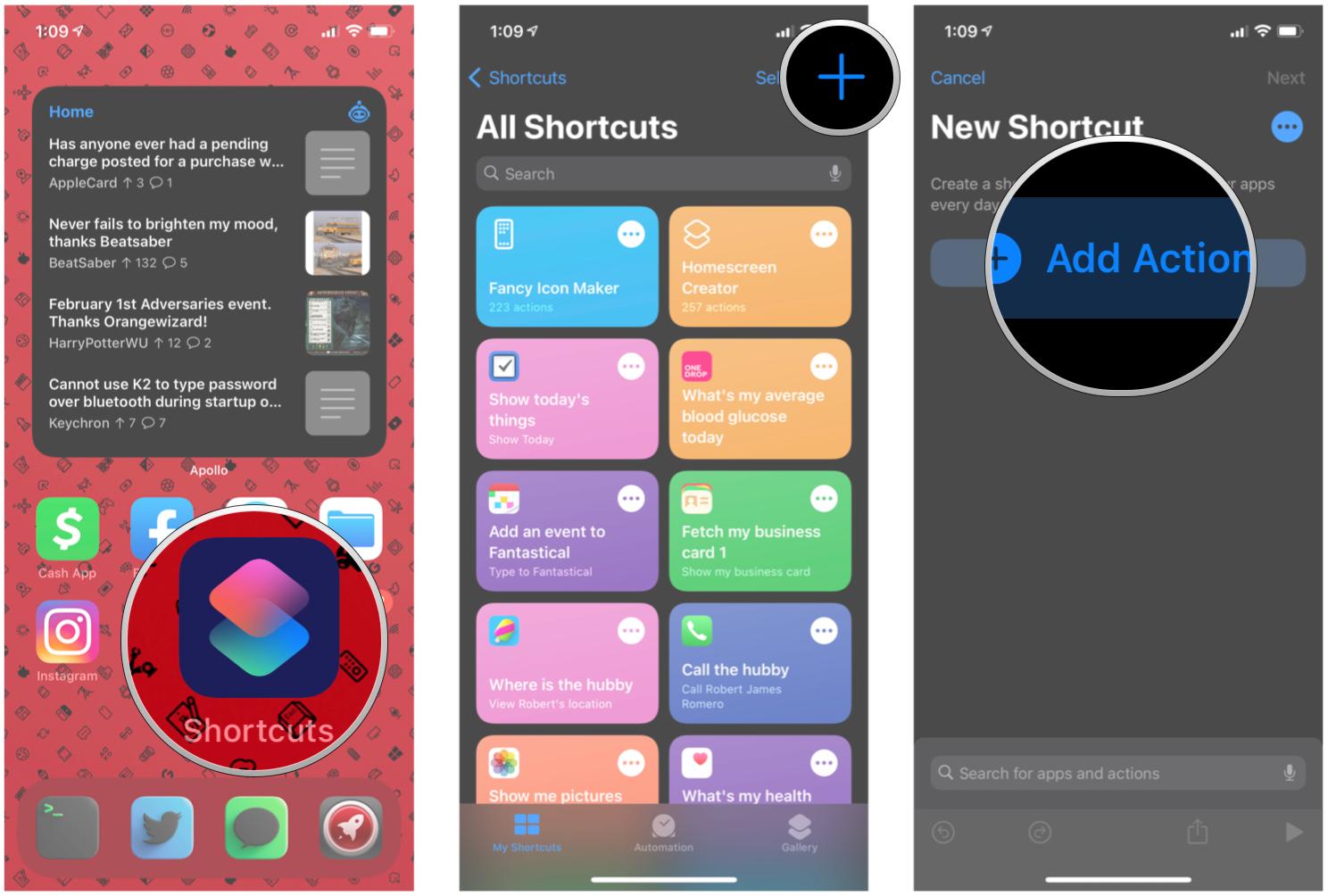
App Shortcuts uncover common tasks or activities of your application to the launcher screen. Users can use the App Shortcuts feature by long-press on the app icon. 

  • App Shortcuts are great for making common actions of your app visible and bring back users into the flow in your application.
  • App Shortcuts can be static or dynamic.
    • Static remain same after you define them, you have to redeploy app if you want to make any changes in it.
    • Dynamic one can be changed any time or on the fly.
  • You can create/manage the stack of activities once you open one through a shortcut. Here you can set the flow of all the activities using intents.
  • You can reorder the shortcuts in their respective. Static shortcuts will come always at the bottom as they’re added first (there’s no rank property to be defined on them)
  • The labels are char sequence. So you can play with the span in order to change anything in the text of the labels.

App shortcuts can be of two types-

Static Shortcuts– They are defined statically in a resource file; you can’t change without redeploying the build.

Dynamic Shortcuts– The one that can be defined at runtime or on the fly; you can change without redeploying the build.

Note: App must have a minimum SDK version set to API 25.

Let’s start with creating Static Shortcut first.

Static Shortcuts 

Android Tutorial: App Shortcut Static - YouTube

Open your AndroidManifest.xml and add the following meta-data tag to your parent or main activity which you want to open as soon as your app starts playing the role.

You can add multiple shortcuts in the root tag <shortcuts>. Let’s understand the properties one by one.

  • enabled: It indicates that the shortcut is enabled or not. If you want to disable this shortcut, just set the parameter value as false.
  • icon: It will set the icon to your shortcut menu on the left side.
  • shortcutDisabledMessage: This will show the message if someone will click on the disabled shortcut. However if you have set the “enabled” feature as false, the option will not be shown when you will do long-press but the user can pin a shortcut to the launcher. So pinned shortcut will be disabled at that time and click on it will show a toast message to the user.
  • shortcutLongLabel: The longer text that will be shown as a label but it will only be shown if there is enough room.
  • shortcutShortLabel: A short description of the shortcut. This field is mandatory.
  • intent: The intent will be invoked when the user will click the shortcut icon.

Multiple intents in shortcuts tags will maintain the stack of the activity as you can see in the above example. When you will press the shortcut icon, then “MainActivity” followed by “MyStaticShortcutActivity” will be opened, and when you press the back button it will take you to the “MainActivity”.

Dynamic Shortcuts

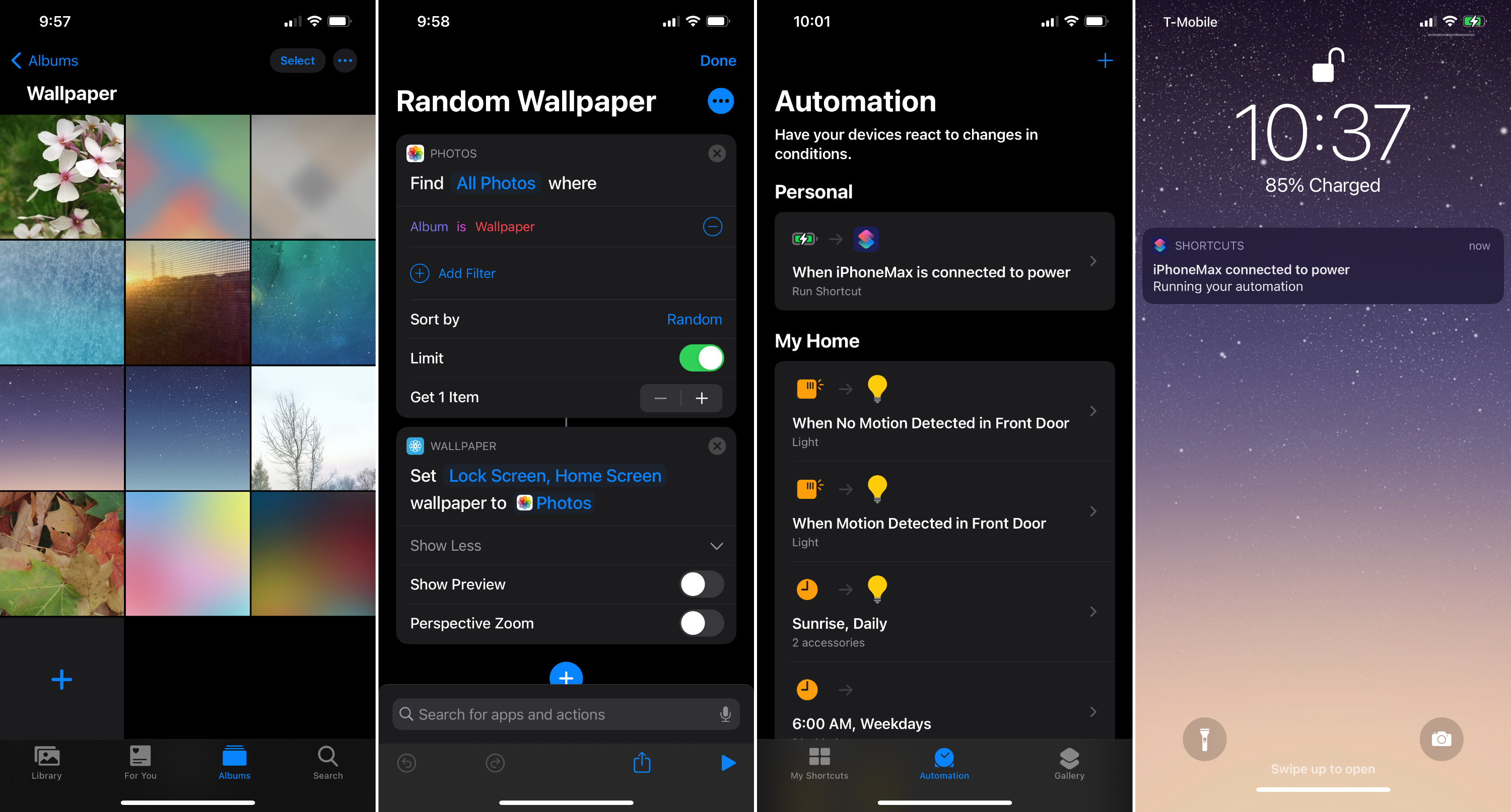
Create dynamic wallpaper on iOS without banner notifications - 9to5Mac

The dynamic shortcuts can be modified on the fly without the need of redeploying your app. They are created in java code.

I will show you how you can add dynamic shortcuts. We will use the ShortcutManager and ShortcutBuilder.Info in order to create dynamic shortcuts.

Here we have built the shortcut info using shortcutManager. We can set the properties for the shortcut using it. The properties are the same except id and set rank. So I will explain these two only in case of dynamic shortcuts and other properties have same behavior as static shortcuts.

Here in the above example, we have defined the id shortcut_dynamic as the second parameter of ShortcutInfo.Builder and setRank() are used to set the order of the shortcut which is not present in the case of static shortcuts. Here the first static shortcut will appear followed by rank 0 and then rank 1 shortcut.

As you can see in above image that static shortcut always takes place at the bottom of the list. You cannot change the rank of static shortcuts. They will always be shown in the order they’re defined in the file shortcuts.xml

If we see the method setShortLabel(CharSequence)of ShortcutInfo.Builder we can see that it takes CharSequence as a parameter. Which means that we can play around with it. We can change its color on the fly. We can create a SpannableStringBuilder and set to it a ForegroundColorSpan with the color, we want to apply and then pass the spannableStringBuilder as a shortLabel (as the SpannableStringBuilder is a CharSequence):


AppSheet, providing you with a no-code application development

Evolving the Google Identity - Library - Google Design

Appsheet, acquired by Google

Google recently announced that they have acquired AppSheet, a Seattle-based no-code mobile app development platform. They have not disclosed the terms of the acquisition yet. However, as per the revelations, AppSheet will continue to serve its existing customers.

Praveen Seshadri and Brian Sabino founded the AppSheet back in 2014. Keeping in mind to help business people and others build their own mobile applications without having any coding experience. It received its seed funding from the New Enterprise Associates in 2015 and was recognized as one of the creative tech startups by TiE in 2018. Following by getting fame of leading a leader for low-code app development for business developers by Forrester Research in 2019.

AppSheet - Wikipedia

First choice of various brands for making their presence

The platform became the first choice of many small and established brands, including Whirlpool, Pepsi, the Global Cancer Institute, Toyota, American Electric Power, and M&O Partners for making their space in the IT-powered business world. It is a result of the set of features it offers. It features the ability to capture, collaborate, and display data, and create an explanatory programming model.

Praveen Seshadri said, “As we and IT industry has grown, there is now a huge pent-up demand for enterprise automation,”. He further added, “There is the rise of low and no-code platforms. This will make citizen development come out as the planned way for modern organizations. It will help to invest, innovate, and compete.”

AppSheet has also been combining AI and NLP technology. This is to further quicken the mobile app development process. This also enables businesses to enter the mobile sphere at the earliest.

Till now, over 18,000 app creators have used AppSheet’s development suite to locate around 200,000 apps. And now, when Google acquires AppSheet, the numbers and results are much beyond everyone’s expectations.

AppSheet. Gesundheit! Oh, we see – it's Google pulling no-code development into a cloudy embrace • The Register

AppSheet services to Google Cloud

The tech giant, which recently acquired a retail inventory management startup Pointy as well, is expecting to reimagine the app development space by bringing AppSheet services to Google Cloud.

“The acquisition will complement Google’s strategy to reimagine the application development space by helping businesses set up with workflow automation, app support, and API Management,” said Amit Zavery, vice president of Google Cloud. He further added, “Customers will now be able to build richer apps that use not only Google Sheets and Forms, but other top Google technologies like Google Analytics, Maps, and Android”.

[Note: As we mentioned above about API management, consider this blog to know in detail about the process and available tools: 15 Open-Source API Management Platforms to Add in Your Tech Stack]

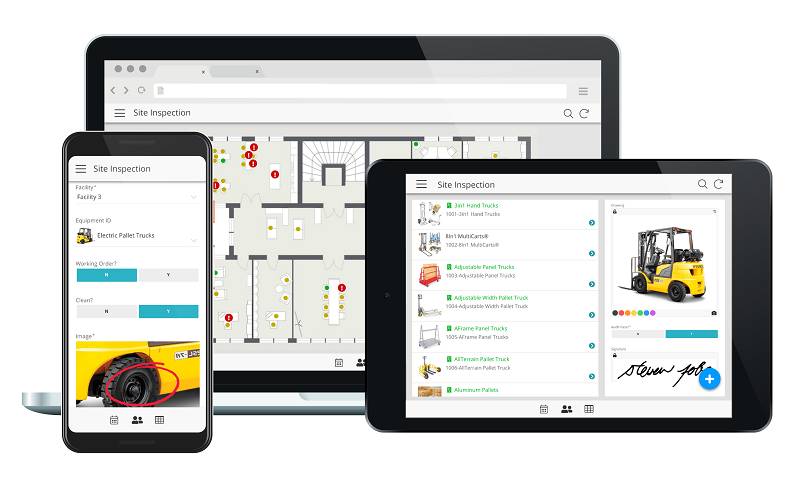
The tech giant expects to employ AppSheet’s ability to power up workplace applications (include CRM, personalized reporting, field inspections, etc.) while keeping Google Cloud’s services focusing entirely on the financial, media, and retail domains.

Google acquires AppSheet to bring no-code development to Google Cloud | TechCrunch

The Google team also revealed that low-development app development platforms like AppSheet are not going to replace sophisticated development environments. Rather, they will be put into practice to empower mobile app developers to collect extensive, rich data like geographic data and indoor location data from any device and use the insights gained to build user-centric applications. Plus, they will be able to update and maintain the data set in real-time, without compromising on the security front.

The AppSheet team will soon join Google Cloud. But, they will continue to serve their existing new and existing clients and support iOS apps and web-based mobility solutions.

How to Create a Successful Mobile App Startup?

Top 5 Successful Mobile App Startup ideas for Entrepreneurs | by Dot Com Infoway | Medium

Are you a startup geek?

Do you often look up to other successful startups and wonder how they made it?

Are you constantly pondering over an idea at the back of your mind, waiting for that defining moment to turn it into a reality?

So, if you have stumbled across your eureka moment, and are now faced with multiple challenges as to how to put into action what you have envisioned, you are on the right page.

We will break down the steps that can help you make the cut and are crucial to successfully run a startup in the mobile app industry.

Since the world is going digital, and the most amount of time we spend is hooked to a screen, any successful small business is involved in startup app development solutions.

We netizens are well aware that Playstore and App Store are flooded with innumerable mobile applications – Business, Lifestyle, Educational, On-demand apps, etc. But it is equally essential to realize early on that very few apps get trending.

Studies show that few startups are successful and most appreneurs tend to commit some common mistakes. So the first step in your startup journey should be to look before you leap.

1. Validate Your Idea: Ideate, Pause, Rethink

Why prototyping is essential for your product team? | by Huī Lín | UX Collective

We understand that it is attractive to let your creative juices flow but it is equally essential to reflect on other possibilities and not dive right in without testing the waters.

Make a list of all your potential ideas. It not only gives you an insight but provides due clarity regarding which idea to pursue.

In case you are confused whether the idea is worth giving a shot, get it validated from leading experts and see if it sparks their interest. An approach that the best mobile app consultants follow when checking the validity of your product is through a product discovery workshop. The 5 days workshop is known to have brought a number of successful startups in life.

Another tip is to never overlook other ideas. Understand that there is always a scope for improvement, and sometimes the whole process of ideation leads to new outcomes.

After finalizing on which idea to pursue, make sure that you have a comprehensive understanding of the pain point and the solution you are offering.

After all, your unique idea, besides making you one of the most successful startups, is also solving a problem. This leads us to the next step.

2. Detail-oriented Market research

A Comprehensive Guide to Market Research: 4 Proven Methods | Hotjar Blog

No matter how revolutionary your idea is and how likely it is going to transform the mobile application industry, if you do not conduct a thorough market research and are not able to establish a target audience, you are bound to fail.

Understanding the market and finding a product-market fit is a prerequisite to run a successful startup. The key is to ensure you are solving real user problems and even though what you may be doing is not overtly unique, you have to find a place for yourself in the market.

Study the competitive landscape and conduct a competitor audit. Download some apps that work on similar pain points, use them personally and determine the scope for improvement.

Research on apps that failed and explore the reasons for the same.

Why? Because it eliminates the chances of failure and learning from others’ mistakes is a usual practice in the startup ecosystem.

Conducting an in-depth market research can help you find your unique value proposition and ensure that you are way ahead of your competition.

Also, during the preliminary research,  one should conduct surveys to understand the user demographic and engagement. Knowing what the target audience likes helps in building a product that they truly want.

Remember, user engagement is the key and at every step of the way keep your niche audience in mind.

3. Choose an Ideal platform

Most of the Android and Windows Phones are in the low-end

Choosing an ideal platform for your app is the next step in your mobile app development journey.

In order to decide whether your app will cater to Android, iOS, or both, you should take into account a couple of factors. The key is to research which platform is ideal for mobile startups and understand what aligns with your business idea.

According to Statista, as per the third quarter of 2019, Android users were able to choose between 2.47 million apps while Apple’s App Store offered almost 1.8 million available apps for iOS. This makes Google Play, the app store with the biggest number of available applications.

To choose a viable platform you should study factors like market share and revenue for both Android and iOS. Arriving at a conclusion would not be possible if you do not have an in-depth understanding of the respective play stores. So, carefully assess the number of downloads and revenue models for both the app stores.

The choice between native and hybrid apps is another factor to consider. Both come with their set of pros and cons, and factors like technicality, functionality, cost and time play a defining role.

4. Focus on Designing an Impeccable UI/UX

Why Should You Consider UX Design Career in 2020?

One of the common elements in most successful startups is the impeccable design that the applications are made with. No matter which successful app you pick up – Instagram, Canva, Telegram – you will find intuitive design being a part of them.

The role of UI/UX design doesn’t just lie in the eye-catching appeal. The application should be usable and functional as well. Additionally, it should meet the standards set by Google Material Design and Apple’s Human Interface Guidelines.

The UI/UX design guide that we follow at Anteelo is one that not just meets the guidelines but also solves a number of additional areas like – getting visibility, app spend time, and user retention rates.

5. Product Development

7 ultimate templates for every stage of the product development process

The next step is to jumpstart the development process and for that, you would require an app development team.

There are effective ways to choose an app development company and see months of planning and strategizing come into action.

To ensure that your idea materializes into a successful product, you need to give a lot of thought to the people you will partner with.

In that context, you generally get two options:

  • Hire an in-house team of developers
  • Partner with a team of remote developers through the mode of outsourcing.

Reflect on the challenges you are currently facing.

Do you want an In-house team or do you plan to Outsource?

Take a decision based on what aligns with your business needs.

While the former ensures a faster level of communication and a deep understanding of your product idea, outsourcing provides you the opportunity to hire highly skilled designers and developers.

The next question you need to ask yourself is whether you will be able to monitor the development process yourself? Accordingly, choose an app development company.

Before hiring an app development company, make a list of potential partners, ask the right set of questions and go through their portfolios and case studies. Not only it documents their work, it gives you due clarity if the company is the right fit for you.

Get feasible options by analyzing the app development cost worldwide.

Hire the best developer but make sure you sign a Non- Disclosure Agreement.

Besides building a scalable app, your focus should lie in delivering a delightful experience to your end-users. Any user first perceives an app through the User experience. To retain your users in the long run, the

User experience should be immersive and the UI should be modern, innovative and intuitive.

Being ambitious is great but we suggest, you do not get lost in a maze of features. First, concentrate on building an MVP for your app, address the core pain points and then gradually shift to improved features after garnering feedback from your users. The emphasis should be on the ‘must-have’ features, the ‘nice to have’ features can always be added later.

Making a wireframe solves a lot of problems. It outlines the layout of an app and plays a fundamental role in structuring the product early on.

It also provides necessary insights on how the users will engage with your app and helps you identify the problem areas.

6. Look for Raising Investment

Trade is Important, but Capital More So - MarketExpress

After spending a considerable amount of time on building your app,  you need to consider the problem at hand- How to raise money for your mobile app startup?

Generating a large amount of funds implies greater resource availability and higher chances of success.

There are various ways to generate funds. Decide on ways for fundraising that align with your business model – Seed funding, Bootstrapping, Crowdfunding, ICO, etc.

Craft an Elevator Pitch and be on the lookout for potential Investors. Now is the time to be ambitious. Make sure you have a product that investors chase.

7. Create a Strategic Marketing Plan

Building Your Social Media Marketing Strategy for 2021 | Sprout Social

How do you make sure your app gets traction quickly and reaches far and wide?

Through strategic marketing.

Marketing is one of the key startup success factors that makes a regional brand a global one.

Through compelling marketing strategies, you can create the buzz around your app and ensure people go gaga over it.

Use Social media and PR to gain market visibility and facilitate rapid user acquisition. Use effective mobile app marketing strategies and leverage the power of App store optimization to make your app go viral.

8. Have a Monetization Plan in Place

App Monetization Strategies: 6 Bankable Ways to Turn a Profit | CleverTap

One of the ways of creating successful startup companies is to decide the best monetization strategy for your mobile app.

There are a number of options for the industry to choose from: Advertising, Sponsorship, In-app purchases, subscriptions, and pay-per-download are few options to choose from. Read into the pros and cons of each to understand which monetization model can be the best when seeking ways on how to run a startup. You should aim for ways that would guarantee

9. Update and Improve Your Application

How To Improve Your Mobile Application? - Ebizzing

If you think your digital journey ends by launching your app and diving into the market, you are wrong.

The mobile app development lifecycle does not end by launching the application. Regular updates improve app visibility and ensure you are providing value to the user at every iteration.

So, for lasting success, keep improving your app by taking user feedback into consideration. Maintenance, updates, new functionality, is an ongoing process. Ensure maximum user retention along with a steady revenue model in place. Another element that you need to consider well in advance before execution is pivoting your startup.

10. Have an App Retention Strategy 

8 Mobile App Retention Strategies For 2021 [With Examples]

The reasons behind app uninstallation are numerous – and so are the instances of app uninstallations. Keeping users interested in your application, in the presence of 50s of similar apps.

Here are the different ways you can retain your customers –

  • Plan your notifications timing properly
  • Be transparent about the permissions and how you’re going to use their data. Being transparent continues to be one of the secrets of successful tech startups
  • Although your partnered startup app development company must take care of it. But, update the application only when necessary.

So here are the different ways you can ensure that the business model of app development for startups works for you.

React Native vs iOS

In the last blog I wrote, I shared my knowledge on how React Native collaborates with the OS to yield the native experience in cross-platform apps. If you haven’t read it yet, please give it a read to understand the sorcery used by this magical framework. In this blog, I will explain how the development cycle with React Native differs from that of iOS. To make it easy to comprehend, I have listed certain criteria based on which we’re going to compare the complexity/ease of development in both environments.

Let’s begin with an illustration of how the transition to React Native feels like to an iOS developer.

After adding React Native to your bucket, you will be able to implement your ideas on both platforms without a hitch. That sounds cool. Right? Let’s get started.

Reloading

ArtStation - ICONS & Banners design, Andy XU

In iOS apps, making a small change in code is a Pain as it requires you to rebuild everything from scratch. Then, you have to wait for the app to launch again on the device so that you can verify the changes. If the project contains a large number of files, then multiple runs just add fuel to the flame, and you spend a lot of time just waiting.

In React Native apps, we have a JS bundle that holds the application code and other assets. Your development machine acts like a local server hosting the bundle and the app just downloads it at every refresh/reload. Contents of the bundle are cached on the device which makes the reload process really quick and you don’t have to rebuild your app ever again.

Layout

Essentials for layout design | Adobe Illustrator tutorials

Laying out screens for the iOS app using Interface Builder in XCode is indeed a blessing for developers. It can use size classes to position views differently on screen sizes using a single interface. Constraints make it really easy to animate views on the screen at runtime. Styling based on certain flags helps in modifying the app behavior without having to write a single line of code.

In React Native, you’re definitely going to miss that ease of laying out views using drag/drop and constraints with XCode. React Native rather uses Flexbox to style and position views on the screen. It’ll take you a little time to get familiar with its syntax and attributes but once you master it, making views with dynamic content will be a cakewalk.

Localization

What Is Localization and Why Should You Care About It in 2020? - LTVplus

iOS apps have to manage separate files for localizing strings used in code and Storyboard/Nib files. There are frameworks that take a much easier approach to do this but there is no standard way to keep all the translations in one place.

There is a popular module named react-native-localization to do the localization in React Native apps. It uses just one file that holds the translation for strings used all over the project. It means that you just need to build a simple JSON file holding translations for all languages supported by your app. That sounds pretty easy, right? React Native is even smart enough to capture the locale used on your device and apply translations accordingly.

OTA (Over the Air) Updates

Should software updates be carried out OTA and on the fly? | Automotive World

This is something that makes mobile developers envy web developers a lot. Any bug/improvement requires time to recompile everything and submit the app for approval again. This whole cycle takes around 3-4 days to ship the new app to users. In short, it takes some time to fix the issue, and then some more, to deliver it to your audience.

React native has come up with a remedy. With third-party libraries like Code Push, you can have all of your live app’s code on your server. Whoa! Guess what? Apple approves it unless you turn your taxi app into a social media app with an update. You can configure the tool to update code on the live app either at the launch or even when the app moves to the foreground from the background. Did any new update induce regression issues in the app? No worries. You can revert the code back to the last stable version without having to go through the approval process again.

iOS pod lovers will have npm/Yarn in React Native

Yarn VS NPM: Why and How to Migrate to Yarn | Software Development

Many of us love using CocoaPods for linking third-party libraries in iOS apps. Pods installation keeps all developers from the pain of manually placing/managing the required files in project architecture. Just one command and there you have your workspace with Ready to use libraries.

In React Native, you got npm (node package manager)/Yarn at your rescue if you need to use any third-party library in the project. Both operate via terminal commands and can quickly install all packages listed in the package.json file.

Reusability of code (especially for views)

Custom Views In Android. Custom views can improve app's… | by Rachit Goyal | Technology at upGrad

React native has a clear advantage here. In iOS apps, if you need a similar view on other screens then you manually need to copy/paste the view components. In React native, all you need to do is “Just import the component and place it with the start and end tag in the render() method”. That’s it! Imagine just four/five reusable tags building a complex layout for you which looks purely native.

App Size/PerformancePerformance Management Mobile App - Key Benefits & Tips

For small apps, you might find React Native app’s size larger than that of an app built using native. It’s because of the tools and utilities it’s shipped with but for large-scale apps, size will be significantly less compared to a native app. Fewer lines of code due to the strong reusability make it really easy to manage big projects in React Native.
You might find a React Native app little laggy in debug mode. Don’t be disappointed and try running it in Release mode and voila, it got the same fps as that of a native iOS app.

Debugging

Debugging: Tips To Get Better At It - GeeksforGeeks

Debugging with XCode is indeed unbeatable. You can debug your code, your views on the go without any hassle. It gets really easy to debug issues in the app and track memory/CPU usage as well. Exception and Symbolic breakpoints help a lot in tracking down the ‘hard to find’ issues.

I tried two ways of debugging a React Native App- one is with google chrome by enabling “Remote JS debugging” right from the device and another by using the inbuilt debugger by Nuclide in Atom IDE. With Nuclide, I find it really easy to put breakpoints and query variable values at every debugging step.

Testing

Unlocking Continuous Testing: The Four Best Practices Necessary for Success

Compared to iOS apps, there is more scope in React Native to test your code. You can use the Jest module to do unit testing, UI testing, and API testing. UI testing is also supported on XCode but in React Native environment, you can test all screens of your app in one go without even navigating to them. Felt pretty cool to be notified in advance about a little change breaking the views in the app.

What if something to be implemented on iOS is not available as a module on React Native?

React Native’s got your back here as well. It gives full flexibility to let you make function calls to native code and get the callback with the result of the execution. Your experience in iOS development comes really handy when you need to build a similar feature in React Native app. I tried Augmented Reality implementation in iOS as well as React Native app and it worked great. The guide to building your own native module in React Native is easy to follow. Try it and you will be impressed.

Conclusion

Once you start the development with React Native, you are definitely going to miss the X-Factor yielded to developers by XCode. But, if you look at React Native’s power to share the code between platforms while keeping the native feel intact then it’s really worth giving a try. Once you get used to it, you’ll be able to unleash its power on both platforms. Hope the blog gives you an idea of the challenges and perks of using React Native. The new era of cross-platform apps apparently belongs to React Native.

error: Content is protected !!