Top 10 Android App Development Trends To Watch Out In 2021

12 Mobile App Development Trends to Look For in 2021

Are you an entrepreneur who is looking forward to making or getting their Android mobile app developed? Let’s dig into some trends & stats. When it comes to developing mobile apps, no doubt the Android operating system gets all the attention, an attention that is well deserved.

Are you an entrepreneur who is looking forward to making or getting their mobile app developed?  If yes, then you surely need all the deep insights to know about the latest android app development trends.

Let’s dig in for some stats and read on further to discover the popularity of Android apps and the sector’s trends.

  • The fact is that today, Android is one of the most vitally used mobile OS that has captured almost 85% of the market share.
  • The Google Store has 3.04 + million applications, that range from web browsers, daily tools, social media platforms, complex games, enterprise mobile apps etc.

These figures clearly state that the app developers need to be aware of the hottest trends in mobile app development and incorporate them in their Android apps at the earliest, simply to provide users a unique experience.

Top Android Application Development Trends To Watch Out In 2021

The android apps continue to see implacable changes, that are primarily dominated by the user experience and constant innovations brought in by Google. As an entrepreneur, you would need to exemplify these trends for staying ahead of the competition.


1. Android Instant Apps

Top 10 Android App Development Trends To Watch Out In 2021

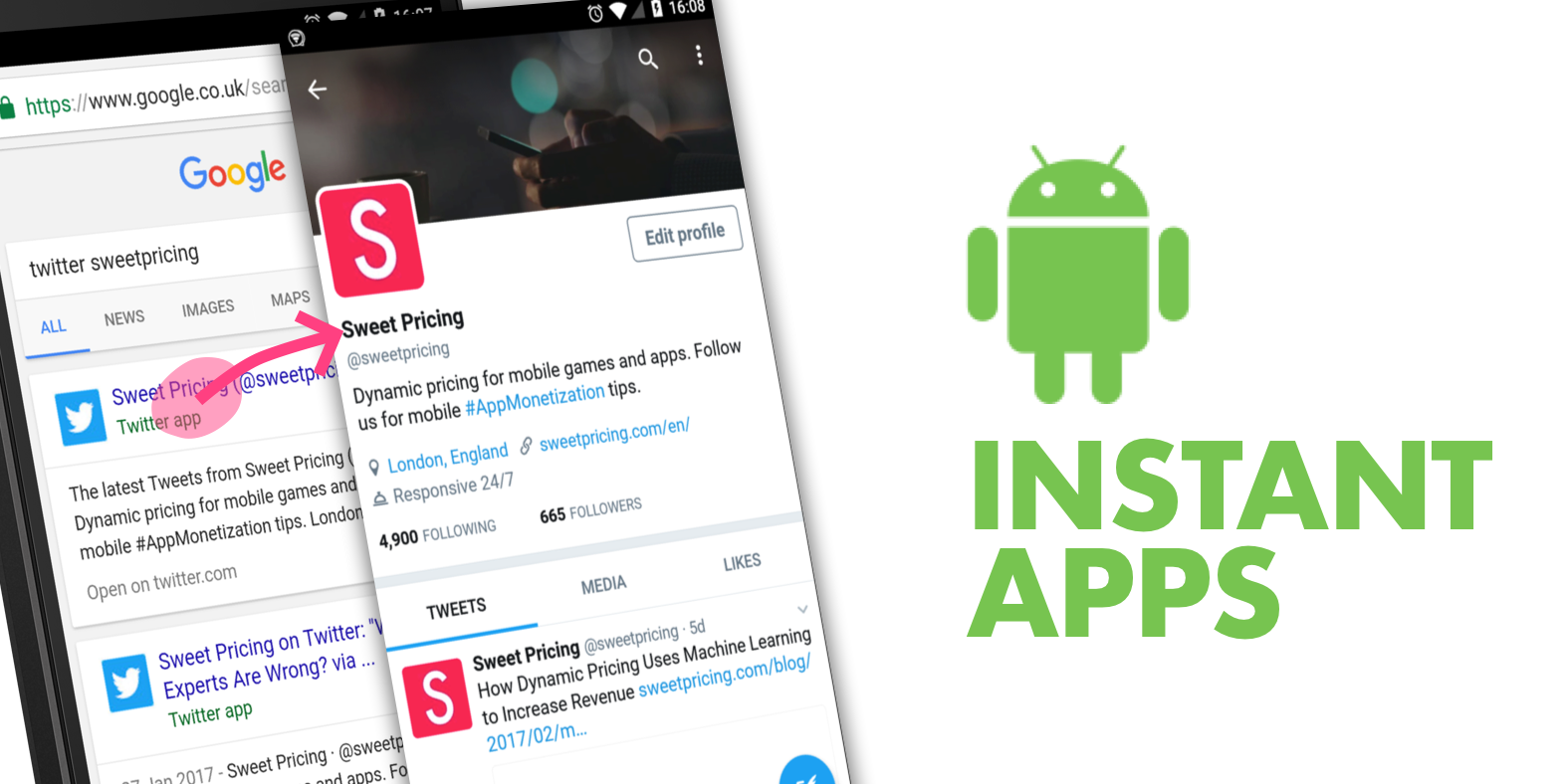
Although instant Android apps are not very common, slowly and surely, these app display types are picking up the pace. Android Instant app provides software developers with Android Instant Apps SDK and App Links Assistant that permits them to build mobile solutions from scratch or convert the existing apps into Instant Apps.

A working example of the type can be seen through the following – the Instant app allows users to try different games on the applications without installing that app on the device, exciting right?  The advantage of these apps is that they are compatible across all gadgets, require less storage space, and have a pleasant user experience and user interface.

Instant apps are the future and one of the biggest trends in mobile app development that helps the user use the app without actually compromising on space on their smartphones. This is the technology that is designed to drastically help and push the adoption of multiple sectors like eCommerce and games further to secure a place in top android app development trends of 2021.


 2.  Navigation Component

Top 10 Android App Development Trends To Watch Out In 2021

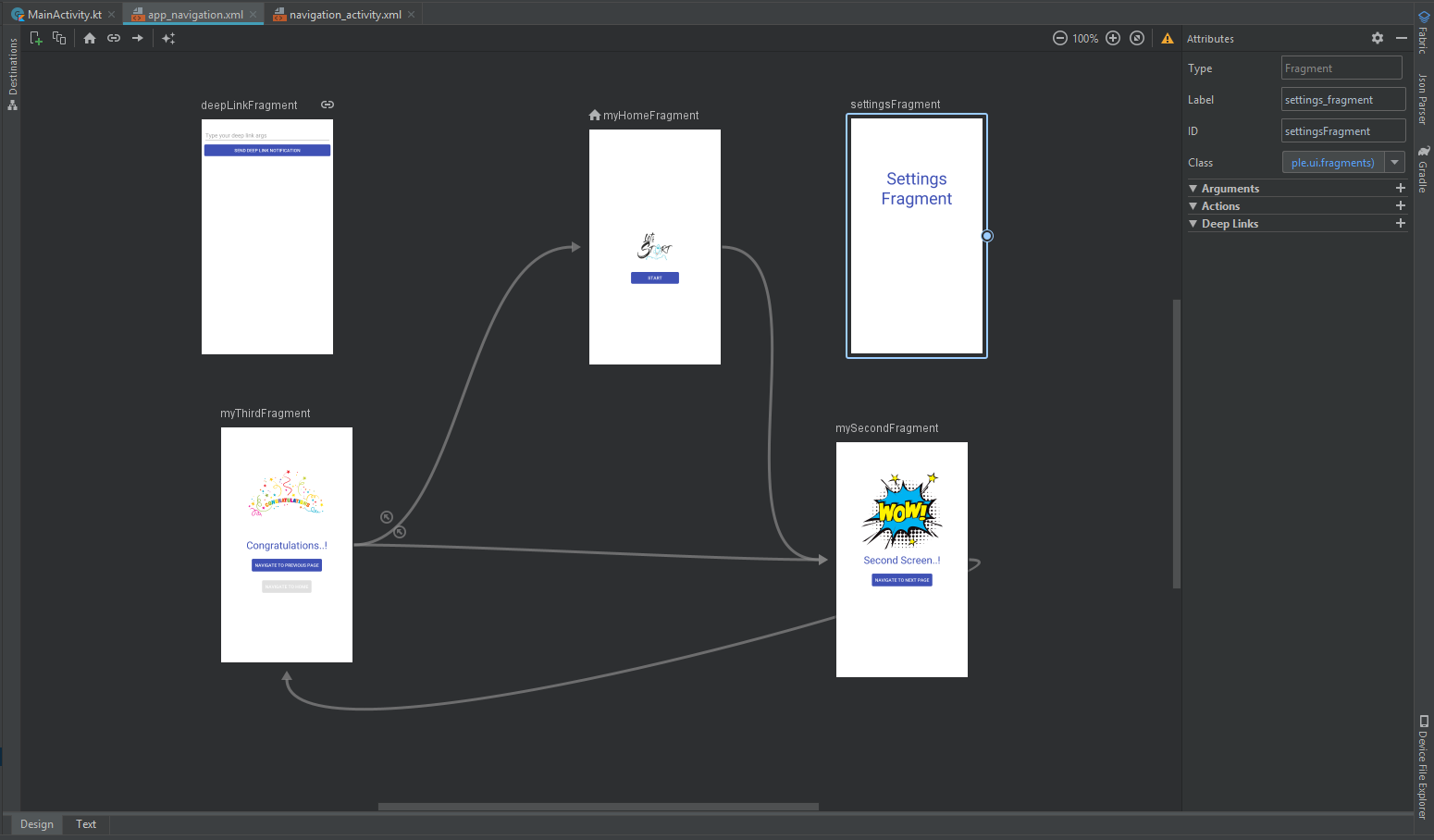
Navigation refers to the multiple interactions that allow the user to move around in the different sections and app’s content pieces. Android jetpacks come with components of handy navigation that helps the developers to implement the navigations. The implications could range from a simple button, click to an intricate pattern such as a navigation drawer.

The navigation component’s further benefit is that the component allows a predictable and consistent user experience, as the developers who implement them, follow the stated navigation principles.

3.  Blockchain Technology 

Top 10 Android App Development Trends To Watch Out In 2021

The blockchain technology has been making rounds for many years; however, it has finally come into action. The blockchain technology provides the enhanced solutions of the decentralized app development that eliminates any unauthorized access and pushes transparency.

The blockchain technology market is said to grow at 62.73% CAGR by 2026 making $52.5 billion. Decentralized apps (Dapps) are an open source, smart contract based software applications that run transactions on blockchain. These applications run on decentralize blockchain and the data cannot be changed or erased in it. These apps are the future of mobile app development; they enable faster payment, reliable data records, and are tamper proof.

With the help of blockchain technology, an android app development company can maintain robust security protocols. This inclusion is fast becoming a part of the trends in android development especially in the financial segments such as currency exchanges, banks etc.

4.  Google Assistant/Chatbot
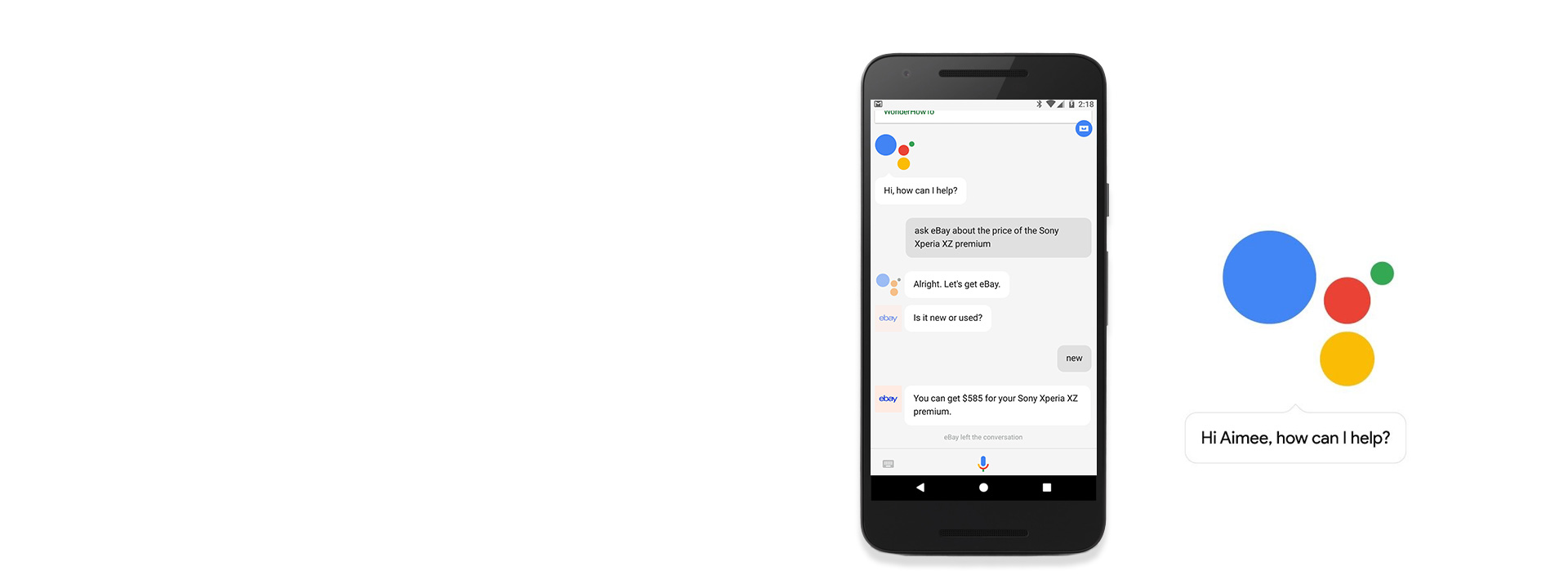
Custom Google Home Bot & Google Assistant Bot For Business | NCRTS

In the coming years, we will see that many business owners would be keen on integrating their app services with the Google Assistant. The primary advantage of investing in such an integration is that it provides users with faster ways of accessing the app directly. By using the Google app actions, the users get access to an app’s deep-link which allows them to perform specific activities inside the application from the Google Assistant.

Google, in 2020 announced that they will release a new feature for google assistant at CES. The new feature called “Scheduled Actions” will permit users to communicate with smart devices through google assistant like turn on/off a smart device, make a coffee, etc. The feature will be capable of controlling 20 home devices including lights, coffee machines, AC units, and many more.

5.  Multiplatform Development Through Flutter

Cross-platform mobile app development using Flutter

Google has introduced a new technology naming Flutter, which is being touted as the future of android development. Flutter is a cross-platform framework that helps in developing beautiful apps with a single codebase.

Many developers have been selecting this platform to build mobile apps due to its flexible nature. The primary reasons to choose Flutter are that it is effortless to learn, has a native design, etc.

It is one of the preferred frameworks for minimum viable product development. This means that instead of spending extravagance on two different apps, you can quickly build an app on native platforms such as iOS or Android.

With the latest update Google took flutter beyond mobile and to the web. Flutter developers are now able to target macOS, Windows and Linux and other embedded devices. The desktop support provided by flutter also includes plugins that support various platforms.

The new Flutter and Dart update have been released with Substantial Performance Improvements from its contemporary releases. Flutter is prepared for creating apps for iOS, Android, Fuchsia, web & desktop with new platform support. Moreover, they are in talks with Ubuntu for Linux apps, Microsoft’s Android Surface Duo, and Windows 10X which will be made accessible soon.

Some prominent progressions made in Flutter in 2021-21 are:

  • decreased size and latency
  • less janky animations, and quicker treatment of UTF-8 strings
  • mouse cursor support
  • new widgets such as Interactive viewer making pen
  • zoom and drag-n-drop
  • range slider and date picker revamped
  • integrating flutter to the current application made suitable with Pigeon
  • improved help for Metal on iOS, and new Material gadgets.

6.  Internet of Things

Global 5G IoT Market Size, Share, Growth, Trends | Industry Report 2028

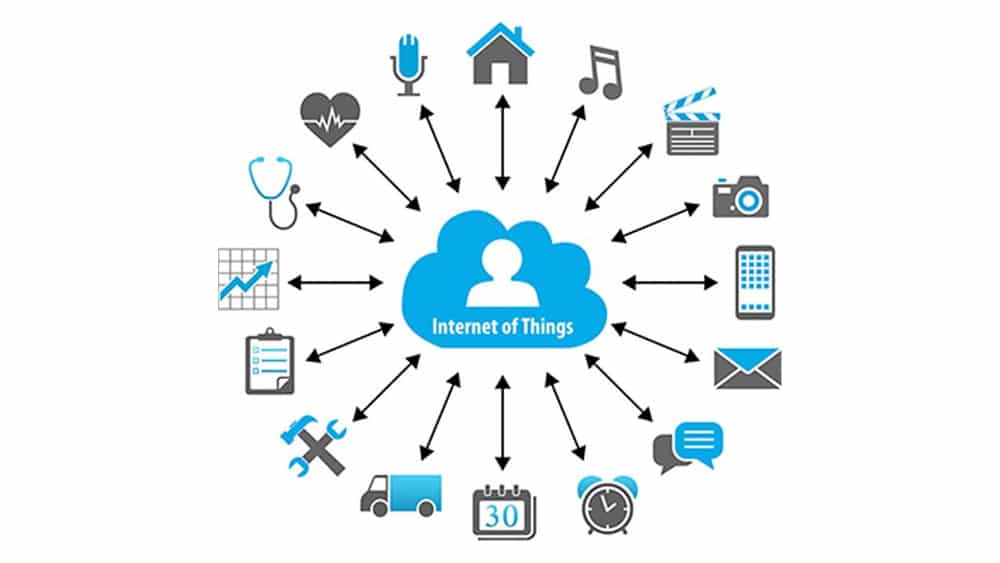
The key mobile app development trends 2021 is the implementation of the IoT (Internet of Things). In Android, these trends end up translating into many of the Android things that allow the developers to build the devices on the top of the known hardware platforms such as Raspberry Pi. The best part is that developers do not require any prior knowledge of embedding the system design to start. Instead, the developers can develop the apps using Android Studio and Android SDK.

The introduction of 5G will open the door for more devices, and data traffic. According to some reports the 5th generation wireless network technology is expected to connect 1.5 billion devices globally in the coming years. It is also stated that the global IoT connections will triple to 25 billion by 2025, while IoT revenue globally will quadruple to $1.1 trillion.

With that said, IoT will focus on developing smart parking lots, street lights, and traffic controls apart from advancing the hospitality and industrial sectors.


7.  APM & EMM
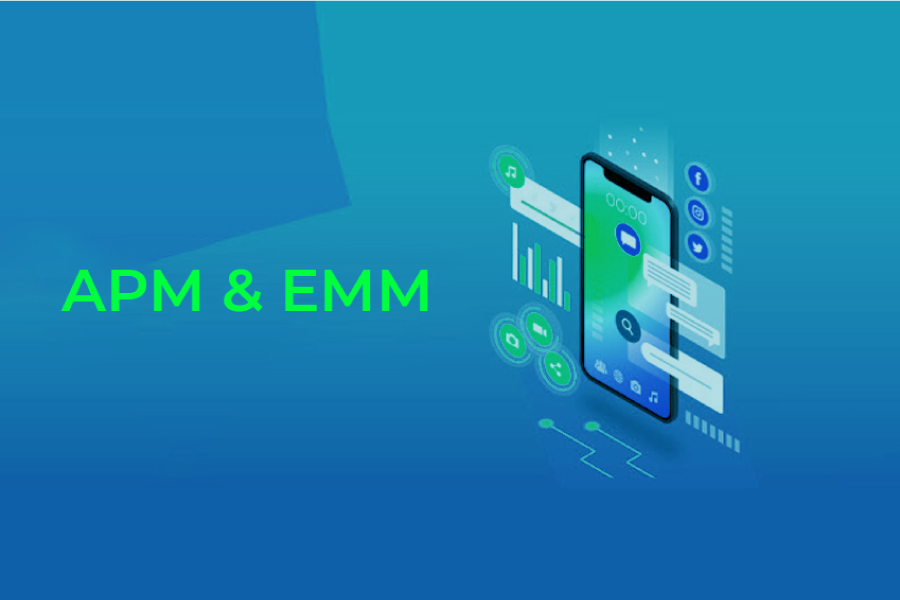
Mobile App Development Trends to Follow in 2021 & Beyond

APM (Application Performance Management) and EMM (Enterprise Mobile Management) are two primary elements of mobile enterprise development. These technologies are primarily used to reduce mobile apps’ slowness. With the overall rise in mobile application development trends, they have become the quality tester for mobile apps.

With the upcoming trends, APM will reflect the application behaviour, measure statistics for devices and Oss that are used, and screen user performance to figure out which application features are exploited. With the application landscape and business infrastructure moving to cloud, APM will also provide powerful tools to monitor resources utilized by apps, associate the retrieved data with user insights, and adjust performance with business processes.

EMM will incorporate mobile device management, app management, application wrapping and containerization, and a few components of enterprise file synchronization and sharing.

From the work from home context, EMM has grown many folds and is looking into automation of processes, workflow optimization, easier and smoother communication flow, and exchange of data

8.  Motion Layout

Swipe right on Motion Layout. How to get into the swiping game with… | by Cedric | Bumble Tech | Medium

The layout used by the developers to manage the motion and the widget animations in the apps. This tool is a part of the Constraint Layout library and is compatible with Android 4.0. With these libraries, the team can quickly fill up all the gaps between the complex motion handling and layout transitions, as these tools are known to offer high-end and useful features.

Developers will be seen using Motion Layout to create multiple interfaces that use the animations, helping them understand what is going on with the app.

9.  Beacon Technology
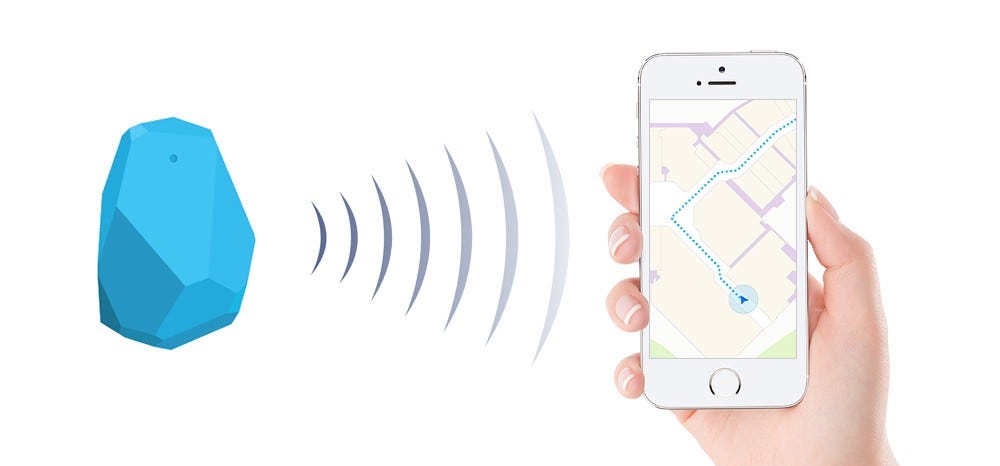
This is the future: Beacon Technology! | by DeCode Staff | DeCodeIN | Medium

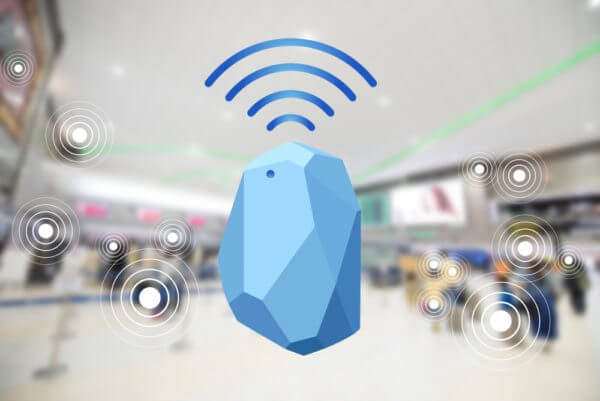
Businesses have slowly started to immensely use Beacon technology, as it helps businesses target potential clients uniquely. Beacons are the transmitting gadgets that get connected with mobile devices, in that particular range. The technology allows the companies to send various notifications regarding the special offers, nearby hotels etc.

Beacon technology transformation from a push marketing strategy to an opt-in strategy is useful for many industries. The technology can be applied on-cloud and at-area, which is helping it to gain traction and promote its growth in the coming years.

Beacon-based notifications are helping out businesses to connect with their users in a highly contextual manner. The beacon technology trend in 2021 will see the coming of beacon enabled airports and mobile payment using beacon.

Some companies are predicting the rapid development and use of iBeacon and other similar gadgets for marketing.

10.  Android Enterprise
Android 10 is out, but history says you likely won't get it for ages (if at all)

Digital transformation is now the need of the hour in 2021 for enterprises. The Google-led initiative – Android enterprise helps the workers to use the Android apps in their workplace. The Android Enterprise program helps the developers with the APIs and various other tools needed to integrate support for Android into the solutions of enterprise mobility management.

Wrapping Up

Each year comes with newer innovations and ideas, and these trends keep on rolling back and forth. Looking at the above latest trends in android app development, we can undoubtedly claim that the Android Operating System is growing at a rapid speed towards providing the users a seamless experience.

Given the trends for mobile app development, businesses are opting for app development and are looking for an estimate of the cost.

Speed Up Android App Development-10 Quick Tips

Android Apps Development Services | Technource US

In a market fraught with stiff competition, a quick time-to-market app can make all the difference. An app that takes forever to build and deploy can crash and burn even before it goes off the shelf. Developing a mobile app is an expensive process. Creating a mobile application is a costly process, as bringing ideas into reality requires time and effort, and expenses. For instance, after the development you’ll have to pay for hosting or for marketing campaigns to spread the word. One approach to keep costs back from spiraling crazy is to decrease the application development time. In the realm of mobile apps, time is money, so the more you spend working on your app, the more it will cost. Although Android app development for business is a good choice, however, it is especially notorious for its sluggish speed. CEOs of businesses are constantly struggling to meet deadlines and take their app to the market before competitors pinch the app idea. In this tussle between speed and quality, often quality is sidelined and what results is a product that doesn’t meet your or your audience’s needs and expectations. We will be discussing in detail how to develop apps faster in the below article.

Since android application development speed is such a relevant issue, we have compiled a set of handy android tips and tricks 2021 that can help you create android apps speedily, without compromising on quality.

Android Development Tips

1. Use the latest tools

Auditors must use latest tech tools for quality audits: CEPR

All android developers are faced with the same dilemma: too much to do and too little time to do it! Designing, prototyping, coding, testing, debugging, and the list of tasks goes on. While some of these vital steps have no short-cuts, there are valuable tools to help with others.

Here’s our countdown of developer must-have android development tools that can speed up android app development service process:

A. Genymotion

How to Run Android Apps on Windows 10 with Genymotion

A sleek emulator that can simulate built-in sensors that a device model has. This emulator supports all existing versions of Android, cutting the need for re-configuring for different devices.

B. Hierarchy Viewer

A great tool to view your app’s tree and analyze its flaws for debugging and testing purposes. This tool, available in Android SDK, helps speed up app development by letting you merge and remove redundant elements in your app.

C. LeakCanary

GitHub - square/leakcanary: A memory leak detection library for Android.

Detecting memory leaks is a specialized function of this tool. These bugs are very hard to debug and the tool will ensure no leakage escapes your notice. Debugging becomes rapid and mobile.

D. Vysor

Vysor - Android control on PC: Amazon.in: Appstore for Android

This tool helps android app maker in sharing screens between their workstations and Android devices, using just a Chrome plug-in. The tool is an answer to most developers’ prayers who find it complicated to root devices via USB. With this tool, you can share app features live with the client and receive instant feedback which is always great for the development process.

E. Butterknife

Butter Knife

An awesome tool to improve the coding rate and readability of your boilerplate codes. This tool is a great time saver for all businesses looking to cut down app development time.

2. Low-fidelity wireframes are speedier

Low Fidelity Wireframes vs High Fidelity Wireframes - MentorMate

Wire framing is an essential step in the app development process. Using low-fidelity wireframes is better option than high-fidelity ones. These wireframes are less detailed and more fluid but they give a clear enough picture to developers and UI designers.

Going headfirst into coding is not advisable and most experienced Android app developers in New York, Florida, Texas, and other areas know this. The most crucial first step is to get designers, developers, coders and project managers on the same page. Low-fidelity wireframes do just that. They are quick to develop and are a good blueprint for the entire development team.

3. Go lean

A commonly-accepted best practice in the quick android app development process is to launch a Minimum Viable Product (MVP) with just the basic features and no frills, instead of waiting to develop and launch a full-fledged app. The MVP will help you collect user data about what’s working and what’s not. Use the build-measure-learn feedback loop to get invaluable lessons about customer feedback. This approach diminishes the risk element of your app and makes for an app that is more likely to appeal and succeed.

Another facet is using short iterations or “sprints” to break up the entire app model into smaller, doable cycles. Each sprint is complete in itself-it has the entire gamut of development steps and results in an improvised version of the previous sprint product. Speed up android and go agile in your development process. Reduce redundancy of effort and resources. This not only helps reduce development time but also saves production costs. And of course, the ultimate benefits of android app development is a risk-free product that starts churning ROI from the moment it’s launched.

4. Hire experienced developers

Hire Laravel Developer at Low Hourly Rate | Highly Skilled Developers in USA

Once you are settled with the development platform and the tools, now comes an ideal opportunity to hire the best android developers to accelerate android application development projects. While hiring android developers, one thing that should be considered is their experience and flexibility. Why? Because if android application developers are experienced, this means that they will have proper knowledge or information on every issue that may come during the app development process.

Also, if the android app maker is interested to learn and adjust to new technologies and platforms, then that will enhance and accelerate your app development process. Adaptability plays an important part in deciding the interest level of your development group. Thus, you should employ android developers that are prepared to learn and update their abilities according to the project.

5. Delegate off-core activities

The Art of Delegating: What and How to Delegate to Your Directs

One of the android tips is to always take a wise choice to offload additional activities such as enhancing app engagement, measuring app analytics and converting free subscribers to premium ones. These activities eat up a lot of time and are better off with pre-designed applets, available at mobile engagement platforms. These applets can be incorporated in your ready app with just a few lines of code. Applets enable activities such as sharing tools, offer notification, new features tools and feedback tools.

6. Use hybrid app development

Top 10 Hybrid Mobile App Development Frameworks - Clever Solution

Cross-platform apps allow you to code for one app and get multiple apps that can run on all covered platforms. Hybrid app development is speedier than native app development, though it has its own set of drawbacks. But for quick market penetration, cross-platform apps may be the best choice. Later, one can go in for native apps that are more inherent, fluid, robust, and focuses on android app performance optimization.

7. Opt for automated testing

When to opt for automation testing | Test Automation Resources

Automated testing is a sure shot measure to get secure, fully-tested apps in a fraction of time than the ones deploying manual testing. Automated testing tests an app against a full suite of testing tools simultaneously, instead of one-by-one as in manual testing. This improves test coverage, reduces testing time, and guarantees a bug-free product that is market ready.

8. Outsource specialized development steps

Outsourcing Serious Games Development Tips - eLearning Industry

In-house app development is not everybody’s cup of tea. The app market is fast evolving and new apps are entering the market every day. To remain competitive, timely, and relevant, one can outsource app development to a skilled, efficient Android app development company. Even if you possess the capabilities to code or design an Android app, use domain experts for putting the whole product together and maintaining it. Not only will you get better returns on development costs, but you will also offload the hassle of running tasks that will be better handled by experienced professionals.

A common misconception shared by businesses is their misplaced fear about the cost of outsourcing. Android software development company mostly have flexible engagement models that can match product development costs to your budget. Fixed cost; time and material; and build, operate and transfer models can be evaluated to arrive at a business solution that works in your favor.

9. Cross-platform development tools

React Native vs. Xamarin vs. Flutter vs. Ionic vs. NativeScript

Cross-platform is the most convenient way to decrease app development time. The cross-platform tools allow users to focus on numerous mobile platforms with a similar codebase, eliminating the time that one would normally spend deciphering, reworking, and re-compiling the same code to work across various platforms.

Developing separate native applications for every platform is costly, while a hybrid app utilizes a single sharable code, which assists you to save your pockets. Cross-platform applications have a native look and feel, which is great for user experience.

There are plenty of cross-platform development tools, but some of the most used tools include:

Xamarin

Ionic

Flutter SDK

React Native

Adobe Phonegap

10. Create build variants

How to create and configure Android Build Variants - Cuelogic Technologies Pvt. Ltd.

Loading your app with unnecessary configurations can slow down your app’s incremental builds. Retain only those configurations in your app that are required in its development and release versions. Plus, don’t waste time and effort in compiling additional resources that hold little value. Such resources include screen density resources and additional language localizations.

Wrapping Up

Manage your app development time strategically to get ahead of competition and meet tight deadlines. A minute lost in android application development services can translate to huge monetary losses. A good mobile app development company will micro-manage tasks of developments in such a way that your app hits the markets at top speed!

Also taking the above mentioned points into consideration will on how to create an app for android.

Fill up the form through this link and hire android app developers in USA that will help you validate and convert your app idea into an efficient product and create android apps.

Test Android App: Role of Android Espresso & AWS Device Farm

Android Integration Testing - The Official 360logica Blog

AWS Device Farm is a service that allows you to test your Android and iOS-based apps on real devices and not by using any simulators and using AWS Cloud.

A fierce competition exists in the mobile app development market as the competitor companies are trying hard to get recognized by showcasing their products in the App Stores. After developing an app, one key factor that is remembered is that you should never be in a hurry to upload an app in the App Store. This is where lies the importance of the reviews from the various customers. If by any chance, you upload an app that is unstable, there is every chance that the app will be outright rejected by the users. So, the success of an app depends mostly on this review.

There are many reasons on account of which the apps simply crash and these are network problems, bloatware on the device, inadequate error and exception handling as well as memory issues. Herein lies the need for testing the apps, on multiple platforms and devices as well as on different networks.

Testing an Android App: Role Played by Android Espresso and AWS Device Farm This service enables you to provide the solution that you are seeking to test the app in the right way. You can upload your apps in the Cloud and run Fuzz tests for the purpose of simulating random activity or utilizing the built-in app explorer.

AWS Device Farm will crawl your app and helps to capture screenshots as well as performance metrics and logs. The advantage that it offers is easy to use and quick. You can track the issues that will be faced by your Android app if you use Espresso in AWS Device Farm, much before the app is displayed on the App Store.

What is AWS Device Farm?

AWS Device Farm | Mobile & Web App Testing | Amazon Web Services

There is no need to get distracted by the issues that are faced while testing your Android app like constructing automation infrastructure, building expensive device labs, or even gathering different types of devices and above all ensuring that the devices are available in stable conditions, whenever they are required. The importance of AWS Device Farm lies in the fact that it handles everything most efficiently. In a matter of few minutes, you can test the app on a wide range of devices. Moreover, not only does it allow you to choose the devices, but you can also choose the make and model of the chosen Operating System. It is capable of testing various carrier connections as it can simulate the connection type and conditions.

What is Android Espresso?

Call view methods when testing by Espresso and Kotlin in Android | by Alireza A. Ahmadi | AndroidPub | Medium

Android Espresso is the most popular test automation framework for testing Android apps. Testing is often done with the help of running testing scripts by the developers, Google has now come with Espresso Test Recorder, a tool that helps to create Android apps tests, easily and quickly. So, the advantage lies for those people who do not have any background in coding or building test scripts, generating automated user interface tests for their apps to run on AWS Device Farm. So, the efficiency of the app developers is enhanced, and also the quality of the apps.

How are the Developers Utilizing the AWS Device Farms?

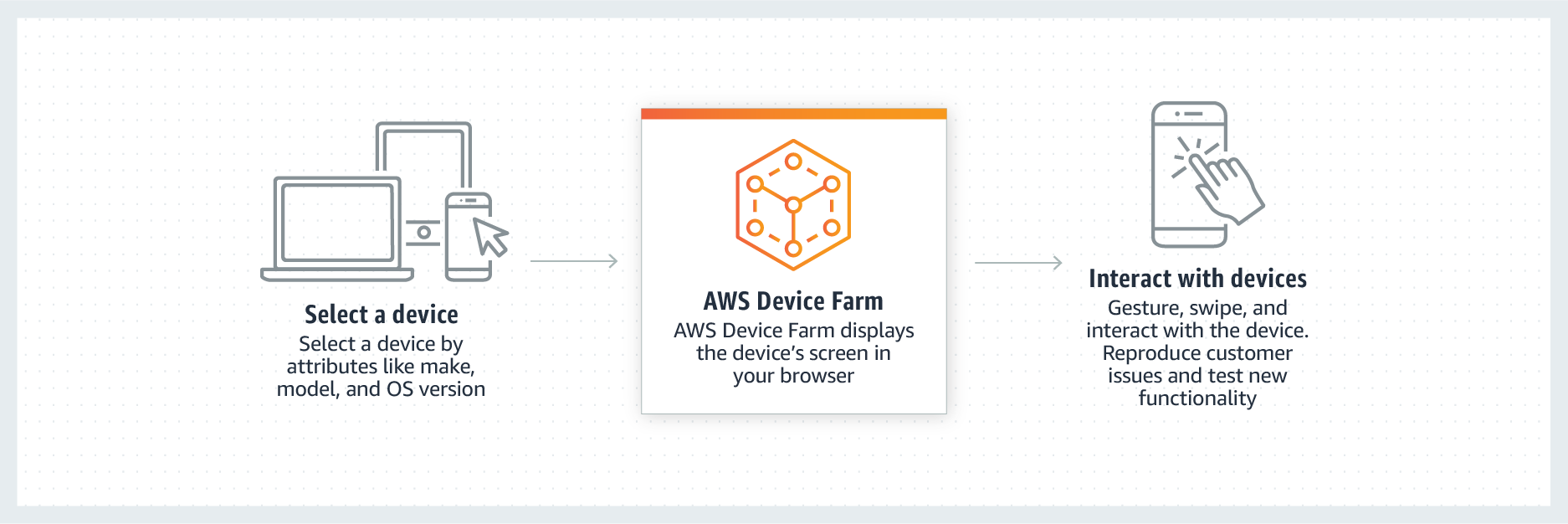
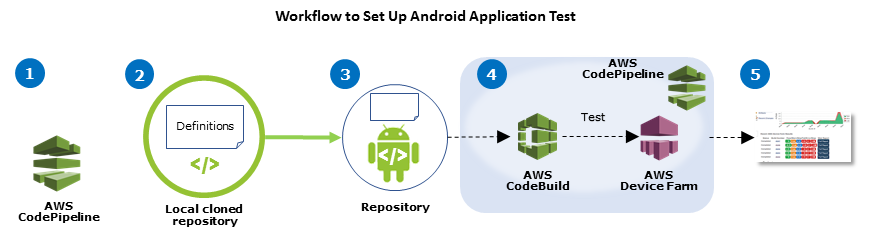
Using AWS Device Farm in an CodePipeline Test Stage - AWS Device Farm

Android Espresso actually helps the developers testing the apps locally as well as the Cloud Setup like AWS Device Farm. AWS Device Farm is used by the developers for the purpose of testing iterative changes through the development process. The functionalities are also tested so that they work well on the various targeted devices. That the applications are running well with the backend system is done with automated canaries running periodic tests using API. It also generates test reports that are of immense help to the developers. It offers the best place to produce issues related to mobile analytics.

Finally, Android Espresso and AWS Device Farms help to ward of app issues, so that only the high-quality apps get displayed on the App Store, not the unstable ones which will fetch the best of reviews from the users, a crucial requirement for building a highly successful app.

Top Development Trends for Android Apps

Importance Of Android App Development For Any Business

Are you an entrepreneur who is looking forward to making or getting their Android mobile app developed? Let’s dig into some trends & stats.

When it comes to developing mobile apps, no doubt the Android operating system gets all the attention, an attention that is well deserved.

Are you an entrepreneur who is looking forward to making or getting their mobile app developed?  If yes, then you surely need all the deep insights to know about the latest android app development trends.

Let’s dig in for some stats and read on further to discover the popularity of Android apps and the sector’s trends.

  • The fact is that today, Android is one of the most vitally used mobile OS that has captured almost 85% of the market share.
  • The Google Store has 3.04 + million applications, that range from web browsers, daily tools, social media platforms, complex games, enterprise mobile apps etc.

These figures clearly state that the app developers need to be aware of the hottest trends in mobile app development and incorporate them in their Android apps at the earliest, simply to provide users a unique experience.

Top Android Application Development Trends To Watch Out In 2021

The android apps continue to see implacable changes, that are primarily dominated by the user experience and constant innovations brought in by Google. As an entrepreneur, you would need to exemplify these trends for staying ahead of the competition.

1. Android Instant Apps

Could Android Instant Apps Replace the Mobile Web?

Although instant Android apps are not very common, slowly and surely, these app display types are picking up the pace. Android Instant app provides software developers with Android Instant Apps SDK and App Links Assistant that permits them to build mobile solutions from scratch or convert the existing apps into Instant Apps.

A working example of the type can be seen through the following – the Instant app allows users to try different games on the applications without installing that app on the device, exciting right?  The advantage of these apps is that they are compatible across all gadgets, require less storage space, and have a pleasant user experience and user interface.

Instant apps are the future and one of the biggest trends in mobile app development that helps the user use the app without actually compromising on space on their smartphones. This is the technology that is designed to drastically help and push the adoption of multiple sectors like eCommerce and games further to secure a place in top android app development trends of 2021.

 2.  Navigation Component

Navigation Component- The Complete Guide | by Muhamed Riyas M | Medium

Navigation refers to the multiple interactions that allow the user to move around in the different sections and app’s content pieces. Android jetpacks come with components of handy navigation that helps the developers to implement the navigations. The implications could range from a simple button, click to an intricate pattern such as a navigation drawer.

The navigation component’s further benefit is that the component allows a predictable and consistent user experience, as the developers who implement them, follow the stated navigation principles.

3.  Blockchain Technology 

Blockchain Technology: How Businesses Use Bitcoin, Ethereum & Other Cryptocurrency To Increase Revenue

The blockchain technology has been making rounds for many years; however, it has finally come into action. The blockchain technology provides the enhanced solutions of the decentralized app development that eliminates any unauthorized access and pushes transparency.

The blockchain technology market is said to grow at 62.73% CAGR by 2026 making $52.5 billion. Decentralized apps (Dapps) are an open source, smart contract based software applications that run transactions on blockchain. These applications run on decentralize blockchain and the data cannot be changed or erased in it. These apps are the future of mobile app development; they enable faster payment, reliable data records, and are tamper proof.

With the help of blockchain technology, an android app development company can maintain robust security protocols. This inclusion is fast becoming a part of the trends in android development especially in the financial segments such as currency exchanges, banks etc.

4.  Google Assistant/Chatbot

Custom Google Home Bot & Google Assistant Bot For Business | NCRTS

In the coming years, we will see that many business owners would be keen on integrating their app services with the Google Assistant. The primary advantage of investing in such an integration is that it provides users with faster ways of accessing the app directly. By using the Google app actions, the users get access to an app’s deep-link which allows them to perform specific activities inside the application from the Google Assistant.

Google, in 2020 announced that they will release a new feature for google assistant at CES. The new feature called “Scheduled Actions” will permit users to communicate with smart devices through google assistant like turn on/off a smart device, make a coffee, etc. The feature will be capable of controlling 20 home devices including lights, coffee machines, AC units, and many more.

5.  Multiplatform Development Through Flutter

What makes Flutter Ideal for Cross Platform Application Development?

Google has introduced a new technology naming Flutter, which is being touted as the future of android development. Flutter is a cross-platform framework that helps in developing beautiful apps with a single codebase.

Many developers have been selecting this platform to build mobile apps due to its flexible nature. The primary reasons to choose Flutter are that it is effortless to learn, has a native design, etc.

It is one of the preferred frameworks for minimum viable product development. This means that instead of spending extravagance on two different apps, you can quickly build an app on native platforms such as iOS or Android.

With the latest update Google took flutter beyond mobile and to the web. Flutter developers are now able to target macOS, Windows and Linux and other embedded devices. The desktop support provided by flutter also includes plugins that support various platforms.

The new Flutter and Dart update have been released with Substantial Performance Improvements from its contemporary releases. Flutter is prepared for creating apps for iOS, Android, Fuchsia, web & desktop with new platform support. Moreover, they are in talks with Ubuntu for Linux apps, Microsoft’s Android Surface Duo, and Windows 10X which will be made accessible soon.

Some prominent progressions made in Flutter in 2021-21 are:

  • decreased size and latency
  • less janky animations, and quicker treatment of UTF-8 strings
  • mouse cursor support
  • new widgets such as Interactive viewer making pen
  • zoom and drag-n-drop
  • range slider and date picker revamped
  • integrating flutter to the current application made suitable with Pigeon
  • improved help for Metal on iOS, and new Material gadgets.

6.  Internet of Things

Internet of Things: What It Is, How It Works, Examples and More

The key mobile app development trends 2021 is the implementation of the IoT (Internet of Things). In Android, these trends end up translating into many of the Android things that allow the developers to build the devices on the top of the known hardware platforms such as Raspberry Pi. The best part is that developers do not require any prior knowledge of embedding the system design to start. Instead, the developers can develop the apps using Android Studio and Android SDK.

The introduction of 5G will open the door for more devices, and data traffic. According to some reports the 5th generation wireless network technology is expected to connect 1.5 billion devices globally in the coming years. It is also stated that the global IoT connections will triple to 25 billion by 2025, while IoT revenue globally will quadruple to $1.1 trillion.

With that said, IoT will focus on developing smart parking lots, street lights, and traffic controls apart from advancing the hospitality and industrial sectors.


7.  APM & EMM

How Mobile APM Augments Enterprise Mobility Management | Aternity

APM (Application Performance Management) and EMM (Enterprise Mobile Management) are two primary elements of mobile enterprise development. These technologies are primarily used to reduce mobile apps’ slowness. With the overall rise in mobile application development trends, they have become the quality tester for mobile apps.

With the upcoming trends, APM will reflect the application behaviour, measure statistics for devices and Oss that are used, and screen user performance to figure out which application features are exploited. With the application landscape and business infrastructure moving to cloud, APM will also provide powerful tools to monitor resources utilized by apps, associate the retrieved data with user insights, and adjust performance with business processes.

EMM will incorporate mobile device management, app management, application wrapping and containerization, and a few components of enterprise file synchronization and sharing.

From the work from home context, EMM has grown many folds and is looking into automation of processes, workflow optimization, easier and smoother communication flow, and exchange of data

8.  Motion Layout

Introduction to MotionLayout on Android – Ars Futura

The layout used by the developers to manage the motion and the widget animations in the apps. This tool is a part of the Constraint Layout library and is compatible with Android 4.0. With these libraries, the team can quickly fill up all the gaps between the complex motion handling and layout transitions, as these tools are known to offer high-end and useful features.

Developers will be seen using Motion Layout to create multiple interfaces that use the animations, helping them understand what is going on with the app.

9.  Beacon Technology

What Are Beacons and How Beacons Technology Works? - Intellectsoft

Businesses have slowly started to immensely use Beacon technology, as it helps businesses target potential clients uniquely. Beacons are the transmitting gadgets that get connected with mobile devices, in that particular range. The technology allows the companies to send various notifications regarding the special offers, nearby hotels etc.

Beacon technology transformation from a push marketing strategy to an opt-in strategy is useful for many industries. The technology can be applied on-cloud and at-area, which is helping it to gain traction and promote its growth in the coming years.

Beacon-based notifications are helping out businesses to connect with their users in a highly contextual manner. The beacon technology trend in 2021 will see the coming of beacon enabled airports and mobile payment using beacon.

Some companies are predicting the rapid development and use of iBeacon and other similar gadgets for marketing.

10.  Android Enterprise

Android Enterprise - Marketplace | Hexnode MDM

Digital transformation is now the need of the hour in 2021 for enterprises. The Google-led initiative – Android enterprise helps the workers to use the Android apps in their workplace. The Android Enterprise program helps the developers with the APIs and various other tools needed to integrate support for Android into the solutions of enterprise mobility management.

Wrapping Up

Each year comes with newer innovations and ideas, and these trends keep on rolling back and forth. Looking at the above latest trends in android app development, we can undoubtedly claim that the Android Operating System is growing at a rapid speed towards providing the users a seamless experience.

Native App Development is a Better Solution- Why

Hybrid App vs Web App vs Native App Development: How To Choose? - Clockwise Software

Since the advent of web apps, native apps have faced a lot of flak for being costly, sluggish, and platform-dependent. But the superior user experience, enhanced security, and amazing native capabilities of these apps can beat the lights out of any web app in the market. Backed by the goodwill of App Stores, native app development makes for an excellent investment.

This blog explains succinctly the advantages of native app development over web app development. Later, it elaborates how developers can create a wonderful concoction of native and web apps through React Native-based hybrid apps.

Let us Start with the Benefits of Investing in Native App Development

1. Native apps run faster

8 ways to make you run faster

Native apps are stored on the device so their processing speed is not dependent on internet connectivity or bandwidth. Moreover, these apps utilize a device’s native programming language and APIs to operate. So they run extra efficiently. In contrast, web apps are actually a bunch of web pages tied together with browser technologies. They just give the look and feel of apps but are HTML-powered user interfaces. For any action to be performed in a web app, calls are made to remote web pages. The speed at which processing occurs is dependent on internet connectivity in the vicinity.

2. They have the App Store advantage.

7 Convincing Reasons Why Should You Should Choose Native

App stores only feature native mobile apps. And app stores are undeniable one of the most important marketing channels for any app. When a person is in need of a new app, the App store will probably be the first play they’ll look for it. If your app is listed there, its chances of being discovered are greater. There are ways your app can be made more prominent in App Stores. Since native apps are backed by App Stores, they are perceived as the hallmark of quality by most users.

Another big thumbs up for native apps is that their monetization (commission, revenue, etc.) are taken care of by the App Stores from where they are downloaded. For web apps, payment systems have to be integrated within the app.

3. More secure apps

The Best Android Apps for Protecting Privacy and Keeping Information Secure

Native apps can leverage the in-built security features of a device’s operating system. Plus, performance enhancement updates of the OS are also available for native apps. The mobile device management feature allows users to take remote control of their app and protect its data from encroachment or compromise.

Web apps, on the other hand, are more prone to security threats since they work on non-standard programming codes made using HTML, CSS and JavaScript.

4. Scalability and enhancement are non-issues

MAVIC 2 PRO GIMBAL ISSUES ARE A NON ISSUE - YouTube

New features can be added to native apps easily and rapidly. The unlimited APIs available for native apps can render your app scalable and better. If need be, new APIs can be created for crafting features that aren’t provided by existing APIs. Conversely, web apps can work only within the limits of the web browser facilitating them. So they aren’t as flexible as native apps.

5. Good integration with mobile hardware

Hardware Integration - mojikllc

Mobile devices have super features such as camera, GPS, touch screens, integrated calling and microphone. Native apps can utilize these features with ease. Leveraging these capabilities within a web browser can be challenging and cumbersome.

6. Delights users with anticipated UI and UX

UX strategy: business management and UX design - Justinmind

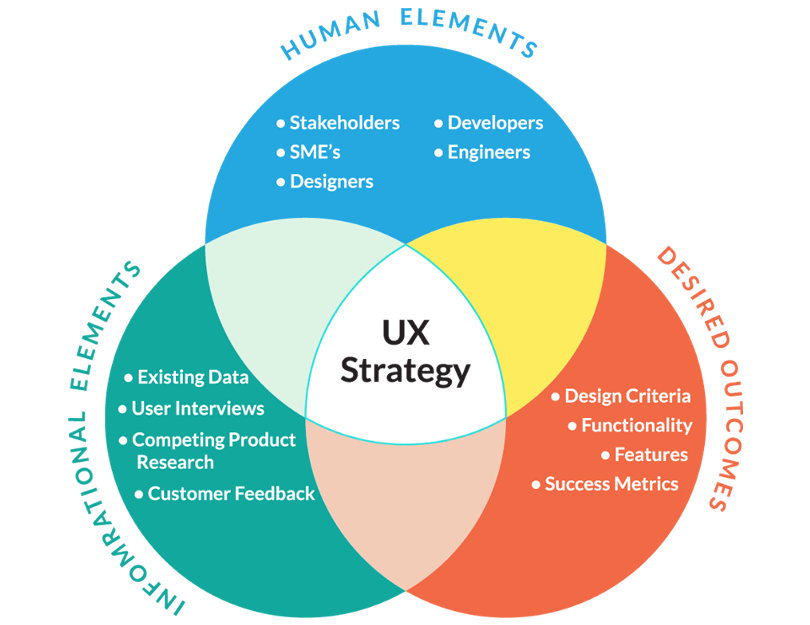
Native apps delight users with the kind of UI and UX they have come to expect from their handheld devices. Web apps give the look of inherent apps but not their feel. They cannot function as seamlessly as native apps. Web apps also give a monotonous user interface across all devices that rarely matches the spectacular user experience provided by native apps.

7. These apps run offline too

7 Best Offline Messaging Apps for Android and iPhone [2020] | Beebom

One of the biggest advantage of native apps is that, unlike web apps, they don’t need internet to run. Since they are stored within a device, native apps can be worked on the move, in a desert, forest or anywhere else. Web apps are hosted on web browsers that can be accessed only when online. So, if using web apps, you will be hindered by wavering internet speed, connectivity issues and hefty internet usage charges.

React Native Application Development- Best of Native and Web Apps

Top 10 Benefits of Choosing React Native for Developing Your Mobile Applications

Native apps are secure, efficient and delightful. This is what makes native apps the preferred choice of most quality developers and vendors. This certainly doesn’t mean that the affordability and rapidity of web application development can be dismissed lightly. Most people find themselves at a veritable crossroad where they are compelled to compromise and settle for cheaper, quick-to-market web apps at the cost of native apps that offer better user experience.

But Facebook’s React Native has changed the rules of the game. React Native apps combine the performance factor of Native Apps with the ease of development of Web Apps. This JavaScript library helps build amazing user interfaces that render flawlessly on all devices and platforms consistently.

Benefits of React Native App Development

1. Reusable components

React Native has components corresponding to iOS and Android and these components can be used time and again to give native look and feel to your app, regardless of the device on which it resides. The speed and functionality of React Native apps is no less than of Native apps. Additionally, these apps can be built in agile frameworks that are speedy and efficient.

2. Reusability of app’s existing code

If you don’t wish to overhaul an app; instead you want to utilize its existing code- React Native Applications are the answer to your prayers. Your Cordova or Ionic code can be reused as a plugin in the React app. So, no coding!

3. Ease of adoption

Ease of Use is Critical for Project Management Tool Adoption - Eclipse PPM

React Native is easy to pick up for JavaScript programmers. It does away with the need for learning Swift or Java for Android. Essentially, front-end programmers can turn developers and coders by using React Native application development.

4. Platform independent

Android VS Apple VS Windows Phone - Photos | Facebook

Whether your device is Android or iOS-based, React Native apps run equally well on both platforms. Initially, React Native apps could be built only for iOS devices. But owing to the popularity and mass appeal of Android devices, React Native’s scope was expanded.

Facebook has made React Native open-source, meaning there is a distinct possibility of compatibility with Windows and TvOS operating systems, in the near future. If that happens, React Native will have all bases covered and beat rival framework undisputedly.

5. Efficiency personified

Native apps are slower to develop and deploy than web apps. But React Native apps bring agility and speed into the system. ReactJS’s simple programming strategies and better performance enhance the efficiency of these apps.

6. Plugin compatibility

Better Plugin Compatibility Control – WordPress plugin | WordPress.org

You don’t need a Web View for loading third-party plugins. They can be incorporated within a React app and they load fast and ensure a smooth ride, even for devices with older versions of operating systems.

So, as we have covered in this blog, Native mobile apps score over web apps in a multitude of ways. And with React Native-based hybrid apps, things are looking even brighter. But, if you want a detailed information about these technologies before choosing one, consider our mobile app development guide today.

iOS vs Android: Know the More Secure Platform in 2021

Five good apps that work on both Android and iOS | ZDNet

While the Android vs iOS war is the one that continues to break the internet, the ultimate deal-breaking element for both the app users and the brands boils down to Mobile App Security.

How secure a mobile app is what determines its future in the present world where users are conscious of increasing data breach cases. But, is it something completely dependant on the quality assurance techniques that developers invest in?

Well, the answer is no.

Irrespective of how long it took to develop a mobile app or what methodology you followed in development, the ultimate result differs with various factors including, the operating system you choose.

Because of this, many developers are asking the question, “Android vs iOS: Who wins the title of higher security in 2021-22?”

When we talk about iOS vs Android security, the unprecedented winner has always been iOS, with its stringent security guidelines. But with Android Q, Google gave out an array of hope in 2021, that hinted towards it being on the verge of becoming a brand one can trust with their devices and personal information.

Will 2021-22 be the year when Google’s Android will emerge out as the secure one out of Android and iOS ecosystems?

Before we get into the Android vs iOS Security comparison 2021 lookout and let us first look at the prevalent security difference between iOS and Android.

Here are the comparative elements that cover both the Operating System Ecosystems, comprehensively.

The Security-inclined Points of Difference in Android and iOS

1. Boot up process

Start Up Your Project Concept With People Working On Rocket Launch Development Process Innovation Product Creative

Android platform, as any Android app development company would tell you offers Linux Kernel and Inter-Process Communication facility, security level. Coded with Application Sandbox, the platform gives a verified boot guarantee in which every stage cryptographically verifies the integrity of the next stage before their verification.

Android verifies the boots with the help of the dm-verity kernel feature that makes it impossible for the compromised device to boot.

While this was about Android, iOS offers the security level with Low-Level Bootloader(LLB), iOS kernel, and iBoot. LLB is primarily verified by Apple Root CS Public Key using the Boot ROM program to make sure that the iBoot Bootloader has been signed by Apple. Next, iBoot then verifies and executes the iOS kernel.

2. Security Software Update

6 Essential Software Upgrades When Buying & Selling Websites - Flippa

Android offers monthly updates in its Android Security Bulletin. Even though Android gives out updates once a month, they don’t force the users to update the devices. The option to ignore the update and operate the device, in the same way, gives an escape plan to the users thus opening the android app development services to a certain probability of security breach.

Apple rolls out several versions of security updates every once in a while in a month. Apple makes it a mandate for every user to download the most recent security upgrades. By giving out continuous notifications, the OS makes it difficult for its users to ignore the security upgradations. Something that brings everyone to the conclusion that the winner of Apple vs Android security efforts is the former one.

3. Touch Id

While Android has recently started partnering with manufacturers who are offering  the Fingerprint Scan option, the number is still very limited.

This is not the case with Apple. Apple has always been very particular when it comes to biometric verification on their devices. It is not just for Touch ID, Technologies like Iris Scan and Face ID have also been coined by Apple first. The OS giant, keep investing millions in security-focused technologies.

4. Hardware Integration

Hardware Integration - mojikllc

Unlike Apple, Android app security related to hardware depends entirely on the manufacturers. While some are good at keeping a handle on the fact that all the Android’s built-in features related to security work well on their device, others might give it a lesser priority. Generally, the devices which belong to the prime categories in terms of cost come with greater security backing than ones that are low price point products.

On the other hand, Apple has full control over its hardware security. This makes it undeniable to think that ios app development services will win the iOS vs Android security 2021-22 comparison.

5. Device Fragmentation

The greater the fragmentation, the greater the chances of introducing loopholes that are a comfortable space for heightened hacking and data breach incidents. By keeping both its device and operating system version on a lower side, Apple reduces this probability of an ios app development company facing hacks issue, by manifold.

But the case is not the same with Android. Both – number of device variants and OS versions are on a very high side in the platform, giving an open ecosystem to hacks and breaches to breed in.

6. App Stores Story

Apple undoubtedly has greater control over the apps that come for approval and their updates. The brand takes its right to vet, reject, and remove every app that doesn’t meet its criteria, very seriously, the fact that has brought in demand for such iPhone app development companies, which can develop apps that don’t get rejected.

Google, for a long time, overlooked the necessity of following stringent rules while approving an Android app. But, now it has taken major steps.

Besides encouraging developers to focus on security in Android app development, Google employed Machine learning to detect and remove malicious applications from the Play Store in 2017. And now, it has announced that the approval time on Play Store will be high so that every piece of the application could be tested thoroughly before making it live.

However, since Android is an open ecosystem, which emerges out as bliss both users and hackers, the impact of these actions on security breach incidents is high. After all, apps can be downloaded from stores other than the Play Store.

While this is the picture that has always remained, what does android vs ios 2021 look like for the two OSs on the security front?

Let’s find out.
Android vs. iOS: Which OS is Safer in 2021-22

In an article concentrated on iOS vs Android security comparison, it is essential to look at the matter with all specificity especially with the latest OS versions in focus. Let us first look into the new privacy features coming with iOS 14 and Android 11 before moving to the four key deciding factors.

iOS 14 Privacy Features 

iOS 14 Privacy Features: Approximate Location, Clipboard Access Warnings, Limited Photos Access and More - MacRumors

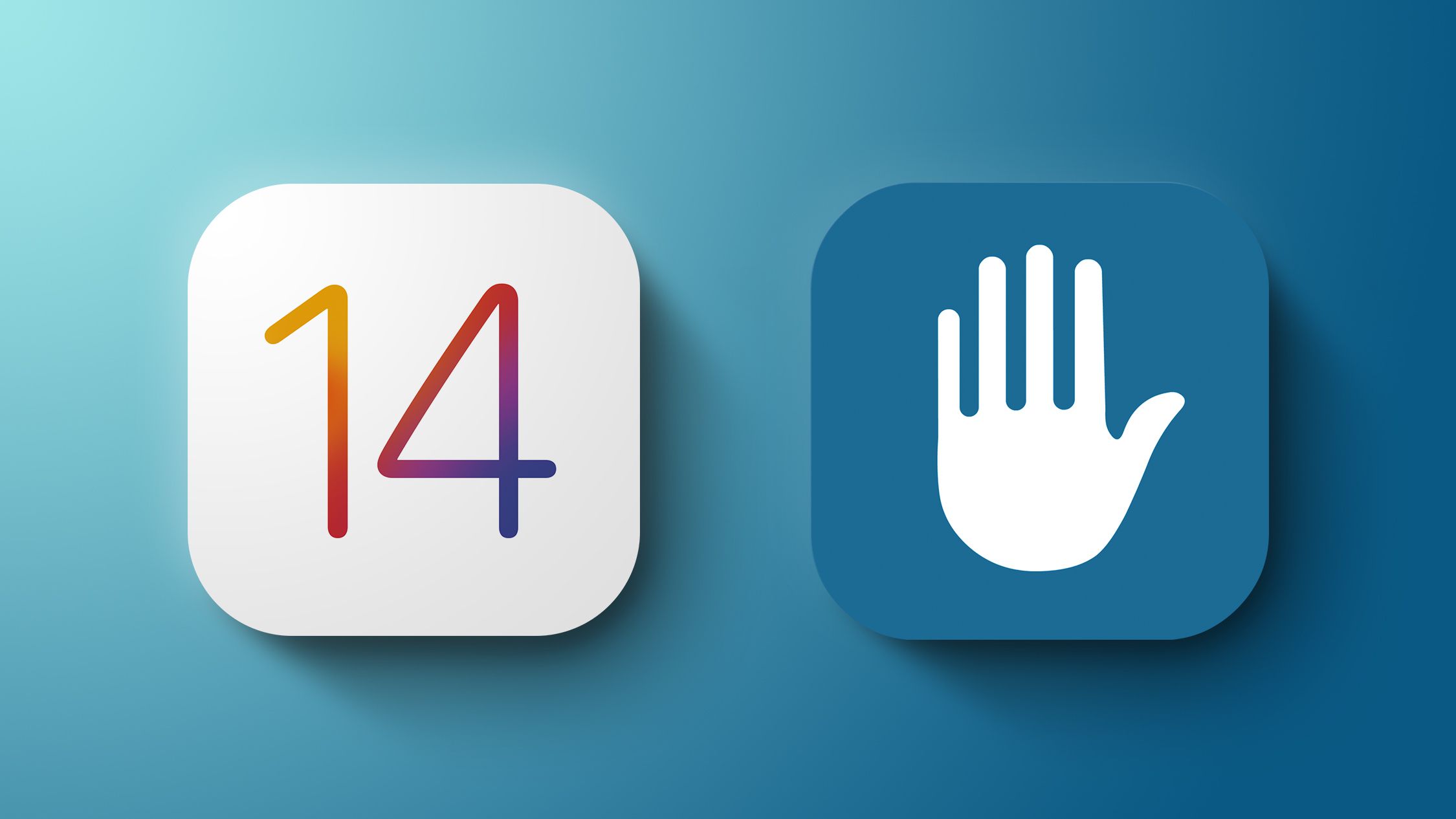
iOS 14 has come with a series of privacy update changes reinstating it as a security-first platform for the users and businesses as well. Here are some of those updates –

  1. Changes in IDFA – The iOS app developers will no longer have access to users’ data until they specify that they are permitting the applications to use their information for promotion and marketing purposes.
  2. Changes in location sharing – Users will now have the ability to opt-out of offering precise location sharing. This way the apps and marketers will only get an approximate location of the users.
  3. Privacy report – Apple will now send users a privacy report containing details of which apps are accessing their data and for how long.

Android 11 Privacy Features

Android 11 security and privacy changes you need to know - SlashGear

  1. Changes in permissions – The first time you open any new app you will be given three options in terms of permission – All the time, only when using the app, never.
  2. Permission revoke – Android will keep a track of the applications you haven’t used in some time and it will revoke the permissions you had given it. This way when you open the app after a break, you will have to give it permission again.

Now that we have looked into the new additions of Android vs iOS privacy in the new updates, the next step will be to measure them against the other common factors and come to a conclusion.

Let us compare both the OS on the basis of four important factors –

Marketplace Security

How Atlassian Is Putting Cloud Marketplace App Security First

The fact that the Play Store is so much wider than the App Store comes as both a blessing and an issue. While on the one hand, the wideness gives Android users a wide option to select from, it also gives the hackers a great opportunity to leave malware apps in the crowd of millions.

Apple, on the other hand, keeps a close look at the App Store. The level of inspection that every app needs to go through reduces the available option for the users, lowers the chances of malware attacks to minimal.

This comes up as a reason why the iOS vs Android, which is better war is always won by the former.

Platform’s Popularity

The Importance Of Social Media For Your Business - Digital Blog - Fifteen

Android, undoubtedly holds a massive share of the world smartphone market, a number that is practically impossible for Apple to ever cover.

Now greater the platform’s popularity, the greater is the number of users attached and thus greater are the chances of a security breach.

However, it is not sound to give Android app security lesser points just on the basis of its high popularity. Because of the growing number of users, the Android app developer community has started giving greater focus to introducing the best mobile app security practices and deliver a hack-proof app.

Device Manufacturers’ Count

If there is one reason why Android is 100% lying behind Apple in terms of ‘Android vs iOS security’ is the hacks caused because of high device manufacturer count.

Because different devices come with a different focus on Security protection features, it is impossible for Google with thousands of devices under its umbrella to lay out a common set of protocols for every single one of its partnered OEMs. A problem that Apple never has to face because of its concentrated control on the device manufactured.

Source Code Security

Source Code Review

Both the operating systems make use of very similar security features for keeping their users safe but while Apple keeps a close watch on the source code and has functionality like SSL Pinning in iOS, the open-source nature of Android makes it difficult for the OS to do so.

To solve this gap, Google has not just employed hackers to identify the source of attack but is also increasing its bounty that the brand is willing to pay for those who report new vulnerabilities, year on year.

While on the Apps front, hoping to get a clearer sense of security in Android, Google has introduced ‘Google Play Protect’ in the Play Store. This element that entered the market with the advent of Android O behaves like a virus scanner for the Android apps, ensuring that harmful content does not get downloaded on your device, a move that has come as a major relief for Top Android App Development Companies that have been crumbling under the growing malware attack prevention pressure.

Even though Google is getting online with its Play Store Security, the story of its device update is rather on the downside in the android security vs ios security debate.

The brand will continue to push out its Android Security patches month by month. But while Pixel and Nexus users might get the updates on the spot, other phone manufacturers might continue to delay or even skip the updates completely. With thousands of Android devices running years old software, they will continue to be vulnerable to major hacks such as Stagefright and Heartbleed.

2021-22 will see speedy updates taking a prime position, with the past year witnessing some of the major security breaches,(remember what happened with Uber Data Breach?) placing security breaches on the forefront. If you don’t have a stock device, Android is already behind in the updated world.

Apple, on the other hand, has been working on continuously taking security to the next level in 2021, especially with its Touch ID and the FaceID. The stringent oversight that the brand has on its apps added to their ability to send out updates to their devices quickly has given the brand a sure-shot edge over its competitor. The brand even  takes measures to encrypt all the data in the iMessage and Apple’s other apps.

While Android also encrypts some data, users’ privacy will continue to be protected to a very little extent. To make its marketing efforts better and to offer a superior AI experience, Google will continue to mine data for information in 2021.

In spite of the fact that Android will be introducing new features on its Security front in 2021, iOS will win the title of Android vs iOS app security comparison this year too.

However, at the crux of the Android vs iOS which platform is the most secure debate lies the fact that the security ultimately depends on the users. Here are some things that we ask all our clients to remind their end-users in the app –

  • Use native app stores
  • Don’t download an app without verifying safety
  • Update the OS versions as and when they come
  • Set up a remote wiping facility
  • Switch on multi factor authentication

Frequently Asked Questions about Android vs iOS Secure

Q. Which is better, iOS or android?

The answer to this question depends entirely on the factor you are focusing on. If you consider customization, Android is better than iOS. But, in the case of security, Android lags behind iOS despite putting the best effort into place.

Q. Is iPhone more secure than android?

Though both Apple and Google are coming up with the best privacy and security practices, Apple’s iOS is still leading the show. iOS has 20% less critical vulnerabilities than Android, according to mobile security statistics.

Q. Which is easier to hack: iPhone or android?

Since Android runs on the hardware designed by different manufacturers and is an open ecosystem, it is easily hackable when compared to iPhone.

error: Content is protected !!