Challenges Faced by iOS Developers

Apple is improving every day. Throughout the years, iOS is widely used on an assortment of devices including iPhone, iPad, and iPod. And yet, with every new update, Apple brings new abilities and difficulties for developers over the globe. The below pointers talk about the challenges face by iOS developers while working on an iOS app: But iOS developers do face a lot of challenges while creating an iOS app. Some iOS developer challenges are mentioned below:

Challenges Faced by iOS Developers

Becoming an iOS developer - POCIT. Telling the stories and thoughts of people of color in tech.

Anyone can make an iOS app by using the iOS developer kit, which is regularly updated by Apple. But iOS developers do face some challenges while creating an iOS app, like:

1. Eligibility: 

Selling 18+ rated video games and movies – is this allowed?

If you want to distribute your app on the App Store, you have to be 18 years or older and you have to purchase a membership by paying a fee of 99 USD per year. This can be a real hurdle for new developers who are just starting out with iOS development or for someone who is just experimenting with an idea. Also, the age requirement can be a limiting factor for young developers who are talented but do not meet the age criteria.

2. Rejection from the App Store:

What factors are responsible for iPhone app rejection on Apple app store? - WhaTech

Apple is very strict about the quality standards for apps in the App Store and has laid down clear guidelines that an app must follow. Your app might get rejected due to the following reasons:

  • Poor Performance: An app can be rejected if it doesn’t run smoothly without any major lags. Apple gives top priority to user satisfaction and if the app is slow to load, it is unresponsive or if it has major bugs, there is a good chance that the app will get rejected from the App Store.
  • Lack of information about the app: Every app must include metadata which describes what the app does, like screenshots, videos, and descriptions.
  • Safety Issues: The app should not include objectionable content which might include content that promotes violence, pornography, or consumption of illegal drugs, etc. If the app is in the kid’s category then it can’t include third-party analytics or third-party advertising.
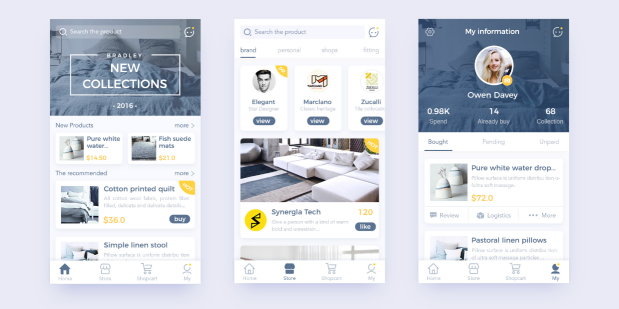
  • Substandard UI and UX: The app must have a decent user interface which is not too confusing for the users. The layout should be pleasing to the eye and must include proper margin and padding. Also, the app should not be very complicated to use which might affect the overall user experience.
  • Copy of an already existing app: If the app is just a copy of another app in the App Store, it will be rejected as it does not include any original content.

3. Device Compatibility

Apple iPhone 11 review: The best $700 iPhone Apple has ever made - CNET

Apple has released 11 iPhone versions, and each new iPhone comes with major updates in both hardware and software. Developers have to constantly learn the new features in the new versions and update the app accordingly; otherwise, the app will not run on the latest iPhone. Although it takes a while for a new iPhone to be released when compared to Android, developers still have to keep in mind about the major changes in the newer iOS updates and iOS challanges.

4. Resource Consumption

Monitoring memory usage of a running Python program | by Russell Keith-Magee | Survata Engineering Blog | Medium

An app has limited resources available to it and it must minimize the use of critical resources like battery, CPU power and memory, otherwise, it might affect the proper functioning of the device. This can prompt the user to uninstall the app from the device or give it low ratings, which might affect the popularity of the app in the App Store. To utilize resources optimally, the app should be free from major bugs and should not contain unnecessary code. The focus should be given on testing the app and removing bugs in an agile manner. Sometimes developers have to create two versions of the same app for making it compatible with both low and high-end devices. This can increase development time and cost to maintain two versions of the same app.

5. Hardware and software requirements:

Image about tumblr in 3 Macbook Air by S on We Heart It

The biggest difficulty while developing an iOS application is that the Integrated Development Environment utilized for developing them is only compatible with Mac. A developer has to have a Mac device to develop an iOS application. This hardware constraint compels the developer to build on a particular platform thereby adding to the difficulty.

6. Storage Issues

Cloud Computing 3D Computer Graphics Cloud Storage Photography PNG, Clipart, 3d Animation, 3d Arrows, 3d Computer

iOS devices don’t include the trash assortment function. The application can be ended on the off chance that it turns source-controlled. Along these lines, it is a daunting task for the iOS developers to manage memory within the app. While building up an application for a particular adaptation of iOS, we can’t overlook that equivalent version runs on different iPhone devices and every one of them has a varying level of capacity and memory. There are applications and games that utilize a ton of space. Users are unable to use those applications or games, even if their smartphone is compatible with it.

7. Battery and Performance Optimization

Low Battery Stock Photos and Images - 123RF

Battery Drainage is a very significant problem that is very common with Apple users. A client tends to uninstall an IOS application on the off chance that they discover that it is draining out their phone battery. Therefore, iOS developers need to ensure that the application doesn’t execute any sort of unessential procedure that can suck the battery power. Battery and performance optimization itself being a difficult errand should be precisely looked upon particularly when any new iOS adaptation is launched.

8. High Expectations of UX/UI

Web design, web development, UI and UX: What's the difference and which do you need? - 99designs

Because of its High-quality UX and crisp layout, iOS has emerged as the top choice of users. While making an iOS application, engineers need to remember the requirements and feasibility of the end-users. They have to ensure the UI contains just the crucial features so as to make an easy-to-understand functionality. While making UI/UX for an application, developers ought to consider contemporary designs, so as to make an intelligent and instinctive interface. Since  Apple has always provided its users with top-notch quality, the developers have the responsibility of keeping up the quality of the apps, or else users will not like it.

Conclusion:

Apple presents hardware and programming developments consistently while keeping up with firm security and control norms. iOS Development companies and developers must work in accordance with these advancements so they can limit the difficulties encountered during the application development process. The above-mentioned iOS developer challenges give the developers an insight into the hardships they might face and provides a front foot over the challenges that they might face during the development process. However, developers need to fathom with occasional updates so as to limit the efforts and provide quality solutions for the end-users. Constant testing and improvement experience will cause you to defeat all the forthcoming issues.

These 15 Famous Apps Migrated from Java to Kotlin-Reasons

Java: How do I get along with Kotlin ? | by Ashwin S | AndroidPub | Medium

Google in its I/O 2017 Developer Conference announced that it will now officially base its Android App Development process on Kotlin – the language developed by the JetBrains team of programmers based in Russia.

The features that Kotlin comes powered with –  Interoperability with Java, Conciseness, and Android Studio support – were enough for Google to validate developing android apps with Kotlin, something that the tech giant continued to highlight in I/O 2018 by scheduling sessions on the Android new programming language.

Just days after the announcement of Kotlin becoming the official language of Android at the I/O 2017 developer conference, the programming language found itself in the list of top programming languages that will define 2018.

Between 2017 and mid of 2018 (the present time) the language has seen an exponential rise in demand from both developers and businesses. The realm report that surveys mobile app developers globally also found that 20% of the Android apps that were built on Java before the Google I/O 2017 conference, were then migrated on Kotlin. A movement that has brought in a surge in demand for Kotlin app development agencies.

In the October of 2017, we covered Kotlin in depth in one of our blogs, head on there to read the article where we dissected Kotlin and highlighted ways it is better than most of the other programming languages.

Taking what was started in 2017 forward, the Android industry in the present day is staring at the rise of the number of Kotlin based apps, with the portfolio consisting of a number of hot-shot brand names.

In this article, we will be looking at 15 companies that were using Java earlier but now use Kotlin, and this way, give you an idea of why it’s time for you to follow the lead to.

But before that, here are the business benefits that you can enjoy by focusing on android development with Kotlin.

What are the Business Benefits of Choosing Kotlin – The Official Programming Language for Android Apps

6 benefits of Kotlin for building server-side applications - DEV Community

1. Improved Code Maintainability Meaning Faster Development Time

When we compare Kotlin vs Java, we can find Kotlin to be more concise meaning it can solve more problems with fewer lines of code. It means that the engineers can read and change the code much efficiently.

There are a number of features that come associated with Kotlin, which make the language more concise – Smart Casts, Data Classes, Properties, and Type Interface.

2. Lower Instances of Application Crashes

Open source Android Apps written in Kotlin offer better security over those coded in Java. This is so because Kotlin averts the common programming mistakes in design, which results in lesser application crashes and system failures. Also, since Kotlin works on a fail-fast system, any issue that can lead to failure are reported instantly.

The fail-fast compiler that Kotlin comes with searches for bugs and prevent them from coming again.

3. Shrinked Codebase Leads to Easy App Maintainability

Android apps made with Kotlin calls for a lot less number of code lines as compared to Java, which ultimately not just saves the app development time but also the app maintenance time and efforts.

Apart from these Business Benefits, there are a number of advantages that come associated with Android Kotlin.

Seeing these myriads of benefits that Android apps made by Kotlin bring with themselves, the Android mobile app development industry has now eventually started moving to the adoption of Kotlin Programming Language. A move that has been bringing about a transition from Java to Kotlin.

Kotlin Developers that have made the switch from Java to Kotlin have realized a series of benefits that have also become the reasons why it is time for the android mobile application development industry to start making the switch.

Why is the Android App Development Industry Moving from Java to Android’s New Programming Language?

This is Why –

1. Mass Adoption

Even though Kotlin – the new language for Android Apps is a new entrant in the industry, there are a number of companies – established and new alike – that have migrated from Java to Kotlin to take advantage of the benefits that the language comes with.

*More on That Later.

2. Concise

Android mobile apps developed in Kotlin language are very concise. The resulting code of a Kotlin programming language reduces the total number of boilerplate codes, which enhances productivity to a great extent. Also, there is a lot less room of error, while the resulting code is a lot safer and reliable.

3. Better User Experience

Kotlin programming language makes your app a lot more stable by removing the bugs and reducing the instances of app crashes. And when your app is launched with these issue missing, the user experience only enhances.

4. Designed to Fail-Fast

This time around, Google has brought changes in its new programming language for Android Apps. They have made Kotlin fail-fast.

A fail-fast system immediately reports any issue in coding that is most likely going to lead to failure. When a problem emerges, the fail-fast system fails immediately, making it impossible for the Kotlin developers to move ahead with the mobile app development process.

5. Kotlin for Android is a Developer’s Retreat

Kotlin programming language, in its latest 1.4 release, has made the Android App Development process a breeze for the developers. The language now offers a new flexible Project Wizard for easy creation and configuration of varied types of projects, a new compiler mode known as explicit API mode that aids creating well-defined and consistent APIs, and much more.

All these benefits cumulatively have resulted in making Kotlin the answer to ‘What programming language are Android Apps Written In’.

The fact that Google has introduced free courses to learn Kotlin, will do wonders for the adoption rate. It is so much so that the probability of you using some apps built with Kotlin is extremely high.

Here are the 14 Android Apps That are Made Using Kotlin for Android 

1. Pinterest

Pinterest

The popular photo-sharing app, Pinterest is one of the biggest names that have used Kotlin for Android App Development. The brand officially moved from Java to Kotlin and showcased the benefits of the move at Droidcon NYC 2016.

2. Postmates

News Analysis: Uber Eats Postmates for $2.65B | Constellation Research Inc.

The on-demand food delivery app also recently shifted to Kotlin for its Android version of the mobile app. The reason for this switch from Java to Kotlin can be attributed to the fact that the language is famous for supporting high scalability and is known to be engineered around a fail-fast mechanism.

3. Evernote

Best Note Taking App - Organize Your Notes with Evernote

The note-taking and task organization app, Evernote has also joined the league of apps built with Java that has turned towards Kotlin.

4. Corda

Corda Partner Program. By Ricardo Correia, Head of Partner… | by The R3 Team | R3 Publication | Medium

Corda, the open source blockchain project that helps Blockchain app developers create interoperable blockchain networks is also based entirely on Kotlin.

5. Coursera

Coursera's Mission, Vision, and Commitment to Our Community | Coursera

The world-renowned online courses app, Coursera is also partially based on Kotlin. The app has millions of active users who use the platform to take courses on a range of different topics.

6. Uber

Earn Money by Driving or Get a Ride Now | Uber India

The global leader in the on-demand commutation market, Uber has also invested in Kotlin app development for Internal Tooling processes such as annotation processors and Gradle plugins.

7. Spring by Pivotal

Download Free png Spring Framework Logo - Spring Boot, HD Png Download - 1280x329 ... - DLPNG.com

The Spring Framework offers a comprehensive configuration and programming model for the development of modern-day Java-based enterprise apps – on every sort of deployment platform. The framework uses Kotlin to provide more concise APIs

8. Atlassian | Trello

Sync Jira with Trello | Atlassian Marketplace

While Trello is not planning to do a full code conversion of the old codebase, the new code that they are using is made using Kotlin. Since there is great interoperability between Java and Kotlin, the brand is able to work with both.

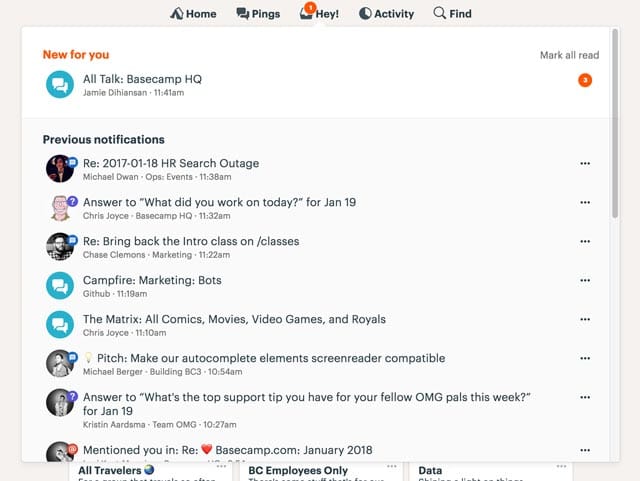
9. Basecamp 3

New in Basecamp 3

Basecamp developers have admitted witnessing a huge difference in code quality and speed ever since they made the switch from Java to Kotlin.

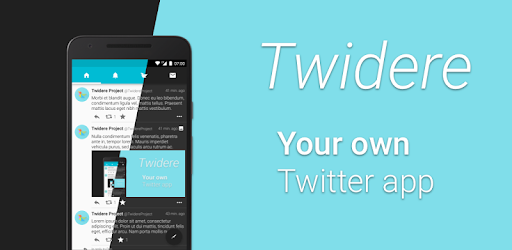
10. Twidere for Twitter

Twidere for Twitter/Mastodon - Apps on Google Play

Twidere is a full feature open source Twitter client app that customizes the theme, manages the unlimited accounts, and filters unwanted tweets. Developed in Kotlin, the app has been able to bag 100,000+ install rate because of its smooth performance.

11. Shadowsocks

Shadowsocks - Wikipedia

The secure cross-platform socks proxy helps user surf the internet securely and privately. The app with 1,000,000+ downloads on the Play Store also joined the list of apps made with Kotlin.

12. Simple Calendar

The ad-free fully open source calendar app is also amongst the Android apps made in Kotlin.

13. Kickstarter

Kickstarter

The app helps musicians, artists, designers, filmmakers, and other creatives find all the resources and the support that they would need to convert their ideas into a reality. With thousands of active users, the app is powered by Kotlin.

14. Square

Square Point of Sale - POS - Apps on Google Play

Ever since Kotlin was approved by Square for their Android Applications, the payment platform has become the evangelists of Kotlin for Android.

15. Gradle

Gradle - Wikipedia

Gradle is the custom build tool that is used for developing the android packages (apk files) by providing the custom build logic and managing dependencies. And recently, Gradle introduced Kotlin as the language for writing the build scripts in. Since Kotlin gives support for both IDEA and Eclipse, Android’s new programming language gives the Gradle users full IDE support for refactoring to auto completion and everything in between.

Get your app’s name added in the list, get in touch with our team of Android Kotlin experts today.

Now that we have looked at the benefits that come attached with developing apps using Kotlin and how their a number of hot-shot apps that are benefitting from this association, we have come to the end of the article where we will talk about the pointers that you should look out for BEFORE you plan to join the league of those famous apps by migrating to Kotlin.

What Do You Need to Know Before Migrating Your Java App to Kotlin?

A. Is your team ready to make the switch?

Shifting the development method from one programming language to another comes with a learnability curve. So, before you make the switch, ensure that your hired development team is adept and experienced in building Kotlin apps.

B. Is your app architecture made of loosely coupled components?

When you make a change in the programming language, it can result in deletion, creation, and merging of some artifacts and classes that make your mobile app architecture a mess. And the more loosely coupled your app components, the more difficult it would be to make changes and then test them.

Once you have ensured that both the pointers are in place, you no more have a reason to not turn your Java-based application into one of the finest Kotlin apps, like the app industry’s top leaders did.

Choose Mobile App Technology Stack (Comprehensive Guide)

What is a Tech Stack? (+Tips on How to Choose One)

If you are even a month old in the world of mobile application development, the probability of you have not heard of the concept of Technology Stack is very minimal.

No matter what mobile app development process you are planning to follow, it would never turn fruitful until you get together a set of robust technology stack. Technology Stack is what decides the future of a software product.

Well, we will get to the exact definition of tech stack in a while. For now, here’s the snippet – The present and future of your mobile app depends on nothing but your mobile app technology stack.

Defining and choosing the technology stack for app development at an early stage helps entrepreneurs achieve their ultimate business objectives much more easily.

In this article, we will be looking into the concept of technology stack for mobile application in more detail, while throwing the light on the importance of knowing the technology stack that your mobile app would be based on. We will also talk about the tech stacks that power the apps on the basis of their type.

But first things first.

Let us quickly refresh our understanding of mobile app technology stack.

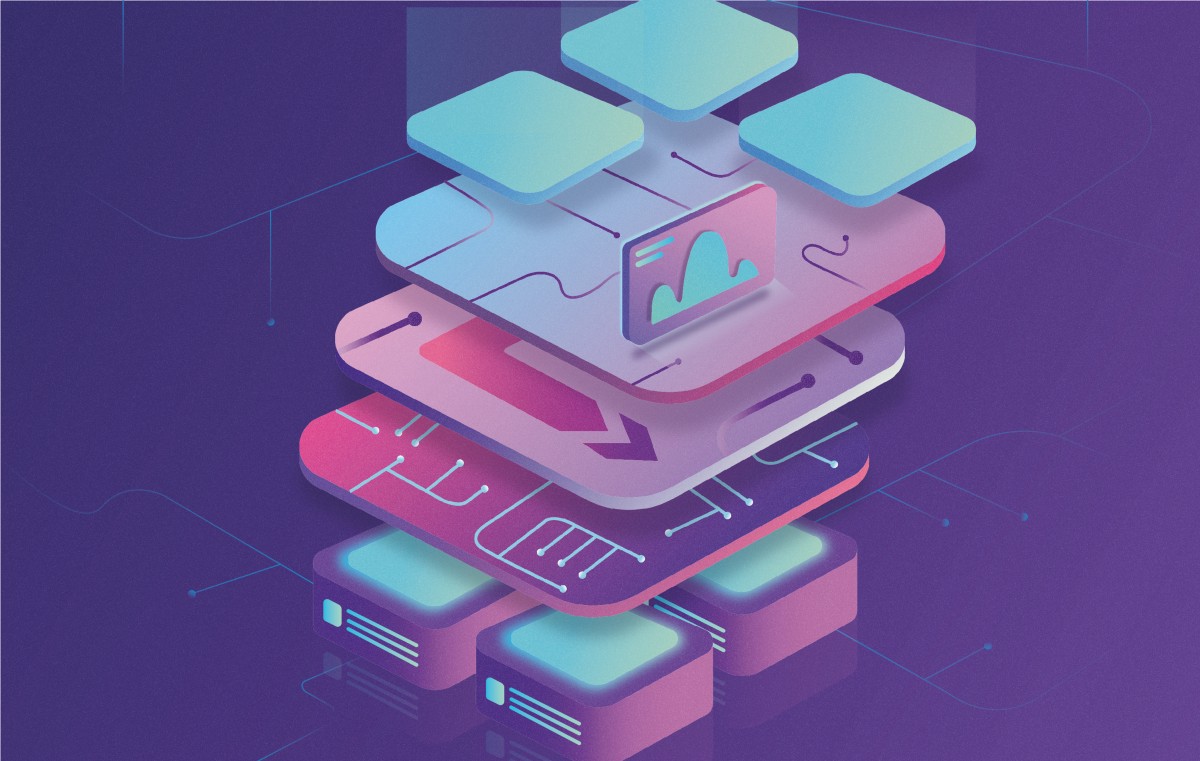
What is a Mobile Development Technology Stack?

Mobile App Development - Android App Development Service Service Provider from Thane

The complete technology stack for mobile application development can be divided into four areas. And these are also the areas that also constitute the anatomy of an application.

Here are the four components which together make one Technology Stack –

Frontend Development – The interface on which users interact with the mobile app

Backend Development – The part which takes the user input, processes it, and convert it into an output

Development Platform – The place where interfaces and libraries come into the picture to design and develop the mobile application.

Additional – The technology elements that affect app performance, security, and robustness.

Now that you know what mobile app technology stack stands for, let us now look into the reasons why it is important for businesses to sit with their partnered mobile app development company and look at the technology stack that would be put into their mobile apps.

Why is it Important to Find the Best Tech Stack for Mobile App?

There are a number of elements that are dependent on the selection of the right mobile app tech stack. The probability of whether your app is robust or will it be able to scale to different operating system versions, relies heavily on the technology combination that you choose for its development.

Any wrong or hasty, uncalculated decision with respect to the selection of nothing but the best technology stack for mobile application, will affect its current performance and future growth prospects negatively.

While these are the issues attached at a much deeper level, which you would face only when you are deep inside the mobile app development process, there are a number of first level issues attached with the wrong choice of the mobile app technology stack as well.

Since you now know what tech stack is and why it is important to know the technology stack, let us come to the section where we look into the technology stack that powers the development of powerful, scalable, and innovative mobile and web apps that comes out of the factories of any skilled app design company and their development domain.

Native App Technology Stack

Native apps are known for their robustness and performance. The quality standards that a business usually looks to achieve in their mobile journey are the ones that their investment in Native App Development perfectly solves.

Native Apps allow businesses to integrate the device’s in-built functionalities in their mobile app, without calling for an external third party API.

Now, when we talk about Native app, we usually talk in the context of Android and iOS App development. The two platforms come with different capabilities, which call for different technology stacks as well.

Let us look at the most commonly used mobile app technology stack that goes in the iOS app development and Android app development.

Android Tech Stack

Should I Start with Java or Kotlin as an Android Beginner? - Coding in Flow

Programming Languages: Kotlin and Java

Although Kotlin is the official programming language for Android app development, Java language is still used to a great extent by many android app development company. The popularity that Java sees makes it one of the best technology stack for mobile app development.

However, Kotlin is also not lying too behind in the popularity race. With time, Kotlin has become a lot more stable option for the developers to workaround in the Android studio. The fact that the language is clean, lightweight, and much less verbose is making it a solution to all the Java problems.

Toolkit: Android Developer Tools & Android Studio

Download Android Studio and SDK tools | Android Developers

Android Studio gives developers the feasibility of editing code, debugging, flexible build system, performance tooling, and an instant deploy system.

The platform enables you to focus entirely on building high quality and unique apps.

With help of the Android Developer Tools, you will be able to gain complete support for the whole Android app development process. Along with that, it allows developers to use multiple on-device debugging tools, emulators, graphical UI builder, and a completely scriptable test automation support.

Android SDK

Journey of building My First SDK! | by Anukool srivastav | Medium

In order to write programs with the latest features, the developers are made to download and then install each version SDK for a specific phone.

Using this Android tech stack, developers have been able to increase the app count to over millions and have made the Android app development industry the one that businesses opt for when they are looking to reach the masses.

iOS Tech Stack

Programming Languages: Swift and Objective-C

Swift - Apple Developer

The most preferred languages that find themselves being a part of the iOS mobile app development technologies are Swift and Objective-C.

Objective-C being the superset of C language provides a dynamic runtime environment and object-oriented capabilities.

Learn Objective-C - Best Objective-C Tutorials | Hackr.io

But we recommend Swift over Objective-C, simply because the language is a lot more functional and offers codes which are a lot less error-prone. It also consists of dynamic libraries which are uploaded directly to memory, cutting down the initial app size and increasing its performance.

Toolkit: Xcode and IntelliJ AppCode

AppCode: Smart Swift/Objective-C IDE for iOS & macOS Development

Toolkits are the full feature environment that allows one to create both mobile and desktop apps. The ones that are most commonly used by the iPad and iPhone app developers are IntelliJ AppCode and Apple Xcode.

iOS SDK

SDK Icon PNG Image | Apple ios, Icon, Ios

The iOS SDK consists of an API which acts as the link between platforms that they run on and the software application. The iPhone SDK offers tools used for Apple’s touchscreen interface and for the proprietary iOS operating system.

At the back of this technology stack, Apple app development industry has been able to brand itself as the market that businesses head out to generate revenues on their mobile apps.

While this was for Native apps, there is one app type which calls for a different set of full stack mobile development altogether. The apps we are talking about here are Hybrid Apps.

Although they are not used to a great extent anymore, there are still a small class of entrepreneurs who select them at the back of their low cost and time to market advantage.

Hybrid App Technology  Stack

▷ Cómo Cargar un Archivo JS Externo en HTML | Silver Sites

Hybrid apps are usually developed with the help of the standard web techniques like CSS, HTML5, and JavaScript. They usually consist of two sections – Backend and Native shell. These apps can run on all platforms and tend to provide access to API and acquire device storage and a camera etc.

The three frameworks that are most commonly used for the development of Hybrid apps include – Cordova, Sencha Touch 2, and Ionic.

Now that we have talked about both Native Apps and Hybrid Apps, it is time to move our focus on the Tech Stack for Cross-Platform App Development

Cross-Platform App Tech Stack

Cross-platform app development means using the same code to develop apps that would then run on multiple platforms – Android, iOS, and Web.

Businesses usually go with the cross-platform app development because of the simple fact that they are able to operate around a greater demographics. All the while taking advantage of the low development cost and faster go to market time.

The cross-platform application technology stack is usually made up of these major technologies’ combinations –

A. React Native & TypeScript or JavaScript

Why TypeScript with React? | Building SPAs

React Native is a JavaScript framework that is used for writing mobile apps which work like native apps. When you use React Native, the application logic gets written and runs on JavaScript or TypeScript.

B. Xamarin & C#

Xamarin - Wikipedia20 years anniversary of C# programming language. What the future holds. - Avenga

Xamarin allows development engineers to share 90% of codes across a series of major platforms. The tool uses C# as the main language.

Now that we have looked into the tech stack that powers the development of a variety of app types, ranging from Native apps to Cross Platforms and Hybrid Apps, it is time to look into something that matters to a mobile app development company more than knowing the tech stack: Knowing How to Choose the Best Technology Stack for Mobile Application.

How to Select the Best Tech Stack for Mobile App?

The ideal mobile application development technology stack that can power your product for success is an outcome of careful consideration and analysis of a number of factors. Here are the factors that tend to influence the mobile app technology stack choice for the development of a mobile app –

1. App Considerations

There are a number of factors that vary from one app to another –

  • The device on which the app would function
  • The network condition it would run in
  • The user experience you are aiming to achieve
  • The estimated go to market time
  • The platform would run, amongst others.

All these app elements clubbed together help decide the set of framework, library, languages, and the software that would be combined to develop the mobile

2. The Goal of Mobile App

Motivational mobile app | Goalmap

The choice of tech stack for mobile application development also depends heavily on the goal that your mobile app is going to achieve.

There would be a stark difference in the mobile app technology stack choice when you are looking to develop a high latency app vs a quick response, low latency mobile app.

A mobile app that is dependent on heavy load processing call for a much robust tech stack than the ones that operate around streamlined interactions.

3. Development Team Skill-Set

5 Options For Developing Your Team's Skills

There are a number of languages and frameworks that tend to give the same result but have some differentiating factors that separate one from the other. Now, when you are to decide between two similar-ish tech stack, the ideal thing to do is to rely on the developer’s skill-set.

If you introduce a tech stack that your team is not acquainted with, it will increase not just the development effort and time but also the cost of mobile app development. While on the other hand, introducing a mobile app technology stack that your team is comfortable with, will help expedite the process while saving the quality.

4. Technology’s Parent Company

The parent company of the technology stack that you are going with also makes a lot of difference in the choice.

There are some brands that offer a lot better documentation and community support than the others. Like, Google, Microsoft, and Adobe are known to offer a lot better community support and advanced development options than Facebook with React Native.

5. The Choice to Operate on Multiple Platforms

Which Phone is Best? Android vs Apple iOS vs Windows 8

The technology stack of an app that runs on one platform would be a lot different than of the one that runs on all – Android, iOS, and Web.

The level of scalability that you will have to introduce in your mobile app to make it portable on other platforms, e.g. in case of Hybrid App or Cross-Platform App Development, would call for a different toolset than one that would go into the development of a Native app.

6. Security Level of the Tech Stack

Every mobile app development technology comes prepared to combat the security-related vulnerabilities that an app can come across after it is launched it is market. The problem comes when you choose a technology stack which is not sufficiently documented or which requires writing long line of codes.

And then there comes the element of developers’ skills. No matter what technology stack you are including in your mobile app, hackers will find their way in, if the app is not developed in a secure manner. So along with the tech stack, your app developers team need to be skilled as well.

7. Compatibility with the Existing Technologies

Going with a mobile app tech stack that is in line with the technology that you are using in the project is very important. Especially if you are introducing a new tech stack after the mobile app development process has started.

Apart from checking the compatibility of the tech stack with the current project, you should also check how compatible would the tech stack be with the tools that you might be planning to add in the app at a later stage.

With this, you now know everything about technology stack that you need to get started with your first mobile app development project. Now no matter which technology you end up using, make sure that they work well with your present app structure and prepares your mobile app to be innovative and scalable.

FAQs About Mobile App Technology Stack

Q. What is meant by technology stack?

Technology stack is the collection of tools, languages, frameworks, and APIs, etc that come together to develop an entire software.

Q. What is app stack used for?

Mobile app technology stack is responsible for the success of the entire design, development, and maintenance process. A wrong decision on this front can lead to your app’s demise in the market much before its natural survival timeline.

Q. What technology is used to develop mobile apps?

The technologies used to develop an efficient mobile app are mainly divided into three subsets which are – Backend, Frontend, Development, and Additional.

Q. What is the best platform for mobile app development?

There can not be one answer to this question. The choice of the best platform depends on a number of different factors like the support of tech stack, design capabilities’ software, users’ demographics, etc.

Q. How to Choose the Best Technology Stack for Mobile App?

There are multiple factors that you will have to consider to establish which mobile app tech stack will best suit your need.

  • App Considerations
  • The goal of the mobile app
  • Skill-set of the team
  • Security considerations
  • Compatibility on multiple devices.

Agile Scrum Methodology in Mobile App Development-Guide

Make your project move forward with Agile method. - Bocasay

Agile scrum methodology is one of the most commonly used practices in project management in today’s time. The benefits that the method comes with such as increased business value, faster go to market, greater transparency among the team, and better quality management is enough to push a number of businesses across a range of industries to follow the Agile development Scrum approach in their everyday work process.

If your business, seeing the benefits that the methodology has to offer, is also planning to take the agile scrum development route, this article is for you.

But before getting further into the topic, you should first understand what is agile methodology?

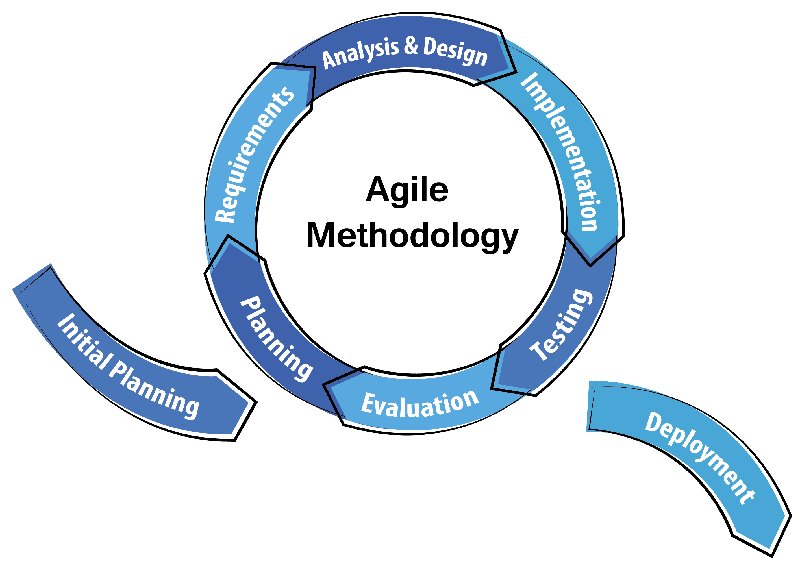
Interestingly, there is a slight difference between agile vs scrum if we speak of them individually. Strictly speaking, Agile is a development methodology based on incremental and iterative approach. Whereas, Scrum is just an implementation or a type of agile methodology. Here, incremental builds are passed to the clients bi-weekly.

Meaning, an agile methodology for application development starts by outlining the users and documenting a statement on a scope of problems, opportunities, and values to be addressed. This vision is then caught by the product owner who works with different teams to provide quality end results.

Now that we are clear on the basic difference between agile vs scrum, there is something else that you need to consider before adopting distributed agile development methodology. Let us first touch bases on what Agile Methodology Scrum actually stands for and how it single-handedly brings the model miles ahead in the Agile vs Waterfall debate.

What is Agile Scrum Method in context of Mobile App Development?

Agile Methodology for Efficient Mobile App Development

Holistically, the role of Agile in mobile apps is well-renowned and Scrum is the most commonly used sub domain of the agile methodology, which has quickly expanded to handling big and complicated projects that might have otherwise taken a lot of time to finish.

When it comes to the role of using agile project management on mobile application development then one needs to take into account that the mobile application developers make an app for a device with a small screen, less memory and less processing speed. Thus, the use of agile and scrum methodology includes programming, development and project management with breakdown of the software development life cycle into smaller modules.

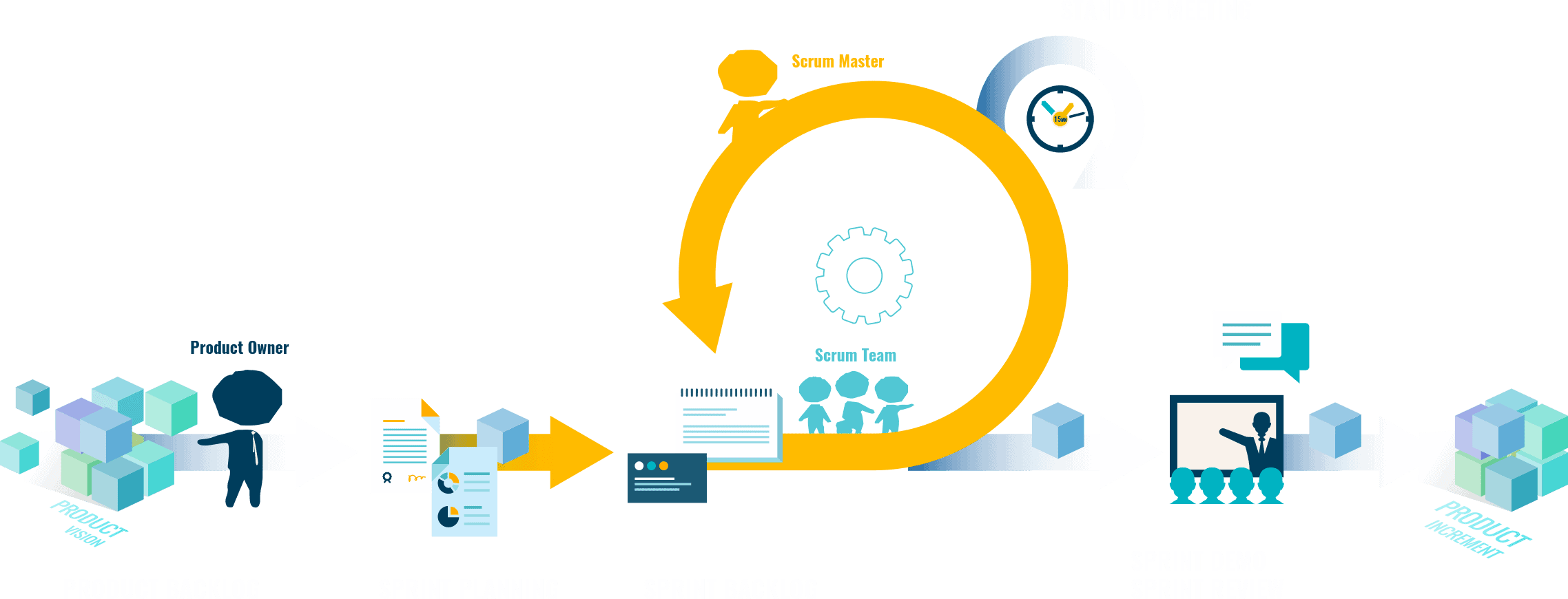
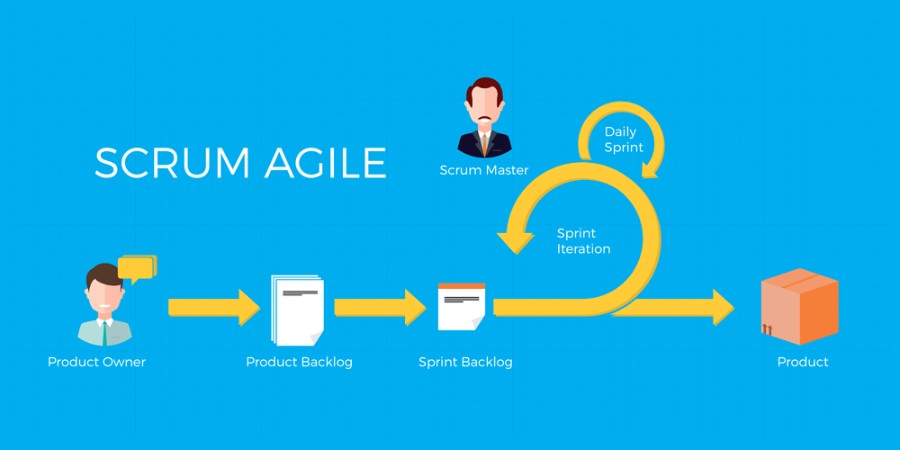
Used mostly by mobile application development services companies or agile software development company, the scrum team breaks down their allotted work aka product backlogs in actions, which they could cover within the two-week cycles, also known as – “sprints.” By completing every sprint, the team is expected to produce a working mobile app, which they continue to work upon and improve.

Every sprint comes with a timeline that extends from 2 months to maximum 4 months. And each of them have these following components to make the agile mobile app development process more efficient –

1. Scrum Roles

What are the important Agile Scrum Roles And Responsibilities?

How effectively you run an Agile Distributed team is dependent a lot on how well you distribute the roles?

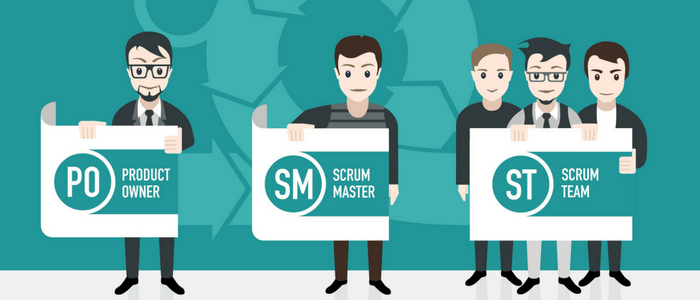
Product Owner – The person is responsible for overlooking what the team is working on and is also responsible for ensuring that the backlog is up to date. The communication of the end customer and team members are also looked at by them.

Scrum Master – He is the one who is assigned to ensure that the agile scrum is followed rightly by the team. They are also responsible for overlooking how the team is performing and resolving any issue that is coming up.

Scrum team – They are the ones who are actually doing the tasks. They own the development and testing part of the whole project and for this purpose the team is said to be self-organized, cross functional, and agile.

2. Product Backlog

Scrum Product Backlog and Agile Product Backlog Prioritization

Handled by the product owner, product backlog is a list of tasks that the team needs to perform. The modifications and priorities are set as and when needed. The backlog contains various documents which are continuously updated and used when required.

The idea is to have a list of backlogs ready before the sprint starts.

3. Agile Sprint Backlog and Planning

How to Develop a Scrum Product Backlog | Lucidchart Blog

In this scrum project management methodology step, the mobile app development team decides on the backlogs they will be targeting in the current sprint. Sprint backlog is the list of things the team plans on achieving in the delivery. Usually, sprint backlogs are divided into workable actions and once the team agrees upon the backlog items, the sprint begins.

4. Daily Scrum Meeting

Scrum Daily Meeting - Quickscrum

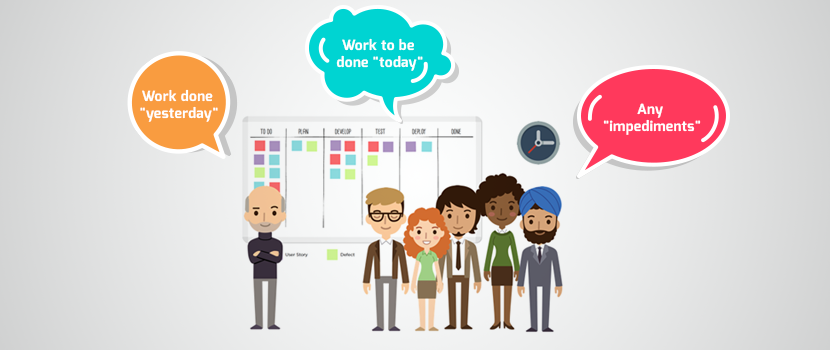
Once the above steps of agile application development are done and the team starts working on the product backlogs, a practice called daily scrum is initiated. A stand up daily meeting is held every day for 15 minutes. In the daily scrum everyone in the team tells about the last day’s work and the day’s plan. The daily scrum lets everyone in the team know of the whole project’s progress.

5. Agile Sprint Review

After every agile sprint, the team demonstrates what was developed to the stakeholders and look into the steps where they got stuck and which went well. The findings of one sprint becomes the action statement of the next.

6. Increment

The end result of a scrum is called Increment. The aim of everyone involved in a scrum is to deliver an increment that is complete on its own.It should adhere to all the quality standards set by the product owner and team.

7. Learn. Repeat. Improve.

Learn. Practice. Repeat. — Choose To Thinq

This entire cycle is repeated in the next sprint.

Sprint Planning chooses the next set of items in the Product Backlog and the sprint cycle starts again. As the team executes the Sprint, the Agile Product Owner simultaneously ensures that the items which are on top of the product backlog are executed first in the next Sprint.

The short, iterative cycle offers the team a lot of opportunities for learning and improving.

How Does Agile Scrum Methodology Makes Mobile App Development Efficient?

Unlike usual desktop applications for PC that may work for a couple of years without any redesign, upgrade, etc., mobile apps ought to be significantly more flexible and adaptable for users. Users’ requests may change rather regularly, thus app owners should update the app each time when it requires new changes. Furthermore, the best approach to make a top notch mobile application without extra revisions is to opt for an agile development company.

1. Improves the Mobile App Quality

How to improve the Quality of a Mobile App

Since testing and QA is integrated at every sprint throughout the agile scrum process, the app is checked at all stages, ensuring that it is developed according to the set quality standard, thus sealing its future in terms of high performance and acceptance.

2. Greater Client Satisfaction

6 reasons why customer satisfaction is important

Since Agile Method is based on involving the clients at every point, they have a clear access to the app progress, as they are given an app demo with every set of newly added features after every sprint.

3. Greater Transparency

Call for greater transparency in the financial statements of Greek MPs!

Since the practice of agile methodology is based on involving everyone who is a part of the mobile app development process plus the client, everyone knows the exact work that is to be done and its status.

4. Faster Return on Investment

Five Steps to a Quick Return on Your IT Process Automation Project Investment

One of the perks that come associated with Agile software development is Faster development and ROI. With the help of Agile, app development companies are able to start the development process much faster, and are able to take up multiple areas of the process at the same time. Add this with the ease of testing the app function by function on the go, and you will get an expedited app development timeline.

5. Rapid Changes

With the use of agile project management with scrum for mobile app development, it is handy to make changes in apps due to the presence of sprints. The best part is that there is no negative impact on the development as the scrum agile development methodology avoids the problem of revision, time and cost.

Now that you know what agile scrum development process stands for and what are the advantages of Scrum, let us now move on to the factors that you need to consider before you adopt it in your mobile app development branch.

Factors that You Should Consider Before Implementing Agile Scrum in Your Mobile App Development Process

1. Do you have a person in your team who can fill in the role of a scrum master?

6 Must Have Skills to Become a Notable Scrum Master | Nutcache

This is one of the crucial components of agile scrum development. Before you even move on with the Agile scrum methodology, you will have to appoint a scrum master who would be overlooking all the development processes and the challenges that the team faces. The scrum master will be responsible for gathering requirements from the end users. He will also be responsible for holding the scrum meetings and managing the backlogs.

The role of a scrum master is a very crucial one when it comes to development using the Agile methodology. He would be single handedly responsible for the easy completion of the project.

2. Is your team’s role and responsibilities clear?

The success of your mobile app development process based on agile scrum development methodology depends entirely on how clear your team is with the roles they have to play and how willing they are to handle their part independently. If the individual team members are not comfortable with their roles, the project will face a number of execution challenges and you will never be able to take the full advantage of the agile scrum methodology.

3. Will the Agile Scrum Method actually work for your industry?

One of the rules of the agile scrum that we adhere to before even we start working on an agile approach is gauge if it’s necessary at all. Even though Agile Scrum framework is used by a number of industries globally, it is not fit for all the industry types.

The development method works best for small size teams who handle scrum project management with unknown solutions, varying deliverables, and constant interaction with the end users or clients, which makes it ideal for projects that deal in marketing, software development, supply chain silos, or strategic planning.

Processes like accounting, sales, and even the purchasing domain, which deals with established processes or static deliverables won’t really benefit from it. But companies like Software Development, IT, Operations, Marketing, etc., do practice agile and the rate at which they are adapting is increasing at a fast pace.

In the end, if you understand the benefits that agile scrum development methodology will bring with it and you are prepared to change your work process around it, go ahead with it. But ensure that you have got your stakeholders and team on board with the idea.

What are the Agile Scrum process best practices?

What is Agile SCRUM and why we use it | TMS

1. Always create product backlog and vision together

So what is a product backlog? Well, it is a list of items needed to be added to product development. Now, it is advised to make the product backlog and product vision together because this way, developers and stakeholders both are in the loop and aware of everything.

2. Employ burndown charts for sprints

In order to track the progress of sprints, the experts at Anteelo suggest that you should use burnout charts. They graphically show the amount of work that has been done. What is more, these charts also help in identifying certain risks related to undelivered work.

3. Establish communication guidelines

If there is one thing that can greatly affect the workflow, it is uninterrupted communication. If not tackled, it becomes one of the greatest challenges of scaling agile practices. There is one thing that can be done – develop a communication strategy based on the guidelines for the teams. This is something that can prove to be very useful for remote teams in making their process transparent.

4. Practice stand-ups

A project/product development process speeds up once every member of the team is on the same page and knows the progress of work. These stand-up meetings are also known as ‘daily scrum’ held at the starting of the working day and last for no more than 15 minutes.

Frequently Asked Questions

1. Why use agile scrum methodology?

Agile Scrum methodology is beneficial in the app development process if done right and religiously. It helps in improving mobile app quality, increases client satisfaction, gives immediate ROI, promotes transparency, and so much more.

2. Who Uses Agile Scrum Methodology?

Almost all the companies irrespective of the industry domain take benefits of agile scrum methodology in order to make the management and process more transparent and smooth.

3. What is Scrum methodology in relation to Agile Project Management?

Scrum is a part of the agile project management methodology which includes a team managed by a Scrum Master. The main job of a Scrum Master is to clear away all obstacles to the team completing work.

Here, the work is done in short cycles known as sprints, and a meeting is arranged including the whole team on a daily basis daily to discuss current tasks and roadblocks that need clearing.

A Guide To Get Million Downloads On Your App

Get to 1+ Million Installs For Your App - BuildFire

With the immense amount of competition on both the Google Play Store and Apple Store (over two million and counting), convincing the users to install a new app is very challenging.

How many times have you heard people say that no matter how innovative your idea is, only those rule the stores and users’ devices that have already established themselves in the market?

Having developed a series of apps that have hit the million downloads mark, our team of app developers that it is nothing but hearsay. With the right blend of development and marketing, you can boost mobile app downloads and can help it reach the million mark too.

While you have the support of our app developers to help build a robust app, to bring you up to speed with the marketing front of getting million app downloads, we have curated a guide for your journey.

We have divided this guide into two parts – Pre and Post Launch of your Mobile Application, both of which together will help you get answer to ‘How to Get More App Downloads’.

Let us start with the pre launch part of mobile app promotion strategy first to to ensure that you are prepared to woo the Million of App Store users, even before it has found a place in their devices.

Pre-launch success preparation of your mobile app

Ideally, the efforts you are putting in this stage should start at least 2 months before the actual launch in the stores. Start with the pre launch stage as soon as your app enters the last testing stage.

How to ensure that You Get Maximum App Download From the Technical Front –

Ensure that Your App Doesn’t Crash

and your app has crashed! – Rapidsoft Technologies

Prepare your app in a way that it doesn’t crash even once after it is downloaded on users’ devices. You have to understand that the stores are full of extremely impatient users, who will abandon after even two repeated instances of crashes.

Presence of an Intuitive UI

Material Chat | Android app design, Android design, User interface design examples

Run through your App’s UI as many times as possible. Look into how easy it is for your audiences’ demographics to move inside the app, if the UX elements are in line with what they are used to work around. And, finally, it’s easy for them to move inside once they have done the app download deed.

Get Your App Tested Enough

Are Inadequate Mobile App Testing and QA Hindering Your Success? | Proto.io Blog

Test your app not just on different devices but also on different operating system versions and in under different network conditions. Don’t even think about rolling it out for downloads, before you have ensured that your app is tested and secured against every permutation and combination of users’ movement.

How to ensure that You Get Maximum App Download From the Marketing Front

Set Up Pre-Launch Ad Campaign

How To Build A Successful Pre-Launch Marketing Campaign

Start with creating anticipation about your app on your website, the social media channels, platform where your people of your app community visit and uses most often. Through all your mediums, prepare your audience for the time to come and how it would change their life.

Don’t show them anything other than your logo at this stage. Your time to showcase your app would come, but it’s not now.

Prepare to Rule the App Store Listings

How To Optimize Your Google Play Store App Listing Page - BuildFire

Your probability of getting maximum app downloads is directly proportional to your placement in your category list. The higher you are in the list, the greater are the chances of visibility and click through rates.

Draft an ASO and PSO strategy. Start getting videos and screenshots made to showcase your creation in the stores, have a set of keywords ready with you, draft content to post in the app description section.

Open your Doors for the Press

Just days, around two weeks before the actual launch of the app, send invites to the press and PR agencies to cover it and post its coming in their dailies. Infact, now would be time when you contact websites that curate lists like ‘App of the day’ and get your name on the lists.

With just two or three weeks to the launch, announce your coming to the Android and Apple Store to the world.

Invest in PPC

The Step-by-Step Pre-Launch Plan We Used To Prepare For Our Startup Launch | by Krish Ramineni | Fireflies.ai Blog

Just week before you become available to app downloads, invest in a PPC campaign. Run your ads on Google on every keyword and phrases that are related to your app category and similar to what your users are looking for.

This was it on the Pre Launch part of Taking Your App towards Million downloads. To sum up, you have to create anticipation, promote your application everywhere your audience is and while you are doing this, focus on how the development process is coming up.

Now that you know the pre launch part of ensuring the success of your mobile app before it is launched in the stores, let us look into the post launch parts of its success. This is exactly where all your efforts would pay off.

Post-launch success preparation of your mobile app

The cumulative effort that you had put up until this part both in development and marketing, boils down to this stage, when it’s time to reap the benefits. But your dream to achieve a million downloads still requires time and efforts to become real.

Post Launch efforts to reach million app downloads are in many ways much higher than your pre launch work as now it’s time to deliver the users what you had created anticipation for.

Here are the ways you can pave the last road to your million app download mark –

Submit Your App To Sites Like ProductHunt

How to Run a Successful Marketing Campaign on Product Hunt | CXL

There are a number of websites like ProductHunt that allows app developers to post their live app and get helpful feedback, visibility, and more often than not investors for their apps.

While investing in PR agencies and mobile-based news websites will help you sail through the initial growing awareness phase, there are not viable for the long run.

To keep getting downloads in the long run, you will have to make your application visible to people who would be genuinely interested in them.

In-App Advertisements

Top In-App Advertising Companies (2020) - Business of Apps

The next step in the process of ensuring that you have left no door unopened is by investing in in-app advertising models. Get in talks with popular apps that have space to insert your ad in theirs.

By placing your ad in the popular applications, you will be able to increase your visibility score to a great number.

Plan Referrals

How to Set Up a Referral Marketing Program For Any Industry (With Industry Examples)

One of the major reasons behind Uber’s success is their referral program. They make it beneficial for users to share it with their friends and family, in the form of discounted rides.

Depending on what your app is about, you can offer free lives, discount, free product, or even a gift voucher to the user and their family/ friend who uses their referral code.

Inauguration Discount

Free Vector | Modern pack of inauguration banners

If your app belongs to the paid category, you should offer yours for free in the first month or make the prime features available on an off or discount.

While planning on the features that you would be offering for free, make sure you go with the ones that will become coveted after they are not free or on discount anymore. If you make those features free which already comes with no price tag in the same category apps, the users will abandon yours.

Remain Visible

How to show (or hide) apps behind Siri - apps are visible while Siri is active - YouTube

It is very easy for the users, both prospects and the ones who have your app installed with them, to forget about your existence amidst the billions of other in the stores. So, keep reminding them of the value that only you can get them. Continue making appearance in the places they frequent.

These are the ways you can not just pave the road to a million downloads but also ensure the longevity of your mobile application in the overcrowded stores.

Having developed a number of million hits products with the help of our app developers, we understand that while a major portion of your app’s success depends on how far you are able to promote it in the world, it all boils down to your idea and its value offering ability.

If your application is able to offer some value to its users that they cannot get in the same form, ease or speed elsewhere, they will spread the news.

Another thing that matters in defining your app success is how much attention you are paying to your customers’ needs. How responsive you are to their issues and what is your correction time.

So, what really matters in the long run is how well your app is developed, the kind of value it is able to offer, and how responsive you are with your users’ needs.

A 2020 list of the best local databases for developing React Native apps.

10 Benefits of Native Mobile App Development

React Native has established itself as a prime choice of startups and establishments looking for a mode to enter the app domain in a cost and time-efficient manner. And with this establishment, the focus has once again shifted on the incorporation of the platform in the app development process, especially when entrepreneurs are looking to build cross-platform applications.Increasing with this full-grown demand for React Native app development is the pressure on React Native developers to develop high-performing offline first apps that can be scaled whenever required.

This, in turn, has led them to look back at the technology stack and choice of platform to build React Native applications off of. Especially the backbone of the application – React Native database.

In this article, we are going to look into names that are fit for React Native app development today and are worthy of being in the list of top React Native databases for 2020.

Let us start in a full disclosure mode, though.

Let’s highlight the factors we looked into when curating the list of the top react native databases for 2020 and for some more years to come.

Table Of Content:

  1. Factors to Consider When Choosing React Native Databases for Your Project
  2. The Best React Native Databases for App Development
  3. Realm
  4. Firebase
  5. SQLite
  6. PouchDB
  7. Async Storage
  8. Watermelon DB
  9. Vasern
  10. BerkeleyDB

Approaches to Develop Mobile Application | Native App

Factors to Consider When Choosing React Native Databases for Your Project

Complexity of the Data 

A key-value storage is default option for a number of server-side and client-side scripting languages. Mainly, both – values and keys – have to be serialized in strings, either by a React Native developer or through the library itself. Now although necessary, serialization can bring serious halts and issues in how your application performs, especially when it operates in a limited resources environment of smartphones.

So, ideally a react native development company chooses a database which helps you store more complex data compared to the key-value pairs like full documents and objects and comes with complex data types.

Number of Line of Codes  

If you take more than 20 lines of code to write a simple CRUD operations, any advanced database should be your last choice. Because, not only an advanced DB would make coding complicated but it would even affect the database performance heavily and the overall React Native app development cost. Additionally, processing of so many code lines would slow down the application greatly.

So do not make use of a database that comes with advanced functionality if it carries the chances to lower your app’s user experience and delay the release speed.

Synching of the Offline Data

If you are developing a low complexity application which does not offer multiple-user collaboration, you can use a simple database that would work well with a simplified synchronization functionality. These app types can sync with server whenever an internet connection is established.

With collaboration being the primal feature of an application, syncing functionality demands the database to be complex. Applications like Trello, which cannot show different versions of a document or project, however, requires a react native app development company to achieve perfect synching even when the network conditions are patchy.

Handling Data Conflicts and Concurrency

The more collaboration related features you add inside your application, the more would be the possibility of data conflicts.

You should look for databases, which share the conflict-handling policies on website or the repository pages. Dig into the database documents to get aware of how they handle syncing and conflicts or look into the trade-offs that are made and the effect it would make on the application.

Memory Management

Inefficient database memory handling practices can lead to app crashes.

Compaction is one of the proactive processes of memory management in which the documents or data that are not going to be of use are deleted from the memory.

The process is like the ‘garbage collection’ part of programming, which ensures there is free memory available at any given point in time.

On the basis of these five factors we have identified the local React Native database options which would be best suited for your react native application development process.

The Best React Native Databases for App Development

Realm


The Realm database has been brought into existence for development of real-time and offline applications which run on both wearable and mobile devices. The database has proved to be equally beneficial when you create React Native mobile apps for iOS and Android. It is not built on ORM or on top of SQLite, so it comes with own database engine and does not rely on the key value stores.

This is one of the reasons why React native developers use Realm as one of the chosen local react native database options to handle large data or for the development of high performance applications.

While there are other databases for simple apps, the combination of Realm and React native is best suited for large sized apps.

Benefits of Realm and React Native:

  • Realm Sync – the sync services operate in the background and records, saves all the user interactions and the service requests locally.
  • Offline friendliness through Redux Offline – for those looking for a solution to implement offline-first architecture through Realm for React native apps, Redux offline can be a great option.
  • Security – It uses multiple encryption standard for every different mobile platform.

Pricing:

The Realm is a local database in react native app that is completely open-source and free. The pro version, though comes with a cost. But if you purchase the platform for creating react native apps it would cost $1750 per month.

Firebase


Firebase supports the real-time NoSQL database for the development of react native applications. It is chosen mainly for its offline data change and data synchronization practices. The reason why Firebase for Startups is such an in thing is because it is completely capable of handling the requirements of the M and C of the MVC needed for react native based applications.

Native App vs. Web App or Hybrid: What App to Choose in 2021? | GBKSOFT

Benefits of Firebase for React Native App Development 

  • Real-time syncing of data – with Firebase for React Native, the data is synced in real time for all clients, at the same time. This becomes very important for when an app goes offline unannounced because of the unavailability of internet connection.
  • Low setup efforts – Firebase offers a cross-platform API which calls for minimal setup when it is being used inside an application. Additionally, you won’t need an application server for accessing the data as it can directly be accessed through a mobile phone.
  • Offline persistence – the combination of Firebase and React Native gives the developers an ability to develop real-time apps with offline persistence capabilities. This consists of marking users’ presence online or offline and storing timestamp whenever users get disconnected.

Pricing:

Firebase is free to upto 1GB data storage. However, it does offer a $25 for 2.5 GB data storage minimal price in addition to a pay as you use package.

SQLite


It was designed to offer local storage to mobile applications. The prominence of the word Lite in the database name implies that it is a lightweight library and that it requires minimal setup. It can also be directly integrated within the mobile application for directly accessing the database.

Benefits of SQLite for React Native based Application Development 

  • ACID compliance – it is an ACID compliant database which implements SQL standards with some omissions. The architecture of the library is file-based and there are some tools that can handle all the data types with simplicity and ease.
  • Offline persistence – In order to enable the offline persistence via SQLite, developers can use a react-native-SQLite-storage plugin for managing data within application.

Pricing: 

SQLite, being in the public domain is free to use and open source. However, if you want to obtain license for copyright infringement, you would have to pay one time fees of $6000.

PouchDB

PouchDB is an open source Javascript database that stores data in JSON format and enables developers to take advantage of using React Native in the easiest manner: by developing, reading, updating, querying, and deleting queries with a single JavaScript API. The database is compatible with MySQL, CouchDB, PostgreSQL, and MongoDB.

Benefits of PouchDB for React Native App Development

  • Because the PouchDB stays inside a browser, the need to perform queries over network is not there. This, as a whole, leads to faster queries’ execution.
  • Developers can sync data with any supported server and thus can run the applications both offline and online.

Async Storage 

Async storage is a local storage system that gives developers the capability to store data locally and persist data between the app reboots. The database comes in-built with React native so it can be used without any additional deployment.

Benefit of Async Storage for React Native Apps:

  • It comes in handy when you have to save the data which the app need to use even after the user has closed the app or the device.

Watermelon DB


Built on SQLite, it is a high-performance reactive database for React Native which comes with the potential of scaling hundreds to thousands of records without losing its speed. The database has been well optimized for building complex applications in React Native with a focus on real-world performance.

Benefits of Watermelon DB for React Native App Development:

In addition to scaling over 100 – 10000 records, Watermelon DB also supports developers to take full advantage of using react native through:

  • Offline first system
  • Static typing with Flow
  • Building apps on SQLite foundation

Vasern 


It is one of the most lightweight, fast, and open-source databases for app development using react native. The Vasern API is used not just for local data storage but also for cloud storage and syncing across the app’s clients. Vasern’s design and structures are inspired by various open source databases.

The Benefits of this Inspiration from Multiple Open Source Database Include:

  • It is open source
  • Developer friendly end-to-end database syncing
  • Focus on consistency and performance
  • Fast operation

BerkeleyDB 


Berkeley DB is an open source, high performance backend for React Native which allows developers to handle data in multiple ways. It offers an API for multiple languages which includes iOS and Android.

It can handle data in multiple ways: a relational way like how SQLite does or through the Key/Value pair data as byte arrays and supports multiple data items for a single key.

While these are the top React native databases of the current and the speculated time there are a number of other backend tools that developers and react native app development companies use to create their application.

How much does it cost to create an app for event ticket booking?

Event Ticket Booking Mobile App Development Cost & Features

  • Revenue in the Event Tickets segment amounts to US$73,424m in 2019.
  • Revenue is expected to show an annual growth rate (CAGR 2019-2023) of 9.4%, resulting in a market volume of US$105,359m by 2023.
  • The market’s largest segment is Music Events with a market volume of US$34,410m in 2019.
  • In global comparison, most revenue is generated in the United States (US$30,579m in 2019).

These are the two factualities that the events planning and specifically event ticket booking market is based on.

People love going out and having fun. Not everyone can afford a weekend trip out of station.

The factualities that are single-handedly holding the uprising demand for online event ticket booking market on applications and websites.

Let’s talk about the industry in detail in this piece, specifically from the front of technicalities and the event management and ticket booking app development cost.

The statistics that we saw at the beginning of the article, powered by statista are only a peek into the high demand of the flourishing market.

In a way, the demand that the online event management applications are witnessing in the market are drawn by a few companies that have emerged as the leader of the domain.

These brands have not just helped maintain the constant demand that the sector is witnessing. They also have set a growth tangent that a number of entrepreneurs are willing to be a part of.

Now that we have peeked into the event industry on a digital capacity and the top players who have entered the space, the next thing to attend to is a lot more technical.

We are now going to look into the ground level of how ticket booking app development services work.

Starting with the must-have features list first.

The Must-Have Features of Event Management and Ticket Booking App

The feature set that entrepreneurs work around to develop event planning and ticket booking apps like Eventbrite or Ticketmaster while different on the most intricate level contains elements which are not common but also must-haves.

The starting point of all the features is that when you develop an event planning application, you don’t develop one but two versions of the application –

1. For the users

2. For the App Admin.

Let us look at both of them individually.

1. Filter

Behind the screens: How BookMyShow.com keeps it ticking - The Economic Times

The functionality surrounds giving the users’ filter events or movie according to their varied preferences like location, timing, ratings, etc.

2. Event Listing

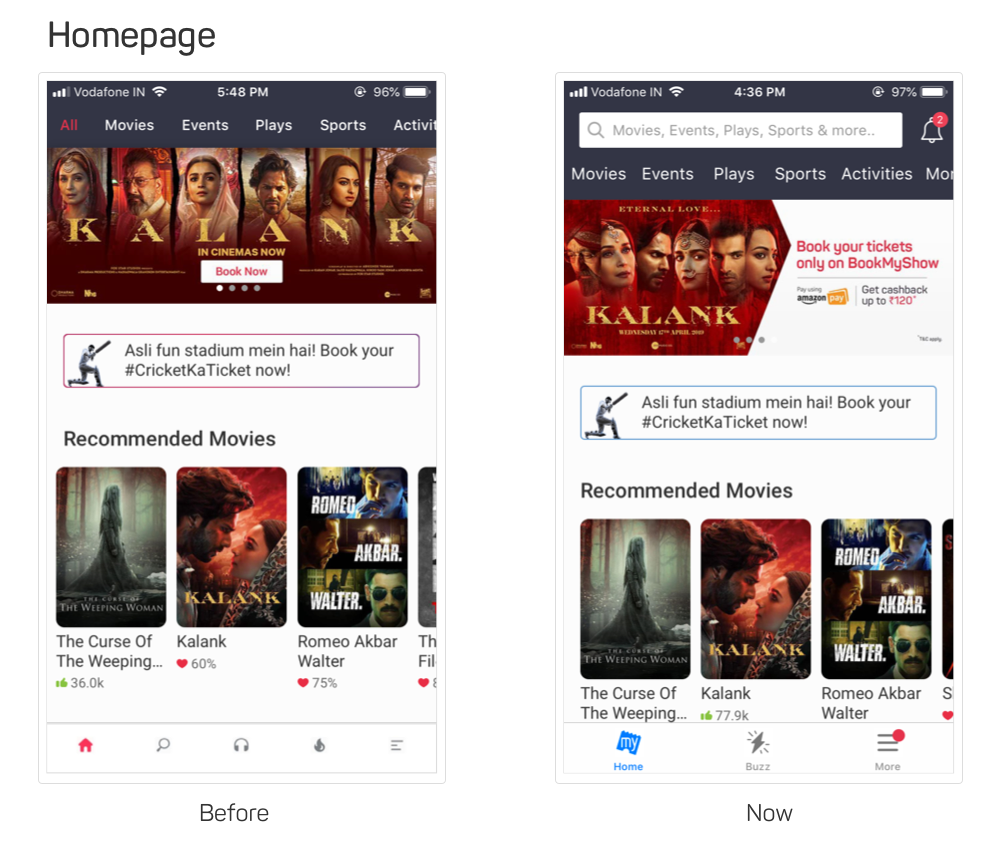
Design nuances of BookMyshow homepage and listing pages | by Kedar Nimkar | We Are BookMyShow

The screen would contain the list of all the events and movies happening or showing in a particular city or state.

3. Details of Event

Promote Your Events Online | How to List & Market Events - BookMyShow

For all the individual events there would be screens containing the details – the details of the event, the price of the ticket, terms and conditions, etc.

4. Rating

This is the section of the event page where users can give a rating to the event after having attended it. This is also where they can see what people are talking about the event.

5. eTicket and mTicket

What is an e-ticket, really?: AirTreks

Every event planning and ticket booking app gives users the functionality to enter their mobile number and email addresses where the ticket gets sent automatically after they have purchased it.

6. Download Ticket

In addition to the automatic generation of tickets in the face of SMS and emails, users are also given the ease to download the ticket for a much quicker find.

7. GPS

Using the feature users are easily able to locate the venue and also see the distance between their current location and the venue.

8. Booking History

Booking History « Event Organiser Docs

Using this feature user will be able to view the history of their bookings from inside their application.

9. Settings

The option that is mainly present in the menu option enables the users to view and modify their profile details, check the option of whether they want to be sent a notification or not and also select their preferred ticket type.

10. Booking Screen

BookMyShow Booking Confirmation Screen Re-design - singh.am

The ticket booking app solution should also factor in a booking screen that would help them select a seat of their choice.

1. Dashboard

The dashboard feature gives the admin the ease to get a comprehensive look of how the application is performing – the download rate, engagement count, events genre that are getting maximum hits, etc.

2. User Management

This part of the admin side of the app deals with managing the users base. It shows the business what issues users are sharing with the support team and the individual ways they are interacting with the application.

3. Shows Management

One of the most important elements that answer how much does it cost to build event management and ticket booking app is the management of shows. Through the feature, admins are able to add in events and modify their details.

4. Venue Management

The one thing your partnered mobile event app experts should specialize in creating a provision for the admins to keep the venue details updated in real-time.

5. Booking Manager

The next crucial part of ticket booking app development on the admin side is booking management. This is the feature that helps keep admin updated with the number of bookings happening on the application and the timing of them.

6. Content Management

This part of the admin app deals with the management of all the content that is live in the application – details of the event, ensuring terms and conditions are updated, etc.

7. Push Notification

This is the section wherein admins enter the notification content and schedule the timing of when it will go out.

Now that we have looked into the must-have feature set that goes into answering how much does it cost to build an event management and ticket booking app, it is time to look into the next functional element.

Toolset to Follow to Answer How to Build an Event App like Eventbrite or Similar Apps

8 Factors That Makes Eventbrite a Successful App

The tool set or tech stack that we follow to offer Eventbrite like app development services include a range of robust backend tools and intuitive frontend stack. In addition to those, we add APIs that are designed to offer your users a seamless experience throughout.

All of these tool sets that we use add up to answer how do you build an event planning app.

Well now that you have looked at all the must-have features and the ways to create an app for your events using the right tech stack, it is time to get down to what we majorly came here for. To answer how much does it cost to build event management and ticket booking app.

Well, let us get down to answering how much event app builders in USA and India charge for Eventbrite like app development services.

So here’s the section that answers development cost of apps like Eventbrite and similar event planning and ticket booking apps.

How Much Does it Cost to Build an Event Management and Ticket Booking App?

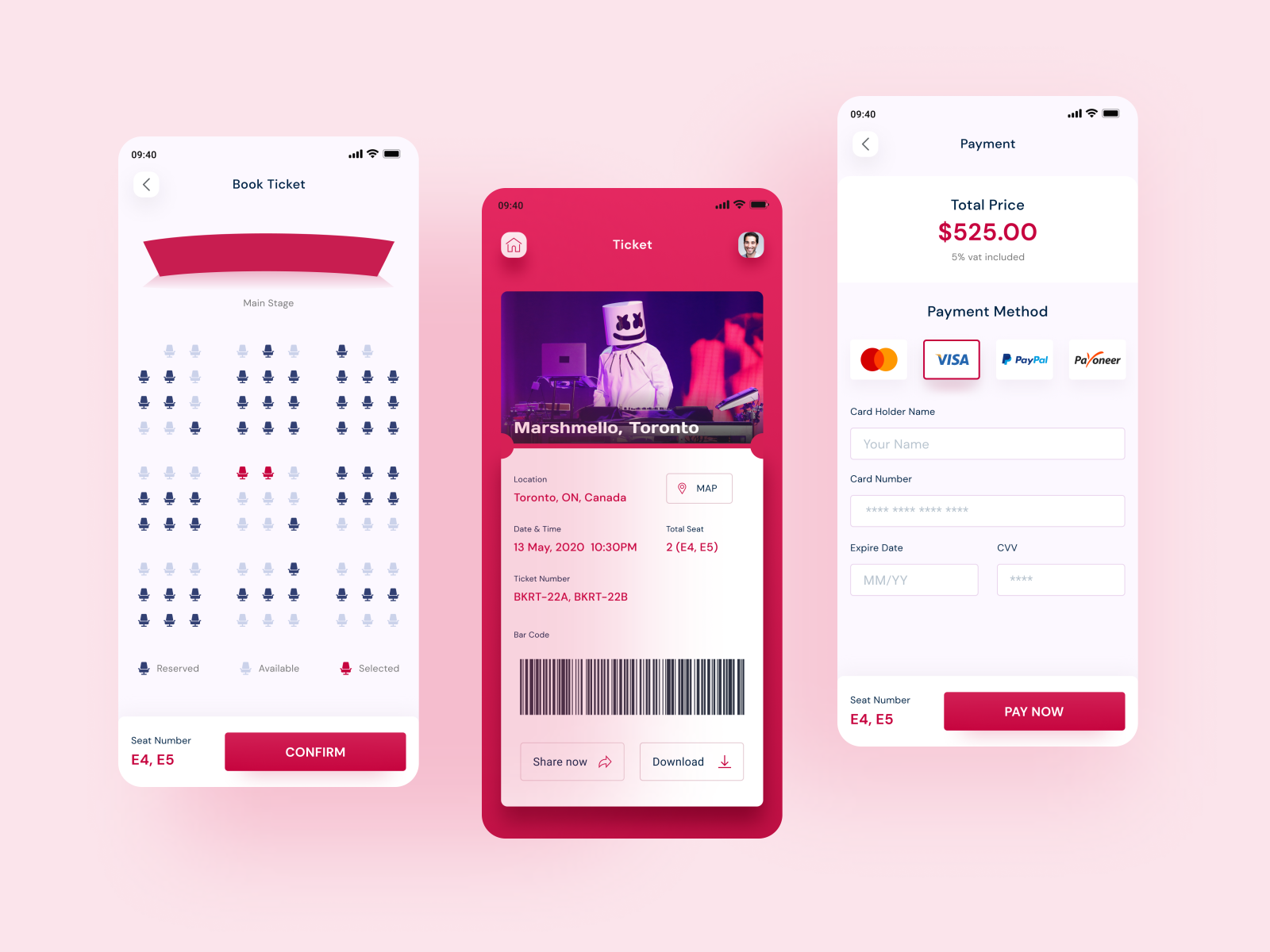
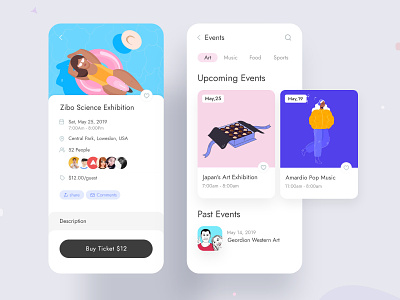
Event management mobile app by Kavi Aarun on Dribbble

The most honest answer to cost to make a mobile app like Eventbrite, which looks into both management and ticket booking is dependent on a number of factors. Just like your usual mobile app development cost estimate.

But with that said, if you are looking for an event management app that works around the exact list of features that we enlisted above, the cost range can be estimated.

Even if it’s an approximate level.

Now without beating around the bush, let’s give you a clear answer.

The event management and ticket booking app development cost range will fall somewhere in the range of USD 50K and USD 80K Considering you are creating the application in the lines of the technology and feature set that we shared.

This cost range is one that includes everything from design to development and maintenance of your mobile app.

Now that we have looked at the event planning software features and prices, it is time to delve into the ways you can earn back the invested amount.

How to Make Money On Your Event Ticket Booking App?

After spending a whopping range as the one we estimated above, it becomes a little obvious for entrepreneurs to look for ways to make the money back and then grow it.

But how do you go about it?

What are the different ways to make money off of your event booking application app?

Well, there are multiple methods that you can apply to earn back the invested money and that too at a much greater valuation. Methods that are followed by a number of event management industry’s entrepreneurs are following.

A. Commission on Ticket:

Free PNG Train Ticket Clip Art Download - PinClipart

You can add an additional commission charge on the price of the ticket that your users pay – an amount that the partnered event organizers or cinema halls’ managers would have to pay.

This is one of the most stable ways to make a profit on your event booking application for organizers and hall managers are always willing to invest in ways to fill in the seats.

B. Advertisement:

How to Write a Small Advertisement

You can introduce an advertising model inside the app which would allow you to earn money in return for showing videos or event ads to the customers. You can even introduce an additional mode of in-app advertising payment based on the clicks that the app gets.

C. Event Management Charges:

Match Experience at the PEPSI IPL VIP Box | Mission Sharing Knowledge

Although not very common but many businesses offer event management services to their partnered organizers in return of an amount. The idea behind this is that they will deploy their in-house team to manage the event for their partners. Also, they give the option to promote the event for their clients as well

D. Merchandise Distribution:

Amazon.com: Paladone Marvel Comics Playing Cards and Tin - Officially Licensed Disney Merchandise: Home & Kitchen

While this would require expansion on your front, but it can prove to be a great option when you have partnered with organizers who have established themselves immensely in the market.

The way it works is that the official merchandise is put in to be promoted and sold inside your application. The money that the businesses make is on the basis of the commission that they make on every sale.

So here were the four commonly used ways you can earn money at the back of all the efforts and money that your partnered event management app development company and you have put in.

And it doesn’t end here.

There are a number of other direct and indirect channels for you to make money off your application. Get in touch with our team of app builders for events & conferences to know what they are.

Well, with this you are now officially ready to enter the market of event booking software with the knowledge of how much does it cost to build an event app and the ways you can earn back the invested amount.

React Native App Development Considerations That Aren’t Often Mentioned

React Native for Mobile Application Development: Why Use It? | by Manny Shapir | The Startup | Medium

  1. How is React Different from React Native framework?
  2. How is React Native Compared to Other Cross-Platform App Development Frameworks?
  3. Benefits and Limitations of React Native App Development
  4. Companies using React Native App Development
  5. Scope of Scalability When Choosing React Native for Mobile App development
  6. Type of Apps Best Suited for React Native Application Development

When Mark Zuckerberg said that his team has found a way to bring the simplistic features of web development to mobile, the mobility world got a framework that went on to change the business outcome of several app entrepreneurs.

Known as React Framework, the now popular cross-platform app development medium went on to witness a constant interest from the world of developers and entrepreneurs.

This ever-growing interest in the framework driven by the myriad of benefits that it offers is what has a number of entrepreneurs towards it.

But even amidst all the limelight that React native is getting and the now clear answer in yes to the question of is react native future of mobile app development, the primary universal question of whether it is better than native app development is keeping entrepreneurs on the fence.

A question which has led to the need for knowing the factors that have to be considered when investing in react native app.

This article is aimed at helping you find the answers to what to consider when choosing react native for mobile app development and how does react native work?

Let us start with the very basics first.

How is React Different from React Native Framework?

One of the main confusions that surround the React Native domain especially among the entrepreneurs who are just starting up with the department is understanding what separates React Native from React – the similarity in the first word holds an open scope for a lot of confusion.

React Native is basically the custom renderer of React, like what React DOM is on The Web. It makes use of native components in place of the web components that React uses as the building blocks.

In order to start working on React Native, you will first have to get the know-how of the React concepts – JSX, state, components, and props. Basically, if you know about React, you will still have to learn things around React Native such as the many native components. React Native also gives access to the features these platforms offer, apart from transforming React code to work on iOS and Android.

With the common misconception that surrounds React native now answered, let us look into the point that is more business decision oriented – where react native stands in front of other cross-platform tools or frameworks.

How is React Native Compared to Other Cross-Platform App Development Frameworks?

When we look at the alternatives to React Native as a cross-platform app development framework the names that come up include – Flutter, Ionic, and Xamarin.

Let us look at how the advantage of React Native stacks up against all the three.

Ionic Article: Comparing Cross-Platform Frameworks

A. React Native vs Flutter

Even after being fairly new in the domain, Flutter has emerged as the ideal competitor to React Native. In only sometime of its launch, the latter has popularized the debate around React Native vs Flutter at the back of its capabilities.

But even at a time when the competition is pretty stiff between both the cross-platform frameworks, there are a number of factors in which React Native is proving to stand ahead of Flutter. Factors like –

User Interface

Framework Maturity

Use of JavaScript

Mass Adoption

Set-up and Configuration

Tooling

Lifecycle Management, etc.

B. React Native vs Ionic

While the industry is divided into both sides considering the individual benefits that they both offer and their individual capabilities, React Native again stands ahead of Ionic in the discussion of React Native vs Ionic.

Here are some factors where React Native holds a much stronger foothold compared to Ionic –

High Performance

Better Community Support

C. React Native vs Xamarin

The debate between React Native vs Xamarin is what has taken a slight side-track ever since the launch of a more capable framework – Flutter. However, the demand for Xamarin among cross-platform app developers is nowhere less.

Here are the different factors where React Native stands ahead of Xamarin –

Market Share

Better Development Environment

Better Testing Abilities

Proper Documentation

Comparatively Lower Cost of Development

Now that we have looked at where React Native stands as compared to the other popular cross-platform tools, it is time to look into the next important thing to consider when choosing React Native development – The Pros and Cons of the popular cross-platform Framework.

Benefits and Limitations of React Native App Development

Even after being one of the most popular modes of cross-platform app development, there are a number of limitations that a leading react native application development company works around but also a number benefits that the react native app developers boast of.

An understanding of what the react native development pros and cons are will bring you to a much better stage when it comes to knowing things before starting with the React Native development process.

Let us attend to them both now, one after another.

Benefits of React Native App Development

A. Single Codebase

Single Code Base App Development Platform | Streebo inc

The best part about react native development of app is the fact that it works around a single codebase. The development team does not have to write codes for two (or multiple) platforms individually, instead, they have to code once and the app will get live on multiple platforms – Android, iOS, Windows, etc.

B. Lowered Development Time

Free Development Cliparts, Download Free Development Cliparts png images, Free ClipArts on Clipart Library

React Native makes it possible for the mobile app development agency to employ only a few people in the project, thus being the number one answer to if is react native good for mobile app development. Instead of keeping two platform-specific teams, they only employ one team in the project. Also, because all the efforts, straight from designing to development and maintenance gets cut in half, the overall mobile app development timeline also gets reduced.

C. Easy Transition for Web Developers

10 Page Transition Effects Trends for Web Developer in 2018 | by UIUX Lab | Medium

Because a good portion of React app development is done using JavaScript, it becomes a lot easier for web developers to switch to the world of mobile app development, for the learnability curve is pretty low.

D. Open Source

tvOS - Wikipedia

Being open source, React Native gives developers the benefit of code inspection. Also, because of the open-source nature libraries become a lot more compatible with platforms like Windows suite or TvOS.

E. Hot Reload Option

Another time-saving functionality of React Native is the Hot Reload ability. The capability makes it easy for the developers to see what their changes reflect as in the device in real-time. They no more have to push builds to see the effect.

F. Better User Experience

Customer Experience and User Experience | by Ish∆n | Prototypr

The main feature of a native app is to offer quality user experience by having efficiency and compatibility to operate on a mobile phone. Applications developed with React Native have faster loading time and smooth feel, which makes react native one of the most liked choice. The apps built with React Native also offer perfect performance as well as aesthetic appeal providing better user experience.

G. Cost Effective

Behavioral 'Nudges' Offer a Cost-Effective Policy Tool – Association for Psychological Science – APS

Currently, the price related to developing an application can be lowered by 25-30% when selecting React Native. The financial savings is made from having simply one development group rather than two. This implies simple management of process and project as well as more control over uniformity of the manufacturing.

It additionally suggests that there is no difference in the work speed. Meaning that the progress in React Native is constant for both iOS and Android platforms.

Drawbacks of React App development

A. Lack of Connect with Native Elements

Free Sound Recording Cliparts, Download Free Sound Recording Cliparts png images, Free ClipArts on Clipart Library

The biggest lagging on the React Native’s part is lack of connection with the device’s native elements like Voice Recorder or Camera etc.

The alternate to native framework that solves this problem – Flutter to some extent, but nothing beats the abilities of Native app development.

B. Lack of Third-Party Library Connection

There is a massive lack of third-party libraries connection that React Native faces. In order to make use of the libraries, the development team has to make use of native modules, which only increases the development efforts further.

The alternate solution to this problem – Xamarin

C. Restricted Support for Native APIs

Understanding APIs

Although React Native is expanding its support scope to multiple Native APIs, the number is still restricted and so is the freedom that developers have in terms of using all the APIs.

The alternate solution to this problem – Native app development.

If there is one thing clear from the benefits and limitations that we just read, it is that when it comes to the cross-platform app development process, react Native has almost all the functionalities to get you started with the process. And whatever’s lacking is something that falls majorly in the ballpark of native app development, making React Native vs Native apps development the right comparison point.

Well now that we have looked at the different benefits and limitations that are linked with React Native, it is time to get an idea of its social standing.

Let us get down to looking at where the adoption state of React Native lies.

Now while we already know that the framework is used by millions of businesses across the globe, we are going to look at the top names which are backing the popular cross-platform app development framework.

Companies using React Native Apps

Even though there is a sharp rise in the adoption of React Native’s top competitor Flutter in the mobile industry, the companies that are already using or are starting with the React native app development process are not less in number.

Here are some of the top apps made using React Native –

Brands Relying on React Native and the factors to consider react native are:

1. Facebook

Response to Six4Three Documents - About Facebook

When Facebook laid the foundation of React Native, it was guided by the need to bring the ease of web development on the front of single team requirement and quick iterations to mobile.

The Result – There was a significant improvement in performance, making the app twice as fast as earlier.

2. Walmart

Walmart becomes largest U.S. vaccine provider to join push for digital vaccination credentials. - The New York Times

The business has already given us a peek into how innovative its processes are – something that can be gauged by the fact that it first added Node.js in the stack and after a few years also introduced React Native in the toolset.

The Result – React native inclusion helped Walmart in not just increasing their overall app performance, but also helped in offering near-native interface along with the facility of smooth animations.

3. Bloomberg

Bloomberg L.P. | About, Careers, Products, Contacts

The app which is aimed at offering interactive, streamlined experience with heavily personalized content is built upon React native as well with the intent to take advantage of the framework’s automated code refreshes and instant reloads. Intents which stood true of what was expected.

4. Instagram
What Is Instagram and How It Works: a Beginner's Guide

The social media platform integrated React Native in its existing native application inside the WebView functionality.

The Result – The developer velocity improved to a great extent. And now over 90% code was getting shared between iOS and Android apps, so the delivery number also improved.

5. Townske

Townske - Apps on Google Play

The app aims at being the travel guide of its users by giving them a list of places that the locals frequent. They chose React Native for its sole focus on Mobile UI.

The Result – The app’s UI is very responsive and fluid because of the asynchronous JS interaction with a native environment, meaning it loads a lot faster than your usual hybrid app and works around a smoother feel.

Now that we have looked at the reasoning and the impact of choosing React Native that a number of top businesses across the globe have faced, it is time to get down to one of the two direct business impacting pointers of React Native – which also happens to be two of the most beneficial features of react native.

React Native’s Business Benefit Number 1: Small Team Size

One of the biggest benefits that attract entrepreneurs to React Native is the fact that the development type calls for very small team size – something that directly answers if is react native good for mobile app development.

A usual team composition of your average react native app looks like –

1 Project Manager

1 Tech Lead

1 React Native Developer

1 Business Analyst

1-2 UI/UX Designers

1 QA Specialist

This number when you choose Native app development increases to exact double or even triple if the project size is big.

React Native’s Business Benefit Number 2: Low App Development Cost

The next big benefit of React native app development that works for businesses is the fact that it brings down the answer to how much does it cost to develop a react native app to a great extent.

In fact, this happening is what makes React development one of the most trusted ways to bring the mobile app development cost down.

While these two benefits are what keep the interest for app development high among entrepreneurs, the prevalent doubt around the scope of scalability that the framework offers, tends to keep them a little on the fence as well.

Making scalability an important thing to be considered before making an investment in react native mobile app development.

Scope of Scalability When Choosing React Native for Mobile App development

Gone is the time when scalability used to be a matter for backend teams to handle. It has today become all the more important in frontend as well.

The idea that an application should be scalable enough to handle more real-time users and devices is what businesses are aiming for nowadays.

But does React Native holds up to this expectation? Is Scalability one of those must think about factors to consider for React Native app development?

The answer is a Yes, but.

Short answer – The fact that React Native for mobile app development is what is powering an application like Facebook, makes the framework very scalable in nature.

Long answer – It takes certain experience and developmental efforts to know how to structure a React Native app for scale – something that only the leading react native mobile app development services can offer.

With that answered, we have come to the last thing that has to be taken into account when doing app development.

Type of Apps Best Suited for React App Development

Which Type Of Apps Are Best Suited For React Native? | 360 Degree Technosoft

While the day is still awaited when we would say that any and all types of applications can be made using React Native for mobile app development, the truth of the hour remains in the fact that the type of apps that can be made using the framework is a number that can be categorized in four points.

Let us look at those four points as the last section of our article today.

Here are the four app types that usually defines when to choose react native for building a mobile app –

Working prototypes

The importance of mobile app prototyping in getting the app idea validated is not unknown to the app industry. And what can be better for developing a prototyping model if not a cross-platform framework that allows speedy development at low developmental cost?

Apps with simple UI

10 Best APP UI Design for Your Inspiration in 2017 | by Mockplus | Mockplus | Medium

For mobile apps which have very few views and interactions, React Native can prove to be a very viable option. The present of capabilities like quick iterations and hot reloading makes it ideal for brands seeking high app performance.

Apps requiring basic functionalities

5 Mobile App Features Your Customers Want

For apps that fall into the category of medium to low complexity having functionalities that can be hand-counted, React Native can prove to be a great option.

Non-Native app

Although a no-brainer but apps that do not rely on the native abilities of a device can prove to be a perfect outcome of the native app development process. So, if your app idea is of an application that works perfectly fine as independent software, RN can be a great choice.

The Future of React App Development

Till now we have known the types, benefits, limitations, scope, and how does react native work.

Fabric a project by Facebook is set to transform the React Native future. Fabric makes React Native community and its tools suitable with other different platforms than the typical Android and iOS. It will certainly help in making a lower overload on the application design and architecture and your apps will run quicker than the old cross-platform applications in react.

New Thread Model

A thread is a network where the system connects with the users. To every client demand, a UI needs to go with three different threads. Rather than enabling each UI update to deal with three separate threads, Fabric will empower developers to call synchronously right into JavaScript on any thread provided. Decreasing the stress on the primary thread without compromising responsiveness.

Async Capabilities

Subsequently, making it simpler to manage asynchronous information and data, and also permit numerous rendering priorities.

Simplified/Native Bridge

WebView — The Bridge that Connects React Native to the Web | by SaidHayani@ | Bits and Pieces

We know that cross-platform applications struggle because of the gap between the shared code and native conditions. To improve the debugging of bugs, native bridges are required. Developers are planning to develop a fresh simplified bridge, which will certainly boost the direct calls between JavaScript and native.

With this, we have looked at everything that you will have to consider when looking into investing in react app development. The only thing left is finding the right react native mobile app development company.

Well, you don’t have to look further, we are only just a single click away. Fill in the form below and get in touch with us and hire our React native app developers.

How much does it cost to develop a photo editing app?

5 best free photo editing apps for Android users | Technology News,The Indian Express

If there is one thing that the mass acceptance of image sharing social media platforms as Snapchat and Instagram have done, besides being the absolute profitable marketing medium, is bring a positive, surging demand for pic editing apps.

With more and more people willing to share their every second with the world, the need to look better – either naturally or through the help of technology is on a sky-high level.

So much so that the photo editing software market is expected to grow over $1030 Million by 2023. An estimated market size which is mainly driven by regions like:

North America – Canada, Mexico

Europe – UK, Italy, Russia, France, and Germany

Asia-Pacific – Japan, Korea, India, Japan, and Southeast Asia

South America – Colombia, Argentina, and Brazil

Africa and the Middle East – UAE, Suadi Arabia, Egypt, South Africa, and Nigeria

There are two main reasons driving this sudden high demand for photo editing software in the market:

  1. Increase in integration of photo editing features on social media platforms
  2. A rise in the number of mobile-based photo editing software

Now irrespective of what reasons are driving the growing market demand for photo editing software, the outcome of it all remains the same – the rise in the number of entrepreneurs willing to enter the flourishing industry. And an even greater increase in people seeking the answer to How much does it cost to build a photo-editing app like Retrica or similar applications.

The current state of the market is as such that the top players’ list is continuously shuffling for many new brands are entering the market with the hope to take a piece of the market pie.

But if you look at today’s date, the picture of top market players that you will see will look like –

Top 5 Photo Editing Apps – Sequoit Media

If the current market scenario is giving you cold feet from the front of market interest, well, it shouldn’t. The interest for new innovation in the domain is still intact, not just from the investors but also from tech giants who are planning to enter the space.

Here is the supporting evidence –

A. Polarr, the AI-powered photo editing application raised $11.5 Million in VC funding to grow its mobile and web presence.

B. Meero’s image editing tool raised $45 Million in funding last year

C. Apple, in January, announced its plan to release its own photo editing app called Fuzion

See how big yet open to more participation the photo editing app market is?

Now that we have attended to how flourishing the pic editing app market is, it is time to move on to the next stage – One which is a lot more technical and directly mobile photo editor app building cost impacting.

The stage we are going to look into next is ‘Features’. It plays a key role in deciding what the mobile app development cost estimate would be.

A. Registration

How To Create PicsArt Account in Android - YouTube

The one thing similar between possibly every app active on the stores is user registration.

And keeping up with the tradition, you will also have to add in the feature of user registration in your pic editing app for making it easy to enter the application and ensure that their data is saved inside the app for they are not getting in as guests.

To make it easy on your users, add in the option of social media or Gmail login – this will expedite the whole process to a great extent.

B. Social Media Syncs

Lightning-Quick Sharing, With the New PicsArt Photo Editor

The relation of your photo editing app with social media will go much beyond easing logins. You will also have to enable your users to share the edited photo on their choice of social media.

Also, while not necessary, you can even give them the option to invite in their friends and see your portfolio.

C. Photo Edits

How to edit photos with Lightroom for mobile | Adobe Photoshop Lightroom tutorials

The essence of your photo-editing apps would by default be the photo editing functionalities that you are offering them. In fact, this point here is what majorly determines what your cost to develop a photo editing app would be.

For the ease of understanding and cost differentiation, we have divided the feature list, which also clearly answers how to create a photo editing app, into two parts – Basic and Advanced.

Here they both are:

The set of basic photo editing functionalities –The list of advanced photo editing features –

D. Photo Capture and Upload from Gallery

How to transfer photos from a camera or card reader to Photoshop Lightroom Classic

The next in our list of must-have photo editing app features is the option to take the photo. There are two ways to go around it – A. Capture the photo from the camera (your phone’s camera is connected with the application using SDK) B. Upload the Image through the phone’s gallery.

E. Search

Adobe Spark brings easy-animation apps to the web - The Verge

If your idea is to create an app like Adobe Spark, which allows you to make image changes by giving you multiple templates to choose from and edit into, you should give your users a search functionality to select their preferred category.

Also, you can give them the search functionality to look for any specific functionality of your application, in case the list is extensive.

F. Shop

There should be a section within your application which has the list of every feature, functionality, and effects that you are planning to sell to the users. Ideally, it should be divided into sections of different things that you are offering to your users – simply for a clear and simplified UI.
G. In-App Payment

PicsArt Gold Brings Ad-Free Edits With Thousands of Graphics | Digital Trends

In addition to the shop feature, you should also integrate payment functionality in the app, giving your users the ease of purchasing the effect of their choice. To make it easy on your users, you should offer a variety of payment options like cards, online banking, or through platforms like PayPal and Stripe.

So here were some of the must-have features that should be present in your photo-editing application to make it more efficient and valued. And now that you know what those are, it is time to talk about the factor that we wrote this article to answer – How much do photo-editing apps cost?

What is the Cost to Develop a Photo-Editing App?

RAW Photo Editing Basics Explained

The cost of photo-editing application development is mainly divided into two parts – A cost that is arrived at on the basis of the list of basic photo editing features, as we saw in the section above a while back and Cost range B, which is arrived at on the basis of the estimation of advanced level features’ set.

Here’s the difference between them both.

The cost of a basic level photo-editing feature app will be between – USD 30K to USD 40K.

While the cost of the Advanced feature set application will be in the range of USD 60K to USD 70K.

Now, the estimated photo editing app development budget range that we have mentioned here is on the basis of the features that have been mentioned in the article. It is not a concrete range and so it might vary from your one requirement to another. Also, you should accept that the answer to what is the cost of photo editing app development in India would be very different from the cost that an agency in the USA would charge.

With this, we have now looked at everything that you need to get started and reach the stage where you connect with the team of custom photo-editing app developers who excel in the creation of the photo-editing app category.

The next and remaining thing left is to know how to get back the invested money that you put under the segment of photo-editing app development and grow it further. Let us get you an answer to that in the next section.

How to Earn Money on Your Photo-Editing App?

When it comes to earning money on a photo-editing application or setting its monetization model, businesses usually work around two modes –

A. In-App Advertisements

14 App Install Ads That Are Winning The User Acquisition Game | CleverTap

Under this mode, the app earns by showing advertisement of other business to their users. The more a user interacts with the advertisement the greater are your chances to earn more money.

B. Paid Editing Features

How to Use the PicsArt App on an iPhone or Andorid | PicxTrix

The next most common mode of earning revenue on your photo editing mobile application is to offer features that the users would pay to use – it can be an effect or a filter or even holiday-themed frames.

Now that you know what is the cost to develop a photo-editing app are practically ready to get started with your own business, there is just one last remaining thing for you to attend to – Getting in touch with one of the leading photo-editing app development companies in India and the USA that would help take your business ahead.

How to Successfully Validate an App Idea

How to Validate Your Mobile App Idea?

Getting an app idea is easy.

How many times have you found yourself looking at something – an event, an issue, or simply a situation and thinking how easy it would have been if there was an app for that?

This occurrence which is also known as ‘There should be an app for that’ is something that has almost single-handedly been responsible for the creation of many millions of apps that are operating in the stores today.

But how to put a filter on your closet full of ideas? How do you validate your ideas’ feasibility? How do you answer ‘Is my app idea any good’?

This is where your search ends – the search to know the right app ideation process.

Let us start the piece on what to do with an app idea by getting you acquainted with the six app idea validation process – something that sets the basis of any and every mobile app development process.

The Six Stages of Mobile App Idea Validation

Validating an app idea to ensure that it fits with your future goal is something that cannot simply be attended in some pointers. There are three different parts and rather phases attached to it.
Here are the six steps to verify your app idea –

Phase 1: Finding an app idea

How to Make a Business Model Canvas for Mobile App Idea - Clockwise Software

The first answer of how to validate an app idea revolves around finding an app idea. Until and unless you have a few app ideas on you, checking up on its viability will be out of the question. But how do you get an idea? Where should you head out for inspiration?

While it is true that some of the best performing applications today were inspired by real-life challenges, it will be a little boastful to assume that the same would happen to you and you will too get a real-life problem’s solution, although it’d be awesome if you do!

But in case you don’t, here are the ways you can gather some inspiration for your mobility business:

1. Monitor the app stores thoroughly

App Store / Google Play Logo [ Download - Logo - icon ] png svg

Start by making a list of your most preferred app categories where you would like to make an entry eventually. Once you have a list ready, review the top applications in there. See what features they have, what is missing, is there some feature that you can offer in your application, which could make yours different from others, etc.

2. Go beyond app stores to app review and listing websites

App Stores List (2020) - Business of Apps

After you have studied the top ranking apps in the stores thoroughly, move on to looking into the app rating and review websites – ones which contain the details of the new launches in your preferred category. In fact, you should also make use of sites like AngelList or ProductHunt which contain the details of the new businesses that are now entering the domain you are interested in – be it mobile or non-mobile. And see if you can take these businesses on mobile.

3. Attend meetups

The next activity that you can do to get ideas when you are at a stage of a blank slate is attending meetups and conferences where entrepreneurs meet to discuss their idea and find potential people who might be interested in backing their idea.

These meetups are more often than not a well of information and ideas waiting to be brought to the mobility space.

4. Check who is getting funded

The last of the tried and tested way that helps in getting inspiration is seeing who is getting funded – knowing the industries and business models that are now getting attention will give you a clear notion on app idea testing and where the future lies. A piece of information that you will be able to use to place yourself in it.

Phase 2: Researching the viability

How to research your business idea – Entrepreneur Handbook

Once you have a basic idea of what app category and type you would be interested in to enter the mobility domain with, the next stage comes – checking the idea validation framework whether it is even viable in itself. This is one of the most crucial steps.

Everything from your business’s future to the justification of how much your app costs depends on the amount of research you put into checking your application’s validity in the market.

This phase is what our article is based on. So, we will be looking at it in much detail sometime later.

Phase 3: Analyze the market fit

How Superhuman Built an Engine to Find Product/Market Fit | First Round Review

After you have known about the app concept validation, the last step before you enter the mobile app development process cycle would be to analyze what the market would demand from your application.

This stage would mainly deal with two things – your app’s feature set and its business model. Make a note of your competitors’ features and see which all you can combine and put in your one application.

Now that we have looked at all the three stages, let us get to the main section of the article, as promised in Stage 2 – How to Validate an App Idea.

Well, here are the Effective Strategies to Validate Innovative App Ideas.

Phase 4: Creating MVP

When you know about your rivals by analyzing the existing applications, acquiring the genuine need of your target audience by studying the market, and hearing the problem areas of the users; you are totally clear in your mind about the application that you will create and features that you will add.

After getting to know the basics and the requirements, you need to consider making a minimum viable product. Make a completely functional MVP and send it out for testing with just the main features to see how it functions in the real world.

Phase 5: Creating digital prototype

How to Make a Mobile App Prototype? Secrets of Building App Prototypes - Clockwise Software

When you are finished with all the phases, then you have a reasonable idea of what you are going to create and thus now it’s time for the formation of a digital prototype. Models characterize the flow of design and how it will function before the development of the application. When your prototype is prepared you can do iterations to test the effectiveness of your mobile app and roll out the necessary changes in the design stage to avoid iterating the complete application development cycle and saving time too.

Phase 6: Final design creation

Ten Steps of the Product Design Process - Digital Product Design Agency – Qubstudio

After all the phases are finished and all things arranged, you simply require to draft the last application design and voila! Your application is in the market providing you profits. The design needs approval by the customers who will utilize it, however a design sprint can help you in such cases if getting customer approval is hard for you. Start by testing the design by three or four users, getting feedback from them and executing on the feedback. After this you can dispatch a beta version by permitting only a few customers to join and sign up, and get the insights about their experience to make the end result and launch your application.

Ways To Validate An App Idea

Validating your application idea is a process which takes up multiple steps and time, efforts to become fruitful. Let us look at some of the top ways that can be applied to answer how to validate app idea, whether there is any idea validation tool or is it manual process?

1. Talk to the targeted users

How to Find and Target Your Social Media Audience (Free Template)

Reaching out to your targeted app users can be your first step to introduce your app to the world. But how do you know whom to contact?

Well, the first thing that you will have to do is create user personas. The benefits of user personas creation ripple down to a number of other app development stages as well. You will have to define your user group in a way that you have a clear understanding of how your app would be used by the people – the features that would be preferred, the layout that will be applied, etc.

Once you have identified the user type who would interact with your app once it’s launched, the next step would be to get your app idea to reach them – the stage that plays a crucial role in finding an answer on how to know if your mobile app idea will be successful.

There are multiple ways to do that.

You can create a survey around your app’s features and send it across to your pool of prospective users to measure their interest rate in your idea. The ways you can reach your users are – A. Through Social Media Ads B. Through Community based Websites like Reddit, Quora, etc. C. Through Connecting with them via Blog comments that they have commented on.

The idea of this stage is to help find answers to the following questions:

  • How significant is the problem that you are out to solve?
  • How often does your user group face the issue?
  • How satisfied are they with the present solution to their problem?
  • Is the solution that your app is offering something they would be willing to pay for today or in the future?

2. Study the stores

Google Play Store vs the Apple App Store: by the numbers

With millions and millions of applications being present in both App Store and Play Store, it can be quite a task in itself to find out your competitors – those operating on the same business model as yours and those who are working on your prime most feature.

Doing a competitive analysis of your mobile app is not easy. There are a number of applications that you will have to peruse and a great number of features you will have to make a list of.

To make it easy on you, here’s a short point by point process to help you understand the track that you will have to follow when doing competitor research and also to answer how to find out if your app idea exists.

Step 1: Start with putting your preferred category name in the search box of the store and see the apps coming in until two scrolls.

Step 2: Enter the keywords that you think your users will put in to find your app in the stores and put them in the search box, individually as well. Make a list again of the apps coming up till two scrolls.

Step 3: Make a comprehensive list of their feature set – see which are common and which are not.

Step 4: Study their reviews and ratings to see how users are interacting with their application, what they are liking and what not, etc.

3. Do keywords research

How to Do Keyword Research for SEO: A Step-by-Step Guide

This step is your way out to understand what people are talking about your category. The mode to gauge if there is an interest in your application – a stage that will help give you a clarification of I have an app idea where do I start?

To start with, you will first have to list out 15-20 words or phrases which you think people will search for to arrive at your application and offerings. Once you have the list ready, put it in tools like Google AdWords or Moz keyword explorer to see the traction the words are getting. The search volume there will tell you whether or not people are looking for an idea like your application.

The information that you will find here would be a clear sign of how attractive your app idea is in the market presently. Also, the list of keywords that you are able to create at this stage will come in handy in a number of other steps later as well, like in case of ASO or when promoting your app outside of the stores. In fact, the step will also get you closer to find app developers specializing in your preferred domain.

4. Create a landing page

Landing Page: what is it and how to create one? [+ 7 tools to create]

It is time to utilize the network you must have created during the survey and social media process.

Make a landing page (otherwise known as a single page website like document) to pass on to people you had reached out to earlier and people whose attention you will acquire next. The idea of it will be to see if at all people are interacting with your mobile app idea.

Tracking of which can be easily done by linking your microsite or landing page to MixPanel or Google Analytics. Also, remember to shorten the link using Bitly or URLBuilder to see how many times the link was clicked.

Other than this, when we talk about the basic things that should be present in your landing page, it looks something like this –

  • Description of your application
  • Screenshots or mockups
  • eMail subscription form

The tools that you would be requiring for creating a ready to be shared landing page includes:

For Creating Pages – Unbounce, LanderApp, Launchrock, Lead Pages, QuickMVP

For Designing Screenshots and Icons – LaunchKit.io

5. Upload rough version of the app on review websites

18 Best (and Worst) Web-Based Video Editors for 2021

There are a number of websites where you can submit in your app idea – like ProductHunt or AngelList, etc. So, put in your idea there and see how other entrepreneurs and general new business enthusiasts are reacting to it.

You don’t necessarily need a prototype to use this approach. These sites even let you open pages where you can put in your app’s description and probable list of features that you have envisioned for them. So, make use of these websites to showcase and promote your app idea to the world.

6. Understand the size of your target market

Understanding Your Target Market

To know your target size you need to first make a list of keywords that are related with your application idea. Then add these keywords to the Google keyword planner tool or any other keyword planner tool. The tool will provide the normal monthly searches that these keywords are getting locally and worldwide. The higher the quantity of searches, the more will be the demand for the services related with your application idea.

Now that we have looked at the ways you can validate your mobile app in the market, it is time to look into the different approaches you should follow to get your app idea across to the potential pool of users – something that would require the help of a mobile app development agency.

Approaches to Check the Viability of Your App Idea

SIMON Mobile app: validation of user's operations. | Download Scientific Diagram

When it comes to transforming your app idea into approaches or ways that can be shared for the world to explore and dissect in detail, there are three methods that come up – MVP, POC, and Prototype.

Let us look at all the three approaches in a little detail now.

Proof of concept (POC)

Five tips for a successful Proof of Concept - Bizztracker

It is a small version of the project which is used mostly for in-house distribution of the app idea as compared to showcasing it to the other stakeholders. Usability is not something that is given much attention at this stage.

The intent of this approach is to see how the idea is looking inside a mobile app, at a very raw level. It helps mobile app developers understand what flow should be kept and how long will it take. In fact, POC is the stage which plays a very important role in determining how long does it take to develop a mobile app.

Mobile app prototype

5 Tips For Effective Rapid Mobile App Prototyping | by Proto.io | Prototypr

While the intent of POC is to show that a feature can be added in the app, Prototype shows how it can be done. A prototype is basically an interactive model of the end product which communicates the navigation and design of your application, which can be made using a number of tools.
It helps your stakeholders visualize how your app would function while showcasing the user flow and giving everyone the idea of the layout and design. Mainly, it is designed by mobile application builders for determining the feasibility of the app but does not represent a final product. The fact that it highlights the issues at the semi-early stage of the mobile app development process makes it easy to fit in the solution from early on as well.

Minimum viable product (MVP)

What is Minimum Viable (Data) Product? - KDnuggets

MVPs are your best shot answer to know how to develop an app idea. It is a minimal form of your mobile application which is shared in the market to test. MVP helps in understanding how exactly are your users interacting with the app. While prototyping helps in solving issues which arise at the start of the development process, the intended outcome of MVPs is for identifying the pain point of the users and some time to get funding from investors.

They are used to verify the following things:

  • Viability of the product
  • Assumptions which the team had made about the product
  • Market demand
  • Usability

Ultimately, MVPs are used to provide immediate value while keeping the mobile app development cost to a minimum – all the while giving you the possibility of iterating your app development process stage by stage.

Build your brand recognition

How to Build Brand Awareness? Top Tactics to Boost Awareness

After creating and evaluating your MVP effectively, you ought to build up your brand image. Having all-new information every day, a current approved application idea could be invalid tomorrow – we don’t have to remind that, those who are not remembered are not seen – thus you should act quickly and develop your brand recognition.

Above all, your brand image and related things should convey the essence you wish to bring to your application. Arranging about better visual design and identity could guarantee your approval publicly, beside assisting individuals grasp the worth and functionalities of your application idea without any problem.

So here was everything that you needed to get started with the stages of app idea validation – things that would be needed to get your idea off the ground and in the market. In the end, it all depends on how unique yet needed your offered solution is and how many people you are able to reach out to validate your mobile app idea.

The next step? More research.

Now that you have a valid app idea, the next idea is to find the right mobile app development outsourcing partner.


error: Content is protected !!