A Step-by-Step Guide to Optimizing Your Play Store Listing

Google Play Store Now Lets You See Which Apps are Gaining Ranks or Getting Downvoted

Originally incepted as a means to get Play Store to fetch the app listing to place the app higher in the list of category apps, Play Store Optimization has today become a necessary means for businesses to get their apps to rank higher among the list of thousands of similar apps in a category.

Just like your regular Search Engine Optimization mechanisms, Play Store Optimizations also show their effect only when worked from both on store and off store front.

Here is what both the factors entail-

  • On store factors – These include having the right set of keywords in the app description or its title to enable Play Store search algorithms to fetch them when showing results for a particular category. These features also play a huge role in getting an Android app featured on the store.
  • Off store factors – These include having enough backlinks coming in from different sources. The sources can be anything – articles, videos, or mentions. Another element that we will be adding here is users’ ratings and reviews. Although, they get uploaded on the store, but the app publishers have no control on them.

For a better understanding of both the factors, read on store factors as the one that the publisher has control on and the off store one as a set of an element that publishers have no control over.

Now that you know the two factors that would directly impact the rank that you are visible on in Play Store search result, let us now get in depth of it – Of getting your app optimized for the Google Play Store to reap the benefits of the time and effort you have spent into getting it developed.

1. Market Research

A Comprehensive Guide to Market Research: 4 Proven Methods | Hotjar Blog

The first step towards optimizing your app to rule the Play Store chart starts with a thorough market research.

  1. Since the end goal of all your ASO efforts is to get maximum downloads, and app store optimization is 80% about keywords and phrases, you will have to get into your users’ heads to know what they are looking for.
  2. You will have to know who your users are, what are they looking for in an app that they would then move to their home screen and what words are they using to find that application both on search engine and within the app stores.
  3. To understand what is going on in your users’ head, you will have to frequent the place they frequent to show/vocalize their needs.
  4. Once you have their insight, the next entity you will need to analyze in depth is your competitors.
  5. Competitor analysis is as important as knowing your customers’ needs. You will have to gain an understanding of what they are offering to your customers, on what mode, in what context, etc. You will have to pay attention to the power words that they are using in their app description, that are making the users install their app.
  6. Go through their review section and see what experience users are having on their app, visit their Youtube channel or go through their blog sections to know what image they are creating in the market and what their users are liking in their offering as compared to thousand other similar apps.

An insight into both – your customers and your competitors – will show you exactly what your customers are looking for and the words they are using and getting converted with.

2. Keyword Optimization

7 Tips That Will Help You Optimize Your Keyword List for SEO

With a very clear understanding of what your customers are looking for and the standards that your competitors have set, the next stage is to convert those insights into keywords and phrases that your users will search for your app with.

Before we move on the steps to optimize your app description and other app elements on the Google Play Store, let us first look into the process of finding the keywords that you should be putting in your app details page.

There are two ways of finding out keywords to use in your app’s Play Store page –

  1. Use what your competitors are using OR
  2. Go manual and find keywords that the world is using when looking for a product or service in your category.

For the first method, make use of websites like “App Annie” and “Sensor Tower“. Both the websites give you a detailed list of keywords that your competitors are ranking on, which you can copy/borrow/ steal for your own app.

If you are planning to take the manual route, these are the steps that you need to follow –

Step 1: Open your Google Keyword Planner Tool and select ‘Search for new keywords and ad group ideas’ and enter your app domain in the Search bar and click on ‘Get Ideas’. In the list that comes up, do not stress too much about the average monthly searches that are coming up on your query, focus your attention on the ‘Ad Group Ideas’ section. This section will have a list of keywords that users are also looking for or the similar keywords.

Step 2: Use reverse dictionaries available on the internet to get a list of words associated with your keyword.

Step 3: Once you have got the list of keywords ready with you, the next step is to refine the list.

There are three categories on the basis of which you should judge if your keyword is viable enough to get you good ranking on the Play Store or not –

  • Relevancy with your app idea
  • Difficulty range under 20
  • Mid Level Traffic and Search Volume.

These steps would give you a list of keywords that will help you in getting your app’s ranking up in the store along with its visibility and download probability.

Now that you have the refined list of keywords, let us now move on to their usage in your app’s Play Store page.

3. Title

12 Awesome Tips for Writing YouTube Titles That Get Views - mktoolboxsuite.com

Title is the number one element that needs to be optimized for Play Store. It has a direct impact on both search result and conversion rate. Google has extended the app title character limit to 50 characters since July 2017. To make the most of this space, put in a strong keyword next to the brand name as your app title.

An optimized title can look like any one of these four types –

  • Brand name: Keyword(s)
  • Brand name – Keyword(s)
  • Keyword(s): Brand name
  • Keyword(s) – Brand name

4. URL

What Is URL: Uniform Resource Locator Meaning & SEO Friendly Structure

The URL package is another element that can bring in a direct boost in the Play Store ranking number. You can include your keyword in the URL as well to increase its chance at visibility. Remember that you will have to check the Play Store package URL before you publish your app. Once set, it cannot be modified later.

A successful example to prove the point that having keywords in app url impacts its ranking and download probability to a huge extent, is Nintendo’s Super Mario Run game. They have added a very competitive keyword in their URL – Zara, which has made them rank a lot higher than other running games on Play Store.

5. Developer Name

Developer name, application type and developer type information of the... | Download Scientific Diagram

One of the least thought about app page elements which you can incorporate with your keyword is ‘Developer Name’ section. Also, Google saves the Developer History and apps that come with a positive developer history ranks much higher than those who don’t. But coming back to incorporating keywords for making Play Store fetch your app because of your developer name, if you make your primary keyword your developer name, you will be able to rank higher a lot sooner.

6. Short Description
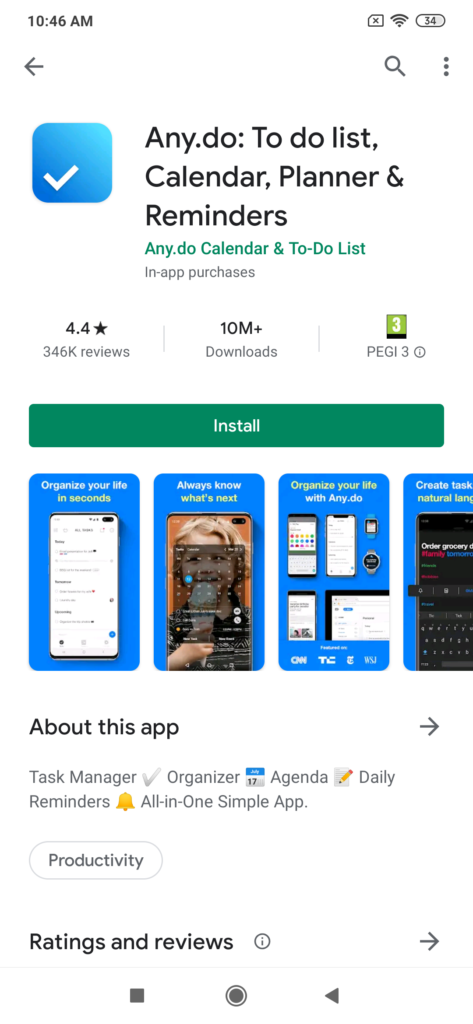
Short & Long Description: Keywords in Google Play Descriptions

The 80 characters short description section on your app page can easily take your app name up the Play Store ranking list. You should plan the short description in a way that it has the keywords in under 20 characters and explain exactly what your app does differently from the thousands of other similar apps.

The sign of a well crafted short description lies in how seamlessly it blends keywords with the app’s USPs, while giving the users something that would grab their attention in microseconds. To gain users’ attention, a number of brands have started using emoticons in their app’s short description section.

7. Long Description
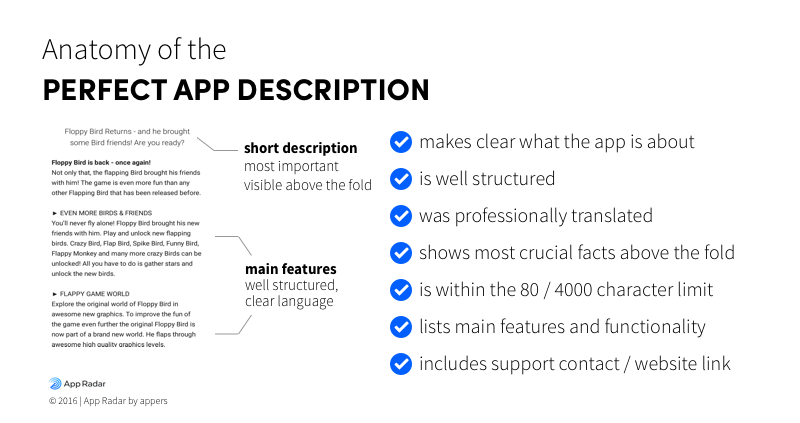
Writing Great App Title & Description for Google Play Store

Play Store App Description section is your place to shine. Unlike Apple, Google offers ample space to its developers to showcase their app, fill in keywords, and convince their users why the app is better than the thousands of similar ones in the market.

In the 4,000 character space that Play Store gives you, make sure that you have entered the keywords and their synonyms in the first line and in the last 5 lines of the description, as that is what will make it searchable.

When drafting your app description, make sure it is well formatted and structured. It should have all the necessary information that would persuade your users to install the app. Feel free to mention your accomplishments, use emojis, have details of the updates you rolled out, and social media profile names for the users to follow through.

8. Icon
System icons - Material Design

In the time when the mobile app users have no time to waste, icons are the first thing that they see before deciding whether to even click on the app detail or not. A clearly distinctive icon is what triggers maximum click throughs. For a business to make a lasting impact on its users, the icon needs to be picture perfect and an exact representation of what the app is about.

The biggest mistake that you can make is uploading a pixelated image because you were unsure of the icon size. Although, your partner mobile app development company will handle this for you, but for the sake of expanding your knowledge, here is the image detail –

  • 32 Bit png
  • 512X512 Dimensions
  • 1024 Kb File Size

There are some things that you need to be wary of when it comes to designing your app icon, such as –

  • No copying of design and layout,
  • Avoid having text on the icon photo,
  • Use the latest design trend present – it can be gradient or line icon or something absolutely fresh in the market.
  • Lastly, until you become all famous and popular, avoid using icons that are not self explanatory of what the app is about.

9. Feature Graphic

Google Play Feature Graphic Examples | Incipia

The next visual cue that your users will follow after your app icon is the feature graphic. A well designed feature graphic is not just a stepping stone to taking users to the next stage, but also a major driver of conversion rate.

Google has set two requirements for the app feature image –

  1. 24 bit png or jpeg
  2. 1024X500 Dimensions

Here’s how you can optimize the feature graphic of your android app

  • Do not place any necessary information by the bottom or near the borders of the image
  • Use Large Font Size
  • Keep changing it according to different schemes or campaigns
  • Localize the text in your featured image, if any (more into this later in the article)

Continuously keep A/B testing your featured image and its content to see what works with your users and what doesn’t.

10. Video
App Store and Google Play Screenshot Guidelines | Blog ✓ | AppFollow

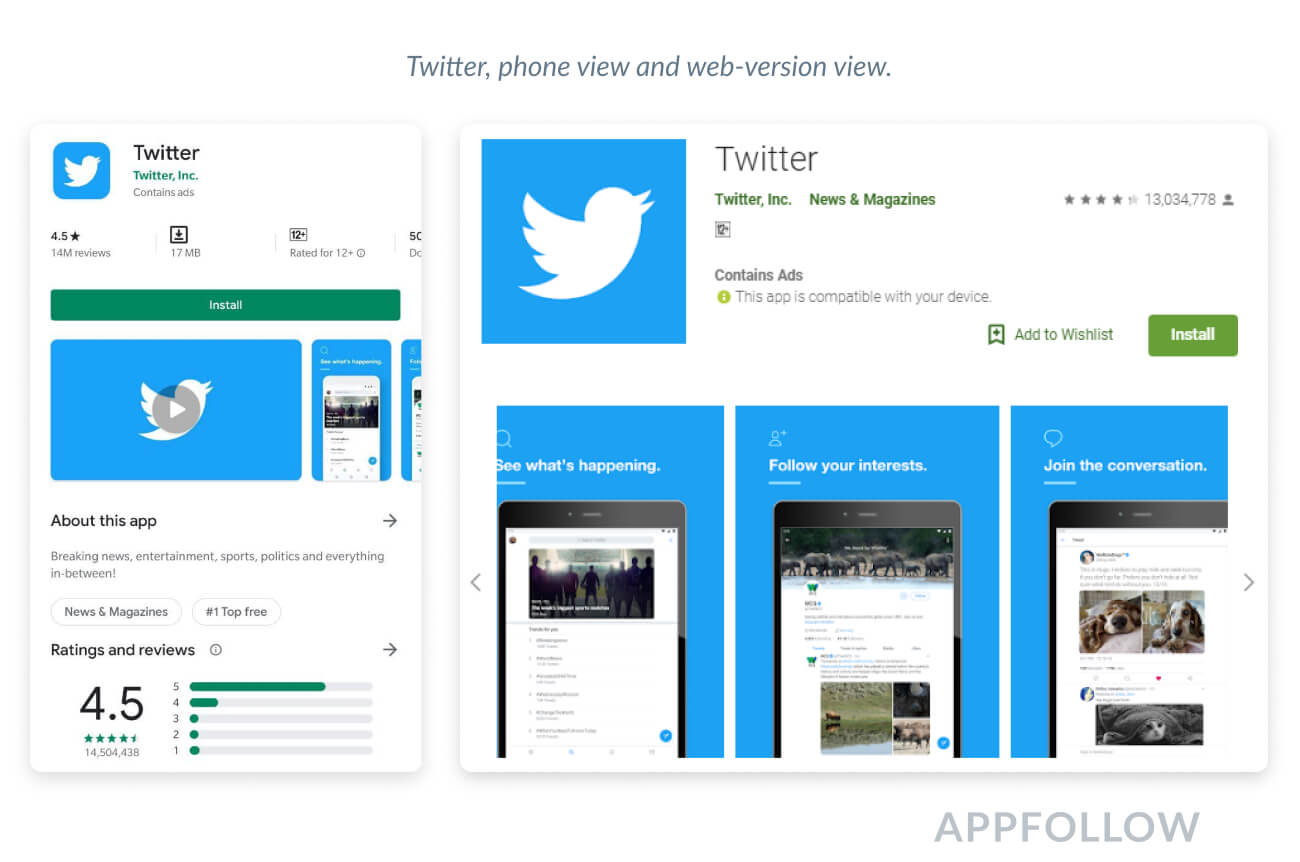
Paste YouTube URL in the “Promo video” section of your Google Play Store listing to add video to your app page. Videos have become one of the most powerful marketing tools of today’s time when the users are getting less and less patient. One of the coolest things about adding a video in your app page is that the views that you get on your play store listing gets added to your YouTube views count, automatically.

Before you upload a video on your app page, know of these two requirements –

  1. Use an individual YouTube URL instead of the URL of a Playlist or Channel
  2. Make sure that the video is not age restricted and that everyone can view the video.

Lastly, just like you did with your feature image, localize your app video as well to reach a greater user base.

11. Screenshot

Google Play Store ASO Screenshot Examples | Incipia

Screenshots are your only way to create an impression about your app in front of the users. They provide a direct look into how your app looks and moves. In fact, majority of the onlookers get converted into app installers on the basis of the screens they are shown.

Your screenshots should be the best representation of your app’s features. You can even add texts or highlights on the screens to explain a complicated image. Don’t restrict to uploading just two screenshots, use all the slots that Google has given you. It also helps when your screenshots move from one to other in form of a story, so give it a shot.

Google has laid down a number of guidelines that are to be followed when it comes to uploading screenshots on the page, here they are –

  • 320X384 Dimensions
  • 24 bit png or jpeg

With this, we have now covered all the on-store factors that can up your ranking in the Play Store, and now it is time to move on to the off-store factors, which are not in control of the app publishers.

12. Rating & Review
Google Play In-App Review API: integration and experience | by David Vávra | ProAndroidDev

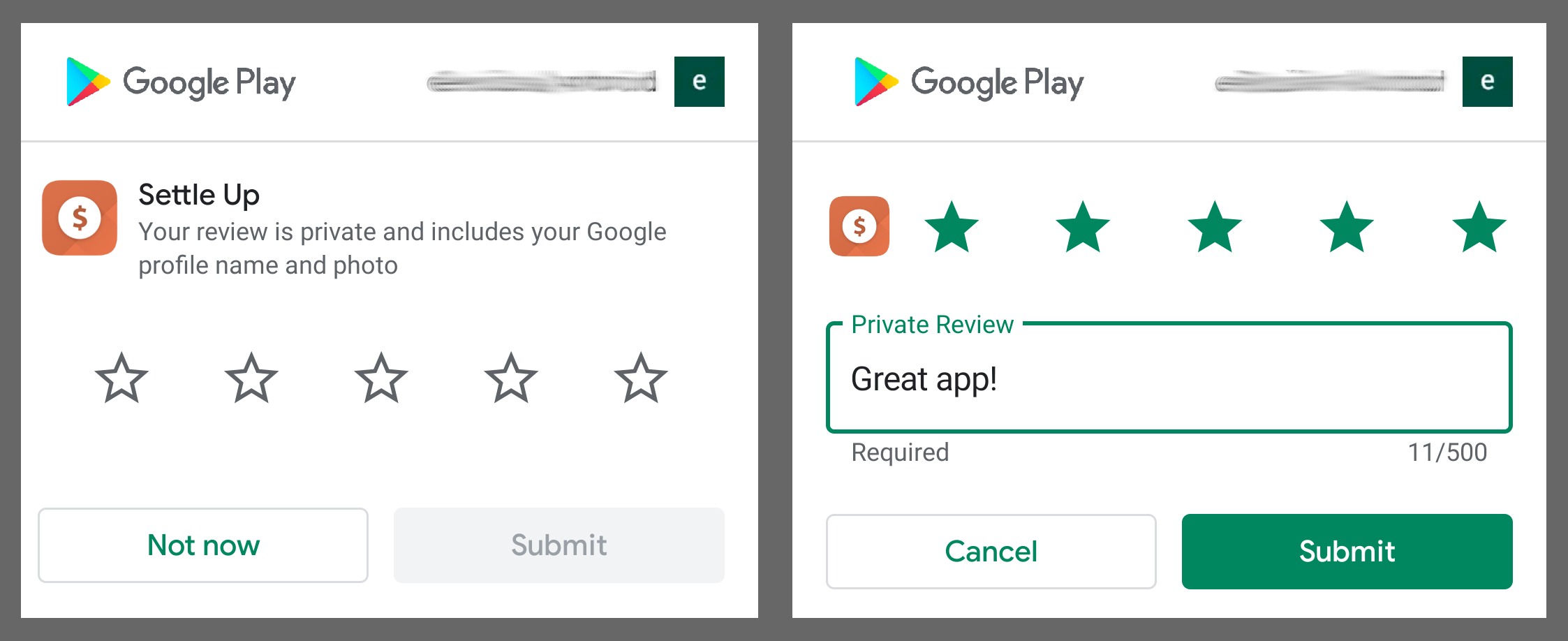
The first element that has an impact on play store ranking is the rating and review section of your app description page. While you don’t have a direct impact on whether users would like your app or not, you can most definitely make it easy for them to like your app by giving them an app that they would love, by default.

By being active in the review section, you can create an impression that the issues are heard and by constantly adding updates that touches upon those issues will also make you your users’ favorite. But, above all, the only resort to getting higher stars and great reviews is by offering your users an app that they need, that comes bug free, and ultimately is something that offers some value in their life.

An important thing to consider here is that you should at all times be responsive. Don’t let your users think they are unheard or ignored.

13. App Update
Google Play Store 'My apps' revamp adds Updates tab, makes sorting easier | Technology News,The Indian Express

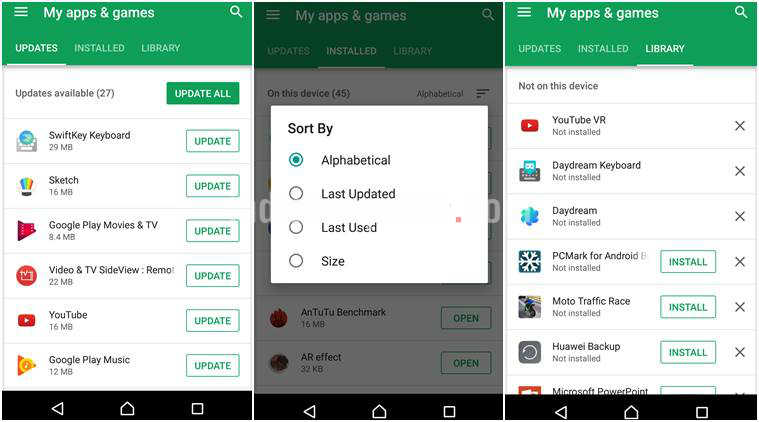
Another non keyword related element that has an impact on bringing up the app ranking is App Updates. To be in trend and to keep offering your users something new ever so often, you will have to keep updating your android application. It can be as minor as a bug eradication or can be as major as a UI/UX change.

Although, there is no written time when an app should be updated, but you should aim for updating your app at least once in every 30 to 40 days. And, once you do, your users should be informed of the same. They should know that the app was updated and the details of the new update.

While you can send an email to every user individually, highlighting what the update was about, but the ideal practice is add the details in your app description section under What’s New or Update (version name).

14. App Localization

There are a number of statistics doing round all over the internet, hinting towards how app localization hold the immense potential of bringing in a sharp rise in the app revenue charts. Majority of the Play Store users, as opposed to the common beliefs, belong to non english speaking nations, a section that is majorly ignored when an app is designed, developed, and promoted.

Lately more and more brands are coming up with localization tactics to expand their users base and growth, revenue chart. What it means to localize is not just translating the language from dialect A to dialect B, it means changing everything from videos to visuals according to the audience that is meant to cater.

Suppose yours is a language teaching app, now instead of explaining everything your app is about in English in your screenshot or video or even your feature image, have them designed and developed in a variety of different languages, so that the native speakers get attracted towards the app as well.

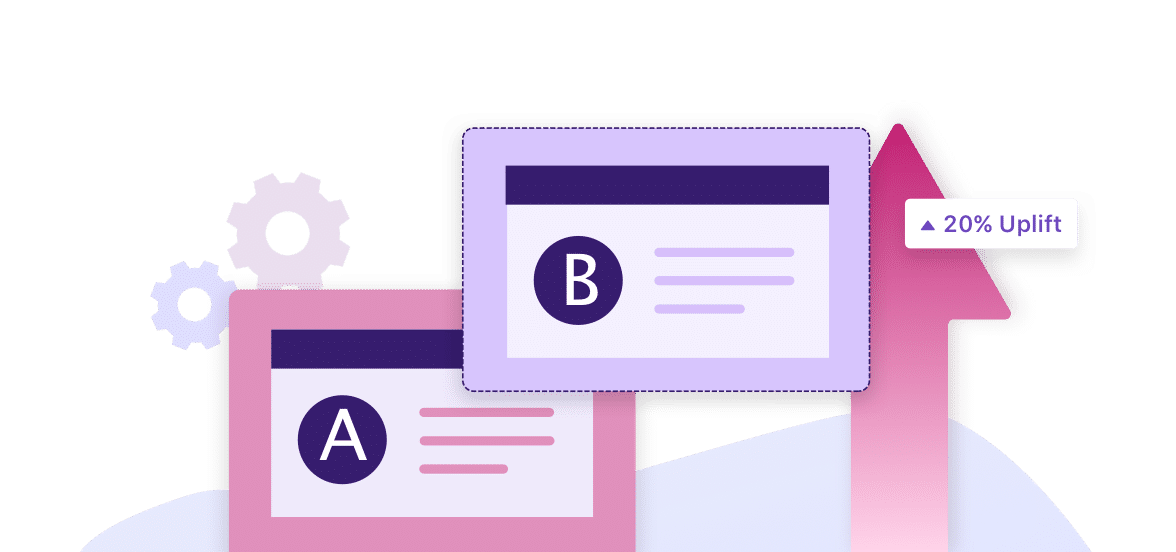
15. A/B Testing
What is A/B Testing? A Practical Guide With Examples

There is no single point formula to ranking high on the Play Store listings specially when you are competing with million of other mobile apps. You will have to constantly keep making tweaks here and there to see what is working and what is users not responding to.

What we would suggest is that keep changing your screenshots, app descriptions. Keep shuffling your keyword list and changing your app’s details accordingly. It is only when you will constantly change your app’s look and read, your users would get to see something new on the page, creating a curiosity to install the app again, if uninstalled earlier.

A/B Testing should be a continuous process, you should always remain in touch with your app developers so that you are always in trend when the app users compare you with the thousands of apps in the similar category.

16. App Indexing
Mobile App Indexing and Content for SEO

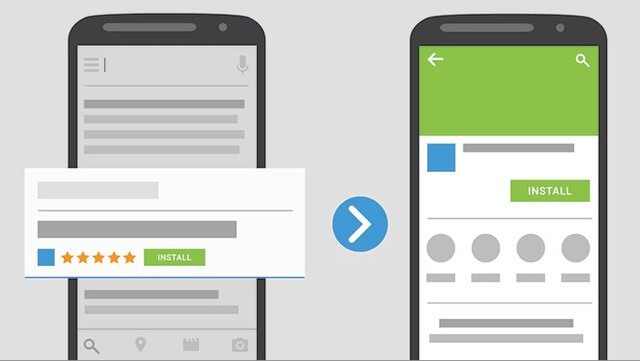
The idea is that the maximum traffic you send to your app listing page, the more higher you go up in ranking charts. Now, the process of sending traffic off to your mobile app listing is not an easy one to follow. You will have to promote it in enough places and among a range of different people.

Apart from promotion, you will also have to invest time in getting your app listing page indexed. Two quick ways to make your app indexing ready are –

  • Focusing on Nouns as keywords
  • Having related words phrases as well, in addition to the specific seed keywords.

So here was the complete guide of getting your app higher on the ranking charts.

The two takeaways and parting notes that I want you to take along with you as you step in this cut-throat competition are –

A. Choose your Keywords Wisely, go with ones that have medium level traffic and competition and

B. Keep A/B Testing your ASO practices.
Offline-first Apps: Trending Customer Experience Strategy

Learning gets Truly Mobile with Effectus

Around the globe over $2.7 billion is lost yearly because of a poor connection and bad internet speed. On a micro level, if an app does not load well more than 75% of the users would leave it, and additionally, more than 45% of users strongly feel that they won’t return to the apps which didn’t load.

There is a strong negative emotion that users carry towards applications not optimized for limited connectivity. This, when added to the fact that quarantines across the globe have made people more reliant on the internet resulting in a massive drop in download and streaming speed, is a bad sign for the app industry. The omen of lowered connectivity has turned app entrepreneurs towards offline apps.

Before we get to the stage of dissecting what are the benefits of offline apps for businesses, especially in the current time, let us first peek into the state of internet connectivity across the US – a picture that validates the need for offline-first apps not just in the coronavirus times but till much after.

What are Offline first Applications?

Best Practices for Building Offline First Apps | NTSPL

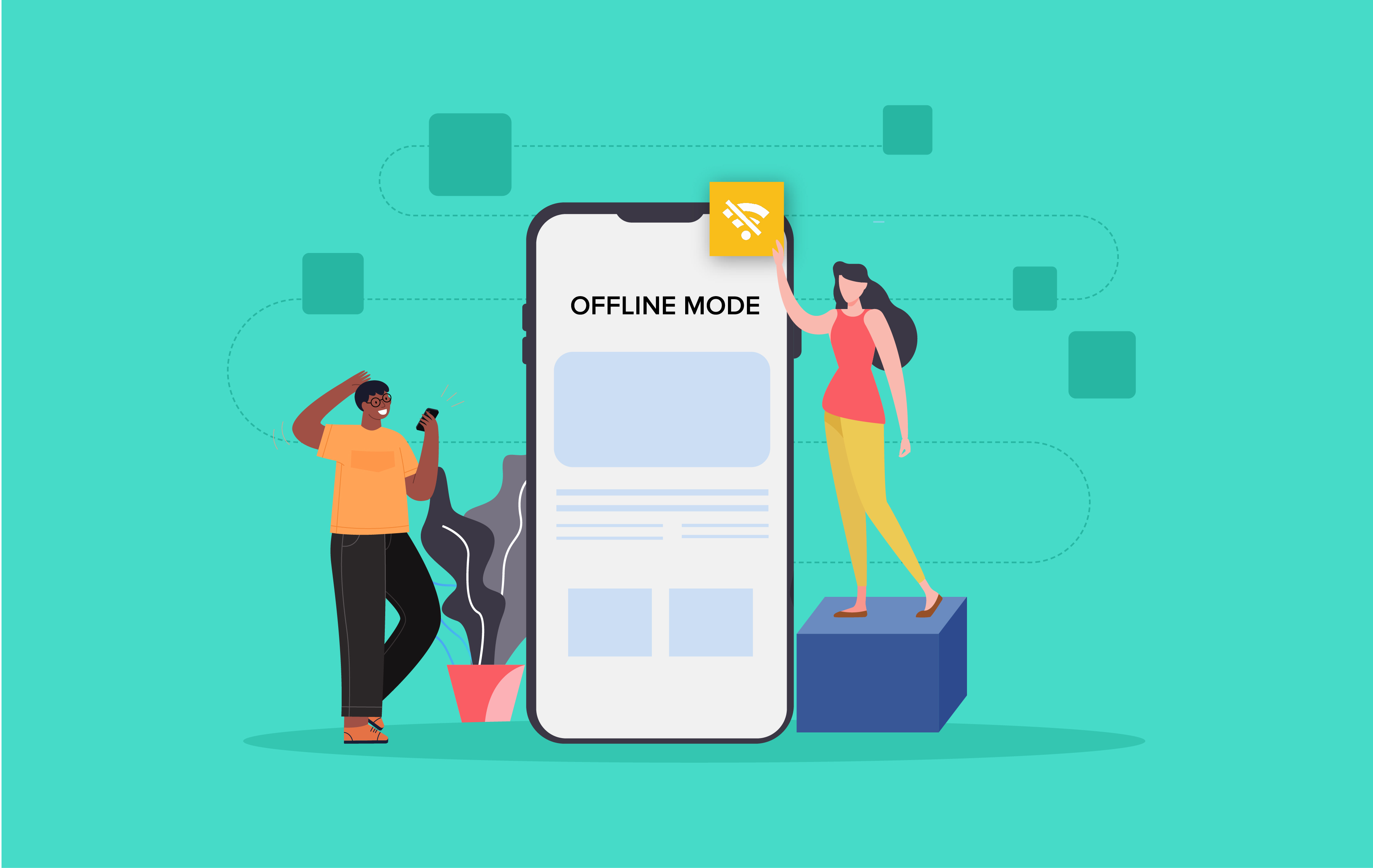
Majority of the mobile applications in the market access a database located on servers and provide requested data to the users. The offline mobile applications, while still needing a server connection do not require a consistent internet connection. In this case, data is downloaded on users’ devices and can be accessed offline.

On a technical level, the offline apps download updates from the server when a connection is available and simultaneously upload changes the users made when offline to the server.

An offline mobile application development process generally revolves around some assumptions:

  • Offline apps assume that the users are offline, meaning there will be low latency and unreliable network.
  • Fetching the resources over the network will be slower than fetching them from a local source.
  • The app must inform users of low network conditions but must not keep them from completing the objective.
  • Respecting users’ network and battery conditions, only the data which has changed from the last synchronization must be synchronized.

What Are the Benefits of Offline Mobile Application Development?

1. Seamless Online to Offline Experience

Mobile App Offline Mode | AxisCare

The first of the numerous benefits of offline mobile app development is that the user experience remains unaffected between high and limited connectivity. For a user the benefit of working seamlessly online and offline results into a greater loyalty and return visits.

2. Simplified Storage Process

Process Delivery Stock Illustrations – 8,771 Process Delivery Stock Illustrations, Vectors & Clipart - Dreamstime

When you store all the data on the server, you must ensure that there is a powerful network and stable connection. Additionally, the responsibility of providing the perfect condition also falls down on you.

While it is an unmissable stage, you can ease the work with offline app development. In this case, you will have to update information on the server when necessary and possible. The only thing you will have to worry about is choosing the best local database. You can either go with either of the react native local databases or make a choice between MySQL and MongoDB.

3. Faster Loading Speed

The Importance of Page Load Speed & 4 Ways to Improve it

Since offline applications do not rely on servers or internet speed, they load faster. The users get to enjoy working on the application irrespective of whether they are in a fluctuating network state or on airplane mode.

4.  Competitive Edge

One Way to Get a Competitive Edge | Red Pill Email

An application that is not dependent on an active internet connection is always a step ahead of competition compared to one that works only through the internet. This is the number one reason why brands like Google, Spotify, Kindle, etc. have an unmatched customer experience backing their growth.

Although the benefits of offline apps give an impression that an offline running app is the route of app success, you have to realize that it is not a universal solution to every problem that comes associated with an unreliable network. The custom application development approach makes the most sense when you are working around features and use cases that put your app in an active state in a no-network area.

But when your app relies on making financial transactions or keeping people updated with real-time updates like cricket scores or share market, going offline-first will deem to be unsuccessful.

Is Offline-First Application Development a Necessity? An IFTTT Answer

  • Your application will most likely be used in a poor connectivity area 

A good starting point when developing an offline-first mobile app is to know whether your app will be used in areas having poor signal – these can vary from apps that travelers use to being a key feature in enterprise applications.

  • Your app offers limited features which do not necessarily need to be performed online

If your application needs features that are dependent on being online at all times, it would be best to not work on an offline-first option. But if your application is more on data recording or consuming content – basically, one where interaction is not a mandate, you must go with the approach.

  • Your application offers a large set of content accessible through the search functionality

Searching for large data volumes can be difficult when your users are working with low and unreliable connections. You can better the experience by implementing a lightweight version of the online database.

If these three points stand true in your case – meaning taking an offline-first approach makes the most sense for your business, the next step would be to know how to get started. While your partnered mobile app development company would perform the technicalities, it won’t harm to be in the know-how of the changes that will happen in your app when it moves from online to offline state.

Developing Offline-First Mobile Apps: Ways & Considerations 

Show a Proper UI for the Offline State

Why every app should go offline-first | by Oursky | Oursky Team

Communication is the key to a successful customer experience strategy. You should notify the users when the application detects low or unavailable network conditions. This can be done both by displaying a blank interface or via a popup message.

Make Static Information Available

✓ SSS Static Information → How to Print it【SEE MORE】

In the case of applications that work with limited connectivity, the static information gets downloaded and stored locally when it first loads. The information generally is of the kind that is not altered frequently.

An example of this can be seen in Google Maps. It comes with offline functionality that enables users to navigate locations on a map and expand to some level of detail even when the connection fails.

Create Cache of Commonly Used Dynamic Data

Introducing the Workers Cache API: Giving you control over how your content is cached

Unlike in case of static caching, dynamic cache data are expected to be updated constantly. To enable this in a limited connectivity environment, users’ information is stored temporarily in the local cache (a process most commonly seen in PWAs) – this prevents blank screen during the offline mode.

The approach, beside acting as a reason why big brands make use of PWAs, is used heavily by game developers and social media applications. Majority of the social media applications enable users to access their last newsfeed load.

Real Time Data Synchronization

Firebase Realtime Database | Store and sync data in real time

In this case, the data is uploaded automatically in place of manually. With the help of advanced synchronization protocols, the offline app that makes use of this method can transfer the changed data version and the actions taken to edit it?

Parting words

At Anteelo our answer to how to make an app offline lies in multiple considerations. We ensure that your application works with the best local databases, has a seamless workflow integration, faces zero data security and protection issues, and promises seamless connectivity.

Our developers are skilled in not just efficient online-first app development, which comes almost naturally to them, they also have the right mindset and technical know-how to build an offline-first mobile application.

Run Design Sprint with Remote Teams: The Ultimate Guide

15 tips for running remote design sprints - UXM

Geographical distances should not be a roadblock to collaboration and creativity. Who understands this better than a digital product development team? Going by this sentiment, for a process that lays down the basics of creativity and collaboration at the product ideation stage – Design Sprint – the steps should be the least complex.

While good to hear, on paper, the reality is that for a lot of brands, the process of a design sprint is difficult when conducted in a room, let alone when conducted remotely.

But with 85% of our clients belonging to other global nations, we have more or less mastered the art of running remote design sprints. So now when remote is the new workplace normal, we are in a somewhat better space.

Here’s our design sprint process that your team can also benefit from.

Table of Content

  1. What is the design sprint methodology?
  2. Challenges of Running Design Sprints Remotely
  3. Pre-Design Sprint Model
  4. 4 Days Remote Product Design Sprint Process
  5. Remote Design Sprint Tips & Tricks

What is the design sprint methodology?

7 tips for the first ever Design Sprint of a company. | by Tobias Rieth | Sprint Stories

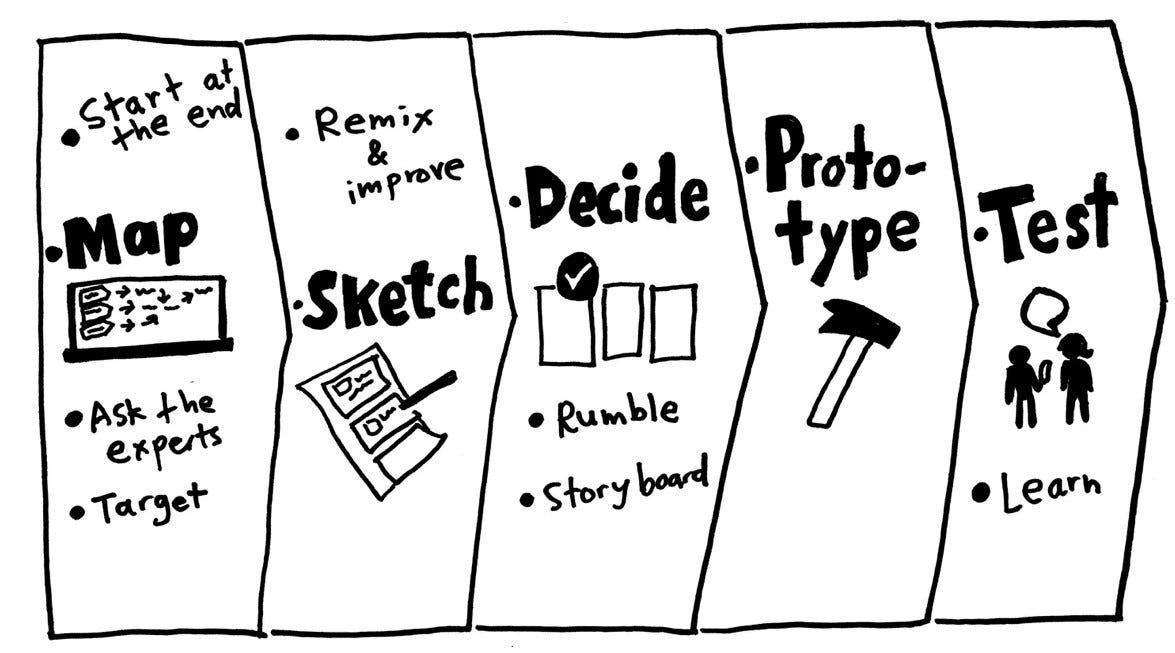
The design sprint process – a.k.a one of the top UX best practices – is a four days’ step-by-step methodology that answers critical business and product questions via designing, prototyping, and idea testing. Built by Google and GV, it is a mix of innovation, business strategy, design thinking, behaviour science, etc. brought together to make a way of working that any team can make use of.

The user experience design formulation process works for product managers, developers, and designers, who work in the space of innovation and problem-solving. It answers some of the most critical questions a brand struggles with:

  • How can we convert an idea into a validated prototype faster?
  • How can we ensure we are designing the right product before putting a ton of money in it?
  • How can we test whether the feature-set we are envisioning the ones that users need?

Irrespective of how straightforward the product design sprint process looks, conducting the event virtually is difficult.

Challenges of Running Design Sprints Remotely 

How to Overcome the 3 Biggest Blogging Challenges

  • The difference in time zone and availability of team – UX sprint calls for intense, engaging sessions. Scheduling and aligning distributed teams for long periods can pose a challenge.
  • Low engagement – On a remote mode, the concentration of the team is one click away from going to YouTube or Telegram. Keeping them focused is a key issue that sprint teams face.
  • Tech-specific challenges – Low battery, bad internet condition, and faulty microphone is a trio that can make your design sprint steps take a bad turn. As a mobile app design company, we ensure that the technology part of the sprint is on point before the design sprint commences.

Our first two three sprint sessions brought us face to face with these challenges. Although the failure count was low, the frustrations were galore. Although our struggle phase goes back to 2014 when we were handling our first client interaction, from what we read across the internet, the issues remain more or less the same. Here are some of the pre-sprint setups we settled on to make the remote design sprint process smooth-sailing.

Pre-Design Sprint Model

Prepare the design sprint material and template beforehand

Product Design Sprint Process, Methods, Tools and Templates: A Complete Guide to Running a Design Sprint

For ensuring that you get the most of the remote design sprint, prepare all the materials beforehand. The existing customer insights, documentation shared by the clients, etc. should be gathered and distributed within the team before the process starts.

Form the team

Together Everyone Achieves More is the full form of TEAM | VMock Thinks

We created a team of seven people leaving the finance team out of the process since we would hardly need any budgeting activity here. The role of decider and facilitator, although important even in the regular sprint session becomes all the more important in a remote sprint design process. The decider is the one who has the final call while the facilitator is someone who takes the responsibility of bringing everyone on the same page aided by the necessary technical help.

Schedule the sprint event 

Use A Social Media Calendar To Fill Your Social Media Feed (With a Calendar Template!)

The UX design sprint method requires the teammates to be available, without distraction for five days. While doable when we were in the same space, fixing 5 days is difficult when operating remotely. But since we pride ourselves on being an app design firm that takes a design-first approach, we knew the importance of the process and convinced the clients to make themselves available as well.

Pro Tip: If you find it difficult to get people available for five consecutive days, put a weekend between the deciding and prototyping days. This way, the team will approach prototype creation with a fresh mind on Monday.

Logistics side of pre-sprint prep 

The Ultimate Guide to Sprint Planning | Smartsheet

Although a remote-inclined tech and office setup should come naturally for brands that work with a distributed team or overseas client, in case you are not one of them, we recommend you to have:

  • Camera
  • Microphone
  • Cubicle
  • Good internet connection which can support you being on video at all times for five days
  • Whiteboard to make the sketches on.

With the pre-design sprint process discussed, let us now give you a peek into our four-day process.

4 Days Remote Product Design Sprint Process

Day 1: Sketching and Mapping 

How to Draw a 3D City Map: A Bird's Eye View - YouTube

The phase comprises bringing the sprint team together and brainstorming the product and the solution it would offer. The entire day is spent on researching whether or not the product is even needed by the masses and if that as a whole is a solution they are looking for. Here, we also discuss the alternatives of what would people choose had the product didn’t exist.

The more you brainstorm and read into this process, the more you would realize that this step is the same as what a mobile app design and development company follow when they validate an MVP.

Day 2: Storyboarding

IED | How an entrepreneurial idea can be transformed into a startup

With multiple ideas now present, the team on Day 2 fix a plan of action. They draw a storyboard containing how the users would come to the app, why they would open it, the features they would interact with, and what will be the outcome of their time inside the application.

Ensure that you have added all the necessary materials and resources backing the storyboard assumptions.

Day 3: Prototyping 

The Benefits of Prototyping - UX24/7

Once you have the storyboard ready and the idea decided, head on to the stage of prototype development. The idea is not to build a product that will be deployed in the stores, but an app that people can run and experience. There are a number of different app prototype tools you can work on to create a clickable version of your app vision.

The process of prototype development should be done with the intent to allow people to test it on Day 4.

Day 4: Testing

Test automation tools: 8 trends and techniques to watch | TechBeacon

This is the last step of the design sprint process where you get people to test your prototype and share their experiences with your team. The best thing to do here is to record those sessions so that you can always go back to them when your application hits the development stage.

Up until this point, you have read everything that you need to know about conducting remote design sprints. But the true success stories lie with brands that know the many side-tips. Ones that every innovative mobile app design agency knows.

Remote Design Sprint Tips & Tricks 

  1. In case you are finding it difficult to get team’s availability at the same time, divide the remote design sprint across two weeks.
  2. Prepare sprint brief and template beforehand
  3. Add ample breaks
  4. Restrict multi-tasking – the team focus throughout the design sprint session should be on the session.
  5. Ask everyone to divide their screen into video and the digital whiteboard so that they can see the whiteboard and the participants at the same time.

We have reached the stage where the only thing left for you to do before you go to the idea conception stage is get in touch with a mobile application design company that is an expert in remote design sprint. We can help.

Python-Based App Development

Python

Python is a very popular programming language among developers. In fact, it was declared the top programming language for 2019 beating even the original coding language – Java. It has indeed facilitated the whole mobile app development process to a great extent and hence, won the above-mentioned title.

For decades now, technology has been going through makeovers, changing and improving a little every day. And as a result, we have SmartPhones, Supercomputers, Artificial Intelligence, a lot of amazingness like such.

Now, to utilize these technologies we now have developed different programs and mobile applications, which, by the way, are created by programming languages. One such popular language is Python.


So, let’s take the road of knowledge leading towards the answer regarding Python app development and the kind of applications that can be built on it.

What is Python?

What Is Python

To answer one of the most frequently asked questions “What is Python” in simple words –  Python is object-oriented, interpreted, and a high-level programming language. It has incredible built-in data structures that are combined with the dynamic typing and binding to render hassle-free app development. It poses as a scripting or glue language to combine several components together.

Python is renowned for its simple and easy-to-learn syntax which supports readability and reduces the expenses incurred in the program maintenance. It also favors modules and packages, which in return promote modularity and code reusability. To add another jewel to its crown, it totally favors cross-platform, making Python ideal for mobile app development.

Now, merely saying that Python is a popular language will not suffice. So, let’s look at its features which played a crucial role in spreading its popularity like wildfire.

Why Python has Become Popular?

1. Python’s code is easy to read and understand 

Python-Based Applications

One of the most renowned features of Python is its syntax. The rules of its syntax enable developers to express concepts without writing additional code. Python has a way of making complex things simple; the reason why it is deemed suitable for beginners to learn.

Python is the only language to focus on code readability which is why it allows developers to use English keywords instead of punctuation. All these factors make Python perfect for mobile application custom applications. Moreover, the clear code base is going to help developers maintain and update the software without any extra efforts.

2. Python is Quick

Top quick wins to boost your data analysis using Python

In Python, the programs are added to the interpreter that runs them directly. This means there is no compiling, which happens for almost all the other languages. On the Python code, it is easy and quick to get your hands on the feedback on your Python code such as recognizing errors. With Python, you can finish and execute your programs (run them) faster than with other programming languages.

3. Python is Compatible

Android VS Apple VS Windows Phone - Photos | Facebook

There are numerous operating systems such as Android, iOS and Windows which Python supports. In fact, you can use Python interpreters to use and run the code across platforms and tools. It also makes it possible to run the same code across multiple platforms and the modified app code without the need for recompilation. Moreover, if you wish to check the impact of changes made in the code and that too instantly, then Python is your choice.

4. Facilitates Test-Driven Development

Python-Based Applications

Creating prototypes of software applications has never been easier. All thanks to Python app development. Python fully supports the development of prototypes and even allows you to build applications directly from the prototypes by refactoring the code.

Coding and testing can now go hand-in-hand, thanks to Python. It has adopted the methodology called TDD, acronymous of Test-Driven Development.

5. Strong Standard Library

Python-Based Applications

Python has a pretty robust standard library that gives it an edge over other languages. Python’s standard library enables you to select modules from a wide range as per your requirements. Now, each module allows you to add functionalities later in the process without extra coding.

This point can be cleared with an example. Suppose you are writing a web application, now you can employ certain modules in Python to implement web services or manage OS interface. Just browse through Python’s library and even gather information related to modules.

6. Python Supports Big Data

Why Python is important for big data and analytics applications?

Big Data is another emerging technology and Python is one of the most used languages for its development. It is because Python possesses a huge number of libraries to work on Big Data. Moreover, it is easier and faster to code with Python for Big data projects as compared to other languages, making it a popular choice of developers around the globe.

7. Strong Supportive Community and Corporate Sponsors

Community Helping Stock Illustrations – 5,076 Community Helping Stock Illustrations, Vectors & Clipart - Dreamstime

Another prominent element that decides the popularity of any programming language is its community support. Unlike many languages out there, Python has a very active community providing impeccable guides and tutorials, and other forms of documentation for a better understanding of the language. Moreover, having a sponsor like Google only adds up to the list of reasons for Python’s popularity.

Popular Python Frameworks for App Development

1. Django

How to Build Chat into Django Applications with Twilio Programmable Chat

Django is a high-level and open-source Python framework that streamlines web app development by providing access to different features. It is perfect as it allows developers to create complex codes and Python web applications efficaciously.

A few features that make Django one of the best frameworks for Python are its authentication mechanism, database schema migration implements ORM for mapping its objects to database tables and template engine.

2. Flask

Simple Flask Pagination. Here is a simple step-by-step tutorial… | by Mclordemuraishe | Better Programming

Another extremely reliable Python framework is Flask, developed on Werkzeug and Jinja 2. It is denoted as a microframework because it does not require tools and libraries like other frameworks. Due to its features like integrated support for unit testing, RESTful request dispatching, etc. it is considered an ideal option for small projects, as opposed to Django which is used in the development of big projects.

3. Web2Py

web2py TM Download

Web2Py is one of the most popular frameworks of Python for mobile app development, loaded with a debugger, and a deployment tool. It helps the developers in debugging and building the code effectively along with testing the apps.

Because Web2Py is a cross-platform framework, it is compatible with Mac, Windows, Linux, Android, etc. It follows the Model View Controller design. One element which impresses the developers most is its ticketing framework, a component that issues a ticket whenever a mistake is made.

4. Pyramid

Pyramid - Full Stack Python

Pyramid is a highly adaptable Python framework for app development that works incredibly for both easy and complicated applications of Python.  It is useful in creating prototypes of applications and also for developers to chip away at API projects.

A majority of Python developers admire this framework simply for its transparency and high-quality features. One other feature that is worth mentioning is Pyramid’s transversal framework used for mapping URLs for coding, making it easier to create RESTful APIs. In fact, some tech industry giants like Mozilla, Dropbox, and Yelp have used it in their processes.

5. CherryPy

CherryPy — A Minimalist Python Web Framework — CherryPy 18.6.1.dev49+g98929b51.d20210117 documentation

Another Python app development framework is CherryPy. It is an open-source framework that is capable of implanting its own multi-strung server. This framework possesses features like setup framework, thread-pooled web server, and module framework.

Moreover, it doesn’t demand you to use any particular and specific ORM or template engine. In fact, it allows developers to utilize different technologies for data access, templating and whatnot, making it a preferred choice of developers to build applications in python.

What Type of Apps Can You Build in Python?

1. Blockchain Applications

Python-Based App development

Blockchain, being one of the hottest trends of this decade in technology has swept the market of its feet. From the developers’ point of view, Blockchain development was not as easy as shelling peas. However, Python has literally made it so. Because Python is a very understandable language, the process of building blockchain applications is a lot more facilitated.

By employing Python frameworks like Flask, developers can use HTTP requests to interact with their blockchain over the Internet and create endpoints for distinct functions of blockchain. Developers are also able to run the scripts on multiple machines for developing a decentralized network – all with the help of Python.

2. Command-line Applications

Writing Command-Line Applications in NodeJS

Command-line applications and Console Applications are the same. It is a computer program created to be utilized from the command line or a shell and does not have any graphical user interface.

Python is deemed a suitable language for such applications because of its  Read-Eval-Print-Loop (REPL) feature which enables developers to evaluate the language and identify new possibilities.

Since Python is a popular language globally, top app development companies have access to a sea of free Python libraries that they can use for building command-line apps.

3. Audio and Video Applications

Python-Based App development

Python app development helps in creating music and other types of audio and video applications. Since the internet is loaded with audio and video content, you can use Python for analyzing it all. Some Python libraries like PyDub and OpenCV help in the successful completion of the app development.

YouTube is one such application that is created using Python. So, you can easily surmise now how effective and incredible this language is in delivering apps with high performance.

4. Game App Development

Pubg Xbox One To Get Keyboard And Mouse Support – estadisticas

For all the gaming enthusiasts, many games such as EVE Online and Battlefield 2 have been created using Python. Battlefield 2 game employs Python for all of its add-ons and functionalities and World of Tanks game uses it for basically the majority of its features. In fact, Disney’s Pirates of the Carribean game was written with the help of the Panda 3D game engine – whose game development language is Python.

Developers are given the facility to create a rapid game prototype and Pygame and Python can be used to test them in real-time. Additionally, Python in game development can be used to create game designing tools that assist in many tasks of the development process, namely, creating dialog trees and level designing.

5. System Administration Applications

We know how tedious system administration can get, given there are thousands of tasks to be completed and a sea of data to be managed. System Administration applications are a savior for the management, to say the least.

Python is regarded fit for creating system administration apps for it allows developers to easily communicate with the operating system via the ‘os’ module. It enables developers to interface with the OS on which Python is currently running. This language makes all the IO operations accessible which includes simple reading and writing to the file system.

6. Machine Learning Applications 

Future of Machine Learning - Elan Academy

Another inspiring tech trend of this decade has to be Machine learning development. Machine learning is an algorithm technology that feeds data to operating systems and enable them to make intelligent decisions. Before creating applications of machine learning was a tricky task, but now we have Python for machine learning applications.

Python comes loaded with libraries like Pandas and Scikit for machine learning that are available in the market for free and can be used under GNU license.

NLP (Natural Language Processing) is one branch of machine learning enabling a system to analyze, manipulate, and understand human language for the algorithm to work.

With the basic knowledge of Python, developers can create machine learning apps with the help of these highly competent and effective libraries.

7. Business Applications

Python-Based Applications

Python highly supports practical agility, meaning it is capable of developing numerous kinds of applications. This is why Python also assists in ERP and E-Commerce app development solutions.

Odoo, an all-in-one management software is written in Python and provides a wide range of business apps forming a suite of business management apps. Another famous business application built with Python is Tryton which is a three-tier general-purpose and high-level application. It is so easy to create such apps with Python which is why app development companies choose it.

Other Use Cases of Python Language 

1. Web and Software Development

Python-Based App development

Since Python has a code that is very simple and easy to understand, this uncomplicates the web and Software development services, making the process more efficient. Another charming feature of Python is its compatibility to integrate with other languages, making it a more flexible option.

Some effective frameworks like Django and Pyramid assist the developers in software development with Python and enable them to create web apps from scratch. The standard library of Python also supports numerous internet protocols including XML, JSON, and HTML. Instagram is one such application create with Django- a Python framework.

2. Image Processing and OCR

Python based app development

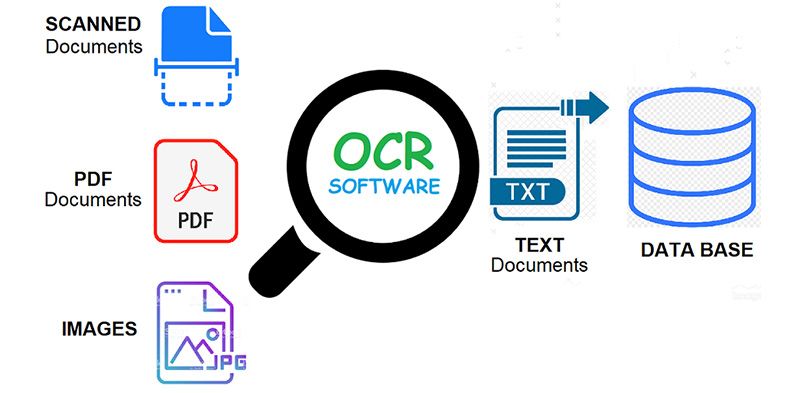
Python has this amazing ability of object detection and Image processing. With the help of a wide range of Python libraries such as PyTesseract for OCR (Optical Character Recognition), TensorFlow for object detection and the Python Imaging Library (PIL)  for Image processing, it has become highly efficient for developers to create apps with self-contained deep learning and Computer Vision capabilities.

3. Automated Testing

Manual Testing Vs. Automated Testing Vs. Integrated Approach

When it comes to Automated Testing, Python is the language of choice. Automated testing is the process of execution of the apps’ features using a script rather than a human being. In this regard, Python along with Selenium (a web-based automation tool) provides a plethora of libraries and tools to perform automated tests. These tools are also known as CI/CD tools acronymous of “Continuous Integration” and “Continuous Deployment” and can run the tests, compile and publish applications along with deploying them into production.

4. Web Crawlers

Python

Web Crawlers, also known as Spiderbot, are typically used to make a duplicate copy of all the visited pages of the world wide web for later preparation by a search engine. This will index the downloaded pages to render fast searches.

In fact, Crawlers are useful for automated maintenance tasks on a Website. For example, checking links or validating HTML code. Python is considered ideal for creating these Spiderbots because of its simple and fast code, and due to the availability of impeccable libraries.

Conclusion

All in all, we can see Python app development is really fast and flexible. It is very easy to create various types of applications because of the versatility of Python’s code. There are numerous types of libraries available for different kinds of applications – the reason why app development companies opt for Python over a sea of other languages.

Cost Of a Podcast Application Development

Podcast App Development: 3 Powerful Features to Make it a Success

Let’s be completely honest, you and I. The chances that you will read every line of this article are very slim.

But if we dictated the same article as you were driving or between meetings, the chance of listening to the entire piece would increase by manifold. Better yet, if we pass on this article to you in Chris Hemsworth’s gorgeous Aussie voice, the chance of you contacting us would skyrocket.

Such is the power of podcasting. A power that the world has started realizing and engaging with. The podcast sector is growing at a lightning speed; the industry gained an estimated $479.1 million in revenue in 2018 and can be expected to generate over $1 billion by 2021, according to a report by PwC and Interactive Advertising Bureau (IAB).

The high revenue can be traced back to the fact that the average number of podcast listeners has been increasing on a constant note. An event that has led to an increase in the query for what is the podcast mobile app development cost.

Our intent today is to give you an answer to the cost to make a podcast app. We will be looking into it from angles like must-have features, the top players in the industry, and how to generate revenue after you make the app. 

Table of Content

  1. Major Players of the Podcast Streaming Industry
  2. Must-Have Features of the App Development
  3. How Much Does Podcast App Development Costs?
  4. Podcast App Monetization Models

The rising number of podcast listeners in addition to the growing market revenue has led to a number of new entrants. The market which was earlier dominated by Apple Music is now witnessing new names.

Let us look at some of the most active platforms in the podcast industry.

Major Players of the Podcast Streaming Industry 

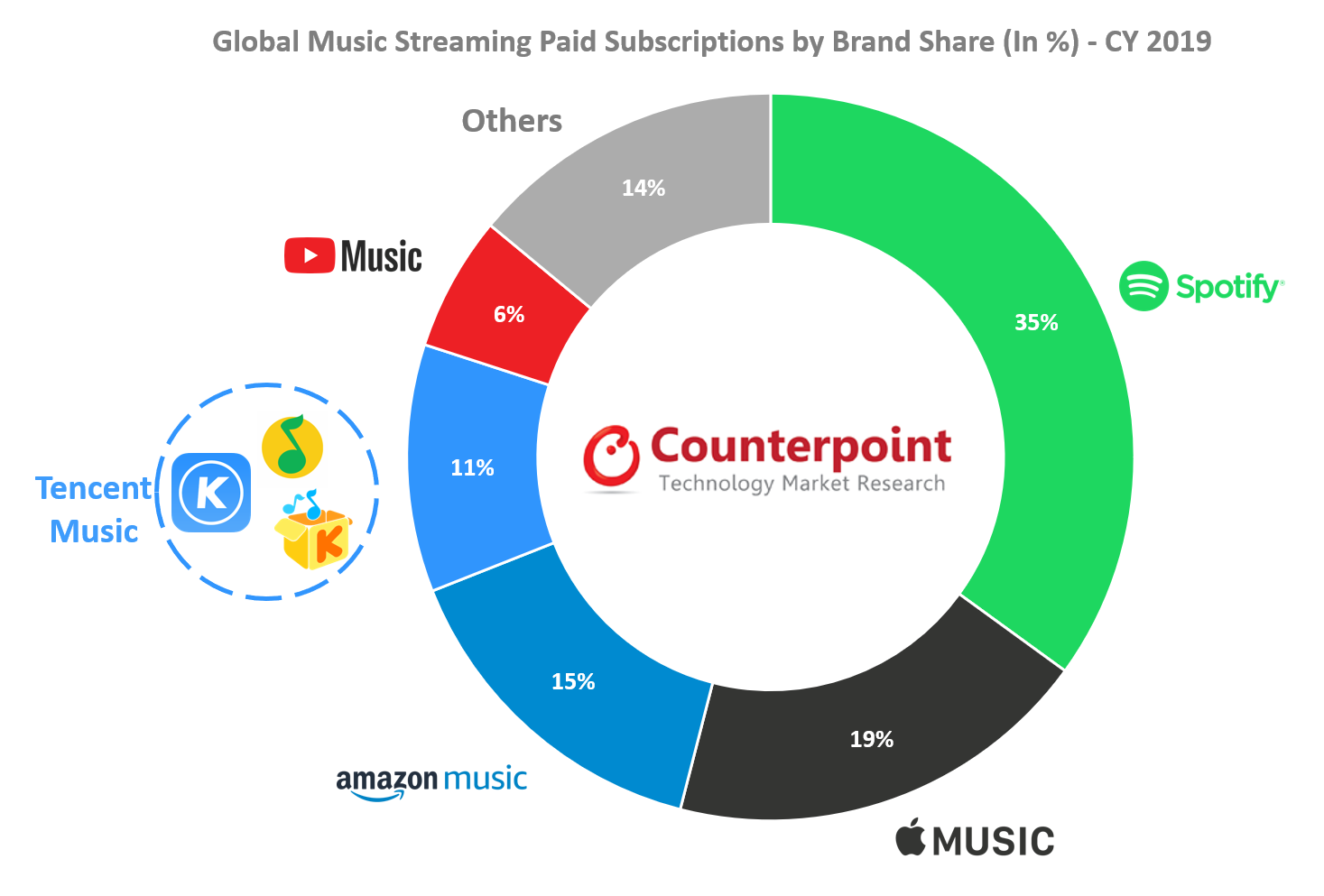
Podcast: What Drove Paid Music Subscription Growth in 2019?

In June of 2005, Apple added podcasting in iTunes 4.9 and started building podcasts directory at the iTunes Music Store. Under the new iTunes, users could subscribe, download, and organize podcasts. The popularity of podcasts has been on a rise since then. While the growth has been steady for some years, the coronavirus-driven lockdown has increased the rate of new entrants.

Here are some of the most used podcasting apps which are being seen as the reference points when an entertainment app development company builds a podcast app.

Now that we have given you a peek into the podcast industry and the market players that act as a reference when you build the app, let us look into the primary podcast mobile app development cost factor.

Must-Have Features of Podcast App Development

There are a number of features that come together when you create the app – an immersive search functionality, option to record and upload your own podcast, a live podcast, integration of payment gateway, etc. But the ones we are going to discuss here are the MVP-level features of building a podcast.

1.  Category-wise Search Functionality

How to Display Categories in WooCommerce

The first way users look for a podcast is through the application. The search functionality when developing a podcast app should allow users to find a podcast through podcast name, episode, genre, how frequent it is, RSS feed, etc.

2.  Discover Tab

Report Clipart Researcher - Discover Clipart , Free Transparent Clipart - ClipartKey

The discover tab of a podcast application generally consists of the podcasts being divided around genre and categories like ‘trending’, ‘featured’, ‘free of cost’, etc. The aim is to help users find their next podcast with utmost ease. What we recommend is using AI integration at this stage that would refer to what to watch next to the users.

3.  Library

Spotify is working on a new Library design for the Android app, with an option for switching between Grid view and List view. (Jane Manchun Wong) : truespotify

This is the part of the podcast app that enables users to keep track of their downloaded podcasts, new episodes, their favorite podcasts, and playlists.

You can think of it as a bigger version of Netflix’s watchlist and Continue Watching section.

4.  User Profile

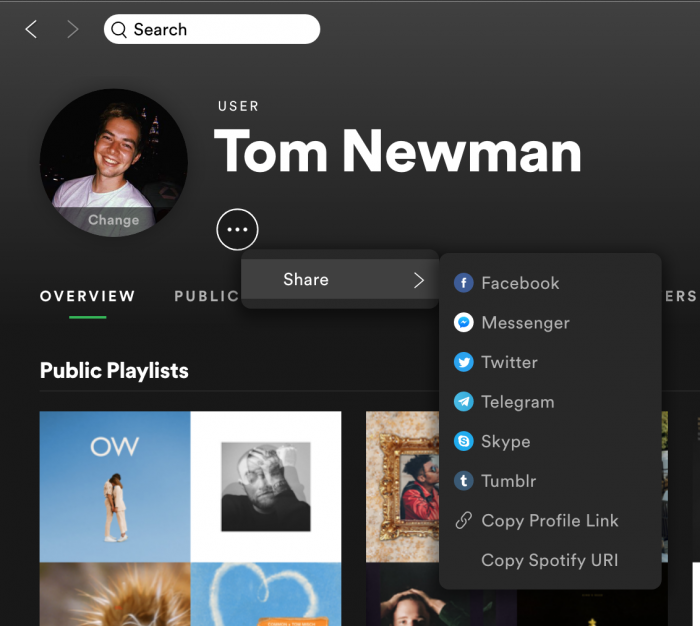
How to customise and share your Spotify User Profile - RouteNote Blog

The user profile of a podcast application contains tabs like account details, listening statistics, help center link, settings, etc.

5.  Offline Mode

How to Enable Offline Mode in Spotify on an iPhone 11 - Support Your Tech

When developing a podcast app, a key feature that every media and entertainment app development company suggests is taking the offline-first mobile app development approach. The reason we have kept the feature in the MVP mode is that even as an MVP you will be able to give your users the feasibility of being active on your app when on an airplane mode.

How Much Does Podcast App Development Costs?

The podcast app development cost is dependent on a number of different factors. Let us look at each of them.

1.  Features

Top 10 Features of Office 365 That Competitively Set You Apart

Podcast app features are the first thing that contributes to its development cost. The more advanced features you add to the application, the higher would be the cost. An example of it can be seen in the podcast recording or live stream feature. At the MVP stage, we advise integration features that are a must-have for your app’s functioning.

2.  Technology Stack

Front End, Back End, Mean Stack & Full Stack Developers | Codementor

The next cost-impacting factor is the technology stack. Although the choice of tech stack varies from app idea to idea, the general rule of thumb is if you develop APIs and SDKs from the scratch, the cost would be greater unlike if you use third-party integrations.

3.  Podcast App Design

Podcast App designs, themes, templates and downloadable graphic elements on Dribbble

It can get very easy for a designer to crowd the app since the number of podcasts that make an app successful is generally on the higher side. Designing a minimal app should be the aim of the developers working on the project. However, creating a design that showcases all the multiple podcasts in an organized manner requires expertise, which in turn comes with a cost.

4.  Technology Integration

6 Mistakes You Might Be Making with Technology Integration | Getting Smart

The other key factor that has a direct impact on the podcast app development cost is technology integration. Although we do suggest using AI in the app if you add in technologies like IoT or Blockchain the cost would automatically increase.

5.  Location of the agency

African Real Estate Agent Showing House Location. Stock Vector - Illustration of background, location: 114155053

The last element is the location of the agency. As you move from East to West, the cost of app development generally increases. The average hourly rate of development in the US is generally in the range of $100 to $120, while in case of India it can be anywhere near $60 to $80. The number one reason why there is demand for remote developers.

Everything you have read up until this point is in terms of the amount you would have to spend for the development of the podcast application. But noting that the end goal of any application is to generate revenue, let us dwell on that point.

Podcast App Monetization Models

1.  In-app advertising

A Beginner's Guide to In-app Advertising - Applift

One of the top ways for a business to earn money from an app is through in-app advertisements. By showcasing brand videos or images in the podcast screens or even after a few chapters of an audiobook, you can get the option of earning a good sum of money.

2.  Subscription

5 Best WooCommerce Subscriptions Plugins for 2021

A monthly subscription is the next best way to earn money on your application. Although we would advise against it since there are a number of free apps available in the market, if you feel that the content you are offering is truly off the charts, add a subscription feature.

3.  Premium content

Premium Content Marketing Tools to Boost Blog Engagement

The one option that we 100% back is the premium content mode. You can offer your users a no-advertisement listening experience, access to the most trending podcasts and first look of hottest podcasters at the back of monthly or quarterly charge.

With this, you are now ready to make yourself the next big name in the podcast industry. The next steps? Get in touch with a media app development company and initiate the process.

Make COVID-19 the Springboard for Your next Mobile App Idea

Top 52 App Ideas for 2020-2021 - The App Ideas

The world was sucker-punched as it continues to reel from the ongoing economic paralysis of COVID-19. But fighting to keep businesses alive is not a lost cause. The impact of the pandemic on businesses has sure been merciless, but as we turn the page to a socially distant and digital reality obvious business models are presenting themselves.

Mobile app development services have the proverbial doses to inject new life in dying ventures. It is an opportune time, more so for a few app categories than others, to reassess their strategy or better, reintroduce themselves to the masses in a new nutshell.

COVID-19’s Impact on the Mobile App Economy

Mobile app spending to double by 2024, despite economic impacts of COVID-19 | TechCrunch

  • Approximately 1.6 trillion hours were spent on mobile apps in the first quarter of 2020. People increased their mobile usage as part of the stay home quid pro quo. And while COVID-19’s effect on the economy presents a mixed picture, the by-product results for the mobile app industry are anything but.
  • In April 2020, users spent 27% of the waking hours on mobile phones, an increase from 20% in 2019. The period between February and April saw impressive spikes in app downloads. Combinedly, iOS, and Android app stores recorded 12 billion downloads, up from 9.1 billion for the same slot last year.
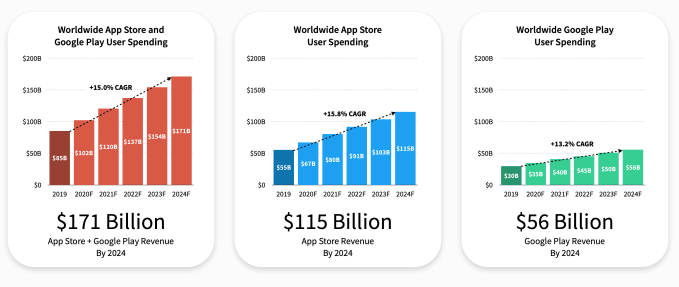
  • The download spikes weren’t without cause and translated into higher consumer app spends. For H1 2020, the combined consumer purchases on the Apple Store and Google Play Store reached $50.1 billion. Of this $32.8 billion was claimed by Apple and $17.3 billion by Google Play.

But what were the people downloading and spending on exactly?

For starters, Tinder is the highest-grossing app on both the play stores raking in $433 million followed by YouTube. For the States, we get a good idea of people’s tastes during the initial part of the pandemic in the following graph. You cannot forego education, essential commodities, and work. Apparently, these were the most downloaded categories by Americans from March 2 – March 16. Such was the effect of COVID-19 on mobile apps, making now the best time to start a mobile app startup.

Impact of the Pandemic on Mobile Apps

The scale of economic uncertainty that the virus has unleashed on the planet is parallel to none in human history. It exposed the shortcomings of interdependent countries that shook to the core due to their reliance on a centralized supply chain hub, China. As trading routes were disrupted, few app categories absorbed and began relishing the rising consumer interest. They make the highlight reel of the impact of COVID-19 on mobile apps.

E-commerce Apps

12 Genius Ecommerce App Designs That Drive Revenue - Unlimited Graphic Design Service

Due to the mandatory stay/work from home (whichever is applicable) stance of the federal agencies, people shifted their preferences to order essential items online rather than step out. Given that the E-commerce locale constitutes multiple categories, the ones that made the priority list of people were food, hygiene products, clothing, and medications. This is evident from a survey in which 52% of Americans admitted to shopping more online due to COVID-19 restrictions.

Another survey revealed the itinerary checklist of items that more and more people have opted to order online.

The impact of the pandemic on mobile app development has been such that we experienced a surge in requests to develop MVPs for eCommerce vendors. Some aim to diversify by launching newer subsidiaries, others taking their first steps in the field. It was recorded that global eCommerce sales at the height of the lockdowns hit 66% and that has now flattened at 7% above last year’s sales levels for the same time. In keeping with such forecasts, we think the demand for such apps will continue to rise.

Fitness Apps

Top 10 Fitness Apps That You Can Use To Be Fit and Active

Forced to put up at home, people are conscious of the role a healthy body plays in hosting a complimenting mind. There were about 656 million health & fitness app downloads in August 2020 making the total downloads for Q2 47% higher than the same time last year. Strava was the highest gainer with 179.2 million downloads within the first 5 months of 2020. The bottom line is that even couch potatoes are acknowledging the benefits of boosting immunity be it through a robust exterior or vis-a-vis a diet planning and monitoring app.

As a result of the impact of coronavirus on mobile apps development, the health & fitness apps marketplace is expected to grow at a CAGR of 21.30% from 2020 – 2027.

Our 600+ team (also working from home) has immense insight into developing healthcare apps such as Soniphi, Mutelcor, and Health-e-People. No matter the impact of COVID-19 on mobile apps development, we know exactly what on-demand e-commerce solutions need especially in times like these.

Messaging Apps

The Future of Messaging Apps | TeleMessage Mobile Messaging

One of the immediate COVID-19 effects on mobile, or rather the impact of it shall we, is that people want to stay connected. And that can happen either through video (more on it later) or messages. Yes, we already have messenger apps like Facebook and WhatsApp, but their rate of adoption differs from one country to another. But one thing is certain until things normalize everyone will make note of maintaining online connectivity through chats.

Factoring in COVID-19, US adults will spend about 24 minutes each day on mobile messaging from 2020 – 2022. Also, considering the next big idea is just around the corner, perhaps it’s still not too late to consider entering the online chat marketplace.

Video Calling Apps

Video Calling App Reviews from the Reference Staff | Library

Following a flattening of the curve at many locations and the subsequent lifting of restrictions there has been an upsurge in second waves. Community transmission hasn’t been culled and the majority of people have resorted to the hope of a vaccine, an approved lot of which is expected by the end of 2020, latest. But issues in distribution will remain therefore mandating social distancing to sustain.

Offices could remain shut for a long time, a possibility that has been jumped on to by video calling apps. This impact of the pandemic on technology has been such that online meet-ups are the new normal. Whereas Zoom and Skype have been the go-to apps for businesses there are others like Houseparty and Hangouts Meet, that are designed for lighter occasions.

The video conferencing apps marketplace is expected to grow at a CAGR of 9.7% from 2020 – 2027 and possibly attain a size of $10.92 billion by the end of the forecast period. You can bifurcate the business model of the video conferencing app based on:

  • Conference type – service-based video conferencing, integrated, desktop, and telepresence
  • Deployment – Cloud, on-premises
  • Target Group – Small Medium Enterprises (SMEs), and large enterprises
  • Application – Rooms, huddles, middle room, large room

EdTech Apps

5 Apps to Empower College Students' Study Skills | EdTech Magazine

Globally, as much as 1.3 billion students were impacted by national school closures due to the virus. Considering the staggering growth rate, it’s not a secret as to why EdTech is a profitable domain.

Google Classroom topped the charts for the most downloaded app for July with 14.8 million downloads. This growth was 13.5 times higher than the same time last year. It was followed by YouTube Kids, Duolingo, Tips for File Transfer 2020, and Cake.

There are multiple ways you can differentiate your app based on the target audience. To give you an overview you, with the help of a mobile app development company like Anteelo, you can design the following types of Edtech Apps based:

  • Online Learning Management Systems – e.g. CenturyTech, Edmodo, Google classroom, Skooler
  • EdTech Apps for Smartphone Users –  e.g. Ubongo, Funzi, KaiOS
  • Apps with Offline Accessibility – e.g. Kolibri, Rumie
  • Massive Online Open Courses – e.g. EdX, Udemy, Coursera
  • Self-directed Learning – e.g. Byju’s, Code It, Discovery Education
  • Mobile Reading Applications – e.g. Worldreader, StoryWeaver
  • Apps for Teachers for Content Creation – e.g. Buncee, Kaltura, Trello
  • Apps for Distance Learning – e.g. EdSurge, Brookings, Education Nation

Online Food Delivery Apps

All In One Food Ordering App, Online Food Delivery - Apps on Google Play

The market for online food delivery apps reached a valuation of $107.44 billion in 2019. The impact of the pandemic on the global mobile apps market, especially its food delivery sector, has been mostly affirmative. As more people opted to order essential groceries online due to COVID-19, the market value for such apps in 2020 is projected to touch $111.32 billion. This spells a CAGR of 3.61% in one year.

But experts believe this is the lower-end of the ceiling that was adversely affected due to global economic frailties. As public spending power enters its regenerative state the CAGR would grow by 11.51% through 2023, bringing the cumulative valuation of such apps to $154.34 billion, meaning it is time for on-demand brands to start preparing for the post-COVID world.

As a top mobile app development company, we’ve had the privilege of partnering with brands like Domino’s and working closely to help them grow their business. Based on such exclusive experiences, we know which premium specifications and user tastes help brands stand out.

Bringing It to a Close   

By now you would have understood that the impact of Coronavirus on the mobile economy will be far better off than the impact of the pandemic on businesses operating in the retail space. If you need (honest) suggestions on how to improve your app idea or you plan to undertake a makeover of an existing app, then do get in touch. Our experts would be happy to do their bit in your success, as they’ve done on previous occasions in taking handkerchief ideas to million-dollar valuations.

Android App Bundles Should Be Chosen By Businesses- Why?

Android Developers Blog: Recent Android App Bundle improvements and timeline for new apps on Google Play

Did you know that the Android App Bundle has become the gold standard for publishing on Google Play? Dig into its benefits.

When I first heard about this new upload format known as the App Bundle, I was very excited! Many of the issues that we developers faced like building APKs to target different API versions, device types, and so on- are now passed on Google Play.

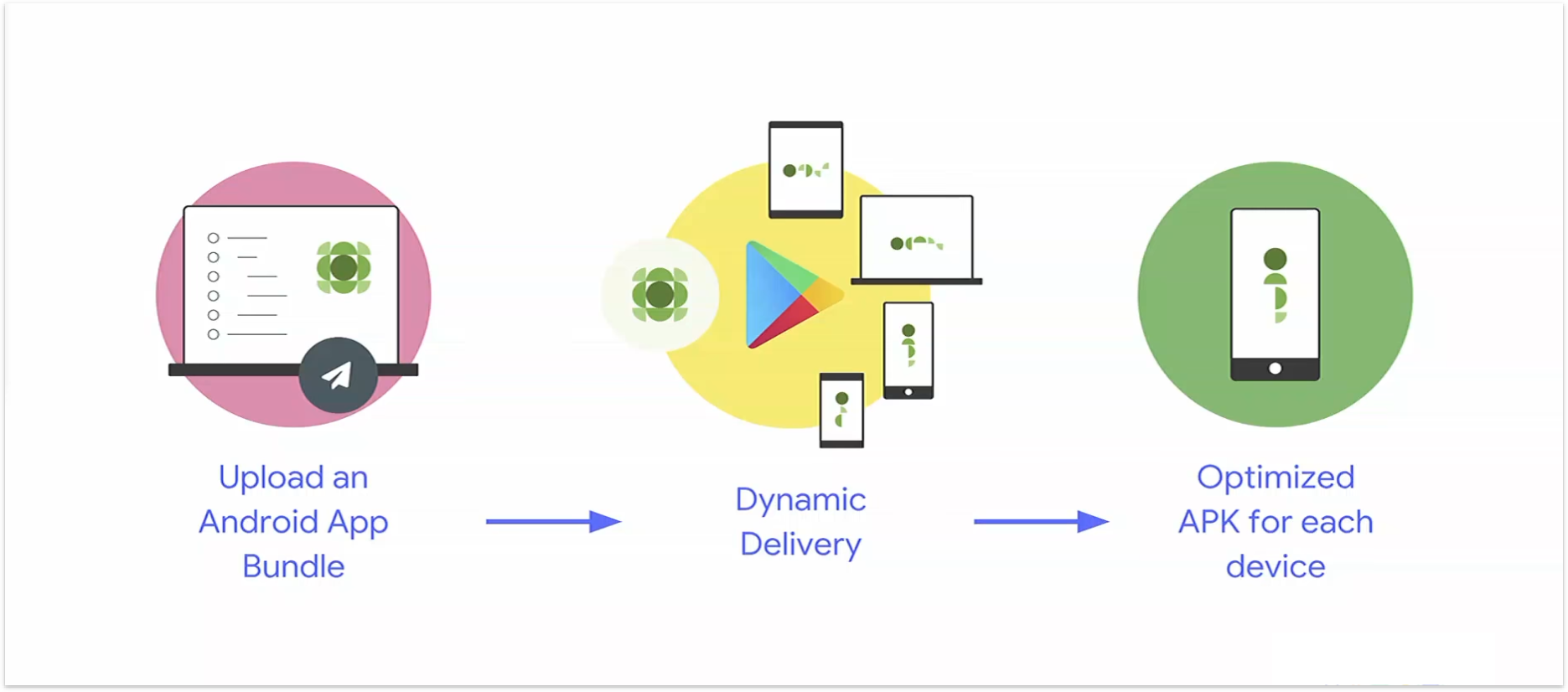
From this day on, developers will be able to use Dynamic Delivery for creating optimized APKs that satisfy the requirements of user’s devices and delivers them at the runtime for installation.

All this is being done through the Android app bundle app distribution format. Let us dive into what Android’s new, official publishing format is all about.

What is Android App Bundle?

Android App Bundle

Android launched a new official publishing format called android app bundles (.aab) and it offers a more efficient way to build and release your app. It also lets you easily deliver a great user experience in a small-sized app, this in turn also improves install success rate and reduces uninstallation rates.

Android App Bundles are Google recommended way for building, publishing, and distributing the application across different device configurations.

Did you know that the android app bundle has become the gold standard for publishing on Google Play? Over 600,000 apps and games currently use the app bundle in production, representing over 40% of all releases on Google Play including Netflix.

Let’s look into the benefits of app bundles now.

Benefits Of Using Google Android App Bundle

1.  Size Reduction

App size-reduction. Optimizing builds for lesser sizes | by Manoj Aher | Flawless iOS | Medium

App bundles help in reducing a significant amount of application size! On average, developers have witnessed a 20% size savings compared to APK. You can visit the new app size report in the google play console to see how much your app could save.

Did you know that, with the help of app bundle development, Adobe reduced the size of Adobe Acrobat Reader by 20%? Not only this, but some of these size savings by early adopters of app bundles show some jaw-dropping results. These results are what make Android app bundles a great way to build Android Go apps:

2.  Increased app installations and decreased uninstallations

Why Users Uninstall Apps: 28% of People Feel Spammed | CleverTap

Apps increasing size would not matter much if we had unlimited storage in our devices. But, as we know, it’s not the case. As the size of an app increases the number of installations decrease!

As a ripple effect of size savings with the help of xamarin android app bundle will increase the app installations. This also resulted in the increase of update rates, and very fewer uninstallations. 

 3.  Higher efficiency

How to Protect Efficiency in Your Business

App bundle development in android allows you to build one artifact that includes all of your app’s collected code, resources, and native libraries. So, you are no longer required to build, sign, upload, and manage version codes for multiple APKs. Hence, the efficiency is increased if you install an android app bundle on your device.

4.  Faster downloads

Faster Downloads through MediaFire's New Downloader - MediaFire Blog

Your app can be efficiently tailored to each device by Google Play which means the process of downloading and installing the app becomes faster.

5.  Integrated codes

Integrated Terminal in Visual Studio Code

With the help of the android studio app bundle, you can prepare for the 64-bit requirement without increasing the size of your app. As a result, Play will deliver the appropriate native code required for each device. 

6.  Increased engineering velocity

Heroes and Juniors: Increasing Engineering Team Velocity | by Marianne Bellotti | Medium

The entire process of creating an app is accelerated. From building dynamic and independent modules to designing, testing, and releasing it. The engineering velocity gets a major boost with the android app bundle unity.

For example, The Book My Show app declared that their app builds time (for a completely new build, without any caching) went down by 70% — this is because, with app bundles, it just dumps every resource into the bundle, rather than segregating them, like for APKs.

7.  Reduced manual effort

Reduced effort - Kainos WorkSmart

During android app development several manual efforts can be completely automated. Once the development is done, its link is uploaded and shared on a specific Slack channel automatically. No manual intervention is required.

8.  Dynamic delivery enabled

Dynamic Delivery in Android — Part 1 | by Siva Ganesh Kantamani | Programming Geeks | Medium

App bundles have introduced us to a new concept known as dynamic delivery. One can deliver conditional features at the time of installation on the basis of properties like device features (e.g., AR/VR), user’s country, or device’s version. Users are also given the facility to install features on an on-demand mode instead of the install time. They can even uninstall the features they no longer need.

This will help the users personalize their experience as per their requirements. This will also come in handy when you do not want to increase the size of your app in the long term. Further allowing us to make the initial size of our application smaller and then offering extra features only to the users who might actually make use of them.

How To Build and Deploy Android App Bundles?

Publish smaller apps with the Android App Bundle | Xamarin Blog

Unlike APKs, app bundles are a publishing format that entails all of your app’s codes. So, it cannot be deployed directly to a device. With the help of the android studio, creating a project as a signed app bundle is just a few clicks away!

To build app bundles, follow these steps:

Step-1: Start with downloading Android Studio 3.2 or higher. It is the simplest way to build app bundles.

Step-2: Add support for Play Feature Delivery by including a base module, organizing code and resources for configuration APKs, and, optionally, adding feature modules.

Step-3: Now, start building an Android App Bundle using Android Studio. You can even deploy the application onto a connected device from the app bundle through modification of your debug/run configuration and selection of the ‘deploy APK from app bundle’ option.

Step-4: Testing and publishing your app bundle will be the final step.

Test Your App Bundle

Once you create the android app bundle, you should test how Google Play will use it to generate APKs and how those APKs will behave when deployed to a device. You can use the following methods to test the same:

  • Test your app bundle locally by using the bundle tool. It will generate APKs from your app bundle and deploy them to a connected device.
  • Share your app with a URL. It is the speediest way of uploading your app bundle and sharing your app as a Google Play Store link with your testers.
  • Set up an open, closed, or internal test. This is another way of testing custom delivery options, like downloading app features on demand.

Final Words

The future has a lot in store for all of us and it is up to us to keep up with it! Without any doubt, I can tell you that the android app bundles are where the future lies. Being an android app development company, we can help you stay ahead in the game.

Microservices vs Monolithic Architecture

Microservices vs. Monolith Architecture - DEV Community

Microservices architecture has become a hot topic in the software backend development world. The ecosystem carries a profound impact on not just the enterprises’ IT function but also in the digital transformation of an entire app business.

The debate of Microservices vs monolithic architecture defines a revolutionary shift in how an IT  team approaches their software development cycle: Whether they go with the approach that brands like Google, Amazon, and Netflix chose or do they go with the simplicity quotient that a startup which is at the development stage demands.

In this article, we are going to get startups an answer to which backend architecture they should choose when they are starting their journey to become a startup.

Table Of Content:

  1. What are Microservices Architecture?
  2. What is Monolithic Architecture?
  3. Microservices vs Monolithic Architecture: Advantages and Disadvantages
  4. How to Choose Between Monolithic and Microservice Architecture?
  5. Migrating from a Monolithic Architecture to a Microservice Ecosystem
  6. Conclusion

What are Microservices Architecture?

Microservice Architecture pattern

Microservices architecture contains a mix of small and autonomous services where every service is self-contained and must be implemented as a single business ability. It is a distinct approach used for development of software systems which focus on developing several single-function modules with clearly-defined operations and interfaces. The approach has become a popular trend in the past several years as more and more Enterprises are looking to become Agile and make a shift towards DevOps.

Components of Microservices architecture that makes it one of the best enterprise architecture:

  • The services are independent, small, and loosely coupled
  • Encapsulates a business or customer scenario
  • Every service is different codebase
  • Services can be independently deployed
  • Services interact with each other using APIs

With the question of what are microservices architecture now answered, let us move on to look into what is monolithic architecture.

What is Monolithic Architecture? 

Introduction to Monolithic Architecture and MicroServices Architecture | by Siraj ul Haq | KoderLabs | Medium

Monolithic application has a single codebase having multiple modules. The modules, in turn, are divided into either technical features or business features. The architecture comes with a single build system that helps build complete application. It also comes with a single deployable or executable binary.
Now that we have looked into what is monolithic architecture and microservices architecture, let us look into the disadvantages and benefits that both the backend system offers to get an understanding of what separates them from each other.

Microservices vs Monolithic Architecture: Advantages and Disadvantages

Advantages of Monolithic Architecture

A. Zero Deployment Dependencies

Dependencies Handling in Python

An organized and well-documented Monolith architecture makes it possible for Backend developers to not worry about which version would be compatible with which service, how to find which services are present and what they do, etc.

B. Error Tracing

Poor man's performance and error tracing (ft. HAProxy) | Sysbee

One of the biggest benefits of monolithic is that all the transactions are logged into one place, making error tracing task a breeze.

C. No Silos

no-silos – TeamStrength, Inc.

The one factor that works in the favour of monolithic in the microservices vs monolithic architecture debate is absence of silos. It becomes very easy for the developers to work on multiple parts of the app for they are all structured similarly, using the same tools, which makes it okay to have no prior distributed computing knowledge.

D. Cross-cutting concerns:

Cross cutting concern example - Stack Overflow

Spending time in defining the services which do not bleed in each other’s time is the time that you can actually spend in developing things that help the customers.

E. Shared Code:

The Problem with Shared Code. This is the first of a 4-part series on… | by Jeff Whelpley | Medium

No shared libraries where the complete scope needed for services to operate is sent along each request.

Limitations of Monolithic Architecture

A. Lack of Flexibility:

Lack of flexibility in the workplace kills productivity, says report - Employee Benefits

Monolithic architectures are not flexible. You cannot use different technologies when you have incorporated Monolithic. The technology stack which have been decided at the beginning have to be followed throughout the project, making upgrades a next to impossible task.

B. Development Speed:

How to Decrease Time for Software Development Projects - BIT Studios

Microservices speed development process is famous when you compare microservices architecture vs monolithic architecture. Development is very slow in monolithic architecture. It can be very difficult for team members to understand and then modify the code of large monolithic applications. Additionally, as the size of codebase increases, the IDE gets overloaded and gets slower. All of this results in a slowed down app development speed.

C. Difficult Scalability:

Scalability Complex Like A Puzzle - Pictured As Word Scalability On A Puzzle Pieces To Show That Scalability Can Be Difficult And Stock Illustration - Illustration of idea, analogy: 164219546

Scaling monolithic applications becomes difficult when the apps becomes large. While developers can develop new instances of monolith and load balancer to distribute the traffic to new instances, monolithic architecture cannot scale with the increasing load.

Benefits of Microservices Architecture

All You Need to Know about Microservices Architecture in 2019

  1. The biggest factor in favour of microservices in the difference between microservices and monolithic architecture is that it handles complexity issues by decomposing the app into manageable service set that are faster to develop and easier to maintain and understand.
  2. It enables independent service development through a team which is focused on the particular service, which makes the ideal choice of businesses that work with an Agile development approach.
  3. It lowers the barrier of adopting newer technologies as the developers have the freedom to choose whatever technology that makes sense to their project.
  4. It makes it possible for every microservice to be deployed individually. The result of which is that continuous deployment of complex application becomes possible.

Drawbacks of Microservices Architecture

Microservice Architecture: 5 Major Benefits - Skelia

  1. Microservices add a complexity to project simply by the fact that the microservices application is distributed system. To solve the complexities, developers have to select and implement inter-process communication that is based on either RPC or messaging.
  2. They work with partitioned database architecture. The business transactions which update multiple business entities inside the microservices application also have to update different databases that are owned by multiple services.
  3. It is a lot more difficult to implement changes which span across multiple services. While in case of Monolithic architecture, an app development agency only have to change the corresponding modules, integrate all the changes, and then deploy them all in one go.
  4. Deployment of a microservice application is very complex. It consists of a number of services, which individually have multiple runtime instances. In contrast, a monolithic application is deployed on set of identical servers behind load balancer.

The benefits and limitations are prevalent in both monolithic and microservices architecture. This makes it extremely difficult for a startup to gauge which backend architecture to incorporate in their journey.

Let us help you.

How to Choose Between Monolithic and Microservice Architecture? 

The fact that both the approaches come with their own set of pros and cons are a sign that there is no one size fits all methodology when it comes to choosing a backend architecture. But there are a few questions that can help you decide which is the right direction to head into.

Are You Working in a Familiar Sector?

Akash - Aligarh,Uttar Pradesh : Take a step to be familiar with computer and start your career in IT sector.

When you work in an industry where you know the veins of the sector and you know the demands and the needs of the customers, it becomes easier to enter into the system with a definite structure. The same, however, is not possible with a business that is very new in the industry, for the amount of looming doubts are much greater.

So, the use of microservice architecture in app development is best suited in cases where you know the industry inside out. If that is not the case, go with monolithic approach to develop your app.

How Prepared is Your Team?

Who is on the Team?

Is your team aware with the best practices for implementing microservices? Or are they more comfortable with working around the simplicity of monolithic? Will your team and your business offering expand in the coming time? You will have to find answers to all these questions to gauge whether the people who have to work on a project are even ready to migrate.

What is Your Infrastructure Like?

The Big Three: Comparing AWS, Azure and Google Cloud for Computing - The Sunshower.io Blog

Everything from the development to the deployment of a monolithic web application would require a cloud-based infrastructure. You will have to make use of Amazon AWS and Google Cloud for deploying even tiny elements. While the cloud technologies make the process easier, The idea of setting up database server for every other microservice and then scaling out is something that startup entrepreneur might not be comfortable with.

Have you Evaluated the Business Risk?

The art of predicting business risks: Why non-experts do it better | Fortune

More often than not, businesses take microservices’ side in the Microservices vs Monolithic Architecture thinking it is the right thing for their business. What they forget to factor in is the chance that their application might not become as scalable as they are optimistically expecting and they might have to suffer the risks of adding a highly scalable system in their process.

Here is a short list of pointers that would help you make the decision of choosing to opt for software development processes with microservices vs monolithic architecture:

When to Choose Monolithic Architecture?

  • When your team is at a founding stage
  • When you are developing a proof of concept
  • When you have no experience in microservices
  • When you have experience in the development on solid frameworks, like the Ruby on Rails, Laravel, etc.

When to Choose Microservices Architecture?

  • You need independent, quick delivery service
  • You need to extend your team
  • Your platform need to be extremely efficient
  • You don’t have a tight deadline to work with

Migrating from a Monolithic Architecture to a Microservice Ecosystem

Migrate From Monolithic Applications to a Microservice Architecture: Part 2

The right approach for migrating a monolithic architecture to a microservice ecosystem is to divide the monolith processes and turn them into microservices. The result of this is a two-factor plan:

  1. Identification of existing monolithic elements which can get decoupled
  2. A validation that the new functionality can be developed as microservice

One of the main challenges that can emerge when initiating the migration from a monolithic architecture to a microservice architecture is to design and create an integration between existing system and a new microservice. A solution for this can be to add a glue code which allows them to connect later, something like an API.

API gateway can also help in combining multiple individual service calls in one coarse-grained service, and this in turn would help reduce the integration cost with monolithic system.

Conclusion

When you compare microservices architecture vs monolithic architecture, you will find the former being a hot trend. Every entrepreneur wants to say that their app is based on this architecture. But the temptation to focus only on the problems of monolithic architecture and abandon the architecture should be measured against the actual value of microservice architecture.

The right approach would be to develop new apps using a monolithic approach and move to microservices only when the justification of the move is backed by proper metrics like performance monitoring.

For established businesses, microservices tend to be avenues for continuous deployment, team based development, and an agility to shift to new technologies. But for startups, or companies that are just starting, adopting microservices can impact the software project success very negatively.

Future of Applications Development- Is it Low-Code/No-Code?

Is low-code/no-code the future of application development? - TechRepublic

We are operating in a digital era where every company is a software company. With the growing advent of digital technologies, it has become impossible for a business to chart their success in the absence of applications supporting their internal and external functions.

This growing dependence on applications – enterprise and customer-focused – although a stepping stone for innovation and creativity, comes loaded with several challenges. Challenges that low code no code development methodology aims to address.

  • Bandwidth issues – The in-house IT team, across businesses, generally works on the everyday crucial business tasks. Because of this, they are generally left with minimal time for working on enterprise or customer-side applications.
  • Limited budget – Purchasing semi-custom apps or hiring a mobile app development company can be an expensive affair.
  • Demand for quick deployment – Even at a time when the adoption of DevOps is on a high-speed mode, the time it takes to develop an application is still high at large. The complexity-driven slow development speed almost every time results in delayed deployment time.

Although these issues can be solved by hiring a team of remote developers, businesses have started taking an alternate route – low code development. But does this mean the trending application development approach is the future of the sector? Let’s find out.

What is low code no code development?

Low code and no code app development benefits | App Developer Magazine

Low code no code platforms enable businesses to develop apps with the help of a visual development approach in place of the alternate development route that requires writing thousands of code lines. Here are some of the top reasons why businesses choose to take the route instead of investing in full-fledged custom application development:

Although low code app development and no-code software development work best when placed together, there are several inherent differences between them, making it impossible for them to be used interchangeably.

No-code platforms are ones that enable teams with zero software development and coding expertise to assemble applications with the help of functional, reusable building blocks.

Low code platforms are the ones that demand a level of coding but make it extremely easy for the developers to develop new apps in the least turnaround time.

Both no code and low code platforms offer IT with complete governance over data, systems, and functionality. When working together, they enable rapid application development which in turn helps businesses reach their goals with the resources they have however limited. Here are some statistics highlighting the opportunities for  Low Code Application Development (LCAD) and No-Code Application Development (NCAD) as the code for the future.

  • Gartner estimates that low-code app platforms would account for over 65% of development by 2024.
  • Forrester forecasts that the low-code market would top $21 billion spendings by 2022.
  • According to TechCrunch, the companies operating in the sector are paced to raise around $500 million by 2020.

Numerous benefits together have led to a rise in the LCAD and NCAD form of rapid application development. Let us look into them after looking into some of the most trusted low code no code app development platforms.

The best low code no code applications development platforms 

Business Apps | Microsoft Power Apps

When we enlist the best platforms for rapid application development, some names come on top – Microsoft PowerApps, Appian, OutSystems, Airtable, Amazon Honeycode, Salesforce.com Lightning Platform, Zapier, and Google AppSheet, etc.

The industry, however, is constantly expanding. Meaning the brands which are on top today might not make it to the list in the next quarter. What remains constant though are the benefits that businesses can draw from using low code no code app development.

Benefits of low code no code applications development

Fastrack your Digital Transformation with Low Code Development Platforms | Streebo Solutions

  1. High development speed – the biggest pro of low code no-code app development is that the development time gets cut off from months to days. You can not just take your app to the market faster but also quickly work on the user feedback and add newer features, functionalities.
  2. Lowered cost – at the back of low development time and high speed, fewer resource requirements the cost of developing a low code no code application is extremely low.
  3. Lesser bugs – the lowered amount of code leads to lesser bugs occurrences as well. And with lesser bugs in the picture, the development time gets further reduced by manifold.
  4. Better business stakeholder engagement – the inclusion of in-house developers in the low code no code application development process helps the stakeholders be involved in the deployment procedures.
  5. Multiple deployments – low code development platforms enable businesses to build apps for multiple platforms at the same time.  Usually, the deployment of an app on one platform is a complex task in itself. A task that becomes easier with low code no code mobile app development.

Amongst the many benefits of low code no code mobile application development lies the fact that it is fit for only certain app types – ones that generally lie in the ballpark of prototypes. The more you deep dive into the approach the more difficult it becomes to distinguish it from the white-label development methodology. The methodology is good on papers but has several ground-level issues attached to it.

Low code no-code application development shortcomings that keeps it from getting the title of software development future

The Future of Software is No Code and Low Code Programming | Quixy

Integration restrictions – Low code applications are more likely to give you integration issues when you connect them with legacy systems.

Absence of customization – Like every DIY software development platform kit, the platforms come with their fair share of customization limitations. At a time when the market favors those that have a competitive advantage, you will be forced to work on the platform boundaries and give up on certain planned functionalities.

Security risks – Multiple risks arise when you work on third-party platforms, especially the ones that make your application uncontrollable. Since you only get access to work on the frontend or the user interface, you have little to zero control over the backend data and process.

Coding is not everything – There is more to the application development process than coding. A custom app development agency works on user journey maps, design sprints, application testing, etc. While low code no code application development platforms can give you an application, there is no guarantee that there won’t be more apps similar to yours in the stores.

Does the code future lie in no code low code? Anteelo verdict

If you intend to develop basic applications that need little to zero customizations and come with low-security vulnerability, we recommend taking the LCAD and NCAD approach. But if your business goal is to enter the mobile app market with a high-quality successful product, customized application development would work best for you.

Irrespective of what your choice is, the future of application development, as opposed to general belief, doesn’t lie in low code no code development approach. The key to attaining a competitive advantage will require businesses to present a customized stand in the industry while ensuring that they have complete control over the backend and users data.

Wanna learn Designing of Social Media App? Come Here!

How to Develop a Social Media Application, Social Networks & Media App Developmen

From a business point of view, social media is one of the most promising markets. Want to create a social media app?

There is no denying the fact that social media cannot be ignored by today’s society. From a business point of view, social media is one of the most promising markets.

Many organizations use social media as a marketing tool to promote their business since they have their audience present on Facebook, google+, Twitter, Instagram, or Pinterest.

The rapid development is opening new landscapes within this play-area and social media app development has become a major game in the business world!

Want To Create a Social Media App? Let’s Look At Some Facts Shall We?

  • Over 3.6 billion people were using social media worldwide in the year 2020. This number is projected to increase to almost 4.41 billion in 2025.
  • On an average, internet users spend 144 minutes per day on social media and messaging apps.
  • Market leader Facebook was the first social network to surpass one billion registered accounts and currently boasts approximately 2.7 billion monthly active users, making it the most popular social network worldwide.
  • In June 2020, the top social media apps in the Apple App Store included mobile messaging apps WhatsApp and Facebook Messenger, as well as the ever-popular app version of Facebook.

When planning to design a social media app, it is essential that one understands all the types of apps there are in the market. This will help you find your niche and identify your competitors. Not only this, but also understand your target audience, and offer users a more appropriate functionality.

Types Of Social Media Apps

1.  Social networking apps

5 Emerging Social Apps Trends in 2018 so far

The main goal of these apps is to connect people for personal or professional reasons. From finding a job, joining a new community to connecting with a long lost friend, these apps will do the magic. For example: LinkedIn, Twitter, Facebook, Instagram.

2.  Media sharing apps

7 Great Apps for Sharing Media While Mobile - Techieapps

If you want to target artists and creators, this is the app for you! People these days love sharing videos, photos, GIFs etc to platforms like Youtube, Instagram, Snapchat, Pinterest etc. 

3.  Blogging and publishing apps

9 Best Android Apps Every Blogger Should Use

Writing is not as easy as it looks and writers do need an app that would let them write their mind. Such apps help writers to write from any gadget they want anytime. For example: WordPress, Medium. 

4.  Discussion forums

ACC Online Learning: ACC DISCUSSION FORUMS

If you want to build a social media app where a community of people share their insights, experiences, ideas, opinions etc, this type of app is for you. For example: Quora.

5.  Customer review apps

9 customer review examples (and how to get more reviews) | RingCentral

The major goal of these apps is to share their reviews about brands, services and products. Good customer reviews can help one grow business. For example: Yelp, TripAdvisor.

6.  Service Provider apps

Home Service Provider App | Urbanclap & TaskRabbit Clone Script

These types of apps help you undertake a particular service. From booking a cab, finding a plumber to booking a hotel etc, these apps are at your service. For example: Ola, UrbanCompany.

Now that we have understood the existing apps, let’s focus on how to make a social media app.

How To Develop A Social Media App?

Step-1: Find your purpose, target audience and competitors

How to Find and Target Your Social Media Audience (Free Template)

The first step for social media app developers is to know the purpose of their app. Network apps allow people, organisations and companies to create, exchange and share information over a network of people.

If you have an idea, good for you, but a full understanding of the market, target audience, potential users and what your current competitors lack is very important information. Also, if you want to earn money from your app, think of all possible monetization options.

Once you are done with conceptualizing your future application and its missions, goals, user engagement ideas and competitive analysis, get ready for building out of the box growth strategies.

Step-2: Design social network app’s workflow

24 of the Best Mobile App Design Tools | BuildFire

The next step is to create a defined workflow. This is to attain a specific pathway a user will follow in order to achieve the required set of goals. Hence, this step will define a complete user journey. The app workflow is a very critical step since it defines steps the user takes while they interact with your product.

Step-3: Development and design for both iOS and Android

How to Design an App for Both Android and iOS | AppIt Ventures

As the name of this step suggests, it is equally important to design a social media app for android and for iOS. If you are using a SaaS solution then you don’t have to worry about this step but if you are planning to start from scratch so we suggest you start with creating a wireframe. Wireframes are the skeletal structure of the app, which represents how the app’s fundamental looks.

A wireframe will help your design and development team to visualise how the app works and what pages link together. The next step is prototyping which will create a working model of your app. This will help everyone understand how the app is functioning for android and IOS.

Step-4: Build your community and market the app

8 Steps to Take When Beginning Your Mobile App Development

Now that your app is ready, it is time for you to win users and build a community! Start thinking about initial marketing strategies and campaigns that help draw the people’s attention, increase app downloads and user engagement.

7 Tips To Design Social Network App

Social App designs, themes, templates and downloadable graphic elements on Dribbble

Social networks app development is a tricky game! You must be sure that the app’s design is intuitive, easy to use and that same time appealing to your audience. Let’s talk about the best practices one can keep in mind while planning the look and feel of one’s app.

  • Keep it simple – A clean design always helps since people are already familiar with using the same. It helps you enthrall the users towards your value rather than distracting them away from it. When you focus on your offerings you don’t give your customers the space to think only of your brand, in turn. If you want to use your social media app for business, this is one of the key characteristics that you should focus on.
  • Communication is key – Allow your users to communicate with each other with the help of video call, audio call, recorded voice notes, ability to share content with each other. This is how you will build your community and keep your users engaged.
  • Focus on the Navigation – The minimalistic approach is the best one when it comes to designing navigation. If you create navigation with numerous features it will be too complicated for the user to keep up. The best practice is to ensure that all your icons and buttons are placed in the best part of the screen for the user to identify them easily.
  • Keep it consistent – You need to make sure that the design of your app remains synchronised in order to avoid any confusion that the user might face. By using consistency in your app it will create a logical structure that will clearly define where users can find what. This process will spare your app from confused and frustrated users.
  • Round design elements –  Do you know why Facebook or Instagram use round profile pictures? Well, it helps to focus on a user’s face and further makes it simple for other users to remember or distinguish them from others.
  • Allow people to personalise – Provide users the freedom and choices to share information, media, links, content etc in order to add their personality to their specific profiles.
  • Color codes are very important – Choose colors of the same family that help in providing a seamless user experience.

How can you make money from a social media app?

How to make money from social media - Save the Student

You can easily monetize your social network app design and start earning returns from the cost that you invested in social media app development. Below are a few ways to achieve your goals:

  1. Paid subscriptions: With an app based community, you can offer users paid subscriptions. It is best to first offer a free trial with good content and one or more paid trials that offer more in-depth and high-value content.
  2. Paid content: If you have a lot of users engaged with your content, you can use social apps for business. Paid sponsorship is one way you can convert your user reach into money.
  3. In-app purchases: You can give your users the liberty to directly make digital purchases. For example, ebook, a video or audio file.

Final Words

I hope that creating a social media mobile app is not as tough as you previously thought it was! I have walked you through the facts of social media apps, we have also talked about how to make an app from scratch, right from ideation to implementation and designing. Feel free to reach out to a social media app development company to guide you better and create your own app in no time. Take the first step today!

error: Content is protected !!