Are Micro Apps the Future of Mobile Applications?

Don't Worry, this is How the Future of Mobile Apps looks like. | by Maruti Techlabs | DAYONE — A new perspective. | Medium

The purpose of the mobile app, since its advent, has been to offer quick solutions to users, which they won’t have to browse websites for. But, the pressure to remain above the competition of thousands of similar apps, have taken brands away from offering to the point solutions to providing them with a wholesome feature rich mobile app. While, there is no way to judge which approach is better, but over time, we have been observing that offering quick solutions has become the new mantra to app success. And if there is one concept that we have been focusing on for just this, is – Micro Apps Development.

In this article, we will be looking into the concept in detail, focusing on elements that brought in its need and what makes them the future of Mobile Apps.

What are Micro Mobile Apps?

Be Wary of High-Risk Mobile Apps | Trend Micro News

Micro Apps are HTML based, customized applications that are built to solve a specific purpose. They may or may not be a part of a bigger mobile app. For example, while Facebook Messenger app is a part of Facebook, Google Weather app acts as a standalone micro app in form of a card in the device’s Google Page.

Now that you know what Micro Apps mean, you must be wondering, why people are resorting to these apps, when they have the option to work around a bigger, all inclusive application? The question is the exact reason why users are making the shift.

Let’s delve into this a little further.

Why the Sudden Rise in Demand for Micro Applications Development?

1. Mobile Apps have become Irksome

Material Calculator - UpLabs

In the race to offer more value than the competitors, brands continue to add in more features in their mobile apps, making them large in size, slow to load, and more storage space consuming. All of this pulls the consumers into a large, complex structure, which more often than not takes them away from the simple task that they intended to do when they launched the app.

2. Lack of an in and out experience

In continuation of Mobile Apps becoming irksome, the other thing that has happened is that the in and out experience is lacking.

One of the main reasons why users install mobile apps in the first place, is to save time browsing ahttps://anteelo.com/ website or working around its functionalities. But, by offering a mobile application as the miniature version of the websites, brands take away the purpose users first came to them.

3. Soaring Mobile App Development Cost

What is the Cost of Mobile App Development - Apptunix

While it is easier for the bigger brands, small and mid-size brands usually end up staying and then opting out at the development phase itself. The lack of budget for developing an app that is at par with the top rating ones in the category, is the number one reason why most app idea never see the morning sun.

These three are the reasons why the world is now seeing a gradual shift from the heavy, all functions inclusive mobile applications towards a new found demand for Micro Apps Development.

But, where does Micro Apps fit in these issues? Let’s find out.

All of the above mentioned issues can be easily solved by the advent of micro-apps. Short in app size and device resource usage, micro-apps allow users to be in control of doing what they intend to, without any distraction.

Micro Mobile Apps come in the picture of struggling mobile app development market, with their USPs specifically focusing on providing –

Facebook Instant Games - Play games right inside Facebook Messenger | Product Hunt

– Simplest Form of User Experience

Designed to address a specific issue faced by the users, Micro Apps come with a no-nonsense, direct user flow.

– Development with Limited Resources

Being focused on a specific task, Micro Apps Development do not call for complex technological processes. It helps cut down the app development cost to a great extent.

With features such as these, Micro Apps have emerged as the rightful solution to the dwindling user retention issue. By offering to the point features to the users, they serve the purpose of what the Mobile Application industry is based on.

It’s time to add a Micro App as a part and parcel of your high value embedding application. Talk to our Mobile App Experts and know where to start.

Mobile Apps Trends that will Dominate 2018

Mobile App Development Trends To Watch Out in 2018 | Acodez

2017 was a phenomenal year for Mobile Application Development.

The industry saw a new programming language, Kotlin, becoming Google’s Official Language. We saw Apple making partnerships to rule the AI industry. AR/VR strengthened its position in the industry.

Among this all, we saw the application of one of the most disruptive technologies of our time, come into existence –

1. Mobile Payment

10 Best Mobile Payment Solutions For Your eCommerce Business

This year, more users will turn to their mobile phones to make daily payments as people are less likely to carry cash. If you haven’t considered offering mobile payments to your customers, it’d be a good move for 2018 to discuss this with your mobile app development company.

By 2020, the world will see Mobile Payments reaching out to become a $503 Billion industry – amounting to 80% annual growth percent from 2015 to 2020.

While there are already a number of mobile payment applications operating across the globe, the number is only going to increase: especially since the value of Annual Transaction made through mPayment apps is on a high in the US and globally.

Even if the app you are planning is not a Payment App, in itself, incorporating mPayments feature in your mobile app will bring yours in the list of convenient apps.

2. Blockchain

Blockchain and cryptocurrency may soon underpin cloud storage | Computerworld

9 in 10 government firms are planning to invest in blockchain for financial transaction management, asset management, contract management and regulatory compliance purposes. One-third of banks are expected to adopt commercial blockchain in 2018.

While Bitcoin, an important element of Blockchain has already held its position in the technology world, 2018 will push Blockchain further from digital payment. With the technology getting more and more investments every passing day, industries would now be using it for so many other uses than just Cryptocurrency transactions.

There are already brands that have started offering the technology to serve their smart contracts feature for real estate industry and then there are others that have made Blockchain Mobile Apps to add on security feature in supply chain management system.

3. PWA

What is PWA? Why It is Better than React Native? - AppStudio

PWA is not something that you have to install from the app stores. It comes with a diverse range of innovative features like quick updates, faster navigation, offline working mode, push notifications, and so on.

Factors like reliability, speed, engagement, reachability, and cost effectiveness, among many others, have bringing Progressive Web Apps in line with their Native Apps counterparts. Although Native Apps still had the upper hand in 2017, the changes that are planned for PWAs in 2018, will make more brands adopt it.

4. IoT and Wearable

Epson eyes IoT and wearable devices market

Analysts predict that IoT will grow from $157.05 billion in 2016 to $661.74 billion by 2021 and we’re just at the beginning stages of this growth.

Users’ demand for wearables that go beyond satisfying their medical needs is on a surge. The need of the hour is to add innovation in what one can do at the click of their watch button or by adjusting their glasses. And, this is exactly what they will be getting in 2018.

Every IoT and Wearable related discussion that happens in 2018 will be incomplete without the mention of Smart Homes. The year will see greater adaptation of technologies like Alexa, which help users control their smart home devices like door locks, camera, lighting, entertainment system, and thermostats, etc. The technology, which is already a billion dollar market, will continue to rise with time.

This year, you will be able to connect your life much more with the minimal devices that you work around with, every day.

5. AR/VR

Smart Real Estate Seen a Boon for Home Hunters Amid Uncertainties - INVEST-GATE

The next-generation apps especially the gaming apps are all about AR and VR. The tech experts have predicted to generate revenue of $150 billion by the year 2020.

While the technology was restricted to mostly gaming and retail industry in 2017, 2018 will see its adaptation in a number of otherwise deemed traditional industries as well. Such as – Real Estate, Healthcare, and Education etc. The foundation that AR/VR had set for itself in 2017 will grow its roots to a much deeper level in 2018.

The elements that are making the revenue chart of AR/VR are not just restricted to AR Voice or AR Games and VR Games and VR Theme Parks, the $120 Billion market of AR and $30 Billion market of VR can be divided into a number of other elements, with each of them holding their piece of share in defining the future of AR/VR in the world.

Introducing AR/VR in your mobile app this year will not just solve your app engagement problem but also will help increase your conversion rate, if yours is an eCommerce app.

6. Enterprise Apps

App47: Deploy, Monitor and Secure Enterprise Apps

An Adobe study says that 77% business owners found enterprise apps advantageous and 66% are increasing their investment further. Also, 430 billion enterprise app markets are expected by 2021.

The reasons that enterprise Apps have found a place in this list is because in today’s corporate scenario, the need of fixing a seat for people to sit and work in has become a thing of the past. In the time of virtual employees, companies’ needs to have all their employee working in one place has become negligible.

The scenario in 2017 was that nwere employing the enterprise apps that adhered to the standards set by their industries. But with greater focus on being different from competition, in 2018, companies will be looking for platforms specific to their business, which only have the elements that their team works around.

7. On Demand

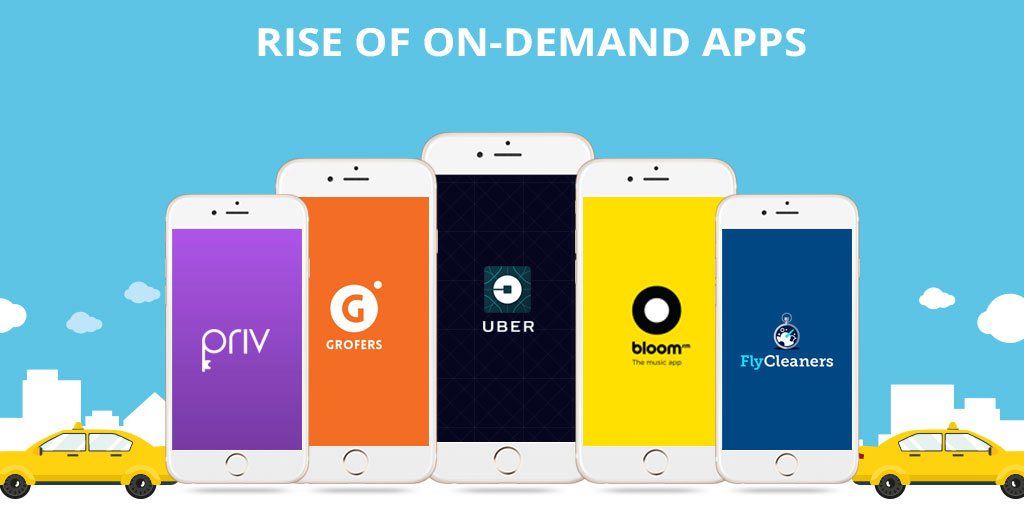
The rise of on-demand mobile apps - Fullestop Blogs

In 2017, users spent 98% more on on-demand entertainment apps compared to 2016. It also expands to users wanting other on-demand services such as haircuts, food, laundry, and so on. The number that is only to increase by manifold in 2018.

The average annual spending for different on demand industry services is also going to see a jump this year when compared to what they were in 2017.

The need to be satisfied instantly for every need is what has brought in an increase in the demand for the technology. While, on demand services has already seeped itself into a number of industries, many more brands will see its inception in the coming time – B2B setup will soon start using the on demand economy to verify their new employees’ background information or getting their hand man jobs done. Even the current industries will have to find new innovative needs of on-demand facilities to stay on top of their competition.

8. Instant Apps

Android Instant Apps are now available to all developers - The Verge

Instant apps are very convenient and that works majorly in attracting more users. The need of app installation is eradicated here which eliminates the barrier between apps and web. The easiness that Android Instant Apps will lead to its greater adaptation in 2018.

Instant Apps is that feature of Google Play Store, which allows you to use an app without having to completely download it on your phone. All one needs to do is find them in the Store and then click on ‘Open App’. The apps even allow you to perform a specific activity inside an app that is not installed in your device, with only a click on a URL.

By allowing users to use the apps without putting an effort and losing even an MB of their precious phone storage space, is what has made Instant Apps a hit in the mobile app world. While only introduced to a limited few apps of Play Store, 2018 will see the “Try it Now” option in more number of apps, increasing your chances at brand visibility.

9. mHealth Apps

mHealth Apps for Nurses | Lippincott NursingCenter

With over 100,000 health apps in the market and with a forecast of 1.7 billion downloads of mhealth app on iOS and Android by 2017, there is plenty of room for more apps with better and personalized outcomes.

Gone are those days when the mHealth apps were only related to showing the number of steps a person has taken or to book an appointment with their doctor. This was all a thing of 2017. The mHealth industry has now evolved, entirely.

This year is about Electronic Medical records (EMR) Apps that helps in keeping records of your medical history, handle your medical bills, and keep a check on serious health issues like Asthma, Diabetes, and Cancer on phone.

While, this is for the patients, doctors will also move one step ahead from their usual application related to accepting appointment and viewing patient history, to practicing serious operations using the Virtual Reality based apps.

10. Cross Platform Apps

Cross-Platform Mobile App Development: Ending the iOS vs. Android Debate

Wide user reach, improved marketing, cost-effectiveness, and increased revenue are just some of the factors that have been pushing the app development world towards Cross-Platform Apps.

With the audiences on both Android and iOS rising neck by a neck in 2017, brands will tweak their strategy and get inclined towards creating an app that works on both platforms. There are a number of issues that will be solved by investing in Cross Platforms apps, such as – High costs associated with developing apps individually for Android and iOS, having different-looking products on different platforms, and limited reach amongst others.

Now when we talk about Cross-Platform Apps, there are a number of issues that can come up, with the main ones being bad UI and speed.

To remove the glitches that Cross-Platform Apps come with, React Native App Development is the framework we swear upon.

While there are other frameworks like NativeScript and Xamarin, React Native single-handedly holds the wagon to be the best cross-platform tool the mobile app world has the offer. Here are the issues that React Native solves –

  • The knowledge of JavaScript is enough to develop a whole Cross-Platform App.
  • React Native Apps are fluid and are highly responsive.
  • Relies completely on Native Controls.
  • It allows the developers to reuse their codes.

11. Chatbots and AI

How Chatbots Use Artificial Intelligence to Satisfy Customers Faster & Easier than Ever Before

Users are searching for more effortless interactions with brands and are now expecting channels of communications to be open 24/7. 52% of consumers prefer to interact with businesses via a messaging app rather than over the phone or in person.

While Chatbots will continue to do their function of answering users’ queries as a bot in 2018 as well, but with AI, they will now answer questions that are not even asked yet. Or even better, they will give alternate solutions to the mobile users, removing the chance of knowing who is behind the screen, a bot or a living, breathing human.

Chatbots have already found their place in a number of industries, globally.

Chatbots will take customer service to a whole different level in 2018, by not just being available to them 24*7, but also by solving issues that were kept on hold till a representative was available, in 2017. This combination of AI and Chatbots will also start making its remarkable presence felt in the apps dealing with mental health.

Are you prepared to see your device get cooler, more useful, and thousand times more active this year?

Test Android App: Role of Android Espresso & AWS Device Farm

Android Integration Testing - The Official 360logica Blog

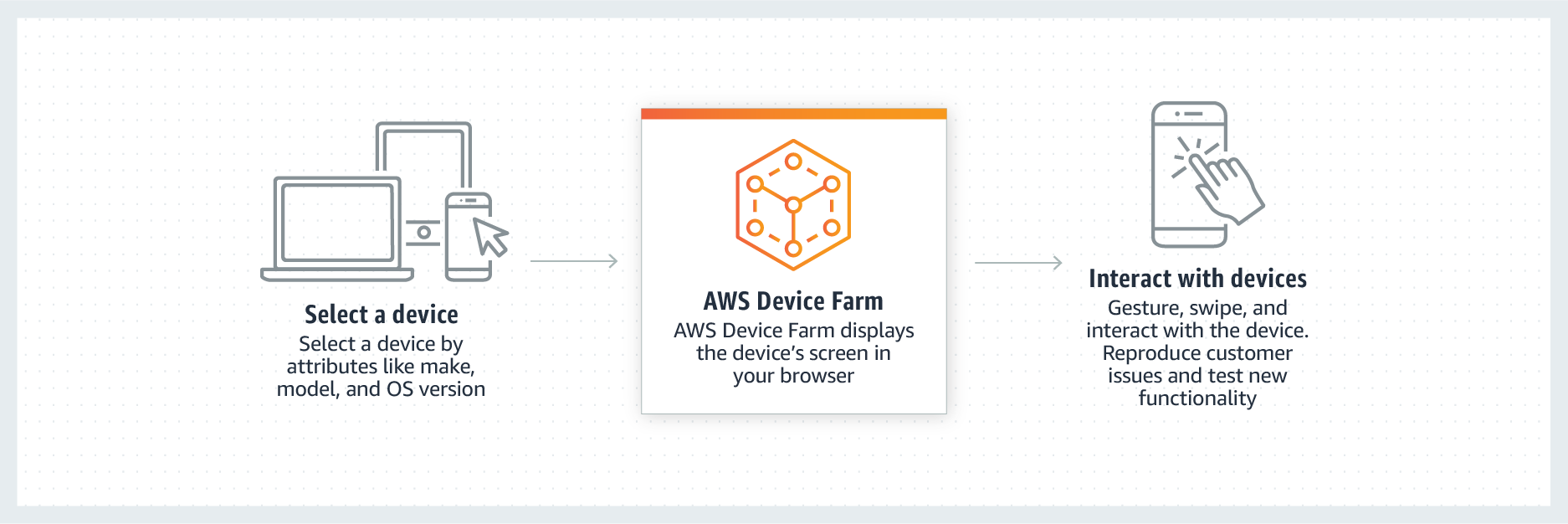
AWS Device Farm is a service that allows you to test your Android and iOS-based apps on real devices and not by using any simulators and using AWS Cloud.

A fierce competition exists in the mobile app development market as the competitor companies are trying hard to get recognized by showcasing their products in the App Stores. After developing an app, one key factor that is remembered is that you should never be in a hurry to upload an app in the App Store. This is where lies the importance of the reviews from the various customers. If by any chance, you upload an app that is unstable, there is every chance that the app will be outright rejected by the users. So, the success of an app depends mostly on this review.

There are many reasons on account of which the apps simply crash and these are network problems, bloatware on the device, inadequate error and exception handling as well as memory issues. Herein lies the need for testing the apps, on multiple platforms and devices as well as on different networks.

Testing an Android App: Role Played by Android Espresso and AWS Device Farm This service enables you to provide the solution that you are seeking to test the app in the right way. You can upload your apps in the Cloud and run Fuzz tests for the purpose of simulating random activity or utilizing the built-in app explorer.

AWS Device Farm will crawl your app and helps to capture screenshots as well as performance metrics and logs. The advantage that it offers is easy to use and quick. You can track the issues that will be faced by your Android app if you use Espresso in AWS Device Farm, much before the app is displayed on the App Store.

What is AWS Device Farm?

AWS Device Farm | Mobile & Web App Testing | Amazon Web Services

There is no need to get distracted by the issues that are faced while testing your Android app like constructing automation infrastructure, building expensive device labs, or even gathering different types of devices and above all ensuring that the devices are available in stable conditions, whenever they are required. The importance of AWS Device Farm lies in the fact that it handles everything most efficiently. In a matter of few minutes, you can test the app on a wide range of devices. Moreover, not only does it allow you to choose the devices, but you can also choose the make and model of the chosen Operating System. It is capable of testing various carrier connections as it can simulate the connection type and conditions.

What is Android Espresso?

Call view methods when testing by Espresso and Kotlin in Android | by Alireza A. Ahmadi | AndroidPub | Medium

Android Espresso is the most popular test automation framework for testing Android apps. Testing is often done with the help of running testing scripts by the developers, Google has now come with Espresso Test Recorder, a tool that helps to create Android apps tests, easily and quickly. So, the advantage lies for those people who do not have any background in coding or building test scripts, generating automated user interface tests for their apps to run on AWS Device Farm. So, the efficiency of the app developers is enhanced, and also the quality of the apps.

How are the Developers Utilizing the AWS Device Farms?

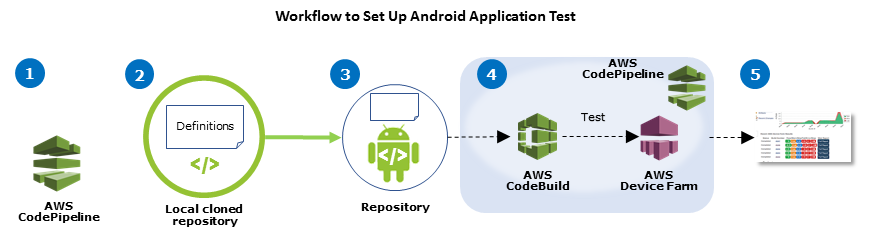
Using AWS Device Farm in an CodePipeline Test Stage - AWS Device Farm

Android Espresso actually helps the developers testing the apps locally as well as the Cloud Setup like AWS Device Farm. AWS Device Farm is used by the developers for the purpose of testing iterative changes through the development process. The functionalities are also tested so that they work well on the various targeted devices. That the applications are running well with the backend system is done with automated canaries running periodic tests using API. It also generates test reports that are of immense help to the developers. It offers the best place to produce issues related to mobile analytics.

Finally, Android Espresso and AWS Device Farms help to ward of app issues, so that only the high-quality apps get displayed on the App Store, not the unstable ones which will fetch the best of reviews from the users, a crucial requirement for building a highly successful app.

Prepare your workforce for the future- 4 steps

Steps to More Effective Project Management

What’s the best way to prepare for the workforce of the future? With news of Amazon, JPMorgan Chase, and others investing billions in training, you’d be forgiven for thinking the answer is simply “reskilling the workforce.”

And yet, reskilling is only one part of the solution. Creating the workforce of tomorrow requires a holistic approach to learning that enables the continuous development of new skills, a higher level of engagement, and an agile and thoughtful response to ongoing change. This, in turn, requires putting learning at the very core of the entire organization.

Vanguard organizations are already preparing the workforce by making learning foundational. Your organization can begin to do the same by taking these four action steps:

1. Make learning opportunities available to everyone in your complex demographic landscape.

How the shift to remote learning might affect students, instructors and colleges

Today’s workplace demographics are complex, composed of multiple generations with varying experience levels, specialization, tenure and learning preferences. HR practitioners must now determine how to leverage people, process, and technology around this workforce.

Globalization also affects employee learning and development. Workforces in different countries may need instruction that is sensitive to varied cultural and language preferences; remote employees need access to mobile learning and development tools. Similarly, the rise of part-time and gig employees requires organizations to think beyond traditional, synchronous, and on-location training.

Action: Increase engagement and productivity—and facilitate a valuable sense of community and collaboration—by providing training and career development opportunities to the entire workforce, including in-house, remote, global, part-time, and even gig workers.

2. Democratize talent with teams.

The democratization of professional talent and how it's transforming the way we work | BenefitsPRO

Today, an organization’s ability to pivot in the marketplace depends on agility—and agility requires a workforce that is networked and collaborative, i.e., team-based. Teams, unlike the traditional (and rigid) corporate hierarchy of the past, can form, dissolve and morph as needed to meet new and changing business needs.

Team-based structures also more effectively harness the expertise and wisdom of all employees, at all levels. In a team-based structure, someone may have only one year of experience, but they may also have the right expertise to contribute to a team’s success or even lead a team. And that’s the big “Aha!” moment, realizing that anyone can step up to contribute or lead.

Action: Democratizing talent means giving all employees an opportunity to contribute, regardless of tenure, assuming they have evidence-based knowledge and insights to share. Don’t dismiss employees’ perspectives or ideas based on age, tenure or role.

3. Understand and enable “learning while working.”

Why Hiring for Culture Fit Will Lead to an Unfit Workplace Culture | by Nicole Shephard | Better Marketing

How can workers continue to be relevant amid the increased use of AI, cognitive technologies and other disruptors to traditional workflows? By engaging in continuous learning. For organizations, this requires making learning available within the flow of work, moving development from the periphery of the employee experience—day-long courses, five-minute videos, synchronous and asynchronous e-learning—to its core. You deliver learning opportunities directly to employees and make them conveniently accessible at all times. The right technology can make learning a natural part of everyday tasks and eliminate the time employees are physically or cognitively separate from work.

Action: Use tools designed to make learning integral to everyday work life. Consider technologies that not only ensure content is relevant for each individual but also integrate learning opportunities directly into daily work tools, e.g., Microsoft Office, Slack, and Salesforce.

4. Apply programs, solutions, and technologies designed to optimize collaborative learning.

What Is Collaborative Learning? Examples of Activities

Collaborative learning, when done right, accelerates the collective intelligence of an organization—a potentially powerful competitive differentiator in an era of constant change. When people come together to solve a business problem, you gain greater organizational intellectual property and intelligence than if you were to ask each person to solve the problem individually. It’s the same with learning. When people learn together, they become collectively something greater by hearing and responding to each other’s insights and informed observations.

Action: Better manage and distribute informal knowledge and employee insights. Employ collaborative learning technologies to make individual experience, wisdom, and insight available to a large, distributed learning population.

How can react Native App Development help you Save Money?

Code With Mosh] Mastering React | Code with Mosh Free Courses Online Free Download Torrent | FreeCoursesOnline.Me

Being so highly exposed to social media channels, it is not possible for us to turn a blind eye to just how many Start-ups are rounding up around the world every day. The numbers are in hundreds of millions and the only way these startups dodge the exit from the world is if they have an amazing mobile application that is exceptionally successful with the audience.

But according to simple math, there are only close to about 2.6 million apps on Google Play Store and, as mentioned above, the number of startups are in hundred-millions. So what is it that is not allowing these numbers to add up?

We know! Money. There is, of course, high demand for mobile apps among startups but the follow-up on the idea is low because of high mobile app development costs.

In such a scenario, there is an urgent need to bring in a cost-effective way of mobile app development that can accommodate more startups for everyone’s benefit.

One such cost-effective measures found to aid the ailing of the world is the guide to Cross-platform mobile app development.

What is Cross-Platform App Development?

Cross-Platform App Frameworks in 2021

Cross-platform App development is the development of mobile application or softwares for multiple platforms. That is by accommodating various platforms in one round of coding.

And what makes Cross-Platform app development a cost-efficient measure for mobile app development is that it is the only way for relatively faster development of the application at a substantially lower price.

But How does Cross-Platform App Development helps one in saving the cost?

When More Expensive Processors Actually Cost Less | IT Pro

A few years ago, whenever someone went to a mobile app development company with an idea for an app, the immediate follow-up question used to be – Which would be the first platform for launch – Android or iOS? And the cost of development for both the mobile app platforms would come out to be very high with double the annual maintenance charges.

But if we roll out today’s calendar, we would see a number of options to help us avoid those high costs of native mobile app development. The biggest change that came upon the world for this was the invention React native app development.

But how does this impact the React native app development cost?

  • Reusable code: Cross-platform app development, the code for the mobile application can be used for the desktop web views.
  • Easier team management: When all your development team members will be required to be the masters of only one language for both Android and iOS app development.
  • Easier Maintenance: Since there is only one code base, the majority of the problems can be solved on that commonly.
  • Cost-cutting: Since there is no need of building apps for individual mobile platforms, the cost of development reduces substantially.

But to learn more about the benefits of React native app development, we need to know which is the best platform for us to explore react native web apps and mobile apps.

The Evolution of React Native:

Sentia Tech Blog | Redux explained

Ever since there has been programming in the world, people (Programmers and non-programmers) know that coding a programme is a tough job. And with the abundance of different programming platforms and languages, the job only becomes more complicated. In such scenarios, Developers prefer that they have to learn a single or only a few languages which can get them maximum outreach an exposure.

Often, the code of complex mobile applications needed to be “fixed” with the help of Native Coding, Which was making the process longer instead of faster.

Realising all of these points, in 2015, Facebook created React Native. React native was developed after the failure of multiple cross-platform app development technologies as they were all creating weird-looking interfaces which were not fully compatible with all the devices.

React native is an open source framework particularly which is used as it allows the mobile app developers to code in Javascript and deploys the app on both, Android and iOS platforms. It is very important to judge when to use Native or React Native apps, but the best thing about React native apps is that they are as good as Native apps.

Over the years, React Native has gained popularity for all the good reasons and it won’t suffice to end it there; so, let’s move forward to look at the properties of react native that make it the best choice of programming languages.

Properties of React Native:

If we count the advantages of React native, the cost efficiency will make it to the first spot every time. The cost-saving benefits of React native are the result of the other advantages that the platform posses for mobile app development. Although, to create a react native app means that the developer has to take account of multiple platforms to guarantee the best performance of the app, it still saves time and resources.

Let us take a look at the properties which make React native the best platform for mobile app development and how it benefits the mobile app developers.

  • Slashed Costs of app development

Mobile App Development Cost Breakdown: 10 Biggest Hidden Costs

There is no denying the fact that building a cross-platform mobile application is comparatively much more cost-efficient than building native mobile apps or even web apps. This is because there is no need for programming for individual platforms. Besides, with the rising competition in the app development world, the focus has centred around the market of the application more than the development. And such a scenario, cross-platform applications are able to deliver high quality of mobile apps in a substantially lesser amount of time for more number of platforms which gives the marketers more time to strategise the launch and marketing of the app.

There are collective libraries of many app development frameworks available, like PhoneGap and Xamarin, which allows the React native mobile app developers to work and deliver much faster than native mobile app developers saving both, cost and time.

React Native designs, themes, templates and downloadable graphic elements on Dribbble

Those who have dealt with a non-optimised app can very well recite the pain of scrolling horizontally for seeing the full page of an app on their mobile devices. cross-platform applications built with the help of React Native eliminate this flaw and let the react native app builders make a fully optimised and compatible mobile application with numerous devices.

React Native cross-platform Apps are not only known for their ability to display data faster an adjust to the screen configurations promptly but also fixes the problems of fluctuating data streaming.

Apart from this, React native cross-platform apps can support a high definition of app graphics and contents because they’re very lightweight.

  • Easy integration:

Image Optimization CDN | ShimmerCat.com

cross-platform mobile apps, just like native apps, allow seamless integration and synchronization with other compatible apps. This is because the cross-platform apps also influence the internal programming of the mobile devices. This kind of working reduces the extra integration work for mobile app developers and the cross-platform apps still work well with the devices default applications such as GPS, Camera, etc.

  • Easier App Maintenance:

Why is Mobile App Maintenance Important? - Orafox

A cross-platform mobile application works just like a native mobile app and therefore they are well equipped to make use of all the device applications. The difference between the two is that a Native app is much harder to maintain, on both, the developers’ and the users’ sides. That is so because native applications require regular updates but cross-platform apps can easily avoid versioning and this makes the maintenance of the apps much more simplified. This flexibility provided by cross-platform apps gives the required scalability to the enterprise apps.

  • Offline Working:

How to Take Your Work Offline in Case of an Emergency | WIRED

cross-platform mobile applications work by storing the mobile device’s API, which saves the app data offline and hence results in a much faster-working app. It proves to be of great help at the times of adverse network conditions by providing uninterrupted access to data. This is even cited as one of the best performance capabilities of cross-platform apps and puts them a level above native mobile apps.

  • Scaling and Availability:

Being a cross-platform app, it can be made available at multiple online market platforms such as Google’s play store or Apple’s AppStore. This is the best way to expand your reach and maximise your customer base. Also, cross-platform applications are basically cross-platform apps, capable of working flawlessly with different Operating systems and platforms. And since the code for these apps can be easily reused, they become extremely simple to scale and develop.

As we are now through with the best advantages of React Native, Let us move on to the factors contributing to the overall costs of mobile app development.

Factors Contributing to the cost of development and How React Native minimises it:

From the Operating system to App Design elements, everything adds up to a certain cost in the overall app development process. Although the costs of development for the native apps and the cross-platform apps can be distinguished easily. Let us see how these factors affect these two kinds of mobile app development processes.

Operating system: The fundamental support required for updating older versions of operating systems is difficult and rather, time-consuming in the case of native mobile apps. However, in the case of cross-platform apps, versioning can be easily avoided which makes the maintenance of the app much easier and therefore, cost-effective.

Disabling Windows Update in Windows 10 IoT Core - Concurrency

Hardware: Along with supporting various Operating systems, the programming required to support the dimensions and orientation of various mobile devices. And making a native app compatible with different generations of a device can turn out to be highly expensive on the development front. For instance, the older iPhones had much smaller screens and the newer ones have larger screens but all the devices successfully accommodate and support the same mobile applications. This means that these native apps were specially optimised for the device type and hence added highly to the cost of development. Whereas, React native cross-platform apps work with all digital ecosystems and are pre-optimized to accommodate a maximum number of devices for the mobile apps. This, in turn, saves the time of development, thereby saving the overall cost.

Maintenance and support: the maintenance for native apps is quite complex because it takes the aftercare of two platforms at once, which includes regular updates, troubleshooting, patching etc. And thus, it takes almost twice as much time and resources to keep up with the maintenance of both Android and iOS device versions of the native app. And a cross-platform app can be easily maintained by a single app developer and thus the total app development costs are substantially slashed.

Application Design: It is unarguable that the cost of UI and UX design for an app is an added cost for a native app. Every app requires a flawless user-experience which account for nearly one-third of the total app development cost. Although, cross-platform apps made with react native are known for their uniformity across devices which accounts for great user experience.

Other factors, such as Data security costs and external APIs (Application Programming Interface), App hosting are the factors that work more or less in a similar way for native apps as well as for React native apps. However, the other factors mentioned above result in a significant reduction in the overall cost of mobile app development and still build high-quality apps which are no less than native apps.

Mobile App Design Software: 25 Amazing Tools of All

The cost-saving benefits of using React native are long since proven that is why a number of businesses are bringing their applications over React native Platform. React native Apps in the market like, Facebook, Instagram, Pinterest, Skype, Tesla, Uber, Walmart, Vogue are a few big names which are validating the benefits of React native app development.

Although cross-platform app development is easy and takes lesser time and resources which results in lesser development costs, there are always pitfalls associated with every technology.

Besides, the time and prices are always governed by the difficulty and complexity of the task at hand and this complexity decided the final cost of the project.

And though it is true that cross-platform apps cut short the time of development, it still takes time to create React native apps and optimise them for different devices of both iOS and Android platforms, which is a difficult and time-taking task. To hire a react native developer means hiring a developer who can successfully handle the creation of an app for every possible mobile device, which is a speciality in its kind and has a good cost.

In the end, there are a lot of contributing factors which play their part in deciding the final cost of development in the case of both, native, as well as, cross-platform mobile application. And for every app, it will be a different scenario and the last decision is yours to make if React Native is the right platform for your App. However, the general factors, as discussed in the article, are in favour of React native and show us the benefits for React native app development and React Native app development companies.

Key Features to Include in a Personal Trainer App

Top 10 Fitness App Development Companies

Today, everyone is talking about health and fitness. The whole world is trying to get into better shape and thus, going to the gym is a norm for almost everyone. However, in most of the cases, it is seen that people don’t have time for going to the gym. Due to this, the demand for personal trainer apps is growing by leaps and bounds. Sensing this demand, several companies are coming up with high-quality personal trainer app development services.

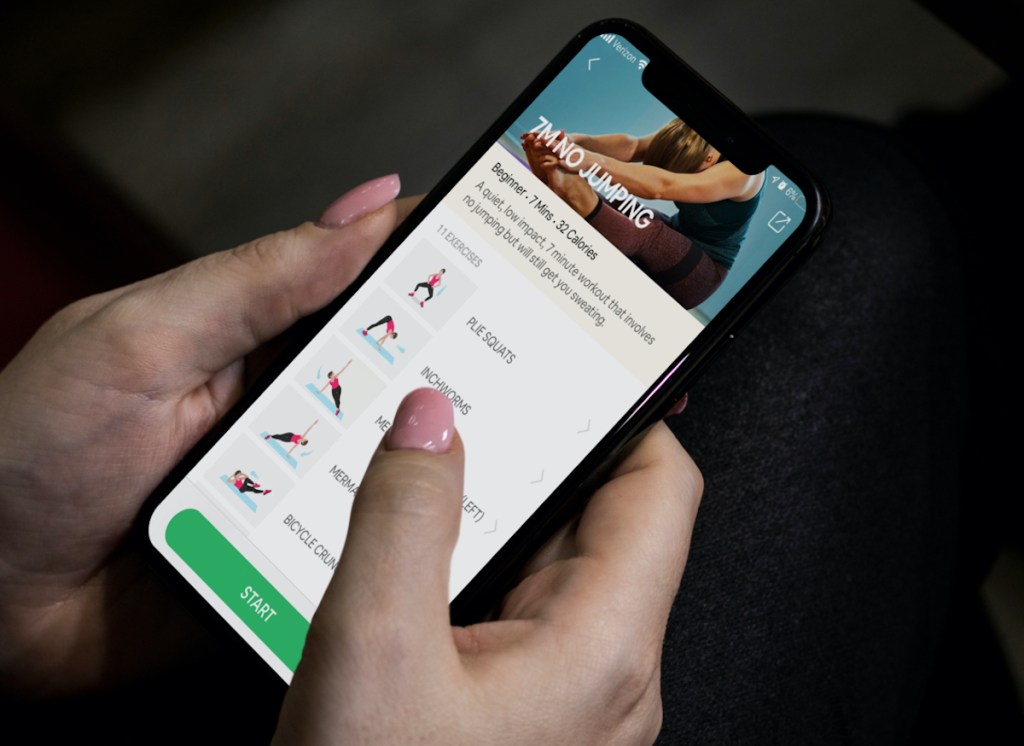
The best thing about this app is that you only need a wall, chair, and your body weight. It gives users the access to 72 different exercises and additional 22 workouts, allowing them to find the suitable program. If you are engaged in providing personal trainer app development services then have a look at all the main features of the 7 Minute Workout app and the way of implementing them.

In other words such agencies are engaged in offering world-class fitness apps at affordable rates and within determined timeframe. Talking about fitness apps, Official 7 Minute Workout by Johnson & Johnson. This app has managed to acquire more than 5 million downloads on the Google Play Market and over 2 million downloads on the Apple App Store.

Amazing features and their implementation

Voice control

Best Workout Apps For At-Home Fitness Routine

With this feature, users can pause and resume training at their convenience. They have the chance of switching between exercises and controlling music. In order to make voice control possible in your personal trainer app, you can integrate Siri for iOS or Google Now for Android.

Smart workout

7 Best Free Workout Apps to Try in 2021 | No Gym Membership Required

This feature forms the most appropriate training for users according to the level of preparation as well as their preferences. After the complete workout, users can determine the difficulty level of the exercise and can indicate which they prefer. This allows algorithm plan an effective workout. If you are planning to teach your app to form workouts, then you have two ways. In this regard, you can write an algorithm for building training by yourself. You can use marketplaces for algorithms.

Timer

Amazon Halo: a fitness band and app that scans your body, listens to your voice - The Verge

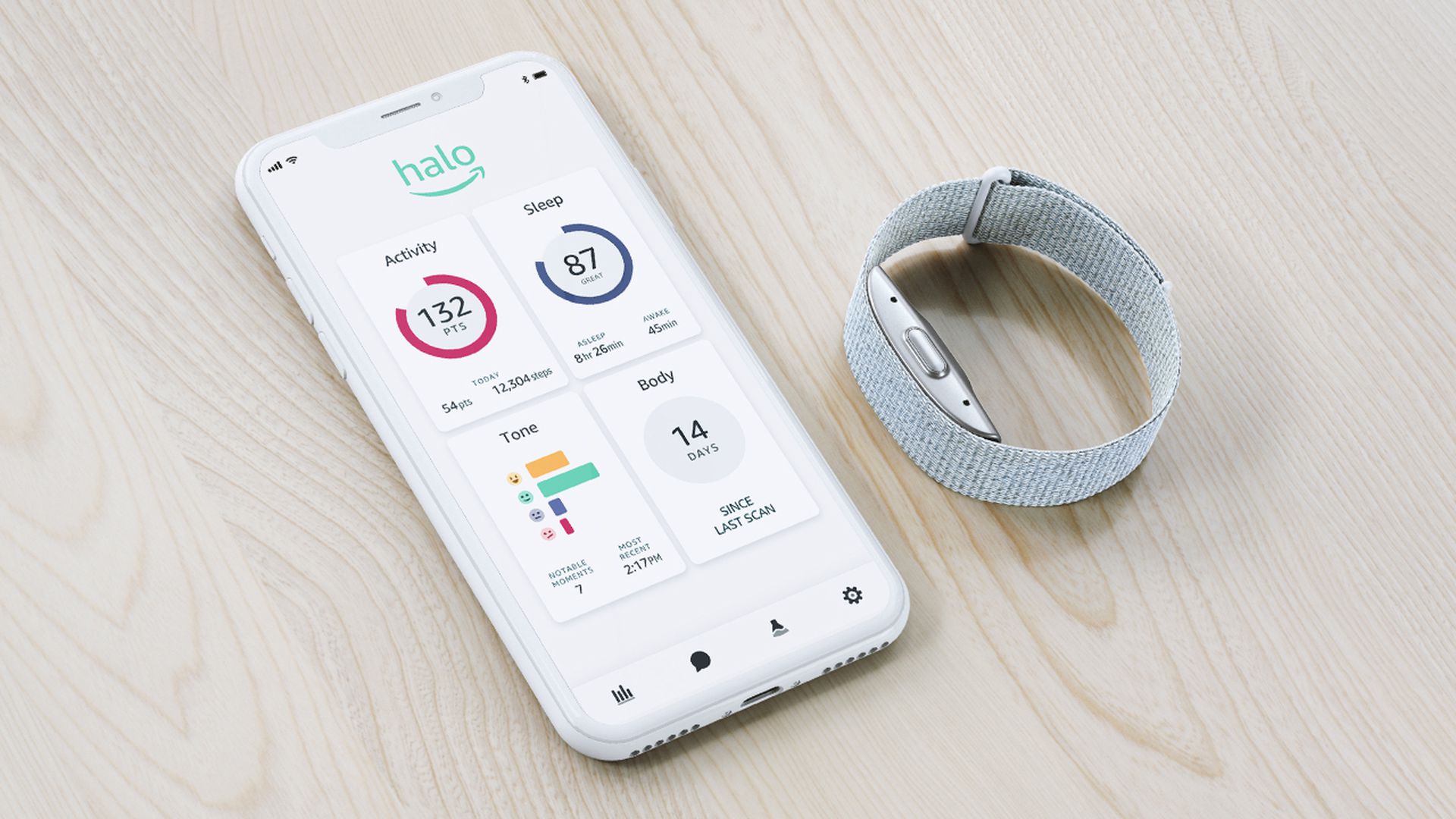
This feature is perfect for calculating exercise time as well as rest intervals. To implement this feature for android, you can use CountDownTimer class, whereas for NSTimer for iOS. This way you can offer great personal trainer app development services.

Music

Auro is the fitness trainer app that makes working out as easy as listening to a podcast

This app is perfect for listening songs during a training session. By using AVAudioPlayer class, you can implement this feature in your iOS app. If you want this feature in your android app, then use the multimedia framework.

Wearable edition

Fitness App Development: Types, Features, and Costs | Mobindustry

This 7 Minute Workout app has an edition for wearables. There is no denying that synchronizing an app with a wearable device is perfect for tracking the efficiency of exercises. In addition, the collection of data like heart rate and calories burned to name a few can be easily done.

Video player

How to develop a personal trainer App? | by Naveen Saraswat | Sodio Technologies | Medium

It is good to provide guidance with video explanations. With Android multimedia framework in an Android app, your app can play audio and video files from standalone apps in the filesystem or over the network.

In conclusion, all the above-mentioned features are perfect for bringing a revolutionary change in the app development sector Hence, you have to make sure that you are incorporating all the aforesaid features in your app.

Top Silicon Valley Agency’s UI/UX Design Deliverables

Clay: UI/UX Design Agency, Web Design & Branding

INTRODUCTION

Types of UX Deliverables : How To Bring In Best User Experience - Cuelogic Technologies Pvt. Ltd.

“If you work in Silicon Valley, you come from the future”

Firstly, what are UI UX design deliverables, and Why are they critical to your success?

It is a document that usually communicates ideas, various research outputs, and sets a direction for other designers and developers. Now, for design professionals, these deliverables are a tangible manifestation of the evolving design direction & communicate how that direction can be achieved. Each deliverable is structured in a way that helps provide solutions for the next phase. But not everyone understands this term often when discussing or presenting ideas during various phases of a design process. Thus, UI UX design deliverables are very much useful to break down complicated ideas or functionalities and thus making them easier to understand for everyone in the room.

What are the types of design deliverables?

In the initial stages of design, the focus should not be on high-quality UI, rather effectively communicating the initial ideas for the design solution. At every stage of the design process, the type of deliverables varies to an extent. With a view of adopting the best way for information transfer, there are three types of deliverables.

  1. Creation deliverables – Used to provide low-fidelity ideas during the early stages of the design process.
  2. Communication deliverables – Adopted to communicate everything that we learn from each design session to keep the team aligned.
  3. Validation deliverables – UX deliverables that were used for research & findings to validate any reason.

Lollypop Design Agency in Silicon Valley is often asked by potential clients and design evangelists about various design deliverables that we and other design giants offer to meet business goals, keeping in mind the user needs and expectations.

No matter what industry we work for, from small startups to established companies, the deliverables for any project following the design process are more or less the same and vary according to the available resources, requirements, timelines, and budget.

Here are some of the major design deliverables that various Silicon Valley design agencies practice for their different projects as a part of their design methodologies.

1. Discovery & Research

  • Stakeholder interviews takeaways
  • User research document

2. UX Design stage

  • UX Audit
  • Information Architecture
  • User flows
  • Wireframes

3. UX Design stage

  • Visual designs
  • Animations
  • Design systems
  • Visual design specifications

Let us now understand these items one by one and their significance in the whole process.

Stakeholder Interviews takeaways

It is always a priority to understand brand perspectives, varying user behavior to compliment the importance of competitive brand stake in the marketplace & identify differentials. Also, stakeholder interviews play a pivotal role to help guide the flow of the entire project considering the business goals, technical constraints, usability problems, and what customers expect out of a final product or service.

User research document

User Research Stock Illustrations – 13,458 User Research Stock Illustrations, Vectors & Clipart - Dreamstime

User research is the most important part of the design process that encourages us to precisely discover how our target customers feel while collaborating with the product that is designed to meet their objectives. User research is done to gain the sharpest possible insights into the needs and pain points of the users while stakeholder interviews give us insights into the business goal of a product.

UX Audit

UX Audit: How to improve your product by doing a review

UX audit uses methods to expand an existing situation and offer heuristics-based recommendations for improvements or user-centric enhancements. Ultimately, a user experience audit helps us understand how to boost conversions by making it easier for users to achieve their goals on your site or software along with pointing out critical, mid-level, and major issues and how to prioritize issue resolution in any product. UX audit is a method to make sure the brand communicates consistently across all customer experience touchpoints.

Many of our Clients find this to be an invaluable investment with strong ROI in future development as this audit process helps to vet and validate the product roadmap, ensuring a highly successful product launch without costly redesign or redevelopment.

Information Architecture

A Guide to Information Architecture | by Miklos Philips | Prototypr

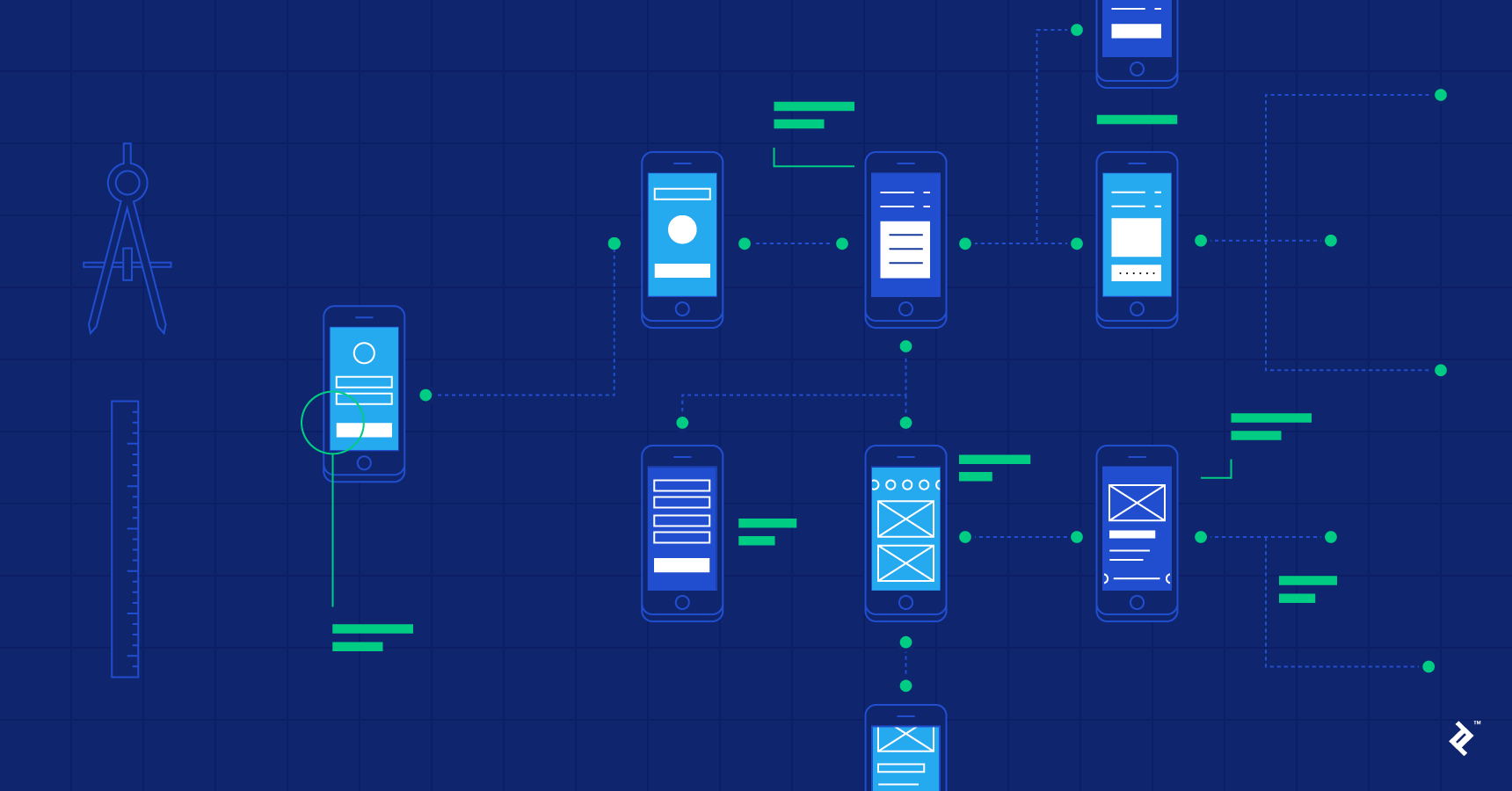
Information architecture and wireframes are all about organizing the content and flow of a website or an application so that users can complete their tasks and achieve their goals quickly. The focus is on creating usable content structures out of complex sets of information.

User flows

Frictionless UX: How To Create Smooth User Flows

User flow can be considered as a series of user actions or simply the various states that the user needs to go through to achieve any expected goal. The main goal of any user flow is to provide designers & developers a detailed description of all the possible flows, including edge cases, errors, and various states. User flows also help businesses have a high-level view of the product and make sure their features, technical jargon, and workflows don’t confuse the user.

Wireframes

What Exactly Is Wireframing? A Guide To Wireframes

Wireframes generally give the first impression on how a website or app might look by incorporating the Information Architecture and arranging elements to best accomplish a particular purpose. Since it is the first phase of the version there is a scope of changing plans and ideas. These high-fidelity designs can be used for usability testing, and serve as an excellent reference for developers to get a good idea of the final product. Wireframes help connect the site’s information architecture to its visual design by showing paths between pages. It also helps prioritize content through the determination of how much space to allocate to a given item and where that item is located.

Visual designs

Interaction and Visual Design | UI UX Design Agency Singapore

The visual design may be considered as the “final coat of paint” on the product but it’s not just that: visual design can greatly affect the UX of a product, and therefore must be approached very carefully. Hopefully, a lot of interaction design and usability heuristics were worked out during prior steps of the UX design process so that the designers can focus on the visuals. It’s one last opportunity to take the product to the next level. Visual design is the last step before handoff to developers and the phase where a style guide and final specs are crafted. It’s not just about “making things pretty,” but also an opportunity to strategically define & implement the brand’s identity into color schemes, usable layouts, creating contrast, and visual hierarchy.

Animations

????????? ????? ?????? (Pretty Hard Tbh) | She-Ra! Amino

Animations are used purposefully to enhance the overall user experience and guide users along the way. They are used for various purposes like feedback, continuity, directing attention, etc. These animations in the form of GIFs, videos, or Lottie files are used by developers to implement into the final product. When animation is used subtly, it can help users build mental models about how the system works and how they can interact with it. UI animations are subtle, unobtrusive, and brief micro-interactions, they can improve the user experience and can communicate feedback and state changes, prevent disorientation, and strengthen signifiers.

Also, animations offer a level of sophistication to an experience and help diversify the product experience in the marketplace.

Design system

Documentation—the Key to a Successful Design System | Adobe XD Ideas

A design system can be considered as a set of design-specification documents that are intended to be one single source of truth that groups all the digital elements for any brand/product. Style guides, rules for typography, colors, responsive behavior, photos, and visual designs as a comprehensive design system are usually the ultimate handoff to the clients and the developers. Some style guides and specifications are put together manually, and others are generated automatically. This design system can be thought of more like “bibles of style” on the shelf that everyone on the team can refer to.

Design Systems will also influence and compliment brand identity within digital marketing efforts by extension which is a value add to clients & marketing/product teams!

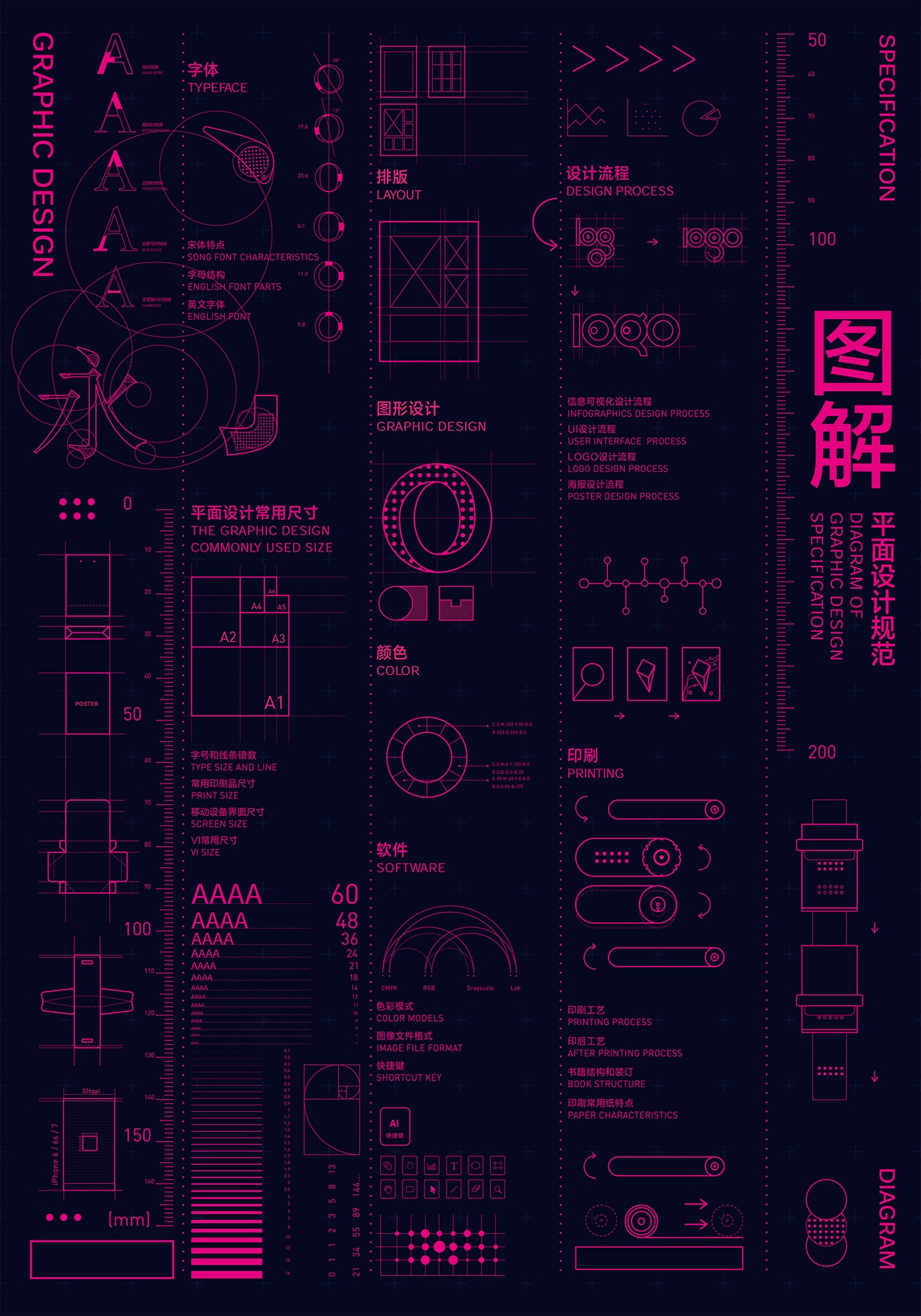
Visual design specification

Diagram of Graphic Design Specification》 on Behance

The final step in the design workflow is to create specifications for development teams. Margins, padding, assets, element measurements, color codes are various small details that need to be considered while building any product. These minor details if missed can impact the overall user experience of the product.

How hard will it be to add some new deliverables soon?

Design deliverables as mentioned, communicate how a direction can be achieved to lay that final product. Changes in these deliverables are expected over time according to the shifting user behavior and variance in business needs. Now, adding new deliverables is pretty easy but ensuring its consistency, accuracy,  and quality is the most difficult part. Most importantly above and overall, is validating and carefully considering whether that deliverable is truly adding value to the entire project or the workflow to be specific.

Conclusion

UI UX design deliverables again vary according to the needs of the client and project priorities.

The deliverables and the way they are handed off, the methods per se are more than enough as a whole. Some parts of the documentation can be done parallel to the process or some are done before or after the process. Now the tools used for these deliverables can vary to an extent, but that’s a topic for another article.

Thank you for reading this blog & stay tuned for more articles on thought leadership.

API Development: A Complete Guide

What is API: Definition, Types, Specifications, & Documentation?

Assuming that you’ve heard the word ‘API’ for like zillion times while communicating with mobile app developers, today I’m going to cover everything about APIs in this article. So, put your seat belts and get ready to get into the world of APIs – the superheroes behind the functioning of the mobile apps.

Let’s begin with what are APIs?

1. API

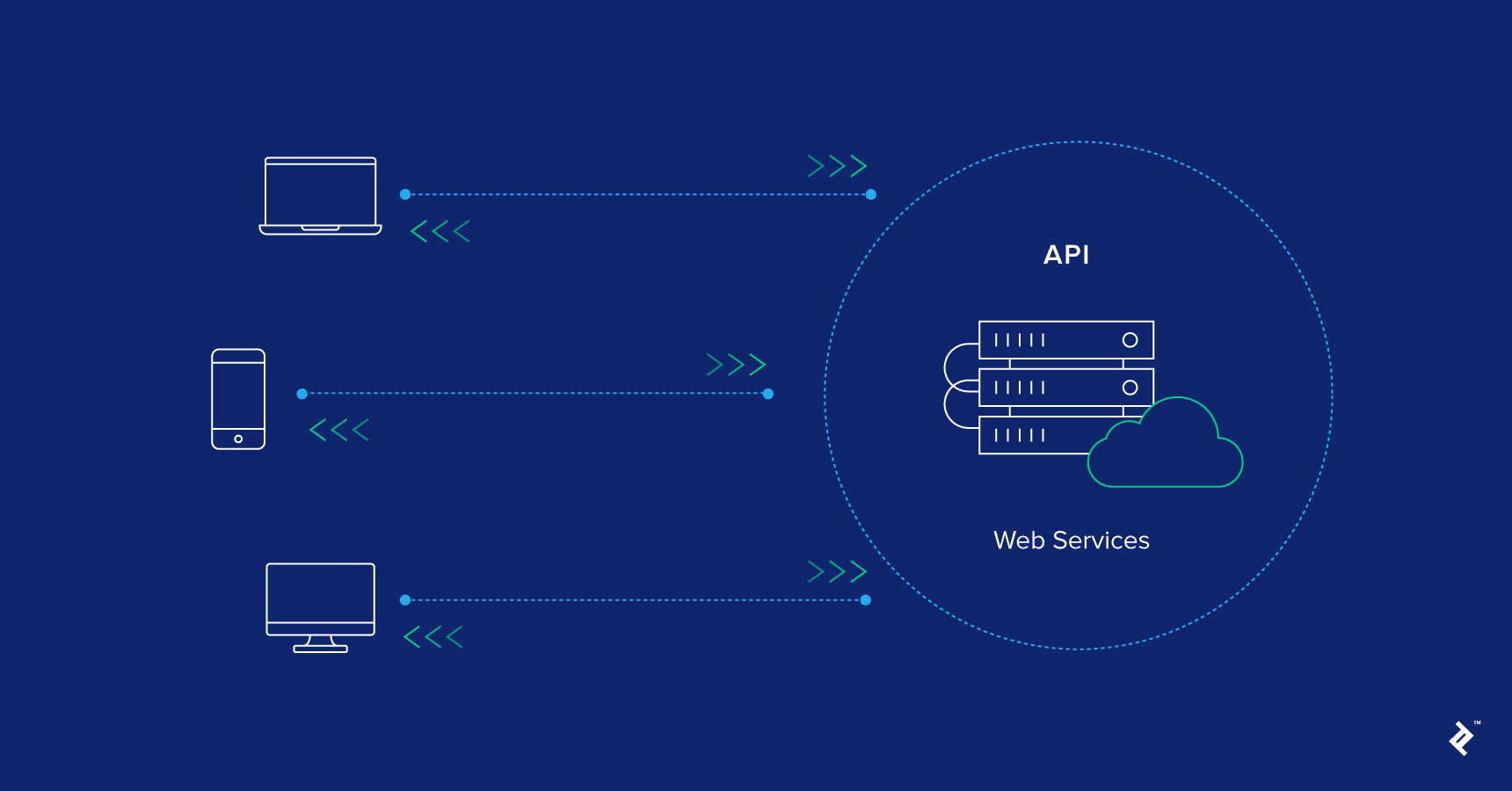
API(Application Programming Interface) is a set of instructions, standards or requirements that enables a software or app employ features/services of another app, platform or device for better services. In short, it’s something that let apps communicate with each other.

For example, when we hit on the ‘Connect Facebook’ button on Candy Crush, it does not ask us to enter our Facebook account details. Rather, it accesses the data from the Facebook server and let us enjoy playing – all thanks to API.

An API is the base of all the apps that deal with data or enable communication between two products or services. It empowers a mobile application or platform to share its data with other apps/platforms and ease the user experience without involving the developers. On the top of it, APIs eliminate the need to build a similar program or platform from scratch; you can use the existing one of some other app/platform. Because of these factors, both app developers and business leaders focus on API development.

If you are also interested in API development or wish to gain a sound knowledge of the same, keep reading ?

Before we delve further, let’s just have a look at the basic terminologies that will make it easier to understand the concept.

2. Terminology

What is Terminology Management in Translation? - Asian Absolute Ltd, UK

a) API Key: When an API request through a header or parameter to recognize the requester, the authorized code passed into the request is said to be an API Key.

b) Endpoint: When an API interacts with another system, one end of the communication channel is termed as Endpoint.

c) JSON: JavaScript Object Notion or JSON is said to be a data format used for APIs request parameters and response body.

d) GET: The RESTful API’s HTTP method of obtaining resources is called GET.

e) POST: It is the RESTful API’s HTTP method for building resources.

f) OAuth: It is basically an Open standard authorization framework that renders access from the user’s side without directly sharing the credentials.

g) REST: REST (Representational State Transfer) is a kind of programming architectural implementation meant to enhance the efficiency of communication between the two devices/systems. It is light-weighted and based on the idea of making a particular data available only when requested by sharing references to the data instead of the entire copy of the data itself. The systems enforced on this architecture are said to be ‘RESTful’ systems, and the most overwhelming example of RESTful systems is the World Wide Web.

h) SOAP: SOAP or Simple Object Access Protocol is a messaging protocol for sharing structured information in the execution of web services in computer networks. It works with XML information set and application layer protocols (like HTTP and SMTP) for message format and message negotiation & transmission, respectively.

i) Latency: Latency is defined as the total time taken by an API in the process from the request to the response.

j) Rate-Limiting: The term API Rate-limiting refers to the process of defining the rate at which an end user can access the APIs. In other words, it means restricting the number of requests a user can hit to an API per time.

k) API Throttling: The process of regulating the usage of APIs by users during a particular time period is called Throttling. This can be used for API limiting. For example, you set the limit of 1000 API requests per day. When the user hit the 1001 request, the server will send 429 messages as HTTP status to the end user along with the message, “Too many Requests”.

For more terminology and acronym, refer this site.

Now, as you know what are APIs, are armed with the terminologies and are familiar with the anatomy of the growing API market, let’s dig deeper into the technical part – beginning with how do APIs work?

3. Working of API

What is an API? How does it work? | by Amanda Kothalawala | Medium

Suppose you opened some XYZ app/website to book a flight. You filled the form – you entered the departure and return date, city, flight, and other relevant details – and submitted. With a fraction of seconds, a list of flights appears on the screen along with the price, timings, seat availability, and other details. How this actually happens?

To provide such stringent data, the platform sent a request to the airline’s website to access their database and get relevant data via API. The website responded with the data which API delivered to the platform and the platform displayed it on the screen.

Here, the flight booking app/platform and airline’s website act as endpoints while API as the intermediate streamlining the data sharing process. When talking about communicating the endpoints, the API works in two ways, namely: REST and SOAP (see definition above).

Though both the methods bring effective results, mobile app development companies prefer REST over SOAP since SOAP APIs are heavy and platform-dependent.

To understand the API lifecycle and working process in detail, contact our experts today!

Now coming to the main part – How to develop an API? What tools and technologies to choose? What practices to adopt for an effective API development?

4. Tools for Developing an API (like a PRO..)

While there are a plethora of tools and technologies equipped into the process of creating an API, the popular tools and products for developing APIs for developers are:

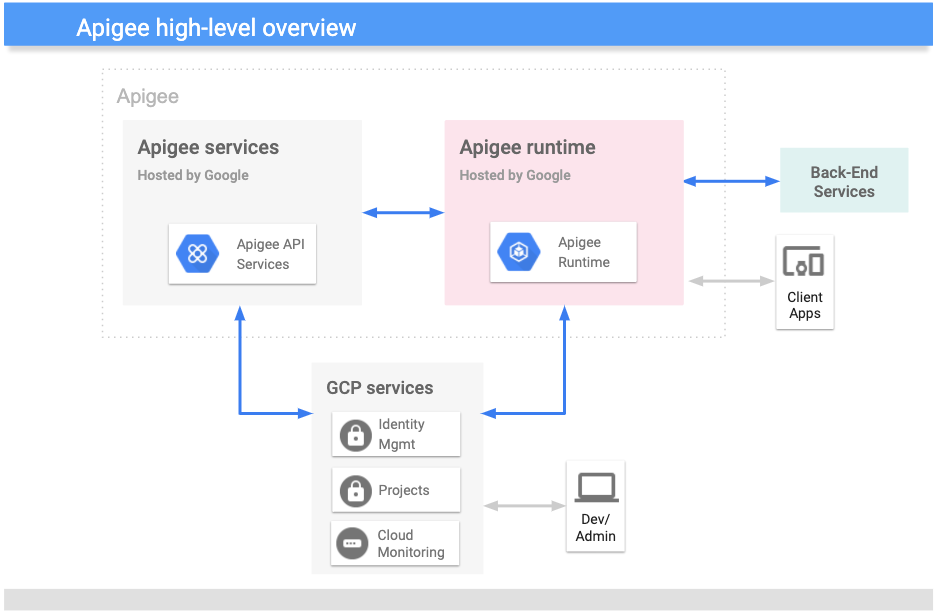
a) Apigee: It is a Google’s API management provider that assists the developers and entrepreneurs to triumph at digital transformation by reestablishing towards an API approach.

What is Apigee? | Apigee X | Google Cloud

b) APIMatic and API Transformer: They offer sophisticated automatic generation tools to build top-quality SDKs and code snippets from API specific formats and transform them into other specification formations, such as RAML, API Blueprint, etc.

Transformer | APIMatic

c) API Science: This tool is primarily used for evaluating the performance of both internal APIs and external APIs.

API Monitoring and API Testing : API Science

d) API Serverless Architecture: These products assist mobile app developers in designing, building, publishing and hosting APIs with the help of a cloud-based server infrastructure.

e) API-Platform: This is one of the open-source PHP framework that is apt for web API development.

API Platform: REST and GraphQL framework on top of Symfony and React

f) Auth0: It is an identity management solution used to authenticate and authorize APIs.

Secure your React Apps with Auth0 — Part I | by Aiska Basnet | wesionaryTEAM | Medium

g) ClearBlade: It is an API management provider for embracing the IoT technology into your process.

ClearBlade - Crunchbase Company Profile & Funding

h) GitHub: This open-source git repository hosting service let the developers manage code files, pull requests, version control, and commenting that are distributed across the group. It also let them save their code in private repositories.

About · GitHub

i) Postman: It is basically an API toolchain that empowers the developers to run, test, document, and evaluate the performance of their API.

Postman Surpasses 10 Million Users as API Usage Booms | Business Wire

Although the world is full of APIs and APIs, there is still a major gap in utilizing the perks of API. While some APIs make integration to the app a breeze, other turns it into a nightmare. To help you out in ensuring that you build a former one, here are some of the factors related to APIs for developers to consider:

5. Must-Have Features of an Efficient API

Web API Design: 5 Best Practices to Know | Toptal

a) Modification timestamps/Search by criteria: An API should let the users search data based on different criteria, like a date. This is because it’s the changes (update, edit and delete) that we consider just after the first initial data synchronization.

b) Paging: Many times, it happens that we do not want to see the complete data changed, but just a glimpse of it. In such a scenario, the API should be capable of determining how much data to display in one go and at what frequency. It should also inform the end user about the no. of pages of data remaining.

c) Sorting: To ensure that the end user receives all the pages of data one-by-one, the API should empower the users to sort data as per the time of modification or some other condition.

d) JSON Support/ REST: Though not compulsory, it is good to consider your API to be RESTful (or providing JSON support(REST)) for an effective API development. The REST APIs are stateless, light-weighted and let you retry the upload mobile app process if it fails. This is quite tough in case of SOAP. Besides, JSON’s syntax resembles that of most of the programming languages, which make it easy for a mobile app developer to parse it into any other language.

e) Authorization via OAuth: It is again necessary that your API authorizes via OAuth since it is faster than other methods – you just need to click on a button and it’s done.

In short, the processing time should be minimum, response time good and security level high. It is of paramount importance to put efforts into the best practices for securing your application, after all, it deals with a heap of data.

6. Best Practices for Building the Right API

a) Use Throttling: App Throttling is a great practice to consider for redirecting overflow of traffic, backup APIs and safeguarding it from DoS (Denial of Service) attacks.

Throttling Schmottling – Use Speedify to Beat Those Speed Bumps

b) Consider your API gateway as Enforcer: While setting up throttling rules, application of API keys or OAuth, the API gateway must be considered as the enforcement point. It should be taken as a cop that lets only right users get access to the data. It should empower you to encrypt the message or edit confidential information, and thereby, analyze and manage how your API is being used.

c) Allow overriding HTTP method: Since some proxies only support GET and POST methods, you need to let your RESTful API override the HTTP method. For doing so, employ the custom HTTP Header X-HTTP-Method-Override.

How to implement a DelegatingHandler for X-HTTP-Method-Override in Web API | InfoWorld

d) Evaluate the APIs and infrastructure: In the current time, real-time analysis is possible to get, but what if API server is suspected to have memory leaks, draining CPU or other such issues? To consider such situations, you can’t keep a developer at duty. However, you can perform this easily via using numerous tools available in the market, like AWS cloudwatch.

e) Documentation: Last but not the least, it is profitable to create an extensive documentation for an API that let other mobile app developers easily understand the whole process and utilize the information for offering better user experience. In other words, a good API documentation in the process of effective API development will lessen the project implementation time, project cost and boost the API efficiency.

Javascript Code Documentation - My Approach to Documenting Project

Now as you have gained an in-depth knowledge of what are APIs and what factors to consider while developing one, are you interested in API development? If so, reach to our experts.

FREQUENTLY ASKED QUESTIONS ABOUT API DEVELOPMENT

1. What is REST API and SOAP API?

REST (Representational State Transfer) API is a software architectural style that describes a complete set of constraints to be employed for building Web services.  Whereas, SOAP (Simple Object Access Protocol) is a protocol much complex by adding more standards than REST, such as security

2. How do I make a good RESTful API?

Making a good RESTful API is easier when you follow these practices:-

  1. Use Throttling
  2. Considering your API Gateway as Enforcer
  3. Allowing overriding HTTP method
  4. Making a proper documentation
  5. Determine the APIs and infrastructure

3. What is API and types of API?

API (Application Programming Interface) is a collection of instructions, and requirements that let a software or mobile application utilize the features/services of other applications, platform or devices for exceptional services.

There are basically different types of API:-

  • Web service APIs
  • WebSocket APIs
  • Library-based APIs
  • Object remoting APIs
  • Class-based APIs
  • Hardware APIs, etc.

4. What is JSON API?

JSON (JavaScript Object Notation) is an encoding scheme created to eradicate the need for an ad-hoc code for each app to interact with servers in a particular manner.

Learn to coding with the help of the best App Developers in the world

Learn to code with the help of the best App Developers in the world
Coding has placed itself as one of the most secure jobs in the current world. The demand is set on a high priority mode for a number of years to come.

This is the reason why more and more people who are even mildly interested in technology are preparing to become coders.

However, even among this stable demand in the job market and the passion to follow the path, a number of people are still thinking twice before getting into it, solely because of the misconception that it would need a degree and years of practice to become a coder and join some glorious app development company.

If you too are the one restricting yourself from realizing your code dream because of this misconception, we have listed down ways that you can learn how to code. A list that has been curated by our team of skilled coders.

Before we get into the ways you can learn how to code, let us look into some of the reasons that are motivating people to learn how to code.

1. What is prompting our generation to take up Coding courses

a. It will be around in the future

Learn to code with the help of the best App Developers in the world

When one takes up a course, the idea is to not go with the one whose demand is short lived but go with one that is least replaceable. And, when we talk about the job trends, the one that is going to be around for the foreseeable future and beyond, it is Coding. The tech industry is only going to grow (with many more programming languages coming up) and the only way to grow with it is by joining the club and becoming technical.
b. Demand is much more than supply

Learn to code with the help of the best App Developers in the world

The demand for coders is much higher than the number of coders in the industry – a scenario that doesn’t seem to be changing anytime soon.

Having much more demand than the supply comes with its own set of perks. You get to earn much higher than your years of experience and the chance of finding a job irrespective of the geographical boundaries is also much higher.

c. A lot of career options at the back of a strong foundation

A great career strategy relies on strong foundations By IIBM Institute

If you work on your code foundations today, you will have in front of you a series of career options. Even if you are preparing yourself to be a flappy bird developer, with time you will be able to branch out in coding involved with a number of disruptive technologies like AR/VR, Blockchain, or even AI.

Now that we have seen the reasons that are motivating people across the globe to become coders, let us now look into the ways you can learn how to code, even without a programming language experience or a computer science degree. These are the ways that have been suggested by our team of developers who themselves have developed over 500 apps belonging to a range of different disruptive technologies like Chatbots, AI, and Blockchain, amongst others.

Let’s begin.

2. Ways You Can Learn How to Code Without a Computer Science Degree

Okay, a slight detour again.

Before we get into this journey of learning how to code let me help you finalize a programming language first, the one you should start with.

The basic programming language that I would suggest to start with is JavaScript. The language comes in very handy when you are developing an app – one that can be of any type, no matter how complex. The industry demand for JavaScript developers is extremely high. No matter what job portal you are looking into, you will find a listing for JS developers there.

Also, the JavaScript developer community is an ever growing one. New tools are always coming up in the JavaScript industry, giving you, a beginner, a chance to join the league of developers who come with years of experience in the domain and are yet to explore the new batch of tools.

Once you are adept with JavaScript, expand your learning to a more platform specific language. The present and the near future belongs to Kotlin for Android app developers and Swift and iphone app developers. So, choose a platform that you are even remotely passionate about and invest in its specific language.

Now that you must have gathered an idea of what programming language you would like to delve in further, let us now look into what we gathered here for – to learn how to code when you do not even know its basics.

3. Online Courses to Learn Coding From

The Ultimate Guide to Coding for Beginners - Skillcrush

  1. Code.org – Their courses are majorly designed for the K-12 students, but anyone who is looking to start fresh in the coding industry can enroll in these courses.
  2. Codecademy – It is a free resource for learning every major web programming language out there in the industry.
  3. Khan Academy – They have a range of topics to meet the learning needs of coders irrespective of their learning level
  4. Learn Swift – If iOS App Development is what you wish to do, the site is your Meccah. It has pages and pages of data that would help you learn Swift.

4. YouTube Channels That Will Help you Code

11 Best YouTube Channels for Coding and Programming | IE

  1. Learn.code Academy – Topics it Cover – Responsive Design, Sublime Text, Node.js, Backbone.js, Angular.js, Deployment Strategies, etc.
  2. Thenewboston – Topics it Covers – C programming language, Android development, Python, MySQL, etc.
  3. ProgrammingKnowledge – Topics it Covers – Java, C, Python,  Android programming, JavaFX, Bootstrap, etc
  4. Derek Banas – Topics it Covers – Java, PHP, Ruby, HTML, C++,  Python, Android, Assembly language, etc.

5. Blogs you should Follow to Become Better Coders

Top Programming Blogs and Websites Every Programmer Must Follow — agile actors

  1. SitePoint –The blog continuously keeps getting updated with new topics ranging from everything – HTML, CSS, Swift, React.JS, amongst a lot of others.
  2. David Walsh – Managed by Mozilla’s senior developer, David Walsh, the website has a lot of information specific to developers, presented in how-tos, demos, and tutorials.
  3. A List Apart – Have tons of articles for coders irrespective of their expertise level.
  4. SoftwareHow – The blog is a go to the website for anything related to software tools. It comes with a huge collection of guides, tips, and software reviews.

The list would help you immensely at becoming better coders over time. The one thing that you should do though before you drop the idea of learning how to code is at least try one other method of learning, irrespective of what your current mode of learning is.

How Do You Make Loyal Customers Out of Website Visitors?

10 Proven Ways to Convert Your Abandoned Cart Website Visitors Into Loyal Customers

In the next 5 minutes, you will gather all the knowledge about repulsing potential customers with the help of your website. But if you continue reading after that, we will let you in the secrets of how not to do that.

Every smart marketer knows what kind of impact a good website can have on a business’s conversion rates – A Big One. And this magic wand becomes an even more crucial key to conversions for startups and small businesses.

There are two major kinds of mistakes that can sum up a Bad website – Design mistakes and Usability mistakes.

Well, the good news is, mistakes can be corrected. However, if you’re one of those businesses who have altogether skipped bringing your business on a website, then it is just bad news for you.

Without procrastinating a day more, you should start working on building a website for your business but before that, read on, to find out the dos and don’ts of business websites and how they make you money.

Mistakes Made in Creating A Website

What is the most basic function of a website? Delighting the visitors What is that the website should not do? Annoy the Visitors.

It is that simple. But only for a more elaborate discussion, let us take into account that what are the mistakes made by developers and designers in creating a website that might end up annoying visitors, aka Potential customers, instead of helping them.

A. Purposeless Pagination

How to Convert Website Visitors into Loyal Customers?

Pagination is the process of splitting up the contents of a web page into multiple pages because displaying too many articles and images on a single page make it bulky and hard to load. It is often done for web pages with a long list of articles or items and it makes sense.

Although, there is another reason for which the process of Pagination is being used for a purpose which is plain annoying for users. Some websites divide a single article into multiple pages in order to increase page views. More than a few websites and blogs earn their revenues with the help of advertising and getting page views.

While this may look like an easy way to earn extra bucks but besides being irksome for users, it also poses a serious problem. That is, search engines analyse the content of each of your website pages and indexes these pages according to the content of those pages along with keywords. If each page is divided into multiple pages, it dilutes the content and thus it will negatively affect the page ranking of your website.

B. Broken Links

Finding (and Fixing!) Broken Links to Prevent 404 Errors

One of the most annoying things on any website is seeing the “404” error pages. These are the hyperlinks that lead nowhere. For the best way to avoid these best links, you need to thoroughly test your website as regularly as possible. For a little help, you can even include a “contact the webmaster” link at the end of your web pages so that if a user finds a broken link, they can quickly inform you and they can be fixed immediately.

C. Having Multiple Font Styles

10 Beautiful Font Combinations For Your Design In 2021

Any web page or all the web pages of a single website need to have a uniformity in terms of style, colour theme and typography. This helps the website in having an acquired consistency but what most novice website developers do not understand is that using multiple font styles does not add to the site aesthetics, instead, they make it look like a mash-up of an immature website.

Your website should be able to ensure the visitors of your stability, maturity and reliability and not otherwise. It is also important to test your aesthetics over a number of devices and learn how to create a high conversion website.

D. Bad Navigation

6 Ways Bad Website Navigation Can Tank Your Marketing

A website should allow the users to seamlessly navigate through the website without the need to ask another person about the whereabouts of any particular section. Users must be able to find their way around as easily as possible and not struggle to find a certain information on the website.

For getting over a bad navigation, textual descriptions can be used for all the links. Always remember that users are impatient for any new website and if they cannot find their way around in 3 clicks or less, they will leave immediately.

E. Complicated Registration Process

30 tips for signup flows (so that users stop cursing you) | by Maxim Stepanov | UX Collective

Registration pages are a tricky business. Many a time, websites ask for information that they do not need and it becomes a hassle for the users to fill in the entire form and not to mention if they mistakenly reload the page and then are asked to fill in the whole information again. This is a recipe for driving users away at first glance. Gone are the days when users used to fill out a long form for every registration process.

SO even though you make your registration process mandatory, you need to do a research on the form details and choose the mandatory details only. After all, for signing up for a newsletter, users do not need to fill their Father’s name.

After going through the major mistakes most website designers end up making, we ought to learn about the corrections of these mistakes which do nothing other than driving the users away. Therefore, let us take a look at how to convert website visitors into customers.

Ways to Make Your Website A Conversion Magnet

In order to build a conversion focused web design, there are certain things to take care of and not to let the big mistakes of website design come into your way to convert traffic into sales. In fact, let us move forward and see how to make your website a customer generating machine.

In order to attract more traffic in a way that they’ll be interested in doing business with you and your company, you need to take care of the following things with the utmost importance.

1. Work Upon the Readability

Clarity and Readability Checklist for Content Creators | Meet Content

There are very simple ways to enhance user experience with the readability for your website visitors. It can be done in two ways: Always compare your website’s colour schemes with that of other websites of the same business domain as yours and understand how they are able to portray their seriousness and maturity through their website. And also, how can you apply their methods to improve the readability of your website.

Use a more readable and clear font for your website typography. The best to use is Sans serif typeface since it allows easy reading on the web.

2. Work Upon an Organized Content Layout

The Best Content Calendar Template to Get Organized All Year

Let’s face it – any website’s content is the driving force of traffic. Therefore to increase website conversions, paying extra attention to the content is what is required of the website developer and designer. It is highly crucial to know that the structure of website content can either make it a success or a failure.

In order to organise content on your website, use HTML and CSS while designing the paged of your website. Apart from that, there should be enough whitespace between the images and text with the use of margins.

Also, it is very important to regularly update your content and website pages. And updating the content does not mean adding more content but rather to find out and correct past mistakes.

You can also look forward to hiring a “web gardener” in your content team who will basically root out old mistakes and keep the web content up to date.

3. Consistency in UI Design

Why Design Consistency Matters for Your Website | Web Design MI : build/create

Some new designers take the UI design to the next level and put excessive elements of design without a theme to work with. Sometimes they even go far enough to apply a different theme for every page of the website. It does not matter how wonderful the individual design elements are if the overall consistency of the website is missed, converting the website visitors to leads can turn into an unachievable dream.

For avoiding this inaccuracy, the website designers should use a consistent design template for every one of the web pages along with embedding the links to the main page of the site.

Aesthetically, simple design is the key to creating a conversion focussed web design.

4. Having a User-Friendly Screen Resolution

I can say with certainty that we all have, at some point of the other, visited a website where we had to scroll horizontally or zoom out to get a full look of the page. This happens because the screen resolution is not tested among multiple devices.

A good website designer will always take care of the fact that his/her website should fit the devices and screens of all sizes and resolutions. Unarguably, this is a difficult task to include all the different devices in the design but still, we can use different tools that can help the designers to learn how to optimise your website for more conversions for the majority of the devices.

Services such as Google Analytics can help you in gathering information about the various monitor resolutions of your users and this information can be used in the design update of your website.

5. Careful Usage of Graphics

The 7 Elements of Good Graphic Design

For a big customer conversion Idea – Never use too many graphics/images/animations on your web pages. Although, it is true that images can gain the user’s attention but it can also work as a distraction from the main content of the website. Instead of stuffing the website with as many images as possible, they should be used at subtle guides for helping the user to understand the content and navigate through the website.

The appropriate use of Graphics and animation is how to boost conversions on your website, so use them wisely.

To sum up, the above-mentioned mistakes and the ways to correct them are not limited to these elements. All the good website designers and developers are aware of the power a website holds over the conversion rate of deals and that’s why, we, at Anteelo, build a website as an extension of the mobile app for our clients.

There are delicate methods that we apply to the websites that we build to ensure converting website visitors to leads as much as possible.

To know how you can improve your website and get more customers, head on to our Product Design service section to know what we do to make websites a conversion magnet.

error: Content is protected !!