Guide on Using Predictive Analytics for Mobile Apps

How to Use Mobile Analytics to Increase Your App Downloads

Imagine yourself as Stephen Strange a.k.a as Doctor Strange for a minute. Suppose it to be your alternate ego, different from your primary Mobile App entrepreneur personality. Imagine being given the power to know what is going to happen even before it does. The power to know the bad things – when your users would abandon the app, what would drive them to leave your mobile app for some other app and the power to know the opportunity that is waiting to be explored – which device and operating system version will they visit your app from and even how many times in a day would they visit your app. Sounds like a modern-day mobile app business-centric scene from Marvel Franchise, doesn’t it? But what if we tell you that you have the ability to estimate what is going to happen next in your app and how your users will react, all before it does? Believe it or not, estimating your app users’ moves before they make them is possible. Imagine what this knowledge would get you – Lower Churn Rate, Skyrocketing User Engagement, and a Revenue Scale flying off the roof. The superpower that will get you all these and so many other benefits – the one we are going to looking into in much detail today – is Predictive Analytics.

Being one of the four most insight offering Analytics forms – Descriptive Analytics, Diagnostic Analytics, Predictive Analytics, and Prescriptive Analysis – Predictive Analytics is one that gets you the information on how users are going to act within the app.

The ultimate aim of incorporating Predictive Analytics in a mobile app is simple: Know what is going to happen and prevent/boost the action.

Let us look at what Predictive Analytics is before we move on to the mobile app development stages in which it can be incorporated, the benefits it would bring \+-


hs,ingto the mobile app-centered businesses, and some use cases on how the analytics can be added to different industries.

Predictive Analytics Definition

What is Predictive Analytics? How does it work? Examples & Benefits

The Predictive Analytics Definition goes somewhere like this – The Analytics form tells what is going to happen. The estimation form analyzes data and statistics to create a pattern which then helps in doing the guesswork on what is going to happen next.

With predictive analytics definition now attended to, it is now time to look at the impact of the insightful analytics technique in the two phases of Mobile App Journey – Mobile App Development and Post Mobile App Launch.

Starting with mobile app development first.

How Does Predictive Analytics Expedite Mobile Application Development
12 Mobile App Development Trends to Look For in 2021

Mobile app developers generate a huge amount of data specific to mobile app testing and quality check, running of a build, and a number of other daily tasks; these data mainly dictates short and long-term project success. Mainly, mobile app developers who have integrated Predictive Analytics in their development process gather data and then create a predictive analytics framework to find out patterns that are hidden in the many unstructured and structured data sets.

The end result: The mobile app developers get an algorithm using which they can forecast problems that the development cycle might face.

While this is the high level explanation of how Predictive Analytics in Mobile App Development Process works, let us now give you a practical insight by showing how we use Predictive Analytics in our mobile app development cycle to make the whole process a lot faster and quality ensured.

How Anteelo Uses Predictive Analytics For Mobile App Development

1. Predictive Planning

5 Project-Planning Tips to Help You Meet Your Goals

Mobile app developers and project managers very often underestimate the time, resources, and money it would require to deliver code. They might run into same delivery issues time after time, especially when they work on similar projects.

We use predictive analytics to identify the repetitive mistakes that result in buggy codes. We also factor the number of code lines delivered by the developers and time that it took them to write them earlier. It gives us the information to predict whether or not we would be able to meet the scheduled delivery date.

2. Predictive Analytics DevOps

Has the Time Come for IT Predictive Analytics? - DevOps.com

The merger of mobile app development and operations – DevOps is known to expedite the mobile app delivery time. When the production environment data flows back to the developers, predictive analytics can help identify which coding approach is causing bad user experience in the market.

We analyze the data specific to the usage and failure pattern of the mobile app to then predict which features or user movement are going to make the app crash, then we fix the issue in future releases.

3. Predictive Testing

Instead of testing every combination of the user actions and interfaces with other systems, we use predictive analytics to find the path that users commonly take and identify the stage where the app is crashing. We also, at times, use algorithms to measure commonalities between all user execution flow and identify and focus on overlap which indicates common execution paths.

Now that we have looked at how Predictive Analytics in Mobile App Development works, it is time to look at the benefits that the analytic framework has to offer to the mobile app centered businesses and entrepreneurs.

How to Use Predictive Analytics for Bettering Your Mobile App Experience

There are a number of ways businesses can leverage predictive analytics for bettering the overall experience their mobile app leaves.

From giving them better insights on the research front, in terms of which geographical region should they promote their app more in to identifying the devices they should get the apps designed according to,  there are a number of ways Predictive Analytics come in handy for the future centered mobile app businesses.

1. For Greater User Retention

The Mobile Marketer's Guide to Mastering User Retention | CleverTap

Predictive Analytics helps in bettering the user retention number to a huge extent. By giving the app admin a clear statistical based picture of the problem areas of the mobile app, giving them the time to get it corrected before it becomes a persistent issue making app users abandon the app.

By giving the businesses an exact picture of how users are interacting with their app and the ways they wish to interact with the app, Predictive Analytics help entrepreneurs correct issues and amplify the features that are attracting the users.

2. For Personalized Marketing

Personalized Marketing: 5 Simple Rules for Better Mobile Marketing Personalization | CleverTap

Personalized Marketing is the biggest sign of how companies use analytics to lure customers to use their app.

Ever wonder how Spotify gives you recommended song playlist or how Amazon shows you Customer who bought this also bought list? It is all a result of predictive analytics. By implementing it in your mobile app, you will be able to give your users a more personalized listing and messages, thus making the whole experience a lot more customized for the end users.

3. For Identifying which Screen’s Content Need to be Changed

Predictive Analytics help identify which element of the app is turning down the users or which screen are they using before leaving the app, this information helps mobile app entrepreneurs immensely as they get face to face with the problem area. And now, instead of changing the whole application, they are only concentrated on improving a particular segment/ section.

4. For Identifying the Time to Make Device Switch

When employed right, Predictive Analytics in mobile apps gives entrepreneurs insight into which device and in fact which operating system their users are getting active on to use the app. This information is a goldmine for the tech team as they can then get the app designed according to the specificity of that specific application.

5. For Making Their Notification Game Better

Predictive Analytics helps businesses identify which notification message is causing what reaction and if there is a difference between varying time and content. This information helps marketers plan their notification push in a way that it gets a maximum positive outcome.

By categorizing the mobile app users in segments like those who are interacting most with the app, those who are most likely to abandon the app, and those who have simply made your mobile app the case of install and forget, Predictive Analytics help mobile app marketers with a platform where they know how to segregate their push notifications and between what people.

With this, we have now looked at the contributing role that Predictive Analytics plays in the mobile app development industry, both from the end of the mobile app development agency and the mobile app centered business, it is now time to look at some use cases with respect to how you can add the analytics form in your mobile app, across industries.

Predictive Analytics Use Cases in the Real World

While there are a number of Predictive Analytics examples around us, let us look at those areas that are more prone to give instant high returns when incorporated with Predictive Analytics.

1. Predictive Analytics in Healthcare

3 Trends That Will Influence Healthcare as Staff Return to Work | HealthTech Magazine

The reason this is one of the prominent Healthcare Trends in 2019 in beyond is that it has expanded itself from its once prominent role of being a personalized healthcare enabler.

Earlier used only to help send a personalized recommendation to the patients in terms of health and care considerations that they would have to make, it is now being incorporated in the healthcare industry for three crucial requirements – For risk estimation, Geo-mapping, and for planning out the what-if scenarios in terms of both surgery and patient inflow in the hospital.

The prospect that Predictive Analytics in Healthcare comes with is one that promises mass transformation of a complete industry.

2. Predictive Analytics in eCommerce
How Ecommerce Stores Can Care About Customers During the Pandemic

When we talk about Predictive Analytics examples, it is important to have a discussion without the mention of the eCommerce industry. The analytics not just help users by giving them listings related to ‘Customers who bought this also bought’ but also in showing them ads of offers that have arrived on the products that they were looking to buy earlier or have in their shopping cart.

The benefit of keeping the users hooked to the website by giving them offers and discounts on the products that they actually wish to purchase and at the same time helping them decide what to buy next are the two factors that have drawn eCommerce giants like Amazon, eBay etc. integrate Predictive Analytics in their website and mobile apps.

3. Predictive Analytics in On-demand
The rise of on-demand mobile apps - Fullestop Blogs

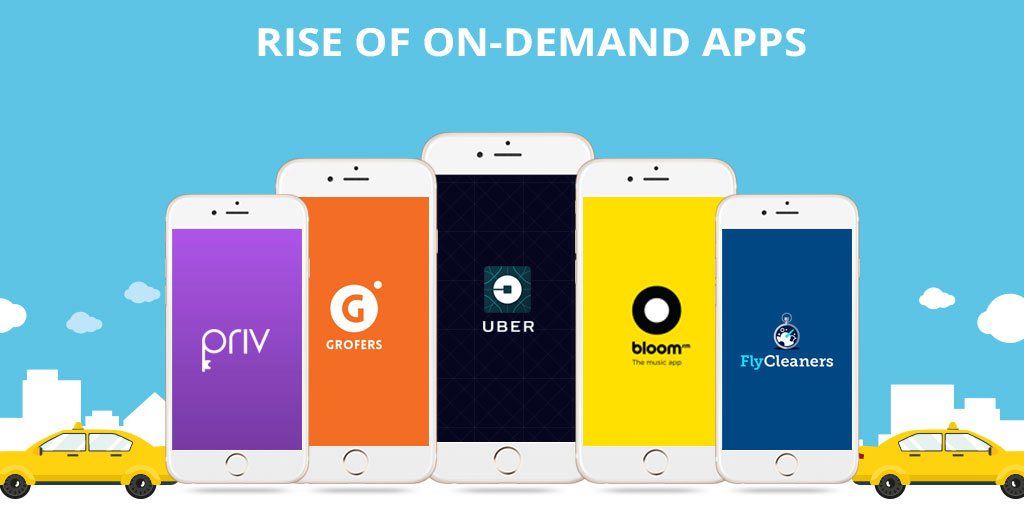
In the on-demand economy specific to transport and commutation, predictive analytics come in very handy in terms of estimating the areas that are going to ask for maximum fleet demand, the price that users are most likely to pay for a tip, the stage at which they are cancelling the ride, etc.

Apart from this, it also helps in estimating the accident scenario in terms of drivers who are most likely to rash drives, the geographical area that is most prone to accident, etc.

The on-demand fleet economy has a lot to take advantage of from the predictive analytics algorithms. The industry-wide realization has led to brands like Uber and Didi Chuxing apply Predictive Analytics and Machine Learning in the business model.

4. Predictive Analytics in Enterprises

Reasons why most enterprises haven't embraced the cloud

The what would happen next information that Predictive Analytics offers to the company’s business team comes in as a golden opportunity for enterprises who are struggling in their CRM domain and also in the HR area.

Predictive Analytics can give insight into the stage at which a customer is most likely to take their business elsewhere and the performance-based analysis of employees, giving the HRs an insight into whether or not the employee should be kept associated.

By researching on the skills that are most demanded by the industry, predictive analytics and enterprise mobility can together up the employees’ skills to a huge extent.

Now that we have seen all – Impact of Predictive Analytics in Mobile App economy (an impact that both mobile app development company and the mobile app businesses face) along with the real world use cases, it is now time to bring the guide to an end by giving you an insight into the Predictive Analytics tools that offer the most calculated inferences.

Predictive Analytics Tools

While a quick search on the internet will get you a great list of predictive analytics tools, here are the ones that we rely on to help our partnered entrepreneurs get a better hang on where their app business is headed –

Ionic1-flurry-analytics - Ionic MarketplaceLocalytics to MySQL in minutes | AloomaAmplitude SDK Reviews, Pricing, Alternatives | DiscoverSdkUrban Airship Push Notifications | The Couchbase Blogsap logo transparent - sap leonardo logo PNG image with transparent background | TOPpng

This brings to an official end to our 10 Minutes guide to Predictive Analytics in Mobile Apps. If you need more information on how to integrate predictive analytics into your mobile app and reap the benefits of low churn rate and minimize the app abandonment instances, get in touch with our team of Predictive Analysis Experts, today!

Key Skills You should know: Successful Mobile App Developers

How Much Does It Costs to Hire a Mobile App Developer? | BuildFire

We often marvel at the fact about the unbelievable progress our world has made in terms of technology. We are literally living with all the gadgets and apps that only existed in sci-fi movies like it’s no big deal. But the truth is, it has taken years to research and development to reach a point where advanced technology has become the normalcy of our lives. From Amazon’s Alexa to Google Assistant, AI software are doing our daily chores for us. In the end, all these software are mobile applications developed by a mobile application developer. This shows us that mobile app development has reached the peak of its evolution and that there are endless innovation opportunities in the mobile app development field. Also, it tells us that for the success of any mobile application, it requires the developer to be outstanding. This is because although there are over 5 million applications in the major app stores, less than 1% of them make it to the 1 million downloads mark. Whether as an app development agency you are looking for app developers or you are a mobile app developer, looking forward to making a breakthrough mobile application, either as a freelancer or in association with an enterprise, there are a few mobile application development skills that you need to learn in order to make your app revolutionary.

Let us take a look at what special skills you can gather to become a successful Android and/or iOS app developer.

Skills required for Mobile App Developers

  • Cross-Platform App Development – Learning to be the best Android or iOS developer is a long-forgotten agenda in the mobile app development industry. Today, every app developer knows better than choosing just one platform. The skill-set required for a mobile application developer consists of the knowledge of all the platforms available for app development. In fact, Google’s play store has, unarguably, a higher number of active users but the real app engagement comes from the App Store users. That is why it is understandable that being the master of only one of the platforms may not help you capture all of your audience. To be a successful app development company, you should know how to find mobile app developers that are best for your team. Therefore, you need to look for developers who are eminent in Cross-platform mobile app development skills. And as a developer, having knowledge of cross-platform app development opens up a larger market for you along with benefits like:– Less usage of resources in terms of time, efforts and money because the development of apps for different platforms separately is not required as Cross-platform app development allows the reuse of code across multiple platforms. The best mobile app developers are the ones who don’t settle for either Android or iOS but go for both. And Cross-platform development is the best way to do it because it gives the app uniformity across different platforms which results in higher user engagement.

Kotlin Multiplatform Project for Android and iOS: Getting Started | raywenderlich.com

  • UI/UX Skills – The ardent purpose of an experienced mobile application developer is to make a mobile application that will attract and engage as many users as possible. And user engagement is a skill that can be acquired by having knowledge about how to make an app likable for users. And that can only be done by learning UI/UX skillsets. Although, the mobile app development team in a company consists of UI/UX designers who are solely responsible for the designing part of the mobile application as a developer, having the basic knowledge of front-end design and development is important. And as a mobile app development company, you should be hiring developers with UI/UX design skills.

Ui Ux Skills - Lightroom Everywhere

  • Knowledge of popular programming languages (Preferably multiple) – As we all know that there are several programming languages in the in the app development world and each and every one of the languages has some unique characteristics which can be applied in specific situations. As an experienced mobile application developer, having the knowledge of multiple programming languages gives you an edge over the developer who is a specialist. Languages such as Java, Python, C#, Javascript, PHP for Android and Swift and Objective-C for iOS are some of the most widely used languages. It does not matter, which language you choose to go forward with, it is important to know at least two of the languages. And while some professions give you the liberty to learn things on your own based on experience. And the answer to how to become a mobile application developer is that it requires you to be updated with the prevalent trends in the app development industry.

Best Programming Languages to Learn in 2021

  • Experience in Agile Methodologies – Mobile app development is a highly organized sector to work in. For the ease of the processes, there is a planning methodology defines for developers that make things simple and more systematic to follow, which is Agile Methodology. Agile methodology is a set of different software development methods based on iterative processes and standalone routines that facilitate the overall development process. A successful mobile app developer should be well versed and experienced in mobile application development skills and methodologies such as XP (Extreme programming), Scrum, DSDM, etc.

The Agile Methodology and Its Benefits | WAM

  • Cybersecurity Guidelines – As a mobile app developer, you develop a specialty in app development, but still, every project is unique in itself. Apart from that, there are clients reaching out to you from different geographies, with diverse government and cyber security guidelines. Therefore, integrating app security in mobile app development is crucial. The growing news about malware attacks all around the world has peaked the need of cybersecurity professionals. And if you’re one the app developers who can make sure that along with being aesthetically and operationally outstanding, your app is also categorically safe from malware, you can be in great demand. Apps like FinTech or apps which need the banking information of users require plenty of safety precautions as it deals with the most sensitive user information. Therefore, there are many opportunities for developers who are experienced in data encryption and mobile app development skills and safety.

Creating and rolling out an effective cyber security strategy

Mobile app development is a highly dynamic profession that is constantly evolving and upgrading, thus it becomes indispensable for mobile app developers’ qualifications to be up-to-date in the latest practices and trends of the industry.

Apart from the above-stated skills, developers should also possess data processing skills. And As a part of a mobile app development company, you also need to have an aptitude for working in teams and delivering your best. Even being a client means that to hire a mobile app developer, you need to know which skill-set to look for.

Outsourcing your app? Ask Right!

When it is about outsourcing application development work, there’s no one-size-fits-all approach. It’s all about looking for the right partner that is the most appropriate fit for your team. As per the Computer Economics study IT Outsourcing Statistics 2014-2015, 62% of big organizations are outsourcing at least a part of their application development work.

As time-to-market needs increase and IT budgets decline, the trend of farming out development work is both rising and broadening to contain new services. In response, service providers have extended their offerings to comprise of product, technical, and process services. Notably, this runs the gamut from product management, information architecture and quality automation, analytics, and more.

If a mobile application is developed and executed in the right manner, it has the capability of offering increased efficiency, growth, and revenue for your business. That’s why development is so essential, as faults in this phase can lead to the development of a dysfunctional app that wouldn’t give you the preferred results.

To attain success in mobile app development, you need clarity of purpose and focus. To make this possible during outsourcing, you and your team have to sit down and ask some crucial questions before outsourcing, so you can attain success and avoid some of the most expensive pitfalls.

Things you Should Know Before Outsourcing an Apps

Here are some of the most critical questions that you must ask to select the correct partner for your organization’s specific outsourcing needs.

1. What is the purpose of the mobile app?

The Importance Of Mobile Applications In Everyday Life!

Are you developing an app just for building an app or because you are caught up in the hype about mobility? Will your application be a business version of your website, or will it have a particular purpose? Asking yourself the intent behind developing a mobile app can help you come up with a capable mobile app that aids a definite purpose. To make your mobile application successful, it must be extraordinarily focussed and address a specific purpose/function. You can discuss with the outsourcing team and narrow down on a definite problem that it is going to resolve or the particular purpose of your app. Ponder about why your mobile app is needed, how your customers can profit from it and how the application can be a more convenient alternative when compared to your website.

2. What should be a probable deadline for the completion of the app?

How to Create a Project Management Communication Plan | TeamGantt

Narrowing down to a deadline for the app is very important if the mobile app is to be developed for a particular event or occasion. If the mobile app is not finished before the event, the entire development is futile. Even a delay of a few days might make an enormous difference and cease the mobile app from serving its purpose — moreover, the plan for the release schedule for the app. In case your application is released in different versions, you have to prepare for the release date accordingly.

3. What programming methodology do you want?

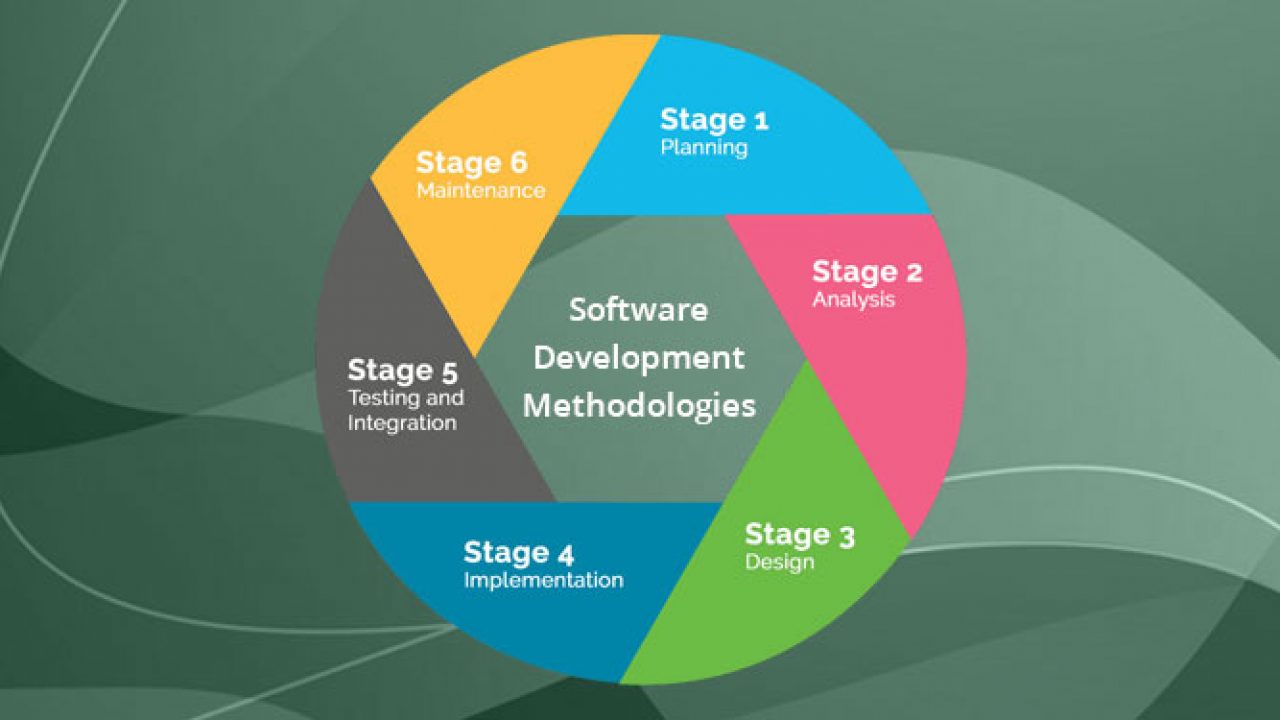
Top 12 Software Development Methodologies & its Advantages & Disadvantages

How do you wish your end-users to interact with your application? This supports the outsourcing developers to create an appropriate wire-frame. Also, think about the visual design needs and User Experience. Briefing the developers about the non-functional and functional needs of your application can help them to develop product backlog. You would also want to explain the required programming interfaces, outside services/systems, and third-party vendors, sharing such details is important.

4. How do you need the app to be hosted?

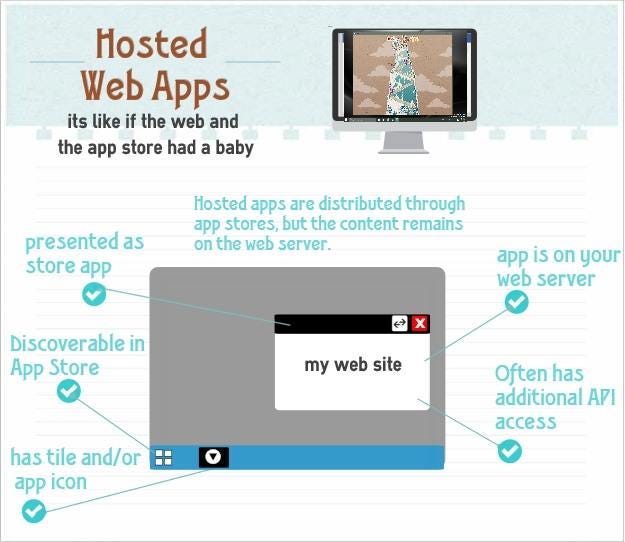
Hosted Web Apps explained | by Jeff Burtoft | ThisHereWeb

Do you need your mobile app to be plugged in to a new or preexisting infrastructure? Ponder about the hosting space that you would want. Brief the outsourcing developers beforehand about the post-launch support that you might need to fix the bugs and tweaks that you may get from users.

5. From where do you need the app to be downloaded?

How to Download and Update Apps on Android Phones and Tablets

Did you have an idea that the delivery channels of an application can significantly affect the design of the application? Getting listed on the App Store and Google Play is essential. You need to inform the developers in advance about your requirements for listing and get them talked at the development and design stage itself.

6. What level of security is needed?

Corporate network security levels

Tell the developers that you are expecting security protocols that ensure that is the app is protected and secure from hackers trying to attack and breakthrough code vulnerability. Also, ensure that you get the privacy policy of the application drafted.

7. Does your application need to adhere to guidelines?

8 steps in the selection process for hiring [A complete guide] | Workable

Ensure that your business app adheres to corporate guidelines like consistent screen design, design of icons, and branding conventions.

8. What are some of the risks involved?

Risks Involved in Forex Trading | Reputable Forex Regulators by Country

Through the course of mobile application development, you might face risks and uncertainties that can hinder the project. To steer clear of such hazards, make sure that you build a risk register at the onset of your application so that you can file the actions at every step. This way, you can hold your stakeholders responsible for each risk factor.

9. Who are the main stakeholders involved in the development process?

Key Stakeholders in Agile Product Development

It is crucial to identify the main stakeholders who are involved in the development and usage of your mobile application. Who would be funding it? Who would be owning it? Who would be benefiting from it? Who would keep the app active? Who would maintain the app daily? Asking such questions and trying to understand the involved decision-makers can lead to the successful development and running of the app. By comprehending the needs of the stakeholders, attaining clarity about their role, and taking responses to help in developing a successful application.

10. What budget can be allotted?

Budget, Budgeting, Budgetary Control - BBA|mantra

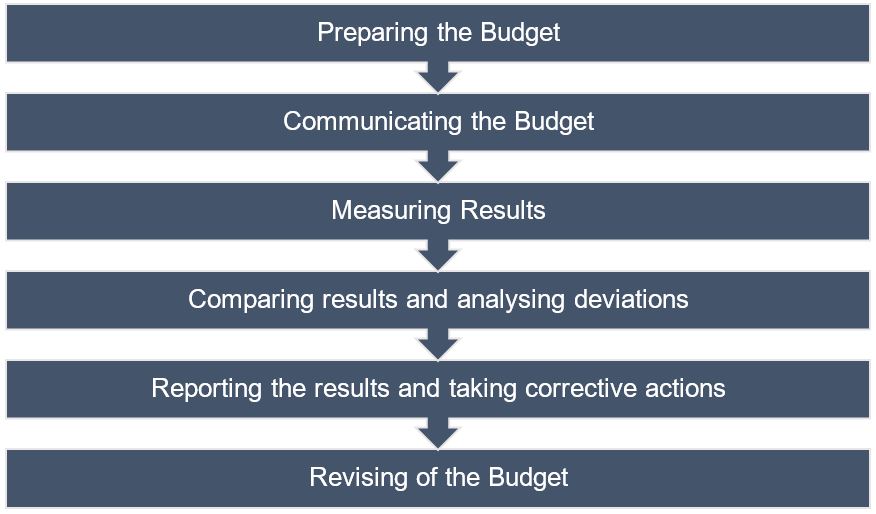
Many times the budget is overlooked when it comes to developing mobile apps. This is a significant reason why it becomes tough to estimate one. Make sure to sit down with the developers and discuss the various variables at play, be it multiple operating systems, testing environments, and more.

Summary

If you have made your mind to outsource your software development, you must have found some software development companies that you’re considering working with, and you are on the horns of a perplexity of making the correct choice. There is nothing better than talking to them and satisfying every query that you might have. Choose the web development company that passes all your parameters and comes out as reliable and trustworthy as a lot of your business now lies in their hands.

Go-programming language – beginner tutorial

Go (programming language) - Wikipedia

Whenever we talk about the top programming languages to consider in the development ecosystem, the first few names that strike are Java, Python, C++, Swift, SQL, and JavaScript.

However, the world of programming languages is not confined to these languages only.

There are various other programming languages that are slowly and gradually rising up in the list of top programming languages. One such language that is emerging to be the new love of developers is Go programming language.

Wondering what is Go? And what makes developers fall for this programming language? Let’s uncover in this article.

What is Go Programming Language?

Let's Go! with the Go Programming Language - Avenga

Also called Golang, Go is an open-source, statically typed,  and compiled programming language designed by Rob Pike, Robert Griesemer, and Ken Thompson. The language, that appeared in the market in 2009, was designed with an intention to enhance programming productivity in the era of networked machines, multicore, and huge codebases. Something for which the Google team picked the best characteristics of the popular languages, like:

  • Static typing and runtime efficiency of C++.
  • Usability and Readability of Python and JavaScript.
  • Object Oriented Programming (OOPs) concept ofSmalltalk.
  • Concurrency element of Newsqueak.

The language has just entered into its version 1.13.1. But, has gained a huge momentum in the market – bringing it several steps ahead in Go vs Rust discussion and similar comparisons. It has entered into the list of Top 10 Programming language by IEEE Spectrum and become the fourth most active languages on GitHub.

Not only this, it has become the third-most highly paid language as per Stack Overflow developer survey 2019 with an average annual salary of $109,483. And the best part is, it is predicted to grow ahead effectively because of the key characteristics it comes up with.

Top Characteristics of Google’s Go

1. Open-Source

Google Assistant Go 2.9.1.367582902.armeabi-v7a.release for Android - Download

The foremost characteristic of Golang programming language is that it is open-source. That means, anyone can download and experiment with the code to bring better codes into picture and fix related bugs.

2. Static Typing

Python best practices: Static typing in Python with mypy | Sunscrapers

Go is a statically typed programming language and works with a mechanism that makes it possible to compile code accurately while taking care of type conversions and compatibility level. This gives developers freedom from challenges associated with dynamically typed languages.

3. Concurrency Support

2.3 Concurrency

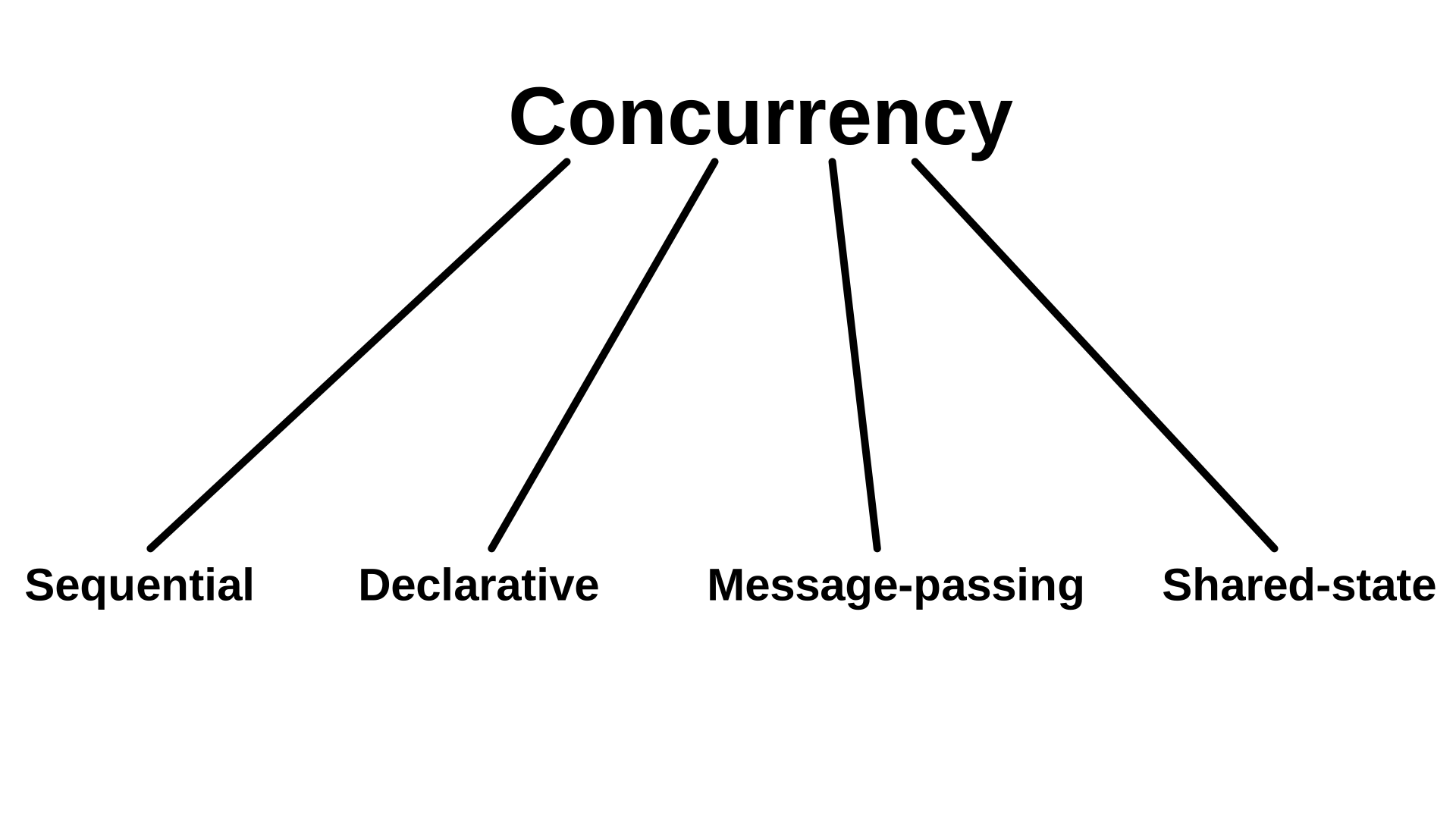
One of the prime characteristics of go programming language is its concurrency support.

Golang, unlike other programming languages, offers easier and trackable concurrency options. This makes it easier for app developers to complete requests at a faster pace, free up allocated resources and network earlier, and much more.

4. Powerful Standard Library and Tool Set

This programming language also comes loaded with a robust standard library. This libraries offer ample components that gives developers an escape from turning towards third party packages anymore.

Also, it offers a wider range of tools that makes development process efficient. This includes:

  • Gofmt: It automatically formats your Go code, which eventually brings a major impact on readability.
  • Gorun: This tool is used to add a ‘bang line’ in the source code to run it, or run a similar sode code file explicitly. It is often used by Go developers when experimenting with codes written in Python.
  • Goget: The Goget tool downloads libraries from GitHub and save it to your GoPath so that you can easily import the libraries in your app project.
  • Godoc: The tool parses Go source code, including comments and creates a documentation in HTML or plain text format. The documentation made is tightly coupled with codes it documents and can be easily navigated with one click.

5. Testing Capabilities

Go language also offers an opportunity to write unit tests along with writing the app codes. Besides, it avails support to understand code coverage, benchmark tests, and write example codes to create your own code documentation.

6. Garbage Collection

7 Things You Thought You Knew About Garbage Collection - and Are Totally Wrong

The programming language also offers exceptional power of garbage collection. Meaning, developers need not worry about freeing up pointers or the situation associated with dangling pointer.

Because of these characteristics, the language has gained attention of various popular brands.

This, in turn, has made several startups and established brands consider this language for their app needs. But, in case you are someone who wish not to analyze the market scope and use cases on your own, it is better to get familiar with the pros and cons of Go programming language.

So, let’s begin with looking into the advantages of preferring Golang for your development needs.

Advantages of Golang Programming Language

1. Ease of Use

Ease of Use is Critical for Project Management Tool Adoption - Eclipse PPM

One of the biggest benefits of Golang language is that its syntax is similar to that of C and C++. There are not many complex functions to learn and implement. Besides, the documentation is simple and can be used quickly.

A ripple effect of which is that the number of developers taking an interest in working with Go language for building native and cross-platform applications are increasing.

2. Cross-Platform Development Opportunities

Cross-Platform App Frameworks in 2021

Another advantage of going with this language is that multiple types of applications can be developed in Go. This includes software and mobility solutions for Windows, Unix, Linux, BSD versions, and mobile platforms.

3. Faster Compilation and Execution

go build vs go run - Rakesh Mothukuri

In Golang development environment, there is no Virtual Machine. The code is directly compiled to machine code, which makes the compilation process faster and more effective.

Besides, the compiler produces only one executable file after compilation. This file does not suffer from any kind of dependency and can be uploaded and run anywhere. This makes the code execution process faster.

4. Scalable

Another feature that makes Golang outshine other programming languages is that it is highly scalable in nature. It enables top android mobile app developers to handle multiple tasks at the same time, especially channels and goroutines.

5. Time Saving

Time saving techniques for the test day - CetKing

With features like automatic declaration of variables, latency free garbage collection, and faster compile time, it saves consideration development time; giving developers enough time to be productive.

With this covered, let’s turn towards the drawbacks of going with Golang.

Disadvantages of Go Programming Language

1. Still Developing

How to Create a Mobile App - BuildFire

Though the popularity graph of Go programming language is growing and it holds a promising future in the market, it is still in its nascent stage. This is making it tough for the language to beat the competition with popular names like Java.

2. Too Simple

Keep It Simple, But Not Too Simple - The Modern Observer Group

Programming languages like Swift and Haskell are difficult to learn. But, at the same time, they offer a myriad of opportunities to perform abstractions and other complex processes. Something that is not possible in the case of Golang because of its ultra-simple design.

So, the most primary characteristic turns out to be one of the major disadvantages of golang language.

3. Absence of GUI Library

Why C++ is not used for GUI? - Quora

Another con of go programming language is that it does not offer native support for GUI libraries. This implies app development companies have to connect a library to their application manually, rather than using native solutions like that in the case of Java or Python.

4. No Specific Niche

Designed by Google with the motive to deliver endless support and solutions, the language has characteristics that goes well with all. However, the language has still not found a single niche to conquer.

While it is facing competition from JavaScript in frontend development world, it is lagging behind Python in the world of data visualization and analysis. Because of this, many developers are still hesitating from investing in this language for a particular purpose.

5. Poor Error Handling

Creating Error Messages | Best practice in UX Design | by Vivek Kumar | UX Collective

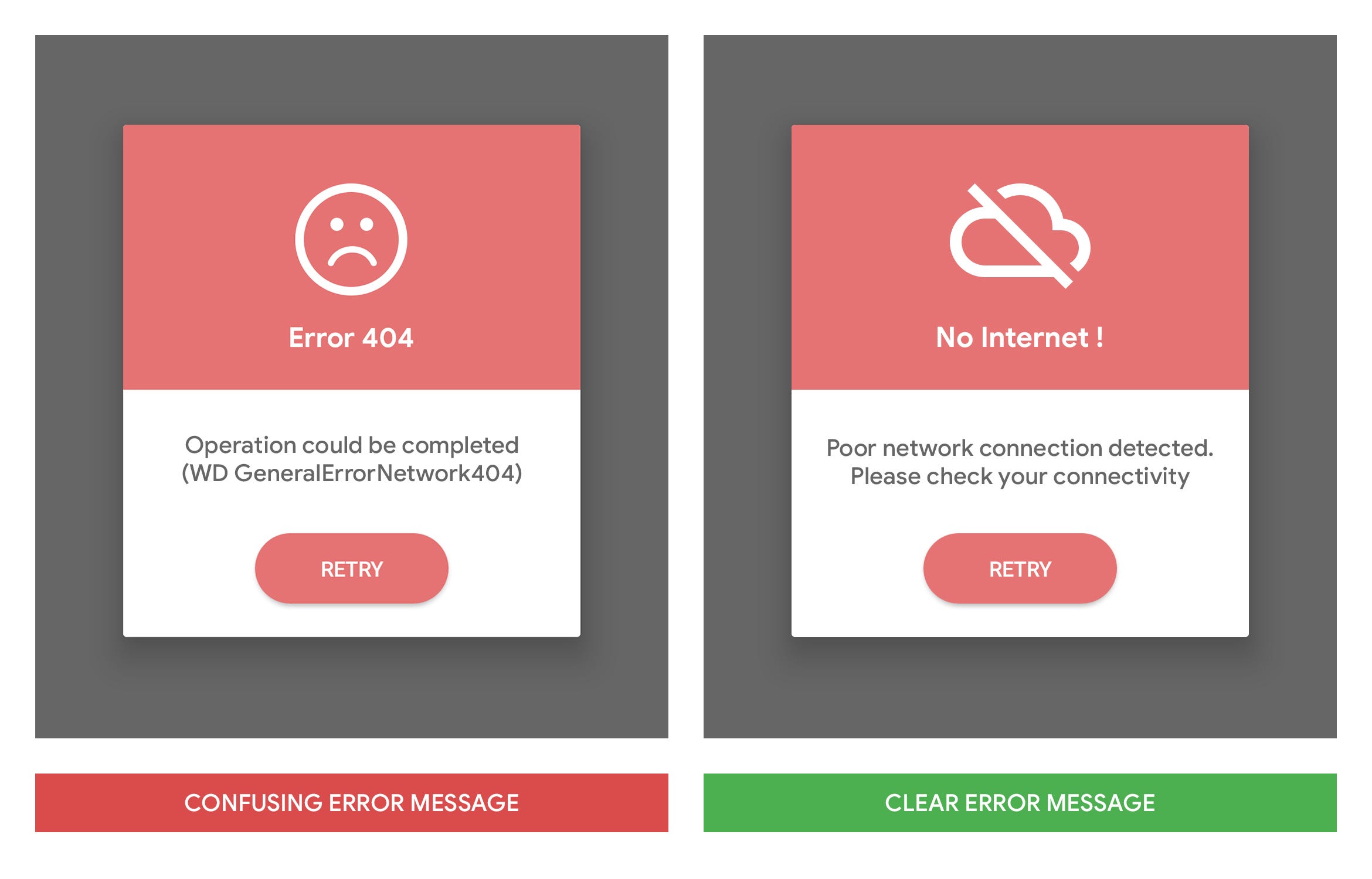
In the case of Go language, a function is required to return error if any error is expected. Developers have to write a huge number of ‘if’ blocks to perform error handling process efficiently and effectively. Something that is one of the golang coding challenges when they have lost track to the error that can further result in missing out of some imperative error handling logic.

6. Lack of Frameworks

Business Transformation Transformation Icon, HD Png Download - 601x600 PNG - DLF.PT

Last but not least, Go lags behind programming languages like Python, PHP and Ruby on Rails in terms of number of frameworks to go with.

Now as you know the pros and cons of Go programming language, it is likely that you might have made your mind of whether to embrace it in your app tech stack or not. But, in case you are still confused, feel free to contact our app developers.

Sure You Can’t Wait to Try Out These 23 iOS 13 Features

iOS 13 Download Available Now for iPhone [IPSW Links] | OSXDaily

WWDC 2019 ended weeks ago with the promise of a lot to offer to the millions of users and the massive developer community. Keeping count of all those everyday announcements and guesstimates is not easy. But knowing the iOS 13 features announced at and after WWDC 2019 event you should be excited about is.

But the rumor mills and sneak peeks into the biggest announcement of the event – iOS 13 is still ongoing.


Like here are the 23 features we are very excited to try our hands on.

1. Performance

Flash running, color marker art, in Chris Marrinan's Comic Art for Sale Comic Art Gallery Room

iOS 13 is an all new fresh, strong take on performance than ever seen before in any OS version. Apple is sending out a number of promises to the users and developers in terms of high app performance like –

  • 30% rise in unlocking the device when using the Face ID
  • Downloads would be 50% smaller and the updates would be 60% smaller
  • The app launch speed would be twice as more compared to the other editions

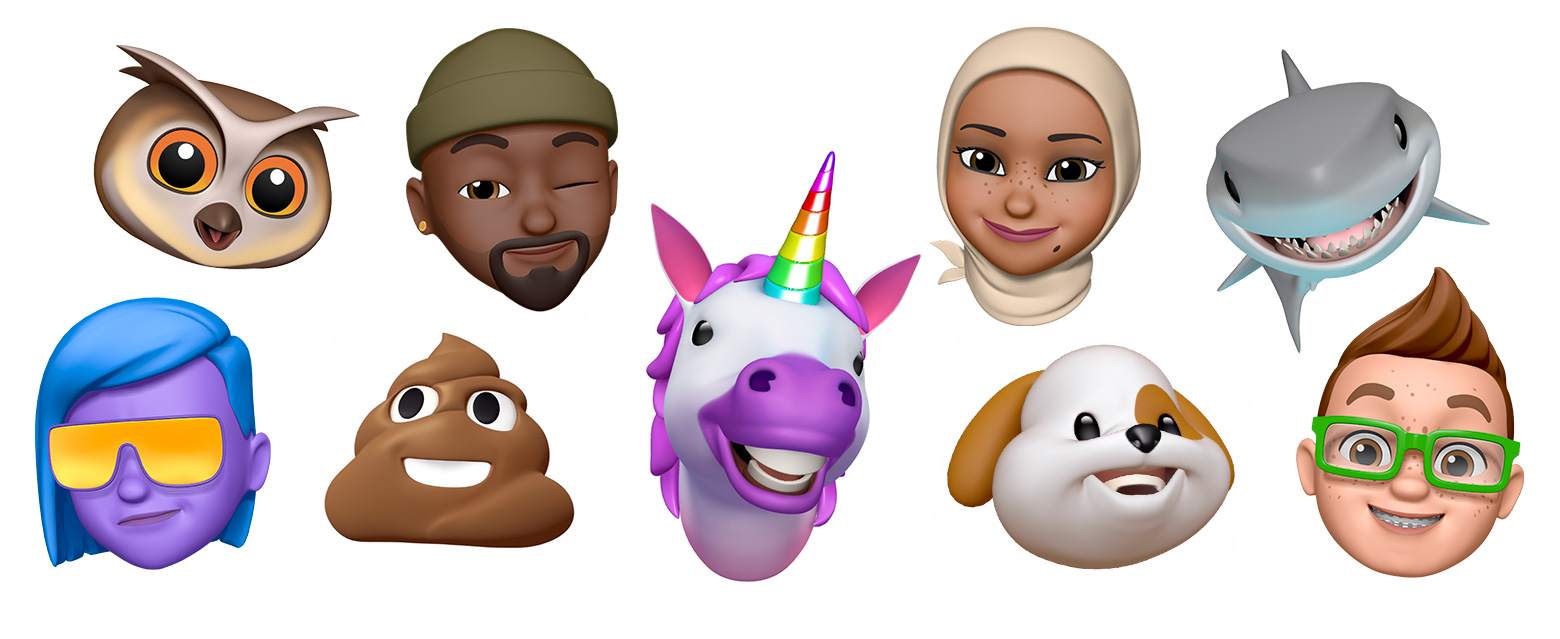
2. New Memoji and Animoji

Use Memoji on your iPhone or iPad Pro - Apple Support

The new class of Animojis and Memojis will get higher customization options including jewellery and hats to new teeth and glasses. You will also be able to give your characters Air Pods.

In addition to this, the new memoji stickers will get created automatically and would be accessed through iOS keyboard – ready to be shared across multiple applications like Messages, Mail, etc.

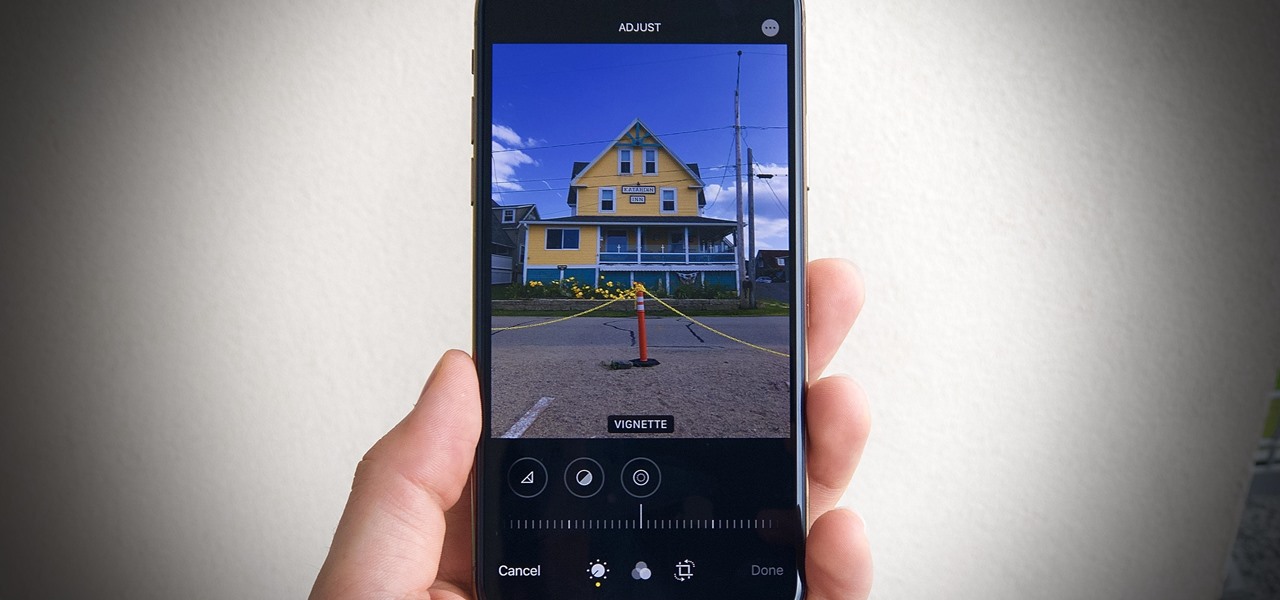
3. Photos and Camera

31 New Features for Camera & Photos in iOS 13 « iOS & iPhone :: Gadget Hacks

The Portrait mode will come with a new light effect known as High-Key Mono and a plethora of editing features which would help you change the light intensity.

The image-edit features of Photos will also get a new design and control based on swipe. The settings which will be used for stills would also be used to edit the videos. You will now be able to add filters and even rotate them.

Lastly, the photo library will see a new organization haul, with pictures getting organized day, month, and year wise.

4. Sign in with Apple

How To Use Sign In With Apple In iOS 13

Apple iOS 13 will give you a new easy and fast way to sign in to services and applications without tracking the associated social logins.

Known as Sign in with Apple, it would authenticate the sign-in using Apple ID without leaking out any personal information.

It would work with TouchID and FaceID and will come with a two-factor authentication mechanism. In case the app requires an email, Apple would create any random email id that would be forwarded to your actual email, thus keeping your real details secure.

5. Apple Maps

Apple Maps in iOS 13: Sights Set on Google - MacStories

The Apple Map has been built with a fresh angle in iOS 13.

A number of alterations have been introduced like the addition of beaches, roads, buildings, and multiple other areas. They have also introduced a new Feature option on the main screen in addition to a new Collections menu for organizing the trips plan and Favorites.

A new ‘Look Around’ feature has also been added which would enable you to see a location before visiting them. You will also get a Label option that would get you details about the specific location.

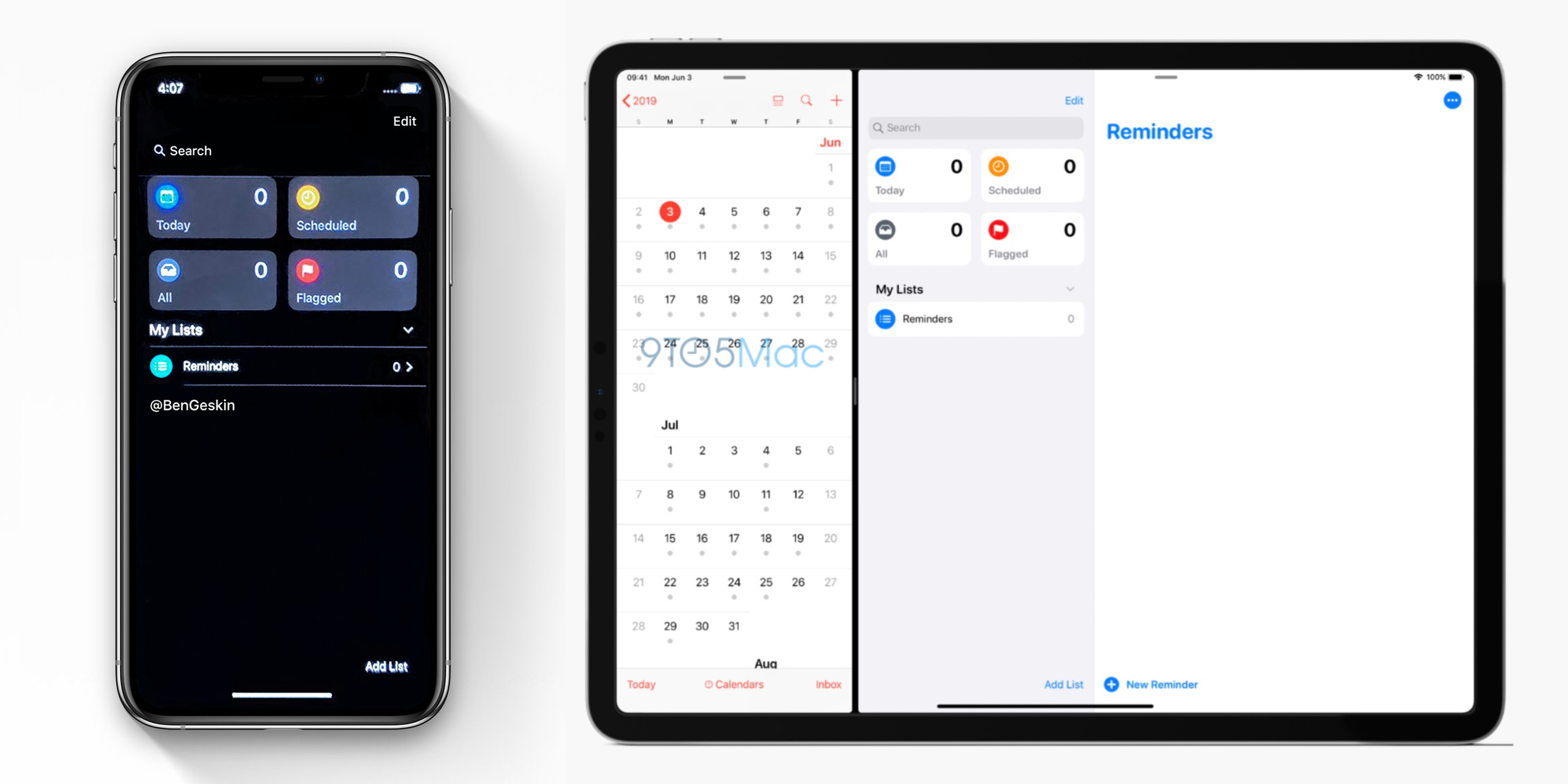
6. Reminder

iOS 13 screenshot: Redesigned Reminders app for iPhone pictured in Dark Mode ahead of WWDC unveiling - 9to5Mac

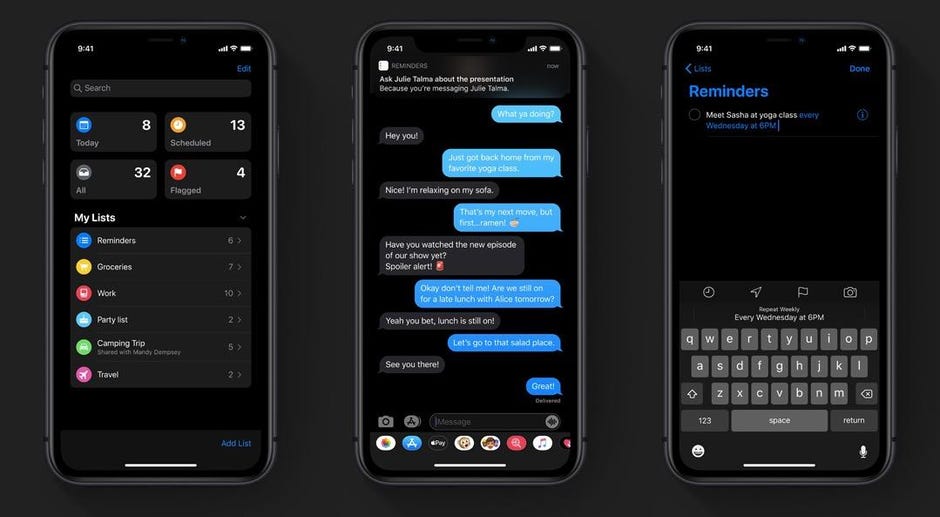
Once the iOS 13 rolls out you will get a new toolbar where you will be able to add times, dates, and attachments. Also, the integration with the Message app has been improved significantly which would enable them to communicate more seamlessly together. It means that a relevant reminder will show up when you message a specific person.

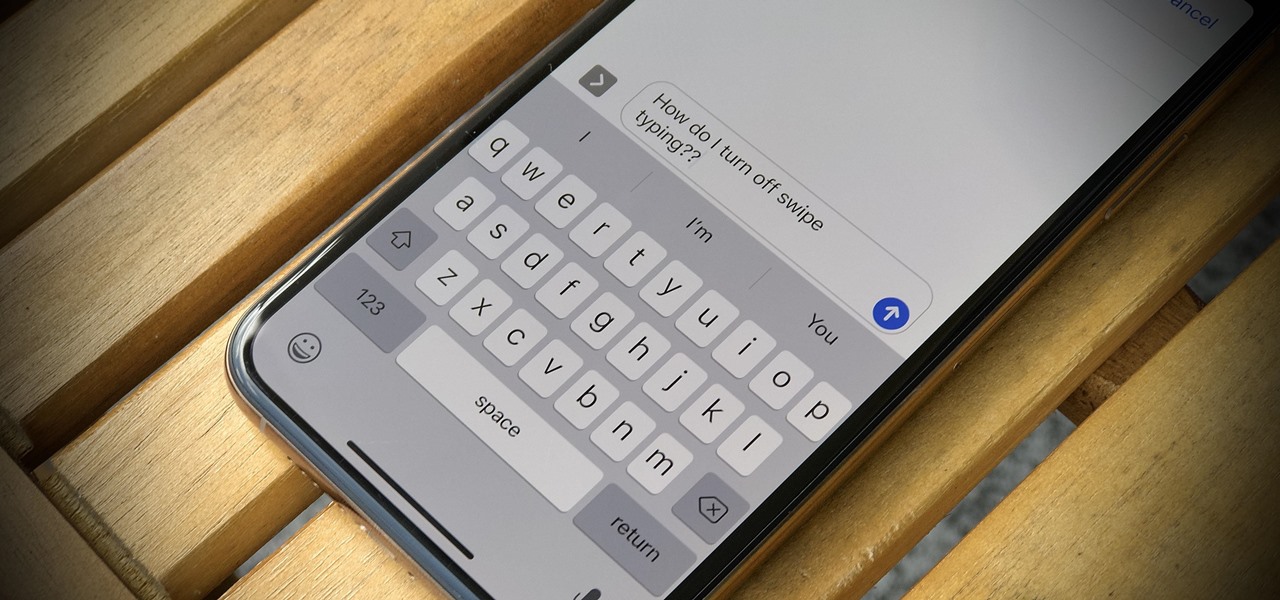
7. Swipe Typing

How to Disable Swipe Typing in Apple's iOS 13 Keyboard « iOS & iPhone :: Gadget Hacks

Like Google keyboard, Apple will also give you the functionality of Swipe typing. Meaning you will only have to glide your finger and form words without actually pressing letters in the keyboard – A functionality is poised to strengthen the Android Q vs iOS 13 debate.

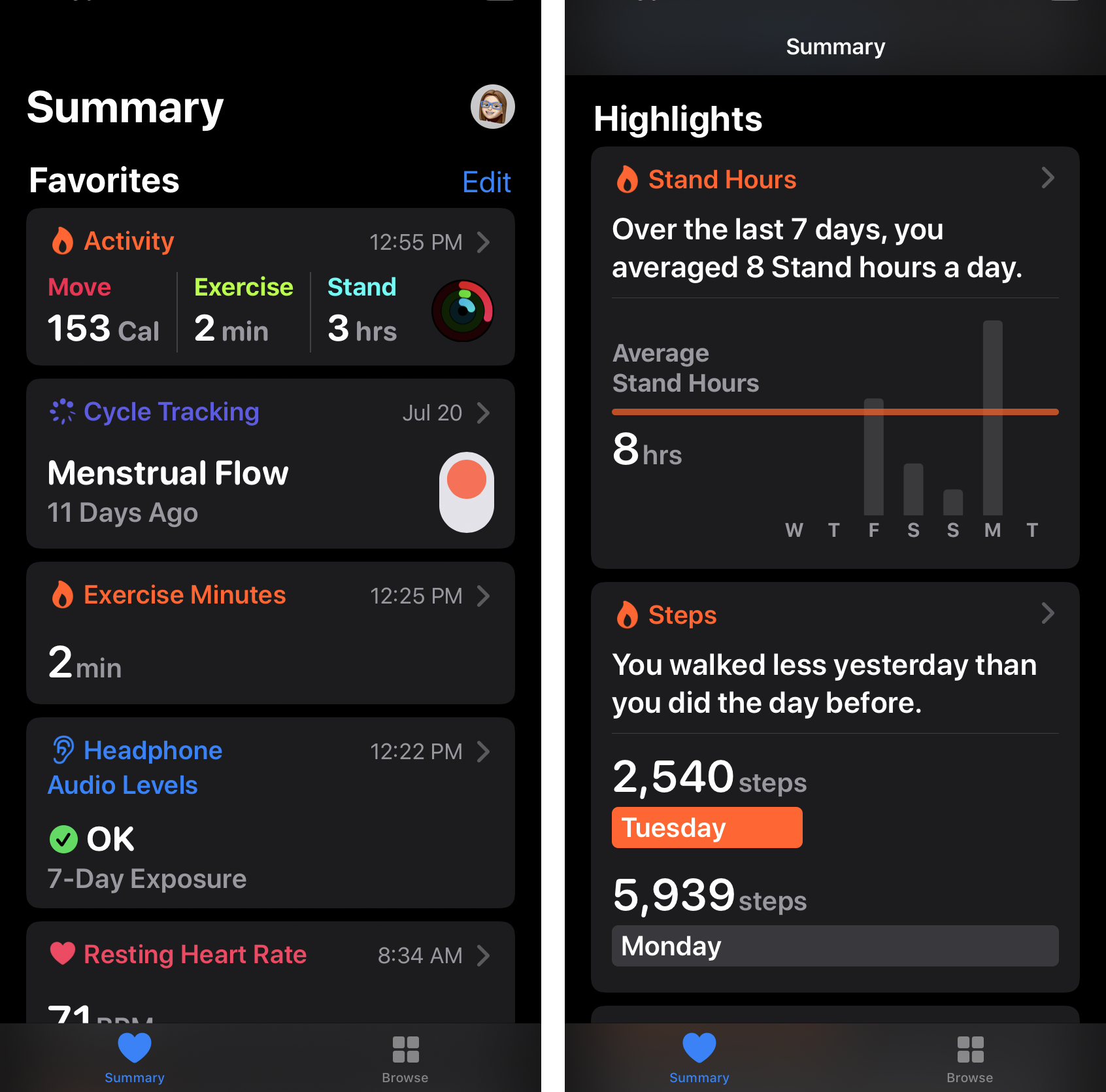
8. Health App

A Look at the Health App in iOS 13 - TidBITS

All the different features which are present in the new Apple Watch OS health app will now be present on the iPhone. The Watch OS had added menstrual cycle tracking and activity trends to Apple Watch in addition to two new sections.

The main application will get a new Summary view that would show notifications and a Highlight section that would show the health and fitness data over time. The data will be stored in your iPhone and would be encrypted securely on the iCloud.

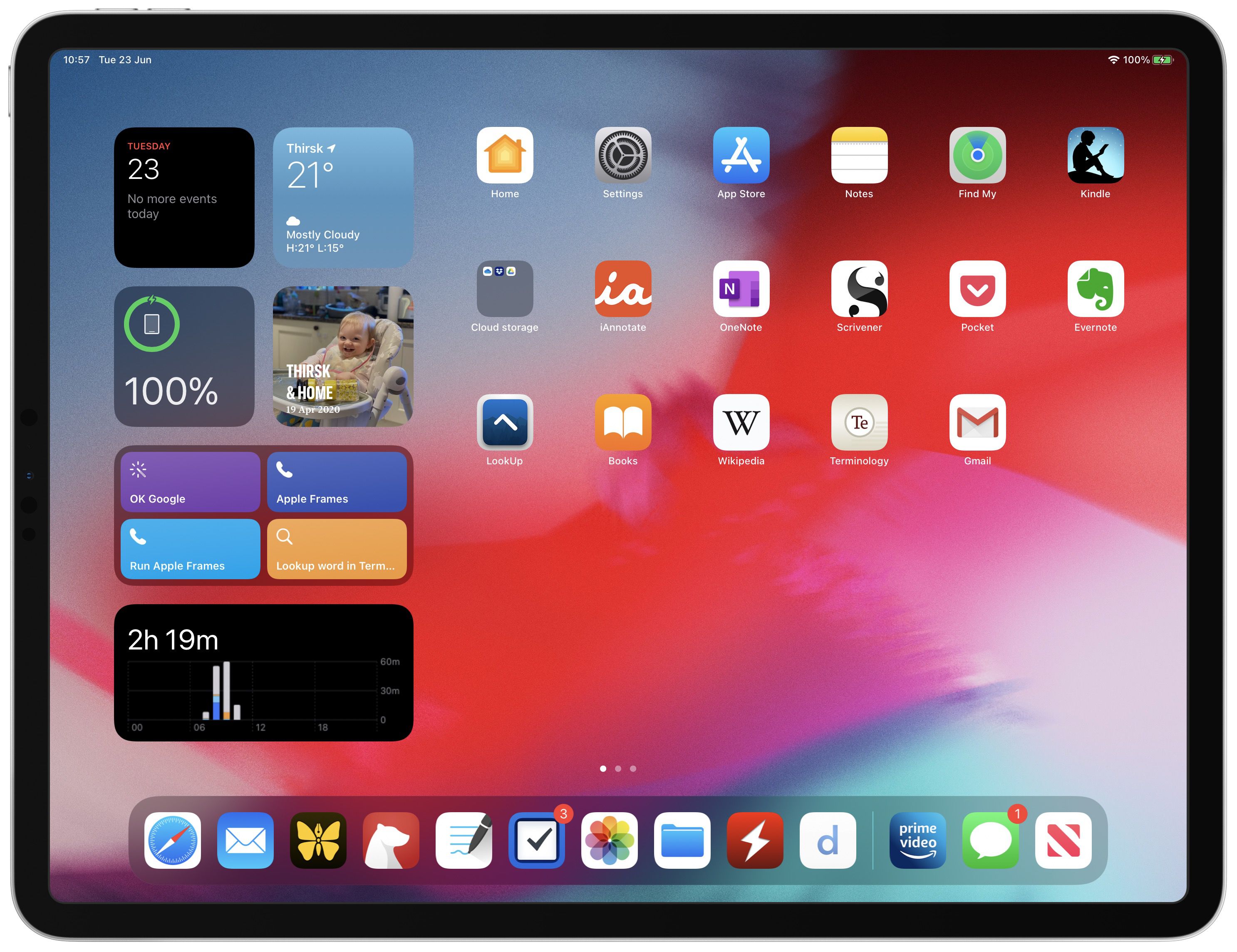
9. iPad OS

iPadOS 14: Everything We Know | MacRumors

A new version of iPad OS has been announced which would contain everything from the iOS 13 along with newer features which are designed to benefit from the large screen presence.

A string of new features like newer multi-tasking features and Home screen, plus newer split-screen option would be added in the new iPad operating system.

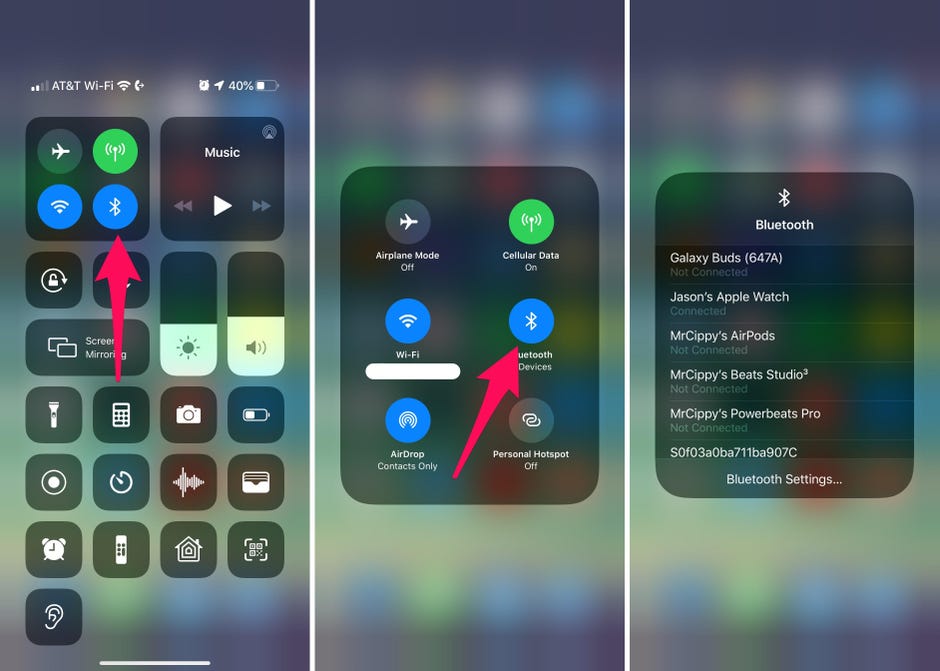
10. Access Wi-Fi and Bluetooth

iOS 13 makes it stupid easy to connect to Wi-Fi and Bluetooth on your iPhone - CNET

In the earlier versions of the iOS when you had to connect with Bluetooth or Wi-Fi, you had to go to Settings and then access the settings from in there. In case of Apple iOS 13, you will now be able to access the list via Control Center when you long press the icons.

11. Extended Reply Menu

16+ More Hidden Features in iOS 13 You'll Need to Try

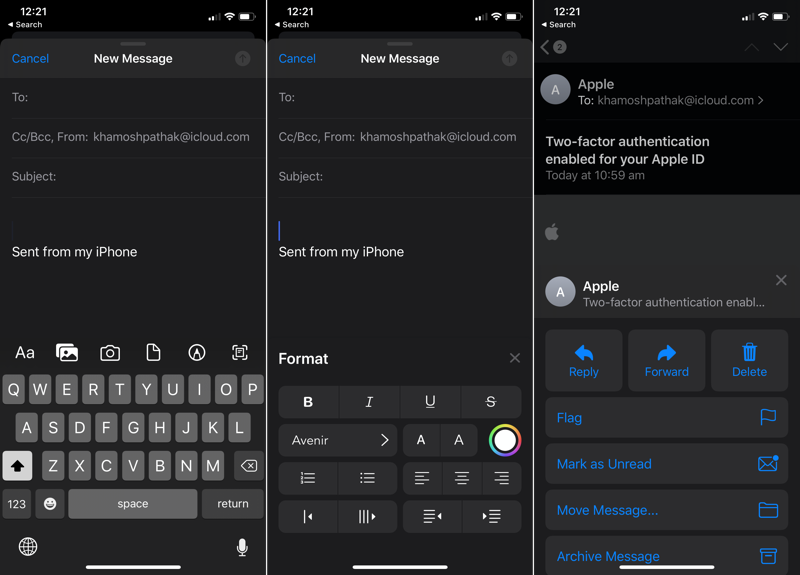
In the stock email app when you reply to any email you will now get an extended reply menu that would give you the option to forward, reply, or delete. It would also give you the ability to mute or notify in case there is a new email from someone.

In addition to it, you will get the option to format the text, giving you the option of changing the font style, increase the text size, shift the alignment, change colors, and even add the bullet points.

12. Full-page Screenshot

How to Take Scrolling Screenshots of Entire Webpages in iOS 13's Safari for iPhone « iOS & iPhone :: Gadget Hacks

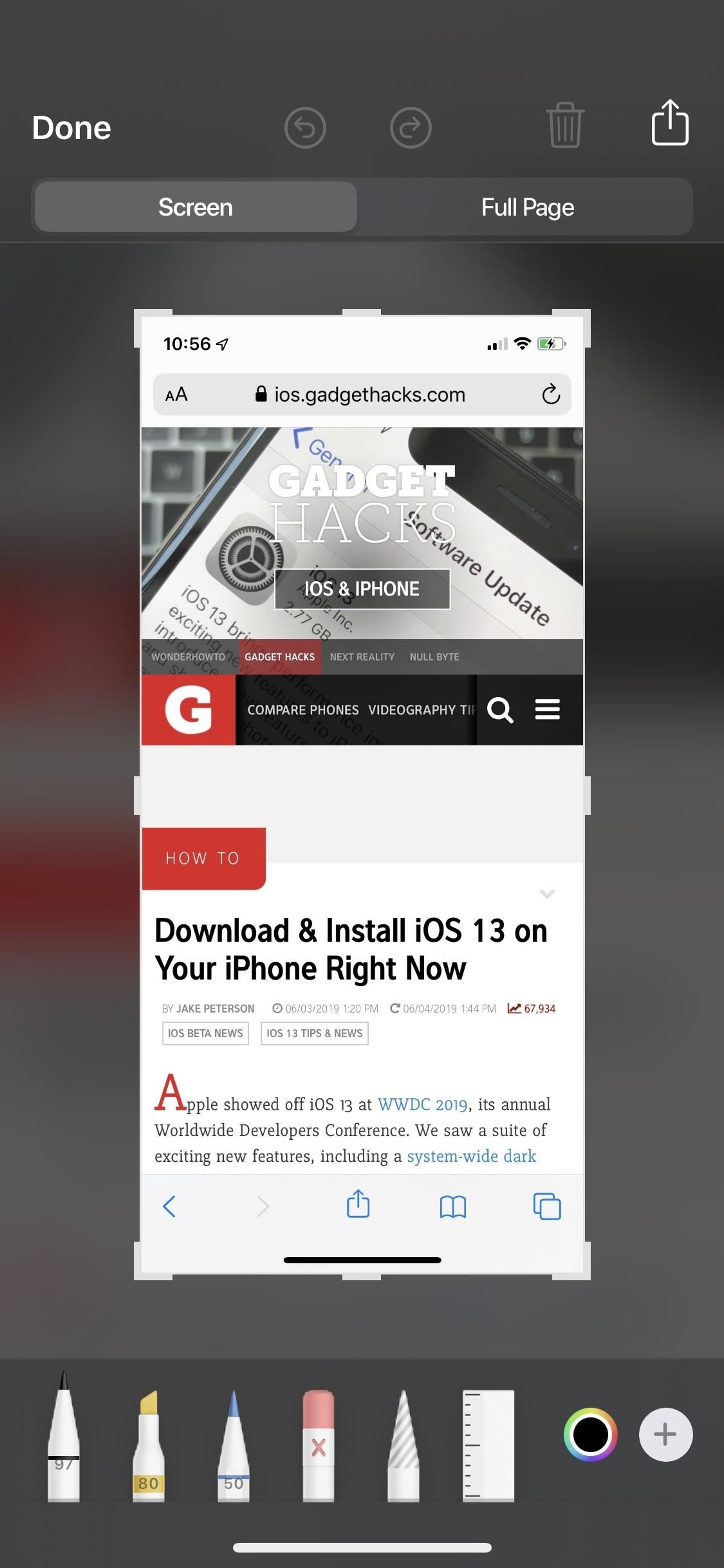
Like iPadOS, iOS 13 also gives iPhone users the option to take a screenshot of the full web page which then can be annotated upon or saved as PDF in Files.

13. Silent Unknown Callers

Silencing unknown callers on iPhone in iOS 13

iOS 13 gives the users an ability which will prevent them from facing nuances coming in from spammy calls. When a robocall comes, the users’ iPhone will automatically silence it and send it to voicemail.

14. Zip and Unzip in Files App

How to Unzip a Zip File With Your iPhone or iPad's Files App

With iOS 13 you get a new Files app which lets you zip and unzip files straight from the iOS device without having to use macOS. And then you can simply Airdrop the files back to the iOS device.

This one comes in very handy for people who only use an iPad and don’t wish to use any third-party application.

15. Safari Download Manager

How to use Safari download manager in iOS 13 | Cult of Mac

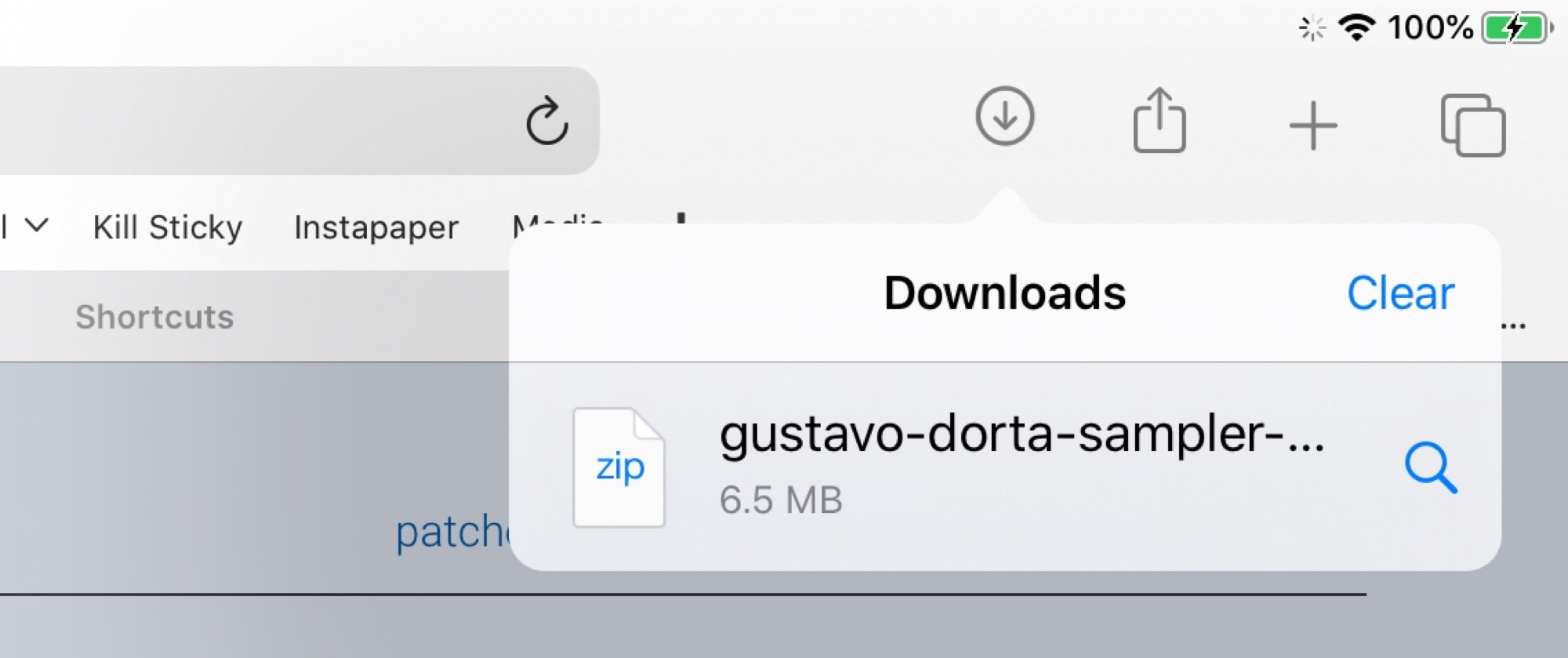
iOS 13 gives you access to download manager when you download any file from Safari. The list of downloaded files is very similar to what Safari macOS gives you.

It also syncs over to new Files application version wherein you will be able to see all the downloaded files.

16. Low Data Mode

In your cellular setting, you will be given the option to toggle the Low Data mode which would make the applications use lesser data. While Apple hasn’t clearly specified how it would work, it is guessed that the background activity will get suspended when you are not connected with the Wi-Fi.

17. Dark Mode

Dark mode for iPhone arrives Sept. 19: How you'll use Apple's new iOS 13 feature - CNET

With iOS 13, Apple has made the creation of Dark mode app design official and mainstream.

Be it text or color or even controls, Apple has it all sorted out for the users. Instead of making the background RGB 000 (black) and the label text RGB 255 255 255, you will now be calling them systemGroupedBackground and Label, respectively.

And the blue icon will not be RGB 10 132 255 anymore, it would be denoted as systemBlue.

Apple has also planned out a hierarchy for the colors. From complete black or white backgrounds to gradually increasing dark shades for a light theme and light shades for their darker versions.

The same is for the text as well. The primary text is kept white on black – the opposite of backgrounds and when you move towards the secondary and the tertiary texts, the color would also move across the gray spectrum.

As for the controls, a white button does not become black, instead, a white button having light gray states turns into a medium Gray button with the dark gray states.

18. New Messaging

Apple is adding a new message feature to the iMessage service which would allow you to add in a profile picture and then change how your name gets displayed in the text messages. It will also now become a lot easier to send emojis and stickers through text.

You will also get a search functionality which would enable you to make searches inside the application – shared links, photos, contact suggestions, etc.

19. New Sleep Mode

iOS 13 features: Dark Mode, app updates, iPad overhaul, more - 9to5Mac

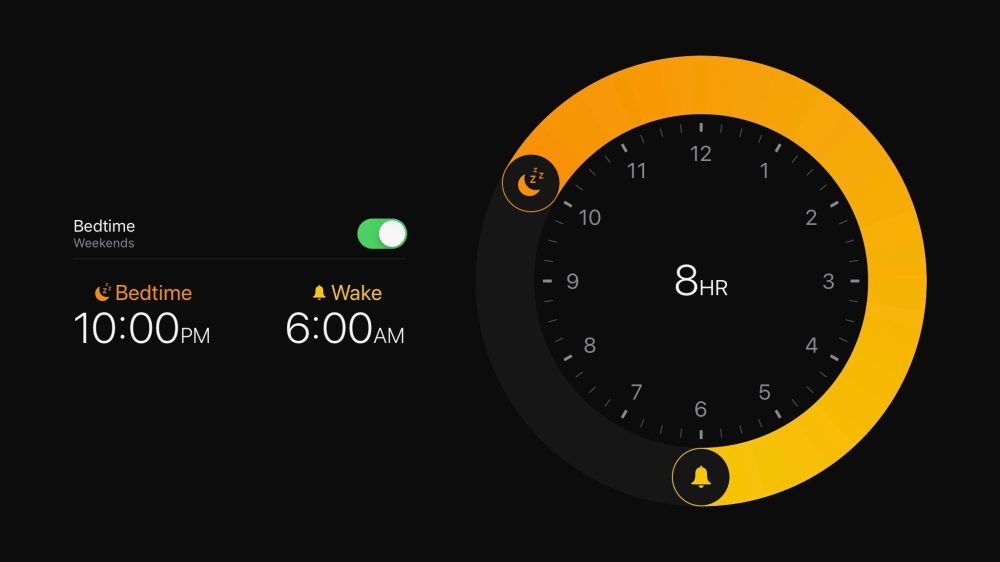
With the new Sleep Mode feature, Apple is doing a great job at tracking sleep patterns and helping you find the right time to set the alarm and be awake in the morning.

If you wish to try out the feature today, you don’t have to wait for the update. All you have to do is install Sleep Score app off the App Store.

20. New Voice Control

How to use Voice Controls on iPhone and iPad | iMore

The accessibility setting Apple had been working around for quite some time is now available system-wide and that too in an extremely comprehensive level.

Users can easily navigate and then type with the help of gestures and voice commands for everything on their screen would have names and numbers to provide easy control.

21. Detection of Headphone Audio Level

Another way that Apple has kept its focus intact on users’ health is through caring about their hearing health. The new Apple iOS 13 version will be warning the users when the ambient noise gets very loud.

The iPhone users will find this new track menu, which looks a lot like the step counter, inside the Health app.

22. Find My

With Apple iOS 13 Apple has combined Find My iPhone and Find My Friends applications in one single application known as Find My.

With this, all the tracking tools of Apple’s have been brought in one place, helping you find what is missing with the help of one interface. It would also help you locate devices which are offline – by sending across a secure Bluetooth beacon to Apple devices and relaying it back to Apple and then you.

23. No more iTunes Store App

RIP, iTunes. This is what happens to your Apple music now - CNET

Apple is finally bidding adieu to iTunes with the launch of three new trio for Mac – Tv, Podcasts, and Music. The users will now be able to manage all of their Apple gadgets through the Music app.

It is now the individual applications that would be used to purchase individual content – Music app that will be used to purchase music, TV app for purchasing shows and likewise.

So here are the 23 iOS 13 features that we are very excited to use. But since it is still time before the version gets launched on devices, there is still a lot of scope for the list to expand. We are very hopeful that we will soon find some more added favourites as well – so bookmark this blog to be updated which new features are getting added in the list.

In 2021, should startups choose Android or iOS as their mobile platform?

Android vs iOS: Which mobile OS is right for you? | IT PRO

Back in 2008, the iOS App Store was launched with 500 apps. Today that number has skyrocketed to 1.85 million apps that are available for users to download. Android users have a bigger app universe to browse from that consists of over 2.56 million apps available in the Google Play Store. It is safe to say that we are living in the digital era!To prove we are in the digital era, let’s recall the numbers.

Did you know that the number of smartphone users worldwide surpasses 3.5 billion? As per the Statista- Smartphone User forecast, it is estimated to further grow by several hundred million in the next few years.

There are 7.94 billion devices connected worldwide and this number is more than the number of people in the globe! Hence, there is no denying the fact that mobile applications are an integral part of our daily lives.

Keeping the above data in mind, many entrepreneurs are planning to start a mobile app centred business.

If you are amongst those businessmen who are looking forward to creating a mobile app, then the first question to address is – which is better among Android vs iOS development?

In this article   you will walk through certain factors that will influence your choice, and embibe you with the iOS and Android App Development Platform.

Let’s get right to it.

Which Is Better For Your First Mobile App: To Launch On Android Or iOS?

Apple vs Android: Market Share

According to Statista, in 2020 the market share of Android and iOS was 86.6% and 13.4% respectively and these numbers are expected to reach 87.1% for Android and 12.9% for iOS in 2023.

Looking into the above graph, you can conclude that Android is a clear winner in the mobile operating system market share worldwide and is expected to remain so in the years to come. It is so because the Android startup apps are the most adopted ones for almost every smartphone vendor other than Apple.

Also, Android is an open source platform that allows and makes it easy for mobile phone manufacturers to add their own look to the operating system.

Android Vs. iOS : Which OS Scores Over The Other

Apple vs Android: App Downloads

According to Statista Market Forecast 2016–2021, there will be 196 billion annual downloads from Google Play store by 2021, all thanks to growing smartphone and app adoption worldwide.

While from the iOS store there will be 42 billion downloads. Android again wins when it comes to app downloads worldwide and it is expected to enormously grow in the years to come.

After reading all the above facts and data  it is highly advisable for you to  make yourself familiar with the process of startup app development.

We have curated a complete guide on apps for startups, with A to Z information about the process of getting your idea live on a mobile application. In this article, we will answer all the questions that every entrepreneur who is new to the app industry might have.

Which Is Better – iOS Or Android?

Android vs iOS development is a never ending debate between software developers. The quest to- Which platform should startups choose has no one word answer. There are solutions that depend on various factors that an entrepreneur should consider before making a decision.

Let’s go through all the factors one by one:

1. Demographics

There is no denying the fact that Android smartphones have a larger demographic than apple users.

Also, there is no denying the fact that Apple is considered a high end device in which users are willing to purchase apps. So, Apple users are generally found in prosperous parts of the world.

For example: The USA is considered among the highest revenue making countries, thus you will find a larger number of iOS users there.

As per the reports by Statista, currently there are more than 113 million iPhone users in the United States, accounting for about 47 percent of all smartphone users in the United States. So if you are targeting the western demographic, I suggest you to hire iphone app developers.

2. Fragmentation

In simple words, fragmentation refers to when users are running different versions of a mobile operating system and using different mobile hardware models or mobile devices.

We are aware that iOS devices and their release cycles are controlled by Apple alone. As a result, once a year Apple synchronizes iOS version releases with device releases. Hence, fragmentation issues are less.

However, when we talk about Android, fragmentation issues occur constantly, further making life of the android application developers difficult at the time of testing and quality control. Thus, Android fragmentation increases development cost and maintenance time.

3. Design and development

In terms of designing, Google Material Design has a greater influence on UI and UX. Mobile app developers feel that when it is about coding mobile apps then Swift is a much easier language to start as compared to Java.

However, design and development is one factor that depends less on the platform and more on the skills of your partnered mobile app development company. When you are linked with a brand that has it specialization in the development of both Apple and Android apps, it is of the least matter about which platform requires less developmental efforts as both are done within equal efforts.

Now that we are aware of the factors involved, let us discuss the reasons to go for android startup apps and iphone startup apps separately.

Why Choose Android Startup Apps?

You should go with Android first if your audience is not concentrated on any one specific demographic or target audience. Also, if there are a good number of customization elements in your mobile app, go with Android.

Below are the advantages of using Android.

1. Greater user base

Majority of users globally use Android devices as compared to other devices, which gives you a large pool of potential users.Not having an android app for business means losing limitless opportunities and audience for your product or services.

2. Open source platform

Android is an open-source platform which means Google doesn’t charge any fee for using this platform. Wherein, Google also provides Android app development tools and technology for free to the developers. Thus Android app cost is comparatively lesser than iOS app cost.

So, it is a cost effective solution for your startup budget.

Hardware device manufacturers such as Samsung, Oppo, Xiaomi, etc., all use Android as their default OS.

3. Customizable apps

Android app development allows the app developers to customize the applications as per the business requirement. This means your business app development will get done with the right requirements and required flexibility which might not have been possible with any other platform. It is always a good idea to hire an android app development company that can help you with your startup app.

4. High ROI

The moment you publish your app on the store, you get a big pool of potential users that you can tap into. Since you have such a wide market to target, the return of investment on your android app would be instant and always on a higher end considering your Android app development cost.

5. Compatibility

One of the biggest advantages of choosing an android app over iOS is that there’s no restriction on devices that is to be used for building an android app. You can build an app on any device, be it Windows desktop, Mac, or the Linux system.

The fact that makes Android a go-to platform for all the sectors with interoperability needs is that it allows you to expand your brand across devices and systems .

We now understand the advantages of choosing android apps. Let’s dig deep and see what are the reasons to go for iOS app development for your startup.

Reasons To Choose iPhone Apps

You should place your startup’s first mobile app on iOS by investing in a sound reputed iOS app development company if you wish to come in the sight of the app store’s target demographics.

Let us discuss the advantages of choosing iOS apps for startups:

1. Security

Security is the utmost requirement for any business because sensitive enterprise data is lodged in apps. Android apps are a big risk when it comes to security while iPhone users are cushioned against hacking and malware. When you compare the iPhone vs Android on the basis of security, iPhone apps protect firmware and software through stringent security measures such as :

  • Integrated data handling systems
  • Measures to prevent duplication of data
  • Measures for loss of security by data encryption

2. Revenue

The ones that have a greater ROI than Android apps are the iPhone apps.. The best revenue generation opportunities that you can get from your iOS application development process, is to keep an eye on the mistakes, tips and tricks, and other related information would be a big advantage. You can look for iOS app development services that can help you with your vision.

3. Established customer base

The biggest USP of Apple is its established customer base. Apple is a pioneer in technology and applications. Apple has a well-established niche of its customer base that swear by Apple’s quality and performance and are loyal to the brand. That’s why it is said that once a smartphone user experiences the iOS platform, they will never be satisfied by any other OS and will stick to Apple. 

4. Low fragmentation and testing

As discussed earlier, Apple generally develops just one updation on its existing OS every year. Also, the number of Apple devices are lesser than Android-based ones. Thus, Android apps should be tested comprehensively to get its better functioning on all the versions of Android OS.

On the other hand, iPhone apps just have to meet testing criteria of its previous iOS versions. This constantly reduces testing time and guarantees a rapid time to market for its apps. This also results in saving apple app development cost.

Wrapping Up

After reading the write up you must have understood that there is no right or wrong answer, it all depends on your requirements. We have seen specific scenarios favouring the iOS platform and others suggesting us to go for Android.

By keeping all the above information in mind, you can contact a mobile app development company that will help you build your app without worrying about the operating system.


error: Content is protected !!