GraphQL – API interactions made efficient

APIs have become ubiquitous with the advancement of mobility. All clients need to access data on the server and API’s define a contract to access that data.REST has been a popular way to expose data from a server after SOAP since it was lightweight and simple for clients. However, when the concept of REST was developed, client applications were relatively simple. With more rapid movements towards mobility, the client applications have grown in complexity and so has their data requirements from the server. And, REST APIs have shown to be too inflexible to keep up with the rapidly changing requirements of the clients that access them. And more often than not, it is very difficult to implement a fully REST compliant API. Most of the APIs are somewhat REST.GraphQL - API interactions made efficient | Humble Bits

There are 2 major factors that have been challenging the way API’s are designed:

  1. Increased mobile usage calls for efficient data loading. With REST, you often have to make multiple calls to fetch the complete details of a resource.
  2. Variety of different frontend frameworks and platforms. Each platform has need of different representation of the same data. As a REST API developer, we mostly send all the data and leave it up to the client to ignore the data that is not needed. But this puts a load on the user’s data plan.
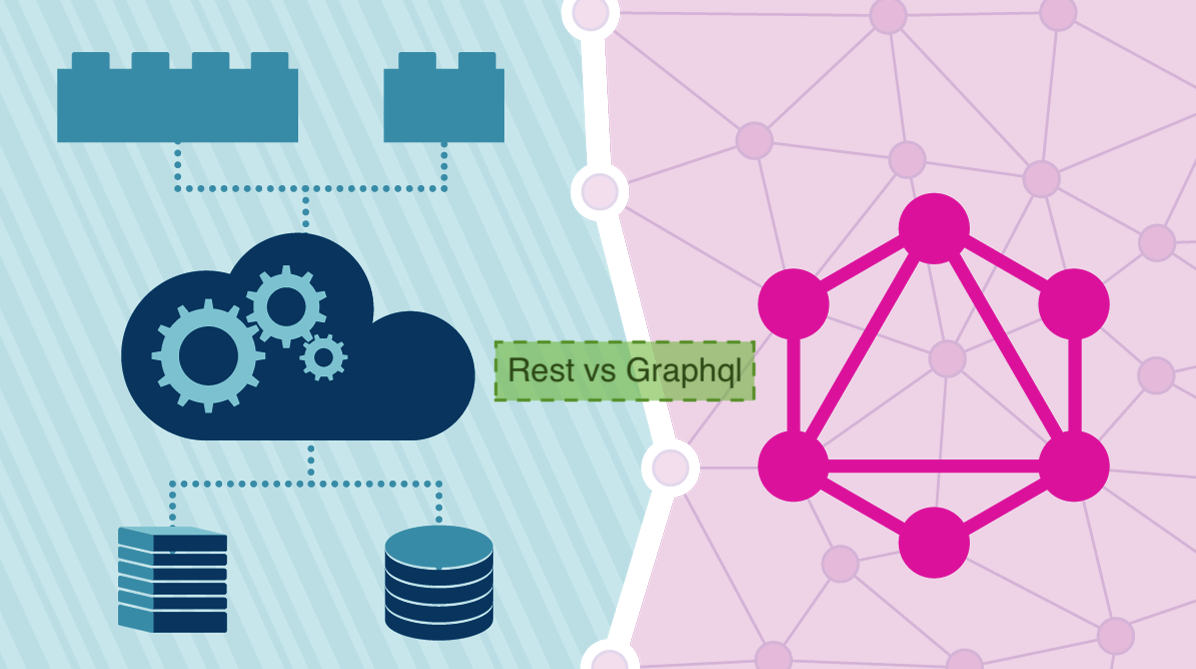
How I learned GraphQL is the better REST | Codementor

GraphQL, unlike REST, is a more efficient, flexible and powerful new option. The new API standard was developed and open-sourced by Facebook. It is now maintained by developers and open source community from all over the world.

It was developed to cope with the need for more flexibility and efficiency. It solves many of the shortcomings and inefficiencies that developers experience when interacting with REST APIs.

GraphQL enables declarative data fetching where a client can specify exactly what data they need. Instead of multiple endpoints, which return fixed data structure, there is a single endpoint which returns precise data that the client asked for.

To better understand the difference between GraphQL and the REST, let’s consider a blogging mobile application where we want to show a user’s profile screen with the following details on the screen:

User’s name

User’s All blogs title

User’s followers

Remember how we used to gather data with a REST API? It was typically done by accessing multiple endpoints. In the example, /users/<id> endpoint can be used to fetch the initial user data.

Also, it’s likely to have a /users/<id>/posts endpoint that will return all the posts for a user.

Next, the third endpoint will be /users/<id>/followers that will return a list of followers per user.

This leads to the client sending multiple calls, waiting on all those calls, chaining their responses, and gracefully handling if any one of the calls fails.

This highlights the first problem stated above.

Now coming to the second problem-

In this case, at the first step, we are fetching not only user’s name, which we need, but we are also fetching other data which is not required putting more load on the user’s data plan. Similarly, a lot of additional data is being sent across in other calls. This must be to support other clients like a corresponding web application which displays more information as the real estate available increases.

A possible solution within REST realm to solve the above problems would be that you could design your API in a way that exposes the data that is required by this particular profile page. But this is, again, not an optimal approach.

Why, you ask? Especially in today’s times, you want to be able to iterate quickly on your designs and experiment with different features. If you have to tweak your API every time you change your designs on the front end, you are not able to move fast. And keep in mind the versioning you would have to handle in your APIs to keep serving previous versions of your application. And you are in a mess.

Another elegant solution

In GraphQL on the other hand, you’d simply send a single query to the GraphQL server that includes the concrete data requirements. The server then responds with a JSON object where these requirements are fulfilled.

Here only a single request is sent to the server with the query in the request’s body with the exact data requirements and it will return the exact data needed by the application.

This solves our problems of over and under fetching.

I am sure many of you must have had this question in your mind-

An iOS app is so different from an Android app and miles apart from even the web app. How would we return different data for each client?

If I didn’t know about Graph QL, my solution would be either of 2:

  • Let’s send all data required by either of apps and leave it on the application to parse as per their requirement. Over-fetching.
  • Let’s create different endpoints or get platform information from the client in request header and return application specific data. On your path to maintainability issues.

GraphQL solves this problem by giving the power to clients to write their own queries to get data that they need. It’s generous that way- always taking the smallest possible request. Whereas, REST generally defaults to the fullest.

Some of the advantages of GraphQL are-

Typed schema

How many time has it happened that the API does not return data in the correct data type? Numbers and booleans are wrapped as a string. And then you debug it to find out the correct data type. This is because REST API contract only defines the data and not the types for that data.

In contrast, GraphQL uses a strong type system to define the capabilities of an API. All the types that are exposed in an API are written down in a schema using the GraphQL Schema Definition Language (SDL). This schema serves as the contract between the client and the server to define how a client can access the data.

GraphQL is a Query Language first

REST APIs are often created initially simple, then slowly more and more query language-like features are tacked on over time.

The most reasonable way to provide arguments for queries in REST is to shove them in the query string. Maybe a ?status=active to filter by status, then probably sort=created, but a client needs sort direction so sort-dir=desc is added. This is all taken care of in GraphQL because it is foremost a query language so you can easily add in query parameters without affecting the readability or creating a chaos of different types of queries.

{

human(id: “1000”) {

name

height(unit: FOOT)

}

}

GraphQL removes “Include vs Endpoint” indecision

Another customization consideration that comes up a lot is when to offer included relationships, and when to use another endpoint. This can be a difficult design choice, as you want your API to be flexible and performant, but includes used past the most trivial uses can be the opposite of that.

You start off with overly simplistic examples like /users?include=comments,posts but end up on /trips?include=driver,passengers,passengers.avatar,passengers.itineraries and worse.

REST would call for a HATEOAS approach, which would need you to make one call to the /trips endpoint, then hit “links”: { “driver”: “https://example.com/drivers/123” }, and again for passengers, and again for child data of each of those passengers.

This is a big win for GraphQL, as forcing the include approach, the GraphQL will be both efficient and consistent.

And now the disadvantages of GraphQL-

REST makes caching easier at all levels

In an endpoint-based API, clients can use HTTP caching to easily avoid re-fetching resources, and for identifying when two resources are the same. The URL in these APIs is a globally unique identifier that the client can leverage to build a cache. In GraphQL, though, there’s no URL-like primitive that provides this globally unique identifier for a given object. However, you can cache your GraphQL results at the front end using Apollo Client and Relay.

GraphQL query complexity

GraphQL doesn’t take away performance bottlenecks when you have to access multiple fields (authors, articles, comments) in one query. Whether the request was made in a RESTful architecture or GraphQL, the varied resources and fields still have to be retrieved from a data source. As a result, problems arise when a client requests too many nested fields at once. Frontend developers are not always aware of the work a server-side application has to perform to retrieve data, so there must be a mechanism like maximum query depths, query complexity weighting, avoiding recursion, or persistent queries for stopping inefficient requests from the other side.

So to conclude, GraphQL is a powerful technology to make the front end applications easier and more efficient. It has its pros and cons and should be taken into consideration when making important architectural decisions based on the specific use cases.

JS Developer: Learn Python

Python and JS are the two most popular programming languages. I was working as a MEAN/MERN Stack Software Engineer where I used Javascript as a coding language. Recently I switched to Python for a second project.
JavaScript vs Python : Can Python Overtop JavaScript by 2020? - GeeksforGeeks

In this blog, I will share my experience of working on both languages at the same time. Let’s get started.

Below are the code snippets which describe the major syntax differences. Can you observe how different they are?

The syntax b/w Javascript and Python are very different as shown in the above sample blocks. Sometimes I make mistakes by using one’s syntax in another. To avoid this these IDE’s are really helpful– IntelliJ (Python) and Vscode (Javascript).

Below are the major differences that I came across:-

  1. Python code uses tabs for a code block whereas JS uses { }
  2. Python uses ‘#’ for comment while JS use ‘//’
  3. Python uses the ‘print’ keyword whereas JS uses ‘console’ keyword to debug anything in the console panel.
  4. Python Function uses a ‘def’ keyword to define function whereas JS uses ‘function’ keyword
  5. The constructor of the Python class is defined by ‘__init__’ whereas JS uses a normal constructor.
  6. The semicolon is not mandatory in both languages to define the end of a statement. But we use it in JS because if we don’t apply it, JS engine will apply it automatically and create unnecessary bugs in the code.


Python VS JavaScript – What are the Key Differences Between The Two Popular Programming Languages?

Approaches to implement task in different languages

Every language has its own beauty. While solving any task with NodeJS I need to think in a different way than implementing them in Python. In some scenarios, Python wins and in some NodeJS.

Just a small example-

To create a Task manager backend in NodeJS, I need to use Express. To replicate the same functionality in Python, I need to use Flask.

Checkout repo for basic task manager https://github.com/agarwalparas/task-manager

However, later on, if my backend needs a functionality of Machine learning to manage tasks and prioritize them on the basis of users’ behaviour, then I will surely use Python.

Whereas if my backend needs high speed to list tasks or to search from tasks or for faster real time updates of tasks within the team, then I will surely use NodeJS.

So, it is really tough to decide which language to use in which project. But it is fairly straightforward to say which language can be used for a particular task.

After some experience, I have figured out a way to decide which language is better for a project.

NodeJS for Chat Applications and Realtime Apps whereas Python for Analytics, Machine Learning, Command Line Utilities.

Some important concepts

F String in Python and Template literals in Javascript

The F string and template literals are great new ways to format strings. Not only are they more readable, more concise, and less prone to error than other ways of formatting, they are also faster!

Decorators in Python and Callback Function in Javascript

Decorators and Callback Function are very powerful and useful tools since they allow programmers to modify the behavior of function or class. In Decorators, functions are taken as the argument into another function and then called inside the wrapper function whereas in Javascript the function passed as argument is called callback function.

Async/Await in NodeJS 

Before async/await, JS used promises but its code was a little complex to debug and caused callback problems.

Then JS introduced a neat syntax to work with promises in a more comfortable fashion. It’s called “async/await” and is relatively easy to understand and use.

Conclusion

So all in all it’s a very exciting journey. Both languages have some pros and cons. But isn’t it the same with everything. Different languages exist because there is no one-size fits all approach to programming. In fact, their existence gives us tools to help create more robust products. My experience of working with Python and JS simultaneously has helped me gain more exposure to the world of programming languages and I now look forward to learning more about other unknown languages.


An Introduction to Big Data Analytics| What It Is & How It Works?


What is Big Data? Let&#39;s answer this question! | by Ilija Mihajlovic | Towards Data Science

Big data is a term that describes datasets that are too large to be processed with the help of conventional tools and also is sometimes used to call a field of study that concerns those datasets. In this post, we will talk about the benefits of big data and how businesses can use it to succeed.

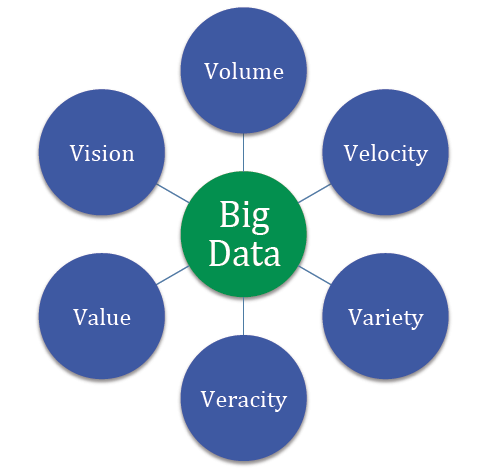
The six Vs of big data
Tourism Intelligence International – Big Data

Big data is often described with the help of six Vs. They allow us to better understand the nature of big data.

Volume

As it follows from the name, big data is used to refer to enormous amounts of information. We are talking about not gigabytes but terabytes ( 1,099,511,627,776 bytes) and petabytes (1,125,899,906,842,624 bytes) of data.

Velocity

Velocity means that big data should be processed fast, in a stream-like manner because it just keeps coming. For example, a single Jet engine generates more than 10 terabytes of data in 30 minutes of flight time. Now imagine how much data you would have to collect to research one small aero company. Data never stops growing, and every new day you have more information to process than yesterday. This is why working with big data is so complicated.

Variety

Big data is usually not homogeneous. For example, the data of an enterprise consists of its emails, documentation, support tickets, images, and photos, transaction records, etc. In order to derive any insights from this data, you need to classify and organize it first.

Value

The meaning that you extract from data using special tools must bring real value by serving a specific goal, be it improving customer experience or increasing sales. For example, data that can be used to analyze consumer behavior is valuable for your company because you can use the research results to make individualized offers.

Veracity

Veracity describes whether the data can be trusted. Hygiene of data in analytics is important because otherwise, you cannot guarantee the accuracy of your results.

Variability

Variability describes how fast and to what extent data under investigation is changing. This parameter is important because even small deviations in data can affect the results. If the variability is high, you will have to constantly check whether your conclusions are still valid.

Types of big data
 Data Characteristics - JavaTpoint

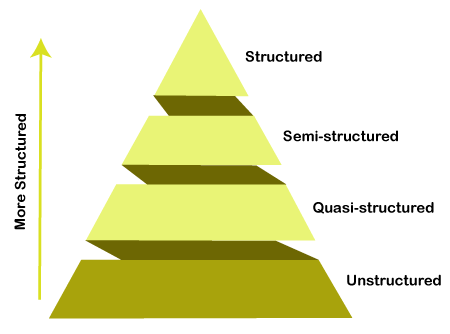
Data analysts work with different types of big data:

  • Structured. If your data is structured, it means that it is already organized and convenient to work with. An example is data in Excel or SQL databases that is tagged in a standardized format and can be easily sorted, updated, and extracted.
  • Unstructured. Unstructured data does not have any pre-defined order. Google search results are an example of what unstructured data can look like: articles, e-books, videos, and images.
  • Semi-structured. Semi-structured data has been pre-processed but it doesn’t look like a ‘normal’ SQL database. It can contain some tags, such as data formats. JSON or XML files are examples of semi-structured data. Some tools for data analytics can work with them.
  • Quasi-structured. It is something in between unstructured and semi-structured data. An example is textual content with erratic data formats such as the information about what web pages a user visited and in what order.
Benefits of big data
5 Benefits of Analytics

Big data analytics allows you to look deeper into things.

Very often, important decisions in politics, production, or management are made based on personal opinions or unconfirmed facts. By analyzing data, you get objective insights into how things really are.

For example, big data analytics is now more and more widely used for rating employees for HR purposes. Imagine you want to make one of the managers a vice-president, but don’t know which to choose. Data analytics algorithms can analyze hundreds of parameters, such as when they start and finish their workday, what apps they use during the day, etc., to help you make this decision.

Big data analytics helps you to optimize your resources, perform better risk management, and be data-driven when setting business goals.

Big data challenges
Challenges| Mercury Fund

Understanding big data is challenging. It seems that its possibilities are limitless, and, indeed, we have many great solutions that rely heavily on big data. A few of those are recommender systems on Netflix, YouTube, or Spotify that all of us know and love (or hate?). Often, we may not like their recommendations, but, in many cases, they are valuable.

Now let’s think about AI-systems that predict criminal behavior. They analyze profiles of criminals and regular people and can tell whether a person is likely at some point to commit a crime. These algorithms are reported to be quite effective.

However, their predictions are not as effective as to give them legal power, mostly because of the bias: algorithms are prone to make sexist or racist assumptions if the data is racist or sexist. You have probably heard about the first beauty contest judged by AI. None of the winners were black, probably, because the algorithm wasn’t trained on photos of black people. A similar fail happened with Google Photos that tagged two African-Americans as ‘gorillas’ ― for the same reason. This demonstrates how important the gender-race sensitivity perspective is when choosing data for analysis. We should improve not only the technology but also our way of thinking before we can create technologies that effectively ‘judge’ people.

How to use big data
How Brands Use Data  - 5 Real World Examples | InfoClutch

If you want to benefit from the usage of big data, follow these steps:

Set a big data strategy

First, you need to set up a strategy. That means you need to identify what you want to achieve, for example, provide a better customer experience, improve sales, or improve your marketing strategy by learning more about the behavioral patterns of your clients. Your goal will define the tools and data you will use for your research.

Let’s say you want to study opinion polarity and brand awareness of your company. For that, you will conduct social analytics and process raw unstructured data from various social media and/or review websites like Facebook, Twitter, and Instagram. This type of analytics allows assessing brand awareness, measuring engagement, and seeing how word-of-mouth works for you.

In order to make the most out of your research, it is a good idea to assess the state of your company before analyzing. For example, you can collect the assumptions about your marketing strategy in social media and stats from different tools so that you can compare them with the results of your data-driven research and make conclusions.

Access and analyze the data

Once you have identified your goals and data sources, it is time to collect and analyze data. Very often, you have to preprocess it first so that machine learning algorithms could understand it.

By applying textual analysis, cluster analysis, predictive analytics, and other methods of data mining, you can extract valuable insights from the data.

Make data-driven decisions

Use what you have learned about your business or another area of study in practice. The data-driven approach is already adopted by many countries all around the world. Insights taken from data allow you to not miss important opportunities and manage your resources with maximum efficiency.

Big data use cases
6 Use Cases in Retail

Let us now see how big data is used to benefit real companies.

Product development

When you develop a new product, you can trust your guts or rely on statistics and numbers. P&G chose the second option and spends more than two billion dollars every year on R&D. They utilize big data as a springboard for new ideas. For example, they aggregate and filter external data, such as comments and news mentions, using Bayesian analysis on P&G’s product and brand data in real-time to develop new products and improve existing ones.

Predictive maintenance

Even a minor mistake or failure in the oil and gas industry can be lethal and cost millions of dollars. Predictive maintenance with the help of big data includes vibration analysis, oil analysis, and equipment observation. One of the providers of such software is Oracle. Their machine learning algorithms can analyze and optimize the use of high-value machinery that manufactures, transports, generates, or refines products.

Fraud and compliance

Digitalization of financial operations can prevent credit card theft, money laundering, and other such crimes. The USA Internal Revenue Service is one of the institutions that rely on processing massive amounts of transactions with the help of big data analytics to uncover fraudulent activities. They use neural network models with more than 600 different variables to be able to detect suspicious activities.

Last but not least

Big data is the technology that will continue to grow and develop. If you want to learn more about big data, machine learning, and artificial intelligence in research and business, follow us on Twitter and Medium and continue reading our blog.

Healthcare solutions with Agile software

Two things that define today’s startup ecosystem are innovation and speed to market. If you’ve a unique idea and if you can get to the market fast, before everyone else, chances are your product will be a success. I don’t imply that these are the only two things that matter. But they play an important role in defining product success.

While some may argue that innovation and speed to market don’t go hand in hand, I heartily disagree. Agile project management is one of the ways that allows innovation without compromising on the delivery timelines.

I have been an agile practitioner for nearly a decade now. I’ve worked in different kinds of projects with different SDLC methodologies. Among them, I find Agile to be one of the best methodologies for project development. Especially in managing those projects where new solutions are required to meet rapidly changing customer needs.

Hospital Information System | Agile Health | Hospital Solutions

Let me share an example. One of our partners, Phritz, began their journey in December 2019. They started building a personal health record chatbot. At that time, they envisioned the chatbot to behave like a personal healthcare assistant that users can chat with anytime. The chatbot would even help users when they change doctors or health insurance.

However, as COVID-19 pandemic started spreading, we began to think of ways in which Phritz could offer extended support. There was a lot of hysteria among people regarding the information available about the virus. We began by thinking of ways to offer a feature in the chatbot where users could add their symptoms and the chatbot would offer answers. For instance, if you have a sore throat, the bot would give advice to take necessary medications. However, if you’ve sore throat, cold, and fever, the bot would suggest you to get a COVID test. If your test comes out to be positive, the bot also offers to inform people whom you’ve met in the past one week.

We couldn’t have imagined adding all these new features if we had chosen waterfall as a project development methodology.

Another example is from one of my recent projects. Our partners wanted to go for HIPAA compliance and secure all the protected health information (PHI) in the project. Securing PHI is an essential in a healthcare setup, so it’s critical to get this step right. This involved creating non-functional stories for securing PHI requirements, ensuring that it covers what has already been built and what will be built in upcoming features.

Since the stakeholders were in full gear with their marketing strategies and were getting the product familiar with the public, it was important for them to get the product to be HIPAA compliant faster.

Evon's Experience of Building HIPAA Compliant Healthcare Solutions

With Agile, it was easier to accommodate this new requirement. In the Waterfall way, our stakeholders couldn’t have thought about implementing this until upon reaching the first milestone.

Implementing agile not only helped us in accommodating the PHI requirements but also helped us with process improvements and clear communication with stakeholders.

These examples show that agile development helps in incremental development of the product– one that conforms to the needs of the users and solves their problems.

Agile can be beneficial to implement in healthcare projects under the below scenarios as well–

When you’re not sure about the entire solution

All great products are built on ideas that first appear on a piece of paper. It’s not necessary to flesh out an idea completely before jumping in to develop it. Strategy and execution are important but getting to the market fast is more important.

Consider Agile in healthcare as a peer to Waterfall

In such cases, agile development helps in validating the idea. You can start with just a goal in mind. Something that’s specific and measurable. For example: “The claim management software will reduce the claims processing time by 70% and improve efficiency of providers by 90%”

Once you develop a solution to this problem, put it out in the market and get customers to use it. After they start using it, collect feedback from them and improve your solution as per their needs.

When you’re navigating a complex domain

The world of healthcare is constantly shifting and innovating. Therefore, if you’re in the race to build the best product, it would no longer help you win. Instead, you ought to focus on  innovating in the services, and improving the customer experience of the product.

One of the best examples is Practo. Before the COVID-19 pandemic, Practo was subliminally known as an online consultation and medicine delivery platform. When the pandemic striked, they quickly pivoted as a telemedicine solution. Within a short span of four weeks, Practo created an ‘Artificial Intelligence’ tool that guided patients after collecting their basic information. The tool leveraged WHO protocols to profile high-risk people by asking them to share their travel and contact history.

This is just one of the many examples. In other healthcare products, you might be dealing with other regulatory guidelines like HIPAA. They make healthcare a complex domain. But with agile development, you can tackle them one at a time.

When there are multiple stakeholders/decision-makers

Healthcare product development might involve many stakeholders and decision makers. Each stakeholder might have a different perspective and goals for the product’s adoption in the market. This might cause a lot of feedback cycles that go in loops and a lot of incremental changes in the product’s features.

Agile teams are equipped to take up new changes, prioritize the needs of all stakeholders, and help you stay on track with rapidly changing requirements.

When you want to improve quality and reduce costs

In healthcare products, there is an unwavering focus on doing things quickly and shipping out features for the world to use and give feedback. Innovation matters the most, along with agility. But funding is limited and you can’t wrap yourself under the garb of innovation. Therefore, features must be rapidly tested. The focus is on failing fast and adapting to the users’ feedback.

In this scenario, agile proves to be the best method. The 2-week/4-week sprint works best in shipping out features that can be tested with the real users.

When product’s scope is variable

In the waterfall approach of product development, the scope of the project is fixed while team members and time can be varied. That is, if you’re halfway through a project when you realize you’re going to miss the timelines, then you either add more team members or extend the timelines. This increases the cost of development and causes delays in reaching the market.

One of the best things about agile development is that here time and people (team members) are fixed whereas the scope can vary as per requirements. It means that once the scope is defined, it’s not the dead-end of discovery.

Is your Healthcare App HIPAA compliant? | Hacker Noon

If after the first sprint’s release you get feedback for adding/removing/improvising features, agile accommodates it. It might impact your final deadlines, but it would still be somewhat near to what you had planned.

Some other advantages of agile teams is that they are more capable of making day-to-day decisions, independently. With a defined and structured process, they can also thrive in different geographical areas.

However, the agile processes are not easy to imbibe. Ceremonies like backlog grooming, sprint planning, need a lot of discipline to execute. I learnt it on the job with the help of my leaders. If you’re a new product manager, I would suggest you to read some good books on agile project management. The Lean Startup by Eric Ries and Sprint: How to Solve Big Problems and Test New Ideas in Just Five Days are two of my favorite books that can help you get married to the idea of agile development.

Product Development: User research methods

User research is one of the best ways to know what users want and how they interact with your product. It’s performed in order to improve the product as per the feedback gathered at different stages of product development.One of the mistakes that designers and PMs make is that they assume user research needs to be done only in the beginning. However, if you want to build a product that conforms to the needs of the user, research must be a continuous process. At the onset of the product development, user research is required to validate the idea. But when a product is out in the market, user research is needed to understand if users are liking it or not. It’s important to understand users’ needs and their pain points. It’s important to know how they interact and use your products/services, and what kind of challenges they experience while using them.Digital Product Development | Railsware Blog

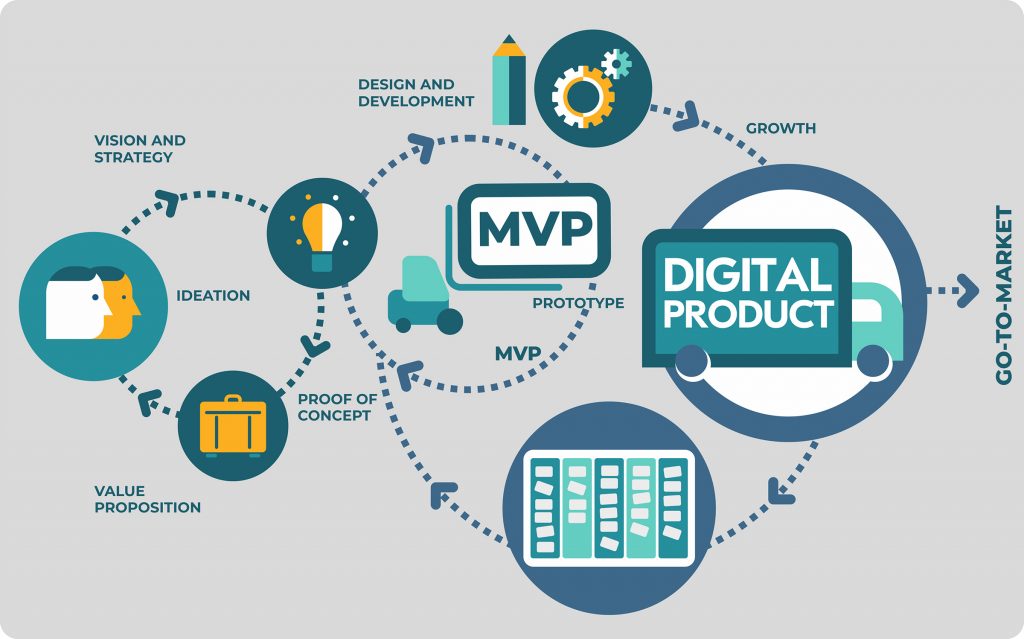
For this reason, different user research methods are used at different stages of product development. In this blog, I’ll talk about the research methods in detail. But first, let’s see the various stages of product development


Discovery stage (from an idea to an MVP)

Discovery stage starts with an idea. You have a picture in mind about what you want, and the problems you want to solve. But you need to validate your hypothesis.

You need to collect and analyze information about your end users, and their problem areas. You need to get an in-depth understanding of their goals, and challenges that might arise in implementation.

User research in this phase is required to validate those product ideas/hypotheses. When user research is done right, it helps in gathering valuable feedback on the ideas and saves precious time from building unwanted features.

Growth and maturity stage (from MVP to a full-fledged product)  

The growth/maturity stage of the product is when the MVP is already launched in the market and people have already started using the product. The product/service has got enough traction and is on the verge of getting popular.

At this stage, user research is required to understand how users are interacting with the product– are they satisfied with the product, what more would they like to be included, how would they rate the product, where do they feel stuck while using the product, etc.

Good user research helps in iterating over the existing product to build new features, improve existing ones or remove unpopular features. It also helps in getting feedback on the existing features on the product.

Implementing user research in the discovery stage, one can visualize the real pain points of users and build a product that solves users’ problems.

In post-launch user research, one can see how users use a product and what are the gaps that prevent them from accomplishing their goals.

There are different user research methods for each stage. So, first, let’s see the whole spectrum of methods that are available.

A landscape of user research methods

Nielsen Norman Group has conceptualized a variety of user research methods. I’ll be talking about the most common ones used by Product Managers/Design Leaders.

If you want to understand user’s attitude or what users say, then most common methods are-

Surveys :- They consist of a series of questions which give you quantitative information from a large sample set.  It can be used for both validating a hypothesis or gathering feedback from users. Therefore, surveys can be used in both discovery and post launch stages.

User interviews:- They are one-on-one discussions with users to gather qualitative information. Interviews are usually conducted in a small sample set.

They can be used in various ways – exploration to discover the pain points of the users, discovering new ideas for products/features, to test a hypothesis or to know the likes or dislikes of a user.

User interviews can also be used in both discovery and post launch stages.

Contextual inquiries:- In these sessions, users are observed as they perform tasks in their natural environment. This is a method to gather first hand information from the users. In other methods, you only listen as the user tells how he/she performs a certain task. In this, you can observe the user doing these tasks.

This method can also be used in both discovery and post launch stages.

In the discovery phase, one can observe the end users of the product in their environment while they work. This could give insights on what is repetitive in nature and how technology can remove those brainless iterations.

In the post launch stage, we can observe the end user using the MVP and observe where users get stuck or what are the blockers for them. Is there something which is manual and can be easily automated to make users’ life easy?

User feedback:- In user feedback, users give their opinion on the product. This is typically gathered through a link, feedback form, recommend button, etc. One example of gathering user feedback is through Net Promoter Score (NPS) which is a form of user feedback used to know whether a user would want to recommend the product to others.

This is done in the post launch stage of the product in order to improve the existing features.

All of the above methods help build empathy with the users and understand their attitude, likes/dislikes towards product usage.

If you want to understand what people do or how people use your product (also called as usability of the product), then most common research methods are-

A/B Testing :- It’s a quantitative method that allows you to compare two versions of a product and figure out which one works better. It’s used in making incremental changes in a product. There are tools available that allow you to run 2 versions of the same thing. 50% of the users will see one version and another 50% will see another version. Therefore, with A/B testing you could experiment with headlines, button texts or two layouts of the same page.

A/B testing can be used only in the post launch stage of the product.

Eye tracking/Heat maps:- Heat maps allow you to evaluate which sections of the website or app users engage with the most. There are many tools available that allow you to track how users engage with a hyperlink, button, or in what pattern they read the content. This kind of study is very critical to understand what users really care about and what attracts their attention.

It can also be used for the post launch stage of the product.

A case study

To help you understand how research methods vary in different product development stages, let’s take an example of a hypothetical product.

We want to build a virtual mental-health helpline that would help people seek support for disorders like anxiety, depression, etc. This helpline is especially targeted for those who are bearing the brunt of the pandemic and are unable to go out and seek clinical help. Let’s call our hypothetical product –  “Lumos Solem”. (Lumos Solem is the incantation of a Harry Potter spell that produces a blinding flash of sunlight)

In the discovery stage

As a product owner/manager, we would first need answers to some basic questions to validate the idea.

  • Would users be comfortable in using SMS/video to share their problems?
  • How comfortable would the users be in a virtual setup?
  • Who would be my target audience? What age, demographics?
  • What are the most common mental health problems that the helpline would address?
  • Should we get experts on onboard? Who would talk to the people seeking help?
  • Would people get a choice on who they want to talk to? Or will there be an automatic redirection to the first available person?

Digital Product Development | Railsware Blog

At this stage the user research methods that one can use to get answers to above questions can be–

  1. Surveys
  2. Interviews

For conducting the survey–

  1. Define the objective of the survey
    • In our case, it could be “To understand the user behaviour towards a virtual mental health platform”
  2. Identify the target audience and the sample size you need
    • In our case, an example of the target audience could be the most vulnerable  age group – 30- 80 age group and living in metro cities. Sample size can be a mix of middle aged and senior citizens.
  3. Frame the questions in an open and non-leading manner to gather the maximum insights without bias. Questions for Lumos Solem could be –
    • What does mental and emotional health mean to you in your everyday dialogue?
    • Do you feel the urge to talk to someone and just blurt things out to lighten your head? If yes, then what kind of communication could help you in expressing your thoughts?
    • What kind of answers do you seek in your daily routine which affects your mental or emotional wellbeing?Make the answers as multi-choice so that analysis is easier.

After that carry out the survey using any available tool like Google Forms and analyze the data to derive insights. This will help validate the hypothesis we assumed.

For interviews, follow the same steps as above. The only difference here would be to make a rough script, inform the participants the purpose of the discussion.

In growth and maturity stage

Let’s suppose Lumos Solem is in the market and we’ve started getting our innovators & early adopters on the platform.

Now it’s the time to build/remove features and collect analytical data using usability tests. In the post-MVP stage you can ask questions like-

  1. Analytics shows that users are dropping at the onboarding. Why?
  2. Those users who get past user-onboarding, drop off at the payment link. What can we do to retain them?

The user research methods that one can use to get answers to above questions can be–

Feedback form:- Feedback form after every virtual session can help you collect useful information about the quality of interaction. It can be for both mental-health experts as well as the users. This will give users a chance to share what they like or dislike about the service. You are also likely to discover blind spots like technical glitches hampering the quality of conversations, etc.

A/B testing:- If consultation with health experts is paid, you can experiment with the wording of the payment link. The idea is to make users trust in the process. If users are dropping off at the payment link, then you can A/B test the features of Pay now/Pay Later and see if they stay when given an option to pay later.

Heatmaps:- Heatmaps can be used to see what common problems people look for in FAQs. The area where heatmap is densely colored will indicate that users are most interested in reading about a particular topic. This data will help you refine your features so that users can find it easier to accomplish their tasks.

User interviews:- Conducting 1:1 user interviews with experts and users can also help in understanding the problems they are facing in a virtual helpline. At times, people hesitate in sharing their opinion in written format but are more vocal about sharing it in person. In such cases, user interviews come handy.

To conclude,  each user research method has its advantages and disadvantages. The choice of the method will be based on the nature of the product, stage of the product, the users and the answers you’re looking for.

There is a difference between what users say/think and what users do. If you want to know what users say then surveys, interviews and contextual inquiries are suitable to get the information. But if you want to know what users actually do then methods like A/B testing and heat maps are helpful.

I hope I was able to pass on some clarity of which methods to use during a particular product development stage.


The ‘When’ of Unit Testing & GUI Testing

Software Testing is the process of verifying and validating if the software which we have built is working as per expectations. A software tester should have the intent to find defects and make sure that the application is working properly. In order to achieve this, different test techniques such as automation testing, performance testing, unit testing are used. As GUIs are critical components of today’s software, there is more emphasis on GUI testing.
Unit Testing or GUI Testing- When should you use what? | Humble Bits

A lot of people are automating their web applications. This is definitely a good thing for testing per se. But what happens is that they focus more on the tools rather than the testing.

Why is that a problem? Because testing of a web application shouldn’t be done through just the graphic user interface (GUI). Instead, the application should be thoroughly tested using unit testing as well. GUI tests tend to be slower and more fragile. Through unit testing, we can reduce the time effectively both in writing and execution of test cases. Also, there will be less chance of missing functional test cases which are to be executed as the focus will only be on the functionality in Unit Tests, whereas in GUI testing the focus is more on the integration of the functionalities.

An example of something that could be tested using unit tests is the Textbox validation. Data is entered in String format in the application. The logic that validates whether it is following all the validation applied should probably be a unit test. There will be some code that receives a String or something similar and returns true or false. There will be another unit test which will receive some numerical value and return true or false.

Unit testing aims to test small portions of your code (individual classes/methods) in isolation from the rest of the application which provides more focus on the functionality testing.

The concat method below accepts a boolean value as input and appends the two strings passed in only if the boolean value is true:

Here, if I try to test the same functionality by GUI, I would need to enter two different Strings in different text boxes e.g. text boxes for First Name and Last Name in any application and verify on some other page after navigating that the name after concatenation is displayed correctly. With a tool such as selenium, it would take much longer to write a simple test case to verify the above scenario.

However, some functionalities should only be tested through the user interface. GUI testing may consist of system/ functional/acceptance testing, where the whole system can be tested together to ensure it does what it is supposed to do under real-life circumstances.

In such cases, it is valuable to separate responsibilities. Selenium is not just a tool for verification but also allows navigation using an actual browser. Verification should be done using other tools. They include unit testing frameworks or BDD frameworks. Being a Quality Engineer I prefer to use Cucumber. It depends on the application and its usability.

Separating navigation from verification is one way to understand the problem. It leads to a methodology known as the Page Object Pattern. This means that using that page object makes it easier to adhere to the Single Responsibility Principle, SRP. Using page objects save a lot of problems when the layout, not the logic, is changed in a web application.

What is a page object?

It is a class that abstracts away interaction with a web page. An example could be entering values in a form and submitting it. The methods in the page object know the name of different widgets so the user can work at a higher abstraction level. Instead of working on the level send-keys to web element, the user can say, “buy three different types of Headphones” and not care about how the widget that is used is located in the code.

Instead of mixing the verification code and navigation code, the test writer is able to focus on the expected behavior and nothing else.

Unit tests are meant to be small, fast, encapsulated tools to test classes and methods in isolation. They don’t test what happens to your application under real-world conditions. How does your app behave under Windows 2000, Windows 8, Windows 10, Mac, Linux? What happens to your server when 10 or 1000 users access it simultaneously? How about the same test with 6 years of data on 70,000 accounts?

You know the answer- functional testing via the user interface is usually the most effective way to broaden the scope and depth of your testing to include real-world scenarios which integrate all the components of your application system, while unit tests are used to check whether units of applications are working as per design and handling error and exception more neatly. Both positive and negative conditions should handle properly.

Design ‘THE’ Patient Engagement

If you ask patients what is their biggest gripe with healthcare services, you’ll hear a lot of common responses– doctors’ indifference to patient’s problems, privacy during illness and treatment, more waiting times during hospital visits, and so on. But if you turn the tables on doctors and ask their biggest gripe with patients, you’ll get answers like lack of adherence to medication, failure to understand the implications of not following medical advice, missing regular checkups, and so on.

Digital healthcare applications that try to solve these problems (and fail) fall behind in understanding that they’re missing an important link- effective patient engagement.

When patients lack an understanding of ‘why’ of the treatment, they are less likely to follow it. They underestimate their own role in the recovery process which ultimately jeopardizes their health. For instance– if a person is on his weight-loss journey, then lack of information around how long will the program run, when would he start seeing results, how often he has to measure his vital stats, what would he achieve after 3-months of rigorous diet, prove to be demotivating.

Engaging actively with the patients is the only way to keep them motivated through the journey– whether it’s healing from a chronic illness or transformation into a new lifestyle. This is where we need to take action and design a holistic patient engagement solution.

So, what is patient engagement and how can we make it better?

Patient engagement is the communication that happens between the patients/users and healthcare services providers (doctors, insurance providers, pharmacy). To make patient engagement better, we need to design the app in a way that there is an active indulgence from patients’ side. We need to transform their experience in a manner so that they can take the leap from a passive care recipient to an active participant. We need to engage them with defined roles and responsibilities.

Don’t get me wrong. I don’t intend to say that we should offload all the responsibilities from the provider. My point is that we need to hold patients accountable for the outcomes and empower them to have the best health outcomes possible. To make patients adhere to the treatment and keep them engaged during the interactions certain aspects need to be kept in mind while designing the UI.

Invest time in user research


10 Signs It's Time to Invest in UX Research in 2021 | PlaybookUX

Healthcare is a vast and complex domain. There are many diseases and multiple ways to treat those diseases. The challenges are a mix of known unknowns and unknown unknowns. So, it is important to understand the market and the users.

To design a great patient experience, start at the beginning. Invest time in the discovery phase. Research various aspects of the problem statement. Understand the user demographics, what problems they face, and what solutions they imagine. After you have a first version ready, roll it out in the market to a limited target audience. Observe how the innovators and the early adopters receive it and gradually start including the rest of the audience.

Go beyond the happy scenarios

8 Best Customer Service Practices Every Company Should Adopt | CommBox

Healthcare organizations/service providers collect feedback from patients in the form of surveys and interviews and use them to form opinions– how was their experience with the doctor, how satisfied they feel with the treatment, and so on.

But often they miss out on collecting feedback on other aspects, such as– how much time did they spend in the waiting room, how easy/difficult it was for them to book an appointment, did they receive the right information on appointment rescheduling and so on.

To design a better patient engagement, think holistically and include all the touchpoints where the patients can get stuck or feel helpless. We need to design an experience that holds patients’ hands throughout their user journey.

The earlier example I shared is for an appointment booking system, but you can apply it to any healthcare product– be it pharmacy management or insurance management. Look for areas where your users face resistance in sharing their problems.

For instance- consider an insurance management application that allows people to purchase and renew their insurance. The happy scenario would be users buying the insurance as per their requirement. But we can think beyond that. What if we can inform and motivate users to fill in as much details about their health to book an insurance that suits their requirements.

 Make data security a priority

Data protection priorities differ, only 46% of leaders review cybersecurity: Study - The Economic Times


Technology is changing the way people perceive healthcare. But one thing hasn’t changed– concern over data protection and privacy. Healthcare products and digital apps carry lots of sensitive and confidential information that is prone to theft and misuse. This is why designing healthcare products is more complex than other digital applications.

But designing with an extra layer of security and privacy regulations makes products difficult to use and complex to understand. To design better patient engagement, think about the concerns of your users. Design your solutions while following safety protocols and compliance standards.

In addition to that, convey the security measures you’ve implemented to the users. When users understand that the application is safe and trustworthy, their engagement levels improve.

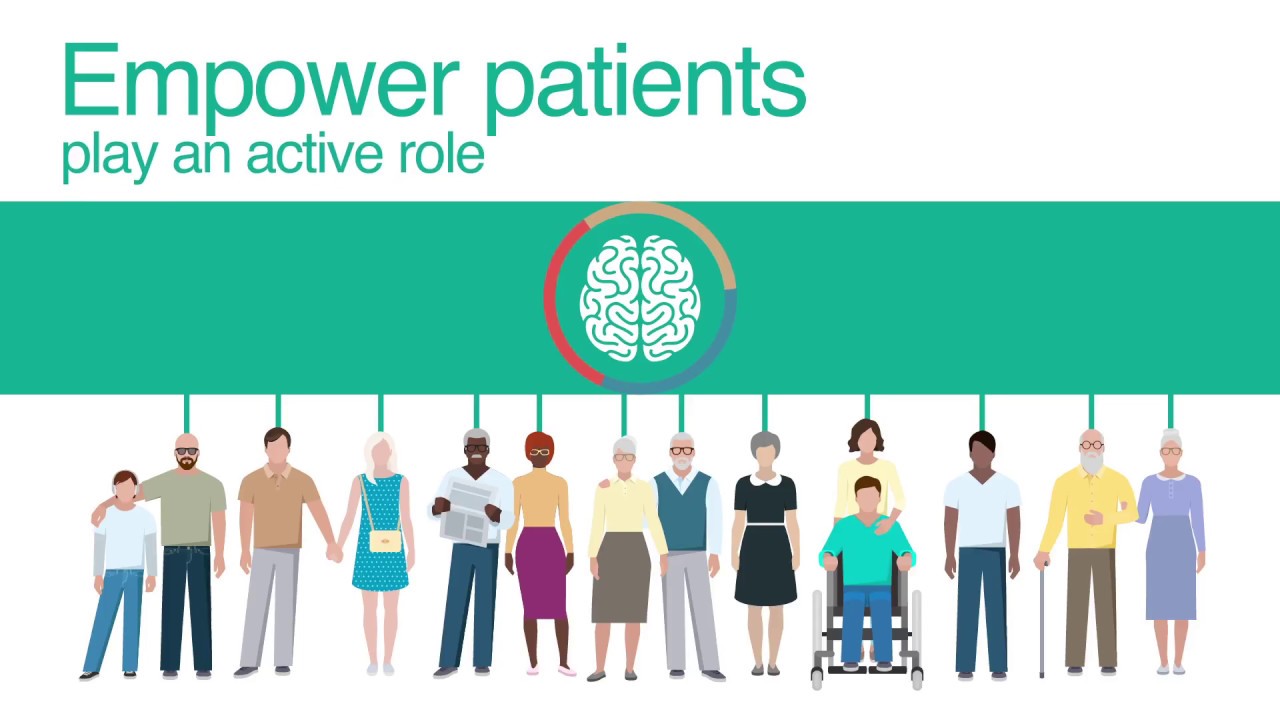
Empower patients to play an active role

i-PROGNOSIS: Intelligent Parkinson's early detection guiding novel supportive interventions - YouTube

Most patients lack understanding of their ailments which reduces their involvement in the treatment and decision-making process. The solution is effective patient education through multiple mediums so that they can select the medium as per their convenience and get a better understanding about their disease and the ongoing treatment.

Whether it’s patients or caregivers, empower them to play a key role in helping themselves/their family members, by teaching them how a given treatment is relevant. Patient engagement improves when users are educated, informed and onboarded in the process. This helps patients to be at the driver seat of their treatment.

Another way to empower patients is to provide them coordinated, accessible and customized information that suits their requirements. An example of this could  be- if they receive a push notification of reminder about renewal of their insurance policy, integrate it with the system that allows them to renew it right at that moment.

Practice empathy

How to Be More Empathetic - A Year of Living Better Guides - The New York Times

Every patient is different. Some are happy with new advancements in healthcare and are ready to try emerging technologies like AI, robotics to take charge of their health. Whereas, others are still hesitant in adopting new ways of treatment. Especially elderly and people with disabilities.

To offer better patient engagement to them, indulge with them in the traditional way. For example- an elderly having early signs of Parkinson’s disease might not feel comfortable in interacting with a virtual nurse assistant. There are two ways to help them- either you find a way to help them come out of their comfort zone or you offer help the traditional way, i.e. setting up an in-house visit.

Practice empathy to experience what they feel and go through every day. Support them in their journeys to enable better long-term treatment outcomes.

Enable communication

Using Shared Decision-Making to Improve Patient Engagement

Communication is a very important aspect to keep the patient adhere to the treatment. When patients go through a treatment, they have numerous questions in their mind. A good patient experience is when every question is answered. So, there should be a way where users can ask their questions and get answers.

To enable unhindered communication, an application must have a community where everyone keeps posting their queries and gets motivated by each other. In urgency, the patient should be able to connect with the support staff too for any assistance.

Make information accessible

The Technology of Making Your Business More Accessible - InfiniGEEK

It is very challenging for the patient and doctors to manage and remember every detail of the patient. So the system should be designed in such a way that it makes managing the clinical history of the patient easier. The doctor should be easily able to access the information from different patient care-related venues.

Deep dive into analytics

Adopting AI: Telecom industry takes a deep dive into data analytics -

Launching an application is never enough. One must look at the data and understand what’s working, what can be improved and what has failed. Patient engagement can be greatly improved if we care enough for the data and take action on improving the shortcomings. For example- analytics shows that most users drop at the payment CTA for booking an online appointment. This information can help us improve the payment flow. We can ask questions like- can we reduce the number of steps for payment, what security measures can we add in the payment gateway so that users can trust it, and so on.

Google’s HEART framework can also be used to measure task success in healthcare products.

H defines happiness which indicates if the patients and physicians are finding the app useful and easy to use.

defines engagement which shows if the patients and doctors are using the application to its fullest and are adhering to the treatment.

A defines adoption which shows how many users are signing-up for it and adopting the new features.

R defines retention which indicates if users are coming back to manage their appointments, refills, reminders, schedule.

T defines task completion which shows if patients and doctors are able to complete their tasks easily.

Using all these parameters, one can extract valuable information and use it to improve patient engagement.


Improving patient engagement is not a quick fix that one can do merely by desiring it. You have to do the hard work to understand the patient, interact with them and have an empathetic approach to understand their world view. A good patient experience improves engagement levels and is directly linked to the success of the application.

Your Guide to API testing: Postman, Newman & Jenkins

API testing is a type of software testing wherein an engineer tests not just the functionality but performance, reliability and security for an application. APIs are tested to examine if the application would work the way it is expected to, as APIs are the core of an application’s functionalities.

What Is API Testing?

API testing during development can reveal issues with API, server, other services, network and more, those which one may not discover or solve easily after deployment.

However, testing APIs is difficult. Instead of just verifying an endpoint’s response, one can have integration tests with Postman to examine and validate the responses. Teams these days may also want to automate running these tests as soon as a deployment is done. One approach we can take is to have our integration tests run every time a developer checks in code to the repo.

Adding this layer of Quality check, can ensure that the existing functionalities still work the way they were expected to, with an additional benefit for the developers to validate that their code is doing exactly what it was intended to.

Tools for API test automation in CI

CI refers to continuous integration. Integration of test scripts and a test tool with the continuous build system where the test scripts can be run along with every new deployment or on a regular basis (daily, weekly or fortnightly)

  1. Postman: Integration tests with Postman.
  2. Newman: Create a PowerShell file that runs these integration tests via command line.
  3. Jenkins: Add a Post Build step in Jenkins to execute the PowerShell script whenever a build is initiated.

How to use Postman with Newman & Jenkins for Continuous Integration


API Selection

I have implemented this procedure in our Project using the GPS APIs, but for instantiating here, let’s take up the following APIs:

Open Weather Map: Free public APIs.

I chose this as it is a free collection of APIs that anyone can subscribe to and have their own API keys to operate with.

Create Integration Tests

For the first test, let’s take up a simple GET request to get Weather by ID. To interact through the APIs, make sure to use the API key received on subscribing to the OWM services.

Steps to First Integration Test

Make an environment on Postman say, ‘Weather Map’ and define the environment variables in it. [Refer ‘Managing environments’].

Add the Prerequisites in the Pre-Req tab to set up the test.

Collections

Like the above API tests, one can have multiple test scripts for multiple endpoints. And these multiple test scripts can be run in sequence to have an end to end test suite. The way to have a test suite is to keep multiple test scripts in a place holder called as a Collection in Postman.
These collections can then further be executed through the collection runner in the tool.

Collection Runner

A collection runner can be used to have a collection of API endpoints with their test scripts at one place and therefore run them one by one in a sequential manner. The user just needs to run the collection just once with all the required test data, test scripts and for as many iterations one may want. The result of the collection run is a test report, comprehensive enough to monitor the performance of the APIs and also to re-try running the failed test scripts.

For elaborate study on Collection Runners, refer Link.

Though the user interface of Postman’s collection runner is good enough, yet, to integrate the system with Jenkins, we need to run our collections via command line. So, a way to run collections via the command line is through Newman.

Newman

Newman is a Node Package Manager (NPM) package that permits us to run and test collections directly from the command line.

Pre-requisites:

  • NodeJS and
  • NPM already installed.

Commands to be run on Windows Powershell

  • node -v [to verify the version of NodeJs installed]
  • npm -v [to verify the version of NPM installed]
  • $npm install -g newman [to install Newman]

Once the required installations are done, one needs to have his collections and Environment exported to JSON files in the local system. These files can then be passed as arguments to Newman.

Steps to get the environment and collections on the local system:

  • Click on the Download and Export button in Postman.
  • Download the collection
  • Download the environment
  • Open command prompt and raise your privileges. This is important for you to execute the script.

Adding Postman Tests to Jenkins

Testing REST APIs with Newman | R-bloggers

We first need to export our Postman files (Environment and Collections) and add them to GIT, along with our Powershell script to run the tests through Jenkins build.

“Add the Postman files to the root of the project.”

Telling Jenkins to run Newman

For this we write a script that calls Newman and passes it the Environment and Collection JSON files.

–  ‘exit $LASTEXITCODE’: On typing this command, you will see the result of the last command. We do this to make sure that on every loop, the Newman command is successful. If any of the tests fail, we have to stop the script and exit 1. It will result in a failed build on Jenkins.

Adding Script to Jenkins

Steps:

  • Login to Jenkins and create a Freestyle Project.
  • Start by configuring this project to pull your repo code from Git.
  • In the General Tab, go to build section

Running the build and monitoring Results

Try running the project and examine the results.

One can make out successful entrance into the powershell script with the statement ‘Inside Powershell script’ in the Jenkins output.

Conclusion

Improving continuous integration utilizing Postman, Newman and Jenkins adds another layer of quality assurance into our development life cycle. While this is a huge step in automation, we need to emphasize on the fact that our test coverage depends on the quality of our test scripts.

A Digital Divide has emerged as a result of Remote Working

Coronavirus reveals need to bridge the digital divide | UNCTAD

Like many others, my family and I have done our best to enjoy the unexpectedly large amount of time we have together at home due to social distancing guidelines. Adjusting to the new normal, we have relied heavily on Internet access not only for work and school, but to stay sane and keep the peace. My wife and I both continue to work from home, frequently videoconferencing and collaborating with colleagues. The kids finished the school year online and now they are starting the new school year with a mixed arrangement of physical and virtual learning. Many hours of streaming video have been consumed. This isn’t an experience we want to repeat, but I believe it would have been far more difficult and stressful if we lacked the connectivity needed to remain productive, informed, and entertained during these times. Without that high-speed connection to the digital realm, this experience would feel more like we were stranded in a country where we didn’t speak the language — surrounded by activity yet unable to participate. It would create the very real feeling of “looking in from the outside.” The rapid onset of social distancing or stay-at-home measures has created just this feeling for a large number of people. Across the world, many people were suddenly thrust into unfamiliar remote working situations. And with the global percentage of households connected to the internet at only 55%, many organizations, in turn, discovered a digital divide that needed to be bridged for some employees. For example, some companies successfully stood up the infrastructure and processes necessary to support new remote capabilities, only to find that some of their employees lacked the connectivity or technological proficiency to be productive remote workers.

These current circumstances have placed the digital divide –not always apparent to many companies previously — into sharp relief. They’ve shown that digital life skills and work skills – not to mention the access to technology and connectivity needed to enable those skills — are as essential to us now as hunting and horseback riding were to our ancestors. Like STEM education, an emphasis on digital skill-building could help many people be more productive and could provide them a better work environment, more income, and a brighter future.

Infrastructure and processes to bridge the digital divide

Other related questions around remote work abound, especially in terms of corporate infrastructure. Would employees be able to use devices they already owned to perform their jobs, or would they need to be supplied with equipment? Where would that come from and how would it be prepared to access corporate data? And many were unprepared and unsure if their network was up to the task when demand suddenly shifted from inside the enterprise to requests from remote workers.

Processes were another big issue. In addition to addressing where we work, enterprises have had to consider how we work. What tasks does a company perform that must continue and could those be adapted for remote access? For some, the work needed to turn this into a distributed, remote work process was well documented. Team-oriented jobs, however, required more reengineering and may not have been as well defined.

Remote working: temporary or permanent?

The future of work: How technology enables remote employees

Over the past few months, we have been helping our global enterprise customers adopt to this new environment and discussing the future of workplace. Many are debating whether remote work is a temporary fix or a permanent shift. In every case, I’m sure they will be reflecting on this experience and its challenges – and the digital divide in particular – to help them improve their resilience and that of their employees. These lessons will heavily influence the investments they make going forward in all areas of technology, training and business process reengineering.

Product Development: Cruciality of decisions & risk log

If you are a product manager you would have experienced at least one of the below scenarios.Scenario 1: During a meeting with partners (we refer to our clients as partners), a conflict surfaces while recalling the reasons for a particular decision in the past. You have one version of the story while the partner remembers an altogether different version or, worse, doesn’t remember anything about the decision.Scenario 2 : A new team member joins the team. During a discussion, he/she asks “why are we doing it this way” and you go blank. You need time to recollect your thoughts to give the right answer.

Scenario 3: Before starting the project, you identify risks that might arise during the development phase. Your partners ignore it and give you a go-ahead. Months later, when you start facing technical issues and convey it to them, your partners don’t remember the conversation you had at the beginning of the project.

Scenario 4: During knowledge transition sessions, you share everything that you know about the product’s development history. But you fail to remember when and why this decision came into existence. It’s difficult to recollect exact conversations that led you to take this decision. It’s all in the email threads but even those emails are hard to find.

Do you feel deja-vu reading the above scenarios?

I do. I have lost count of the times I’ve faced these scenarios. I am sure you would have faced them too sometime in your career. It’s not that I haven’t tried anything to overcome these challenges. I have tried different things apart from discussing over calls with our clients/partners-

  • Mentioning all the important decisions in emails
  • Mentioning all risks in the initial proposal
  • Mentioning new risks in the emails as they come
  • Sending MoMs with a defined structure- discussions, decisions, action items
  • For any kind of technical decision, attaching an analysis document in the respective JIRA ticket and adding a comment with the final takeaway.

But, the truth is, as the product grows and the team expands, searching emails for MoMs and referring to JIRA tickets doesn’t make the cut.

Especially if you are working on a big project that goes on for years. After a time, recovering JIRA tickets and long email threads feels like digging the Earth for a dead body. I myself have faced this while recalling why we decided using Inspectlet over Fullstory? Or, why did we decide to push the MVP deadline?

So, what’s the solution?

When I started looking for a solution to this problem, I discovered that I am not alone. A lot of PMs face this problem. Thankfully, there’s a solution to tackle this problem. A product manager can maintain registers/logs for a product that can help him/her remember important product decisions. These two logs are-

  1. Decision log
  2. Risk log

Decision log

A decision log is a centralized list of all critical decisions taken throughout the product’s life cycle. It can be a business decision impacting the delivery, a technical decision, a process decision or a people decision.

This helps in effective communication in the present and then in future for recall times in conflicting situations.

Decision Log Template | FREE Download

What goes inside a decision log?

  • What is the decision about?
  • When was the decision made? (Date)
  • Why this decision? Pros and cons, if any.
  • Who are the contributors? Who is the approver?
  • Outcome of the decision?
  • When the decision was proposed?

Risk Log

It would be a centralized list of all potential risks and issues identified throughout the product life cycle. This includes all the information of the identified risk – nature of risk, level of risk, mitigation etc.

Many times, we maintain the product risk log for internal purposes only. But, keeping it open with all stakeholders really helps.

How do I create and use a Risk Log?

What goes inside a risk log?

  • What is the actual risk?
  • What is the impact of the risk?
  • When was this risk identified?
  • What is the impact level?
  • What is the probability level? (PB Level)
  • Priority level (PR level) = Impact level * Probability level  (PB Level)
  • Who is the owner?
  • Are there any mitigation notes?
  • What are the recent updates?

When to list a risk?

All the risks should be identified and communicated to the stakeholders using the Risk Log itself right at the beginning.

After that, risk identification should be a recurring activity. You can make it a part of your sprint rituals – sprint planning, retrospective or even in your daily scrum meetings.

Risks can be identified by anyone – Stakeholders, Leads, PMs, Designer, QAs or Developers.

Just as in decision log, a risk’s priority could change in future or a risk could become an issue (i.e. already occurred). You can read about Risks vs Issues. Hence, at a given time the risk register should show the updated risk information.

Also, once the risk becomes an issue it can go to the Issue Log which is the same as Risk Log and usually kept in parallel.

In short, maintaining Decision and Risk logs in your product might be an additional task for you in the starting. But, once it becomes a part of your process, it really proves beneficial in the long run. You can use it to-

  • Keep everyone on the same page.
  • Save time in debating/recalling the reasons for a particular decision.
  • Avoid “We told you so” situations that become the root cause of conflicts..
error: Content is protected !!