Why Is Personalisation So Important in Online Business?

The 3 Big Problems with Personalization in Online Sales and Marketing

Personalisation is not the latest trend in online business. In fact, it has been around for a while. It is, however, becoming the norm, with more and more companies adopting personalisation as a strategy. Those who haven’t yet begun to use personalisation not only fail to reap its benefits; they risk losing customers and sales to their competitors. Here’s why you should consider personalisation for your business.

Why personalisation is important

The Benefits of Personalisation as Shown by Seven Statistics

Today we are bombarded by marketing messages. We find them on websites, social media, emails, television, radio, on the sides of vehicles, on street hoardings and tons of other places. There are so many fighting for our attention that, despite the millions that are spent on them, the majority go ignored. Personalisation has been proven to make customers take more notice and take more action, vastly increasing the effectiveness of marketing campaigns.

To give some substance to that claim, a recent article from SmarterHQ showed that over 90% of consumers would be more likely to buy from a company that provides them with relevant offers and recommendations. What’s more, they also discovered that, in 2019, more than 70% of customers only engaged with marketing messages that met their individual interests.

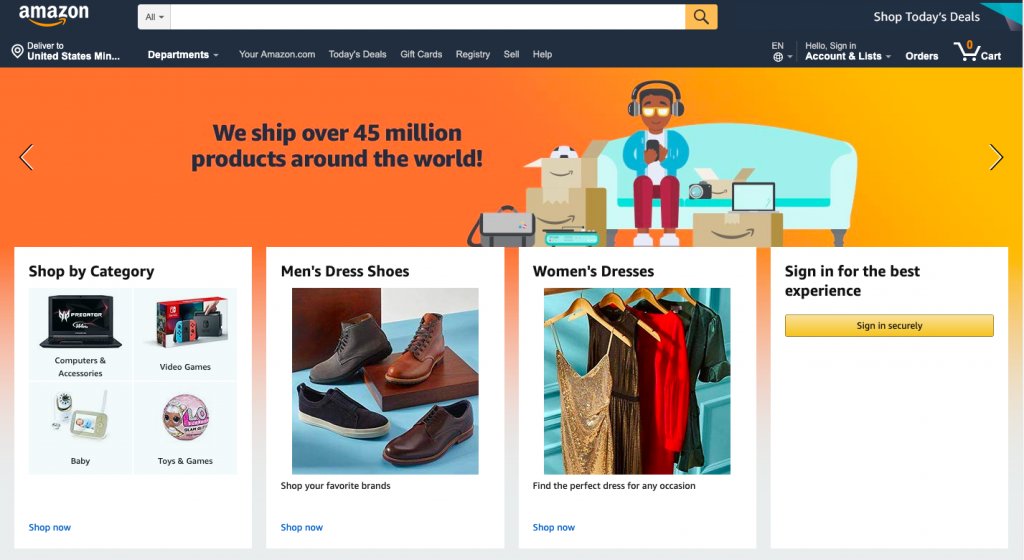
Since companies like eBay and Amazon started introducing personalisation, consumer expectations have increased. Indeed, if a website doesn’t offer relevant suggestions, almost half of its visitors will head to Amazon before making a decision. Overall, 70% of consumers feel marketing is too impersonal and 36% want even more personalisation than at present. Importantly, where personalisation makes buying less expensive or easier, 90% of consumers are willing to share their data to obtain those benefits – and it is that data which makes personalisation achievable.

The value of data

From data to value

Websites are able to obtain vast quantities of valuable data from their visitors. This gives marketing departments the ability to know when people shop, what and who they shop for, how much they spend and even why and how they shop. This, however, is just the tip of the data iceberg. Today, businesses go way beyond tracking website behaviour and create end to end journey maps that collect the data on every single interaction an individual has with the organisation, including customer service interactions, emails and responses, product ratings and reviews, social media interactions and so forth. This helps the company to know their customers better than ever before and thus provide them with a far better customer experience.

The insights gained from analysing such data can help a company procure the products their customers want and market them in the most effective, personalised ways. It can even help them send out marketing communications via the customers’ preferred channel and do so at the time that will have the greatest chance of a call to action being followed. And, of course, when the consumer arrives at the website, they’ll be greeted personally and find all the products they are most likely to be interested in and be given offers which are both relevant and appealing.

How to add personalisation capabilities to your website

Website Personalization: Your 6-Step Guide To Mastery

The growing demand for personalisation means there are an increasing number of plugins, tools and third-party services you can use to help implement it. The key tool is a Customer Relationship Management application that will enable you to do the essential collecting, tracking and analysis of your customer data as well as providing you with the ability to personalise recommendations on the site and send personalised marketing communications. Chatbots are another popular AI tool that act as personal shopping assistants to recommend products based on customer data.

Personalisation tools vary considerably in price. The WordPress Repository has several highly rated plugins with free and premium versions. More advanced tools dealing with bigger quantities of data can cost hundreds of pounds per month. A third-party provider will cost even more but will take the burden of managing the system off your hands and remove the need for in-house technical expertise.

Don’t forget your hosting

4 Things to Avoid When Transferring Your Website to a New Web Hosting Company - DEZZAIN.COM

Do remember that if you choose to offer personalisation, you will need the capacity to store all the data you are collecting and the processing power to run the apps that will analyse it. This means you may have to consider a more powerful hosting solution for your website, such as VPS, dedicated server or cloud.

At the same time, collecting large quantities of personal data means you will be obliged to ensure its safety and so you may need to enhance the security features that you use to protect your website and online storage.

Conclusion

Personalisation is becoming a necessity for competitive businesses, especially in the eCommerce sector. Offering personalised interactions improves the customer experience and makes marketing strategies far more effective. To do this, however, you need the right tools to collect and analyse the data and to generate the personalised content. You also need the hosting capabilities to deliver personalisation and maintain data security.

The Top 10 Search Engine Optimization (SEO) Trends To Drive More Traffic

Content marketing SEO strategy

Although most website owners are aware that SEO is essential if they want their site to rank well in search engine results, keeping up to date with the ways in which SEO should be done and then putting it into practice can be a time-consuming task. Search engines are constantly refining their algorithms in order to produce ever better results for their users and this means the Search Engine Optimization goalposts are constantly on the move. To help you stay up to date, here are the latest major developments in search engine optimization.

Optimising for search intent

How to Optimize Your Content for Search Intent - The Next Scoop

Search engines’ main priority is to give users the content they want to find. Doing this means they are using more sophisticated ways to understand the intent of the user when they carry out a search. When someone types in ‘paracetamol’, for example, the search engine will try to work out whether they are looking to buy paracetamol or whether they want to find information about it. This might seem impossible from a one-word search; however, by using all the information they have on that user, recent search history, browsing habits and so forth, and by comparison to other users, their incredibly sophisticated algorithms can ascertain intent to a far better degree.

What does this mean for website optimisation? It means you have to undertake a new form of keyword research looking for the intent of users when they use the keywords you want to rank for. Only when you understand what their intent is (to buy, to find information, etc.) can you create the content to match. Indeed, you should do this for all the content on your site, not just the things you publish in the future.

Redefining domain authority

Moz Domain Authority 2.0: Stronger, Sharper, Scarier | Techosaur

Domain authority has always been based on the quality of the content that a website provides. Once upon a time, search engines’ main measure of this was by the number of reputable websites that linked to it. Quality backlinks were priority number one.

Today, as search engines find more sophisticated ways to judge the quality of the content, the emphasis is on, to quote Google, ‘identifying pages that demonstrate expertise, authoritativeness and trustworthiness on a given topic.’ Expertise, authoritativeness and trustworthiness, often referred to by the acronym EAT, are therefore the new main priority when it comes to domain authority.

What does this mean in practical terms? It means your content has to illustrate expertise in your field and that any posts you publish need to be accredited to someone within your organisation with authority in that area, preferably people who can prove their trustworthiness by having their expertise mentioned on other leading websites (an actual link is not necessary). In other words, even if you have someone else write the content, the author by-line needs to be attributed to a recognised expert. Indeed, going much further, the website as a whole should be seen to specialise in its chosen topic.

Do backlinks still really matter? Yes – as long as they are from quality sites relevant to your own area. They help with what is known as PageRank and are taken by search engines as proof that the information your site provides is trustworthy.

Optimising for image searches

SEO Guide: How to Rank for “Near Me” Searches?

Image searches have begun to take off in a big way and websites which haven’t yet begun to optimise for them should do so. Why? Because tech native generations find it very user-friendly to take a picture of something rather than type in a search term and with Google Lens being able to identify over a billion items already, the technology is increasingly being used.

Websites should make sure that every image has a filename that reflects its subject matter (IMG001.jpg won’t suffice) and an alt-tag that describes the picture. Aside from that, domain authority is also a key factor in whether your images will be ranked. A picture of an owl from the RSPB will likely rank higher than one a blogger has taken on a day trip to an owl sanctuary. More up to date photos from sites that regularly post fresh content will also rank better, especially if the photograph is a featured image on a page.

Optimising for voice searches

Voice Search: The Definitive Guide

The growth of Google’s Search Assistant and the increasing numbers of Google Home devices means Google, in particular, is increasingly focussed on voice search. Chances are, it will be difficult for your content to feature in spoken search results, as Google will prioritise the top ranking sites. However, to give your content a better chance, you should consider putting questions and answers in your content, and to frame the questions in the way someone would ask them when speaking out loud.

As Google uses featured snippets in its voice search results, this is another area where you should concentrate. In particular, you need to include keywords in the snippet and these should be keywords that the page actually ranks for. In other words, if there are keywords you want to rank for but don’t, don’t use these in the snippet unless they are part of a long-tail keyphrase.

Conclusion

Doing well in organic searches is getting increasingly harder, especially as even the top results now get pushed aside by adverts, answer boxes and lists of related questions. Because of this, the developments in Search Engine Optimization mentioned here are all the more important to help you rank better. Hopefully, you will find the information of value to you.

If you are looking for faster website loading to improve your SEO, check out our wide range of high-performance hosting solutions.

7 Exceptionally Effective Online Business Management Tools

11 Powerful Cloud Management Tools | Network Computing

Though there is a lot of work involved in creating and managing an online business, there are plenty of useful tools around to help you do things quicker, smarter and more easily. Today, there are applications and services, many of them free to use, which can help you do everything from building professional standard websites and eCommerce stores, to ensuring you’re well prepared for the worst kind of emergencies. Here, we’ll look at seven of the most useful.

1. WordPress

WordPress: what is it, how can you use it, and the main secrets

WordPress is the perfect tool for creating fully functioning, professional websites. This completely free CMS platform has been used to create 35% of the world’s websites and has been developed over many years to make it easy for anyone with basic computer skills to use.

What’s more, with thousands of free themes and tens of thousands of free plugins, WordPress users can create websites that are uniquely designed and which have unparalleled functionality compared to other website creation software. With it, you can build any kind of website and have it perform any kind of function. The sheer scope of its plugins gives any website enormous potential.

If that’s not enough, its massive popularity means that beginners have a vast range of online support to help them with any issues, with many websites and web hosts offering specialist support in all areas of its use.

2. WooCommerce

WooCommerce - Wikipedia

If your main purpose is to sell products or services online, then you will need to create an eCommerce store. The ultimate tools for doing this is WooCommerce, which is actually a WordPress plugin rather than a standalone program. Essentially, once you have created your WordPress website, all you need to do is install and activate the free WooCommerce plugin and your site is transformed into an eCommerce store. All you have to do then is set up the store and add the products (physical or digital) or services (including bookings and reservations) that you want to offer.

WooCommerce is a user-friendly plugin that helps you manage sales, inventory, payment and delivery. It is so popular; it is one of the few WordPress plugins to have its own set of plugins. These provide additional functionality to enhance the customer experience and to make it easier for you to manage your store.

3. PersonalSign

Download and Install PersonalSign Certificate :: Download and Install PersonalSign Certificate :: GlobalSign Support

Many people fall victim to online scams like phishing because they are unable to tell the difference between a genuine email and one which scammers have tried to make look authentic. PersonalSign is an email signing certificate that puts a stop to this by letting recipients of your emails quickly verify that it is trustworthy. Additionally, the contents of your email and any attachments you send are encrypted, preventing them being stolen or tampered with during transit or at rest.

PersonalSign isn’t just of benefit to your customers, either. Many businesses fall victim to phishing because employees receive fake emails purporting to come from executives in their own company – often asking for money to be transferred to the scammers’ account or asking for sensitive data. Email signing certificates put an end to this, too.

4. cPanel hosting

cPanel Hosting | Host With cPanel & Experience the Full Control

When setting up your online business, one of the first decisions you will need to take is on the type of hosting package tools you wish to use. While there are many different types of hosting to choose from (e.g. shared, VPS, dedicated server or cloud) one of the things you will need to consider is the type of control panel which your hosting will come with.

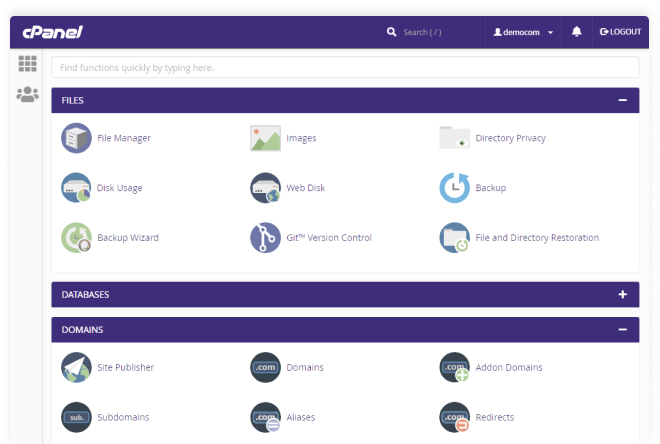
The control panel is the interface you will use to manage your hosting and your websites. The most common form of hosting uses Linux-based servers and the most popular control panel for Linux is cPanel. cPanel web hosting tools makes it easy to manage your web hosting and email; its user-friendly interface offers simple file management, 1-click application installs and a comprehensive suite of useful tools that enable you to carry out a wide range of management activities. Setting up new domains, automating updates, adding new email addresses, etc., is a breeze with cPanel.

5. Google Analytics

GA4] Search box in Google Analytics 4 properties - Analytics Help

Data has become the backbone of today’s decision-making processes and this is equally true of running a website. Google Analytics (GA) is a free tool, provided by Google, that gives you in-depth data on visitors to your website. Going way beyond telling you how many visitors your website gets, when they visit and where from; GA can be used to track where visitors have found you, which pages they visit, how long they spend on each page and what pages they exit from.

Perhaps most importantly, you can use GA to improve your marketing. You can set up goals to track visitor progress through your sales funnel, including analysing how effectively your ads and other online marketing techniques generate conversions.

What’s more, GA is incredibly easy to set up and integrate with your website. WordPress users can do the integration simply by using a plugin.

6. Yoast SEO

SEO for everyone • Yoast

The success of your online venture depends upon the number of visitors you get to your website. Unless you want to rely heavily on paid advertisements, the main way to get visitors is through ranking well in search engine results. Search engine optimisation, however, is a complicated and ongoing process covering everything from site speed and mobile-friendliness to website structure, keyword placement and domain authority.

When it comes to on-site SEO, there is no better tool than the free Yoast SEO plugin for WordPress. This plugin automatically looks after much of the optimisation you will need to do while providing wizard-like guidance to ensure any content you are creating meets the most up-to-date SEO requirements.

7. Automated remote backups

Why You Need Automated Website Backup - HostPapa Blog

The final tool you should consider is automated remote backups. A necessity rather than an option, a remote backup is the only fall back you will have if you lose your website data. Should your site be hacked, your server fail, your data be corrupted or even if you accidentally press the delete button, there’s the potential that you could lose the entire content of your website and the website files themselves. Failure to restore your website swiftly can have catastrophic consequences and even put you out of business completely. A remote backup can help you get your site back online quickly.

An automated backup service does more than just back up. It enables you to take backups as frequently as your business needs, it saves the files remotely from your own server, provides enough space for multiple backups and even checks that the backups are not themselves corrupted. You can also encrypt your backups to ensure that you comply with data protection regulations.

Conclusion

There are a huge number of tools you can use to create and manage your websites and it can be challenging to search through them all looking for the best ones. The tools and services we have shown here are those which we think provide great value and are exceptionally useful.

The 5 ways cloud computing will change in 2020

What is Cloud Security? Cloud Computing Security Defined | Forcepoint

Cloud computing is set to continue its remarkable development this year with technologies like 5G, Kubernetes, AI and machine learning increasing the scope and scale of the operational uses it can be put to. In this post, we’ll look at these technologies and see how they will change the face of cloud computing and how businesses use it.

1. IoT boosted by 5G

How 5G is becoming an Important Technology Ingredient for IoT

The long wait for 5G is finally over and, with its introduction, we’re set to see it play a critical role in the connectivity of IoT devices, extending that connectivity way beyond the limitations of wi-fi and enabling the development of edge computing.

The exponential growth in the number of IoT devices is coupled with an equally gargantuan collection of data. As the value of that data for delivering rich insights prevents enterprises from deleting it, companies are left to find a way to store and process it all. They need massive data storage capacity and vast compute capabilities. At the same time, some of the new technologies being developed for IoT use, self-driving vehicles being a prime example, require network latency to be almost eradicated.

5G can help with all these issues. It can connect devices where wi-fi and cabled connections are not available and at exceptional speed, it enables storage and compute services to be installed at the edge of 5G networks, shrinking latency to less than a millisecond while reducing the type and volume of data being stored in datacentres.

2. More stringent security standards for public cloud

An open, secure cloud with security standards you value - OVHcloud

Security is a critical concern for all enterprises and one new area to consider is the issue around 5G as it becomes part of the cloud network. The UK’s decision to use Huawei technology for its 5G network has already become a political hot potato. This, together with other concerns, is likely to lead to more stringent security standards, particularly over endpoint security, for cloud providers.

It is expected that tighter regulations will be introduced for the architecture of hybrid clouds requiring full data separation between on-site and public cloud environments. Brexit will also play a part, as the UK goes its own way in implementing standards regarding data protection.

3. More users adopting hybrid cloud

Multi-Cloud, Hybrid Cloud, and Cloud Spend - Statistics on Cloud Computing - ParkMyCloud

While many companies have considered hybrid cloud computing , its technological challenges have led to most of them adopting a purely public cloud model. And while there are workloads which are better suited to a hybrid solution, the lack of flexibility to deploy both on-site and cloud infrastructures is a hurdle which many enterprises are not equipped to overcome.

In 2020 and beyond, we’ll start to see new tools that can overcome these management and migration challenges. These tools will split migration into two separate processes where companies can first become familiar with their new programming and management models on-site before finally moving their infrastructure to the cloud. This is particularly helpful for those organisations that want to move to the cloud but don’t want to abandon the investments they have made in their datacentres and hardware.

4. Kubernetes to become the standard container

A Beginner's Guide to Kubernetes. Kubernetes has now become the de facto… | by Imesh Gunaratne | ContainerMind | Medium

Containers have become widely used by companies that need to run multi-cloud workloads. By providing a platform-agnostic solution for the packaging and management of applications, they have simplified the process of cloud adoption and migration.

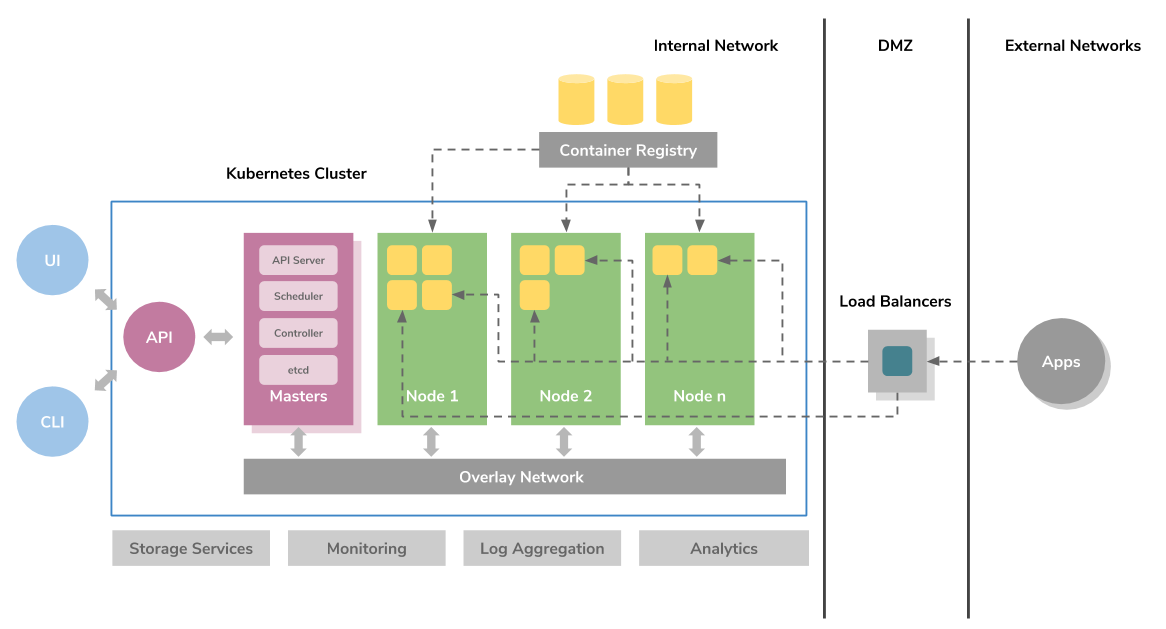
Of all the container solutions available, Kubernetes has become the most widely adopted. The primary reason for this is that, aside from housing an application, it also specifies the app’s required infrastructure, including load balancing, networking and scaling. What’s more, the standardised way in which it does this means those specifications can be more easily transferred across providers. When it comes to deploying infrastructure for container-based workloads, Kubernetes is today’s go-to solution. Additionally, its popularity means there are also a growing number of tools being developed to support its use.

5. AI and machine learning used in networking

Cisco: How AI and machine learning are going to change your network | InsiderPro

AI and machine learning are now being deployed to carry out a wide range of operations and this means companies are reorganising their IT services to enable them to make deployment easier. One area where AI is beginning to bring developments is in networking, helping with such things as reducing energy consumption and in automating maintenance tasks. Expect to see even more examples of its uses coming into the spotlight in the next few years.

Conclusion

It is an exciting time for the cloud with technologies like 5G, containers, AI and machine learning enabling its users to undertake more operations and enhance their capabilities. However, with expanding uses comes an even greater need for security and higher standards in how data is used. Hopefully, the information given here will have shown you what developments are in store and how your company can benefit from them.

What Exactly Is Digital Transformation, and What Are Its Advantages?

Digital Transformation: Three Areas of Focus to Enhance Business Value

Digital transformation puts companies in a far more advantages, giving them all the benefits that the latest technologies bestow. However, while the adoption of new technologies is a key element of the process, deeper changes are needed before an organisation can truly reap the rewards. In this post, we’ll take a closer look at what digital transformation is and what it can offer.

What is digital transformation?

What AI and machine learning are and how they relate to IoT | Basefarm

Digital transformation puts companies in a far more advantages . On one level, digital transformation is the process of adopting technologies like cloud, artificial intelligence, machine learning and the IoT in order to make business processes more effective and efficient. What makes these technologies particularly beneficial is their ability to gather and process data. This enables companies to be more informed about their processes, strategies and activities while giving them data-driven insights to help with decision-making.

The adoption of these technologies, digital transformation puts companies in a far more advantages however, is not merely something that happens in the data centre or in IT, it brings change to the entire organisation, forcing the company to rethink its goals and strategies, reorganise its structures and roles, and to make changes to processes that affect all its workforce. Indeed, for many companies, some of these changes are often necessary before the process of digital transformation can commence. Key here is the corporate attitude to digital transformation. For it to be successful, the business needs to embrace new technologies and this often requires a shift in company culture.

The driving force behind successful digital transformation is the digital leader. This is someone who clearly knows the technologies needed to transform the company and who understands the changes their deployment will bring. These leaders don’t just have belief in the project, they are also able to communicate that belief in order to bring on the cultural shift that’s required – and that’s not just in the board room; it’s across the whole business.

What are the advantages of digital transformation?

Once the company is ready to embrace new technologies and the changes they will bring, there are numerous benefits that can result. Here are some of the main ones.

Making the most of data

Making the Most of Data Should Be a Priority for Business, Not Just for IT

Digitalisation helps break down departmental silos so that data can be unified and more easily analysed. As a result, end to end customer journey mapping is attainable, while other forms of unstructured data can be combined to gain previously unobtainable insights.

Cost savings

IT outsourcing customers cling to cost-savings mindset | CIO

While technologies like cloud, with its pay as you go pricing, can significantly reduce IT costs, this is just the tip of the cost-saving iceberg. New technology can help companies optimise a wide range of business processes, providing valuable data to show where efficiencies can be made

Consolidation

Consolidation of Meetings and Travel Functions on the Rise | MeetingsNet

Modern digital technologies can transform how a business goes about its operations, helping to streamline its workflows and, in the process, cut employee workloads and reduce overheads.

Creating customer-centric businesses

5 Key Considerations When Creating a Customer-Centric Culture - Acquire

One of the main benefits of digital transformation is that the data it provides about customers enables businesses to improve the customer experience. From websites that offer personalised products to communications sent at the right time and via the right channel and with the right message, digital transformation enables businesses to deliver experiences that the customer wants.

More attractive products and services

Product Description: 9 Examples of Product Descriptions that Sell

Understanding what the customer wants not only improves the customer experience, it also enables businesses to provide the products and services that the customer is looking for. It helps manufacturers with product design and retailers with inventory selection while enabling other companies to offer services which are more likely to appeal to their customers. As a result, companies become increasingly more effective in the marketplace.

Precise market segmentation

The Complete Guide to STP Marketing with Examples | Yieldify

The technology available to digitally transformed businesses enables them to have far more information about their customers, helping them to discover new market segments that, in the past, they would never have been aware of.

Omnichannel customer experiences

Designing Omnichannel Customer Experiences | by Momentum | Medium

Digital technology enables business-wide systems to be put into place so that your customers can interact and buy from you when, where and how they choose, whether that’s online or at your bricks and mortar store.

A more agile and innovative business

5 Examples of Agile Organisations | Clear Review

The modern technology that digital transformation provides is faster, more powerful and more capable than legacy IT systems. It makes it easier for teams to collaborate and enables businesses to react quickly to market changes. It also speeds up the development and launch of new products, services and strategies.

Conclusion

Digital transformation is not merely the process of deploying new technologies, it’s the adoption of a digital culture that embraces this technology and carefully manages the significant changes that it will bring to the company as a whole. As technology is in constant development, digital transformation, too, is an ongoing process. However, once the culture is in place and the technology is deployed, there are significant benefits to be had.

Cloud Computing in a Distributed Environment: The Future of Enterprise IT

Why new apps boost the need for new infrastructure - Ericsson

While enterprises, today, still heavily rely on datacentre and single cloud infrastructures, technological developments in artificial intelligence (AI) machine learning (ML) and the Internet of Things (IoT) are requiring applications and their data to be dispersed across multiple locations, including edge sites, multi-cloud and multi-datacentres. While this accounts for a small fraction of current usage, Gartner predicts that within five years, this will be the standard IT infrastructure for three-quarters of organisations.

The cloudification of edge computing

The Cloudification of Everything - cnbctv18.com

Edge computing is becoming increasingly important to enterprises that use IoT, ML and AI. Many of their technologies rely on the ability to process data locally so that real-time decision making can take place. The sheer volume of data these technologies use means sending everything to the cloud for processing would require unacceptable levels of latency.

That said, enterprises do want edge IT to operate in a similar fashion to the cloud. They want to be able to centrally manage operations rather than having local outposts undertake siloed management. For this, edge computing needs cloudification, the development of micro-clouds that enable organisations to deploy and connect an application and its infrastructure across a range of edge environments.

The cloudification of edge IT brings numerous benefits to enterprises. It brings edge sites global connectivity that is both secure and high-performance; it provides distributed edge sites with integrated storage, networking and compute resources; and it enables the business-wide management of distributed data and applications across its diverse infrastructure.

At the moment, edge cloudification is still in its infancy. However, new capabilities are constantly being developed and it is only a matter of time before cloud providers offer edge computing with a wide range of functionalities.

A different kind of multi-cloud

Cloud-native application deployment across hybrid multicloud infrastructure: 451 analyst interview

The way enterprises use different cloud services is about to change. At present, the term multi-cloud means that organisations have several cloud providers and, usually, each of these is used to run separate applications. It is a way of not keeping all your eggs in one basket and to defend against vendor lock-in.

In the future, this set-up will change to one which is significantly more modular and where different app components will be run in different cloud environments. This enables enterprises to carry out workloads where the unique qualities of each cloud environment and the expertise of the cloud provider are best matched to the needs of the task being run.

As a result, enterprises which adopt this methodology will be better placed to run and support more effective microservices. If today’s siloed approach is akin to a family buying all its food from a single supermarket and being limited to what was on the shelves there, the new way of approaching multi-cloud would let you buy your wines from a wine merchant, your meat from the farm shop and your pizzas from favourite Italian restaurant. If, for example, you ran an application that used both a database and machine learning, each of these two components could be run in the cloud environment that offered the best infrastructure and support.

At the same time, this multi-cloud approach also offers an added layer of availability protection. Should one of the cloud environments go offline, the application will still be available in the other so you can bring the affected component back online. For companies that need to keep the personal data of EU citizens stored on servers within the EU, this approach also helps with compliance, enabling data to be stored where it needs to be while other components can be run more effectively around the globe.

Distributed cloud and the future

The Future of Distributed Cloud – Telecoms.com

At present, the move towards edge cloudification and the changing use of multi-cloud environments are separate advancements. However, they are both indicators of a growing trend towards the development of a distributed cloud. This new way of working is becoming increasingly necessary as it will enable enterprises to manage not only a wide variety of discrete components, e.g. edge applications, legacy datacentre apps and apps spread over multiple cloud providers; but crucially, the infrastructure required to support them. In doing so, it will operate as a unified distributed cloud where organisations can manage and operate their entire IT services. Indeed, it will enable applications to be deployed with common policies and provide global visibility across all locations and infrastructures.

Conclusion

The distributed cloud, essentially, is an approach that lets enterprises use the best tool for each job. It enables real-time processing to happen at the edge where decision making needs to be made quickly and enables app components to be run in the cloud environment where the infrastructure and support best fit. Crucially, however, it takes all these disparate elements and enables them to be centrally managed. If you are looking for bespoke, managed IT solutions, take a look at our Enterprise Hosting page.

Cybersecurity for Remote Work: 10 Ways to Boost It

Cybersecurity Solutions That Boost Remote Work Security

Many companies use cloud-based platforms that enable their employees to work remotely, whether from home or out in the field. While this brings benefits to both the company and its employees, it does create challenges which need to be addressed for the company’s systems and data to remain secure. Here, we’ll look at the best practices to ensure cybersecurity for your remote employees.

1. Vet your employees

4 ways to find the right employees for your startup | The Burn-In

If you are going to keep your data and systems secure, you need to know that the people who have access to it are trustworthy. Vetting employees can highlight anyone with a background that makes you think twice about giving them access. This doesn’t merely relate to someone’s criminal history; it also means looking at employees who have a record of flouting the company’s IT policy.

2. Train your employees

Why It's Crucial To Train Your Employees - The Yellow Spot

All employees can pose a security risk if they do not understand how to keep your system and data safe. While most companies undertake cybersecurity training for their staff, there are differences between using an in-house system which is not connected to the internet and a remote system which is. If you have recently begun to implement remote work, you will need to update your training to cover the new procedures and best practices that your employees need to follow.

3. Store remote user data securely

10 Secure File Sharing Options, Tips and Solutions | Varonis

If a hacker gets hold of information about your employees, such as their usernames, passwords and privileges, it makes it very easy for them to undertake even wider and more damaging hacks. For this reason, the data you keep on these employees should be stored very securely.

4. Provide your own devices

BYOD – Bring Your Own Device | Class Teaching

While many companies operate a Bring Your Own Device (BYOD) policy, this gives you far less control over security. As the device your staff access your system with is also for personal use, you are unable to manage how that device is used or even who it is used by. If your employee lends their laptop to their child who unwittingly clicks on a malicious link, your data may be put at immediate risk.

Although it is more expensive, providing your own devices means you can set up firewalls and security settings in-house, install antivirus and internet security, and ensure that the employees are obliged to follow security protocols when using the devices.

5. Know where devices are

Find All Devices Connected to Your Home Network the Easy Way

One of the biggest issues with remote work is that lots of devices get lost. Even the UK government lost over 2000 devices in the year up to June 2019, nearly 800 of which belonged to the Ministry of Defence. For this reason, devices must be fitted with a location finder, be securely locked and, where possible, be set up for remote deletion.

6. Secure internet connections

What Is Network Security? - Cisco

Where your employee connects to the internet can also be an issue. Public wi-fi hotspots, for example, can be easy to hack into and this makes it possible for data transmitted across them to be stolen. Although you may insist employees do not connect from an insecure connection, you can further increase security by preventing company data being accessible when the device is not logged into a secure network.

7. Encrypt data and emails

Data Encryption: Why You Should Protect Your Business | Aureon

Encryption prevents data from being stolen when it’s in transit or at rest, so even if a hacker gets to the data, they will not be able to access it. Using VPNs, SSL and TLS are important ways to protect your data, as are Personal Signing Certificates that encrypt emails and their attachments.

8. Two-factor and multi-factor authentication

What is Multi-Factor Authentication (MFA) – RSA

No matter how unique and strong username and passwords are, on their own, they are not robust enough to guarantee that whoever is logging in to your system is who they say they are. Adding further levels of security, such as a passcode sent to a user’s mobile phone or a biometric fingerprint scan, offer a far greater degree of authentication that can prevent hackers from getting access.

9. Control access privileges

What Is Network Access Control? Solutions and Explanations

Limiting what employees can access on your system also limits what a cybercriminal can access if they hack into an employee’s account. By setting privileges so that employees only have access to the information they need to carry out their remote work, you minimise the risk of data being stolen or the system being taken down.

10. Use a secure cloud provider

7 Cloud Security Best Practices to Keep Your Cloud Environment Secure

Your cloud provider can provide significant help in keeping your system and data safe. At Anteelo, our team can develop and implement a security policy that meets both your internal and regulatory requirements. We use next-gen FortiGate firewalls with built-in intrusion prevention systems and in-flow virus protection, while also offering extensive VPN features, server and network monitoring, personal signing and SSL certificates, application firewall configuration, DDoS protection, email security, industry-leading remote, encrypted backups and more.

Conclusion  

Remote work provides companies with opportunities to save money, improve collaboration, offer flexible working conditions and cope with crises like Coronavirus. However, it is critical that systems and data remain secure. Hopefully, the ten points raised here will show you ways that such security can be put in place.

Best Practices for Mobile App Onboarding in 2020

Onboarding: User Retention in Mobile Apps | Scandiweb

You might remember the days before the brilliant concept of onboarding was introduced.

How puzzling it was to figure out an app on your own. As if it was a game of guessing about which option directs to where, what it does, how to do certain things, etc. – the list runs long.

In a hurry? Jump directly to –

Table of Content:

  • What is Mobile App Onboarding?
  • How many types of Onboarding are there?
  • Benefits of using App Onboarding
  • Mobile App Onboarding Best Practices Checklist [2020 Updated]
  • Live Examples of App Onboarding Done Right

However, the ordeal was over when mobile app onboarding started to gain momentum. It assisted users in navigating through the app with ease and explored its features and functions. Almost all the industry-giants are having a sip of this elixir of a concept and are obtaining remarkable conversion rates.

Wait, did we just lost you there?

No problem, let’s take it from the top, starting from what is on-boarding to what are the best onboarding practices for 2020.

What is Mobile App Onboarding?

Onboarding designs, themes, templates and downloadable graphic elements on Dribbble

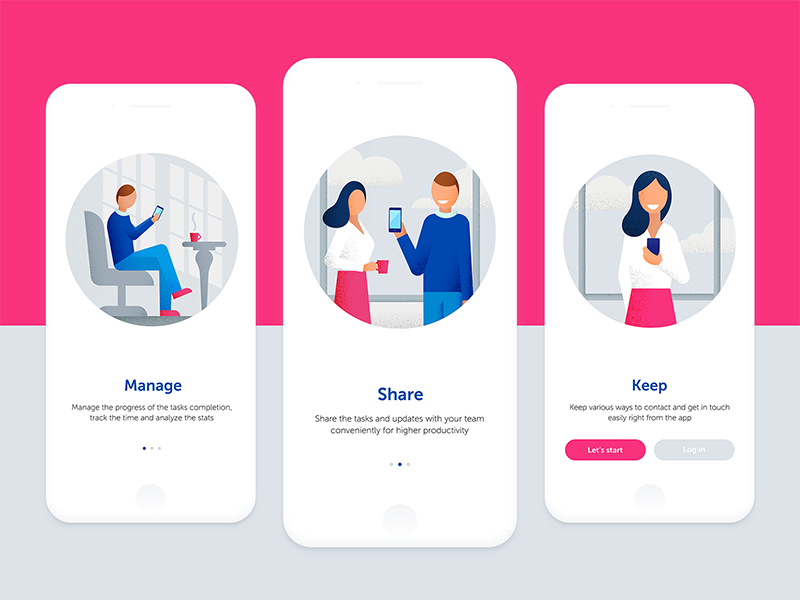
App Onboarding is an efficient method used by organizations to enable users to comprehend your app and its functions. It is a walkthrough process or a tutorial that is meant to help users interact with the app and easily figure out what that particular app does and what they can achieve by continuing to use it.

Essentially, it is a series of screens that guide users through the app’s interface. Now, the mobile app onboarding screens typically have three purposes for which they are being used rigorously:

  1. To enlighten the users about the utilitarian functions and benefits of the app.
  2. To enable the users to register on the app via a login option.
  3. It is aimed to gather useful profile data of the users, later used to offer personalized notifications and content.

How many types of Onboarding are there? 

There are essentially three types of best mobile app onboarding that help fulfill these distinct objectives.

1. Progressive

38 Progressive Onboarding ideas | onboarding, customer experience, progress

This is one of the app onboarding best practices that displays new information on the screen while users progressively navigate through the app. It is in a way a step by step process directing and encouraging the users to take actions. The information depicted is relevant to the specific page.

2. Function-oriented

ESSENTIAL ONBOARDING TACTICS — PART 3: FUNCTION-ORIENTED ONBOARDING | by Appsee | The User Onboarding Journal | Medium

It is a mobile application onboarding approach that is typically focused on app functionality and explaining users the ways to operate the app. The function-oriented approach ensures the demonstration of common and rudimentary actions performed in the app to the users.

3. Benefits-oriented

6 User Onboarding Flows for Mobile Apps | by The Manifest | Medium

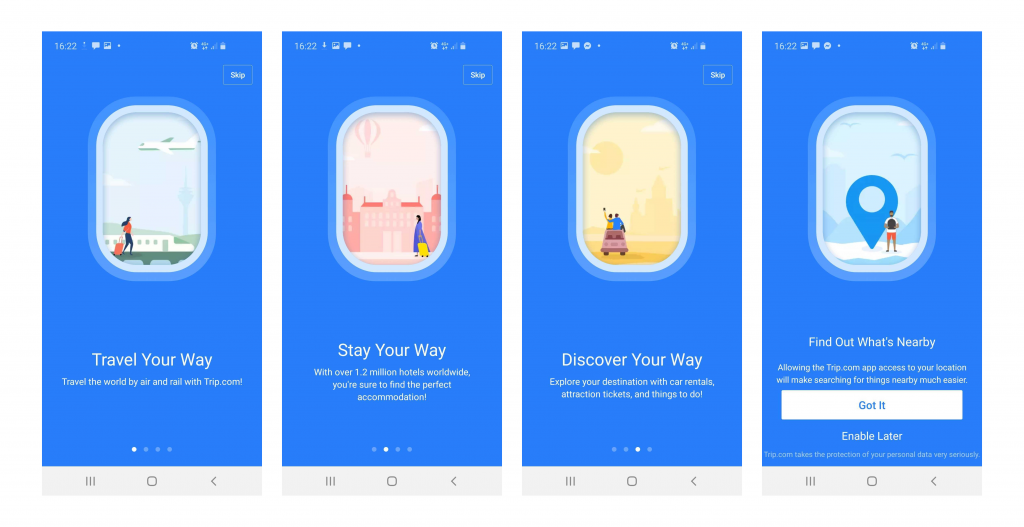
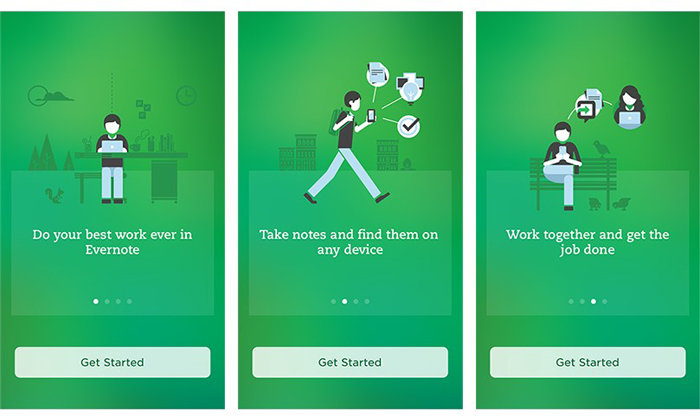
As the name clearly states, this approach is employed to showcase the benefits of the app or the value the users are expected to gain by using the app. The basic aim of this approach is to increase conversions. It helps in describing what the app does without elaborating on how to use the app.

Now as you know the types of mobile applications onboarding prevailing in the market, let’s take a look at the benefits they offer before moving to the core part of the article. Aka, Mobile application onboarding best practices checklist.

Benefits of using App Onboarding

1. Positive User Experience

User Experience — Mindshare Advantage

You wouldn’t want your app to just lay there in the user’s phone not being used for months, or worse yet, being uninstalled. To ensure active users on your app, onboarding comes in handy. As the first user interaction plays a pivotal role in deciding whether the user will use your app again or not, you need to give them the best app onboarding experiences.

Guiding the users via onboarding on how to use the app and what features it possesses, will help them navigate with ease and they won’t feel lost. They get a fair idea of why they should use the app and most importantly how to use it efficiently.

Once you get this right, you will see how amazing the benefits of onboarding are.

2. Proper utilization of features

How Does Resource Utilization Help To Improve Business Performance?

It is a given that it takes some time for users to get used to your app and figure out their way around it. Sometimes, users are unable to make themselves familiar with certain features on their own, which is a great impediment in our view for your app to increase conversion. Practicing the best onboarding approaches resolves this issue before it has a chance to arise.

3. Increases App Retention

How to increase app retention: 10 strategies | Adjust

Onboarding is highly crucial for making your app an absolute favorite of the users. You ask how it does it? Well, when you provide users with insights into your app and direct them towards effectively using its features and functions, the users are inclined to stay with your app. Hence, it improves the app retention rate by multi-folds.

Mobile App Onboarding Best Practices Checklist [2020 Updated]

Here are the top app user mobile onboarding best practices that will point the scale in your direction.

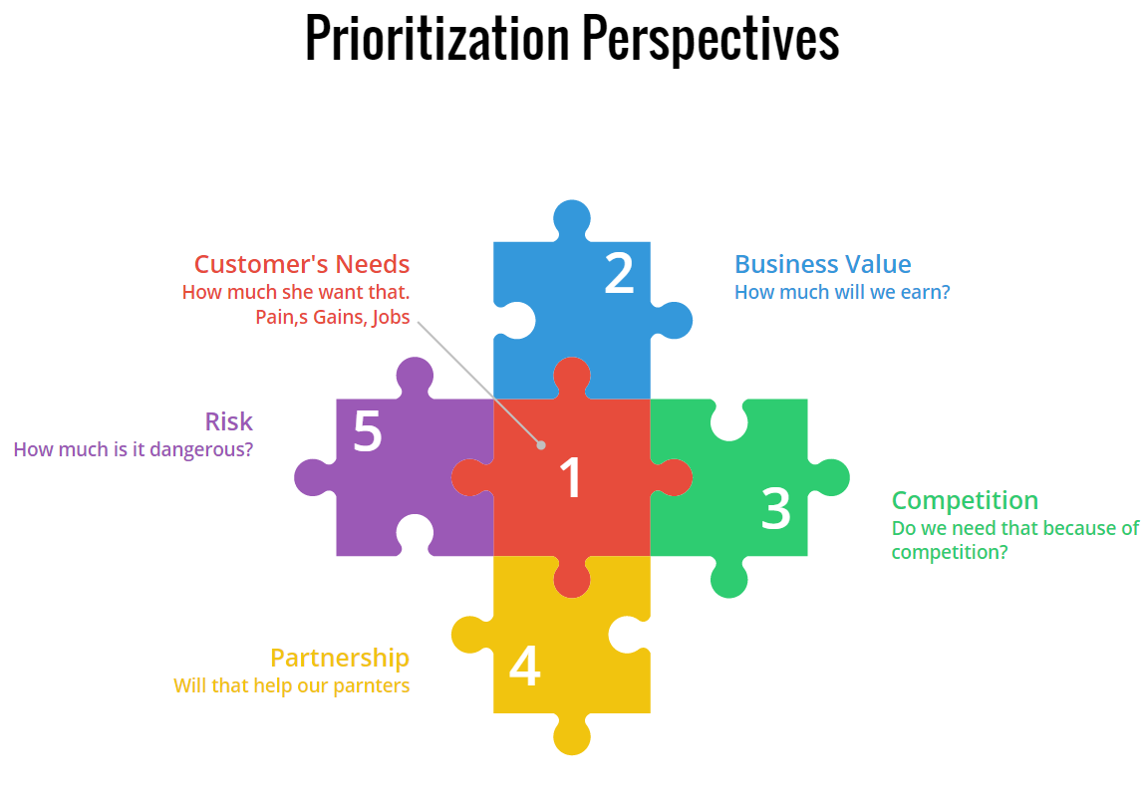
1. Prioritize Value Proposition

Prioritization by Business value | ScrumDesk, Meaningfully Agile

It is a belief that by displaying all the right cards to the users, you can convert them into active users. Meaning, by showing all the best features of your app you can entice users into using your app. However, it will be more effective if you first highlight the value proposition of your app.

Rather than flaunting your app’s features first, start with explaining what the user will gain by using your app. It will not only encourage them to use your app in the future but also will assure them that the app is useful and serves what it claims.

After this, you can go on with showing the prominent features and functionalities of your app that will assist in completing the tasks the users plan to accomplish.

2. Request Only Mandatory Information

request information - Clip Art Library

It wouldn’t make sense if your app is about, say learning languages, and you are asking questions about their favorite books, would it? In this case, you would need to ask for relevant and most crucial information. A report supports this statement as it shows almost 60% of the users do not install an app or uninstall it later once they feel the app is asking for too much personal information.

Also, make sure not to bombard them with excessive questions. In short, try to make your question’s list as concise and precise as possible. This is one of the most effective onboarding techniques to boost app user engagement.

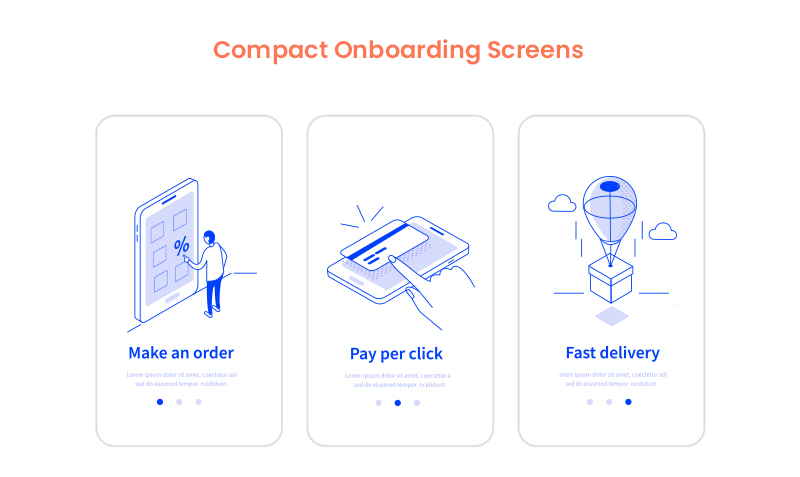
3. Compact Onboarding Screens

10 Mobile App Onboarding Best Practices For Businesses In 2020

A tediously long and extensive user onboarding process may overwhelm the user to an extent that they might not use your app or end up finding a substitute. You neither should use text-heavy explanations nor add a foray of screens.

What you should do is to employ progressive onboarding approach and use app screenshots and illustrations to convey the message. Also, see the fact that you only introduce a single feature on each screen. In fact, you can use coach marks to help users understand how the app works and how to steer in it.

You can also make this approach more attractive by placing tutorials and gamifying the whole user experience.

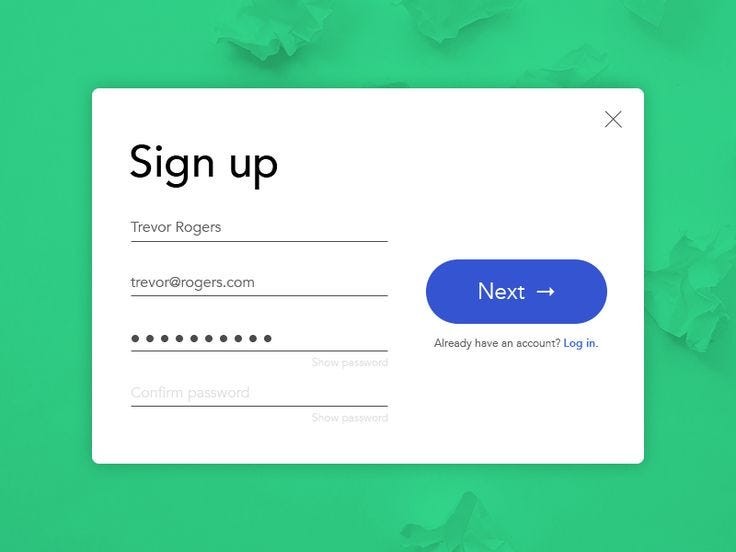
4. Concise and Simple Sign-Up Process

How to Make Your Sign Up Process Sing in 8 Steps. | by Ben Luby | Medium

No one likes to spend excess time on the application onboarding process which is also mentioned in the report by The Manifest. So, the more concise your login process, the better.

Providing the options of logging in with other accounts such as Facebook or Google is a major time saver and a popular strategy among the users. It decreases a significant amount of friction in the user onboarding process introduced by the sign-up mandate.

5. Request for Permissions

How to Request Permissions in Android Application? - GeeksforGeeks

Asking for permission is an important part of business ethics, especially when it is about users’ personal data and information. Now, if you have an app that requires a camera or microphone facility, then instead of just taking things into your hand, it should be a mandate to first ask for the consent.

If the user trusts your app or wants to continue using its features, they will agree. Moreover, users are more likely to respond positively to permissions requests if they understand what they will gain by doing so.

6. Promote App Content Preview

What are the Best Ways to Promote an App? | The Branch Blog

Promoting app content preview is also one of the onboarding app best practices to consider in 2020 and beyond. This is because a sign up option can act as a barrier between your app and the user. And therefore, it is always better to give the users access to the features of your app before flatly asking them to sign up.

For instance, if you own an eCommerce app, then let the users go through the products offered on your website, and when they want to make a transaction, they can simply login then. Or, you can enable the login option after the users have discovered your app.

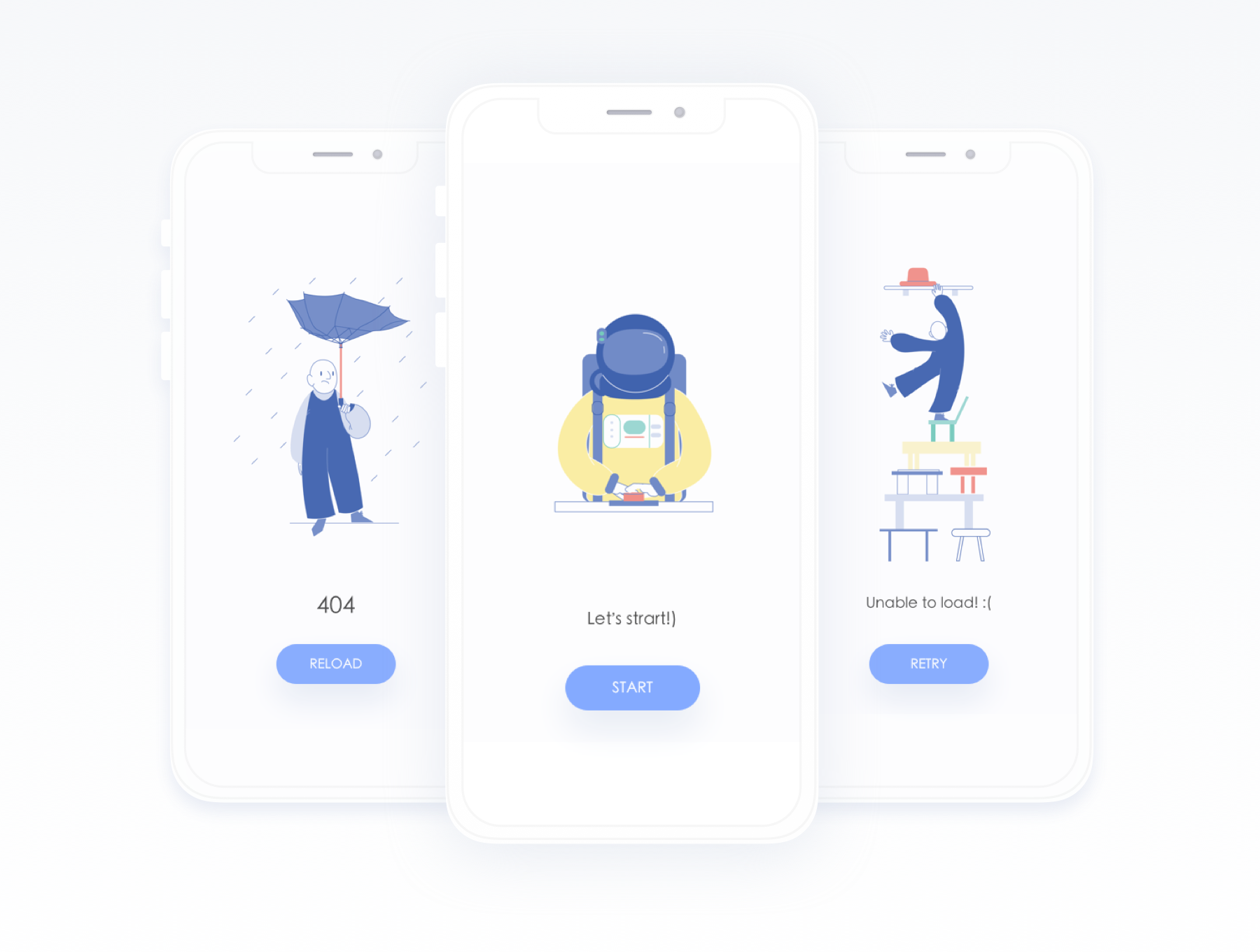
7. Make Use of Empty States

Empty States Design Best Practices | by Cadabra Studio | Medium

Empty states refer to the screens which show when users have not performed any activity or no content has been added yet. You can use these empty states to your advantage by making them encouraging. Instead of leaving a blank space, you can educate, guide, and promote users to take action.

For instance, Instagram displays “No posts yet” instead of just leaving it blank. This way it encourages users to initiate any action and use the app further.

8. Use Visual Hints for Guidance

Instead of hand-holding customers, while helping them explore the app you can employ progressive visual hints. All you have to do is strategically place the hints on the places where you predict users may get stuck while browsing the app. This way, you not only avoid tedious and monotonous instructions but save the time of users in reading them, which can rather be spent on using the app.

9. Preach Personalization

The Path to Personalization | O3 World

Why wait to show your personalization to customers in your app’s features, when you can give them a taste of it in the onboarding process only. Many popular apps personalize the content of their app based on individual preference in the starting.

Let’s take Spotify for instance. No wonder it is huge among the users as

it provides them with choices based on language, genre, artists, etc. to start personalizing the content referred to them since the start.

10. Take advantage of Success States

Remove "You Won Congratulations" Pop-ups (Virus Removal Guide)

Just like the Empty States, Success States prove to be a great leverage for engaging the user on your app. They create a positive impression of your app in the users’ minds. These states refer to the screens or popups that show appreciation after a task is performed.

For example, pop-ups including emoticons or animations congratulating the users once they achieve something in the app or complete an action for the first time.

11. Test before Final Implementation

8 Usability Testing Methods That Work (Types + Examples)

Anything is the sum of its whole. Your app will be considered remarkable when it is perfect overall. How different elements seem together once integrated is what makes an app great and appealing. In which case, it is crucial to test and measure the user onboarding flow for your mobile app on different screens and monitors to make sure the transition to each screen is seamless and smooth.

12. Include A Balanced Mix Of Multiple Channels

Using several channels to enhance the effectiveness of your onboarding procedure is an ideal way to encourage users to come back to your app, especially in the case of Retail apps. You can use channels like emails, push notifications, and in-app messages to remind the users of any incomplete action on the app like an unattended cart or simply send gentle reminders.

13. Monitor and Track (liquid state)

Keeping tabs on app usage and analytics is an incredible way to determine where users are facing problems in the onboarding flow and app.

Tracking these problems will provide you insights on where you need to improve in order to provide a smooth app onboarding experience. One should not ignore it as it is one of the prominent deciding factors whether your app is preferred by the users or not.

14. Provide CTA

Once your onboarding is about to complete, it is recommended to incorporate a CTA at the end. It provides a natural step for users to take the next step. A contextual and well-designed CTA would ensure the involvement of the users in the app.

15. Offer the choice to Skip

Skip, skip button, skip icon, skip symbol icon - Download on Iconfinder

Providing different and alternate choices is what users around the world appreciate the most. Some users might like to skip the whole app onboarding process for some reason, so giving them this choice will instantly improve your app’s reputation and they might continue to use it in the future.

Live Examples of App Onboarding Done Right

1. Slack

Mac | Downloads | Slack

Slack is an app designed specifically to facilitate communication between teams of small and large enterprises alike. It displays its features right when users open the app. Slack practices value-oriented onboarding which can be seen in the four walkthrough screens. It allows users to see how they can establish communication and share data among teams via the app.

2. Reddit

Reddit is experiencing another outage: Here's what we know - SlashGear

Reddit is one of the most famous QnA apps ever. Its onboarding process is exemplary –  the reason why the app is here in our list.

It provides the “Skip for now” option which allows users to skip the process of account creation and login, immediately allowing them to explore the app and have an amazing user experience.

Moreover, Reddit also performs another one of the onboarding process best practices, which is asking for permission for sending notifications.

3. Calm

Calm - Meditate, Sleep, Relax - Apps on Google Play

Calm is a popular meditation app helping users around the world with problems such as stress, irregular sleeping patterns, anxiety and more. The first onboarding screen in the app familiarizes users with its features and value-proposition such as sleep stories, breathing programs, guided meditation and so on.

Then it smoothly takes the user to another screen which allows them to set goals, for instance, choosing the top areas of improving, developing, building, learning, etc. It is after two screens that it asks users to signup via different platforms and asks for permission.

Higher conversion and retention rates of your app are certain once you hone these best app onboarding practices for 2020 and successfully implement them in your app. By imbibing incredible features along with the onboarding flow into the app, you double the chances of your app’s popularity.

The Digital Port: Transforming an ancient economic hub without disrupting workers’ lives

Port of the future: how technology is transforming shipping

Today’s ports are struggling to manage the massive volume of containers arriving on giant vessels.  Industry leaders are looking for new ideas to cope, but it’s hard to find answers that satisfy everyone.

The roots of the problem are multifold. Most obvious is the logjam that’s created when a modern ship laden with tens of thousands of containers arrives in port. Finding a spot to stack the large cargo is a problem. But the bigger issue is a matter of velocity. One-by-one, thousands of trucks enter and exit congested urban locations to drop off empty containers or pick up new loads. While freight rail is beginning to move an increased share of containers, the majority still arrive and leave the land-side of the port one or two at a time.

In an effort to reduce wait times and move containers faster, some container terminal operators are turning to waterfront robots to increase capacity and velocity while reducing cost. This type of automation has great potential, but we need to apply the same design thinking to the systems around the automation to realize the full potential of digital transformation.

A better way

So how do ports fully realize the goals of automation while optimizing the work environment and productivity of today’s port workers? First, we should consider all the parties involved:

  1. Truckers who assume the costs for delays in picking up loads and dropping off empty containers.
  2. Dock workers’ labor unions who want their members to participate in the benefits of automation and upskill the value of their members.
  3. Terminal managers who want to maintain a lean staff for profitability but also need to increase capacity and velocity of operations.
  4. Manufacturers and receivers who want lower demurrage and detention fees that result when there are delays in picking up freight and returning containers ready to ship.
  5. Consumers who want faster deliveries.

Fortunately, there is a way to satisfy all parties and it begins with a modern Port Community System (PCS). A PCS can digitally tie together the Coast Guard, maritime shipping agents, port authority, freight forwarders, Customs, dangerous goods clearance, port and terminal gates, and many of the other entities in the port community.

As each party electronically completes its part of operations—declarations, permits requests, inspections, goods authorizations and more—the PCS immediately moves   the filing, declaration, request, or approval to the queue of the next party, notifying them of updates specific to their work queue. Items they need to complete or adjust are noted, and wherever possible turned into drop-down lists.  Ideally the workers can be notified and fill out forms from any device —at their desk, on a tablet at the docks, or on their phone in the truck.

Greasing the skids

Greasing the Skids | He's Taken Leave

The terminals, which are separate business entities, are tied together in the PCS under the supervision of the port authority. Any insufficiencies in the permits, requests, or declarations are immediately identified, and the sender is automatically notified for quick updates and resubmission. Eliminating the communication hurdles — paper documents, point-to-point (rather than end-to-end) filings, loading and unloading orders – can save significant time and cost for all parties. Furthermore, a PCS provides time-definite delivery commitments to shippers and sellers while reducing ship and container time in port.

For exports, freight forwarders who consolidate loads into containers will know when empty containers will arrive, reducing the number they need to keep on hand. For imports, freight forwarders and consolidators will know when to expect the containers they need to break down and repack for shipping to final destination. Maritime agents can get their ships out of port faster as they will be able to communicate the location of containers ready and approved for loading to terminal operators. Once a PCS is implemented, other steps can be taken to increase the efficiency of trucks moving in and out of the port.

At Anteelo, we’ve given this a lot of thought as we increasingly focus on the ports business and our own PCS solution, Port Logistics Accelerator. We’ve come to recognize that connecting people and automating the processes those people use every day will have the largest impact on costs and hence, profitability.

Anteelo’s Intermodal Appointment System (IAS), when integrated with the PCS, can notify truckers when their loads are ready, setting a specific appointment for pick-up and delivery agreed to by their trucking company (or themselves, if freelance). Further, our Intelligent Truck Parking (ITP) system can interface with the IAS, monitoring parking lots and assigning parking spots and timeslots. These systems make pick-ups predictable, smoothing the flow of traffic around and inside the port and terminals. They also save time and fuel while reducing pollution and congestion.

Enabling operational flexibility

3 Ways Nuclear is More Flexible Than You Might Think | Department of Energy

A PCS can also help integrate the shunting operations required for full integration of freight rail into intermodal seaport logistics.  This gives port operators flexibility to use the best value transportation method for each shipment while maximizing the traffic flow into and out of seaports.

There’s no doubt that robots have their place and that, over time, ports will manage a greater share of shipments using automation. It’s also true, however, that digital solutions like port community, appointment, and intelligent parking systems can help everyone achieve the aims they seek.

In 2020, the Top 10 Cross-Platform App Frameworks to Consider

Everything You Need to Know about Cross-Platform App Frameworks in 2020
Cross-platform app development has its own merits which plays a major role in its current popularity. With the expansion of its reach, several cross-platforms app development tools and frameworks started to float in the market; slowly, and then all at once along with every other mobile app development company trying their hands at this interesting and one-of-a-kind technology.The result – We now have a sea of such tools and frameworks which you, as a developer, may find overwhelming. To help you out in your quest of finding the most ideal and exemplary cross-platform framework, here is a list of top 10 cross-platform app frameworks 2020 that are a sure thing.There are certain benchmarks that need to be cleared to declare something as “best” of that domain or category. In the same manner, while determining the best cross-platform frameworks, there were several prominent aspects that were considered, in order to truly see how every choice under inspection performed.However, before jumping on to the list, let’s get the basics out of the way.

What is a Cross-Platform Framework?

Considerations for Cross-Platform Mobile Development with Xamarin

To be concise, cross-platform is a type of software that has the ability to run on multiple computing platforms i.e., Android, iOS, Windows, Blackberry, etc. The apps built on this framework do not require separate coding for each platform, rather coding once will create the foundation for the app to run as efficiently on all platforms. It is one of the most popular methods in the app development domain today, which almost all the top mobile app development companies swear upon.

Note: To gather an in-depth view, read this guide on cross-platform app development.

1. Ionic

Cross-Platform Mobile App Development: Ionic Framework

Ionic is one of the most remarkable and popular cross-platform app frameworks, based on AngularJS. It allows developers to use a combination of many languages i.e., HTML5, JavaScript, and CSS and Cordova wrapper to access native platform controllers.

Ionic enables developers to create an impeccably creative user interface along with adding user-friendly features into the app. Apps developed with this framework are highly interactive and native-like, making Ionic a perfect candidate for PWA development as well.

Features

1. It is an open-source front-end framework meaning it allows alterations in the code structure, suitable to each developer and saves a lot of time. This gives hard competition to its contender Ionic, in the battle of Ionic vs React Native.

2. Ionic is based on a SAAS UI framework designed specifically for mobile operating systems. It provides numerous UI components for  developing robust applications.

3. Another one of its most-appreciated features is that it is based on AngularJS, making it easy to offer extensions to HTML’s syntax, core functionalities to imbibe useful yet attractive features and components into the app.

4. This framework uses Cordova plugins which allow access to devices’ in-built features including Camera, GPS, and Audio Recorder, posing as one of the major benefits of cross-platform tools.

5. The fact that Ionic gives a native-like feel to the apps is what makes it a favorite of developers. It helps develop cross-platform apps and allows them to perform perfectly on various platforms.

2. React Native

How to use WebViews and Deep Linking in React Native apps

When talking about cross platform app frameworks, it is hard not to include React Native. It is a framework built on JavaScript and is used to write real code and give the native-like feel to mobile applications that work both on Android and iOS. Due to its remarkable features, it is not only a preferred choice of developers but businesses also trust React Native as the right platform for their apps.

React Native integrates the benefits of JavaScript and React.JS along with providing the advantage to developers to write modules in Objective-C, Swift, or Java languages. Moreover, by using the native modules and libraries in the React Native cross-platform apps, developers can also perform heavy operations such as image editing, video processing or some other operations which are not part of the framework APIs.

Features

1. It is a good thing that React Native is an open-source cross-platform app framework, the same as Ionic. Because of this, it has a large community to support it and improve it by fixing bugs, improvising and introducing features.

2. One of the advantages of cross-platform development is that it requires one-time coding (WORA) for developing apps for platforms as diverse as Android and iOS. This solves one of the biggest challenges of  other frameworks – requiring developers to code separately twice for the same app on different platforms.

3. One-time coding instantly reduces the development time of the app along with keeping the React Native app development cost to its lowest.

4. Impressively, React Native is highly compatible with third-party plugins, such as Google Maps.

5. React Native focuses on UI to a great extent rendering a highly responsive interface. What it means is that the React Native environment eliminates the time taken in loading and delivers a smooth interface to the applications.

3. Flutter

Flutter - Beautiful native apps in record time

Google introduced an impressive cross-platform app framework named Flutter back in 2017. It is a software development kit designed to assist in the expeditious Android and iOS app development. It is also a fundamental and primary method for developing Google Fuschia apps.

Flutter offers apps that easily and effectively run on multiple platforms with uniformity and dynamicity.

Here are some of the remarkable features that make Flutter an ideal cross-platform framework among developers.

Features

1. Flutter promotes portable GPU, which renders UI power, allowing it to work on the latest interfaces.

2. Flutter does not require updating the UI contents manually, as it possesses a reactive framework. Flutter app Developers are only required to update the variables and the UI changes will be visible after that.

3. Flutter cross-platform app framework poses as a perfect choice for developing Minimum Viable Product (MVP) as it initiates an expeditious development process and is also cost-efficient.

4. Xamarin

Xamarin - Wikipedia

Xamarin cross-platform app development framework is significantly different from the frameworks we have discussed so far. It is a streamlined framework used for developing apps for Android, Windows, and iOS with the help of C# and .Net, instead of JS libraries and HTML. It allows the developers to use 90% of the code for building an app for three distinct platforms.

Xamarin delivers applications with aesthetics like a native app with the help of its amazing APIs, something which makes the decision making a lot harder between Xamarin vs React Native. Here are Xamarin’s features explaining why it is one of the best choices of cross-platform frameworks for Mobile Development.

Features

1. Apps developed on the Xamarin framework are built using C# – a modern language having leverage over Objective-C and Java.

2. The developers get native-level app functionality with Xamarin. It reduces hardware compatibility problems to a great extent with the help of plugins and specific APIs, that work with common devices functionality.It also promotes linking with native libraries, allowing customization and native-level functionality. The feature alone, makes it one of the top Android app development framework.

3. Xamarin supports a direct inclusion of Objective-C, Java and C++ libraries. This allows developers to reuse many third-party codebases encrypted in Java, Objective-C or C++, making it one of the considerably preferred cross-platform frameworks.

4. Xamarin reduces the time and cost of mobile app development for it supports the WORA ( Write Once, Run Anywhere) and has a humongous collection of class libraries.

5. Xamarin offers robust compile-time checking. Because of this facility, developers witness fewer run-time errors and get well-functioning apps.

6. Xamarin has an astounding native user interface and controls assisting and allowing developers in designing a native-like app.

5. NativeScript

Building with NativeScript | Hacker Noon

NativeScript passes as an amazing free cross-platform framework based on JavaScript. It wouldn’t be wrong to say that NativeScript is a preferable choice of developers looking for WORA functionality.

NativeScript also offers all native APIs, rendering an ability to the developers to reuse existing plugins straight from NPM into the projects.

Features

1. NativeScript renders beautiful, accessible, and platform-native UI, and that too without the WebViews. Developers are only required to define once and let the NativeScript adapt to run everywhere. They can even customize the UI to specific devices and screens.

2. As opposed to React Native, NativeScript provides developers with a complete web resource that comes loaded with plugins for all kinds of solutions. This inevitably eliminates the need for third-party solutions.

3. NativeScript gives the freedom to easily access native Android and iOS APIs, meaning developers don’t need any additional knowledge of native development languages.

4. It uses Angular and TypeScript for programming purposes.

6. Node.js

Node.js - Wikipedia

Node.js is an incredible framework for developing cross-platform apps. Essentially, Node.Js is a JavaScript runtime framework built on the Chrome V8 JavaScript engine. It is an open-source environment that supports the development of server-side and scalable networking apps. Node.js cross-platform apps are inherently highly efficient and responsive.

The framework is capable of handling several concurrent connections together. It also comes loaded with a rich library of numerous JavaScript modules that help in simplifying the development of web applications.

Features

1. All of the Node.js APIs are asynchronous, signifying that they are non-blocking in nature, meaning servers based on Node.JS do not essentially wait for data from APIs. It immediately moves on to another API after calling it. A notification mechanism for Node.js allows the server to get a response from the previous API call.

2. Node.js library is impressively speedy in its code execution process, for it is built on the Chrome’s V8 engine.

3. Node.js cross-platform apps do not buffer, instead, the applications output the data in chunks.

4. To deliver smooth and perfectly functioning applications, Node.js uses a single-threaded model with event looping functionality. This event mechanism enables the server to reply in a non-blocking way, making them scalable.

7. Appcelerator Titanium

Appcelerator's Titanium - an overview - mfg

Appcelerator is one of the many cross-platform app development tools designed to assist in smoother and easier mobile app development. It is a great way to create cross-platform apps with just a single code base. Its primary focus is on streamlining the app development process with the help of native components present in JavaScript code.

Features

1. Appcelerator offers various tools for rapid application development. This indicates that a prototype can be created with much less time and effort to evaluate user interaction with UI.

2. It has ArrowDB-  a schema-less data store that allows developers to deploy data models with no additional efforts for setup.

3. It enables the integration of existing continuous delivery systems such as SCM solutions and more.

4. Appcelerator possesses pre-built connectors available for MS Azure, MS SQL, Salesforce, Box- the list is tediously long.

8. PhoneGap

Adobe Launches Hosted PhoneGap Build Service For Creating Cross-Platform Mobile Apps | TechCrunch

Phone Gap (Cordova) is one of the impeccable cross-platform frameworks for mobile development that makes use of CSS, JavaScript, and HTML5. It also offers a cloud solution to developers providing them the choice to share the app in the development process for feedback from other developers.

It develops impressive apps by leveraging existing web technologies. Another great advantage of PhoneGap is that it entirely supports in-built device features such as GPS, Camera, Phonebook, Storage, and so on.

Features

1. PhoneGap is considered an impeccable cross-platform framework as it enables developers to create cross-platform apps using existing web technologies such as HTML 5, CSS3 and JavaScript.

2. Being a cross-platform framework, PhoneGap supports the use of a single code base to create apps for different platforms namely iOS, Android, Windows Phone, BlackBerry, etc.

3. It follows an architecture that is plugin-able in nature, meaning it is possible that the access to native device APIs can be extended in a modular way.

9. Sencha Touch

Antea Adopts Sencha EXT JS Framework | Antea

Introduced nearly a decade ago, Sencha Touch helps in developing web-based cross-platform apps and is typically used to create efficient applications that use the hardware acceleration techniques. By using Sencha Touch, developers are able to create well-tested, securely integrated UI components and libraries.

In fact, it is possible to develop large business apps and maintain them effectively and easily. Some of the remarkable features of it are:

Features

1. It is famous for providing built-in native-looking themes for all of the major platforms like Android, iOS, BlackBerry, Windows Phone, etc.

2. It comes with an effective agnostic backend data package for working with data sources.

3. One of the most celebrated features of Sencha Touch is that it supports Cordova integration for the native API access along with the packaging.

4. It offers code compatibility between new and old ones.

5. It comes loaded with customizable and 50+ built-in UI widgets. It also has a collection of rich UI like lists, carousels, forms, menus, and toolbars, etc., created specifically for mobile platforms.

10. Corona SDK

Why is Corona SDK is the best framework for cross-platform game development?

Corona SDK enables programmers to develop 2D mobile applications for all the major platforms, including Kindle and Windows.

It proffers to give 10X faster mobile and game app development. The framework le delivers remarkable results at the back of its backend framework’s reliability on Lua which is a lightweight and multi-paradigm programming language. The language focuses on the main elements of the development which are the speed, portability, extensibility, scalability, and last but not least, the ease of use.

What is more, it is a free-of-cost framework working both on Mac OS X and Windows while supporting real-time testing.

Features:

1. It has over 1000 APIs that give developers the ability to sprite animations, audio, and music, Box2D physics, object tweening, texture management, native elements, data- the list can go on for pages.

2. It responds to the code changes almost instantly while giving a real-time preview of the app’s performance as it would on a real device.

3. It supports almost 200 plugins including in-app advertising, analytics, media, and hardware features.

After considering all of the best options that a competent cross-platform app development company is looking for in this domain, there is nothing left but to wait and see how these frameworks compete with each other to stay in the competitive market, and how well they bode against the new frameworks entering the market as we speak.

error: Content is protected !!