Top Development Trends for Android Apps

Importance Of Android App Development For Any Business

Are you an entrepreneur who is looking forward to making or getting their Android mobile app developed? Let’s dig into some trends & stats.

When it comes to developing mobile apps, no doubt the Android operating system gets all the attention, an attention that is well deserved.

Are you an entrepreneur who is looking forward to making or getting their mobile app developed?  If yes, then you surely need all the deep insights to know about the latest android app development trends.

Let’s dig in for some stats and read on further to discover the popularity of Android apps and the sector’s trends.

  • The fact is that today, Android is one of the most vitally used mobile OS that has captured almost 85% of the market share.
  • The Google Store has 3.04 + million applications, that range from web browsers, daily tools, social media platforms, complex games, enterprise mobile apps etc.

These figures clearly state that the app developers need to be aware of the hottest trends in mobile app development and incorporate them in their Android apps at the earliest, simply to provide users a unique experience.

Top Android Application Development Trends To Watch Out In 2021

The android apps continue to see implacable changes, that are primarily dominated by the user experience and constant innovations brought in by Google. As an entrepreneur, you would need to exemplify these trends for staying ahead of the competition.

1. Android Instant Apps
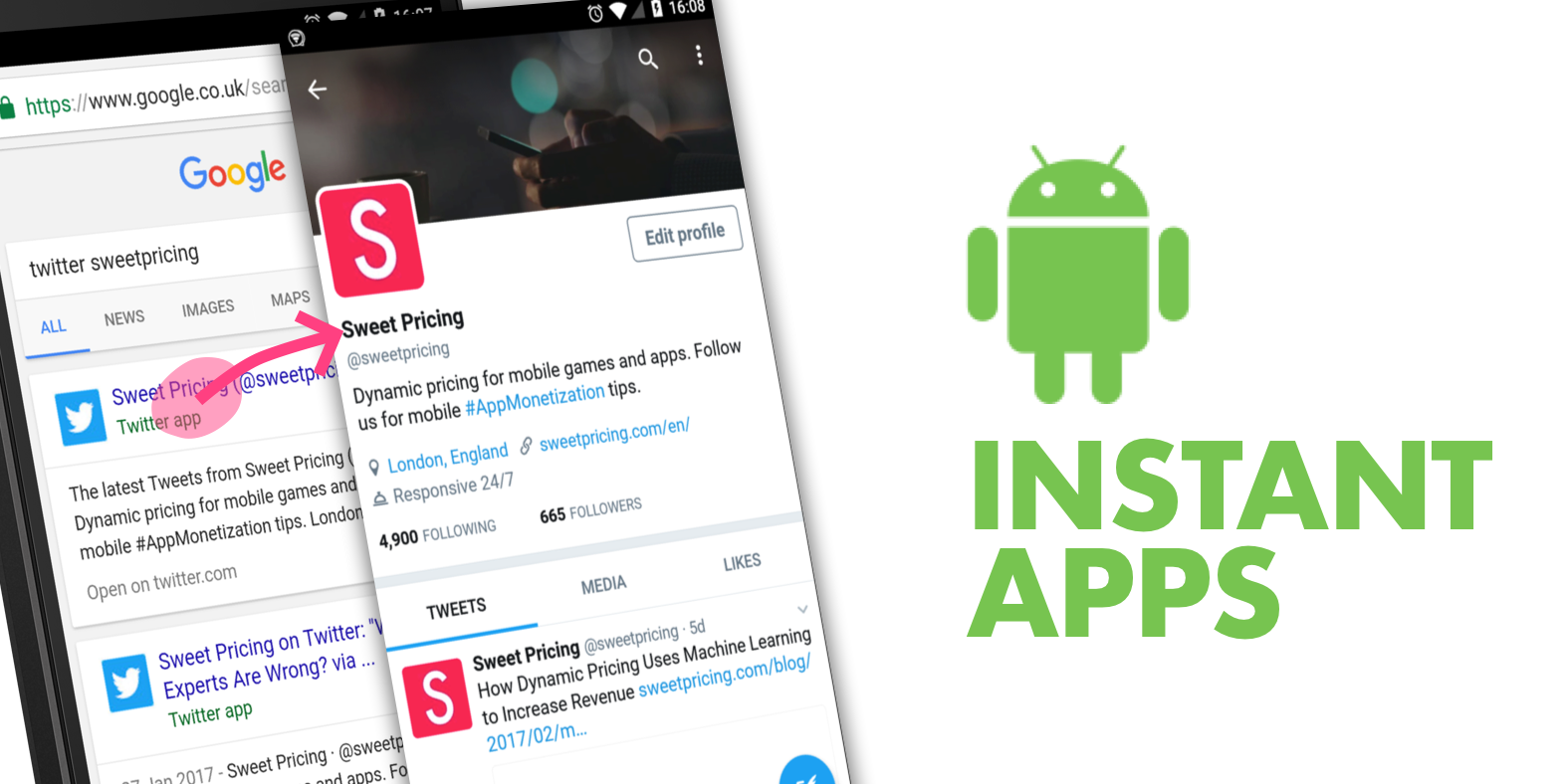
Could Android Instant Apps Replace the Mobile Web?

Although instant Android apps are not very common, slowly and surely, these app display types are picking up the pace. Android Instant app provides software developers with Android Instant Apps SDK and App Links Assistant that permits them to build mobile solutions from scratch or convert the existing apps into Instant Apps.

A working example of the type can be seen through the following – the Instant app allows users to try different games on the applications without installing that app on the device, exciting right?  The advantage of these apps is that they are compatible across all gadgets, require less storage space, and have a pleasant user experience and user interface.

Instant apps are the future and one of the biggest trends in mobile app development that helps the user use the app without actually compromising on space on their smartphones. This is the technology that is designed to drastically help and push the adoption of multiple sectors like eCommerce and games further to secure a place in top android app development trends of 2021.

 2.  Navigation Component
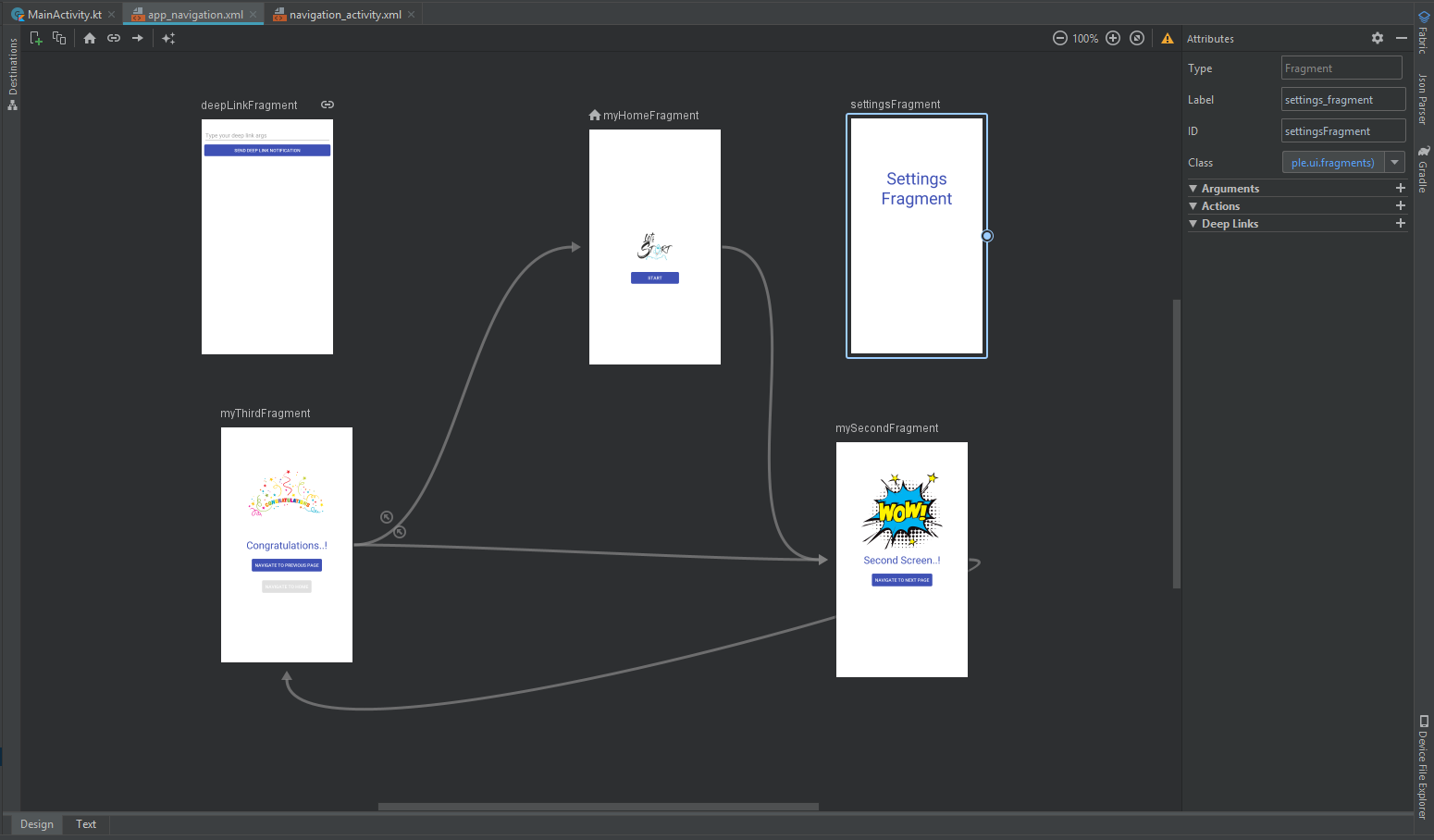
Navigation Component- The Complete Guide | by Muhamed Riyas M | Medium

Navigation refers to the multiple interactions that allow the user to move around in the different sections and app’s content pieces. Android jetpacks come with components of handy navigation that helps the developers to implement the navigations. The implications could range from a simple button, click to an intricate pattern such as a navigation drawer.

The navigation component’s further benefit is that the component allows a predictable and consistent user experience, as the developers who implement them, follow the stated navigation principles.

3.  Blockchain Technology 

Blockchain Technology: How Businesses Use Bitcoin, Ethereum & Other Cryptocurrency To Increase Revenue

The blockchain technology has been making rounds for many years; however, it has finally come into action. The blockchain technology provides the enhanced solutions of the decentralized app development that eliminates any unauthorized access and pushes transparency.

The blockchain technology market is said to grow at 62.73% CAGR by 2026 making $52.5 billion. Decentralized apps (Dapps) are an open source, smart contract based software applications that run transactions on blockchain. These applications run on decentralize blockchain and the data cannot be changed or erased in it. These apps are the future of mobile app development; they enable faster payment, reliable data records, and are tamper proof.

With the help of blockchain technology, an android app development company can maintain robust security protocols. This inclusion is fast becoming a part of the trends in android development especially in the financial segments such as currency exchanges, banks etc.

4.  Google Assistant/Chatbot

Custom Google Home Bot & Google Assistant Bot For Business | NCRTS

In the coming years, we will see that many business owners would be keen on integrating their app services with the Google Assistant. The primary advantage of investing in such an integration is that it provides users with faster ways of accessing the app directly. By using the Google app actions, the users get access to an app’s deep-link which allows them to perform specific activities inside the application from the Google Assistant.

Google, in 2020 announced that they will release a new feature for google assistant at CES. The new feature called “Scheduled Actions” will permit users to communicate with smart devices through google assistant like turn on/off a smart device, make a coffee, etc. The feature will be capable of controlling 20 home devices including lights, coffee machines, AC units, and many more.

5.  Multiplatform Development Through Flutter

What makes Flutter Ideal for Cross Platform Application Development?

Google has introduced a new technology naming Flutter, which is being touted as the future of android development. Flutter is a cross-platform framework that helps in developing beautiful apps with a single codebase.

Many developers have been selecting this platform to build mobile apps due to its flexible nature. The primary reasons to choose Flutter are that it is effortless to learn, has a native design, etc.

It is one of the preferred frameworks for minimum viable product development. This means that instead of spending extravagance on two different apps, you can quickly build an app on native platforms such as iOS or Android.

With the latest update Google took flutter beyond mobile and to the web. Flutter developers are now able to target macOS, Windows and Linux and other embedded devices. The desktop support provided by flutter also includes plugins that support various platforms.

The new Flutter and Dart update have been released with Substantial Performance Improvements from its contemporary releases. Flutter is prepared for creating apps for iOS, Android, Fuchsia, web & desktop with new platform support. Moreover, they are in talks with Ubuntu for Linux apps, Microsoft’s Android Surface Duo, and Windows 10X which will be made accessible soon.

Some prominent progressions made in Flutter in 2021-21 are:

  • decreased size and latency
  • less janky animations, and quicker treatment of UTF-8 strings
  • mouse cursor support
  • new widgets such as Interactive viewer making pen
  • zoom and drag-n-drop
  • range slider and date picker revamped
  • integrating flutter to the current application made suitable with Pigeon
  • improved help for Metal on iOS, and new Material gadgets.

6.  Internet of Things
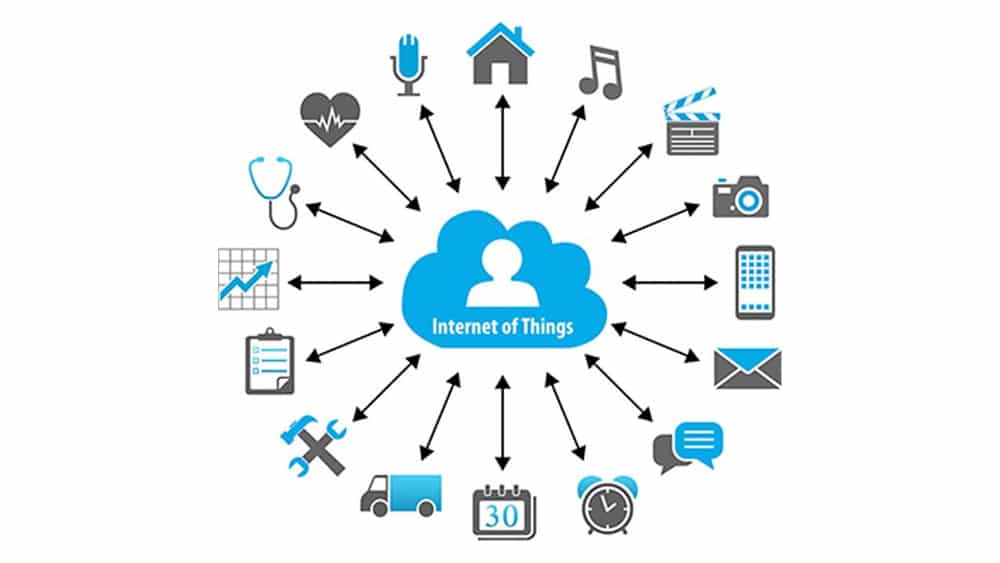
Internet of Things: What It Is, How It Works, Examples and More

The key mobile app development trends 2021 is the implementation of the IoT (Internet of Things). In Android, these trends end up translating into many of the Android things that allow the developers to build the devices on the top of the known hardware platforms such as Raspberry Pi. The best part is that developers do not require any prior knowledge of embedding the system design to start. Instead, the developers can develop the apps using Android Studio and Android SDK.

The introduction of 5G will open the door for more devices, and data traffic. According to some reports the 5th generation wireless network technology is expected to connect 1.5 billion devices globally in the coming years. It is also stated that the global IoT connections will triple to 25 billion by 2025, while IoT revenue globally will quadruple to $1.1 trillion.

With that said, IoT will focus on developing smart parking lots, street lights, and traffic controls apart from advancing the hospitality and industrial sectors.


7.  APM & EMM

How Mobile APM Augments Enterprise Mobility Management | Aternity

APM (Application Performance Management) and EMM (Enterprise Mobile Management) are two primary elements of mobile enterprise development. These technologies are primarily used to reduce mobile apps’ slowness. With the overall rise in mobile application development trends, they have become the quality tester for mobile apps.

With the upcoming trends, APM will reflect the application behaviour, measure statistics for devices and Oss that are used, and screen user performance to figure out which application features are exploited. With the application landscape and business infrastructure moving to cloud, APM will also provide powerful tools to monitor resources utilized by apps, associate the retrieved data with user insights, and adjust performance with business processes.

EMM will incorporate mobile device management, app management, application wrapping and containerization, and a few components of enterprise file synchronization and sharing.

From the work from home context, EMM has grown many folds and is looking into automation of processes, workflow optimization, easier and smoother communication flow, and exchange of data

8.  Motion Layout

Introduction to MotionLayout on Android – Ars Futura

The layout used by the developers to manage the motion and the widget animations in the apps. This tool is a part of the Constraint Layout library and is compatible with Android 4.0. With these libraries, the team can quickly fill up all the gaps between the complex motion handling and layout transitions, as these tools are known to offer high-end and useful features.

Developers will be seen using Motion Layout to create multiple interfaces that use the animations, helping them understand what is going on with the app.

9.  Beacon Technology
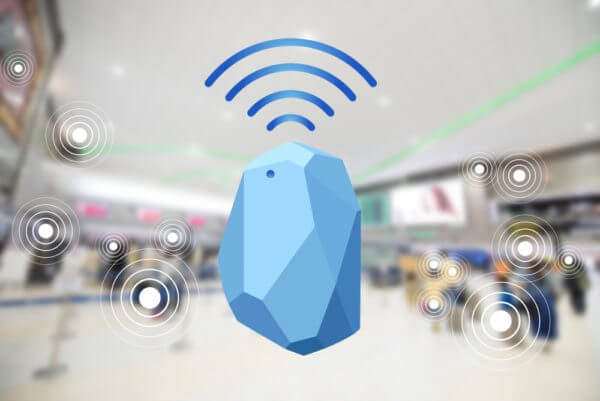
What Are Beacons and How Beacons Technology Works? - Intellectsoft

Businesses have slowly started to immensely use Beacon technology, as it helps businesses target potential clients uniquely. Beacons are the transmitting gadgets that get connected with mobile devices, in that particular range. The technology allows the companies to send various notifications regarding the special offers, nearby hotels etc.

Beacon technology transformation from a push marketing strategy to an opt-in strategy is useful for many industries. The technology can be applied on-cloud and at-area, which is helping it to gain traction and promote its growth in the coming years.

Beacon-based notifications are helping out businesses to connect with their users in a highly contextual manner. The beacon technology trend in 2021 will see the coming of beacon enabled airports and mobile payment using beacon.

Some companies are predicting the rapid development and use of iBeacon and other similar gadgets for marketing.

10.  Android Enterprise

Android Enterprise - Marketplace | Hexnode MDM

Digital transformation is now the need of the hour in 2021 for enterprises. The Google-led initiative – Android enterprise helps the workers to use the Android apps in their workplace. The Android Enterprise program helps the developers with the APIs and various other tools needed to integrate support for Android into the solutions of enterprise mobility management.

Wrapping Up

Each year comes with newer innovations and ideas, and these trends keep on rolling back and forth. Looking at the above latest trends in android app development, we can undoubtedly claim that the Android Operating System is growing at a rapid speed towards providing the users a seamless experience.


An Ultimate Guide to Mobile App Monetization Model and Strategies

8 Mobile App Monetization Strategies to Create Revenue Out of Free App | by Daffodil Software | App Affairs | Medium

The craze to make money through mobile apps is inextricable. While some developers try different permutations & combinations, others have hit the jackpot overnight.

The craze to make money through mobile apps is inextricable. Whereas some developers try different permutations without any results to show for, others have hit the jackpot overnight. Having analyzed a bevy of such case studies over roundtables, and after-office coffee-talks, we have our list of the mobile app monetization trends of 2021. Building an app isn’t an easy task, but this technological era provides you with the opportunity to create a million dollar app if proper process and guidelines are followed.

As a luminary mobile app development company, Anteelo has partners in every sector from healthcare to Edtech and other industries to obtain an engaging customer base and great ROI. We’ve seen first hand the most effective monetization tools for mobile apps, and with such validated expertise, look forward to empowering the entrepreneurs of new and old.

Why bother monetizing your app?

How to monetize your app - Developing your strategy | Adjust

Before we dive into the reasoning behind monetizing an application, let us clarify one of the biggest confusions – can free apps make money? Yes, they can. Here’s how.

Apps have increased their user-reach multifold over the years. The below given chart appears to climb north in the foreseeable timeline as the internet and smartphones digitize our daily lives. By 2023, it is purported that apps would generate in excess of $935 billion in revenues, the primary drivers of which would be downloads and in-app advertisements.

When it comes to millennials, 21% of the cohort opens an app as much as 50 times a day. With an estimated 72.1 million millennials in the US alone, you do the math!

Having cultivated a regular footfall of app traffic and not knowing how to monetize it, would be like having a treasure chest without a key.

Identifying the Best Mobile App Monetization Strategy 

As the modern saying goes, money doesn’t grow on trees but is certainly minted in apps. Let us explore 8 impactful strategies and the reasons promulgating their adoption rate. However, as you digest these points, do note the factors that make up for a profitability-friendly application.

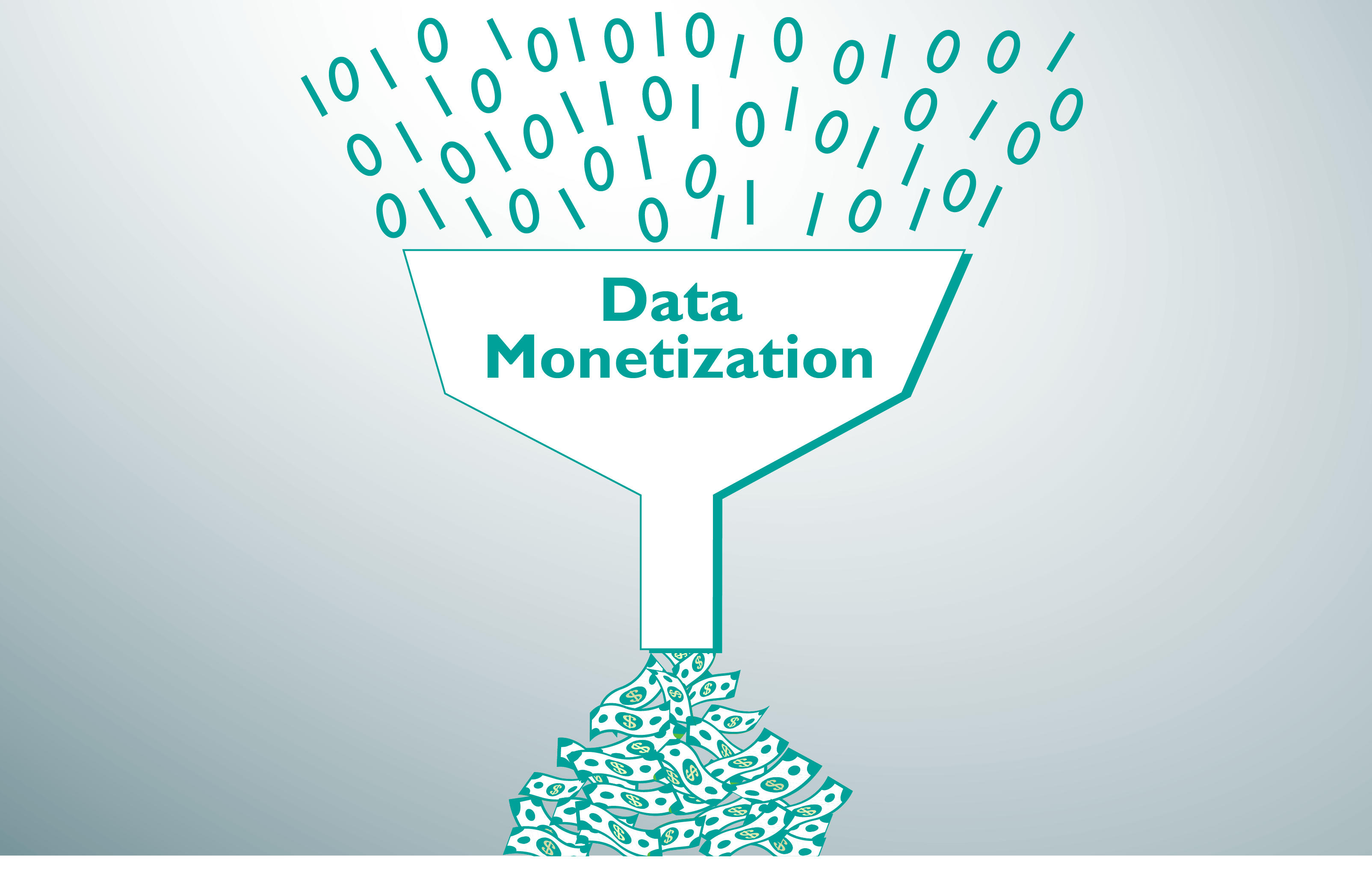
Data Monetization 

How you can make your organization ready for data monetization

Data makes digital businesses tick. The public readily gives apps all the permissions to collect “relevant” data in return for premium experiences. Algorithmists decipher the variety and volume of the data they need on each user so as to peel the peripheral layers of behavioral psychology and augment tactics that urge the buying patterns. This can be observed from the fact that Facebook has 52,000 data points on each user.

Such intriguing insights were accessed by Cambridge Analytica by paying Facebook for unbridled data-access. Although the process of data-collection was questionable then, a legitimate market for data access has blossomed since making access to data, one of the hottest app monetization models.

When to use it  – to make a killing, your data must be BIG, literally. Big data is something that has volume, velocity and variety. The higher the number of data identifiers you collect, the more vendors you can sell it to.

Premium 

Slidesgo Premium: premium templates for PPT and Google Slides

You pay for the app before trying it out. This model is receding fast as people are reluctant to spend unless they trust the brand. Most often, mobile gamers partake in such apps that exercise a pay first, play later protocol. It is proven as a matter of fact that free apps are much easier to distribute than paid ones. So unless you are a billion-dollar organization with fever-pitch fanfare to try out your products, refrain from using it.

When to use it – if you have to use it, make sure the marketing budgets are tuned to perfection as the notion of paid apps takes hard-selling. Premium works best for brands that account for majority market share and can fend-off competition with a loyal base.

Freemium 

How To Create A Great Freemium Pricing Strategy

There was a time when in order to monetize mobile apps, 98% of the applications in the market stuck to this model. While that time was in 2014,thus in 2021 freemium apps still account for 94% of the market share emerging as one of the dominant go-to android app monetization strategies. The idea is to open up a basic in-app functionality to users so that they get a hang of it and automatically opt-in for premium features by paying a fee. Those wondering how to make revenue on apps, would be flattered to know that user acquisition costs are lower for freemium apps.

Freemium also provides the scope for incorporating secondary revenue mechanisms such as in-app advertising. In fact, mobile app developers use freemium as a hurdle for users to overcome and discarding-app ads.

When to use it – we recommend using freemium when you have potentially better app features that people will pay for. The model works best when app sessions can be stretched for longer durations. Spotify would be one example.

Subscription 

10 tips for running a profitable subscription-based business | CIO

This is a one-word answer best suited to the question how to generate revenue from mobile apps? Usually, mobile app development services design a 3-tier subscription policy targeting users with the spending potential of basic, intermediate or advanced levels. Subscription plans can be classified over separate durations depending on their pricing. A subscription model gives first-time users the leeway to experiment and see for themselves the value proposition by paying a nominal fee.

Whether you discuss android app monetization strategies or the ones applicable to iOS platforms as well, this model has been used to monetize mobile apps far and wide. Documented evidence suggests businesses opting for the subscription services have grown consistently over the last few years. The only thing you need to know is how to choose the right app pricing strategy.

When to use it – This model is best-suited to content-heavy apps that tie users into a fallback loop and long-term app use. Examples include Medium, and Netflix.

Sponsorships

How to Save Your Sponsorships in the Face of Cancelled and Postponed Events | Northstar Meetings Group

Partnerships can take many forms. Our experience as a mobile application development company spells a common theme wherein one app invites a second one to leverage the user base, reward them for using the app, and mutually benefit from higher user engagement. For instance, Domino’s could offer extra discounts for ordering food from Uber Eats the kind it doesn’t on other apps. Conventional wisdom advises that there has to be a shared user base for the sponsorship model to prosper.

When to Use it – It is mostly used by brands operating in the same domain.

Advertising 

Advertising Makes Us Unhappy

Come to think of it, this is just a byproduct of the data an app collects. The same is used by ad networks, to drive relevant ad-traffic to the app as you open the gates to advertisements. In case you were wondering how to monetize android apps under a mobile app monetization strategy, you can find multiple options to charge advertisers on CTC (click through rate), CPC (cost per click), and lead conversions. There are a plethora of app monetization platforms that the advertisers leverage to funnel decent amounts of revenue. Such mobile app monetization platforms include the following:

  • AdMob
  • InMobi
  • Millennial Media
  • StartApp
  • Linkury
  • AdColony
  • AudiencePlay
  • Audience Network
  • Media.net
  • Smaato
  • Fyber
  • Unity Ads
  • MoPub
  • Chartboost
  • Epom Apps
  • SmartyAds
  • Leadbolt
  • IronSource

In addition to them, you can run the following kind of ads on mobile apps:

Rewarded Ads  

They reward ad viewers for going through the complete duration of the ad with say an extra discount coupon.

Banner Ads 

They appear horizontally either at the top or at the bottom of the screen. The thing with banners is that they can irk people by intervening with the content by sometimes overlapping it.

Interstitial Ads 

These are full-screen layovers and produce the best click through rates. Unless the designer screws up, there is little you can do to not get things right with interstitial ads.

Native Ads 

They appear as part of the overall content on the screen. It is hard for viewers to distinguish whether it is even an ad or not (hence the name) a fact that increases the likelihood of a click through.

When to use it – Advertisements should be used when you have an abundance of user data such as demographics, search/purchase history etc.

In-App Purchases

Finally, in-app purchases are a tested and highly quantifiable revenue metric that app development services can play around with, while still keeping the app free to download. Users do not pay upfront but rather for add-ons that enhance and enlarge their in-app engagement. Few studies posits global revenues from in-app purchases at $71 billion for the year gone by. Popular types of in-app purchases implemented by gaming apps include the following:

  • Game currency
  • Extra health
  • Milestone points
  • Health Boost

When to use it – this monetization model was successfully experimented with by the gaming industry following which content driven apps have also taken to it.

Which is the Perfect-Fit Monetization Model for Your App?

App Monetization Strategies: 6 Bankable Ways to Turn a Profit | CleverTap

The answer is embroiled in further queries that pertain to intricacies of your business goals. For starters, consider finding a black and white answer to the following questions:

  • What is your apps’ USP?
  • What is your app’s product market fit?
  • Would you sacrifice short-term revenues for long-haul users?

The next-big monetization model could be held in your outlook and your approach towards consumerism.

Mobile application development services like ours at Anteelo have a record and reputation for conjuring innovation out of thin air. Well, that’s just an expression, but you get the point. Checkout our most hip-and-happening successes that earned us the laurels of being the best App Development Company of the Year.

Here Is How You Can Prepare Your App for iOS 14 Update

All About Apple iOS 14 Update - Overview and Features

Set to release in the fall of 2020, iOS 14 was announced in the June of 2020 with a slew of changes and a series of groundbreaking announcements. Like clockwork, Apple comes with a multitude of industry transforming OS additions devised to make app experiences immersive, secure, and easy. But this time around, Apple has taken it up a notch with changes that would affect how advertisers target users.

While there are significant changes you’ll have to do to make the app UI ready like implement dark mode along with taking care of how to apply scene delegate, and modal presentation; in this article, we are going to look into how to get an app ready for iOS 14, especially in a way that it won’t gravely affect the app marketing efforts.

But before we head on to the part, let us recap the iOS 14 features.

List of iOS 14 Features 

1.  Home screen with an app library

How to use the iPhone App Library in iOS 14 - 9to5Mac

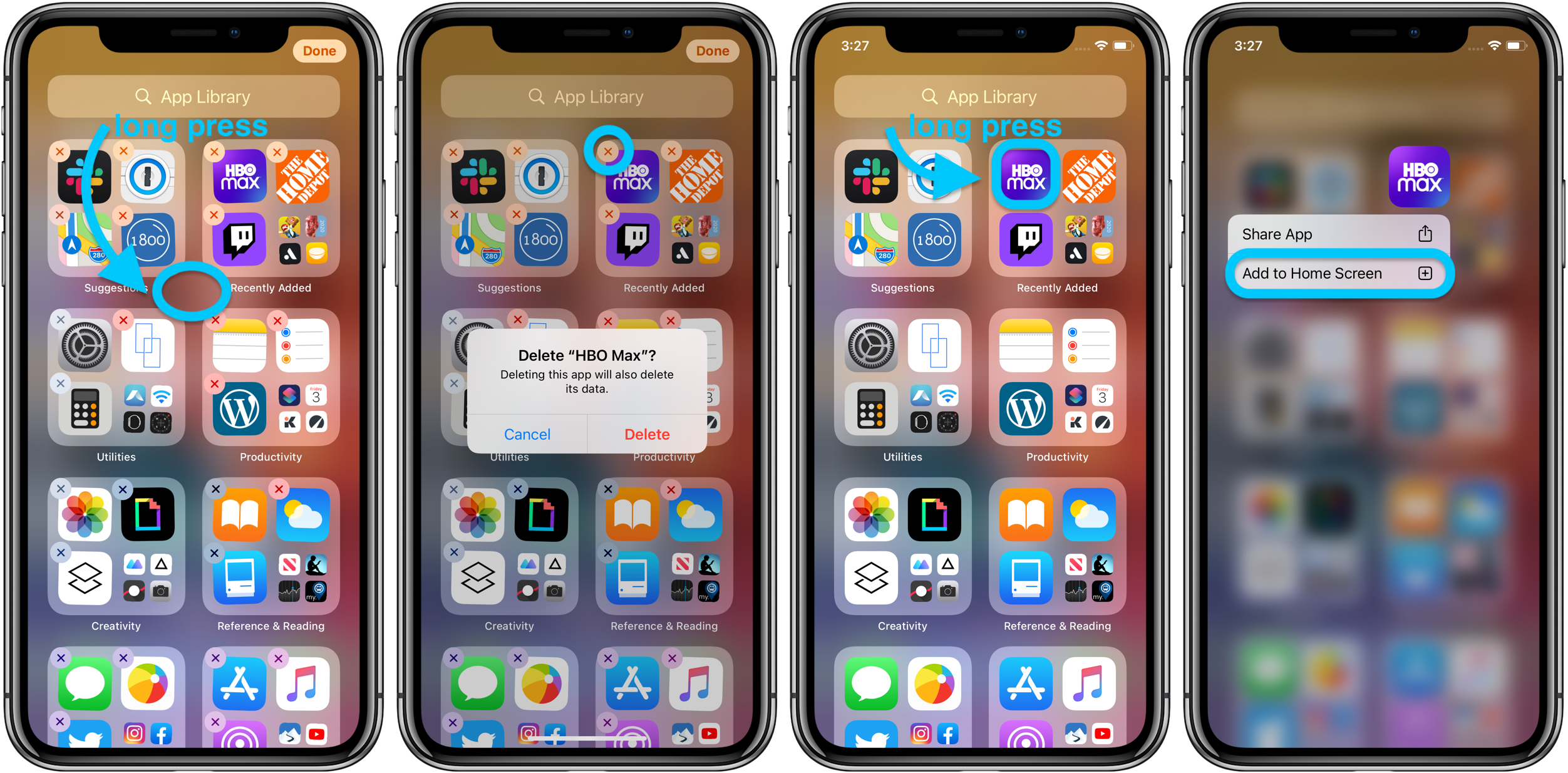
Apple is changing the home screen with iOS 14. Users will be able to remove the applications from the screen or even remove the screens. The apps also stay in the App Library which is one swipe away from the final home screen.

App library groups all the apps in big folders which shows the recently used apps. It even enables the users to search for apps in the search box placed at the top of the screen. The folders are also automatically organized according to Health and Fitness, Social, etc.

2.  Overhauled widget experience

How to Use iOS 14 Widgets | Add Widgets to iPhone Home Screen

Widgets have been an integral part of the iOS ecosystem for a very long time but only at the backdrop as a vertical list of full-width boxes.

With iOS 14 the tech giant is changing the widgets experience. They are now designed to have a bunch of new sizes and with more information. Above all, they can be dragged to the home screen.

3.  Picture-in picture mode

How to use Picture-in-Picture Mode in Android 8.0 Oreo | Digital Trends

PIP mode is finally coming to the iPhone with the iOS 14 version. When making a FaceTime call or watching a video, you can easily swipe back to the home screen while the video or call screen will continue to appear on the screen.

The users can even move the box around the screen or simply swipe it aside to make the tab little.

4.  App clips

Configure and link your app clips | WWDC Notes

Taking inspiration from Google yet again, especially after Tim Cook agreed to relying on Google Search, Apple has launched App Clips with iOS 14. These are micro parts of the applications that enable users to use parts of apps without downloading, installing or signing up to the app to perform the tasks.

iPhone app developers create App Clips ensuring that the experience is under 10 MB. They are also encouraged by Apple to use the Apple Pay and Sign In with Apple facility to prevent users from creating or logging in the application. With the ability of getting triggered through maps, web, messages, QR codes, and NFC tags App clips can help businesses acquire new customers.

5.  Substantial privacy tweaks

The Complete Guide to Facebook Privacy Settings - Techlicious

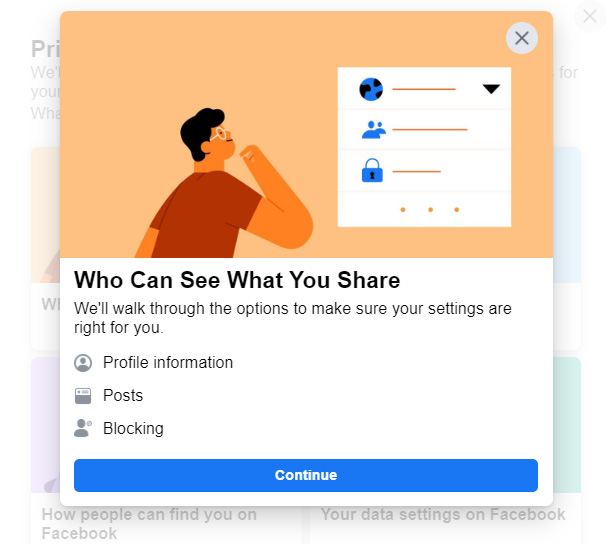
Apple has always maintained a leg up in the Android vs iOS security faceoff and with iOS 14, the list of privacy features have been expanded.

Users can give the apps details of their approximate location instead of exact location. Additionally, when an application asks for photos, you can select to share specific photos instead of the complete library.

Taking privacy up a notch, iOS 14 update will show a green dot in the status when an application is accessing your camera and an amber dot when an application is accessing your microphone.

6.  Apple Arcade updations

Apple Arcade just got a huge update of new games, including some mobile classics - The Verge

It was only a while back when Apple Arcade was launched as a means to transform the gaming industry. With iOS 14, Apple is showing users games their Game Center friends are playing, accessing the recent games played, and making it easy to find and sort the Arcade games.

7.  Expansive ARKit 4 tools

Explore ARKit 4 - WWDC 2020 - Videos - Apple Developer

Apple is expanding AR tools for every iphone app development company with ARKit 4. Launched with iOS 11, the tools now enable developers to place Location Anchors to make AR objects occupy a place in the real world. Additionally, a device with A12 Bionic chip can perform facial tracking with a front camera even when it’s not a TrueDepth module.

They have also introduced a Depth API for iOS app developers to develop 3D mesh environments on iPad Pro having a LiDAR scanner.

Along with the above mentioned list of features, the process of getting an app ready for iOS 14 calls for an ios app development company to notify the users if the application is collecting a unique device code known as IDFA. The IDFA is a randomly generated code which Apple assigns to every device. The applications then use the codes for tying together the user activity.

Here’s an example of this in works: Through Facebook, a shopping app and weather app might access the identifier. The platform then uses the cross-app data for placing targeted ads for the advertisers in the app.

Facebook warned against the impact that the update would carry on how businesses promote themselves and monetize their advertisements. Facebook added, saying, “Because of advertisers’ reduced ability to accurately target and measure their campaigns, app developers and publishers should expect lower CPMs [i.e., views of their ads] on Audience Network and likely other ad networks on iOS.”

Let us dissect how iOS 14 would affect ad targeting in greater details.

How Will iOS 14 Changes Affect Mobile Marketing & What Can You Do About It?

By giving users the choice to opt-in IDFA, Apple has made it extremely difficult for businesses to make personalized advertisements. The event is even giving brands second thoughts on whether or not to migrate apps to iOS 14.

For the users who don’t opt for tracking, IDFA will return 0s, making the process useless. Ona  default mode, a user will be opted out right when they launch the app. Once they get the notification, they can decide to either opt-in or confirm opt-out on an app to app basis.

Several advertisement types like exclusion targeting, retargeting, segmentation, and lookalike audiences presently depend on the IDFA so this change will carry a deep impact on user acquisition and ad monetization.

Here’s how businesses can get their app ready for iOS 14 to take control of the opt-in IDFA update situation.

1.  Review present IDFA use

It is important for the advertisers to do a complete internal review of the present IDFA usage. There are a few things that you should ask your iOS application development agency to look at:

  • Look into the SDKs which are calling the IDFA, ensuring that you talk to the SDK providers if they have a solution for the IDFA requests.
  • Prepare and plan version release with updated SDKs.

2.  Prepare for consent

Gaining user content should be your next priority task. If the users opt-in, you would be able to return to the pre-iOS 14 stage with a greater competitive advantage of high consent rates. In fact, now would be the best time to get on the activity. You can:

  • Run test on user consent mechanic for existing and new users across apps. By getting on the task before the iOS 14 launch will allow you the space to run multiple design and content iteration of the pop-up.
  • You can do A/B testing on when to trigger the pop-up. The best bet would be to trigger it when the users have finished a specific activity in the app.
  • You can use an internal prompt in place of Apple’s pop-up. When a user says “yes” to the application’s internal prompt, the app can still prompt the users and then deep link them in the settings menu of the device to enable tracking in the app.

3.  Relook your BI stack

Your BI stack should be prepared for both consent and no consent situations. You should look into:

  • Which data sets are linked together for analytics and figure out a way to stitch them together once iOS 14 is released. We suggest our partners focus on the ADID, IDFV, and UserID.
  • While the apps working minus IDFA would be able to place the contextual ads, they will not be able to use personalized ads. Knowing their worth, we would recommend brands to run multiple scenario analysis of Plan Bs and Plan Cs if the ad revenue drops.

Besides these three preparatory steps, you should also consult with your app marketing partner about the updated ways on how to perform user acquisition and revisit the ways that can be adopted to increase the numeric value of the answer to how much money you can earn through an app.

Redesign Mobile App for Market Domination In 15 Steps

App designs, themes, templates and downloadable graphic elements on Dribbble

App redesign is no joke. If you run a mobile-powered business then you are virtually on life-support while indulging in a UI UX overhaul. And if you do not realize that already, then there is all the more need for someone to point you in the right direction.

We assume you want a word by word, validated guide on an app redesign process and we wish there were simple answers. But a mobile app redesign is like your first proposal, you expect everything to fall in place, but there is always that big IF.

So as we share some of our partner experience (without violating the NDAs) you can expect it to be a little bit of both, fact-of-the-matter dope garnished with the necessary do-it-yourself stuff.

Define Your Approach (Please!)

How to Define Your Target Market in Design Projects

Sequence your design thinking to find the answer to the question “what is a good app design practice?”. A UI/UX redesign is preceded by brainstorming sessions held on rendering structural changes in an app. Whatever your reasons, the re-development process must stay malleable. For this reason alone, we’ll repeat ourselves for the umpteenth time, that Agile development is the way forward. It gives everybody a few extra inches to maneuver ideas and ad-hoc requirements that pleasantly come along. We’ll let the imagery do the talking.

Bring Everyone On-board

Collective decision making will make the process easier. Organizational heads should own up the responsibility to communicate clearly the what, why, and how of everything. You will have to sift through opinionated answers and earnest comments to find common ground between expectations and reality. The process will be tiresome, but will also let you discover the pain points of the app, its backlogs, and key development areas to concentrate on. Answers must address questions like:

  • What are the plus points of your app?
  • Why is it lagging, if at all?
  • Where are the functionalities that need the most damage-repair?

Set Out Tasks

Team Plan and Task Assignments - Annenberg Learner

Setting S.M.A.R.T goals is an inexorable step for apps that need redesign. Be specific in what you want from the new look. Set a measurable aim, the accomplishment of which can be weighed by numbers. This would keep you motivated. Do not exceed the time you commit to each parallel task for developing new functionalities. It’s for such days (and nights) that the vending machine had stalked up extra cans of caffeine.

Recycle Your App Design

Recycle App designs, themes, templates and downloadable graphic elements on Dribbble

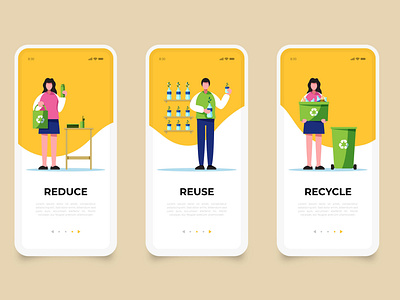
Mobile app design best practices run high on the recycling quotient. Just because you are revisioning the design doesn’t mean it has to begin afresh. The current app was developed with considerable thought and effort. The idea is to preserve the features that offer the most value and disregard the outdated ones.

Base Your Decisions on Analytics 

7 steps to make data-based decisions with web analytics | Piwik PRO

High-level stakeholders won’t approve of anything unless they sense a concrete reason. Your arguments for change should be objectively backed and statistically proven. Some of the metrics that should be on your tips are app downloads, screen tracking, page views, event tracking, user sessions, in-app referrals, the list goes on. Read about the tools you can use to track app analytics for mobile apps that need to be redesigned. Embedded analytics will always be crucial for apps whether you redesign them or not.

Read Competitor Like a Book

Reading Competition Law Books | Chillin'Competition

This is where most people begin, mistakenly skipping the aforementioned steps. Now that you’ve come here it should be clear why (if at all) your competition is proving your nemesis. This has to do with a feature vs feature account that tabulates similarities and differences between multiple apps. Create a checklist to track and accord points for each feature. The scoring system will give you a realistic impression of your market standing.

Think Outside the Box

Formula – Think outside the box – 4D Blog

There is no affiliated gospel for mobile UI best practices. That said the mobile app industry is generally amuck with creativity. No harm in xeroxing a feature or two you like in an app from another domain.

Diagnose Problematic Areas

How to Get Diagnosed with ADHD: Good vs. Bad Evaluations

Having infiltrated the ranks of your opponents, you can narrowly point to the areas that require more work than others. The nature of the problems could be anything, from a genuinely bad user experience, non up-to-date onboarding practices evident in customer reviews, to hidden bugs and unnecessary pop ups. As you quest forward to redesign your app, begin leveraging this intel and fast track development by prioritizing job lists.

Act on Priority

Swot Analysis Stock Photo - Download Image Now - iStock

After identifying the most erring details it is time for remedying. One way to do so would be to pen down what’s going for you in a SWOT, Strength, Weakness, Opportunity, and Threat graph. This would enable sequential stacking for development cycles, focusing on the most pressing needs foremost. It is vital you ponder judiciously on this aspect while redesigning apps to avoid painstaking efforts later.

Create Wireframes

Premium Vector | People making web page design for website

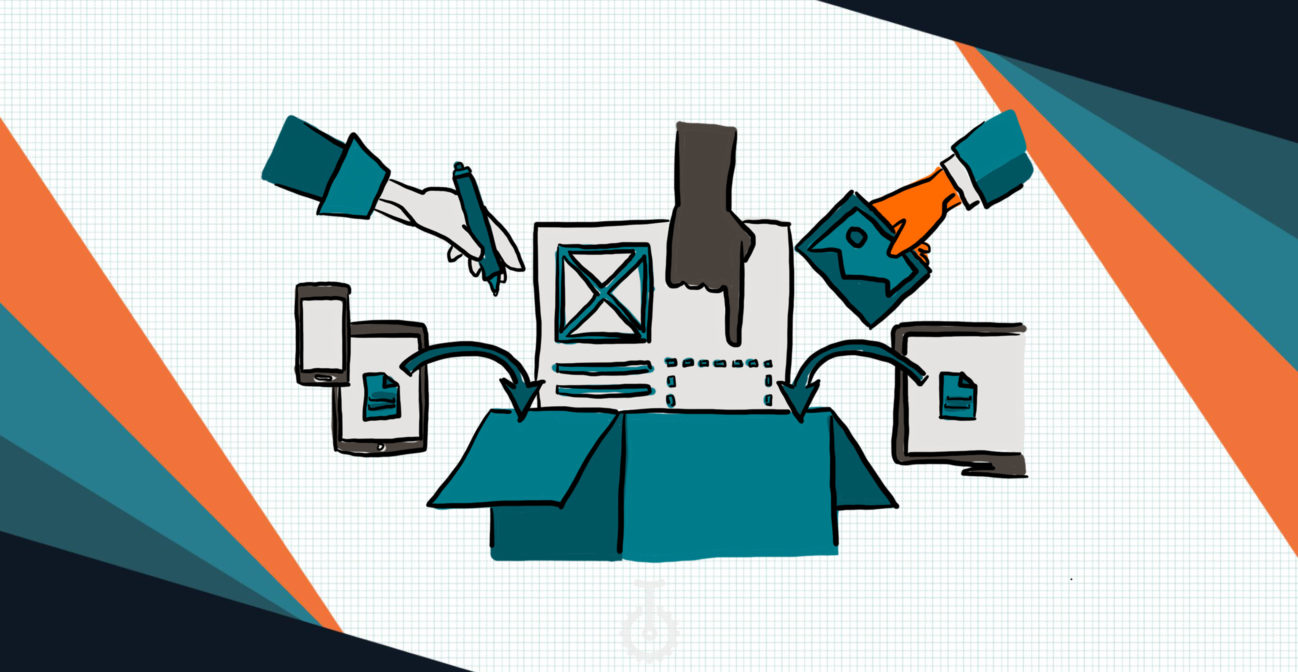
Be it your in-house developers or an app design company partnering with you, creating wireframes comes naturally to all developers. Ink the ideas built up in your mind with hand sketches and share with all project collaborators.

Make no mistake, you are sharing the foundation of your renewed app architecture and encouraging improvements. Ideation must be clinical in nature and put the spotlight on newly adopted characteristics while preserving the best ones from the previous version.

Be Open to (Further) Change

Unlock 5.0 Guidelines: Here's how life in India changes from today under Unlock 5.0 - The Economic Times

There has been a barrage of introductions to the wireframe already, but wait there can be more. Re-engineering a product will have its ups and downs and to be honest, it is your call to decide how much is enough. Mature leaders are thick-skinned which helps them accommodate productive advice from peers.

But be careful, don’t let inaccurate feedback get the better of you emotionally. Whenever in doubt, roll the dice back to the storyboard and self-introspect if the steps being proposed will lead to positive change. If not, put your foot down and move over.

Test Aggressively  

FDA Approves Smartphone-based mHealth Platform For Urinalysis Tests

At Anteelo, it is our staple schedule to act as an app design agency for one client or the other. Rushing into releasing a spanking new version of the app proves self-destructive. As soon as an MVP is ready we open it to a closed group for user feedback. We do not follow randomization and neither encourage it. Rather, the users are handpicked as per the target audience of the app. As soon as they provide a nod of approval we move forward.

Remarket Your App

Google Ads Remarketing Best Practices

Taking a new version of your app to the market is like the launch of a new one. It is all about storytelling and giving users an excuse to look forward to rather than just updating their current versions without advance notice. What if some people liked the previous design? Apple could give any brand food for thought on reinventing the wheel. With minimal feature edits, each year, they throw a keynote event that is the most anticipated globally. No, we’re not asking you to break the bank for a national campaign, but have a look at this promo of iPhone SE. You’ll get the point.

Gather Feedback 

4 Methods for Collecting Customer Feedback | SEJ

If you’ve outsourced the redesigning project for your app, demand that the mobile app design company submit user feedback reports on the new version regularly. Why should you care for user feedback?

Because these very people fuse capital into your business and if they don’t take a liking to the so-called “improvements” you’ll face customer churn. But don’t jump to conclusions. Supervise your app downloads, page traffic, sentiment analysis, app store comments to tap the immediate customer pulse. Sooner or later, they’ll come to terms with the design, so our experience says as a mobile design agency.

There is no PERFECT Design 

We don’t intend to sound like a monk, but yes, everything is transient. As time fades, you’d have to repeat this cyclical process all over and do your thing. Never rest on your laurels, even if you receive critical acclaim for your work. We never let success get to our head despite having been acknowledged globally for innovation as a mobile app design agency. You can learn more about us as an app design firm reading over our collaboration with Domino’s. We revamped their UX strategy which led to a 23% increase in lead conversions.

Let’s Catch Up 

Ever since our inception as a mobile application design company, we have delivered industry-standard value for our clientele. Our technology stack is the latest you’ll find and for any deals on redesigning your UI/UX, we’d be happy to demonstrate what we can do for you.

Lower Frontend Maintenance Cost Of The Mobile App

Front-End Development & User Experience | WebeMax

There are two types of software projects that come to any app development agency. One which is brand new and has to be developed from scratch and another is one which already exists in the market and has to be updated. In both cases, the benefits of mobile app maintenance are manifold.

While in the case of the former, you will have to spend little time in the whole update and maintenance process, the latter would require your frontend and back end team to come together and understand the product to its entirety before moving on to its updation. Either way, maintenance is a part of the overall mobile app development cost estimate.

In this article, we are going to look into the factors that make mobile app frontend maintenance cost expensive, how can the cost be lowered and ultimately move on to the steps of lowering of maintenance cost in case of Node.js, Angular, and React.js projects.

Table of Content

  1. Why is App Maintenance Process Important?
  2. What Makes App Frontend Maintenance Cost Expensive?
  3. How Can Developers Lower App Maintenance Cost in Angular, ReactJS, and Node.js?
  4. How can Project Managers Lower App Frontend Maintenance Cost?

Why is App Maintenance Process Important? 

Mobile App Maintenance: A Critical Element In Any App's Success

Improper mobile app maintenance plan leads to challenges in flexibility and stability, which sooner or later translates into application failure. When the code lacks quality or when developers use outdated tools, the app performance suffers and the users experience more app crashes and bugs. Moreover, it hampers app’s scalability capability and the overall next phases of app development.

In business terms, this means more technology and resources inclusion, greater cost, and delayed launch time.

Efficient maintenance, on the other hand, makes apps flexible and stable, enabling you to create new functionalities and improving the present ones. And thus, knowing when to update your app is extremely important.

What Makes App Frontend Maintenance Cost Expensive?

Besides the obvious – multiple types of frontend app maintenance, lesser app tests and absence of continuous maintenance, there are some other prevalent reasons that bring the cost of frontend maintenance up.

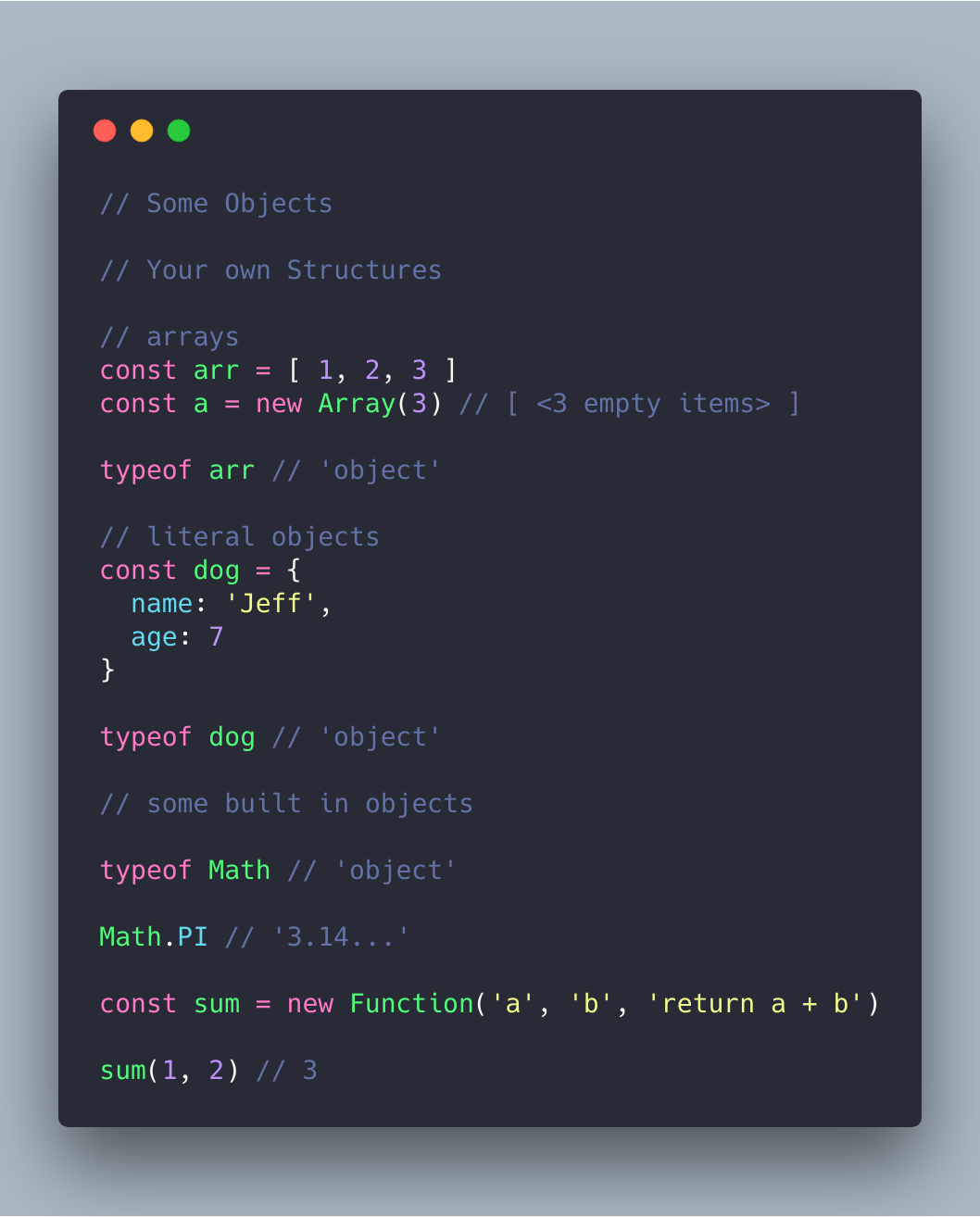
A. Non-Structured JavaScript 

JavaScript Essentials: Types & Data Structures | by CodeDraken | codeburst

There are many ways of structuring a JavaScript project, keeping it consistent is the most important part of Android app maintenance. A well defined structure enables developers to understand what is going on in the project at the first glance without making them search a particular file for hours on end. Even when the product is based on famous libraries like Vue or React, it has the probability of becoming chaotic as it grows.

In preparation of lowering the frontend maintenance cost, you should consider defining the style guide for project structure to use as a reference for the development team.

B.  Poor Code Quality

Premium Vector | Technology information programming system code

The quality of your code is very essential for defining your project’s success, even when keep aside the fact that it is a part of the list of OWASP Mobile Top 10 Risks. While things like identical file structure, consistent incidents, and semicolons are insignificant for a non-technical person, they hold great value when it comes to defining the project’s success.

This, in turn, tends to increase the app frontend maintenance cost in the future.

C. Back-Dated Third Party Packages

Programmers Team Code The Website From The Command Line Flat Vector Illustration, Digital, Illustration, Young PNG and Vector with Transparent Background for Fr… in 2021 | Website template design, App background, Data design

There is a high probability that your product uses open source libraries and third party packages. Since these external resources are updated rapidly, it is important that you too update their versions in your app in order to remove project dependencies’ problems because of vulnerabilities and issues. The new versions contain performance improvements, bug fixes, security enhancements, etc which ensures that the app is working up to its fullest potential.

D.  Non Automated Build Process and Deployment

The Eight Phases of a DevOps Pipeline | by JakobTheDev | Taptu | Medium

Build and deployment are the last stages before the app gets live. When they are not developed in an error proof manner, it might get expensive to kill the bug later. The absence of automated build and deployment pipeline slows down development to a great extent, while lowering the team efficiency. You should go with the implementation of a continuous integration which includes running automated tests for all the new commits. Doing this, enables you to identify bugs and solve them in real-time.

E.  Absence of Readme

Readme is one the most important files of a project. It makes the project requirement, its usage, and the development, deployment process clear. If you fail to keep it updated, your development team might end up spending multiple hours in solving issues that have been solved earlier.

How Can Developers Lower App Maintenance Cost in Angular, ReactJS, and Node.js?

  • Use the latest versions

Why You Should Always Use the Latest Version of WordPress | FastComet

All the three frameworks keep introducing new versions from time to time. Ensuring that you are using the most recent ones gives you a number of benefits – increased app efficiency, long term support from the parent team, access to all the latest functionalities and features – some of the key reasons for maintaining the frontend of an app.

  • Ask for clear documentation

Document Writing, Step by Step (with Templates) - Focus

Very few projects lasts with the same developers working on it till the end. Documentation plays a significant role here in the application development services for mobile as the developer who is new to the project has a clear understanding of the project and the work status, pipeline tasks are clear to them.

  • Ensure compatibility with third-party modules

10 best practices for implementing the Drupal coding standards | Anubavam

Making a list of third-party modules which are compatible with the chosen frontend framework can be a great start.You will have to proactively ensure that there is a plan B for the future where the modules will get a major update and it fails to be compatible with your chosen frontend.

  • Test before implementing new features

Bendigo Bank testing chart support after rating downgrade | CMC Markets

If you have to implement or rewrite some functionalities, first ensure that the app’s behaviour is tested in advance. For instance, if you have to rewrite a logic in your app, it’ll be easier to implement the changes when you are sure that the present functionality has been tested. This way, in case something stops working, you will know it instantly.

  • Use microservices

Introduction to Microservices - Comunytek

If the issue lies in the monolithic structure, you must extract microservices out of the app so that it can work separately. Every mini-app should serve its purpose right. It will, in turn, streamline scalability for you will be able to move the services around different machines and dev teams – a microservice benefit that is not possible in monolithic.

  • Improve the code quality

What Is Code Quality? How to Measure & Improve Code Quality | Perforce

If the app works fine but the code quality seems inconsistent or low, you must start with introducing conventions. Start by clearing the file structure by dividing it into logical units. It will be good to implement the static code analysis tools and use type systems. There are other things that you should follow to ensure a sound code quality:

  • A properly configured Continuous Integration and Continuous Deployment
  • Addition of linters in pipeline for ensuring poor/inconsistent codes are not put in production.
  • Code refactoring should be a must-have development process.

How can Project Managers Lower App Frontend Maintenance Cost?

As a non-technical project manager, you can majorly take only one step to avoid high maintenance cost in frontend – Hire an experienced frontend team which has the skillset to give you the desired quality and understand the importance of not delaying tests just for meeting deadlines. Even if you don’t have the necessary monetary resources to employ an entire team of frontend developers, you will have to at least employ one skilled resource for the task.

The other strategy to reduce frontend maintenance cost, while not so common, is building single page application.

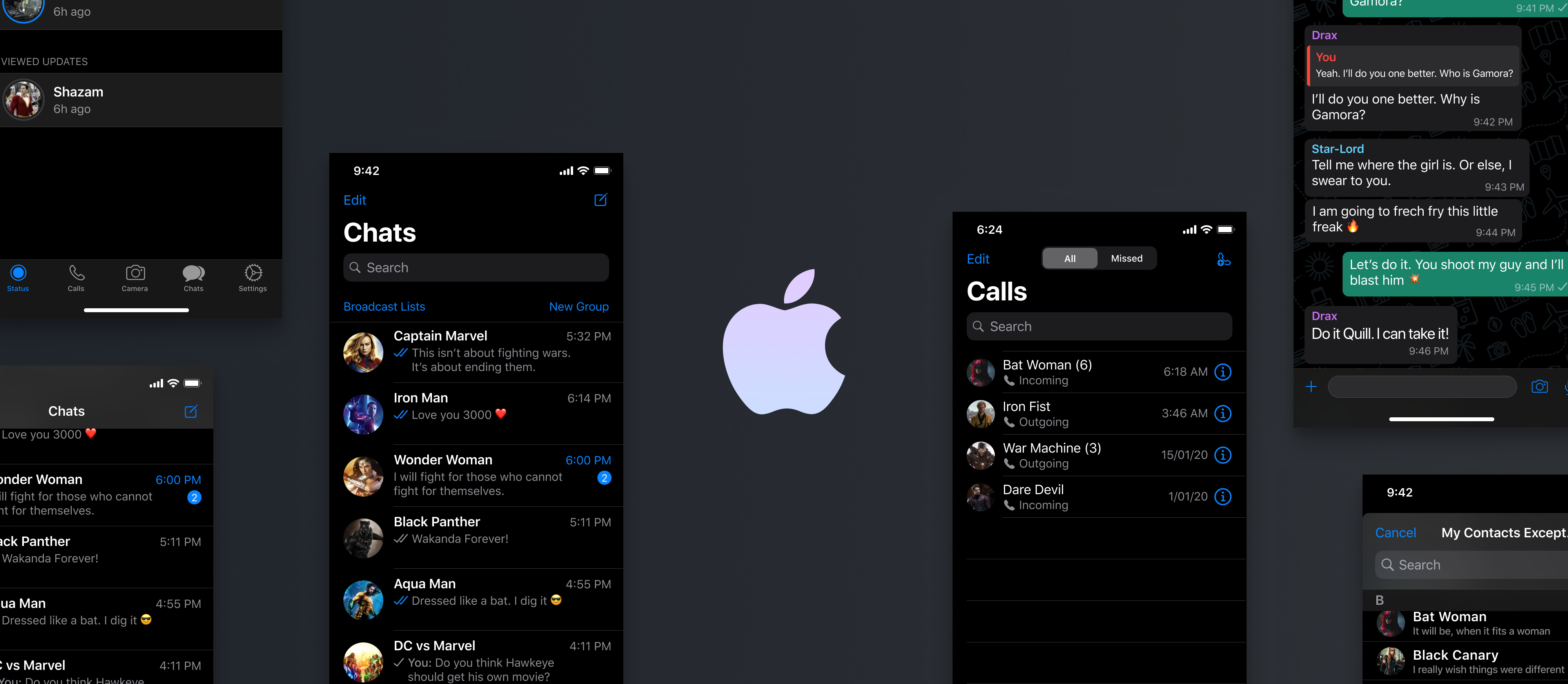
Dark Mode Designing: A 2020 Guide for Mobile App Designers

Designing for Dark Mode: More Than Flipping a Switch | by Microsoft Design | Microsoft Design | Medium

While operating in the market for a long time, the talks and then the official launch of Android 10 and iOS 13 brought Dark theme User Interface in the limelight. Both Apple and Google have been dedicating their resources and attention to the dark mode since the past one year.

With several ophthalmologists too getting on board with the dark mode initiative, the general user perception is also now inclined towards the adoption of the theme in their digital experiences.

Delivering the users what has now become a norm for them is something that the mobile app designers has to keep up with.

In this article, we are going to look into how the mobile app designers can get started with delivering a dark mode UI design experience to their users.

Table Of Content:

  1. Why should you pay attention to dark mode?
  2. What makes up for an unhealthy dark mode?
  3. How to design dark theme for Android app?
  4. How to design an app for iOS in dark mode ?
  5. Tips for efficient dark theme design

Why should you pay attention to dark mode?

1.  An In-demand Trend

Start a Trend with This Essential Ingredient

Any trend-focused mobile app design company would tell you that for an app to be in trend, it is necessary that it is designed according to the recent market demands. Dark UI is the one design element that has been in-demand since the past one year. And seeing the present situation, it is only going to grow.

2.  Health & Wellness

Five Reasons You Could Be Gaining Weight | Livefit 247 Griffith

We all have in one or the other point in our life faced the shock of opening an app in a pitch dark night. The light that is emitted is too high and too sudden for eyes. Prolonged use of these apps have resulted in several instances of dry and itchy eyes among users.

Benefits of the dark mode comes into the picture by making it relaxing for users’ eyes to open and work on apps in the dark. It helps solve these persistent health and wellness issues, thus answering why is dark mode popular.

3.  Saves Battery

Amazon.com: Battery Saver 2X - Save Battery Made Easy (Kindle Tablet Edition): Appstore for Android

Dark mode app design helps in prolonging the device’s battery life. Google confirmed that dark mode on OLED screens has been a game changer for the device’s battery life. YouTube, at its 50% brightness saves upto 15% more battery life in dark mode compared to flat background.

The benefits surrounding the holy dark mode are too popularized now to be ignored. But what is less talked about are the ill effects of dark mode UI – one that is UNHEALTHY.

What makes up for an unhealthy dark mode?

Is dark mode good for your eyes? Here's why you may want to avoid it.

When reading a white text on black background, iris opens up more and gets in more light and lens deformation develops a fuzzier focus at eyes. This is called Halation or Fuzzing Effect, a.k.a one of the biggest dark mode app design challenges.

Unhealthy dark mode tends to be very harsh on the eyes because of the high contrast and can strain them very quickly.

If your phone or laptop is on highest brightness, you would have felt how straining it is to read the text on the left image.

But isn’t dark mode supposed to help with extending the battery life? Well, to some extent, Yes. However, it only impacts the devices having OLED and not ones with LCD.

In OLED, every pixel gives out its own illumination meaning to show darkness, the pixel must not light up at all. But since most of the OLED panels are limited to 60Hz refresh rate, scrolling makes the pixels light up and because of the slow refresh rate, a jiggly effect is caused.

Users, when exposed to this effect, end up feeling tired and worn out of their digital experience very soon. This event is what brings in the need and prevalence of design for dark themes.

How to design dark theme for Android app?

Google comes with an extensive documentation support that helps designers get started with understanding how dark theme operates on the Android ecosystem.

The tech giant has established four principles that defines the dark UI design and gives a starting point for how to design dark mode –

1. Dark with grey 

Shades of Dark Gray #A9A9A9 hex color | Hex colors, Light grey color code, Concrete color

When designing a dark mode, use grey color instead of solid black for showing space and elevation in an environment with wide depth range.

2.  Color with accents 

Definition of Accent Colors Used in Furniture

Apply limited color accents in dark theme UIs, so the majority of space is dedicated to dark surfaces.

3. Save energy

100 Ways to Save Energy - HomeSelfe

When designing the dark mode in products that require efficiency (such as devices with OLED screens), conserve battery life by reducing the use of light pixels.

4. Enhance accessibility

LTE flaws risk security and privacy of all Android smartphones on Verizon and AT&T | CSO Online

Accommodate regular dark theme users (such as those with low vision), by meeting accessibility color contrast standards.

There are different properties they have fixed in the Google Material Design Guidelines for Dark color scheme and overall mode –

Elevation: In the process of designing dark theme, the components retain the same default shadow components and elevation levels as in case of the light theme. What differs is the illumination of the surface of elevation levels.

The higher a surface elevation, the lighter would be the surface. The lightness is shown through a semi-transparent overlays’ application. Overlays also make it possible to differentiate between the components and see the shadows.

Accessibility & contrast: The background in dark theme UI design should be dark enough to show white text. They must use a contrast of a minimum of 15.8:1 between the background and text. Doin this ensures that the body text passes the WCAG’s AA standard of 4.5:5:1 when added to surfaces at highest elevation.Colors: The dark theme UI must avoid saturated colors for the induce eye strain. Instead, designers should focus on using desaturated colors for they increase legibility. The choice of primary and secondary colors must also depend upon the consideration of both light and dark UI themes.

Light text on dark backgrounds: When a light text comes on dark background, it must use these opacity levels:

  • High-emphasis text has an opacity of 87%
  • Medium-emphasis text and hint text have opacities of 60%
  • Disabled text has an opacity of 38%

States: States communicate the status of interactive elements for dark theme layouts or components by using the overlays. In dark theme, states must use the same overlay values as the default light theme. There are two containers which inherit the state overlays: Surface and Primary.

Surface containers which use the Surface color must apply an overlay which match the color of text or icon. For the surface containers which use the Primary color, the state overlay must be white.

How to design an app for iOS in dark mode? 

With dark mode, Apple has revisited the meaning of UI styling and colors in iOS. Let’s look into the changes that Apple has brought to help you with designing for dark mode on iOS 13. ?

Designing a Dark Mode for your iOS app — The Ultimate Guide! | by Chethan KVS | Prototypr

Semantic colors 

For standardising the look and feel of the iOS apps in both dark and light mode, Apple has come up with semantic colors for the commonly applied UI elements. These colors do not come with an absolute RGB value, they directly adapt to iOS interface style.

They have also introduced semantic colors for handling the text and overlay color in the dark mode.

System colors

In addition to the semantic colors, Apple has also come up with 9 predefined system colors which are dynamic and supportive of dark system-wide appearance. This means that these colors adapt to selected interface styles like the semantic colors.

Vibrancy and Blur Effects

With iOS 13, Apple has introduced 4 blur effects and 8 vibrancy effects, which automatically adapts to the iOS interface style.

Here are the blur effects in the dark and light mode:

Apple has also introduced 4 vibrancy effects in iOS dark mode typography suite, 3 in overlay and 1 for separator. Here they are:

SF Symbols 

Apple, in their Human Interface Guidelines, offers a collection of more than 1500 symbols for Product developers and designers to use in their applications. They automatically look amazing in the Dark Mode for they have been optimized for both light and dark UI.

Tips for effective mobile app dark theme design

As you must have reckoned, the preparations to provide the users a healthy UI experience is something that both Apple and Google is focusing on through their dark mode design principles. 

But as shared above, not giving dark mode design theme its fair share of attention can do more harm than good. 

And thus, it is important to know the effective tips for dark theme design.

1. Avoid the pure black color

What's a "rich" black - CorelDRAW Graphics Suite X7 - CorelDRAW Graphics Suite X7 - CorelDRAW Community

A dark theme must not be of white text on black background. In fact, it can be difficult to look into a high contrast screen.

When you add dark mode to your app, it is safest to use dark grey as the primary color for the dark mode components, as it lowers the eye strain and also it is a lot easier to look at shadows on a grey surface compared to black.

2. Avoid the use of saturated colors on the dark themes 

8 Tips for Dark Theme Design. Dark theme is one of the most requested… | by Nick Babich | UX Planet

The saturated colors that look great on the light surfaces can vibrate against the dark background, making the text extremely difficult to read.

You should use light tones for they have better readability and they don’t make the UI unnecessarily expressive, which saves unnecessary eye strain.

3. Consider the emotional side of your app design 

Designing Emotional UI. Emotions play a massive role in our… | by Nick Babich | UX Planet

When you design a dark theme for your app, chances are that you must be aiming for translating the same emotional feel of your light theme design in the dark theme as well.

But it is unwise to do so. Because, ultimately different colors project different emotions. As a result, your dark mode colors will evoke a different feeling. This is why it is necessary to find a common ground emotional set for both your theme UIs.

4. Test the design in both the appearances 

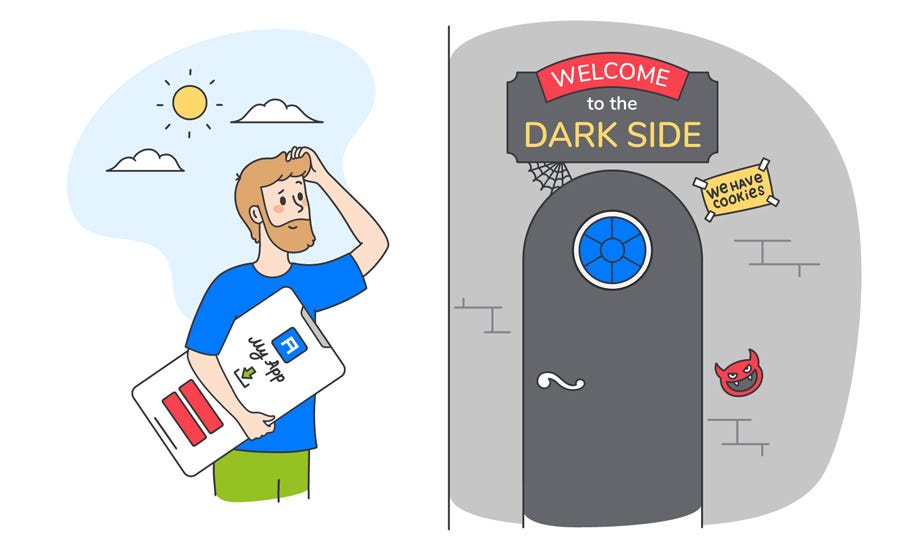
Dark Mode: how to come over to the dark side | by Blog of Alconost Inc. | UX Collective

Just like how your users would toggle between both the theme UIs at different times of the day, it is necessary to test the app two times of the day to see how it is functioning in different light conditions. And to ensure it meets your criteria.

5. Incorporate dark theme into animations and illustrations 

Dark Mode: how to come over to the dark side | by Blog of Alconost Inc. | UX Collective

If your app contains animations or heavy graphical elements, you will have to prepare for their adoption in dark theme as well. In case the illustration contains a subject and a background, it would be good to fully desaturate the background colors to help keep the attention on the subject.

With this, you now know everything there’s to know about designing the dark mode version of your app. The next actionable step is to talk to a team of experts who have implemented the UI in applications. You should see this as a way of getting closer to achieving your intent to offer a healthy experience to your end users.

Mobile App Development mistakes to avoid

11 reasons why to hire a professional mobile application development company

Every time there is a post written about the optimistic numbers of successful mobile apps in the whole wide world that inspire one developer with divinity, there are at least five other developers and business owners cursing that same post for their failed app ideas. If you are one of those developers or their clients and project owners then you have found the right post to help you identify the mobile app development mistakes to avoid and what is it that you need to make right in your apps.We understand that it hurts to see your brainchild die in a brutally competitive market of mobile apps. There’s an app for EVERYTHING and no matter how much you do for your app to survive, something always seems to go wrong. Mobile app development mistakes make you pay ten times over for your efforts.

Well, you’re not alone, we’ve been there too but, a good thing, we learned from our mistakes and we’re here to tell you what those were.

After losing our blood, sweat, tears and a lot of money by making our share of mistakes, we have identified the scariest mistakes and how not to make them.

And if you don’t want to fail with your app idea or want to know the reasons for failure for your last app start-up idea, you can begin to correct yourself and your team.

After all, there are over 5 million total apps in major app stores but only a little over 32K apps make over the mark of 1M downloads. For covering this steep difference in the numbers of total apps and the number of successful applications, it is crucial to not make the mistakes mentioned below.

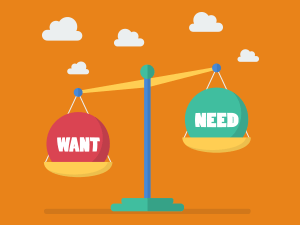
1. Not Identifying the need

Needs and Wants Worksheet - OppLoans

This is a big one. Not doing a need analysis before starting the development is like serving Ham to vegans – Nobody is going to eat it.

You have a great app idea and you go and put your money into it without doing market research is not the best way to go. Whenever there is a big investment required, it is favorable to take things slow.

It is necessary to test the market and conduct surveys about what features do the users need in the app if they need it. That would validate your idea and give you confidence about a considerable user base.

There is always a roadmap to successful app development, and it is cardinal to follow that route for making an app that users like.

Surveying your target audience if they’re ready for an app or not is better for customer acquisition and more importantly, user retention.

2. Picking up a mobile app development company/Freelance app developer without enough research

11 Common Mobile App Development Mistakes Developers Make Every Day

Just like there are several categories of mobile apps – Financial app, educational apps, eCommerce, On-demand, etc; there are categories of mobile app developers also.

And similarly, all the mobile app development companies are also different.

Firstly, before deciding upon a mobile app development team, you need to fix the budget, the platforms, the complexity, the domain of your app.

Then, secondly, you should research and find out about the app development companies who fit the criteria of your mobile app.

Then finally, you should make a list of questions to ask the mobile app development companies before reaching a decision.

Some of these questions can:-

  • Can I see your portfolio?
  • Can I get some of your client references?
  • What is your app development approach?

These kinds of questions can give you a detailed insight into the company itself, the kind of projects they can handle, what is the size of one project they’re capable of taking, etc.

Later, you can easily cross out the companies which do not fulfill the criteria for your app’s development.

3. Underestimating the total cost

Underestimation of costs — how to avoid it? | by IC Project | Medium

You cannot have a dream one day about a rocket ship and start building it the next day. Especially when you know it is going to eat up a lot of money.

What is needed before the building process is the detailed scope of all the resources it would take to build that rocket ship.

And resources not just consist of money but development hours, material, space, overheads, a special marketing or operations team, etc. Each one of these things directly translates into capital investment and all of it needs to be taken into consideration before the commencement of the app development project.

Even before starting upon with an MVP for one platform, it is crucial to consider training, hiring, and overheads costs if you want to avoid a big mobile app development mistake. Remember, it is paramount to know how much does app development cost?

Only then you can correctly define what your MVP will look like.

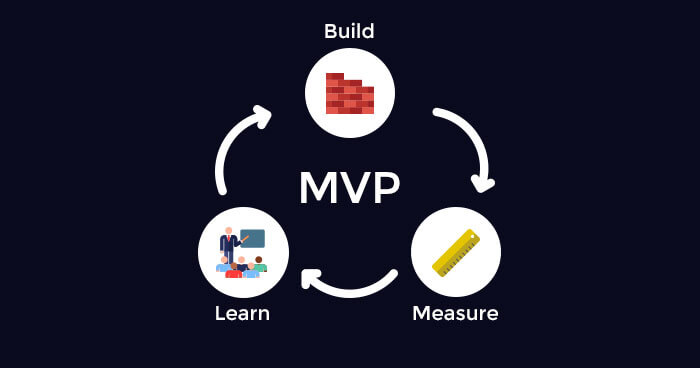
4. Not considering making an MVP

Everything You Need to Know for Building MVP for Startups

Making an MVP can be the last step where you can save your app from being a disaster.

An MVP or Minimum Viable Product presents you with a chance to test your product in real market conditions and with daily users to evaluate your app’s performance.

An MVP is the stage when your app consists of only the necessary features thereby, allowing you to launch the app in the market before going through with the entire development process at an advanced level.

Realising an MVP as a preliminary product reduces the actual product/app’s time and cost. You can speed the development process to release the basic version of your application, get feedback from the market, make the required changes to your app’s model and improvise the final product.

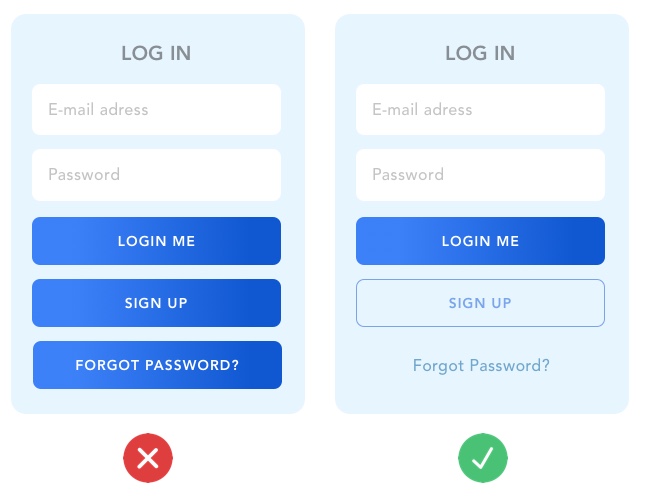
5. Building a poor UI

10 Examples Of Bad UI Design And How To Fix Them

One of the biggest mistakes to avoid when developing an app is to not paying close attention to the UI of your app. UI or User interface is the face of your app which is responsible for the very first impression.

Since there are numerous apps available on the online app stores, users are highly impatient while making a decision about keeping an app in their mobile devices.

In other words, a good UI can become the user retention key to your mobile app which cannot be ignored.

The mobile design process is a crucial step to building an app that the users will love to use. Following are some of the points to take care of while designing the app UI:

  • Never start designing without an App flowchart
  • Always pay attention to the Resolution – Avoid design for low resolutions
  • Avoid making an animation for into because users are impatient and an unskippable into will make them uninstall the app
  • Take extra care for the animations used to indicate loading time. Use things that will keep the users engaged.
  • One of the advanced features to add to the UI is the Gesture-based interface.

6. Adding too many features

Gamasutra: Jordan Georgiev's Blog - Going Too Big - Simplicity in Indie Games

One of the biggest mobile app development mistakes to rectify is thinking that adding a number of features will make the users appreciate your app more.

In fact, the epithet “feature-rich” has become a positive quality for many app developers and businesses and it is used more than often by app marketers. Needless to say, it is one of the most common mistakes that app developers make.

Although, if we go by the user feedbacks, having too many features in an app makes it cumbersome and bulky in size without adding much value to the overall user experience.

Contrastingly, having fewer and targeted features makes a mobile app purposeful and easy to understand.

Additionally, having too many features makes the app slower and adds to the load time. And not to mention the time, efforts and resources that go into making those extra features.

The best thing to have is the main feature and other supporting features that make the purpose of the app complete.

For instance, in the case of an on-demand food delivery app, the necessary features would be,

  • Browsing through restaurants and menus
  • Adding food to the Cart
  • Location detection for addresses
  • Payment
  • Order tracking
  • Help and support

These features will perfectly help the user in tackling any problem that they face with food delivery.

7. Adding too many mobile platforms initially

It goes without saying that among the biggest mistakes to avoid when developing an app, resisting the temptation for building the app for all the possible platforms is a huge one.

Adding too many features and adding too many platforms work in the same way – they prove to be highly counter-productive for your vision As they skyrocket your initial costs of app development.

The best way to go is, doing market research, then deciding upon one platform out of Android, iOS or Windows, launching the app on that platform and recording customer feedback.

Most of the Android and Windows Phones are in the low-end

Once you are absolutely sure about the success of your app on one platform, then you can plan the development for the next platform. It is very important to decide upon a single platform for your app in the beginning.

Otherwise, you should plan the app development strategies well in advance if you want to release the app on multiple platforms at once.

8. Not doing enough testing of the app

Cellphone apps to track coronavirus infection have received mixed reception - The Washington Post

Being a user, having an app with a glitch-free performance means everything. Especially, in the initial days of the app release, it is very important to have an app that retains users by its flawless performance.

Apart from simple testing of an app, it is crucial to test it over a range of devices to ensure a good first impression. In fact, it is better to know beforehand what are the testing strategies your app development company follows.

Also, it is important to remember the when it comes to testing of an app, it should be done by a third-party or professional app-testing team. Only then, you will be able to release a perfect version of your app.

9. Not taking feedback

Consequences of Not Giving Feedback - CT3 Education

From the starting of this article, we have established the importance of feedback multiple times. But still, mobile app developers let this one slip.

In the end, this app is being developed for the general users. Therefore, it is highly important that they get a say in what would want to see in the app that they want to use. Otherwise, they simply would not use it.

“Multiple iterations” of user feedback is the only way out of this scary situation. The important changes to be made in the app should be based on what the users want.

10. The Unplanned market launch of the App

Everything You Need to Know to Correctly Launch Your App - BuildFire

One of the most common mistakes in mobile app development is made during the Market launch of an application.

It starts with generalizing your entire market and not narrowing down the target audience while planning the app release. Remember – Everybody cannot be your target market.

Following are the important steps to follow before launching your mobile in the app stores:

  • Validate your MVP before investing in a launch. You will get an idea about the changes to be made and the redundancies to be removed from the app before launching.
  • Use professional help for App store optimization
  • Never neglect a good UX or User experience
  • Pay extra attention to a well-devised onboarding process because it is very important from the user perspective to gain the first impression of your mobile app

These steps are crucial to dip your toes to test the waters before diving in. Once you know your market, you can alter your mobile application as per the need of the hour.

The common mistakes in mobile app development and the lessons at the end of them can be used to study and build up a new standard process.

Right from need Identification and customer validation to testing and launch the app on the right platform after a thorough customer survey and feedback is the key to securing your hard-earned resources.

Business Needs A Mobile Application for Growth: Reasons

5 Best Enterprise Mobile App Development Platforms

In this age of mobility, it is not only difficult but also impossible to live without our smartphones. The reason behind this dependability is the mobile apps that have made human life so simple. These apps are changing the very way we live our everyday lives. And in order to get things done, we need lots of mobile applications. This has resulted in pressuring mobile app development companies to build more useful enterprise mobile applications. According to research conducted by Gartner, it was said that by the end of 2017, the market demand for enterprise application development shall outpace the need for the organizations to develop the apps. Also, the sale of mobile phones is expected to surpass 2.1 billion units in the year 2019. The numbers are huge and will keep getting bigger and bigger. This only shows how beneficial having a mobile app, be it iOS or Android for your business will be in the future. There are numerous advantages of mobile apps for industries, be it small or large.

These app development services are utilized for the promotion of services that an industry provides, therefore, the app must have an innovative approach for targeting potential customers at the earliest. Increased revenue, the growth of industry and brand awareness are some advantages of having a mobile app. All of these added to the other key everyday advantages makes mobile apps not just important for businesses but also makes them a necessary part of the modern day lifestyle.

Industries that Benefited from Mobile Apps

According to research, industries are putting most of their investment in going mobile, the reason is quite obvious. Going for app development services, many industries have seen growth and an increase in profits. Here are some of the industries that used their mobile apps for business and got amazing results:

Healthcare Industry

5 Ways Big Data is Changing the Healthcare Industry - Fingent Technology

The healthcare industry has been using mobile apps for a long time now and the impact of apps on the healthcare industry is huge. Apart from quick checkups and storing patient information in one tap of the screen, there are many other ways apps are benefiting this industry. Virtual assistance of doctors, identifying the disease through images and much more has been made possible because of mobile apps.

Travel Industry

Top 4 Ways Business Intelligence Impacts The Travel Industry

The travel industry is using apps to get more customers and also using it to provide better services to them. The travel apps are revolutionizing the travel industry by giving special services to customers, allowing apps to check in and check out without ease, getting combined bookings done and much more. All this is changing the face of travelling and apps are becoming the best travel companies for travellers.

Restaurant Industry

Restaurant Tech: 12 Nordic Startups Changing the Restaurant Industry | by Joseph Michael | Medium

Restaurants are one of the most successful industries of all times and with the help of mobile apps, they have been able to excel at their services. Restaurants need well executed mobile apps to allow customers to reserve seats, place orders, find good places to eat and anything else that enhances user satisfaction. The apps are even used to showcase restaurants based on the review given by previous customers. And the biggest benefit of mobile apps for restaurant industry is that they gathering a massive audience through apps which increases the profits.

Entertainment Industry

What Does a Data Scientist in the Entertainment Industry Do?

The entertainment industry is no longer limited to a TV screen but has rapidly shifted to mobile phones and tabs. The reason for this rapid shift is an increase in mobile users. Mobile apps let viewers view any type of show, at any time of the day and at any place. From live streaming to news updates, everything is available on apps. They say mobile is the new TV and it has become possible only through apps.

All these examples show the benefits of mobile apps for business. However, these are not the only industries that benefited from their mobile apps. There are others such as social network, e-scooter, etc. that have gone mobile and are seeing an immediate increase in their business revenue. Some restaurant businesses like DoorDash have a business model that’s completely based on mobile apps.

Why Does Your Business Needs a Mobile App?

Ever since mobile apps have become a lifestyle necessity, the apps are constantly improving in ways to provide the most out of them. Every mobile app development company that develops apps for industries is bringing changes that benefit the users as well as the business. However, there are already many advantages of mobile apps for industries:

Audience building

App Audience Building - How to get, onboard, and keep valuable app users | bizibl.com

With the increase in mobile app usage, industries are taking the benefits of mobile app application development to increase their customer base. Interaction with users becomes easier with the help of mobile apps. Audience building is one of the most important benefits of mobile apps for small businesses in the industry. Since they are just starting, gathering customers through a mobile app is a great strategy.

Creates brand awareness

The Guide to Better Brand Awareness for Long-term Growth

Mobile apps are a one-stop point for getting all the relevant information related to the brand as well as showcasing the products and the services. Newer products and services are showcased on the apps and promoted via ads. This will increase the sales of the product while keeping the promotion cost lower.

Analytics for business strategies

With the help of mobile apps, businesses can track important analytics such as the number of visitors, users most viewed product, time spent on each section of the app, and a lot more. Analytics are crucial for marketing and advertising as it makes sure that the targeted audience is right.

Competitive advantage to businesses

What's Your Competitive Advantage? 7 Strategies Businesses Can Use To Thrive - OpenBusinessCouncil Directory

There are still many companies within an industry that don’t use their mobile app’s full potential and there are some companies that don’t even have a mobile app yet. This certainly plays the benefit card for businesses that are working hard with their mobile apps for business. Although the competition is still quite low in this area yet it is a big advantage.

Helping small businesses in the industry

Large Corporations Helping Small Businesses - Sam's Club Leads the Way

Mobile apps for small businesses can be a godsend keeping in mind the fact that using apps as a tool for growth is extremely cheap. Most businesses are skeptical because they don’t know how much does it cost to make an app and eventually assume it costs a lot. However, that’s not the case. Once it is developed, a mobile app for business is the best tool for growth.

Ease of payment

How to Align Sales and Support for a Long-Term Growth of a Business - Acquire

Industries like eCommerce, travel, etc. often require online payment for their products and services. Secure payments are one of the reasons why your business needs a mobile app. Apps can be developed with secure payment options gaining the trust of customers who find it hard to trust websites for making payment. Secure payment option is the most profitable benefits of mobile apps for small businesses.

Sales and Business Growth

The industries are usually focused on exploration of newer avenues in the marketplace for the implementation of mobile application development strategies for their campaigns. With the increasing number of mobile users, there must be an increase in sales while satisfying the user requirements. The mobile apps are very effective in ensuring progress levels within a short span of time.

Retaining Loyal Customers

Develop Customer Loyalty: Strategies to Increase Profits and Retain Customers

Another useful advantage of mobile apps for business is that it offers a hassle-free experience on the customer support request. Businesses can retain their customers with the help of attractive offers such as discount coupons, vouchers, etc. Uber’s business model allows it to offer discounts to mobile app users and so far has been proved to be the best strategy.

Deliverance of Powerful Messages

Powerful messages are delivered to the customers at the best possible rate so that the business organization saves money. These messages are effectively delivered for the conversion of the visitors into potential customers. An irresistible offer, when notified with the push notifications message of the mobile app, is an effective way for business promotion.

Mobile apps are supremely beneficial in fulfilling user expectations. Customers are usually happy when they discover an app that is easy to connect and offers customers the necessary tools for an easy use of the apps.

How to Get Started with Getting Your Mobile App Developed?

The desire to get a mobile app developed becomes easier if employing an app designing company. The mobile app development companies will first and foremost try to evaluate the business requirements of the clients while working closely with them. This is done to understand what the client is looking for in the app, in the best way possible.

Apart from proper functioning, the mobile apps that are developed must also have an attractive look. Multiple programs can be integrated easily with the affordable rates offered by the app-developed services. Before developing an app, one must be absolutely clear on the purpose that it has to serve.

However, most of the time the cost of the app becomes an issue. Majority of small businesses are unable to find how much does it cost to make an app and that prevents them from getting mobile apps for small business.

It is a common practice to find an app development company near to the location of the business to have a proper meeting. Other avenues to find and hire the best app developers are through the internet, meeting their essential needs, for striking a perfect match for their business.

If you are willing to get a mobile app developed for your business then contact us at Anteelo. We have an exceptional team of mobile app developers that build apps for clients to increase their revenue as well as business reach.

Custom App Development Our Client’s Profits Increase by 23%

Custom Mobile App Development Services | Custom App Design | BuildFire

Did you know there could be a downside of investing in an app that comes semi-readymade and takes less to no go to market time? There is. The App Development type under scrutiny here is White Label Solution Apps. Even after coming across with a number of sweet promises, life of the perks are as short lived as the next application update. The fact that is taking people away from them to Custom App Development.

Before we look into the benefits that brands get once they let go of their White Label Solution App and invest in Custom Android App Development or its iOS counterpart or even custom web app development, let us quickly run through the meaning of White Label Solution Apps or a.k.Recyclable Apps.

White Label Solution Apps or Recyclable Apps are the one that are given out to brands to use as their apps. Imagine this, you have a commutation app idea like Uber and you are given the Uber App, where all you have to do is fill in the details specific to your brand. You only need to change the brand name, maybe the background colour, and voila! You have your Uber like app ready.

White Label Solution Apps give you a readymade app that only needs to be filled with your brand details.

In our experience, we have seen that only within months of making the switch from White Label Solution App to Custom Mobile App, brands find a huge jump in their P&L statement. All due the evident benefits that Custom Mobile App Development comes with.

Here are some of the benefits of custom mobile app development process.

1. Benefits of Using Custom Mobile Application Development Services

Undoubtedly, White Label Mobile App Solutions come with offerings that get too difficult to ignore – Low Cost of Development and Faster Time to Market, at least when compared to the custom app development pricing. But, under all circumstances, the benefits end just there. And these are the places where the long term problems always start.

Let us look at these and some others in more detail, through the viewpoint of Custom Mobile Application Development

Greater Individuality

Individuality, Individualism, Collectivism and Collaboration | by Duarte Nuno Valadas Segurado | The “i” in Agile: The individual contribution to the whole | Medium

White Label Solutions come with an app design that you choose to then launch your app on. The catch is, you are not the only one using the design and layout. Your competitor, who is in a similar line of features, has also chosen the same design as you, to save his time and development time.

When opting to partner with the best custom app development company in the class, you automatically get the freedom to choose the design, UI, UX, flow, features, and much more. This keeps the individuality level intact in your app.

You Have the IP Rights

Intellectual Property Rights - GeeksforGeeks

One of the scariest elements of White Label Solution Apps, as any mobile software development company would tell you, is the lack of IP rights. You have no right on anything that you have based your company’s brand image on. Everything from the code to the server belongs to the development platform from where you found the app.

In case of unexpected, unsafe future, it’s not just your brand image that is at stake, but also your users’ private data.

The fear of data security and a right on app’s intellectual property is safely mitigated when you invest in custom app development. As you are the sole owner of the app and its backend, once it’s developed.

Becomes Scalable

Scalability 101 - How to Run a Scalable Business

Custom Apps are hands down more Scalable. When you invest in a White Label Solution App, you invest in an app that comes as a whole, with no scope of expansion. Adding features or even moving them from Android to iOS or vice versa is not possible with the Recyclable Apps.

Scalability is the one feature that you can only enjoy when you are the parent of the app. Something that only the supremacy of custom app development can offer.

A Chance at Getting Updated

With white label solution, your app story ends as soon as the app is launched. With a solution that works in such isolated environment, it is nearly impossible to plan a constant update plan, without involving the White Label App developer and burning a hole in your pocket, one thread at a time.

With Custom App Development, you can easily update the app as and when you feel the need of offering something better to your customers. Unlike your white label counterparts, you can make arrangements with your Custom mobile Application Development Companies right from the stage when you decide to invest in them.

With custom, you can ensure the future of your app, the one that guarantees it will keep changing with the changing users demand

Lets you Enjoy the Perks of Automation

5 Positive Benefits of Automation in the Workplace | by Meet Sally | Medium

It is no secret how Automation makes the life of both users and developers easy. Whether it’s as simple as sending notifications or as complex as updating the attached cloud service as and when some change is made.

White Label doesn’t let you enjoy these perks as the chance of automating the app beyond what is already there is less to none.

Here were the reasons, why us and every custom app development company who works to become a brand’s partner (which only happens when you move on from just being a mobile app developer) stresses on investing in Custom Application Development.

While the internet is filled with a number of benefits, even more than the ones listed above, we have seen the approach work wonders for companies that get associated with us. Here is an example of a brand we partnered with for handling their Custom Application Development process and how they gained 23% hike in their profit margin after making the switch from White Label Solution App to our Custom App –

2. The Case of How our client Saw a 23% Increase in their Business Growth after Going Custom.

*For the sake of the NDA clause, we are going to call our Client, ABC.*

We had a client, ABC who had invested in a White Label Solution for one of their enterprise app, that they needed to streamline their business process and bring the offshore and in house team in sync, while being available to the clients in real time.

It took them some four to five months to realize that in order to become truly productive and to bring the whole team and the associated entities so in sync that it reflects in their Profit and Loss statement, they will have to let go of the app format which was already floating around in a number of companies as theirs.

It’s not just ABC that had made the move, when they contacted us through our App Consultancy page, we shared with them a number of case studies of other agencies that made the switch from White Label Solutions to Custom App Development.

Here are some of the ways Custom Application Development helped their case.

Reduction in Efficient Tasks

9 Ways To Make Team Work More Efficient • Asana

One of the biggest challenges they were facing with their recyclable app was that their team outgrew the set of features that they were given as part and parcel very soon.

After continuing with the same set of processes, even though the employees were now manually doing the tasks that should have been handled on the app, for about 3 months, ABC started seeing visible signs of low productivity.

Once we developed the app according to the exact needs (we added features to not just meet the present needs but the ones that they would come across in the time span of next 5 years), their quarterly performance report showed a reduction in inefficient tasks and a rise in ROI from their application – All in terms of productivity measures.

The Rise in Employee Collaboration

Everything You Need to Know About Employee Collaboration | elcom

The feature of giving real time data of software order received by the offshore sales team to the product team based in Bengaluru was missing in their app (it was a feature in the upgraded version of the white label app that they had selected. But they hadn’t opted in for it). The process that they followed was that the sales team use to be a collaborative report of orders and specifications and used to send it over by the end of the working day, everyday.

There was an evident miss of collaboration between the in house and offshore team. It took them 20 misinformed software configuration delivery complaints to realize that they needed a real time update solution.

After getting their Custom App developed, apart from the visible reduction in number of complaints related to late or incorrect software delivery, they even saw a rise in the collaboration among the team and an increase in customer satisfaction.

Rise in Customer Communication

Three Ways Effective Communication Improves Customer Satisfaction

The process that ABC was following was that they were sending out feedback forms after the completion of an order and if in case they got any negative feedback, they used to handle it over call. On more than 5 incidents, it happened that they failed to tell their customers that the issue has been resolved, even when they were.

Through our custom app, we gave them a platform where they made a rep active on even the off hours and then implemented an auto mode of sending feedback reports after every decided milestone. Both the steps brought in timely communication and redressals.

Greater Usage on Multiple Devices

Do Multiple Devices Affect Internet speed? | Asianet Broadband

The application that ABC had chosen was unresponsive to PCs. We know that enterprise apps cannot operate on just one device – Mobile. It needs to be workable on PCs, Tablets, and sometimes even Wearables.

And we brought the app on exactly all these devices that the team were using. For this, we first made a list of devices – OS, Versions, and Device Type that were operational in the team and then made a deployment plan accordingly.

Came Points Above Their Competitors

In the business mobile app development scenario, it is not uncommon to see an inclination towards white label solutions apps, as it is a common belief that the included features won’t have any drastic changes. This was the notion that made ABC invest in a white label solution, without thinking that every business operates differently and have different processes and tracking systems to follow.

After integrating the app with their exact business needs, ABC in their semi-annual report witnessed an increase from their competitor’s growth sheet. While there were other reasons behind this as well, they attributed it to the custom mobile app development services that they invested in, to a great extent.

The numbers that their reports showed were only an atom in front of the various quantifiable and unquantifiable benefits ABC drew when they chose to let go of their White Label Mobile App for a Custom made Solution.

So here, you have the proof that Custom iOS App Development and Custom Android Development supersedes White Label Solution Apps when you invest in a knowledgeable mobile software development company. Are you ready to make the one time investment in your future? Need more Clarifications? Contact Our Team of Mobile App Experts, today.

Tips & Trends to Follow For Mobile App UI Design in 2021

Third year students UI Design Systems Project—Designing a Finance App for Teens — IDEA School of Design Blog | Capilano University Illustration and Design School

UI design has proven to play a crucial role in mobile app success. It has positioned itself as a ladder to reach the hearts and minds of the users and customers by displaying engaging visual content and more.

But, is everyone able to relish its benefits? Do all the designers and entrepreneurs know about the best mobile app UI design tips that work in the customer-centric world?

Sadly, no.

So, with the intention to simplify their journey of figuring out what the UI of future apps look like, we have prepared a list of tips and trends that will be popular in the mobile world in 2021.

But first, let’s take a recap of the benefits of UI design.

Now that we have taken a visual walkthrough of the importance of good user interface design during app development, let’s peep into a few mobile apps that are giving serious UI designing goals to others in the industry.

Best Apps That You Can Get Inspiration From

1. Netflix

Netflix Has 45% Fewer Movies (and 400% More TV Shows) Than it Did in 2010 - TV[R]EV

Netflix app – the one that has changed the landscape of the movie streaming industry – tops the list with its breathtaking UI design.

The application introduced incredible layout and color options to the mobile domain. It has not just worked on simplifying the navigation process but also ensured that all the reported bugs are solved in real-time. In this way, it has increased the chances of offering a positive experience to their audience.

2. Splitwise

Financial Hacks: Splitwise makes it easy to go Dutch | The Edge Markets

The UI design of the application is simple, sophisticated, and pleasant. The color scheme is chosen in a way that it complements app elements as well as employs the center of the device effectively.

3. Spring

The Introduction: Spring Shopping App - The American Edit

Spring, the popular shopping app, is also a good option to consider while looking for design tips for mobile apps.

The mobile application offers a simple and interactive experience – using icons to give a hint of the functionality of each element. The app uses different font styles and sizes along with a card layout to deliver an enhanced UI experience.
4. Trello

Trello

Trello is yet another application you can consider for deciding the type of UI design to create.

This productivity app is easy to use and gives the facility of creating boards for managing their tasks. It comes with a clean and sophisticated look and feels along with its tactics of arranging all the pins in a ‘pipeline’ manner. Also, it offers tons of cool backgrounds and labels colors to amp users’ experience.

5. Shine

Another application that has enhanced its customer experience via the user interface is Shine.

The mobile app uses custom and abstract aesthetics to match the mood of users. It also relies on soft shapes and calm colors to make them experience some peaceful moments.

6. Coursera

Coursera | Build Skills with Online Courses from Top Institutions

Coursera is yet another mobile application whose User interface offers some real goals in the design world.

The app design is simple and smooth, offering the ease to navigate from a well-organized syllabus. It uses different font styles and colors to give users an idea of what they have covered, what they are interacting with, and what’s next.

Now that we have taken inspiration from different mobile applications, let’s turn towards the main part of the article, i.e, best mobile app UI design tips to follow in 2021.

Mobile app UI Design Tips To Follow While Designing Your App

Keep It Simple

The foremost tip for designing a better mobile app is to keep the UI simple.

When you restrict the number of app UI elements, users do not get drifted by unnecessary details. They find it easier to focus on the prime elements of the application, which eventually improves the user retention rate.

Make it Responsive

HTML Responsive Web Design

Concentrating on responsiveness is also one of the proven tips to enhance mobile app design by improving its UI.

This is because when you design elements that fit the screens, regardless of the device users are using, they find ease in performing actions. This, in turn, encourages them to spend more time on your platform and add higher value.

Use Popular Icons

Download Free Social Media Icons | Picons

Users, when interacting with various mobile apps on a daily basis, become familiar with certain icons. They can easily relate those icons to particular functionalities without even reading the label.

In such a scenario, using those icons can cut down the hassle of making users understand what an app element is for. This eventually enhances customer engagement and delivers higher ROI. So, introduce popular and similar icons in your UI designing strategy.

Maintain Consistency

Another best practice for app designing that  UI mobility experts follow is showing consistency. That implies using the same font style, color, design, and icons throughout the app screens – and that too in the same order.

This simplifies the user journey and helps them make an action without getting a feel of being on some other platform. So, keep it into consideration while planning the app UI design.

Follow Platform-Based Rules

Which Phone is Best? Android vs Apple iOS vs Windows 8

Both Apple and Google have set guidelines for mobile app design for iOS and Android platforms

. Following those guidelines improves the look and feel of your application on the respective platform.

So, do not overlook these Google and Apple UI design guidelines while crafting your app design.

Do not Forget about Loading Speed

Average Page Load Times for 2018 - How does yours compare? - MachMetrics Speed Blog

Focusing on speed is also one of the best design tips for enhancing user interaction. This is because when UI elements take too much time to load, users get frustrated. They decide to exit the platform soon, because of which all of your efforts could go in vain.

So, think about optimizing your app speed frequently.

Invest in Testing

Many times, the elements you introduce in your app UI design do not work effectively. In such cases, they ruin the user experience instead of adding value to it.

So, it is good to invest your efforts into mobile app UI testing. For when you test your app icons and other elements for different conditions, it ultimately helps bring a positive impact on the users.

When talking about app testing, one thing that UI/UX designers must consider is the depth to which they should test their UI screens.

While educational and commercial apps require thorough UI testing across all the devices and OS versions, business apps can skip investing in extensive testing. This is because their audience, in most cases, is trained to employ the application.

In a nutshell, the depth of UI testing depends on the app’s purpose and the market it will target. However, it is a must to test your app UI on at least three different OS versions.

Iterate Regularly

Since user behavior and market trends keep on changing with time, it is again effective to upgrade your app UI design timely. And eventually, gain higher conversions.

As previously mentioned when talking about the latest mobile UI design trends 2021, changing market trends also influence the success of the user interface you design. So, let’s uncover what are the future mobile design trends 2021 to pay attention to.

The State of UI in 2021: Technologies and Trends That Will Dominate the Industry

1. Conversational Interface

What is a Conversational UI and why does it matter? | by Maruti Techlabs | Chatbots Magazine

Conversational Interface is one of the leading UI design trends for the future.

Just like Apple, Amazon, Google, Facebook, and Microsoft, various startups, and established brands will invest in Chatbot development to deliver the next level of conversational experience to their user base.

2. The Overlapping Effect

In 2021, UI/UX designers for a mobile app will embrace the idea of overlapping different elements, like text, image, and colors in a single screen.

The concept will help in creating a well-organized interface and create an illusion of space. This will eventually enhance the user experience to a great extent.

3. Typography

Why you should invest in software test automation | by MentorMate | Medium

Just like last year, considering typography in-app UI design will be one of the best mobile app design trends in 2021.

While brands have been applying bold San-Serif fonts and strong typography for some time now, they will now focus more on typography that reflects motion-based and three-dimensional effects.

4. Voice-Powered Interfaces

How Voice User Interface is taking over the world, and why you should care | by Good Rebels | Medium

By 2021, 50% of the search engine queries will be performed via voice. Because of this, voice-governed interfaces will also become one of the popular mobile application design techniques which are poised to deliver higher output.

5. Simple Curves and Geometry

Another UI design trend that will transform our future is the use of simple curves and geometry.

These curves and geometry will lower down confusion that might arise when multiple illustrations, pictures, catches, and animations are present in the design

6. Custom Illustration Interfaces

Illustrations will also be one of the popular mobile application design techniques to follow in the future.

Both brands and designers will turn towards introducing custom illustrations into their application – just like how Uber did.

7. White space

White space will also continue to be one of the core elements of mobile app design strategies.

With white space, designers will be able to deliver an uncomplicated experience to their target user base. They will find ease in making them focus upon the main part of the application over others. And ultimately, add value to their business.

8. Artificial Intelligence (AI)

Information Ethics - Department of Philosophy and Religion

Another technology that will bring a major impact in the field of UI design is Artificial Intelligence.

AI will not just help designers with creating multiple versions of any particular landing page or screen, but would also introduce personalized elements backed by thousands of studies and visual analysis. This, as a whole, will encourage them to look into how to use AI for better user interface design.

9. Contrasting Font Color/Shapes

Using contrasting font colors/shapes for mobile UI design will increase its popularity in 2021.

Mobility experts will infuse contrasting colors and shapes into their design to break the regular flow and add a tint of surprise into user interactions.

10. Animation

Ways To Effectively Use Animation In Enterprise Learning - eLearning Industry

Animation, which was one of the key app UI design trends for 2018 and 2021, will also continue to enjoy the same momentum in the future.

Brands will embrace the technique to introduce micro-interactions in their design process. And, in this way, prompts users to spend more time on their platforms.

11. Opacity

Setting the opacity of different UI elements will be considered among the top key app design trends 2021. The technique will be used to bring more emphasis on certain elements while maintaining smoothness and seamlessness.

12. Augmented Reality (AR)

The Amazing Ways VR And AR Are Transforming The Travel Industry

In 2021, UI/UX design experts will turn towards Augmented Reality (AR) for creating real-world interactions. They will embrace the technology to add immersion effects to their apps and products and help users comprehend the information more efficiently.

Besides, the technology will also be considered for building 3D brand impressions in the coming years.

13. Storytelling

Storytelling, i.e. the art of engaging users by narrating a story, will also be seen as one of the best UI/UX mobile design trends in 2021.

Mobile app designers will put more effort into crafting a story that highlights the purpose of the app and make users feel like a part of it. They will turn towards the best visual storytelling guides, tools, and techniques to make a story that keeps their audience hooked to their platform.

14. 3D Graphics

Art of Volume: Inspiring Examples of 3D Illustrations and Animation

3D graphics will also land on the list of top UI/UX trends to consider in 2021.

Mobile app designers will incorporate sophisticated textures and 3D images into their designs to add a realistic feel. Also, users will demand more 3D designs and marketing content to enjoy a vivid, fresh, and engaging experience.
15. Placement of Navigational Elements

Top 100 Awesome Website Navigation Icon - Techfameplus

Another trend that will change the future of the mobile app design world is the placement of navigational elements.

As we have already seen in our blog upon the impact of Phone X’s new design on mobile apps, the absence of a home screen button will influence the navigation process. This will urge mobility UI experts to discover new ways to deliver a seamless navigational experience to their users.

16. Virtual Reality (VR)

What is VR? The devices and apps that turn the real world virtual

Last but not least, the incorporation of Virtual Reality (VR) in UI design will also be in trend in the coming years.

The technology, after redefining the healthcare, marketing, and gaming industry, is expected to boost interaction levels in-app UI design. It is expected to emerge out as the ‘Internet of experiences’ by spilling out the app elements in the real world and prompting users to feel them.

While these were some of the mobile app design tips and trends that are predicted to revolutionize user interface in 2021, many more are hoping

error: Content is protected !!